#helpdesk-twitch
1 messages · Page 425 of 1
 swift mist
okay but that is the link in my dashboard "open my stats" button
 weary mist
I am not sure on this, because your panel extension is pulling from one page, and your button is sending you to another 
haven't seen this issue before, lol
swift mist
oh nice, the confusion is total xD
and I clearly need a new keyboard -.-
should i create a ticket some where to have this looked into or?
weary mist
I poked devs
 bright salmon
Help please, how do I add the overlay for the "last sub" "last follower" last donator"?
 twin sentinel
In the overlay editor you can add these as widgets in the blue line by selecting "widgets".
twin sentinel
When you select https://streamelements.com/dashboard/overlays and selet the overlay to edit where you want it to be added, in the blue line at the top it says widgets.
bright salmon
I have to create a blank overlay and then edit it right?
twin sentinel
yeah. Or use an overlay of the galery.
bright salmon
ty man ❤
twin sentinel
After this you add the overlay to your OBS:
 nocturne pelicanBOT
@bright salmon To add your overlays to OBS, add a new browser source in your scene. Paste your overlay URL in the browser source properties, set the dimensions to 1920x1080 (unless you changed them on the website), and :ballot_box_with_check: “Shutdown source when not visible” https://youtu.be/KDvLynUqXI4
 lament blade
Help please my Stream is lagging....what are the best settings for me?
 elder sorrel
@lament blade Please don't spam in multiple channels. Are you using OBS.Studio?
elder sorrel
Best to mess around is with the Auto-config in OBS.Studio. Top Menu on OBS.Studio -> Click Tools -> Auto-Configuration Wizard
Then follow the steps to help OBS.Studio determine what may be the best settings to try.
lament blade
Thank you for help! Ill try this one out
elder sorrel
No problem 
 indigo bone
so ive added a win counter and cant figure out how to reset it
using the command share
elder sorrel
!editcount wins 0
doesn't reset it?
elder sorrel
You're not dumb.
Glad to help
 worn hazel
Hey, im switching to using OBS for an elgato capture (instead of using the standard elgato software that comes with the product) anyone have any recommended tutorials, or can just quickly give me a how to list for setting up my StreamElements overlay and integrating a webcam into it?
I’m streaming using a PS4 and elgato HD60 to a gamin laptop, if that helps
nocturne pelicanBOT
@worn hazel To add your overlays to OBS, add a new browser source in your scene. Paste your overlay URL in the browser source properties, set the dimensions to 1920x1080 (unless you changed them on the website), and :ballot_box_with_check: “Shutdown source when not visible” https://youtu.be/KDvLynUqXI4
elder sorrel
As for the Webcam: You'll just need to add the Source in OBS.Studio: "Video Capture Device".
So you can select your webcam
 hybrid ivy
Can some one helps me white overlays on twitch for the Xbox one
 narrow coyote
if you stream directly from console, you cant use overlays
nocturne pelicanBOT
@hybrid ivy Here is a guide on how to setup the most essential tools for streaming from your console, while using StreamElements tools without involving a Capture Card! It's easy to do, take 4 minutes to read and 10 to 15 minutes to setup!
Read all about it here: https://blog.streamelements.com/how-to-stream-on-console-7b620b1c46c3
hybrid ivy
That's sad that you can't use overlays on console
elder sorrel
Maybe someday when Consoles have the power to do so.
hybrid ivy
Yea
Hoop so
One more question how can I use a build in webcam on twitch (on consol)?
 lusty shard
Hey a friend is trying to use the SE chatbot with the !watchtime command, yet it always says "Pixeal has spent 0 seconds watching gersean", does someone know a solution for this problem? Loyalty settings are enabled already
elder sorrel
@hybrid ivy I think only if you're using the Kinect.
Have you been watching your friend live for more than 10 minutes after loyalty being enabled?
@lusty shard
lusty shard
not after implementing the chatbot i think
nocturne pelicanBOT
10 minutes of watchtime are given to those in chat when the loyalty points are handed out (every 10 minutes). Therefore, loyalty must be enabled for watchtime to work properly. There is no direct link between watchtime and all-time points. It can’t be calculated from the amount of all-time points a user has because subs may earn points at a faster rate and !bonus all command increases all-time points for users in chat at that time. Giving points to a single user does NOT affect all-time, only when giving to all in chat.
lusty shard
ty!
elder sorrel
No prob
 empty anchor
how do i get my custom fonts to sync to stream elements overlays?
elder sorrel
@empty anchor Steps:
- Install the font on the streaming PC or choose a pre-installed windows font.
- In the overlay widget settings, select Text Settings
- Enable Custom Font
- Type the name of the font as it appears in the windows font directory (This is usually C:\Windows\Fonts)
Note: After installing fonts, the browser and OBS must be restarted for the font to appear.
 languid vector
Having these problems can anyone help me? Adding the obs logs from last stream also.
narrow coyote
 robust knoll
anyone know how to remove the vertical black bars at the left and right side of my stream?
thanks
 bold condor
does any1 now how to add a stream elements bot to a discord server?
 jade remnant
there is no discord server bot yet
 blissful ravine
How do I setup alerts
elder sorrel
That will be in the Overlay Editor. If you haven't seen the YouTube Tutorial for that yet: Here is the link: https://www.youtube.com/watch?v=8LVRd2X4HvU

Learn how to customize your alerts and setup different alerts variations with StreamElements Alertbox ----- Overlay Manager guide: https://youtu.be/X7XrDdRE7...
 steep ruin
hi, the section below the main diplay the part that shows you your scenes and mic and desktop audio isn't showing up for me and I'm unsure how to get it back up, anyone know how to fix this?
twin sentinel
In OBS - View > Docks
steep ruin
Thanks a lot!
 pulsar gulch
Hello guys I was wondering what's exactly SE.Pay and what's the diff with / without it ?
twin sentinel
 rapid zenith
Where do i test alerts?
nocturne pelicanBOT
@rapid zenith To test/emulate alerts, hover over the blue bell at the bottom of the overlay editor. From here you can select the type of event and the amount to test.
 cerulean lava
I hit a quadrillion points and you guys reset me
jade remnant
reset you where?
 errant sage
hey so basically i downloaded streamelements obs.live like a few hours ago to see if my stream quality on it would be good. it was bad so now im trying to delete the application. i dont know why but i cant delete it right now can someone please help <3
jade remnant
speak to the streamer or her mods, se dont reset point
errant sage
Can u help me with my issue
jade remnant
 craggy lava
hey can somebody help me with a small thing
nocturne pelicanBOT
@craggy lava Welcome to the support channel! Please let us know how we can assist you today and a member of the support staff will be with you as soon as possible.
robust knoll
@elder sorrel you say 1920x1080 it worked but i want to stream only at 720p not 1080p any ideas?
 gentle elbow
anyone help with the audio not coming through my capture card?
elder sorrel
Then let the magic happen
robust knoll
thanks im an idiot lol 😄 @elder sorrel
elder sorrel
Ah. I'm not too verse with SLOBs since it's not OBS.Studio.
Is audio set to default device?
craggy lava
does sombody know how to i make donations non refundable
 strong kernel
Every service adds that into the terms of use. That doesn't stop people from filing chargebacks with their card/bank, but gives you a way to dispute it when it does come.
craggy lava
i have the money to go to my paypal
whats the best way to make it non refundable or more protected
strong kernel
There's no way to prevent it completely, especially when using Paypal, but there's settings like requiring login to tip that help you fight those cases.
strong kernel
"Secure" has nothing to do with it.
People don't go through G2A to chargeback. It's with their card or bank.
craggy lava
my question is where should i put the money in paypal or in g2a
 frosty charm
One of the things you can do to properly, "secure" yourself against this is by listing in your bio/descriptions, that "All Donations are Non-Refundable" and obviously, only make exceptions for things like: "Someone donates 500 instead of 50".
frosty charm
Thats good enough, most banks will look at that then drop any chargeback requests unless you agree with it for a reason
strong kernel
It's also covered by the Terms of Service as linked at the bottom, so you don't even need that.
frosty charm
Most people don't read those anyway lets be honest 😉
 glad gust
hello
frosty charm
hi o/
strong kernel
Not reading doesn't mean you're exempt from them.
glad gust
i really need help :(
nocturne pelicanBOT
@glad gust Welcome to the support channel! Please let us know how we can assist you today and a member of the support staff will be with you as soon as possible.
frosty charm
I know but most people don't even know its a thing in your TOS, so they assume that because the streamer hasn't listed it, that they can do it
craggy lava
@strong kernel and @frosty charm ty for the help
glad gust
appo
frosty charm
Hi there 😃
glad gust
i was setting some things up on the website
and i wanted to know will the bots get to mt twitch stream on my xbox
frosty charm
As long as the bot has joined the channel that you stream from on Xbox then the bot should sit in your chat 😃
strong kernel
The bot works whether you're streaming with a computer or a potato. It's cloud-based and doesn't rely on your hardware.
frosty charm
Nice dude 😄 Hmu with your link I'll pop by for some streamer support 😛
glad gust
ya know the themes
frosty charm
Yes we know the themes 😃
glad gust
will that show on my xbox?
frosty charm
Not if your streaming directly from the console itself but if you've wired up a capture device like a Elgato HD60 for example, then you can use OBS on your pc to add the overlay as a browser source!
glad gust
im streaming on console manageing things on ma phone
frosty charm
Then I'm afraid to say that your overlay won't show on your stream while you are live from your Xbox.
strong kernel
Consoles are potato and can't use themes on their own.
frosty charm
True
frosty charm

glad gust
also how do i know if my tipping system is on
elder sorrel
You'll need to add your tipping page URL to your Twitch Panel
glad gust
ok so i do that when i start the stream
elder sorrel
With your own image or can use one of the images we provide for the tipping page
frosty charm
You can use https://streamelements.com/dashboard/tipping-settings to set up and customize your tipping page.
glad gust
ok
 hollow horizon
so i just downloaded and imported everything into streamelements.. I am trying to make items for points to be spent and one is give everyone in the chat 100 points.. how would i use the !givepoints command to give everyone or is there a way to automate this throught he setup of the store item?
hollow horizon
well that was easy enough lol
glad gust
btw u said u wanted to see my first stream appo?
frosty charm
@strong kernel couldn't you set a timer for the bot to do it say every 20 mins?
strong kernel
Timers can't make the bot use its own commands.
frosty charm
Damn xd
hollow horizon
but what i am saying is if someone redeems that part of the store !redeem rain is there a way for it to auto do it or do i have to type that in the chat?
strong kernel
A stream store item cannot trigger a command.
hollow horizon
ok good to know
so i just tried it and came back with %! is that because i am not live and have no one in my chat?
frosty charm
I'll be honest, came here with a small problem of my own, found a solution right after I joined, then started helping others xD
hollow horizon
i am loving streamelements so far
lets say a user redeemed this perk and i put in givepoints all 100 would i have to have a balance or does it just do it
frosty charm
I made the switch to SE from SLOBS about 2 months ago and I'm loving the versatility of it compared to SLOBS! OBS.Live running off of standard OBS Studio just makes it less bulky and easy on the hardware too!
More Ram for gaming!
strong kernel
@hollow horizon Right, sorry, !addpoints all 100
 hollow horizon
ahh ok cause give points is from user to user
 leaden kiln
Is there anyway to shuffle the default playlist on media request feature?
leaden kiln
would be lovely
leaden kiln
wonderful ty
elder sorrel
No problem
 rough jacinth
Hello guys!
I'm trying to import my alert from SL and find some problems
For example, the first one. I see and hear my alert in overlay editor:
But in obs I hear only sound of alert, no visual information
I tried to re-create this layer, re-run obs, re-create browser source. But nothing helps
(even if this source is on top in obs so nothing on it)
The second problem. I have a lot of variations of sub-alerts. If I press "Emulate Sub Event" - I can hear sound in editor, but I dont see gif. If I press option "Emulate Sub Event - 1 month" - it gives me sound and gif. Sooo alert works only for this option - 1 month. And I've already checked settings - I can see gif there and all this variations:
 restive smelt
is this where I ask for help?
nocturne pelicanBOT
@restive smelt Welcome to the support channel! Please let us know how we can assist you today and a member of the support staff will be with you as soon as possible.
restive smelt
I need help with the Stream element side, ran into a problem i've never ran into before.
craggy lava
well i need help too with a small thing
nocturne pelicanBOT
@craggy lava Welcome to the support channel! Please let us know how we can assist you today and a member of the support staff will be with you as soon as possible.
 tardy ether
Guys, with obs.live i cant show new obs 23 twitch's stream info and stats, they just gone from my Dock tab
anyone knows about this?
twin sentinel
In OBS you can go to -> settings -> stream -> disconnect -> connect account. After that the panels are back.
You might have to do this after every restart or profile change of OBS. We are working on a fix.
tardy ether
ye, i noticed about reloging, if u are working on it ill wait 😄
craggy lava
@copper wolf i setup sr to be by tip to i have to setup a tip page diferrent from the donation one
tardy ether
thank u
twin sentinel
I don't think so, but I am not 100% srue on this @craggy lava
craggy lava
hm can u ask somebody pls?
strong kernel
It's the same tipping page.
craggy lava
so how do i know when is a songrequest or not
strong kernel
When it's added to your queue.
strong kernel
Not available for a call at this time.
craggy lava
my question is how to people say that it is a songrequest on my tip page
strong kernel
When you've enabled paid media request there's a section of the tipping page that lets them enter in their video.
strong kernel
worn hazel
If I’m using an elgato and I have a 15 mpbs upload speed (peak is 20 but it fluctuates so let’s just say 15) what bitrate, FPS, and resolution should I be using. My computer is a decent gaming laptop and everyone is LAN connected. Streaming from a PS4 gameplay
 midnight plaza
I have a question about custom commands. Can I DM someone about it?
nocturne pelicanBOT
@midnight plaza Welcome to the support channel! Please let us know how we can assist you today and a member of the support staff will be with you as soon as possible.
@worn hazel For the best OBS support, please join their Official Discord @ discord.gg/obsproject
midnight plaza
basically in nightbot, i have a !multi and !multiset (my mods use multiset to set the multi command)
!multi --Current Multi-Stream Link: https://www.lurker.tv/multi/prefireztv/ Make sure you follow this article to count as a view when using chrome! https://bit.ly/2lYJLEN
!multiset --edit !multi Current Multi-Stream Link: https://www.lurker.tv/multi/$(channel)/$(query) Make sure you follow this article to count as a view when using chrome! https://bit.ly/2lYJLEN
How can i make this work in streamelements?
twin sentinel
Take a look in #command-share. There is an example.
 ember flicker
having trouble with centering the text of the alert over the gif. it stays up top.. is this a glitch? and yes i did save.
twin sentinel
On the left there are layout options. Try the option column.
ember flicker
with the layouts have that on top of image is there an even advaned column that im not finding?
elder sorrel
Just to be sure: You want the text to be in the middle of your "You rock" gif?
ember flicker
exactly @elder sorrel
elder sorrel
Go to Text Settings -> Advanced I believe where you should see the margins.
As from there should be able to enter the number to level the text at. You can play the alert & change the number of the margin to see where it'll be.
ember flicker
oh ok. ty. thought it would center like streamlabs as in the image.. ty for the help and info.. greatly appreciative 😄
elder sorrel
No worries! Just a lot of options to work with so everyone is happy
ember flicker
new to SE
elder sorrel
midnight plaza
ok i am not sure if i did this right. so I made the multiset so my mods can do it, this way viewers can pull the multistream via !multi did i do this right?
!cmd edit multi Check out the multi stream: https://kadgar.net/live/$(channel)/$(1:)
the !multi is set to Check out the multi stream: https://kadgar.net/live/$(channel)/$(1:)
ember flicker
u r awesome @elder sorrel worked like a charm . ty again
twin sentinel
@midnight plaza
You have to create one time this commad using: !cmd add !multi Check out the multi stream: https://multistre.am/$(channel)/<streamername> in chat.
Then your mods can use !cmd edit !multi Check out the multi stream: https://multistre.am/$(channel)/<streamername>
So this way you create one time the multi link and your mods can always edit it the way it should be displyes. <streamername> should be replaced by the name of your friends channel name.
midnight plaza
ok let me try
swift mist
@rugged forge same question as BloodyXellos. Scroll up here
 sacred narwhal
hi is there a way to get an welcome message if user comes in the chat ?
 zinc kraken
does anyone know how I can limit names to a certain area? names are going off my overlay :/
twin sentinel
No, we don't have a greeting feature.
midnight plaza
i am failing miserably lol
strong kernel
@sacred narwhal Greetings actually are shown to be counterproductive and drive people away. That's why the minimum for a reaction is a follow.
twin sentinel
@midnight plaza What is the issue? What is not working?
sacred narwhal
@strong kernel ok but where i can activate that ?
strong kernel
Chat alerts module in the Modules section.
sacred narwhal
ok thx @strong kernel
midnight plaza
it isnt editing the !multi when i set !multiset to !cmd edit !multi Check out the multi stream: https://kadgar.net/live/$(channel)/$(1:)
typically my mods would enter !multiset demonicfury508 and it would edit the !multi command so the chat can run that command
basically i want !multiset for my mods to edit the !multi and the chat would use !multi
twin sentinel
You can't create a command to edit the multi link. You have to edit the multi itself, by "creating/editing" a new answer.
sacred narwhal
@strong kernel cant find the welcome message ?
 torpid estuary
@zinc kraken you can edit the box of the widget you need. if, for example, latest subscriber is too big, you can edit and click/drag the box to alter the size. the text will stay inside the box
strong kernel
As stated, there is no welcome message.
midnight plaza
alright thank you
torpid estuary
@sacred narwhal nethyr was telling you that the minimum for a welcome message would be to follow. you then asked where to activate that and he gave you the answer. in the chat alert module.
sacred narwhal
@torpid estuary yes but where?
torpid estuary
read my message again
you are looking at it. when someone follows you, the message will be put out that you can see in the "message" part of your screenshot
sacred narwhal
@torpid estuary yes but i mean not if someone follow but they come back in the chat then i get message in the chat welcom back (User)
torpid estuary
as nethyr told you two times before, and i did also: there is no welcome message
the bot only interacts with the user when an action happens, like a follow, a sub, a cheer, a donation, etc
swift mist
@midnight plaza
torpid estuary
just typing in chat will not trigger the bot to greet a user
swift mist
@midnight plaza
twin sentinel
@swift mist But with this your viewer can't use the !multi to show the actual multi link.
swift mist
or did i misunderstand what you wanted @midnight plaza
no that is true if you want that you would need to edit some static command
ah okay so i misread it. basically he wants an alias to edit a command
interesting thought
zinc kraken
@torpid estuary edit the whole alertbox?
torpid estuary
 swift mist
@midnight plaza i think you should do a post on the community board with the idea where the bot can run commands. Then we can upvote it and see if at some point it will get implemented
zinc kraken
@torpid estuary well how can I make all names fit D:
is there a way to limit characters or something
torpid estuary
you can edit the box to not overlap your overlay graphic. names that are longer will then be cut off
zinc kraken
hmm
well the way I currently have it set up is my alertbox with my alert/text also has something pop up
so if I resize it, it messes it up
torpid estuary
so the text in the alerts of your alert box is too long for some names?
can you provide a screenshot of the problem you have?
zinc kraken
sure
one sec
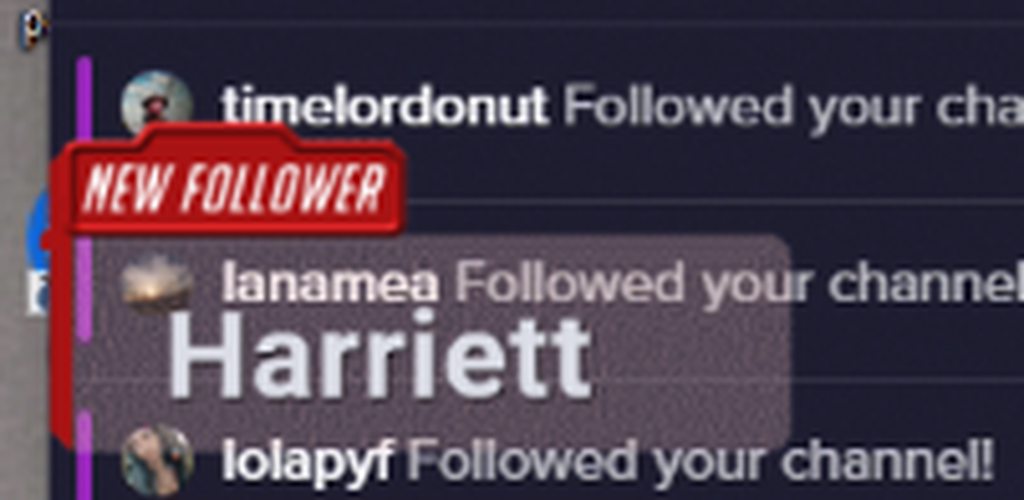
so for example
this name fits fine
but bigger names
go off of it
:/
thats my issue
if I resize the text
it will resize the new follower thing as well
swift mist
just make the text scroll?
zinc kraken
how?
swift mist
2 sec
zinc kraken
ty
swift mist
worn hazel
Can’t get audio through elgato and OBS? No gameplay audio but mic audio ok, any help?
zinc kraken
uh
I don't even see that setting? @swift mist
under follow alert, under text settings?
swift mist
text settings are at the bottom left you have to expand it @zinc kraken
also it's a custom widget
zinc kraken
maybe it isn't there for alerts :/
torpid estuary
@worn hazel rightclick your elgato in OBS - properties - configure video
make sure "audio input" is set to "1/hdmi audio"
swift mist
2 sec let me check @zinc kraken
@zinc kraken you are right, not able to do it with alerts, sry for the inconvience
midnight plaza
@swift mist @twin sentinel thanks guys.
I’ll use nightbit for that one command set. I’ll post on the forum for an upvote.
swift mist
i guess you could do some custom CSS that might do the trick, but i have no clue how to write CSS so i can't help with that
midnight plaza
Yeah. It’ll be easier to just use nightbot lol
swift mist
@midnight plaza I'll do an upvote when it gets posted in the Ideas channel here on discord
 bitter sonnet
Hey guys tell me if I am in the wrong spot but I have a Overlay from SE that when I add it as a browser source in SLOBS it is just blank. Wehn I refresh the Cache on the source it just goes solid white.
strong kernel
We can't support any issues with our overlays in SLOBS as we don't have the tools to troubleshoot their software.
We recommend using OBS Studio with our plugin, OBS.Live.
bitter sonnet
It is a browser source so it shouldn't be any different no matter what platform you use. But I understand you don't want to fix stuff on the competitions platform.
strong kernel
Actually, browser source coding can be and is different between softwares.
Xsplit's works differently as well.
bitter sonnet
Ahh I figured the URL is the URL but that makes sense
 turbid kestrel
dropping 7k frames again, any help?
nocturne pelicanBOT
@turbid kestrel Can you please provide a log from your last stream. In OBS go to Help > Log Files > Upload Last Log File. Once this is complete, please provide the link to the log file.
turbid kestrel
swift mist
turbid kestrel
my bitrate is at like 6k....
 stiff spire
Can somebody help me? I have a big problem for about 1 year for now... When i stream Fortnite for example i get slight fps drops in some places but it is never dropping below 60fps the game looks so jittery and like not 60fps even if the counter says 120 or 240 no matter if i lock it or not... There is no difference. This happens in almost every game like Apex or PUBG and more.
swift mist
@turbid kestrel could you try set the profile of h.264 to high
turbid kestrel
how would i go about doing that? im new to the streamelements obs
swift mist
in settings under output set it up like this
as i'm running the same CPU and GPU as you we should get similar result when testing
this is my usage while streaming my desktop
see the intersecting red squares
yours should be about the same
+/- 5%
turbid kestrel
checking it now
swift mist
your CPU usage could be a bit higher as you have scenes and i don't so please test with empty scenes irst
just setup a new scene profile
it will only affect your scenes and not the stream profile
just add your desktop to the empty scene and that is it
just so it hase something else than a black screen to encode
turbid kestrel
still dropping frames
turbid kestrel
 swift mist
that is no scenes? other than a desktop?
turbid kestrel
yes no scenes. just dekstop
swift mist
okay time to look somewhere else then to make sure windows and drivers arent at fault. Have you check that windows is fully updated and have no updates waiting as this can slow down a system. If you have upgraded your gpu driver have you restarted your system? (nvidia released one today)
turbid kestrel
i actually just got done doing the nvidia one
and i tried going live earlier and i was dropping frames so i checked windows for updates and didnt have any
swift mist
please do a restart. i got a BSOD today after upgrade and i forgot to restart and started streaming
swift mist
thought so, 10 years as windows sysadmin at enterprise level gives you a 6'th sense
turbid kestrel
updates still installing, sorry for the delay
swift mist
it's okay but i'll have to go soon, it's 3.40 in the morning and i have work in 5 hours
turbid kestrel
well maybe we can pick up tomorrow, dont wanna keep u. probably wont stream tonight since this is going on
swift mist
sure 😃
 keen forge
So, with the addition of media requests. How does that factor in with Twitch and Copyright issues if any (I am still new to streaming but trying to make sure I cover all grounds as to not get in trouble with them lol)
swift mist
if you have mod, make sure they know just a bit about copyright and do moderation of media request, that is if you want to say on the straight and narrow road without any potential problems. The worst I've seen is my audio being cut form some videos. @keen forge
turbid kestrel
^
keen forge
hm ok. So just have a mod watch it and only allow videos if they are free of copyright?
swift mist
yep, make sure they watch videos of fairuse as that is important (your audio will still get muted on VODs)
zinc kraken
well for the alert box I have, what would someone suggest I do for different sized names? https://clips.twitch.tv/VibrantFitAlligatorHotPokket
 swift mist
@keen forge this is waht happens if you have copyrighted music in your video 😃 and i'm affiliate and i know full time streamers who use it and they are partners and they haven't head anything for it from twitch
but time for me to go, have a great time everyone
worn hazel
Ok now my streamelement overlays are not giving me audio when I stream through OBS? The visual still comes up but no alert volume? I know it’s something. OBS though. Any suggestions?
 empty bramble
When setting up a donation goal it doesn't show the total at 0, it shows it at all donations so far. it only shows the correct amount so far after someone donates. How do i fix this?
 karmic bronze
 keen forge
Regarding the media requests. Is there a way for me personally to put a whole youtube playlist (all copyright free) into the loader so that it loads them all, or do I have to do it song by song to post them?
strong kernel
Set it as your backup playlist in the settings.
keen forge
now, there is a "playlist" already created on youtube. Can I set that whole playlist as the backup?
keen forge
I thought it was a playlist unique to SE, meaning that I would have to upload videos one by one
just a misunderstanding. thank you!
strong kernel
No problem.
keen forge
will it shuffle the songs automatically?
strong kernel
No shuffle.
hollow horizon
do users still gain points when my channel is offline?
if so is there a way to shut that off
strong kernel
No. Online only.
 ember idol
is the stream elements overlay not compatible with Streamlabs OBS? Can I only use my store perks on either Xsplit or OBS Live?
strong kernel
Technically it's supposed to but we don't have the tools to troubleshoot their software for them.
So we always recommend OBS Studio with OBS.Live.
ember idol
ok. cuz I literally worked all night making my store and I can't set the overlay as a browser source. which is werid bc the test alert works. it just won't show up when a perk is redeemed
I generally use OBS live but for some reason the new update has been crashing
ember idol
i dont generally mind. since it's fairly new I was just so excited because i worked so hard on my perks lol
I personally prefer OBS Live over Streamlabs OBS
it's just my backup
 gusty holly
Hello, so I attempted to stream through remote play and Stream elements OBS, I checked my twitch to make sure it all looked good and the entire time it was a green screen.
It all looks good on remote play and all looks good on stream elements but for some reason, it was acting up on the actual twitch website
nocturne pelicanBOT
@gusty holly For the best OBS support, please join their Official Discord @ discord.gg/obsproject
 sage coral
Hey there!
How do I go about changing my follower / subscriber sound?
For when someone follows or something
 zenith widget
I would suggest to watch this video guide we have for the alert widget: https://www.youtube.com/watch?v=8LVRd2X4HvU&t=0s&list=PLCDDKlFdScbEwdx5AntcQIS1InkFJwHtv&index=6
 willow bay
Hi! Tried to stream on OBS studio and the game capture screen preview is showing nothing but black
Any solutions?
zenith widget
Make sure you add the game you want to stream.
zenith widget
Yes
willow bay
Still a black screen :(
nocturne pelicanBOT
@willow bay For the best OBS support, please join their Official Discord @ discord.gg/obsproject
willow bay
Okay I'll try
 boreal jungle
Hi everyone! Wasn't sure where to post this question, but has TTS for the alert box been disabled? I have everything active but TTS is not playing back any of the messages submitted. Thanks!
zenith widget
👀 you again?
Have you checked your variations?
Let me just torment you in your chat 
boreal jungle
LOL
zenith widget
(for everyone, just a friendly banter with @boreal jungle  )
)
boreal jungle
❤
zenith widget
Fixed 
boreal jungle
Thank you again!
zenith widget

rough jacinth
Soo, ye, I dunno
zenith widget
Ok, so here it is.
Issue was - the alert widget was hidden.
I knew that the outline of the widget seemed a bit off until i actually looked at this and saw that it was actually hidden.
zenith widget
Because I saved the overlay when i changed it to shown.
rough jacinth
o
zenith widget
in order to actually show it on OBS>
rough jacinth
Hackerman
rough jacinth
Testing out
zenith widget
I can see that 😃
rough jacinth
@zenith widget rly, hackerman
 rough jacinth
What was the problem?
rough jacinth
Is this okay, that I dont see preview in overlay editor?)
zenith widget

 hallow crest
Can I set up two different profiles with diofferent stream keys?
zenith widget
For OBS - yes - thats the idea behind the profiles
hallow crest
They look the same? When I make 2. Maybe i need to sign out or something
zenith widget
Especially with the new integration you can have 2 different twitch accounts logged in
hallow crest
AWESOME!!! Thanks
sacred narwhal
question i have ground app installed on streamelements you have to use the alerts but i use tippiestream for the donations because streamelements dont use i deal pay so i have connect tippiestream to streamelements is the alert coming up if someone donate on the url from tippiestream?
twin sentinel
There is no way to get a alert when a donation is made through tipeee in our system. We can't get this info about thte donation from tipeee to show.
 pale elk
Do we have the option for scripts or something that allows us to assign a soundeffect, etc. for when VIPs/MODs & Subs show up in chat?
(See the events function in StreamLabs chatbot)
zenith widget
No.
pale elk
Damn. Guess that's something to be added to the list then.
zenith widget
Its part of the ideas board already.
pale elk
I thought as much
👌
Hope to see it added soon.
(I don't want any StreamLabs stuff on my PC.  )
)
 gentle imp
there's only a few of us requesting that, the more upvote it the higher chance of it getting done @pale elk
 hybrid heart
hello not sure if im in the right channel with this question but can anybody help me setup my timers? / what is the best setup for serval timers ? i want them to be posted in order i added them ever x minutes but for some resason they dont get randomized ( srry english not my main langueage so not sure if my point is clear XD ) anyone got an suggestions ?
 signal dawn
Is there a way to trigger videos on stream by command? - So like a User types !video1 in Chat and that Video appears on screen. 🤔 🙂
 tight harness
@hybrid heart Check pinned messages in this channel, it goes into detail about how to set up timers 😃
hybrid heart
ty
tight harness
@signal dawn I'm not aware of any way to do that via the default widgets, the Store Redemptions widget only allows for GIFs. I had a look in #widget-share but couldn't find anything custom already mentioned but perhaps ask in #dev-chat if there's a custom way to do it
 hazy depot
So I have a slight problem with streamelements. Whenever I turn it on it cuts all sound to my headphones. Why is this?
 delicate leaf
So i have an issue whenever i try to go live i get video code error #5000
 normal igloo
@delicate leaf using obs?
delicate leaf
@normal igloo yes i am
normal igloo
@hazy depot turn what on media request?
nocturne pelicanBOT
@delicate leaf For the best OBS support, please join their Official Discord @ discord.gg/obsproject
hazy depot
Hw would I turn it on?
gusty holly
Okay so last night I tried to stream on streamelements and had a green screen. This morning the same thing so I downloaded streamlabs and everything worked fine. I would like to stick with streamelements, I just would like it fixed please.
twin sentinel
@gusty holly What OBS Studio version are you on?
gusty holly
I believe the latest edition of streamelements OBS
It updated last night and since the update, it’s been that way
twin sentinel
The OBS Studio version is on the top left and the OBS.Live version is in the lower right. Can you tell me the versions please?
gusty holly
OBS 23.0.1 and OBS.live version 19.3.2.344
nocturne pelicanBOT
@gusty holly For the best OBS support, please join their Official Discord @ discord.gg/obsproject
gusty holly
I’ve already joined the server and they offered no help
 balmy magnet
I have imported streamlabs into my streamelements which is located on the left side of my screen, but when I click the circle arrow to replay the notification it doesn't do anything. Do I have to import something else to let it make a sound and show up on my screen/stream?
twin sentinel
@balmy magnet Have you added the imported Overlay to OBS Studio?
nocturne pelicanBOT
@balmy magnet To add your overlays to OBS, add a new browser source in your scene. Paste your overlay URL in the browser source properties, set the dimensions to 1920x1080 (unless you changed them on the website), and :ballot_box_with_check: “Shutdown source when not visible” https://youtu.be/KDvLynUqXI4
balmy magnet
Ok Thanks 😄
I have another question. I have imported the alertbox settings from streamlabs OBS but I do not want the old images and sounds on there, how do I delete them?
twin sentinel
There is an overlay with the imported alertbox. Edit the alertbox widget in the overlay as you wish.
 tardy seal
Ok so hopefully someone can help me out but I'm looking for a way to have a picture of my sponsor with my code come up on my stream every 30 mins or so for like 10 seconds. I couldn't find any timer I can customize on stream elements and then my journey got even more confusing when I looked in obs. Any thoughts?
twin sentinel
There is a widget called "Asset rotator/slideshow" which will fit your needs hopefully.
blissful ravine
How do I reduce the buffering from my stream
glad gust
hello
blissful ravine
Think I saw something about it but I forgot
glad gust
im not a helper soz
gentle imp
you can have a look here @blissful ravine https://stream.twitch.tv/encoding/
adjust to your system specs and internet connection
blissful ravine
Adjust it in obs?
blissful ravine
Does reducing fps help?
gentle imp
shouldn't make much of a diff, that's more for you
robust knoll
-ó
nocturne pelicanBOT
@lament blade For the best OBS support, please join their Official Discord @ discord.gg/obsproject
lament blade
Thank you
 tacit frost
Hello everyone! I just signed up to ask a question about Twitch and OBS performance. Really glad to see a Discord for this kind of thing.
 humble leaf
hello
How can I configure a custom command so that it plays a custom recorded sound?
twin sentinel
You can create a store item, add the widget "store redemptions" to your Overlay and create a custom command with the variable ${redemption <itemname>}
humble leaf
I think I got it, let me try
It is not working
I created the item on the store, uploaded my file to it
and set the command with this:
What did I do wrong?
@twin sentinel ?
anyone?
twin sentinel
Have you added the widget to your overlay?
And add the ${redemption Olha_o_chat} as Response, not as Regex.
humble leaf
I have the widget, yes
nope, not working
My overlay has store redemption:
My stream store item :
Custom command:
the first message is as it was before, the second is with your change, I cleared the field for expression
what am I doing wrong?
twin sentinel
Sorry. My fault. The variable is: ${redeem <itemname>}
humble leaf
now the issue is the item name
does it have to be between <> ?
${redeem <Olha_o_chat>}
that is what I tried
with <> and without
what am I doing wrong now?
@twin sentinel ?
twin sentinel
it has to be without the <>.
twin sentinel
I am not sure if "_" are allowed in the itemname. Please try a more simple name of the item please.
humble leaf
nevermind
it was the item command
it was different from item name
thank you
is there a way to suppress the response?
like:
that response, for this specific item
?
twin sentinel
You can try to supress it in the module settings. Module: chat alerts.
humble leaf
for that specific item?
twin sentinel
I think this is for every item then.
twin sentinel
Ok. Then you can't disable this message I think. I am sorry.
humble leaf
so, since the option exists, that is a bug?
twin sentinel
This is the answer for the default redeem command I think.
humble leaf
yes, and I would like to suppress it, since the alert box has a way to do it, I imagine it would be a bug that it does not do it, correct?
twin sentinel
I don't think you can supress this answer. But you can submit an idea at our ideasBoard: https://strms.net/ideas
 heavy lily
My bot is non responsive after removing/rejoining channel multiple times please help!
twin sentinel
@heavy lily You have a custom bot name enabled?
twin sentinel
where did you enable it? via OBS.Live or Ground control?
Yes, please try to disable this, to see if the bot responses as the default name.
 wanton patrol
having a lot of issues with dropped frames. can i get some help?
dropping more than 20% usuually
nocturne pelicanBOT
@wanton patrol Can you please provide a log from your last stream. In OBS go to Help > Log Files > Upload Last Log File. Once this is complete, please provide the link to the log file.
wanton patrol
narrow coyote
its all network related Number of dropped frames due to insufficient bandwidth/connection stalls: 26052 (22.9%)
 open creek
!invite
nocturne pelicanBOT
To invite managers to your dashboard, Click on your Channel Name at the top of the dashboard and scroll down to Settings. Click the drop down arrow to expand your channel managers and then create a new invite at one of three access levels (Bot Supervisor, Editor, Full Control) Check this video out for more help: https://youtu.be/zl_h-ttZDF0
wanton patrol
have a frined that streams on same modem and doesnt have same issue
narrow coyote
Open Broadcaster Software is free and open source software for video recording and live streaming. Stream to Twitch, YouTube and many other providers or record your own videos with high quality H264 / AAC encoding.
its going to be something either with your local network, or between the connection from you and Twitch, i.e., could be an ISP issue
not really something we can help with
wanton patrol
ok thank you very much for the info
 slender yoke
Are there any other reports of streamelements tip page not loading? I can't get mine nor another streamers to load up on Chrome today.
 gusty ice
Mine appears to be loading
slender yoke
yea for me it just loads and spins and spins and loads. But everything else is working fine
weird, If I go incognito it's fine
slender yoke
@surreal kite you don't have to if you use remote play
strong kernel
If you want to use overlays or alerts, you will need either a capture card or use remote play.
Point being, you're streaming from your computer, not your console, and just getting your console gameplay to your computer so you can use it in OBS.
 surreal kite
cakerins IDk HOW too
gusty ice
It's a playstation.net link...
Just google Ps4 remote play
and find out how to do it, lol
surreal kite
well nevermind i guess
gusty ice
????
surreal kite
its just im not even on my pc
so
making sure ima just yolo it
if its like the biggest virus then im fucked
gusty ice
playstation.net is the official playstation website, dont even click it if you dont want to, just google what youre looking for
i just find it ironic that your name is Google Device lol
zinc kraken
does anyone know how I can fix names not always fitting in my box? :/ https://clips.twitch.tv/VibrantFitAlligatorHotPokket
here is a example of what my alerts look like. above the webcam spot
gusty ice
Is anyone familiar with streamelements bot custom command syntax? I'm trying to get this custom command converted from nightbot to streamelements with limited success
strong kernel
Paste the current response here.
 carmine pilot
Hi, yesterday I asked something and we weren't able to fix it
I asked about the theme gallery
I took a LoL overlay and it just doesn't fit with my screen
It won't work in 1360x768 (which is my screen resolution) but in 1920x1080 it doesn't fit
We tried Ctrl + F and it stays the same
It adjusts a bit, but it still has a black stray at the bottom
strong kernel
Check your settings to ensure that your canvas is set to 1920x1080.
The output alone isn't enough.
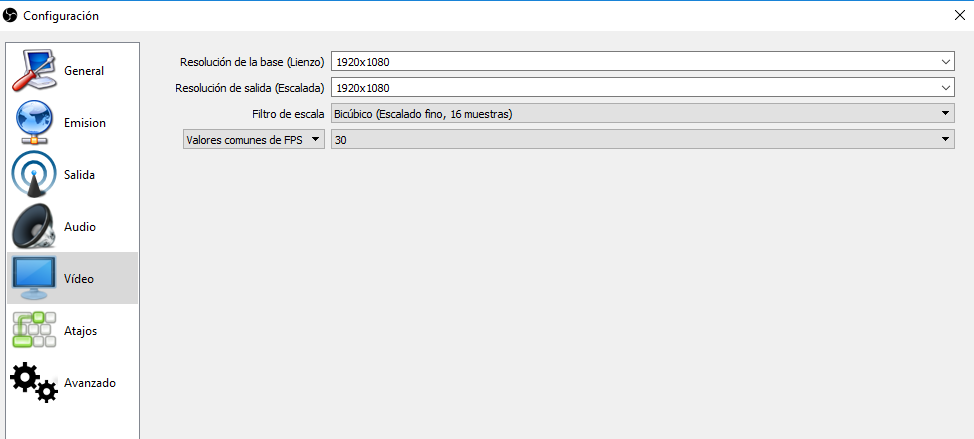
strong kernel
Please screenshot your settings.
carmine pilot
Give me a sec
zinc kraken
sos :9
 zinc kraken
Anyone know how I can sort of limit the text or maybe make it scroll for alerts?
strong kernel
@zinc kraken Set margins.
 deep epoch
Good afternoon, after the update to 23.01, the custom bot no longer stays logged in, andhas to be reset each time streamelements live is run
 quartz peak
hey guys, hoping someone may be able to help, wen I stream on twitch it looks quite dark but wen I look at it on OBS its fine, any way to sort out the brightness for the stream?
strong kernel
@deep epoch This is a known bug. We are working on a fix.
deep epoch
Thanks
carmine pilot
@strong kernel Do you see something wrong?
strong kernel
Now screenshot your browser source properties.
Deleted the image because it showed your link. You don't want that. 😃
carmine pilot
Oops
strong kernel
Delete and remake your browser source, and immediately after setting its properties and pressing OK, press Ctrl+F.
carmine pilot
still don't working ;-;
strong kernel
Screenshot it please.
carmine pilot
 narrow coyote
the source does not look like it is fit to the canvas
as in, the top part of the source is outside of the canvas
surreal kite
is there a nother way stream ps4 besides elgato
i dont have the money i have windows 7
strong kernel
Definitely doesn't. The canvas itself is properly sized, just checked.
@surreal kite You were already told.
carmine pilot
@narrow coyote Wish it was true, but look
strong kernel
Those are your only options.
 carmine pilot
mohdrsby
No, I just tried to stretch it yesterday due to despair but it didn't work neither
narrow coyote

normal igloo

strong kernel
carmine pilot
wooooow
It probably happened while changing the social media accounts
Thanks for helping me guys
strong kernel
I'm going to be nice and fix it for you.
carmine pilot
Oh thanks!
I'm not good at all with the tool 😅
Oh, it's fixed now!
Thank you very much 😊
strong kernel
Set media request to free only.
quartz peak
anyone no how to brighten up my stream? looks fine in OBS but on stream everything is a decent bit darker
nocturne pelicanBOT
@quartz peak For the best OBS support, please join their Official Discord @ discord.gg/obsproject
 summer kite
Is there somewhere I can find a guide or get help with streaming from my xbox, to OBS, then to Twitch?
strong kernel
We don't have a guide for using a capture card or remote play to stream from a PC, no. Best bet is Google.
 south bone
hi, how exactly do i test this offline?
turbid kestrel
@swift mist seemed like when i updated windows and everything and restarted my comp it was back and running. went live and no dropped frames. i guess we will see what happens later. Thank you!
 limber bane
Stream elements is dropping 3 times the response when people sub, its only doing it for that for that module, not the normal commands, is it bugged atm ?
strong kernel
Custom name in Ground Control?
limber bane
nope
strong kernel
Screenshot the issue please.
limber bane

https://gyazo.com/c4c29e28eeb706d1dc746ca62839b30a that was all from 5 gifted subs [Channel Fungoose if that helps]
 strong kernel
Oh, so it's not your channel?
limber bane
No, the one i mod for, i have supermod, its my partner
 mental sonnet
helpppppp
nocturne pelicanBOT
@mental sonnet Welcome to the support channel! Please let us know how we can assist you today and a member of the support staff will be with you as soon as possible.
mental sonnet
i cant get the my video to show when i start to stream here on my laptop
i just set everything up
says i have not added any video sources
@gaunt spruce they really did that
@nocturne pelican i need your help
strong kernel
@gaunt spruce This is the Twitter module in the Modules section.
weary mist
Check your twitter module in your dashboard. You can change what tweets are shown in chat @gaunt spruce
mental sonnet
anyone know how to get the video working on streamlabs obs
strong kernel
We cannot assist with issues with our overlays in Streamlabs OBS as we do not have the tools to troubleshoot their software for them.
We always recommend using OBS Studio with our plugin, OBS.Live.
weary mist
@gaunt spruce can you show a screenshot of what it is doing? that would help a ton in figuring out what is happening
also
nocturne pelicanBOT
@gaunt spruce Please connect your Twitch and/or YouTube channel with Discord by going to ⚙ Settings and then Connections here in Discord. https://streamable.com/eg92w
 mental sonnet
it has obs live
swift mist
Yep, that is usually what windows update will do to your PC @turbid kestrel
mental sonnet
@strong kernel it is OBS Live with Streamlabs
weary mist
There is not OBS.live with StreamLabs
strong kernel
Streamlabs cannot support OBS.Live.
weary mist
That would be like Apple putting android software on their phones
mental sonnet
obs studios with stream labs
strong kernel
OBS Studio is not the same as Streamlabs OBS.
nocturne pelicanBOT
@mental sonnet To add your overlays to OBS, add a new browser source in your scene. Paste your overlay URL in the browser source properties, set the dimensions to 1920x1080 (unless you changed them on the website), and :ballot_box_with_check: “Shutdown source when not visible” https://youtu.be/KDvLynUqXI4
limber bane
on a side note, i think the module issue i was having in chat is fixed 😄
strong kernel
Yeah, we had a lot of reports of it and we woke the team up.
Glad to hear it's better.
limber bane
@strong kernel keep up the good work 
swift mist
So I wasn't the only one who it suddenly reset on 😃 good to know
limber bane
Keep up the good work guys, cant stop people being Angry, you guys are just trying to help. Dont let it mess your days.
strong kernel
Let's be fair, when someone with a colored name uses  it should probably be a red flag in your head.
limber bane
Bugs happen
swift mist
On another topic, THANKS for creating such a nice system and listen to your community with all the ideas we have 😄
strong kernel

 long crane
When I click start streaming
swift mist
ehm what, I think your first message got removed?
long crane
ik but that was the wrong question.
When i click start streaming it says; "could not access specified channels or stream key, please double check your stream key. if it is correct there may be a problem connecting to the server"
plz help
swift mist
have you checked that the key haven't changed
long crane
how do i check it
swift mist
guessing you are using OBS Studio?
long crane
yesssss
swift mist
alright hang on
swift mist
oh you prob. don't have entered your stream key then
 gritty terrace
can someone help me
swift mist
@long crane
nocturne pelicanBOT
@gritty terrace Welcome to the support channel! Please let us know how we can assist you today and a member of the support staff will be with you as soon as possible.
gritty terrace
so you know obs
swift mist
NP @long crane
gritty terrace
how do i make the Quality better for the stream
swift mist
oh that's a big topic @gritty terrace first what are your system specs
swift mist
yes, CPU ang GPU and ram amount
nocturne pelicanBOT
@gritty terrace Can you please provide a log from your last stream. In OBS go to Help > Log Files > Upload Last Log File. Once this is complete, please provide the link to the log file.
strong kernel
Please keep everything in the public channels so others can benefit in the future.
gritty terrace
its a link
swift mist
no @gritty terrace do what StreamElements said
strong kernel
That's... not an OBS log.
long crane
@swift mist When i go onto stream settings i only see this
sacred narwhal
is it mandatory to use the donation alert if you have ground app from Streamelements?
because I have tip from from tippiestream because you do not support an ideal pay system
long crane
!rank
swift mist
@long crane don't post it here but go to twitch and make sure the key you have there is the same as the key in your OBS (under the dots)
long crane
ok
gritty terrace
what about helping me
jade remnant
send us a log
long crane
@swift mist so how do i check that on twitch (im sorry im so dumb)
gritty terrace
thcx for the help guys
jade remnant
@gritty terrace are you going to send a log or have you sorted it?
swift mist
@long crane go to your dashboard, then in the lower left corner click channel under settings category
in the top of that you will find your stream key
again don't post it here
swift mist
Perfect
swift mist
happy streaming
long crane
how do you customize your stream (i feel like you hate me now)
(i should probably look this up sorry)
swift mist
I don't but that's an even bigger topic, and not one i have time for (i'm just some random guy helping, i'm not with StreamElements)
twin sentinel
Here are some video guides how to set up your stream: https://strms.net/welcome
weary mist
@sacred narwhal Having the SE tip link is only required if you want to use the Custom Bot name option, otherwise you don't need it
sacred narwhal
o sorry @swift mist
swift mist
no need to say sorry, just if you were expecting an answer 😄
weary mist
You can have both tipping links, but there is no way to like tippee with our alert system (seperate copanies)
ember idol
ok so OBS Live is working so now I can use my Store Extention, but when I test the sound alerts none of the images are showing. Aren't they supposed to if it's set up that way in the store?
weary mist
Not sound effect, those are purely sound. If you want both, use the Stream Perk item
 lament pebble
how can I disable streamelement's tweets to stop showing on my stream? Today every 5 min I got a msg from it lol
strong kernel
Twitter module can be edited or disabled at https://streamelements.com/dashboard/bot/modules

StreamElements
The Ultimate All in One Platform for Streamers
turbid kestrel
well now im dropping fps....
throttling at 60 in loading screen then i drop to like 25-30 when playing apex
looks fine on my end but terrible on stream @swift mist
turbid kestrel
will do
swift mist
also have you tried enabling vsync to see if that helps?
could be the sheer amount of FPS throtteling the system, and you can check it by enabling vsync in game
omw to bed so I won't be on for long 10-15 minute tops
@turbid kestrel ^^
turbid kestrel
tellin me gpu is maxed
swift mist
SRY yes GPU
turbid kestrel
you said try vsync on?
swift mist
it's 2 in the night here and yes try vsync
turbid kestrel
theres multplie options for apex vsync... double buff, triple buff, adaptive, and adaptive 1/2 rate
twin sentinel
Just a little side note: Please don't stream in 1080p60 if you're planning to stream games with a lot of movement or details like shooters or racing games. You actually need 8000+kbps or a dedicated streaming rig to get good looking 1080p60 stream.
turbid kestrel
should i try like 720p?
swift mist
no clue about the apex settings and why they have different
 flat horizon
720p 60fps
turbid kestrel
how do i change that in stream elements @flat horizon
 steel parrot
is ther a way to get my bot to greet ppl and such, i added it but im a little noob not sure how to getit all working, tia for any info
strong kernel
There is not. The minimum action required for the bot to send a message is a follow.
steel parrot
aww
swift mist
@turbid kestrel do this for your specific rig, you will get good quality and no stuttering for fast paced games
then you shouldn't need vsync
but you need the bandwidth for 6000 bitrate ofc
twin sentinel
Also try to use Game capture if possible over display capture to capture your gameplay.
swift mist
for sure benno, that is true
turbid kestrel
kk
swift mist
@turbid kestrel remember it's the new nvenc you have to use 😄
swift mist
if you play slower paced games like.. ehm.. mincraft you could enable look-ahead and do 4 bframes as it will auto adjust. it will give you better image quality but only if it is slower paced, you will get worse image quality if you play fast paced with it on than without them
flat horizon
@turbid kestrel it's better to just find your typical setting on youtube. They explain what the settings are and what they do so you can alter yours according to your setup
swift mist
we all learned at some point
flat horizon
Guys I want advice. I have been streaming for a month now maybe a month and a week. And I've grown pretty well imo as I'm sitting on almost 80 followers, about 1.1k views and little over 40 bucks in donos. But it's really hard for me to get the average 3 viewers, I have streams where I peak almost 10 - 12 viewers but only for like 3 hours then it drops back to less than 3. So my avg stays really low because I stream for about 5-6 hours. How can I change this without changing the stream times
twin sentinel
@flat horizon Better move this question to #general-chat
flat horizon
@swift mist people say my content is good and that they like watching but it's weird that I get that many viewers but my avg is still this low. Is it counted in 30 days or something to determine te overall avg?
OK I'll move it up
swift mist
@turbid kestrel so how's it running?
turbid kestrel
smooth as a babies butt
 unborn echo
Hello o/
We are having a problem where the chatbot is sending the timers all at the same time. Is there anyway to stagger them? So we have like 10 different timers all set with 25 minutes. Every 25 minutes they all start to trigger back to back within a few minutes and clogs up the chat.
Is there anyway to stagger them or something so they are spaced out.
strong kernel
So, here's the interesting trick with the timers. They're based on the time of creation.
So if you make 5 timers each with a 60 minute interval, and create one on at, for instance 9:00, and then create them every 10 minutes after (9:10, 9:20, 9:30, 9:40, 9:50) then in theory they should each be going off 10 minutes after the previous.
unborn echo
oh ok. So we would need to recreate the timers?
strong kernel
Yeah, it's a bit weird but it works from my experience.
So you have 10 timers. And you want them to play 25 minutes between one another?
unborn echo
Well like 25 minutes between say timer1 from repeating itself.
And maybe like 5 minutes between timer1 and timer2
strong kernel
Okay. 10 timers with 25 minutes being the beginning point.
unborn echo
I understand now with the creation time thing. There should be an option to have a minimum time between timers.
Different timers*
Otherwise spamm
strong kernel
So in theory if you're quick and make each one 2.5 minutes after the previous one it should be nice and even.
unborn echo
Yeah. I'm gonna do that for him. thanks @strong kernel Gonna be a long hour trying to do 17, not the 10. lol
strong kernel
17 timers each with 5 minutes in between each one, you want the interval to be 90 minutes I believe.
strong kernel
I think 54 if my math is correct.
unborn echo
Does the time start when I click submit, or the new timer button that opens up the options.
strong kernel
Submit, I believe.
unborn echo
For future use, whats the equation you were using?
strong kernel
(Number of timers + 1) x Interval between timers = Each timer's interval
 viscid osprey
Hit a bug with StreamElements tonight.
Someone subbed to the channel once, tier 1, as intended. Bot in chat said "so and so subscribed tier 1" three times, even though they did once, on my overlay it showed 3 credits. in twitch itself, only one, on his bank statement, only one, as intended. so my sub goal is off
strong kernel
We've already fixed the issue there, and you can adjust your goal progress at https://streamelements.com/dashboard/session
StreamElements
The Ultimate All in One Platform for Streamers
 lucid sonnet
Hi loves! Recently updated OBS and the StreamElements bar at the top/my Activity Feed is missing? 😃
viscid osprey
any idea why it did that?
strong kernel
¯_(ツ)_/¯
strong kernel
@lucid sonnet Install OBS.Live again.
@viscid osprey Click on link. Go to Goals tab.
viscid osprey
aha
lucid sonnet
10-4 @strong kernel
viscid osprey
thanks @strong kernel
lucid sonnet
100%. Thanks again.
surreal kite
hey um im trying to do like my tip thanks for donating user make it black color just user donated amount which is black color
how do i get color codes
strong kernel
If you mean in chat, you can't color your chat messages anything you want. The only color possibility is by using /me which uses your username color.
unborn echo
Is it possible to create a multi response command, or a script like behavior for a countdown?
strong kernel
Unfortunately not.
 crystal cloak
How do I make a command for points?
strong kernel
Can you be more specific about what you're trying to do?
 kind epoch
Hi i just had a subscription and the person got banned from se for posting a link. But what's wierd is that the subscription has not shown in the activity feed. Help please.
zenith widget
How do you know you got a sub?
zenith widget
Does it show in the twitch chat that the person subbed?
kind epoch
Yes
zenith widget
Can you give a screenshot?
kind epoch
Actually it doesn't say anything about the sub in chat sorry.
But he's got a sub badge next to his name though.
nocturne pelicanBOT
@kind epoch Twitch prime (new and resub) and paid subscriptions (resub only) must be shared in chat manually by the person subscribing in order for the subscription information to be sent to StreamElements. For twitch prime, the user needs to have sharing enabled on https://www.twitch.tv/settings/prime. For paid subs, if the share box doesn't show up immediately it will when they refresh the page. https://i.imgur.com/VNJN0Uv.gif https://i.imgur.com/2297EA7.png





 weary urchin
can I hide widget?
or text or image or whatever?
in overlay
not delete, just hide
zenith widget
Hide the widget? Yes - click on it in the editor -> expand layers on the bottom right -> eye icon to hide.
zenith widget
Video off button is meant to be used in tandem with "Show on Stream"
where it hides the video on stream, but leaves the progress bar.
weary urchin
okay
thanks
but it would be nice to have a feature to hide it
it may boost a little performance
wont it?
kind epoch
@zenith widget The person that subbed and got timed out after definately subbed with Twitch prime and upon refreshing shows nothing about sharing. The sub did not register.
zenith widget
For twitch prime, the user needs to have sharing enabled on https://www.twitch.tv/settings/prime.
 late socket
hey i closed the source stuff on bottom how to i get it back
zenith widget
What are you referring to?
zenith widget
Wrong place to ask, but on the top menu of OBS -> View -> Docks
 quasi apex
What does "VIP User group" refers to? I can't find anything about it
I see Regulars but cant find VIP
 swift abyss
Do I need to upload the custom font I want to use? The post in announcements didn't provide much detail. Thanks in advance
zenith widget
@quasi apex VIP's are the Twitch VIP group.
@swift abyss The custom font can be on your PC
just make sure you match its name in the overlay editor.
Refresh the editor + obs to see the custom font after you click save.
quasi apex
Ah thank you, didn't think of that
swift abyss
@zenith widget and if I match it in the editor on the computer I have the font on, it will still show on the pc I use for streaming that doesn't have the font?
swift abyss
Ah ok
hybrid heart
is there a way for a command ot read a random line of tekst for imput or tekst file ?
zenith widget
Yes. Let me find the way.
nocturne pelicanBOT
@late socket To add your overlays to OBS, add a new browser source in your scene. Paste your overlay URL in the browser source properties, set the dimensions to 1920x1080 (unless you changed them on the website), and :ballot_box_with_check: “Shutdown source when not visible” https://youtu.be/KDvLynUqXI4
zenith widget
@hybrid heart https://twitter.com/MikeyHay/status/1100822082848518144
Specifically this: https://thefyrewire.com/docs/api/
hybrid heart
ill look at it thnx
 fresh mural
Can I increase my video bitrate above 6000?? (I have 21MB upload speed)
zenith widget
I think thats close or the soft-cap for bitrate upload to Twitch.
Also having 21mb upload speed doesn't mean anything and its not recommended trying to match your upload speed in bitrate, because else you might suffer network loss
https://stream.twitch.tv/encoding/ - follow these guidelines for bitrate settings
fresh mural
Thanks @zenith widget , any other tips for improving my stream quality btw??
zenith widget
This is not a quality check channel to ask. If you want tips on how to improve quality, better ask in #general-chat
or reseach good PC parts.
fresh mural
Well I'm looking for any advice I can get as I'm a relatively new streamer who's not very tech savvy when it comes to stream software. LUL
zenith widget
WEll this channel is meant for queries/issue resolving about our tools and features
 snow eagle
Is it possible to export stream labs settings to stream elements?
zenith widget
zenith widget
What do you mean chat overlay?
snow eagle
like twitch chat overlay
zenith widget
That tool only imports tip info and your alert box from SL.
Anything else needs to be made with our own widgets.
snow eagle
So I can make a chat overlay using stream elements? How can I do that? I wasn;t able to find an option like that
snow eagle
awesome, thanks so much!