#helpdesk-twitch
1 messages · Page 419 of 1
 zenith widget
 upper steeple
@zenith widget so everything good to go now?
zenith widget
Yes
upper steeple
awesome thank you all so much
 inland dome
@zenith widget yes, that's why I'm asking if there's another way to do it, or if there are plans to implement this in the future
zenith widget
Afaik, no.
inland dome
why not ?
zenith widget
Ok, sorry i didn't read the end of your sentence - i don't know if there are plans, but afaik there is no other way to allow the bot to do markers.
inland dome
is there someone else I can ask who does know if that function is in the works ?
zenith widget
@turbid reef
inland dome
also i wonder why this happens, is it because twitch doesn't recognize what the bot posts to chat as a command but forces it to be regular "text" because it wants it to use it's commands through the api ?
zenith widget
@inland dome Since you tweeted I asked Nuuls directly. It is planned but no ETA on when the bot will be able to use the /marker command.
inland dome
ok, tnx for the info
zenith widget
There are special flags for chat bots to use specific twitch chat commands.
inland dome
yeah I figured it was something like that
 amber iron
Hello everyone. Happy to be a part of this awesome platform. I have a question and maybe it’s a dumb one. I’m streaming through the twitch app from my xbox. Now through stream elements I’ve downloaded it on my Mac and have started the early stage process of trying to get an overlay and everything else up and running. However I really don’t know how to get it on my page or really anything else when I’m streaming. Do I need something else to make this system work or another computer hooked up? If anyone can help that would be awesome. I was hoping this was a plug and play kind of thing with some personalization factors with it.
 nocturne pelicanBOT
@amber iron Here is a guide on how to setup the most essential tools for streaming from your console, while using StreamElements tools without involving a Capture Card! It's easy to do, take 4 minutes to read and 10 to 15 minutes to setup!
Read all about it here: https://blog.streamelements.com/how-to-stream-on-console-7b620b1c46c3
amber iron
Awesome. Thank you so much. If I have any questions in regards to this can I just shoot my question in here?
 twin sentinel
yeah sure.
 lament blade
quick question I got a donation recently and for some reason I didnt get the alert and the person had told me they donated and the donation was in my pay pal but i didnt even get a notification at all and I tested my notification and they work when i do the test just not sure why this happened
 kind epoch
Hi, CPU goes up and frames drop with the new Apex Legends Supertheme in particular the talk overlay. Is this normal?
 woeful idol
hi, just addressing an issue i brought about to this channel about 2 weeks ago, my sub alerts don't always show up when i get a sub on twitch. there are times that it doesnt show up at all, or that itll show up after a few days during my live stream. and there are times when the sub alert does pop up exactly when a viewer subs to me. how can this be fixed?
 strange thicket
Hi all, I am switching from Streamlabs to StreamElements, but I have my overlay setup within OBS, and I want to keep it within OBS, then again, I want to use StreamElements' widgets. I am currently making a new overlay for every widget but that doesn't work out the way I want because the media link you get for your scene is the same. Anyone knows how I can setup the widgets/alerts with streamelements without having a complete overlay made on streamelements? Thanks!
 tight harness
@lament blade Hey, it's most likely that the alert for this tip was blocked due to your Tip Moderation settings in Tipping Settings, but you should also check that you don't have any actions to do on PayPal like further verification or approving the payment if it's pending
nocturne pelicanBOT
@kind epoch Since Apex Legends doesn't have optimized GPU drivers yet, it tends to take up all your GPU resources, leaving nothing for OBS. If you're having OBS performance issues, you'll likely need to limit the game somehow. The easiest way to do this is to enable Vsync in the game, or use a frame limiter. You can limit the game to 60fps by adding +fps_max 60 to the game's launch properties in Origin.
https://twitter.com/OBSProject/status/1093974215877951493

If you stream @PlayApex and are having FPS issues with OBS due to a maxed-out GPU, you'll need to reduce GPU usage so that OBS can run as well. The quickest way to do this is to enable Vsync with triple buffering and disable Windows 10 Game Mode. https://t.co/FOPmDyJMNx
Retweets
467
Likes
1339
 Twitter
kind epoch
Twitter
kind epoch
Not having problems with the stream of the game Apex Legends, it's the supertheme (talk) layout that is cpu intensive and frames don't stay at 60fps.
tight harness
Are you streaming Apex Legends with this theme? If so the bot's message is relevant to your issue
kind epoch
No, it's just a scene with a very large view of my camera with the layout. I am not having issues streaming Apex Legends. This scene/layout is very unfriendly
nocturne pelicanBOT
@woeful idol Twitch prime (new and resub) and paid subscriptions (resub only) must be shared in chat manually by the person subscribing in order for the subscription information to be sent to StreamElements. For twitch prime, the user needs to have sharing enabled on https://www.twitch.tv/settings/prime. For paid subs, if the share box doesn't show up immediately it will when they refresh the page. https://i.imgur.com/VNJN0Uv.gif https://i.imgur.com/2297EA7.png

 tight harness
@strange thicket We'd always recommend making the complete overlay on StreamElements, that's the most practical and less intensive way of doing it
kind epoch
@tight harness Any ideas how i can reduce cpu usage and steady the frames? It's just the talk scene in the Apex Legends Supertheme.
 spare sage
Are we having any issues with the site right now?
tight harness
@kind epoch I'd suggest duplicating the overlay, making the duplicate less busy by removing some parts you don't think are necessary then see if that runs better than the original
What issue are you experiencing?
spare sage
Error code 500 when logging into twitch
{"statusCode":500,"error":"Internal Server Error","message":"An internal server error occurred"}
Our esport streamer cannot access and just confirmed with my own
https://api.streamelements.com/auth/twitch/callback is the branch it is requesting from
tight harness
Checking with development team
@spare sage Developers are looking into it to find a solution now
spare sage
Actually I may have an update @tight harness it appears it might be twitch, I am seeing the entire stream information dashboard is gone and updating it through obs is ded.
 serene granite
yea, our developers just confirmed its a twitch-wide issue
spare sage
Quick question then, do you know the direct donation url page for a streamer using twitch with stream elements, normally I just login, need to test if at least alerts are still going through
serene granite
spare sage
thanks
 quaint glen
Need some urgent help. About to start my stream and tried to configure a few things on SE. THis is what I get when I try to log in with Twitch '{"statusCode":500,"error":"Internal Server Error","message":"An internal server error occurred"}'
serene granite
@quaint glen this is a twitch issue but please try to refresh and login again
quaint glen
alright, thanks
 pseudo snow
i am having the same issue
quaint glen
nah it just worked, took it 5 mins to do so but it's ok now guys
 pearl totem
Yeah seems to be all good now
pseudo snow
yeah same
spare sage
Ok so confirmation complete, while twitch updates and logins are dead rn, your hud pieces such as donations and subs should still work
tight harness
@spare sage Should be fixed now ⤴
spare sage
Yeah we are good, boys are live and good thanks as always
 hollow pecan
Hi im new in stream elements i whould know how can i record my Phone screen and not the camera
 jade remnant
if youre using the streaming app then its not possible
hollow pecan
Ah ok
 echo gust
Hello all, I was wondering if there is a way to make a command both randomized and targeted within the same command? I have it on nightbot but can't get it to work on SE
tight harness
There is a command template for this when you go to create a command in Chat Commands > Custom Commands
Use the template to structure your command
 limber wagon
Thnc
strange thicket
@tight harness Hmmmm, since StreamElements eventually makes streaming easier for me, I will create everything again but this time on StreamElements 😉 Thanks!
tight harness
No problem
echo gust
is it possible to create a randomized and targeted all in one command? @tight harness
tight harness
Not sure what you mean by targeted but there is a random.pick variable shown in the Variables page
 wanton mirage
Greetings, I asked some days ago but got no answer, is there a way to test sound effects(in the items tab) when a command is used in the chat? I have a problem with item redeem, it gives me a success message but the sound effect doesn't not...well..sound
 craggy veldt
Sound effects for what ?
craggy veldt
wait ill look maybe i can help xD
wanton mirage
I've checked the volume, the sound files themselves and seems ok, if I press the play button(the one you see up there) they work, but if I use the command "!redeem fatality" for example a message will appear that it was succesfull(in case I have enough orens but I have lots) and nothing happens afterwards
craggy veldt
wait
Wait what if you go to edit
The sound
Do you see some link or something on the 3th step
or not
wanton mirage
Also another thing I see here, even if it says that the redemption was successful it doesn't appear in my redemptions items tab
that tab being this
wanton mirage
🤔
craggy veldt
what xD
wanton mirage
What should I do? you didn't tell me anything
tight harness
You need to add the widget to your StreamElements overlay called Store Redemption
That's what plays the sounds and the visual alerts too
craggy veldt
Legendary/Sean
You need to add the widget to your StreamElements overlay called Store Redemption
That's what plays the sounds and the visual alerts too
That
XD
almost everything on SE is with widgets
wanton mirage
Yea, I saw what they said...thank you Sean
craggy veldt
do you use OBS ?
wanton mirage
I did it already, thank you
tight harness
You mean your store item?
tight harness
If so, edit the item, change the number
lament blade
@tight harness hey hope ya remember me lol, do you have any updates yet if you managed to solve the problem?
craggy veldt
sean
i got a problem again xD
i made a store redemption in my overlay but if i put that overlay in my OBS i cant see it
do you know how to fix that
tight harness
@craggy veldt make sure it's at the front of your sources so it's not hidden behind something else
craggy veldt
but i mean if you go to overlay you can do a gif that shows up if someone redeemed it but i cant see that in my obs if i test it in my overlay it works but not in OBS
tight harness
@lament blade not personally, I wasn't at the bugs meeting due to having a fever which I'm still fighting off, I know there was a high priority bugs task created for it to be fixed recently, best to keep checking because high priority generally means it'll get fixed very quickly
tight harness
@craggy veldt if it's a Stream Perk it has a visual alert, otherwise it won't
craggy veldt
so if i change it to stream perk it would work ??
tight harness
Yes
tight harness
👍
craggy veldt
😃
lament blade
okay thank you for the update @tight harness
tight harness
No problem
 teal yoke
hi guys, i have a question about the Text to Speech. Is there a way to set some custom message before it read the text to speech? Like i want it to say " [name] says" and them read the user message
tight harness
Not currently
teal yoke
oh, is that so... 
tight harness
Consider adding it to the ideas board
 hollow oracle
I heard from someone that StreamElements has a mobile app that acts like a streamdeck, like StreamLabs. Is this true?
 coral marten
No
I need help is someone able to tell me how to set up a donation box and an a alert box please?
 timid osprey
I am having issue getting the Media Request to play audio.
coral marten
Whats that supposed to mean?
jade remnant
@coral marten go into obs.live and click streamelements then bot and tipping set up. this will walk you through how to set it up
as for your alert box, go into your overlays on the se dashboard and add an alert box widget
coral marten
I mean if your on ps4 i tryed it and it doesnt work
Like im trying to save up for a pc
 rapid latch
I am using the Social Media Automated Tweets for my stream. Is there a command that I can use to extract the game I am playing and the Title so it shows every time. Now I am editing the section on the site before each stream.
 strong kernel
Doesn't support variables at this time, unfortunately.
rapid latch
That's the word I was looking for [variables]. 😃
coral marten
@strong kernel do you know how to set up alert boxs for ps4
strong kernel
@coral marten You cannot. Consoles are 🥔 and can't handle anything even remotely fancy. You need to use a capture card or remote play and stream from your PC.
coral marten
@strong kernel im trying to save up for a pc
Or i can just get a capture carf
Card
strong kernel
You still need a PC to go with it.
coral marten
Oh ok
That kinda sucks but ok
For donations do i just make a paypal account to get donations
On my stream
strong kernel
That's one of the options, yes. Check https://streamelements.com/dashboard/tipping-settings

StreamElements
The Ultimate All in One Platform for Streamers
 left jetty
Hey there. I tried renaming my bot in Ground Control but it's using my twitch name instead of the name i chose. Any ideas? Cannot find answer using the google.
strong kernel
@left jetty Did you actually make a Twitch account with the name you want to use?
 sinful apex
I asked this question last night but had to leave so i wasnt able to get a fix for it. im having an issue with my tip alerts. ive gotten a couple 5 dollar donations which show up fine but anything higher than that (only have gotten $10 and $10.37 higher), the alert does not pop up. it does how ever show in the activity feed and in paypal. any help would be appreciated
left jetty
well, i have another account for a bot, but no I just chose a name randomly. so, i DO need to use an actual account?
strong kernel
Yes.
strong kernel
Be logged into it when you generate the OAuth token.
 strong kernel
@sinful apex What's your Twitch username? Name only, not link.
left jetty
it appears both my twitch name and the bot are talking
strong kernel
Disable rename, part the bot, enable rename, join the bot.

 sweet
sinful apex
sweet
sinful apex
@strong kernel Yetti0
 shut spindle
Hi There
I can't delete my account. When I click on "delte account" after putting in my data, the window closes and nothing happens.
strong kernel
It's not an automated process. It sends a request to us to delete it.
@sinful apex It was skipped due to word filter.
sinful apex
oh that makes sense, thanks a bunch
left jetty
@strong kernel do i need to keep Ground Control open for the bot to work?
strong kernel
Yes.
 fickle bolt
Hello does anyone know how to get thr mixer tab back on
strong kernel
There is no Mixer tab. We don't have Mixer support.
Or do you mean something else?
 dark pike
@zenith widget im making a custom package, and with the css i have it should do what i want it to but i have no idea how to put the css in and if your avaible in like an hour voice support might be easier
fickle bolt
@ne#
left jetty
ok i had multiple tabs open, perhaps with different logins. that might be why
fickle bolt
@strong kernel Where you got Scenes ect
fickle bolt
Thank you
 wintry turtle
hey guys i have a question
i got an overlay from Streamelements
it is animated but it isn't transparent i can see white all around it which covers the gameplay
strong kernel
Are you using Streamlabs OBS?
wintry turtle
yea
 jagged tree
Can i do to the Storeitems for loyalty points, that they will gain an chatemote
jagged tree
for exemple what can they redeem with this feature
wintry turtle
MonkaS can i move all my scenes over without having to redo them o.o
strong kernel
Nope, they made their own export file type just to make life difficult for people who want to switch.
¯_(ツ)_/¯
wintry turtle
o lord...
left jetty
ugh its still double-posting.
strong kernel
@jagged tree Technically whatever you want, but unless you're handing out... things, like codes or text lines or whatever, or redeeming gifs/sound effects, you have to manually handle everything after they redeem.
wintry turtle
can i get a link to streamelements OBS.live plugin?
strong kernel

OBS.Live | Open Broadcaster Software Streaming Knowledge Base
OBS (open broadcaster software) knowledge base for live streaming. Find articles and videos about streaming with OBS.
wintry turtle
you had that thing on copy paste jheez you're quick
strong kernel
No, I typed it out.
jagged tree
what's happening after they would buy a gif? its only once or why you would buy that
strong kernel
To have the gif play on your overlay.
jagged tree
so if they buy a gif there appears a gif alert in the stream but nothing else
strong kernel
And a sound, if you want.
jagged tree
I mean i dont think any 1 will use that then
strong kernel
It's the "stream perk" item. It plays a gif and a sound. Beyond that you can have it represent whatever you want.
But you handle that part manually.
left jetty
to use the rename bot feature, do i need to be logged into GC with my bot as well for it to work properly?
jagged tree
ok
strong kernel
@left jetty No, just the OAuth token.
jagged tree
so can i give someone my own emotes per streamelements or something ?
strong kernel
If you do it yourself manually, sure.
left jetty
k not sure what im doing wrong then :/
strong kernel
There's nothing that'll automate it though.
jagged tree
is there a manually programm for that ?
strong kernel
It'd have to be something to do with like FFZ, I think they allow you to give emotes to specific people?
But Twitch itself doesn't have anything like that.
@left jetty Turn off the rename.
left jetty
turned off
strong kernel
Close and reopen GC.
left jetty
kk
strong kernel
Enable rename.
left jetty
done
strong kernel
All set.
 strong kernel
Yes, they do. There's also a standalone alertbox section of the themes gallery.
wintry turtle
you guys are legends wtf
making my life easier daaaaaamn
wait im testing my alerts in streamlabs but there is no notification, where do i go to test it?
strong kernel
We're not Streamlabs.
Nothing in their system communicates with ours or vice versa.
They're our competition.
wintry turtle
my bad i meant streamelements***
jade remnant
in the overlay editor, bottom left is a bell, click it and choose what you want to test
jagged tree
why i cant upload images ?
strong kernel
Are you using Chrome?
jagged tree
nope
strong kernel
Use Chrome.
strong kernel

jagged tree
i wanted but i have 2fa and i cant get my token
strong kernel
The site is optimized for Chromium as that's what's used in OBS browser sources.
Edge is... how to put it nicely...
💩
 dark pike
we were already having a convo pinged him for when he is around and can see it
strong kernel
If it's for anything other than an alertbox, there's a "Custom widget" in the Widgets section of the editor.
If it's for the alertbox, there's a toggle for each type of alert to enable custom CSS.
lament blade
Trying to re enable a few things with stream elements and it's telling me that things are controlled by module settings?
How do i navigate to module settings?
strong kernel
StreamElements
The Ultimate All in One Platform for Streamers
lament blade
Ah, ok'
dark pike
its custom and how would you put the css in
jade remnant
click on the custom widget then in the left panel at the top click open editor
lament blade
Hello does the media request extension only work with youtube? Could we possibly get it to work with sound cloud also in the future?
strong kernel
Only YouTube at this time. Feel free to add/upvote at https://strms.net/ideas
 winter sparrow
Are there any known issues with the media request page? I have a few things that have been happening
 hazy roost
I'm getting super low frames and stuttering in my stream any idea
 dark pike
after u do that then what
nocturne pelicanBOT
@hazy roost Since Apex Legends doesn't have optimized GPU drivers yet, it tends to take up all your GPU resources, leaving nothing for OBS. If you're having OBS performance issues, you'll likely need to limit the game somehow. The easiest way to do this is to enable Vsync in the game, or use a frame limiter. You can limit the game to 60fps by adding +fps_max 60 to the game's launch properties in Origin.
https://twitter.com/OBSProject/status/1093974215877951493
If you stream @PlayApex and are having FPS issues with OBS due to a maxed-out GPU, you'll need to reduce GPU usage so that OBS can run as well. The quickest way to do this is to enable Vsync with triple buffering and disable Windows 10 Game Mode. https://t.co/FOPmDyJMNx
Retweets
468
Likes
1340
Twitter
winter sparrow
sigh
hazy roost
Thank you
winter sparrow
I can't keep using the Media Request page. It will randomly up the volume to max and blow out everyones ears.
Feel free to DM me when/if anyone reads this
Sorry, that was rude. I'm just frustrated as I've asked for help a few times before and been overlooked.
 normal igloo
@winter sparrow no need to apologise Its normal to be frustrated unfortunately time to time messages do get overlooked fue to a number of reasons like this text chat is super active or there was no one available to help you at that time and etc n ow when you say Media Request page I presume you mean the website version 
winter sparrow
Yep
normal igloo
what browser are you using @winter sparrow
winter sparrow
Chrome
kind epoch
Guys, songs are skipping like crazy in MR from a custom playlist even. Any reason or is this still under remedy.
dark pike
okay so i ahve a custom widget how so i make it so that host and raid dont show up
winter sparrow
I've had songs skip too. My fix was to click "Show On Stream"
It only skips when its not showing for me. Just my two cents
 tidal swallow
Hey. I was wondering how I can turn TTS off on my alerts. The "Enable text-to-speech" box isn't checked on any of my alerts but she's still reading messages.
normal igloo
Decibel not quite sure to your issue but Decibel and @kind epoch believe me you guys are not the only one who has the song skip issue so I totally understand the frustrations 
winter sparrow
@normal igloo Sometimes, when a new song starts, the volume will be full blast and its quite painful.
jade remnant
@tidal swallow have you checked the variations?
winter sparrow
I'm trying to find the right time in one of my vods
tidal swallow
@jade remnant I'm not seeing TTS in variations. Only animation and text editing.
jade remnant
@dark pike in the alert box, turn off hosts and raids
@tidal swallow turn tts on, click save, turn it off click save, then refresh the browser source in obs. see if that works
winter sparrow
@normal igloo I'll work on getting the vod clip. Another issue is that often the player will at like 30 seconds, to a minute of silence to the end of songs. Ever heard that one?
normal igloo
yep I used to have that issue until like the last update for obs.live
tidal swallow
@jade remnant It's still reading text.
normal igloo
@tidal swallow Have you made sure you don't have more then one alerts widget?
tidal swallow
Yes
normal igloo
ok @tidal swallow let's chat in dms and I see what I can do 👍
 stone cypress
Hello. I am using mac. Latest oxs and OBS. I have set up ishowu but still there is no audio in my stream. Apologies for off topic but am desperate!!! Tinkered for hours. No luck 😦
normal igloo
Using obs @stone cypress ?
stone cypress
Yes..
nocturne pelicanBOT
@stone cypress For the best OBS support, please join their Official Discord @ discord.gg/obsproject
stone cypress
Ok thank you.
normal igloo
np 
 graceful knot
Hi, I am using StreamElements in a channel and, previous to today, we had StreamElements Timers set to post a command. Ohbot is Twitch mandatory on our channel because we're an Always On channel, so we have had ohbot set with a response command that the Timer called (i.e. StreamElements Timer posts !sale in chat, and ohbot has a command called !sale which is then called with current sales information posted).
Ohbot updated today to no longer respond to other bots, as the developer says this was unintentional.
What I'm looking to do now is put some sort of linkage in a Timer that would call the contents of a command. So, instead of !sale, I'd put something in the timer that would call the response to !sale , a command that I would have set up with StreamElements. Our reason for this is because we have a number of mods, and a lot of commands like this, where we change things by modifying the command directly. Any mod can be trusted to do this, but only a few mods have StreamElements access to modify things like Timers
is there an api call that i could place in a timer and have it post the contents of a command's output?
strong kernel
No, there's no API call that'll let another bot use a StreamElements bot command's response.
graceful knot
we want to have StreamElements call itself
strong kernel
It's designed not to respond to itself to prevent infinite loops.
graceful knot
so if i setup a !sale command with streamelements, I'd like the Timer to be able to post the output
strong kernel
I'm not understanding.
graceful knot
okay say i have a command... !command add !sale 50% off at our website go to blah!
and i set up a timer. I want the timer to print 50% off at our website go to blah!
dynamically
based on what !sale is currently set to output
strong kernel
A timer cannot call a command. You just make the timer itself.
graceful knot
yeah, our issue is we want to use a dynamic variable in the timer and have that be changeable
strong kernel
You can do an outside API call using ${customapi} variable but that's something you'd have to make yourself.
normal igloo
^^^^ pplnxt10km Issue was resolved in dms
strong kernel
But there's no variable that lets a timer look in a command's response and use that.
graceful knot
interesting. kind of between a rock and a hard place, as ohbot lets us do precisely that (call a command on a set interval), but isn't robust timer settings, while StreamElements doesn't let us call a command on a set interval
winter sparrow
@normal igloo Ever have someone complain about a song starting, and then getting skipped for no reason?
normal igloo
@winter sparrow yes myself 
winter sparrow
Ok, so it's a known issue then
dark pike
so with a custom alert i have i wan to change the logos can some one help
graceful knot
on the Timer's page on the Stream elements site, it says "Message Timer response, can be altered with chat commends "
normal igloo
@winter sparrow Unfortunately it seems Media request has a lot of issues right now what hopefully will be resolved "soon"
strong kernel
@dark pike Custom widgets are your responsibility to customize. You can plead to merciful souls in #dev-chat but otherwise you're on your own.
stone cypress
@normal igloo 😦 no one is replying my qns at OBS
dark pike
im asking how lmao not for graphics
dark pike
okay then]
normal igloo
@stone cypress https://i.gyazo.com/d51acbdf31d14be86b0100d53db7829c.png When it comes to OBS support Please be aware of this
 winter sparrow
Can I import my scenes from SLOBS into OBS. LIVE?
strong kernel
No. Aside from the fact that you should use our cloud-based overlay system anyway and that requires you importing all your assets, they made their own file extension for their exports to keep it only working in their program.
normal igloo
^^^^
True fact SL hates people leaving them that's why they deliberately make it difficult to leave 
winter sparrow
I originally switched from OBS to SLOBS because it was dropping mad frames. So now I'm going to try OBS Live and hope that the problem still isn't there.
normal igloo
@winter sparrow You do realise OBS Live Is just a OBS plug-in 
winter sparrow
Yes
I was trying to use correct terms for the software I was using at different times ;\
Either way, Slobs let me import my scenes from OBS 😦 sad I can't bring the updated ones back.
And I do use the cloud layouts on streamelements.com
I just have other things added to them in the sl/obs program
normal igloo
Yep unfortunately you have to blame SL for that
winter sparrow
It's not the worst thing. Just time consuming
And if it stops making my viewers ears bleed, then it'll be worth it
Going to try to use Live for the Media Requests instead of the web page and see if that changes anything
normal igloo
I will always personally say to people use OBS Live Over the web page any day @winter sparrow
 weary mist
@normal igloo how did you know my favorite activity was the 
normal igloo
Because I know you remember
weary mist
xD
 royal quarry
Stream Elements software is consistently missing my alerts, this is not the first time I've brought this up. I don't know why or what triggers it, but over the past 24 hours it has missed a $100 donation, 3 follows, 2 subs, 2 bit alerts, and 1 host.
Misses alerts one minute and then works the next, I've followed all the troubleshooting directions you guys give ie emptying the browser cache in OBS but this does not work.
People are beginning to blame me for it so I'm looking for a solution
weary mist
@royal quarry are you saying they are not showing in the activity feed? If so, try updating and using ground control for the activity feed (or obs.live). It has a newer activity feed that the site is going to migrate to that should show events you might have missed
royal quarry
It says in the activity feed but does not display the alert in the stream
This same problem has happened long since before I used OBS live or anything. Been happening since I started using the software but its becoming more and more common now and increasingly bothersome, my viewers are beginning to notice it as well
weary mist
If it has been happening for a while, I would recommend creating a brand new overlay, and adding a brand new alert box and seeing if those pop in place of missed alerts. IF so, it means the overlays you are using have a old bug in them. that is the first thing that comes to my mind
royal quarry
By creating a brand new overlay u mean duplicating or re-writing all the alerts?
I probably have about 100 hours spent making them all
strong kernel
New overlay. New alertbox. Copy nothing.
royal quarry
Wow
Is there a way to copy the coding and media from my stream elements alerts to Stream labs?
strong kernel
I just tested your alertbox with the $100 donation and it played just fine. I don't see anything to indicate an issue.
But wait. Are you using Streamlabs OBS by chance?
royal quarry
I've done that multiple times as well, it happens randomly
and not the first time this has happened nor the first time I've brought it up here
No I'm using OBS studio with the stream elements plug in but the problem has happened to me before I was using the plug in as well
I had to play the alert for the guy using the overlays editor 😦
I may also add I'm not the only streamer using Streamelementns that is vocal about this issue
this happens ALOT
A lot of the people I recommended this software to have mentioned they've had the same issue with alerts not playing in their stream and when they backdoor test it in the overlays editor it works, so it's as if the server system is missing the alert to play or something, it's over my head
strong kernel
Next stream, have your overlay open in Chrome, mute the tab, and have the console open (F12) to catch any errors.
royal quarry
Ok I can try, I always have the streamelements page open when I'm on
Just have the alerts overlay open in editor, correct?
royal quarry
Ok I'll give it a try thanks
 ruby bolt
hey i had a question on what the command was to request a song or video for media share
 pine hemlock
!sr
 brave wren
isnt it !sr
 spring jackal
Hi, with who can i speak about possibles relations with a esports club ?
pine hemlock
https://streamelements.com/dashboard/mediarequest/general Enable viewer requests
nocturne pelicanBOT
@strong flicker Welcome to the support channel! Please let us know how we can assist you today and a member of the support staff will be with you as soon as possible.
 strong flicker
i'm having some issues with the streamelements giveaways
I have only 1 giveaway running but when I type !giveaway it gives me the wrong address
pine hemlock
@strong kernel :)
strong kernel

strong kernel
What's your Twitch name?
strong kernel
Change it in your Discord account too so we can just see it in your profile.
@strong flicker joaorcgas and 4ndr3x26 should be told to buy their tickets again.
strong flicker
@strong kernel this discord account is not exclusive to my stream's page
I run it to chat with my blog followers as well
strong kernel
strong flicker
oh
let me re-check that
done
thank you for noticing it
@strong kernel have you cancelled my giveaway?
strong flicker
in the !giveaway command it says that there are no giveaways currently running
strong kernel
You're fine.
 stoic snow
Hi my SE.pay wont let me submit my info any help?
strong kernel
Looks fine. What are you seeing?
stoic snow
I put all my info in and i cant click the SUBMIT button to confirm everything
strong kernel
What browser?
stoic snow
chrome
strong kernel
Press F12 and click submit, see what error comes up in the console.
stoic snow
I cant click submit at all
strong kernel
Did anything autofill?
stoic snow
yes
strong kernel
Don't let it.
stoic snow
still nothing
 eternal meteor
My ground control app doesnt have a bot section. would like to link my bot account to SE
nocturne pelicanBOT
@eternal meteor Custom bot name requirements
- StreamElements bot modded and in chat
- Active overlay with alerts
- StreamElements tipping page in the panels below the stream (!panels)
- Create a twitch account for the name you want to use
- Ground Control app must be running
Steps to enable custom name
- Sign in to https://twitch.tv with the bot account
- Install and run Ground Control (!gc for download)
- Visit https://twitchapps.com/tmi/ and generate an oAUTH token
- Copy/paste everything in the box to Ground Control oAuth settings and enter the name for the bot account
- Restart Ground Control (custom name may take a few minutes to take effect)
Mac does not currently support renaming the bot.
dark pike
Hey there so i was wondering is there any way you cloud have your now playing fade in show the title of the song for like 10 seconds and then fade back out?
strong kernel
You might be able to pull off some custom coding for it but not easily out of the box, no.
dark pike
dang ok
 twin spoke
Is there a way to only have Sound FX be available to Subs?
Oh my god
POG
Subscriber Only button in store
That's new! WOOOOO
 wild flare
So the audio issue was resolved that night reopened OBS and the same issue has repeated itself while the setting is still saved with that checked preference
lament blade
Ok does streampabs actually livestream to twotch
 minor brook
hey. i somehow lost my chat and alert windows in obs.live and cant for the life of me get the back?
anyone know how to do that?
stone cypress
Hi do I need to install obs first followed by obs live?
zenith widget
@minor brook Streamelements on top -> login or the chat/activity feed options
@stone cypress Our installer downloads OBS Studio, before it installs it self.
@wild flare What is this about?
stone cypress
Thank u keizar
 crisp nebula
Hi everyone
i recive some donations in my stream and its dosent show up at streamelements
maybe its because paypal still progressing the payment ?
zenith widget
@crisp nebula What is your tipping link under your channel?
zenith widget
@weary palm State your issue, don't just say " Ineed help"
crisp nebula
and he did it again but dont show up
zenith widget
@crisp nebula Is that on your channel's panels?
crisp nebula
yes Keizar
nocturne pelicanBOT
@crisp nebula Please connect your Twitch and/or YouTube channel with Discord by going to ⚙ Settings and then Connections here in Discord. https://streamable.com/eg92w
 zenith widget
Do not link your channel like that!
Just say whats your problem.
Not at the moment.
Because I can't at the moment.
Just say what your problem is.
It will take 5 seconds to say what your problem is.
I am also doing other stuff at the moment (like helping other people).
crisp nebula
Keizar what can be my problem ? :/
zenith widget
@weary palm If you try to call me one more time I will remove you from the Discord!
Your issue is not urgent until you state what it is!
nocturne pelicanBOT
@crisp nebula Please connect your Twitch and/or YouTube channel with Discord by going to ⚙ Settings and then Connections here in Discord. https://streamable.com/eg92w
crisp nebula
So... @zenith widget in his creditcard already was accept the payment
but it dosent show up so idk what can be
zenith widget
Ok, so it seems you won't link your twitch account to discord.
crisp nebula
yeah
zenith widget
Can you tell me your twitch account(just name no link)
crisp nebula
Khadamut
zenith widget
zenith widget
Ok, so I see 1 tip. You say they tipped twice?
zenith widget
They maybe he has an issue with his paypal account.
I'd suggest to see and make sure your account is verified in PayPal as well.
zenith widget
Then most likely the issue is on their side.
crisp nebula
ok i will w8 a few days, maybe its in " waiting payment at paypal "
zenith widget
can you state your question?
zenith widget
No worries
 stark furnace
Ho hum !!!
Just popped in to ask if there is something wrong with Media Request atm ?
zenith widget
What issue are you having?
stark furnace
Vid not showing on OBS and no sound even on the machine I tried to view it on. The vid plays fine on the youtube page
zenith widget
What browser are you using?
zenith widget
Blank as in white page or?
stark furnace
Yes white
zenith widget
Its white in Firefox or OBS?
stark furnace
White in firefox - Transparent in OBS I think
zenith widget
Well, browser in general when you open a new tab they have a white background, so opening the overlay that has transparent background will show the white 😃
Back to the other issue then - do you have chrome? If yes, can you try running Media Request from it?
I assume you are not using OBS.Live or Ground Control and using the MR from the website.
zenith widget
Ok, can you try with Chrome then?
zenith widget
Is that the overlay or the media request?
stark furnace
I opened the overlay page and it's white
zenith widget
Well, browser in general when you open a new tab they have a white background, so opening the overlay that has transparent background will show the white
What issue are we trying to solve here, because I'm getting confused
stark furnace
I am playing a vid right this moment on MR. Nothing is showing on the overlay page so nothing is showing on OBS either
zenith widget
Did you click on "Show on stream"?
zenith widget
And do you have the MR widget?
stark furnace
It's all worked fine before tonight
stark furnace
No - I tried it 2 pcs. I tied the 2nd one when it didn't work on the 1st
zenith widget
That in generla may cause issues with how the songs are played, if you are opening MR from your own account on the 2 PCs
stark furnace
tried
zenith widget
Aha, thats what you mean ok
stark furnace
Can you login to my account and try it yourself ?
zenith widget
i openend the overlay in a browser tab, not the editor
and its working 
is it playing on your overlay as well at the moment?
stark furnace
Yeh it suddenly started working for me when you tried it !?!?!??!
zenith widget
Ok, so one thing that I'm thinking is - log out and log back in, on both firefox and chrome.
stark furnace
Are you out of it now ?
zenith widget
yes
zenith widget
The "show on stream"?
stark furnace
Yes and the vid refuses to give me sound on the machine I am in MR on, even without "show on stream"
zenith widget
The sound is becauseof the volume slider being super low.
stark furnace
No it's up high
zenith widget
I noticed that when I returned the video back it was super low because of the volume slider.
 old pecan
can you turn off roulette while offline
zenith widget
You can set the roulette command to not be used while offline.
@stark furnace Do you see the video?
You are clicking the "play" button and then "show on stream", right? Just trying to make sure.
stark furnace
Ok the screen says MR in use somewhere else and it's playing properly on the overlay page
zenith widget
Ok, does it have a button that says "Use here"?
stark furnace
yes
stark furnace
I have - it's still playing
stark furnace
I'll click stop and try it again
zenith widget
I'm asking about this button i marked
not the play/pause/stop
Does it work for you now?
stark furnace
yes. Right now it is
zenith widget
did it stop playing now?
stark furnace
Yup I can turn show on stream on and off at the moment
zenith widget
Ok so its working now?
stark furnace
let me put on another vid
old pecan
ahh thanks
stark furnace
Seems to be working now. Very odd !!
zenith widget
Ok, so everything is fine now.
zenith widget
The first time I logged in, you didn't get the message that the MR was controlled somewhere else, right?
Because I didn't get it my self when I entered.
stark furnace
I did get that message the 1st time - yes
Well it's on the 3rd vid now so all seems to be ok 😃 TYVM 😃
zenith widget
👍
stark furnace
😃
Damn it - It's stopped again
It went back to the default MR vid that SE puts there
zenith widget
if you still have the overlay open in a tab
open the dev console
(F12)
and make sure you are looking at the console tab
refreh the MR page
open teh dev console - same as above
play video
and click "show on stream'
if there is an error it will show up in red
stark furnace
I selected a new vid and put it into q . The SE page says it's playing but nothing showing on overlay page
stark furnace
Nothing showed in red. The overlay page is blank
Yet SE says it's playing the vid
I can see no error messages anywhere
stark furnace
Ok - on the console on the MR page it says "typeerror this is undefined"
in 5 places
zenith widget
screenshot please
stark furnace
Ummm ok - I'll have to do it on this computer then - Gimme a min
Different error - Failed to reconnect to topic
Object { status: 1, message: "Super Internal Server Error 🤔" }
zenith widget
Screenshot.
stark furnace
zenith widget
Ok
Close ALL of SE pages you have open on all PCs
Then have only OBS open with the overlay
the open MR
and try and play something
with the console open
Are you actually using OBS>Live?
stark furnace
Just browser page
zenith widget
Are you using OBS.Live to stream or not?
wild flare
@zenith widget So the issue is that when I open my Stream Elements OBS any and all audio is dubplicated. The other day I checked the suggest box within the properties of each scene and it relieved the echoing issue. Today when i was preparing to stream and triggered some sound alerts or even tried to push a mv through MR the audio again doubled. Not sure what else is there to be done
nocturne pelicanBOT
@wild flare Make sure to :ballot_box_with_check: “Shutdown source when not visible” for all browser sources (all OBS scenes). If using studio mode, uncheck “Swap Preview/Output scenes After Transitioning.” Also keep in mind that sound can play from any overlay loaded in the browser (editor or launched). https://i.imgur.com/FegZJQS.png https://i.imgur.com/yY0wcFl.png

 stark furnace
I've never used it. Not even sure what it is !! @zenith widget !!!!!!!!!!
wild flare
I've done this method before that the SE Bot is suggesting
zenith widget
Ok, can you please stop repeating so many exclamation and question marks. Thank you. @stark furnace
@wild flare Then you've added the overlays and/or alert widget in the overlay twice
stark furnace
Sorry - Habit
zenith widget
or you have not checked all sources.
stark furnace
It said at the top of the page, "No active widgets were detected"
zenith widget
Hold on, i'm asking the devs about the error you showed me first.
zenith widget
.........please hold on for a minute until i get some info from the devs.
Do you an anti-virus?
stark furnace
Yes I do
zenith widget
Or some blocking extensions?
Most likely, the anti-virus is blocking the network connect of Media Request
 edgy lion
@zenith widget my audio (from the game) doesn't go through to my stream. What do I do!?!
stark furnace
Hmmm It's the same AV I have had for ages
zenith widget
@edgy lion Check your audio settings
edgy lion
Have and still doesn't work
zenith widget
@stark furnace Things can change with AVs. Once Avast thought that Razer's software was a virus.
anyway, talking with the devs, hold on.
nocturne pelicanBOT
@edgy lion For the best OBS support, please join their Official Discord @ discord.gg/obsproject
stark furnace
kk
edgy lion
Ok
zenith widget
@stark furnace Does the video play normally if you don't use the "show on stream"?
stark furnace
No - There is no sound. BUT when you connected earlier then suddenly the sound started !
zenith widget
That doesn't answer my question
stark furnace
When the q is idle and I put in a request, the vid starts playing but without sound
zenith widget
I'm asking about another thing.
Is the video playing normally regardless of the sound issue you are saying
when you are not using the "show on stream" button?
stark furnace
I thought it was. Let me check
zenith widget
Dev was able to reproduce the error you showed me from teh screenshot.
stark furnace
Oh ok - I just put a vid into the q - It IS playing normally but no sound
That is without the show on stream
zenith widget
If you go to Youtube, make sure the video there is set to MAX volume.
then refresh the MR page, as it should take the saved settings for Youtube from your browser.
stark furnace
The volume is at max
The volume is at max on youtube. The vid is playing fine on MR page but no sound. When it does that, when I click on "Send to stream" the MR page says it's sending to stream but the overlay page remains blank
zenith widget
Most likely the volume slider on our side is bugging out a bit.
Just move it slightly if its set to tmax
stark furnace
I tried that. It makes no difference
On the console there appear to be some yellow "warnings" ?
zenith widget
Can you please hold on until I have more info from the devs from the original error you showed?
stark furnace
kk
stark furnace
Ok this is even more wierd. I just tried playing a request on the MR page. It suddenly started playing. So I stopped the vid. Pushed the slider back to the start. I pushed Send to stream. Nothing came up on the overlay page but the sound kept playing on the MR page even though the video was hidden because it was playing on the overlay :/
lament blade
How do I add steam elements to my twitch as a mod
zenith widget
/mod streamelements
lament blade
Where
zenith widget
in your twitch chat
So I stopped the vid. Pushed the slider back to the start. I pushed Send to stream. Nothing came up on the overlay page but the sound kept playing on the MR page @stark furnace this doesn't make any sense
lament blade
Do I have to add it as a mod every time
zenith widget
no
zenith widget
If you've clicked "Join channel" it should be in your channel right now.
lament blade
Ok
stark furnace
@zenith widget Would it help if I recorded a short screengrab of my screen while it's doing this ? I can upload it to my youtube so you can actually see what it's doing
stark furnace
Ok I'll give it a try
Damn - It says I have to upgrade to Nitro for 50meg. Max is 8 meg
The vid is 25meg - I'll put it on my Youtube.
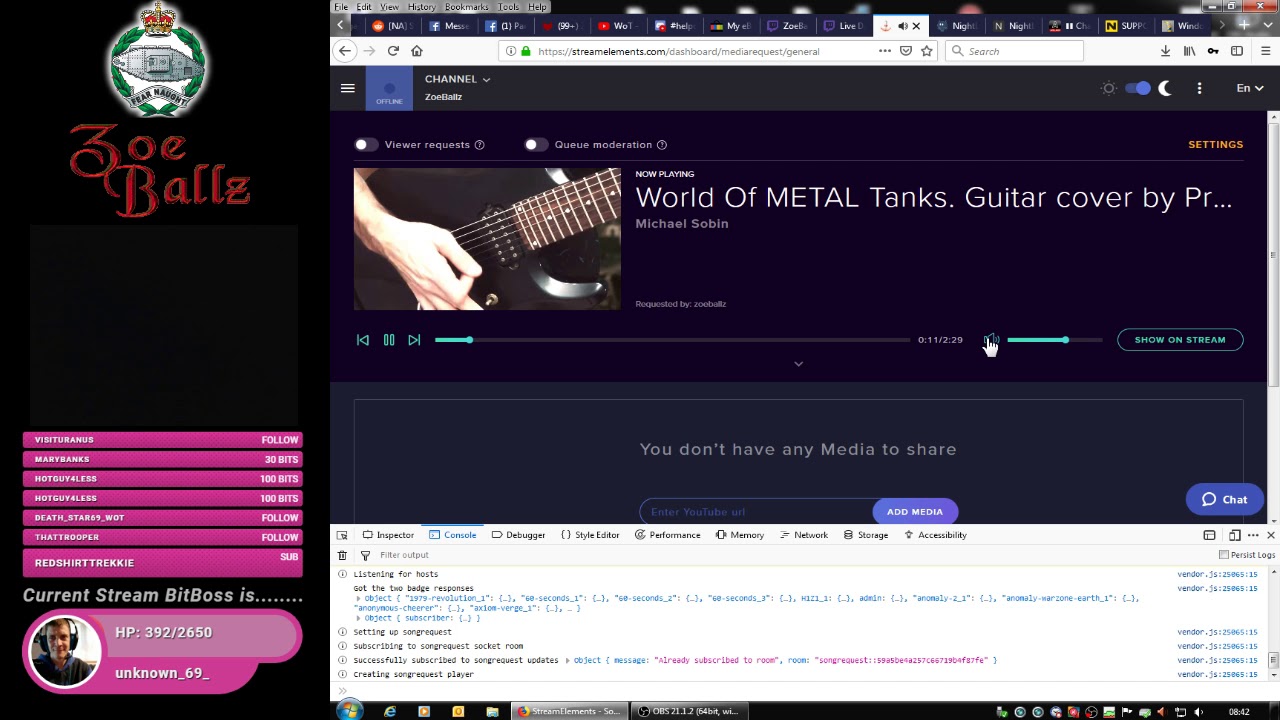 zenith widget
Ok one thing I'm noticing OBS 21.1.2 I suggest updating to 22.0.2
@stark furnace What version of Firefox is that?
Also can you reproduce this on Chrome?
and what version of Chrome?
stark furnace
Firefox 65.0.1 (64-bit)
I don't have chrome on this computer
Only on old laptop
Chrome is 72.0.3626.109
Ok - I tried it on Chrome and it worked fine. As soon as I hit "show on stream" it immediately started playing and it showed up on the overlay page so it looks like MR has an issue with the current version of Firefow
Firefox
zenith widget
Dev has figured out something as far as I can tell for Firefox at the moment.
stark furnace
Can't work out how the hell to mute Chrome though !!
zenith widget
right click the tab on top -> mute
stark furnace
Tried that - Didn't work !!!!!!!!!!!!
zenith widget
wait are you having chrome and firefox open at the same time?
stark furnace
Yes - I was reproducing that I would have to do on stream
I never use chrome - It's crap !
I only had it so that I could login to both my twitch ids at the same time
@zenith widget Is it ok if I get back to you later ? I need to get some sleep !!
zenith widget
yes
zenith widget
its 11:25AM
zenith widget
6PM i'm off
stark furnace
Ok so 4pm my time. I'll get on about an hour before that to see what news there is 😃
 random stream
@zenith widget I finally got it to work (for Importing SL to SE) 👍
zenith widget
👍
 midnight pulsar
Helo, I want setup donate function(first time) on my Twich chanel but i never do that before 😄 are there some oficial tutoryal how to do it right?
zenith widget
@midnight pulsar Here is a video guide on how to setup the tipping page and add it to your channel: https://www.youtube.com/watch?v=eLzxRkq7tJo&list=PLCDDKlFdScbEwdx5AntcQIS1InkFJwHtv&index=3
StreamElements tipping system is guaranteed to increase your tips! Watch our guide to learn how to setup your own. ----- Got any questions, or just want to s...
midnight pulsar
ok thanks, are there any others methodt than PayPall? I saw tiping via G2A but im not sure about legit of G2A
 digital pewter
How can i get sound notifications,or desktop notifications when somebody says something in my Twitch Chat (using streamelements OBS - my twitch chat is on the right.)
zenith widget
I think there are external programs that can read chat messages for you
digital pewter
Could you help me out with setting that up?
I have googled a few times
and i cant figure it out 😦
id appreciate it
do u want my stream link?
Oh wait, basically want i want is a notification " DING" or " BINGGGG" when somebodyc omments in chat.
an external program could work for sure
zenith widget
I can't help you with something I'm not familiar with and that is not part of our tools and features.
 rocky beacon
Is anyone else having issues with streamelements overlay and media request? Doesn’t seem to function the last few days
twin sentinel
Can you elaborate please?
 copper bobcat
So is Media Request fixed now? It's been broken for me ever since it was integrated into OBS.Live - but with the blog release I'm curious if it's better? I've been using Spotify.
twin sentinel
It should be functional by now. You can take a new start with it if you want. It has definetly improved.
copper bobcat
Do I need to put in a new playlist, maybe? It just hitches a TON and skips over songs, reloads the first few seconds quite often, and sometimes stops playing altogether unless I hit play.
zenith widget
@copper bobcat The skipping thing is a known issue.
@stark furnace The volume thing should be fixed, but the fix is not deployed, for the the other issue with show on stream - we can't replicate it 
my suggestion is to either use Ground Control or get OBS.Live
 static skiff
Im trying to set up media requests on my stream and I cant hear anything on the stream.
stark furnace
After I said bye this morning, Chrome actually did the same thing as Firefox @zenith widget
zenith widget
Try ground control.
stark furnace
kk installing
Ok it says an error occurred. Try again or enter JWT token manually
Ok Found JWT. Trying it out.
twin sentinel
@static skiff Try to add the widget called Media Request to your Overlay please.
stark furnace
@zenith widget Well it's installed. I've tried it out. At first OBS had trouble actually seeing the vid although it picked up the sound. Had to restart OBS a couple of times, but seems to be working now
copper bobcat
@zenith widget Anything that can be done to help the skipping issue or is it just a waiting game? No problem if it's just a problem that needs to be patched, just wanna know if I'm doing anything wrong to cause it.
zenith widget
@stark furnace At this point the only thing I can suggest is to move to Windows 10
@copper bobcat Waiting game
stark furnace
@zenith widget Not possible. Ok I just set a vid off and it is not playing on the overlay page at all
The overlay page is blank again
twin sentinel
You can use and activate the module Duel here: https://streamelements.com/dashboard/bot/modules
 lime gale
Tried won't let me
twin sentinel
You have to maybe activate the default commands for the module, too.
stark furnace
@zenith widget According to GC the vid is playing but the page shows nothing happening
Even in a browser
lime gale
Ah I found it thxs
zenith widget
At this point I don't know @stark furnace
stark furnace
@zenith widget Can you watch the page for a min and tell me if you see anything when I set a vid off ?
zenith widget
I can't
stark furnace
kk then. I'll try it again in a couple of days and see if there's any news. I don't get problems seeing vids anywhere else though e.g. Youtube, Twitch, Facebook etc etc
lime gale
Does anyone have a walkthrough on how to setup stream elements in streamlabs obs
I know how to but I am trying to help another streamer do it
As in I did it before but forgot how to
twin sentinel
I am sorry. I don't have that. I personal only use OBS Studio with the plugin OBS.Live.
static skiff
@copper wolf I've put it in an overlay and it is still not working.
twin sentinel
@static skiff Do you use OBS.Live or Ground Control?
static skiff
Obs.live
kind epoch
@twin sentinel Any updates for MR?
twin sentinel
So when you start the Media in OBS-Live MR, you don't hear the sound? Is the audio equalizer giving out anything?
Not that I am aware of. But we are working on a fix.
stark furnace
Sounds a bit like my problem @twin sentinel !!
static skiff
Or to see
twin sentinel
@static skiff Is the equalizer giving feedback, when you play a game on your computer, or you play another sound on your PC?
static skiff
Yes
twin sentinel
Try to log out of OBS Live and log back in please.
@stark furnace I am not sure if this is like your problem.
static skiff
Still not working
twin sentinel
Did you add your own video to the playlist? Don't try to play the sample SE video please.
static skiff
Yes I did add my own video to it.
 elder sorrel
@rigid spindle are you using Chrome?
 rigid spindle
yes
elder sorrel
Which alert are you trying to update the image?
rigid spindle
subscription and host
elder sorrel
With Subscription you’ll have to check the variations. Same goes for hosts.
 gusty ocean
Hi there, I might have kinda obvious question but I haven't found the solution, sorry. Is there any way that I can put a widget or link in the overlay? Thank you
rigid spindle
let i try
twin sentinel
@static skiff Do you have any dual PC setup?
static skiff
No I don't.
twin sentinel
Can you send me a screenshot of your OBS window via PM please?
gusty ocean
When I'm streaming with SE Mobile I don't have any donate notifications, because I'm using external donation service, is there a way that I can embed a link in my mobile overlay?
twin sentinel
No there is not I think. Also this belongs into #helpdesk-mobile
gusty ocean
Thank you, I'll try to get some info there 😉
elder sorrel
It worked? 
elder sorrel
Awesome!  no problem
stark furnace
Ok - Is there any security issue with giving someone the URL of my overlay page please ?
By that I mean the page that is opened when you click on the "Launch Overlay" link ?
twin sentinel
They can use your Overlay in their Stream. And I think there is some sort of key of your personal account in the url. So I would highly not recommend that.
stark furnace
Damn kk
 cosmic elm
My notifications seem to be broken in OBS, but work fine in the overlay on the website. In OBS, they only play for a fraction of a second before vanishing
stark furnace
Cos I wanted to ask someone on a windows 10 machine to look at the page and see if THEY can see anything happening
twin sentinel
@stark furnace You can give someone you trust an editor acces to your bot. Then they can see your overlays and the bot settings as you do.
stark furnace
They wouldn't actually need that. Just to look at the overlay page
To explain @twin sentinel - I believe my issue is that although Ground Control says it's playing a vid, the overlay page you put into OBS shows nothing happening
twin sentinel
You added the widget MediaRequest to your Overlay right?
stark furnace
Yes It was all working fine about a week ago
 cunning mural
stupid question, but is there a way to add a chat command !sr key word for the song or do they always have to add the url of the video?
twin sentinel
you can try to add parts of the title after the !sr.
cunning mural
yeah i tried that and it doesn't work. I use to use nightbot and all you had to do is add a key word after the command it will pull up the first video on youtube's database with that key word
twin sentinel
@stark furnace I am sorry, but I have no idea on how to fix your problem.
@cunning mural I just entered the song "Toto - Africa" via the command !sr Toto Africa to your playlist as a test.
cunning mural
@twin sentinel oh it did work! noice, excellent song choice btw
 crystal folio
I was wondering on Media share do I need to link anything so my viewers can add videos to it?
tight harness
If you have Viewer Requests ticked on your Media Requests page your viewers can share songs, if you are wanting them to share their videos you can follow this tutorial video: https://www.youtube.com/watch?v=17eUkoZ6eIs
stark furnace
If anyone who knows about my issue is around, I now have a new error - The connection to wss://realtime.streamelements.com/socket.io/?EIO=3&transport=websocket was interrupted while the page was loading.
And another error @zenith widget - TypeError: "t is undefined"
onReady app.js:44
 gentle sorrel
can I get a pm? I need help with SE banned words
cosmic elm
My notifications seem to be broken in OBS, but work fine in the overlay on the website. In OBS, they only play for a fraction of a second before vanishing
gentle sorrel
@cosmic elm have you tried refreshing the cache in OBS
stoic snow
Why was I asking for help and everyone stopped helping me about SE.pay
twin sentinel
@gentle sorrel Please keep questions in public channels.
twin sentinel
@crystal folio You have to have the Media Request activated. What issue are you experiencing?
gentle sorrel
@twin sentinel okay so does SE have the ability block common rasist terms, had a guy in my chat yesterday spamming the n word, ended up getting nightbot to stop it cause he kept coming back on different accounts
twin sentinel
You can set up a spam filter with banned words and an option to test them here: https://streamelements.com/dashboard/bot/filters
gentle sorrel
thats essentially useless when it comes to people like that. I kept adding and adding but he'd put a 1 in place of I and then adding extra g's. he was ruthless and didnt give up. All i did was kick him from a game of golf it....
twin sentinel
You can set up an regular expression to prevent this.
twin sentinel
can you provide a screenshot of your module settings please?
 drifting brook
Hello , guys, how can i make my "chat" window in OBS.Live actually showing chat again? right now it works as browser and showing twitch main page
twin sentinel
try to select the reload button at the top of the window. If this doesn't fix it, please try to log out of OBS Live and log back in please.
drifting brook
Reload just refreshing current page
Sec
Relogging worked well, thank you! have a good day
lament blade
In order to stream with stream elements obs do I need any equipment
twin sentinel
You need a computer which runs OBS Studio or OBS Live.
lament blade
So I need to download that?
I have stream elements obs but don’t know if I need anything else can’t get it to go live on my PS4
twin sentinel
You need a capture card to use the StreamElements Overlays I think.
Otherwise you can still use the Chatbot
lament blade
Oh I don’t have that
nocturne pelicanBOT
@lament blade Here is a guide on how to setup the most essential tools for streaming from your console, while using StreamElements tools without involving a Capture Card! It's easy to do, take 4 minutes to read and 10 to 15 minutes to setup!
Read all about it here: https://blog.streamelements.com/how-to-stream-on-console-7b620b1c46c3
 little flame
i have a problem !!
i try to stream Apex Legends but obs,live drop my fps on stream
nocturne pelicanBOT
@little flame Since Apex Legends doesn't have optimized GPU drivers yet, it tends to take up all your GPU resources, leaving nothing for OBS. If you're having OBS performance issues, you'll likely need to limit the game somehow. The easiest way to do this is to enable Vsync in the game, or use a frame limiter. You can limit the game to 60fps by adding +fps_max 60 to the game's launch properties in Origin.
https://twitter.com/OBSProject/status/1093974215877951493
If you stream @PlayApex and are having FPS issues with OBS due to a maxed-out GPU, you'll need to reduce GPU usage so that OBS can run as well. The quickest way to do this is to enable Vsync with triple buffering and disable Windows 10 Game Mode. https://t.co/FOPmDyJMNx
Retweets
470
Likes
1342
Twitter
 vague elm
Just so you guys know, when streaming in the Sports and Fitness section it NEVER shows up on twitch categories because it has to be spelled as "Sports & Fitness" you have to use the & Symbol. @nocturne pelican @viscid pebble
twin sentinel
strong flicker
good afternoon
I setted up my media request functionality and it does not show in my overaly
I added the widget to the overlay
twin sentinel
Is there an error message when you select "show on stream"?
strong flicker
@twin sentinel none
twin sentinel
Are you using OBS.Live?
strong flicker
i'm trying with the browser
I use streamlabs OBS as a streaming software
i can see the video om my mediarequest dashboard
on*
twin sentinel
We're not able to troubleshoot issues with using our overlays in SLOBS as we don't have the tools to support their software. We recommend using OBS Live.
strong flicker
@twin sentinel I'm trying on my browser
It should work as well, right?
I had some issues earlier with the giveaways related to my recent nickname change
it could be related
vague elm
Any way we can fix the sports & fitness issues for mobile streams?
twin sentinel
@vague elm What issue are you referring to. When you set your game to Sports & Fitness it is recognised by Twitch right?
stark furnace
I have been watching the chat this afternoon. There seem to be a number of people where Media Requests are not playing
little flame
thanks a lot !!!!!!!
twin sentinel
@strong flicker When I select "show on stream" for me the video is not showing up either. It just shows the message that I have to make sure that the widget is in my overlay.
strong flicker
the name of my overlay is "APEX - 16-9 IN GAME OVERLAY ALERT CAM APEX"
I have the widget there
vague elm
yes but i have to redo it on the computer @twin sentinel
it recognizes the Sports & Fitness when i type it in
it doesnt recognize the default mobile stream setting which is SPORTS AND FITNESS
they have to change the AND with &
twin sentinel
I do not have acces to your overlays, as I am just a volunteer. @strong flicker
 regal elk




 twin sentinel
@vague elm I have forwared your issue to the staff internally.
cosmic elm
My notifications are still not lasting more than half a second. I cleared the OBS cache, but that didn't fix it. The overlay url in a browser does the same thing
lament blade
jg
strong kernel
@cosmic elm When a video is set to an alert, the alert plays for the duration of the video. In your case, it looks like the videos were deleted from your account, so your alerts are referencing non-existent videos, and therefore the alert basically lasts for 0 seconds as a result. Reupload your video and set your alerts again.
cosmic elm
They don't appear to be deleted, I can see them all still fine
strong kernel
This is what I see in your account.
strong kernel
Those are images.
cosmic elm
They are gifs
strong kernel
I'm talking about videos.
cosmic elm
I use gifs
strong kernel
Your initial sub alert is set to a non-existent video.
cosmic elm
I know
I use another provider for subs
All the other alerts are cutting off
It was all working fine yesterday
cosmic elm
Thanks ♥
strong kernel
@cosmic elm Please test it to see how it acts now.
lament blade
@strong kernel I am having the same issue. Just today I moved some StreamlabsOBS alerts over to Streamelements. And I am have some issues with my overlay alerts in Streamelements. The first issue is that the alerts cut off. and the second is that the images and text do not align correctly. Whenever anyone gets the chance to help, it would be greatly appreciated. Also talking in voice chat would probably help best to fix the problems. I do not know the Streamelements user interface very well so that plays a role in me not knowing where things are and how they work. But I will say that I like streamelements a lot better than streamlabsobs. I just really need my old streamlabsobs alerts to work work on streamelements.
strong kernel
Image and text alignment is a matter of settings, it's not always a one to one import. Start by sizing the imported alertbox to 800x600, and then play with the advanced text settings if needed to get everything in place.
lament blade
Alright, I will start there
cosmic elm
It's better, but it's intermittent now, instead of every time
strong kernel
It's dependent on the alert.
If there's one you notice not working, enable and disable TTS for it.
That should fix it while we work on a permanent solution.
 broken yew
Hi! I just downloaded obs.live and I just want to know how do viewers request a song to be played in the media request? it says it can be done in chat or in the website, do I have to set up a command ?
cosmic elm
Follower alert has no TTS, but it's still broken
They are triggering randomly after first appearing too
strong kernel
It still technically has a TTS setting.
 frosty hollow
Hi @zenith widget I'm live but the hosts aren't showing still in alerts or activity feed after a logout
strong kernel
@frosty hollow Don't ping people, not everyone is available at all times. We're human, we need sleep too.
@frosty hollow Also, that's a picture of your chat, not your activity feed.
 fading perch
How come does twitch chat links gets opened in a streamelements browser?
 prisma root
I'm trying to get a JWT key from StreamElements so I can intergrate the redeems with my SLOBS
how?
zenith widget
@strong kernel He is showing us that he is being hosted but the host alert or activity feed is not showing it
strong kernel
That would make more sense. I think I need caffeine. 😂
fading perch
@strong kernel do you know my issue? 😦
strong kernel
Don't even understand what you're describing. Try including a screenshot.
@frosty hollow Resubscribed your webhooks, your host stuff should work fine now. Ran a test, it appears in your activity feed now.
lament blade
@fading perch to my knowledge there is no stream elemnets broswer, so whhen u open a link from chat it just goes to a normal google browser or w2hatever u have
fading perch
@strong kernel So when the streamer clicks Youtube Links in hes Twitch Chat, it opens in Streamelements Browser
lament blade
@fading perch but if u want someone to give link for media reqquest i think it is !sr and then the link
 viral swan
can the streamelements chatbot join more than one chat rooms? for example a seperate chat room where mods can use commands?
frosty hollow
Thank you @strong kernel. Activity feed shows it now but no alert appeared still. Still better than nothing though!
strong kernel
@frosty hollow Well, mine was a 0 viewer host, and your alert is set for 1 or more, so it's expected.
fading perch
@strong kernel So when useing Streamelements Live for OBS Studio, in the OBS elements chat, opening a link pops up a Streamelements related browser and not the normal chrome one
frosty hollow
Oh OK, can I set the alert to 0 too? @strong kernel
 narrow coyote
@fading perch Pretty sure that is just related to how the integrated chat and the OBS browser work. I am pretty sure OBS 23 does the same thing when links are clicked. Its best to not click links in the integrated chat
frosty hollow
OK perfect! Thank you!!
fading perch
@narrow coyote Would be lovely a way for the links to be open in your normal browser 😦
strong kernel
@fading perch The "browser" is actually the same thing as what a browser source uses, which is based on Chromium, it just opens it in a new window for you.
fading perch
@strong kernel Ahhh cool. Thanks alot 😃
strong kernel
@viral swan Rooms aren't supported at this time.
 hushed thistle
If I delete something is it gone forever @strong kernel 
 fast radish
Hey guys! My chat and activity feed isn’t showing on the OBS.Live app.. I was wondering if there’s a way to toggle them back on or something I had uninstalled and reinstalled but still the same. Any tips will be much appreciated! ❤️
strong kernel
Do you see the StreamElements menu at the top?
 whole heron
Im trying to log into my accoun on the web browser but it keeps auto loging me into another account
jade remnant
log out and clear your browser cache
strong kernel
Log out of the Twitch account itself before trying again. It's OAuth, so it uses whatever you're logged in with on twitch.tv
whole heron
Ive done that and i just cleared my cache and tried again is there not a way to manually log into my account it is still auto loging another account
whole heron
Oh i logged out and logged into another account but if it auto logs whatever account thats logged in wouldnt it log into the account?
whole heron
Will do
 hasty cairn
Hello  Is there any way atm, to set the !watchtime command accessable only in a separate chat, so the main chat doesn't get flooded by that command? Using other chat rooms is not supported as I've read and I couldn't find any option(s) on the StreamElements Interface.