#helpdesk-twitch
1 messages · Page 366 of 1
 narrow coyote
 full arrow
oh wow ok thank you Ill see if that fixes it thank you!
 strange sparrow
 nocturne pelicanBOT
@strange sparrow The StreamElements Mobile IRL streaming app is currently in closed beta.
If you'd like to assist with testing when public beta testing becomes available, please fill out this form: https://goo.gl/forms/3DaiLckKDjeMAeVt2
@strange sparrow The StreamElements Mobile IRL streaming app is currently in closed beta.
If you'd like to assist with testing when public beta testing becomes available, please fill out this form: https://goo.gl/forms/3DaiLckKDjeMAeVt2
narrow coyote

 normal igloo
Goddammit kite 
full arrow
Ok sorry now it is saying invalid path or url
I did a reinstall and then installed those files but the 32 bit would not install
 midnight ginkgo
Where do my super moderators click in order to approve or deny song requests? Thanks!
 gentle imp
@midnight ginkgo here https://streamelements.com/dashboard/mediarequest/general
 tight harness
Sounds like you fixed it, what was it?
tight harness
Fair enough
 old pecan
and like kept refreshing overlays kappa
 dry flame
Hey! Can i use variables in the golive tweet integration or is that not a thing?
tight harness
@dry flame I'm not personally aware of any that are set up to work with that feature currently 🤔
dry flame
i really like the concept of sending out tweets automatically but being able to have it tweet along whatever game or title im using would be ace XD Don't suppose you know who i need to ask instead, then?
tight harness
We usually list them on the relevant page if there are any available variables
tight harness
Haven't heard of anything about it, best to suggest it on our ideas board to make sure: https://strms.net/ideas
dry flame
looks like its planned https://streamelements.helprace.com/i1093-chatbot-arguments-in-going-live-tweets
sweet! thanks folks ❤
tight harness
No problem 😃
 mint ermine
Hi, where is invite cod for mobile version?
nocturne pelicanBOT
@mint ermine The StreamElements Mobile IRL streaming app is currently in closed beta.
If you'd like to assist with testing when public beta testing becomes available, please fill out this form: https://goo.gl/forms/3DaiLckKDjeMAeVt2
mint ermine
Ok, thanks
 still basin
Does anyone know why i cant see the Stream Elemets Bot on Twitch?
 granite hinge
When you say bot do you mean the ground control app?
still basin
No if i write something like !watchtime i cant see the awnser in every chanel
granite hinge
okay so chat commands. The bot confused me. By channel, you mean how you can setup stream rooms?
still basin
No with chanel i mean other Streamers
 paper bronze
Why isn’t my overlay showing up when I stream? I’ve duplicated the overlays to my channel multiple times. Am I doing something wrong?
tight harness
@still basin You go to our website and click on Join Channel on the right of the dashboard page
nocturne pelicanBOT
@paper bronze To add your overlays to OBS, add a new browser source in your scene. Paste your overlay URL in the browser source properties, set the dimensions to 1920x1080 (unless you changed them on the website), and :ballot_box_with_check: “Shutdown source when not visible” https://youtu.be/KDvLynUqXI4
paper bronze
So I need to have OBS?
 zenith widget
Yes
paper bronze
Can I do all of this from my phone? Or do I need a computer.
zenith widget
If you want to have an overlay over your stream, you need OBS.
I assume you are using a console to stream, so to make all this happen you would need a capture card as well.
paper bronze
A capture card? Lol what is that?
zenith widget
Captures your console gameplay and gives it to your PC
paper bronze
Sorry for lack of knowledge btw
zenith widget
at which point you add that video to OBS and add your overlay on top and stream directly to Twitch
No worries
still basin
@tight harness i ment that i cant see the bots messages in every Stream on Twitch
paper bronze
So I do need a computer to download OBS...can’t do it from phone?
zenith widget
@still basin Not every streamer uses our bot
@paper bronze Unfortunately, no. But we do have a neat guide for console only streaming with our overlays.
paper bronze
Please direct me to that link
zenith widget
@still basin Also not every streamer that uses our bot, has !watchtime enabled
nocturne pelicanBOT
@paper bronze Here is a guide on how to setup the most essential tools for streaming from your console, while using StreamElements tools without involving a Capture Card! It's easy to do, take 4 minutes to read and 10 to 15 minutes to setup!
Read all about it here: https://blog.streamelements.com/how-to-stream-on-console-7b620b1c46c3
paper bronze
Thanks man
zenith widget

tight harness
@still basin You can also make sure that you haven't accidentally ignored the bot by typing in your Twitch chat: /unignore streamelements
still basin
thx @tight harness but i dont know why i ignored him LOL
tight harness
No problem 😄
still basin
i had the problem for over one year but i was too lazy
paper bronze
Yeah I literally says can’t do overlays from console rip
 twin vale
Is there a way to have an overlay counter that keeps track of store items redeemed?? Per session and alltime?? Currently at the end of the stream i kind of tally them for a stream recap type thing but if I can automate the process that would be great
tight harness
@twin vale That would be something you'd need to add to our ideas board: https://strms.net/ideas 😃
 uncut dawn
I am looking into getting a capture card and was wondering if the AVerMedia Live Gamer Portable 2 Plus will work with streamelements that you know of?
tight harness
@uncut dawn What service you use makes no difference in regards to capture cards, so yes it will work
uncut dawn
@tight harness Ok thank you. Have there been any known issues that you know of with that card and using streamelements? I would hate to eventually get it and they don't play nice together.
tight harness
No issues, because it makes no difference. The device is taking your console gameplay and passing it on to OBS, what service you use beyond that has no impact on anything to do with what the capture card is doing because they're two separate things
uncut dawn
@tight harness great thank you.
tight harness
No problem
 fringe igloo
hi. can somebody tell me how to make a new command, if somebody follows/subs to thank them?
zenith widget
@fringe igloo You can actiave the chat alert module for the bot.
You can find it here: https://streamelements.com/dashboard/bot/modules
 strong kernel
@fringe igloo To elaborate, it's not a command, but handled in the modules section: https://streamelements.com/dashboard/bot/modules

StreamElements
The Ultimate All in One Platform for Streamers
zenith widget
on the bottom
fringe igloo
thanks for the quick answer!!!


 strong kernel

granite hinge
Hey so I'm having a problem that started last night. I've had a $6.66 tip exact variation that should play a different sound than my regular donation sound. Could I please get some help on this?
strong kernel
@granite hinge Which overlay were you using at the time? Can I have its name please?
granite hinge
DBD - HORROR THEME IN GAME
strong kernel
I tested it and it appears to be working fine. Also, ow, my ears.
granite hinge
haha yeah imagine how I feel haha
let me test it again
No dice. I am only getting the generic donation sound
strong kernel
@granite hinge How are you testing, exactly? I want to make sure.
granite hinge
I go into the overlay (edit mode), select the bell, tip, enter 6.66
@strong kernel
strong kernel
I'm looking into it, please be patient.
 elder basin
betting system with an overlay to obs... possible anyway...?
granite hinge
@elder basin not sure what you mean to obs. You just want your chat to be able to gamble right
strong kernel
@granite hinge Please refresh the editor and test again.
granite hinge
No change @strong kernel
elder basin
@granite hinge I mean like this, https://gyazo.com/88de7a01e2d16a9ee0e32b80b5797737 that my viewers sees the options in my stream etc. not only in chat.
 granite hinge
I'm about to be on the road. I sent you a DM @strong kernel if that makes things any easier my dude. be back in about 45
strong kernel
@granite hinge So it appears to be a bug, but I've put in a workaround for your alerts. Basically, we changed your scary alert to "at least 6.66" and then made another variation that's a copy of your normal one set to "at least 6.67"
 lament blade
trying to set up my stream using the amazing stream elements I've set the resolution and overlay editor to 720, display resolution display resolution to 720 and the resolution size as the browser source as 720 but it cuts off half of the image any help would be greatly appreciated thank you.
 pine hemlock
You dont want 720p overlays unlesss your monitor is 720p.
Leave the overlay at 1920x1080, add it to OBS as a browser source set to 1920x1080, press ctrl+f to fit to screen.
lament blade
my monitor is 1280 by 720 😃
pine hemlock
oh
lament blade
ok thank you ill try that
pine hemlock
well try the ctrl+f thing
make sure that the browser source is only 1280x720 then
(thats only for 720p monitors) ^
lament blade
I changed my base canvas back to 1080, and then the over lay on your website editor to 1080. It worked.---- But on a side note, im only running a 720 monitor . Thank you!
strong kernel
Changing the overlay's resolution doesn't resize and reposition the widgets in the overlay. You'd need to go in and adjust those yourself.
lament blade
Nah, it all looks great, I didn't have to reposition anything  . Thanks again!
lament blade
hey guys. im trying to link my twitch with stream elements through obs but all it does is load. Iv restarted and everything.
strong kernel
@lament blade Was helping you in the livechat but needed to get some old information for you.
Please try closing OBS, going to %appdata%\obs-studio\plugin_config\obs-browser and deleting the cache folder, and then restarting OBS.
lament blade
this did not fix the issue
pine hemlock
Antivirus? Firewall? Try disabling those if you have one active.
 harsh wyvern
Question, is it possible to have a command that tells how many times a specific user has run that command?
strong kernel
@harsh wyvern Make a count variable that incorporates a ${sender} or ${user} variable. So if you want to advance it, ${count ${user}} would work, or to display it, ${getcount ${user}} would do it.
harsh wyvern
you rock man, tyvm
Worked like a bloody champ @strong kernel {smashes bits cheer button} ❤
nocturne pelicanBOT
@soft oasis The StreamElements Mobile IRL streaming app is currently in closed beta.
If you'd like to assist with testing when public beta testing becomes available, please fill out this form: https://goo.gl/forms/3DaiLckKDjeMAeVt2
 soft oasis
Thanks!
 coarse heath
Is there a way to turn off stream elements announcements /comments in my stream?
Pleas tag me in your reply thx! I’m offline but I don’t want them even (maybe especially) when I am streaming
strong kernel
@coarse heath That's the Twitter module you can find at https://streamelements.com/dashboard/bot/modules
StreamElements
The Ultimate All in One Platform for Streamers
 true tree
I filled it for app. Hope I get. Looks nice
coarse heath
Ty @strong kernel !
 deft sun
hello!! just want to know how do add my jar and alerts to my stream?
nocturne pelicanBOT
@deft sun To add your overlays to OBS, add a new browser source in your scene. Paste your overlay URL in the browser source properties, set the dimensions to 1920x1080 (unless you changed them on the website), and :ballot_box_with_check: “Shutdown source when not visible” https://youtu.be/KDvLynUqXI4
 civic pawn
Where do I find my key
For the desktop app
I know it sais its at ''My account'' But where is it on the website
[JWT Token]
deft sun
i also want to know where can i find my jar i cant seem to find it, I've only streamed on streamlabs
nocturne pelicanBOT
@civic pawn You can find your JWT token on your account channels page: https://streamelements.com/dashboard/account/channels
(Don't forget to click on "Show Secrets")
strong kernel
@deft sun Hypecup is a widget available to be added into your overlays.
 deep hound
Lately StreamElement stopped announcing follows (and kappagen won't go off on follows either)
is this a known issue? or is there something I need to do on my side?
(It's been working for me since the day I set it up, and I have not made changes to the overlay)
deft sun
thank you where is is that located at?
pine hemlock
My overlays -> Edit your overlay, widgets tab at the top.
@deep hound Have you changed your twitch name recently
deep hound
@pine hemlock I have not
strong kernel
@deep hound Refreshed your webhooks, you're fine now.
deep hound
@strong kernel how do I go about doing that?
deep hound
oh lol thank you @pine hemlock and @strong kernel
 cobalt wharf
anyone knows any alternative to deckboard for obs live, sadly it doesn't recognizes obs live
strong kernel
Just ask your question, like I said.
lament blade
how do i add my tipping system from my streamelements account to my twitch
strong kernel
Set up your page at https://streamelements.com/dashboard/tipping-settings and put the link in your Twitch panels.
StreamElements
The Ultimate All in One Platform for Streamers
 storm timber
How to get a invite code for the mobile app??
nocturne pelicanBOT
@storm timber The StreamElements Mobile IRL streaming app is currently in closed beta.
If you'd like to assist with testing when public beta testing becomes available, please fill out this form: https://goo.gl/forms/3DaiLckKDjeMAeVt2
strong kernel
Filling out the form does not guarantee you a code.
storm timber
OK so no point in that then. I'll just switch back to stream labs for now. Thanks
 karmic flint
@${customapi.http://twi.exlux.co/weather/${sender}/${1:}} does still work?
strong kernel
Yes, the command share still works.
lament blade
my overlay doesn't show up on preview halp pls :<
strong kernel
Share a screenshot?
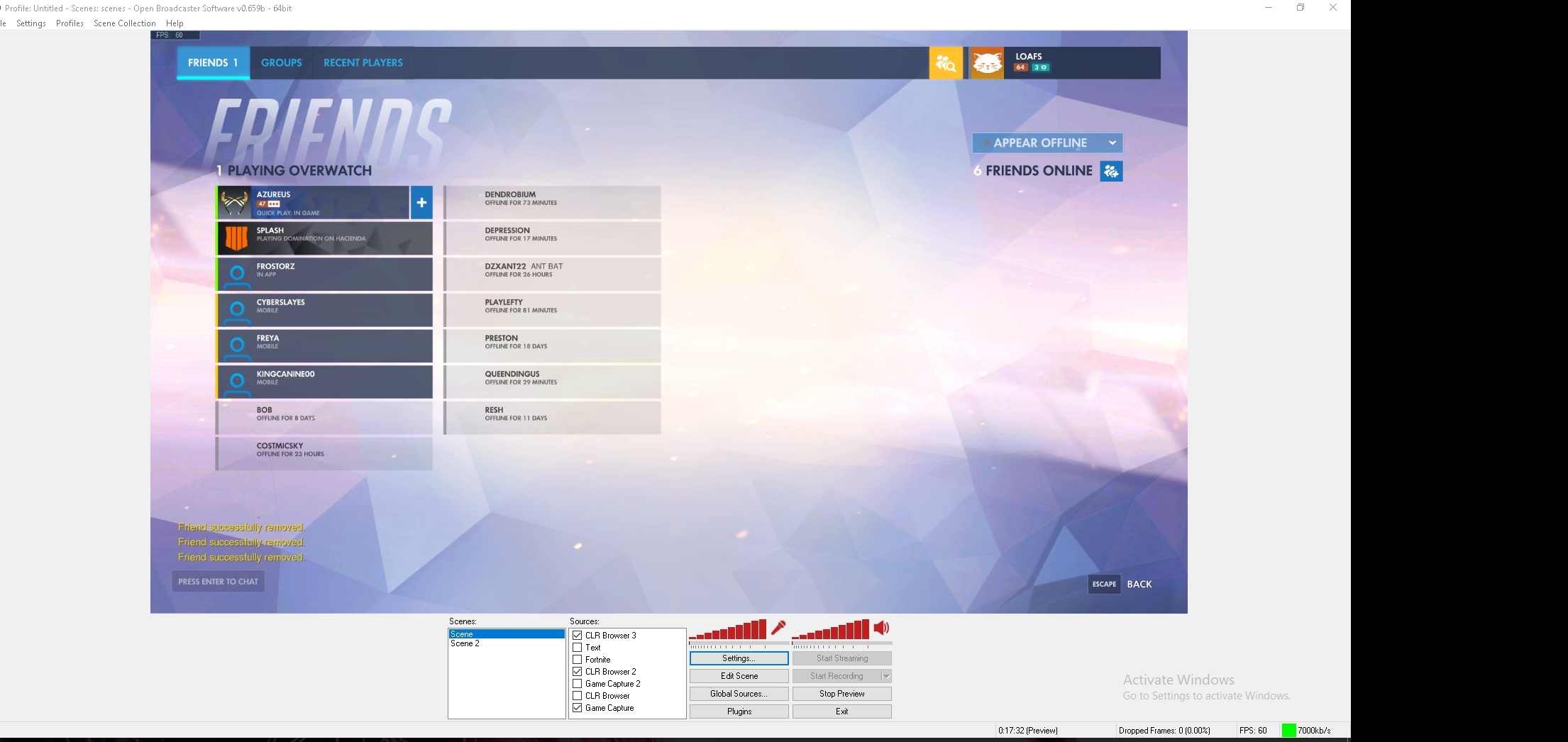 lament blade
i'm oldschool with classic
lament blade



strong kernel
That release was like... 2 years ago?
strong kernel
My mind's blown right now. Give me a moment, lol.
lament blade
Yup i have another one active, it's a plugin. And that one works fine


All default
My CSS Is empty
 strong kernel
Can you select it and show me where the bounding box is positioned?
lament blade
It's put at 1920x1080
 strong kernel
I did mean that. Wanted to be sure.
lament blade
kk
strong kernel
I'm honestly not sure if that version of chromium can support our overlays. I've never had to deal with a 2 year old OBS before
strong kernel
Don't share your overlay link.
That's dangerous. 😃
And it does load when you launch it and view it in the browser. Just scroll down a bit. 😉
strong kernel
You can wait for the devs to be available on Sunday but I'm pretty convinced that that plugin just can't support it.
Or you could try to see if redownloading the plugin will help.
Open Broadcaster Software
This plugin is for OBS Classic only. OBS Studio users, use this plugin instead.
This plugin is currently tracking the stable chrome branch (2062).
Currently on Chromium 37.0.2062.94
Notable features:
Accelerated offscreen webgl.
Per-source FPS...
karmic flint
I received a dono today and did not hear my alert go off or the tts. Please help me
strong kernel
Don't share your overlay link, ever.
karmic flint
ok
how can I fix this?
I tested many times and always hear the alert
but real time stream did not work
strong kernel
Please be patient. I am looking.
pine hemlock
Your donation link is set to StreamLabs which means our overlays wont trigger an alert @karmic flint
strong kernel
@pine hemlock He did receive one donation through us.
strong kernel
Any donations through Streamlabs are not going to register on our site.
We're not Streamlabs.
We're not connected to Streamlabs.
pine hemlock
@lament blade Our overlays haven't worked on OBS Classic for a long time
lament blade
@strong kernel thanks for taking your time to help, Should i try to type here on saturday?
oh noes
Can i trigger the alerts somehow?
strong kernel
@karmic flint I replayed the one tip you received through our service and it played as expected.
karmic flint
so I have no choice its either labs or elements?
strong kernel
That's correct. We're competitors. We don't listen to each other's tipping pages.
lament blade

pine hemlock
There's pretty much a 99.9% chance that our alerts will never function on OBS Classic. it's not support by the developers of obs anymore and hasn't been for 2 years. Certain things still function on that browser source but ours haven't for a long time.
Your best bet would be to update to the new OBS and start fresh.
You can see if this tool still functions to help make the transition easier and copy your current scenes from Classic to Studio: http://obs-converter.rodney.io/
@lament blade
lament blade
Thanks
normal igloo
Damn has it really been 2 years now 
lament blade
But studio consumes 30% cpu which is crazy
Classic 1%
I've already overwatch running at 50-55% cpu
And i've a Skylake K
pine hemlock
 Im just letting you know the facts. I can't speak about obs perfomance in itself
 paper ferry
@strong kernel My host alerts are still not working. Just letting ya know.
 wet delta
Hey Guys. I just switched from streamlabs chatbot (ankh) to streamelements - couple of things i came across with the switch. I followed the instructions on how to import commands from streamlabs/ankh chatbot - from this document (https://support.streamelements.com/hc/en-us/articles/115000405371-Import-other-platforms-into-StreamElements). When importing the commands xls - i got an error it failed. I retried the steps, and performed it again, same error. Nothing other than 'import failed'. Refreshing the commands page in streamelements shows the list of commands twice. (it even warns doing the import twice will cause dupes - but not sure how its catching an 'error'). Just wanted to report that.
And my actual question - i have the default !commands command in the listing - but when i try it via the chat window - nothing occurs. I had a custom !commands i create in streamlabs which i have disabled after the import - and still can't get the default !commands in steamelements to display. Any ideas there? More info you need?
zenith widget
@wet delta SL has changes their exported format for commands and points quite often and our import tool needs to be updates for the new format. Unfortunately other things have priority at the moment.
As for the command not working - delete the duplicate command that has been imported. Since its disabled it creates conflict with the default one.
wet delta
OK, makes sense on the issues with the importer, just wanted to let is known in case it was something new or i did something wrong. Let me try - and see if deleting the dupe from SL fixes the default.
Thanks @zenith widget
 jade breach
I noticed recently the top cheerers and top donors lists for each session aren't refreshing properly. They just keep showing the same lists from a few nights ago. I've tried manually resetting session data and it doesn't seem to fix anything. I need some help, is there something I'm missing?
 oak creek
I've recently started to use StreamElements because I'd like to make use of the loyalty program for my viewers. I noticed that there's a follower bonus points feature, and I'd like to know if this can be applied to existing followers immediately when they tuned in the next time I stream? Or do I have to add it manually to each follower I have or do they have to unfollow/refollow my channel again? Thanks!
zenith widget
We keep track of last 2000 people that followed you, but I think this only applies from the moment you sign up with us. I may be wrong on this as it didn't work for a test I did some time ago.
So you will have to manually give those people points.
lament blade
hello trying to set up stream store gif. but its not playing the entire gif how do i fix this its 14 sec long it will play audio but not the entire video
oak creek
If that's the case I shall do a check up on points for each follower I have during my next stream! Thanks a lot!
lament blade
annyone?
zenith widget
@lament blade The entire gif is not playing for its entire duration?
lament blade
it goes away from screen audio continues
zenith widget
On the store redemption widget, adjust this duration to higher and it should show the entire gif duration. This will affect other stream store items as well.
lament blade
il try this il be back
zenith widget
so if you have a 5 second one, it will play over and over again until this timer runs out.
lament blade
lol makes sense it works now thx 😃 ❤
zenith widget
mint ermine
!code
nocturne pelicanBOT
The StreamElements Mobile IRL streaming app is currently in closed beta.
If you'd like to assist with testing when public beta testing becomes available, please fill out this form: https://goo.gl/forms/3DaiLckKDjeMAeVt2
 upper grotto
Hi guys. I'm sorting my SE chat sub notifications out. Do I need to do a message for every month re-sub, or if I did 1, 2, 6 & 12 would it use the 2 message for re-subs (3-5 months), and 6 message for re-subs (7-11 months)?
upper grotto
Yep so I need to do a variation for every month then? What happens after 12 months if I've not created anymore. Does it use the last one it has?
gentle imp
no, u setup default which is used for new subs, then use variation for instance for 3, 6, 12, gifted, etc
if no match it will be using default
but u can setup >12 I think
 untold crest
AFAIK for chat commands they are min value, not exact value
gentle imp
but it will use your highest alert, since it requires at least x
? for subs u can setup exact or min
untold crest
As in default settings there's 1 for sub and 2 for every resub
@gentle imp not in chat bot, on overlay you can do that
untold crest
No problem 😉
upper grotto
I'm using the StreamElements website.
untold crest
I hope it is about chat notifications, not overlay alerts (SE chat sub notifications in message)
gentle imp
yeah you meant chat bot but I thought it was the overlay alertbox
upper grotto
Its the bit on the website dashboard in Modules.
gentle imp
yes, bot, my bad
untold crest
So yes. This is bot alerts, so if you set it up:
1 - welcome aboard
2 - thanks for staying
3 - howdy, long time!
7 - nice to keep you there
Notification #3 will be used for events with 3, 4, 5 and 6 months
upper grotto
Ah excellent. Perfect. Prevents me creating loads of inbetween ones. 😄
Can I also check please real quick, how do I call out gifted subs in the same area?
untold crest
Unfortunately bot modules are way simpler than overlay alerts.
You can add multiple and complex conditions in overlay alert, but bot has only basic part of that
untold crest
Have a great day!
upper grotto
👍
gentle imp
sorry for mixing up but now you know how to setup overlay alertbox too hehe
upper grotto
Haha @gentle imp Exactly. There's no such thing as having too much knowledge. 😄
jade breach
@zenith widget That still doesn't help reset all my session top cheerers and tippers. Even though those lists are set to session, it still is pulling old info from days ago.
zenith widget
Can you tell me exactly which widget are you using @jade breach ?
"Recent Tips" widget does not have a toggle for session recent tips.
Your original question referred to this widget.
Top Tipper list does have option to show different time periods:
If its set like so, I'd suggest changing it from session to all time and then back to session
 sinful wraith
Hi guys wanted to know more about using StreamElements to stream on PS4 share button. Like what features can I use or not, thanks!
nocturne pelicanBOT
@sinful wraith Here is a guide on how to setup the most essential tools for streaming from your console, while using StreamElements tools without involving a Capture Card! It's easy to do, take 4 minutes to read and 10 to 15 minutes to setup!
Read all about it here: https://blog.streamelements.com/how-to-stream-on-console-7b620b1c46c3
 safe olive
wehere is my JWT token????????
gentle imp
!jwt
nocturne pelicanBOT
You can find your JWT token on your account channels page: https://streamelements.com/dashboard/account/channels
(Don't forget to click on "Show Secrets")
safe olive
theres none
zenith widget
(Don't forget to click on "Show Secrets")
safe olive
it shows me im not connected to my twitch but i am
zenith widget
Where does it show that?
 patent forge
Hi i dont know where to put this but can any admin or anybody help me, im trying to make the text animated so its comes and goes like the picture rotator, i dont want it on stream all the time, i tryed custom css but can t find any tutorials or help in changing or creating css stuff for stream elements
safe olive
nvm I fixed it
gentle imp
you can setup a long delay so it isn't on stream all the time @patent forge
oh you mean text
zenith widget
@patent forge The image rotator widget does not support text. Are you using it in combo with the "Insert Text" widget?
patent forge
i wanted it do be like the sub goal bvut slide in and out animation
yeah i mean t
yeah i meant text
zenith widget
You can try with the scrolling speed in the text settings, but animation settings only affect the alert widget afaik and tested so far my self.
patent forge
hmmm yeah thats an idea i suppose but would have to scrll in then pause to be readable, downward scrool
anybody know a way to make sub goals animate in the custom css editor???
zenith widget
the goal widgets don't support custom css at the current moment, so you'd have to build your own entire sub goal widget.
You can find all available custom css variables that the overlay works with in the pinned messages in #dev-chat
as for actual animations, you'd have to google those - I don't have any created animations on those.
But here is the first thing I found: https://www.html.am/html-codes/marquees/css-scrolling-text.cfm
Simpler one: https://codepen.io/Murtaxa/pen/egrRbN
patent forge
okay thank you for the links ill go research
 versed dagger
Hey guys! Is this idea a thing that is still in the works at StreamElements? Automatic regular status https://streamelements.helprace.com/i181-automatic-regular-status-for-viewers Thank you! Edit: Bonus points per minutes for regulars would be nice too!
pine hemlock
It's not set to planned/under review so its nothing more than an idea at the current moment.
 light basin
Hi, just wanted to let someone know, the event list is not clearing out raids again when you reset the labels.
lament blade
How does one makes chance on the early access code for the mobile app of streamelements? Been using it on my pc and it works great. My pc died recently so streaming ( ps4 ) is kinda hard without elements 😂
nocturne pelicanBOT
@lament blade The StreamElements Mobile IRL streaming app is currently in closed beta.
If you'd like to assist with testing when public beta testing becomes available, please fill out this form: https://goo.gl/forms/3DaiLckKDjeMAeVt2
 stable fossil
!code
nocturne pelicanBOT
The StreamElements Mobile IRL streaming app is currently in closed beta.
If you'd like to assist with testing when public beta testing becomes available, please fill out this form: https://goo.gl/forms/3DaiLckKDjeMAeVt2
stable fossil
Thank you @nocturne pelican
tight harness
😃
 royal roost
About the Stream live app, shouldnt that be open in Middle of october?
zenith widget
It should have been, but plans change and unfortunately, we had to push it more, so no ETA this time around
 compact tapir
So I added a sub goal and the current sub count is wrong...How do I fix this?
narrow coyote
If you are still in the overlay editor, go into the data tab, and go into goals
You can also access this from the Activity Feed > Widget data > Goals
compact tapir
Ah ok! Thank you so much @narrow coyote ! It was saying it was already at 130% 😂
 uncut trail
hi guys, can you help me with something ?
 elder sorrel
Depends on what the something is 🤔
uncut trail
when I try to connect streamelements to twitter it gives me "PLEASE DISABLE POPUP BLOCKER" warning, although I dont have one (?)
elder sorrel
@lament blade Advertising is not allowed in this server.
lament blade
Oh sorry 
elder sorrel
@uncut trail Can you provide a screenshot of the Please Disable pop up blocker? That's new to me.
 crude coral
how do i delete my account on stream elements?
uncut trail
@elder sorrel Can i send to here, or should I send you on private?
crude coral
i need to unlink my account so that i can reconnect it with my other account
thank you
crude coral
thanks
i have a youtube and a twitch account but they both got linked seperatly and want them together
thanks
elder sorrel
@crude coral We're removing the Twitch account right?
crude coral
yes please
crude coral
and i can just link the twitch account from my youtube streamlabs accoutn later
thanks
josearteaga1
yes thanks
elder sorrel
@crude coral Don't have an ETA will be done but have asked internally. They cannot unlink individual accounts but can merge accounts.
crude coral
ok thanks so much @elder sorrel 😉
 late turret
Code?
nocturne pelicanBOT
@late turret The StreamElements Mobile IRL streaming app is currently in closed beta.
If you'd like to assist with testing when public beta testing becomes available, please fill out this form: https://goo.gl/forms/3DaiLckKDjeMAeVt2
jade breach
@zenith widget I'm using the top cheerers and top tippers widgets.
 oblique pilot
Hi guys, i have a question, if i make a copy of my overlay, i can use the NEW copy in my other Scene on OBS?
and it will still work fine?
 torpid estuary
@oblique pilot yes, but I dont really know why you would want to not just use the original overlay if you wanted to use the same things.
elder sorrel
Doesn't OBS Studio give you the option to add your Source as a Scene?
I have something set up similar that way but can't remember since I'm not at home.
oblique pilot
Nope, because im trying to just add the chat in another Scene in OBS, and if i add it on the main one, it will still show up over the game and i dont want that, i just want the chat on my second scene.
 distant swan
I added the new stream Boss but it does not show my avatar. Why?
oblique pilot
i just Copied my Source from my main scene, it worked... but now the chat is showing on my main one too, apparently i will hace to create another overlay, or what you guys recommend, im kinda stuck here LOL.
elder sorrel
@oblique pilot Was about to say you would have to create a brand new overlay for that. As I tried duplicating one of my test overlays with & without the text chat. Same URL.
oblique pilot
yeah is going to be the same URL, since i just copied from my source on my main Scene, and it works but the chat will still show on my main one and i dont want that, i tried creating a brand new overlay, just with the chat.. + the one i copied from the main scene, and it didnt work either 😦 @elder sorrel
 heady knot
the change bot name is greyed out
twin vale
Anyone knows how to set the !watchtime command to display hours ? rather than days and hrs??
Also just setup some counters... is there a way to display the current value for a counter on an Overlay?
elder sorrel
@oblique pilot Did you do that in SE's Overlay Editor? What I did now is I created a brand new overlay & used the test one to duplicate things I would want there. Got a different URL.
oblique pilot
yeah, thats what im doing right now, i can see the chat and everything on the editor, but when i put it on the OBS scene, its just the square, you cant see the chat.. it self just the square. lol. @elder sorrel
omg i fixed it! @elder sorrel it was just the Size of the image... the overlay was set for 720p and the resolution on the scene was 800x600... 😉
elder sorrel
Are you using a 1080p Monitor? As the Overlays are recommended for 1080p but can scale it to 720p in OBS.
@heady knot Do you meet the requirements for using the Custom bot name change?
!rename
nocturne pelicanBOT
Custom bot name requirements
- StreamElements bot modded and in chat
- Active overlay with alerts
- StreamElements tipping page in the panels below the stream (!panels)
- Create a twitch account for the name you want to use
- Ground Control app must be running
Steps to enable custom name
- Sign in to https://twitch.tv with the bot account
- Install and run Ground Control (!gc for download)
- Visit https://twitchapps.com/tmi/ and generate an oAUTH token
- Copy/paste everything in the box to Ground Control oAuth settings and enter the name for the bot account
- Restart Ground Control (custom name may take a few minutes to take effect)
Mac does not currently support renaming the bot.
heady knot
i figured it, but i didnt know i had to make an entirely new account...
tight harness
Yes, you can't use an account which doesn't exist
heady knot
well, i assumed it was just going to be a text field, to edit the name, etc
tight harness
@twin vale It has to be in days and hours currently, that's not optional. In regards to counters they're chat only currently
But it's an account typing in Twitch, for that to be possible the account has to exist
heady knot
yeah i did it, luckily lol
twin vale
@tight harness Thank you for the quick response as always.
Do the variables support any type of calculation? can I add some logic within the message to calculate the hours? myself.
For the counter, would it be possible to pull it as a custom widget and add a custom EventListener?
twin vale
aye aye
 proven nimbus
Hi
I was wondering how do we make notifications work like fo people who follow us / raid / host us
elder sorrel
@proven nimbus With Notifications in chat you need to enable the Chat Alerts Module in SE's website.
Notifications to pop up on stream you'll need to add the Alerts Widget to your overlay. Are you streaming using a PC?
proven nimbus
yeah
elder sorrel
Cool. If you haven't watched the Youtube Videos for Streamelements. I would start there for the initial set up 😃
 edgy radish
nocturne pelicanBOT
edgy radish
nocturne pelicanBOT
@edgy radish The StreamElements Mobile IRL streaming app is currently in closed beta.
If you'd like to assist with testing when public beta testing becomes available, please fill out this form: https://goo.gl/forms/3DaiLckKDjeMAeVt2
 deft shard
Firestream already released?
though it should be released MID october
or is it delayed?
elder sorrel
Pushed back. No ETA
 full fable
I'm having some trouble with the alert for stream store redemptions - where can i test this out? What is going to pop up? Is it just a sound?
elder sorrel
@full fable You can test in the Overlay Editor and can have your Twitch Chat open to test specific redemptions.
full fable
:/ I just tried that
elder sorrel
You can have sound with or without an image / gif. You will need the Store Redemption Widget in your overlay
full fable
ahhh ok
 thick palm
my alerts doesnt woooork :<
full fable
thanks!
 velvet ravine
My alerts are not registering while I am streaming, did I do something wrong?
tight harness
@velvet ravine What's your username?
 bright tartan
How does one get an invite code for the Android app? Or is that only for internal testing right now?
nocturne pelicanBOT
@bright tartan The StreamElements Mobile IRL streaming app is currently in closed beta.
If you'd like to assist with testing when public beta testing becomes available, please fill out this form: https://goo.gl/forms/3DaiLckKDjeMAeVt2
bright tartan
Thank you
 radiant grove
Hi 😃
is a couple of weeks that looks the reedemed gif and sounds lag a bit each times,it's only me?
pine hemlock
Make sure you have the latest obs update and Try disabling hardware acceleration under obs settings -> Advanced.
radiant grove
@pine hemlock its actually all updated 😉 cant find any acceleration in obs settings
 dry olive
I only found out today that i've been stuck on OBS 21.1.0 for a few months.. apparently the updater code was broken so it never prompted you for an update. Worth pointing out to people on here.. if you're using OBS studio and you're still on 21.1.0, go manually download the most recent version (currently it's 22.0.2)
 ebon forum
@dry olive this is well known and documented. But yeah, this was the version that required a manual update.
radiant grove
where do i get it manually?
ebon forum
StreamElements
StreamElements OBS.live makes live streaming on Twitch easy. Live Stream and record your broadcast from anywhere, save on system resources with the ultimate streaming software.
here is the latest one
dry olive
@ebon forum I thought it might be, but just in case there was anyone in the same boat as me (I never check the main OBS site and had no idea) thought it wouldn't hurt to post a quick message about it 😃
ebon forum
@dry olive this has been done multiple times, that version is REALLY old already. multiple months 😄
dry olive
yeah, I found out i've been running a version from august haha
radiant grove
@ebon forum so i press dnwld,lol looks like it the all obs not only the last verion
radiant grove
i allrdy have it
dry olive
@radiant grove if you mean regular obs, you can see what version you're on at the top of the window
ebon forum
yeah the current OBS version is 22.0.2 and OBS.live version is 18.10.17.237
radiant grove
so i have all updated
stil cant find the ''acceleration'' in settings
can i send prints here?
ebon forum
screenshots? yes
radiant grove
k
radiant grove
ok w8
is disabled
this lag of the reedems is from a couple of patches
all of the lags
ebon forum
enable it then
 wraith flicker
I need a code
nocturne pelicanBOT
@wraith flicker The StreamElements Mobile IRL streaming app is currently in closed beta.
If you'd like to assist with testing when public beta testing becomes available, please fill out this form: https://goo.gl/forms/3DaiLckKDjeMAeVt2
 barren mulch
It says stream elements updated does that mean I am able to use it with out a code
ebon forum
@barren mulch updates are just updates, you need the code the access the app functions
barren mulch
Ok
 frigid blaze
Hey! How do I get an invite code for the Android App in Development. Would love to test and provide feedback
Nevermind
I can't read 😃 saw the form above
ebon forum

 brazen girder
Good evening
is there a centralized way of organising my alerts ?
or do i have to do them for every overlay seperatly ?
 river willow
does paypal take a portion of donations from twitch?
 polar root
@river willow no. But they did just update their terms of service in regards to transferring money from PayPal to your bank so you may want to read that.
 granite pecan
my alerts keep going off twice. I have them set up through streamelements and as a browser source on streamlabs obs. There is only one alert source.
brazen girder
I have the same but only on the first notification
elder sorrel
@granite pecan I
Whoops
I'm not sure if SLOBs works well with alerts or if it has the option: Does it give you the option to go to properties & check "Shutdown source when not visible”?
brazen girder
But yeah any clue regarding my first question?
elder sorrel
@brazen girder Besides using the Layers to organize in the Overlay Editor don't think so.
 fiery ember
i made a custom overlay for my channel and when i copy the link and put it in OBS it doesnt show up and when i open the link in a new window it doesnt show up
 solemn scaffold
Do i need an invite code for fire stream
nocturne pelicanBOT
@solemn scaffold The StreamElements Mobile IRL streaming app is currently in closed beta.
If you'd like to assist with testing when public beta testing becomes available, please fill out this form: https://goo.gl/forms/3DaiLckKDjeMAeVt2
solemn scaffold
Ight
brazen girder
@elder sorrel hmm that is a real bummer the overlay editor is not that convenient I have to say, it currently is one big mess but yeah I'm not the maker
Is it or will it be possible to filter sub alert variations over multiple filters so like subscription time and tier?
elder sorrel
Creating Multiple Variations should be possible. You'd just have to go to the Overlay Editor to the Sub Variations.
brazen girder
Yeah but I can only filter for how may subs in a row or which tier it is
And I want both XD
elder sorrel
It is possible someone else may know if possible maybe like creating another alert widget. Throwing ideas 🤔
 opaque pawn
hey guys! has anyone set up the new SE.PAY yet?
It says I have 25 bucks to withdraw but it wont let me withdraw.
Can anyone help? 😃
 stark swallow
Is there any guide to reducing the size of the overlays from SE?
elder sorrel
@opaque pawn When did you make the SE.Pay account?
@stark swallow Are you referring to the size when putting in the Stream Software like OBS?
opaque pawn
about a week ago... I went through the steps to set up withdrawls 2 days ago and now the balance has stopped pending but the message about "after you receive your first tip..." came up.
stark swallow
@elder sorrel Correct.
I'm trying to use an overlay and I noticed that it's sized out at 1080p, my stream is 720p... Me inputtng the 720p in Browser source doesn't do... crap, like everything is still off center.
Did I screw up somewhere or?
elder sorrel
Have you tried clicking Ctrl + F on the OBS Screen after changing your Output (Scaled) Resolution to 1280x720?
stark swallow
yup. it and nothing.
Should I change my canvas size to 1080p in that case?
And then downscale the output to 720?
elder sorrel
Correct. That's how it should be. That's how i have it.
Works for me when using a 720p monitor.
stark swallow
Okay I got it.
elder sorrel
It's working? 😃
stark swallow
I set the scene source as 1080, set the canvas and output as 720p, and THEN hit CTRL+F for it.
elder sorrel
Yep!
 lone rain
Hey everyone! New to Stream Elements. Have an overlay that I really like but when I add it to the browser source I can not get it to work on Twitch correctly. Any ideas and thoughts would be great! New to streaming as well.
Only the chat part of the overlay shows up.
lament blade
Set the resolution to 1920 x 1080
elder sorrel
Have you tried to click Ctrl + F on the OBS screen? As well what is your Canvas & Scale resolution?
lone rain
Okay I am going to give that a shot right now.
lament blade
Happened to me before when half of the overlay showed so it should work.
Then just right click and make the browser fit screen
Right click on the browser source that is
lone rain
That worked! Thanks!
lone rain
Drove me nuts for an hour and all the YouTube videos were killing me
lone rain
So I have a chat window and I tested it earlier. It was not showing the chats. Any ideas on that?
lament blade
Which scene did you pick on the SE theme list?
And by not shoeing the chat you mean your twitch chat wasnt showing text on the chat box on obs?
Showing*
lone rain
Chat box on OBS and using PURPLE WAVE ANIMATED SUPER THEME
lament blade
That's a nice one. Also it might take a few seconds for the scene to load. Try type in your twitch chat on twitch and see if it works
Or you havent connected your stream key to obs
lone rain
Maybe I need to set some type of setting on it? To connect it to the twitch channel?
I connected stream key to OBS already
lament blade
Shouldnt have to set anything on it, If i was at my laptop atm id be more useful. Are you able to show a screenshot of what your looking at?
lone rain
I am actually going to do another test stream on twitch to see if it is working.
OBD shows that it is there but When I am live it does not show the text box on my screen.
lament blade
Shouldnt have to do a test stream. Typing in your chst on twitch will still show the text sent on your chat to the overlay on obs
Chat*
As i said can you send a screenshot of your obs showing your browser scene showing?
lone rain
I got it to work properly. Any setting in the overlay or OBS to make the overlay transparent?
lament blade
To make what transparent exactly, your text or?
lone rain
The chat box and the widgets.
lament blade
If you click on your chat box in the editor there are a few options you can click on showing different style themes.
As for widgets you can either use the preset alert sounds and image/gif or you can customize them individually to your liking.
Image/video*
If you are using more than one brower source for example you have an intermission browser source and another being an afk brower source you need to set each follow/sub/host etc individually if you are changing them from the original preset. (Edit: or just make another overlay)
Browser source for example*
There are also TTS (Text to speech) options you can use if you want an alert read out to you which can be made so tts is only available through for example $4 + being the minimum requirement for tts. (viewers may write a small message with their donation so its good to have that enabled)
 whole orbit
not sure if this is the right place to ask but is there a way I can have a math command? where someone just puts in an equation and the bot will answer it for them?
lament blade
Nah there isn't one @whole orbit
stark swallow
Odd question, any idea of how to make a rotating ticker on a SE overlay or in general? (Think like the ESPN Bottomline.)
pine hemlock
Theres an image rotator widget in the overlay editor.
lament blade
Ohey cuda 
pine hemlock
hello
lone rain
So it all worked. Had some latency but I think if I mess with the source it should fix that.
Thanks for the help @lament blade
lament blade
Good to hear (: its no problem ^^
If you have any other issues just let us know here
@lone rain Ah also, if you need any initial setup help watch this ;
https://youtu.be/UuweQah3v00

Setting up StreamElements is easy, learn how to in this video, hosted by Twitch Partner GIRLvsDUMB - Got any questions, or just want to say "Hey"? Join our D...
lone rain
Cool thanks alot
lament blade
No problem (:
lone rain
😊
 pallid cedar
hello , i need some help, so i put " donation goal widgets " somehow can i set the starting amount?
lament blade
You mean this? @pallid cedar
lament blade
Ah alright ^^
 fickle cobalt
My timer isn’t working
It hasn’t said anything in chat and it’s been over an hour and it’s supposed to say something every 20 minutes
elder sorrel
What do you have the chatlines set for? If you want them to automatically trigger every 20 minutes: Set it to 0.
stark swallow
@pine hemlock , was trying more of displaying different scrollbars of text from time to time
 gray laurel
Is there a way to change my twitch name?
elder sorrel
@gray laurel At https://www.twitch.tv/settings/profile you can
 gray laurel
Thankyou
elder sorrel
Can only change your name every two months.
gray laurel
It said network error
elder sorrel
Are you signed in your twitch account?
elder sorrel
Ah. You may have to enter the URL manually & open desktop version.
It'll be in the settings to change your username.
bright tartan
Anyone else's Alert Variations stop working?
stark swallow
Anyone know if there's a variable for the Overlay editor for Stream Title?
 night lotus
Anyone else get this when trying to add Sub variations for the cup? https://i.imgur.com/1ae3CYw.png

Really don't like leaving subs out :/
Supposed to have an option to add variation
 remote spindle
Hi can someone tell me from where can i get the early Access code?
 steel plank
My watchtime is stuck on zero and ive tried just about everything. Please help!
 woven trellis
Is anybody else having an issue where their event lists don't match in OBS and their web browser? OBS shows one set of info and the browser is showing something different.
 tacit hornet
When will stream elements will be able to public?
 tiny yew
Hello, I have just installed streamelements... is anyone here, who would be able to explain me few things?
 balmy timber
Somebody knows how to get the invite code?
 karmic sand
Yeah can I pls get a invite code
brazen girder
Hey Guys is it posibal to manage Alerts over multiple overlays ?
or do i have to do them for each overlay individualy ?
nocturne pelicanBOT
The StreamElements Mobile IRL streaming app is currently in closed beta.
If you'd like to assist with testing when public beta testing becomes available, please fill out this form: https://goo.gl/forms/3DaiLckKDjeMAeVt2
tight harness
@bright tartan Haven't heard anything about it but I've reconnected your account to Twitch's webhooks to be on the safe side
@stark swallow No there isn't yet
@steel plank Tried enabling Loyalty in Loyalty Settings? it's tied to that
@woven trellis Sounds like a cached data issue, try refreshing the cache of your overlay
@brazen girder You could do them on one overlay and then duplicate them to the other overlays if they're identical, there's a duplicate widget button in the bottom left of the overlay manager
brazen girder
so that is cool for the initial setup
but afterwards if i want to change something i have to do it in every single overlay
ok thx
 bold raven
what is invite code
nocturne pelicanBOT
@bold raven The StreamElements Mobile IRL streaming app is currently in closed beta.
If you'd like to assist with testing when public beta testing becomes available, please fill out this form: https://goo.gl/forms/3DaiLckKDjeMAeVt2
elder basin
didnt get answer for this so I try again..
Is it possible to make an overlay like this for the betting system?
 echo sedge
Is there a way to play sound effects without using the !redeem command, but just like !sfx1 instead of !redeem sfx1
tight harness
@elder basin did you ask in #dev-chat
@echo sedge yes, you could make a command with the response: ${redeem sfx1}
 coral ruin
 proud grove
so apparently this happens when you dont put a valid user xD
nocturne pelicanBOT
@coral ruin To add your overlays to OBS, add a new browser source in your scene. Paste your overlay URL in the browser source properties, set the dimensions to 1920x1080 (unless you changed them on the website), and :ballot_box_with_check: “Shutdown source when not visible” https://youtu.be/KDvLynUqXI4
elder sorrel
Are you using a PC to stream, aziztakdir?
echo sedge
@tight harness Is there a way that the sound can only be heard on the stream, and not on my desktop audio?
 rustic nexus
How do we get code
elder sorrel
@rustic nexus You received how to sign up in #welcome . Signing up does not guarantee a code.
tight harness
@echo sedge That would need to be done with something like a virtual audio mixer, you'd have to research how to set that up, it's 3rd party software
echo sedge
@tight harness Thanks for the fast response, was thinking I might be missing an option in settings but then I understand where to look. Cheers! Have a great day
tight harness
You too
echo sedge
Another noob question, how do I get the chat bot to post a message every x minutes/hours or just to react to someone when he says something random (a message with random info stuff)
 crystal trellis
Hello. Does anyone know how I can put a scrolling overlay of my spotify music on my stream. Literally the only overlay I need to make my overlay complete. But I cant find it anywhere. Just YouTube stuff.
 split stratus
How do i make it so i dont get any more stream reports or anything from stream elements because im switching to streamlabs?
tight harness
@echo sedge Timers
@crystal trellis There isn't Spotify integration currently
@split stratus The 'Unsubscribe' button at the bottom of the emails
tight harness
Np
tight harness
Wait for a new one and then unsubscribe from them
split stratus
Oki :33
crystal trellis
Yes ik but I mean just like ANYWHERE nothing fancy just something. :(
 modest pasture
How do you get an invite code to test the stream elements app? I use stream elements 15 hours a day 7 days a week and would love to test the app
nocturne pelicanBOT
@modest pasture The StreamElements Mobile IRL streaming app is currently in closed beta.
If you'd like to assist with testing when public beta testing becomes available, please fill out this form: https://goo.gl/forms/3DaiLckKDjeMAeVt2
 lavish sail
ebon forum
lavish sail
ebon forum
@lavish sail how can we help you? please post your question
lament blade
Can someone help me I'm not getting he code for twitch
zenith widget
What code @lament blade ?
 heady rampart
Can someone help me out because I don't have an invite code , which the streamelement need ivite code to start
nocturne pelicanBOT
@heady rampart The StreamElements Mobile IRL streaming app is currently in closed beta.
If you'd like to assist with testing when public beta testing becomes available, please fill out this form: https://goo.gl/forms/3DaiLckKDjeMAeVt2
ebon forum
whoops 😄
zenith widget
Where are you getting that?
split stratus
Reeeee who pinging me
 ionic oyster
on obs
elder sorrel
zenith widget
@ionic oyster Screenshot it.
lament blade
No u know when u link ur twitch on stream elements and u get a invite code can u help pls
heady rampart
I have done filling up the form already so what shall I do now.
ionic oyster
zenith widget
@lament blade Is this for the app?
ebon forum
@heady rampart wait.
nocturne pelicanBOT
@lament blade The StreamElements Mobile IRL streaming app is currently in closed beta.
If you'd like to assist with testing when public beta testing becomes available, please fill out this form: https://goo.gl/forms/3DaiLckKDjeMAeVt2
lament blade
Ye
ionic oyster
I hit connect with twitch and it does not bring anything up
zenith widget
@ionic oyster Make sure you are logged in here: https://streamelements.com/dashboard
StreamElements
The Ultimate All in One Platform for Streamers
ionic oyster
okay checking
lament blade
Thx
ionic oyster
still the same error
lament blade
Does anyone wanna beatbox battle?
zenith widget
@ionic oyster After you've made sure you are logged into the dashboard, click on "Streamelements" on top and click "Login"/"logout"
zenith widget
do the same to login
zenith widget
Make sure the new title you want to place is following the twitch community guidelines
I'd suggest changing your title via the twitch dashboard.
ionic oyster
I am an idiot. I am sorry. It was not an issue with the program. It would not let me use one of the words
sorry
nocturne pelicanBOT
@lament blade The StreamElements Mobile IRL streaming app is currently in closed beta.
If you'd like to assist with testing when public beta testing becomes available, please fill out this form: https://goo.gl/forms/3DaiLckKDjeMAeVt2
ebon forum
this is where you can request a code ⬆
ebon forum
yes
lament blade
How long
ebon forum
nobody knows
 quartz geyser
Anyone available for support
ebon forum
Yeah, just ask how we can help you
quartz geyser
Could you jump into voice support? It's slightly complicated
ebon forum
how about we start with what it is? slightly busy, so we start with text first.
quartz geyser
So I moderate for someone on twitch, he's just rebranded and changed name. We can't seem to get any commands to work in chat now.
ebon forum
@quartz geyser part the bot and let it join again. can be done from the dashboard
quartz geyser
That should work? Just remove the bot and re-add it?
tight harness
Click on Part Channel on the dashboard, click on Sign Out, sign back in and then click on Join Channel on the dashboard
Otherwise it's still connected to the old account name
ebon forum
Yeah. This is how you do it ⬆
quartz geyser
That hasn't fixed it
tight harness
Did you do the instructions I posted? Because that does fix it
The channel owner has to do it
quartz geyser
Nahh he tried, the stream element bot is in the chat and modded.
I think Aiden is going to help, he's in the stream now.
 tight harness
Awesome, thanks
 somber gazelle
Np, reconnecting satreaming acc on obs.live fixed it.
 cloud matrix
When will the stream elements app be released
ebon forum
@cloud matrix no ETA on that, it is in closed beta for a reason.
cloud matrix
Ok
heady rampart
Is there any good streaming apps for pudg so that I can stream in YouTube
This streaming element isn't working at all .
ebon forum
@heady rampart regular OBS Studio. OBS.Live is designed for Twitch, not for Youtube.
heady rampart
@ebon forum emm okay
 mystic palm
Hi, so my friend has a new issue. The host alert doesn't show up. I just hosted Fransberg and no notification. I went into streamalerts and when I test them it works fine but nothing when someone actually hosts him.
streamelements*
 grave python
streamelements come back PepeHands everything is forgiven PepeHands
just restart bot 4HEad
mystic palm
How?

 zinc shale
is streamelements down??????
 narrow storm
bot is not answering in channel anymore 😦
 nuuls
ebon forum
nuuls
ebon forum
Yep, bot is down, waking up devs
mystic palm
Cause I am on the dashboard now and the 2 hosts are showing but no alert in stream
oh so thats why then?
grave python
can I ping nuuls?
grave python
well its been up for almost a week if I am not mistaken 
 kind epoch
Is this the right variables to use for a shoutout command? $(1 | $(channel)) and twitch.tv/$(1 | $(channel)) ?
elder sorrel
@kind epoch Would be in #command-share at the very top
lament blade
bot is saying in my channel and doesnt work
has mod
says in channel from dashboard
not banned
idk
ebon forum
bot is currently down, developers are working on it. be patient please
everything is fine on your end
 hardy estuary
ok i was having the same issue thanks
kind epoch
commands aren't working is something the matter?
mystic palm
@ebon forum Is this also the reason host alerts are not showing up?
ebon forum
@mystic palm hosts alerts are separate from the bot. how big was the host?
bot is back up, should work now
 errant fractal
working for me 
mystic palm
@ebon forum Not big but a host should be alerted anyway right?
ebon forum
@mystic palm low value hosts with 0-1 viewers are filtered out, you can change the settings in the alertbox
 wooden elm
Bot is back. Thank you Devs
mystic palm
@ebon forum Does he need to restart the stream or something? Cause it is still not working :/
ebon forum
@mystic palm No you do not need to restart anything. The bot is back and host alerts are working as intended now.
mystic palm
@ebon forum It's working now. Thanks 😄
 warm yarrow
how can i request the subscribe in my channel for my streamelements bot?
ebon forum
@warm yarrow if you are a Twitch Partner, you can ask the Partner Support to do it. If not - gift the bot a sub.
warm yarrow
thanks
woven trellis
@tight harness turns out some of the custom CSS for the widget was changed on the backend. I've updated the code in my overlays and it seems like it's fixed...
 raw cosmos
hi im wondering how do i allow my mods to add points
 pliant shoal
I've asked this before but I am afraid I forgot the answer as it was a while ago - Is there a way to add specific YouTube music playlists to the now playing queue and have the name of the playlist show as the now playing song? For example, here's one of my playlists but I cant add the whole playlist to the queue and I don't want to have to add each song in a playlist one at a time: https://www.youtube.com/playlist?list=PLKtzEK52DD0Xd5JqnSgEpJCixd1I6s7oj
 tight harness
@raw cosmos that would be the !addpoints command, or !bonus for short
@pliant shoal in Media Request > Settings you can put the link of the playlist and there's also a Current Song widget in Widgets when you're editing an overlay
 midnight lagoon
Hello everyone I'm wondering how do I get music playing in the background of the stream I use stream elements and added a few songs but I do the song command and then !play and can't hear anything on stream
pine hemlock
You need to keep the webpage open for media request.
midnight lagoon
Don't understand
pine hemlock
This page: https://streamelements.com/dashboard/mediarequest/general
Needs to open for song commands to work.
midnight lagoon
So the song bit need to be open aswell as the stream
pine hemlock
Thats how it functions yes
deft sun
overlays sizing?
 silent hill
hi, im trying to find the JWT token for the streamelements app, where do i find this ?
nocturne pelicanBOT
@silent hill You can find your JWT token on your account channels page: https://streamelements.com/dashboard/account/channels
(Don't forget to click on "Show Secrets")
 static light
Hi all, I have a problem with Spam Filters. It dosn't work. Other bot function works fine. When my viewer paste link to my chat, bot not working.
http://prntscr.com/lb9w57

 late gulch
Maybe someone of you can help me, i try to connect my verfied g2a pay account with the donation settings in SE but there is allways the same fail:
Connection with G2A PAY failed
Please try again or contact our support
i allready have talked with them, there was an old account of me which is now deletet, but it dosnt work with this new account to connect to
ebon forum
@late gulch try a different (fresh) email that is not related to G2A at all.
ebon forum
just try a fresh email that was never used for G2A.
 upper scaffold
Anyone know where I put the links for the premade themes in OBS for the scenes
nocturne pelicanBOT
@upper scaffold To add your overlays to OBS, add a new browser source in your scene. Paste your overlay URL in the browser source properties, set the dimensions to 1920x1080 (unless you changed them on the website), and :ballot_box_with_check: “Shutdown source when not visible” https://youtu.be/KDvLynUqXI4
 brisk star
How can I get an invite code?
nocturne pelicanBOT
@brisk star The StreamElements Mobile IRL streaming app is currently in closed beta.
If you'd like to assist with testing when public beta testing becomes available, please fill out this form: https://goo.gl/forms/3DaiLckKDjeMAeVt2
 vivid lodge
https://gyazo.com/9ce64e5f0c9b2b5e28052c5c0b5698f8 How do I update this photo? I changed it on twitch but it's not updating on StreamElements.
 brisk star
!code
nocturne pelicanBOT
The StreamElements Mobile IRL streaming app is currently in closed beta.
If you'd like to assist with testing when public beta testing becomes available, please fill out this form: https://goo.gl/forms/3DaiLckKDjeMAeVt2
static light
@vivid lodge Profile Page in sidebar 😄
@vivid lodge Profile Page -> Open Own Profile -> Click into Avatar
vivid lodge
Thank you! @static light
static light
Hi all, I have a problem with Spam Filters. It dosn't work. Other bot function works fine. When my viewer paste link to my chat, bot not working.
http://prntscr.com/lb9w57
 dire thistle
i got a 1k dono but i didnt have tipping set up but the dono showed up on twitch chat where is that money rn and how do i claim it?
static light
@dire thistle you should have cash on your pinned paypal account
pine hemlock
If theres nothing in your paypal, it was probably a troll message where people use /me followed by a fake donation message.
dire thistle
so i got mega memed basically
pine hemlock
Probably.
dire thistle
frick
pine hemlock
@static light StreamElements isn't modded in your channel.
static light
@pine hemlock where to check if it is?
pine hemlock
./mod streamelements in your channel
static light
@pine hemlock ok it works fine! Thank you!
Fix it, when you change bot name, you could add mod for the "namebot" and streamelements on your channel
upper scaffold
how to add twitch chat into obs on new streamlabs
i see tutorials on the older versions
but I don't see the chat box setting on the current version
 limber vessel
Is anybody out thereeeee, does anybody carrrrreeee
Do with me what you wiilll
I'm assuming the only way to do it would be to use third party software and flip the video file in there, save it, and then upload that.. just wanted to make sure thats the only way
 hasty relic
@limber vessel correct
@upper scaffold https://streamelements.com/obslive
StreamElements
StreamElements OBS.live makes live streaming on Twitch easy. Live Stream and record your broadcast from anywhere, save on system resources with the ultimate streaming software.
log in , If the chat is missing: top menu>streamelements>activate chat
limber vessel
@hasty relic Thanks
 uncut shadow
Was wondering about information for the streamelements live streaming app. It asks for an invite code, was just wondering how to try the app out
 burnt goblet
So I'm using Hype Cup and I've added my own variations for all alerts. However, when testing cheers, it also uses tons of random Twitch emotes. Is there an option to disable that?
Also, testing the subscriber gift alert causes the overlay editor to repeat the alert infinitely
nocturne pelicanBOT
@uncut shadow The StreamElements Mobile IRL streaming app is currently in closed beta.
If you'd like to assist with testing when public beta testing becomes available, please fill out this form: https://goo.gl/forms/3DaiLckKDjeMAeVt2
 opal totem
Need help finding JWT Token
ebon forum
@opal totem open that link and click on "show secrets", then copy it:
https://streamelements.com/dashboard/account/channels
StreamElements
The Ultimate All in One Platform for Streamers
opal totem
Thanks man
 lime condor
I guys I need help please & I'm not sure if it is possible or not. I have been using SLOBS until today & i want to import all my recent followers etc into my streamelements cause it's coming up with 0 on all
I'm not sure if it's possible or not
 crimson granite
Hey everyone, I am using a Super Theme, I'm curious how to re scale and resize it for 720P. it is default 1080P. But when change it to 720P it is out of scale in the theme editor. Is there a way to easily scale it or do I have to grab and shrink every single item in there? Thanks!
lime condor
@crimson granite when adding the browser source in your OBS put the size in for 720
1280 x 720
crimson granite
Thank you @lime condor 😃
lime condor
Did it work @crimson granite
crimson granite
I'm using Xsplit, and tried what you suggested, but it didn't work. I have been trying to figure this issue out for months, and it's pointless to continue to search for the answer. I have dedicated the next 2 hours on re doing all my overlays in 720P. Very Annoying, but neither Streamelemts and Xsplit will scale the overlays properly. @lime condor
 zealous gull
Hey everyone! Before I wanna ask my question I just wanna say that streamelements is amazing! I love everything with it and hope it continuous to thrive!
Anyways, I was wondering if "user cooldown" on emotes are ignored when mods use them, if that is the case, is there a way to give mods cooldown on certain emotes too? (I assume global cooldown might work, but I'd like to avoid using this.)
Thanks in beforehand! 😄
nocturne pelicanBOT
The StreamElements Mobile IRL streaming app is currently in closed beta.
If you'd like to assist with testing when public beta testing becomes available, please fill out this form: https://goo.gl/forms/3DaiLckKDjeMAeVt2
lime condor
hi guys I need help please & I'm not sure if it is possible or not. I have been using SLOBS until today & i want to import all my recent followers etc into my streamelements cause it's coming up with 0 on all
I'm not sure if it's possible or not but what do i do about it
 cedar fulcrum
@lime condor It gets all the Totals from your Twitch, you can import all the donation history and Commands
lime condor
So do i need to go live first for it to get it on my stream ?
cedar fulcrum
https://streamelements.com/dashboard/session Go to Totals and you will see all the followers
lime condor
RIghto easy, so recent follower etc only updates each stream ?
cedar fulcrum
Did you add the recent follower widget on your overlay editor?
I would recommend to watch our YouTube tutorials https://www.youtube.com/playlist?list=PLCDDKlFdScbEwdx5AntcQIS1InkFJwHtv
 royal quarry
Anyone on for a few specific questions?
Regarding alert variations to be exact
paniced screaming
Anyone on?
 hybrid owl
cedar fulcrum
hybrid owl
cedar fulcrum
@royal quarry just ask the question and who is available will respond
@hybrid owl nope
royal quarry
Is there a way to give priority to an alert variation? The application I'm trying to achieve is make sure my tier 3 or tier 2 sub alert is prioritized over my "resub" alert. There doesn't appear to be a way to do this in the overlays editor.
In summary, someone who was previously a tier 1 sub, chose to resub as a tier 3, however my simple resub alert was played and not my tier 3. This is all I'm trying to fix.
Also, I thought I read something that I could rename the StreamElements bot in my chat to anything, if so how do I achieve this? Thanks
😦
 buoyant nimbus
Im trying to remove my top tipper off of my overlay. Ive refreshed it and also deleted the actual tip from the dashboard. But its not deleting from the overlay and saying that there has been no tippers
 supple stratus
Hey there @cedar fulcrum is there a way to use an overlay, streaming on twitch using a PS4?
nocturne pelicanBOT
Here is a guide on how to setup the most essential tools for streaming from your console, while using StreamElements tools without involving a Capture Card! It's easy to do, take 4 minutes to read and 10 to 15 minutes to setup!
Read all about it here: https://blog.streamelements.com/how-to-stream-on-console-7b620b1c46c3
supple stratus
thanks!
cedar fulcrum
@royal quarry At the moment the Resub action will trigger the Resub alert we are working on adding kind of variations to it
!rename
nocturne pelicanBOT
Custom bot name requirements
- StreamElements bot modded and in chat
- Active overlay with alerts
- StreamElements tipping page in the panels below the stream (!panels)
- Create a twitch account for the name you want to use
- Ground Control app must be running
Steps to enable custom name
- Sign in to https://twitch.tv with the bot account
- Install and run Ground Control (!gc for download)
- Visit https://twitchapps.com/tmi/ and generate an oAUTH token
- Copy/paste everything in the box to Ground Control oAuth settings and enter the name for the bot account
- Restart Ground Control (custom name may take a few minutes to take effect)
Mac does not currently support renaming the bot.
 split thicket
Hi, I have a problem with store redemptions on twitch, for some users StreamElements bot is saying that user does not have enough point to redeem the item. Despite the fact that user does have a lot of points, I even set their points to certain amount, but the redemption requests are still not going through as it still says the user does not have enough points. Other users do not have any issue redeeming the same store item with less amounts of points. I am really confused here why is it happening. Can you please advise?
cedar fulcrum
Hello @split thicket I tried to redeem through the extension and the Chat and all seem to work:
split thicket
yes, most of users do not have problems, but so far i know about 2 regulars who can not redeem them...i can show you a vod if you want
for example: "@Hegy, Sorry you don't have enough points" but the user has around 150k points
i asked him to try to use the extension panel below the stream as well and he said there was some kind of error...i didn't see that message though
cedar fulcrum
@split thicket I think the issue is he is not signed up into our Site and the System is not recognizes him. please tell him to go here https://streamelements.com/ "connect with Twitch"
Or to try and redeem from here https://streamelements.com/maya__12/store
split thicket
so every users needs to be signed first via stream elements to use store items?
cedar fulcrum
The points are on our Site not in Twitch site, so yes it needs to sync the Twitch user with the user in our site
cedar fulcrum
Welcome! 
 patent vault
Hi
 urban oxide
How do you get the mobile invite code?
cedar fulcrum
!code
nocturne pelicanBOT
The StreamElements Mobile IRL streaming app is currently in closed beta.
If you'd like to assist with testing when public beta testing becomes available, please fill out this form: https://goo.gl/forms/3DaiLckKDjeMAeVt2
 vital wyvern
@signal notch update your OBS Live to the newest version and this issue will be resolved 😃
 signal notch
False alarm?
vital wyvern
Yes its a False positive 😃 @signal notch
signal notch
Coolio
 pale elk
Is there a thing that allows me (the channel owner) to use things that cost points without needing points?
Also, how long does it normally take for the Streamelements panel app to update viewer's profile pics? Cause they are still just generic twitch icons.
vital wyvern
@pale elk you will have to set the redemption item(s) to 0 if you want people to be able to buy them without needing points
and for the profile pics, i think you will have to ask one of the staff members
late gulch
Hey hey, i want to change from my Deepbot to the SE once, is there any way to rename the bot?
nocturne pelicanBOT
@late gulch Custom bot name requirements
- StreamElements bot modded and in chat
- Active overlay with alerts
- StreamElements tipping page in the panels below the stream (!panels)
- Create a twitch account for the name you want to use
- Ground Control app must be running
Steps to enable custom name
- Sign in to https://twitch.tv with the bot account
- Install and run Ground Control (!gc for download)
- Visit https://twitchapps.com/tmi/ and generate an oAUTH token
- Copy/paste everything in the box to Ground Control oAuth settings and enter the name for the bot account
- Restart Ground Control (custom name may take a few minutes to take effect)
Mac does not currently support renaming the bot.
elder sorrel
You can also rename the bot in OBS.Live if you're using the plugin.
late gulch
i try but i dont find the JWD Token
elder sorrel
You would have to sign in the twitch account you would want to use as the bot's account. JWT is not required as you need to generate the oAuth token.
pine hemlock
!jwt
nocturne pelicanBOT
You can find your JWT token on your account channels page: https://streamelements.com/dashboard/account/channels
(Don't forget to click on "Show Secrets")
 atomic silo
Hi I have stream labs handle the donations, and this way my marathon timer doesnt update for donos, and donators dont get points.. is there a way to have it connected to both? I'm too used to the streamlabs interface
 radiant pawn
hi my chat alerts dont pop up and ive addde StreamElements as a mod however when in stream it doesnt recognise StreamElements as being there
plez help me
elder sorrel
@late gulch In the Ground Control App you would have to sign in with the Bot account.
late gulch
yeah i try
but where i can logout with the old account?
iam on SE logged in with the bot account
elder sorrel
@radiant pawn Did you enable the Chat Alerts Module?
radiant pawn
yeah
nocturne pelicanBOT
@radiant pawn Please connect your Twitch and/or YouTube channel with Discord by going to ⚙ Settings and then Connections here in Discord. https://streamable.com/eg92w

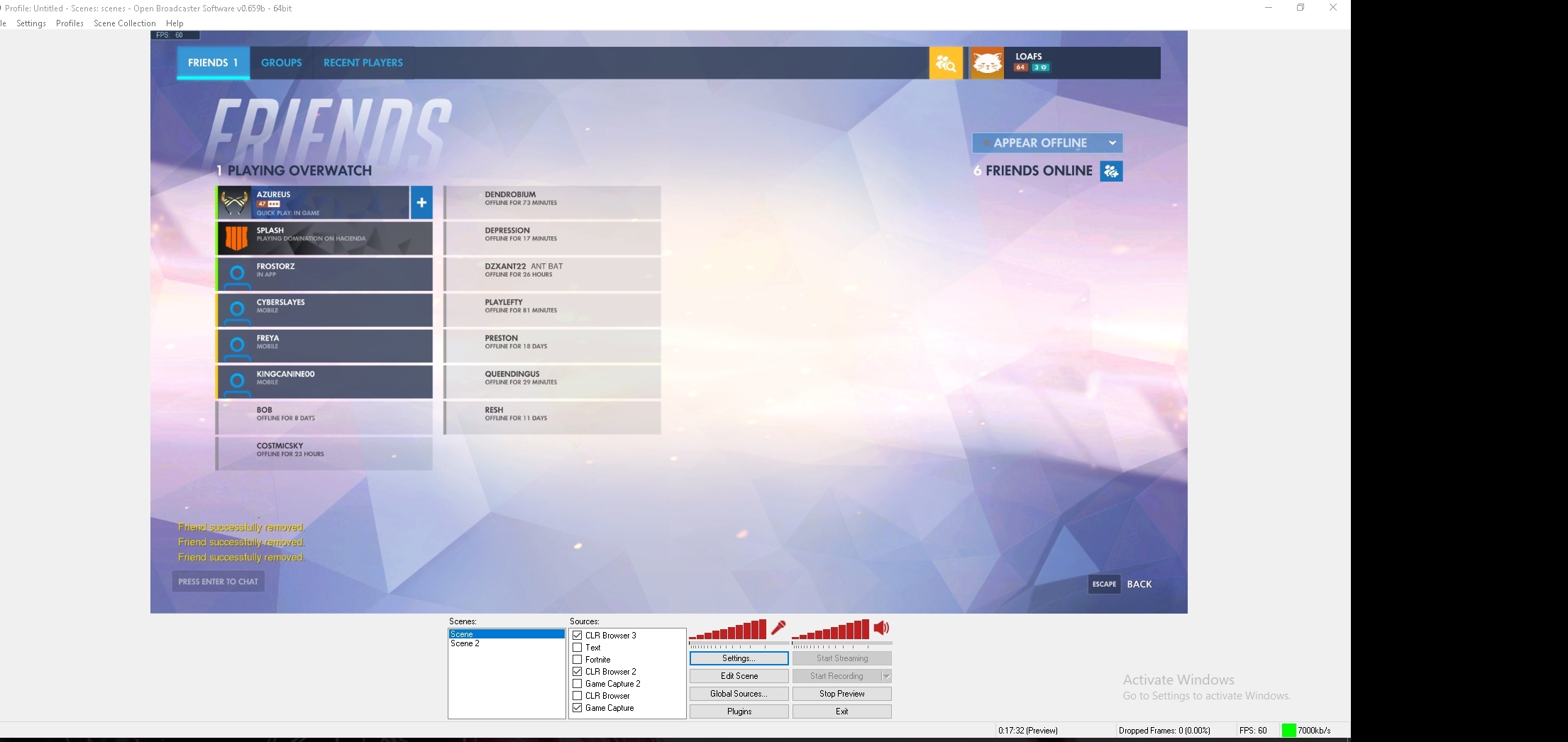
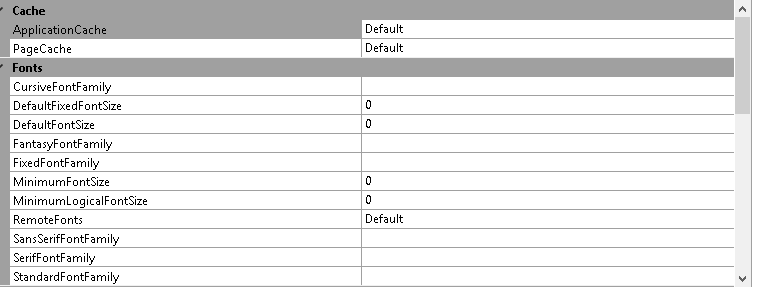
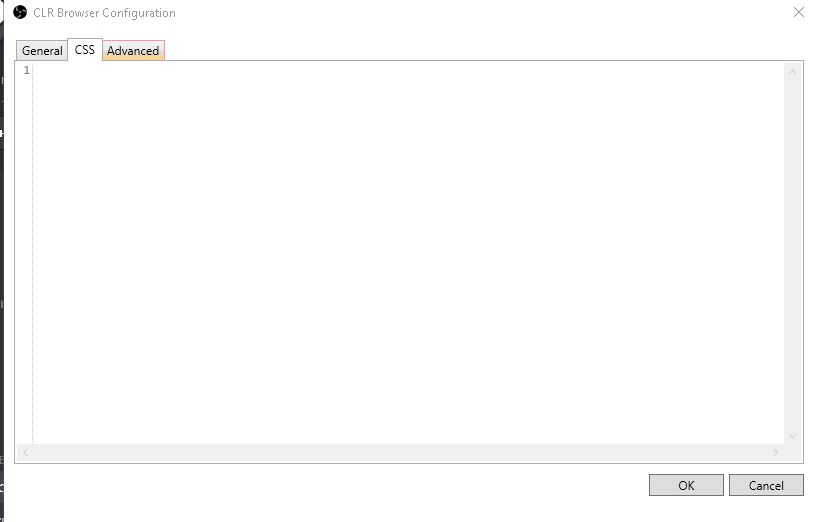

 elder sorrel
@radiant pawn You have nightbot active.
radiant pawn
yup
elder sorrel
Also Wizebot. In the SE Dashboard did you click 'Join bot'?
radiant pawn
sorry im new to this what is SE?
elder sorrel
StreamElements.
radiant pawn
no sure lemme check
elder sorrel
No prob. It would be here https://streamelements.com/dashboard/ & should see on the right to click 'join bot/part bot.
StreamElements
The Ultimate All in One Platform for Streamers
radiant pawn
thanks so much dude
elder sorrel
🤘🏼 What do you use the other bots for? Just curious.
elder sorrel
Streamelements can do that as well. 😉
With the Chat alert module that you have enabled.
radiant pawn
yeah ijust found out scrap wizebot
elder sorrel
As well you can set timers with SE cause we're all in one.
So your timer for "Make sure to follow" can be used with us to set up. So your chat is not all cluttered.
elder sorrel
Sounds good 🤘🏼
radiant pawn
cheers
elder sorrel
@radiant pawn I don't see the SE Chat module for alerts enabled if you're planning to switch to that.
You could enable that at https://streamelements.com/dashboard/bot/modules
StreamElements
The Ultimate All in One Platform for Streamers
elder sorrel
🤔 Could be from the other bot. Not too sure about that.
radiant pawn
thanks got it working however when someone says hi in stream they have to put !hi
for a response
elder sorrel
@radiant pawn You can add a custom command for !hi & in the advanced settings add the keyword: hi
So whenever says hi: It'll trigger the command without using the !
radiant pawn
ok i will try
 indigo torrent
hello lovely support team. Hope you can point me in the right direction here. I got my buddy to join the dark side ( 😄 ) and spent several hours on getting his overlays and bits setup. We are trying to bring over some stream labels data and are aware of the data tab in the overlay editor to update latest follow, sub etc in there. The issue we are having is bringing in the top donation and top cheerer label so it reflects the right correct totals he got before switching to SE.
pale elk
Could I get an access code for the Streamelements Android app?
nocturne pelicanBOT
@pale elk The StreamElements Mobile IRL streaming app is currently in closed beta.
If you'd like to assist with testing when public beta testing becomes available, please fill out this form: https://goo.gl/forms/3DaiLckKDjeMAeVt2
radiant pawn
@elder sorrel thanks everything is now working. Your a legend!
elder sorrel
@indigo torrent Your bud can try going here https://streamelements.com/dashboard/activity and clicking on the reset session button
StreamElements
The Ultimate All in One Platform for Streamers
@radiant pawn Awesome. Always glad to help 
indigo torrent
American, im assuming you are pointing me to the widget data section? already updated in there but the top dono and cheerer datat isnt being updated in the overlay?
latest dono, cheer, follow and sub are being updated correctly using this, its the top dono and cheer im having issues with 😃