#helpdesk-twitch
1 messages · Page 365 of 1
 inland badge
 tight harness
Looking into it now
inland badge
i have them enabled and im signed in with twitch
tight harness
Is this since you renamed yourself?
When you rename yourself you should do the following: Click on Part Channel on the dashboard, click on Sign Out, sign back in and then click on Join Channel on the dashboard
tight harness
No problem 😃
 dapper lichen
Cual es el codigo de invitacion?
 shadow flax
Anyone know how I can change the PogChamp image when I redeem an item on my channel. Would like to use a different image
 nocturne pelicanBOT
@dapper lichen The StreamElements Mobile IRL streaming app is currently in closed beta.
If you'd like to assist with testing when public beta testing becomes available, please fill out this form: https://goo.gl/forms/3DaiLckKDjeMAeVt2
 zenith widget
ooh lol i'm blind
@shadow flax That would be in the chat alert module for the bot
shadow flax
thank you
 mint dew
Anyone can help me with the loyalty???
shadow flax
@zenith widget ok so the image I want to use is one of my channels Prime emotes but it only types the emote name in and in chat appears as text and not my emote I use. Anysuggestion? Do I have to have the Bot sub to my channel if so how
 elder sorrel
@shadow flax Gift it a sub, or become twitch partner
shadow flax
thank you
elder sorrel
@mint dew What's up?
elder sorrel
You would have to go to Streamelement's website that'll take you to the dashboard.
From there you'll see on the right to have the SE bot join your channel (if you haven't already).
mint dew
One moment plz
elder sorrel
On the left will be the option for "Loyalty settings" that you can enable.
elder sorrel
That's up to you. As you can change amount to whatever you think is right.
10 minutes of watchtime are given to those in chat when the loyalty points are handed out (every 10 minutes).
mint dew
Sry can you go in a vocal chat?
Voice support
Aaaah no
Now i have selected five point every 10 minutes alright?
elder sorrel
Right. That's what you currently have set up. You can change that if you want viewers to get more or less.
mint dew
Ok thanks
 tranquil igloo
I've narrowed down my broken notifications to Bits.
 narrow coyote

tranquil igloo
SE is breaking for me suddenly on both resubs and bits.
I can't figure out why because I haven't changed anything in over 11 days.
narrow coyote
what do you mean by its breaking? What broadcasting software are you using?
tranquil igloo
OBS
narrow coyote
What version? and what exactly do you mean by its breaking, we need more details on what exactly the problem is
tranquil igloo
21.1.0
By breaking I mean that the notifications stop playing at a certain point. They get stuck and nothing new transmit.
narrow coyote
First step would to be update OBS Studio, you are several versions behind, and massive improvements have been made to the browser source
 copper bobcat
Is there anyway to automatically have viewers added as Regulars at a certain point?
tight harness
@copper bobcat Not yet, it's on the ideas board
copper bobcat
Legit, thanks!
Also, is there anyway to display cheer stats in the chat?
Like "all-time top cheerer is {whoever} with {this many cheers}"
copper bobcat
Cool cool - and last question. I see how to increase a counter - but how do I make a counter in the first place. Trying to make a counter for World Records in Mario Maker.
tight harness
All the information you need is available in Chat Commands > Default Commands and Chat Commands > Variables 😃
copper bobcat
So !editcounter is how you create one as well?
Aha, figured it out - seems you can't do two word counters? "World Records"
tight harness
The name is the name of the command, you can't have command names with two words so that's not an issue
 hushed ferry
Any ability to replay ExtraLife / Tiltify charity donation alert if such happens when not streaming? Want to recognize folks for their giving but do not see ability to replay like I do with follows, hosts, raids and subs on the dashboard.
zenith widget
@hushed ferry I think there is a way for you to see past tips via their respective dashboards.
Somewhere on your account most likely.
hushed ferry
I can see the past donations in their dashboards, but wanted ability to replay the alert on stream @zenith widget
zenith widget
I don't thats possible :/
hushed ferry
It is in SLOBs
copper bobcat
Speaking of counters - is there a way to make it so the counter in the chat is also a counter for an overlay widget?
 lament blade
Hello!
First of all, I'd like to thank you for everyone that contributed in StreamElements. This is the best and the most useful software I ever used
tight harness
@copper bobcat There's no widget for that yet
lament blade
I'm just new and I don't know how to set up the bot, you guys can help me with it?
tight harness
@lament blade First step: click on Join Channel on the dashboard (don't forgot to make it a moderator with /mod streamelements in your stream chat)
tight harness
Great
If you go down the left navigation menu page by page you'll see what we have, we also have a bunch of tutorial videos on our YouTube channel: https://www.youtube.com/channel/UCjerlCIbLPQwSnYlClkjDXg
lament blade
Alright thanks! By the way, is it included in the video to show you how to stop people from using song requests?
I'm worrying about Twitch taking my channel down for using copyrighted songs
Nevermind, found it
Thanks!
tight harness
If you don't want to use it, make sure Viewer Requests is disabled
lament blade
Thanks! I don't know how to appreciate you guys enough for this software
 frozen agate
How do i get the code to use the mobile app
nocturne pelicanBOT
@frozen agate The StreamElements Mobile IRL streaming app is currently in closed beta.
If you'd like to assist with testing when public beta testing becomes available, please fill out this form: https://goo.gl/forms/3DaiLckKDjeMAeVt2
lament blade
Are the superthemes limited?
I mean, can I only choose a limited number for them to use?
Or I can use all of them at my choice
tight harness
All of them
lament blade
This is just amazing
Umm, how do I move the content from the theme https://streamelements.com/dashboard/overlays

StreamElements
The Ultimate All in One Platform for Streamers
In my OBS Studio StreamElements software?
tight harness
Click on Launch in the overlay manager, copy the URL, add it as a browser source in OBS
lament blade
Cheers! Sorry if I'm asking too many questions
tight harness
It's what we're here for, the YouTube videos I linked before should help too
 untold pollen
does anyone know the FPS at which streamelements alerts run at ? and if its possible to change ?
 brazen pumice
Hi
 visual wraith
Hello, is there a way to opt out from the location services used by the leaderboard widget ?
 balmy timber
Please can I get the pre register code
 vital wyvern
Hello @untold pollen since SE in Cloudbased there is no way to change the FPS, its fully web based
@visual wraith you would have to talk to one of the staff member 😃
nocturne pelicanBOT
@balmy timber The StreamElements Mobile IRL streaming app is currently in closed beta.
If you'd like to assist with testing when public beta testing becomes available, please fill out this form: https://goo.gl/forms/3DaiLckKDjeMAeVt2
vital wyvern

 nova flicker
Hello I need help with my twitch
 atomic silo
hey. any way to make subs able to request more songs than plebs BUT not infinite amount of songs?
vital wyvern
@nova flicker Hello, i can help you with StreamElements, but if there is someting on the Twitch site, i would recommend asking their support 😃
narrow coyote
@atomic silo You can add a sub discount on the cost
nova flicker
@vital wyvern I'm curious as how to get stream elements for twitch
vital wyvern
StreamElements is a Overlay & donation system just like Streamlabs but Better. i recommend checking out this YT playlist on how to properly set it up

Setting up StreamElements is easy, learn how to in this video, hosted by Twitch Partner GIRLvsDUMB - Got any questions, or just want to say "Hey"? Join our D...
nova flicker
@vital wyvern thank you
vital wyvern
atomic silo
@narrow coyote but i meant the amount of songs requested, not the cost, the cost is free for everybody at mine
 weary mist
@atomic silo There is no way to place a different limiting amount on different roles at this time
copper bobcat
How are the emotes for the !Kappagen command decided? They seem to just be my sub emotes?
 tidal furnace
Hey so I don’t have a computer and stream from my ps4 and use my phone can I put in overlays from my phone?
vital wyvern
For your PS4 i would recommend a capture card and stream it from a PC, but since you dont have a computer, then i can really help you unless that :/
for mobile, if there is a streaming app, that allows you to add Browser Source's then yes @tidal furnace
@copper bobcat you can change the emotes that you want to be shown, on the Kappagen overlay widget
atomic silo
and do you plan on making this happen? 
nocturne pelicanBOT
@atomic silo Here is the StreamElements Ideas Board: https://strms.net/ideas
vital wyvern
i recommend checking or making a post for it, the more the merrier 😄
 small crystal
Hello, im looking for the HypeBoss widget link but i cant find it
I can add it in a new overlay but i need the link
nocturne pelicanBOT
@small crystal To add your overlays to OBS, add a new browser source in your scene. Paste your overlay URL in the browser source properties, set the dimensions to 1920x1080 (unless you changed them on the website), and :ballot_box_with_check: “Shutdown source when not visible” https://youtu.be/KDvLynUqXI4
zenith widget
Sure 😃
small crystal
Another thing, are there widget links?
 wanton jetty
@dense jackal http://chrisis.live/s/1540240652_7.png The bot posted the tweet under both usernames ?

 stray blade
Hi I was wondering how I could get an access code to try out the app?
nocturne pelicanBOT
@stray blade The StreamElements Mobile IRL streaming app is currently in closed beta.
If you'd like to assist with testing when public beta testing becomes available, please fill out this form: https://goo.gl/forms/3DaiLckKDjeMAeVt2
 glacial aspen
Hi, for almost a year I haven't been able to enable follow notifications, I used to have another bot for that cause never worked. All the other notifications (subs, hosts, donations, etc) work fine, but when I enable follows it won't stay enabled, it goes back to disabled. Help pls?
tight harness
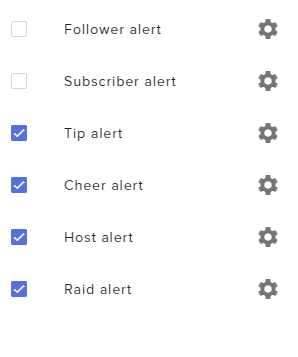
@glacial aspen I've fixed it for you, you removed the number from the Tips chat alert meaning the whole module couldn't save until you put something in that text field, it won't save without something in every text field
glacial aspen
thank you!!! ❤
tight harness
So I put a 1 in there and then enabled follow alerts, saved 😃 it's all good now
No problem
glacial aspen
❤
 mint forum
Can I use stream elements tipping system without paypal?
 winter zenith
sure , you can use G2A instead
wich works similiar but you can transfer the money directly to a debit card or Credit card
mint forum
Thanks for the fast response how do I set that up?
 strong kernel
It's an option in https://streamelements.com/dashboard/tipping-settings
StreamElements
The Ultimate All in One Platform for Streamers
nocturne pelicanBOT
@lament blade The StreamElements Mobile IRL streaming app is currently in closed beta.
If you'd like to assist with testing when public beta testing becomes available, please fill out this form: https://goo.gl/forms/3DaiLckKDjeMAeVt2
lament blade
Thx
 carmine prairie
@ebon forum you around?
carmine prairie
you remember when we talked about the undefined sub text when someone subbed with a twitch prime?
 ebon forum
yeah. just post the update if you have something
lament blade
When do i get the code
carmine prairie
i found out that only shows up when viewing it on obs.live (and its still doing it btw)
it shows it normally still on regular twitch
ebon forum
can you post that in the helpdesk for obslive?
carmine prairie
ok
lament blade
When do i get the code
ebon forum
When you stop asking for one
lament blade
Oof
ebon forum
If you filled out the application, just wait
mint forum
@strong kernel Where is this option? I cannot find it under tipping settings
ebon forum
the code is for our mobile IRL app on Android
PS4 is something else entirely and not related to the app at all
 pine hemlock
its for mobile.
lament blade
Streaming on mobile?
mint forum
Where can I find the G2A option in stream elements
lament blade
Does @ebon forum have a yt channel
weary mist
@mint forum it would show up in Tipping Settings. Where are you located on the globe?
mint forum
Flordia
ebon forum
@lament blade yes, i have a YT channel, but you do not need to know it, it is not related to StreamElements.
weary mist
Ah, then you won't see it. You would be able to see SE.Pay. If you don't see it, give it time. It will appear as you grow
mint forum
So I cant set up a tip setting without paypal
weary mist
If you are not seeing the option, you are correct.
 lime nova
Hi
 nimble zinc
can I make one chat command trigger three other commands at the same time? so like it says !social, and then it types !instagram, !twitter, !snapchat, and !youtube?
lament blade
I need Help Obs is soo werid
nimble zinc
theres a channel for the helpdesk-obslive
lament blade
ok
 candid vortex
Hi guys, does you overlays work with Elgato Gaming Capture software
lament blade
Is there a streamelements app that I could download instead of on chrome?
 marble shuttle
I could use some help. I've just been hit by the white black page with only the help button showing issue. https://support.streamelements.com/hc/en-us/articles/115002552031-The-website-overlay-doesn-t-load-except-for-the-Help-button

StreamElements
If you're seeing a white page/overlay with a Help button on the bottom right corner, there is a cache problem.If this is happening on your browser, perform a hard refresh with Ctrl+Shift+R.
If this...
I have tried all browsers and done the hard reset of the cache. Nothing helps.
ebon forum
@marble shuttle are you in Russia? This is the only region so far to get that error on a daily basis
marble shuttle
I'm in Denmark, so nopes.
strong kernel
@marble shuttle
- Clear your cache
- Go to chrome://settings/content/cookies and add streamelements-yoink.netlify.com to your allow list, allow cookies in general
- Press Ctrl + Shift + R while looking at the white screen
marble shuttle
I have alreadsy done that. It did not helæp at all
Chrome, Firefox,m IE. Same white blank page all over
strong kernel
Can you screenshot your chrome://settings/content/cookies page just to confirm please?
marble shuttle
I use firefox as my defauklt
strong kernel
We recommend using our site with Chrome as it's optimized to work with Chromium; it's what's used in OBS browser sources.
marble shuttle
I've always used firefox and never had a problem before
strong kernel
Also, do you use an adblocker? They can sometimes cause issues as well.
marble shuttle
No addblocker
This is what it says when I enter the https://streamelements-yoink.netlify.com/ into my browser - just checked to see what was up with it.
Page Not found
Looks like you've followed a broken link or entered a URL that doesn't exist on this site.
← Back to our site
And it's the dsame in Chrome and IE. Just tested with both. The advice you poosted had no effect
ebon forum
can you do a tracert to api.streamelements.com and see what comes up?
marble shuttle
Gonna run both a tracert and a pathping to see what is going on here
Tracert completed but it doesn't look right at all
marble shuttle
Same thing happens when I try to log into my stream elements page. It's just a white page. Sigh... what the...
marble shuttle
Well, I am on here and I am on Twitch watching Yunalescka... so I'm prewtty sure I have internet to the rest of the world. Why I've been cut off from stream elements I do not know
marble shuttle
Done
And still no dice
I get to this IP 104.25.5.104 and then it stops. That is Cloudflare, in SanFran
 unique pond
How long after filling out sellout form will my channel be posted?
copper bobcat
Custom bot name randomly not working? Ground Control is open.
marble shuttle
Rebooted computer, cleared cache in all browsers, still nothing but a white blank page.
I am watching Twitch, I can access gmail - your servers just doesn't wanna know me. Can you deactivate my stream elements for me, please? No use in having it attached to my twitch when I can't use it
copper bobcat
Stream is about to start - if anyone can explain why my custom bot name isn't working that would rock! Ground Control is open and it worked earlier today.
strong kernel
@copper bobcat Can you restart Ground Control and take a screenshot of the settings for me?
@unique pond The sellout bot is manually managed, it can take time. Be patient.
copper bobcat
Reset and it worked, thanks! LOL scared me
strong kernel
@marble shuttle I'm happy to help but I need you to cooperate so we can narrow things down. So I'd like to ask again that you provide a screenshot of your chrome://settings/content/cookies page so I can verify everything is fine there to start.
@copper bobcat
marble shuttle
Providing that won't help you, as I only ever use Chrome when I do error search like this. I use firefox and have never experienced this issue before, but I can tell from googling that it's not an uncommon issue
ebon forum
most of the issues are in Russia where we had some issues with IP blocks. since this is not the case, this looks like wrong settings blocking something.
and the only 2 that can cause that would be cookies and javascript being blocked
marble shuttle
Well, I'm not sure that is the problem. Since it's Firefox, IE and Chrome that all have the problem, I think the issue is somewhere between me and your servers. As you saw, my tracert runs through and ends at the Cloudflare IP address
strong kernel
It's supposed to.
ebon forum
Just test with chrome, if your settings are correct and we can verify that, we can move on and see what is between your PC and our servers.
marble shuttle
strong kernel
Okay. So as was mentioned, please add streamelements-yoink.netlify.com to the allow list.
marble shuttle
Done
strong kernel
Now go back to the white screen and do Ctrl+Shift+R
marble shuttle
No dice. Still just a white page
strong kernel
On the white page, press F12, go to the console tab, and press Ctrl+Shift+R again, and then take a screenshot after it reloads.
marble shuttle
gtm.js?id=GTM-M3DK7BQ:124 GET https://www.googleadservices.com/pagead/conversion_async.js net::ERR_CONNECTION_REFUSED
That is the last line
ebon forum
we need the whole log
strong kernel
Well, I'm glad Google Ad Services can't bother you, but yes, please screenshot the entirety of the console.
ebon forum
preferably via text document because it is too long
strong kernel
Or text document if it's cut off, yeah.
marble shuttle
strong kernel
Try adding streamelements.com to the allow list please.
marble shuttle
Done. And did the refresh on the site. Still getting the connection refused
strong kernel
Through Ctrl+Shift+R? Don't do a regular refresh.
marble shuttle
Yes, the ctrl shift r
Ok, it'sa 2 am here. I need to get some sleep. Could you just delete my account for me, since my connection keeps getting refused regardless of browser. I am gonna find something else to use instead
strong kernel
Please understand that the devs are currently asleep and we're doing what we can to troubleshoot with what previous knowledge we have about these issues. I know you're frustrated but we're working on it.
marble shuttle
ebon forum
And as you see, there is a reply from Hectic on that topic which is a solution.
He is just asleep since he is pretty much in the same timezone as you
marble shuttle
Yeah, I have cleared cache and deleted cookies in all browsers several times already. It is not helping. I'll stop bhy later this week to see if you guys have figured out what the issue is, but until then, I have to use other streaming tools, because I need them to work properly. I was supposed to stream now, but I have been uanble to because of these issues
And I am afraid that it's gonna mess with my stream if it's still connected to my twitch but I have no control over it
ebon forum
if you do, please come over during your daytime, so we can connect you to the developers
strong kernel
The connection to your Twitch account is only to retrieve information to display and make use of, and to give you tools to manually make changes. It doesn't automatically make changes for you.
marble shuttle
Well, alerts and so on runs through stream elements. And if it's not letting me connect to control it because of a refused connection, it'll be a problem, right? I just can't have this same issue tomorrow afternoon during stream
ebon forum
Then come over before the stream, 1-2 hours and we look into it
right now developers are offline, we have no way to do deep troubleshooting
marble shuttle
I'll stop by again to talk with them. But for now, I have to get to bed
lament blade
hello, i have an problem! how i can start the music of the bot? my viewers send !sr YT Link on my chat but its not work
ebon forum
@lament blade can you give us more details?
 split stratus
why r my commands and chat alert not working?
 half bolt
Is there a way to make streamelements say an emote with a command?
i tried it but it just types the text with no emote
strong kernel
Is it your channel sub emote?
strong kernel
Then the bot needs to be subbed.
strong kernel
Yeah, if you're not a partner yet. Partners get permanent bot subs.
half bolt
oh
when my friend does it
his actual channel doe sit
like his username
not a bot
How is that possible
strong kernel
!rename
nocturne pelicanBOT
Custom bot name requirements
- StreamElements bot modded and in chat
- Active overlay with alerts
- StreamElements tipping page in the panels below the stream (!panels)
- Create a twitch account for the name you want to use
- Ground Control app must be running
Steps to enable custom name
- Sign in to https://twitch.tv with the bot account
- Install and run Ground Control (!gc for download)
- Visit https://twitchapps.com/tmi/ and generate an oAUTH token
- Copy/paste everything in the box to Ground Control oAuth settings and enter the name for the bot account
- Restart Ground Control (custom name may take a few minutes to take effect)
Mac does not currently support renaming the bot.
 hazy obsidian
You can run a bot on your own computer and have it post using your credentials
 worldly summit
beer 👀
 slender yoke
So I am happy that the OBS.Live now does an @ search for recent chatters to make typing names easier BUT tonight I tried to type in the name of someone who hosted, but had not yet chatted, and even when I typed the name perfectly the chat would give me an error message. I mean, it didn't even let me type a name at all. It just gave an error message.
 torpid estuary
I may be mistaken, but I am pretty sure the same thing happens to me in a normal browser on twitch. If they raid/follow and havent typed in chat yet I can't @ them @slender yoke
 robust turtle
In SLOBS you can add an event trigger that will play a sound at the entrance or first chat (for that stream session) of a particular user.
Can the same thing be done in Stream Elements? Ideally I want a sound and image (as with regular alerts already available) when a certain individual speaks or enters the chat.
slender yoke
@robust turtle SE doesn't have that yet.
torpid estuary
@robust turtle that's something you could add to the ideas board here: https://strms.net/ideas and share it in #💭︱feedback-and-ideas
lament blade
Very quick question: Is there an easier way to preview fonts when changing text for a widget than just manually clicking through each one? There are so many to choose from that I sometimes go through a couple of DOZEN to find what I'm looking for.
nocturne pelicanBOT
@lament blade More than 800 google fonts are supported at this time. You can preview them here: https://fonts.google.com/
lament blade
That is a lot of fonts, LOL.
pine hemlock
variety
 full fable
Is there a way to do a command that gives everyone in chat only x amount of points? I saw a give all but I want one that only gives to those on at the time ?
zenith widget
Usually !addpoints (and its aliases bonus and giveall) only give points to people who are in your chat at the moment of usage. It does not give points to everyone who is in your leaderboard
I have my self, SE bot and another bot in my chat at the moment
lament blade
I need help with an invite code
nocturne pelicanBOT
@lament blade The StreamElements Mobile IRL streaming app is currently in closed beta.
If you'd like to assist with testing when public beta testing becomes available, please fill out this form: https://goo.gl/forms/3DaiLckKDjeMAeVt2
 karmic flint
anyone know why the overlay will not work on bistream so I can hear alerts?
zenith widget
bistream? do you mean bitstream? one of the streaming aps for phones?
I think thats the SL streaming app and they block our overlays.
karmic flint
yeah thats the one. another streamer said it works
I can hear streamlabs alerts without problem
zenith widget
Well this is StreamElements discord.
If you are trying to add SL alerts, go ask them 😉
But like I said, they block our overlays on their app
karmic flint
no im adding streamelements alerts
I see
can you recommend an app to use that does not block alerts?
zenith widget
I can - ours, but its in closed beta at the current moment.
karmic flint
I noticed that
 faint parrot
How do I get early access code???🤔 

nocturne pelicanBOT
@faint parrot The StreamElements Mobile IRL streaming app is currently in closed beta.
If you'd like to assist with testing when public beta testing becomes available, please fill out this form: https://goo.gl/forms/3DaiLckKDjeMAeVt2
zenith widget
@ruby kayak If you continue advertising like that, I will have to remove you from this Discord! We don't allow self-advertising!
nocturne pelicanBOT
@ruby kayak Are you a StreamElements all-in-one streamer and interested in stream promotion when you go live? Please fill out this application https://strms.net/sellout and if you meet the 3 requirements posted in the :pushpin: pinned message in #welcome you will be added to the stream announcements.
 white hollow
Hey I just switched from StreamLabs to Stream Elements and I wanted to know if I can get my data like total donations and what not combined from both for my overlay?
 pure crystal
what happened?? for some reason I cannot change the layers -_-
@ me for answers
I change them but they don't work right
zenith widget
@white hollow Can you elaborate a bit more?
pure crystal
the layers got messed up, what the heck happened?
zenith widget
What exactly did you do? @pure crystal
zenith widget
Are you talking about these layers?
tight harness
Move the text layers higher in the Layers list
white hollow
@zenith widget A supporter had donated $350 while I was using streamlabs streamlabels files to read from. Yesterday he donated an additional $100 and of course it wouldn't add to the total
zenith widget
Make sure you are editing the overlay it has the problem @pure crystal
pure crystal
Yes
zenith widget
zenith widget
And use these buttons when you click on a widget/text to move it
zenith widget
Clear the cache of the browser source that holds the overlay
pure crystal
It's in the browser
that is switches back
clearing cache won't do anything will it?
zenith widget
it will clear the preloaded assests of the browser link(overlay)
@white hollow You can import past tip data from SL using the import tool.
nocturne pelicanBOT
@pure crystal Right click on the BrowserSource > Properties > Scroll down a bit > Refresh Cache of current page
zenith widget
@white hollow The tool is located next to your name on the top right side of the dashboard.
pure crystal
I mean when I go to overlay editor I change the levels of the layers and it changes back after I save it and recheck
LIKE DAFUQ
white hollow
Do you guys have a program like stream labels that a text file can read from?
pure crystal
what's up with that
zenith widget
Then clear your own browser's cache @pure crystal
@white hollow Everything is controlled and stored on the cloud.
You can even use your overlay link anywhere you go(to afriend's lan party, or TC if you wanted to stream from there)
pure crystal
clear browsing data/ I use chrome?
zenith widget
clear cache
white hollow
I guess the issue is that my overlay is continuing to read from streamlabels and streamlabels isn't going to update when SE donation service is being used
zenith widget
Well of course. We are a different platform/company.
We use our own platform to track tippings coming via our tipping links.
But we are entirely cloud based.
white hollow
Right understandable
zenith widget
You don't need to download labels or anything like that for the bot.
white hollow
I don't think I am ready to adopt your complete overlay overhaul and create an overlay with your editor, I just want to replace the data in my current OBS overlay with the data from SE combined with previous SL data.
zenith widget
Like I said above, you can import your SL tip data using the import tool, but if you've recently created an account with us, we won't be able to retrieve old Cheer data and subscribers.
 mighty sundial
Is there anyone who can help me set up the Bot for my channel?
zenith widget
What exactly do you want to setup?
white hollow
I did that to get my alerts but the data did not transfer
zenith widget
Then you can add the 250$ tip person manually, just match their username and email.
mighty sundial
I would like it to tell me when somebody follows and subscribed and all of that good stuff raids. But I also wanted to tell my chat if one of the other streamers that comes on that's a good friend of mine or that supports my channel a lot if they pop on I wanted to say hey when you get a second also check out this guy you know and have a link to his channel
 trim matrix
Like a shoutout command?
white hollow
How would I do this? and how would I get this new info into my obs overlay?
 untold crest
@white hollow https://streamelements.com/dashboard/tipping/list
StreamElements
The Ultimate All in One Platform for Streamers
zenith widget
@mighty sundial You can add the chat alert module for the bot ,which says in the chat who just followed you, tipped you, subbed to you, but the other part can't be made automatic
untold crest
There is a button above list with "Add tip" label
zenith widget
@mighty sundial But we do have a !shoutout command
 narrow olive
my stream starts to lag when i launch the overlay on my display cpture screen
mighty sundial
Is there a way of programming things I end up having to say a lot into the bot.
 hybrid owl
All my widgets are suddenly gone, how is this possible?
zenith widget
@mighty sundial Besides using ${custom.api} variable, there is no way to directly program the bot.
@hybrid owl Did you click save after adding the widgets?
hybrid owl
i didnt change anything
i stream always with the same one overlay
suddenly all widgets are gone
zenith widget
Ok, checking another of mine overlays
 lapis vault
I can reset labels, if you think that's userful.
lapis vault
I'm PMMing u the overlay
hybrid owl
ty for confirming @lapis vault
zenith widget
@pure crystal I think you are affected by the same issue as the 2 above now.
Can you link me your overlay in DM?
 dim relic
hello i need help with overlay
 ornate orbit
am i the only one who has this problems ? my overlay broke cant get the pruple bar behind the text anymore and i dint move it in front of it..
this happen with all my overlays *
dim relic
for some reason the overlay disapeared and now most of the widgets dont show up
zenith widget
Yes I'm reporting this right now. Hold on.
dim relic
oh thx
zenith widget
Got 3 more reports(+1 from @ornate orbit )
 mint bay
Hi, how I can get the invite code for the app
nocturne pelicanBOT
@mint bay The StreamElements Mobile IRL streaming app is currently in closed beta.
If you'd like to assist with testing when public beta testing becomes available, please fill out this form: https://goo.gl/forms/3DaiLckKDjeMAeVt2
dim relic
glad to know im not the only one
zenith widget
Its being looked at right now
dim relic
@zenith widget so if i chill for now later the widgets and all will reappear?
zenith widget
Should. Trying to give as much info as possible
dim relic
ok cool thx
 unique spade
Hello! Are there any plans on making a Twitch panel extension for the !songrequest function?
So you don't need to have a !songqueue command in the chat
(So that you can see the requested songs in the extension in the panels)
 serene granite
@pure crystal @dim relic @ornate orbit @hybrid owl we fixed the issue, can you refresh and see if its ok now?
hybrid owl
yes it is
zenith widget
@lapis vault ⤴
hybrid owl
i just saw it on stream
zenith widget
@unique spade I'm not sure if there are plans, but you can take a quick peak at our ideas board and see if its suggested already. If not, you can add the idea 😃
nocturne pelicanBOT
@unique spade Here is the StreamElements Ideas Board: https://strms.net/ideas
zenith widget
I can't open the ideas board from my work, so let me know 😃
unique spade
Also the !songqueue command drops out 50% of the time for some reason, and i feel that you should be able to see it on the twitch page
checking it now
zenith widget
If 2 people use the command at the same time, the bot can't process 2 requests from the same command, as there is an internal cooldown. I think. I've noticed it my self.
unique spade
Yes, i know of the neccessary cooldown, i've made my own bot and i've had to implement that too.
However, occassionally i've had problems with specifically the !songqeueu command.
I keep the songrequest dashboard open on my display capture and frequently tab out, but still.
Added the idea to the idea board, by the way! Thanks for the help guys.
ornate orbit
it worked @serene granite 😃 thank you ❤
 upper steeple
disregard my previous message, i figured it out. Woooo
trim matrix
^ Great name 😉
 fathom nexus
Anyone else had problems with the leaderboards after a name change on twitch ?
Mine just keeps loading and stopped working for some reason 😢
nvm the last 2 messages im an monkey
tight harness
No problem 👍
atomic silo
hey for some reason my marathon counter doesnt start what did i do wrong
 tall wharf
@nocturne pelican hey I download the streamelement for Android , can you tell to me what is the invitation code?
nocturne pelicanBOT
@tall wharf The StreamElements Mobile IRL streaming app is currently in closed beta.
If you'd like to assist with testing when public beta testing becomes available, please fill out this form: https://goo.gl/forms/3DaiLckKDjeMAeVt2
marble shuttle
@ebon forum @strong kernel - I just wanted to let you know that it is still not working.
lament blade
Is there a proper way to fully disable&delete your StreamElements account connected via Twitch
Or it only exists as long the connection between Twitch and StreamElements is done
I'm not dissapointed by any kind of your services, I actually think you're the best one out here: I'm not gonna stream anymore and I want to see if there is a way to delete your account
full fable
Is there any way to set it so that people who gift subs receive points?
nocturne pelicanBOT
@novel wharf The StreamElements Mobile IRL streaming app is currently in closed beta.
If you'd like to assist with testing when public beta testing becomes available, please fill out this form: https://goo.gl/forms/3DaiLckKDjeMAeVt2
 novel wharf
thanks
 winged echo
Can u stream games on the app
elder sorrel
@winged echo If you're referring to screen capture, no. As it's currently for IRL Streaming using the camera.
 midnight lagoon
What is concurrent veiwersphip I have 2.02/3?
weary mist
average viewer count
elder sorrel
@full fable The sender does not get points, only the user that gets the sub does. Could be an #idea though 🤔 💡
full fable
OK. Maybe ill just do it manually. Its a good idea tho cuz it encourages people to gift subs
midnight lagoon
So how do I get 3
zenith widget
Stream, be entertaining. Network around and apply for our sellout anons
nocturne pelicanBOT
@midnight lagoon Are you a StreamElements all-in-one streamer and interested in stream promotion when you go live? Please fill out this application https://strms.net/sellout and if you meet the 3 requirements posted in the :pushpin: pinned message in #welcome you will be added to the stream announcements.
elder sorrel
@full fable Someone already posted that idea which you can upvote at https://streamelements.helprace.com/i953-give-loyalty-points-automatically-to-people-who-gift-subs 😃
 woeful idol
Hi, my stream elements now notifies me if someone new follows my twitch channel, however it doesn’t show up in my “latest follower” and “event list” alerts.
 dry olive
is there any way through stream elements overlay to make a new message in your chat make a sound? I have a fairly specific use case for this.. but I was just wondering if it's possible 😃
elder sorrel
@dry olive Sounds like referring to Store Redemption? As you can create a Stream Store for Sound Effects only to be redeemed in chat.
As you'll need to add on the Store Redemption widget as well to the Overlay.
dry olive
Ah, sorry, I actually mean just any message in chat make a sound, like a notification noise. I understand this would be incredibly annoying generally, but I have a specific use case for it so I wasn't sure if it was possible
elder sorrel
@woeful idol Just to be sure: You do have the Latest Follower widget in your overlay?
 warm thorn
I want this property in SE Chat Bot
 small siren
hey all
hello all
can any 1 help me here?
i have deepbot i whant to inport it to stream elements but it give me a error
can any help me ?
 summer mulch
@small siren what kind of error are you receiving?
 civic dirge
Is this Twitch company
 deft leaf
I would like an early access code for the mobile app please
 peak cradle
I'm having a hard time with some things. Either I'm dumb or something is really missing.
nocturne pelicanBOT
@deft leaf The StreamElements Mobile IRL streaming app is currently in closed beta.
If you'd like to assist with testing when public beta testing becomes available, please fill out this form: https://goo.gl/forms/3DaiLckKDjeMAeVt2
tight harness
@peak cradle Watched the tutorial videos yet? https://www.youtube.com/channel/UCjerlCIbLPQwSnYlClkjDXg
weary mist
@civic dirge no, this is the company StreamElements, we provide services to assist with streaming on Twitch
lament blade
Heeello :)
So i more or less got two problems.
- My stream overlay, you know chat and live thing is hide away, i cant see them
- I need to switch twitch account, i have changed stream key but it still says im on Plumyboiii
weary mist
- Make sure you added the browser source at the correct resolution. OBS defaults to 600x800, our overlays are 1920x1080.
- Are you talking about on OBS.live, or the website
peak cradle
@tight harness thanks a lot my man
tight harness
No problem
weary mist
@lament blade the streamkey doesn't change what you are logged in as. I am actually not sure how to log in with a different account, maybe @narrow coyote will know more, or at least be able to test it?
narrow coyote
StreamElements menu > Log out, then login with the other account
lament blade
Oka, thanks! - Damn, guys... This is super good support, alot of "bigger" companies answer 3 days later, thanks!
narrow coyote


narrow coyote
In OBS, on the menu bar, StreamElements
 narrow coyote
Im a bro 
tight harness
Did you just assume his gender?
narrow coyote

lament blade
Aha, Okay
elder sorrel
Take it to #helpdesk gender pls 
lament blade
I were just looking, lol (Im gonna stop spamming) - Thanks for the help peeps 😃
narrow coyote

 mint rampart
how do i change the bot's name ?
narrow coyote
Do you use OBS.Live?
mint rampart
SE obs live yes
narrow coyote
Bot rename options are in the Stream Settings menu. Click the burger menu in the Activity Feed window to access them
mint rampart
yes, and then ? it says custom name, but it wont let me name it ?
narrow coyote
You use another Twitch account for the name, it should also show if you meet the requirements to use it or not
mint rampart
so i have to make another twitch account, and registered it to the new twitch user ?
narrow coyote
Yes, the rename process requires having another account to be able to post in chat under a different name
mint rampart
kk, thanks man!
narrow coyote
woeful idol
@elder sorrel how do I check if the widget is up to date? I’m using a theme overlay and the other alerts such as bits, subs, etc are being updated, except followers
 vocal sinew
I wish my alerts would stop working once a week on me.
zenith widget
@sand fjord Thats not very helpful and also don't advertise like that!
lament blade
Hello I need some help Get back to me when you see this.......! When people Redeem things at the Store.... there is a cool-down right? which this stops them spamming it but This does not stop them from Spamming it when they type it in the chat example: !reedeem Pick_a_Song
I had to disable everything since I had trolls who kept spamming it in my chat Is there any type of way to put a cool-down on it even if they type it in the chat becuase at time when I was trying to do it Everyone was keep spamming it And How was I meant to catch up
Also if yes how long should the cool down should be?
for global & per user?
weary mist
Global cooldown: Cooldown applies to everyone.
User cooldown: Cooldown applies individually per user.
if you want only one redeem every 15 minutes, then make sure you put that into the global cooldown part (example: streamer does 1000 pushups)
if you only want one user to be able to redeem something every 15 minutes, you put it into the user cooldown part (example: play with streamer)
Now, if someone spams the same command, even without the benefit of getting anything out of it, that is something you and your moderators have to manage. A timeout can go a long way to discouraging antics you don't like
lament blade
right ok but a timeout won't stop them spamming the store in the link area
thank you for your help
Also how many secs in 15 mins?
full fable
is there a way to export a list of people who have gifted subs either from SE dashboard or from Twitch?
weary mist
@lament blade there are 60 seconds in a minute, you have a calculator on your computer if you need it
@full fable that is a wonderful question. I have no clue about twitch. but with us, the only way I know that we track it is through our panel extension. You could copy/pasta from that
full fable
It would be great to be able to export out data like that into a spreadsheet. Can you export loyalty points?
weary mist
our API is fully open to use, the entire website is built off of it. There is no way built in to export, but I know tons of people ahve done it with the API
full fable
hmmm I dk how to do that 😛
weary mist
one of these days, when I have time, I am going to build an excel file to share that will pull it, just have to get around to it
elder sorrel
@woeful idol Would be in the Overlay Editor to view the layers if you have the Latest Follower widget in there.
 oak plume
How can I make the bot display social media links and discord links in the chat so that the viewers can follow and/or join the discord server?
strong kernel
StreamElements
The Ultimate All in One Platform for Streamers
 ashen stump
can i have a mobile app invite code?
nocturne pelicanBOT
@ashen stump The StreamElements Mobile IRL streaming app is currently in closed beta.
If you'd like to assist with testing when public beta testing becomes available, please fill out this form: https://goo.gl/forms/3DaiLckKDjeMAeVt2
strong kernel
Filling out the form does not guarantee you a code.
ashen stump
ah, thank you
 stable fossil
Hello I'm new to stream elements and i have recently downloaded the app from Google plays store. I would like an early access code please.
nocturne pelicanBOT
@stable fossil The StreamElements Mobile IRL streaming app is currently in closed beta.
If you'd like to assist with testing when public beta testing becomes available, please fill out this form: https://goo.gl/forms/3DaiLckKDjeMAeVt2
stable fossil
Thanks
dry olive
Just a quick technical question about the streamelements overlays. Is there any technical reason why when I open my overlay in a normal browser tab it doesn't function the same as a browser source in OBS? There is no audio output and also the notifications seem to come through very late
wondering if it's something special in the browser plugin that makes it all work
strong kernel
What browser are you looking in? It's optimized for use with Chromium. Looking at it in Chrome should be no different than looking at it in OBS.
dry olive
hm.. I tried it in Chrome and Opera
definitely no sounds when I have it open as a browser tab in chrome.. as for the delay in notifications, if I look at a different tab and come back to it, it then shows the notification (I thought it would just play in the background which is why I found it so odd)
obviously not a huge deal or anything, just a technical query 😃
weary mist
that chould be a thing with chrome itself
strong kernel
You might've muted the tab.
dry olive
tab is definitely not muted
weary mist
Check your volume mixer in windows, make sure chrome isn't muted there, or set to a different audio channel
dry olive
it's the same browser I use for my internet so, audio is coming out fine from it
weary mist
IDK, it works fine on my end, lol
dry olive
I can go from a youtube video that is working fine and then load the overlay on the same tab and it doesn't work, which is odd
weary mist
try in an incognito tab
dry olive
incognito doesn't work, tried it across 2 separate computers too, only thing I could think of is the overlay is busted somehow.. but tried a fresh overlay and it still doesn't work.. very odd
lament blade
Sorry... been a few months since I last asked, but has there been any movement on more advanced bot commands via if/than, case, or for statements? Or inclusion of python or JS for custom commands?
strong kernel
There's no support for those, no.
lament blade
right, but there was talk about potentially adding something like this in the future, I take it that it's not been looked at then?
strong kernel
There's no ETA, no.
 tawny bay
Question about SR. How do you have a default playlist going?
lament blade
damn 😦
tawny bay
Bascially if no one SR I run out of songs.........
ebon forum
@tawny bay add a backup playlist
strong kernel
In https://streamelements.com/dashboard/mediarequest/settings you can add a backup playlist.
StreamElements
The Ultimate All in One Platform for Streamers
lament blade
Is that still something on the roadmap? he asked with baited breath 😃
lament blade
well, I might be able to live without the more advanced command structure... now one thing I can't tell if the bot can or can't do, can I do commands that will activate a GIF/video source/audio file?
ebon forum
@lament blade yes, this is done via stream store and stream store widget + redeem commands
lament blade
excellent 😃
wanton jetty
Anyone know why i cant capture 60fps 720 on my C920 Logitech webcam although the camera can clearly capture that and 30fps 1080p ?
winter zenith
- thats not twitch/StreamElements related so more a #general-chat type of question
- the c920 isn’t capable of doing 60fps. The c922 could in 720p do 60fps, but its faked zoomed in frame dublicating artificiality 60FPS and looks ugly AF.
Only way of capturing 60FPS atm with a camera os the Elgato Camlink solution
@wanton jetty
 wanton finch
my alerts arn't working, I've had a sub raid and host not pop up in my alert feed or on my overlay
strong kernel
What is your name on Twitch? Not the link, just the name.
wanton finch
letsplayhombre
strong kernel
@wanton finch Seems to be appearing in your activity feed just fine. I did a test host; your alertbox is set to only trigger for hosts of 1 or more, so it won't go off.
wanton finch
Thanks so much nethyr!
 patent cypress
I need a early access code :'(
nocturne pelicanBOT
@patent cypress The StreamElements Mobile IRL streaming app is currently in closed beta.
If you'd like to assist with testing when public beta testing becomes available, please fill out this form: https://goo.gl/forms/3DaiLckKDjeMAeVt2
patent cypress
I just did
strong kernel
Filling out the form does not guarantee you a code.
If you are chosen, you will be notified.
strong kernel
Don't make me ban you.
patent cypress
Ok..ok..I was joking and I'm sorry 😞
 sonic mortar
Hi there :)
Is it possible to transfer loyalty points from StreamLabs to StreamElements? Other than doing so manually?
Cheers!
strong kernel
@patent cypress I mean at least get with the times and ask for V-bucks.
patent cypress
I just wanna live stream
strong kernel
@sonic mortar Yes, you should be able to export a currency.csv from the desktop app.
patent cypress
An all I have is a phone so I can only play roblox
sonic mortar
Great, will try that. Thank you @strong kernel !
 dense jackal
In their chatbot click the person in the bottom left, go to cloud, and click export excel files 👍 @sonic mortar
lament blade
Is anyone knowledable in Twitch TOS, as in bits and how u can earn them, i wanted to do a eat a sour piece of candy for x bits if donated, someone said I could get in troublee, anyone know where I could ask about something like this?
strong kernel
Twitch.tv
Bits Acceptable Use Policy Bits are digital content (i.e., animated emoticons) that can only be purchased from Twitch. Twitch initially introduced Bits...
lament blade
so me eating a piece of candy does not return any value except my sour face lol, if im understanding correctly
strong kernel
If you say you're going to eat a piece of candy for each cheer, you should be fine.
lament blade
thanks for your help
strong kernel
I don't envy your teeth or stomach, however.
lament blade
lol its the warhead candy the sour
 sonic bough
Has there been problems with host alerts with anyone else? Is the best solution to just reset the alert in the overlay?
 torn axle
Hi! A streamer I mod for is being bothered by someone we banned in chat by donating. Is there a way to block them from further donations?
zenith widget
@torn axle yes. On the revenue page on the tipper - far right there are 3 buttons to edit delete and ban. This will ban the persons email from tipping to your streamer
torn axle
Okay thank you so much!
 gusty dove
Help with code invite for ingress app
nocturne pelicanBOT
@gusty dove The StreamElements Mobile IRL streaming app is currently in closed beta.
If you'd like to assist with testing when public beta testing becomes available, please fill out this form: https://goo.gl/forms/3DaiLckKDjeMAeVt2
 deep widget
All my overlays work but not Twitch Chat?
I can change background colour/move it around and it reflects in OBS, but nothing comes up in chat? Do I need to be live?
zenith widget
No. Do you have the twitch chat in a separate overlay?
If yes, make sure the resolution of the browser source is set to 1920x1080
deep widget
changing the resolution worked a treat mate thank you
zenith widget

elder sorrel
Are you streaming directly from your console?
 lucid void
Yeah
 cedar fulcrum
!console
nocturne pelicanBOT
Here is a guide on how to setup the most essential tools for streaming from your console, while using StreamElements tools without involving a Capture Card! It's easy to do, take 4 minutes to read and 10 to 15 minutes to setup!
Read all about it here: https://blog.streamelements.com/how-to-stream-on-console-7b620b1c46c3
cedar fulcrum
@lucid void ⏫
 minor sedge
Hey we are having some issues to getting overlays to work in obs, Nethyr is our account manager
As he is off wanted to ask here 😃
zenith widget
What are the issues you are facing?
cedar fulcrum
What is the Twitch account?
cedar fulcrum
Please make sure you are using OBS Studio and not Classic
minor sedge
Will Pass it on thanks. We will try to get it working
cedar fulcrum

 urban cypress
I need help for the early access code for streamelements
nocturne pelicanBOT
@urban cypress The StreamElements Mobile IRL streaming app is currently in closed beta.
If you'd like to assist with testing when public beta testing becomes available, please fill out this form: https://goo.gl/forms/3DaiLckKDjeMAeVt2
urban cypress
Thx
 tribal anvil
Does anyone know if there’s a way to have on an overlay both tips and bits in one tab? Like on the pre made overlay there’s a tab for top or recent tips but they’re only for actual tips. Is there a way to count bits as tips and have them appear under the same thing?
tribal anvil
It’s hard to explain what I mean but I’m trying to say is there a way to combine tips and cheers in to one widget? Cause they’re both tips and it would make things a lot easier for the pre made overlays.
zenith widget
Aah, as in convert cheer amount to actual money amount - thats hard to implement, if you use a currency different then $ or €
and its most possible with a custom code to calculate the cheer amount into tip amount
lament blade
for some reason i can't get my overlays on my stream even though i set them on twitch
nocturne pelicanBOT
@lament blade To add your overlays to OBS, add a new browser source in your scene. Paste your overlay URL in the browser source properties, set the dimensions to 1920x1080 (unless you changed them on the website), and :ballot_box_with_check: “Shutdown source when not visible” https://youtu.be/KDvLynUqXI4
 royal roost
in november i going to make a giveaway to that person who has most of the points, but i wondering if i can give points to just active viewers in the chat. can i do it through streamelements?
 jolly jolt
Hi, I have a problem on donations' notifications
Every notification that I replay from dashboard, works... all of them but donations
Donations is only shown as a text, on "latest donations"... but not as a notification with sound and video/gif
elder sorrel
@royal roost You can use the command !addpoints to all or specific viewer that is watching.
royal roost
ill check it out 😃
@elder sorrel but you are sure it will only be for the viewers? 😃 and not all my followers?
jolly jolt
@elder sorrel help 😄
elder sorrel
@royal roost Yes. !addpoints all <amount> would only be sent to the people watching.
@jolly jolt In the Alertbox in the Overlay Editor do you have Tip Alert selected with the Checkmark?
royal roost
ok, but i have put in the bots to my ignore list, but they still gets.
cedar fulcrum
Because in the ignore list they do not get points for watching but if you give points manually they still will get it
royal roost
ok.
 wide cipher
how can i get donations on my stream
elder sorrel
@wide cipher Are you using a PC to stream or streaming directly from console?
jolly jolt
https://i.gyazo.com/6c11b708ba1fb9730c2475fe11bb6ec4.png @elder sorrel
 royal roost
but i found 3 commands that do same stuff, Addpoints, setpoints and editpoints
jolly jolt
When I test, is okay... on overlay edit. But here, when I click on "replay"... doesn't show the donation animation

Also, sometimes it shows €1 and sometimes EUR1
elder sorrel
@royal roost !addpoints all <amount> would still be the go to
Going to ask internally about the tip function what may be causing that.
@jolly jolt Do you have Automatic Tip message filtering enabled? As that may set up to disable the alert
wide cipher
Hi.. i am using omlet to stream from my phone
omlet is streaming to twitch, FB & YT at the same time
 heavy field
I could use some assistance please.
wide cipher
is anybody listening..?
 untold edge
Interested in testing the mobile app for Android
 hasty harness
Theres a link if u scroll up fitgamer, to sign up
elder sorrel
Not sure if Omlet can use Overlays / alerts. @wide cipher Asking internally as I never heard of it
untold edge
Oh damn it's still in closed beta
elder sorrel
@heavy field What’s up?
elder sorrel
@wide cipher with Omlet our Overlays would not work cause it does not support Browser source. Chat Alerts could be set up
wide cipher
I can't see anything inside my tipping settings tab..?
elder sorrel
Are you using your phone to access the site?
 worn wedge
Site is down???
elder sorrel
If you're getting the endless loop on the home page. You're not alone.
Being reported as we speak.
 grave python
nuuls 
 copper pawn
Was down for me just came back up this second
grave python
we back
elder sorrel
Yep. All good for me now.
cedar fulcrum
@grave python 
grave python
maggots
where is my email of denial for dreamteam 
I ended my all star membership with streamlabs for this
 umbral blade
Hello, I am having issues with sub notifications not making any sound. I haven't changed anything, it just stopped doing it. the popup is still there, just no sound alert
cedar fulcrum
You always will be DreamTeam in my Dungeon  @grave python
 cedar fulcrum
@grave python I personaly love your streams, I tell them all the time to DT 
zenith widget
@umbral blade Check the variations of the sub alert if you've removed the sound by accident
 digital yacht
hello 😃 could you please describe me how bets rewards work? for example there are 3 options....1st 0bets, 2nd 3bets 10p each, 3td 3 bets 15p each...and 2nd option wins...thank you
 frail moth
Anyone having problems with Host alerts not coming up?
wanton jetty
Does the Slideshow function support GIF's ?
pine hemlock
@frail moth Hosts for 0 wont show, and autohosts below 1 viewer are filtered as well
@wanton jetty yes
cedar fulcrum
@pine hemlock helped him on Stream
pine hemlock
oki
 smoky tide
I have an idea that is submitted to the idea board, but wanted to ping here as well. Top Cheer/Donation alerts have a field for Minimum Amount. I'd like for that alert to honor that threshold and when not met, the alert falls back on a different variation already set. (i.e. Top Donation alert only triggers when $10 or more. If less, fall back to the other variation)
Doing this, you cant set the Pick a random alert when more than one apply. Any idea on if this is something that can make the priority list? As it is today, on the first cheer/donation of a session, if that item doesnt meet the threshold, I get no alert.
Reference: https://streamelements.helprace.com/i1050-top-donation-threshold
 drowsy yarrow
@smoky tide, Pong!
smoky tide
lol @drowsy yarrow yeah was writing for awhile on that one lol
wanton jetty
@pine hemlock Thanks
@pine hemlock Is there a way to set individual image timers on the slideshow as some of my gifs are longer than others but dont want repeats.
pine hemlock
Individual timers, dont believe so no
 deep rock
Hey how do I get access to the early access app for Android?
cedar fulcrum
!code
nocturne pelicanBOT
The StreamElements Mobile IRL streaming app is currently in closed beta.
If you'd like to assist with testing when public beta testing becomes available, please fill out this form: https://goo.gl/forms/3DaiLckKDjeMAeVt2
deep rock
Thanks
dry olive
when I use the "!emotes ffz" command with the chat bot, it doesn't show any active emotes that I have shared from another channel on frankerfacez (it only shows emotes I have submitted myself), any way to fix this (without making my own custom !emotes command)?
pine hemlock
!emotes update first @dry olive
dry olive
@pine hemlock well, i'm an idiot 😂 thanks for the quick reply
pine hemlock
np
 kind epoch
Why is my hype boss showing a picture of a different person to that of the current leader?
digital yacht
hello 😃 could you please describe me how bets rewards work? for example there are 3 options....1st 0bets, 2nd 3bets 10p each, 3td 3 bets 15p each...and 2nd option wins...thank you
lament blade
Hi, is it possible to whisper someone the bot times-out?
zenith widget
@kind epoch Usually it takes a bit of time to change the picture. It should update it self on the next event
@lament blade Unfortunately, no.
@digital yacht There are as many options as you give the Contest.. I'm not sure where you are seeing the "1st 0bets, 2nd 3bets 10p each, etc" part.
But usually when you pick a winner, the entire pot is distributed to the winners.
pine hemlock
@smoky tide If you set a minimum for 10, and a person donates 9 and you have an alert variation set to minimum 5, the minimum 5 alert would play? What am i missing
smoky tide
it should, but it doesnt
because you can't have randomly select when more than one apply. Because if it IS a top cheer/dono, it might randomly select the other variation.
for instance, Top Cheer, I have set to 1000 for a special alert. When someone does 100, no alert is shown
pine hemlock
Why would you want that option checked
Also im not sure where you're getting "top" cheer/donation - they're just donation and cheer alerts. nothing is top
smoky tide

the condition for an alert is what I am referring to.
and utilizing the Minimum Amount field for that variation https://puu.sh/BQmQ6/a6a30c52a5.png
 pine hemlock
So, if someone cheers 1000 on your stream, this variation shows, correct?
What are you other variations
There shouldnt be a need to have randomly select option enabled
 torn imp
hi guys. i have a static browser sourcce for my overlay, but i've noticed that even though it's not animated, it still causes my obs to lag. if I use a browser source for only the alerts, would that do less of a load on OBS?
this only happens in rainbow 6, for some reason
pine hemlock
It would use less, but watch your r6 cpu usage when in game, and that would be your answer .
torn imp
hmmm ill have to try that
pine hemlock
Most people have to cap their fps in siege in order for the cpu bug to stop
pine hemlock
You could try turning off hardware accel for browser source in advanced settings in obs and see if it helps.
But if you made a smaller overlay with just an alert box you'd probably have less load
smoky tide
@pine hemlock yeah 1000 or more will show the Top Cheer Variation. Anything below it, but is technically the Top Cheer for that session will not show UNTIL its 1000 or above.
only reason I bring up the checkbox for randomly selecting is because, currently, thats the only way to have multiple variations be used to show for that event. I currently do not have that checked.
pine hemlock
Okay so that variation is working as intended then. Top cheer of the session wont show unless the cheer is 1000 or above.
I dont 100% understand what isn't working as intended then
smoky tide
@pine hemlock can I DM you to try and explain the scenario better?
pine hemlock
May as well just post it here so others can give input into it honestly
strong kernel
@smoky tide Remove the music alertbox you've got in there, it seems to be causing problems. Rule of thumb, best to have only one alertbox in at a time.
 drifting gulch
I put the command on and it wont work on stream help
strong kernel
What command? Please always be specific when asking questions.
drifting gulch
!points
strong kernel
And what is your Twitch username? Don't put the link, just the username.
drifting gulch
TTV_KRONOS
strong kernel
The bot isn't even in your channel.
drifting gulch
how do I put it
strong kernel
@drifting gulch Go to https://streamelements.com/dashboard and click Join channel. If it says Part channel instead, click that, and then click Join channel.
StreamElements
The Ultimate All in One Platform for Streamers
smoky tide
@strong kernel its not the music alert box. This isn't a bug. Everything is working as intended. Im just "simply" asking for a fallback for when something is a Top Cheer/Dono for the session but doesnt meet the minimum requirement.
The music alertbox is my old way, as I test out the new one. Everything is turned off in the music one as well as that widget hidden.
strong kernel
What minimum requirement are you referring to?
smoky tide
within the Top Cheer variation https://puu.sh/BQmOm/ebfdca5dfb.png https://puu.sh/BQmQ6/a6a30c52a5.png
strong kernel
So... why put that minimum in there in the first place?
smoky tide
for a specific use case. As in something happens on stream for a top cheer or dono, but only if it meets the minimum.
strong kernel
So you're looking for, what, a second top cheer variation with a lower minimum?
smoky tide
I dont think a second top cheer variation is needed. Maybe just how the alert honors the minimum.
Something along the lines of this.
Is it Top Cheer for Session? Yes => Did it meet the minimum? No => Treat it as normal cheer; Else Show Top Cheer Alert
and I think I tried having a second top cheer variation, and some kind of conflict arose with that. But I can't specifically remember why that didnt work.
strong kernel
The system doesn't currently work like that.
smoky tide
Yeah, I guess its more of a personal request. I submitted an idea on the board for the system to support something like this.
 solemn gulch
Hello! I would love to have an invite for the mobile app
nocturne pelicanBOT
@solemn gulch The StreamElements Mobile IRL streaming app is currently in closed beta.
If you'd like to assist with testing when public beta testing becomes available, please fill out this form: https://goo.gl/forms/3DaiLckKDjeMAeVt2
 dusky creek
Hello, I just got StreamElements, and I don't know how to actually begin streaming.
strong kernel
You still need a streaming software like OBS Studio.
Which we have a plugin for: https://obs.live
strong kernel
Some of us may be able to assist to an extent but if not we'll forward you along to the OBS discord
!obshelp
nocturne pelicanBOT
For the best OBS support, please join their discord where OBS devs and support volunteers are available all the time discord.gg/obsproject
umbral blade
@zenith widget what do you mean variations of the sub alert?
strong kernel
@umbral blade
dry olive
is there any way to merge 2 overlays together? or copy an element (with all it's settings intact) into an already established overlay?
ebon forum
@dry olive yes, there is a duplicate widget button on the "layers" tab. So make sure you open the layers, select the right one and then press that and select where to copy
strong kernel
@dry olive The duplicate button is in the bottom left, with the red dot, while you have something selected.
unique pond
How do I set up a bot to show that I went live in twitch in one of my discord channels?
strong kernel
We don't have a Discord bot at this time, though others may be able to suggest you one.
 amber granite
How to get the invitation ode
nocturne pelicanBOT
@amber granite The StreamElements Mobile IRL streaming app is currently in closed beta.
If you'd like to assist with testing when public beta testing becomes available, please fill out this form: https://goo.gl/forms/3DaiLckKDjeMAeVt2
amber granite
Code
strong kernel
Filling out the form does not guarantee you a code.
amber granite
Yeah same here
 jaunty hinge
Pls code..
strong kernel
If you filled out the form and are selected, you will be notified. Otherwise, be patient.
unique pond
@strong kernel thanks! Any help would be great.
strong kernel
@unique pond From what I've seen, MEE6 is popular.
dry olive
@strong kernel @ebon forum that simple.. thanks! You guys thought of everything haha
unique pond
@strong kernel Thank you! Mee6 worked fine.
strong kernel
 silent briar
hi im struggling to get my own name for my bot using your ground control do you have a giude or can you help at all?
nocturne pelicanBOT
@silent briar Custom bot name requirements
- StreamElements bot modded and in chat
- Active overlay with alerts
- StreamElements tipping page in the panels below the stream (!panels)
- Create a twitch account for the name you want to use
- Ground Control app must be running
Steps to enable custom name
- Sign in to https://twitch.tv with the bot account
- Install and run Ground Control (!gc for download)
- Visit https://twitchapps.com/tmi/ and generate an oAUTH token
- Copy/paste everything in the box to Ground Control oAuth settings and enter the name for the bot account
- Restart Ground Control (custom name may take a few minutes to take effect)
Mac does not currently support renaming the bot.
silent briar
thanks i see my problem i have my own overlay but using all your alerts etc
thanks for the info
 high bear
Can someone just direct me. Im messing with media requests. I want to have it moderated, and theres a setting for that. But my mods and I cannot figure out where the interface for their mod approval is.
specifically for the Queue
strong kernel
You mean this setting?
high bear
correct
strong kernel
When there's a request, it shows up on the same page, under the queue.
high bear
I tried adding them as streamelements mods and also linking them to my page
where my queue shows
but they got their own
as if they were streaming
strong kernel
Did you add them as managers by sending them an invite link?
strong kernel
StreamElements
The Ultimate All in One Platform for Streamers
strong kernel
Click the question mark to see what access it gives.
 granite wharf
Code?
nocturne pelicanBOT
@granite wharf The StreamElements Mobile IRL streaming app is currently in closed beta.
If you'd like to assist with testing when public beta testing becomes available, please fill out this form: https://goo.gl/forms/3DaiLckKDjeMAeVt2
strong kernel
Filling out the form does not guarantee you a code.
 paper ferry
Ever since Twitch had their major update to remove communities and add tags my host alerts haven't worked. Thought it strange since my other alerts work fine. Any ideas?
I can do a test alert and that works but when someone else hosts nothing happens. I just get the msg in the chat.
 distant gazelle
How can I get a code
strong kernel
@paper ferry Just resubscribed the webhooks for your account. Should be working now.
nocturne pelicanBOT
@distant gazelle The StreamElements Mobile IRL streaming app is currently in closed beta.
If you'd like to assist with testing when public beta testing becomes available, please fill out this form: https://goo.gl/forms/3DaiLckKDjeMAeVt2
strong kernel
Filling out the form does not guarantee a code.
@distant gazelle And what do you mean by why doesn't it post links?
 limpid ferry
has anyone had problems streaming black ops 4? I've tried everything i can think of to make it work but i keep getting encoding overload. my friend and room mate that has a worse computer than me can stream it at 60fps no problem but when i try with the exact same settings it drops to like 10fps at times and never stays consistently at 60. my GPU and CPU usage go up to like 95% for some reason when streaming it.
paper ferry
@strong kernel thank you
strong kernel
@paper ferry
nocturne pelicanBOT
@limpid ferry For the best OBS support, please join their discord where OBS devs and support volunteers are available all the time discord.gg/obsproject
gusty dove
someone to help me download the application of streamelements and when I'm in the application this asks for an invitation code and when I select there I get that I have to put some number and I want to enter or access to make my stream on YouTube or Twitch
Help app
nocturne pelicanBOT
@gusty dove The StreamElements Mobile IRL streaming app is currently in closed beta.
If you'd like to assist with testing when public beta testing becomes available, please fill out this form: https://goo.gl/forms/3DaiLckKDjeMAeVt2
 gray laurel
I currently use obs studio for streaming my internets fast but my stream glitches when I move but when I stand still it's fine how do I fix that?
 gentle imp
which settings are you using @gray laurel and what is your upload speed
gentle imp
that's good enough, you aren't using Wi-Fi right?
here you can see the recommended setups https://stream.twitch.tv/encoding/
also for better picture quality while moving around in games it's best to use cpu encoding, that is don't use NVENC unless you have to
gray laurel
I'm wired connection
nocturne pelicanBOT
@gray laurel Can you please provide a log from your last stream. You can find this log in " %appdata%/obs-studio/logs " OR Help > Log Files > Show Log Files. You can simply drag and drop the log file into Discord.
zenith widget
Is this from now?
gray laurel
well i was going through them all and the last one i sent was recorded at 9ish tonight
zenith widget
- You have 8GB of RAM - thats farily low for streaming.
- You are trying to stream at 2560x1080 - at 4000 bitrate - thats low bitrate for high resolution
gray laurel
hmkay
zenith widget
1050ti at 4GB VRAM is also not a sturdy way to stream. So either lower the output of your stream to 720p resolution at 3000-3500 bitrate
or get more ram and still downgrade that output resolution
gray laurel
i was trying to do that but i couldnt figure it out
gray laurel
30fps?
zenith widget
Just know that Twitch forces 16:9 aspect ratio
Also those "Windows 10 Gaming Features" maybe hindering/lagging your stream as well - i think they started showing up with the latest Win10 update so I'd suggest to turn them off - how? I'm not sure, but a google search should help.
gray laurel
so with base/canvas do i leave that on 2560x1080 them with output change it to 1280x720
zenith widget
base can stay native to your resolution
but if you change to 1280x720 your stream will look squished due to your base being stretched
gray laurel
hm alright ill quickly try these settings up and see what it looks like
zenith widget
so I'd search for the equivilant stretched 720p resolution. I don't know it by hand unfortunately. Or make your base resolution 1920x1080, but output at 1280x720 and have your game look stretched with the added big black bar and place your camera there + some widgets and you should look like a good stream.
my stretched I mean, keep its resolution as your monitor and just have it fit from side to side with the black bar
gray laurel
this is some advanced advice for my brain
zenith widget
I wish I saved a clip of another streamer doing this exact same setup and it looked good for him
zenith widget
When did you make an SE.Pay account?
 worthy slate
last week
zenith widget
So it usualyl takes up to 7 business days to get your details verified. Then when you receive a tip it takes 2-3 days to verify the amount and then it becomes available for withdraw, but the minimum withdraw is 5$.
worthy slate
oh ok thanks 😃
zenith widget

gray laurel
alright illl give it a try
zenith widget
@worthy slate I'd make sure your details are properly setup, based on the picture you sent (and I deleted, just to hide your balance  )
)
If this continues for a day or two more, let us know that you asked before but the money is still not available for withdraw and we will poke someone to take a look at your account.
zenith widget
No problem 😃
zenith widget
@mystic palm Wrong channel to ask. But to help out, I'd suggest to take a look in the overlays and see if the layer position is mixed up for the widgets.
 mystic palm
That's the thing. In the edit everything looks fine and also when OBS is open but as soon as he starts streaming the text disappears
zenith widget
Can you DM me the overlay link? Also its best for them to join Discord and ask questions, unless unable to.
zenith widget
I said DM, because the link contains their Account ID
mystic palm
Oh sorry
vital wyvern
Almost got myself another overlay , damn it  @zenith widget
 vital wyvern

zenith widget
anyway - overlay looks normal @lament blade
lament blade
yes. but when im ingame the overlay disaper
zenith widget
Even in OBS
OOh you mean like it goes bellow the game.
Make sure the browser source is above the game source here
mystic palm
it is
lament blade
i can link my twitch and u can se by your self ?
zenith widget
no need
I'm there already
@vital wyvern Can you actually help them. Swedish 😉
Ahh you are already there
mystic palm
I think we solved it :p
Oh dear
I was sure that the overlay was on top but apparantly it wasnt :p
gentle imp
^_^
zenith widget
So I was right 😃
zenith widget
Well, good luck 
mystic palm
It actually made me think about it one more time and double check so thanks 😄
My streaming experience has been good so far so I'm happy 😄
zenith widget
If other questions or issues arise feel free to come poke us 😉
also can I be unmodded? @mystic palm
mystic palm
Ofc
zenith widget
Thank you and good luck. If anything else, feel free to come back
 ember wasp
Hi 😃 somebody can help me? I imported streamlabs alertbox into streamelements
But still I don't have any info about my subs
what should I do?
when I tried to import subscribers.csv from streamlabs
i have this: Couldn't import points :/
 normal igloo
@ember wasp Streamelements only uses data it has received since you using Streamelements aka The reason why you have no info about your subs
normal igloo
np as for Why you can't import points I have no idea why Hopefully one of the members of staff will help you out with that asap 
 full arrow