#helpdesk-twitch
1 messages · Page 360 of 1
 💦
💦 zenith widget
Ok so you are using !givepoints perry 1000 and it gives you the above error?
@ancient cloud
 ancient cloud
yees
zenith widget
With a super quick google search I got you this
but it rotates regardless
if its going off screen or not
ancient cloud
i just want it to do that
zenith widget
<div class="main-container"><marquee behavior="scroll" direction="left"><p>Latest <span id="action-rotate"></span></p></marquee>
</div>```
So get the widget, open the css editor and replace the entire HTML tab with the above lineThank YOU ❤
zenith widget
@ancient cloud Here is how it looks when you stretch it
ancient cloud
just what i want
 grave python
@zenith widget persons name was array nam
zenith widget
I'm asking how exactly you used the command
ancient cloud
okay @zenith widget it doesn't work for me when i stretch it the names disapear
zenith widget
as in !givepoints god 1000 or !givepoints god 1k
@ancient cloud Click save and refresh the editor
ancient cloud
okay 1 sec
doesn't work the names still don't show up
@zenith widget even on my obs the names don't show up
zenith widget
You did get the widget as is from #widget-share and you have not changed anything except the HTML I told you to change right?
and the white names don't show up but the "Latest" does right?
ancient cloud
you didn't tell me it needed to be the same as the 1 from the #widget-share
please correct me if i'm wrong
okay 1 sec
zenith widget
I did tell you to get the widget, but my fault for not telling you to get it from #widget-share


ancient cloud
jeeej it works thank you @zenith widget
 tight harness

ancient cloud
@zenith widget do you know how to change the collor, font and size of the text on that widget i don't know what all the code means
zenith widget
I do know and this is the 3rd or 4th time I got asked this so far...I think I'm gonna make a video tutorial on how to change the colors of it 
ancient cloud
yes please
zenith widget
Will DM you when I'm done
but I woke up an hour ago and am extremely hungry atm, so...you will have to wait a bit for it
ancient cloud
no problem take your time
 whole dawn
 craggy lion
Hello, I think I am looking for a command list with more information about each command and their variables. I really like stream elements and I would like to make it possible for viewers to interact more with each other.
Therefore I would like a viewer to be able so send a hug to another targeted viewer in chat.
Ex with nicknames:
StableHorse gives a hug to Clubmotivated55
 nocturne pelicanBOT
@whole dawn The app is currently in closed beta, and is expected to be available to the public by mid October.
If you'd like to assist with beta testing, please fill out this form: https://goo.gl/forms/3DaiLckKDjeMAeVt2
tight harness
@craggy lion ${1} is the target variable, you can have multiple targets too and therefore use ${1} ${2} etc
craggy lion
Ok, am I getting it correctly if it would look like this then?
${StableHorse} gives a hug to {Clubmotivated55}
tight harness
${user} gives a hug to ${1} then they'd type !hug followed by the name of the person
craggy lion
Wow, you re awesome. You just made my stream so much more interactive. I really appreciate it!
tight harness
No problem 😃
craggy lion
Have a good one and stay hydrated!
tight harness
You too!
zenith widget
@ancient cloud Sorry, I also figured out it was easier to do, so just copy the this snippet:
p {
    color: black; /* Color for "Latest" */
}
p span {
    color: white; /* Color for "follower/sub/tip/etc" */
    font-weight:bold;
    vertical-align: top;
    width: 250px;
  }```
in the CSS tabI've left comments next to the line you need to change to control the color
 winged perch
What are Regulars for? Does it give a viewer anything if I give them regular??? Is there a way to auto give people regular after watching like 50 hours???
grave python
@zenith widget both commands, but now my profile pic aint showing on boss mode even tho its set up in dashboard/twitch
 true locust
Wondering how far is the streamelements app. I wanted to try streaming from my phone but then i saw it was in early acces ;P
nocturne pelicanBOT
@winged perch
Chat/Bot Levels
100 - viewer
250 - subscriber
300 - __regular __
500 - moderator (twitch mods automatically placed at this level)
1000 - super moderator
1500 - broadcaster
Dashboard Manager Levels (least to most access)
Bot Supervisor (can add super moderators from dashboard)
Editor
Full Access
https://i.imgur.com/s61Liry.png
 zenith widget
@winged perch Regulars is one level above subs, so they can have special commands for example or be exempt from media share as well, but subs can't.
@true locust How far? Soon.
@grave python I don't think the command will work if you place 1k instead of 1000 - it needs a proper number at the end and the name of the person you are giving points
@winged perch Also no, there is no auto way to give people regular level - this is controlled via the dashboard.
grave python
aaaaaaaaaaalso
grave python
streamboss wont change hp to 200
@tawny pivot I think that streamelements boss thingie with profile pic is problem with my username change
zenith widget
When did you change name? Also why poke Styler?
 tawny pivot

grave python
bc he is nuuls #2 
tawny pivot
I'll take a look real quick.
grave python
no worries dude, whenever u can
tawny pivot
@zenith widget https://www.twitch.tv/infinitegachi 

Twitch
♂I♂think♂you've♂got♂the♂wrong♂door, ♂the♂leather♂club's♂two♂blocks♂down♂ gachiGold
 left ice
How can I get my donation goal link + last donation?
zenith widget
donation goal link? You can setup your tip link under your channel and then add a widget called "lastest tip" in your overlay.
zenith widget
There is no goal link.
zenith widget
What?
left ice
the oldschool, because the new one the studio is lagging
for some reason
And I am with i7-8700k + 1070 and good internet
zenith widget
Then what are your PC specs?
left ice
the processor is clocked to 4.5
nocturne pelicanBOT
@left ice For the best OBS support, please join their discord where OBS devs and support volunteers are available all the time discord.gg/obsproject
zenith widget
Then ask OBS Discord for how to fix the lag from OBS Studio
Also don't stream on 1080p if you are not partnered
left ice
I am partnered.
zenith widget
Аха. Еми най-добре е там да ти помогнат. Но ако ползваш нашия плъгин, е друг въпрос.
 lament blade
Is animated overlay bad for performance?
tight harness
That entirely depends on your computer, it doesn't take a lot to run animated overlays
 spring lake
What variable do I need to use for Followage?
zenith widget
We have a default command for followage
spring lake
@zenith widget Do you mean a template?
spring lake
Ow I get it, thanks 😃
 compact tapir
Where is the report bugs link again?
 elder sorrel
You're welcome to describe the bug here.
tight harness
The site you were thinking of though is https://strms.net/problems
 sharp wind
what preset do you reccomend for NVENC encoder on OBS?
 opal holly
Please, I really need the key to stream the twitch. A lot of time I use the live streaming ace, and it is catchin
nocturne pelicanBOT
@opal holly The app is currently in closed beta, and is expected to be available to the public by mid October.
If you'd like to assist with beta testing, please fill out this form: https://goo.gl/forms/3DaiLckKDjeMAeVt2
 feral shard
Do you have to manually do your alerts for each scene on the my overlays, is there a way to duplicate alerts from other scenes
 narrow coyote
in the overlay editor, select the widget, and click the duplicate widget button in the lower left by the layers
 upper steeple
I know that I've mentioned this before about hosts that are 0 viewers not showing up in activity feed. Well I changed my alert box to show hosts of 0 and my activity feed and they have appeared today and alerts for them have gone off as well. These were all manual hosts. 😃
So not sure if you guys need to know this, cause of what I was told about they wouldn't show up if they were 0
elder sorrel
Manual hosts should show up that way. Auto hosts needs at least 1 viewer @upper steeple
@mental lodge What do you need help with? Post it here as most of us are not available to voice.
Currently at work.
upper steeple
@elder sorrel yeah i know but was told that they wouldn't show lol for 0 viewer hosts that were manual, cause sometimes they would show and other times they were and so I just dropped the subject about it
elder sorrel
🤔 Weird but for sure manual hosts should show up with 0 or more while auto hosts are 1 or more 😃
upper steeple
well i'm just glad they show up now
for now lol
if it changes, i'll let you all know 😃
elder sorrel
For sure. Much appreciated 
 mental lodge
@elder sorrel When someone redeems something it doesn't show on screen
how do I add the alert??
elder sorrel
You would have to enable Chat Alerts Module.
narrow coyote
you need a store redemption widget in your overlay
zenith widget
heck
elder sorrel
That as well 
zenith widget
half a second slower 
mental lodge
Where do I find that??
narrow coyote
In the widgets in the overlay editor
mental lodge
What is it called??
narrow coyote
store redemption
narrow coyote

mental lodge
Can someone help me testing it??
First one to test it gets free points on my stream
narrow coyote
just redeem something from your store with the overlay open
mental lodge
I can't redeem from my own store silly
narrow coyote
you 100% can
 tight wedge
hello all. I've looked at a lot of instructional videos but can't seem to find the answer to my question. when streaming, what is the best way to hear a notification of an event such as a new follow or a cheer? I realize these can play in the overlay, but I wouldn't have the sound playing in my twitch dashboard. does the streamelements dashboard or activity feed play a sound when such things occur?
 ocean portal
Where I can find the url of the chat to put it in obs??!
narrow coyote
@tight wedge The alerts would play through the overlay that is added to your broadcasting software. If you are using a setup where you do not hear the overlay sounds from your broadcasting software, then the only alternative really would be to have the overlay open in a web browser, and the sounds would play through there
tight wedge
thanks @narrow coyote . so you're saying if I'm using OBS, then I should hear those things through the OBS application?
narrow coyote
Yes, the sound from the browser source would play through the audio source that would be by default called 'Desktop Audio' in OBS
tight wedge
thank you. I will give that a shot. I also understand what you're saying about having just the overlay open in a web browser if I can't get it working to hear it through OBS.
 abstract yew
not sure where to ask about this- but i'm new to player me and every time i try to make a new overlay and launch the editor- my overlay disappears. also when i try to access any overlays there are four overlays which i don't think are my own and i can't seem to delete them. pls halp
narrow coyote
We are not player.me, if you have a problem with their service, you would need to get support from them
abstract yew
thanks! i am obviously new to discord also.
lament blade
Who do we talk to about the early access code for mobile?
nocturne pelicanBOT
@lament blade The app is currently in closed beta, and is expected to be available to the public by mid October.
If you'd like to assist with beta testing, please fill out this form: https://goo.gl/forms/3DaiLckKDjeMAeVt2
lament blade
Thank you @zenith widget
 idle flare
hey
does streamelements have a command i can give to admins to change the title and game of my stream?
tight harness
@idle flare Yes, !setgame and !settitle
 low beacon
what’s the chat to set a !deagle command to mod+
tight harness
@golden ether I believe we're waiting on them releasing their SDK for that
@low beacon You can change the user level of a command with !command options <command name> -level <desired user level>
So in your case it'd be !command options deagle -level 500
low beacon
Gotcha thanks again
idle flare
@tight harness thank you.
tight harness
No problem
low beacon
Also Is there a way to restrict a single user from using a command for memes reason
tight harness
Not an individual user, no
 deft shard
oh Ground Control showing now history lasting more than 1 month. Thanks SE guys! ❤
tight harness
No problem 😃
narrow coyote
what is your canvas size, and what is the overlay size?
 valid bobcat
Im not sure i downloaded it off the StreamElmets page
and i think it should be 1080 by 610
on obs anyways
narrow coyote
1920x1080 is the proper resolution
valid bobcat
Yeah that is too big i think. 1080 by 610 fills my obs screen
narrow coyote
what is your canvas size, settings > video
 zenith widget
I assume you are using a third party API call
Most likely you are using ${user} instead of ${1} for example
@wanton jetty ⤴
 pseudo tapir
How you change your goals settings?
narrow coyote
Activity feed > Widget Data > Goals, or, Overlay Editor > Data > Goals
pseudo tapir
Oh okay tanks
 late wave
can someone help me with changing my bot name from stream elements to one of my choosing? I saw on reddit to make another twitch account, which I did, added it as a mod, downloaded ground control too but that interface doesn't do anything for me (or I just don't get it). After that I'm lost.
nocturne pelicanBOT
@late wave Custom bot name requirements
- StreamElements bot modded and in chat
- Active overlay with alerts
- StreamElements tipping page in the panels below the stream (!panels)
- Create a twitch account for the name you want to use
- Ground Control app must be running
Steps to enable custom name
- Sign in to https://twitch.tv with the bot account
- Install and run Ground Control (!gc for download)
- Visit https://twitchapps.com/tmi/ and generate an oAUTH token
- Copy/paste everything in the box to Ground Control oAuth settings and enter the name for the bot account
- Restart Ground Control (custom name may take a few minutes to take effect)
Mac does not currently support renaming the bot.
zenith widget
@late wave You need to meet all requirements listed before the steps
late wave
Thanks for the quick response, wow! In ground control, there's no option to enter a name, or am I missing something?
zenith widget
Most likely you have not done one of the requirements. I see the bot is in your chat and modded and you have the tipping page in the panels.
late wave
yes
zenith widget
I'd suggest to restart GC and run it as admin just in case
late wave
did that, still no option I see with a name.
zenith widget
Did you add your JWT token in the JWT field in the settings?
nocturne pelicanBOT
You can find your JWT token on your account channels page: https://streamelements.com/dashboard/account/channels
(Don't forget to click on "Show Secrets")
late wave
thank you @zenith widget and @narrow coyote . It seems I got the tokens wrong. 🤦
narrow coyote
late wave
hopefully one last question. I gifted a sub last week to StreamElements so that I could setup commands that have my emote in them. I noticed now as I test my newly named bot that the emote is gone and it's the name of the emote. Do I have to gift a sub to both StreamElements and my new bot channel?
narrow coyote
just the bot account used for the rename would need the sub
late wave
perfect, thanks @narrow coyote
narrow coyote


 weak anchor
i set up the SE.PAY thing on streamelements and linked bank acc and all that but its not letting me withdraw whats there
 tidal wigeon
hey, not sure if I'm in the right place, but I'm having trouble with tips showing up. The event in my stream, the leader board and the top tipper names. Anyone able to help please?
 full carbon
Hey folks! Don't know if I'm being silly here but is there a way for donations to just set off random sound files rather than having to make a separate variation for every single one with the same conditions?
Or would that not be random either?
scratch that last bit
 cosmic basalt
i need help with everything i want to start streaming but to dumb
 ebon forum
@weak anchor can you please get in touch with @serene granite about that? we just started that and all feedback is important.
weak anchor
Will do
grave python
uh now backup list isnt loading
 south storm
narrow coyote
south storm
narrow coyote
@midnight lagoon Promotion and advertisement is not allowed, please do not do that again
nocturne pelicanBOT
@south storm The app is currently in closed beta, and is expected to be available to the public by mid October.
If you'd like to assist with beta testing, please fill out this form: https://goo.gl/forms/3DaiLckKDjeMAeVt2
zenith widget
@grave python Restart ground control if you are using it, else refresh the media share page.
 cobalt tapir
If we just want to do song requests and not watch the videos, is there a way to make it so the video doesn't play? Ever since we started doing the song requests, we've noticed frame drops in the streamer's game so my assumption is it's caused by the video running in the background.
ebon forum
@cobalt tapir removing the media share widget from the overlay and listening through the media share page can help. if you still want mediashare on stream, set that up as a separate overlay with just that widget, so that can be turned off in OBS quickly
 tropic roost
So I'm looking for a little help if there is a feature in streamelements so that people can request to post a link
narrow coyote
If you use the spam protection from SE, you can use the !permit default command to allow someone to not be timed out for a period of time, so they could post things like links
 lusty yacht
when did they add SE.pay? what's the fees for that?
 main thistle
Dear Streamelements team, i do not see my current two followers in the Dashboard. Further i do not see the follower names in the overlay. What goes wrong? I use OBS and i recently switched from SLOBS to Streamelements. Thank you in advance for your answer.
 junior hamlet
Hi, I was wondering how can I test my tip alerts in StreamElements?
 proud pumice
@junior hamlet in the overlay manager you have a bell on the bottom left - emulate whatever you want :)
@main thistle try obs.live and make sure you reset session (it will grab all your latest data from twitch)
if your followers happened more than a month ago they will not show up on the activity feed
lament blade
how can i put the sfx in my stream?
tight harness
@lament blade That would be Sound Items in the Stream Store, you add them as sound items and then you add the Store Redemption widget to your active StreamElements overlay
@main thistle I see you signed up to us 6 days ago, did these follows occur before then?
lament blade
i stream in stream-labs in phone
main thistle
@tight harness yes they occur before then.
tight harness
@main thistle Then we weren't recording your follows at the time because you hadn't signed up to us yet, which gives us the permission to record such events
main thistle
ahhhhh, yes i see. Makes indeed sense. Thank you for your answer. @tight harness
tight harness
No problem
 round geyser
Is there a way to export certain data? (eg: recent subs) in a csv / pdf?
 rapid oxide
Don't think I understand media requests, I watched Kerri's video, but I'm still a bit lost.
I tried typing !play in my chat, and it says request now playing, but I don't hear anything
How do you adjust the volume for the media?
What am i missing?
tight harness
@rapid oxide Do you not have the Media Request page open?
rapid oxide
In streamelements? Yeah, I have it open
Do you have to be actively streaming to test it?
How do people in the chat put in requests?
tight harness
They use the command !sr followed by their requested song
You need to make sure Viewer Requests is ticked on within the Media Request page
You also need to skip past the tutorial video if you're done watching it
rapid oxide
Ok, so if they type !sr teen spirit, then streamelements will automatically find that song via youtube?
All songs are played via youtube?
tight harness
Yes and yes
 bright smelt
Early Access code?
 maiden ledge
Is it possible to have a !game/!title command that both views what the title is or changes it, like nightbot, and moobot do?
rapid oxide
Wow @tight harness , that is literally amazing
nocturne pelicanBOT
@bright smelt The app is currently in closed beta, and is expected to be available to the public by mid October.
If you'd like to assist with beta testing, please fill out this form: https://goo.gl/forms/3DaiLckKDjeMAeVt2
 normal igloo
@maiden ledge yes You can get this in the commands templates Why creating a new command 
maiden ledge
Oh, i guess I wasn't paying much attention, I thought "${channel} is playing ${game}!" only viewed the current status, not actually change it ... nevermind, thanks for the confirmation 
normal igloo
np
 wanton jetty
@zenith widget How do i get it to work for if no usernames selected
as ${1} doesnt work if no usernames put in.
zenith widget
${sender|user} try this
wanton jetty
oki
lament blade
Hmm media request isnt loading on my google chrome browser
rapid oxide
Can you have chat commands linked to sound clips?
normal igloo
@rapid oxide Technically yes If you are doing it through the Stream store
lament blade

StreamElements
The Ultimate All in One Platform for Streamers
can anyone else check if its loading for them
normal igloo
@lament blade Loads a bit slow but works for me
rapid oxide
@normal igloo ??
What do you mean through the Stream store?
Looks like you can only add youtube URLs
To media
normal igloo
only youtube URLs To media mp3 for Stream store
 winter zenith
@rapid oxide what James means is that you can put soundeffects as a "stream store item" in and make them redeem able via chat
There for you have a command with a Sound effect
normal igloo
thx @winter zenith I'm terrible at explaining things 

winter zenith
It's super fine James :>
rapid oxide
@winter zenith, are you talking about in the chat commands screen, is that where you'd add the item?
winter zenith
No
rapid oxide
I don't know what the stream store is, I guess we can start there
 spice cypress
questions y arent my overlays showing up in obs
rapid oxide
Ok, I see it, hang on.
winter zenith
Its a tab on the left side of your StreamElements Dashboard @rapid oxide
@spice cypress you input the URL into your obs?
Of your overlay?
spice cypress
yes
winter zenith
Doese the overlay work in a browser if you paste the URL into it?
spice cypress
did the browser and copied the url and put it in there
it was working earlier but i just opened obs and nothing
normal igloo
@rapid oxide As you said you don't know what the stream store is I'm guessing you are to SE So this video may help you https://www.youtube.com/watch?v=hoNYfLw1Gg4&t=19s

Stream store is where your viewers can spend their points on cool perks. Watch the video and learn how to set your own store. ----- Join our discord for live...
winter zenith
@spice cypress clear cache? Try another overlay link? Doese any of this work?
spice cypress
il try
rapid oxide
@James, thanks brotha
normal igloo
^^^ Maybe a resolution issue @winter zenith As I know some people including me when I first moved to SE Never do the resolutions right 
np decade 😃
rapid oxide
When you paste your twitch link to like...facebook for instance, it shows a large image of your profile pic. Do you guys know how to paste the link and have it with a custom screenshot or something instead that pops up?
spice cypress
@winter zenith nope not working
normal igloo
https://i.gyazo.com/7337f96e0002575fc5ae9bfff9c2ec95.png You mean like this @rapid oxide ?
 rapid oxide
Just a sec
Like this person posted a link and it popped up with that Thirdsense pic
Is there a way to change what pic pops?
normal igloo
oh
rapid oxide
It's always a blown up image of my profile pic
It would look way cooler with a screenshot or something
normal igloo
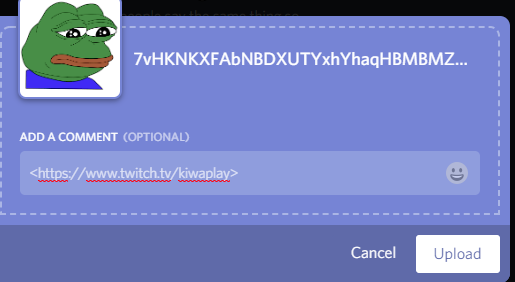
if you add < > At the start and end the url so like this <33eed
fdfdf> it will only show the link then you can add whatever image you want
rapid oxide
Hmm
 languid blade
im making a custom scene for OBS, and need text file locations to pull from for like recent followers? is there anyway to find where they are or is that impossible?
 pine hemlock
We dont use text files, but you can add widgets on your overlay for recent follows etc.
rapid oxide
@normal igloo thanks man, I'll give it a shot
normal igloo
np
 winged sundial
how can I hotkey groundcontrol?
languid blade
@pine hemlock ok so i'd have to use the widget and make just a scene on streamelements for the 3 things i want?
winged sundial
song req that is in Ground control
normal igloo
https://i.gyazo.com/a667221b43a961f1990c54f7ebe7c82a.png For a better example @rapid oxide
 rapid oxide
@James, sick!!
normal igloo
pine hemlock
@languid blade You would create an overlay and add the relative widgets to said overlay and add the overlay to obs.
winged sundial
is song req implied in OBS Live?
languid blade
awesome thank you @pine hemlock
normal igloo
@winged sundial no
winged sundial
I am trying to find a way to stop songs in games such as dbd, I keep have to tab out of window to stop it
ok 😃
normal igloo
Correct me if I'm wrong @pine hemlock But they are chat commands for that ^^^^ aka Play stop and so on 
pine hemlock
There are chat commands yes
but at that point if she has to tab out, its just as slow
unless a mod does it
normal igloo
I was thinking more run Twitch app on mobile or something for the commands
But either way some options for you ^^^^ @winged sundial
winged sundial
Thank you 😃
normal igloo
np
pine hemlock
Seems fine for me
normal igloo
Website good on my end too
 livid ingot
maybe just mine, May have to restart my modem
normal igloo
for the activity feed You try to re login to obs.live?
pine hemlock
If the site isnt working for him the activity feed wont either since its related
normal igloo
Oh yeah of course what am I saying
I think that's my cue to go to bed It's already 2am 

lusty yacht
So..... just noticed I have the default tv with a ? Above as my profile pic on the site.... how do I change that? Lol 😭
narrow coyote
https://streamelements.com/dashboard/profile click open profile, then on the left change it on the profile pic icon
rapid oxide
Ok, so I set a follower goal and streamlabs and twitch disagree about the number of followers I have
Streamelements and twitch disagree*
I'm trying to set a goal of 50, but streamelements thinks I already have 50 for some reason
narrow coyote
the goal will only count what you have gotten since you signed up with SE, you can set this number in the goals view under activity feed > widget data > goals, or Overlay editor > data > goals
rapid oxide
I've gotten all my followers through elements
The widget was working fine before now it shows 100% done, that I've gotten 50 followers but I only have 25
Basically elements thinks I have 50 followers for some reason it looks like
narrow coyote
The goals data comes from the location that i mentioned
 raw heron
hello
can ground control make the alert sounds? my stream canhear them but i cant and I need to
narrow coyote
no it cant, if you have your audio configured in a way that you dont hear the alerts through your broadcasting software, then you can have the overlay open in a browser to hear the sound
 minor vigil
anyway of having scenes active in the background ready to switch to without notifications playing twice through them?
rapid oxide
Ok, it's working now, that was weird.
wanton jetty
Ok can somone help me please the alerts audio system is pissing me off, Iv different variations and when i change a sound on one variation its changing them all really bugging me now
Variation audio overwrites default audio placed in.
constantly having to add my default audio back after iv sorted a variation out
Can you look into this please for me. driving me nuts
Ok so if i add all audio's before doing a test it works fine..
Man this is tripping me out
Well the site broke for me after duplicating a overlay...

Whut
Ok so i refreshed the page and now only "Help" shows, Anyone else having this issue ?
http://chrisis.live/s/1539483447_4.png
No cookies are being blocked.

 ember patrol
hey im having problems getting the backup list to load on media request it just keeps saying "can not load que." just wondering if SE is having problems or not?
wanton jetty
Yeah SE is having issues bud 😄
 uneven aspen
How do I activate chatbot on the dashboard? I see it but it's grayed out
elder sorrel
@uneven aspen Is this for your account or for a friend's account?
elder sorrel
Can you send a screenshot the button grayed out? As well did you enable the Chat Alerts Module?
elder sorrel
🤔 Think it's grayed out since it is enabled. Did you have the bot join your Twitch Channel & made it a mod?
uneven aspen
Streamelements is in my channel and a mod
nocturne pelicanBOT
@uneven aspen Please connect your Twitch and/or YouTube channel with Discord by going to ⚙ Settings and then Connections here in Discord. https://streamable.com/eg92w

 royal quarry
Hey my alerts are not working in OBS, nothing has changed on my end since yesterday
Browser URL is correct etc, any suggestions?
royal quarry
I've refreshed cache, double checked URL, been using same alert overlay for months without issue, nothing has changed. Can anyone help?
 tardy mulch
not sure where to ask this but, i was wondering what happened to the sneakpeek about twitter notifications
uneven aspen
yeah, im w8in on my issue still. i think this the only spot
wanton jetty
 narrow coyote
@uneven aspen What issue, the active bot option is greyed out because the bot is in your channel already
@tardy mulch Twitter completely changed their API, so several Twitter plans are on hold until that is sorted
@royal quarry Are you able to load the overlay in a browser, or is it just OBS that cant load it?
@wanton jetty Some people have reported issues with logging in, seems the best thing to do right now is retry logging in
tardy mulch
ty for the info
royal quarry
Alerts just randomly starting working again, this software is truly bizarre
uneven aspen
Oh, then how do I enable songrequest? It says I need to enable through a module and the other just says I have to do it through chatbot
narrow coyote
the toggle on that page does not change, it is controlled by the media request page
uneven aspen
kept lookin in modules tryin to make that change. alright so viewer requests is on then in media requests
narrow coyote
if you have the page open, the music will play through your default audio device, so as long as you are capturing that, you are good. The alternative would be to add a media request widget to your overlay to use the show on stream option, then the audio will play through the widget
uneven aspen
So if I have it playing in the background it will work long as I have desktop sound up.
narrow coyote
yes
uneven aspen
What's the media request widget? I see media share and media source
 leaden python
Any invite code?
narrow coyote
the media share widget would allow you to use the show on stream option, to show the video on stream
nocturne pelicanBOT
@leaden python The app is currently in closed beta, and is expected to be available to the public by mid October.
If you'd like to assist with beta testing, please fill out this form: https://goo.gl/forms/3DaiLckKDjeMAeVt2
uneven aspen
is there a way to just play music through mediashare? or will it show video also?
narrow coyote
the video will always show somewhere, either on the media request page, or on the stream through the widget
uneven aspen
So streamelements removed the old songrequest system then?
Where it just played song?
leaden python
@nocturne pelican how many day do i get the code?
pine hemlock
If you get selected you will recieve an email.
elder sorrel
With the Mobile App will be for IRL Streaming.
narrow coyote
display capture is on the road map, just IRL for now
 teal spear
Hi, it seems streamelements is a bit buggy
narrow coyote
 How so?
teal spear
in a channel im in i participate in a giveaway, but when i go to the webpage streamelements keeps logging me out or it says im not subscribed or that i dont have tickets
lament blade
is ground control down?
teal spear
@lament blade it seems complete StreamElements is buggy
lament blade
is it just me or obs live doesn’t track subs
@teal spear thanks! guess i have to wait till it is fixed :/
teal spear
@lament blade it seems complete StreamElements is buggy
 noble kernel
i need help
everytime any of my viewers try po put a link on my stream chat it deletes right away
teal spear
StreamElements seems buggy
maybe that is going on
otherwise try disabling the Link Protection in the dashboard
you can find it here: https://streamelements.com/dashboard/bot/filters
StreamElements
The Ultimate All in One Platform for Streamers
teal spear
are you sure its streamelements that removes the link
noble kernel
im litterally going crazy and cant pay attention to my gameplay
in other twitch it works 😦
nope
look my stream
everytime he post it its
teal spear
link your stream
elder sorrel
You can go to Skyyksl user profile that shows the Twitch Stream.
@noble kernel Have you tried parting the bot & have it rejoin?
elder sorrel
You can part the SE bot in the SE Dashboard & have it rejoin.
 amber cove
How can i get a invite code
narrow coyote
Links replaced with *** means you have twitch set to block hyperlinks, nothing that StreamElements is doing. You will need to go into your twitch settings and disable this
teal spear
she removed that and now her chat says <link deleted> or something like that
nocturne pelicanBOT
@amber cove The app is currently in closed beta, and is expected to be available to the public by mid October.
If you'd like to assist with beta testing, please fill out this form: https://goo.gl/forms/3DaiLckKDjeMAeVt2
amber cove
Thanks
 flat hare
quick question: anyone know why my stream store images dont work?
noble kernel
XD
flat hare
this is the stream store look,
and this is it in the editor
I have similar images for all the other options, but they wont even show up
 earnest torrent
question i am getting 503 service unavailable every time i run in administrator is it down or something?
 paper plover
@earnest torrent same error.. whats wrong with SE ?
earnest torrent
its back!
paper plover
na still for me..
earnest torrent
don't run it as admin and close it
should work when u open it as admin the next time
 thorn anvil
Hello?
paper plover
anyone have a problem with the obs SE thingy
 pallid gull
umm could i get somebody to tlak to about tsream elements, i tried searhcing up on it but ma still lost on it
hey when I use the editor for stream elelments, is that always where everything goes?
 tall anchor
Hey, I just got Stream Elements and I also got Ground Control, it's asking me for my JWT token but I can't find it, any help?
nocturne pelicanBOT
@tall anchor You can find your JWT token on your account channels page: https://streamelements.com/dashboard/account/channels
(Don't forget to click on "Show Secrets")
tall anchor
Thanks!
pallid gull
so how come when I save my overlay on you guys site and I copy it to the obs stream elements it shows it cut off as hell? I wanted to use this but it is seeming like a pain in the ass... help?
nocturne pelicanBOT
@pallid gull To add your overlays to OBS, add a new browser source in your scene. Paste your overlay URL in the browser source properties, set the dimensions to 1920x1080 (unless you changed them on the website), and :ballot_box_with_check: “Shutdown source when not visible” https://youtu.be/KDvLynUqXI4
 cedar fulcrum
@shrci#7955 Did you save it as 1920x1080?
 inland knoll
there is usually someone around to help
 dim wasp
I'm trying to stream 60fps but my stream is dropping fps all the time
and i've tried all 3 encoders
😢
inland knoll
oh no 😦 I stream 30fps - my internet is not good enough for 60 😦
dim wasp
5000kb is good for 60fps right
inland knoll
sorry I'm not sure - I'm a streamer but not very technical 😦 I'm sure someone will be along soon to help - the time zones can be a bit of an issue
there is an OBSlive channel for help as well, might be worth asking in there
lusty yacht
Set up the hypeboss and tested it in the editor and it worked. On stream it didn’t change at all. Had subs, followers, and cheers.
cedar fulcrum
@lusty yacht you set it to trigger for subs.follow and cheers?
@dim wasp Are you using OBS studio?
cedar fulcrum
Are you using it with Obs.live?
dim wasp
yes I have the stream elements thing
im in the obs discord trying to recieve support
here is my log
cedar fulcrum
Thank you I will check
dim wasp
anything chief? @cedar fulcrum
cedar fulcrum
What OBS told you about the issue?
dim wasp
Im sorry what
oh
read that wrong
not giving me a good answer
saying my gpu isnt giving enough % to obs
 ornate lichen
Hey, is the Twitter module working? I never seem to get my tweets posted in the chat even though I turned that on and checked my settings 😮
cedar fulcrum
Try to check with regular OBS studio without the addon, and see if you still have the same issue
dim wasp
hunter the problem was before the addon as well
minor vigil
Is there any way to keep sources active in the background with notifications playing twice through the “hidden” scene
Without notifications playing twice *
cedar fulcrum
@dim wasp So you should ask in the OBS discord, they know the best everything regards their platform.
cedar fulcrum
@minor vigil You can create a scene with your sources so it wont shutdown and another one with only alerts
@fair geyser @crystal summit He can help you in Turkish
minor vigil
So have a designated scene for notifications?
 fair geyser
@cedar fulcrum so i could speak turkish with me
cedar fulcrum
You can save it as separate Browser source and then all your other sources will be active and you wont have double alerts because of that
minor vigil
Okay sweet thank you
Would be cool if there was a “mute scene while not active” button tho
 marsh spruce
Yo is something up with Twitch viewer count rn?
ive got like 3-4 people in my chat but it only shows 1 😦
ebon forum
@marsh spruce only people that are logged in will show up in the chat. and slight variation between counters is normal
ebon forum

ebon forum
top menu, streamelements - enable it from there
dim wasp
yeah its gone
disappeared
and i reinstalled too lol
oooooooooh
had to click import from other services
marsh spruce
@ebon forum my viewers is online and chatting with me.. just tryed to restart stream and computer didnt help 😦
ebon forum
@marsh spruce viewer counters on twitch take some time to update and they are not synced, so this is normal
marsh spruce
but this is not normal, they have been in my chat for 1hr and my count is still on 1 😦
tight harness
Chat list and viewer count aren't connected, because people can be in your chat but have the video paused or just have the chat popped out separately
dim wasp
@cedar fulcrum a person in obs studio gave me bad information
discord*
someone else helped me and said I had my settings wrong
I had to do this. 1280x720 @60fps or 1920x1080 @30fps
I had it as 1920x 1080 @60fps
cedar fulcrum
Ohhh they told you that you cannot 1920x1080 with 60fps?
dim wasp
nobody does this on twitch
cedar fulcrum
With 30 it works?
dim wasp
Yes 30 is perfect
and They told me how to see what streamers have as their setup
Everyone is using 1920x1080 @30fps
cedar fulcrum
Thank you for the info
cedar fulcrum
You should teach the OBS guys as well 
cedar fulcrum
Hello @proven quiver I please go into your overlay editor and you can customize everything regarding the stream from there https://streamelements.com/dashboard/overlays
 burnt sky
Hey SE 😄 where can i read about hypeboss ?
because i dont understand the "Bosses can heal themselves by tipping, cheering, etc."
 worn cradle
does SE.PAY fee get deducted from withdrawls or do you pay a monthly fee?
ebon forum
@burnt sky the Hypeboss is new around here and has no proper FAQ yet. What his means is that the guy who took over can restore the HP bar by tipping and cheering etc. when others attack.
@worn cradle this is slightly different. Tip fee is 0,20$ USD + 2% and withdrawal is 0,50$ USD
worn cradle
so if we got tipped 10.00 the fee its 0.20+ the 2% (0.20) correct
so a 0.40 cent fee for the tip and each withdrawl is 0.50 cents no matter the amount withdrawn?
upper steeple
omg now it is showing them, ugghhhhh disregard my previous long message
lament blade
I need help
I cant upload an image for my donation page, it loads and then nothing happens
hello
ebon forum
@worn cradle yes, so withdrawing makes sense when you have a decent amount waiting for you.
ebon forum
@lament blade sag doch erstmal was genau passiert, bei dir lädt die Seite, aber nicht die Tipping Settings?
lament blade
Nein alles lädt, ich kann nur kein Image mit der größe 1920X1080px hochladen, danach funktioniert nichts mehr ich kann auch keine neue seite aufrufen.
Ich muss meinen broser neustarten
alle kleineren sachen gehen
 torpid estuary
Welchen Browser verwendest du und welches Format hat das Bild?
torpid estuary
Probier bitte mal das ganze Prozedere in Chrome
lament blade
ja
funkt
lol
okay vielen Dank. Vlt damit es nicht wieder passiert ne info drunter 😄
 lapis drift
Hi! I was wondering if I can have a streamelements tip alertbox in streamlabs obs
lament blade
me too actually
torpid estuary
SE site ist chromium based und wir empfehlen immer chrome zu verwenden @lament blade
We dont suggest using SLOBS with SE alerts, since SL has been blocking SE stuff in the past
lapis drift
But is there any way to do it?
lament blade
so we should just use the SE alert box
torpid estuary
Since we dont have any control over what SL is blocking we dont recommend it. You can try using it, we cant guarantee that it will work
ebon forum
@lapis drift yes, just create an overlay with alerts on our site and import that as browser source in SLOBS. If it does not show up at all, you will know why 😃
lament blade
were is / were can i find the SE alert box or how do i usw it
lapis drift
Thank you so much @torpid estuary @ebon forum ♥
ebon forum
@lament blade try our official videoguides please:
https://www.youtube.com/channel/UCjerlCIbLPQwSnYlClkjDXg/playlists

YouTube
Official youtube channel for StreamElements tutorials https://StreamElements.com

 mobile
torpid estuary
mobile
torpid estuary
Gief phone with actual keyboard

 torpid estuary
Next dono goal?
ebon forum
@zenith widget i know, i have an Axon 7 myself. this one was shit 😛 i want a flagship with dual screens and like 7000mAh battery
 worldly pier
Hi, one of my friends uses stream elements and I decided to use it to but he can get it to put messages in his chat automatically I was wondering how to do that as I can’t find the setting
 atomic hollow
right here - https://streamelements.com/dashboard/bot/timers
StreamElements
The Ultimate All in One Platform for Streamers
worldly pier
Thanks
 magic blade
What's my invite code
nocturne pelicanBOT
@magic blade The app is currently in closed beta, and is expected to be available to the public by mid October.
If you'd like to assist with beta testing, please fill out this form: https://goo.gl/forms/3DaiLckKDjeMAeVt2
worn cradle
is there a countdown that streamelements has so that people who come to my stream who arent in timezone know stream times for them, I saw streamlabs has one
just schedule. nothing else
magic blade
@N.A Clemzy#1427
zenith widget
@worn cradle Our Twitch Panel Extension has a cooldown for each person's time zone
elder sorrel
Don't think you can set it up for just schedule though 🤔
zenith widget
You set your own schedule for your local time and its converted in Days/Hours left for someone in a different timezone
worldly pier
Sorry for bothering again but I’ve just created a timer and I was wondering if there is anyway u can edit it or delete it as my autocorrect made it say the message wrong.
elder sorrel
You can. Just go back to https://streamelements.com/dashboard/bot/timers & you can click the Pencil to edit or click the trashcan to delete it on the right far of the timer you made.
StreamElements
The Ultimate All in One Platform for Streamers
worldly pier
Alright, Thanks I was on phone so it didn’t show automatically
elder sorrel
No problem 🤘🏼
 sick latch
Can someone help me asap?
atomic hollow
talk to us @sick latch
sick latch
Im having problem with ground control.. I have media widget and everything in 1 overlay although it seems that the widget for media doesnt work.
It was working before, nothing changed but now.. idk
atomic hollow
what doesnt work exactly?
 atomic hollow
which video are you trying to show?
sick latch
I never changed anything it was working before
Idk, i tried several of the vids but doesnt seem to work
atomic hollow
ill take a look
atomic hollow
ok cool 😃
elder sorrel
Magic 🎉
sick latch
Yep its all good now, guess had to skip the videos etc.. never mind. False alarm.. I was supposed to be live already :-; Thank you anyway ❤
 lyric dew
got a problem with importing streamlabs into streamelements, always getting the message "Error Occured"
 summer mulch
@lyric dew make sure that you have another tab with the streamlabs dashboard (logged in) open
lyric dew
worked, ty
summer mulch
@lyric dew happy to help 😃
 cloud matrix
I can't make a music playlist for some reason
lament blade
Hi, I have se set up for my twitch and it is great, all of the alerts work except from donations (followers, bits etc). Donations also do not show up on my dashboard but they are there when i check my paypal. Please could someone help me out?
Can give me invite code for Fire Strem app plis
 golden ether
Do you think there will be a way in the future to differentiate between autohosts and non autohosts? People who host me manually don’t show up either.
summer mulch
@lament blade you're using a streamlabs tipping link, not a StreamElements one that's why
nocturne pelicanBOT
@lament blade The app is currently in closed beta, and is expected to be available to the public by mid October.
If you'd like to assist with beta testing, please fill out this form: https://goo.gl/forms/3DaiLckKDjeMAeVt2
lament blade
i just changed it but i cant get the hang of streamlabs thats why im looking for help with streamelemts, I changed it back now @summer mulch
summer mulch
if someone donates through a streamlabs link you won't get an alert/event on our activity feed
elder sorrel
@golden ether It should be like that already. Where Autohosts should trigger with at least 1 viewer while Manual Hosts should trigger with 0 or more viewers.
lament blade
yeah ik i just changed it to streamlabs, i had a streamelemts link when i was previously tipped today
summer mulch
and it didn't appear on the activity feed/pop up as an alert?
but it does appear in your paypal
lament blade
yes
summer mulch
when did this occur
lament blade
on my previous stream at around 2 hours 36 minutes in (in my videos), after that i didn't believe him as it didn't pop up but then i checked my paypal and i did recieve a donation
 odd beacon
Where can i find the "OAuth Tokken" for the "Custom Bot Name"? in Ground Control
 serene granite
@odd beacon you can use this website to find it: https://twitchapps.com/tmi/
odd beacon
@serene granite Thanks 😃
summer mulch
@lament blade we've had issues earlier today (around 10 hours ago) so that was probably the problem
if that happens again please let us know
lament blade
@summer mulch Thank You 😃
 twin sentinel
FYI: The edit buttons for custom commands are not visible in full screen at a specific resolution. Changing the resolution of the window to a custom window resolution "solves" the problem for working till now. More Details: https://imgur.com/a/4mbNijB
zenith widget
There is a white scroll bar at the end of the list used to scroll side ways, when on a lower resolution
Also we recommend using Chrome, as the site is Chromium optimized/built
@twin sentinel
twin sentinel
@zenith widget ok thx. 😄 but if there are a lot of custom commands you have to scroll at the very buttom of the list every time. this is a little bit annoying. 😉 could maybe be fixed by fixing the scroll bar to scroll sideways always at the bottom of the showed screen. just an idea.
 subtle stream
My store redemptions aren't posting in chat
zenith widget
I would suggest to use "shift + scrollwheel" - this is a default windows fucntion to scroll sideways @twin sentinel
@subtle stream Did you disable the default !redeem command?
twin sentinel
@zenith widget also possible. 😉 thx. 😄
subtle stream
That one is enabled
zenith widget
@subtle stream If only I had some points to test this out 
subtle stream
one of my items is free
subtle stream
okay, but Redeem from store doesn't post to chat
 subtle stream
the hell...it didn't do it all last night and this morning after I remade it >.<
zenith widget
Ok, so can you screenshot the settings of the item we are testing?
I am talking about these settings
subtle stream
okay I just redeemed it and it didn't post
zenith widget
I also redeemed it via the store and it didn't post it
zenith widget
@subtle stream Do you have the Chat Alert Module for the bot turned on?
If yes/no - check it out and see if the Redemption option is off for it.
subtle stream
chat alerts was off
zenith widget
There we go - i just saw it post in chat
 zenith widget
Credit to @weary mist for reminding me that chat alert for redemeptions existed 
subtle stream
then how was it working intermittently O.o
subtle stream
¯_(ツ)_/¯
zenith widget
Also you do have Store Items in the extension
subtle stream
yes
zenith widget
when someone redeems an item from it, the bot says that an item was redeemed
but the extension simulates me using for example !redeem confusion
subtle stream
aaah
zenith widget
So people actually scrolled down on your channel by a rare chance and used the extension 
by "a rare chance" I mean, you don't get a lot of people looking at panels and reading stuff there 😄
 maiden lance
where do i find my jwt
 last creek
@here can i get a link to the obs program
nocturne pelicanBOT
Please refrain from using [at]everyone or [at]here
 blazing vessel
How can i join the beta of fire stream?
nocturne pelicanBOT
@blazing vessel The app is currently in closed beta, and is expected to be available to the public by mid October.
If you'd like to assist with beta testing, please fill out this form: https://goo.gl/forms/3DaiLckKDjeMAeVt2
@maiden lance You can find your JWT token on your account channels page: https://streamelements.com/dashboard/account/channels
(Don't forget to click on "Show Secrets")
last creek
thats the one i have thank you so is there a video to add my overlay? :3
zenith widget
maiden lance
where do i find my jwt
zenith widget
@maiden lance Read what the bot linked you
@last creek Add video to your overlay? Just enter the overlay editor and when you edit an image/video for a specific alert type you can upload your video in the media gallery
maiden lance
where is it in the account part idk what a jwt is
zenith widget
@maiden lance Click on this link: https://streamelements.com/dashboard/account/channels
lament blade
i kinda have a problem...i run OBS by streamelements but i keep hearing myself from OBS , and on my stream , viewers can hear me double time ROFL
zenith widget
Click on show secrets and the JWT token is the big one
@lament blade Check your audio sources and options in OBS Settings
Most likely you are capturing your camera's mic
maiden lance
thanks
lament blade
not having camera mic
capture device is my microfone
and playback are my headphones
zenith widget
@maiden lance If you read what the bot linked you its the same thing I showed you. 
lament blade
as soon as i start OBS , i can hear myself
maiden lance
oooooo
zenith widget
@lament blade While you stream or offline?
lament blade
both
zenith widget
So what are your audio settings?
lament blade
here you have them
zenith widget
I'd suggest to check your Sounds settings on windows now. Click on Recording and see what else is picking up sound
My last 2 pick up my microphone
lament blade
only my mic
zenith widget
Ok, so I'm not sure what is HyperX readlly, except that I see it says 7.1 - if HyperX has its own software to control sound, maybe you have some setting there that echos your voice
So far everything seems normal
lament blade
Hello support team! When i change the font in the overlay editor, the text just sort of changes into some basic font like arial, even thought i chose different, any way to fix that?
i dont have anything from hyperx , they are hyperx cloud2
on the regular obs i havent got this problem , shall i uninstall everything from obs and reinstall only obs by streamelements?
that might be the cause? that i had obs before i installed this one ?
zenith widget
@lament blade If OBS is playing your voice back to you, something else is picking it up and playing it localy via the desktop audio - check the sound mixer if thats the case
our plugin (called OBS.Live, not "By streamelements" ) does not touch any settings besides showing chat and activity feed on the UI
@lament blade I'm not sure what you mean. Where exactly do you change the font? on which widget?
lament blade
@zenith widget Later Donator font
it looks the way i want in the editor, but then in obs it looks different
Latest Doantor alert*
thats from editor
and thats from obs
see, the font is different
zenith widget
Which font is that?
lament blade
The one i chose is Cairo
zenith widget
Thats most likely a Windows thing. Most likely you are missing the font from your installed fonts
I also see it differently
lament blade
allright ill try that! 😃 thanks
 heady knot
how do i set up a death incriment command?
like {user} has died + times
for mods only
zenith widget
@heady knot
Just make sure when you make the commands you set them for mod level only.
heady knot
how can mods use it so it mentions the streamer and not the mod
i used it on my friends stream and it says i died not her
zenith widget
${sender} mentioned the actual user of t he command while ${user} mentioned the user of the command or the mentioned @person example:
But if you want it to mention you every time
just place your name infront ofthe response like so: KeiZar has died ${getcount deaths}
heady knot
so, if she was playing a survival game and she died, and i was to add a death, what would i put?
zenith widget
Or use this variable:
If you recheck the screenshot above where I showed $[count} and ${getcount} you will see the description on what each variable does
${count} - increments the counter
${getcount} - just displays current number of counter
heady knot
why i use a command for the get count it just says the variable not the command
lol
zenith widget
Did you place the name of the variable inside the ${getcount}?
Look at the example again
heady knot
when using the get count is stays at 0 despite the incriment thing, it says defaults to command ID
how do we make it so it incriments
properly
zenith widget
make sure the variable you are using is the same - its case sensitive as well
heady knot
we are using this
fates has died ${count deaths} times
ive copy and pasted her the command and it works for me
zenith widget
so you are using "deaths" as a variable make sure its the same in both ${count} and ${getcount}
heady knot
but shes stuck at 0
zenith widget
!deaths
response: <streamer> has died ${getcount deaths} times
!newdeath
Response: <streamer> has just died, so a total of ${count deaths} deaths
heady knot
is there a way to reset it?
zenith widget
with the default command !editcounter, so the usage is !editcounter deaths 0 or any number you want
 acoustic star
I love elemetns
 carmine prairie
I enabled the new SE Pay and received 2 tips already, though it doesn't allow me to withdraw. Any idea why?
 molten brook
You're supposed to be able to handle media request through Ground Control, right?
elder sorrel
@molten brook Right now they're not. Using the Media Request page is what would be used to handle that.
molten brook
Ah well that explains why it's not showing up
elder sorrel
Yeah. Ground Control is in need a rework. Possibly in the future it'll be available or in the OBS.Live Plugin first.
narrow coyote
@golden ether Your stream deck is causing OBS to crash, based on that log
narrow coyote
uninstall the stream deck software, and install the latest version from their site 
golden ether
Says im up to date 
narrow coyote
I did not say update it, I said uninstall it, and then reinstall using the latest version from their site
golden ether
Did it, we shall see, thank you ❤
narrow coyote
Hope it helped 🤞
golden ether
oh crap, i posted this in the wrong place, my bad @narrow coyote
carmine prairie
I enabled the new SE Pay and received 2 tips already, though it doesn't allow me to withdraw. Any idea why?
pine hemlock
@carmine prairie se pay takes 7 days for verification then you're able to withdraw over $5
carmine prairie
oh ok thank you @pine hemlock
 rustic matrix
question all alerts are working except host and cheer i have added sound alerts and saved them tested it but nothing is playing even thou in corner says sucessfully replayed alert sound is set at 50 any ideas using the boo animated theme pack ?
 uneven cove
I’m not to sure who to ask but can I broadcast on my chrome book laptop? It’s by Toshiba, I really would like to stream on systems other then always on my Xbox. I don’t have the money to get a good PC right now but I was hoping I could do some live streaming with this. @strong kernel
 glass zodiac
i'm not sure who to ask but I am having some trouble with the stream elements bot and the improted settings from the nightbot i have
 strong kernel
@glass zodiac What's the issue?
glass zodiac
well I am trying to figure out like how to delete certain commands on stream elements that I have active on the nightbot
so like it keeps repeating twice
or it doesn't display the correct message as inserted
strong kernel
You can delete custom commands at https://streamelements.com/dashboard/bot/commands/custom but I'm curious as to why you prefer Nightbot over our bot for these commands.
StreamElements
The Ultimate All in One Platform for Streamers
strong kernel
Okay, glad you got it sorted.
glass zodiac
so if I wanted to create a command that displayed social media links which command format would that go under ? under custom?
strong kernel
That's correct. Default commands are the ones that come with the bot to begin with, whereas custom commands are the ones you make yourself.
strong kernel
You don't need to use a command template, no.
strong kernel
No problem.
 trim wren
I applied for my invite code and never got t
strong kernel
Filling out the form does not guarantee a code. If you are chosen, you will be notified.
trim wren
Oh ok
 lunar furnace
my SR are not working saying the songs are too long even when the first one requested was less than 5 mins and i upped it to 10 and its still doing it
and i am live right now
 feral relic
Hi, van i have à code for the app streamelements please ?
nocturne pelicanBOT
@feral relic The app is currently in closed beta, and is expected to be available to the public by mid October.
If you'd like to assist with beta testing, please fill out this form: https://goo.gl/forms/3DaiLckKDjeMAeVt2
lament blade
@turbid reef or @pearl light are you guys around. I'm having an issue with alerts
 royal saddle
how do you reset a counter?
strong kernel
@royal saddle !setcounter countername 0
royal saddle
thank you!
strong kernel
@lament blade Plenty of capable people here, feel free to ask your question.
royal saddle
hmm it didnt work =\
lament blade
@strong kernel fer sure. hey so I'm having an animation alert set to face out. the text fades out but the image does, yet every other alert I've ever set up fades out like its supposed too
**fade out
the image doesn't
strong kernel
Are you live now? Is it okay to test?
lament blade
i can go live and test it for you if you want
lament blade
gimmie sec
royal saddle
i tried both !setcount and !setcounter with the name and still didnt work =\ i named it !ded and it still increasing
lament blade
@strong kernel "ALERTS3_FOLLOWONLY"
strong kernel
@royal saddle Sorry again, derpy tonight, lol. It's !editcount ded 0
@lament blade Which alert?
royal saddle
thank you!!!! that worked @strong kernel
strong kernel
And what is it supposed to do?
 opal skiff
How do i get code for mobile?
lament blade
the image is supposed to fade out with the text, and it isn't
nocturne pelicanBOT
@opal skiff The app is currently in closed beta, and is expected to be available to the public by mid October.
If you'd like to assist with beta testing, please fill out this form: https://goo.gl/forms/3DaiLckKDjeMAeVt2
opal skiff
Ty
lament blade
you see how the image doesn't fade
yet, if you go to my other overlay "Alerts4_ALL" the Gif fades out with the image like it's supposed too
strong kernel
@lament blade Looks like a bug. For now use fade in up instead of slide in up.
lament blade
@strong kernel you mean use slide down for the outro animation?
lament blade
Cool! works! thanks @strong kernel
strong kernel
No problem, and I'll report the issue to the devs.
lament blade
Beta Tester Hype 
 Zero Excuse unintentionally found a bug
Hey there is there a way to change the animation for when someone follows? Does stream elements have its own collection?
normal igloo
@lament blade You can upload any image you wish For all of the alert Widgets in your overlay
 teal marsh
yo i need help with the tipping, it won't let me finish
normal igloo
What is the problem you are having @teal marsh ?
teal marsh
i have put the tip link and the image but streamelements won't let me confirm it
normal igloo
what link and image?
teal marsh
can i post a screenshot here or no? cause i can show you what i did
normal igloo
go for it
strong kernel
Click on the link.
normal igloo
thx Nethyr 
teal marsh
oh it works now finally thanks so much
strong kernel
No problem.
normal igloo
 atomic dock
I need some help with putting the scene link on my obs
nocturne pelicanBOT
@atomic dock To add your overlays to OBS, add a new browser source in your scene. Paste your overlay URL in the browser source properties, set the dimensions to 1920x1080 (unless you changed them on the website), and :ballot_box_with_check: “Shutdown source when not visible” https://youtu.be/KDvLynUqXI4
 harsh heron
Need access code?
nocturne pelicanBOT
@harsh heron The app is currently in closed beta, and is expected to be available to the public by mid October.
If you'd like to assist with beta testing, please fill out this form: https://goo.gl/forms/3DaiLckKDjeMAeVt2
 acoustic gull
I need to edit a default command but I don’t know how
 odd creek
Hello everyone! Was hoping to trouble some of you guys for some assistance, any one here has had an issue with ground control loading off screen?
strong kernel
@acoustic gull You can change the names and the triggers, but you can't edit the responses of default commands.
acoustic gull
oof
 bleak aspen
How do i get invite code
nocturne pelicanBOT
@bleak aspen The app is currently in closed beta, and is expected to be available to the public by mid October.
If you'd like to assist with beta testing, please fill out this form: https://goo.gl/forms/3DaiLckKDjeMAeVt2
strong kernel
@odd creek Not sure what you're describing, and I haven't seen any other reports of Ground Control issues lately. Can you go into more detail?
odd creek
@strong kernel I actually just solved it, it seems ground control wasn't recognizing my main monitor and capture card as duplicating and instead extending so it was showing it on a non existent monitor.
strong kernel
Glad it's working now.
 nova cosmos
Hello
strong kernel

lunar furnace
can some one help me now that im NOT LIVE and didnt get my song requests fixed
strong kernel
@lunar furnace What's the issue?
lunar furnace
my SR are not working saying the songs are too long even when the first one requested was less than 5 mins and i upped it to 10 and its still doing it <<< 4:30pm today while i was live
i changed everything i could think of
strong kernel
Do you have the song link? Please DM it to me.
lunar furnace
no i dont because it was a viewer request and i didnt get the link from them
strong kernel
lunar furnace
thank you for testing that i dont know why my viewer wasnt able to do his request
strong kernel
Couldn't tell you without seeing what they tried.
lunar furnace
i'll try to find it but i had my back up playlist going with ground control when they tried thats why i was confused
the only part of the link that they put in was 5anLPw0Efmo on one of the attempts
strong kernel
It won't take partial links like that as far as I know, though I haven't tried myself. But if it did a search instead, likely the result that came up didn't meet the rules you set.
lunar furnace
yea i dont know what the rest of it was because my bot just marked it out with ***
the other issue i had was that my shout out command wouldnt work
but i think i know where its issue is because the command isnt existing or something of that nature.... that solved the problem i was most worried about at that time thank you
can variables be in the command area because my shoutout command exists but it didnt want to shout out a streamer that i wanted shouted out
how can i get that to fix to shout out the right streamer
strong kernel
What do you have the response set to right now?
lunar furnace
thats the command and what it prints out as the response
strong kernel
I mean, show me the response as you have it set up in your account.
lunar furnace
Check out ${user} at https://twitch.tv/${user}. Show them the power of Friendship.
 strong kernel
Okay. So here's what we can do.
Option 1, you can do @Snugibun instead and that command should work.
Option 2, you can change the variable to ${1} and NEVER @ someone when using it, and that will also work.
lunar furnace
ok so when i put in the command with option 2 do i still do !so and the broadcasters name
lunar furnace
and option one i can leave it and just do !so @ person
strong kernel
Right.
 neon urchin
Can i get a ivt code
nocturne pelicanBOT
@neon urchin The app is currently in closed beta, and is expected to be available to the public by mid October.
If you'd like to assist with beta testing, please fill out this form: https://goo.gl/forms/3DaiLckKDjeMAeVt2
 long bane




 zenith widget
Hello
pine hemlock
hi
winter zenith
Hoi
 primal lichen
Hello anyone on who can help me?
zenith widget
Yes
primal lichen
So im having a issue with Ground Control
Its not playing audio
itll show the vid on overlay and all but there isnt any audio
Sorry explained that wrong let me re explain it because re reading it i made 0 sense
Ground Control + Video = Music
Ground Control - Show on overlay = No music just video
zenith widget
Try using !volume in your chat while the video is playing on the overlay
try and adjust the volume there to see if that helps it play the audio
primal lichen
ModeratorVerifiedStreamElements:GOTY, current volume is 9
is it a 1/10 or 1/100 scale
zenith widget
100 scale
primal lichen
Ah well that fixed it ❤
Ground controls always been buggy for me ill go to skip a video and itll be like "No dont do that" and force me to close it and re open
zenith widget
Yeah its known that GC is buggy with the latest media share version
its best to use the Media Share page for all things related to Media Share
primal lichen
Ah i forgot about the website thanks
zenith widget

 stark furnace
Heya 😃 I think I've found a bug with Hypeboss. The boss's image sometimes stays as the OLD bosses image until someone else does something
I found this out while testing with the editor
Overlay editor that is. The pic changes in the editor but not on the overlay.
worldly pier
Hi, Just a report. If I set up my twitter account to automatically post when I go live, twitter locks my account
As it is against the TOS or something
zenith widget
@stark furnace I'm not sure how the profile picture needs to change and when so I'll ask internally about that.
@worldly pier I'll report this internally.
 smoky tide
I've noticed that when I hide an alert box in the layers area, when I am testing a different alert box, the hidden one is still playing. Is this intended behavior?
zenith widget
You essentially only hide its visuals but not its audio.
So its best to disable the alerts them selves within the alert widget.
zenith widget
@stark furnace I've just been told that, when someone kills the current boss, the new profile picture gets stored but waits a few moments/seconds/minute-or-two before changing it, so that you can see that someone killed the boss.