#helpdesk-twitch
1 messages · Page 348 of 1
 zenith widget
 verbal plover
Yeah I just watched a short video about it! I’ll be taking a closer look after work today thanks a lot. @zenith widget
zenith widget
 👍
👍
 elder shadow
I can't get the keybinds to work, no matter which keys I use 😢
 winter zenith
@elder shadow for what?
elder shadow
@winter zenith The Ground Control keybinds aren't responding. I've switched from Fs to other (accepted) symbol keys and it doesn't act as it should
winter zenith
@elder shadow GroundControll is a very old version and we are currently working on a new version that will work as intended
Since the new MediaRequest feature isn't that compatible with old GC
elder shadow
@winter zenith Oh, well, thank you for your help
 bitter notch
What is invite code
 nocturne pelicanBOT
@bitter notch The app is currently in closed beta, and is expected to be available to the public by mid October.
If you'd like to assist with beta testing, please fill out this form: https://goo.gl/forms/3DaiLckKDjeMAeVt2
 fluid prawn
I want to help :3
 torpid estuary
with the app? then please fill out the form that is included in the message
 deft shard
NDA?
 narrow coyote
What about an nda 
 mint moat
is there a way to eport tip data?
export
Also, can i not edit commands once i add them?
torpid estuary
@mint moat i am looking into the possibility of exporting tip data, but to answer your second question: yes, you can edit commands once you add them. https://streamelements.com/dashboard/bot/commands/custom

StreamElements
The Ultimate All in One Platform for Streamers
nocturne pelicanBOT
@gray crow The app is currently in closed beta, and is expected to be available to the public by mid October.
If you'd like to assist with beta testing, please fill out this form: https://goo.gl/forms/3DaiLckKDjeMAeVt2
torpid estuary
then you will have to wait until someone contacts you
torpid estuary
np 
 gray crow

torpid estuary
@mint moat ok, so there is currently no way to export tip data, sorry!
 spare ocean
So I'm trying to launch my overlay into OBS, but it's just not right. I don't see an image, and when I try to use a cheer alert it's in the topright, while it should be in the middle
torpid estuary
have you set the resolution of the browser source to 1920x1080?
spare ocean
Yeah
torpid estuary
after that press CTRL + F to maximize the browser souce, then everything should be displaying correctly
spare ocean
Thx, that worked
torpid estuary
 rare stream
Will stream elements get the new subtember extension to notify before it’s over? I hate having 0 visibility into this
mint moat
ty @void, follow up.,,.,i can see basic/advanced editing but i'm not seeing how to change the audio file that goes with the command
 calm thorn
Does the Cheer bonus only activate in one transaction. Eg if 100 Currency is awarded for 100 bits. If a viewer donates 2 x 50 bits will it activate the bonus?
rare stream
Nothing on screen and nothing in ground control or obs live
 austere storm
Will there be an linux installer aswell for OBS.Live ?
narrow coyote
probably no linux version
spare ocean
is it true that if I just started using StreamElements it doesnt show latest follower yet?
 vital wyvern
@delicate flare So yes it would need to be a long YT playlist to do so, while adding the songs in the correct queue
torpid estuary
@rare stream we already have alerts for that, if that is what you mean.
vital wyvern
but i recommend post a suggestion for what you are asking about on our Idea's forums https://streamelements.helprace.com/s1-streamelements/ideas and we will look into it 😄
rare stream
@torpid estuary you do not currently have an alert for the promo going on now
torpid estuary
@mint moat i am not sure what you mean by audio file. your chat command triggers an audiofile?
rare stream
This years subtember is where someone who was gifted a sub can extend it another month for a buck
It shows up on twitch chat proper
But it doesn’t show up on streamelements overlay chat or on ground control or on the streamelements web page
torpid estuary
i am well aware of what subtember is, and im telling you there is an alert variation for it.
mint moat
yea, so- take rocket league for example, when i score my chat will type '!yes' and a clip from the world cup of the crowd going "yes! yes! yess!" plays
rare stream
Then where would I find it? What category does it show up on the streamelements page for it?
torpid estuary
@rare stream in your alertbox, go to your subscription alerts. click on "variation settings" and then add a new variation. there pick this
its in your overlays @rare stream
rare stream
Does it not show up on the streamelements dashboard?
torpid estuary
@mint moat that sounds like the !yes command redeems a sound effect from your streamstore to me. you would need to change the item there then.
torpid estuary
rare stream
@torpid estuary ok I’m adding that to my overlay
Will this make them show up with the dashboard / ground control / obslive extension?
torpid estuary
@rare stream The $1 Chat Notice is not a Resub event. The resub event actually happens when the gifted sub ends.
When it ends, the user will be able to share their resub and get their alert.
Even after clicking the button to renew for $1, viewers can still cancel this before the gifted sub runs out.
torpid estuary
in the chat, correct.
but its not a resub event. the event happens when the gifted sub ends and the user shares their resub.
when they make use of their subtember feature, users do not resub in that exact moment.
 delicate flare
obs.live : is it a tool to use with obs or something replacing obs ?
torpid estuary
its a plugin for OBS
nocturne pelicanBOT
@delicate flare OBS.Live is a Plugin for OBS created by StreamElements. You can download OBS.Live here: https://streamelements.com/obslive
Please make sure you have the latest version of OBS installed, Current Version: 22.0.1. You can install OBS here: https://obsproject.com/
delicate flare
oki let me read that
calm thorn
@viscid pebble Does the Cheer bonus only activate in one transaction. Eg if 100 Currency is awarded for 100 bits. If a viewer donates 2 x 50 bits will it activate the bonus?
rare stream
right, i understand that @torpid estuary, but since streamelements doesnt pick up the sub extension when the user hits it, i have no visibility but the rest of chat does
thats what im asking to get created
narrow coyote
The sub extension is not a real sub until their current gift runs out, we only have the overlay alert to have a variation for their pledge to renew for $1
rare stream
we went over this already 😃
i understand that part very well
however, twitch puts a notification in chat that so and so hit the extension buttno
thats something worthy of an event status so me as a broadcaster can see that it happened and say thanks
delicate flare
what is that paypal and card option ? Make money doing what you love : is that if we use alert with streamelement ?
narrow coyote
thats kind of what the alert variation is for 
rare stream
@narrow coyote so you have an alert variation that doesnt show up in the streamelements dashboard?
narrow coyote
yes
rare stream
like in case i miss the on screen display because im playing a game?
ok, is there any way to fix that so that it shows up on the dashboard / ground control?
so if someone hits the extend when im not on stream?
narrow coyote
There is nothing to fix, the activity feed does not track subtember pledges, we only have an alert for the pledges. Your feedback has already been noted
 raven pollen
Where do i go to find a code so i can use streamelements streaming app?
nocturne pelicanBOT
@raven pollen The app is currently in closed beta, and is expected to be available to the public by mid October.
If you'd like to assist with beta testing, please fill out this form: https://goo.gl/forms/3DaiLckKDjeMAeVt2
 blissful verge
can someone help me when i stream i am lagging very hard
raven pollen
K sent
narrow coyote
@blissful verge that depends on what the problem is, and there are several factors to that, like your encoder settings, and your hardware
blissful verge
help
narrow coyote
@blissful verge you need to be more patient
this might not even be a SE service issue, which that is what this channel if for
delicate flare
It is quite nice to get the chat right hand side and the usefull infos left hand side without opening a third website 😉 nice
 austere drift
is this the spot to ask a question?
im curious if i need to export my obs things from streamlabs obs to obs because i really would like to entertain moving everything over from streamlabs and streamlabs chatbot to streamelements
narrow coyote
I dont think there is native support for exporting from SLOBS, and importing to OBS with how SLOBS does their scene collection, but I am not sure. Might be worth asking something like that in #general-chat as that would not be directly related to our services. We do have importers for SL alert box and tipping data, as well as stuff for importing bot stuff
austere drift
ok i wasnt sure if it was even possible
cuz there does not seem to be anything on the youtubes that deals with fully switching from streamlabs to streamelements its always just importing alerts and such
so I figured I would ask here
I posted something in general chat
narrow coyote
you can for sure ask in here about things with our services, its just the SLOBS scenes to OBS that we might not be able to help with
austere drift
heard
so for importing things from slabs to selements, the only thing that can be transfered is alerts and tips?
narrow coyote
that and some bot command stuff
austere drift
like for a chatbot?
narrow coyote
You can see everything we support importing here https://streamelements.com/dashboard/account/import
 hexed badge
i switched the language for the bot to german, the commandlist is in german, the message for the command is also in german but the bot says the english message, do you know why?
 slender yoke
can I cancel the bingo module if a bingo command started?
austere drift
ok. Its frustrating I dumped so much time into setting up streamlabs but i really do want to switch lol
hexed badge
SE > SL
 mild osprey
@slender yoke yes, you can just do !bingo cancel
slender yoke
hallelujah thanks
hexed badge
i switched the language for the bot to german, the commandlist is in german, the message for the command is also in german but the bot says the english message, do you know why?
mild osprey
hm, i am not sure why it is doing that
 velvet cloud
How do i leave the edit please
narrow coyote
Not sure what you mean
torpid estuary
@hexed badge i don't think that all bot commands were translated yet
@velvet cloud make sure you saved all changes and then click on exit on the upper right of the window
hexed badge
in the commandlist it was translated, thats why it was wierd^^
but i disabled the command and made a custom, now its okay ^^
torpid estuary
alright, weird, didnt know that it displayed in german and then didnt have german output
np @velvet cloud
hexed badge
but its nice to have that language features for the kids xd
 tacit garden
heyho
Have a Problem. Cant import Donations etc from Streamlabs to SE
i can only klick "Install"
 elder sorrel
Are you logged into your account in SL @tacit garden ?
As you would have to be signed into SL & SE when importing.
 pine hemlock
Where are you seeing install
narrow coyote
sounds like you have not installed the browser extension that does the import
Step 1: install import extension
Step 2: use the extension to do the import
narrow coyote
Then use the extension, the import is done from the extension
tacit garden
Import from Deep Bot is done
ah after restar browser its done
okay
thanks for answer 😃
 spice yacht
is there a way to see the list of quotes?
pine hemlock
Not currently
spice yacht
any ETA or just planned?
 strong zenith
Hey all I'm new
 strong zenith
Is it possible to get an invite code or am I too late
nocturne pelicanBOT
@strong zenith The app is currently in closed beta, and is expected to be available to the public by mid October.
If you'd like to assist with beta testing, please fill out this form: https://goo.gl/forms/3DaiLckKDjeMAeVt2
strong zenith
das tuff
deft shard
hmm, lets try this custom css font stuff
 reef sparrow
trying to set up the Obs.live plugin is there where i sould ask questions?
narrow coyote
yes
reef sparrow
so i power it up obs normal works fine but the live version just gives me a white screen where my video should be
doesnt ask me to connect to twitch or anything
narrow coyote
sounds like you are a much older version of OBS Studio, and will need to update that first
reef sparrow
hmm thats possible
narrow coyote
What version of OBS Studio? It will say in the title bar at the top left
reef sparrow
20
narrow coyote
 Yeah, you are 2 major versions behind, you will want to update to the latest 22.0.2 first, then it should work just fine
reef sparrow
alright thanks
narrow coyote

tacit garden
next problem
they dont show my subs and donations in "overlay widget" "recent subs" "recent donators" and "top donators"
spare ocean
Is there any desktop app that I can use to see my events (donations too)?
Cause obs.live uses way too much cpu
 weary mist
hmm
nocturne pelicanBOT
@spare ocean Our Desktop App Ground Control: https://streamelements.com/groundcontrol
weary mist
there it is
spare ocean
Any other way cause ground control is really buggy
weary mist
Just through the website
tacit garden
and somewho can answer my question?
weary mist
@tacit garden We can't track your information until you sign up. When we import from another service, we only import tipping information and your alertbox. The fields will fill up over time, though the Top Donator widget is based off the revenue histsory. Make sur eyou have it set to weekly/monthly/alltime, as session is only as long as you are streaming. Sessions reset 15 minutes after you end
reef sparrow
Can i post a photo in here?
weary mist
@reef sparrow depends on what it is for
weary mist
then go for it
tacit garden
yeah but subs are twitch based...or?
weary mist
@tacit gardentwitch based, but we can't pull passed subs, only as they come in
tacit garden
can i add them manuel?`
reef sparrow
any ideas folks I just unistalled and installed the lastest obs and the live wanted to update and this happens?
weary mist
@pearl light
spare ocean
Is there any way that ground control or obs live won't use loads of cpu. It affects my fps in game alot.
weary mist
@reef sparrow do you have OBS open?
reef sparrow
no it closed to update @weary mist
weary mist
@reef sparrow only thing I can really recommend for that is to shutdown PC, restart, and run the installation before opening anything else
reef sparrow
would it be cause its not on the same drive as my Operating system i installed all my games and programs to a 2nd hdd? but i will try to do a restart
weary mist
@spare ocean it all depends on your CPU. It barely touches mine, but I am running a ryzen 7 1700x. You can try using the main site, but other than that, you could use a tablet or cell phone and load up the activity on the site on that, so you don't even have it on your PC
@reef sparrow I don't believe so, it more seems like there is an issue opening that specific file (the browser source plugin). Another thing to do is check your antivirus software to make sure it isn't pulling pieces out of your files
tacit garden
okay...if i cant import my subs, i cant use SE
weary mist
@tacit garden Give it a month. Anyone who re-subs will start showing on the lists
spare ocean
@weary mist oh yeah that should work. Thanks alot.
delicate flare
Is it possible that the stream elements Live support installed on OBS studio is blocking ndi plugin to work ? I cannot see the game picture from the streaming computer anymore ?
spare ocean
How do I uninstall obs.live?
reef sparrow
@weary mist Thank you for the help the reboot and run b4 anything else seemed to work!
weary mist
@reef sparrow sweet 😃
tacit garden
@weary mist yeah but the ppl wanna see his sub now...not in a month...
delicate flare
Yes asking the same : how to uninstall obs.live please ? I think it is blocking my ndi from working ( 2 computers for streaming )
weary mist
@spare ocean if you go to the streamelements tab, there should be an uninstall button which will walk you through the process
delicate flare
yes I see it as well thx I am trying to see if it was the cause of NDI stopping from working
spare ocean
Thx
weary mist

reef sparrow
alright back for more i broke it again. It was working fine i went to configure my camera, so i went to regular obs and now when i try to go back to the live version i just get a white box?
delicate flare
... ndi does not appear anymore in tools... wtf
elder sorrel
🤔
narrow coyote
Try reinstating the ndi plugin
delicate flare
I am trying I am trying ( making some tests )
Oki it has come back
need to remove obs, then ndi, then reinstall obs, then reinstall ndi
deft shard
When i add an Tip manual, why doesnt it show up on latest Tipper?
spare ocean
Someone hosted me today. There was no notification. Why?
narrow coyote
Was the host 0 viewers, because by default 0 view hosts are filtered out
 oblique isle
Hey guys , last night i come here to ask about the donation goals , as i had some problems with showing me random number , i found out it was my mistake , the widged i have used for it was not from streamelements but from streamlabs obs. so im moving now to use the one from streamlabs , is there any way to give some datas from the donator used before on streamlabs ?
as it shows now all zero , no names no donation amount..
narrow coyote
wait, so are you still using the SL one
weary mist
You could use the one we provide
 lament blade
Asked this last night but didn't get a response
"So a streamer I mod and have dashboard access for, their Extra Life alert widget is replaying every single donation he got since January 2018 every single time the overlay is reloaded (via save, opening OBS, clearing cache, etc.) Any idea cause we can't find any solution other than removing alerts entirely which we really don't want to do."
oblique isle
i removed now all goals i used from streamlabs , and added all from streamelements to my streamelements overlay
all is fine , but missing now the progress as all the donations was going trough the streamlabs obs before
narrow coyote
oblique isle
of course , it was not able to track any data because of this , but is there a way to add manuall some off them to get the progress back
@narrow coyote thanks for the link , btw how do i enter this manually when i open stremelements in browser , i was not able to find this section.
narrow coyote
you can get to if from Activity Feed > Widget data, or from within the overlay editor under the data tab
oblique isle
ohh now i see 😃 thanks alot , i just changed there , added the last donator name manually and his amount , and in the goals the last tottal amount , now its looks all normal , now next donation will take over this current manuall settings and works on forward , am i understand this right now ?
narrow coyote
as long as the donation is from the SE tipping page, it will all work automagically
oblique isle
yes , should be , i also setting up the donation page on streamelements , added my paypal and finished the donation page and linked it to my twich profile now.. and removed the old links i have linked for streamlabs donation page-
should be fine then 😃
narrow coyote


oblique isle
Thanks @narrow coyote once again for your help
narrow coyote
No problem
weary mist
@lament blade That is a super weird issue. I am not certain about that. I will see what we can find out
can you give me the streamers name?
lament blade
@weary mist MrSir2552
 sinful phoenix
Anyone know a list maker command
narrow coyote
what do you mean exactly?
sinful phoenix
👀 Look in #💭︱feedback-and-ideas @narrow coyote
narrow coyote
we have a quotes system also, if you want to suggest an idea, you will want to add it to the actual ideas board, the channel is more to just discuss ideas, its not where you officially suggest them
oblique isle
@narrow coyote one more question , as im using the alerts from streamlabs obs , now when someone donate trought streamelements , i will dont get any alert on this ? i have to use the alerts now from streamelements , right ?
sinful phoenix
I mean there could've been an extension (whatever you call it.)
narrow coyote
yes, you would want to make an alert widget for your SE overlay, or import your alert widget with the SL alert box import
oblique isle
ok... thanks..
narrow coyote
anything outside of the commands we have would need to be done via api, and using the ${customapi} variable
so if you can find an end point, or code your own stuff, you can do pretty much anything
sinful phoenix
I mean could there be something created with CSS (Is that what the bot uses? 🤔 ) @narrow coyote
narrow coyote
CCS is for styling pages, nothing to do with the bot. Like I had just said, if its something that is not natively supported by the bot you will either need to find an API that has an available endpoint for what your want, or you would need to write something on your own and host it
sinful phoenix
I knew what CSS it was but as I was typing it was the first thing that came to mind and I was to lazy to edit my message 
Where do you find APIs?
I mean public ones...
narrow coyote
you would just need to search around on the internet
sinful phoenix
How fun.
Wait.
So does the quote command neatly sit all quotes in a bit list or....?
narrow coyote
it will put them in the list, but there is no way to view the list at this time
sinful phoenix
Because I think I could use that if it does.
 lavish wraith
Any suggestions on how to make my stream higher fps? Both 📸 camera and screen capture? I am running 1070gtx 16g ram and I7 8700 so my spec is good I think. And does a better cemra will make it better and it worth invest in it?
narrow coyote
you cant make a camera go higher FPS than what it supports, and for your stream FPS, it will all depend on what your output and video settings are in OBS
it will also depend on what you are streaming
lavish wraith
Classics games as lol & pubg
And it seems like I am streaming under 30 fps while I play on over 70 fps in pubg and over 200 fps at lol
Can it be my internet connection?
narrow coyote
Like I said, it will also depend on what the output and video settings are in OBS
just because you get higher FPS in a game, does not mean you will be able to stream at a higher FPS
lavish wraith
What will be the best recommendation for those setting
narrow coyote
its better to start with what you have set, its not so black and white when it comes to setting up OBS, and optimizing it
it will also be important to know what your upload speed is, as that will determine what your max bitrate can be
sinful phoenix
It's got a black or white theme option.. 
 tight harness

narrow coyote

lavish wraith
So i will keep and play with setting it till get right
narrow coyote
 or you can share your settings so I could help make recommendations based on what you have already tried
sinful phoenix
Don't play in those adult settings for too long @lavish wraith
lavish wraith
😊 Thanks
 oak wedge
Hey guys, I want to stream to the restream.io service tonight. I can't figure out how to make the chat app from restream work in streamelements. Anyone did this before? This way I can see all the chats from the different services. I cant seem to be able to import chat except from twitch
narrow coyote
that wont be possible
tight harness
Twitch is the only platform we support with a chat widget currently
oak wedge
I see
lament blade
The contests is not like the video tutorial anymore???? I dont see the Start button on the past contests!
oak wedge
@sinful phoenix I know , but I wanted the viewers to be able to see the chat from every platforms
tight harness
@lament blade Tried the Copy Contest button?
sinful phoenix
It has a chat system built into it self that merges both/all chats from A, B and C streaming services you've chosen to stream to @oak wedge
narrow coyote
only way you could really do that is to use a source in OBS to capture the chat window @oak wedge
tight harness
NDI? 🤔
sinful phoenix
I also pretty sure restream gives you a URL for the chat to paste in a browser source for OBS @oak wedge
oak wedge
I found the embeded source, will try to make it work this way
narrow coyote
This would not be the place to get help with the NDI plugin, this channel is for support with our services. you can try asking in #general-chat or the OBS discord
delicate flare
ok @narrow coyote
lament blade
@tight harness Yes, but dont start, copy to edit e create a new contest. Dont re-use the past one!
narrow coyote
correct
use the copy button to copy the settings from a past contest, to start a new one
sinful phoenix
burps
tight harness
So I was right with the Copy Contest button 
 proper oracle
For Media Share: when viewers request songs i want to hide the youtube video on the widget and have the song playing in the background while keeping the "Currently Playing" widget on the overlay. However, it'll show the youtube video every time the song changes, the youtube video will keep showing up after every song and doesn't stay hidden. I have to hide the youtube video after every song starts. is there any way keep the actual youtube video hidden infinitely for Media Share?
lament blade
And I am right, the video tutorial is not correct anymore!
narrow coyote
there are a few videos that are outdated, that will hopefully be replaced with updated videos in the future
proper oracle
🤔 i dont get it... lol
narrow coyote
the hide video button is not a toggle, it is designed to quickly hide a video if there is inappropriate content.
You will want to upvote this idea https://streamelements.helprace.com/i1092-toggle-hide-video
lament blade
my alert sound like there playing twice help
nocturne pelicanBOT
@lament blade Make sure to :ballot_box_with_check: “Shutdown source when not visible” for all browser sources (all OBS scenes). If using studio mode, uncheck “Swap Preview/Output scenes After Transitioning.” Also keep in mind that sound can play from any overlay loaded in the browser (editor or launched). https://i.imgur.com/FegZJQS.png https://i.imgur.com/yY0wcFl.png

 narrow coyote
if you hear audio echo that means that there is more than one active widget
oblique isle
@narrow coyote is it posible to add a browser source to our overlay in streamelements
narrow coyote
you would just add another browser source to OBS
oblique isle
i was about to somehow add the event list from obs into my SE layout 😃
i was just finished with the alerts , and added the event list from SE , and now for somereason the alerts are gone again :/
narrow coyote
But if its a SLOBS event list, it would not track for any of our events, like donations. We have a custom event list widget that is the most powerful widget available everything in #widget-share was built with the custom event list widget
lament blade
Is not there a way to make these Contests more practical?
I want to make more than one by streaming
oblique isle
yea ive seen , but the only think that bugs me i just cant get it to look like the one i used from SLOBS
now everything in my screen is from SE , but because ive added there the event list , now i have to redo the whole work for the alerts again , i have no idea why it removed the alert after adding another wodged , in this example Event List..
narrow coyote
you can, it just involves modifying the code, mainly CSS, to get it to look how you want
As long as your overlay was saved, and the overlay editor was not closed before it was saved, everything in the overlay should be as configured
narrow coyote
you could ask in #dev-chat , some of the guys in there have helped people style event lists for practice
oblique isle
but for some reason just after i added the widged event list ive notice its not anymore in place
i will give that a try , thanks..
but actually , if i leave the SLOBS event list , and someone followe or anything that should give alert , would it not stil work , even i dont have SLOBS alert anymore in SLOBS..
its grabing info from twitch , right ?
narrow coyote
it would track events like follows and subs, but not anything specific to SE, like tips
oblique isle
sure , as the donation goes now trough the SE page and not streamlabs donation page..
but everything else , espect the donation should work
narrow coyote
they should
oblique isle
another question, when i add a image to the alert , why it gets scrached tottally..
 coarse heath
does SE have the live streaming from iphone option yet???
narrow coyote
no, our mobile streaming app is currently in development for Android and is in closed beta, iOS support would not come until Android development is complete
@oblique isle What are you seeing?
oblique isle
for example i upload a photo in a purple box saying : Thanks for Follow 450x200 , but when i upload it its like 450x450 and then when i move the size its just getting biger or smaller and not that like it should be
lament blade
I am unable to add my youtube channel to my existing streamelements page that houses my Twitch. Error being shown is - The Channel you tried to add is linked to a different account.
narrow coyote
@oblique isle  if its an image, it does not look like there is a way to restrict the scaling type in the alert widget, that it will scale, and can become deformed, based on the size of the widget itself
oblique isle
i just wonder why if its have a size does not apers on the layout that size
narrow coyote
it scales it based on the widget size
verbal plover
Question, when I start streaming through obs.live my stream lags pretty bad is there any way to fix this? Should I use static overlays instead of animated? Or is it basically just telling me my computer is crap
 west gull
well, what are your computer Specs?
narrow coyote
static overlay might help, but if your PC is a potato, there is only so much you can do
If you can tell us your specs, we would be in a better position to let you know what you could try, or if new PC is your only hope
 naive lily
Helle everybody! Just a question : how could I have an invite key to acceed to the android application please?
nocturne pelicanBOT
@naive lily The app is currently in closed beta, and is expected to be available to the public by mid October.
If you'd like to assist with beta testing, please fill out this form: https://goo.gl/forms/3DaiLckKDjeMAeVt2
naive lily
Thanks!
verbal plover
Okay so I stream through an elgato hd60 to my laptop I got it a couple years ago so when I first had the idea I thought it wouldn’t be an issue but I have an i5-6200 2.3ghz and 12gb of ram
oblique isle
@narrow coyote seems the developer-api section is sleeping @ all 😃
verbal plover
I didn’t wanna have to get a new computer just to handle my my stream lol but I’ve tried many things
west gull
that i5 is not really built for encoding
narrow coyote
Your laptop is not really built for streaming
verbal plover
Increasing virtual memory and like the basic stuff like no auto start programs just anything to help my cpu
Yeah I figured I really didn’t know how much it could handle but since the hd60 does help with some of the data transfer I didn’t think it would be too bad but I guess I was wrong
narrow coyote
@oblique isle Most of the people active in that channel are in different times zones, that combined with their current work loads, it might be a little bit before someone replies
oblique isle
👌
narrow coyote
Streaming is very taxing on the system, you are not only building the canvas and compositing the sources in real-time, you are also encoding this in real-time, which is very demanding on the system. Streaming from a laptop is not really viable, unless you have something much higher end, and even with that, you are always going to be more limited than if you had a desktop
verbal plover
So do you have any ideas on a decent streaming desktop? I don’t have much to fund it at the moment but I wanna get going ASAP so if there’s a budget option something that will work for now but I can upgrade later that would be awesome
west gull
if you are on a budget, build a Ryzen system, with atleast a 6 core, with no budget go intel and spend as much as you want
 floral stirrup
I'm having an issue with the obs with streamelements integration
The notification sounds are duplicating for some reason
 ripe scarab
do you have the editor or the overlay open in your browser?
floral stirrup
nop[e
 sturdy owl
does anoyone know if there is a current daily sub tracker for streamelements?
floral stirrup
All I have open is the obs.live
nocturne pelicanBOT
@floral stirrup Make sure to :ballot_box_with_check: “Shutdown source when not visible” for all browser sources (all OBS scenes). If using studio mode, uncheck “Swap Preview/Output scenes After Transitioning.” Also keep in mind that sound can play from any overlay loaded in the browser (editor or launched). https://i.imgur.com/FegZJQS.png https://i.imgur.com/yY0wcFl.png
floral stirrup
It plays the default sound, then it plays my chosen sound
sturdy owl
or does anyone know where to get daily sub tracker overlay?
floral stirrup
Thanks @nocturne pelican bot!
sturdy owl
i think so its a small overlay to say how many people have subscribe to your channel for the specific session
zenith widget
sturdy owl
yes thats exactly what im looking for thank you, is that under alerts?
zenith widget
@sturdy owl Click "Widgets" on the editor
zenith widget
@snow fjord Please check the other channel.
sturdy owl
@zenith widget is there anything i should put in the text or no data text to show 0 instead of no data or will it auto update?
zenith widget
in the "No data" section you can place w/e you want really
when there is data, it will change automatically from that to the text that has data
 woven sonnet
I’m not sure who to ask but my cheer is set up correctly for an alert box but it wont appear with the sound and image I used for it just the default, also for my sub one the sound works but not the image
narrow coyote
Check all the variations, cheers are driven by variations, and sub alert should have 2 variations by default
woven sonnet
@narrow coyote all variations for me dont show it 😅😨
 royal thistle
How would I play music in my stream, say for example, on a Be Right Back screen?
 full fable
ok now no bits./alerts coming through, however bit cup and "latest sub" IS working
😭 This is so frustrating during stream, makes us feel very unprofessional
Anyone? 😦 We're live and any help would be appreciated
 normal igloo
@royal thistle Using media request Either by the SE Website or ground Control and just Have it playing through desktop audio on OBS or whatever you are using
@full fable Sorry to hear about your difficulties Have you made sure your bits Are turned on in your alerts widget and/or You don't have A requirement for the bits For example 100 bits For the alerts to show up?
full fable
yes. everything is on. randomly one will come through and thgen the next one will
not come through
Like 2 subs came through then the 3rd did not
these problems are SO frustrating when being live as we are right now
ok then the next bits came through 2minutes late???
normal igloo
@full fable That is very strange And I am deeply sorry you are having these issues Hopefully a member of the Support team will be with you shortly To look into this further with you 
 ebon forum
@full fable looking into that. first thing i see - bot is not modded, feel free to give him moderator rights.
In general all alerts besides tips are sent from twitch and there should be no delays.
normal igloo
Thanks for Stepping in @ebon forum 
ebon forum
Can't sleep for some reason, vampire lifestyle is kicking in. Might aswell be useful in that case 😄
normal igloo
I know how you feel it's 1:15am for me 
 vague holly
Hey guys!
Can someone explain to me, how Monthly Top Tipper works ? It's somewhat different then on "other platforms", and i don't get it to be honest.
torpid estuary
what exactly do you mean? its the top tipper of the current month?
vague holly
Yes, in the "Aggregates" you can see your "Monthly top tipper".
As Monthly it always was from 1st to 1st on my channel. People apparently like stuff like that.
Im trying and trying... and i just can't make it to work on Elements.
Am i doing something wrong ?
pine hemlock
Monthly top tipper is the top tipper within the last 30 days.
vague holly
Yes, that i know. The problem is, there is no "reset". Because if someone was "behind the top tipper" they are jumping into the spot, instead of reseting the whole thing for new month, giving people chance at the spot.
pine hemlock
Im just letting you know how it functions
narrow coyote
It's not calendar month at this time, i believe that is something that is planned for some point in the future
vague holly
If it's planned im very happy. That would save me, and probably few other people some time and sweat.
Thank You guys!
tight harness
It's even better than planned, it's being worked on
 haughty talon
I have an premade overlay from streamelements. But it seems like i can't cahnge the sound for the overlay? the original sound plays first then my sound plays. Is there a fix for this?
tight harness
Do you have multiple overlays added to OBS?
haughty talon
no i only have 1
nocturne pelicanBOT
Make sure to :ballot_box_with_check: “Shutdown source when not visible” for all browser sources (all OBS scenes). If using studio mode, uncheck “Swap Preview/Output scenes After Transitioning.” Also keep in mind that sound can play from any overlay loaded in the browser (editor or launched). https://i.imgur.com/FegZJQS.png https://i.imgur.com/yY0wcFl.png
tight harness
But this ⤴ only makes a difference when you have multiple overlays open
haughty talon
i mean, the only "overlay" i have other then my main is my cam frame that i have removed all alerts from
vague holly
Oh! It's being worked on?! That just purely awesome! Thanks for the info @tight harness ! ❤
tight harness
No problem 
haughty talon
but refreshing the page dosnt help
haughty talon
oh ic, so i can't have obs open at the same time and send test donations through the editor
tight harness
Yeah, it'll play through the editor and OBS
You can mute the editor
The speaker icon by Exit in the top right
haughty talon
yeah, that messed it all up. But as soon as i closed obs it worked fine and original sound went away. I tried to mute it but the original sound still appeared first
tight harness
And if your editor and OBS are playing different things simply tick that option I showed you, the 'shutdown source when not visible' option in the properties of the browser source, then hide the browser source and show it again, that'll reload it
vague holly
@tight harness Two last questions as i finally got one of the stuff members in here! 1. Is there any way you could tell me an est. deploy of the monthly tipper reset? //// 2. As a Twitch Partner from country like Poland with is really hard to grab 20k followers are there any specifics about being able to join dream team anyway ?
haughty talon
seems like reloading and checking the box didnt fix obs 😒
tight harness
- No ETA that i'm aware of, haven't heard anything about it in a while but I know it's being worked on 2. You need to be really close for us to make an exception, I checked and you're not close enough yet but keep growing 😃
@haughty talon Try clicking on 'Refresh cache of current page' then
vague holly
@tight harness Gotcha! I will keep an eye for that Monthly top, and thanks for all the info my man !
tight harness
No problem at all
haughty talon
now my sound plays first then the original sound comes up
tight harness
Which overlay was it that you're using? You didn't say but I noticed you have multiple in your 'My Overlays' page
haughty talon
orange metropolis animated super theme
tight harness
And you're only using 1 scene from that overlay or all of them?
haughty talon
they all are different scenes in my obs exept for "No cam" version. its basicly only the cam frame and nothing else. I removed all of the other stuff in that one
tight harness
Because you see, what would make sense is if you have another scene in your OBS which also has an alert box and which has the default sounds still and you didn't yet tick the shutdown option I told you about. Even if that browser source is in another scene it will still play that sound file until you click that option
I'm going to run a test event and see if I hear one sound or both
The overlay you're using can't be COPY OF NEW - ANIMATED ORANGE METROPOLIS IN GAME SCENE because there's no alert box in that scene, IN GAME NO CAM could be the one you're using but tests on that overlay only plays 1 sound
So, I believe the issue is the one I mentioned
!multi
nocturne pelicanBOT
Make sure to :ballot_box_with_check: “Shutdown source when not visible” for all browser sources (all OBS scenes). If using studio mode, uncheck “Swap Preview/Output scenes After Transitioning.” Also keep in mind that sound can play from any overlay loaded in the browser (editor or launched). https://i.imgur.com/FegZJQS.png https://i.imgur.com/yY0wcFl.png
haughty talon
i did those steps a couple of times, then reloaded and after a while it worked
tight harness
Glad to hear it 😃
haughty talon
ty for your help 😄
tight harness
No problem at all
 wary merlin
I have a tech question. My tips arent populating onto my overlay. I'ma having to manually type them in to show on my stream overlay. Any thoughts?
pine hemlock
Are you using our tipping page? If not, your overlays won't populate.
wary merlin
Hmm. I thought I was. The alert comes up on stream. It just doesnt populate in the "top tipper" or recent tipper
Im very new. How do I know?
pine hemlock
If the alert shows via our overlay system, then you're using our tipping page and it should populate the other widgets (top/recent tip widgets).
As long as you aren't using a different system for tips/alerts you should be good.
Do the tips show in your activity feed on our site?
wary merlin
yes
did i possibly delete a code or command when i was creating my overlay? Like with in the tip settings?
pine hemlock
Try readding the widgets to your overlay
 nimble zinc
what is the chat command to add points to all in my chat
 stuck hamlet
!bonus amount all
nimble zinc
is there like a !addpoints
nimble zinc
does a supermod have to do it
stuck hamlet
By default, yes
nimble zinc
what is the code to make it mention the user
like i type !lurk and it says USER has gone into lurk mode!
stuck hamlet
They are variables and can be found on the site, the one you’re asking for is ${user}
nimble zinc
thanks 😃
royal thistle
where do i find the JWT Token?
normal igloo
!JWT
royal thistle
Okay

 scenic urchin
Heyo how i get an invite code
normal igloo
!code
royal thistle
!jwt
scenic urchin
Hm
 scenic urchin
Didnt work
normal igloo
@scenic urchin the app is in closed beta
scenic urchin
I noticed
normal igloo
@royal thistle cool
scenic urchin
Thats why im trying to get a code
elder sorrel
The app is currently in closed beta, and is expected to be available to the public by mid October.
If you'd like to assist with beta testing, please fill out this form: https://goo.gl/forms/3DaiLckKDjeMAeVt2

Google Docs
The app is only available for Android phones. Please be aware that filling out this form does not guarantee access to the beta.
normal igloo
Unfortunately no codesare being given out at least time
scenic urchin

royal thistle

scenic urchin
Shitty streamlabs app doesnt do phone audio
normal igloo
@elder sorrel You have everything in Word document don't 
scenic urchin
So is their an alternitave to this app while i wait for it to dont be beta
normal igloo
@elder sorrel I'm just too used to having the bot But for some reason it's dead today 
@scenic urchin Agreed Shitty streamlabs 
 normal igloo
As long as it's not streamlabs You will be good
normal igloo
cya bro
scenic urchin
Edit: yo other app dont even work lmao
normal igloo
@scenic urchin What other app?
lament blade
I can't start it I need a code ):
 indigo summit
Did the store redemptions stop playing a trigger sound?
 lament whale
can anyone answer a question for me?
 errant hound
spare ocean
errant hound
spare ocean
Is there any way to get song request on the streamelements bot to work without using se itself?
Like, do you need to use streamelements to use the song request
 spring ferry
just checking back in that the twitch channel extension panel does not show my store items, nor does the chat command "!items" I have 1 store item that is still in stock. I last reported this maybe a month ago
elder sorrel
The app is currently in closed beta, and is expected to be available to the public by mid October.
If you'd like to assist with beta testing, please fill out this form: https://goo.gl/forms/3DaiLckKDjeMAeVt2
Google Docs
The app is only available for Android phones. Please be aware that filling out this form does not guarantee access to the beta.
@errant hound @hollow pollen ⤴
 hollow pollen
@elder sorrel thank you
elder sorrel
No prob 🤘
spring ferry
so yea, store items don't work for my account, unless you actually go to the SE store page, or know the exact name to redeem it in chat.
I've removed and reinstalled the extension, parted and rejoined the bot, and even went to another channel with the extension to grant myself permissions. No change still
 broken mountain
hi i just downloaded the new obs live with chat and activity feed in them
i am wondering if media request available for it as well?
 potent ibex
ffs why is the overlay editor so slow 
And that last label isn't working at all
 👉🏿 🕰
👉🏿 🕰
 red musk
Hey guys how can I have a code??
potent ibex
potent ibex
All good, turning on hardware acceleration in the browser speeds up the editor by a fuck ton
deft shard
time to throw SL out of the door.Spent like whole night migrating events to SE. No more additional Streamlabels program 😄
me happy
now if SE only makes history events longer than 1 month, i am happy
potent ibex
...but you still have to use ground control if you want to see events...
deft shard
ye, thats no problem
potent ibex
then where's the issue?
deft shard
i had that with streamlabels also
well i had events from Streamlabels through an txt file
and i wanted to get rid of those
they had a custom font
and yesterday i found out that you can use streamElements events and you can use your own font
with Custom CSS
potent ibex
So there was no issue with sl?
deft shard
no, only that it used events through txt file and the additional program to run for that
potent ibex
...but ground control replaces that
streamlabels is events + labels in one
so there's no additional programs required over se
deft shard
you understand me incorrect
potent ibex
 honest hamlet
How can I give a bot a custom Username?
honest hamlet
And how can I use my own Bot account for sending messages etc.?
pine hemlock
One sec I'll copy paste it
- StreamElements bot modded and in chat
- Active overlay with alerts
- StreamElements tipping page in the panels below the stream (!panels)
- Create a twitch account for the name you want to use
- Ground Control app must be running

Steps to enable custom name
1) Sign in to https://twitch.tv with the bot account
2) Install and run Ground Control (!gc for download)
3) Visit https://twitchapps.com/tmi/ and generate an oAUTH token
4) Copy/paste everything in the box to Ground Control oAuth settings and enter the name for the bot account
5) Restart Ground Control (custom name may take a few minutes to take effect)

Mac does not currently support renaming the bot.```@honest hamlet ^
honest hamlet
There is only one Problem on this one
4) Copy/paste everything in the box to Ground Control oAuth settings and enter the name for the bot account <-- I do not understand this step
pine hemlock
The name of the bot is the name of the account that you are logged into when you generate the oauth token
So make a second twitch account with the name you want the bot to use, and do those steps
honest hamlet
Yeah I've got that
pine hemlock
The name field is the name of the account you make to use for the bot
The oauth field is the big code from the site in step 3
honest hamlet
So I have to log in to GC with the Bot Account?
pine hemlock
No. You launch gc as your streaming account. You add the bot account details to gc so it uses the bot name instead
pine hemlock
It won't show up unless you meet all the requirements
honest hamlet
Yeah
lament blade
I'm unable to link my twitch account with my youtube account on streamelements
I don't want to make my overlays and commands over and over again
 daring pecan
Hi guys I am in need of some assistance!
I want to put a bot in my chat that will thank someone when they follow me
I have looked online but I can't make head nor tail as to what I supposed to do, please help
vital wyvern
@lament blade you cant link your twitch account wit your youtube accounts and get the same followalerts from the different channels, so you will have to log out of twitch and log into your YT channel to do anything for it
@daring pecan have you add our bot to your channel?
 orchid marsh
Hello! Does anyone know how I can obtain a streamelements mobile early access code? :)
vital wyvern
@daring pecan here https://streamelements.com/dashboard/bot/modules, look for the Chat alerts 😃
StreamElements
The Ultimate All in One Platform for Streamers
orchid marsh
!code
vital wyvern
hold on a sec
orchid marsh
Thanks so much Chan!!
vital wyvern
There we go
nocturne pelicanBOT
@orchid marsh The app is currently in closed beta, and is expected to be available to the public by mid October.
If you'd like to assist with beta testing, please fill out this form: https://goo.gl/forms/3DaiLckKDjeMAeVt2
daring pecan
@vital wyvern as easy as that! lol
vital wyvern
I recommend checking out our tutorial videos on yt @daring pecan there is alot of functions that you can use :), i linked you the entire playlist https://www.youtube.com/watch?v=UuweQah3v00&list=PLCDDKlFdScbEwdx5AntcQIS1InkFJwHtv

Setting up StreamElements is easy, learn how to in this video, hosted by Twitch Partner GIRLvsDUMB - Got any questions, or just want to say "Hey"? Join our D...
orchid marsh
Will it be pretty difficult to get into?
Im so excited for it to come out, the other streaming apps are subpar and i love stream elements!!
 pulsar gulch
Hello , does SE have something to sell merch ? 😃
 silent epoch
hello i need help because i dont know how to add a overlay of the stream elements website onto obs
is anyone there???
nocturne pelicanBOT
@silent epoch To add your overlays to OBS, add a new browser source in your scene. Paste your overlay URL in the browser source properties, set the dimensions to 1920x1080 (unless you changed them on the website), and :ballot_box_with_check: “Shutdown source when not visible” https://youtu.be/KDvLynUqXI4
 low bloom
Is The backup play list on media request is royalty free?
lament blade
Can I get a early acces code
 shadow oxide
Hello so i been notice a problem that occur very often now, a friend of my is dropping a host but no alerts comes up everything else works execpt when he drops a host. I have clickt on the replay button and it says it work but still nothing 
torpid estuary
@low bloom depends on what you put in as the backup playlist.
nocturne pelicanBOT
@lament blade The app is currently in closed beta, and is expected to be available to the public by mid October.
If you'd like to assist with beta testing, please fill out this form: https://goo.gl/forms/3DaiLckKDjeMAeVt2
torpid estuary
@shadow oxide check the settings for your host alert, by default hosts with 0 viewers will be ignored.
 marsh spruce
hi im new to streamelements i need to find my JWT token to add to Streamelements desktop app, please help 😃
nocturne pelicanBOT
@marsh spruce You can find your JWT token on your account channels page: https://streamelements.com/dashboard/account/channels
(Don't forget to click on "Show Secrets")
marsh spruce
thats why i couldnt see it, thanks mann
marsh spruce
can i play any music/hits on my twitch stream? i do you have a list of stuff i can use? like spotify or youtube? im worried about copyrights
 round ingot
hi there, got a question regarding the stream labels. Is there a way where i can intertwine normal and bit tips? Like if someone tips a dollar it shows but if the next person tips 100 bits that shows up where the normal tip was and so on?
torpid estuary
@marsh spruce you can use youtube. If there is a problem with copyrighted music twitch will just mute the passages in question in your VOD.
@round ingot to my knowledge that's not possible. Maybe with some custom css/js but I wouldn't know how.
round ingot
ok thanks @torpid estuary
marsh spruce
arh great so i dont have to worry, i can add some nice playlists to the media requests then? 😃
what about adds from youtube? can i remove those?
torpid estuary
There shouldnt be ads playing.
lavish wraith
hey all, anyone can help me with tipping setting
cant find where to put the link on
nocturne pelicanBOT
Twitch's official help guide for Panels: https://help.twitch.tv/customer/portal/articles/2416760-how-to-edit-info-panels
winter zenith
In "image links to:"
You normaly would put your donation link
lavish wraith
ok done, still no subscribe option on my channel
pine hemlock
You need to be a twitch affiliate to get a subscribe button.
lavish wraith
ok thanks i will check it out
 plucky glade
I need to use a invitation code to use the app. Can I have one???? Please??
elder sorrel
!code
nocturne pelicanBOT
The app is currently in closed beta, and is expected to be available to the public by mid October.
If you'd like to assist with beta testing, please fill out this form: https://goo.gl/forms/3DaiLckKDjeMAeVt2
elder sorrel
@plucky glade ⤴ Fill out the form 😃
 celest glen
out of curiosity, is the mobile app something that will allow streamers to control SE from their phones, or is it focused on actually streaming games/irl from a phone?
elder sorrel
It is used for IRL Streaming @celest glen
 fierce palm
I Need invite code
celest glen
Damn. I stream on a laptop so being able to control stuff like OBS/Twitch/SE from my phone would be ideal. I know it's technically possible to do OBS, but it's a bitch to set up. Thanks for the info @elder sorrel
elder sorrel
@fierce palm Scroll up a bit & fill out the form.
nocturne pelicanBOT
@fierce palm The app is currently in closed beta, and is expected to be available to the public by mid October.
If you'd like to assist with beta testing, please fill out this form: https://goo.gl/forms/3DaiLckKDjeMAeVt2
elder sorrel
Or down 
No problem, Grey 🤘🏼 I understand. Been there done that using a Laptop.
I was using a Phone to manage chat before OBS.Live became a thing.
celest glen
Also, I have some questions about how to get the Heart Engagement widget that I found #widget-share to work. I have replaced the key in the JSS editor, but when I try to simulate events, nothing happens.
 cloud matrix
How do I get a streamelements app code
celest glen
I have tried OBS live, but some of the stuff that the guys over at OBS have told me make me a little wary about using it, so I stopped. They actually specifically recommend against using OBS.live, something about how it rewrites essential pathways and stuff.
zenith widget
@cloud matrix Read above some lines
elder sorrel
@cloud matrix The app is currently in closed beta, and is expected to be available to the public by mid October.
If you'd like to assist with beta testing, please fill out this form: https://goo.gl/forms/3DaiLckKDjeMAeVt2
Google Docs
The app is only available for Android phones. Please be aware that filling out this form does not guarantee access to the beta.
🤔 That I have no idea of.
celest glen
lul y'all need to set up a bot to answer that question ^^^^
zenith widget
@celest glen We only add chat and activity feed and I don't want to boast, but we actually improved their Browser Source plugin that they used in they latest update
@celest glen We have a command for the code, but people are lazy to read up 
@celest glen As for the heart widget - what is the actual issue you are facing?
celest glen
Ah, I tried finding the info to the question I had about it before I asked it, but I didn't see it. I usually try to see if anyone else has asked a q before I have so you guys don't' have to repeat yourselves so often 
I can't get it to work at all/
cloud matrix
Is obs live only one windows?
zenith widget
@cloud matrix I think it works under other OS, as its an addon/plugin for OBS
cloud matrix
Ok
narrow coyote
Its windows only
cloud matrix
Oh
celest glen
I follow the instructions and replace keyxyz with the one displayed in the widget, including the " ", then click done. After that, I use the event simulator test. I've tried every single event but nothing happens @zenith widget
zenith widget
@celest glen
celest glen
OHHHH HAHAHAHHA
see, I was replacing the actual 'keyxyz'
feelsdumbman
Sweet, it works! Thanks @zenith widget
Now, how would I make it so that the containing box is smaller? Cause it gets pretty large before it explodes. I tried lowering the percentage from 80 all the way down to 10, but it still end up filling almost a quarter of my screen before it explodes
wait, is it in the css part?
 tropic berry
nocturne pelicanBOT
tropic berry
nocturne pelicanBOT
The app is currently in closed beta, and is expected to be available to the public by mid October.
If you'd like to assist with beta testing, please fill out this form: https://goo.gl/forms/3DaiLckKDjeMAeVt2
celest glen
I'ma just screw around with the code & see what happens. Thanks for the help 
zenith widget
👍
potent ibex
I got a donation today, but had the moderation delay turned on, but it never showed in ground control, only on the webpage...
calm thorn
@viscid pebble Can you help? the !time command won't display the correct time (BST), tried everything but no joy, it's always an hour out
potent ibex
@calm thorn Random stab here: does it have something to do with daylight time?
calm thorn
@nocturne pelican Does the Cheer bonus only activate in one transaction. Eg if 100 Currency is awarded for 100 bits. If a viewer donates 2 x 50 bits will it activate the bonus?
@potent ibex tried all variations and it is never right
zenith widget
@potent ibex Did you add your JWT token on the ground control app?
potent ibex
@zenith widget Yes
zenith widget
@calm thorn example of accurate times
$(time.PST8PDT)
${time.Asia/Seoul}
You can specify time zones using locations so LA would be ${time.America/Los_Angeles}
https://en.wikipedia.org/wiki/List_of_tz_database_time_zones

This is a list of time zones in the tz database release 2017c. The list is derived from the zones, links, and rules specified in zone.tab and the 7 "continent files" – africa, antarctica, asia, australasia, europe, northamerica, and southamerica. It also includes other val...
@calm thorn Use this for the correct timezone variables for the !time command
As for the cheer/bonus question: if a person cheers 100 bits, they get bonus points, if they cheer 50 bits, they don't get bonus, if they later cheer another 50 bits, they don't get bonus.
potent ibex
Yeah it just straight up didn't show up under the pending approvals, it was a little weird
calm thorn
@zenith widget thanks for the replies. The time zone is one hour out. So i am in Europe/London and the time displays 15:09 but it is 15:09?
- displays 14:09 but it is 15:09
zenith widget
Then maybe you are not using the actual correct one?
calm thorn
Actually no matter which timezone i enter, it displays the same time. Weird, what is wrong?
zenith widget
@potent ibex I'm not sure, but Ground Control is buggy as it has not been updated for quite some time. The most recent update to Media Share broke its hotkeys, so I'd recommend only to use it as activity feed checker and anything else on the dashboard
@calm thorn Most likely you are not doing it right. Let me check
potent ibex
@zenith widget Alright, the theme I'm using doesn't show the message anyway - so I disabled the moderation delay
zenith widget
Theme? 
calm thorn
This is the command i use: ${time.europe/london} but even if i change the timezone it still displays the same time which is one hour out
zenith widget
The overlay won't show the tip, if moderation is on for tips
until its aproved.
It can show on the activity feed, but not as an actual alert
potent ibex
but the point was that the moderation request didn't show in pending approval on ground control
zenith widget
Then like I said, its know that GC is buggy and our plans for it, is to fully implement it into OBS.Live pluggin and then when its complete there, extract a stand alone version.
potent ibex
alright
indigo summit
Did the store redemptions stop playing a trigger sound?
calm thorn
Ok , so what is going wrong?
yes that's correct
zenith widget
Most likely you are not doing it right and/or forgetting to click "save" when you edit the command
@indigo summit What do you mean?
calm thorn
Ok i copied and pasted your one and it worked, even though mine was exactly the same!? anyway it works 😃 Thank You
zenith widget
👍
indigo summit
@true patio my store purchases used to "ding" me in my browser so i would know i had activity, now they don't i didn't change anything, so I'm not sure why it doesn't work unless there's been a change
zenith widget
We haven't changed anything
indigo summit
hmmm
zenith widget
Best to recheck your widget.
indigo summit
can you tell me EXACTLY where to do that please? I set that stuff up like 3 years ago and cant remember. lol
 swift trail
Any invite codes
nocturne pelicanBOT
@swift trail The app is currently in closed beta, and is expected to be available to the public by mid October.
If you'd like to assist with beta testing, please fill out this form: https://goo.gl/forms/3DaiLckKDjeMAeVt2
swift trail
Invite codes
zenith widget
Please read the above!
 indigo summit
ThanX @zenith widget I'll check that
zenith widget
👍
potent ibex

 rustic pumice
Can I somehow copy-paste my alertbox widget settings to another overlay?
rustic pumice
and how if I may ask? I can't seem to find it out on my own 

 rustic pumice
oh thank you! I thought this was for layer selection
zenith widget
you can move layers/widget up and down
rustic pumice
I just never realized the button was for copy-paste
thanks again
if I change something in the widget, will it automatically change for the same widget in other overlays?
elder sorrel
It would not.
low bloom
@torpid estuary I didn't set anything thing in back up play list, by default it was mosntercrat songs
torpid estuary
By default the backup playlist is empty.
potent ibex
Quick question: is hardware acceleration recommended to be on or off for se overlays?
and 30 or 60fps?
torpid estuary
Some people had problems with it on, so I would suggest turning it off.
low bloom
it wasn't empty 
torpid estuary
And fps depending on what you have in your overlay and if your System can handle it. Kappagen in 60 fps is glorious @potent ibex
zenith widget
@potent ibex off for our overlays
 torpid estuary
@low bloom then you must have had something queued. By default its empty
low bloom
Ok thanks
 pine iris
 rotund basin
You can enable a plugin for the chat, and make sure it's enabled in your overlay

 covert ember
Hey folks. I'm having problems with changes not saving for the alerts that I'm setting up, what is showing in the editor isn't what shows in OBS... It's a mess! Any ideas?
torpid estuary
Have you checked if you put in the correct browser source in OBS? And that you set the resolution to 1920x1080?
covert ember
Yup. Correct browser source is in. I edited the text format, but when I select save, it reverts back. When I test the alert, it shows up with the changes that I made in the editor, despite not showing in the text format. What's weirder still is that what shows up in OBS is different than what I see in the editor.
narrow coyote
refresh the cache on the browser source
text caching can get funky with OBS browser source, when this happens, refreshing the cache should resolve it
covert ember
I tried that as well. The fact that I had to do that after EVERY alert is what prompted me to move the alerts over to Stream Elements.
narrow coyote
if it is a matter of the text reverting to a default text in OBS, is related to how OBS is caching the page, if reloading the overlay, or refreshing the cache does not resolve the issue for you, you might need to completely delete the browser plugin cache under %appdata%
also, what version OBS are you using?
covert ember
Using 22.0.0 (the latest). It could be the plugin cache, but it might also be a two part problem since it's the text changes that I make within Stream Elements that don't appear to save. The changes show in the editor even though they don't in the text settings, but then they show in OBS what's in the text settings. I might not be explaining that too well....
 sick latch
Hello, can someone from the staff help ot :?
Or champion i need help with some settings on StreamElements.
vital wyvern
@sick latch what is the problem 😃
sick latch
Well i have TTS for my cheers which Nethyr helped me out with time ago, and it works. Although i tried putting TTS for normal donations and it seems to not work :?
covert ember
And now it's working. * head desk *
Been fighting with this for 2 hours and now it's fine. 😒
sick latch
LUL
vital wyvern
@sick latch checking a little bit on our systems and gonna take a talk with Nethyr
sick latch
Alrighty my dude, i will check it once again to see if i can do it on my own, i thought its done after the last time cause it kinda worked ish.. Only when i had the overlay in edit * page * if that makes sense? Once i closed it and its like gone. I contacted Nether although it seemed he was already helping someone else so i decided to ask for help here. P.S idk if i am supposed to ask here my first time actually writting
sick latch
 vital wyvern
Add in a minimum for triggering TTS @sick latch
 kindred cloak
obs.live can you use tipeestream and it shows on your activity feed?
sick latch
How can i emulate TIP with message :?
Alright it works here let me see if it works on the stream
indigo summit
@zenith widget re: sounds for the overlay, it helps if you have the overlay ON in OBS. lol DAMMIT!
torpid estuary
@kindred cloak no. OBS.live will only display SE donations.
kindred cloak
Okay
 frigid laurel
Hi, possibly a very basic question about (what I think might be) a Streamlabs/StreamElements issue. I set up customised Alerts in StreamLabs and use StreamElements in my chat. However, my alerts now look different - the image is still there, but the font is different and there seems to be no sound. I'm pretty new to this and I'm very confused. Tried importing my alerts using the chrome app and I now have an imported overlay in StreamElements, but it doesn't seem to have made any difference!
sick latch
It works thank you.
 tribal lake
Hey guys,
I noticed I got a email for https://streamelements.com/obslive which looks like an awesome add on/plugin for OBS, but it's an .exe -- do you guys now if it's possible to get the plugin for macOS?
StreamElements
StreamElements OBS.live makes live streaming on Twitch easy. Live Stream and record your broadcast from anywhere, save on system resources with the ultimate streaming software.
 proud pumice
@frigid laurel just to clarify
customized means custom css? or did you just create your own via the SL website?
can you show a snapshot of the differences between what you have on SL and what you get on SE?
@tribal lake its currently in beta v 0.3, once it reaches a stable version 1, we'll work on releasing it for macOS too
as long as its on beta - its windows only
tribal lake
Awesome, thank you @proud pumice and the team. I truly appreciate your time for the help and efforts for making awesome things for us 🙏 💪
frigid laurel
@proud pumice I created my own via the SL website... I'll try and get the pics now!
proud pumice
@tribal lake we exist to serve 🙇
@frigid laurel cool, post them here side by side so we can see what went wrong with the import and guide you how to fix
frigid laurel
Streamlabs original design
What I now get!
I don't even know if this is actually a StreamElements problem though! Could just be StreamLabs! But I'm going round in circles!
 hidden sail
frigid laurel
hidden sail
frigid laurel
@proud pumice Never mind! I think I might have sorted it!
@proud pumice Variation was on in StreamLabs! I'm an idiot! Thank you anyways!
 strong kernel
@shrewd basin Advertising is not allowed.
 mild light
So i'm trying to fix sound etc for the alert box and nothing is playing even tho i've tried multiple times... Please help 😃
blissful verge
can i ask a question
elder sorrel
Ask away
blissful verge
if i stream on OBS people on see black screen and something they see a lagging screen
how do i fix this
mild light
🤷
blissful verge
someone
 tranquil pasture
Hey guys,
got some questions here about the loyalty points.
- Will people get the follower bonus more than once? (So I know someone might abuse it)
- When I setup a tip bonus and/or cheer bonus, will the people get that bonus only if they spend more than one dollar / 100 bits, or will they get half the amount when they spend 50?
- Is there a command to blacklist people from loyalty? You know... because of bots....
elder sorrel
@blissful verge Are you referring to Streamelements Overlay?
Or is it not showing your overlay & game being streamed?
@tranquil pasture 1st question) No they should not. 2nd) I believe they only get the bonus depending on the Minimum of they have to spend to get it. 3rd question) You can put users on ignore list to stop getting points at all.
tranquil pasture
Yeah, i know about being able to "ignore" them, but is there a command? To do it on the fly while streaming
elder sorrel
Yeah it's called /ban 
But in serious I don't think there is.
Prob will have to be a custom one (if possible) to create.
 elder sorrel
I'm trying to look to see if it's possible to do. Unless a Support Champ comes thru with more info on that.
tranquil pasture
Nah it's fine. I just wanted to ask that question because I would be going to ask the other two anyway.
Takes 5 seconds more to do so. I am absolutely fine with that
 topaz iris
@proud pumice it tells me oops code appears to be invalid
@everyone i need help getting in stream elements
nocturne pelicanBOT
Please refrain from using [at]everyone or [at]here
elder sorrel
Code? Are you referring to the Mobile App, @topaz iris ?
 upper steeple
is there anyway to have a sound effect only redeemable by the broadcaster?
elder sorrel
@upper steeple That is called a streamdeck
upper steeple
@elder sorrel -_-
torpid estuary
No, there is no way to limit a Sfx to broadcaster only.
upper steeple
@torpid estuary thank you
torpid estuary
You can only limit it to subs only if that helps.
@tranquil pasture sadly no command for that. But then again, there are lists with bot names, so you can put them in the ignore list. And I havent had too many problems with new bots lately.
tranquil pasture
@torpid estuary Alright. Thanks, man :)
torpid estuary
 cyan delta
Where to request an invite code?
nocturne pelicanBOT
@cyan delta The app is currently in closed beta, and is expected to be available to the public by mid October.
If you'd like to assist with beta testing, please fill out this form: https://goo.gl/forms/3DaiLckKDjeMAeVt2
lament blade
hi how do i reset the a tipgoal now it shows me all the donations of lasts months
elder sorrel
@lament blade https://streamelements.com/dashboard/session
StreamElements
The Ultimate All in One Platform for Streamers
Can reset your goal from there.
lament blade
thanks!
elder sorrel
No problem 🤘🏼
tranquil pasture
Can I see (and edit) all my quotes somewhere? Can't seem to find it
narrow coyote
Nothing like that at this time
tranquil pasture
Okay, thanks
 remote quarry
Hey, can i know if this thing has a chance to become a feature? https://streamelements.helprace.com/i1042-add-feature-to-select-alerts-you-want-to-pop-up
woven sonnet
My alerts are either not working at all with the image and sound I used or cutting off by putting it at the top right when it goes into obs studio??
narrow coyote
Being "cut off" would indicate it was not added at the correct resolution
 vagrant lintel
i cant get to my token for ground control
nocturne pelicanBOT
@vagrant lintel You can find your JWT token on your account channels page: https://streamelements.com/dashboard/account/channels
(Don't forget to click on "Show Secrets")
vagrant lintel
thanks
lament blade
Heyllo! 🤗 Is there a way for the SE chat bot to use channel emotes without having to actually sub the bot?
torpid estuary
nope, sadly not.
elder sorrel
@lament blade Besides BTTV. Nope 🤔
torpid estuary
i mean, you could use the bot rename feature with your own account and let the SE bot use your account. then you would have a sub 
lament blade
A-ha. Yeah, I think that will do. This really should be an integrated feature by now. 
Thanks, guys. I appreciate the help. @torpid estuary @elder sorrel
torpid estuary
what feature do you mean? and np!
blissful verge
if i stream on OBS people on see black screen and something they see a lagging screen
elder sorrel
No problem, Joe 🤘🏼
elder sorrel
@blissful verge When I asked earlier. Is it the Overlay with the black screen. Are you using an animated overlay?
lament blade
I might have used a technical term too loosely there, but SE needs a feature that allows everyone to use their channel emotes through their SE chat bot. @torpid estuary
torpid estuary
@lament blade thats not possible. thats a feature from twitch, not from SE.
blissful verge
I am jusing a animated overlay yes but when i look in obs its good but when i look at me stream i see a black screen
torpid estuary
we cant give out subs and we dont handle subs. only subs can use channel emotes on twitch.
blissful verge
???
elder sorrel
@blissful verge What OBS version are you using? As you may have to Refresh your Cache
royal thistle
So.. what can I do with Ground Control?
blissful verge
I cant update me obs
Its glitched
I am jusing 1 or2 version before the nieuwest version
torpid estuary
i would suggest deinstalling OBS and installing the newest version then @blissful verge
elder sorrel
⤴
torpid estuary
a glitched version that cant update doesnt sound too good to begin with
blissful verge
Oke ty
royal thistle
So like, what can I do with Ground Control?
lament blade
Oh, I see your point. Chalk it up to wishful thinking, then. Coming out of pocket $25 a month to Tier 3 sub your own chat bot (even if you retain most of the proceeds in the end) is a bit roundabout and inconvenient. Especially since they're your own channel emotes... @torpid estuary
torpid estuary
@lament blade so what are you saying? that SE gives you the opportunity to rename your bot but should pay for your T3 sub, so your bot can use your emotes?
this isnt a SE issue, its 100% twitch and twitch subs. i dont see the problem.
 coarse crater
can i connect my spotify playlist with songrequest or only youtube playlist?
torpid estuary
only youtube @coarse crater
coarse crater
@torpid estuary thanks
torpid estuary
@royal thistle ground controls is used to be able to rename your bot, to see your activity feed etc.
elder sorrel
With Ground Control you can rename the Streamelements bot, view Activity for alerts (Follows, Subs, Hosts, Raids, Cheers, Tips) @royal thistle
royal thistle
aight thanks
torpid estuary
the SR on GC is outdated, so i would use the version in browser.
torpid estuary
⤴
royal thistle
Another question, are you guys ever gonna release OBS.Live for mac?
torpid estuary
OBS.live is still in beta, as soon as there is a proper release it is also targeted to release on mac as far as i know
royal thistle
Ah, okay.
lament blade
No, I agree. This seems to be a Twitch problem... Although, the Twitch support folks I talk to on Reddit swear up and down it's an SE issue. Anyway, it hardly matters. Thanks, again, for the help! @torpid estuary 🤗
torpid estuary
can you link me the reddit convo in question in a dm? i would very much like to see this.
 buoyant egret
can streamlabs make if someone follows to make it pop up on the screen?
ebon forum
@lament blade if you are partnered, your bot will get a free sub from twitch partner support. this can also be done for renamed bot on a second account.
buoyant egret
i mean streamelements
 ornate bronze
Yes, their is an Overlay creation thing with Alerts on the StreamElements website.
buoyant egret
Where about? Could you tell me where?
ornate bronze
StreamElements
The Ultimate All in One Platform for Streamers
buoyant egret
ok thanks a lot :D, im styeaming right now so i want to test it out 😄
streaming i mean lol XD
IS there a video i could watch to help me understand how to so it by any chance?
Id
Is
ornate bronze
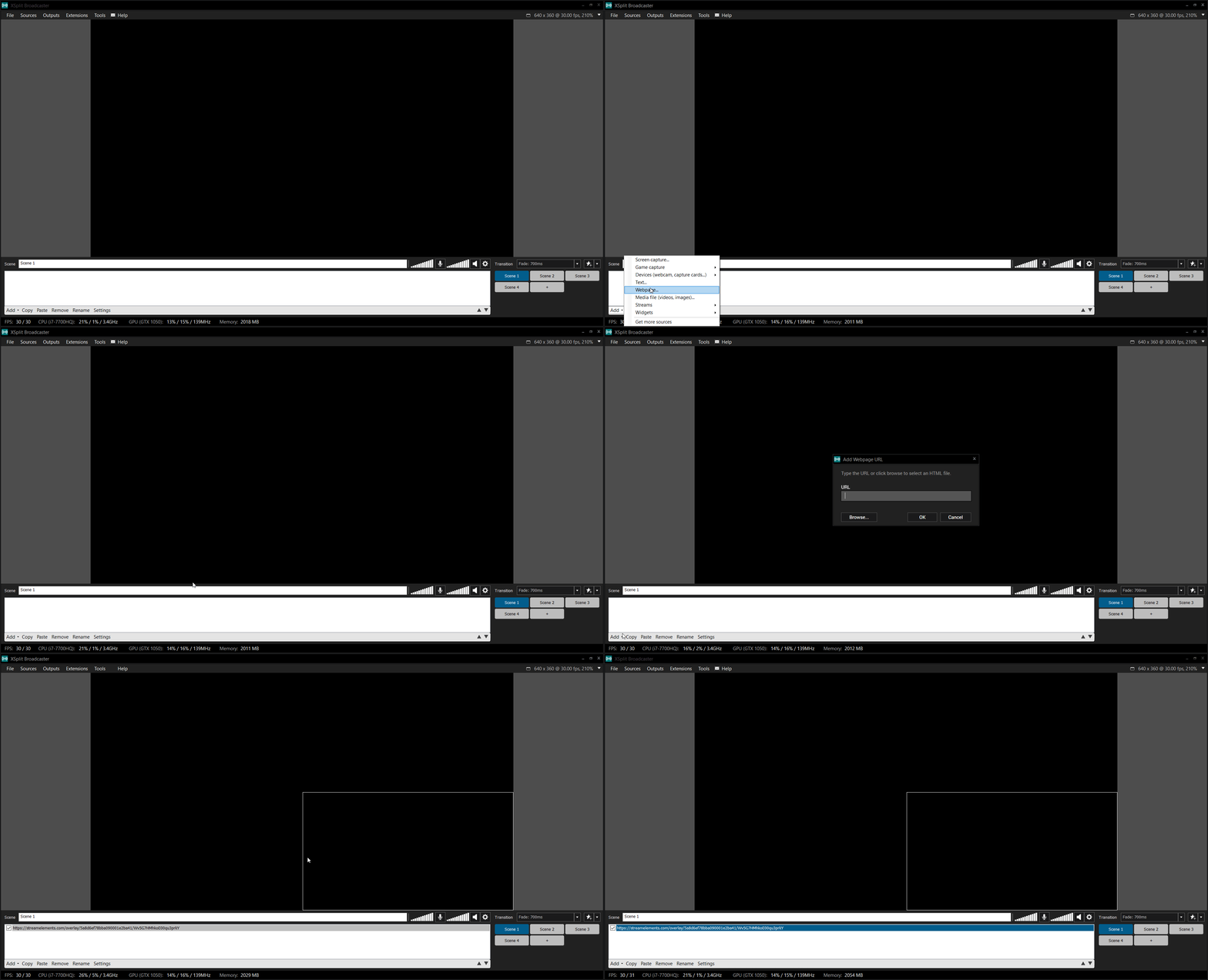
StreamElements - Legendary Live Streaming
(scroll down for overlay setup guide)
buoyant egret
ok thanks 😄
 cinder egret
nocturne pelicanBOT
cinder egret
nocturne pelicanBOT
@cinder egret The app is currently in closed beta, and is expected to be available to the public by mid October.
If you'd like to assist with beta testing, please fill out this form: https://goo.gl/forms/3DaiLckKDjeMAeVt2
pulsar gulch
Hello there , how can i change the activity feed theme on obs ?
torpid estuary
@pulsar gulch i take it you are talking about the activity feed in OBS.live? you can't change it at the moment, we already got user feedback that they would like a light theme.
lament blade
hello i need help can i import a widget from streamlaps to streamelements and make it an overlay so i can use it in OBS STUDIO ?
torpid estuary
how did you change it to light @pulsar gulch
narrow coyote
torpid estuary
huh, the more you know. there is a theme change now. thanks kite!
narrow coyote
torpid estuary

lament blade
btw therer is serious performance issue with obs when i added redemption as a browser sorse in obs when i start my stream / my obs is 60+% in task menniger untill i end the task(browsersorce ) ????
narrow coyote
If your specs on your Twitch page are accurate, there is not much that can be done if the browser source takes up that much CPU
 orchid vault
Hello, The alert message for "Gift" and "Community Gift" reset every time I save it.
lament blade
can u explain me again ? i dont get it :d
narrow coyote
If this is accurate, gotten from the twitch linked to your discord, this is a low end system, and is not really designed for streaming, your best option would be to use a low resolution output and frame rate, 720p/30fps, and use nvenc encoding, neither the CPU or GPU listed here are designed for streaming on a single PC setup
lament blade
ok thanks 😄
zenith widget
@orchid vault But when you simulate an alert, does it show what you've saved?
orchid vault
Yes but if I open the parameters a second time, edit one things then save, it reset the message :-|
I have to perfectly set my variation and never touch it again xD
zenith widget
Its a known-ish visual bug for the variations
as it takes the message saved in the main alert, but doesn't save what you've changed in the variation it self.
orchid vault
It's only reset the message. All other parameters are saved. I have to wait for the patch :(
zenith widget
What patch? If the message is correct when you emulate the alert variation text, then you are good to go. Its just a visual bug.
orchid vault
Right now it's working but if I open the variation to edit the sound then save, it save the default message :-|
When I edit my variation, the default message replace my customized message. If I save, I save the default message too.
zenith widget
Workaround due to bug(feature as we devs like to call it): have a notepad with the message you want and leave a mark to say its "Variation Resubs amount 20+ months"
orchid vault
Yes, I know how to parry this bug, I'm not idiot 😝 It's just additional boring manipulations 😕
Now I know it's a "workaround due to bug" so I will wait 🙂
 acoustic junco
Why do my overlay lag and stutter when i upload it to elements and it also squishes my aspect ratio from 16:9 to something very off
 olive rock
When starting giveaway bot says " Giveaway has started, write !ticket to join , costs 10 points", can I make that message custom one?
nimble zinc
can i change the streamelements song timer limit
it alwasys says its too long to play
for sonmg requests
zenith widget
@olive rock Unfortunately, no. Its a default behavior.
@nimble zinc Yes. Go to media share -> settings on the far right -> then change the minimum minutes of a shong
ornate bronze
I need a clarification, what is the difference between a mod and a super mod in regards to StreamElements?
zenith widget
@acoustic junco I'm not understanding your issue. Are you trying to upload an image/gif or a video file to the to overlay editor
@ornate bronze Mod is a role automatically assigned to your actual twitch mods. Super mod is someone you assign. The main difference is, the commands they can use.
For example !volume is a broadcaster level command, but you can change it to Super Mod level. The command it self controls the volume of the media share.
nimble zinc
thanks
 zealous cargo
How do I get an invite code on mobile
ornate bronze
@zenith widget Thank you.
normal igloo
!code
nocturne pelicanBOT
The app is currently in closed beta, and is expected to be available to the public by mid October.
If you'd like to assist with beta testing, please fill out this form: https://goo.gl/forms/3DaiLckKDjeMAeVt2
normal igloo
@zealous cargo
zealous cargo
@normal igloo thanks
remote quarry
Hey, can i know if this thing has a chance to become a feature? https://streamelements.helprace.com/i1042-add-feature-to-select-alerts-you-want-to-pop-up
normal igloo
np 😃
@remote quarry The best place to talk about features and votes is #general-chat The more upvotes a request gets The more likely it will Become a future feature
Of course don't go around begging for upvotes tho
remote quarry
Ok thank you. Don't worry 😃
normal igloo
zenith widget
@remote quarry There is a way to have tip moderation alter messages that come from tips and sub messages to replace certain words, but avoiding actual names - that most likely not possible
only with full moderation of the alert it self.


 narrow coyote
#💭︱feedback-and-ideas is actually the best place to discuss idea submissions  and there are more filtering/protection things planned/in the works that would help with stuff like this