#helpdesk-twitch
1 messages · Page 342 of 1
 low spoke
And also do my own script using custom.api
Need need to keep an internal base of users depending of what im gonna do
 zenith widget
I'm not sure what you mean by "command talk with overlay theme" 
low spoke
And ground control allows me to use my own bot name
I mean..
!hug @zenith widget
and that will appear a gif on my own screen
zenith widget
its just a shell name of streamelements really - it uses the same commands SE bot does.
If you find a way to do that command, let us know 
 zenith widget
For example you can have a stream store item that can be redeemable via chat and make a command have it like so:
!praisethesun
Command response in dashboard: ${reedeem praisethesun}
make sure the stream store item is set to "stream perk" and you have the store redemption widget on the overlay @low spoke
 late gulch
Can maybe someone help me with the alertbox? atm the box is working but it dosnt shows correctly look at screen and i dont know why
 gentle imp
u need to set size to 1920x1080 on the browser source @late gulch
then u can trim it down holding control if i'm not mistaken
late gulch
okay
gentle imp
if your canvas is smaller than that, then press ctrl+f to make it fit the canvas
low spoke
Thanks @zenith widget
 shell mantle
where is invite code on Mobile streamelements
 nocturne pelicanBOT
@shell mantle The app is currently in closed beta, keys were given away at the Gamescom in Cologne, Germany.
Please wait and stay tuned for the open beta.
shell mantle
:(
 ornate lichen
😮 open beta 😮
low spoke
@zenith widget the redeem, that would appear on my profile store page, which is "not good", anyway to disable the store page?
zenith widget
No.
low spoke
I see, thanks
Maybe create a widget to interact with command, well, gonna think about it
 junior pasture
Hello, is anyone available to help me out a bit please?
 narrow coyote
its best to just post your problem or question
junior pasture
ok np sorry
Basically my friends kept telling me to make a donation link for my twitch and so I did using the streamelements tipping link. However, when someone goes to donate to me it shows them my email rather then my Twitch name. Is this an issue with one of my streamelements preferences or something with my PayPal?
 winter zenith
@junior pasture you need to make a PayPal buisness account for that
 winter zenith
Only with a paypal buisness account it showes the name of your "shop/store" rather then your full name
junior pasture
woud it be put under a sole trader business?
winter zenith
I am not sure I understand what that means
It has the same conditions as a normal account has
No extra billing/fees
You also can pay stuff using this account
junior pasture
ok I'll look into it some more than. Thank you for your help I really appreciate it :)
🥔
winter zenith
🥔 no problem 
low spoke
any widget documentation, so we can know what to use on JS side?
sorry,, did ask on wrong section
 compact pollen
Hello im trying to figure out how i can give loyalty points to the a person who gifts a sub to the channel. Is that possible?
winter zenith
@compact pollen type:
!bonus USERNAME 123
In chat
compact pollen
hmm okay. But thats manual right? Is there any way to make it automated? I cant find a chat msg alert for gifted subs
narrow coyote
there is no way to automate it
compact pollen
Okay thank you!
narrow coyote
There is also no chat alert variation for gifted subs at this time https://streamelements.helprace.com/i482-add-a-chat-alert-variation-for-gifted-subs
compact pollen
Hope it will be added soon. Would be nice to have  But thank you for the help.
narrow coyote

 ivory holly
Hello, some1 here who can help me?
narrow coyote
you need to post your question or problem first 
gentle imp
explain us the problem
ivory holly
sure
when i try to make an record @obs live
it says: unknown error
when i click start
so nothing happens..
 ebon forum
@ivory holly fresh install? you have to adjust the settings first. set the proper encoder, bitrate and path for the recording. the start button is for streaming, you need twitch (or any other platform) server and key to make that work.
ivory holly
An unknown error occurred during recording.
i just wanna record my desktop right now for an test and sure i made the option
ebon forum
@ivory holly check settings first. then look into OBS logs, it is a regular OBS when it comes to internal functions.
ivory holly
obs logs? how
nocturne pelicanBOT
Can you please provide a log from your last stream. You can find this log in " %appdata%/obs-studio/logs " OR Help > Log Files > Show Log Files. You can simply drag and drop the log file into Discord.
late gulch
Is there a way to delete this big bit icon on the alertbox? How to delete the Shark there was working wonderfull but now i have the problems with that really big bit icon there
narrow coyote
you clear it from the alert, and make sure to check all your variations. Subs have 2 variations by default, and bits are all driven by variations
ivory holly
 forest sluice
I downloaded the stream elements app on my phone and is a ski g for a code, is it possible to get one? I run stream elements on my laptop for YT and havu g it on my phone would help
nocturne pelicanBOT
@forest sluice The app is currently in closed beta, keys were given away at the Gamescom in Cologne, Germany.
Please wait and stay tuned for the open beta.
narrow coyote
also, the mobile app is for IRL streaming from the phone
late gulch
Ah perfectly thanks! ❤
forest sluice
So it doesn't work with YT?
ebon forum
@ivory holly
This is how that looks like:
17:38:54.491: ==== Recording Start ===============================================
17:38:54.491: [ffmpeg muxer: 'adv_file_output'] Writing file 'D:/OBS - SE - Live/Video Records/2018-09-11 17-38-54.mkv'...
17:38:54.735: [ffmpeg muxer: 'adv_file_output'] os_process_pipe_write for info structure failed
17:38:54.735: [ffmpeg muxer: 'adv_file_output'] Output of file 'D:/OBS - SE - Live/Video Records/2018-09-11 17-38-54.mkv' stopped
I have no idea what that error is. @narrow coyote got any idea what died here?
narrow coyote
it does, but its from streaming from your phone, what you said above does not sound like you are doing IRL streams that the app is designed for 
forest sluice
Ok that's cool thanks, was just wondering if it was the app version on the pc program
narrow coyote
what PC program, Ground Control? its not, its from doing IRL streams from the phone
ivory holly
any idea how to fix my problem? i stream from pc, btw its just giving me that error when i try to start recording..
narrow coyote
Try a different output directory
ivory holly
not working 😦
ebon forum
admin rights, change output file format and encoder
otherwise we will have to forward you to the OBS forum with that error, this is nothing we can fix
narrow coyote
what is the directory structure you are trying to output to, as that looks like the root of the problem here. also not running as admin could cause issues for it writing to any location requiring admin rights
ivory holly
admin start no work
i mean it works but not helping
any nvidia grafic settings important?
i use high end pc... cant believe there is a problem
narrow coyote
 what do you have set as the recording path
ivory holly
D:/OBS - SE - Live/Video Records
narrow coyote
 that is not a valid path
narrow coyote
the forward slashes make it invalid
gentle imp
hmm good point xD
ivory holly
D:/OBS/Recordings with no dashes, spaces also not work
gentle imp
d:\obs\recordings should work
ivory holly
d:\ instat of d:/ ?
narrow coyote
so, it looks like OBS does the forward slashes itself, and that is not the problem
for whatever reason, the OBS UI is doing that, but I just used the same path you are using, and records without a problem
I think your only option at this point would be to try a different encoder
nvenc is not a good encoder anyways
 weary mist
its likely that OBS might not be installed on the D: drive for everyone 😉
ivory holly
rly wierd
weary mist
mine is on C:/ drive
gentle imp
mine's on E: that really doesn't matter
weary mist
something like that would only work if you have the D:/ drive/partition created
by default, most people only have C:/
narrow coyote
looking into the error on OBS forum, its either the output path, or the encoder for most users getting this error
OBS wont let you pick the path unless it exists
at least, it gave me an error earlier, now its taking invalid paths
It seems like the error has to do with the file not being able to be written
The more I look up the error, the more confirmation that os_process_pipe_write for info structure failed means it is not able to write to the location you have specified
ivory holly
and how can i fix this? sorry
narrow coyote
From what I am seeing, you need to pick a different recording path, to a location that OBS will be able to write to.
narrow coyote
Not sure, it does not seem to be the most straight forward error. Seems like you will just need to test various locations to see if you have a path that it works with
narrow coyote
if you look up the error, like the forum post above, this error can happen on any version of OBS, and does not seem like something that a patch can magically fix, especially if its related to it not being able to write to locations on your system
ivory holly
well i have no idea how to fix that
i installed obs tons of time
always worked like i made option
this thing is just bad..
narrow coyote

ivory holly
any idea how i can test my ssd is working?
it should...
i have installed programms
i mean.. how can i proove this
narrow coyote
the SSD manufacture should have software that gives the health status of the drive, as well as run tests against it
ivory holly
maybe its about the level? i use auto
but when i change it to other it says make sure your drivers are up to date (which i always check) but should this not be able to pick up? i mean choose different level?
narrow coyote
cbr = constant bit rate, and is the rate control for the bitrate
ivory holly
i know though this could help maybe
narrow coyote
the profile is related to the x264 encoder settings, should have nothing to do with your problem
ivory holly
when i chage it 1.0 - 4.0 it says update or check driver, when i go 4.1++ or auto it says the error you found at forum
ok
well thank you
narrow coyote
what setting exactly are you changing to see this?
ivory holly
the level
there is 1.0 1.1 ... 4.0 .... 5.0 5.1 and auto
well cant find a solution
narrow coyote
are you still using nvenc, because I have no idea what level you are talking about
 sage quartz
hey, can i share BBC sound effect database in sfx share?
it has 16k sounds in wav format
some are good for streaming, some for background sound
narrow coyote
yeah, I cant help you with those settings, I don't use that encoder, so I have no idea what the level refers to
 orchid nova
is there someone here that could help me with something? I would like to message in privately if that's possible aswell.
orchid nova
I will pm you one secon.
zenith widget
Sorta sorted in DMs ⤴
 sullen dock
one of my viewers is getting this error when they try to donate https://sta.sh/02cunf2pi72d

please help.
zenith widget
You song queue is full.
Or he has requested a couple of songs and can't request more until his song slots have passed
 torpid estuary
Hey, is the SE bot in your chat? And did you use the correct !command with the "!" in front?
 pulsar gulch
yes
now my whole stream elements is not working .. like the ! commands ..
and im live .. god :/
 elder sorrel
Have you already tried parting the bot from your channel & joining it again?
zenith widget
That doesn't show much
zenith widget
Did you add it via the chat command?
nocturne pelicanBOT
You can make changes to custom commands in chat with!command add/remove/edit/options/show Valid flags for !cmd options are: -cd (number) -usercd (number) -cost (number) -level (number) -type (say, whisper or reply) -count (number). --- Example: !cmd options twitter -usercd 60 -type reply -level 250
torpid estuary
Also did you try americans suggestion of parting and rejoining your bot?
narrow coyote
its responding to other commands, seems that is something not configured correctly in the command not responding
zenith widget
Remove the command from the dashboard and then add it again.
Most likely you've made the command whisper only or reply or something
without actually giving a FULL screenshot of the command settings from the dashboard we can only assume
zenith widget
So it has never worked, right?
 mortal ibex
anyone know why my activation email for g2a pay hasnt came on my email? any help appreciated. Thanks in advance
weary mist
check to make sure you haven't already created an account with G2A
if you have an account, then it would link with that, and you don't need an activation email
mortal ibex
oh okay thanks
 bright agate
Hi I was curious how and if I can get an invite code for the early access app on Android?
nocturne pelicanBOT
@bright agate The app is currently in closed beta, keys were given away at the Gamescom in Cologne, Germany.
Please wait and stay tuned for the open beta.
bright agate
No worries thanks
pulsar gulch
@zenith widget right , never worked just added it today
zenith widget
@pulsar gulch I'd suggest to remove the command via the dashboard and then add it again.
via dashboard
pulsar gulch
what do you mean from dashboard ?
 dense laurel
when making an alert video does the framerate matter? As in can it be 30 or 60 fps r does it need to be 60 fps
zenith widget
I mean from here: https://streamelements.com/dashboard/bot/commands/custom @pulsar gulch
@dense laurel I think it matters to an extent when your PC tries to load the video via the overlay
pulsar gulch
Oh yea i was doing it from here before
dense laurel
@zenith widget the reason I ask is I know the overlay needs to be 60 fps so wasnt sure about the video
zenith widget
well when you add the overlay to OBS you can set its framerate from the properties as well
narrow coyote
The overlay does not need to be 60 fps, you can set the overlay to whatever fps you want, its just 60 will be smoother than 30
pulsar gulch
i did it again and it's still not working .. i really don';t know what's wrong cuz this never happend ..
torpid estuary
@pulsar gulch try deleting the command and enter this into your chat please:
!cmd add !freedono Support me and the cancer charity for free by going to: https://rechaaarge.com/zwengtube
Get back to me and tell me if that worked.
pulsar gulch
it says it's allready a command .. but i dont have it in stream elements..
 silver ibex
@stuck hamlet Any update on the HypeCup bounciness being disregarded on the initial token dump? I pretty much end up with just a couple of tokens in my cup by time it's done reloading now because they all bounce out at the same trajectory..
torpid estuary
@pulsar gulch then please try typing this first:
!cmd remove !freedono
and then type the code i posted above
 gusty grail
just wondering if for media request they could change the first song in queue to say "playing next" instead of "playing right now" when using !when. Nothing serious, but just something i noticed 😃
pulsar gulch
@torpid estuary @pulsar gulch an error occurred while deleting your command, please try again later or use the website
i get an error trying to delete it
torpid estuary
Please try adding a variation with another name via chat for now, will look into the problem with the old command later. for example try this:
!cmd add !freed Support me and the cancer charity for free by going to: https://rechaaarge.com/zwengtube
pulsar gulch
that worked Void
torpid estuary
and does the command work too?
torpid estuary
ok, thanks for trying that, i will try to figure out what went wrong.
pulsar gulch
ok thank you 😃
winter zenith
^ Sorted
Cancer was a Spam Filtered word
 lament blade
where do I find my JWT token ? i cant find it
nocturne pelicanBOT
@lament blade You can find your JWT token on your account channels page: https://streamelements.com/dashboard/account/channels
(Don't forget to click on "Show Secrets")
lament blade
thanks
 frank merlin
i cant find the jwt token
nocturne pelicanBOT
@frank merlin You can find your JWT token on your account channels page: https://streamelements.com/dashboard/account/channels
(Don't forget to click on "Show Secrets")
weary mist
which was listed litterally 2 lines above your statement
frank merlin
i just joined
 mint moat
hey guys! i rearranged some elements in an overlay and added a top cheer. problem is, the widgets that come with the overlay are in caps, ones i added are not. I've matched the text attributes to identical too. i think im gona go crazy. heres a screenshot
 pine hemlock
@mint moat Same font?
weary mist


mint moat
last question(s), can i group widgets? and cani add a grid for symmetry when arranging
weary mist
group no, grid maybe?
(logging in now to look xD)
no grid, there is snapping, but thats it. BUT, there is the option to set exact locations, in the position size and style area
mint moat
ooo i see it!
 heady knot
can someone help? im trying to set up redeems, or should i say, fix, ive got it all set up, but my redeems when i test them, are being repeated
pine hemlock
Do you have more than one redemption widget? If you have more than one overlay in obs, you will hear repeat sounds unless you select "Shutdown source when not visible" in the browser source settings
heady knot
i have several overlays saved for each scene i have, all with the same redemption alert, should i opt that shutdown source you mentioned?
narrow coyote
Yes, you want that set on all the overlays, in every scene
 lime rose
Hello there! I would like to know if there is a way to send commands to the Bot via whisper or some other "hidden" way
 compact sundial
Hello everyone, Q: how do I update/fix my chatstats page?
Currently it's giving me error 404, and it seems that there is a valid chatstats page with my old twitch name instead.
winter zenith
@lime rose you can only recive answers/reply from the bot per whisper not give commands via whisper
narrow coyote
@compact sundial a staff member will need to fix it for you
lime rose
@winter zenith Thakns.
winter zenith

 bleak kite
Does the new app on Android allow internal streaming
narrow coyote
 frozen jetty
How do i copy any paste my tipping page link into my channel? no option as video shows
weary mist
your tipping link is just https://www.streamelements.com/YOURUSERNAME/tip
bleak kite
How do I get a code to try the new app on Android
narrow coyote
If you go into tipping settings, panel setup, you just click the link and it will copy to your clipboard
frozen jetty
yes but i do not know where to paste the link
nocturne pelicanBOT
@bleak kite The app is currently in closed beta, keys were given away at the Gamescom in Cologne, Germany.
Please wait and stay tuned for the open beta.
weary mist
@bleak kite The application codes were all given out at Gamescom.
There are some improvements being made, but we can't give out details as of yet, and more codes will come
bleak kite
Okay thank you
narrow coyote
@frozen jetty it goes into your panels on twitch
nocturne pelicanBOT
Twitch's official help guide for Panels: https://help.twitch.tv/customer/portal/articles/2416760-how-to-edit-info-panels
 finite cove
Hi everyone! Wanted to ask how to get my tipping page link after setting it up?
narrow coyote
If you go into tipping settings, panel setup,
finite cove
Thank you so much! 😃
narrow coyote
 cursive obsidian
does streamelements have a way to have transparant background when uploadin a webm file in an overlay ?
narrow coyote
webm itself supports transparency, so as long as the source has transparency it will work in the overlay
cursive obsidian
thats weird 😒 ... If I import the file into my obs is has no background.... but when I upload it into my overlay its black, oh well gonna try again tomorrow
narrow coyote
are you using firefox? the browser could just not be displaying the transparency correctly
cursive obsidian
chrome
narrow coyote
The only other way it would display black is if the source did not have transparency
cursive obsidian
now this is even weirder.... I'm trying to use a green background in de webm file (as a temporary fix)... now when I playback on my pc, its all good... Logo + green background is all fine.... now when I upload it into my overlay, it is just blank... Im just doing some tests atm, to make some animated overlays btw
Ill try another browser tomorrow... if it doesnt work Ill ask to contact someone here, thanks in advance
 unkempt sleet
narrow coyote
unkempt sleet
narrow coyote
Use what?
pine hemlock
:)
 steep hound
so... ive watched some videos by SE and attempted some of the basics that are shown. im still completely lost as to how to set up SE for myself, any useful advice or tips would be much appreciated
 tired ingot
Who would I talk too about going into the sellout channel?
I met all of the requirements BUT from what I can tell I didnt make it in :/
Unless im missing something.
zenith widget
@tired ingot if you've recently applied i'd suggest to wait a bit.
Unless you are missing something for it
zenith widget
@steep hound well what are you struggling with?
steep hound
the actual set up of the overlays and such
when it comes to this stuff im complete noob
zenith widget
You use one of the premade ones or just make your own by adding images videos widgets.
Adjust the alert widget to your liking
Save it and get the link to it.
Add to OBS and thats it.
Which part are you having an issue with?
@tired ingot So I just checked, and either you have not met the requirements or you are not added yet. I would suggest to wait for now since you reapplied again today. Just make sure you have met the requirements.
steep hound
so, im using a preset for gta. there is an in game mode that shows the game and all the overlay and such. what its not showing is the actual game itself. have i messed up a setting or something?
zenith widget
@tired ingot
steep hound
lol
 low bloom
Why doesn't the !watchtime command work?
zenith widget
@low bloom What do you mean it does not work?
low bloom
Shows 0 time
zenith widget
@steep hound Well the overlay provides images. If you've added it to OBS, then you need to also add the game source to OBS as well.
nocturne pelicanBOT
@low bloom 10 minutes of watchtime are given to those in chat when the loyalty points are handed out (every 10 minutes). Therefore, loyalty must be enabled for watchtime to work properly. There is no direct link between watchtime and all-time points. It can’t be calculated from the amount of all-time points a user has because subs may earn points at a faster rate and !bonus all command increases all-time points for users in chat at that time. Giving points to a single user does NOT affect all-time, only when giving to all in chat.
steep hound
oh, ok thanks
low bloom
So if I enable loyalty now will the previous watch time get added?
zenith widget
@low bloom No.
zenith widget
If you are a mod for someone else and have access to the dashboard, you will have to make sure the command is set to Mod level, as I think by default its set to Super Mod level.
low bloom
Oh thanks
 rose copper
How can I get an early acess code to the mobile app?
nocturne pelicanBOT
@rose copper The app is currently in closed beta, keys were given away at the Gamescom in Cologne, Germany.
Please wait and stay tuned for the open beta.
rose copper
Oh :/
I was using ace before which is the old app. But I saw there's a new one. Was hoping to upgrade. But I'm I the US
zenith widget
Gamescom is over for a some time now. At the current moment we don't have other codes to give out and just stay tuned for open beta
 naive pecan
Does the configuration page of "StreamElements Leaderboards" not work? It won't let me select options and when I click "save" it resets the few options it does let me select.
zenith widget
Are you talking about the Extension? If yes, I'd suggest to make sure you are logged into the SE Dashboard first then try to change the settings of the Extension
naive pecan
so the extension requires SE dashboard?
zenith widget
Just make sure you are logged in.
low bloom
Can I enable loyalty if I'm mod?
nocturne pelicanBOT
@low bloom
Chat/Bot Levels
100 - viewer
250 - subscriber
300 - __regular __
500 - moderator (twitch mods automatically placed at this level)
1000 - super moderator
1500 - broadcaster
Dashboard Manager Levels (least to most access)
Bot Supervisor (can add super moderators from dashboard)
Editor
Full Access
https://i.imgur.com/s61Liry.png
 zenith widget
@low bloom If you are a bot supervisor on their dashboard, you should be able to.
low bloom
IDK I have that sword badge
zenith widget
Do you have access to their SE Dashboard?
low bloom
What's the command see I can do or not
naive pecan
I logged into SE Dashboard but I still cannot update configuration
zenith widget
@naive pecan Did you refresh the settings page of the extension after you logged in? I'd suggest to close it, clear your cache just in case and then trying. If it doesn't work again, uninstall the extension and then install again,.
@low bloom Most likely you don't have dashboard access as the streamer needs to provide you an invite link to edit stuff on his SE Dashboard
but it looks like this:
naive pecan
reinstall of it worked, ty
low bloom
Oh so I can't enable loyalty?
zenith widget
I assume at this point you don't have dashboard access, so no
low bloom
any command that he can type to enable so that he doesn't have to open the dashboard
zenith widget
No.
nocturne pelicanBOT
@low bloom To invite managers to your dashboard, Click on your Channel Name at the top of the dashboard and scroll down to Settings. Click the drop down arrow to expand your channel managers and then create a new invite at one of three access levels (Bot Supervisor, Editor, Full Control) Check this video out for more help: https://youtu.be/zl_h-ttZDF0
low bloom
Ok cool thanks
naive pecan
Another question, it automatically updated all gifted subs, but not any bits or subs themselves? Is that normal
and is there a way to manually update the extension
zenith widget
When was the first time you've logged into our Dashboard?
naive pecan
literally right now. so honestly i was confused it even showed gifted subs, that's why im asking
pine hemlock
The extension wont show data prior to you using our service.. as for the gifters thing..  might just be how the api functions
naive pecan
oh strange, it actually is missing like some gifted subs but has a majority, but alright thanks for the answers
*wait, so no way to manually update?
pine hemlock
Dont believe so, no. It will track from this point onward automatically
naive pecan
thanks!
 wanton jetty
So my idea was completed but i dont see an option for it on the panel :(
http://chrisis.live/s/1536738931_1.png

Was going to enable it 😦
winter zenith

🔥HOT UPDATE! 🔥 our extension now tracks GIFTED SUBS in the leaderboard! current total numbers will update as soon as someone gifts an extra sub!

 Twitter
So as soon as some sub alerts came up or Gifted subs it will be there
wanton jetty
Also WHYS MINE CUT OFF :(
http://chrisis.live/s/1536739242_6.png

saturday got swollowed
zenith widget
Weren't you using the new twitch layout?
zenith widget
So they removed their redesign? Good.
If the extension is cut off like that, its not something we control. Its the border of the panel and most likely something is cutting it off.
wanton jetty
Yes there redesign was reverted a week or so ago
but its being cut off and iv no idea why
 zenith widget
wanton jetty
zenith widget
wanton jetty
http://chrisis.live/s/1536739450_1.png On popout
 zenith widget
Judging by your grey bar(mine is still purple) you are using a Stylish
 clever mango
Looks fine here as well with FFZ. Also checked in incognito with no addons and it also looks fine there.
winter zenith
Seems your browser is configurate wierd @wanton jetty
 cedar fulcrum
All looks great on Chrome
wanton jetty
Zooming in an out doesnt change the issue either :/
clever mango
does incognito fix it?
wanton jetty
Can you send me some screenies of your ffz incase iv enabled something in ffz
Still cut off in incog
zenith widget
I don't use FFZ on my work laptop
wanton jetty
 winter zenith
Clear Cache?
zenith widget
This is a browser problem.
Something is scuffed with it as it shows 4 panels on 1 row
while the standard is what? 3?
wanton jetty
Resolution changes the amount on screen
cedar fulcrum
wanton jetty
^
winter zenith
Doesn't matter for him it still looks fine 
zenith widget
The squish is something on your side. I would factory reset your browser
winter zenith
^
wanton jetty
Already tried that though
my padding between the "panels" is weird compaired to @cedar fulcrum's 😦
iv got WAYYY more padding

^ incogn mode btw
cedar fulcrum
Check your Browser, if it is updated to the latest version
wanton jetty
Edge Kappa
winter zenith
Try it
cedar fulcrum
Try Firefox
wanton jetty
Chrome is master race 😄
cedar fulcrum

wanton jetty
I spit on le firefox
cedar fulcrum

zenith widget
Factory Reset your chrome
wanton jetty
BUT MY GLORIOUS ADDONS
cedar fulcrum
I think you added something into your Chrome which scuffed it
wanton jetty
😦
zenith widget
DO IT 
cedar fulcrum
I use only Chrome and got BetterTTV and FFZ
winter zenith
Probably "Glorious add-ons" that causes this in the first place 😛
wanton jetty
Is there anyway to make FFZ the "primary display" i hate that BTTv decides whats better, BTTV has nice features but i spit on it... 😄
 cedar fulcrum
Show us the FFZ you use
wanton jetty
one from the site
winter zenith
So you probably have a chrome extension that is outside of chrome
Wich messes with your settings I assume
zenith widget
Windows has hard cached the old design @wanton jetty most likely - restart PC after the reset of Chrome
winter zenith
Since a factory reset should have worked since there are no add ons like in incognito mode
zenith widget
I've seen it happen
wanton jetty
Im uninstallings :/
FeelsBadMan
Brb gunna reboot this peice of shit PC and throw myself through a window
cedar fulcrum

 vital wyvern

wanton jetty
Well time to wait 20 years for it to boot
winter zenith

wanton jetty
Not TOS, TFUE jumps out of his window why can i jump out of mine
winter zenith
Sounds like you need a new pc
wanton jetty
Grandted theres a 3 floor difference lol but he does ot fine
Im sure a jump out of 3 story high pub window will be great
If TFUE can do it
So can i
vital wyvern
@wanton jetty keep it to #general-chat please
winter zenith
So how's your pc going? 🙄
wanton jetty
ITS ALIVE
winter zenith
Reinstall chrome and let us know how it looks
wanton jetty
Oki
Waiting for everythin to initalise 1st :)
When your pc boots and logitech wants you to do a Survey 
 prisma inlet
hay there I need some help finding the jwt token I have no idea there it is....
nocturne pelicanBOT
@prisma inlet You can find your JWT token on your account channels page: https://streamelements.com/dashboard/account/channels
(Don't forget to click on "Show Secrets")
vital wyvern
and hold on, il give you a screenshot too
wanton jetty
When did they change chromes look... everything is so ROUND...
http://chrisis.live/s/1536740630_4.png

WHADAFAK
zenith widget
newest update
zenith widget
Chrome doesn't force you to update unless previous version is deprecated
its like 2 weeks old
ok, so just go check your panel
wanton jetty
iv not updated in like 2 years
vital wyvern
@prisma inlet
wanton jetty
WE FIXED IT BOYS
cedar fulcrum

wanton jetty
@prisma inlet https://streamelements.com/dashboard/account/channels

StreamElements
The Ultimate All in One Platform for Streamers
for direct link
zenith widget
@wanton jetty The link is present in the command he was linked to

 upper cedar
Can I get a code for the Android app? Thx
winter zenith
!Code @upper cedar
nocturne pelicanBOT
@upper cedar The app is currently in closed beta, keys were given away at the Gamescom in Cologne, Germany.
Please wait and stay tuned for the open beta.
winter zenith

zenith widget

 stark plinth
hi there, i cant seem to download the streamelements desktop app or login to streamelements
zenith widget
I assume you can't login when you click on "Connect with Twitch"?
stark plinth
yes
zenith widget
What browser are you using? @stark plinth
stark plinth
firefox, but i've also tried using gc and ie, same issue
 median oak
.
zenith widget
@stark plinth You may be having ISP issue or your Router/Firewall is blocking your connection to the twitch API and GC download link
 past cosmos
Hi guys, just curious, is it possible to let people "buy" kappagens using stream currency?
(Right now only our mods can use kappagen to avoid abuse)
zenith widget
You can set command cost on it - this subtracts loyalty points
Its a good suggestion to also have a global and/or user cooldown on it.
past cosmos
Hmmm, I'd not want it to cost the mods, and we like to spam them during celebrations. Maybe I'll make a SE Ideaboard post about having it as a purchaseable thing without having a command cost so users can still do it but at a high cost, while mods can still use it regularly.
Thanks for the info though, appreciated!
zenith widget
Unfortunately, mods can be except from cooldowns, but not points, so maybe the idea here should be having an option to have mods except from loyalty points usage/cost 😉
easier thing to implement, then the previous one if you ask me
past cosmos
Hmm, maybe! Not a bad shout 😃
winter zenith
just pay your mods for the ammount of work they do! @past cosmos 
past cosmos
Although I would imagine a store item would be nice too - just so people know it's there!
Haha, I actually am one of those mods 😉 I'm a mod for my gf who is an art streamer, so doesn't really have easy access to "compensate" points as she's always hands-on with the artwork. Still, I can see merits in all the suggestions here and I've learned something new too.
If I'm around I can bonus the mods some points but if I'm not around, Sarah would just see bonusing mods as a hassle that takes her away from actively streaming xD
zenith widget
get dashboard access - set your self as super mod - use !addpoints command freely 
winter zenith
@past cosmos well if you are that close with her she should make you a Super-Mod
Me and my BF have it that way. We made the "bonus/ addpoints" command only for SuperMods instead of Brodcaster
that way the SuperMod can Bonus himself (Or others) points and normal mods cant
past cosmos
Aye, I can do it but not always around as I only get to work from home 2 days a week
winter zenith
so not having enough poits for kappagen as a mod isnt an issue anymore
maybe there is another Mod who is more often around who doesnt abuse the system
past cosmos
Naw, we don't want to give them super mod status, but again I appreciate the thoughts! Our users who spent a lot of time saving up points would get a wee bit annoyed if we just swamped ourselves with points above and beyond them xD Silly but that's twitch communities for you 😉
We shall mull it over!
Thankfully there are lots of other ideas we have for the store at the moment, this was just one we were considering and were curious about 😃
nocturne pelicanBOT
@past cosmos Here is the StreamElements Ideas Board: https://strms.net/ideas
past cosmos
Perhaps I can make a command that forces StreamElements to use !kappagen ...
 zenith widget
the bot can't call its own commands
 steady monolith
is there a way to have a custom command where it activates an alert?
 strong kernel
Yup. You can create a free item in your stream store and create a custom command to trigger it, and it'll play a gif/video/image and a sound.
steady monolith
I have that now but the only thing is that it requires the redeem command in front no?
strong kernel
You can create a custom command with the ${redeem} variable. So you can make command !example respond with ${redeem example}
With example being the name of the stream store item.
steady monolith
so instead of
!redeem lurk
i can have
!lurk
strong kernel
You can have !lurk pop up with an image and sound, yes.
steady monolith
- So go into the commands
- New command
- Enter in the command i want
- Response would be : {$redeem} "Store redemption name"
is that correct @strong kernel ?
strong kernel
Almost.
It's ${redeem storeredemptionname}
The same one you'd use for !redeem ____
steady monolith
oh okay
strong kernel
So if the original command is !redeem lurk then ${redeem lurk} is how you trigger it.
steady monolith
Sir/lady you've been the upmost help 😛
steady monolith
well thank you kind sir 😁
heady knot
keep in mind that when you name the redeem, people will need to type that, so try to keep it short, i'm running almost 60 rght now and ive narrowed them down to characters, so joker1, joker2, joker3, etc, instead of the actual phrase
come to think of it, as long as your stream elements is linked to obs, you don't need a store redemption widget
i got rid of mine and they still work fine
winter zenith
@heady knot
You ca. Make "alias" for commands so they don't have to type redeem befor the item name
Ex: command would be
!redeem aSolidMeme
the variable would be
${redeem aSolidMeme}
so
!command add !meme ${redeem aSolidMeme}
So people type
!meme
And the item
aSolidMeme
Would be bought from the store
The reason you still hear the StoreRedemption Widget is probably because you have the widget in another overlay of yours and that overlay is in a diffrent scene @heady knot
So you didn't check the "hide if not visable" box in that Browsersource of your OBS scene. Meaning the alert still playes even though the Scene and Overlay you are in doesn't have the Store Redemption Widget
[also for the command work around for the store Items, the items must be set to "redeemable via chat" to work]
 rough jacinth
Is everything is okay with "Ground Control"? I downloaded this app yesterday. And trying to use Song Request feature. It works really weird. For example hotkeys in settings dont work
winter zenith
@rough jacinth GC is a older version then our Media Request feature. We are currently working on GC 2.0 where MediaRequest will be integrated and fixed. For now we advise you to use Google Chrome for Media Request. Since there it works best!
rough jacinth
And there is no hotkeys, in chrome? @winter zenith
strong kernel
Unfortunately not. But we're looking to update GC soon ™
 stable trellis
What's the invite code I just now download the app
nocturne pelicanBOT
@stable trellis The app is currently in closed beta, keys were given away at the Gamescom in Cologne, Germany.
Please wait and stay tuned for the open beta.
stable trellis
When will that be
strong kernel
There is currently no set date for the beta. Just stick around and wait for the announcement.
stable trellis
I just downloaded the mobile app is the one I'm got it asks for a invite code
 plain dragon
Where is the JWF token??
nocturne pelicanBOT
@plain dragon You can find your JWT token on your account channels page: https://streamelements.com/dashboard/account/channels
(Don't forget to click on "Show Secrets")
stable trellis
@winter zenith darn ok
heady knot
Can you make it so song playing feeds off Spotify? Currently using muxy but wanting a more flush varient
strong kernel
Spotify's TOS disallows use on Twitch.
That's why Streamlabs removed their integration (as far as I know) and why we aren't making one.
strong kernel
Probably. 😃
strong kernel
There's no real way to know what's going to be hit by Twitch for copyright and get muted. You'll need to find royalty free music, probably on Youtube since it can work with our media request feature and display on your overlay.
Could also try indie songs and see if you can get permission to use from them.
 foggy belfry
Guys I need help
strong kernel
Well you're in the right place, but feel free to ask the question, not just permission. 😛
foggy belfry
Well I’ve tried in OBS and Streamlabs and whenever I put a source into my scene to stream the scene stays completely black and idk what to do.🤦🏻♂️ I suck I know but I need help
strong kernel
What's your Twitch name? Not the full link, just the name.
foggy belfry
TheOfficial_HonestEvoXL
heady knot
Is the game open? If its not then the scene will stay black
foggy belfry
I’m using remote play to stream off my PS4 and it’s loading up
heady knot
Tried window capture?
winter zenith
sounds like you have a aggresiv add blocker/anti virus on your PC @foggy belfry
winter zenith
if you refere to our Overlay sources as the "black screen" not the game footage
strong kernel
So it's PS4's remote play that you're trying to capture? And it's not about your StreamElements overlay?
Trying to make sure we understand where you're having the issue @foggy belfry
foggy belfry
No I’ve tried this on my old PC and it worked fine
I got me a new one and obs or streamlabs are not capturing any video from my PS4 remote play
heady knot
So the problems your new pc
foggy belfry
I upgraded the specs but all the same brand
strong kernel
If it's an issue with capturing your remote play you should probably reach out to OBS support.
nocturne pelicanBOT
@foggy belfry For the best OBS support, please join their discord where OBS devs and support volunteers are available all the time discord.gg/obsproject
lament blade
Hello, got a question regarding "Bonus points for following"
what happens if someone unfollows, and re-follows?
zenith widget
Nothing.
We track at least last 2000 to 10000 people that follow you and don't allocate bonus points if they try to trick the system
zenith widget

strong kernel
Phones can't apply an overlay to a console stream. Consoles don't have the functionality to support overlays. You need a capture card to connect it to your PC and stream from there.
strong kernel
@wanton jetty He mentioned PS4.
wanton jetty
Ahh sorry i scanned it and saw you mention console >.<
 exotic hinge
anyone answer why my stream only lags when i have the twitch dashboard open in the browser..
ebon forum
@exotic hinge never play your own stream on the same rig that you game/stream on, unless you have a monster rig. just stop the playback and that should help.
weary mist
yeah, I always hide/pause the stream if I have the dashboard open
 atomic oracle
Righty, back here again. Have been told through Google play to get back in contact for an access code. Who would I need to speak to?
nocturne pelicanBOT
@atomic oracle The app is currently in closed beta, keys were given away at the Gamescom in Cologne, Germany.
Please wait and stay tuned for the open beta.
atomic oracle
Yes I'm aware bot! But I was told to get in contact again
narrow coyote
nothing has changed
winter zenith
no it doese not
strong kernel
Codes are not being given out at this time. Please wait for the announcement of the open beta.
atomic oracle
I left a review on Google play after having this before and got a response to get in contact through the discord to receive one. I'm assuming that was an automated response then?
weary mist
basically we gave all the available codes out during Gamescom. Because of that, we are waiting on the next wave until we get that round of testing completed, and the updates pushed 😃 Keep an ear/eye out here for more information. When more come available, I am sure they will go fast
atomic oracle
Ah okay, no problems
 signal notch
how do I enable !game and !title commands in SE CB?
zenith widget
@signal notch By default they are broadcaster level.
 summer mulch
@signal notch here: https://streamelements.com/dashboard/bot/commands/default
signal notch
thx amigos
zenith widget
 fair elk
anyone else have issues with stream elements overlays not loading in xsplit? anyone have any ideas how to fix it
narrow coyote
Do the overlays load in a browser? I am watching someone right now that uses xsplit and her overlays are working just fine
narrow coyote
is your xsplit up to date? They had a bunch of problems with our overlays in the past, outside of that not really sure what to say, I dont have any experience with xsplit
fair elk
ill try updating it, thanks
 coarse heath
Hello awesome SE helpers! I love the one window obs thing ya got goin on... was wondering if there might be a way to flip it horizontally so that my chat is on the left (closer to my gaming monitor for quick glancing). If not, np

 midnight kestrel
Early acess code?
nocturne pelicanBOT
@midnight kestrel The app is currently in closed beta, keys were given away at the Gamescom in Cologne, Germany.
Please wait and stay tuned for the open beta.
midnight kestrel
Thanks
 trim cloud
I've been having an issue since Stream Elements Live launched where the Activity Feed and Chat windows double up (but scaled) when I click them. Has this been reported (if so sorry!) and is there a solution? Here's a screenshot
Doubled module contents
If I refresh the widgets the doubling goes away, but comes back
zenith widget

ebon forum
@trim cloud try reconnecting your account (top menu, last button "StreamElements") - this is also where you can de/reactivate both activity feed and chatwindow.
narrow coyote
What version of OBS Studio are you using?
ebon forum
Solved my little error with activity feed being dead yesterday
trim cloud
I don't think reconnecting my account would help, I've had this on 2 different computers
I'm using the latest version of OBS (I update as each one is released) but this has been around for the last 3-4 OBS updates since the plugin launched
narrow coyote
well, this is the only report of this happening
trim cloud
haha, reconnect account window contents are doubled as well
ebon forum
This is really strange, we never saw that as far as i remember
zenith widget
First time seeing this reported as well
ebon forum
latest obs is 22.0.2 and the obs.live version from the screenshot is the latest public version
ebon forum
looks like a scaling issue, no idea what could cause that.
even runs well for me on 4k and 125% windows scaling, so that is not borked
trim cloud
wonder if it's a dual monitor issue where the second monitor is a different resolution than the primary monitor?
I run OBS on a 40" TV in my workshop
at 1080
narrow coyote
I have never seen that, and I use 3 monitors all different resolutions
moving OBS between the monitors does not have an issue
trim cloud
Oh how I love finding an edge case bug 😉
I figured it would be more common since I had it on 2 computers. But both computers have used the same monitors
ebon forum
nah, also triple monitor setup with a capture card cloned with some resolution magic here, also portrait mode etc, works 
trim cloud
doh
Trying to think what other variables might be at play here
Don't think I have any odd display scaling going on
Let me check my windows settings
weary mist
I work with 3 monitors at 2 resolutions, lol, haven't seen this. We will need ALL the data you can think of
trim cloud
hmmm, may have one theory
ebon forum
i have 1080p 2x portrait + 4k main + 125% scaling + capture card mirrors main display but at 1080p, i would notice weird stuff 😄
ebon forum
i have 125% there. try to set it to 100% for testing
should not affect it, but who knows
trim cloud
just set it to 100%, looks like it may be the cause
But I'll have to reconnect my remote session, since changing display scaling changed that. I'm remoting into the workshop from my office
ebon forum
let me play around with that a bit, let's see if i can replicate that somehow
trim cloud
Looks like that was the culprit
ebon forum
nope, scaling from 125% to 100% and back works on the fly. meh
trim cloud
The issue has gone away for me now that I'm at 100%
I can try 125% now. Maybe the 150% it was at before was just too much
ebon forum
so this is windows scaling that is messed up. happens with a lot of software. let me test 150
trim cloud
125% reintroduces the issue
I'm using Windows 10 professional too, not sure if that factors in
ebon forum
i can't reproduce that on my rig. also win10 pro
ebon forum
at least we know where to look for issues
trim cloud
At least I have it working now on my end, but my text and menu/settings stuff will be a bit harder to read
ebon forum
believe me, this is quite common, scaling messes up a lot of software
zenith widget
@trim cloud As a software dev who had to use Visual Studio on a scaled resolution, it messed up the actual text inside the IDE and my eyes hurt a lot 
trim cloud
oh yeah, I've had a ton of issues in my own development caused by scaling or dealing with different pixel density desplays
zenith widget
So its a common thing, not easily fixed as far as I know
ebon forum
running the display below the native resolution is a workaround
trim cloud
I would imagine it would be a massive headache to fix, especially if the same setting on different systems with roughly the same variables yields different results.
zenith widget
Its mostly Windows dependent as different versions of Win 10 handle the scaling differently 
trim cloud
But at least I have a workaround on my end that should work. Settings and UI elements will just be a bit harder to read. They look good now, but I'm on my monitor at work remoting in. It'll look a bit different once I'm seeing it on the Sony TV
zenith widget
but i may be talking out of my ass, as there are other factors like monitor and GPU as well but this will be reported regardless
ebon forum
may i ask you what resolution do you run? ultrawide or something crazy?
ebon forum
so this is 16:10
trim cloud
Landscape orientation
ebon forum
ugh
this might be why. i run 4K on the rig where i tested it, this is still 16:9 so scaling is different. i could not replicate that with 16:9 factor
trim cloud
System specs are here if any of those factor in: https://pcpartpicker.com/user/VexFX/saved/688RGX
yeah, sadly the TV in my shop is not 4k
ebon forum
try to set it to 1920x1080 instead of 1920x1280
so you get the 16:9 format. it will look stretched, but should work with scaling
trim cloud
sorry, it's 1920x1080. 1280 was a typo
ebon forum
ok, weird, 16:9 is common and well tested, should not make any issues
 arctic tiger
can i get a invite code
nocturne pelicanBOT
The app is currently in closed beta, keys were given away at the Gamescom in Cologne, Germany.
Please wait and stay tuned for the open beta.
trim cloud
And thanks for looking into the scaling thing!
weary mist
basically we gave all the available codes out during Gamescom. Because of that, we are waiting on the next wave until we get that round of testing completed, and the updates pushed 😃 Keep an ear/eye out here for more information. When more come available, I am sure they will go fast @arctic tiger
arctic tiger
ok thanks
trim cloud
One note on the text scaling. Having mine at 150% made the OBS UI nice, but made the text in the SE plugin too large. Challenge now is that the text int he SE plugin may be too small to read on my shop TV at a distance. I noticed the Activity Feed widget has a text size slider. Being able to change text size for the chat widget might also be helpful.
weary mist
I believe that is something that is very much planned (highly requested)
 primal warren
 timid cape
Hey, so I am on the stream elements spam filters page and it says "Filters Off", but when I go to my stream page its acting like it is on, how do I turn it off?
narrow coyote
Chat font scaling is planned, should be included Soon™
weary mist
@timid cape what are you seeing for this?
can you show what it looks like in your chat?
timid cape
narrow coyote
In your twitch chat
weary mist
narrow coyote
what is happening
narrow coyote
timid cape
Question: Does the spam filters only work if the channel is online?
narrow coyote
should work as long as the bot is in the chat, and a mod

 lyric path
how do you start streaming on twitch
narrow coyote

If you have never streamed before, you might want to look into some basic getting started tutorials or guides
narrow coyote
we should have some articles that would be helpful here https://www.obs.live/

OBS Knowledge Base
OBS.Live - an education hub for live streaming on OBS
 lilac creek
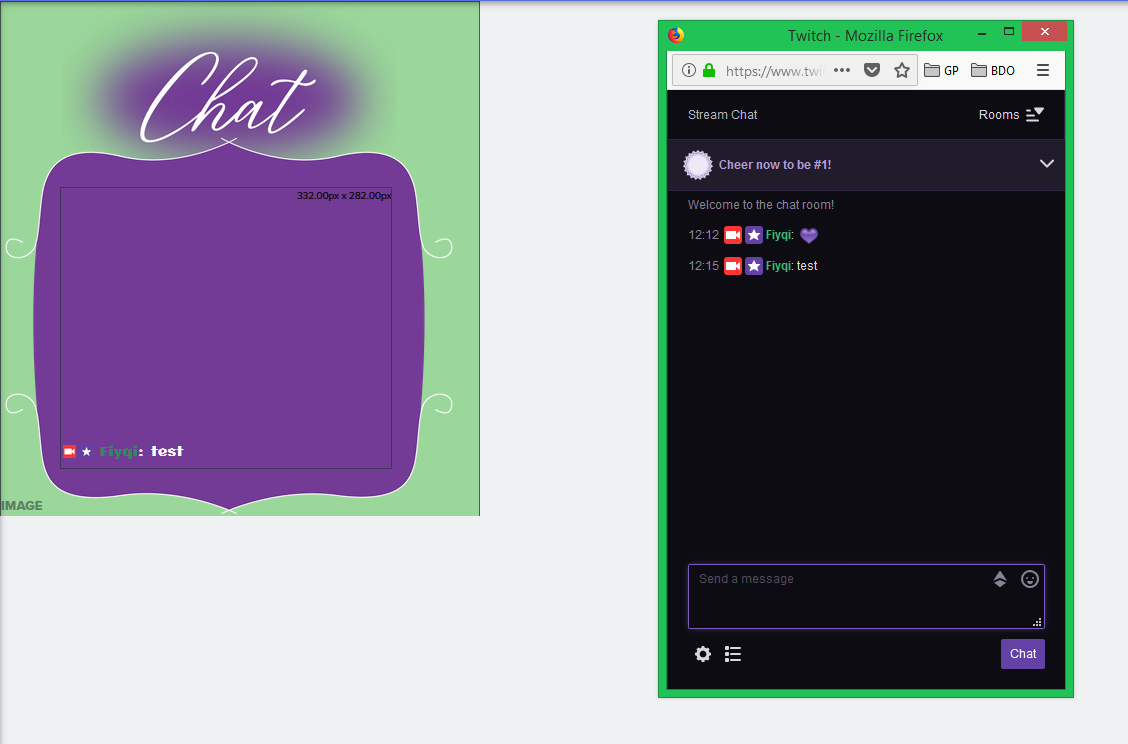
hey guys, I'm having issue with my twitch chat in a certain overlay. It works perfectly fine in one overlay, but not fine at all in a different overlay.
narrow coyote
That is usually caused by adding the overlay at an incorrect resolution
lilac creek
I can make an overlay partial too, right?
as in, have an overlay not be a screen resolution but like 500x200
so I can move it around as my heart desires
narrow coyote
you need to add the overlay at what ever resolution you created it as
if you made an overlay that is 1920x1080 that is just the chat widget, you need to add it at that resolution, and you could move it around as you please. The alternative would be to make the overlay a smaller resolution
lilac creek
that is the case though https://i.imgur.com/32pnYQL.png
 crimson gull
HeySTreamelements team, can I get some help? On my new channel, my leaderboards are infested by bots, how do I remove them from the Leaderboards list?
narrow coyote
and how does it look in the overlay editor? is the chat widget layer actually above the image layer?
lilac creek
it is*
it also actually works when in the overlay editor https://i.imgur.com/G4MSfLc.png
 crimson gull
@narrow coyote who do I contact for help?
narrow coyote
try refreshing the cache on the browser source
lilac creek
didn't work :/
narrow coyote
@crimson gull https://streamelements.com/dashboard/leaderboard/current
you can add them to the ignored list here https://streamelements.com/dashboard/loyalty
or ban them from your chat
 heavy fox
KITE, can I contact a member for help?
narrow coyote
@lilac creek have you tried making a new browser source? if it is working in the overlay editor, should work in OBS the same
lilac creek
let me try again
crimson gull
@narrow coyote can I ban users from getting points?
narrow coyote
@heavy fox you didnt really say what you need help with
heavy fox
Trying to change the Streamelements bot name
narrow coyote
@crimson gull
lilac creek
nope didnt work :S
heavy fox
thats about as specific as I can get lmao
lament blade
Hello, i have a problem. Who can help?

 ebon forum
@lament blade just post it, how can we help you?
narrow coyote
if you use things like !bonus or !addpoints the users will still get points from that
heavy fox
is kite the only staff here :/
narrow coyote
I am not staff
heavy fox
i assume you dont know how to help with changing the streamelements name ?
nocturne pelicanBOT
@heavy fox Custom bot name requirements
- StreamElements bot modded and in chat
- Active overlay with alerts
- StreamElements tipping page in the panels below the stream (!panels)
- Create a twitch account for the name you want to use
- Ground Control app must be running
Steps to enable custom name
- Sign in to https://twitch.tv with the bot account
- Install and run Ground Control (!gc for download)
- Visit https://twitchapps.com/tmi/ and generate an oAUTH token
- Copy/paste everything in the box to Ground Control oAuth settings and enter the name for the bot account
- Restart Ground Control (custom name may take a few minutes to take effect)
Mac does not currently support renaming the bot.
heavy fox
thx
ebon forum
not staff either, but we have enough people 😃
lament blade
I will log into StreamElements with my twitch account. But when I add it between channels, you're connected to another account.
"The Channel you tried to add is linked to a different account." My English is bad 😃
lilac creek
so @narrow coyote that didn't work for me either
heavy fox
ah there we go I have a mac thats why
lilac creek
i created a new browser source, chat's still not working :S
heavy fox
deuces streamelements needs better staff lol


 ebon forum
@lament blade a) what language do you speak? we might help in a different one and b) each twitch channel has a unique login, you can add youtube to the twitch channel.
narrow coyote
@lilac creek what version of OBS are you using? Might be worth trying to log out of SE site and back in, to get a fresh Twitch token
lilac creek
OBS 21.1.0
narrow coyote
lilac creek
lol
well uh
I never bothered updating it LOL
if it ain't broke don't fix it? 😛
you know what the problem is though?
narrow coyote
Might be worth trying the latest version, they did some major improvements to the browser source
lilac creek
I don't think it's OBS
lament blade
I want to use StreamElements, which can be a bot in my Twitch channel. I guess I signed in by e-mail before. But it is not my mail registered to twitch. I do not remember. That means you have access to another account. (I can speak Turkish, but I do not know how translate it is correct to use Google Translate.) @ebon forum
lilac creek
let me link you the source link for my chat
narrow coyote
we have #485869431793385482 channel
ebon forum
@lament blade we have a turkish support channel. but i only speak russian, german and english, so my answer is for now: if you log in with Twitch, you will get access. Just do not try to add more channels, log in with the one you need.
lament blade
@narrow coyote thank u
@ebon forum Is it necessary to add twitch channels here? I click on the warning above.
ebon forum
@lament blade you see the twitch channel right below the red line? this is already added.
lament blade
yea
ebon forum
@lament blade and no you do not need multiple channels actually. you get the warning when you try to add a channel that has it's own account already.
 deep steppe
ok, question, is says under chat commands that the !songrequest is controlled by module settings. where under module settings would that be controlled?
lament blade
but i check my twitch channel , i dont see mods streamelements.
ops, I saw now.
I took your time very sorry
 tidal gorge
hi
ebon forum
@lament blade nah we love to support 
you might want to check that out:
https://www.youtube.com/watch?v=UuweQah3v00&list=PLCDDKlFdScbEwdx5AntcQIS1InkFJwHtv

Setting up StreamElements is easy, learn how to in this video, hosted by Twitch Partner GIRLvsDUMB - Got any questions, or just want to say "Hey"? Join our D...
@deep steppe media share. if this is on, the command is also turned on.
deep steppe
ok where is media share then..
ebon forum
@deep steppe look at the left menu in the dashboard.
lament blade
Okey thank you. Do you think to add Turkish on the site? I was supportive to someone who was a close friend of mine. So I want to use you as a twitch bot. Thank you for the video. I am checking right now.
@ebon forum
deep steppe
ok
ebon forum
@lament blade site and bot already have the turkish translation active. switch the language at the top left corner for the site (in the dashboard) and bot language in default commands.
@lament blade we are finishing the translation, this is community driven right now.
lament blade
@ebon forum thank you, but its not supported turkish overlay? or edit?
I do not want to do anything wrong. That's why I bother 😃
ebon forum
@lament blade editor is too heavy to translate. it will remain english for now. overlays - you need to edit them with turkish text.
lament blade
okey i will check, thank you.
 copper bobcat
Whenever I enter my playlist StreamElements says it isn't one?
Anyone know of a fix, it is a playlist link...
Oh I may have got it - follow up question..
is there a way to shuffle a backup playlist?
torpid estuary
I am not aware of a way to shuffle your backup playlist @copper bobcat since it is just that, a backup playlist. Normally you would have song requests of your viewers in the list.
weary mist
shuffling is something that is on the list to add. There are reasons it isn't there now, but we want to add it back in
stable trellis
How do I get a invite code
nocturne pelicanBOT
@stable trellis The app is currently in closed beta, keys were given away at the Gamescom in Cologne, Germany.
Please wait and stay tuned for the open beta.
torpid estuary
np 
lament blade
How do I transfer the total amount of money I get from the website? PayPal Turkey also banned. I am asking for the statistical part. @ebon forum
" total donate "
Top tip: No date
data
ebon forum
@lament blade G2APay collects the money and you can pay that out manually to a bank account later. Paypal is separate.
lament blade
Do you know bynogame.com? publishers living in Turkey. He's using this site for donation. That's the sum of the money coming in there. He was on another bot. We could show it live stream on another bot.
Google translation, for sure it did not translate properly.
😄
 tranquil apex
is the website offline?
 thorn crystal
I love using timers to get information out on stream. I have one timer running and would like to enable a second. I would like it to work out so there's a message every 30 minutes and the two messages rotate. So timer A runs at 7:00 and timer B runs at 7:30 and so on. But if I set them both to 30 minutes they both run at the same time every half hour. Is there any way to alternate them?
weary mist
If they are short enough, you can use the $(random.pick 'thing1' 'thing2')
thorn crystal
So I would have the timer send the command, and the command would pick one of the messages to run?
lament blade
My timer doesn’t seem to work? When I’ve been steaming the bot doesn’t post anything ?
Also can I have a message flag up on screen when I’m streaming?
winter zenith
@lament blade whats your settings? The requirements must be fulfilled before the bot posts the timer
So when you set it to 5 minutes and 10 chatlines,
There must be at least 10 chatlines in your chat and at least 5 minutes must have passed
narrow coyote
@thorn crystal timers cannot trigger a command, you would use that variable directly in the timer
winter zenith
So if 5 minutes passed but only 5 chatlines have been delivered the timed message will be posted as soon as 10 chatlines are in chat @lament blade
lament blade
thorn crystal
So how exactly do you use a variable? I've never used them, and typing them in the chat like it's a command doesn't seem to do anything.
lament blade
That’s an example of one
winter zenith
So where the requirements met? @lament blade
weary mist
@thorn crystal the variable has to be in the command/timer response. These variables are wha tthe bot interprets, and turns into something else
lament blade
My friend was commenting in my stream earlier but it didn’t show. Would it show on my chat as well as others on their screen?
thorn crystal
Ahhh....so you create a custom command and use the variable in the response, or set up a timer with that variable in it. I see.
lament blade
If I was to type 5 lines of one word to test it should it do it ??
winter zenith
If you are online right now sure
lament blade
Dosnt work while I’m offline maybe I’ll have to try it tomorrow
weary mist
according to your screenshot, you ahve a 30 minute delay inbetween messages while offline
winter zenith
If not the offline timer requierment is 30 min as seen in your exsample @lament blade
weary mist
the 5 chat lines have to be met in the 5 minutes before that timer triggers for it to fire
if they are not met, it resets, and won't fire for another 30 minutes
lament blade
Ahhh I see 😃 what would you recommend it to be set at for online?
 radiant pine
Where can i get an inv code?
nocturne pelicanBOT
@radiant pine The app is currently in closed beta, keys were given away at the Gamescom in Cologne, Germany.
Please wait and stay tuned for the open beta.
lament blade
Thanks for your help 👍 I’ll play around again tomorrow maybe reduce timers and see if it works
radiant pine
Oh so you cant get any ?
pine hemlock
Negative
winter zenith
@lament blade it just depends of your chat. If no one chats probably long timer 0 chatlines . If some chat , 5-10 lines per 10-30 minutes
pine hemlock
Theres no way to get a code
radiant pine
Oh ok
winter zenith
@radiant pine yes negative means no. So no code
But at some point there will be a open beta
radiant pine
Ok because i asked if there was no way and he said negative so i assumed
winter zenith
Just be patient! 
radiant pine
Ok
 torpid juniper
How do I get the code?
nocturne pelicanBOT
@torpid juniper The app is currently in closed beta, keys were given away at the Gamescom in Cologne, Germany.
Please wait and stay tuned for the open beta.
torpid juniper
Ok
lament blade
My cureency is glitched and not working
 harsh gorge
What's upp
O my gosh
@torpid juniper what's up
@nocturne pelican how come I nvm
I need a code can anyone look at my text jees
nocturne pelicanBOT
@harsh gorge The app is currently in closed beta, keys were given away at the Gamescom in Cologne, Germany.
Please wait and stay tuned for the open beta.
 mild osprey
@lament blade in what way is it glitched?
torpid estuary
can you be more specific? does your bot react to commands? and how is your currency involved in your problem?
@lament blade try parting the bot from your channel, log out of SE, log back in and join the bot back in.
 fair valve
Is there a way for me to stop users giving each other loyalty points?
narrow coyote
turn off the !givepoints command
lament blade
@torpid estuary I did
fair valve
thanks @narrow coyote
narrow coyote
@lament blade Did you import from another bot? you have some duplicate commands, and commands that have variables that are not SE variables
narrow coyote
well, looks like you will need to go through your custom commands, and delete the duplicates and you will need to change the variables on the commands that have invalid variables
torpid estuary
If you go to your SE dashboard you will find the chat commands on the lower left. Click there and then on the tab "Variables" to get a list of the correct variables to use in your commands @lament blade
 cold ferry
do loyalty points not auto go to people who are already following/subbed after you set it up
or do you have to manually set points for people who are already following/subbed
narrow coyote
you would need to manually give them points, or have a .csv with user points, and import the points
 sharp maple
How do I get a wizebot
narrow coyote
I would suggest using the StreamElements bot
 warped salmon
hey I'm a mod for Nomakk and we haven't been able to see his chat stats page. his old name was Nomakk_BGR. any way he can get that updated?
also would getting a name update change any the points people in chat have?
late gulch
Can someone tell me how i can add a box where are the actuall subs listened?
like "Overall 150 Subs"
or a overall subcount
pine hemlock
@warped salmon we have to manually fix the page. I'll ask someone to do it
@late gulch there's a widget for that in the overlay editor.
warped salmon
cool, thank you!
 bold valve
Anyone there?
late gulch
@pine hemlock name of it?
bold valve
How do I see the redemptions I've done from other streams?
lament blade
Hello, i download streamelements ground control program. but where i find it JTW Token?
 carmine vapor
I need an invite code
 eager urchin
i have searched through all the settings but i cannot find where to change the camera
anyone got any idea how to do it
nocturne pelicanBOT
@lament blade You can find your JWT token on your account channels page: https://streamelements.com/dashboard/account/channels
(Don't forget to click on "Show Secrets")
@carmine vapor The app is currently in closed beta, keys were given away at the Gamescom in Cologne, Germany.
Please wait and stay tuned for the open beta.
narrow coyote
@eager urchin What are you referring to?
 normal igloo
Goddammit just as I was about to type it kite 
eager urchin
lol
Well im using OBS for the first time and i found where to change my speakers and mic over but i cant find the settings for my web camera
narrow coyote
You need to add a video capture source
should be called Video Capture Device
If you are not familiar with OBS, we have some stuff here that should be helpful https://www.obs.live/
narrow coyote
Why are you trying to add xsplit broadcaster as a video capture device
eager urchin
im not
i wanna add my camera but that keeps coming up as apparently my video capture device
narrow coyote
if your web cam does not show up in the device drop down, not much we can do about that
narrow coyote
thats literally what I said 
normal igloo
@eager urchin You realize Xsplit and obs are both broadcasting software right?
eager urchin
seems someone unplugged my camera for some reason
yes but its been suggest not to use xplit
normal igloo
Then why are you adding Xsplit into your obs then ? 
narrow coyote
You should probably just uninstall xsplit 
but I am pretty sure xsplit can be used as a "virtual camera" so it will show up in OBS as a video source
normal igloo
@narrow coyote But then why would you use 2 broadcasting softwares for one webcam 
narrow coyote
Some people are into some weird shit
eager urchin
agreed
now does anyone have a suggestion on how to display the game. im enjoying messing wit this
narrow coyote

OBS Knowledge Base
OBS Studio is one of the most powerful tools for a content creator. When first starting, however, it can seem a bit overwhelming. Even if you have been using it for a while there may be some options or settings you are unsure of, or you just want to learn as much as you can t...