#helpdesk-twitch
1 messages · Page 326 of 1
 weary mist
 serene granite
Yes @patent venture , it will take upto 7 days for each new donation to be available for withdrawal
 outer topaz
@weary mist is there a way to just $(itemName) for the sound?
weary mist
That is (in idea form) the same as putting $(redeem itemName) in the custom command
People don't see the variable, they just use the command !itemName (or what ever you name it)
 patent venture
@serene granite alright thanks!
outer topaz
sorry i understand now thank you so very much @weary mist , would you know why when someone goes to the store in browser and makes a purchase ^.^
 thorn wolf
how do I STREAM with my overlays on twitch
 narrow coyote
you add the overlay to your broadcasting software as a browser (web) source
 chilly vigil
hello. I think the SE report stats email has wrong info. email stated I have 10 unique chatters from my last stream but I don't see any on my chat. is this accurate?
weary mist
yes. It counts people that showed up in your viewer list (lurkers and bots included)
chilly vigil
Hmm.. 🤔 maybe the stats can be a bit more specific in the future because I thought chatters are those who chat
weary mist
the viewer list is also known as your chatter list
chilly vigil
ah okay..
I just feel that the stats report is a bit weird. different from what is showing on twitch stream summary
weary mist
we use as much information that is publicly available as possible. Twitch has some unique (and not available for us) ways to collect the data they show. Use what you think works for you. I like the report personally
 limber verge
hello is it possible to add commands for mods to let them promote songs?
 safe sun
I can’t seem to get !sr to work anybody got any tips?
weary mist
@safe sun make sure you have Free or Both selected in your media share settings, and you have media requests turned on
 nocturne pelicanBOT
@lament blade OBS.Live is a Plugin for OBS created by StreamElements. You can download OBS.Live here: https://streamelements.com/obslive
Please make sure you have the latest version of OBS installed, Current Version: 21.1.2. You can install OBS here: https://obsproject.com/
narrow coyote
What do you mean
OBS.Live is a plug-in for OBS Studio
There is OBS Classic and OBS Studio, classic has been end of live since Studio was released. When people say OBS, they are generally referring to OBS Studio
 exotic hinge
hello
i have mp4 files for my stream starting and ending
what do i put them in to get them as my stuff?
weary mist
^^ helped in DMs
narrow coyote
@half shell Your issue should be fixed now, sorry it took a while 
 copper bobcat
@narrow coyote It happened again where the goal bar didn't progress unless I refreshed the cache.
Every time a new follower or donation came in.
Sorry, I was live and didn't see your message to report it to you immediately.
Started happening ever since I adjusted widget data.
 half shell
@narrow coyote thank youu ❤
safe sun
@weary mist that did it thanks!!
Is there a way to add songs to the queue in bulk
Instead of painstakingly coping one url at a time?
 winter zenith
@safe sun no
But you can have a back up play List
Have good music saved In there and play it when no one requested anything
@lament blade yes the StreamElements extension
nocturne pelicanBOT
Our Panel extension can be added to your channel here: https://www.twitch.tv/ext/uaw3vx1k0ttq74u9b2zfvt768eebh1
 dense adder
is there a way to mirror goal widgets across all scenes vs having to edit it on all of them?
 stuck hamlet
You can copy them to different overlays, yea.
https://www.onslaught.ca/s/ynA6t78s.png This button @dense adder

OBS.Live is a plugin for OBS Studio, dont need to merge it
once you download and install, that's it
Yes, you can put your schedule there in the settings.
yes
stuck hamlet
It's already like that, people dont earn points while you're offline
Well that's different, that's an activity, we don't stop those
 tall apex
any potential timeline on more tipping options than paypal? saw someone mention above that it's in the works, would love something more specific than that but if that's all you can tell i understand
loving se btw 😃
 floral badger
Hey guys just wondering is there a way to let my mods enable/disable commands / timers / store items via chat
stuck hamlet
We don't have a timeline for them just yet @tall apex but it is being worked on
nocturne pelicanBOT
@floral badger
Chat/Bot Levels
100 - viewer
250 - subscriber
300 - __regular __
500 - moderator (twitch mods automatically placed at this level)
1000 - super moderator
1500 - broadcaster
Dashboard Manager Levels (least to most access)
Bot Supervisor (can add super moderators from dashboard)
Editor
Full Access
https://i.imgur.com/s61Liry.png

 near ember
I have a quick question I stream using the twitch app on my xbox one is there a way I can use overlays?
 quasi steppe
How do I remove Streamelements from my twitch?
floral badger
Hey guys just wondering is there a way to let my mods enable/disable commands / timers / store items via CHAT i know this is possible via the website but i have some mods that only open my stream on there phones
 crisp minnow
I'm really disappointed in the dono goal widget. It never updates itself in real time
 frosty lantern
@quasi steppe on the dashboard you will see a Part channel button in the Bot Settings. Located on the right hand side. If you wouldn't mind me asking, could i know why? All feedback helps us greatly.
@dusk pendant are all your problems fixed?
 dusk pendant
yup think so
frosty lantern
At this stage @near ember i do not believe the Xbox twitch app supports overlays sorry
for commands use !command add/remove/edit/options/show @floral badger .
there is a full list of your default commands at https://streamelements.com/dashboard/bot/commands/default

StreamElements
The Ultimate All in One Platform for Streamers
dusk pendant
Changed the res so 1600x900 and the stream ended picture looks rly weird
any way to fix this?
 keen anvil
I need help
I stream directly from my PS4. I have a Twitch account. Is there any way I can have a twitch overlay without having OBS or whatever considering I'm not streaming from a PC
 lament blade
Whenever i try to auth my account this pops up on the next page it takes me too
{"status":401,"message":"invalid csrf token"}
and its also poped up when i tried to auth when trying to get nightbot
 celest temple
Is there any way that I can have the cup bring in the bits vertically rather than horizontally?
 winged perch
Is there a "remove count" command?
We have a running joke on my channel about my partners love of bacon ad thus have this command -
$(user) gives Zunni a piece of bacon. Zunni now has ${count <bacon>} bacon slices!
We have a second command, that REMOVES the bacon from Zunni. Is there a command that can substract an amount from the count bacon?? Or even reset the amount??
celest temple
Try !editcount countername amount
Example !editcount death 6
And it if you have 7 deaths, it'll set it to 6
Unless that streamlabs chatbot, I forgot
Or was it !editcounter
winged perch
so the command would be ... $(user) takes Zunni's bacon away. Zunni has been a bad Zunni. Zunni now has !editcount bacon 0 pieces of bacon ????
I use the streamelements bot
celest temple
I am saying for the command.
winged perch
ahh So I would need to do it manualy?
winged perch
Best you can do is have something ON your screen that has a disclamer about bacon, and use that to appeal to paypal
@lament blade
Can I edit this command so it actually takes one away from the count?
$(user) takes Zunni's bacon away. Zunni has been a bad Zunni. Zunni now has ${<-1> <amount><bacon>} bacon slices
 sturdy oar
Hey, I just changed my sub sound, but for some reason when i emulate the event there is still part of the default sound playing...so basically it plays my sound like it should then one bell ding from the default sound for all notifications
Any ideas why in the world its doing that, and no it is definitely not in my sound file
winged perch
@sturdy oar I have the same problem. This a bug?
sturdy oar
@winged perch I'm not sure but if its intended I find that rather strange
winter zenith
//Cracks knuckles//
Okay let's go
@dusk pendant
Dont change the Overlay size of our Provided overlays. The graphics are made for 1920x1080
Downscale the overlay in OBS itself.
@idle trench what did you broke?
@keen anvil
No you need a capture card for it to go into your PC and input in obs or other stream Software to be able to input a overlay URL
@lament blade probably something wrong with your Account? You really mean StreamElements? What you mean with "auth my Account"?
@celest temple
You can tunr the browser source in OBS so it moves in vertically
 normal igloo
@sturdy oar What browser are you Using?
winter zenith
@winged perch
!editcounter COUNTERNAME - 1/+2/0
@lament blade a refund disclaimer probably is best and proof of the Person making the donation is fine with donating.
Also blocking the Person to donate again is also possible
!Multi @sturdy oar
normal igloo
!Multi
winter zenith
@sturdy oar ok Since the bot doesnt work again...
You probably have a old alert Box in your other scenes that isnt turned to "shutdown if not visable"
That's making the old "ding" soundeffect
winged perch
@winter zenith would I be able to add that into the end of the command?
It is currently, viewer types !notbacon and the bot runs the command " $(user) takes Zunni's bacon away. Zunni has been a bad Zunni." do I just add "!editcounter COUNTERNAME - 1/+2/0" to the end of the command?
winged perch
okay. So it isnt possible for the !notbacon to minus a point from the bacon total?
winter zenith
No
sturdy oar
@normal igloo Chrome
winter zenith
The way a counter works is :
Do a command that counts up
Do a command that displays where the counter is with out adding more to it
Editcounter to - edit the counters
normal igloo
Like kiwa was said
You probably have a old alert Box in your other scenes that isnt turned to "shutdown if not visable"
That's making the old "ding" soundeffect
@sturdy oar
sturdy oar
i read it
winter zenith
So? Is this the case?
normal igloo
np kiwa 
winter zenith
Do you have another alertbox widget either in the overlay Editor?
Or in another Browsersource in obs a old alertbox overlay?
sturdy oar
no just the one browser source in OBS
winter zenith
So you hear the normal Sound "ding" when you test a Event in the overlay Editor?
Like from your Browser?
Or do you have OBS open while testing?
sturdy oar
It seems to be fixed now
normal igloo

winter zenith
So? What did you do?
sturdy oar
I went through and reset all the sounds earlier
 light basin
Hi I have a question about commands, how can a mod of mine restrict a newly created command in chat?
 vital wyvern
@light basin When you have created a new command in chat you can select who can use it via User Levelwhen editing the command on https://streamelements.com/dashboard/bot/commands/custom
StreamElements
The Ultimate All in One Platform for Streamers
You can select the user cooldown or global cooldown by going into the advanced setting on the command itself
 idle trench
@vital wyvern Hey dood....how can I get my JWT token?
nocturne pelicanBOT
You can find your JWT token on your account channels page: https://streamelements.com/dashboard/account/channels
(Don't forget to click on "Show Secrets")
vital wyvern
here you go @idle trench 😛
vital wyvern
If you have any other question or that you need help with, just hit me with that @ chanpai XD
light basin
@vital wyvern so you cant edit it on the chat itself? only through the web?
nocturne pelicanBOT
@light basin You can make changes to custom commands in chat with!command add/remove/edit/options/show Valid flags for !cmd options are: -cd (number) -usercd (number) -cost (number) -level (number) -type (say, whisper or reply) -count (number). --- Example: !cmd options twitter -usercd 60 -type reply -level 250
limber verge
is it possible to make any command for mods so they can promote songs?
narrow coyote
what do you mean by promote 
if you mean to move a song up in the queue that is not going to be possible with a command
celest temple
Hey @winter zenith what do you mean?
By turn the Browser source?
Also, is there is issue with the commands?
winter zenith
@celest temple you can manipulate sources in obs
Turn it around
You can always Google stuff like that or watch basic tutorials So you understand what you can do with the Programm

Welcome to my in-depth course and tutorial series for OBS Multiplatform and OBS Studio. In this series and playlist, you will find OBS Multiplatform tutorial...
@celest temple also no there are no Problems with commands what seems to be your Problem?
 frosty stirrup
hi there I'm trying to get my give points command to work but it's not working at all, I have tried everything but still nothing, what am I doing wrong?
winter zenith
@frosty stirrup
How do you type it in chat?
frosty stirrup
well my command says !givepoints then the viewer then how many points to give and I tried that but still not working, a friend of mine does !bonus with the name then the amount of points and it works for him just not me
winter zenith
Is it your stream?
The default command "addpoints" needs to have the requiered userlevel
 zenith widget
@frosty stirrup !givepoints essentially takes YOUR points and transferes them to another user of your choice
And what Kiwa said 
winter zenith
If you are the streamer. Use the command
!addpoints username 123
Or the alias
!bonus username 123
frosty stirrup
yes it's my stream
winter zenith
Like keizar said.
!givepoints username 123
Is to give your points to some one else
frosty stirrup
basically yes but I also wanted other viewers to give points to each other
winter zenith
Yes so what is the User Level on "givepoints"?
frosty stirrup
at the moment I set it as broadcaster but was going to change it to everyone once I had tested it
winter zenith
Broadcaster - Moderator - Regular - subscriber - everyone?
Yeah there is the Problem. If it is set to broadcaster only you can use it
The command
!addpoints
Should be for mods or broadcaster only Since you can make endless points that way
frosty stirrup
ok thank you so much for your help
winter zenith
No problem that's why we are here 
 hollow escarp
Hello there! I wanted to know if there was a possibility to export the loyality data from streamelements? I needed it for a streamlab extension !
winter zenith
Nahhh why are you leaving us? 
hollow escarp
Noo I'm not !
winter zenith
Oh you not?
hollow escarp
It is just a Twitch extension that gather the loyality points to the streamlabs twitch extension
winter zenith
Yeah but you cant really use both loyalty Systems at the same time
hollow escarp
and will use it as an interactive extension, instead of creating a new loyality in steamlabs
winter zenith
So when people gather points with the slabs extension
They wont have it in stream elements
hollow escarp
Oh... Makes no sense to me then
winter zenith
Same 
 tight harness
If you export the points it'll export the points as they were at that current time into a file, it won't create a link
hollow escarp
That's sad tho the extension was cool ;_; Ithought it would work
winter zenith
Sadly no sorry
What doese it Do?
Maybe we have it on our ideas board already and will come to StreamElements also
Only better and cooler 
hollow escarp
No, but in the extension I needed to import the loyality points from SE to Slabs so I thought it would use the SE points and stuff ;_; I don't get what they're asking for the SE loyality data then lol
Mmmh let me check
hollow escarp
ooooh ok
winter zenith
But then you couldnt use the StreamElements store anymore
Or get bonuses points uppon tipping and stuff like that
hollow escarp
Yeah I didn't think about that... Then I did the wright thingy with asking !
winter zenith
You would need to switch the whole System just for that one extension. Not really worth the hasse if you ask me 
Yes you did
hollow escarp
The extension seemed nice tho. Looting process, games..
 stark swallow
Hi is there a media kit for SE? Looking for logos and stuff to use on my panels on Twitch
zenith widget
@stark swallow https://strms.net/assets you can use these if you find them fancy
zenith widget
but if you are looking like the ones provided from lets say Nerd or Die free panel creator, then we don't have those
zenith widget
ooh wait there is a panel subfolder there i'm stupid
Roboto maybe?
seems like the default font for most SE text stuff so far
 keen girder
Thank you for helping me with everything @viscid pebble
 pure crystal
Hey, for some reason my bot tells that I have 0 Subs.. with these command - We currently have ${channel.subs} Subscribers
 dusk skiff
Is anyone else having an issue where the Extra Life Widget is spamming old alerts every time the alert is loaded?
pure crystal
!subs (custom)
 jaunty urchin
!subs
dusk pendant
Wait, if I add a new scene and customize it and call it "stream end"
doesnt that mean I have to have my stream online for it to be shown?
And what numbers should i have in these for it to work? my screen is 1600x900
tight harness
Super themes are designed to be 1920 x 1080, as is the Twitch video player
dusk pendant
oh okay
tight harness
You can downscale it to 1280 x 720 for example using the OBS Video settings, but 1600 x 900 might look a bit squished, you can try
dusk pendant
it worked
i think
But I use this as a separate scene right? on obs
Doesnt that mean i need to keep OBS and twitch on to keep my offline screen online?
tight harness
Offline screen? This isn't an offline screen, this is a Stream is ending screen
It's meant to be shown as your stream is ending, before you shut it off
dusk pendant
ait
 tawny bay
I like gambling in my stream but can be annoying for chat when 5 or so doing it. Can you use !gamble or any command in stream chat rooms?
also i am trying to use a follower goal but it's saying i have 2670 followers instead of 919. Making my goal really wrong
normal igloo
@tawny bay If you mean chat rooms as in can the bot do. Separate twitch chats then no
tawny bay
dang ok
normal igloo
And for the follow goal did you reset it before you started it?
tawny bay
not that i know of
normal igloo
Then that’s probably why
Never really used the goals myself so can’t really tell you more then that
 bright tartan
My goals on my overlay aren't updating during my streams unless I hide and then show my browsersource to force it to update. Anyone else having this issue?
normal igloo
@bright tartan as far as I know no one else has reported this issue
bright tartan
It's been doing it for 2 days now for me
tawny bay
not seeing anything to change my follower goal's starting number to be the correct amount of followers i have
 pale jewel
Hello I am trying to set up the stream elements count down, but I dont know to how to change it to pm. if some one could help me that would be great :0
normal igloo
@pale jewel You mean the twitch extension?
pale jewel
yes i do @normal igloo
normal igloo
@bright tartan @tawny bay well I'm sorry to hear that guy's Hopefully someone who has Experience with the goals Will get that fixed for you guys
@pale jewel the twitch extension Goes off by 24 Clock So for example 16 = 4pm
pale jewel
ohhhhhhhhh
lament blade
WHAT does this mean {"status":401,"message":"invalid csrf token"}
vital wyvern
Where does this appear @lament blade ?
 leaden shadow
some can help me in spanish?
I change my twitch name : aliyus_cf to aliyus, and naw the comands not found in my stream chat
The Channel you tried to add is linked to a different account. this message appears in streamelements page
what can i do to solve this
???
pls
tawny bay
Spamming won't help
vital wyvern
@leaden shadow part the bot and make it join again
leaden shadow
nothing
nocturne pelicanBOT
Please connect your Twitch and/or YouTube channel with Discord by going to ⚙ Settings and then Connections here in Discord. https://streamable.com/eg92w
 tawny bay
even sub goal doesn't show right amounts. starting to wonder if the goals are glitched entirely
vital wyvern
@leaden shadow could you do this for me?
@tawny bay strange, the bug should be fixed il hear again
tawny bay
hope soon. i have a plan for giveaways using follower goal tonight
leaden shadow
now?
stark swallow
Does anyone know how tos et up staggered alerts? I can't seem to figure out how to do it with tip amounts?
The idea being the higher the amount, the different alert that would play. I tried Variations, but it seems to ignore the settings and instead just picks the bottom one.
nocturne pelicanBOT
@leaden shadow To invite managers to your dashboard, Click on your Channel Name at the top of the dashboard and scroll down to Settings. Click the drop down arrow to expand your channel managers and then create a new invite at one of three access levels (Bot Supervisor, Editor, Full Control) Check this video out for more help: https://youtu.be/zl_h-ttZDF0
vital wyvern
could you send me a invite so i can take a look at what is happening on your end 😃
stark swallow
?
vital wyvern
you send the link on DM
tawny bay
another update on goals. i did a follow test and well....... it went from 2675 to 13
so either i lost all my followers or............ 🤔
stark swallow
@vital wyvern was that in regards to me?
vital wyvern
No that was for @ AliyusCF#0275
@tawny bay on your overlay, go to Data, aggregates and refresh the aggregates 😄
vital wyvern
No thank you @tawny bay 😄
 normal wagon
Hello, can help me? Why is not that right in the corner of the picture?
vital wyvern
The green area on our editor is representing the 1920x1080 resolution, so you would need to move it all the way to the right side 😄 @normal wagon
vital wyvern
Scratch that, you need to fix it on the browser source
vital wyvern
Also what is your native resolution ?
normal wagon
1920x1080
vital wyvern
allright, change the resolution on the overlay to 1920x1080
and on the browser source on OBS to 1920x1080
nocturne pelicanBOT
@normal wagon The default resolution for StreamElements overlays (theme and custom) is 1920x1080. Please add them in OBS at their full resolution and use CTRL+F to fit to screen if necessary. You can then downscale your stream in OBS settings > Video if you'd like https://i.imgur.com/6bWXxjR.png
 normal wagon
yeah, thanks it works nice ❤
vital wyvern
😄
 ebon atlas
can you have the bot delete /me messages?
 ruby wharf
Can someone help me?
lament blade
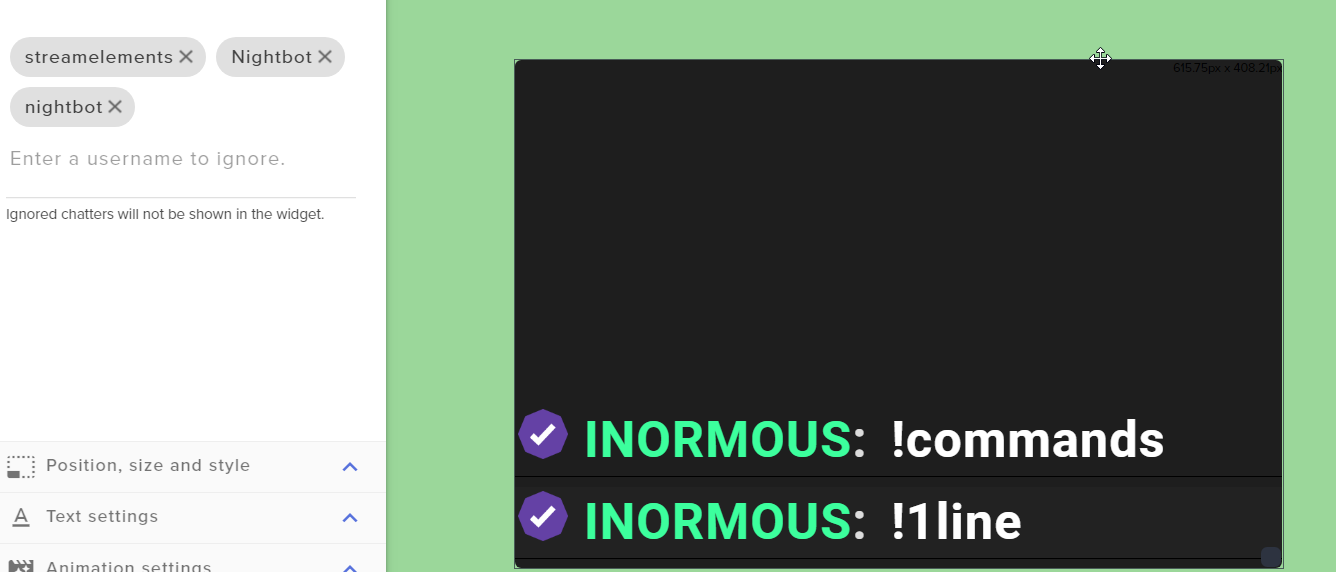
hi! I am using the chat widget but can not ignore Nightbot in the chat eventhough I added it
Your own bot is ignored and doesnt show in the chat widget
 proud pumice
@lament blade let me check that for you
lament blade
Thank you
normal igloo
@ruby wharf If you need help it's best to tell us your issue Rather than just saying you need help
ruby wharf
For sure. My problem is i've set up donations in steam elements and I tried a test donation and it does not register in stream elements, only in paypal
stark swallow
Does SE have any connections or integrations for GameWisp?
proud pumice
@lament blade your chat is in 1hr follow, so i cant test myself, can you make nightbot say something?
also, should /mod streamelements
lament blade
added and removed follow only mode
proud pumice
 lament blade
works good now it seems
proud pumice
fixed, seems like nightbot is registered at lowercase N on twitch chat
so added that to the ignore list
lament blade
oh !! thank you so much!
normal igloo
@stark swallow Not of my knowing
proud pumice
happy to serve, thanks for using our platform
normal igloo
^^^^
proud pumice
fyi we watch your stream from time to time in the SE office :D
lament blade
hahaha!
proud pumice
we're still puzzled about everything that goes on there
normal igloo
Guys he's not lying SE do watch your stream from time to time in the SE office I should know from personal experience Cough cough @proud pumice 
proud pumice

lament blade
hahahaha
vital wyvern
Svenske???
normal igloo
proud pumice
SVENSKELEMENTS
vital wyvern
Norske  XD
XD
normal igloo
Winter is Coming children 
vital wyvern
Its allready coming here in norway 
zenith widget
@ruby wharf How have you tested the donation if I may ask? A friend sent you one? If yes, did they use the SE tipping page with your name on it?
ruby wharf
yes
lament blade
hm im back again
ruby wharf
I'm actually moderating my friends account
zenith widget
You are not the streamer?
lament blade
looks like Nightbot timers is still showing
normal igloo
@vital wyvern Winter hath already cometh for thou haply 'twill cometh to me eke lief then 
ruby wharf
i sent it to his donation page as it states
zenith widget
@normal igloo Defend the wall in #general-chat 
ruby wharf
and it went to paypal but not in streamelements
proud pumice
@lament blade exit the overlay, reload - readd nightbot, its possible you overwritten the change i did since you were inside the overlay
lament blade
alright!
normal igloo
@zenith widget yes sir
proud pumice
yeah
lament blade
aight
proud pumice
let us know if doesnt solve, maybe there's an actual bug here
lament blade
keep it cool
proud pumice
sneaky nightbot
lament blade
FU him
zenith widget
@ruby wharf So the tip shows up in PayPal? Can you check if the tip is pending or on hold by PayPal?
That maybe the cause for the tip to not show up in the activity feed
ruby wharf
let me check
zenith widget
Usually after tipping an email is sent to both sides, saying what happened. If the tip is on hold in PayPal system, no one gets an email afaik and we don't get a notification from PayPal's API as well.
zenith widget
tip moderation stops tips from getting into the activity feed? 
didn't knew that my self
ruby wharf
I got an e-mail saying it went through...im waiting to log into his paypal to see if he got it o his end
zenith widget
If you want, tell me your streamer's name
ruby wharf
TripleDekes
zenith widget
Most likely a PayPal issue for the original one 
ruby wharf
you payed with your PP account?
zenith widget
yes
ruby wharf
yeah...mines not registering...
zenith widget
Most likely you may have an issue with your paypal account
if may say that it left, but its stuck somewhere in PayPal limbo
zenith widget
This may also be due to your bank having set some limitations or restrictions on your bank account or you need manual approval for the money to leave your account
ruby wharf
it says he needs to "accept" it
i'll have to do some investigating on his pp account
thanks for your help
we'll refund your dollar
ruby wharf
wow, thanks man
zenith widget

ruby wharf
appreciate it. you all have a good weekend
stark swallow
I don't suppose there is a way to get the Event List widget to align Horizontally on the bottom of a screen is there?
 near sun
Hey folks, how goes
stark swallow
hey
 woeful oriole
hey im back with probably another stupid question. I accidently deleted so cheer default variations is there anyway to reset it so all the default variations are back?
near sun
<@&382267076632379392> Anyone about for a question? Trying to learn this system in combination with SLOBS, so any input is great. 😃
zenith widget
@stark swallow You can do that with the Custom Event List, you just need to touch the CSS a bit to align it horizontally
@woeful oriole You can make a new alert box widget from the widget section.
That will return the variations of the cheers
near sun
Hey Kei, just got introduced to streamelements, and trying to get things figured out. I see streams with tipnotes that get read off, is that something I need to configure?
zenith widget
@near sun We strongly recommend to use OBS Studio
as SLOBS tends to block some of our overlay functions
woeful oriole
ok thank you ill do that
zenith widget
or the overlay it self
stark swallow
@zenith widget Yup. Just realized that I'm messing with it now but I don't think this will be an easy conversion since SL uses different conventions....
zenith widget
tip notes getting read off? as in an automated voice? if yes - thats the TTS settings for the alerts
near sun
Yea.
zenith widget
@stark swallow What do you mean? You want to import SL custom CSS+JS to our widgets? You can do so, by just replacing most calls/variables using the doc in the pinned messages in #dev-chat
stark swallow
Right.
It's not the JS that's messing me up, it's the CSS...
It's hard to describe but I can't get the SL custom to work with the SE custom.
zenith widget
the HTML and CSS should not be that different really
its the JS that should be different with the listener and all
stark swallow
doesn't seem to be working for me, copying what I had in SL seems to empty it.
zenith widget
Did you try the import tool?
woeful oriole
sorry to bother again but is there a less "scorched earth" method instead of adding a new alert box ive made a bunch of edits already and would rather not redo everything but if its unavoidable i dont mind
zenith widget
@woeful oriole What exact default images you want?
@stark swallow I don't want to do this, but mind DM me a JSFIDDLE of the code you want to import?
@woeful oriole Is this these variations?
woeful oriole
yeah
zenith widget
ok I'll DM me the images
zenith widget
@woeful oriole Sorted over DMs
 pliant fjord
i need help
zenith widget
i need question
pliant fjord
You are helper?
zenith widget
I think I am 
pliant fjord
ohh okay
pliant fjord
Im only 14 so i dont know how too check for pending payments
xD
im new too streaming but i was donated 1$
zenith widget
Ok, I want to point out something very important. You need to be 18+ to use PayPal
21 if from USA
pliant fjord
my parents are helping me
zenith widget
Thats not very assuring for me, but ignorance is bliss
Ok so you say you unblocked payments. Where did you do that?
zenith widget
So in short - paypal
pliant fjord
ya
zenith widget
ok, so i assume at this point, if the payment was donated to you some time ago and it was set on hold for you to accept, PayPal's system did not notify us of the tip and most likely will not notify us when its accepted
We rely on at-the-moment-notifications for tips.
zenith widget
If you've setup your PayPal in your Tipping Settings on OUR dashboard
you should be fine
zenith widget
There are 3 things for that then:
- Person sent you the money, was placed on hold, you accepted it, then it takes a bit of time for show up on your balanace
- Person sent you the money, was placed on hold, he charged back while on-hold, but afterwards you accepted but it was charged back
- It maybe best to ask your parents to take a look at your PayPal account and contact PayPal Support.
 wet lava
ok anyone else not sub alerts on ground control
stuck hamlet
Are you a new affiliate? @wet lava
wet lava
no
stuck hamlet
Are the alerts showing up on screen?
stuck hamlet
When was your last sub and what kind of sub was it?
proud pumice
yup, we're in closed beta for a higher quality merch ;)
outer topaz
should i need more than one store redemption widget to get the alert to go off?
weary mist
@lament blade there is a duplicate widget button in the manager
@outer topaz nope, one is good to go
 visual shell
hey I need some help, is there any way for me to play music on my stream with the xbox twitch app?
 restive warren
Hi! I have a question about StreamElements Leaderboards on Twitch, anyone could help me please? Thank you very much!
stuck hamlet
just ask your question @restive warren
restive warren
Yes, sir, thank you! I installed the extension on Twitch, but the store item would not show up, could you help me please?
stuck hamlet
Are the items redeemable through the bot?
restive warren
I added redeemable store item today. What do you mean by through the bot?
stuck hamlet
There's an option when creating the item thats called "Redeemable via chat"
restive warren
Yes, it is already checked when I created it.
weary mist
yes, because twitch does not differentiate a re-run from live in the api
 merry loom
All my alerts are repeating its really weird and annoying
nocturne pelicanBOT
@merry loom Make sure to :ballot_box_with_check: “Shutdown source when not visible” for all browser sources (all OBS scenes). If using studio mode, uncheck “Swap Preview/Output scenes After Transitioning.” Also keep in mind that sound can play from any overlay loaded in the browser (editor or launched). https://i.imgur.com/FegZJQS.png https://i.imgur.com/yY0wcFl.png

 restive warren
Hello, any more help please, for my question of the store item not showing up on extension panel? Thank you very much!
merry loom
but that makes it delay on transition
maybe if i make a new overlay just for the notifications like dono and add that to all instead will that work ?
nocturne pelicanBOT
@merry loom Check out this tutorial for OBS’ studio mode which allows you to preload scenes before transitioning. https://www.youtube.com/watch?v=W8iWsD2Lq3U
lament blade
Whats the command for allowing someone to post a link on stream elements?
lament blade
bit animation is frozen on stream while live, what do i do?
weary mist
@lament blade !permit
@lament blade refresh the cache on the overlay: double click source, scroll down
lament blade
does that apply for the alert itself? @weary mist
weary mist
yes
lament blade
that did not work, i did that for both the bit cup and the main notifications @weary mist
weary mist
and the alert is still frozen?
lament blade
Whenever i refresh it and do the scene over again, it'll go through the animation and at the last second itll stand still
weary mist
does it happen for other alerts as well?
weary mist
oooh, so the cup is having the issues. That migth be something to do with the variation. Try changing the item shape from capsule to something else, and also make sure it isn't in sprite sheet format
lament blade
How do i change the item shape?
weary mist
that is in the variation settings of the cup itself in the overlay manager
lament blade
so reduce the "token size"?
and it was originally at circle for the shape
so i'll switch it to capsule
weary mist
not reduce, change the shape
weary mist
another thing you might try is to create a new overlay with a new cup. I think there have been some changes to newer versions that should fix that issue
nocturne pelicanBOT
@lament blade Here is the StreamElements Ideas Board: https://strms.net/ideas
weary mist
things are marked there as in progress, planned, etc. And you can get email alerts
it loaded perfectly for me
what are you getting when you attempt to load the page
thats pretty weird. Do you have a VPN?
celest temple
Sorry, I was busy with life.
So I am not sure if the last SE staff could help me and misunderstood me
I was wondering if there is a way that the bits can fall vertically rather than go across the screen horizontally.
I just want it to fall into a cup, not scroll across.
weary mist
you can do it, just put it into its own browser source, then use OBS to rotate the source
celest temple
I have to do it in it's on overlay?
gulp....
I have all of the settings for the cup in that one overlay...
weary mist
create the blank new overlay, then go into the old one, and duplicate it to the new overlay
celest temple
I guess that works
But I mean, can't there be a simple settings as "Bits Fall Vertically" or "Bits Across Horizontally"
weary mist
I mean, that could be something added in the future, but right now, this is the way to do what you want
celest temple
How do I rotate the browser in OBS?
weary mist
right click the source, go to transform, then rotate 90 degrees
weary mist
Oh, I think I get it. Instead of the bits coming from the side, they just drop straight down into the cup?
weary mist
Its late for me, lol
Just make the cup box larger than your OBS canvas, and position it so you don't see the bits coming from the side
the only thing you will see is the bits falling straight down
celest temple
Hmmmmmmmmm.........
I want to have it like a effect
Where it looks like it feel from the top of my screen
Or in this case, top of the canvas
weary mist
possible, depends on where you live
it is income, so it is reportable on your taxes. It will tell you when you fill out the forms
I don't think I get anything taken out, which just means I need to report it on my tax returns
copper bobcat
Is there a way to review stats like most popular streaming time for your channel? i.e. "Monday at 6pm is your most popular hour"
weary mist
that should be in your end of stream report that is emailed to you 15 minutes after you go offline. It will show you your peak viewership times. There isn't anything right now that shows all the data, other than maybe twitch (for over time). There are other services right now that do show things like that. It might be something planned in the future
they are disguised to prevent people spamming their DM's. Best place to present ideas is in the ideas link I sent you before
lament blade
I need help wit my settings
im rocking a 1080ti 7700k but i still experience some fps drops
while streaming in 720 60fps
so i downloaded a theme and my recent followers arnt showing up
how do i do that
weary mist
we can only show follows that have happened since you joined the platform. You can add data to the Data tab, like latest information
weary mist
@lament blade what are your streaming settings currently at? Can you send me a screenshot?
@lament blade correct
 cedar fulcrum
@lament blade What is the previous platform you used?
lament blade
ok 1sec
streamlabs


using my cpu i get more fps
which dosnt really make sense
weary mist
@lament blade so, because you are using GPU encoding, it does have to fight for processing power with what ever game you are playing
lament blade
when im rocking a 1080ti
weary mist
CPU is best encoding option, it takes more GPU to get the same results that a CPU can produce
lament blade
so i should which the encoder to cpu
do i click the '' Enforce streaming service encoder settings''?
 hasty glacier
I am still having issues with StreamElements saying I need to add an overlay, I currently have 4 active overlays. Did you manage to find anything out about that @weary mist
weary mist
@hasty glacier not yet
lament blade
do i just need to use the overlay url in obs or do i have to add a url for each widget like in streamlabs
 lament blade
hopefully
what about other settings?
dont need to change anything in advanced or anything?
weary mist
nope, should be good
lament blade
ok imma try it now
do i just need to use the overlay url in obs or do i have to add a url for each widget like in streamlabs
weary mist
just the overlay URL. your choice how you build it. Either you can build them all into one url, or have seperate (easiest is in same url)
lament blade
ok i downloaded a custom theme from the theme shop or whatever is that all in one
weary mist
so you just need to add the URL to obs as a browser source, and you will see the whole thing appear
lament blade
Yea that helped
alot
thanks
another question
is it possible
to take an alert from one of ur overlays
an animted alert*
and put it in not a animed overlay?
animated*
weary mist
yeah, click the alertbox widget, then in the layers tab, click duplicate, then choose the overlay you want it to be in
weary mist
it shouldn't, it is just a plugin to OBS studio
I am streaming with it right now, no issues
lament blade
okay another question
Im using streamelements right
whenever an alert pops up
it just goes echo mode
cus they pop up on my other scenes
aswell
if that makes sense?
nocturne pelicanBOT
@lament blade Make sure to :ballot_box_with_check: “Shutdown source when not visible” for all browser sources (all OBS scenes). If using studio mode, uncheck “Swap Preview/Output scenes After Transitioning.” Also keep in mind that sound can play from any overlay loaded in the browser (editor or launched). https://i.imgur.com/FegZJQS.png https://i.imgur.com/yY0wcFl.png
 simple oriole
How would a create a panel for people to subscribe to my twitch channel
nocturne pelicanBOT
@simple oriole Twitch's official help guide for Panels: https://help.twitch.tv/customer/portal/articles/2416760-how-to-edit-info-panels
weary mist
@lament blade no clue on that, might depends on different stats including monitor type, etc. But I am running an rx480 and a ryzen 7-1700x, and 3 monitors while I stream
lament blade
gotcha
 scenic lodge
Good Morning 😃 My bot name has not changed yet. Help please!
nocturne pelicanBOT
Custom bot name requirements
- StreamElements bot modded and in chat
- Active overlay with alerts
- StreamElements tipping page in the panels below the stream (!panels)
- Create a twitch account for the name you want to use
- Ground Control app must be running
Steps to enable custom name
- Sign in to https://twitch.tv with the bot account
- Install and run Ground Control (!gc for download)
- Visit https://twitchapps.com/tmi/ and generate an oAUTH token
- Copy/paste everything in the box to Ground Control oAuth settings and enter the name for the bot account
- Restart Ground Control (custom name may take a few minutes to take effect)
Mac does not currently support renaming the bot.
scenic lodge
I sure did and nothing happened
floral badger
Hey guys i i’m wondering is there eny way to make a longer command than 400 characters because i want to use some custom api’s but they do not fit?
scenic lodge
So, no one can help? I was told to join the Discord from the main site if I needed any help.
cedar fulcrum
@scenic lodge I will look it up
scenic lodge
Okay, thank you
cedar fulcrum
@scenic lodge I tried it now and it seem to work for me I will DM you and we will try to do it again together
scenic lodge
Okay, Thank you!
 wind patio
Good morning. Im trying to make store, i added store items, i made them as Sound effects, but when i bought it from store, nothing is showing up on my obs or twitch, i can hear it in obs, but i cant see that gif. Any ideas please? Thank you for your time
zenith widget
@wind patio You need to have the redemption widget added to the store and make sure the items are set as "Store Perks"
and to overwrite the default alerts
wind patio
I changed it to stream perks and it works, thank you so much and sorry for your time, thank you
zenith widget
Don't worry about my time, its what I'm here for and others as well 😉
 white lintel
What are y'alls sub emotes?
zenith widget
white lintel
I meant the ones like
zenith widget
I don't have sub emotes.
white lintel
The SE bot can use
white lintel
Nah that's what I meant thank you
Do I just go one it's page
And see it's emotes int he menu right?
zenith widget
https://www.twitch.tv/streamelements here sure
white lintel
Aye thanks mate
 oblique steeple
nope but i will try it rn.
Okay i can't. If i click the reconnect button the white windows flickers one time and nothing happens. Should I try to reinstall it? 😄
oblique steeple
reopened OBS like 4 times
 pearl light
ok, let's try and reinstall then
oblique steeple
Your uninstall How To says that I have to delete a file called "obs-streamelements.pdb" but it doesn't exist. Is this bad? 😄
pearl light
you don't have to do that, just reinstall and you're good
 near nexus
Can we update obs.live or do I need to redownload?
 upbeat tree
Profile picture elongated
oblique steeple
Well my problem is fixed after i reinstalled. Thanks for the help. 😄
zenith widget
@upbeat tree Where do you see that?
upbeat tree
obs.live On the left panel click the 3 bars for activity feed
zenith widget
@gilded yew I would suggest just in case to stop the download, turn off your router for 5 minutes or so and then turn in on and try again
upbeat tree
oblique steeple
it's normal for me tho https://i.imgur.com/PVvXFeV.png
 zenith widget
Ok, I'll report this 😉
upbeat tree
But yeah still report it lol
vital wyvern
@gilded yew where are you located?
zenith widget
I actually just closed the tab and opened it again and it was fixed
bug reported and documented
upbeat tree
Also @zenith widget
Even with font size set to smallest you can't shrink the activity feed anymore

 gilded yew
@vital wyvern in russia
upbeat tree
Whith the font all the way down there is extra space you could make the activity feed smaller
vital wyvern
And is it fixed now after the restart @gilded yew
upbeat tree
But it is locked to a set size
zenith widget
I can set it to minimum slider position and I don't see any extra space or anything on the slider
it is a bit touchy
upbeat tree
okay
upbeat tree
it doesn't matter lol. It's not a big deal
zenith widget
Any feedback is good feedback
zenith widget
I pointed internally that these buttons for me are hay big then they should be
and suggested a hide/unhide button like the filter arrow
so yea, any feedback is good feedback
upbeat tree
they are big, but there is all this extra space
At medium font size the username is on one line and the alert is on the second
Bring the font size all the way down and you don't get that anymore.. IF you forst the alert to be on the second line and hte name above it, then you would be able to decrease the size of the activity feed
the activity feed could be smaller but it is locked at that width
Medium the names and alerts look clean, on their own line. But shrink the font, it starts doing weird stuff and has like wasted space
Like you can make it as thicc as you want. But you can't make it skinnier then that
Also.. dunno if it is possible... But Can we get a way to make studio mode preview and live view stack ontop of each other? There is a lot of wasted space, and really tiny and can't make anything out
zenith widget
I think the studio mode thing is OBS related and we can't do anything about it.
 vague minnow
Seems to be on OBS side, no?
zenith widget
Gonna start writing down the feedback
upbeat tree
okay, just wondering
zenith widget
@vague minnow Umm I don't understand what you are asking
vague minnow
I said that is certainly an OBS behavior :)
vague minnow
Maybe I wrote some mistakes 🤐
zenith widget
After rereading what you said, it made sense in my head...my mistake, I'm juggling couple of things atm 
vague minnow
No problem 😁
zenith widget
@upbeat tree Reading and showing 2 different screenshots about the font size now made sense to me
upbeat tree
okay
floral badger
Is there a way to make commands longer that 400 because i want to use some custom api’s
zenith widget
How long is your custom api call?
floral badger
I don’t know exactly i was working on the command and then saw it would never fit i’m making an automatic win scoreboard with wins93(solo:8,duo:63,squad:28) but i need a seperate link for each of them
I don’t understand api’s very well but i found a template online witch I’m trying to modify
 misty aspen
I can't see chat of one person in my streamelements chat
All the rest shows up fine
Except for one single person
Reloading didn't fix
misty aspen
floral badger
Okay
zenith widget
@pearl light ⤴
pearl light
O_O
misty aspen
I have no clue dude
We're all here just staring and laughing because we have no idea what's going on
pearl light
thanks for reporting this we'll take a look
 pallid cedar
heyo any mod or dev PM me pls
vague minnow
Same here
 atomic hollow
what do you guys need?
vague minnow
Cant see message on OBS Live for some persons
atomic hollow
in chat?
pearl light
@vague minnow can you send me their nicknames?
pearl light
thank you
floral badger
i've just added this shoutout allert to as a video in an overlay but i was hoping to find a way to put a timer on the video. is this possible because i want to show this only once every 15 minutes or so
vague minnow
Make a 15 minutes video and enable loop @floral badger
floral badger
is that the only way?
floral badger
yea but i'm trying to put every thing to stream elements so if i go to events i don't have to set every thing up over there
ill do the 15 min video than
 zinc mirage
so i noticed the notification for obslive, is it like a seperate program? or like an addon/mod for obs?
floral badger
its an extantion so you are able to have your chat and allerts next to your preview video so no death space eny more
@zinc mirage
zinc mirage
does it work with vertical screens too? (1920x1080 size)
some screens tend to wanna mess up
vague minnow
@pearl light same with "sandy2803"
pearl light
ok checking it out
zinc mirage
so i tested it out and you can have it on a vertical screen and have it work, but it's best to change the layout on the normal screen before you move it over to the verticallly position screen
 dusty merlin
How do I delete/edit custom commands? I only have the option to enable and disable after creating one and no other options on the customer commands tab
zenith widget
what
nocturne pelicanBOT
@dusty merlin You can make changes to custom commands in chat with!command add/remove/edit/options/show Valid flags for !cmd options are: -cd (number) -usercd (number) -cost (number) -level (number) -type (say, whisper or reply) -count (number). --- Example: !cmd options twitter -usercd 60 -type reply -level 250
zenith widget
ok discord is maybe lagging a bit
normal igloo
@zenith widget Having problems
dusty merlin
So why isn't there an option to simple remove the command from StreamElements directly? Because the bot response isn't working to remove any commands.
normal igloo
@dusty merlin You can remove custom commands from the website tho
normal igloo
@dusty merlin And this is for your actual channel or you a mod for a Broadcaster
dusty merlin
This is my actual channel
normal igloo
strange You should have Actions
vague minnow
@pearl light same with "kuroooooooooooooooooo"
pearl light
@vague minnow can you press the chat reload button (top left, really small) and check again?
i think we fixed it
normal igloo
@dusty merlin You tried zooming out On your web browser Maybe it's just hidden From your view
?
dusty merlin
I think I found the bug, I updated my username like a month ago and the site no longer recognizes me as the broadcaster, even though Im signing in directly through twitch
Not sure how to fix this though, it doesnt have anyone listed as Broadcaster anymore
normal igloo
@dusty merlin Maybe try signing out and in again
dusty merlin
tried it. Cache, cookies, different browsers, the works.
normal igloo
@pearl light Any recommendations for this ^^^^ I sort of ran out of ideas 
pearl light
sorry i'm in a meeting, i can help in 20 min
dusty merlin
Under User Management, theres just no broadcaster anymore. So Im guessing thats what broke hahah
zenith widget
@dusty merlin Sorry, discord was down for me. Icould not tell you. Maybe you've disabled the edit commands for the bot, thats why you could not use it in chat
but you can delete custom commands from the dashboard
dusty merlin
Except that its not recognizing me as the broadcaster anymore
It thinks theres no broadcaster for my channel
scenic lodge
I still need help with the bot. I've been asking for help since yesterday
dusty merlin
I did that...
normal igloo
@scenic lodge What's the issue you're having
dusty merlin
Cleared cache/cookies/different browsers
scenic lodge
The name change for the bot is not taking
zenith widget
@scenic lodge make sure to cover all the requirements
nocturne pelicanBOT
@scenic lodge Custom bot name requirements
- StreamElements bot modded and in chat
- Active overlay with alerts
- StreamElements tipping page in the panels below the stream (!panels)
- Create a twitch account for the name you want to use
- Ground Control app must be running
Steps to enable custom name
- Sign in to https://twitch.tv with the bot account
- Install and run Ground Control (!gc for download)
- Visit https://twitchapps.com/tmi/ and generate an oAUTH token
- Copy/paste everything in the box to Ground Control oAuth settings and enter the name for the bot account
- Restart Ground Control (custom name may take a few minutes to take effect)
Mac does not currently support renaming the bot.
vague minnow
@pearl light GG it's working
scenic lodge
I did
pearl light
@vague minnow thanks for your help in finding this
vague minnow
np gj
zenith widget
@scenic lodge Restart GC and then go to the settings and scroll down and you should see it
zenith widget
Are you on a MAC?
scenic lodge
no
zenith widget
@dusty merlin
see this white line? thats a scrollbar - not sure if you've been told above by James
normal igloo
lol Good find @zenith widget Totally forgot about the scrollbar
zenith widget
I knew that was the original problem but got confused as to the other problems about not being a broadcaster level 
normal igloo
Yeah I'm still confused about that myself
zenith widget
@scenic lodge
As I see it, the custom name for the bot is ON
Did you want to use another name?
scenic lodge
Thats not the name,lol
dusty merlin
Its not there. Im just using the live chat at this point.
scenic lodge
That's my name lol
zenith widget
@scenic lodge Then you have not followed the steps correctly 😉
Log out of YOUR twitch name
log in/create another twitch name for the custom name
go get that oAUTH token
for that NEW name, place in GC, you are done
scenic lodge
I did, in the setting under bot name, it shows " Honichumbot" but thats no what comes up in chat
zenith widget
log out from the custom name and log back into your own name
You have not placed the proper oAUTH token
trust me
scenic lodge
I did
zenith widget
Restart GC then
scenic lodge
I'll try again just or you 😃
zenith widget
but I assure you, if you've placed the proper oAUTH token, it would NOT be your name 😉
floral badger
guys is there a way to set an delay on the a video you play in your overlay? because i tried with just uploading an 15 min vid but the filesize is to big. eny ideas its for an shoutout popup.
zenith widget
Video delay - if its an alert it can be delayed via the animation settings
if its a video set on loop, you will have to loop it in a video editor
scenic lodge
@zenith widget I'm signed into my bot account, used the token given and nothing has changed lol
floral badger
i just want it to be automaticaly played every 15 minutes
zenith widget
@scenic lodge did you restart GC afterwards?
scenic lodge
Yep
zenith widget
show me in a screenshot in a DM where exactly you are placing the oAUTH token in GC
normal igloo
Oh by the way @pearl light I'm available whenever you're ready for that DM conversation
zenith widget
I cannot join voice, as I can't speak at the moment
pearl light
it kinda looks like that pepe is flipping me off 
scenic lodge
It works. Thank you 😃
normal igloo
lol Oh yeah I think it's meant to be a thumbs up tho
zenith widget
@normal igloo 


 uncut epoch
How can i earn points i am a streamer
normal igloo
Let me see if I have the bigger image
uncut epoch
İn my own channel how can i earn points
normal igloo
See it's a thumbs up @zenith widget
zenith widget
@uncut epoch Why do you want to earn points your self?
You can go to here: https://streamelements.com/dashboard/loyalty and remove your name from the bottom list
uncut epoch
How??
zenith widget
@normal igloo He is looking at that finger likes its lunch 
uncut epoch
Thx
normal igloo
@zenith widget
lament blade
Hello
normal igloo
@lament blade Hello 
lament blade
was wondering if it's possible to uncheck auto hosts from showing up somewhere
 buoyant sigil
hi is the bot having trouble relaying twitter messages again?
lament blade

scenic lodge
SO...LUL, new issue. Um........when I do my commands using my new bot name it no longer displays my link within my custom command
normal igloo
@lament blade no You can raise the viewer requirement To combat auto hosts tho
floral badger
hey i have just set up my follower goal. but i have a problem its displaying that i have 102 follows instead of my current 250. is there a way i can add follows to it?
normal igloo
@buoyant sigil yep This is due to Twitter And they stupid limiter
buoyant sigil
okay thanks 😃 I know you guys have had to update that from time to time. This one happened quicker. Those bastuds
lament blade
Okidoke
scenic lodge
@zenith widget I need you! Scroll up
lament blade
Thanks
buoyant sigil
I really love that twitter module
zenith widget
@scenic lodge /mod <username>
normal igloo
I do too @buoyant sigil But apparently Twitter doesn't love SE tho
zenith widget
Its not that twitter doesn't love us, they don't love people using their API 
scenic lodge
@zenith widget Luv you for life, thank you huggies
normal igloo
@zenith widget Yeah but isn't that pretty much the same thing tho
buoyant sigil
that sucks
zenith widget
They've just placed hard limiters on that to prevent spam and it doing so may have hindered us as well.
I may or may not be talking out of my ass
buoyant sigil
yeah it's seriously my favorite module out of all the bots and stuff
zenith widget
but its the most logical thing at the moment that explains their limitations
buoyant sigil
yeah makes sense
normal igloo
@zenith widget yeah I know I meant it as a joke
zenith widget
@floral badger So since I can't see how many followers you have, due to missing TWITCH link on your profile. Is the goal widget showing 250/102?
If yes, go to here: https://streamelements.com/dashboard/session
Goals tab and just adjust the goal
floral badger
my allert: 102/300 real life 240/250
normal igloo
!connect
nocturne pelicanBOT
Please connect your Twitch and/or YouTube channel with Discord by going to ⚙ Settings and then Connections here in Discord. https://streamable.com/eg92w
 normal igloo
zenith widget
This is the current progress of the goal
set that to what ever you want
and then adjust the widget settings in the editor to what ever goal you want
floral badger
and @zenith widget what would you suggest to do to make the "don't forget to follow" popup show every 15 minutes?
zenith widget
floral badger
yea i don't get the part about if its an allert do you mean an follow allert?
and if i loop it in the video editor the filesize gets to big
 uncut vessel
What is the resolution i should be using on the superthemes? I seriously cant seem to find it out lol
zenith widget
nocturne pelicanBOT
@uncut vessel The default resolution for StreamElements overlays (theme and custom) is 1920x1080. Please add them in OBS at their full resolution and use CTRL+F to fit to screen if necessary. You can then downscale your stream in OBS settings > Video if you'd like https://i.imgur.com/6bWXxjR.png
floral badger
ooh sec ill check it out
zenith widget
@floral badger You can play the video directly from your OBS
uncut vessel
Omg thank you clt f worked perfectly lol
floral badger
@zenith widget yea but i want it to be in stream elements so when i go to events i don't have to transfer that mutch
zenith widget
make it a gif


 zenith widget
That is used mostly for things that don't show often
like ALERTS
use this https://convertio.co/
to convert your video from a 15 minutes video to a gif
good luck

floral badger
 ill try
uncut vessel
One more question ... I have a stream countdown scene through the super theme when it counts down how do i reset the timer?
just reload the overlay?
nvr mind
im autistic
LuL
 wooden shard
Hiya, I'm trying to figure out how to change the bot name for my StreamElements bot on my Twitch page. I've setup an alternate account with the bot's name. But, I don't seem to see the setting in Ground Control that lets me do anything with that setting. All I see is keybindings for music, the ability to turn on/off music, and compact mode
nocturne pelicanBOT
@wooden shard Custom bot name requirements
- StreamElements bot modded and in chat
- Active overlay with alerts
- StreamElements tipping page in the panels below the stream (!panels)
- Create a twitch account for the name you want to use
- Ground Control app must be running
Steps to enable custom name
- Sign in to https://twitch.tv with the bot account
- Install and run Ground Control (!gc for download)
- Visit https://twitchapps.com/tmi/ and generate an oAUTH token
- Copy/paste everything in the box to Ground Control oAuth settings and enter the name for the bot account
- Restart Ground Control (custom name may take a few minutes to take effect)
Mac does not currently support renaming the bot.
wooden shard
That's the thing, I don't see anything in Ground Control for oAUTH settings
Also, should my JWT for GC be 'my' account or the bot's?
 clever mango
Check the requirements for custom bot name
It doesn't show up in Ground Control until you meet the requirements
wooden shard
Ok, I think the step I was missing was the Panel.
for "active overlay with alerts" it just means I have to have an account setup with an overlay? I don't have to actually be live?
So, is the JWT Token supposed to be Hockles or HocklesBot's token?
 summer mulch
the bot
summer mulch
that ^
wooden shard
the panel is "StreamElements Leaderboards" correct?
weary mist
no
the panel is your tipping page
which you can get instructions on setting up in the Tipping Settings page of your dashboard
 faint musk
how do i reset chat in obs live ? i clicked on something and it shows pe twitch page now
me*
narrow coyote
go to StreamElements > Reconnect streaming account in OBS
faint musk
thanks
wooden shard
Thanks @weary mist and @summer mulch !! -- I forgot that I never switched my tip link over to SE from SL
One last thing, do I have to keep Ground Control active whenever I am live to keep the bot name changed?
narrow coyote
yes
wooden shard
okie doke
 upper steeple
what is this merch thing on the activity feed in the filters ?
zenith widget
Secret shtuff
upper steeple
ooooooo
zenith widget
beta testing merch stuff, but not sure why its there and how long it has been there
upper steeple
not sure i just noticed it today