#helpdesk-twitch
1 messages · Page 321 of 1
 zenith widget
 storm falcon
check my friends account transactions? @zenith widget
zenith widget
Go into your friends account or ASK him to see if they see a transaction of the payment towards you
if not, his account has a problem and the payment wasn't sent
 winter zenith
@storm falcon if you didnt recive a Email from Paypal your friend never tipped anything. He lost no money, you didnt get money. What did the Paypal transaction Window said upon tipping?
Probably that something went wrong
storm falcon
@winter zenith I did it from his account, a confirmation page came up with "you have successfully tipped".
 sour lava
Just following up on the Prime sub and SE issue I raised after my Wednesday night stream, where the notification didn't display: i've asked the subscriber, he does have it set to share prime subs in his settings, and both Streamlabs and Muxy are showing it in their alert listing (even though neither had bots in my channel). Is there a wider issue, or does SE not see Prime Subs the same way other services do? Thanks. @zenith widget
zenith widget
If we didn't see prime subs, SypherPK would be 
But joking aside, it may have been a hicup on our side at that time, as we do make changes and updates and upgrades all the time
sour lava
I'm sure you do see them, just asking if you see them in a different way than SL or Muxy, since they're both seeing this one 🤔
storm falcon
@zenith widget I checked the account that was used to tip earlier today and there was no transaction records, I just did another test, twice. and it worked. not sure why or how but it went thru. @winter zenith
sour lava
Ok mate -- I'll see if someone else subs soon with it. It might be another month 😂
zenith widget
minor upgrades/updates and such are not anoounced as they may take like a second or two downtime 
winter zenith
@storm falcon then it's 100% a Paypal issue
zenith widget
@sour lava If it doesn't show up, take a screenshot of the chat in that moment, or ask your mods to be vigilant about it to take a screenshot
winter zenith
@storm falcon StreamElements never touches the money. We just get a notification from Paypal it went through and that's when we trigger the alert
So if no transaction was made on Paypal. Seeing that there was no record of it in the other Account, there was no transaction taking place. So no alert. @storm falcon
sour lava
@zenith widget Thing is, it didn't show in chat within OBS.Live either -- but did in native chat. Weird no? I'll keep an eye on it 😃
zenith widget
Thats why I'm saying to take a screenshot and your mods to be vigilant as well
Just in case, you can logout of SE Dashboard, clear cache and log back in to refresh your Twitch token we grab upon login.
sour lava
clear browser cache? Ok
storm falcon
@winter zenith I understand that completely. Any idea or experience with paypal as to why this happened to potentially prevent it from happening again or fix the issue if it arises.
zenith widget
(screenshot of the obs.live chat that it doesn't show the sub notifiation and the native chat that shows it - chat lines should be identical regardless)
sour lava
Gotcha 😃
zenith widget
So we can compare that it may or may not be related to obs.live(which it shouldn't as it mimics twitch chat and your activity feed from the dashboard
winter zenith
@storm falcon better ask Paypal about that never Heard of a case where Paypal said "it was succesfull" and no transaction was made
sour lava
Yeah the feed in dashboard doesn't show the prime sub either. mux/SL do, so I'm confuzzled.
winter zenith
I am 99,99% sure you just clicked away a error Message on the Paypal site and StreamElements said "transaction succses. 🤷🏻♀️ @storm falcon
storm falcon
@winter zenith streamelements said the tip was successful.
winter zenith
See Above
Again. If Paypal dont have a transaction Message in your or the other Account it is 100% Paypal fault
Nothing we at StreamElements could do about it
storm falcon
gotcha, well thanks for the help and info. @winter zenith @zenith widget
winter zenith
@storm falcon no problem 
zenith widget

winter zenith
@autumn cypress show me a Screenshot of your obs live pls
 autumn cypress
Worked fine 2 days ago, then the activity feed became a chat box
winter zenith
Pls go up to "StreamElements > reconnect streaming account"
@autumn cypress
You also can do that mid stream with no problem to see on stream
autumn cypress
That took care of it. Thanks!
winter zenith

 zinc shale
Hi! Is there some spam protection on Sub alerts? For some reason subs with really long messages do not play. 😦
Andd i also had a swedish subscriber writing in swedish, that also didnt came through
zenith widget
@zinc shale Are you referring to the TTS option for sub messages?
If yes, we do have 2 swedish TTS voices you can use to speak out the messages, but those won't work on english messages 
 dense beacon
@zenith widget Do you know what he will call it or anything ? 😃
zenith widget
No idea, but its something to do with chat emotes, overlay and sounds 😉
 opaque lantern
Can I use the stream elements by using iphone only? I mean not necessarily pc or obs apps to stream
zenith widget
We do have a planned mobile streaming app, but not sure if its going to iPhone, but there is an android version of it. It is currently in beta phases, so no real ETA.
 austere storm
i want to use SE for my stream but so far i still have an issue with the tip alerts not showing up. I have imported every other alert successfully but the tipping alert seems not to work at all. Hope someone can help me with this issue because i'm trying to fix this for 3 or 4 days now 😦
winter zenith
@austere storm I dont know what to tell you I Messaged you here now 2-3 times
Your alert seems to have a css or HTML issue wich isnt importing
I told you to DM @untold crest or @empty fjord see if they can resolve your issue
austere storm
@winter zenith i messaged XL & grot unfortunalty they haven't had the time yet
winter zenith
Yes. And they try to help you for free. So I ask you to pls be patiant with the Services we offer you.
You could Set up a temporar tipping with either our Provided themes to choos or setting up a "out if order" gif to make the time you have to wait not as hard for you and your viewers
@austere storm
austere storm
oke i'll just figure something out and wait untill either xl or grot are available
winter zenith
Nice
 hybrid owl
How is the bit boss widget going? Is the beta going good?
winter zenith
@hybrid owl there is a Code that get integrated soon. Devs are just working a lot on Obs. Live lately
hybrid owl
Nice thx for the update
zinc shale
@zenith widget no, the whole alert is not popping up for some reason. also with long messages
zenith widget
@zinc shale Can you try simulating a sub alert via the bell in the editor and see if those pop up? Some simulated sub alerts have short and long messages
 normal light
OK, y'all. Where do I find the JWT token for the desktop app? I've searched the streamelements knowledge base and nothing pops up at all 😕
 nocturne pelicanBOT
@normal light You can find your JWT token on your account channels page: https://streamelements.com/dashboard/account/channels
(Don't forget to click on "Show Secrets")
normal light
oh sweet! we got it. Thanks 😃
 winged perch
Hey, How come my custom alert videos do not show on OBS or on stream?? They show fine when emulated on the website editor. But only show text on OBS and stream??
 pale pawn
im having a similar issue to @winged perch but mine is just my sub alert vid/sound
zenith widget
custom alert video? as in custom using custom css?
or just your own video? Most common issue would be, the video is not a .webm format. Can you both confirm?
pale pawn
checking now
zenith widget
If yes, I'll give you a site where you can convert it to .webm format, upload and set it to the alert
pale pawn
mine is .mp4 format
winged perch
I have a video, MP4 with sound
zenith widget
Right, I hope both of you have your video on your PC, so go here: https://convertio.co/ and convert it
winged perch
Uhhh lemme have a look. I got a new computer and the vid isnt saved on this one anymore.... could that be it?
zenith widget
upload and set it
winged perch
danfg
zenith widget
Doesn't matter as it was uploaded a .mp4
If you do not have your video, in the media gallery, you can open in full screen and download it
(the place where you select video and has "submit"/"delete" button, there is a fullscreen button on the bottom right corner of the video thumbnail)
winged perch
OKay, looking now
Uhhhhhhhh??
My partner sent me them via Discord, gonna see if I can find them in messages and redowload. Change to web.mb THEN upload?
And will this work on his PC? We stream from both PCs on one account
zenith widget
ok it seems the link was removed..kinda let me try something
@winged perch Right click on this box:
"Open video in a new tab
On the right side click the 3 dots and then download
winged perch
I have found them in our discord chat. Donlaoding from there
zenith widget
Sure, so convert with the site above, upload, set video and test in OBS.Live again
should be fine
 long ridge
Hello
zinc shale
@zenith widget i tried replicating it but they all show up.
long ridge
Is it possible in the OBS Live Chat....that u can highights my Nickname ? didnt see it
zenith widget
@zinc shale Ok, open the dashboard in a new tab, go to activity feed and replay one of the sub messages and go to the editor and see if it shows up
zinc shale
I have lights connected to your alerts. what happens is my lights do pick up the alert, Kappagen goes off in stream but the sub doesnt. And i cant replay them.
Okay i'll try. 😃
long ridge
Oder ein deutscher Supporter hier?
zenith widget
@long ridge German? Also obs.live plugin is still version 0.1 so a lot of things are planned to be implemented
@zinc shale
zinc shale
Kappagen goes off but the alert doestn
long ridge
@zenith widget ok i know but highlight the Name is important i think 😃
zenith widget
By chance, do you have a lot of settings for the sub alert? Like a lot of variations?
@zinc shale ⤴
@long ridge I would love a lot of what BTTV/FFZ provides like blacklisted words, the ban/timeout buttons next to names, but its all features planned for next versions
Soon we are expecting a new version with stuff added to the plugin
So hold on tight...like a TOIGA https://www.youtube.com/watch?v=gu31VyXlTzo
 long ridge
ok
zenith widget
@zinc shale What I'm thinking is, really and related to my previous question. Remove the alert widget entirely and recreate it...but to avoid that, test with just adding a fresh alert widget and test with the sub messages. Also there might be a spam filter on it really if its not showing. Can you DM me one of the or maybe all the messages that don't work?
zinc shale
Yeah I'm going to remove the widget and make a new one. I'll DM you yes, thank you. ❤
zinc shale
oh ofc.
zenith widget
Just so you don't loose settings for nothing 
zinc shale

 chilly vigil
anyone know what app can I use for obs-websocket for remote control?
 narrow coyote
i would either ask something like that in #general-chat or the OBS discord
nocturne pelicanBOT
For the best OBS support, please join their discord where OBS devs and support volunteers are available all the time discord.gg/obsproject
chilly vigil
ah okay
 dense jackal
@zinc shale do you mind if I test some alerts real quick?
dense jackal
I think we found the issue
double checking
So right now you have standard profanity protection enabled and the way it currently works is as a regular expression. Meaning the standard profanity protection includes ass saying glass will disable the alert. we can set it to censor it out that way the alert still plays but any bad language will be hidden
@zinc shale
dense jackal
I just did 😄
Also on the alert your first and last sub! femsssLove hoop nog vele maanden te gaan. becuzz you deserve it. Love uuu femsssLove femsssHype femsssLove femsssHype 14 maanden Awwoooooooooooooooohhhh! the reason TTS did not activate is because you had Anti-tts spam enabled. Our system recognized the amount of characters and repetition as spam
zinc shale
Ahaaaaaaa
How can i remove this?
So i dont have to find it and turn the profanity protection off? @dense jackal o:
Where can i turn of tts anti spam?
dense jackal
You're all set now but if you want to change these settings in the future it is done here https://streamelements.com/dashboard/tipping-settings
https://i.imgur.com/9kvSqgz.gifv
https://i.imgur.com/4dcTYo7.gifv

 dense jackal
 not a problem thank @zenith widget tho 😉
zenith widget

 dense jackal

zenith widget

 plucky marsh
Переименовать "the 8-ball says.." на своё можно ?
zenith widget
@ebon forum @summer mulch ⤴
 ebon forum
@plucky marsh базовые команды пока изменять нельзя. Ждите, скоро будет перевод
 lament blade
hey guys, i dont find my jwt token in the dashboard, where is it?
 clever sorrel
I have it where I am looking at the music plugin section and it ask fro room name but nothing I put in there works
plucky marsh
@ebon forum ну команду изменить смог, а вот именно когда сообщение пишет
nocturne pelicanBOT
@lament blade You can find your JWT token on your account channels page: https://streamelements.com/dashboard/account/channels
(Don't forget to click on "Show Secrets")
ebon forum
@plucky marsh это пока нельзя. ждите, будет перевод за месяц-два точно выкатим)
plucky marsh
@ebon forum речь про это да ? https://i.imgur.com/JKiriU7.jpg

 obsidian badge
hi, i can't hear my alerts. plz help
ebon forum
@plucky marsh да и про другие базовые команды итд.
plucky marsh
гуд)
zenith widget
@clever sorrel If you are using "Current song" widget, you should follow these settings more or less:
@obsidian badge Which platform are you using for alerts?
clever sorrel
thats what I am looking at but it's updating anything on the stream
plucky marsh
@ebon forum что бы еще вывод доната был более нормальный (на киви, яндекс) вообще норм было бы )
ebon forum
@plucky marsh мы работаем над этим. на банковский счёт проще всего пока или на пейпал)
obsidian badge
i just switched over from streamlabs, but i only know how to test the alerts from streamlabs. (new to streamelements)
@zenith widget
plucky marsh
@ebon forum можно было бы отказаться вообще от всех сервисов ) PayPal проблема для меня (Беларусь)
zenith widget
@clever sorrel
It just updated with that song showing there for me
@obsidian badge To test alerts, go to the overlay editor and use the bell on the top left. If you are not sure how to get ot hte overlay editor watch this video for all info https://www.youtube.com/watch?v=X7XrDdRE7Fk&t=45s&list=PLCDDKlFdScbEwdx5AntcQIS1InkFJwHtv&index=4
plucky marsh
@ebon forum только киви/яндекс для меня на сегодня )
clever sorrel
and boom goes the dynamic ty @zenith widget
zenith widget
 did someone just shoot a gun?
ebon forum
@plucky marsh этого пока нет, мы киви на приём сейчас будем допиливать.
obsidian badge
@zenith widget Thanks!
zenith widget

clever sorrel
it was barrier being torn down 😉
plucky marsh
@ebon forum На заметку вам, у рестима есть функция в чате / перекидывает сообщения с ютуба на твич и обратно (зритель на твиче пишет и это сообщение кидает на ютуб в чат, ну и обратно так же) очень хорошая функция
ebon forum
@plucky marsh знаю. у нас такого не будет, твич и ютуб жёстко разделены у нас на платформе - в любом виде. это не планируется
ebon forum
 frigid flare
Idk what script that is but the alphabet looks cool af
You guys got a dope language
 frigid flare
Dope
 cursive obsidian
hey guys, does anyone know how this can happen ? At first I had my songrequests on for subs only, now I switched it back to "everyone" but non subs can still not song request ?
zenith widget
Switch from w/e it is at the moment for request type to free l give it 5 seconds then switch back. Also try it with from everybody to subs guve it a few seconds then back to everybody
cursive obsidian
'ill try
zenith widget
Also check if your changed the songrequest command exepmt level to subs. If it is change it to everyone
zenith widget
Like media request page control?
 heady sapphire
yeah
zenith widget
At the current moment no
heady sapphire
ok
zenith widget
It is plannes
zenith widget
For future version
heady sapphire
keep up the good work!
zenith widget
Thanks
zinc shale
One more teeny tiny question
Is there a way to reset my donation goal?
I set up a new one, but the amount i got as donations still shows
but i want it to start at 0
narrow coyote
https://streamelements.com/dashboard/session from the goals tab
this can also be accessed in the overlay editor, under the data section
 misty wagon
Crap Kite, do you have those on marco's! so damn fast!
narrow coyote
nope 
zinc shale
oh thank you!!! ❤
narrow coyote

 abstract elm
 radiant pollen
hi guys. so i changed my cheer sound and submitted/saved, but still remains the default sound. any help is super appreciated ❤
narrow coyote
Make sure to check all the variations, cheer alerts are pretty much all driver by variations
 maiden perch
Hi There, very quick question, whats the default setting for (% chance to win) on the Roulette? Ive changed and saved and forgot the default
Thanks in advance 😄
zenith widget
45% I think is the default chance
Let me check I haven't touched mine
@maiden perch
45%
maiden perch
Thanks a lot @zenith widget !
 shy mist
hi can someone tell me how to add the alerts to the chat bot
narrow coyote
https://streamelements.com/dashboard/bot/modules chat alert module in here
shy mist
Thanks Kite but maybe i explain not properly
radiant pollen
sick thank you so much @narrow coyote
shy mist
i have the alerbox via overlay configurated but i want does the bot show this in the chat also
sorry for my bad english ^^
any idee how to config or where to found the documentation for that
because right now the message as example fo a host pop up on the screen but not at the chat
narrow coyote
What I sent you is for the chat
shy mist
sorry my mistake haven't seen the Chat alerts 😃
Many thanks for that and for your patience
narrow coyote
 honest panther
How do I set up a donation goal that starts from zero? I know how to set up donation goals but for some reason my account doesn’t allow me to have the starting number be 0 dollars.
 weary mist
@honest panther Click the Data tab, go to goals, change the goals value to zero, hit save
narrow coyote
You can also access this from here https://streamelements.com/dashboard/session
 hot cloak
Is there any other type of bots other than streamelements bot
weary mist
There are plenty of others, but we can't help with those
hot cloak
Oh ok thank you
shy mist
quick question kite, i activated the chat alerts but still in streamlabs chat box nothing commes up when i test it. it's normal or did i do something wrong?
 dense radish
Im just wondering is there any chance we might get a way to like change the sound of say a tip bit it updates for all overlays without having to paste it to all the other places and having to delete it after?
narrow coyote
@shy mist emulating events will not show chat alerts, they have to be real events
@dense radish The best solution is to configure one widget in an overlay, and then use the duplicate widget button to send it to the other overlays, then you would just need to go into the other overlays and delete the old widget
shy mist
ah ok Thank you @narrow coyote
narrow coyote
 floral badger
Hey guys i’m looking for a way to change the order of my stream shop i have added an item and want to put at the top is there eny way to do that
 tight harness
@floral badger Currently only the viewers can sort the order using the Sort By option at the top of the public store page, quite sure what you're asking is on our ideas board: https://strms.net/ideas
floral badger
Okay thx
 slender yoke
Question: I have special alerts for subscribers and raiders. I would like the alert sound to continue if I switch from in-game scene to a talk scene. Even if I have both scenes with the 'shutdown source when not visible' unchecked, the alert sound cancels out if I switch scenes. Can I prevent that from happening?
Store redemptions continue to play if I switch scenes, but not alerts.
weary mist
one way would be to put the alertbox in its own source, and use that same source between scenes. That is my best guess on that front
slender yoke
yea I suppose. I've had that option offered for the hype cup too. But if the alertbox is included in an overlay browser source, and I have the 'shutdown source' box unchecked wouldn't that be the same thing? It's still included in the source
weary mist
I am not totally sure on the specifics on how that would work, or why the sound would be cut off. I would assume the way you did it would work, but if it isn't, then I don't know
 brave roost
Is there a guide anywhere for making custom overlays using custom images and such? I want to make a monster hunter overlay for the upcoming launch, but not sure how to go about it
 normal igloo
How do you make a custom command for mods?
weary mist
@normal igloo just change the user level in the dashboard to Moderator
its a ton easier to do it there than through chat
normal igloo
I'm doing it for a broadcaster tho
nocturne pelicanBOT
You can make changes to custom commands in chat with!command add/remove/edit/options/show Valid flags for !cmd options are: -cd (number) -usercd (number) -cost (number) -level (number) -type (say, whisper or reply) -count (number). --- Example: !cmd options twitter -usercd 60 -type reply -level 250
weary mist
should just be !cmd options commandName -level 500
normal igloo
nope still not doing it
weary mist
are you using it on a default, or custom command?
normal igloo
custom command
weary mist
ok. Does the !cmd thing work on creating a command?
normal igloo
nope
weary mist
ah, then either the command is turned off, or you don't have the right user level to use it
might need to be supermod, just need broadcaster to use: !level James 1000
normal igloo
Well I just tell this kid he can fix it hisself then I have the highest level possible 
weary mist
lol
 floral forum
hey guys, can anyone help me out here?
 coarse heath
Hai awesome SE people! I ABSOLUTE LOVE the new obs integration... everything in one place! My challenge is this: I don’t get audio alerts because I have a 2PC set up and my elgato hd60 captures my game rig audio not streaming rig. Any ideas to help with this?
Plz tag me if so ^
floral forum
i've been trying to import transparent background videos to an overlay but its not letting me, maybe im using the wrong format?
 vale topaz
you could use something like voicemeeter banana to pass audio from 2nd pc back to gaming pc - it uses virtual cables both on pc and across network
coarse heath
Ok I’ll try that
weary mist
@floral forum a supported video format with the alpha channel is webm
vale topaz
it's kind of the poor man's audio setup - as opposed to an elaborate xlr with mixer etc
floral forum
how can i export to that format?
coarse heath
Ya! Someday.... one can dream
vale topaz
@coarse heath me as well - but my price point for the gear I want is over $1k so - I stick with the poor man's solution
coarse heath
Same! @vale topaz thx bunches
vale topaz
just dm me if you have issues
coarse heath
Kk thx
weary mist
you can try using: https://convertio.co/ to convert it. I am not an expert on how to export videos that way though
 violet crater
How do u get bits and cheering enabled on a stream
weary mist
you get affiliate or partnership
weary mist
check your twitch achievements, it guides you to those goals
violet crater
Ok still don’t know how to do that lol
 elder sorrel
 violet crater
Thanks
floral forum
@weary mist thank you, i was able to get a plug in and export to webM, you are the best
weary mist

violet crater
How do I get to the tipping website they showed in the video
weary mist
Once you log into StreamElements.com, there is a Tipping Settings on the left hand side of the page, it gives you everything you need to know
 fluid quest
Hey bros and Flo's. I bought an alert pack from nerdordie called prestige. I've set it up in stream labs and the follows and everything works. But bits and donos aren't coming through. Everything else is based through SE
weary mist
If you have it set up through SL, then you might want to speak with them. I can only really help if it is set up in SE. I can't even look at it when it is in SL
lament blade
Hey im trying to set up one of my friends with stream elements but everytime she tries to use one of the free overlays it doesnt work for her at all. Could I get some help?
she'll input the link
and it wont work
 covert pine
I think I messed up something to get the #402919550066229250 message from not going out.
Does my Discord name need to match my Twitch channel/the NowLive sheet?
nocturne pelicanBOT
@lament blade Are you a StreamElements all-in-one streamer and interested in stream promotion when you go live? Please fill out this application https://strms.net/sellout and if you meet the 3 requirements posted in the :pushpin: pinned message in #welcome you will be added to the stream announcements.
@lament blade The default resolution for StreamElements overlays (theme and custom) is 1920x1080. Please add them in OBS at their full resolution and use CTRL+F to fit to screen if necessary. You can then downscale your stream in OBS settings > Video if you'd like https://i.imgur.com/6bWXxjR.png

 hasty glacier
Any update on when the issue regarding user names in chat will be the correct colour with OBS live?
zenith widget
@lament blade Also its best for her if she could join the discord and ask questions. We are all for helping hands, but having a middle man can some times not work out properly 
@hasty glacier What do you mena correct color? I've set my own name to gold and its correct for me.
This is strongly dependent on what the user has set manually.
hasty glacier
On the left is OBS.live the right its twitch.tv chat. Every person in OBS Live is in black
weary mist
@hasty glacier that is a known issue, it is in process to be fixed 😃
lament blade
ay fair point she figured it out tho thanks again lol
 hexed zephyr
I have a somewhat dumb question that has probably been asked a thousand times... but if using a StreamElements Theme, can you ONLY show the tips given through StreamElements tipping page?
weary mist
yes
weary mist
we can only track tips made through that page, though if you use the custom alert box, you could work some JS magic and get others
hexed zephyr
yeah... that's what i was gonna do... but before going through all that, i was gonna ask first
preciate the help
weary mist
what would be your reason to nnot use our tipping page? @hexed zephyr
im just curious xD
hexed zephyr
Because I've been using another since I started, and it has all that info there already.
But, I may just type it all in and use SE
might be easier
weary mist
we do import a lot of it
hexed zephyr
oh?
weary mist
like all your previous tip information and your alertbox
hexed zephyr
I just started using SE again since they've revamped and I like a lot of it
I'll go check that out now then
weary mist
xD
weary mist
it helps some days lol. But that is what we are here for, because it can get a little overwhelming sometimes
lament blade
when i change the overlay res the overlay just zooms in is there a way to make it normal while its not 1080p
weary mist
@lament blade Set it at 1080p, then hit CTRL+F, it will scale to your canvas
lament blade
ok
 radiant steeple
My bits Text to speech isnt working and half the time my notifations arent working and people that have points for loyalty are saying they have no points, did streamelements blow up?
 spiral salmon
Do I need to uninstall my current version of OBS Stuidio for OBS.Live to work? When I hit the install button the program closes and nothing happens
weary mist
No, you just need to make sure you are on the most recent version of OBS. OBS.live is a plugin.
For that error, it sounds like something that happens when there is a certain file being locked. A restart of your comptuer, and running the install file first (before opening anything) can help
spiral salmon
@weary mist that did the trick, looks good to only have one window now instead of two!
weary mist
lament blade
Just a quick question, is there a discord streamelements bot?
because I cant seem to find one if it exists
narrow coyote
Not at this time
lament blade
alright thanks!
so, wanted to see if something like this is possible. I don't know CSS yet, but am wanting to learn it. I am wanting to build a minimalist layout. I am wondering if it would be possible using CSS to have the fields for latest follower, latest tipper, latest sub, and have one slide down, then the other slide up after three seconds. have it rotate with the three data items with them on screen for say, 5 to 6 seconds each.
that way I don't need to have a space on the screen for each one
weary mist
yes, there is a way
one of our champions posted such a thing in #widget-share already 😃
lament blade
oh wow. so is all that done via the API?
I am looking at delving into more development stuff. I have a strong IT background, but not much web app building etc. I figured this would be a good way to get into it.
weary mist
everything on the website is done through the API 😃
so if it is done there, it can be done anywhere else
(aka custom event list)
lament blade
Excellent! Well then, I have a starting point. 😄 Thank you @weary mist
weary mist
no problem 😃 make sure to check out that channel, it already has a bunch of things you can use as ideas of what is possible 😃
lament blade
absolutely. I'm already engrossed lol.
weary mist
I don't blame you, some are pretty awesome xD
lament blade
so I can insert these elements into my stream elements overlay? or am I going to have to add an external web source for them in OBS?
That's one part where I am a bit confused as to how it will work.
narrow coyote
they can be added to any SE overlay, they are just using the custom event list widget
weary mist
In the stream labels widgets, at the bottom, you will find the magical custom event list widget
lament blade
ah hah. ok
narrow coyote
really just think of it like a custom code widget
lament blade
excellent. I seriously appreciate the clarification. Sometimes my eyes fail me.
weary mist
It is by default an event list widget, but there are very few limitations on it. You can see a very well put together document in #dev-chat, pinned
weary mist
make sure to share some cool stuff, lol. I love seeing them all
lament blade
absolutely!
weary mist
(and maybe incorporating them into my own overlay xD)
lament blade
Of course! I'm going to be starting off fairly simple. I have a lot of javascript to learn. I am still quite basic in that area. Still hoping it will be useful.
 unborn furnace
Request failed with status code 401 when connecting to twitch in OBS with SE addon
weary mist
a 401 normally means invalid user information entered. Did you connect with twitch correctly? and have you signed into www.streamelements.com before?
unborn furnace
yes it was working last night
weary mist
what happens when you try to reconnect?
unborn furnace
same thing I can stream but the chat pannels on the sides aer not connecting
 high schooner
hello! i want to give obs.live a try but i cant find any guide on hoe to set it up, or videos, or anything...im currently using stremlabs and stream elements and want to have all incoporotaed to SL. any links you can provide me for help? ty!1
weary mist
@narrow coyote, you are much more knowledgable when it comes to obs.live, do you have any ideas for Master?
high schooner
to SE
weary mist
@high schooner For OBS.live, make sure you are on the most recent OBS studio version, then run the installer
narrow coyote
So you are just moving from SLOBS to OBS.Live?
high schooner
yes i download the latyest vgerison and the obs live all in one
weary mist
As for setting everything up, you can find videos at https://strms.net/welcome
high schooner
yes, but i dont know where to begin xD
@weary mist tty!!
but this videos are for SE..obs live is the same thing?
narrow coyote
For getting started with, and setting up the OBS side of things, this is a good video https://www.youtube.com/watch?v=Zt_HVScA3Js
fluid quest
@weary mist Sorry for late msg, just ended streaming. What i want to know is cant i move the entire alert package over to SE? i'm not overly fone of SL. But i liked the notification widget?
weary mist
OBS.Live is just a plugin for OBS Studio that adds your activity feed and Twitch chat. The website is currently where you will still manage your overlays and bot things
high schooner
ah ok i understand..i thought it was kinda like SL
weary mist
@fluid quest of course, we have an import tool for bringing your SL alertbox and tipping information over
fluid quest
Holy hhell yes!!!!! pLEase helpp me withh thhhat
Shit, sorry i got so excited i managed to triple tap keys
Aaaa ok but, @weary mist my tipping details is all set up with SE, i just used SL to run thhe alertbox as i didnt know how to add it to SE
weary mist
lmao
There is an import thing in the top right near your username on the site, it will have you install an extension for the SL import
chrome
once that is installed, make sure you have the dashboards for both sites open, and run the extension
fluid quest
Aaaaa beautiful. OK let me see if that works
elder sorrel
I just noticed something looking over my stream. When I had people follow me, the chat alert didn't show up. Not sure if I did something wrong besides enable Chat Alerts? 🤔
weary mist
@elder sorrel when did that happen?
fluid quest
OK, so my alert box is a event list. I can import the alert box as a notification box. But can't find a way to Import the Event list widget
elder sorrel
Last night. About an hour into my last stream.
weary mist
the event list isn't importable at this time, but you should be able to at minimum copy/paste the html, css, and JS. then its just editting certain parts to make sure it picks up the right events
elder sorrel
Not sure if it came up on your end. Been messing with most of I can at work. lol
weary mist
@elder sorrel I did just test it, and its working right now, so maybe you ran into a twitch issue or something bogging them down at that specific time
weary mist
it should, yes
fluid quest
Aaaaa fek. OK that sucks. So what I need to do is copy the event list coding over into SE? Any advice on how and where I do this? I'm pretty clued with technical stuff. So if you point me in the right direction I should be able to figure this coding thing out.
weary mist
@fluid quest first, open an overlay in the editor on our end, and add the Custom Event List widget (in the stream labels section). Then just copy/pasta until complete. Then, if something doesn't work as intended, check out the guide for that exact widget in #dev-chat, as it will point you in the right directions for what needs to be changed if needed
 vivid lodge
Is there any way to use alerts and overlays from NerdOrDie?
fluid quest
Thats what im trying ot figure out, I bought a friend streamer of mine the Clearview one from NOD, Works perfect as everything is seperate elements, took about 2 hours to set everything up perfect. change the videos in the standard alert box, import overlay images all that stuff... piss easy. the only thing you need to add locally is the background animated videos. Make sure the 1st box is ticked, 2nd unticked, 3rd ticked, 4th unticked and 5th ticked when adding the media sourch
weary mist
another thing to consider is that NoD should be making StreamElements compatable overlay elements as well. They have a lot to convert and make working, but it will happen
fluid quest
A lot of there things are super easy to import, its just this event list im having issues with
should i be importing the images and stuff aswell? or does that all come from the coding only
weary mist
you might need the images as well. @untold crest is a better person to ask on that
 sonic bough
i totally give up on the timers lol
 compact basalt
Anyone know where to start to create things similar to Stream Element's Super Themes?
narrow coyote
The thing to remeber with timers is that once the time is reached, it will then use the chat lines to see if the chat lines requirement was met in the last 5 min @sonic bough
weary mist
@compact basalt Create a blank overlay, then open it in the editor (big pencil). Then just start adding widgets and images and magic
compact basalt
no i mean like creating the graphics
I know how to make overlays
I was wondering if there was any tutorials on program to use and such
weary mist
ah, I believe our designer uses adobe illustrator and other adobe products
compact basalt
ah ok
narrow coyote
After Effects for animations
sonic bough
@narrow coyote so what do I put them at if I just want the timers to go down the list that I have them in? I just want them to go at the time allotted not by chat lines at all
compact basalt
Alright I'll look into it thanks
 vale glacier
Bro I need help
sonic bough
When I used scorpbot it just did the timers in order at a set time for each
narrow coyote
then you will want to just set the timers accordningly to when you want them to fire off, and set chat lines to 0. You will just want to make sure to space them out just right so that they wont spam your chat, or overlap much
weary mist
@vale glacier asking your question normally leads to help faster than saying you need it
sonic bough
Ah gotcha @narrow coyote thank you
vale glacier
Ok scalper
narrow coyote
weary mist
Go to your dashboard, hit Join Chat
vale glacier
Ik I did that
weary mist
you can change loyalty in the loyalty settings, there is even an on/off switch. And
What do you mean with bot putting link in chat
do you mean you want it to put a link in chat on a set interval? or that it is putting a link in chat
hasty glacier
I have streamelements open in chrome so I can use my song playlist, and OBS.live running. My notifications sounds are occurring twice, how do I prevent that?
nocturne pelicanBOT
@hasty glacier Make sure to :ballot_box_with_check: “Shutdown source when not visible” for all browser sources (all OBS scenes). If using studio mode, uncheck “Swap Preview/Output scenes After Transitioning.” Also keep in mind that sound can play from any overlay loaded in the browser (editor or launched). https://i.imgur.com/FegZJQS.png https://i.imgur.com/yY0wcFl.png

 vale glacier
No like the bot will say "check out svens discord" or something
narrow coyote
Chat timers
vale glacier
Wat?
weary mist
that is what you are asking for
narrow coyote
weary mist
- He linked you that already.
- Timers are responses that trigger automatically on set intervals, they do not require commands to trigger
vale glacier
But I am typing on phone
weary mist
and? nothing here is hindered by using a phone
if you click on the link he provided, it takes you to the page where you an add the timers, which send messages to your chat in certain time periods
aka: every 10 minutes, post this
vale glacier
And the chatline should be at zero?
weary mist
yes
vale glacier
Why is that?
weary mist
because they won't trigger unless there are that many messages sent in 5 minutes before the timer is triggered
the easiest way to make sure they work is to set the lines to zero
vale glacier
Ok
 rain imp
well this is weird my hotkeys I have on my obs dont work when the window isnt focused but when it is they work 🤔
weary mist
is this OBS or OBS.live
rain imp
obs
weary mist
That is something you miht want to ask the OBS staff, I am not familiar with that specifically
nocturne pelicanBOT
For the best OBS support, please join their discord where OBS devs and support volunteers are available all the time discord.gg/obsproject
weary mist
@rain imp
 terse solar
Having trouble with importing from streamlabs chatbot/Ankhbot to Streamelements. I can find the right files and everything, it says the import was successful, but the stuff still isn't there. What to do?
weary mist
what are you importing?
terse solar
Points, quotes, commands
weary mist
points: Easier to turn it into cvs in username,points format, then import using this: https://filter.dj/CSVtoStreamElements.html
quotes: I do not believe we have a quotes import
commands: these can break easy if you have commands that are not compatable with our system
huh, it does say quotes, not too sure on that one
honestly the first time I have had any questions asked about it, lol
terse solar
When I go to the tab import in the top bar, I can then choose channels/imports/security/my redemptions. Under import - import tools I have that option. Like I said, it says the import is successful, but I don't have the info in the end.
weary mist
@terse solar quotes are only accessable through twitch chat, can you do /mod streamelements in your twitch chat for me?
 steep linden
i been using http://www.lachhhtools.com/ for alerts and more but now i cant use it i posted in the general chat yesterday did what i was told and still the same out put i cant use it even set as a web Browser on standard OBS it works fine
weary mist
@steep linden Your best bet will be to speak with them, I have not been able to find any information on how to those are even set up
weary mist
I understand that, but we only created a plugin for OBS Studio
It isn't a whole new tool
There might be something that changed with this plugin that those tools look for. It could even be a simple text file with a specific name that is looks for. This is the first iteration of the plugin, and there are bugs, but this one is not one that we can very easily figure out, especially because lachhhtools isn't something largely used with our system (because we provide an all-in-one platform)
terse solar
I really like the new streamelements btw 😃
weary mist
@terse solar 
steep linden
i do to but i like the alerts of lachhtools has but if i cant use it i have to go back to standard obs as it s seem only the browser is having problem on stream elements with it
weary mist
I would recommend going back for the time being. It isn't too hard to go back, and you shouldn't lose any of your settings
its just one of those far left field kinda things, I wish we could help, but because it is a program on your own computer, there are a ton of things that could very easily go wrong
terse solar
I'll try move the info manually in the meantime, thanks for your help. 😃
weary mist
 lean osprey
is there a weather command/variable/customapi ??? or any way to show the weather of a certain city
 west gull
there may or may not be one in the #command-share room @lean osprey
zenith widget
@lean osprey ```Add from Chat
!cmd add !weather @${customapi.http://twi.exlux.co/weather/${sender}/${1:}}
Add from Dashboard
Command: !weather
Response: @${customapi.http://twi.exlux.co/weather/${sender}/${1:}}```
 jaunty scarab
im having issues with my ps4 displaying when i open obs, but its fine when i am on xbox or pc
the ps4 displays fine on my monitor when i dont have obs open, then as soon as i open obs studio live, the ps4 screen goes blank. can someone help me with this?
zenith widget
I assume you are using a capture card.
jaunty scarab
elgato hd pro
zenith widget
This seems more related to OBS having an issue
so you are best to ask in OBS discord
nocturne pelicanBOT
For the best OBS support, please join their discord where OBS devs and support volunteers are available all the time discord.gg/obsproject
lean osprey
ohhh thanks gonna try it !
jaunty scarab
ok thanks for the help
nocturne pelicanBOT
@lament blade Are you a StreamElements all-in-one streamer and interested in stream promotion when you go live? Please fill out this application https://strms.net/sellout and if you meet the 3 requirements posted in the :pushpin: pinned message in #welcome you will be added to the stream announcements.
lament blade
I finished all those
weary mist
it can take up to a week for your application to be processed, beyond checking #402919550066229250 to see if your stream is announced (about 15-30 minutes after you go live)
 vivid sapphire
Hello hello, I am having an issue with the videos not playing when i get a new sub/follower gifs work fine but i cant seem to see the video if I have a video instead
lament blade
Thanks @weary mist
weary mist
@vivid sapphire what video format are you using, and are you using OBS.Live?
vivid sapphire
OBS.Live is what im using to stream
video formats uploaded to SE are MP4 i believe
weary mist
ok, it is currently a known bug where if you use MP4's, they don't show. You can convert them to webm's, and they will show
vivid sapphire
ahhh ok thank you! I will have to do that another time as I dont have the files on this computer.
weary mist
rain imp
@weary mist I figured it out
if you have hotkeys set up to your num pad make sure to use num lock so you can use them lol
lean osprey
Can you set the cooldown and/or userlevel when making a command from chat?
 ornate falcon
Can you see the number of current viewers with this setup ?
lament blade
I'm having an issue where OBS is not showing custom videos for my alerts. I recently updated to SE OBS, so figured that was the issue, switched back to OBS Studios and still the problem persists.
narrow coyote
OBS.Live currently has a known issue where .mp4 videos do not play properly, they can be converted to webm for the time being
lament blade
Ok, I'll convert the videos then and see if that will fix the issue. Thank you
ornate falcon
Anyone know if there is an option to show me my current number of viewers with the streamelements OBS ?
weary mist
@ornate falcon that is currently not available, but is a planned feature
ornate falcon
Cool, thanks
nocturne pelicanBOT
@lean osprey You can make changes to custom commands in chat with!command add/remove/edit/options/show Valid flags for !cmd options are: -cd (number) -usercd (number) -cost (number) -level (number) -type (say, whisper or reply) -count (number). --- Example: !cmd options twitter -usercd 60 -type reply -level 250
lean osprey
SeemsGood
 obsidian tree
any way to control music using obs live?
weary mist
Not yet, #plannedFeature
 obtuse lance
Bit cup isn't working with bit's while live also the follow command sound doesn't work with the add-on so I had to change it. (worked on website doing test)
any suggestions for the bit cup?
 livid ingot
how do i change the time earned on loyalty setrtings?
 hushed prawn
ever since i put my stream elements on with my overlays and my alerts the alerts keep playing twice! how do i fix this
nocturne pelicanBOT
Make sure to :ballot_box_with_check: “Shutdown source when not visible” for all browser sources (all OBS scenes). If using studio mode, uncheck “Swap Preview/Output scenes After Transitioning.” Also keep in mind that sound can play from any overlay loaded in the browser (editor or launched). https://i.imgur.com/FegZJQS.png https://i.imgur.com/yY0wcFl.png
 radiant crest
Is there custom CSS for the event list that mimics the slick style from the streamlabs event manager?
 soft fulcrum
Hey everyone, wondering if you have any examples of follower goals and how to set that up in an overlay.
obtuse lance
Any update about the bit cup?
 feral rampart
Hey i already asked last week but the issue is sadly still there :c
Is there a way to get my chat stats fixed?
https://stats.streamelements.com/c/yetiirl
I get the 404 ever since I renamed from "TheDumbYeti" to "YetiIRL" in early 2018
Thanks for your help <3
 lean osprey
I created the weather command -> @${customapi.http://twi.exlux.co/weather/${sender}/${1:}}
it worked once and now I get this response "> Location "Austin" is invalid or something wen't wrong. Please try again."
Edit: Problem with the API server/site I guess, now its suddenly working again
 novel condor
hey i need help i was just streaming today and my overlay was running fine but when i got a follower i heard the sound but nothing appeared on the stream
obtuse lance
^^^^^^ SAME, I had to switch to another follower sound instead of the one I was using. If I switch back it still doesn't work. Along with the Overlay Bit Cup widget doesn't drop bits when someone cheers.
Follower sounds do work with a new sound though.
novel condor
also i downloaded an overlay but when i add it to obs nothing appears is it that the theme is faulty?
novel condor
im having lots of problems with the themes i need to put the width at about 2000 for the whole thing to appear but thats way too big for the space i have
obtuse lance
I have the overlay through StreamElements set to 1920 by 1080, Works perfectly fine with that.
novel condor
is it one you made yourself or a theme?
 solid bear
Okay so I have helped my friend set up his twitch overlay through my pc google chrome and now I cant log out of his account and get back into mine
 split stratus
why do i keep getting PLEASE DISABLE POPUP BLOCKER
 sacred meadow
How do I get alerts to play on a Bluetooth speaker while I am IRL’ING in iOS?
I tried just opening the URL in Chrome, but that did not work. Could see alert, but no sound
lament blade
How do I get the music to be heard on my stream?
 fading sail
Has anyone found a solution to how much cpu OBS needs for browser source
10+% cpu just have one scene loaded in is kinda crazy
 full jay
how do we go about setting up on event actions
for example, Stream goes online triggers a chat message
if they go offline, same
also upon changing game category
is this even possible?
 whole cosmos
can you no longer give loyalty points to people for cheering and subscribing? I just made affiliate and I thought we would give points to people that subbed to us
 jolly kiln
i changed from stream labs to stream elements and installed the obs.live. i imported my overlays alerts to stream elements but all of my alerts are coming through twice. i tried using the solution placed above in this chat but no help. anyone have any idea why my alerts are playing twice? thanks
 worthy solar
how do i get my overlays from streamelements
everytime i click activate tools it just takes me to my dashboard
need help asap
 worn quarry
Hello all . Just wondering if anyone can help me figure out how to setup a command that actually counts subs? I added the command with ${channel.subs} but it is not working. what am i missing? Please do not refer me to a stale YT video bc I haven't seen it mentioned it one video yet of the 17 on the list
worthy solar
please someone help this is making me go mad lol
worthy solar
everytime i copy to clipboard and then i add it to my sources on my via browser i only get the header overlay!!
 torpid nebula
im new
 celest bolt
my SL:OBS keeps shutting down on its own, what could be causing this?
 dusty merlin
I dont see any bug report slot so Ill put this here. I ran into major problems with OBS tanking FPS while StreamElements OBS was active. The moment I deactivated it, my FPS didnt stutter even one time. Seems like something is off with the optimization.
 stuck hamlet
@celest bolt we don’t make slobs
@lament blade are you using OBS?
@split stratus that’s probably your adblocker
@full jay this isn’t possible just yet. But the idea has been floating around.
@whole cosmos you can. If you don’t see the options, try logging out and back into the site
@jolly kiln do you have anymore info? You hear the audio twice? Which solution did you try?
@worn quarry you’re talking about the bot right? And did you recently become affiliated or something?
@dusty merlin can you provide your logs from OBS? Also what parts are in your pc?
dusty merlin
Would you like me to PM them to you or post them here?
stuck hamlet
You can pm me 😃
dusty merlin
Sure thing! Ill get everything slapped together and send em
 rigid ingot
hi, yesterday i started using obs.live but i have the issue that the backgroundvideo from my overlay is not shown. any ideas why?
 prisma cloak
I have 2 problem
- when people following my gif and sound didn't show up other thing like donate sub are normal
- when people donate with media share they clip didn't show up on the stream ( Donate Appear Clip didn't appear)
- I setting on media share is both : everyone can request music and priority on donate with media share
 vague reef
Is obs.live compatible with the stream deck currently?
frigid flare
yeah
@vague reef i use it with mine daily. cause obs live is just adding extra features to base OBS you can still use the streamdeck functionality
stuck hamlet
hey @prisma cloak Are followers showing up in the activity feed?
prisma cloak
show up already
stuck hamlet
now for the other issue, are you using the website?
prisma cloak
ummm using for? I don't understand the question 😃
chilly vigil
i forgot if i asked this question. If I block "/me" in the spam filter, will it affect other things like Roulette that win message uses "/me" ?
stuck hamlet
@prisma cloak You said you're having an issue with the videos showing up
prisma cloak
yep
when people donate with media share in streamelements they clip didn't show up on the stream immediately ( Donate alert Appear but Clip didn't appear)
- I setting on MEDIA REQUEST MODE is both : everyone can request music and priority on donate with media share
I need to help my donator that can't send clip that they donate on my stream I don't know why
frigid flare
@chilly vigil if the bot is modded the filter will ignore it afaik
prisma cloak
because I set MEDIA REQUEST MODE? but if I set Via Tip noone can request song on stream
hasty glacier
When using overlays and selecting desired resolution. Is that the downscaled resolution you use, or the original monitor one?
Also I have created two overlays which are different for positions, however even when I update both scenes with their own browser source. They appear the same
What OBS loads in, is different to what is set up in my overlays
 upper steeple
alerts are not going off for me now, even if i refresh the cache and reply the alert
stuck hamlet
@prisma cloak Do you have the media share widget? on your overlay?
prisma cloak
yep
dense jackal
taking a look rn @upper steeple
hasty glacier
I also have to close and repopen OBS to see any positional change
upper steeple
@dense jackal ty
prisma cloak
but I didn't click "show on stream" cos if not it will show up every song that people request
 orchid nova
notifications not popping up / skipping them and they aren't coming up
stuck hamlet
Can you show me an example of this issue you're facing? @hasty glacier (speaking of the "seeing different things on overlays and obs")
orchid nova
just happened to like 5 500bit donos
had this issue before but dont know what to do?
stuck hamlet
@prisma cloak You would have to click the "show on stream" button for those donation requests
there's no way around that
prisma cloak
but it will show every song that normal people request too
its mean it can use for both option right?
can't*
hasty glacier
@stuck hamlet So that is one scene, which is using one of my overlays as you see theyre there in the bottom right and i nthe overlay settings theyre in the top left
stuck hamlet
No, just turn off "show on stream" once the donation request is done
hasty glacier
However another overlay of mine has them in the bottom right, and it appears to load that in
I think im being really dumb, 2 secs
prisma cloak
normally it will always have music request queue
- when donate is come : alert is appear but the clip still not come together cos it's need recent song end first
hasty glacier
Issue resolved, I was using the same source so when I thought I was editing the URL right, it was doing it for both..
However, I am still not sure what resolution to use. Monitor is 1440p, but in OBS I tell it to downscale to 720
dense jackal

You can have an option to prioritize tips but not to just show donated ones with mediashare at this time @prisma cloak
hasty glacier
My alert boxes seem to all be getting cut in half as well. So in the browser it shows up perfectly, however in OBS my alert for followers etc are cut right down the middle
dense jackal
whats the res for your source in obs and on the site
stuck hamlet
@prisma cloak on the website you can see if a request was donated or if something was request through chat. So you can toggle on/off depending on that
 safe sun
Can snyone give me any information on sub badges and custom emotes?
 rustic pumice
Hi
I've set up a video as follower notification, but the video doesn't show up in my OBS. The Overlay in OBS is 1920x1080 and 60fps. Is there anything I forgot to do so that it shows up?
zenith widget
@rustic pumice Is the video a .mp4 format and are you using obs.live?
rustic pumice
the video is mp4, it shows up in my overlay on streamelements, but not in obs. What do you mean with obs.live?
zenith widget
Are you using the plugin OBS.Live?
stuck hamlet
MP4 Videos do not work currently in OBS, due to a change in Chrome's code. Not allowing videos to play unless the page has been interact with.
rustic pumice
no, I'm using the plugin "browser source"
chilly vigil
hello. can I have a trigger commands as !${user} and have my message to display something like "check out @${user} at twitch.tv/${user.name}" ?
rustic pumice
would it work if I render the video as a gif and use the sound as the alert sound?
zenith widget
@rustic pumice You can covert it to .webm format as its the recommended video format for websites.
stuck hamlet

zenith widget
You can use this site to convert it: https://convertio.co/
rustic pumice
and then upload it as video again?
stuck hamlet
ye
rustic pumice
Thank you, I'll try that
 dawn wasp
Hey guys is the any way to get gift subs announced in the chat with the gifter and the giftee?
 sleek panther
Is there any way to get the relevant labels and urls from stream elements without having to use the overlay manager/
jolly kiln
@stuck hamlet I am hearing my alerts twice and I don't know why. Someone suggested that I checked a box in obs on browser source for my alerts to"shutdown source when not visible" but that didn't do anything. I will hear my alerts twice.
chilly vigil
hello. is it possible to trigger command without the exclamation mark?
zenith widget
@chilly vigil You can use a keyword, but the option is only present on custom commands only.
nocturne pelicanBOT
@jolly kiln Make sure to :ballot_box_with_check: “Shutdown source when not visible” for all browser sources (all OBS scenes). If using studio mode, uncheck “Swap Preview/Output scenes After Transitioning.” Also keep in mind that sound can play from any overlay loaded in the browser (editor or launched). https://i.imgur.com/FegZJQS.png https://i.imgur.com/yY0wcFl.png
zenith widget
@jolly kiln If this is not working, make sure you are using 1x overlay as browser source, don't have the overlay editor open and if all that doesn't happen, you can double check your overlays for a double alert box.
Other thing is, you are not doing this in ALL browser sources in ALL scens.
chilly vigil
what do I need to set the timer so that after stream ended, immediately post a message on chat, e.g. telling viewer to check out discord?
zenith widget
Uumm using the chat module? I don't think that is possible, unless you know you are going to stream for 3 hours and end it on the minute and hope the bot says the message 5 minutes later
Just have a command !discord and use it when you finish streaming
chilly vigil
I see. guess I can post this on the ideas
zenith widget
Which link?
@long ridge Which link on OBS.Live? The website? The support link in OBS.Live?
jolly kiln
I've already tried the stuff that the boy posted with no luck. And can you possibly explain in a little more detail @zenith widget about what you mean?
 quaint bay
Is there a chat command i can put on twitch where people can see how many donations i received or how much? i do not have a way to put it on my screen
zenith widget
@quaint bay There is a way to put it in an overlay - I think one of the widgets can show top 5 donations or the most recent donations as a list
As for a chat command - there is no open variable for that
quaint bay
i can't use an overlay because i stream directly from my xbox and the computer i have does not have enough power to hold obs or anything like that
aww man thank you
zenith widget
aah..well sorry, but no there is no open command for that. You can enable the tip leaderboard for your tip page if you want to.
quaint bay
oh thats great actually thank you
zenith widget
@quaint bay
In the tipping settings in the Design panel that option from the screenshot
quaint bay
thank you and it shows the total ammount donated too i didnt know that
chilly vigil
I just saw this shoutout bug. Why the URL has "@" in it?
I using the shoutout template by the way
lament blade
I stream a game called shellshockers. My twitch is SMoni10. My kdr is 13.54
chilly vigil
@lament blade this is not your promotion channel
lament blade
Ok
chilly vigil
SE Staff, please fix that shoutout bug
violet crater
Looking for a better way to stream mobile games than mobcrush but not using a pc
zenith widget
@chilly vigil What shoutout bug?
 pine hemlock
Don't add the @ in the command
zenith widget
@long ridge Can you provide a screenshot of what link you are referring to? Is it the one in the OBS.Live chat?
 minor haven
The link i have od i need to have that opened up into a browser or not
zenith widget
@violet crater You mean capture mobile games and stream via PC? I don't know if we have anything like that and I think your best bet is to ask #general-chat if someone knows more about it.
@minor haven You mean this:
right?
pine hemlock
@chilly vigil Check out ${1}, they are playing ${game ${1}} at https://twitch.tv/${1} should not add the @ symbol in the message
minor haven
No the link it tells you to copy for your overlay do i need to have it opened up in a browser or not
zenith widget
Oooh that link.
nocturne pelicanBOT
@minor haven To add your overlays to OBS, add a new browser source in your scene. Paste your overlay URL in the browser source properties, set the dimensions to 1920x1080 (unless you changed them on the website), and :ballot_box_with_check: “Shutdown source when not visible” https://youtu.be/KDvLynUqXI4
minor haven
https://streamelements.com/overlay/abcdefg Thats link do i need it open in a browser for it to work or not
StreamElements
The Ultimate All in One Platform for Streamers
zenith widget
Ok, sorry for sounding rude if I do, but NO YOU DON'T!
Read what the bot says
You add that OVERLAY LINK to OBS via BROWSER SOURCE
minor haven
I've done it then. Also how do i set my dimensions
zenith widget
minor haven
Ive done it then thanks
zenith widget
The bot had the dimensions if you take a 2nd look at the message
 woven basin
I've got an issue with the stream labs website were both the tipping settings and social media page wont load
zenith widget
I would assume you meant Elements, so what is your twitch name?
nocturne pelicanBOT
@woven basin Please connect your Twitch and/or YouTube channel with Discord by going to ⚙ Settings and then Connections here in Discord. https://streamable.com/eg92w
 woven basin
Connected
zenith widget
@woven basin It seems you have not connected a paypal/g2a pay account to your tipping page(settings) so it shows this:
@rigid ingot I am able to open the dashboard and an overlay
pine hemlock
@rigid ingot refresh your browser source cache
 zenith widget
@woven basin What browser are you using?
woven basin
Chrome
nocturne pelicanBOT
@languid lynx Are you a StreamElements all-in-one streamer and interested in stream promotion when you go live? Please fill out this application https://strms.net/sellout and if you meet the 3 requirements posted in the :pushpin: pinned message in #welcome you will be added to the stream announcements.
zenith widget
@woven basin I would try to refresh the page 1 or 2 times. If it still doesn't load you are most likely blocking cookies/js scripts
Or something else is blocking the page to load(ad blocker, firewall, anti-virus maybe)
@rigid ingot Like Cuda said, try to refresh your browser source cache. To do this, right click your browser source -> Properties -> scroll down on the window and click "Clear cache"
rigid ingot
tried it, doesnt work
zenith widget
@rigid ingot Can you open your overlay link in your browser?
@woven basin If that doesn't work, let me know(even disabling ad blocker and the other stuff)
rigid ingot
thats working
zenith widget
@rigid ingot Did you try restarting OBS?
Or actually is the browser source at 1920x1080 resolution?
woven basin
I've stopped ad block im having issues enabling cookies which might be the issue
zenith widget
Most likely yes its cookies
woven basin
Got it
Even though i allowed cookies with the site chrome still blocked it cause thirdparty
zenith widget
Did you add SE to this list?
woven basin
Yup
StreamElements
The Ultimate All in One Platform for Streamers
is what i addded
zenith widget
These are the cookies that show me when I fully load the tipping settings
If you don't know how to see the allowed and blocked coockies, click on the "Secure" green bar next to the SE link
Making sure we are seeing the same things
quaint bay
when someone tips and they send a message why doesnt it show
woven basin
Yeah only now that i disabled thirdparty
zenith widget
@quaint bay Where do you want it to show up?
@woven basin So did you get it to load? I kinda don't understand what you said 
woven basin
Yeah i got it to load i just enabled third party cookies sorry
zenith widget
Aah great 
quaint bay
I thought it would show up in the chat after they tip
zenith widget
@quaint bay I assume you are using the Chat module for the bot to say when someone tips. So you can add these marked variables to the bot response:
So the message should be {user} has tipped with {currency}{amount} and he had this to say: "{msg}"
 warm spire
hi not sure if should ask this here but have a friend streaming @ 1080p source how would he fix that so there are lower rates
 agile iron
Hi, quick question I'm new to using streamelements and have managed to get everything setup just fine, awesome GUI btw. But i'm a bit lost as i've gotten a custom bot name setup but i can't seem to get it to join my chat. The bot name is modded however if i press the join channel button it just puts the streamelements bot in, not my named bot. What am i doing wrong?
zenith widget
@agile iron You need to have Ground control app running to have the custom name active as well
agile iron
Yes i have that open and running
nocturne pelicanBOT
@agile iron Custom bot name requirements
- StreamElements bot modded and in chat
- Active overlay with alerts
- StreamElements tipping page in the panels below the stream (!panels)
- Create a twitch account for the name you want to use
- Ground Control app must be running
Steps to enable custom name
- Sign in to https://twitch.tv with the bot account
- Install and run Ground Control (!gc for download)
- Visit https://twitchapps.com/tmi/ and generate an oAUTH token
- Copy/paste everything in the box to Ground Control oAuth settings and enter the name for the bot account
- Restart Ground Control (custom name may take a few minutes to take effect)
Mac does not currently support renaming the bot.
zenith widget
Check if you've done all the requirements prior to the steps
also the last line is important...for now until next GC version 😉
@warm spire So he wants to stream at 720p and not 1080p or he wants to continue with 1080p but not drop frames/lag?
agile iron
Yes, all of the above is completed. I haven't gone live since i set it all up could that be the issue or no?
zenith widget
It should not be the of any issue
Ok, so you need to have SE bot in your chat and Ground Control running
can you join the bot?
agile iron
Oh, gotcha so i need to use another browser to keep the bot in chat then?
zenith widget
You don't need any browser open to have the chat bot running
the SE Bot is cloud based and the custom name to work you may need to have the SE bot in your chat and ground control APP working
on your PC
@agile iron So go to the SE Dashboard, click on "Join Channel" for the SE Bot to join your chat and then run the ground control app/program from your PC/Desktop
agile iron
disregard, i think my issue was that the streamelements bot was still in my chat while i was going through the process or renaming the bot and setting up the auth. I've got it back in chat under the correct name now! Awesome response time guys
zenith widget
Interesting. I was not sure my self you needed the original SE Bot in your chat to have the custom name to run.
I see it running properly at the moment, so all good
warm spire
so for me watching any stream some channels have the option to to watch it on auto and you can manually set it to what ever like 720p 480p right down to 120p his has only 1080P and it glitches for me is that his setting or mine ? my dl speed is 22mbps
agile iron
Yup got it all fixed thank you for the timely answers!
zenith widget
@warm spire Ok, so twitch has something called "transcoding" which is open to channels that are affiliate and partnered. In order to get that transcoding as affiliate, he needs to have a current viewer count of I think it was 75+ viewers, in order for Twitch's system to provide transcoding(or in simpler words, to provide the options for different quality control by the viewer)
Twitch partners have transcoding enabled on their channel by default afaik, as they can always pull 75+ viewers when they go live
@warm spire If his stream is buffering for you or his quality is too much for you, you can ask him to lower his bitrate to lets say 3500-4000 bitrate and output his video quality to 720p
There is a grey line, where 1080p alone buffers
pine hemlock
Transcoding is given based on availability. It's a dynamic thing for affiliates
zenith widget
@pine hemlock Wasn't it like you need to have XX current viewers in order to have it enabled dynamically on your channel as an affiliate?
warm spire
ok go's against the grain lot of ppl wanna watch but cant but thank you for answer that
pine hemlock
@zenith widget no its an availability thing vases on viewers but there's no set number
zenith widget
maybe its old info I know..ooh well
 dusky cedar
Hello! I'm trying to set up my tipping settings, but I'm getting an error setting up "g2a Pay", and when I'm clicking on "support" , it redirect me to a blank page
tight harness
@dusky cedar Do you know for a fact that your G2A Pay account doesn't currently have any issues?
dawn wasp
@stuck hamlet do you know of any workarounds to get the sub gifters name in chat? Ive started another bike tour and if it doesnt get said in chat I pretty much don't know it ever happened :(
dusky cedar
Ouh, it may have issues since I don't have any account on G2A 
tight harness
zenith widget
dusky cedar
Now I'm registered but I'm keep getting this error. Is G2A the only option to add paymet methods?
weary mist
PayPal and g2a
I know g2a was doing some mantinence on wallets in certain areas, so maybe that is causing it
dusky cedar
okay, I try it later again
weary mist
If it keeps failing, it will be best to contact their support team
dusky cedar
alright thanks
 cedar fulcrum
Hello @dusky cedar Please make sure you verified your G2A account before connecting
lament blade
Hello I have a question how can I set up the bot to welcome viewers ? 😃
tight harness
@lament blade That idea is in the ideas board but it didn't get a lot of love, many viewers on Twitch don't like it
 elder basin
betting system is not working?
 clever mango
@elder basin What is not working?
jolly kiln
@zenith widget I have 7 or 8 obs scenes.
clever mango
@elder basin Were you able to start the contest from the dashboard? Is the bot in the channel? Is the !bet command enabled under default commands?
⬆ The command is disabled
zenith widget
@jolly kiln On each scene, you will have to check EVERY browser source they have and utilize the "Shutdown when inactive" option. Every single one.
sleek panther
Is there a way to duplicate widgets onto other scenes without starting over?
nocturne pelicanBOT
@sleek panther To duplicate a layer on an overlay select the layer that you want to duplicate in the layers drawer (bottom left of the editor) and then select the duplicate button with the red asterisk right above the layers panel. You can duplicate a layer to the same overlay or to other overlays.
sleek panther
Thank you. 1 more q, I am using the sub goal widget but it seems to be recognising my sub count as 1000. That's not the amount I have.
clever mango
!totals
nocturne pelicanBOT
If you are using the total follower/total subscriber widget, reset your session from the Activity Feed to fetch updated data from twitch. If you’re using goal widgets, you can edit the progress of any goal by going to Activity Feed > Widget Data > Goals. This can also be found in the overlay editor by selecting DATA (next to WIDGETS) > Goals
clever mango
Goal widgets are just counters that increase. If you want a total goal use total widgets that pull the data from Twitch
sleek panther
Right so I set my goal to 600 but it says 1000/600
I have like 500 something, not 1000. I tried to activity feed reset too. Still stuck at 1000.
clever mango
If you’re using goal widgets, you can edit the progress of any goal by going to Activity Feed > Widget Data > Goals.
sleek panther
I see, but shouldn't it be automatic?
Do I just put what I currently have in and it'll be automatic henceforth?
clever mango
Yes, they increase on subscriber events. But they won't reflect the total if it goes down. For that use the "total subscriber" widget
sleek panther
Ahhh and I can use {count}/goal and it'll all be automatic?
clever mango
Yes
sleek panther
thank you! works perfectly (Y)
clever mango
my pleasure
lament blade
Hey, we have added the Mediarequest recently but have now the problem that REQUESTED songs get skipped and songs from the backup-list are getting played instead, even though the requested song was in the queue as next song to play. Hope someone can help there 😃
zenith widget
Have you tried playing the requested song on your own? Getting the link and opening it? Sometimes when the song is blocked in your region it just gets skipped.
(but sometimes the media request just freezes and needs a manual skip bcs of said youtube region or label claims)
lament blade
We just go now always in the History and add the songs that were skipped. But this is very annoying to do all the time. :/ and it skips all requested songs (so not only something that xould be blocked)
clever mango
@lament blade do you use our desktop application, Ground Control?
lament blade
No i just use it on Firefox
 nimble drift
hello all. i hope is the right channel
i have obs live
i clicked once on full screen on obs and now i cannot make it anymore "not full screen" no icons on top left corner...
lament blade
yeah
click the obs live windows hold Windows button and then left on your keyboard
so it snapps out of this
nimble drift
yeah i know but with f11 i couldnt see my bottom bar once i pressed it again i could drag around the window lol
 craggy lichen
Quick question. How would I fix this double post from stream elements? I'm not sure how but I've been trying to figure this double post for a while but hoping someone can help me fix this 👍
zenith widget
@craggy lichen Is this the chat widget in the overlay? You can click on the widget and add SE bot's name in the ignored list
and it will not show up in the chat widget
as for the double posting of the tweet...thats a new one. Let me check some things.
Actually I'm not sure how the bot posts your new tweets..can you tell me if its a custom api or something?
craggy lichen
Yes its the chat overlay widget and I have the twitter widget enabled.
radiant crest
Anyway to sort uploaded files by ... anything? preferably name.
craggy lichen
Nothing custom. I just only enabled the twitter widget from stream elements modules section.
zenith widget
@radiant crest At the current moment no. Only by file type(image, video and sound)
@craggy lichen
This is to not show on the chat widget when it posts something in chat
As for the bot module - do you have these two enabled?
craggy lichen
Where would I enter to ignore users on the website? And yes I have those 2 enabled
zenith widget
@craggy lichen So I'm not sure about the module, but maybe they are conflicting and making it double post can't really test it my self. I do know that Twitter's API is kinda closed of and they changed a bunch of things making it hard to work with so maybe that is the issue as well. Will ask who I can poke for this
as for the ignore list, go to your overlay(editor) and click on the chat widget and on the bottom of the settings you will see the ignore list
 dense laurel
what file type (.mp4 / .mov / etc.) do I need to render a video for a custom alert animation?
zenith widget
We recommend .webm for video files
dense laurel
thanks @zenith widget
zenith widget
If you have it as another format already you can use this to convert them: https://convertio.co/
I know that some programs like Adobe After Affects need a plugin for it, but it maybe faster/easier with the site
@craggy lichen
craggy lichen
The chat overlay I use is from streamlabs.
zenith widget
Well now, I have no idea how their chat thing works or if they have an ignore thing
craggy lichen
🤷 Oh well. At least its only one time during the beginning of the stream and thanks for the help 👍
zenith widget
I'll poke just in case a staff member for the double post in chat from the twitter module, but not sure when they will asnwer
craggy lichen
🤝
craggy lichen
I only see that double post when I stream on twitch and works normal in youtube stream to post once. Also first time hearing restream
clever mango
you don't stream to both at the same time?
craggy lichen
I do not, no.
clever mango
The twitter module is enabled is most likely enabled for your twitch and youtube accounts so it posts in both places. The chat overlay just picks up what is posted in chat but streamlabs probably has a setting to ignore certain users
you can either disable the twitter module for one side or ignore the bot's messages in the chat overlay
radiant crest
Cheers
craggy lichen
I opened up my streamlabs and I saw no integration anywhere with twitter 😬 I asked in their server and was something on my part.
zenith widget
The twitter thing is ours really. Like Terra said, most likely our Bot is posting in your Twitch Chat and Youtube Chat and StreamLabs's chat overlay thing is picking up both chats and showing it in the chat overlay
Most likely check the twitter module settings if you can disable that for your YouTube channel/chat
 ebon thicket
i want to put an overlay and other things but im on xbox and im managing in chrome so i cant get an obs can someone help
nocturne pelicanBOT
@ebon thicket Here is a guide on how to setup the most essential tools for streaming from your console, while using StreamElements tools without involving a Capture Card! It's easy to do, take 4 minutes to read and 10 to 15 minutes to setup!
Read all about it here: https://blog.streamelements.com/how-to-stream-on-console-7b620b1c46c3
zenith widget
As for getting a properly overlay on top of your Xbox gameplay, you will need a capture card, hooked up to a PC that has OBS on it
Overlays are then added to OBS and the gameplay video source from the capture card as well.
sleek panther
I don't know why I can't find it but how do I change the colour of my chat element's font?
zenith widget
the OBS.live chat color?
craggy lichen
Alrighty
 radiant crest
Does anybody have a CSS setup to mimic the populair style of event manager? I believe it is called slick on streamlabs, the style they copied from people such as dansgaming / giantwaffle
sleek panther
Of course I find it as soon as I ask, ignore me.
zenith widget
@radiant crest Thats really touchy subject that a custom CSS/JS guru can help you with. Not sure if @empty fjord is around to help with this
@sleek panther Aah so the chat widget in hte overlay. Let me find which settings it was. The background correct?
This is for the background
This is for the text it self
radiant crest
Fair.
How is it touchy though? I'm considering the move from streamlabs to SE so I'm seeing if I can get my current setup sorted >.,
sleek panther
ty
zenith widget
@radiant crest Well its getting colors right mostly and positions if you want to fully mimic it.
If everything is part of their alerts, you can try to import them, but if its an overlay setup in SLOBS, I don't know if we can import that, as it exports in .overlay file, which last thing I know we can't import that to our overlays.
All the alerts things SL have on your account can be imported via our import tool here: https://streamelements.com/dashboard/account/import
and it goes into 1 condensed overlay
Usually any custom CSS they have should be imported properly. If it doesn't work, you can poke in #dev-chat for assistance, but most variables are located in the pinned messages in said channel, so you can just replace them if you have to after the import
sleek panther
Is there a way to setup the chat element without it cutting off words like this at the top? Like I can increase the height but depending on the sentences, it'll just cut off at different parts. Idk if I'm explaining what I'm looking for well.
radiant crest
Nah it is not part of slobs, I rather not touch that with a 6ft pole.
It is just base widget with one of their preset styles
zenith widget
@radiant crest So try the import tool and see how it handles impoting the custom css from them. Should be fine really
@sleek panther For what which are you referring though?
plucky marsh
Можно ли увеличить размер шрифта как-то в OBS live ? https://i.imgur.com/45oitqb.jpg
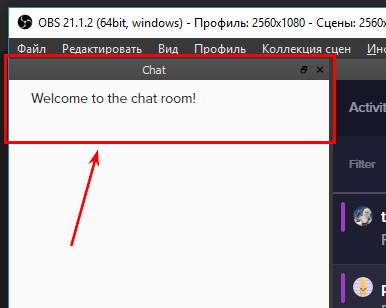
а то слепой я )
zenith widget
@ebon forum ⤴
ebon forum
@plucky marsh не припомню таких настроек плагинов. скорее всего нет
plucky marsh
@ebon forum планируется ? Было бы очень хорошо!
ebon forum
@plucky marsh возможно. это пока первая версия, много чего ещё будет. вообще размера хватает, если вы там не на 27" 4к мониторе без скалирования)
 sleek panther
chat
plucky marsh
@ebon forum ну разница такая для меня сейчас)) https://i.imgur.com/0mCuWgB.jpg
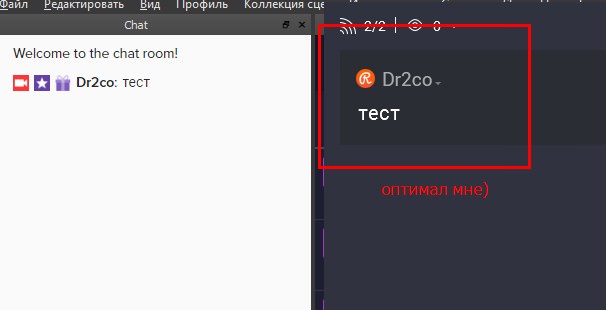
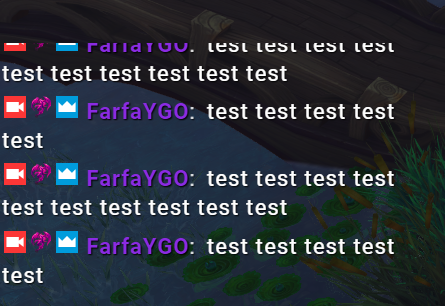


 zenith widget
Do you see the black little box on the lower right corner of the widget here: https://cdn.discordapp.com/attachments/199460642975907840/475373364752547840/unknown.png

 plucky marsh
@ebon forum приходиться всматриваться, что не есть гуд ))
zenith widget
Click that and drag it to resize the widget. This should not cut off text
ebon forum
@plucky marsh ну рестрим чат это другое. у нас интеграция твич чата и он простой. главное чтоб был на месте. рекомендация - монитор в потретный режим и обс на всю высоту и читайте на здоровье)
sleek panther
ty
plucky marsh
@ebon forum )) надеюсь опция появится в будущем (выбор размера) 😃
radiant crest
@zenith widget
It isn't custom CSS from them. It is just their base widget style on their side of things.
zenith widget
it should import as is, try it
 gloomy gust
can you import the chat command bot to OBS
narrow coyote
Not really sure what you mean by that, but the bot is cloud based, so its always in your chat, unless you remove it
 north coral
anyone know why when I'm trying to upload an image to my overlay, when i hit the submit button, nothing happens?
narrow coyote
What browser are you using?
north coral
edge
narrow coyote
Edge does not paly well with the site, as its optimized for chromuim. Chrome is the preferred browser, upload should work no problem in a different browser
north coral
alright
sleek panther
Is there no way at all I can add stream labels to OBS via URL rather than using the URL of the full overlay?
vale glacier
I need help with overlays
I stream mobile
So I don't really know what to do?
But I love the overlay called something like "purple Speck IRL"
Can I please get some help around here?
Sry if I came out harsh
 crimson granite
I'm trying to make settings to Media share, but when I do, the settings I make don't save. There is no save button. When i click back, all the settings reset to default. How do I save the settings? Thanks!
 short steppe
is it possible to make the bot tell a user if they don't have enought points for the command?
 safe pelican
I'm using the new OBS plugin and for some reason when I started my stream, it's just loading forever and not actually going live?
Anyone see that before
narrow coyote
@vale glacier it all depends on what streaming software you use, if they support a browser source, you can use an overlay.
vale glacier
But I love the overlay called something like "purple Speck IRL"
narrow coyote
@crimson granite The settings will save automatically, you just have to ensure you enter something into every field
vale glacier
Idk what software I use?
narrow coyote
well, then how do you stream
crimson granite
ok, i'll make sure i do that then, thank you @narrow coyote
vale glacier
But I use an app called "live screen for twitch"
narrow coyote
@safe pelican No reports of anything like that, what the plugin does should not intefere with anything realated to going live to twitch