#helpdesk-twitch
1 messages · Page 300 of 1
 zenith widget
 strong silo
Ok appreciate it!! I'm a 🥔 tryin to learn new things sometimes so thank you for your help
zenith widget
@earnest meadow It would be good, to write your question, so that we can determine who is best to help
 hollow pecan
Guys i need help, how can i make commands like "!milk" and then the viewers can here "you need some milk" a popular meme

 earnest meadow
Ok so my stream elements loyalty points aren't being given to the people who are active in my twitch. Is there a way to fix that?
zenith widget
@hollow pecan You can have a stream store item set with 0 points and a cooldown for example and to have it redeemable via chat. You will be given an item store name for example milk and add it to the variable ${redeem milk}
Place that variable into a command response and have the command as !milk
Afterwards place the Store Redemption widget on your Overlay, via the editor and have the store item have a sound and image on it.
This will trigger it properly as a sound in the overlay
@earnest meadow How have you setup the loyalty points? Usually people can just lurk in your chat and will get points every 10 minutes. They don't need to chat all the time.
earnest meadow
I have gone through and set up the loyalty system yes
zenith widget
@earnest meadow Can you make a screenshot of your loyalty settings? (use the snippet tool)
earnest meadow
I don't know what the snippet tool is
This is the first time I've ever used discord
hollow pecan
So, i go to +new command, i put the !milk and then i type in Response ${redeem milk}
 tight harness
He basically just wants a screenshot of your loyalty settings page so he can see what's up
zenith widget
@hollow pecan After you've setup the stream store item
earnest meadow
Okay I'll brb
zenith widget
ooh wait
tight harness
I didn't ping anyone 😛
zenith widget
 I can't read
tight harness

zenith widget
@ebon atlas What browser are you using?
 cedar lynx
Heya lovely SE folks! I think my points system isn't working properly... the "All time" points are all lower than "Current points", which doesn't seem right. Am I just misunderstanding how this goes?
 ebon atlas
i only just tried on ground controls now and seems to be working
zenith widget
@cedar lynx If your viewers are playing with the module games, they can have MORE points then the all-time
@ebon atlas So did you get that error on ground control OR in your chrome?
cedar lynx
@zenith widget Idk what module games are, is that something I would have enabled by mistake?
zenith widget
@cedar lynx like !duel or !raffle?
cedar lynx
@zenith widget Oh! Yeah I have none of those turned on.
@zenith widget or rather, I ran a giveaway (raffle?) but this was also the case prior to running the raffle, the points seemed skewed.
cedar lynx
yes
zenith widget
So if they donate 10$, they will get 500 points
but not contribute to the "All-time" points
all time is basically a time tracker
 zenith widget
if you use !watchtime, you will get a watch time, kinda based on the all-time points
cedar lynx
'All-time' made it seem like, how may points they've ever earned all together
zenith widget
Well Current should be that really
cedar lynx
so current doesn't reflect when they spend points on a giveaway ticket/games?
zenith widget
Current is the current ACTIVE points they can use for tickets/module games
cedar lynx
okay
zenith widget
All-time is like a static point, that keeps track of how much they have watched you
 zenith widget

ebon atlas
its working now but is there a way to get the song title into a text file?
zenith widget
There is a "Current Song" widget for the overlay
zenith widget
that if set properly, can pull the song from the media share
hollow pecan
@zenith widget http://prntscr.com/k1nxag

I made the thing

Now a person just need to do !facete and the thing will work?
need to type"
zenith widget
Did you add a command with response containing ${redeem facete}?
hollow pecan
Oh, now i need to add a commands? wait
command"
http://prntscr.com/k1ny5b what should i do?
 zenith widget
name the command !facete
hollow pecan
ok done
zenith widget
or what ever you want your "meme" to be called
zenith widget
 faint musk
why do i hear my top dono sound when i get a new follower ?
 lament blade
I asked this yesterday but never got any response so let me try again:
I added the Last Events Rotator posted in #widget-share and want to change the color of the label part (like "Latest Follower:") to a different color and make the name itself white. I can't figure out how to do this cause with how the rotator works currently, the last half of the label (So "Follower:" in the example) can't be a different color than the name. https://i.imgur.com/aU4MynJ.png

 summer mulch
@faint musk I would recommend checking the sound that you have set for both, if it's not the same try deleting the sound and reuploading it
faint musk
tried that
it does it on new follower or new dono
keep overlaping top dono sound
over them
keeps*
it does the top dono sound and the new follower sound
at the same time
 narrow coyote
@lament blade I actually posted some stuff about this yesterday in #dev-chat helping someone else set this up, you can see the code for that if you scroll up a bit
summer mulch
@thin owl Sure, you have that option when editing the command
 thin owl
Not for default commands
summer mulch
Yeah I know
lament blade
That's not the same, already saw that. That only changes the font of the word Latest, I'm trying to make both Latest and Follower: share the same font/color but that requires modifying the JS since the "Follower:" part is in the same span as the name so takes on the name color, not what I want @narrow coyote
summer mulch
Just copy the variables in that command, create a custom one and edit it
lament blade
is there a thing when sombody donates there a sound effect
summer mulch
@lament blade That's called a donation alert
thin owl
Don't see it @summer mulch , lot of user variables but nothing for follow time
The default command doesn't include the variable either
narrow coyote
yeah, that is going to be more involved then, having another container to hold the event type, and have the user separate, not really sure that is something I would be able to work out right now, but I would suggest posting about it in the #dev-chat channel instead of here
faint musk
@summer mulch tried with a different sound and it still overlaps with top dono sound
thin owl
 winter zenith
@thin owl ah I see you also posted here nice!
faint musk
yup tested without image for new followers with different sounds, it still adds the top dono sound on top of the new follower sound
any idea why ?
thin owl
Yeah let's talk here haha
faint musk
0 variations on new follower alert
summer mulch
Maybe you have 2 alertboxes in the same overlay?
Check your layers
This doesn't make much sense
faint musk
nope it wasn't that
i fixed it
there was a copy of the overlay without the cam
and that had the wrong sound
and it was overlaping with the other overlay
summer mulch
Oh inside OBS?
faint musk
something weird
summer mulch
Gotcha
faint musk
no inside SE dashboard
i check all my overlays
and somehow one was overlaping with the other
bug or weird ?
summer mulch
weird
Never heard of this bug
It's not really a bug, just check all the overlays you're using
So you won't have overlapping alertboxes
summer mulch
Well I didn't really do anything but thanks 😛
faint musk
helps to have someone to talk to
prob wouldn't have thought to check if not for you
🤔
summer mulch

thin owl
Guessing there isn't a way to talk to someone higher up to add the variable which is obviously a thing just not available on other commands?
Actually I should put it in #💭︱feedback-and-ideas 
 blissful robin
hi, i made a 1080TI ryzen2700x pc today and want to use my laptop for streaming through NDI, need some info on what presets the cpu can handle on 1080p 60fps using x264 encoder
 inland summit
!rename
 nocturne pelicanBOT
Custom bot name requirements
- StreamElements bot modded and in chat
- Active overlay with alerts
- StreamElements tipping page in the panels below the stream (!panels)
- Create a twitch account for the name you want to use
- Ground Control app must be running
Steps to enable custom name
- Sign in to https://twitch.tv with the bot account
- Install and run Ground Control (!gc for download)
- Visit https://twitchapps.com/tmi/ and generate an oAUTH token
- Copy/paste everything in the box to Ground Control oAuth settings and enter the name for the bot account
- Restart Ground Control (custom name may take a few minutes to take effect)
strong silo
How would one set up TTS for resubs/bits/donations ?? 
narrow coyote
In the alert widget in your overlay, go into the alert options, and there is a TTS settings section
summer mulch
Also remember to check out the variations under each activity (follow/sub/etc..)
strong silo
Ok thnx ❤
inland summit
!panels
nocturne pelicanBOT
Twitch's official help guide for Panels: https://help.twitch.tv/customer/portal/articles/2416760-how-to-edit-info-panels
 lilac yew
Boys, question, how to place a Widget on Streamelements overlay alone, its needed to create a overlay with the solo widget or can be it in future be placed outside overlays?
summer mulch
Just create a blank overlay and add that widget
lilac yew
ok
earnest meadow
Sorry my work got busy. Is there anyone who can help me with streamelements loyalty settings
narrow coyote
What did you need help with
narrow coyote
And how exaclty are you determing this? Like is your leaderboard empty?
Also, snipping tool is your friend for screen grabs on windows
earnest meadow
It shows 0 for them when they try to use the "store"
summer mulch
@earnest meadow It's 5 points per 10 minutes
earnest meadow
Yeah and people that are in there for 3 hours still show 0
 obtuse gyro
try making the bot leave and rejoin+mod @earnest meadow
sorry i cant help much besides try to troubleshoot
earnest meadow
I'll try it when I get home from work. I do appreciate all the help you guys are giving me. I'm new to all of this.
narrow coyote
loyalty does not rely on the bot, did you change your name recently or anything like that? Logging out of the SE site and logging back in might be good, to get a fresh token from twitch
earnest meadow
I'll try that too
 bright tartan
Is there a widget the combines bit and donation goals?
narrow coyote
combining bits and donations in a goal would go against twitch ToS
summer mulch
T S
 candid wigeon
Heyo friends. Is there any way to see my entire tips added for a month?
sooo what I mean: I selected the datas from a month, is there any way to add all up and see the added up ammount?
dont really want to add it up myself. Too lazy
narrow coyote
What do you mean? On the dashboard, if you have it set to month, it will show total tips for the month
narrow coyote
ah, ok, no problem 
 median sigil
for some reason my cheer event picture (gif) doesnt want to change, is there any reason why this is?
narrow coyote
have you checked your variations, the cheer alerts are all driven by variations
median sigil
where do i check this?
cuz i just changed my sub alert
but my cheer doesnt want to change
narrow coyote
right, you need to go into the variations for the cheers
zenith widget
Make sure to relog as well
narrow coyote
there is a bunch by default
narrow coyote
yeah, if you just got affiliate, if you dont see subs and bits tracking on your dashboard, be sure to log out and back in so that SE gets your new status from twitch
median sigil
well thanks for this information 😄
narrow coyote
no problem
median sigil
actually i might just want to keep the base fortnite ones
🤔
even though i dont stream it often, the easy variations are nice
narrow coyote
you can try them for a while, and always change them later
median sigil
yeah think i might keep em like this for a while
 astral kraken
Hello. I'm looking for help regarding custom commands for the chatbot. Am I in the right place?
ebon atlas
For media player is there a way to get rid of the bottem bar and reappear after a certan amount of time?
narrow coyote
@astral kraken what do you need help with exactly?
astral kraken
I'm at the streamelements website and I can't type anything in the custom comands text field for "command"
zenith widget
@ebon atlas Not exactly. You can edit what the bar shows via the media share widget's options. I'm thinking there might me a trick with OBS you can do, but it may take a bit of time to setup properly
astral kraken
It did this to me yesterday and today it only allowed me to do one new command before it did it again. Not sure what's going on.
zenith widget
You can't type anything in the command name and/or response field?
astral kraken
@zenith widget I can't type anything in either. I can highlight the default text that describs what your supposed to type there, but I cannot input anything in the field.
zenith widget
What browser are you using?
astral kraken
I'm using firefox
zenith widget

So does this happen on new command or when editing an existing one?
also I would suggest to try Chrome
or another browser
astral kraken
It does it when adding a new command, and it does it in chrome as well.
zenith widget
Just to confirm really, you can't click on those 2 red locations:
a short yes/no is sufficient
astral kraken
Yes
 zenith widget
Maybe try a 3rd browser or incognito mode? Log out, clear cache, log in?
narrow coyote
in chrome, click that, go to cookies, and check the blocked tab
astral kraken
I'll give it a shot
Nope. Still doens't work after clearing cache or using incagnito mode
I just spent half the night switching from streamlabs and really don't want to go back and redo everything over there.
lament blade
kappagen doesn't seem to work or do i have to create an overlay for that?
inland summit
Hi, I am having a problem of the bot ignoring queue limit and loyalty settings, does anyone know a reason or a fix for this?
narrow coyote
do you have something set for your exempt user level towards the bottom
 ivory holly
Hello i need some help with a give away command
narrow coyote
@lament blade kappagen is a widget you need to add to your overlay
astral kraken
Do we not have a good answer to my problem?
narrow coyote
ok, so that means that everyone is exempt from the rules you set
 frigid talon
Two related things: I'm deleting a bot command, but it won't delete for some reason. And second, is there an easy way to set a "count" = 0.
inland summit
alright thanks KITE
 serene vault
Okay so I stream from my PS4. Unfortunately, I don’t have a computer to set up OBS for my stream and I need a solution for alerts for subs and donations. I heard stream elements could help.
inland summit
Though that was for voting
nocturne pelicanBOT
@serene vault Here is a guide on how to setup the most essential tools for streaming from your console, while using StreamElements tools without involving a Capture Card! It's easy to do, take 4 minutes to read and 10 to 15 minutes to setup!
Read all about it here: https://blog.streamelements.com/how-to-stream-on-console-7b620b1c46c3
ivory holly
StreamElements a giveaway has started "Door Giveaway" say !ticket 10 to buy 10 tickets. A ticket costs 20 points ---> i want to change this text + the command !ticket to another keyword, how?
frigid talon
Or basically, is there a basic steam elements counter command somewhere?
Because my mods only know streamlabs, and this is giving them a fit. >>
 crimson yew
@ivory holly
narrow coyote
@frigid talon there is a basic counter, the best example of how this works is in #command-share towards the top
ivory holly
i know hot to start one but not how to change the "!ticket" command into "!Serrey" for example
cause people will still try to use !ticket cause this text is standard
serene vault
It sucks not having a computer lol
narrow coyote
the default command is actually !enter and ticket is an alias. You can add another alias to the command, but it is not currently possible to modify the response of default commands
and as far as I am aware, there is not going to be a way to make a custom command to replace the !enter command
ivory holly
@crimson yew i know how to start a give away, just when it start it says StreamElements a giveaway has started "Door Giveaway" say !ticket 10 to buy 10 tickets. A ticket costs 20 points and i want to have this text changed like not "!ticket"
crimson yew
Beat me to it, lol.
ivory holly
@narrow coyote i changed !Enter into !Serrey and !Serrey works, but when i start giveaway it still says !ticket which is no where possible to change.. thats bad
narrow coyote
as far as I am aware that there is no way to change that at this time, only the giveaway title
ivory holly
are you working for stream elements or?
 wise cliff
Is there an option that a media request can work with the song title? I haven't been able to get it to go but I think it would be easier for my viewers to not have to look up the song on YouTube in order to request it
narrow coyote
I do not work for StreamElements, staff have a red name, and are part of the SE.STAFF role
serene vault
Not sure if this is the right place to ask, but would I be able to add overlays with a inexpensive laptop? I play on PS4 but don’t know what all I need to add overlays to my stream.
 weary mist
@narrow coyote not all staff ;)
ivory holly
is here any1 from staff then??
weary mist
@ivory holly he is correct in his information, but there are workarounds
ivory holly
damn :/ thats super bad sorry... hope you find a fix soon
weary mist
- Add an alias to the command so it activates on both the one you want and !ticket (so people don't get confused too much).
- Create a custom command called ticket that tells people how to use the !serrey command
 kind epoch
Hi, is there a way to reduce the volume of the store redemption sound files?
lament blade
this? o:
weary mist
@kind epoch you can change the volume in the item information, shown by Alice above
lament blade
narrow coyote

ivory holly
@weary mist thx but yeah.. only way.. still confusing when i start giveaway !ticket will pop up...
weary mist
I understand that. Trust me. But we have 3 whole devs right now, and they are focusing on very large, and much requested tasks. With a small team, we have to focus on the things that a large majority want. Once we are able to get more devs, we will be able to get all the smaller things fixed and implemented
ivory holly
okay as long as u know about that there is something to change its fine
just telling 😃

 frail apex
hi there, is there a way to change the frequency of loyalty point distribution. so that viewers receive 1 point every 2 minutes as opposed to 5 every 10 for example? i looked around but maybe i was looking in the wrong spot.
narrow coyote
No, it is not possible to do something like this
lament blade
The points are given every 10 minutes but you can change the amount
narrow coyote
it has to do with how the chatter list system works with twitch
lament blade
^ but you can choose to give 2 points every 10 minutes or 20 points every 10 minutes for example
frail apex
Okay awesome, i understand! thank you for the help
lament blade
kind epoch
What is the command to untime out somebody?
narrow coyote
you can just do /unban username
 stray briar
Hey all! so question, i added the hype jar to my stream, but each time i switch scene's the jar resets?
if it does not reset then it only shows maybe 1 or 2 recent events 😦
 timber siren
I would like to change my nickname from "Golsdand111" toGolsdand_. Can I transpose all my statistics (in https://stats.streamelements.com/c/jesusavgn) to the nickname Golsdand_?
 bright tartan
Is there a way to make sound effects triggered by commands without filling my store with a ton of sound clips?
tight harness
@bright tartan No, the store is the only way to do it currently
bright tartan
Ok, dang
tight harness
@timber siren Can't find a name change using the username changes tool for any of the names you provided 🤔
timber siren
I have not changed yet. I'm just clarifying, can you help me and transfer all my data?
 haughty crane
I want to say thank you for all you guys do to help us out. The way you welcome our questions and do your best to answer them is amazing. Best discord ever! ~Beauty
timber siren
sooo? 
zenith widget
@timber siren You can change your name, then log out of SE and back in. If the stats don't transfer on their own, then come back with the changed name and we will sort it out for you.
timber siren
Ok, i will try it!
timber siren
@zenith widget I changed my name. My statistics could not be transferred. In top there is still an old nickname
obtuse gyro
@timber siren try logging out and back into SE
narrow coyote
chat stats dont transfer, we need your old name and new name, and someone from the staff can do it
zenith widget
Wait wait
timber siren
@obtuse gyro i was try
timber siren
@zenith widget Yes
zenith widget
To change to what ever you changed it now?
zenith widget
I don't think thats possible...
timber siren
That was possible. I was try it in last year, when my old account was banned
narrow coyote
I thought you were talking about YOUR chat stats page, not you on someone else's chat stats
timber siren
I think they are connected. Because the last time my old account was migrated my channel statistics
So, if you do as @narrow coyote said, then I think it will help. Who should I contact?
zenith widget
No one at the moment. We poked internally. Hold your pants.
timber siren
i am waiting
narrow coyote
its not something that is going to be possible at this time, and migrating your chat stats page will have no influence on how you are displayed on someone else's chat stats
timber siren
timber siren
So, my personal channel statistics are still out of place. Logout and login do not help.
earnest meadow
So. I tried removing the chat bot. Logging in and out. The loyalty system still isn't doing anything for me :/
obtuse gyro
<@&382267076632379392> ^
crimson yew
What browser are you using?
earnest meadow
I have foxfire and Microsoft edge
narrow coyote
The loyalty system is not tied to the bot
earnest meadow
It may not be but it's not working for me
narrow coyote
and you dont need to ping support heroes 1 min after someone posts a question, someone will see it @obtuse gyro
winter zenith
did you enable it?
narrow coyote
!connect
nocturne pelicanBOT
Please connect your Twitch and/or YouTube channel with Discord by going to ⚙ Settings and then Connections here in Discord. https://streamable.com/eg92w
 winter zenith
@earnest meadow ?
earnest meadow
Yes I have it enabled
narrow coyote
Please connect your twitch to discord ⤴
winter zenith
yes we need to check your twitch
earnest meadow
I did. I'm not online rn
narrow coyote
ok, well you are just hosting someone right now, so how do you know your loyalty is not working
earnest meadow
Because blobdole has 300 points. But when he looks he has 0
Literally sitting next to him at his house and showing him my leaderboard and his still says 0 for him
narrow coyote
what says 0 for him though
earnest meadow
Sorry I'm pestering you guys with this
 strong scaffold
When doing a timer how do you put hyperlinks in? Html coding? or?
obtuse gyro
if you edit it someones username after sending a message it doesn't ping them @narrow coyote
narrow coyote
does not really matter is you still saw the message, did it for clarification of who I was talking to
@earnest meadow Do you have the default points command enabled in the default commands list? it shows in your commands list, but it is not responding to me 
narrow coyote
should not have anything to do with that, I just wanted to test to see what that returned
earnest meadow
In the chat it shows him having 300 but he can't redeem anything
 ocean yacht
hello i am having a giveaway and want to know if there are unlimited entries
earnest meadow
If you set it to -1 @ocean yacht it should let people get them unlimitedly
strong scaffold
When doing a timer how do you put hyperlinks in? Html coding? or?
narrow coyote
Can you have them try going to this page https://streamelements.com/logout and then after that have them log into https://streamelements.com/
earnest meadow
It now shows he has 300 on the left side but under the ticket it's still 0
ocean yacht
it says that tix cant be less than 1 @earnest meadow
narrow coyote
@earnest meadow Do you have a store item they can try redeeming?
 mild raven
Hi I just have a quick question on uploading.
Is there a way to upload more that 30mb at a time?
earnest meadow
I do
kind epoch
This question may not be related to SE but how does one change a sub badge?
strong scaffold
could i please get an answer if anyone can help: When doing a timer how do you put hyperlinks in? Html coding? or?
narrow coyote
you cant yet if you are just affiliate, affiliate sub badges are coming later this month i believe
ocean yacht
is there any way to get unlimited entries?
narrow coyote
You can just put a link in the timer, I am not sure if you can make it a hyperlink, I tried html markup for hyperlink and that did not work
ocean yacht
i was told last year it would be enabled
earnest meadow
Sub badges for affiliate should be mid July if I read it right
strong scaffold
so Streamlabs allows it but not this software? Dr Lupo and Ninja have links in their timers
 clever mango
just type the link in the timer
earnest meadow
If you put the link in @strong scaffold does it not hyperlink it?
lament blade
It should
strong scaffold
if i put in a link like this not sure i really want all the wording. https://passport.twitch.tv/signup/new?client_id=36926892495301a63b2e9350a38d3d6dbf72ad81e571a3ebba4687250ec8f352c70b3e91229602f73e1335528f3caa00a5cf513f484d7003784e722f2ce7a216&embed=0&error_code=&redirect_path=https%3A%2F%2Fwww.twitch.tv%2F&style=&sudo_reason=&username=
i would rather have it say SIGN UP
narrow coyote
i totally said you can just enter a link into the timer, but not make it a hyperlink like <a href="https://www.google.com">Visit Google</a>
earnest meadow
Oh yeah idk about that @strong scaffold
ocean yacht
i just want unlimited ticket entries 😑
mild raven
Is there a way to upload more that 30mb at a time?
earnest meadow
@ocean yacht does it limit the ticket entries? Put 9999?
@mild raven upload to what
ocean yacht
says cant be more than 10000 entries........
earnest meadow
@strong scaffold she just said you could do it
mild raven
@earnest meadow a video or image for the alert box
clever mango
@strong scaffold There's no bot that allows for clickable text like click here that goes to a link
earnest meadow
Oh. , sorry @mild raven idk how to help there
mild raven
well shit... thanks trho
earnest meadow
@ocean yacht mine says unlimited
earnest meadow
Hold on
ocean yacht
im stressed lol
clever mango
@strong scaffold you can make a shortened link with bit.ly or an alternative that redirects to the full link
earnest meadow
clever mango
@earnest meadow That's the stream store, not giveaway
earnest meadow
That's for the tickets to enter into the giveaway though
clever mango
@ocean yacht Please enter a very large number, there is no "unlimited"
10000 is the max
so enter 10000
earnest meadow
Yeah I'd just put 10000
ocean yacht
😑
earnest meadow
Sorry I feel like I'm just making things worse
ocean yacht
you are
earnest meadow
Thank you everyone
 🇫
obtuse gyro
🇫
obtuse gyro
there isn't a way to set it to unlimited entries, do you NEED it to be unlimited @ocean yacht ?
ocean yacht
i dont need it but want it to be ......b/c i want ppl to be able to enter as much as possible w/o a limit all month long lol
clever mango
Well they enter with their points so if you make 1 ticket = a larger amount of points there should be no issue
they buy a ticket with a set amount of their points
obtuse gyro
if you're willing to put in the effort, check what the highest points a user has on your channel, if they can't reach 10k tickets then i wouldn't worry too much. sorry i can't provide you a solution
winter zenith
should be fine then IMO
obtuse gyro
is the maximum amount of tickets you can buy displayed to buyers? never used giveaways
ocean yacht
no
 calm elm
When I link my OBS to twitch using a overlay my game doesn't show up just the background please help!
lament blade
Make sure the game is under the overlay? I'm unsure of what you mean by background ;.;
 south grotto
Any overlays i could use?
zenith widget
Plenty here: https://streamelements.com/dashboard/themes
south grotto
cheers
zenith widget
Some are static, some are animated, Super themes are a pack of overlays for different scenes(in-game, brb, ending. etc)
 pearl cedar
guys how do I change the size of one of the overlays from 1080 to 720p? I use obs
lament blade
you can put it on OBS in 1080 and then click CTRL + F to resize it to your screen
If you are using the premade overlays....
If you made your own overlay from scratch, you can do that on the website
lament blade
What happened?
pearl cedar
nothing
lament blade
Right click the layer and try this?
pearl cedar
the bprder fit the screen perfectly but now the overlay itself disappeared.. dont see it over my game capture anymore
border*
lament blade
did you make it 1920 by 1080 on obs?
pearl cedar
oh it came back.. just a delay I suppose
it
it's a premade overlay so I didn't change the size or anything but thanks! I see it now
lament blade
np c:
 finite owl
Anyone know perhaps why the stream elements hype cup freezes midway through the bits coming down into the cup? Even restarting the cup, the bits freeze again in the same spot
 thorn crystal
I'd like to use the tip goal widget in my overlay to track tips for the month, but I need to put a starting date. Currently, it shows total tips. Is there any way to designate a start date on the tip goal widget?
clever mango
@finite owl change the token type. I believe capsule is bugged
 olive timber
can someone assist me iwith the !songrequest command
it says its offline or disabled for me and cant change it
and cant add it to the modules
it just doenst work
finite owl
@clever mango Token type?
clever mango
Yes whichever token is freezing change it from capsule to circle or square
@thorn crystal No, there is no starting date for the goal widgets. Only end date
you can reset goals though
nocturne pelicanBOT
If you are using the total follower/total subscriber widget, reset your session from the Activity Feed to fetch updated data from twitch. If you’re using goal widgets, you can edit the progress of any goal by going to Activity Feed > Widget Data > Goals. This can also be found in the overlay editor by selecting DATA (next to WIDGETS) > Goals
clever mango
@olive timber !songrequest will work when viewer requests are enabled and mediarequest mode is set to bot or both
obtuse gyro
mine is set to that and i still cant enable the module or the command, but i havent tested actually using it just the settings
clever mango
what is your channel name?
obtuse gyro
First_Ace
When hovering over the command to enable it in the chat commands for the bot, it says to check module
"controlled by module settings"
clever mango
 pine hemlock
Yeah, its controlled by the settings on this page https://streamelements.com/dashboard/mediarequest/general
narrow coyote
When a command says controlled by module, that means its controlled outside of the commands page, like the media request page, or bot modules
obtuse gyro
okay, i was looking at the command under the chat commands tab for the bot, which is where my confusion came from
thanks
narrow coyote

kind epoch
@pearl cedar it should be in your overlay manager there is a resize option after the layout is saved
Guys, how do i make a store redemption for a twitter shoutout? for example twitter id recepient and message to me that is in stream
And is there a way to store redeem for followers only chat and emotes only chat?
 unreal dome
hi, can anyone help me please? i dunno why bet option is not working on my chat
stray briar
@tight harness sorry for the delay on the response. but I have tried it with the slider on 2 and 100. It shows the "follows" but not the bits or subs
 frozen ingot
My voice is duplicated in Streamlabs.... Any advice?!
kind epoch
Guys, SE leaderboard on the extension panel does not comply so i reset and its showing things back to front i.e. z-a instead of a-z
nvm, reset and reissue of points did the trick to the leader board
narrow coyote
@unreal dome do you have a contest running? the !bet command is used with the contest
@frozen ingot sounds like you are capturing more than one audio input, but this channel is for support for StreamElements services, not SLOBS issues
kind epoch
Guys, how do i make a store redemption for a twitter shoutout? for example twitter id recepient and message to me that is in stream
And is there a way to store redeem for followers only chat and emotes only chat?
Guys i got stream sniped by STACKUP stream team i'm PSYCHED!!!!
kind epoch
what is the command to see the game and title of stream?
unreal dome
@narrow coyote yes the contest is runing
@narrow coyote i can bet on the page but not on the chat with !bet
 marsh sinew
is there a way to see all my quotes?
 dense jackal
Not at this time but it is something we want to implement @marsh sinew
marsh sinew
thank you
kind epoch
Are there commands for .... stream title and ... game?
to see them not to set them
@obtuse gyro no good on both counts
clever mango
@kind epoch You can add them as custom commands. When you add a new command from the dashboard you can find them in the templates
obtuse gyro
sorry i dont know then
clever mango
stray briar
@clever mango you seem petty knowledgeable. Would you happen to know why my bits don’t show in my hypecup after switching scenes ? I have put my “events to reset cup” on 0-100 and everything but my bits show.
clever mango
I do not. That sounds like a bug. We'll look into it but for now put the hypecup on a separate overlay and in OBS do not shut it down when not visible. This will keep it running and won't reset on scene switch
kind epoch
Thanks, commands !game and !title added much appreciated
ocean yacht
how do ppl see how many tickets they purchased in the giveaway?
 oblique frigate
Does anyone have problems with media share? Like the audio isn't heard during my streams :/
 exotic ice
need some help, Stream elements is not in my chatroom, and the bot wont do my timers and commands wont work please help
dense jackal
It is in your channel @exotic ice type /mod StreamElements
@oblique frigate Do you hear alerts from the same overlay as mediashare?
exotic ice
i dont think i had stream elements connected with my twitrch
@dense jackal sorry for the mess about bud, i've fixed it
thank you for getting back to me so quickly though
dense jackal
Awesome @exotic ice
dense jackal
Make sure your OBS volume is up that's where those sounds would be coming from
 scenic hazel
If I make a counter command how do i set the number it starts at?
Does anyone know?
I'm using ${count <Kobe>}
Also is there a way for me to make it so anytime someone says "gg" or a specific emote in chat the bot replicates it?
 pearl flint
any staff that know how the css works, and how i can convert the css from streamlabs to streamelements?
scenic hazel
anyone?
 stuck hamlet
${count kobe} if this is your count, you would use !editcount kobe amount @scenic hazel
We have an import tool that should be able to do all of that for you @pearl flint
stuck hamlet
What do you mean "it" didnt work? what exactly didnt work?
pearl flint
the images didnt transfer correctly
stuck hamlet
You're trying to get your alerts working correct?
pearl flint
yes
stuck hamlet
The only import I See on your account is of 8 days ago, are you talking about that one?
pearl flint
Yes
@stuck hamlet http://prntscr.com/k1wh5d

thats what happens when I trigger an alert
stuck hamlet
Would you mind sending me an invite to your streamlabs account so i can try it myself? 😃
pearl flint
I dm'ed u
stuck hamlet
Thanks!
pearl flint
@stuck hamlet hows it look?
stuck hamlet
It seems that our import tool might be at fault here, but I unfortunately did not have the time to dig further.
My ISP seems to be down, so can’t get stuff working properly.
I’m currently on my phone 🤔
pearl flint
RIP
stuck hamlet
I will report the issue and let you know more as soon as I can!
pearl flint
okay, thanks!
 cunning prism
Are viewers not able to purchase loyalty items directly off the panel extension? I had a viewer say that when they tried it purchase an item, it said it could only be redeemed in on the site.
 neat pond
Anybody else having this problem? It literally didn’t show anything on my chat when I was playing (I use google chrome to watch my channel / keep track of chat) =\
 turbid kettle
could someone go to the Voice support channel plz?
 cedar fulcrum
Hello @cunning prism , please make sure your viewer has enough points to redeem. It should work in the extension and on the store-site.
Hello @neat pond What is exactly the issue? While you were streaming you had not chatters?
neat pond
@cedar fulcrum yeah, it didn’t show anything in the chat, but then when I finished the stream, I got these stats saying I had 5 unique chatters
cedar fulcrum
Hello @turbid kettle what is your issue, how can I help you?
turbid kettle
can you go to the voice chat?
@cedar fulcrum can you go to the voice support channel
cedar fulcrum
@neat pond I will check your issue and will be back to you
neat pond
@cedar fulcrum thank you
cedar fulcrum
@turbid kettle Yes one moment
@neat pond Unique chatters are signed up viewers that could have written in the chat
cedar fulcrum
You are welcome it is called unique because they are counted once per stream
 mental sand
Hello, i tried using timer commands, but the bot decided to type every single message at once
Cant find way to fix it
cedar fulcrum
Hello @mental sand Did you made sure you reached the amount of chatters that you set?
cedar fulcrum
And also please notice there are an Offline and Online interval
mental sand
now i have 5 10 15 20 e.t.c
I just recently switched from streamlabs to streamelements soo im a bit confused with the timers
 royal quarry
Hi there, I had a donation goal set up but somehow the numbers got all screwed up, is there a way I can reset/edit it to correct the number. As in change it to XXXX/$1000 etc?
I figured it is in widget data but can't find where
 atomic hollow
in the widgets tab under "goals"
royal quarry
Ok I'll try that thank you
cedar fulcrum
@mental sand Basically the timers work like this, You set the amount of chat lines you want to trigger the interval, and then it will post the message each time it will pass the number you set.
mental sand
@cedar fulcrum alright, and what about sound effects? Like i added 1 to store, ppl can redeem it, but its not working
royal quarry
So where do I edit the active amount in the goals area?
I already have the widget made, the data was corrupted somehow, I'm trying to correct the number
I'm already about halfway through the goal
atomic hollow
cedar fulcrum
@mental sand you need to add Store widget into your overlay in order to paly sounds when people redeem them
atomic hollow
just change the current status of the goal
royal quarry
I'm not sure what I'm doing wrong I'm not seeing that window
atomic hollow
StreamElements
The Ultimate All in One Platform for Streamers
royal quarry
Thank you
Where does one naturally see that link on the menu?
First time seeing this screen
mental sand
@cedar fulcrum Soo lets say i have 5 timers, and slow chat, Should i make them like 5 15 25 e.t.c? or what. Otherwise it will still spam it
royal quarry
Ok thanks Shadow
atomic hollow
royal quarry
Goodnight
cedar fulcrum
If you have slow chat make the interval bigger
mental sand
@cedar fulcrum if i understand correctly there is no rotation for them
cedar fulcrum
So it will not spam the chat only with the timers
You can set the on different times like 15-20-35 etc
mental sand
Hmm okay. And if i just add store redeem widget it will play the sound i added on store?
Like the sound file
cedar fulcrum
Yap, Sounds and Perks 😃
cedar fulcrum
You are welcome!
 hazy bluff
Hey i need help setting up my stream elements on tablet
cedar fulcrum
Hello @hazy bluff are you streaming from that Tablet or only setting up your Streaming settings from there?
hazy bluff
I stream on ps4 but i use tablet to set things up
cedar fulcrum
Sure, have you saw our Console guide on Youtube already?
hazy bluff
No
cedar fulcrum
!console
nocturne pelicanBOT
Here is a guide on how to setup the most essential tools for streaming from your console, while using StreamElements tools without involving a Capture Card! It's easy to do, take 4 minutes to read and 10 to 15 minutes to setup!
Read all about it here: https://blog.streamelements.com/how-to-stream-on-console-7b620b1c46c3
hazy bluff
Thanks attack elements
cedar fulcrum

atomic hollow
attack elements = best elements
 untold spoke
Hello! I am in need of help regarding streamelements bot
cedar fulcrum
Hello @untold spoke how can I help you?
untold spoke
I had this timed message which was supposed to come every x minute, but it got annoying so i removed it. But its not removed whenever i stream.
If i check my ''messages'' its not there, so idk what do to
atomic hollow
check under "timers"
cedar fulcrum
There is still message on your Timers, should I delete it?
untold spoke
its a long info thing
If you can delete it, then thanks 😄
Oh, i found it, nevermind
Thanks for the help
cedar fulcrum
Sure, you are welcome!
 ancient jay
Hi, I need to know why you do not count overlay subscribers '' Total subscribers ''
summer mulch
You can find the total subs widget at the top left in the overlay editor
untold spoke
How do i become a sell out ?
lament blade
I mean the Recent Events, in the dashboard
 long ridge
Hello
is it possible to copy paste an variations Setting???
so i dont need to do this manually?
lament blade
weary mist
You can copy/paste widgets, but if you mean adding new variations, they always copy the default alert for the event type @long ridge
@lament blade I said yes, those are 100% live
long ridge
@weary mist thx yes i mean an existed variation...need to copy the exaxt settings
ancient jay
My problem is that I have the module active but I get it in 0 and I have more than 15 sub: / it has stopped working.
tight harness
You don't make new categories, categories are created when you add pre-made superthemes
Otherwise they go into the "personal" category
 tawny kernel
So I can't?
tight harness
No
tawny kernel
that's really unfortunate - the personal category is gonna get super messy for me 😦
tight harness
Because if you make a personal overlay it goes into the "personal" category
tight harness
No, see if it's on our ideas board: https://strms.net/ideas all ideas go through there
tawny kernel
k thanks
tight harness
You can use the search feature in the top left, but there's no sort yet
ancient jay
@olive lintel
 twin stirrup
I put an overlay link into my OBS through "browser" settings, and it doesn't do the follower/other notifications on stream
zenith widget
Are you using a premade overlay?
zenith widget
If you've edited the overlay, make sure you have no hidden by mistake the alert box widget
and make sure you add it with the proper resolution
nocturne pelicanBOT
@twin stirrup The default resolution for StreamElements overlays (theme and custom) is 1920x1080. Please add them in OBS at their full resolution and use CTRL+F to fit to screen if necessary. You can then downscale your stream in OBS settings > Video if you'd like https://i.imgur.com/6bWXxjR.png


 twin stirrup
I have it like that
zenith widget
Then make sure you have not edited/hidden/deleted the alert box widget
twin stirrup
Alright
stray briar
You may also want to check you don't have your gameplay or some other source on top of it
ancient jay
I have installed the overlay '' Total Subscribers '' in Streamelement and a few days ago 9 subscribers appeared and now they appear 0. If I put this same overlay in Streamlabs, they appear 9. Where is the problem?
 strong mason
Heyya StreamElements. I was looking around for a way to do my song requests and have asked a few streamers. Most of them are either using StreamLabs Chat Bot or StreamElements.
However all of them also warned me, that since I have no license to spread that music, it might get me banned on twitch.
I have also been told that which ever of the two is being used, VODs reguarly (like more often than not) are getting muted when you use song request or media request.
Is there any way to make sure this doesn't happen or any way to not, technically, risk my twitch account just because I want my viewers to have some background music?
narrow coyote
@ancient jay go here https://streamelements.com/dashboard/session click on totals, and then click reset session
cunning prism
Per the previous response to my post. This is what the extension shows when you attempt to redeem a loyalty item from it.
tight harness
Is it an access code item?
If so then yes, it can only be redeemed via the store because it's given to you on the website
cunning prism
It's karaoke & a Stream perks item type. Normally redeemed via chat by typing !redeem karaoke artist song
 exotic hinge
hello, how do i make my tip donation goal for the month and not counting all time tipsd?
same with session subs and not all time subs
narrow coyote
You can rest the goals here https://streamelements.com/dashboard/session under the goals section. Not really sure what you mean when you say session subs and not all time subs
 loud cradle
Has anyone had recent issues with streamelements crashing when you open Google Chrome?
 proud pumice
whats crashing? the tab?
loud cradle
(sorry, wasn't sure where to put this, but I was streaming to twitch...)
Ground Control
proud pumice
Ground control crashed? can you show us a snapshot of the error msg?
loud cradle
There wasn't an error message, oddly enough. I was streaming, opened Chrome to look something up, and Ground Control closed. It did that a couple of times. As long as I don't open Chrome, it seems to work great.
I have NOT tried opening IE or anything else to see if it happens with that. Can try that when I stream again if no one else is experiencing this issue.
proud pumice
Super strange. Never heard of an interaction like that
With no error msg it's hard to guess what causes this
narrow coyote
If the application is closing without error, there might be something in the Event Viewer, or if there is another runtime at fault, it might show something in there. We would want to look for errors around the time of the crash
twin stirrup
Follower notifications still don't work, only the test follows will pop up
narrow coyote
how exactly are you determining that follows dont work? The emulation event alerts the exact same as a real event, it just does not save the data
twin stirrup
I asked a friend to follow me while i was streaming
Didn't pop up, then i tried doing the emulation and it did work
narrow coyote
were they previously following you before this test?
twin stirrup
Yes
narrow coyote
it will only alert on a new follower, unfollowing and re-following will not trigger the alert
narrow coyote
No problem
 signal notch
So, I've got a weird bug with the Twitch Panel Extension. Seems like I can have every time zone except 'Asia/Calcutta' and 'Asia/Kolkata'.
Also, as a side note the Time Zone list is a mess with repeats like the one above. They're both the same city.
 terse oyster
Hello, does anybody know if there is a way to input the affiliate percentage for sub revenue into the numbers provided by the end of stream report? It currently adds the full amount of the subscription(s) into the report. This is incorrect as streamers only get a percentage of the subscription. The summary is great and could be 100% correct if this were to be fixed.
stuck hamlet
Hey @terse oyster we know of this issue, but there is currently no way to edit that percentage. We decided to go with the whole number to start with because different streamers get different cuts.
We have discussed in the past adding a percentage field, but nothing at this time. 😃
terse oyster
I see. ok thanks for reply. Shame because it looks real good and none of the others have anything even close.
signal notch
Anyone who can comment on the issue I posted above?
Also, how what should I input in my alerts to show the sub gifter's name?
ocean yacht
i need help with slots
anyone who plays always loses points
no matter the settings
summer mulch
https://streamelements.com/dashboard/bot/modules
As you can see you have the option to change that
StreamElements
The Ultimate All in One Platform for Streamers
It needs to be more than 100% for them to actually win over time
summer mulch
what's your twitch username
summer mulch
Settings seem fine, maybe it's just bad luck lol?
ocean yacht
no way they never ever win. no one has ever won lol
i have it on 200 rn and still every time is a lost as i try it
summer mulch
I'll check one other thing, one sec
ocean yacht
okay
summer mulch
Settings all across seem fine, they're just unlucky
the win % for slots is based on the amount of emotes added
The % slider is for the payout amount, not the % chance
ocean yacht
okay so how should i setup the emotes. can i get rid of the emotes all together?
tight harness
The slider increases the payout if you manage to win
Less than 100 on the slider means people will not win points over time using the slot machine
less emotes = higher win chance
it's like 5 emotes = 3%, 4 emotes = 7%, 3 = 12%
actual formula : n / n^3
n = number of emotes
So remove some emotes from the selection to increase the win chance
ocean yacht
ohhhhh okay
i dont know the emote namessss 😫
and i wanna have 3 lol
im so lost...can someone go in and just change my settings lmaooooo
narrow coyote
ocean yacht
thank youuuu
bright tartan
I am getting "Something is wrong on out site..." on ground control right now. Anyone else having this issue?
proud pumice
reload GC for a sec?
bright tartan
still error
 serene granite
@bright tartan gonna try logging in as you to GC now
 frail goblet
when i put the command !so (twitch) but it didnt work
narrow coyote
@frail goblet How is your shoutout command setup, and what are you entering into your chat?
bright tartan
Check out ${1}, they were last playing ${game ${1}} at https://twitch.tv/${1}

thats a working !so for you if you need it
serene granite
@bright tartan its working fine here, so I think the way to go is to try and reinstall ground control
but clear your cache after uninstalling
bright tartan
will do @serene granite thanks
frail goblet
ok thanks for the help
 glass goblet
I am trying to figure out a way to make this happen. I have a video that is "lights" that would come on over my camera frame. I want these to go off when an alert is going off. Then 2 sec later the alert image slides down. Is there a way to trigger a video to play with the alert?
serene granite
the only complicated part is the 2 seconds later
I assume you can't really edit this video?
frail goblet
@narrow coyote I always use !so
ocean yacht
what command is used to subtract points from a viewer?
zenith widget
@ocean yacht !addpoints <username> <points>(negative number in your case)
narrow coyote
ok, but how is your command setup, and what exactly are you typing in. by default you need to pass in the username you want to shoutout, so it would be !so username in your twitch chat
zenith widget
Also !setpoints and !bonus
frail goblet
thats what I did
serene granite
@glass goblet if you drop the 2seconds later part, you want to do this:
create an alertbox that's set to show the video as the alert (and no message) and place it where your cam is
create another alertbox that shows the regular image and text
you can have these on the same overlay, just note that we have a small bug, after you create a 2nd alertbox in the same overlay, save and refresh the page.
narrow coyote
no worries, happy to hear its working
glass goblet
Cool. Thanks @serene granite Ill give it a shot. the delay isnt as important right now. Maybe later 😉
bright tartan
cache cleared
but still wont load
uninstalled, cleared cache, and then reinstalled
it never did clear out my JWT token though, even clearing cache
bright tartan
I just uninstalled and deleted both ground control folders in local and roaming and reinstalled too
no luck
still has JWT token after reinstall too
serene granite
its definitely something local
something new you installed that could be blocking it ?
ground control can sometimes be blocked by firewalls / anti viruses
bright tartan
all is good there, gave it access in firewall and antivirus
 daring wharf
Hey, is it possible for me to add a debit card to my streamelements instead of PayPal?
zenith widget
Usually it should be a bank account(IBAN) not a card number directly in order to withdraw funds from PayPal. As for the actual answer to your questions. No, it is not possible to add your card directly in our system. We do not process payments, we only provide a middle-man landing page for payments, processed via PayPal/G2A
daring wharf
So you can't add a bank account either?
zenith widget
Short answer: no
Long answer: You don't want to know the details for that....too long to explain
daring wharf
Okay, thanks.
@zenith widget Wait? Can you just use G2A pay and link my bank to G2A pay?
daring wharf
I don't want to go through PayPal, but couldn't i just connect my bank to g2a pay and then have people pay from g2a pay. So ultimately it goes through my bank?
zenith widget
I have this feeling that you answered your own question

I'm not really sure how G2A Pay functions really, as I myself, did not find a way to connect my bank account or card to G2A Pay, but ultimately - yes
Check your Tipping settings. There should be an option to connect your tipping page with G2A Pay
bright tartan
ok I tried uninstall, removed every single ground control file I can find, restarted PC, reinstalled, and still nothing. My JWT token is still there. Anywhere else it stores files under a different name that you know of? @serene granite ?
zenith widget
Let me know if there isn't
daring wharf
I'll have a look, thanks ❤
narrow coyote
frigid talon
Hey, so every new stream, the first time I get a donation or a cheer or whatever, the gif ends too soo. If I replay it through the dashboard, it works perfectly and I don't have a problem for the rest of the session. Thoughts?
daring wharf
@narrow coyote Awesome thankyou.
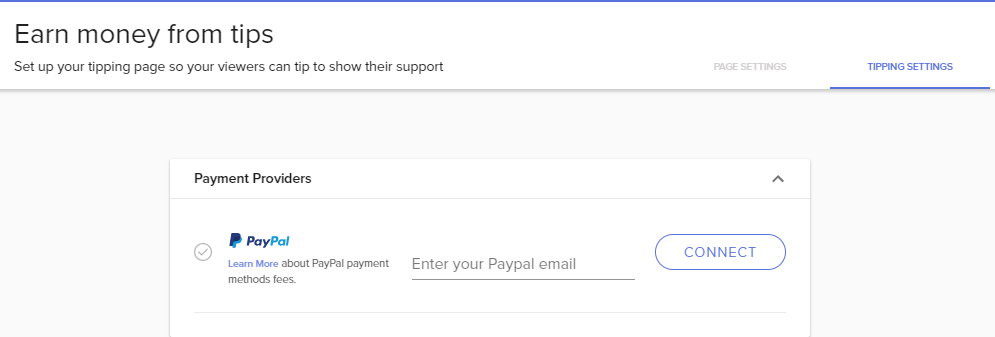
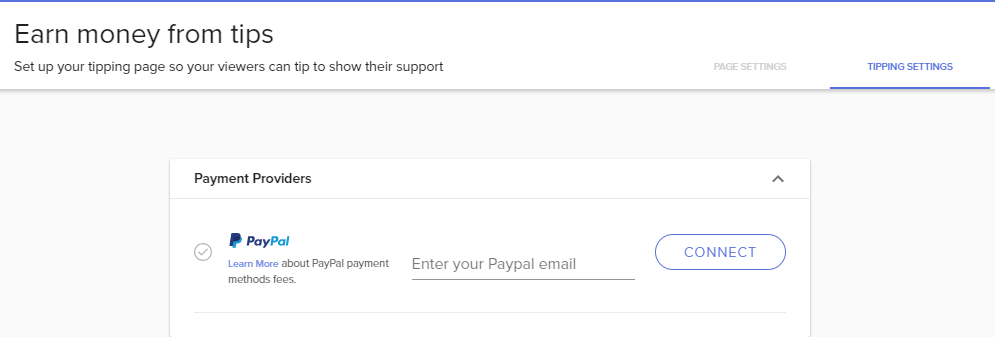
https://i.gyazo.com/1af43b8e8a88b76b360cd32562c8d2b4.png Where do i connect G2A Pay?
 zenith widget
It should be bellow the paypal option. If you don't see it, from which country are you from?
daring wharf
UK, England
zenith widget
@daring wharf Hold on for a moment, let me poke internally
Also is this your SE username as well? I'm blind 
daring wharf
Yeah! 😄
 old nest
so is there a way to give EVERYONE loyalty points at once? I cant seem to find a command or anything..
narrow coyote
!bonus all 1234 is better
old nest
thanks @zenith widget couldnt figure it out
zenith widget
@frigid talon Check this option for the given alert:
Maybe this is causing the initial issue
@daring wharf G2A Pay enabled for your account. Refresh the tipping settings page.
frigid talon
What do you mean check it?
daring wharf
Thankyou! 😄
zenith widget
@frigid talon It might be set to less seconds shown from the screenshot
Click on the alert widget, then cogwheel on the tip settings and you should see it bellow the layout settings
frigid talon
But it only happens on the first time the gif is played.
zenith widget
You asked for thoughts, and this is the first time I've heard anyone having said issue 
frigid talon
Ah!
zenith widget
Sorry if I was beating around the bush 
frigid talon
Because I've already played around with that.
I thought it was like a delay or something at first with your suggestion. >>
Thanks for the help.
zenith widget
Do you use multiple scenes?
zenith widget
If it started doing that recently, I suggest perhaps, going to properties of the browser source on the given scene it happens then on the bottom click "clear cache"
frigid talon
Hmmm
Actually, I just tested everything out right now. and it all seemed to time out correctly
zenith widget
¯_(ツ)_/¯
frigid talon
But I'll keep all of that in mind.
zenith widget
temporarily hickup?
zenith widget
Did you import your alert box from SL?
frigid talon
Yea.
zenith widget
using the import tool?
frigid talon
Yup.
zenith widget
Ok, do you have the gif on your PC?
frigid talon
And I had to edit stuff and reuploaded the stuff too.
zenith widget
or all of the images and sounds you use for the alert widget on your PC?
frigid talon
Maybe I didn't reupload the gifs?
zenith widget
So my suggestion is, if you still have the images/sounds
just delete the alert widget
frigid talon
I do! I will try that.
zenith widget
and readd it and change the notifications
frigid talon
Thanks. ❤
zenith widget
I've a problem with SL alert box import my self couple of months ago, where in SL I could not update the follower image
frigid talon
(Or I'll wait a week when I have the time to do it! haha)
zenith widget
it did not show the proper one, even after doing so many changes and clearing caches. When I used the SL import extention, it imported the same issues
frigid talon
hmmm
zenith widget
so I had to delete the alert widget and adjust properly to the new images I wanted
and it worked better
frigid talon
I'll do that. And rebuilding ain't even that hard.
zenith widget
These are my last thoughts on the issue
weary mist
I think so
There should be a variation with a {message} variable you can delete
Or a check box. Idk I'll check in a second, once I get my lazy ass out of bed. Naps are the best
lament blade
no hurry 😄
 boreal flax
hey, i am gona need step by step support to a friend who starts streaming and is clueless about twitch, anyone avilable to support him? :)
zenith widget
@boreal flax Give him this video 1st: https://www.youtube.com/watch?v=BtZazqLgBjw and then these videos that explain our tools: https://www.youtube.com/playlist?list=PLCDDKlFdScbEwdx5AntcQIS1InkFJwHtv
narrow coyote
also, if they have any questions or issues, it would be best to send them here so we can help them directly
weary mist
@lament blade unchecking this in the subscriber gift variation will get rid of the message:
lament blade
i see thanks
 smoky tide
is it possible to have a command other than !addpoints reward a user with loyalty points? i.e. Rewarding a user for something via !reward Username will then reward that user with the static amount and a default messages like Username was rewarded 200 points for _____
weary mist
you "could" use the custom API command, and use the SE api to add points, but I think it gets super tricky with that
 cerulean cradle
how would i go about setting up a death counter in an overlay? I can use editcounter to increase in chat, but unsure how to show that on stream.
narrow coyote
That is not possible at this time, but it is something that has been suggested https://streamelements.helprace.com/i283-add-bot-variables-to-the-overlay-editor
 clever robin
can streamelements fetch the ranks of all players in a league of legends match, when i use $(leagueoflegends summoner_name region) from nightbot it doesnt work
narrow coyote
If there is an API that you can call to get it, should be possible, there are some LoL command examples in #command-share
clever robin
thank you
 grizzled mesa
What s wrong with obs i think it s win10
narrow coyote
what do you mean whats wrong with it
grizzled mesa
Can somcone help me
narrow coyote
what is the problem
grizzled mesa
When i start it gets black on obs
nocturne pelicanBOT
@pseudo panther Custom bot name requirements
- StreamElements bot modded and in chat
- Active overlay with alerts
- StreamElements tipping page in the panels below the stream (!panels)
- Create a twitch account for the name you want to use
- Ground Control app must be running
Steps to enable custom name
- Sign in to https://twitch.tv with the bot account
- Install and run Ground Control (!gc for download)
- Visit https://twitchapps.com/tmi/ and generate an oAUTH token
- Copy/paste everything in the box to Ground Control oAuth settings and enter the name for the bot account
- Restart Ground Control (custom name may take a few minutes to take effect)
narrow coyote
if you use your oauth from your main twitch account, bot will post in your name
@grizzled mesa do you have sources added to OBS
narrow coyote
well, if you dont have sources, then there will be nothing to display, if you are not familiar with OBS, you might want to start with some tutorials on how to use it
https://www.youtube.com/watch?v=jeqSTRxNCvY Start here and work up from there
grizzled mesa
thanks
 quaint wasp
im trying to figure out how to set up notifications for stream elements ... i am logged in currently
lament blade
You can do that by using our overlays 😄
we have videos that explains our features https://strms.net/welcome

Setting up StreamElements is easy, learn how to in this video, hosted by Twitch Partner GIRLvsDUMB - Got any questions, or just want to say "Hey"? Join our D...
quaint wasp
im trying to test the alerts but not working
narrow coyote
So, you have an alert widget, in an overlay, and the emulate events is not working?
 pulsar gulch
Hello , how can I set up to hear my self for some microphone settings ?
narrow coyote
@pulsar gulch for what? Your broadcast software? Do a test recording, or test stream
pulsar gulch
I just got a new mic and wanna do some settings .. for streaming 😃
narrow coyote
Ok, do a test recording or stream then, it will be the best way to test this. If you are using OBS you can set it so the recording using the same settings as the stream
pulsar gulch
but when i click only recording and then stop record .. it's not doing anything
when im streaming and recording in the same time its working
narrow coyote
Not really sure what you mean
pulsar gulch
so when i start recording without going live ... it's not doing the record
do i need any setting for that?
narrow coyote
There is a setting somewhere, possibly under output > recording that should be something along the lines or use the stream settings for recording. I'm not at home otherwise I would get a screenshot, but outside of that nothing else should be needed to do a recording. Just start recording, talk into the mic a bunch, then stop and check the recording
pulsar gulch
I see , but is there also a setting where i can hear my voice in real time ?
narrow coyote
Not without something like a mixer, your best option for that would be to stream, but then you are live, so that is why people will do a test recording, unless you are fine doing a stream with a title like, testing mic, or something like that
pulsar gulch
Oh I see , alright ^^ thanks alot
tight harness
There's no way to disable auto hosts, but if they're generally a low amount of viewers you could just raise the minimum for host alerts to show
 wind palm
hi! I have few questions about widgets, bots, etc in streamelements anyone knowledgeable to take some nooby questions?
narrow coyote
its best to just ask, several knowledgeable people are always around to help
wind palm
well then lets start, what are bits cheers for? any point to having a cup or anything ike that?
narrow coyote
bits are part of the cheer system, that is all twitch. 1 bit basically equals 1 cent, so 100 bits = $1. Some people like to have the cup because it can encourage people to cheer to fill the cup with bits. Me personally, I do not like the hype cup so I dont use
narrow coyote
They are for interaction with chat, and custom commands. StreamElements chat bot is cloud based, so it is always available in your chat
 grave ginkgo
Hey, so my users are getting an error message "ERROR! SELLER RESTRICTION." when trying to submit a tip via StreamElements...any ideas?
narrow coyote
If you look at #command-share you can see some examples of custom commands
@grave ginkgo Sounds like your PayPal account is not setup to accept payments
grave ginkgo
Thanks for the info, I'll do some digging. Do you know if it requires a business Paypal account?
narrow coyote
it does not, but people commonly use a business account to cut down on the personal information that is seen
 clever nimbus
Does the stream elements extension have a schedule on it?
 limpid spire
Why is the bot adding elementsOkay to the end of messages when a user uses the !redeem command? Please @ me in case I miss the response; thanks in advance! 😃
stuck hamlet
@clever nimbus yes
@limpid spire cause thats part of the command, it should be an emote. you can enable the !pepes command in your default commands and use it !pepes in chat to remove it.
limpid spire
Awesome, thanks! 😃 If it is off by default (the command) the responses should be too.
 upbeat tree
So my group and I are planning on rebranding. And instead of making a new twitch account we are gunna just use the rename function.. If we do this, will Stream elements recognize that it was renamed and fix itself? Or will we need to re set everything up for the new name?
narrow coyote
After the name change, Part the bot from the channel from your dashboard on the right, then log out https://streamelements.com/logout , after this log back into SE, and then rejoin the bot. This will get a new token from twitch, and you will be all good
upbeat tree
awesome thanks 😄
narrow coyote
No problem
 thick saddle
Hi my timers have stopped working how do i fix this?
winter zenith
@thick saddle what you mean by "stop working"
How many chat lines and time did you have set up?
Are we talking about while you are online, or offline do they stoped working? 
thick saddle
@winter zenith I'm currently streaming and they haven't popped up in my chat yet
winter zenith
I think there have to be at least 1 Chatline. Even if you Set it to zero as a Spam prevention
Try typing something in chat
Or did it ever work befor that way?
thick saddle
It was working yesterday like this
@winter zenith My friend has just told me that she is having the same problem as well
winter zenith
Huh 
thick saddle
Mine just started going again idk if it'll stay though I'll wait a bit and let you know
winter zenith
Maybe the time didnt Pass?
Or your stream broke up and reconnected again so the timer was restarted?
thick saddle
It just started working by its self and the time had passed
 foggy iris
I've got a question. I have a widget for redeeming a stream store idem in my overlay. The sound is there but the gif i have for the idem doesn't show on stream however is does show if I emulate it from the overlay editor. Why does it work for the emulate but not the actual redemption? Can anyone help me?
foggy iris
It is a sound effect and now I feel like I should have checked there. Guessing it needs to be a stream perk
winter zenith
Yes
Sound effects do not Show the store item gif you picked
If it is a streamperk it will Show the item Image and the Sound you set
foggy iris
Ok sweet. You saved me a lot of time and questions haha. Thank you!
winter zenith
No problem thats why we are here
thick saddle
@winter zenith My timers aint still it only posted one of them then stopped working again and Ive tried disconnecting it and reconnecting
lament blade
Hi guys, where can i find my JWT Token?
This link https://streamelements.com/dashboard/account/information redirects me to main page (dashboard)
StreamElements
The Ultimate All in One Platform for Streamers
 gaunt glacier
it will be under your profile tab
lament blade
I guess i'm dumb.
I can
I can't find profile tab anywhere
OK
profile settings
and you need to switch "show secrets"
to see it 😃
winter zenith
@thick saddle in the dashboard doese it say you are live or offline?
gaunt glacier
hey guys, how do we get access to the StreamElements android app?
 ebon fog
Can I link whats playing on my Spotify to my overlay on Streamerelement?
winter zenith
@ebon fog not now. There is a work around created by our community members but it's a bit complicated 🙈
But we work on it so maybe just wait for it 
@gaunt glacier you mean for livestreaming?
gaunt glacier
yeah the android app you can use to livestream
 uneven zenith
Can I create an overlay from my phone?
thick saddle
@winter zenith It ended up fixing its self some how
winter zenith
@thick saddle what Was your solution?
thick saddle
@winter zenith It just ended up working again after about 2 hours
winter zenith
@gaunt glacier it's called ace livestreaming. But we develope a new app atm wich will be going into open beta soonish
@uneven zenith yesn't
It's possible but we advise to do it in a Google Chrome Browser just so your life will be easie
cedar lynx
Quick question, is total subs supposed to represent current sub count, or all collective subs over all time? Twitch says I have 48, SE thinks I still have 50.
winter zenith
All time! @cedar lynx
You can reset it too at
StreamElements.com/dashboard/session
cedar lynx
Ahhh okay! Is there an option for just current subs? I haven't found it yet, I feel like I'm missing something 
winter zenith
No, we only can trank incoming subs not how many you have right now I think
Same goes for followers we only can track how often people follow not when they u follow
cedar lynx
Gotchya, thanks Kiwa!
 merry mortar
how does someone get kapagen to work if they use slobs?
winter zenith
you switch to StreamElements! :D
24/7 Customer Service
Instant Notifications
ever growing Widgets shaped by demands of the Community
(Just like Kappagen)
Cloud storage no need to store Data or logs on your PC
All in one tool for easy use
Mod Controll power thanks too the cloud
@merry mortar
We have really good import tools on the top right of the StreamElements homepage to get you started really quick and easy
 tired quest
hi, is there a way to give everyone points with command?
winter zenith
Best of all this "VIP" treatment? ITS 100% FREE
@merry mortar
serene granite
@tired quest yes, by using !addpoints all <amount of points>
it will give points to everyone currently in the chat
 mint ether
hey guys, is there a way to make the overlays 2560x1440?
tight harness
If you don't mind them being a bit stretched sure, would still suggest leaving them as 1080p in the overlay manager and when you add it as a browser source to OBS and then you can use Ctrl + F to fit the selected source to your canvas
lament blade
Hello 😃 I was wondering how I could change the font color on the rotating recent widget in #widget-share to all white and how I can copy it to my current overlay
 proven copper
can you play spotify through media request please?
zenith widget
@proven copper Unfortunately, no. Its in the works, but no ETA.