#helpdesk-twitch
1 messages · Page 269 of 1
 little fractal
 weary mist
True. The other thing is that twitch doesn't annoucne them in the same way
Hosts are done through a totally different way than raids, which make it even harder. We dont want to cut out other host alerts accidentally because we are trying to cut out that other host alert as well
little fractal
yeah...i was afraid there was no real easy way to accomplish it. thanks for the info
 random vector
@weary mist
weary mist
hi
weary mist
Of course
random vector
where at
weary mist
It is in the TTS settings, inside the alert box settings
weary mist
if you are using the same alert box between the scenes, you can duplicate the updated alertbox, and then just go into the other scenes and remove the old box
or remove the old boxs from the other overlays, then duplicate them over
 merry mortar
One question to does the ration have to be 1080 to get kappagen funcitonional
 ocean lichen
any staff available
 tepid adder
tem algum suport brasilerio
 merry mortar
My screen is not that big in obs its only 1600 by 900
tepid adder
Do you have any brazilian support?
merry mortar
Do I just resize after?
 clever mango
@tepid adder Yes, but not online at this moment. I will have them message you.
clever mango
@merry mortar You can add the overlay to OBS at 1920x1080 and use CTRL+F on the browser source in OBS to fit it to the canvas
@tepid adder Rippzor
@humble relic I will take a look
merry mortar
so just slide it in with the cursors?
clever mango
After you add the source, click on the source and then press CTRL+F. I believe that will work for you. If not, we'll try plan B
@humble relic https://stats.streamelements.com/c/badcrash
 gentle imp
em que posso ajudar @tepid adder
tepid adder
@gentle imp em nao consigo ativo o bot na twitch
gentle imp
pois estou a ver que não está no canal, carregaste em "join channel" aqui https://streamelements.com/dashboard ?
 humble relic
ty @clever mango
clever mango
@random vector Don't cry. We have a present in #270206314561404928
random vector
fka
fka
fak
yes
can we get a way to change tts setting of all alert box at once
instead of havin to do one by one or copy replace
clever mango
That's quite a large change to the system so if it happens it will be a while. Duplicating alertboxes between overlays is the fastest method at this time if you use an alertbox in each scene.
random vector
yea
i just figured itd be easier with one click
but i didnt realize itd be a big change
oh well
im happyu with korean tts voice
^_^
 zenith widget
No bulgarian TTS 
clever mango

zenith widget
Don't worry about it. But can I worry you about a bad banned word filter?
picks up a banned word inside a proper word
clever mango
Sure, just a sec
 rain ridge
where can i find jwt token for ground control?
clever mango
!jwt
 nocturne pelicanBOT
You can find your JWT token on your account information page (Click on your name next to the Sign Out button) https://streamelements.com/dashboard/account/information
zenith widget
@clever mango Want me to DM you the banned word and the proper word? Also don't look into my account, as i'm a full editor of another person.
humble relic
why doesnt my avatar show here but it does in the dashboard?
https://gyazo.com/d3df602d610b8c9ec57df3da13274e04
 zenith widget
relog?
clever mango
@zenith widget Who's account?
zenith widget
@zenith widget VoltronLover
Also I tried ticking the Regex option, but it doesn't help
clever mango
Regex is a whole other beast. It should only be enabled if you understand what it is.
zenith widget
As one who codes in C#, I fluffing HATE regex
and I'm not sure what exact rules are placed in the system, so theres that
zenith widget
So, even with it off, the system still picks up a cyrllic word for mating inside an insect word (trying to be cryptic af  )
)
clever mango
You can just DM if you'd like
zenith widget
yea sure - i'd help
humble relic
why doesnt my avatar show here but it does in the dashboard?
https://gyazo.com/d3df602d610b8c9ec57df3da13274e04
gentle imp
try logout and back in
zenith widget
Log out, clear cache and log in again?
humble relic
i think its cus i changed the username
zenith widget
or just clear cache and restart browser
zenith widget
Then it maybe the username change 
humble relic
how to fix
zenith widget
Staff member should be able to assist
 royal quarry
@zenith widget Damn bro still at it? Haha thanks the help last night ❤

 fleet oxide
hi @tight harness sorry for the late reply. i was asking why my obs doesn’t pre load alerts. as far as i know i’m using the newest obs
 tight harness
Can you tell me the version number it tells you?
 snow mortar
Hey guys having an issue where my subs arent showing up on steamelements and hence not on my overlay either. Any idea where i can get help with this?
 nocturne moth
Hey guys I'm curious if there is a way to get assets from the animated overlays you have. I love some of the backgrounds, but would like to edit the text/boxes that are imbedded.
any help/options?
weary mist
@humble relic when you change username, make sure you part bot, log out, clear cache, log in, and rejoin bot. As for the profile picture, go to your profile page, and edit it from there
@snow mortar are these prime subs, pay subs?
snow mortar
they are prime
nocturne pelicanBOT
Twitch prime (new and resub) and paid subscriptions (resub only) must be shared in chat manually by the person subscribing in order for the subscription information to be sent to StreamElements. For twitch prime, the user needs to have sharing enabled on https://www.twitch.tv/settings/prime. For paid subs, if the share box doesn't show up immediately it will when they refresh the page. https://i.imgur.com/VNJN0Uv.gif https://i.imgur.com/2297EA7.png

 humble relic
@weary mist will my settings reset?
weary mist
no
it will just make sure we have the most recent token from twitch, update your name, etc
humble relic
log out of se or twithc
zenith widget
from SE
humble relic
still nothing
https://gyazo.com/9d89fecc036e1ac5acd9e440395dd0cd
on my profile it shows the correct avatar, here it does not and its been like this for weeks and this makes me wonder if some other things are not like they should be

 still plover
Hi ! how to activate songresquet in SL ?
humble relic

StreamElements
The Ultimate All in One Platform for Streamers
nocturne moth
no help for me? dang
still plover
oh thx
 earnest elbow
I've recently started using StreamElements and i am having an issue with the Overlays and Alert Box. The Box appears fine in the browser but shows cutoff when put into OBS, I have tried to resize but it doesn't change it. Anyone know what im doing wrong?
Never mind, i sorted it. I had the wrong resolution for the Browser Source in OBS
humble relic
@nocturne moth what do u need
nocturne pelicanBOT
Loading time for overlays will vary based on your internet speed, ping to servers, and the amount of data to load in the overlay. Using studio mode, you can preload your next scene before transitioning so that no loading appears on stream. You can also use a longer transition time. https://youtu.be/W8iWsD2Lq3U?list=PL_9rga23xIlJDyaOnO2avbss-PHm28oNs
nocturne moth
basically in some of the super themes, I love the backgrounds, but don't want the boxes/text
fleet oxide
do i need to watch this
nocturne moth
and I noticed that I can delete everything EXCEPT those elements
humble relic
hey guys, is 4500 bit rate too high to stream with? im using my gpu but i dont want to not let people with a phone or tablet not be able to watch. i heard you are supposed to only use a low bitrate but i want better quality streams
tight harness
@fleet oxide Not really, the message explains it enough
humble relic
720p60fps btw
fleet oxide
@tight harness this video makes sense, but its whener i get the first follow on my stream. It doesnt come up unless i refresh the cache. Does that make sense?
tight harness
Yeah, that's a separate thing I believe
fleet oxide
do you know how to fix this?
tight harness
It's not a common issue 🤔
fleet oxide
have u heard of it before ❓
tight harness
Only once or twice before, if it's loading fine in the overlay manager and the issue is happening within OBS itself then the best people to ask about it are the OBS support team: discord.gg/obsproject
fleet oxide
thanks mate
tight harness
No problem
If you want you can DM me what they say for future reference in case it's an easy fix 
humble relic
any streamers here that can help me with my quality
nocturne moth
I stream at 6000 bitrate
but I have encoding, not sure if you're partnered or not
or if that really effects quality for viewers
I used to stream at 4500, didn't have any complaints
nocturne moth
I'd say give it a go and see what your viewers say
humble relic
will mobile users be able to watch?
nocturne moth
hard to say. Depends on their connection I guess
don't think it's hardware related at this point
and they can always lower the quality if they choose, right?
nocturne moth
oh that's right....my bad
you dont need to be partnered per se, that's just for guaranteed quality options
nocturne moth
@tight harness any help?
tight harness
I stream at around 3500 - 4500
nocturne moth
sorry for my issue haha
humble relic
you change ur bitrate?
 exotic hinge
anyone availab le to help with a text on stream elements on a widget?
i can screen share
humble relic
screenshot
exotic hinge
how do i make the text box in the alert widget bigger?
its only letting me grab the outter edges
humble relic
by resizing it?
fleet oxide
@tight harness OBS hasnt responded mate, i really dont know what to do cause i just added media share and its not even coming up
why is this so difficult?
tight harness
@nocturne moth Sure the layer isn't just locked?
exotic hinge
its only letting me control and move the complete outter edge box
not the text box within
 sonic bough
I have the problem with alerts too, some show some dont on stream. Also the new extension on my panels shows UTC when i am CST. Everytime i put my times for the week it always shows me UTC on my panel
For my schedule that is
fleet oxide
if anyone is having issues with OBS they released a bug fix update and it doesnt show in auto updater in the program. Go chek their website and download 21.1.2 https://obsproject.com/
Open Broadcaster Software is free and open source software for video recording and live streaming. Stream to Twitch, YouTube and many other providers or record your own videos with high quality H264 / AAC encoding.
weary mist
@sonic bough extension is being worked on, that bug is known. As for everyone with an overlay alert issue, give me 30-45 minutes to get home
sonic bough
gotcha thank you @weary mist
fleet oxide
why isnt my gif applying to subscriber alert, its still coming up with default shark
weary mist
@fleet oxide check variation settings
fleet oxide
where is that?
tight harness
@nocturne moth If the text is part of the image then there's no removing it, most text isn't part of the image though 🤔
weary mist
@fleet oxide bottom left
fleet oxide
oh i see
i deleted both variations
is that bad...
its fixed, but i probs shouldnt have deleted right?
nocturne moth
@tight harness yeah that's why I was asking if there was a way to get the source image, since the text is obviously layed over top
tight harness
Kireaki may have it but she's not online
nocturne moth
oh? Is she the artist?
tight harness
She made the majority of the super themes so she's the one who'll most likely have something in regards to them
nocturne moth
is it bad to @ her? LUL
tight harness
Could try leaving her a DM, probably more likely to see it
 gilded shoal
on stream labs it is saying i have 0 followers on my dashboard when connected my channel but i have more than that just wondering if it was a glitch or something on my part?
 dense jackal
The dashboard says how many follows you have recieved this month, and we start tracking as soon as you sign up @gilded shoal
gilded shoal
thank you!
 steep pollen
can I give out currency points to a viewer?
dense jackal
yes using the !bonus command @steep pollen
 lament blade
So should I use this to avoid chargebacks
 open rose
can i post my twitch link?
 normal igloo
@open rose Depending what for
nocturne pelicanBOT
Are you a StreamElements all-in-one streamer and interested in stream promotion when you go live? Please fill out this application https://strms.net/sellout and if you meet the 3 requirements posted in the :pushpin: pinned message in #general you will be added to the stream announcements.
open rose
k
humble relic
why is song requests so buggy
just about everyone that tries to make a song request it does this: https://gyazo.com/5efedcf810324f977e18a9cdae1bc684

 proper stag
I could use some help, I'm trying to make an overlay and when I add the follower notification widget it has a text to speech from an old overlay that I don't want.
It even plays with text to speech not enabled on the widget, wat do
And if I set another text to speech they overlay each other and create a mess of tts.
 narrow coyote
@humble relic that means that you have the twitch setting enabled to delete links in your chat
proper stag
Well, it seems that the Machine Spirit of Streamelements has righted itself.
narrow coyote

 urban marsh
I am getting stressed, I got a giveaway tomorrow and I want my followers to type like !demon and name comes up and I draw and winner will be announced on chat, I found one on Google chrome and does not work
weary mist
@urban marsh our bot has a giveaway function
weary mist
@deep wing can you please describe your issue? We are not exactly easily able to ump into voice
 deep wing
i have obs streamlabs all of a sudden started lagging cpu at 100 percent gpu at 100 percent
trying to try obs but i have no idea how to do this overlay stuff on obs
 full fable
Anyone have problems with their alert sound not coming through to obs? the visual shows up but no sound comes through to the stream
normal igloo
@deep wing Well for starters We are not streamlabs So don't really see how we could Help with that 🤔
deep wing
im off streamlabs
im trying to setup obs
i dunno how to use streamelements to put overlays on obs
weary mist
@full fable I am not sure about that, are you hearing the alerts from OBS?
@deep wing add a browser source, we have a video on youtube just for that
deep wing
i used one of your overlay themes and the camera box is to big and wont match my camera everything else seems to work
full fable
@weary mist we hear it in our headphones, but the viewers do not hear it
weary mist
and they can hear all your other gameplay etc?
full fable
yes
weary mist
@deep wing the overlay is editable, you can adjust or even hide the camera frame
@full fable that seems to be very much and OBS issue. have you tried their discord server?
!obshelp
nocturne pelicanBOT
For the best OBS support, please join their discord where OBS devs and support volunteers are available all the time discord.gg/obsproject
full fable
ok thanks 😃
steep pollen
Im prety new still to all this...I set up a sound (Thanks LatteMotte for the sfx_share), but once redeemed, how do people play the sound on my stream, or how does it work after people redeem the audio?
 heavy brook
Is it possible to setup a latest youtube video command with Streamelements bot?
 torn narwhal
can someone help me i created a over lay for my twitch and the alearts are not coming up when someone follows
clever mango
@heavy brook Yep, check out #command-share in a few minutes
heavy brook
@clever mango already got it working 
clever mango

steep pollen
@torn narwhal did you add the alert box form the widgets?
lament blade
any idea why my donation alert is playing twice...and i dont have the website open
torn narwhal
i think so im sorry alittle new to stream
nocturne pelicanBOT
@lament blade Make sure to :ballot_box_with_check: “Shutdown source when not visible” for all browser sources (all OBS scenes). If using studio mode, uncheck “Swap Preview/Output scenes After Transitioning.” Also keep in mind that sound can play from any overlay loaded in the browser (editor or launched). https://i.imgur.com/FegZJQS.png https://i.imgur.com/yY0wcFl.png

 dense jackal
@torn narwhal did you get a chance to watch our tutorials?
lament blade
only the donation alert plays twice..sub and everything else just once
humble relic
@narrow coyote like auto mod? i have auto mod disabled
oh nvm the hyperlinks option
dense jackal
hmmmm https://streamelements.com/dashboard/account/channels can you head here and give me an access link @lament blade
humble relic
so how to stop people from posting links without interferring with streamelements?
dense jackal
What do you mean interferring with streamelements?
humble relic
why is song requests so buggy
just about everyone that tries to make a song request it does this: https://gyazo.com/5efedcf810324f977e18a9cdae1bc684
i posted that earlier, and then kite replied and said it was because i have block hyperlinks enabled on my twitch, so how do i still block people from posting links but allow this to work?
dense jackal
turn off the block hyperlinks on twitch -> head here https://streamelements.com/dashboard/bot/filters turn on link protection ->click the gear for settings on link protection -> whitelist youtube.com @humble relic
dense jackal
all good
humble relic
sorry we dont need http or www? just the website name?
clever mango
/ban 🐛
 viral cedarBOT
dense jackal
viral cedarBOT
dense jackal
@lament blade just did a test did you hear only once ?
steep pollen
I dont mean to spam, but my quesion kinda went unanswered...I added an audio to the store, what happens when some one reddems it, and how/when is it played in the stream?
lament blade
yeah just once
clever mango
@humble relic you can request via song name, youtube video URL, or video ID found at the end of the video URL
@steep pollen what item type is it?
steep pollen
I got he_fucked_up from the sfc_share
dense jackal
@lament blade you had another overlay active with just the tipping alert, i disabled it
steep pollen
sfx*
humble relic
@clever mango i meant when whitelisting urls you can just type like youtube.com ?
clever mango
you don't need to whitelist youtube for !sr
the bot doesn't time out links in a !sr command
dense jackal
you need the store redemption widget @steep pollen in your overlay
clever mango
@steep pollen You created an item in the store. What item type did you choose? Stream perk, Sound effect, or Access code
lament blade
omg thanks so much !!!!
dense jackal

clever mango
This affects what happens when the item is redeemed
steep pollen
Ty!
heavy brook
One more question from me, is it possible to add the steam link for !game
clever mango
@heavy brook This is a feature we plan to add but not available at this time
heavy brook
 thanks for the quick response
random vector
is it normal
for the overlay to be delayed by a couple seconds
when switching scenes
clever mango
Yes @random vector
nocturne pelicanBOT
Loading time for overlays will vary based on your internet speed, ping to servers, and the amount of data to load in the overlay. Using studio mode, you can preload your next scene before transitioning so that no loading appears on stream. You can also use a longer transition time. https://youtu.be/W8iWsD2Lq3U?list=PL_9rga23xIlJDyaOnO2avbss-PHm28oNs
random vector
hm
 slate meteor
Question, I added my stream elements link for my alerts on my streamlabs obs but on my streamlabs obs the alert is cut off and not centered on the editor but it looks just fine on the stream elements editor.
nocturne pelicanBOT
@slate meteor The default resolution for StreamElements overlays (theme and custom) is 1920x1080. Please add them in OBS at their full resolution and use CTRL+F to fit to screen if necessary. You can then downscale your stream in OBS settings > Video if you'd like https://i.imgur.com/6bWXxjR.png
 clever mango
Does this help?
slate meteor
Yes!! Sorry i tried watching the youtube video and it didnt mention that.. Thank you!!!!
 urban yew
What happens if i change my twitch channel name? What do I lose as far as stream elements, etc?
 stuck hamlet
As a streamer or viewer
 peak kiln
Hey, I started streaming 2 days ago. For my first stream I used your guys' program, but it caused me to have input lag and I couldn't even get 144fps in-game. I tried everything to my knowledge to fix this, lowering every setting etc. But nothing worked, so I tried normal OBS for my second stream. The difference was incredibly satisfying, my game felt completely natural and I was playing at 144fps without any input lag while streaming at 720p60 with a bit rate of 5000... Now my question is: what could have caused this? I would like to use streamlabs OBS for the super handy dashboard but when normal OBS is this much better for me, I don't really have a choice
Sorry for the paragraph lmao
lament blade
So heres a question about the stream store. If someone would donate. And I have it set to 100 points for a donation. Is that no matter the amount they get 100? Or is per dollar?
zenith widget
Per dollar
lament blade
Okay kickass thank you ❤
zenith widget
@peak kiln This is Stream Elements, not Streamlabs. SE doesnt have a program like SLOBS and trying to import SE overlays to SLOBS as far as I know is a headache and most of the time it does not work.
So SLOBS is basically a version of OBS but mostly used with Streamlab's overlays.
Hope this helps clarify the main issue.
zenith widget
No worries! People just assume SLOBS is better then OBS/OBS Studio and have not read or heard that SLOBS has integrated SL overlays. 
An no. SE Staff has said they don't plan to make their own version like SLOBS as they love and support the actual OBS team.
 deft shard
hey guys, i watched some video of HypeCup, and i saw in 1 video some purpleish fluid within the cup? How do you get that? Or that Animation around the cup?
 hidden bison
guys how do i find my jwt code for pc app? i just cant find it
deft shard
2nd question. When i connected StreamElements to Twitch, from that start it starts logging my followers, bits, donation for the Hypecup? I cant import my data from Streamlabs with the Chrome extension. Doesnt seem to work
hidden bison
jwt token
zenith widget
StreamElementsBOT - Today at 12:17 AM
You can find your JWT token on your account information page (Click on your name next to the Sign Out button) https://streamelements.com/dashboard/account/information
🗑1
StreamElements
The Ultimate All in One Platform for Streamers
Guess I'll do it this way
tight harness
KeiZar carrying support until I wake up 
hidden bison
why the hell it is not working for me 😄
zenith widget
i g2g now to go watch DP2
tight harness
What's not working for you?
hidden bison
the page
tight harness
StreamElements
The Ultimate All in One Platform for Streamers
Seems the link changed, the command response will need to be updated
@deft shard Old data?
 finite thorn
Hey, I'm in Russia and the page doesn't load for me, it also doesn't send alerts and overlay to OBS. The page loads with touch VPN being active in google chrome, but it still doesn't send alerts and overlay to my OBS. I copied the link and created the browser source again, no response. Anything I can do at all?
tight harness
That imported data won't fill up your cup though
The cup only fills up with data that naturally comes through our system
deft shard
no, but it will fill up the log i guess?
once its connected for first time with twitch, it starts filling cup right?
does it remember the last state?
tight harness
Once you sign up to us, new events that pass through our system fill the cup
deft shard
like when i exit OBS, and i start it again, so its not empty
tight harness
@hidden bison That video you sent me in DMs shows you going to the same link which I said was changed to https://streamelements.com/dashboard/account/channels 😄
deft shard
@tight harness , i watched some video of HypeCup, and i saw in 1 video some purpleish fluid within the cup? How do you get that? Or that Animation around the cup?
tight harness
@deft shard You can set the amount of recent activities for the cup to refill with in the cup's settings
deft shard
k thanks
deft shard
hmm somebody cheered as test. Ive put recent events for Hypecup on 20. But it doesnt refill with the cheer. Neither with a manual reload. Cheer, Tips, Subs, Followeres, are all checked.
I am doing something wrong?
bugged?
Streamslabs cup has a memory. When you restart OBS. Doesnt hypecup have this?
tight harness
@deft shard If you put your username in here i'll take a look in a moment 😃
tight harness
Got it, will take a look, just need to start making some lunch 😄
deft shard
👍🏻
deft shard
@tight harness any luck?
deft shard
does it need to be for HypeCup?
i though it retrieves all information through the twitch connector
tight harness
It's generally advised for the most fluent use of our service, even if it's muted
Am I alright to run some test events?
deft shard
sure
tight harness
Test cheer event dropped in alright
tight harness
Did the real cheer happen before or after you set the recent events to 20?
deft shard
after i set it
tight harness
It's pulling the recent sub from memory 🤔
I just followed, and it's pulling that from memory too
tight harness
Yes
tight harness
Seems the cheer must have happened before it started keeping recent events
deft shard
hmm
 cold crescent
Hello 😃 . im new to this StreamElements and OBS , is there a vid that can guide me how to setup my OBS and all that? i have use SteamLabels OBS , but i want to use OBS now and i have never use it before ^^
deft shard
@tight harness i will let you know how the cheers goes. Btw Do you know also how they get that purple fluid in that cup?
or that line animation around the cup?
looks pretty cool
clever mango
@deft shard where is this from?
deft shard
from your own trialer video

See what the Hype is all about! HypeCup visualizes Cheers, Tips, Subscribers, Follows and Hosts into customizable tokens, that drop into a cup. HypeCup is th...
deft shard
can i find it somewhere?
clever mango
It's not a part of the cup
deft shard
ah k
deft shard
bummer 😄
cold crescent
Hello . I'm pretty new to this StreamElements and OBS thing , is there a vid that can guide me how to setup my OBS and all that? I usly use Streamlabels OBS but i dont like it , and i wanna try to use OBS and StreamElements . 😃
 north glacier
https://youtu.be/UuweQah3v00 @cold crescent

Setting up StreamElements is easy, learn how to in this video, hosted by Twitch Partner GIRLvsDUMB - Got any questions, or just want to say "Hey"? Join our D...
cold crescent
thanks ! 😄
north glacier
@cold crescent there are a lot more guides on that youtube channel 
cold crescent
@north glacier Okey i will check it out 😃 . I feel so lost in OBS , i usly have a friend helping me . But hes oversea working , so i need to try to do tihs my self ^^
 violet nimbus
Is your site based on Amazon or Google servers? In Russia, now blocking at the legislative level and the site stopped working .
north glacier
@violet nimbus we are aware of that . Investigating 😃
 ebon forum
@violet nimbus починим, не бойся)
@violet nimbus а так да, мы на AWS под cloudflare сидим, видимо от роскомпозора прилетело
deft shard
use a vpn (ssl) tunnel?
violet nimbus
@ebon forum о, русская поддержка появилась? Да чувствую вообще нужно на хороший впн раскошеливаться. То шрифты слетят, то чат не работает.
cold crescent
@north glacier How mutch does it cost to get someone to help me to setup all the OBS thing and StreamElements? 😃
ebon forum
@violet nimbus она давно, с августа 17го года я тут работаю)
north glacier
@cold crescent 0
ebon forum
@violet nimbus в мордоре пора всем впн покупать как зонтики - обязательно пригодится
violet nimbus
@deft shard I do not know about the stability of streaming through VPN.
deft shard
free, not good. Payed, they are good
violet nimbus
@ebon forum в дискорде бы поддержку по языкам разбили, было бы неплохо. А то пока всё через интернациональную решал.
cold crescent
@deft shard what?
north glacier
@cold crescent feel free to dm me with questions about setting up . 😃
ebon forum
@violet nimbus да тут и так всё раскидано. просто обычно люди кричат на своём и мы саммонимся быстро. ну или английский, чем и я занят в основном.
violet nimbus
@deft shard I'll go for it as a last resort. I have a very good and stable Internet. Just half does not work.
deft shard
does your goverment regulate all internet connections in Russia?
cold crescent
@north glacier I will 😃 . I am soo lost , i dont know anything about this . And i want to start my stream , so i can start talk to my Swedish viewers 😃
violet nimbus
@deft shard They regulate access to sites. Wanting to block telegrams - blocked part of Google and Amazon.
violet nimbus
@ebon forum буду иметь ввиду, а то часто не передать нормально на английском, чего хочу. Так пытался донести, что нужна регулировка текста продвинутая. Сейчас очень урезан функционал, ни настройки тени, ни заднего фона. Создал тему, собрал 70+ лайков, жду. Всё же очень резко стримэлементс вырос и тяжело всё доделать и перебрать.
deft shard
btw @tight harness did you know that the token bounce gravity difference in the refill or test 😃
ebon forum
@violet nimbus у нас много мест где мы сейчас всё чиним, латаем и внедряем, потому трудно. редактор будет переделан. также приложение переписываем, мобильное приложение, ютуб прикрутили, вообще работы много. платёжные системы по всему миру включены
deft shard
refill seems to have a fixed gravity compared to a test, which seems to be bound to the token bounce setting
tight harness
Didn't notice, but I'm sure there's a reason for it
violet nimbus
@ebon forum да я вижу, что постоянные изменения и доработки, постепенно всё меньше других чат-стрим интеграций использую, так как в элементсе появляются аналоги. Только с ченджлогом халтурите он с 16 марта не обновлялся, хотя как минимум новые интересные команды и фишки добавлялись.
ebon forum
@violet nimbus ну это не ко мне, я железячник, переводчик итд, но никак не кодер, это надо пинка прописать по адресу. а кодеры наши прячутся в подвалах и работают)
 tacit pendant
Hey, i know there is/was a way to save specific videos used in a overlay to use in another overlay (which isnt your own), but i cant remember how to do it. Anyone remembers how?
violet nimbus
@ebon forum да это не критично. Всё хорошо работает, кроме лагов дектопного приложения, оно любит что-то интересное выкинуть. Сейчас музыку играет заново, если она заканчивается в плейлисте зрительском.
ebon forum
@violet nimbus так его и переписываем, там хоткеи не работают и оно вообще сейчас с нуля идёт. скоро будет™
violet nimbus
@ebon forum круто, ещё бы в него адблок сунули, а то медиашеер на стриме с рекламой - такое.
ebon forum
@violet nimbus это хрен знает, вообще есть youtube premium сейчас который убирает рекламу за 12 баксов в месяц. это совсем новое. может там что-то придумаем. надо сначала новую версию, пока 0 информации. сами ждём.
violet nimbus
@ebon forum спасибо за ответы, жду. Если каких-то функций нет, я их через кооперацию чатботов допиливаю. Например нужно угадать, что нарисовано - один реагирует на эту команду, покупает у элементса звук и перечисляет через элементс поинты. Ласт вопрос, введут ли российские системы оплаты когда-то, а то кредиток и пейпала маловато?
ebon forum
@violet nimbus а они уже есть, яндекс деньги, вебмани итд. работают, киви в процессе
@violet nimbus просто пока чиним последние мелочи, анонса публичного не было
violet nimbus
@ebon forum хорошо, дождусь киви. А то пока иногда приходится вручную поинты начислять за донат. Спасибо за ответы.
 shell pumice
Why do I only have one payment method? An admin told me that it should be available in my country but it's not. Help pls!
ebon forum
@shell pumice if you live in an english speaking country, it will not be enabled by default.
shell pumice
I do not live in an english speaking country
ebon forum
I see, you are from Sweden. It should be enabled.
ebon forum
your twitch page 😃
ebon forum
let me see, we might need to enable that manually
shell pumice
alright
exotic hinge
is there a tip by credit card option if people dont have Paypal?
narrow coyote
More tipping options will be available Soon™
You can see a sample in #297092117933719552
 pine hemlock
@exotic hinge people can also tip via PayPal by card if they don't have an account.
 molten heath
guys? any ideea why chatbox isnt working ?
narrow coyote
Was it working previously?
molten heath
i dont know, first time trying it
it works in overlay editor
but not on obs
i can see only the background but no text
narrow coyote
If it works in the editor, then i would expect it to work in OBS, if you saved it recently, OBS will refresh the page, and you would lose the text from before
molten heath
i write after i save and still nothing
ebon forum
@shell pumice refresh everything, it is best to re-log into streamelements and you will have the option.
ebon forum
@shell pumice we just added that, relog and look into your settings
narrow coyote
@molten heath Have you tried refreshing the cache on the browser source in OBS? If not I would try that. OBS is pretty much just displaying a webpage, so if you see something different, could be a caching problem.
molten heath
like i said, i can see the box background, if i change the color it's changing in obs aswell. but no text
added another chatbox, background appeared, no text, only in overlay editor
now it's working
 i added it again and resized it and i can see text now. kk thx

 lament blade
I'm not quite sure where to put this....So I'll try here first. I have store items, when someone tries to purchase one with their points. It gives the success message in chat but never pops up on stream. The notification shows up in the editor page but not on the launched version of the overlay. Also doesn't show up in OBS. Has anyone else had this issue or can anyone help me?
narrow coyote
Do you have the store redemption widget added to your overlay?
lament blade
yes, I created a new overlay and added only it.
Centered and made sure it was working properly in the editor.
Hit save and it doesn't show up in the browser or on OBS/Stream.
exotic hinge
Is there a program to extract audio from a song?
like i only need the first 10 secs of it
so i can use it for my widget alert
lament blade
Just use Movie Maker
It's free, on almost all Windows based PCs and incredibly simple to use 😃
narrow coyote
@lament blade What type of store item was redeemed?
https://www.audacityteam.org/ @exotic hinge
thats what I use, and they have a mac version
exotic hinge
thanks ❤
lament blade
It's just an audio message that plays as soon as it's purchased. However I've tried 6 other store items. None of them show up on stream/obs. I know it isn't OBS because all other alerts show up just fine. It's only the Store Items Redemptions that do not.
zenith widget
You said that you made a separate overlay for the redemtion? Out of curiosity, did you add the overlay to OBS? 
Also, if a person redeems an item, I think you still need to manually accept or deny the redeem item from here: https://streamelements.com/dashboard/store/redemptions/items
This should allow to play the custom song/alert you have placed on the item, if thats the case.
lament blade
I spoke with Sean about the accept/deny feature. He informed me that it will automatically show the notification whether I allow it or not. That feature is only for your personal logs. It also doesn't even work. But yes, to answer your painful first question. I was smart enough to add it to OBS....
zenith widget
I was not implying you are dumb or anything btw, just that people tend to forget the most simplest things, when dealing with getting up streams and features to work. Me included.
As for the accept/deny feature - I didn't knew that so its good to know as well.
lament blade
yeah, sorry I took it the wrong way. Just seemed like a shot at my intelligence :/
zenith widget
From personal and work experience of supporting people with their websites, you'd be surprised how much people tend to forget the most simplest things, especially smart people.
dense jackal
@zenith widget @lament blade
tight harness
Couldn't have said it better myself KeiZar, we have to go through every possibility
lament blade
lol, are you Sean from emails?
narrow coyote
 You guys want to help us with the problem
nvm, i think we got to the bottom of it in DMs now
tight harness
@lament blade Yes I am
lament blade
Do you allow DM @tight harness ?
tight harness
Sure 😃
shell pumice
Is this because i can't have subscribers on my twitch channel?
narrow coyote
We got Novah all sorted in DM's
shell pumice
Ok can u help me now?
 umbral anchor
When i try to turn on Songrequest, it says "controlled by module settings", but i can't seem to find where that is - i am probably just blind, but please help me anyway, because it seems like it is something that doesn't take a long time to fix ;)'
shell pumice
and why is my latest donation widget not showing? I have it visible
zenith widget
@umbral anchor Media Request module is controlled here: https://streamelements.com/dashboard/mediarequest/settings
@shell pumice Did you save the overlay after adding and setting up the widgets?
zenith widget
Which overlay is that?
shell pumice
zenith widget
So widget is not set to show you "Latest follower: <follower>" as there is a design graphic showing a heart next to it
Since I don't stream I just set it up for my self and its not showing the last person who followed me. What I would suggest is to add it to OBS
shell pumice
zenith widget
and start a stream - it should update it self when you go live
shell pumice
this is latest donation btw, not latest follower
zenith widget
or try the "Reload overlay"
zenith widget
Above you mentioned latest follower widget, but still applies. If you've recently setup the overlays, just try and start a stream and the data should update it self.
shell pumice
oh ok
zenith widget
If they don't update, then ask again and I'm sure an SE Champ/staff will be more help then me 😉
shell pumice
Ok! Thank you for the help! ;D
zenith widget
Quick tip as well, since I looked at your channel - first couple of streams are always in panic mode as testing for all sorts of things is needed. Be patient and have fun most of the time!
shell pumice
Oh well ty! :D
umbral anchor
@zenith widget Thanks for the answer, but unfortunately it did not fix my problem - see pic below:
It is the module setting, which i have trouble finding
zenith widget
Do you have "Viewer Requests" turned on from the main media request page?
lament blade
hi, when i make a new overlay in streamelements do i need to make all alerts again? and that goes for every overlay i make?
-_- noobalert!
😛
zenith widget
If your using a Super Theme or regular theme - everything is basically setup for you.
lament blade
making my own
zenith widget
If your doing your own overlay and plan to have multiple ones - you can copy setup widgets between overlays.
narrow coyote
you can duplicate elements from one overlay to others
lament blade
ok do i need to have the elements on every page?
zenith widget
Graphical ones? Its up you to.
I'd suggest looking into this video and the other ones in the series: https://strms.net/welcome
humble relic
https://gyazo.com/d34dbc1e73401642a28e964e30353491
how can i get alerts like this on stream?

 humble relic
gotcha
shell pumice
Why is my recent donation not showing here? I have it visible and I've test streamed so the data for the recent donation could come but it didn't. Same with the recent subscriber one. Please help!
humble relic
the train count?
narrow coyote
event list
humble relic
gotcha
shell pumice
@narrow coyote why u ignoring me
shell pumice
nvm I just fixed it
narrow coyote

humble relic
hey kite, so i only want 5 events to show at a time, but i have to expand it for it to show the latest one
nvm
im dumb
normal igloo
attention all YouTubers and streamers [ Who use Windows 10 ] Anyone who uses a mic with PC Windows Update 1803 disables ALL RECORDING DEVICES by default. If your mic suddenly stops working after an update, here's the fix. http://maxedtech.com/fix-microphone-not-working-in-windows-10-1803/ Hope this helps anyone having the issue Just thought I'd share that info
 wise relic
Hey all. I'm using custom audio. What's the best format? Should I leave it in high quality .wav or will SE lag instead of pushing it quickly when there's a notification? Cheers for any assistance
 fossil sable
I have a question regarding how cheers are seen in stream elements. I have swapped to this service and of course there was no way for it to see any bits that were given before I started using your service. Is there a way to manually change a specific persons overall cheers?
zenith widget
@fossil sable Unfortunately, SE starts tracking the moment you connect and won't be able to pull past cheer info. Either make a custom manual list or just give it time to pile up again.
fossil sable
Dang, kinda sucks. It was a considerable amount and I didn't want the guy to lose his past cheers. I will just have to keep the old method of tracking up.
zenith widget
You can make a panel on the bottom of your stream just have a list of top 10 cheers. Unfortunately, you will have to update it manually to include past service and new service.
 crimson yew
You can put that in #💭︱feedback-and-ideas
fossil sable
Yeah, I'll have to do that.
zenith widget
@wise relic I'm not sure what you mean by custom audio, so I assume you have a custom alert as a high quality .wav sound file? If yes, then it should not lag the SE overlay when its playing.
wise relic
@zenith widget thanks!
zenith widget
I just assume, as long its not really long and a huge file, it should be fine really. I do know that some Super themes(animated ones exactly) can actually lag the CPU(low to mid range PC) a bit, so take care with how much stuff you have on the overlay
 mental scarab
 torn narwhal
is there a staff member that can help me out please
ebon forum
@torn narwhal just say how can we help you.
crimson yew
I really can't stand new streamers a lot of the time.
 hearty rock
how can i add alerts and labels to my custom overlay? is there any stream elements addon or plugin that i can use
hearty rock
i created an overlay on photoshop because the overlays section on streamelements was lagging and shutting down. is that the only way to do it?
crimson yew
Hard to answer that, but I'm not sure why it's lagging and shutting down for you. Never seen that happen before.
#helpdesk-twitch go there. I'm sure someone will be able to help.
maybe it's an internet thing, I'm not sure.
zenith widget
this is #helpdesk-twitch
crimson yew
oh
My apologies. I'm doing multiple things at once and I'm not paying attention to what channel I'm typing in
zenith widget
@hearty rock If your doing it via photoshop, then you need to make a transparent background, but afterwards everything is really hard to do and basically goes towards programming.
What browser are you using when trying to open the overlay editor?
hearty rock
Google chrome
 honest goblet
hearty rock
honest goblet
hearty rock
i have started to be more patient with the overlay editor, and simply imported the premade overlay and i am working from there
zenith widget
I would suggest to clear your cache and restart the browser and try again. If it sill doesn't load, then SE.Staff should be able to help with the non-loading overlay editor.
Well it could be internet issue or your PC is having some issue really.
 ember junco
how do you guys make a donation box on twitch
zenith widget
@ember junco Latest donation?
ember junco
i dont know how to set one up so nobody has donated yet
zenith widget
Do you mean the entire tip page and then adding a showcase for the latest donator?
ember junco
you know how the famous streamers have the donation button how do you get that
zenith widget
Yes, I would suggest to take a look at this video: https://www.youtube.com/watch?v=eLzxRkq7tJo&index=2&list=PLCDDKlFdScbEwdx5AntcQIS1InkFJwHtv
It shows how to setup the tip page and add the tip/donation button bellow your stream.
ember junco
k thanks
 wide stump
Hi all!
I would like to create a command that reset a count variable
bot command*
something like that: !cmd edit !resetwin $(editcount wins 0)
zenith widget
@wide stump There is a default command for editing counters "!editcounter". I haven't used it really, but just type it like that in your chat and you should see whats its options are
wide stump
@zenith widget I read about this one, I just want to simplify the life of my mods for reseting the count every day
weary mist
!editcount variableName +1/-1/1
zenith widget
As a main tech mod and full editor of a streamer, my entire mod life is hell
I'm not sure if there is a simpler way then !editcounter
its harder with !command edit !cmd blah-blah
weary mist
this is currently the only way to reset/change a counter
wide stump
ok thanks for the feedback
zenith widget
Maybe look at #command-share for examples of a bit more complicated commands or how they are setup - neat ideas there really
You may find a way to make it easier
wide stump
well my idea was kind of good, I wanted to make a link between a simple command to another one: !cmd edit !resetwin !editcount wins 0
It just doesnt fly for whatever reason
zenith widget
The bot cant call on its own commands I'm afraid 
wide stump
make sense
 hollow surge
Hey all, question about store redemptions. On my streams viewers can buy sounds via stream store which will be played on the stream. The sound works, but there is no graphic notifiaction on the screen, that somebody bought a sound. However, when I emulate item redemption myself it works. I see it in OBS and in overlay editor. Why it is not visable when somebody buy a sound? Any ideas?
zenith widget
@weary mist Very dangerously for coding entirely 
weary mist
@hollow surge sound effect redeemtions are ONLY sounds @hollow surge
If you want an image to pop up as well, you have to set it as a stream perk
@zenith widget very true
hollow surge
@weary mist Is it possible to set it so viewer buy one thing, then sound is played and a image pops out?
 sleek matrix
There a way to renames the streamelements bot ? and add him something that he can say in the chat every like 30 min or something ? .. sorry im french
nocturne pelicanBOT
@sleek matrix Custom bot name requirements
- StreamElements bot modded and in chat
- Active overlay with alerts
- StreamElements tipping page in the panels below the stream (!panels)
- Create a twitch account for the name you want to use
- Ground Control app must be running
Steps to enable custom name
- Sign in to https://twitch.tv with the bot account
- Install and run Ground Control (!gc for download)
- Visit https://twitchapps.com/tmi/ and generate an oAUTH token
- Copy/paste everything in the box to Ground Control oAuth settings and enter the name for the bot account
- Restart Ground Control (custom name may take a few minutes to take effect)
weary mist
;)
sleek matrix
thanks i will try to follow thoses steps
zenith widget
@hollow surge So, if your making a store item with "Sound Effect" what Scalper suggested is to make it a "Stream Perk" in the first options. on the next stage you can add an image AND sound effect as well.
weary mist
You can set an image for both types, it's just with sound effects, the image is not used in the alert, only in the store
 cloud meteor
How can I insert the name of the subgift sender in custom css? It just copied my text from standart alert and I am not that good at html yet D:
stuck hamlet
{{sender}} ?
hearty rock
anyway that i can set the recent tipper to have no display when there hasnt been a tip yet? instead of having - $0 on the field
or can you only set that for top tipper
dense jackal
for recent tipper you can edit the info here https://streamelements.com/dashboard/session I don't believe there is a show nothing tab currently though.
cloud meteor
No, I mean custom css tab. Nickname of subbed guy shows like this, but how can I add the gifter?
http://i.shady.moe/Y1Yq7.png
 hearty rock
okay got it, thanks
 strong mason
Hey peeps, I am in the middle fo my first giveaway, but for some reason !ticket doesnt work
anyone any idea?
do i need to manually make the command or is it standard?
dense jackal
It is standard check the default commands to make sure it is enabled @strong mason
dense jackal
twas me 😉 @strong mason
strong mason
@dense jackal In that case, thank you a lot 😄
Very appreciated, it was hard to google solutions furing stream 😛
 night quiver
Hey Guys! First, sry for the bad English 😄 I need a little help. I Want all Response from the Bot translate in German. How can i make this? o.O
weary mist
first, we do have a german supporter 😃 @winter zenith she will be able to help a bit
night quiver
Okay.. 😄 That's great! 😄
 winter zenith
Hi, was gibt's denn?
@untold rune ich sags dir ehrlich bin gerade in ner Bar mit wenig internet aber ich versuche dir gerne zu helfen
Wie ich lese willst du das der bot alles auf englisch raus spuckt. Das wird etwas schwierig weil viele Dinge sehr automatisiert sind und automatische Antworten liefert. Wie zumbeispiel songrequests. Hier kannst du die Antworten eigentlich nicht beeinflussen (NOCH nicht beeinflussen)
 untold rune
Nicht mich 😛 hahaha
night quiver
xD
winter zenith
Alle Antworten kannst du bei Costume commands einstellen und bei den moduals
Alles andere wie eben songrequests kannst du nicht beeinflussen. Für normale commands wie "tip/donation" kannst du die defaults deaktivieren. Und sie neu machen
Wir arbeiten aber an einer deutschen Seite so wie deutschen bot Antworten. Steht aber gerade ehr bissl hinten an
night quiver
Also, der Bot wirft ja sicher auch ausgaben wie z.B. das die Playlist voll ist usw 😄 Solche sachen würde ich gerne auf Deutsch übersetzen 😃 Games und so das kann ich ja, aber eben die Rückmeldungen des Bot das etwas nicht geht habe ich noch nicht gefunden oder bin ich Blind? o.O
night quiver
Kein Thema 😃 Ich hab Zeit 😄 Wäre aber schon geil wenn man die CMD's komplett bearbeiten könnte - Dann dir aber noch nen schönen Abend in der Bar 😄
winter zenith
Haha danke dir. Aber wie gesagt chat Moduls kann man die Antworten bearbeiten und default commands disabeln und neu machen um sie ein zu deutschen
Aber sowas automatisiertes wie song requests usw das geht zur Zeit leider noch nicht sorry. (ist aber in Arbeit ich versprechs)
exotic hinge
website down?
weary mist
should be working fine @exotic hinge
I was just able to log into the site, no problems. Are you unable to load it?
wide stump
Another quick question: is there a widget that could show the biggest Sub gifter for a specific periode? (like the biggest tiper or cheerer for example)
 shell tree
Hey guy's big problem in the middle of Song request stream and suddenly my viewers songs are all banned? was fine an hour ago any help?
tight harness
@wide stump Not currently although that's a really nice idea! We like to collect all ideas here: https://strms.net/ideas so then we can properly prioritise them based on feedback 😃
@shell tree The same user or all users?
tight harness
Sure it's not the Twitch settings which blocks hyperlinks? 🤔
wide stump
@tight harness added
 glad sparrow
ok question, so i set up a item in my store but its not showing in the new extension i refresh the page unactivated it and reactivated it but it say's no items in store but it is saved on the steamelements website as a item in store im not sure what im doing wrong
heres some screen shots
 fluid remnant
New extension is not showing the correct time on the countdown. It's 7pm on Saturday, so the countdown should say 1 hour....
weary mist
there are still a few bugs with the extension, we are working on it
glad sparrow
ok No Problem
lament blade
Is anyone here available to help me with a fre questions for stream elements?
pine hemlock
Its generally easier to ask questions here and someone will answer
lament blade
My questions are pretty much a bunch of questions
cause to be frank some of the things I dont understand are due to naviagtion issues and how to do transfers and things
 narrow coyote
Scroll to the right with that little scroll bar, or zoom out with ctrl -
narrow coyote
wise relic
Hey guys. I have two alertboxes setup. When I hit a test alert they both work fine, but the first alertbox disapears and never re-triggers after that point. The second alertbox continues to function through multiple tests. Only if I delete the second alertbox will my first alertbox work normally and consistently. Anyone know what's going on and how to fix it? Cheers
torn narwhal
hello guys i have a question i came from stream labs about 2 days ago and for some reason my new followers i got yesterday and today are not coming up on my activity feed. But they are coming up on stream labs.
pine hemlock
@torn narwhal https://streamelements.com/logout and log back in
 hollow summit
hey guys it seems that the alerts and stuff isnt working
i recently updated my windows and when i streamed and currently streaming its not working
it almost looks like the browser and website is glitched
not working in both firefox and chrome
pine hemlock
Are you using a VPN of some sort?
If not, try and delete your cache - also your browser source cache
nocturne pelicanBOT
Right click on the BrowserSource > Properties > Scroll down a bit > Refresh Cache of current page
lament blade
a little confused I have this issue where people redeem things and typoe something under it
https://gyazo.com/18de91acf844bd9c04abb42dd087a644

It doesnt let me see what they wrote
pine hemlock
https://streamelements.com/dashboard/store/redemptions/items
Stream Store -> Redemptions
lament blade
my keybinds dont work on ground control ples help
narrow coyote
The current version of Ground Control is not fully compatible with the new Media Request system. Ground Control is getting a complete rewrite, and this functionality should return at that time
lament blade
ok thanks for the answer
narrow coyote
random vector
alright
sorry to sound annoying
but ivem ade sure shut down source when not visible is checked
however i can notice a performance drop since ive switched to using streamelements overlays and stuff
 misty wagon
@random vector sometimes a bit of tinkering helps plus removing of lowering for example number and size or even occurrences for a gadget like KappaGen. There's also more technical advices available in a couple hours like when to run on your CPU or on your GFX cpu, when the office opens.
Hope you get it solved!
I'm off to 
random vector
yea ill figure it out
dw
just needed to know if its some common shit thats easily dixable
before i start tinkering
 proven oar
Hi
 tribal palm
hey i have a question is there a way to turn off the emote at the end of the "chat alerts" module? for example someone redeemed one of my redeems and it said the redeem phrase u kno so and so has redeemed whatever, but then it has a pepe at the end? i kind of hate pepe a lot (don't hate me it's personal) and anyway i would rlly like to turn off the emote at the end of those messages so it doesn't show up? like ever? i like to keep the chat alert on tho so i can know when someone redeems something while i'm streaming bc otherwise i wouldn't be notified. i checked in all the places where u can check and i don't have any "feelsgoodman"s or anything like that attached to any of the alert messages
proven oar
Hmm
pine hemlock
Enable the "!pepes" command in default commands, and use it in your chat @tribal palm
!pepes disable
tribal palm
OH fuck thank you
a life saver
god bless i've done it this is great thank u very much
 worthy token
Are alerts down atm?
clever mango
Everything seems normal here and we haven't had any reports. We can look into your account if you're experiencing a problem though.
proven oar
Hi I was wondering if you needed OBS for song request to work because mines not working
clever mango
OBS is not needed in order for the system to play videos
proven oar
Hmm I must be doing something wrong but ok
proven oar
Do I need windows in order for my song request to work?
worthy token
None are working now
proven oar
Hmm I think I'm doing song request wrong...I'll try seeing what I'm doing wrong but I dont think I'm doing anything wrong
clever mango
Have you watched the tutorial on the media request page? @proven oar
worthy token
Looks to be back now,
proven oar
Yes I've done everything
clever mango
@worthy token 👍🏽 I see activities are being received. In the future, this button may help. It refreshes all overlays
proven oar
Hmm ok
clever mango
@proven oar I'll need more details than "it isn't working" so I can help
 hearty phoenix
hi. one of my friend started to stream again in twitch, but there was no interaction between twitch events and SE alert. hosts and followers have arrived, but chatbot has not been show in chat and alert box not alert the event, but it does not appear in the activity tab any more than 8 months ago.
nocturne pelicanBOT
@hearty phoenix
Twitch doesn't have a "notification system" for hosts (unlike follows, subs, raids, etc.) so the only way for StreamElements to know that you are being hosted is to connect through you to twitch. This connection is made on:
- SE Dashboard page - https://streamelements.com/dashboard
- SE Activity Feed page - https://streamelements.com/dashboard/activity
- Ground Control desktop app - https://streamelements.com/groundcontrol
Please have one of these open during your stream in order to receive host event notifications.
hearty phoenix
the bot is connected to the channel because it is moderate and is also run overlay. and the bot did not send out the twitch "alerts".
yesterday he have 3 new followers. and the bot not show this
pine hemlock
Log out of Streamelements and log back in
It will begin to update from this point forward.
worthy token
@clever mango Looks like its my tiltify images that are not coming up
clever mango
Did you set your own image for the alertbox? When was the last time they showed up?
random vector
to whoever i talked to about fps drops with the overlays
it only seems to happen via streamlabs obs
using obs studio
resolves the issue
zenith widget
SLOBS has integrated Streamlabs overlays and is a headache to get SE overlays to work properly. Good thing that you switched. 😃
ebon forum
@random vector SLOBS is a fork from the original OBS, only few minor changes, mostly cosmetic. So you probably missed a few settings 😃
random vector
i can promise you
nothing was wrong with the settings
streamlabs obs it self causes the fps drops
whe nusing SE overlay
zenith widget
SL is a competitor with SE, so makes sense to have trouble getting SE overlays inside of SLOBS
ebon forum
we recommend OBS studio and Xsplit, this is what we use too and we support that where we can. SLOBS is new, buggy and we have no experience with that.
random vector
yea
it has something to do with the client it self
dunno what it is
but im just not gonna bother with it
 frigid island
I have a question about the leaderboard, if a user have changed nick, is it possible to move the current and all time points over to the new user since it SE dont seem to pick up a namechange?
zenith widget
Yes, but manually - find the user on the leaderboard, click the pencil on the far right and add the points.
frigid island
Does that also include the points for alltime leaderboard? 😃
frigid island
Ah, okay 😃 Then its just to find the correct user on alltime leaderboard
frigid island
Seems like I can't find the nick yet in StreamElements on All Time, since it got 0 points, maybe wait to the stream is live and fix then?
zenith widget
Most likely yes - but you need to know the nickname since its rly case sensitive
frigid island
I went to the alltime leaderboard and can only find people with 5 points and above, so have to wait I guess 😃 I was stupid enough to change my own nick yesterday, caused alot of bot issues 😛
 signal remnant
Heyo, any way to filter out bit/host alerts of certain amounts from the ground control app?
mostly to filter out 0 viewer hosts, and 1 bit cheers
clever mango
Hi woops, the current version does not but the new program being written will have this feature 😃
signal remnant
sweetness!
Also, any plans to have integration for streamdeck?
Not sure if that's on your guys' end or theirs
clever mango
We're waiting for them, unfortunately.
clever mango
You're welcome 😃
 coarse lynx
Hello guys! Main page is unavailable for Russia.
 raven pine
Hi, how do you edit custom commands? There's no option for me to edit them.
nevermind it showed up  i had to make my window bigger
clever mango
@coarse lynx We are aware and working towards a possible fix. @ebon forum can help here.
ebon forum
@coarse lynx знаем, попали в блокировку, будем обходить или чинить. Возможно надо будет тестировать.
 inland knoll
Hey there, I'm trying to get my it so my glass doesn't empty by itself - I have set the number of events to 100 but when It is still refreshing - I like seeing the token explode and i dont want to make the veiwers think i am emptying it for more tokens - anyone help please?
clever mango
@inland knoll When is it refreshing and emptying?
inland knoll
it was full, I went to my AFK screen without the glass and then when I returned only the follows reappeared in the glass
hearty phoenix
@pine hemlock @clever mango did not solve the problem.
clever mango
@inland knoll is your cup in a source by itself?
inland knoll
yep
clever mango
Uncheck "shutdown source when not visible"
so that it will not refresh itself if you switch to a scene where it's not visible
inland knoll
thanks, I'll try that
cloud meteor
What am I doing wrong? My uploaded webm just won't show for some reason D:
clever mango
@hearty phoenix If for any reason an activity is missed, it will not show up afterwards. Events happen only once and are sent to us once by twitch/youtube. Is this person still missing new events after you did what was suggested by Cuda?
I'll have to check with the dev who made the custom widgets
hearty phoenix
@clever mango yesterday followers
clever mango
I understand. But we can't go back in time to get them now.
Let us know if followers today and in the future show up
hearty phoenix
follow this channel and see the result 😄 twitch.tv/solymuszgaming
when you followed the channel write to me and i send the activity log
clever mango
Did the owner of this channel log out and log back in to streamelements?
clever mango
Have solymuszgaming do it again. It's the only way to fix this problem. The token between Twitch and StreamElements has expired which is why they aren't sending us notifications.
He/she should go to https://streamelements.com/logout
then log back in
cloud meteor
About my problem. I think it loads because it takes the size of an webm on preview but just won't show 🤔
humble relic
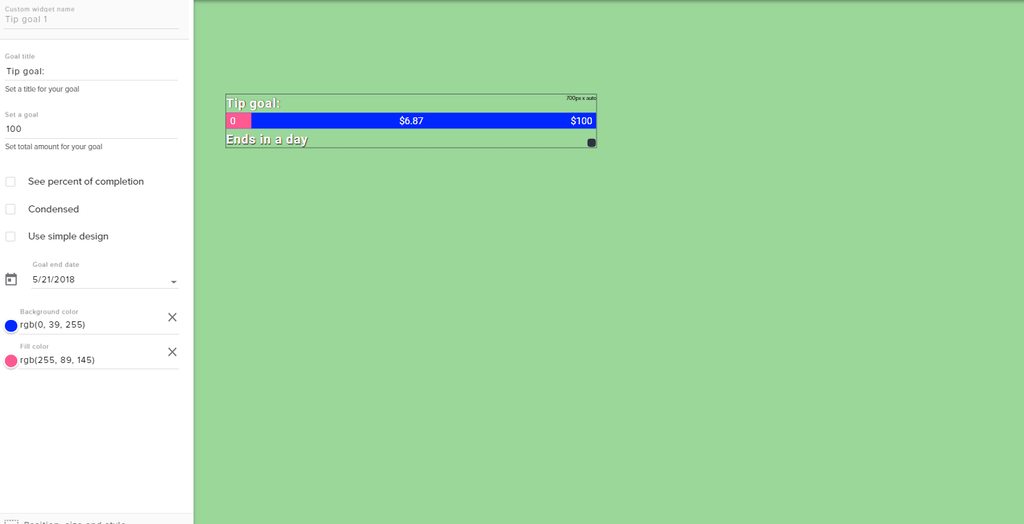
hey guys how do i add a tipgoal under my webcam? ik theres a widget but u cant really customize it like this
http://prntscr.com/jk7fto
 clever mango
That is a streamelements goal widget
cloud meteor
@clever mango it works! Thank you so much! ❤
clever mango
Just make the goal background transparent
humble relic
how do i customize it like that
clever mango
When you select the color you can change the opacity/transparency with the vertical slider to the right of the colors
humble relic
u cant change the background image like they have
clever mango


 clever mango
StreamElements
The Ultimate All in One Platform for Streamers
hearty phoenix
@clever mango his make it. how test it? 😄
clever mango
@humble relic Activity Feed > Widget Data > Goals
hearty phoenix
@clever mango he disconnect SE to twitch and log in again. and it does not work now either
clever mango
@hearty phoenix I've asked the dev team to look into it and get back to you
hearty phoenix
@clever mango Thx man 😄
tight harness
Hey, what do you need help with? 😃 @lilac shadow
 lilac shadow
Im very new to streamelements so if you could walk me through streaming that'd be lovely
tight harness
This channel is mainly for StreamElements specific questions, if you need general advice about streaming you're better off asking in #welcome 😃
lilac shadow
Thank you ^^
exotic hinge
is there anway to upload my own custom layout to streamelements and use the widgets or i have to use only what yall offer?
narrow coyote
You can make a new blank overlay, or even take an existing one, and add whatever you want to it
exotic hinge
But no way to have my GFX artist make me a complete one and upload it?
clever mango
They can
upload any images/videos you want
They can even set everything up under their account and send it to your account when done
It's a powerful system
exotic hinge
really
i basically just had to screen share to explain that each thing has to be a seperate image lol
so i can upload it
lament blade
can i get a chat box on youtube or only twitch???
hearty phoenix
@clever mango did the developers respond? 😄
weary mist
@lament blade right now, only twitch. I think we don't have youtube yet due to api limitations
 cursive obsidian
a few weeks ago I asked for help because some alerts are not working anymore, Like when I get a host...I dont get an alert, it is still not fixed... I even made a new overlay... still not fixed, now after further research I noticed my stream elements doesnt even recognize the hosts that I get...HOW ?
zenith widget
!host
damn it
@cursive obsidian
StreamElementsBOT - Today at 9:41 AM
Twitch doesn't have a "notification system" for hosts (unlike follows, subs, raids, etc.) so the only way for StreamElements to know that you are being hosted is to connect through you to twitch. This connection is made on:
- SE Dashboard page - https://streamelements.com/dashboard
- SE Activity Feed page - https://streamelements.com/dashboard/activity
- Ground Control desktop app - https://streamelements.com/groundcontrol
Please have one of these open during your stream in order to receive host event notifications.
cursive obsidian
ok, I'm gonna try the ground control app
 vernal sedge
is the website down? my popup didn't work :/
zenith widget
Website seems fine. What popup are you referring to?
Aah you were helped in #welcome
 ocean lance
hey there is there a way to unlink Twitch channels
zenith widget
https://streamelements.com/dashboard/account/channels from here you can unlink your self. I think it should be the same for unlinking from your own channel
ocean lance
hmmmmm, it lets me link channels but not unlink. i'll keep messing around with it
zenith widget
Are you actually referring to unlinking your actual twitch channel from SE? That connection should be terminated from Twitch Account Settings.
random vector
Yeah any integration like that is done from twitch's side
Login to the desired twitch channel
and go to your settings>integrations
shouod he able to unlink the account from SE there
zenith widget
 plucky sandal
I can't control the songrequest volume inside the ground App :(
ocean lance
oh ok, thanks
plucky sandal
Sorry for the Lazy thing
dense jackal
clicking layers in the bottom left and then clicking the eye on the corresponding widget @fast portal
 fast portal
oh youre a god thank you
is there anyway to move multiple objects at once @dense jackal ?
Any1?
stuck hamlet
no
 vapid robin
Anyone know of a bot that can send clips from our channel to discord?
zenith widget
@ocean lance Ping-pong
ocean lance
LOL
thanks
Hello, i am having problems linking my Twitch and Youtube accounts together on my dashboard, i have tried several things but nothing is working. Any help would be appreciated.
zenith widget
Wait...linking or UNlinking? Cuz you asked originally asked for unlinking
ocean lance
it's actually linking. sorry 
 mental rover
how to unlink youtube channel?
ocean lance
i'm trying to LINK both my YT and Twitch channels under once account. I will not let me and i keep getting this error message.
violet nimbus
По доступности в России есть информация?, к сожалению, сегодня тоже только через ВПН.
ebon forum
@violet nimbus нет, пока только ВПН. Это за 1 вечер не починим, учитывая выходные и праздники.
stuck hamlet
@ocean lance Im assuming you signed into youtube and twitch, making 2 separate accounts. You won't be able to merge them on your own. A dev will have to do it tomorrow.
ocean lance
yes that is correct
that's exactly what i did wrong. 
i thought there was a way to unlink and then link.
stuck hamlet
its not linked to anything
 slate timber
What’s goin on guys!
Come check out the channel, we are gettin super close to affilliate, and i could use the extra support. - Watch me at twitch.tv/hatchetmansmyth
violet nimbus
@ebon forum так это проблема со стороны ркн или с вашей?
 ruby shuttle
need help with twitch
ebon forum
@violet nimbus РКН, наши IP попали под блокировку. Вчера тестировало человек 5, в общем только у одного с мелких провайдером ТТК работало, остальные на ростелекоме и акадо итд. - заблокировано.
violet nimbus
@ebon forum спасибо за инфу, печально всё это, конечно.
Думаю, как ссылку на оверлей через туннель вставить, чтобы впн шёл только для этого, а не на стрим
ebon forum
@violet nimbus нормальный ВПН без проблем потянет и игру, и стрим, и голосовую связь итд. Не старайтесь шаманить, нервы дороже)
violet nimbus
@ebon forum мне важна минимальная задержка, с впном она не может быть такой.
ebon forum
@violet nimbus ставите VPN в стране где стоят ваши игровые сервера, ну будет пинг на 10-15мс выше. неприятно, но жить будете. или вы в кс турниры бегаете?)
violet nimbus
@ebon forum нет, тут про сам стрим. Сейчас на нём задержка секунды 2, это люди любят. А по отзывам кто стримит через впн, всё не красочно...
ebon forum
@violet nimbus неправильно. VPN добавляет задержку в несколько десятков мс в крайнем случае. поверьте, разницы на самом стриме и в голосовой связи нет, только в мультиплеер играх увидите минимально выше пинг.
violet nimbus
@ebon forum хорошо, тогда буду выкупать впн рядом с сервером твича.
ebon forum
@violet nimbus смотрите чтоб сервер был в германии или голландии, бельгии. германия, франкфурт - лучше всего, там вся маршрутизация в европе реализована.
violet nimbus
спасибо
 ornate ravine
How do I add tipping to my twitch panel?
zenith widget
@ornate ravine I suggest watching this video: https://www.youtube.com/watch?v=eLzxRkq7tJo&index=2&list=PLCDDKlFdScbEwdx5AntcQIS1InkFJwHtv
ornate ravine
Thanks
normal igloo
That feeling where @zenith widget Beats you to it 
vapid robin
FeelsBadMan
 wanton jetty
Default period ?? Whut du heck dis mean
https://chrisis.live/s/2005181334_4.png


 quasi portal
Quick question: is there any quick way to see which emotes SteamElements can do? (who it's subbed to)
maybe via some twitch api ?
wanton jetty
Wow the sub leaderboard is so broken, The fact that "All" is showing one of my longest subs on a 1 month spree because they upgraded tiers is mind blowing
zenith widget
@wanton jetty I'm not sure about the period, but as far as I've gathered, the extension panel is kinda buggy and is being worked on.
@quasi portal I don't think so. You can always test the emotes. I know that Sodapoppin and Timthetatman use SE, so they may be using the bot as well. I randomly found out that Nightbot is subbed to streamer i liked, but now i miss Nightbot only for those emotes, but a loss is a loss
wanton jetty
Hope so as hes on a 12 month sub and prides himself on being top doggo
quasi portal
dang! thanks for replying @zenith widget ! 👍
zenith widget
Sure!
wanton jetty
As you can tell he likes to be top dog lol
https://chrisis.live/s/2005182202_2.png


Gunna drive me nuts hope its fixed soon as i know full well hes on a 11 month sub
https://chrisis.live/s/2005182241_6.png


He aint gunna be happy with 7th place
Also whys my text black o.O
https://chrisis.live/s/2005182447_5.png

 narrow coyote
I believe the sub tracking issue is being looked into currently
narrow coyote
i do not, i have never seen that before, if that is ground control, you could try deleting the files under %appdata% to clear out what might be cached on the system
wanton jetty
roaming or local
dense jackal
@wanton jetty Both of these are current bugs and are being worked on as we speak the extension I know is our top priority