#helpdesk-twitch
1 messages · Page 264 of 1
 cedar fulcrum
 still narwhal
yes
cedar fulcrum
The issue is when you change scenes it stop working or just starts over?
still narwhal
it stops working
cedar fulcrum
Did you try not to "shutdown source when not visible"?
still narwhal
yea
i tried using streamlabs, and OBS
and i can't remove the default songs in the queue
cedar fulcrum
I will DM you
still narwhal
ok
 burnt sky
Update on Cheer Boss ? 😄
 gentle imp
any news will be given directly into email if u subscribed it
at least I don't know anything new lol
 drowsy dawn
is this where I can ask questions?
 atomic hollow
yep
drowsy dawn
So, the gamble command doesnt seem to be working in my chat. I enabled it in the modules, but im going to my chat to test the command and im getting no response
atomic hollow
checking
drowsy dawn
It is working in my friends stream
atomic hollow
you set the command to cost 1 point
drowsy dawn
I did.
atomic hollow
drowsy dawn
am i not supposed to? Lol
atomic hollow
if a user doesnt have any points it wont work
its a bit silly to set a cost to a gamble command
atomic hollow
its like a casino that takes an entrance fee
 wanton sluice
just thought Id let ya know. Loving the media request now. Fixed all of the issues I was having earlier
atomic hollow
@wanton sluice 
 vapid gull
I am using a super theme since 2 days now and set everything up how I like it. The only thing I realized are the sound effects in the alerts where not properly working and I could not hear Followers etc.
It still showed on screen though.
Now I tried to use my own recorded sounds in m4p and mp3 and it did not work. If I emulate Follows etc. it shows the animation, but the sound is not playing.
And sometimes the standard sound from the super theme does play, even if I turned off all the sounds already...
Thanks for any help ♥
atomic hollow
hey @vapid gull whats your Twitch username?
gentle imp
have you checked variations?
vapid gull
@atomic hollow StukkyGaming
@gentle imp Yeah, I do not have any variations
That was the first thing that came to my mind
gentle imp
for subs there is for instance 😃
but this is strange indeed, Shadow is looking into it though, he can access directly 😃
vapid gull
Yeah the gift one, but I have problems on all of the alerts, so that can not be the problem 😪
Thanks!
atomic hollow
@vapid gull it seems as if your sound file is not playing anything
vapid gull
Weird, I tested it on different players in windows
vapid gull
Alrighty, I am on it
vapid gull
Ok, seems like it is working
atomic hollow
oh ok
gentle imp
awesome
vapid gull
Alright, seems like I will just stick to ogg with the alert sounds!
Thanks for the effort @atomic hollow ♥
atomic hollow
thank you, ill check the issue with mp3
vapid gull
And @gentle imp as well!
gentle imp
did nothing but glad it's fixed, here have a ☕ 😉
 stiff spade
what is the !quote command
 tight harness
!quote add to add, !quote remove to remove and !quote 1 for example to show quote #1
atomic hollow
@wild ivy there is no chat widget on this overlay
atomic hollow
you are using the in-game overlay now on your stream
atomic hollow
ping me here when you are using it again
 wild ivy
ok dokey
I can preview it in obs studio if you want?
or can just change the scene now
atomic hollow
I want to see it
stiff spade
when should i use the !quote command
atomic hollow
around 2 PM 
 winter zenith
when you want a Quote to add like:
!quote add Insert your quote
when you do:
!quote
it will display a randome Quote
every quote you add get assigned a number
so if you type:
!quote 23
it will display the quote with that number
winter zenith
the correct order for a Log out/refresh is:
Part the Bot from channel
Log out
Log back in
Let the Bot join the channel
wild ivy
ok thank you.
gentle imp
fairly sure if u can install chrome/firefox it will work
 molten brook
Is there a way to change what the bot says when running giveaways, or will it always just use that default message?
gentle imp
no there isn't but if I remember correctly it's something asked on Ideas
let me search, sec
molten brook
Yeah, that would be nice to have
 midnight herald
not sure if this is the right place to ask but can someone help me whit importing one of the premade theme into my OBS? i dont know what i do wrong there
gentle imp
u can watch this vid about it https://www.youtube.com/watch?v=KDvLynUqXI4&t=111s
midnight herald
ok thanks you ^^
gentle imp
you're welcome, if you still have problems, let us know 😃
 wanton jetty
Any support plans for DBH alerts on merch sold ? (They have a public API)
 weary mist
we have plans. Lots of plans™
atomic hollow

gentle imp
😄
 tranquil forum
hi guys i did my first stream with obs the other day but the gameplay through twitch had super low fps but my game for me was fine. yes i have set the fps to 60 in obs anyone know a solution
gentle imp
some ppl say, vsync might help
weary mist
@tranquil forum what encoder are you using
tranquil forum
idk what that is
 heavy brook
Is there a way to select multiple widgets and move them at the same time?
tranquil forum
NVENC @weary mist
weary mist
@tranquil forum can you list your system specs?
 dense jackal
Not currently @heavy brook I believe it's something we have talked about doing in the future
tranquil forum
OS: windows 10 64bit - processor: i5 7400 - memory: 8gb - hard drive: 1TB , 128gb solid state drive - graphics: NVIDIA 1050 2GB
@weary mist
weary mist
ok. It might be something needed to play with. The 1050 is probably getting maxed out by your game and the encoding, leading to poor quality making it to the stream. We can help this by streaming at 30-45fps instead of 60, limiting framerates in your game (limit to 45-60 instead of leaving it open).
another thing you could try is to do CPU encoding. I worked with an i5 of lower power when I first started streaming, and it worked wonderful as long as I stuck to static overlays
tranquil forum
i use the green flare static overlay . idk what cpu encoding is tho
 thorny pawn
Hey guys. Someone know if are a option for send a command automatically through the bot?
weary mist
@tranquil forum the difference between the two is GPU means your 1050 is doing all the encoding for your stream. CPU (x265 or something like that) means your CPU handles the encoding.
tranquil forum
whats NVENC then
weary mist
The CPU tends to yield better results in the long run, plus doesn't interfer with GPU processing for your game.
NVENC is GPU
weary mist
2000-4000 is fine. 400 is very low
tranquil forum
what actually is it why would it auto set to 400
weary mist
That is the rate that your videos are uploaded to twitch
I use 2000 bitrate, which works perfectly for me
tranquil forum
like the delay?
would i yield better results from higher or lower birate @weary mist
 narrow coyote
weary mist
narrow coyote
weary mist
higher
tranquil forum
thanks
weary mist
think about in terms of watching a video
Your high def videos need a higher bitrate to transfer all the data. So if you have a low bitrate, your encoder won't be able to send a vrey high quality stream to twitch
 valid perch
Do you know why the custom bot option doesn't appear in Ground Control?
 nocturne pelicanBOT
@valid perch Custom bot name requirements
- StreamElements bot modded and in chat
- Active overlay with alerts
- StreamElements tipping page in the panels below the stream (!panels)
- Create a twitch account for the name you want to use
- Ground Control app must be running
Steps to enable custom name
- Sign in to https://twitch.tv with the bot account
- Install and run Ground Control (!gc for download)
- Visit https://twitchapps.com/tmi/ and generate an oAUTH token
- Copy/paste everything in the box to Ground Control oAuth settings and enter the name for the bot account
- Restart Ground Control (custom name may take a few minutes to take effect)
valid perch
I mean, that part I already know. And as far as I know, I have everything. But with the last update of Ground Control, I've lost the option.
gentle imp
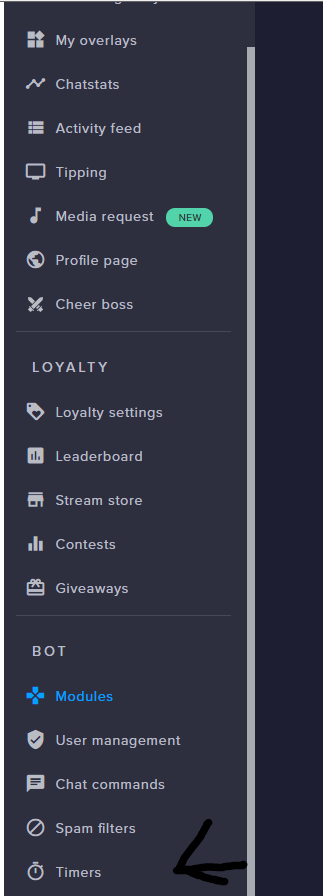
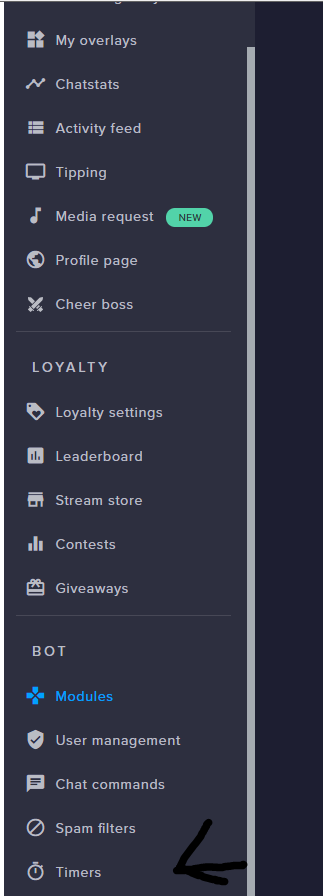
@thorny pawn yes, u can set it here https://streamelements.com/dashboard/bot/timers
thorny pawn
Thank you ❤ @gentle imp
gentle imp
you're welcome 😃
tight harness
@valid perch You don't have any panels so you don't have the tipping page linked in your panels like it asks
 mellow sinew
hey question, what does $(1) do?
valid perch
!panels
nocturne pelicanBOT
Twitch's official help guide for Panels: https://help.twitch.tv/customer/portal/articles/2416760-how-to-edit-info-panels
 safe kettle
So I have the donation list set up to show weekly top donations. Can you tell me when that's suppose to reset? Pretty sure it's been up longer than a week with no reset
 fast glade
hello, i get an error message when i try to import my streamlab alert box. please help!
nevermind, im dumb!
 summer mulch
@fast glade You have to be logged in to both StreamLabs and StreamElements in order to do that 😃
fast glade
thank you, i just figured it out! im not patient, sorry
summer mulch
That's ok
 strong mason
Is there a way to make a user list who have used a certain command? Like making a way to make a queue for viewers to join you in game?
Sorry if this is the wrong channel, xD
weary mist
@strong mason you can use a stream store item
then you can approve/deny requests to help keep track of who is next/still in line. PLus you can make it worth something, and only redeemable a certain number of times
strong mason
What about emptying the list with a single chat command?
 lament blade
Does anyone know how to get a !wins for streamelements that displays my fortnite wins?
weary mist
@lament blade you can use the count variable llike so: $(count wins) will get and increment the number. $(getcount wins) will just get the current number (good for viewers, have mods and up only to call the one to increment the number)
@strong mason no, sorry, we don't have that feature right now
lament blade
Scalper any way i could link the command with like fortnitetracker so it always has my wins
because i dont really have any mods
because im new to streaming
and also one other thing when i click enable on !duel it says "controlled by module settings"
narrow coyote
certain commands are controlled via the modules page https://streamelements.com/dashboard/bot/modules
lament blade
I enabled it in there and it still wont work in my twitch chat
narrow coyote
how have you been trying it? if you just do !duel I dont think anything will happen
lament blade
oh im stupid im sorry for wasting your time 😭
narrow coyote
 No worries, we are here to help
lament blade
❤
 upper steeple
Not sure if anyone saw, but quick question
is there anyway to have a pink star made to take the place of the trophy icon on the "pink flat in game". I've had people asked why its a trophy and not a star cause stars are known as subs on twitch and its a bit confusing.
weary mist
I saw, but you don't want me designing it
the star woudl be drawn with a trackpad and super lopsided
upper steeple
lol would Kireaki be able?
weary mist
you can ask her, depends on how busy she is
upper steeple
she is offline though
weary mist
I will send her a DM for you
upper steeple
much appreciated
@weary mist would just need a pink star image for the "pink flat in game" overlay so i can resize and all that jazz. Hope that makes sense
weary mist
👍
 ripe herald
no prob
 sterile raptor
i need help setting up stream elements for twitch
narrow coyote
What do you need help with?
upper steeple
for media requests the max free requests per user is that for the entire time your live or does it have a cooldown?
weary mist
It's just max on the queue
sterile raptor
@narrow coyote i dont know how to link my twitch with stream elements
im a beginner BTW
upper steeple
@weary mist so basically the entire time i'm live using media requests
weary mist
So they can only have 3 active requests. Once one of them plays, they can request another one @upper steeple
upper steeple
@weary mist oh
weary mist
It's to stop one person from filling up the entire queue
lament blade
Any idea when the Tiltify alertbox widget will be fixed? There has been a note made already and i've been losing out on my Charity campaign for a while now.
upper steeple
@weary mist okay so if i set it to 3 then someone can request 3 songs and once 1 plays they should be able to request another?
weary mist
Yes
narrow coyote
@sterile raptor https://streamelements.com/ you simply login with your twitch account
weary mist
@lament blade who was the support person that assisted you?
weary mist
 I recommend tagging the hell out of him
lament blade
That would be rude
lol
Should I really then?
@stuck hamlet Scalper made me tag you 😛 lol But on a serious note, Any idea when the Tiltify alertbox widget will be fixed? I've been losing out on my Charity campaign for a while now.
upper steeple
@weary mist so the max requests doesn't take effect if you have queue moderation enabled
it should be able to override queue moderation, so mods have time to go through songs. Especially if there is only one mod to moderate songs it gives them time and doesn't over load them
lament blade
Yeah, Ive tried multiple times every day and it has yet to work...I even tried it an hour ago,
 stuck hamlet
I tagged the devs in the task.. he was suppose to fix it the day you meantioned it
lament blade
😦
stuck hamlet
ill have to stab him with a sharp pencil
upper steeple
@stuck hamlet maybe you have an insight on what i said above?
upper steeple
nope someone just helped me test it
with queue moderation on they can keep requesting even with the max requests set to 3
stuck hamlet
Is this person a mod in your channel?
upper steeple
no
i have it set to 3 max requests and they were able to request 4, all songs were put in the pending queue
weary mist
check the box all the way down at the bottom of the settings
Make sure it is set to moderator or higher
weary mist
is your helper still here @upper steeple
upper steeple
@weary mist yes
weary mist
I am in your chat, going to try a few things real fast
 normal igloo
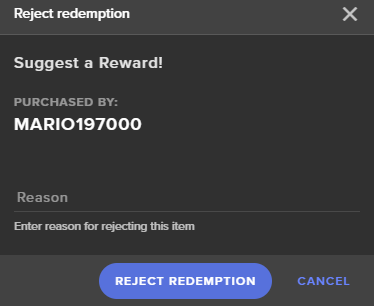
With the Rewards in the shop I have set up a Suggest a Reward! But if I accept or deny How do people get notified by that? As I saw in the Reject section You can send a reason https://i.gyazo.com/da300410ed1c1f72e0eb9118c9810086.png
 weary mist
they can view their redemption history per streamer from their profile page with StreamElements
I believe it would show up there
 sturdy totem
Need help with donation alert not showing on stream.
weary mist
@sturdy totem sure! Did you get a donation, and the alert not show?
sturdy totem
Yep
I see the doantion in my paytpal.
But not on stream overlay as recent or top
Or either it didnt make alert
weary mist
give me a minute, lol
sturdy totem
sure.
weary mist
your donation link is directly to paypal, not through our tipping page
Because of this, we don't get notified of the tip
normal igloo
@weary mist I take it I can't see this option as I am the broadcaster?
weary mist
@normal igloo you can view your redemption history
for your stream
its from about the same page, top right
redemptions, then to redemption history
normal igloo
Well I don't see an option for it 🤔
weary mist
click stream store, then top right, then top right
weary mist
normal igloo
I don't see that only way of me getting on that page Is by my dashboard 🤔
upper steeple
@weary mist i lowered the length of songs that can be requested, so that can help alleviate a bit of the load.
But maybe you could bring up what I put in my chat to someone else, see what they think.
normal igloo
I think somebody totally misread my first message 
weary mist
I will see what I can do @upper steeple
@normal igloo ooo, you mean you want to see what the user would see
go to profile page, then open my profile
normal igloo
yep my bad for not making that clear 
weary mist
give me a second, I have to remember how to get there
@upper steeple I will see what magic I can work
Derp. @normal igloo
Go back to your dashboard
Click your name in the top right
Then click My Redemptions
normal igloo
@weary mist Ok but how did my viewers see that tho
weary mist
they would do the same thing
they log into streamelements, click their name in the top left, and then click my redemptions
sturdy totem
Seems like i have to google my problem, since i dont get my answer.
sturdy totem
okay and what should i do to make it work?
weary mist
put in your tipping page link
sturdy totem
make tip page as my panel rather than paypal?
weary mist
correct
normal igloo
Yeah still can't get it to work Looks like I will have to manually tell people on discord 
weary mist
lol
give them this link: https://streamelements.com/dashboard/account/redemptions

StreamElements
The Ultimate All in One Platform for Streamers
@normal igloo
 grim kiln
How do i turn off quotes on the platform?
weary mist
go into commands, then defualt commnds, and flip the switch next to the quotes command @grim kiln
grim kiln
amazing, thanks. i missed that, so no way to see what quotes i have other than to !quote? >< gief quote module 😄
weary mist
haha, its on the ideas board, but right now the only way is the command
narrow coyote
do you have a clip or screenshot showing what you are talking about?
 urban marsh
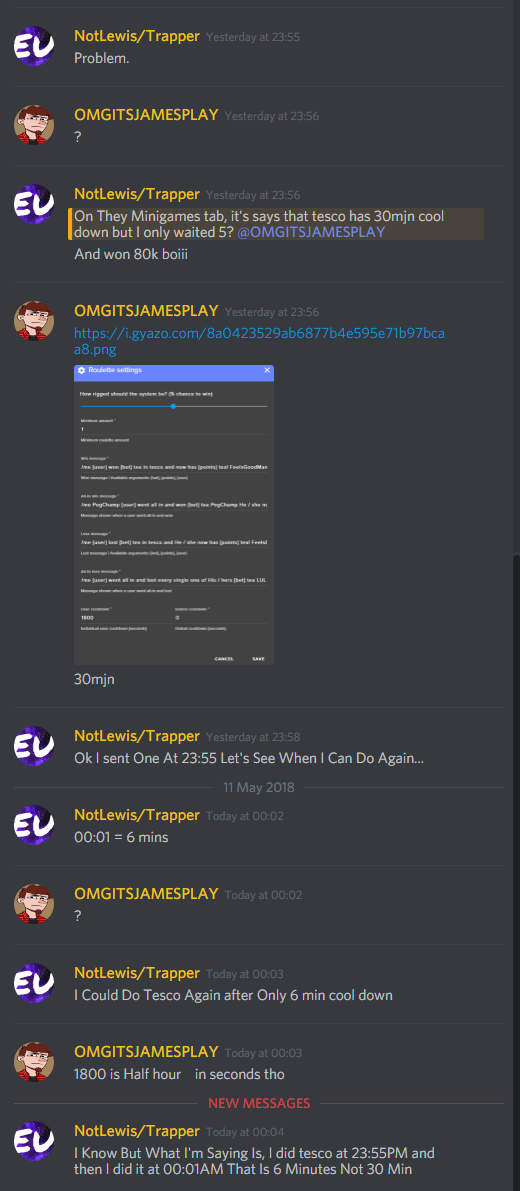
hi, I got Roulette already set up and I pretty screwed up on the win message, I wanted to say it like this , I think everyone has it set up like this.
I wish I knew how to reset the default on it.
dense jackal
I don't see the issue here can you point it out?
did you just lose your win message, and don't know what to put to make it normal again?
urban marsh
oh no that's on someone's chat, I was screenshot it for example, mine says it different.
Yes
dense jackal
"/me {user} won {bet} ${pointsname} in roulette and now has {points} ${pointsname}! FeelsGoodMan" is the default win message
and you can use those variables for the other types of roulette messages as well 😄
urban marsh
I got another question, I seen people set it to where people can earn 100 points for 10 minutes or something when they stay or lurk on my stream, how do you do that?
narrow coyote
dense jackal
 brazen vigil
hello how can i export streamlabs currency to streamelements?
 deft rampart
Hello, who can help me? why don't work tipper labels ?
urban marsh
how do I add points to all my followers? I know how to do one user, just not for everyone who followed me.
 elder sorrel
@urban marsh I think you can do !addpoints all
So whatever amount like !addpoints all 123. Should work I think 🤔
urban marsh
I did that and it's saying 4 users got them lol
weary mist
ah, there is no way to do that directly
you can do it manually, but there is no good way to pull your follow list from twitch
the !bonus command gives points to only those viewing your stream right now
@brazen vigil are you getting them from the bot, or from the extension
brazen vigil
extension
weary mist
the extension is difficult to get the points out of, I am not sure on that one
brazen vigil
yeah i searched up a bit
weary mist
@deft rampart what isn't working about it. they work fine for everyone else
brazen vigil
doing it manually it seems
weary mist
ouch
brazen vigil
only couple of hundreds not too bad Kappa
weary mist
lol, could be worse
brazen vigil
i am just gonna import over 300 manually and give everyone else 200
is there a way to create a command 1 time use per user?
tight harness
Not exactly, you can give it a super long user cooldown 
brazen vigil
10 years?
tight harness
That should do it 
urban marsh
oh ok thanks 😎
 exotic dew
@narrow coyote no I don't, but I fixed it. I'm having a new fun issue though, when I have [amount] in my text for resub alert, the test isn't showing the number, just the word [amount]
even if I replay old sub alerts, it's showing [amount]
anyone?
brazen vigil
how do i create a custom command to give people points? like !givebadeeds thatViewer 200
exotic dew
<@&382267076632379392> anyone?
dense jackal
Let me take a quick look @exotic dew 😄
tight harness
Could be because you're using [ ] instead of { }
exotic dew
OH JESUS
ITS THE NIPPLE BRACKET NOT THE REGULAR SQUARE BRACKET
Didn't even notice.
FailFish
dense jackal
good catch! @tight harness I was going to check the variable
stuck hamlet
you blind as a bat @dense jackal
exotic dew
the default font on the screen makes the nipple bracket look nearly identical to the square bracket.
tight harness
@brazen vigil You can't, there's no variable for that
You can however add aliases to the default one
brazen vigil
whats the default one?
 proud pumice
nipple bracket best name NA
tight harness

exotic dew
It's the technical term, innit?
tight harness
I call it a squiggly bracket, been calling it the wrong thing all these years 
proud pumice
NIPPLE FTW
exotic dew
We all learn somehow.
Obviously I don't know the ACTUAL term, but my tilted brain could only think of nipple bracket 
tight harness
Ohh wait no, squiggly bracket is right. "braces, curly brackets, or squiggly brackets"
dense jackal
( } ( }
proud pumice
NIPPLE BRACKETS SEAN!
tight harness
I'll call the editor of the article and ask them to make the addition
 modern plank
Hey there, was wondering if anyone could help me figure out the alerts widget, i can't seem to line the text up properly no matter what. Is their any way just to directly change where the text is?
tight harness
Could you show a screenshot or GIF of what you mean?
tight harness
The issue you have there I believe is the line height, try changing that. In regards to your cheer alerts remember to set the different variations in Variation Settings too
modern plank
I've messed around with line height and only puts it further up unfortunately
tight harness
Tried a minus before the number?
If you tell me your username I can have a look myself
modern plank
yes
stuck hamlet
basically, yes
brazen vigil
is there a way to show the roll?
 cunning hill
how can I get a link for my viewers to request a song
stuck hamlet
no @brazen vigil
no @cunning hill they can search in chat tho, so idk why they'd need a link?
stuck hamlet
Why do you have nightbot?
 brazen vigil
wait is there a way to export the loyality in streamelements?
 lilac spade
Does anyone know if streamelements supports hours watched as part of their loyalty system? I couldn't see anything referencing it
tight harness
@brazen vigil There is, but why? 
@lilac spade We do, it's called !watchtime and when you enable Loyalty in Loyalty Settings it's enables the watch time calculation as well
brazen vigil
trying to export my streamlabs point system i did 30% of them manually just figured out it would be easier to put it in a table and do that then when done import it bacl
to streamelementy
lilac spade
Thanks @tight harness I will have to add a feature request, it would be great to import hours watched from deepbot along with points
tight harness
No problem 
 dire solstice
Hello. Is the stream store broken? It hasn't worked right in at least a week or so. People redeem the item but no sound, nothing.
tight harness
The sound comes from the Store Redemption widget, make sure you have it in your active overlay
dire solstice
Was something changed? It use to work.
tight harness
No, it's always been required to have the Store Redemption widget in your overlay for the sounds to work
dire solstice
I'll poke around some more. Thanks.
tight harness
No problem
lament blade
are alerts down right now?
I've had three resubs and no popups, not even showing in the activity tab
nocturne pelicanBOT
@lament blade Twitch prime (new and resub) and paid subscriptions (resub only) must be shared in chat manually by the person subscribing in order for the subscription information to be sent to StreamElements. For twitch prime, the user needs to have sharing enabled on https://www.twitch.tv/settings/prime. For paid subs, if the share box doesn't show up immediately it will when they refresh the page. https://i.imgur.com/VNJN0Uv.gif https://i.imgur.com/2297EA7.png

 lament blade
right, and they have, these are paid subs
nothing has registered in stream elements
not even in the activity feed
tight harness
Having a look into your account now
lament blade
Thank you sir 😃
 woven umbra
I had a quick question. I was trying to import my alerts, etc. from StreamLabs using the chrome extension, and it said "An error occurred" with no other information. Is there any sort of troubleshooting?
 pine hemlock
Make sure you have the SL and SE dashboards open before using the import tool @woven umbra
dire solstice
I figured out the previous problem. New question. For sound effects store redemptions, when you select subscriber only does that still include Twitch mods?
tight harness
@lament blade Doing a quick log out and log back in on our site would be a good idea, it'll renew our authorisation with your Twitch account
 sweet jewel
Can the leader board show bits?
stuck hamlet
top tip = single donation of highest amount
top tipper = 1 person donating multiple times will add up
brazen vigil
oo
modern plank
!rename
nocturne pelicanBOT
Custom bot name requirements
- StreamElements bot modded and in chat
- Active overlay with alerts
- StreamElements tipping page in the panels below the stream (!panels)
- Create a twitch account for the name you want to use
- Ground Control app must be running
Steps to enable custom name
- Sign in to https://twitch.tv with the bot account
- Install and run Ground Control (!gc for download)
- Visit https://twitchapps.com/tmi/ and generate an oAUTH token
- Copy/paste everything in the box to Ground Control oAuth settings and enter the name for the bot account
- Restart Ground Control (custom name may take a few minutes to take effect)
dire solstice
Repost: For sound effects store redemptions, when you select subscriber only does that still include Twitch mods?
dire solstice
I want to make it mod only. Is there a way to do that?
I want a mod command/sound to get the streamers attention.
stuck hamlet
Not that i know of
sweet jewel
Repost : Can the leader board show bits?
dire solstice
Well, boo. That should be a thing.
stuck hamlet
which leaderboard @sweet jewel
I encourage you to post it on ideas board @dire solstice 😃
sweet jewel
The leader board that connects to the Twitch Extension
dire solstice
Ok, thanks.
stuck hamlet
We are going to be releasing a new version of the twitch extension panel that will have support for that @sweet jewel
brazen vigil
how does recent tip work? i imported my streamlaps datasheet but it says recent tip is empty?
sweet jewel
Ok awesome, can't wait. I tried using streamlabs but their information isn't accurate. thanks for the answer @stuck hamlet
@stuck hamlet last thing, any timeframe? on that
stuck hamlet
before 2019
pine hemlock
@brazen vigil It will update once you have a tip on our system, but you can manually enter your recent tip by going to the Data tab
(in the overlay editor)
sweet jewel
@stuck hamlet lol fair enough. Thanks
stuck hamlet

brazen vigil
where is the data tab @pine hemlock
stuck hamlet
Top left
pine hemlock
(in the overlay editor)
lament blade
@tight harness that fixed it, thank you!
lament blade
hi i am trying to seek help with something
im trying to get my overlays to work with OBS 21.1.0
im not sure what i am doing
help please
 misty wagon
@lament blade its seems we are short on support. Did you follow the initial setup vid that shows when you join the Discord?
lament blade
@misty wagon not sure if i did i watched the one on the website for intial setup
@misty wagon but it was difficult to figure out when they got to the obs part
misty wagon
When you are done setting up the overlay or importing the overlay into the StreamElements Dashboard, you copy the url into OBS as a source.
misty wagon
Keep us posted @lament blade We are usually better staffed on other hours so it might be a bit slow with all the holidays
lament blade
@misty wagon well i got the obs screen but no talk show overlay
misty wagon
Talk show overlay is multiple sources, did you put them all into OBS?
lament blade
oh ok
let me try again
ok i copied it
i must be doing something wrong on the browser url
narrow coyote
whats happening?
lament blade
trying to setup my first overlay in obs
narrow coyote
and what is happening when you add it as a browser source?
lament blade
it shows up with the default obs webpage thats it
narrow coyote
i cant check right now, you should see it in your OBS preview if it did
also, please dont post a link to your stream, we dont allow promotion in this discord, and we dont want anyone to get the wrong idea
pine hemlock
You just add the url to the browser source and it will forever be there
lament blade
well the talk show has multiple links
pine hemlock
They're for different scenarios. If you plan to use all of them, then yes one browser source is needed per link
lament blade
so make one browser for each
pine hemlock
Yes. Generally they're on seperate OBS scenes so you can swap between them
 stray lotus
Are regulars the equivalent of subscribers?
narrow coyote
one above subs
misty wagon
!levels
nocturne pelicanBOT
Chat/Bot Levels
100 - viewer
250 - subscriber
300 - __regular __
500 - moderator (twitch mods automatically placed at this level)
1000 - super moderator
1500 - broadcaster
Dashboard Manager Levels (least to most access)
Bot Supervisor (can add super moderators from dashboard)
Editor
Full Access
https://i.imgur.com/s61Liry.png
 stray lotus
I only have option for regular or mod,
narrow coyote
did you recently get affiliate?
stray lotus
Yes
narrow coyote
ok, try a log out of SE site, and log back in to get the new twitch token with your affiliate status https://streamelements.com/logout
stray lotus
May I dm ?
misty wagon
and congratz @stray lotus 
stray lotus
ty
narrow coyote
sure
modern plank
!namechange
nocturne pelicanBOT
@modern plank Custom bot name requirements
- StreamElements bot modded and in chat
- Active overlay with alerts
- StreamElements tipping page in the panels below the stream (!panels)
- Create a twitch account for the name you want to use
- Ground Control app must be running
Steps to enable custom name
- Sign in to https://twitch.tv with the bot account
- Install and run Ground Control (!gc for download)
- Visit https://twitchapps.com/tmi/ and generate an oAUTH token
- Copy/paste everything in the box to Ground Control oAuth settings and enter the name for the bot account
- Restart Ground Control (custom name may take a few minutes to take effect)
stray lotus
@narrow coyote ty ❤
narrow coyote
No problem
modern plank
!gc
nocturne pelicanBOT
Our Desktop App Ground Control: https://streamelements.com/groundcontrol
modern plank
!panels
nocturne pelicanBOT
Twitch's official help guide for Panels: https://help.twitch.tv/customer/portal/articles/2416760-how-to-edit-info-panels
modern plank
Is the oAuth same as the jwt token? Sorry, kinda ignornat on somethings!
nocturne pelicanBOT
Custom bot name requirements
- StreamElements bot modded and in chat
- Active overlay with alerts
- StreamElements tipping page in the panels below the stream (!panels)
- Create a twitch account for the name you want to use
- Ground Control app must be running
Steps to enable custom name
- Sign in to https://twitch.tv with the bot account
- Install and run Ground Control (!gc for download)
- Visit https://twitchapps.com/tmi/ and generate an oAUTH token
- Copy/paste everything in the box to Ground Control oAuth settings and enter the name for the bot account
- Restart Ground Control (custom name may take a few minutes to take effect)
pine hemlock
go to #2
modern plank
-Got it, thanks brother
 light mauve
I have StreamElements set up with audio for various events that I'm trying to test, but for some reason I'm showing no audio in Desktop Alerts, and it doesn't seem to be getting recorded in the video. Is there a setting you need for the Browser Source Audio to get picked up by OBS?
That should read Desktop Audio, not Desktop Alerts - the meter doesn't move from the browser audio playing.
 granite burrow
viewer is claiming to have done a tip via paypal and it is not showing up for me, is there a holding period and what is it?
cedar fulcrum
Hello @granite burrow , You should receive email from Paypal about the Tip right away.
light mauve
Nevermind - I forgot that I had disabled my Desktop Audio Device to prevent other weird stuff from happening. All's good now.
granite burrow
ok @cedar fulcrum no idea if it went through still but i will keep an eye on it. I will try to ask them for a paypal transaction id in case something went total fubar
 sly slate
Hello,
is there chat log option in Stream ele?
gentle imp
no, there isn't a chat log per se, but I for one am using Log Viewer from cbenni @sly slate
https://cbenni.com/ check it out
sly slate
@gentle imp thank you
gentle imp
you're welcome 😃
 primal lichen
Hello im having issues with my dono button
I dont even know how to diagnose it either haha. My friend wanted to give me 10$ so i asked him to use my twitch donate button and do it through stream elements http://puu.sh/AjtRx/4ace747b13.png he did and it said this.

It never went through so i just gave him my paypal to send it directly
I dont want it to charge him later on but i dont think it even charged him.
Donations worked last month even though i only got one last month and a few people this month who tried gave me the same story saying it never charged them but it said it went through
gentle imp
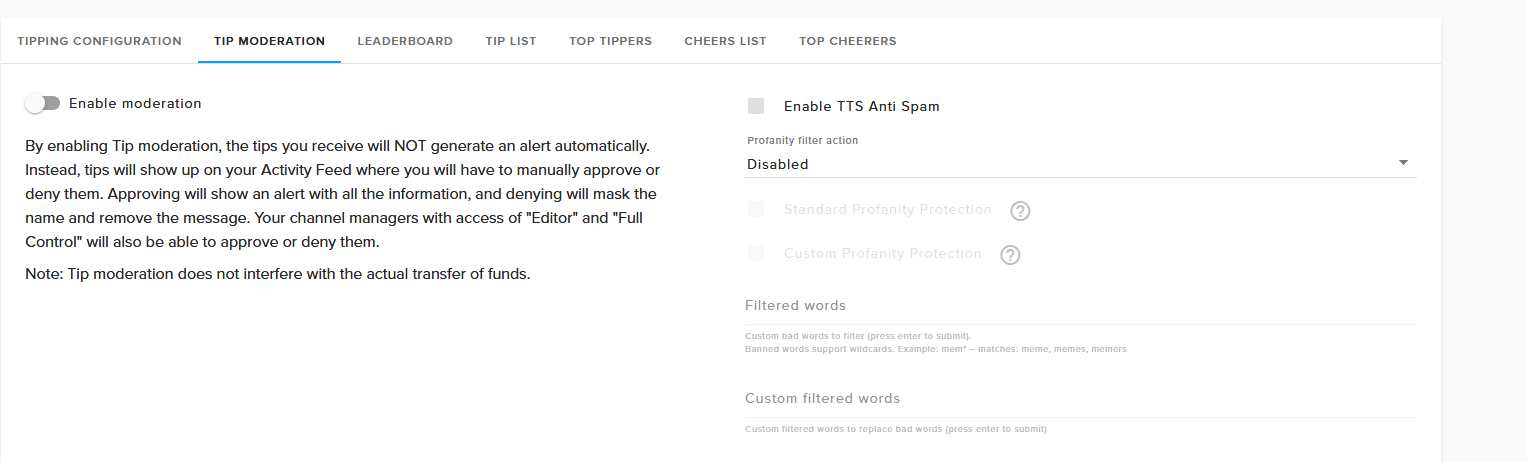
@primal lichen do you have this on? https://streamelements.com/dashboard/tipping/moderation
 gentle imp
and nothing held back on paypal website?
strong mason
Quick question, is the streamelements bot able to use twitch /commands? I have tried, but not been abele to so far 😦
primal lichen
Type !commands to view your commands
gentle imp
I honestly don't know them so weird, make sure u have this selected "Force users to login and use their actual username." in here https://streamelements.com/dashboard/tipping
primal lichen
I had it on at the time and disabled it to see if that mightve been the issue
gentle imp
some commands allow whisper, if so you can find the option in response while editing the command @strong mason
but resuming, yes it can use /me etc
primal lichen
If i give you one dollar think you can test it ripp?
strong mason
I am trying to make streamelements bot /host certain people at certain times (not autohosting, since me and my team only host each other on planned streams, not on random streams)
but I cant seem to make the bot use the /host command at all. It types it in chat, it is editor, it just doesn't work
gentle imp
doubt that will work, since host can only be done via streamer account
strong mason
not true
i have a moderator/editor, who is currently helping me out with it, he is able to do it in my chat
and then it works
but when streamelements bot does it, it doesnt work
gentle imp
wow, that's news to me hehe
strong mason
editors can do EVERYTHING the streamer can, except for stream themselves and see personal info
primal lichen
Wow rippzor lol you made me notice i never updated the !command thing lol everyone uses the panel button
gentle imp
oh lol
primal lichen
but still they didnt do the !donate command way they did it through SE
gentle imp
are you sure they really donated?
primal lichen
http://puu.sh/AjtRx/4ace747b13.png this one i watched myself
gentle imp
see if mine went through plz
primal lichen
I got the "Sender of the payment is unverified" alert
which is weird i am verified
Buisness account with bank/Card/SSN all linked even had to prove who i am with documents weird.
gentle imp
yeah but it works 😃
make sure you have it setup to receive money from all currencies, perhaps it's that
primal lichen
Well i refunded the tip thanks for the help broski ❤
gentle imp
aww ty
make sure u check this out @primal lichen
- Click on the profile icon in the top right and select "Profile and settings"
- On the left sidebar click "My selling tools".
- Next find the "Block payments" setting and press "update" on the right side.
- Look for "Allow payments sent to me in a currency I do not hold" and set it to Yes, accept and convert them to U.S Dollars. (Or whatever default currency your PayPal account uses)
primal lichen
checking rn
uh i have no pic in the top right
It should be on anyway i got USD when you sent
gentle imp
yeah true
I misunderstood what you wanted @strong mason thought u wanted bot to whisper a command, afaik you can't make bot use /me etc commands
at least I couldn't either
 ocean eagle
I have a user in my chat who cannot redeem any commands that cost currency, regardless of how many points he gains. Any ideas how to help him out?
 deep widget
!wrongsong is definitely not performing as it should
removing other songs instead of last
strong mason
@gentle imp thanx for your reply, too bad it cant do what I want. I was afraid I had to start programming a bot manually to get it to work, guess my fears are coming true xD
gentle imp
lol
you can try adding that idea/request to ideas board here https://strms.net/ideas if it isn't already there
@ocean eagle check if there is another user with same name but caps etc
 steep lodge
hey, i'm just a beginner at twitch streaming i have a few questions? anyone online that can help me ?
atomic hollow
talk to us
summer mulch
We'll be glad to help you, ask away 😃
 rain imp
umm so im trying to test an overlay and when I try to launch a test alert it wont generate it on the page
gentle imp
you mean, the test won't work when you are editing the overlay?
if so, save the overlay and hit refresh or get out and back in
assuming you setup the alert before hand that is
rain imp
well the only thing ive done was add a follow alert layer
and when i try to test it it wont generate one
gentle imp
did you add the alertbox widget?
rain imp
yep
steep lodge
i have a chromebook on the side, what is the best way to use it for streaming
to read donations etc
im looking for a feed for follows etc
steep lodge
streamelements right ?
rain imp
yea
gentle imp
@rain imp can u go here https://streamelements.com/dashboard/account/channels generate editor link and send to me on private msg plz?
rain imp
im hitting the emulate button and nothing is happening -.-
nocturne pelicanBOT
Our Desktop App Ground Control: https://streamelements.com/groundcontrol
steep lodge
is it something that would replace OBS or a side program to that
gentle imp
side program, instead of having browser open
steep lodge
ayy thanks
rain imp
im using firefox
gentle imp
ahh, should try chrome, it's the recommended browser but Firefox should work too
steep lodge
where is the jtw token located
weary mist
the OVerlay manager is known to be a bit funky if not used in chrome
@steep lodge click on your name in the top right of the dashboard, then click show secrets
steep lodge
@weary mist thanks mate
 cerulean cradle
Is there a way to automatically fade in/out a bitcup when bits are donated? I wanted to avoid having to do it manually in case I'm not paying attention.
 desert storm
Hello, I have a problem with notifications. I have alerts bought from Nerd or Die ElectroLyte and I can not match alleters. Much other subtitles because they do not show up where you need them. After that, subscriber notification appears to me still the default setting and not the ones I want to give eg 1 sub is ok but the next months are with some blue shark how can it be changed?
cerulean cradle
@desert storm the subscriber issues are happening because of variations in the alert box widget.
gentle imp
@desert storm regarding the sub alert you need to look into variations, set those up too
desert storm
Is there any guide on this topic?
desert storm
and you can tell me one thing is a notification about follow and it should be at the bottom of the screen, can you lower it somehow?
gentle imp
you can, resize the box on Position, size and style and move it where u want
you can also check this video out https://www.youtube.com/watch?v=X7XrDdRE7Fk&list=PLCDDKlFdScbEwdx5AntcQIS1InkFJwHtv&index=2
desert storm
and here the inscription should be in this gray area and I do not know how to set it
ok i will see this thx
gentle imp
on that alert, text > advanced > padding
rain imp
ok i got it now lol
umm now my issue is when i try to have different alert layers for specific things they both go off even tho i checked certain alerts off. like when i tried to make a alert box for just a sub alert it went off in my follower one
desert storm
@gentle imp nothing its not working :/
gentle imp
it uses same box but it's not the same alert
rain imp
yea i know but what im saying its still popping up on both lol even tho i checked the boxes off
gentle imp
you mean, you removed for example follower alert and it still goes off when u simulate it with the bell on the bottom left?
 broken inlet
I need a HUGE favor....
I have 2 SE accounts... 1 Youtube 1 Twitch... Can I delete one?
because now my Youtube and Twitch is seperate
gentle imp
just login to your twitch one, solved
broken inlet
Yes I know but when trying to add the Youtube one it thinks it's linked to another account
So I want to delete the YT one
and then I want to add the channel to my Twitch account because there my username is actually lordraz0r
This is going to be a mess to fix...
tight harness
@broken inlet It's not actually that difficult for us to fix, they can be merged into 1 account
broken inlet
Thank you can I choose the name to keep?
tight harness
They'll both be their own account for you to switch between, but you'll be able to switch between them in the Channel switcher in the top left
broken inlet
Oh and what do you need from me to fix it btw
And with the name i meant more for the tipping page my name on my YT account is wrong but on Twitch it is right
tight harness
Twitch and YouTube are still completely separate platforms and we offer different services and different dashboards for them both, so while they can be merged into one SE account they're still technically their own channel, the only difference with how it is currently is you created 2 SE accounts, 1 for each channel. What we can do is make it so you have 1 SE account with both channels available to switch between. Your tipping link will be different, it can't be the same for both because Twitch has certain rewards etc like loyalty points for tipping and YouTube doesn't have loyalty yet, so they are meant to be separate and therefore different links. What we need from you is for you to Privately DM us your JWT token for both accounts
broken inlet
Sorry for the hassle btw. Only now realized what I did
Oh I see!!!
Okay will PM in a sec just smoking
tight harness
Alright no problem 😃
tight harness
Some people don't, best to be careful 😄
And we did have somebody yesterday post it in #welcome when asked
gentle imp
😮
tight harness
Yeah, just made us realise that it's best to check 😃
gentle imp
if it's a secret, it ain't to share lol
narrow coyote

cerulean cradle
Is there a way to automatically fade in/out a bitcup when bits are donated? I wanted to avoid having to do it manually in case I'm not paying attention.
tight harness
Not automatically, the easiest way I can think to do it is to hotkey it, but as you say it'd require you to pay attention 🤔
cerulean cradle
np, looks like my streamdeck is going to be getting some use (wait for alert, display cup, replay message, hide cup)
i just don't get many bits, so it feels like a waste of screen real estate to be on all the time
thanks!
tight harness
No problem
 jade breach
The Ground control app won't respond to hotkey media commands anymore but it used to. I heard there would be an update potentially to fix this. Ant ETA on when that might be brought back?
 clever mango
GC v2 is currently in development with no public ETA
jade breach
@clever mango Ok, thanks for the update! Are media hotkey capabilities still on the update list?
clever mango
Oh absolutely
and much, much more. In the coming weeks we will probably #297092117933719552 the app
jade breach
Ok cool! This was a crucial feature because it basically replaces the need for something like Spotify and also makes song requests so much easier. I love it! But ever since the hotkey capabilities were disabled it's been a lot more difficult to manage while streaming and playing a game. I'm super stoked for the V2 Ground control!
clever mango
As are we! We appreciate everyone's patience. It will be worth the wait. 😃
jade breach
Absolutely SE is legendary status with amazing tools. We love you all!
rain imp
how do you make the stream label not show anything for the recent tipper but will show the tipper and amount when someone does?
weary mist
Recent tipper does not have that option. Only Top tipper
 pulsar gulch
Hello , if i want to make a command with global cooldown only
do i need to set 0 to user cooldown ?
weary mist
yes
 runic musk
Hello! My streamelements follower goal overlay says I'm at 49/50, however my channel page says I'm at 48. Does anyone know why the numbers might be out of sync?
weary mist
Yes
Because a goal widget is only something used for a set period of time (lets say I want 10 followers this week)
So it only increments
rain imp
I think i have my overlay set up o-o not sure tho..lol gonna try it out later today
weary mist
If you want exact numbers, use the Total Follower widget @runic musk
@rain imp yay. Nothing like giving it the maiden voyage 😃
rain imp
yea but look at titanic monkaS
weary mist
runic musk
@weary mist Oh ok, makes sense. Thank you!
rain imp
whats the link for the recent event thingy again for desktop?
weary mist
!gc
nocturne pelicanBOT
Our Desktop App Ground Control: https://streamelements.com/groundcontrol
weary mist
lol
rain imp
monkaS
 dense reef
Sup dear SE guys :)
Got a question. Added a video to alertbox, and it works fine in the editor, but no video in OBS, when I emulate an alert. The text is working though.
weary mist
To verify, are you using OBS studio?
dense reef
nope, streamlabs obs
weary mist
ok
dense reef
old video alerts are working
weary mist
as long as it isn't OBS Classic
dense reef

dense reef
Yeah, i did save, cleared cache in obs browser source and restarted my router xD
weary mist
ok. 
and you verified it worked in the editor 👍
Something we can try (occationally OBS has some sevear caching issues). Go to your %appdata% folder, go into the OBS folder, and I think there is a browser source folder. if we remove that, reload OBS, it should be good
@ebon forum, can you verify the folder location for me, I don't have it on this PC
 ebon forum
15min?
narrow coyote
you talking about this %appdata%\obs-studio\plugin_config\obs-browser
weary mist
or kite can be my hero 😃
narrow coyote

dense reef
@narrow coyote @weary mist I should delete Cache folder, right?
narrow coyote
you should be able to safely delete the entire obs-browser folder, or to be safe, move it out to a new location as a backup. Once this is deleted, it should be recreated when OBS is launched, so if OBS is running, be sure to exit it first
weary mist
hmm, it should have. When you test the alert, is it showing up?
dense reef
only the text, but not the new video I just uploaded. old ones are working
narrow coyote
Yeah, I tested on my machine, and the folder is re-created 
dense reef
in editor everything is fine
weary mist
hmmm. question. Is this a custom alert box (css/js/html), or just a normal one
dense reef
@narrow coyote I think I deleted the folder which goes for obs stuido, not for streamlabs obs. But i can't find the folder for streamlabs obs 😃
@weary mist normal one
ebon forum
no idea where the default folder for SLOBS is
narrow coyote
 I dont know where it is for SLOBS either
dense reef

weary mist
apparently its in the settings, you can clear cache
im trying to see if I can find the answer in their discord
Settings > General > Delete Cache & Restart
dense reef
still have the same problem 😦
ebon forum
one question, why SLOBS? there is nothing that regular OBS Studio cant do 😃
dense reef
i think I just have to dump slobs 😦
well it says it has better performance etc. (on their website) 😃
ebon forum
Not really, specially not on high quality streams. For us it is way easier to support regular OBS Studio.
dense reef
I already got that xD
narrow coyote
they SAY it has better performance, but it really does not
it is also soooo far behind in terms of development
weary mist
they put in some minor tweeks on a few high volumn games (pubg, minecraft, and I think one other) that you can put in with OBS.
Plus the dropped support for a lot of other things
and added in things not really necessary, lol
like a facerig mimic
dense reef
ok coming back to obs studio 
ebon forum
Yep sounds reasonable 
dense reef
Any plans on making SE obs ? 
ebon forum
Not directly, we might have some integrated features in OBS somewhere in the future.
weary mist
We are leaving OBS developement to the people that do it best. We may hav esome plugins for it, but thats as far as we will go
ebon forum
OBS Studio is really fine, people know what they do, it has some minor flaws, but other tools are worse xD
i just leave that here :-)

kiwaplay playing Dark Souls - Clipped by lillybloomgaming
 dense reef
just so you know, in obs studio all alerts are working 😃
narrow coyote


dense reef

 glossy radish
Is there a way to clear out the donation amount for a new goal?
I hit a donation goal and for something and I wanted to start a new one. But it has the amount donated from the last gaol
weary mist
yeah
If you are in the editor, click data on the top left, then go to the goals tab, change the number, click save
glossy radish
@weary mist Thank you!
weary mist
weary mist

narrow coyote
its best to just post the question or problem 😃
 long ridge
Hello... Is it possible to See an own alert creation without Pressing the alert Buttons all the time?
So i can See my changes live?
 faint latch
 calm gust
whenever i test an alert, i hear all the sounds from my other scenes
will that happen whne im streaming?
narrow coyote
!multi
nocturne pelicanBOT
Make sure to :ballot_box_with_check: “Shutdown source when not visible” for all browser sources (all OBS scenes). If using studio mode, uncheck “Swap Preview/Output scenes After Transitioning.” Also keep in mind that sound can play from any overlay loaded in the browser (editor or launched). https://i.imgur.com/FegZJQS.png https://i.imgur.com/yY0wcFl.png


 brisk pebble
Is it possible to somehow include bits in a donation goal progress bar?
clever mango
It is not. They're not always equal to each other because of bits always being in USD plus it takes at least 45 days to receive bits as opposed to tips which are same day.
For these reasons, we feel it is best to give each a separate goal widget
normal igloo
My mini games appear to be broken again https://i.gyazo.com/1346eab290042857777c0f7ab90102a7.png
 normal igloo
@weary mist Roulette
weary mist
👍
normal igloo
My bad should have say that first
weary mist
have them try it out again
I changed the command cooldown itself, not sure if it was causing an issue
normal igloo
@weary mist Apparently no that didn't do anything 🤔
weary mist
is this person a moderator by chance?\
 slender linden
so ive added the tip jar to my OBS, But its not filling up with bits, subs and all that stuff from previous streams. Does it reset every time you use it?
actually right now the cup dont show up on OBS with browser source.
weary mist
@normal igloo mods have a reduced coodown for moddy reasons
normal igloo
@weary mist Ok So the cooldowns should still work for everyone else normally?
weary mist
yes
normal igloo
@weary mist cool thanks for the help man Much appreciated of course i let you guys know if there are any other problems 
weary mist
 jaunty vigil
Where do i get Streamelements to post things like every 10-15 minutes
 clever mango
What did you type?
 crisp ocean
The title of the game
crisp ocean
Also having an issue with tts donations containing spam are getting filtered but we dont want those auto filtered
TTS anti spam is off as well
 solid frigate
So when you add overlays to your channel, how do you activate the countdown to when you stream and how do you add it to your stream, like how to make it show up on stream for people who watch it and how do you make it so that it has the be right back?
 livid ingot
My overlay has vanished from OBS and everything appears frozen!
clever mango
@crisp ocean Is this Lacari's channel?
@solid frigate The countdown widget begins when the overlay becomes active (switching to the scene). It will continue to countdown if the source is not set to shutdown when inactive but we recommend shutting down when inactive in the browser source properties which means that it will reset and the restart when opening that scene again.
crisp ocean
Yeah it's lacaris I got it fixed
I had to disable and re enable the overlay
The game issue isn't fixed though
Can't edit the title or game through commands I've had to manually do it through dashboard
clever mango
@livid ingot Checked your stream and the overlay seems good. Is this resolved now?
I'll take a look @crisp ocean
clever mango
Great, parting/joining the bot did the trick 👍🏽
crisp ocean
It's still auto filtering some donations though, just tried replaying one and nothing
clever mango
Ok, just a sec
 kindred copper
is there anyway to tell your average viewers
clever mango
@crisp ocean I think it's the browser source in OBS that needs refreshing. It's working in the overlay editor. I'm going to refresh his overlay and try again.
clever mango
From the activity feed you can click on this button to refresh all of the overlays
pulsar gulch
Hello guys , I'm making commands for viewer's so they can selfshoutout what should I add on the message so I can see what was the last game they played ?
clever mango
Is the command supposed to shout out the person who uses the command or someone else?
pulsar gulch
well first time i wanted only for that viewer but i can't do that .. so everyone can use it ( ofc with a 2- 3h cooldown depends on how long I stream )
wait .. got that wrong .. yea it supposed to shout out that person basically
clever mango
ok so if I use the command it will do a shoutout for my channel?
pulsar gulch
yea
clever mango
Check out my stream. I was last playing ${game ${sender.name}} at https://twitch.tv/${sender.name} @pulsar gulch
give that a try
pulsar gulch
ok
clever mango
@crisp ocean No problem 😃 Glad I could help.
pulsar gulch
it would work if i add the streamer name instead of sender.name ?
so that maybe his friends could use that
ehmm no it doesn't work .. it shows what i played
clever mango
The above will always show the person who used the command
pulsar gulch
oh ok and how it should look if i want a specific streamer name ?
clever mango
There are three examples at the top of the #command-share channel
They caller would use !shoutout personsnamehere
pulsar gulch
so let's say streamer parrder so when parrder or anyone writes !parrder it will say " Check out this streamer (streamername ) ~ last time he was playing (game) .. etc
 jolly basin
Hello does anyone know where the setting is to turn off where it says something to the effect of so and so is new to the chaanel, say hello
livid ingot
@clever mango Workin 😛
clever mango
@jolly basin That is in your twitch channel settings
from the twitch dashboard
!cmd add parrder Check out streamer parrder ~ last time he was playing $(game parrder)
@pulsar gulch
paste that in chat
jolly basin
@clever mango Thanks, I'll look for it there, thought it was in one of the Stream Elements moduel
pulsar gulch
perfect , that variable was wrong at me now it's working Thank you @clever mango
jolly basin
@clever mango I'm not seeing it, do you know what section it's on?
 jolly basin
only think I see at the very bottom of that main page is Raids preferences
jolly basin
Thanks for showing that to me, yeah i don't have it, maybe I haven't met the milestone yet, but it was showing an announment when they were just lurking and not chatting
 muted kayak
I'm trying to add my twitch to my YouTube account and it says it's linked to another account. How do I fix that??
And I tried to add my YouTube to my twitch and it says the same thing
clever mango
@muted kayak I will see if we can merge these manually tomorrow. Please connect your twitch and youtube channels with your discord profile
!connect
nocturne pelicanBOT
Please connect your Twitch and/or YouTube channel with Discord by going to ⚙ Settings and then Connections here in Discord.
muted kayak
Ok I connected
 next hollow




 muted kayak
@clever mango so once both accounts are merged, would I get the notifications from both sites if livestream to them?
clever mango
@next hollow not sure why the length of the name would matter but you can use a custom name if you're using streamelements fully
nocturne pelicanBOT
@next hollow Custom bot name requirements
- StreamElements bot modded and in chat
- Active overlay with alerts
- StreamElements tipping page in the panels below the stream (!panels)
- Create a twitch account for the name you want to use
- Ground Control app must be running
Steps to enable custom name
- Sign in to https://twitch.tv with the bot account
- Install and run Ground Control (!gc for download)
- Visit https://twitchapps.com/tmi/ and generate an oAUTH token
- Copy/paste everything in the box to Ground Control oAuth settings and enter the name for the bot account
- Restart Ground Control (custom name may take a few minutes to take effect)
clever mango
@muted kayak Connecting the accounts just means that you can easily switch between your twitch and youtube StreamElements dashboards
As opposed to logging out and then back in with the other service
Once you connect both twitch and youtube you can get notifications for both at the same time but not on the same activity feed right now. You will want to open both dashboards and popout the activity feed for each when restreaming.
brisk pebble
Can I use one twitch account for multiple bots
clever mango
I'm not sure what you mean
 stark dove
hello, I'm having trouble setting up an overlay, is here the place to ask for help?
gentle imp
morning @stark dove what exactly are you having trouble with?
stark dove
@gentle imp Morning. It's three things: first one is OBS not showing the same font I've chosen, the other one is when it does, the alertbox text doesn't match the preview's (space between lines is larger). The last one is more of a question: is there a way to loop a video I've chosen for the alertbox background, either via options or custom CSS?
In the font case, it shows a default font in most fonts I choose
gentle imp
I've never noticed this, are you using same resolution on theme and on obs? perhaps u need to adjust browser source, regarding font, maybe you are using one font that is buggy, we have a couple but I don't know which ones (unless that got resolved), regarding the video loop, I'm not sure, on options there isn't that, i know in html u can loop videos, but in css no clue
I use roboto and no problems
gentle imp
try using this, maybe it works
<video width="320" height="240" autoplay muted loop> <source src="movie.mp4" type="video/mp4"> <source src="movie.ogg" type="video/ogg"> Your browser does not support the video tag. </video>
ofc replacing with correct size/name
broken inlet
Hey hey all sorry for being a hassle but what is the normal turnaround on account merges usually?
 teal yoke
hi guys!!! i loved the new feature "media share" but i'm having a problem... whenever i try to play something the audio is doubled, i already checked and there's only one gadget installed in my overlay... How can i fix this?
broken inlet
I think I can assist(not official support staff)
So if I am understanding correctly you are sharing media over Media Share while it is playing locally too right @teal yoke
If that is the case look at using a combo of this
VB-Audio Virtual Cable and App's

GitHub
audio-router - Routes audio from programs to different audio devices.
So you will create a channel for audio with audio cable and audio router will route it to that channel which means OBS will not capture it too
(bit of a dirty solution but it's what I do so I can watch youtube vids while I stream without the whole stream hearing my Youtube audio
teal yoke
@broken inlet it plays from my obs "as a think it should"
broken inlet
Ah sorry now I understand
I will leave it to the support guys I was completely misunderstanding you there
teal yoke
i'm using the gadget to play the video over may overlay
whenever a press play no sound comes from my browser (and thatts ok) but from my obs i hear doubled audio
already checked windows mixer and the audio its coming exclusively from obs
broken inlet
That is really strange then... I am sure it is something simple to solve that support already knows what to do with
teal yoke
i guess, anyway thank you for trying to help me @broken inlet
broken inlet
It's a pleasure
winter zenith
@teal yoke do you have other overlays with the Media share overlay/widget on it
teal yoke
not that i remember
whelp let me check
yes i have but they are in another scene and disabled
teal yoke
@winter zenith sorry my wife called me. Yes "not visible"
@winter zenith i deleted the other overlay and seems like it solved it
gentle imp
are you using obs?
@teal yoke
if you are, you don't need to delete the other overlay, just mark it with this on it "shutdown source when not visible"
teal yoke
@gentle imp yes i'm using obs. 'i'll try that
brisk pebble
I meant I have streamlabs chatbot (formerly ankhbot) using a twitch account to chat, I'm wondering if I can have StreamElements respond to commands through the same twitch account if I set it up right
gentle imp
it is possible @brisk pebble
nocturne pelicanBOT
@brisk pebble Custom bot name requirements
- StreamElements bot modded and in chat
- Active overlay with alerts
- StreamElements tipping page in the panels below the stream (!panels)
- Create a twitch account for the name you want to use
- Ground Control app must be running
Steps to enable custom name
- Sign in to https://twitch.tv with the bot account
- Install and run Ground Control (!gc for download)
- Visit https://twitchapps.com/tmi/ and generate an oAUTH token
- Copy/paste everything in the box to Ground Control oAuth settings and enter the name for the bot account
- Restart Ground Control (custom name may take a few minutes to take effect)
gentle imp
you need to follow all those steps
brisk pebble
!gc
nocturne pelicanBOT
Our Desktop App Ground Control: https://streamelements.com/groundcontrol
brisk pebble
thank you
gentle imp
you're welcome 😃
brisk pebble
Everything goes smoothly until Step 3 when nothing happens when I put the oauth token into ground control and nothing happens, and there's nowhere to put the bot's name in
It actually says "Your JWT Token..."
maybe I gotta link that first
gentle imp
it will take a while so the bot checks if you meet all requirements, that is if you didn't had everything setup before
and are you signed in with the bot account?
like it says on 4th, might take a while
brisk pebble
ok! there was a tiny extra step in there I had to do, but it's working now.
thanks so much
gentle imp
 open ibex
Hi, does anyone have a copy of the command for shout outs?
 hushed quail
It should be part of our templates, I thought. https://streamelements.com/dashboard/bot/commands/custom and choose the !shoutout template.
StreamElements
The Ultimate All in One Platform for Streamers
open ibex
thank you 😃
hushed quail
no problemo
open ibex
Found it, thank you very much opie
hushed quail
Anytime.
gentle imp
go ahead, tell us the problem 😉
 exotic hinge
Okay so I dont stream using OBS or any software just off of my xbox twitch directly to twitch
I just want something that Pops up in my twitch chat that shows every new follower
every new dono
and every new sub
dense jackal
Head here and activate chat alerts @exotic hinge
StreamElements
The Ultimate All in One Platform for Streamers
Make sure the StreamElements bot was added to your chat and that it is also modded
dense jackal
What is your stream @exotic hinge ?