#helpdesk-twitch
1 messages · Page 260 of 1
 tight harness
 glad pollen
@tight harness yeah i found that but is there a way for it to show in twitch chat as well?
 knotty spire
Two things
1: How do I set up adds to play on my streams and can I even do it
and 2:
How can I play music on my streams
 rigid hinge
In the initial setup on the youtube video on your channel, the lady puts her overlay link onto a OBS.. how do i download/get the OBS does someone have a link
 weary mist
Google Open Broadcasting Software (OBS)
 sick fern
Hey just popping in to let you guys know that people were having trouble with the tiltify integration
 clever mango
@knotty spire Only twitch partners can run commercials. Play music on your computer and OBS is able to pick up the desktop audio and play it on stream.
@sick fern Yes, it's currently down for repair.
sick fern
Okay we will let our community manager know - let us know if we can help at all. Dm me if you need an invite to our discord 😃 ty
clever mango
@sick fern Oh, are you with Tiltify? Sorry, I didn't put that together.
sick fern
No worries 😃 i could have been clearer.
clever mango
I will send you a DM, thanks!
 cobalt kindle
When people check their points/xp - it floods the chat with the answers to their points check. Is there a way to set this response that tells them their points to be a whisper instead of having it in the chat for all to see? Other viewers don’t need to see point values for anyone other than themselves.
Trying to clean up my chat. Been getting super busy
 nocturne pelicanBOT
@cobalt kindle Custom bot name requirements
- StreamElements bot modded and in chat
- Active overlay with alerts
- StreamElements tipping page in the panels below the stream (!panels)
- Create a twitch account for the name you want to use
- Ground Control app must be running
Steps to enable custom name
- Sign in to https://twitch.tv with the bot account
- Install and run Ground Control (!gc for download)
- Visit https://twitchapps.com/tmi/ and generate an oAUTH token
- Copy/paste everything in the box to Ground Control oAuth settings and enter the name for the bot account
- Restart Ground Control (custom name may take a few minutes to take effect)
 cobalt kindle
You must be using your overlays in order to have the bot named? Odd
clever mango
That just means using alerts through StreamElements
cobalt kindle
Right. I don’t though. Why would that be required?
clever mango
Which shouldn't be an issue if using the tipping service (a custom bot name requirement)
cobalt kindle
Hmmmm. I mean I want to use it, but I’m enjoying the simplicity and (IMO) better looking overlays of another service at the moment.
I’ll have to figure that out I guess.
Well... actually... I have a redemptions alert installed in my overlays, and that’s for SE
clever mango
👍🏽 Keep in mind using StreamElements superthemes is not a requirement. It's completely fine to use any overlay of your choice with our tipping service and alertbox
cobalt kindle
So that would count right?
It’s the “using the tipping service” part that I’m not doing - because it doesn’t mix with my overlays from the other service.
Unless there is a way to get Player.me to show a pop up alert for a SE tip
 dry hare
it would just be the SE alert box in a blank overlay as a browser source wouldn't it?
clever mango
I don't think so. They have their own tipping service integrated as we do.
 pine hemlock
@dry hare yes
 stoic wren
Hello! When a tip comes in from a user, the announcement is not working on the overlay. The test donation works but not from ppl. Even when I resend the event it does not show up on the overlay.
dry hare
Yeah, so you'd just add an additional blank overlay for SE alerts and drop it on top of the player.me overlay
clever mango
cobalt kindle
Perhaps I can use the images from Player.Me and somehow time things and position things to there they look similar.
Wasn’t worth the effort before, but if that is a requirement for a custom bot name, it becomes worth it
dry hare
I'd rather use the template SE overlays because I can customize the data and most of the overlays are minimal in terms of what is displayed. You can also custom build from a blank overlay and add your own graphics etc.
I'm too lazy and not talented enough to create my own 😄
clever mango
@cobalt kindle here's a trick. Open the OBS canvas preview in fullscreen, take a screenshot and then upload that to the overlay editor of SE
then you place things where they need to be on top of that and then hide or remove the background image
 dark dome
I have a question, does anyone know why dansgame bits and others aren't working properly? When someone would donate using dansgame it would come out as a square. Also shamrocks and the party bits are not working
Also good evening
cobalt kindle
@dry hare I have just as much flexibility with Player.me - only it’a way of doing things is faster
clever mango
@dark dome Those custom cheermotes did not make it to some older versions of the cup. Add a new cup and you'll find them inside the cheer settings 👍🏽
cobalt kindle
But it’s worth seeing if I can get off of that platform for it if I can have the bot named
dry hare
I looked at it, but despite their templates and assets, it just didn't look as nice
cobalt kindle
Just to confirm... SE doesn’t take a cut from Tips, do they?
clever mango
Correct
dark dome
@clever mango I have already changed cups, this would be the third cup i believe. I am currently using the 8th cup atm the one on the left of the transporting looking one
cobalt kindle
Cool thanks. I’ve got a project to work on then.
stoic wren
Update the replayed event of the user tip plays on the website in the overlay editor but not on my streaming PC.
cobalt kindle
One thing SE overlays do have that Player.me does not is conditional and variation notifications... such as a different sound or graphic for different levels of donations/subs
Which is something I’ve been wanting too
So this will be a project then for sure
I know you probably can't really tell us any specifics... but... regarding your upcoming version of the bitboss.... how close is that? I'd really like to get rid of Gather as well
pine hemlock
@stoic wren Try refreshing the cache of the browser source
@cobalt kindle Not sure if we have an eta, unless someone else knows something i dont
cobalt kindle
That's what I figured. With the changes I'm starting now, I'll pretty much be sucked into 100% SE for everything in a bit.
stoic wren
@pine hemlock I assume I have to do that in Xsplit?
cobalt kindle
The simplification... I welcome it
pine hemlock
We're here if you need any help 
@stoic wren There should be a way to clear the browser source cache in xsplit, but if not you could delete it and add a new one - it should do the same.
i havent used xsplit in years sorry
stoic wren
I've removed and added a new link, Ive even duplicated the overlay for a new URL and the same thing happens.
All the test tips make it through but the tip from the user doesnt
dry hare
if you right click the browser source there's a refresh button in the upper right (xsplit)
stoic wren
Yeah I've clicked that. So after playing with it for sometime, the User tip broke all alerts, they show up in the online template but do not make it though to the software to show up on stream.
they did just fine before the tip activity was replayed
pine hemlock
uhh
I think this was something with the recent xsplit update actually
if i remember people correctly
stoic wren
oooo seriously>?
stoic wren
I will do that, thank you
 agile basin
My store redemptions are not playing on my stream but when I emulate a test it works
halp
pine hemlock
are you using xsplit
knotty spire
What if I am streaming on ps4 and am not using OBS. Is it possible to use obs on a laptop and have it record the ps4 and laptop. If not is there any other way to play music. Also, is there any way for a ps4 streamer to have pop up notification on the screen for followers, returning followers, donations etc.? If not, is there anything similar to this that I can do?
pine hemlock
That would be what a capture card is used for to link your pc with your console
 versed jolt
Yeah need a capture card or capture device, such as the Elgato Game Capture series, or a Blackmagic Intensity card.
For a laptop? Probably the Elgato Game Captures with USB interface.
Specifically, the Elgato Game Capture HD60 and HD60S.
knotty spire
and what about the pop up notifications
pine hemlock
You would use OBS and set up our alerts.
They would show up on your stream.
You would use your laptop to run our activity feed to show recent events for yourself
(or a large obs preview window)
versed jolt
Set up Streamelements alerts along side using Ground Control and a Java IRC chat application like chatty alongside that.
versed jolt
Your first mission is to set up an alertbox widget + overlay using StreamElements
Fairly certain there's already an introduction to StreamElements which covers this?
pine hemlock
Our youtube would have a video
versed jolt
pine hemlock

Setting up StreamElements is easy, learn how to in this video, hosted by Twitch Partner GIRLvsDUMB - Got any questions, or just want to say "Hey"? Join our D...
theres other videos on that channel too
knotty spire
And all this is going to work on ps4? As long as I set up all the overlays on my laptop?
versed jolt
That's how StreamElements works effectively. On your laptop running OBS, you're pulling in your overlays from the StreamElements website. You're integrating the SE overlays onto your stream interface, which has the captured video source from your PS4 (using an Elgato Game Capture).
Your laptop sends the final compilation out as a stream to Twitch or Youtube.
or any other platform you're streaming to.
 trail glen
Is there a way to do a search in donations by email address? PayPal chargebacks only have email address and do NOT know the twitch user name
 stark furnace
@trail glen It would suprise me if it were possible as streamelements do not know the email address that people login to Paypal with (I think) cos the login for donations is on Paypal website.
trail glen
yes it is on the information
when you click on the user name
but I would have to open up every tip in order to find the right one which is why I was asking if there is a way to search for email address instead of user name
if there is any staff that would know, I would appreciate it
stark furnace
@trail glen You're right and I AM suprised !

 stark furnace
If no staff are around - what you can do to narrow it down is to look at the email address the chargeback was on then do a search on your email inbox for other emails containing the same address. Look at the date and time of the donation. That would at least narrow your search down
trail glen
its ok we have way too many donations for that. I will just go back to stream labs because this is important to us. It was something I should have checked before i made the switch. MY BAD
thank you for the help
 stuck hamlet
what
stark furnace
@trail glen See @stuck hamlet reply. It's there
stuck hamlet
i just showed you how 
stuck hamlet
no problem
stark furnace
@stuck hamlet Really should be more vids with this kind of info on
stuck hamlet
@trail glen trick2g? 
trail glen
i have no idea who that is
stuck hamlet
I think Terra is talking to one of your mods then 😮
Terrabuck is one of our account managers 😃
clever mango
Hi @trail glen may I send you a message?
trail glen
sure
cobalt kindle
My channel's donations is like 95% bits, not direct donos. - I'm activating Stream Elements tips now and have a question, in regards to how it differs with Player.me (what I was using before).
Player.me has a feature that only allows Verified PayPal accounts to donate. What sorts of things does SE do to limit bad donators and chargeback risk?
weary mist
As of right now, we don't have something specific like that, but we are working on other payment providers that have better chargeback rules than PayPal does
 dense jackal
You can make people sign into their twitch, so they would need a new account everytime. we also make an important distinction between donation and tips that paypal makes when it comes to chargebacks that you can use to fight a chargeback claim.
 vast garnet
i need some help
with streamelements
hello?
if i dont get help i mite need to move to streamlabs
weary mist
@vast garnet first thing you might want to do is to explain what you need help with.
helps us help you
vast garnet
i wanted to know if anyone was on
vast garnet
but i need help with streamelements animation overlay, i have a good desktop, but when i stream i lose fps
weary mist
Depends. Can you explain what you need help with? @hot arch
vast garnet
i have the overlays on but the problem is that it drops my fps down 100
weary mist
@vast garnet what encoding are you using, and can you define a "good desktop"?
 hot arch
So I changed the font in my overlay but it didn't change in obs
weary mist
@hot arch does the font happen to have two words, and the second word starting with a number?
vast garnet
Intel® Core™ i5-7400 Processor
16 GB [4 GB X4] DDR4-2400 Memory Module
NVIDIA GeForce GTX 1050 2GB GDDR5
600 Watt - Standard 80 PLUS Bronze
2 TB Hard Drive
2 TB HARD DRIVE 7200RPM
Corsair H60 Liquid Cooling
hot arch
do u want me to post a screenshot?
weary mist
@vast garnet can you give more details about the processor (GHZ, how many cores, how many logical threads).
@hot arch im checking it now
@vast garnet also what encoding are you using?
 narrow coyote
@hot arch if you hide and show the source in obs with the overlay, does it refresh the font
vast garnet
let me find out about that, cus i dont know how to find that out
narrow coyote
hot arch
it worked
weary mist
@narrow coyote can you give directions for Toats? I am mobile and don't have obs on my phone 
vast garnet
rip
weary mist
kite will help, hes good like that
vast garnet
kite how do i find what scalper asked me to look for
weary mist
Its settings, then I can't remember the tab its under
like the 3rd or 4th one down
look for nvenc or x265 or something like that
narrow coyote
it will be in the output section of OBS
vast garnet
in computer settings or obs
weary mist
obs
narrow coyote
under settings of OBS
narrow coyote
what preset and profile, and what are your video settings?
the i5 is not that strong for software encoding, and not sure how well a 1050 will do with nvenc encoding
vast garnet
1920x1-8-(base) 1280x720(output) bicubic(sharpened scaling, 16 samples) 30 fps
narrow coyote
you might also want to consider using a static overlay. Depending on what you are going to be streaming, an i5 and a 1050 is pretty weak in terms of a single pc streaming setup
vast garnet
but could i use one static that has a timer, and 2 animation and then another static
brb and game overlay are animation
intro and desktop is static
 lament blade
How do you ignore past donations for a tip goal?
narrow coyote
well, you might want to consider a static overlay for the in game overlay. Especially if you are only having framerate issues while in game
@lament blade you can edit the goal data to reflect the number you wish https://streamelements.com/dashboard/session
vast garnet
is there a way i can keep the overlay but turn off the animation
narrow coyote
no worries
there is no way to turn off the animations, you would have to use one of the static overlays
vast garnet
guess i just gave an idea for overlay switches so they have a preset for animation and static
❤ thanks for the help
lament blade
Hey, do you think I should stick to Faster CPU preset, is it even worth it when watching the stream?
narrow coyote
if your cpu can handle it, the slower the better
lament blade
Alright
narrow coyote
depending on your cpu, faster is pretty safe preset. I do medium on a Ryzen 7 2700x
narrow coyote
20% with software encoding, and browser sources, is pretty good
lament blade
12 Threads :p Ryzen 5 1600
I try to keep browsers to a min too
So its only like 1
2 now thanks to the tip goal
Anywho Ima stop here cuz its not support related
narrow coyote
I have 4 browser sources, and my cpu is like 20-30% on OBS. 720p 60fps, medium, high, 4500K bitrate
for my in game scene that is
lament blade
Ive heard that higher bitrate = less cpu but idk it felt like the opposite for me
narrow coyote
so, with software encoding you can get higher quality with less bit rate
does not really have any impact on the cpu itself.
narrow coyote
if your 3500 is working, you should be fine with that. If you have the bandwidth it would not hurt to up it a bit
for 720p 60 twitch recommends 3500 to 5000 kbps
narrow coyote
yeah, you dont want to go over what your upload can handle, and you dont want to max it out
lament blade
Yeah I know
Got a pfsense box so I can tune around and make sure I dont drop frames
narrow coyote

lament blade
helo
dense jackal

 forest wolf
I have no idea where to add commands and customize
 ebon forum
@forest wolf https://streamelements.com/dashboard/bot/commands/custom there 😃

StreamElements
The Ultimate All in One Platform for Streamers
forest wolf
yhanks you!!
 finite viper
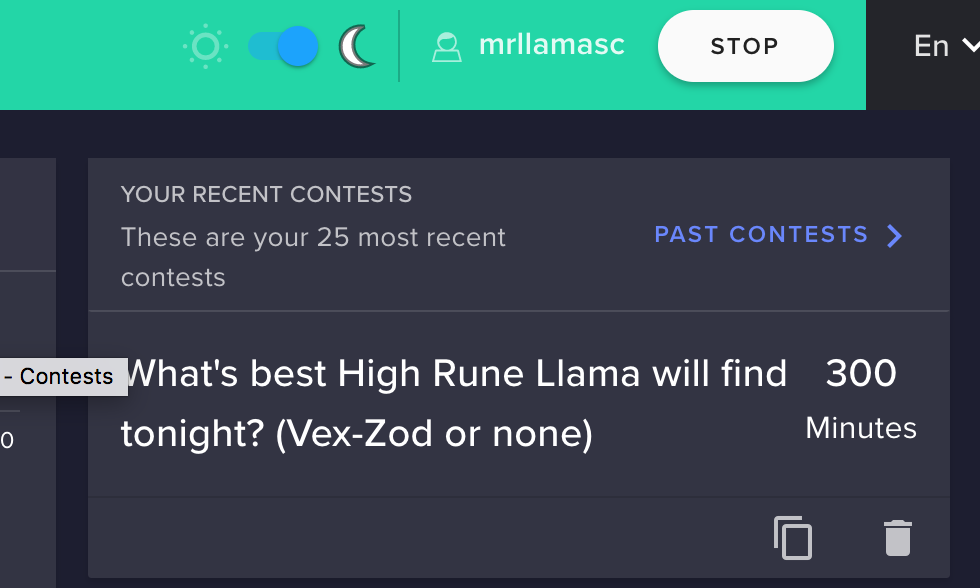
Hi! Trying to figure out why I can't close/award an open contest? I can't even pull the public link... any advice?
First time I've ran into this bug in hundreds of contests...
dense jackal
Is the contest you are running on your channel? @finite viper
 rugged trench
Are there any giveaway features that do not required people to have points and or enabling 'loyalty points'?
dense jackal
If you don't have loyalty points you can just use the one-free ticket option and make the rest cost points, that way every person can only get one @rugged trench
 arctic hornet
Is there an argument variable for the amount of followers you have?
 safe scaffold
how to add other payment methods on tipping page?? i mean other then paypal
dense jackal
All right here https://streamelements.com/dashboard/bot/commands/variables
arctic hornet
👀 I am blind as a bat apparently
safe scaffold
help me somone....
arctic hornet
Well I’m on mobile so that’s the issue
stuck hamlet
oh ok :p
dense jackal
@safe scaffold atm we are still testing new payment options
arctic hornet
I don’t have a computer, I always use ipad 👀
stuck hamlet
thats why we are here @arctic hornet
dense jackal
they will be available to everyone very soon
 arctic hornet
Exactly 😉
safe scaffold
but i see it is available for few howz that??
dense jackal
We are testing with some streamers at the moment
but it should be available to all soon 😄
arctic hornet
@stuck hamlet I wanted to thank you by the way, I saw that my ‘idea’ list got put under review.
dense jackal

arctic hornet
And the fact that you guys helped out my friend and everything even coming into her stream
stuck hamlet
I had nothing to do with that, but you're welcome 
arctic hornet
I wasn’t expecting that much help
dense jackal
das how we roll boi 
stuck hamlet
We're always here to help mah dude, even if it means telling people our system isnt broke 
dense jackal
and may mays
arctic hornet
I do have something that I want to ask too
arctic hornet
So. You prob saw we have nightbot on my friend’s twitch. There’s a command on there that I’m curious if I could just integrate it onto streamelements. It’s a queue command, I believe it uses an API (not sure, not really knowledgeable with apis)
stuck hamlet
shoot the link
ill look into the documentation, if any, or convert the command to work with us 😃
arctic hornet
Well, it’s a multiple different links if that makes sense?
arctic hornet
Like. It involves that quote system, I had to get the tokens from a randomize site and implement that
arctic hornet
Okay. Dms or in here?
stuck hamlet
either/or
stuck hamlet
sure
finite viper
@dense jackal sorry - was afk for a bit, it's in a channel I'm a bot manager in (MrLlamaSC)
dense jackal
Checking it out @finite viper 
finite viper
thx
dense jackal
Which specific contest didn't work, do you know @finite viper ?
 rigid ingot
any news on the wrong events shown at the custom css event list?
will there be the possoibility to change the timer of the countdown via ground control?
 zinc kraken
Hey just wondering if anyone has lag with kappa gen?
its causes like 9-12 percent cpu usage
dense jackal
Custom css event list is still being worked on to my knowledge @rigid ingot and I don't think there will be a countdown changer
finite viper
@dense jackal If it's easier just to award the contest than figure out why I can't, the Ohm result was the winner. xD
dense jackal
@zinc kraken Kappagen CAN cause huge lag if there is a lot of emotes on screen because of the nature of encoding and streaming. Are you saying that just adding kappagen and doing nothing increases cpu by 10% ?
@finite viper Not sure about this issue, the devs are asleep atm but we will send this to them and see if we can find whats up. contests seems to be working elsewhere, just not his account
zinc kraken
well yea, you know how if you open task manager and show obs and show deeper into obs?
finite viper
I think I can start a new one, so it's not a huge deal... it was just never closed?
zinc kraken
there is a cef-bootstrap
dense jackal
Or rather, not his account, that specific contest @finite viper
finite viper
Too easy - thanks for checking Tomathin
rigid ingot
thanks for the update @dense jackal , a bit sad that gc wont be able to control it 😦
dense jackal
Do you have kappagen full screen @zinc kraken ?
dense jackal
zinc kraken
I think so
dense jackal
try disabling and making the box bigger
Kappagen has very rarely had weird issues with this, but we are working on a V2 for our overlay editor/system and it will take a lot of stress of many of our heavier widgets
zinc kraken
1 sec ill try it D:
kinda annoying idk
was trying tof ind reason to use stream elements instead of stream labs for fps purposes lmao
dense jackal
Hmm, you're not running multiple overlays at the same time right? Like you have shutdown source when not visible checked on all your sources?
zinc kraken
wat is the normal size for kappgen
dense jackal
You can set it to the full screen or fit in a corner, whichever you prefer. You're using OBS studio right?
zinc kraken
yea
dense jackal
Just checking the most recent update of x-split is not playing nice with all browser sources
zinc kraken
idk :/
I swear my fps is higher when I don't have it on
which sucks
LOL this is crazy
look at my stream and ill show u
ebon forum
Kappagen is extremly taxing on the CPU, and bigger means more CPU usage.
This is normal, make it smaller or disable it when you want a smooth stream. Or upgrade if you wish.
 outer smelt
Hey I am sure I am doing something wrong but I just wanted to check something...
Can I get my overlay to play on a twitch pre recorded Premiere?
If so, HOW?
dense jackal
You can put the overlay in your obs but instead of starting your stream, you just record a video with it, then upload it as a premiere
outer smelt
But and follow or subs from that wont work correct?
dense jackal
They wouldn’t be live, no
 quiet trout
Any affiliates here that ever restarted the onboarding interview? I wonder what happens to my current subs if I retake it, can't find an answer anywhere D:
 atomic hollow
@quiet trout what do you mean by onboarding interview?
quiet trout
@atomic hollow The tax interview you have to take when you get accepted as an affiliate.
I think I made a mistake, so I want to redo it
 twilit talon
helluu
ive got a problem with host alerts. its not coming up when people host me on live broadcasts but when im testing the hostalert, it works. even live
nocturne pelicanBOT
Twitch doesn't have a "notification system" for hosts (unlike follows, subs, raids, etc.) so the only way for StreamElements to know that you are being hosted is to connect through you to twitch. This connection is made on:
- SE Dashboard page - https://streamelements.com/dashboard
- SE Activity Feed page - https://streamelements.com/dashboard/activity
- Ground Control desktop app - https://streamelements.com/groundcontrol
Please have one of these open during your stream in order to receive host event notifications.
twilit talon
cool, gonna try that out 😃 thanks
 left umbra
Hi i was looking at some other tipping pages and saw that they have a lot more options of payment (ex. visa, mastercard, paytm etc.) while my page shows only paypal option, can someone help me?
left umbra
so it's not available to all?
 shell pumice
No. Once they have tested everything and everything is perfect it will be available for everyone
left umbra
alright, thanks for the info.
shell pumice
Np
 sinful phoenix
What is the percentage that you guys take from each donation?
 winter zenith
0,00%
winter zenith
I think since the beginning but I am no Staff member 
but we will continue doing that because we think that the Streamers should get all the money from the tipper's
outer smelt
how do they make money?
winter zenith
with a rainbow unicorn farm @outer smelt 
sinful phoenix
Look at all their sponsors @outer smelt
winter zenith
oh shit he found out 
outer smelt
I am brand new to SE not had it 24 hours, looks really good I was just curios
winter zenith
but yeah @sinful phoenix is correct we work together with other company's that understand our philosophy of giving to the streamers not taking from them
and we will continue to do so.
(thats btw the reason why I switched to SE. I just love the philosophy behind it)
sinful phoenix
@winter zenith Are you at work right now?
winter zenith
yeah why? 😃
sinful phoenix
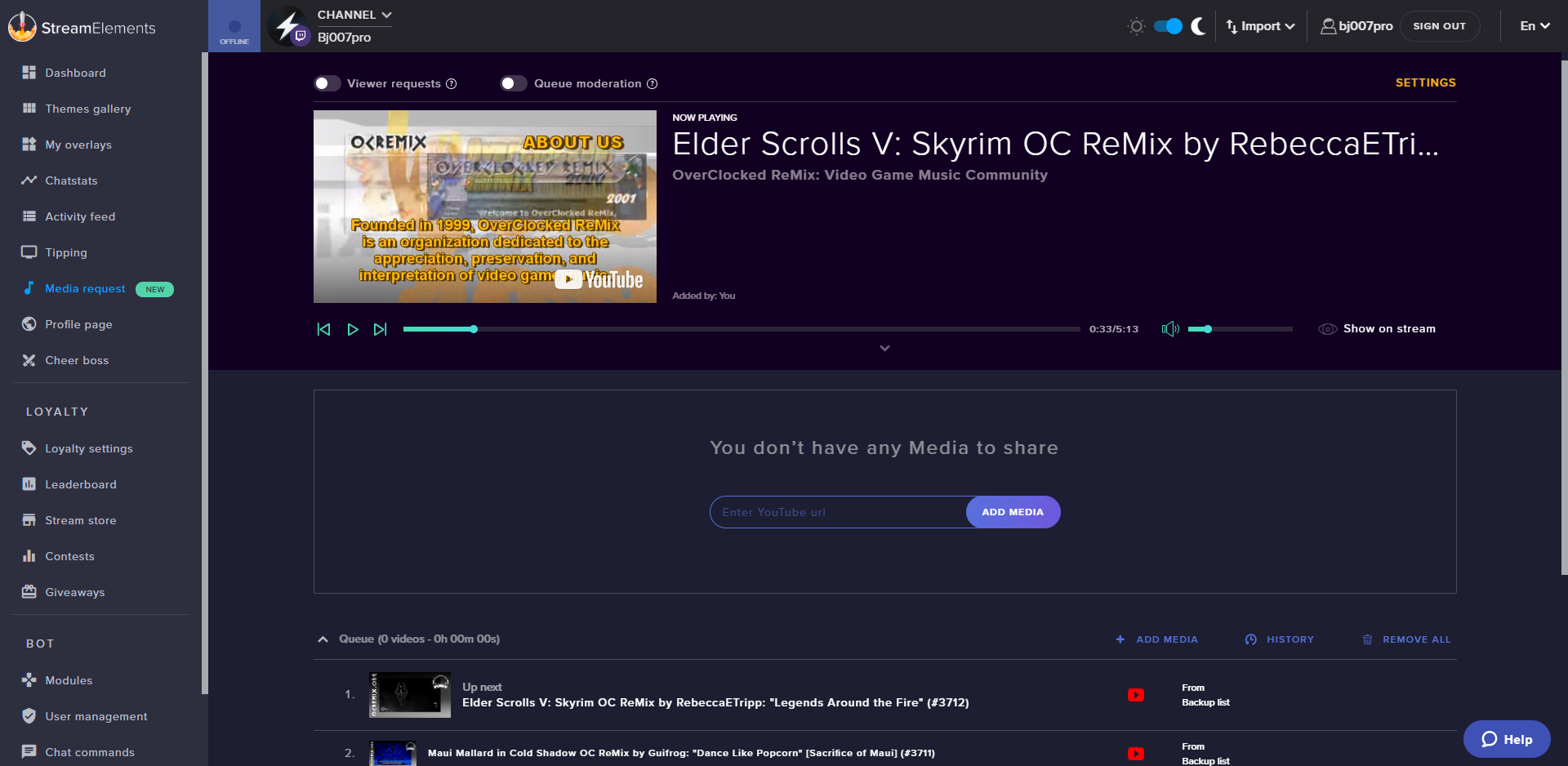
Nevermind then, I've got a bugged with the bot where it still takes song requests from viewers even with the "viewer request" toggled of.
winter zenith
are you using ground controlls?/firefox/google chrome?
sinful phoenix
I just need someone to come to my chat and not tested it out in their own
No I'm not using Ground Controls using the website.
winter zenith
wich browser?
sinful phoenix
Chrome
winter zenith
tell me the name of your twitch I SR something
sinful phoenix
It's Bj007pro
winter zenith
ok SR came through
sinful phoenix
Wait
But it didn't add it to the queue thoguh
though *
But the bot should say some sort of decline message not say that it has added it to the queue
winter zenith
hm... send me screenshot of your settings please
shell pumice
How do I turn off refunds?
sinful phoenix
@winter zenith https://i.imgur.com/RzLrJ6b.png
 sinful phoenix
No
winter zenith
try disconnecting the bot from your chat via the Dashboard
sinful phoenix
But I know the bot should say something else to the requester if it's disabled
winter zenith
and let it join again
winter zenith
strange
sinful phoenix
😦
shell pumice
How do I turn off refunds?
sinful phoenix
So what can we do? @winter zenith
shell pumice
Ok
winter zenith

sinful phoenix

 vivid needle
Привет всем, есть русская поддержка?)
winter zenith
@ebon forum
ebon forum
Да, есть @vivid needle
 celest temple
So, anyone knows a way to do little tricks with streams?
I want to have like timed condtions.
So lets say, I am starting my stream, and I start in 15 mins. And once it hits the 10 minute mark, wthen lets say it'll play a certain song, or video./
 glad zinc
It would be great if there is a integrated chat window in the SE Ground Control Application
pine hemlock
@glad zinc improvements are coming in the future
glad zinc
@pine hemlock Nice ❤
celest temple
With Integrated and more features.
So we are going to have to just sit here and wait.
 thorn spear
@proud pumice is there a way to reopen giveaways after drawing it? I want to draw a winner each day and allow people to keep entering, but not start a new giveaway. @tawny pivot if you know the answer ❤
celest temple
I have used the Give Away feature quite a bit.
It's a simple Give Away.
Your going to have to just recreate a new after after one is done.
thorn spear
The problem is it uses the currency and I wanted to allow people to enter all month and draw it new each day, not recreate each day.
celest temple
It just runs until you stop it.
thorn spear
Once you close it (which you have to do to draw a winner) you can't reopen it. Seems like an over sight.
celest temple
So want you want is a Reoccurring giveway then...
 proud pumice
i dont think it can do that, no :<
celest temple
I am not even sure if it's been suggested about a reoccurring giveaway
Mostly giveaways are a one time item thing.
thorn spear
It would be nice to be able to draw a winner and not close the giveaway.
 elder sorrel
Sounds like an #💭︱feedback-and-ideas to enter at https://strms.net/ideas if not already made 😉
outer smelt
Is anyone free for voice support?
celest temple
I'll try
atomic hollow
@cedar fulcrum can help
 cedar fulcrum
@outer smelt How can I help you?
outer smelt
I have a few questions that I am struggling to work out...I am new to streaming and it is kinda difficult to explain
Thats why I was hoping to voice chat if that is ok
cedar fulcrum
Sure we can voice chat
outer smelt
Thanks, I am in voice support channel
 magic ermine
Yo my dudes! It seems I messed up when importing my tips from StreamLabs and now some have doubled up or something. Is the best way to try and fix stuff like this just to remove them all and re-import them or is there a better way?
I just don't wanna mess it up somehow so I thought it best to ask first
tight harness
@magic ermine You can either do as you said and remove them all and reimport or just tick the tick boxes for the duplicates and click Delete Selected at the bottom
magic ermine
Yeah okay - removing the duplicates would be too much of a mish because of how many there are
The names are also different and kinda random so it is a bit confusing
But cool, lemme start fresh
tight harness
Alright 😃
magic ermine
Thank you! ❤
lament blade
Hey guys, I was just wondering my recent donation hasn't updated on my overlay, is this because I have my donation set up from streamlabs, but my overlay is from elements?
narrow coyote
Yes, the donation will have to come through your StreamElements donation page for it to be tracked, alert, and appear in the overlay
cobalt kindle
First time using your alert box as the primary, and I'm seeing the same problem as I did when I tried it before... multiple alerts go off every time.
It appears as though the alerts and sounds are triggering even when the overlay is in an in-active scene
How do I make sure the Alerts only go off/trigger/make sound in the active scene, and not in all scenes within my production? I have a very 'produced' show
magic ermine
I had that when the overlay manager on the site was open, obviously, but when I close that it goes away and only plays once 😄
cobalt kindle
I would then need a way to test such a thing, without the overlay manager running.
Which isn't possible without being live (poor UX)
magic ermine
What I do is click the little bell icon top right and that mutes the sounds in your browser
cobalt kindle
Yeah, I have that done already.
cobalt kindle
In fact I have the tab muted as well
The alerts are playing directly in OBS - on every scene all at once.
The result right now is a bits donation echoing 5 times
This is the reason I wasn't using SE before
magic ermine
Oh this might be silly and you might have done it already but make sure to tick the box "Shutdown source when not visible" in your scenes
I don't actually work for StreamElements by the way I just saw your message and thought I'd reply
🤔
(Just wanted to point that out because I don't seem to be helping all that much lol)
cobalt kindle
No, that's a poor implementation as well. Shutting down the source means it has to boot up and load again every time the scene switches.
That's not good at all
magic ermine
I see - I am sure someone that knows what they are talking about will help you soonies
cedar fulcrum
Hello Charlie, You are able not to thick the "Shutdown when not active" . Because the scene is heavy so it takes time to load it everytime
cobalt kindle
???
narrow coyote
If you dont shutdown the soruce, the sounds will play in every active overlay
 jolly atlas
Hey, for some reason my sounds aren't playing when the alerts pop up, can someone help me please?
winter zenith
@jolly atlas do they pop up in the overlay editor?
jolly atlas
yes they do @winter zenith
cobalt kindle
If I have to shut down a scene when it isn't active when using SE - than your overlay designs are the problem then. no other provider requires that, and it will ruin the fluidity of my show
narrow coyote
If you have the cpu for it, you can seperate your overlays, so your alerts are on a seperate overlay, that can be set to shutdown when not visible
winter zenith
@jolly atlas but the alert animation showes in OBS?
narrow coyote
its how browser sources work
jolly atlas
yeah and the sound plays in OBS sometimes but not in stream @winter zenith
winter zenith
what do you mean with sometimes? @jolly atlas Either the alerts play the Alert with animation and sound
or they dont :/
and if you hear it in OBS and see the audio wave in your Audio mixer its IMPOSSIBLE that the stream cant hear it
narrow coyote
for example, I have all of my "noise maker" widgets on a seperate overlay, as its own browser source, so this can be set to be shutdown when not visible. I then have my other elements in their own browser sources that are not set to be shutdown when not visible
winter zenith
only thing that could be is that the audio is turned down that its nearly silent on stream
cobalt kindle
3 other cloud-based overlay providers tried, including player.me and streamlabs... always having a different overlay in each scene (custom overlay to the scene's experience). I have never had to "Shutdown Source" on inactive scene ever... and I have only had this issue with SE
jolly atlas
I'll have a look thanks guys
cobalt kindle
It has always been a fluid transition between scenes with all still running
winter zenith
no problem @jolly atlas
cobalt kindle
with no duplicate audio plays
winter zenith
@cobalt kindle there is literally nothing to it if you have "shut down when not viable" enabled
either you use OBS Studio mode wich is way better anyway
 full sky
Is anyone having problems with there donations not showing up on the alert box or on the overlays but the other alerts work
cobalt kindle
Correct if I'm wrong... but "Shutdown when not visible" will force the overlay to reload from scratch when the scene transitions in, yes?
winter zenith
or you put the alerts into a fiddrent browser source
@cobalt kindle yes and in studio mode you can pre load it
and Like Kite and I said, you can have your whole overlay on a layer which you wouldn't have to shut down so it doesnt have to load when not visable
cobalt kindle
I'm running studio, but not in the mode all the time. Inefficient while managing other things.
winter zenith
but the alert layer on a seperate source
narrow coyote
@full sky Did the donation go through completely, and do you see it in your activity feed?
winter zenith
so there would be literally no issue for you in loading when switching scenes
narrow coyote
If you dont want to use studio mode, and dont want to shutdown the browser source, then but the alerts in their own overlay, add this as its own browser source, as that will require you to shut it down so the audio does not play in every active scene
cobalt kindle
The alert separation thing isn't going to work either though will it? The overlay experience is customized to the scenes, so each alert is different in presentation depending on the scene
So there is still multiple alerts in OBS
narrow coyote
You will have to set the alert browser source to shutdown when not visible
I have mine set up exaclty this was, so i can have shorter transistions
winter zenith
^
cobalt kindle
SE should really consider implementing these things a little smarter. I don't mean to sound rude or holier-than-thou here, but that's a lot of additional setup for different productions that isn't necessary with competing providers
winter zenith
Its allright if you think this way, we are improving everyday and in my honest opinion have a lot more to offer then the competitors
narrow coyote
OBS will hopefully have additional browser source opitons in the future that will hlep with these scenarios
winter zenith
Your feedback has been taken and will be considered
cobalt kindle
But that's the thing... and I don't mean to press this on you aggressively or anything... but other providers do not have this issue. My experience so far is this is exclusive to SE
So it isn't an OBS issue
winter zenith
Again, we are beating around a bush here
we told you how you can do it the way you need it
cobalt kindle
If I do the same overlay right now with Streamlabs, only the alert in the active scene will play. If I do the same with player.me's overlays, only the active scene will play
I know you told me, and I'm working on it now.
I'm simply reiterating it, with your attention now, where IMO an improvement could take place.
I know it's a very low priority, and likely isn't gonna happen... vast minority of streamers have broadcasts that are produced like this... but it's something I wanted to bring up
winter zenith
its allright I took your feeback and it will be taken to consideration
if you need anything else just come in here again so we can help you 😄
 normal igloo
My monthly top tipper and cheerer Hasn't reset 🤔
narrow coyote
 I see this too, and it does not seem that refreshing the aggregates changes this
normal igloo
@narrow coyote Interesting 
dry hare
Having used tipeeestream and slabs, I know what he’s taking about. I think it has to do with the way the overlays are constructed from the aggregate data?
 fringe mauve
how you get music vid on obs
narrow coyote
you can use media request, and add the media share widget to an overlay. You can then use the show on stream option in media request
narrow coyote
You need to add the media share widget to your overlay. If you open your overlay in the overlay editor, click on widgets, and scroll to the bottom
 lapis sandal
how do i make an overlay which is just a fullscreen facecam??
clever mango
@cobalt kindle Did you have an alertbox in each overlay with player.me ? Or one shared across the scenes?
cobalt kindle
Each overlay was entirely separate and exclusive to the others with it’s own unique browser source. They were all separate
Audio only fired from the active scene
clever mango
Yes, but did each overlay have it's own alerts?
clever mango
Ok
This will be all be a non-issue soon as we are working with OBS on a solution for this that doesn't require shutting down sources when not visible. They will simply "pause" but will resume immediately when becoming visible.
It's a new feature within chromium that will be possible in the browser source plugin that OBS uses
cobalt kindle
Cool thanks!
For now, it actually seems my custom transition is long enough to allow the loading to 'almost' not be noticeable between scenes.
clever mango

 terse plume
hey, having a bit of trouble with fixing up a friends chatbot. For some reason a command seems to not update for the bot no matter what I do on the control panel. (using the moderating feature on the site)
!command show ik gives "kyuukei has DESTROYED $(count) victims on stream!" as a response, but on the site it is set as "kyuukei has DESTROYED ${count instantkill} victims on stream!"
also the !ik command works even if I delete it on the dashboard
I think he imported it from nightbot
dry hare
Do you still have the bot running in the chat?
dry hare
You may also have to part the bot and reinvite it
So in the SE dashboard, there’s a button to make the bot leave the channel and then click the invite bot button
There’s a discord command for instructions on all of this but I don’t remember it 😉
Is nightbot still in the chat?
 teal yoke
Hi guys... in the extension "Leaders Panel" shouldn't the ALL TIME show the cumulative points so we can see who gathered more loyalty points?
terse plume
nope
teal yoke
@dry hare this extension shows the "current" points and the "all time" points...
but the top all timers arent all timers att all
terse plume
heyyy that fixed it, thanks @dry hare
dry hare
Hmm...
I usually ask @clever mango or @tight harness for help because they has the infoz
One of them will pop in with an answer @teal yoke
teal yoke
BlessRNG
tight harness
@teal yoke The extension matches your leaderboard on the website, so what do you mean? 🤔
All-time is from watching, current is from all things and can be both gained and spent a number of ways
tight harness
All-time is gained ONLY from watching, it can't go down unless reset, it only goes up and ONLY from watching
Current is your CURRENT points, meaning it's not definite, it can be spent and can also only gained via the Loyalty Settings
teal yoke
ok
tight harness
Get it?
teal yoke
the all time its just points for watching... its not my channell currency
tight harness
Yes
teal yoke
the current its the currency owned
tight harness
Yes
teal yoke
sorry i stoped typing in the middle of the sentence
yes my question was how
let me check
 wise goblet
hello I'm needing someone to help me with my overlay problem i have had some tip me multiple times but no alerts pop up during my stream but all my other alerts work
teal yoke
Oh i never saw the all time in the leaderboard(streamelements website) panel XD
thank you
clever mango
!watchtime
nocturne pelicanBOT
10 minutes of watchtime are given to those in chat when the loyalty points are handed out (every 10 minutes). Therefore, loyalty must be enabled for watchtime to work properly. There is no direct link between watchtime and all-time points. It can’t be calculated from the amount of all-time points a user has because subs may earn points at a faster rate and !bonus all command increases all-time points for users in chat at that time. Giving points to a single user does NOT affect all-time, only when giving to all in chat.
tight harness
@wise goblet Just had a support ticket about this, was that you?
wise goblet
yeah i found out how thanks though
tight harness
No problem
wise goblet
is there a certian size a image has to be to upload im trying to upload a 1.26mb and it wont let me
tight harness
@wise goblet Nope, try with Chrome 🤔
@lament blade Yeah can't see any way to achieve that, keywords are designed as you said to work anywhere in the message
No problem
shell pumice
I get an error when I try to import alerts and tips from SL to SE pls help
narrow coyote
make sure you are logged into both the SE and SL bashboards
 narrow coyote


weary mist
lol
 odd egret
Is there a way i can have my bot give points to a user for entering a hidden command?
odd egret
Ok i know you can hide commands from the public page so no one see's it via the list of commands. but i want a command where if say the user enters !lucky the bot will tell the user "Congrats you found 500 points hidden under the cushion and it will immediately give them 500 without it saying like "give user 500 points" like its just in their account all of a sudden
i should have 500510 pixels but i dont so is there a way to make the bot secretly deposit 500 points into someones account whenever they enter this command but still get the message of them finding the points
dense jackal
Yeah I see what you're saying, trying to think of a way to do it 🤔 not sure if it can be done
I'm asking around
Currently there's no variable to give someone points for using a command, only an option making them cost points, so yes you can hide a command from your page but the only way to give someone points like that is the default !bonus or !givepoints commands
@odd egret
odd egret
darn ok thanx
shell pumice
So I got an overlay and in the top right corner it is supposed to show which song plug dj is playing atm. I put in the room name but it still says no song. Anyone help?
dense jackal
Try adding a new now playing now playing widget and see if you are getting the same issue
dense jackal
Looking into it
shell pumice
Thx :D
dense jackal
You have to be using the URL not the actual title
shell pumice
The url to the room?
dense jackal
pine hemlock
The text in the url
clever mango
@warm crane @worthy token @tender salmon @hard lotus @upbeat topaz @buoyant hull
Tiltify support is back 😃 #270206314561404928
shell pumice
OH @dense jackal TY
 dense jackal

shell pumice

dense jackal

 short river
is it worth investing in a elgato stream deck?
weary mist
@short river 1. better in #general-chat. 2. Yes and now. If you can get a deal on it, then yes. if not, then not really. I got mine on sale during christmas for $100. Kite got his using a giftcard from work. It has unlimited button options, and you can put quite a bit of things to a press of a button, but it takes time to setup
I enjoy mine, and I am glad I got mine on sale
narrow coyote
It is very worth it if you can get it when it is 100 or less. It is more of a quality of life thing, than necessary, but once you have it.... 
short river
@weary mist @narrow coyote thank you ill try my best maybe when i start growing a bit more itll be a for sure investment .
dry hare
Recloc, someone is doing a giveaway on twitter through gleam. I can dm you the link
short river
yea osruna thatll be great
dry hare
Cheers!
 blissful apex
Hello! can anyone help me
I;m trying to get my bot to allow anyone to post links (along as their twitch clips) but mute for anything else
blissful apex
it doesnt save the link :/
narrow coyote
type in the link, then hit enter key, before you click submit
 narrow coyote
narrow coyote

narrow coyote
ye, one sec
blissful apex
thank you ❤
stoic wren
@pine hemlock downgrading Xsplit back to 3.2 did not resolve the issue of user events going through to the software. They work on the site in the editor still...
blissful apex
Kite again, thank you ❤
stoic wren
Does anyone else know why user events wouldnt make it through to the stream but seem to work fine on the StreamElements site inside the overlay editor?
 pliant shoal
what is the ideal image size for images used in the loyalty redemption setup?
narrow coyote
If you are using Xsplit, they have been having issues with their browser source for weeks now
stoic wren
All versions of xsplit @narrow coyote ?
narrow coyote
As far as I am aware it was most recent, and their test branch. Some users still have the problem after rolling back. if @winter zenith is around, she can confirm the struggles she has had with this as well as trying to work with their support to fix the problem
stoic wren
Because the Chat shows up fine on my stream
the scrolling recent stuff show up A Ok its just the alerts
winter zenith
Yeah same for me
stoic wren
and the test stuff shows up fine until I try to resend a user generated event
winter zenith
I have the alerts open now on the editor tab
And screenrecord that on xsplit
With a greenscreen key 
Xsplit needs to fix there shit fast, they fucked browser sources for streamlabs, kappamon, loots and so on for optimizing for player.me
Best is to report to there support and give them your log
So they have more data as in what causes those problems
stoic wren
Well I've uninstalled again, deleted all the Cache for their software, and going all the way back to 2.9
pliant shoal
I am new to setting up my store items and I am not sure how to do it - I want to set up a loyalty store item that will allow viewers to use their points to request a media share video but how does it tell what video to share?
narrow coyote
You can set media request to cost points in the media request settings. This would not be controled via the stream store for this
pliant shoal
so you cant make it a store item?
 warm crane
@clever mango Thanks for the update!
narrow coyote
@pliant shoal Not that I am aware of, you can just make the request cost points
pliant shoal
ok thank you
stark furnace
Heya 😃 Is there an actual variable for uptime please ?
So we can create our own uptime command
clever mango
$(uptime)
And here are all of the variables
https://streamelements.com/dashboard/bot/commands/variables
stark furnace
I guess I should have guessed but it wasn't listed
clever mango
It's towards the bottom of the list
 uncut dome
is there any way to link Spotify to gc?
stark furnace
Yeh I see it now. I even searched the page for it :/ Must have misspelled
ty @clever mango
clever mango
Not yet @uncut dome
uncut dome
@clever mango heard that. thank you for the fast responce super pumped to see the rewritten GC when it comes out.
 buoyant hull
Thanks @clever mango for the heads up !
clever mango
spotify won't be supported when the rewritten Ground Control is released but after
The two features aren't linked. The new media request system was written to handle spotify when we have the time to add it
stark furnace
Sorry @clever mango - another stupid question I guess. Does markup work in chat ? I have found markup for the twitch app but doesn't appear to work in browser chat. Any idea ?
I have tried text and text to try to get BOLD text but neither appear to work
HA - They work here but not in Twitch chat !
clever mango
No, twitch chat is IRC which doesn't support markup
stark furnace
That would explain it then. Ok thanks.
In case you're wondering that I'm trying to do................. "/me STAY_WINEDRATED_BOT: @stark furnace PartyHat You've been live for ${uptime shroud}. By this point in your broadcast you should have consumed at least another ${random.pick '1 glass' '2 glasses'} of wine to maintain optimum gaming performance. Hurry up or @${random.chatter} may beat you to it :)" 😄
narrow coyote
OMG, winedrated bot, i am dying, i love it 
stark furnace
😃 😃 😃
versed jolt
That is great.
stoic wren
@winter zenith it did not work. Looks like I might have to teach myself OBS
Removing all remnants of Xsplit, from AppData, ProgramData, Registry, all files that have Xsplit in the name of them and might be associated with the program. And still the user generated event does not go through and blocks all events afterward
pliant shoal
I have another question about loyalty items - if you select Stream Perks, does that mean the viewer can use the chat command and the item will load on stream or does this require some action on my part (the streamer)?
pine hemlock
Stream perks just means that an image will show on screen for the redemption and the sound you select for the item will play when it is redeemed.
Sound effect means nothing shows on screen when redeemed, and it only just plays a sound
but yes it can be redeemed via chat, and doesnt require any action from you
winter zenith
@TFredrickson80#7642 damn... alerts go through sometimes when you try to make a new webpage
So the alert get unstuck... but damn that’s unfortunate
pliant shoal
ty
versed jolt
I have a free 3-month trial of Xsplit, but it doesn't sound like something i want to install.
narrow coyote

versed jolt
I am using OBS now, was previously using StreamLabs OBS. Did look into Xsplit but not interested in using any proprietary softwares.
Although, question. Overlays. If i set my overlay size to my widget size, why does the editor also appear bigger than what I've set the custom size to?
narrow coyote
Not sure I follow what you are trying to do
 lyric mica
Quick question for the hivemind: I have noticed my points command + alias doesn't work right away when I have been offline (even though I have it set to both) Normally once I am live and do a quick switch on/off, the ability to view point totals works again...am I missing something or is that normal behavior?
 misty wagon
See the red bell bottom left, use that to test
Actually it's a white bell in a red circle 
 tawny bay
ah cool
new problem. audio from a clip i'm using is disappearing in "sounds", it shows for a few seconds then BAM
lament blade
Anyone available to hop in voice support?
tawny bay
do i just need to use another sound of the same video or???????
narrow coyote
So your sound is gone from the uploaded sounds?
Like in here? What browser are you using?
narrow coyote
Do you have Chrome to test to see if it does the same thing? Its built around chromium, so it all plays nicer with chromium based browsers
pine hemlock
the uploader likes chrome best
 grim dune
Hi there!! For some reason, my Extra Life Donation widget thingy isn't working. The goal widget is, just not the alert. Is anyone else having this problem? Thank you!!
stuck hamlet
it may take a few minutes for the alert to show up
shouldnt take longer than 5 minutes. We have to check periodically if there is a new donation
 cursive canopy
Hey all, totally new to the streaming world.. completely hooked! Reached my twitch affiliation goal the other day.. and can finally get emotes! I have NO idea what I’m doing when it comes to that, if someone could just message me and maybe help me out, or answer a few questions?
grim dune
Mine isn't showing up in OBS at all. When I do the test, it shows up on my overlay but not in OBS or during my stream if that makes sense
lament blade
The Tiltify Campaign URL isnt working for me :/
pine hemlock
@TheStinkRat#2247 I dont believe the test alerts work correctly for that widget.
I love discord and its failures of tagging.
lament blade
lol
lament blade
anyone else have a problem seeing the correct entrants/tickets for a giveaway
pine hemlock
@lament blade (i dont know much about the tiltify stuff so someone else will have to reply)
grim dune
@pine hemlock oh okay, that makes sense! Thank you!! Do you happen to know how to get it to work in OBS? Thank you again!!
pine hemlock
Actual alerts for donations should work, just testing the alert doesn't (as far as im aware)
@lament blade Haven't heard any recent reports of that, can you give more details
lament blade
I show a much lower entrant number than say if my chat goes and checks, I don't want to pull a winner with me only show 4 entrants versus the 24 that my chat claims that are there
 echo ermine
Hello I am new, quick question. Is there a way to set up the stream store to sell game codes for my in stream currency? Maybe i just missed the option in my search through the store
pine hemlock
@echo ermine "Access code list" I believe the option is called when you create a perk
@lament blade I see 4 entrants(users) and a total of 62 tickets purchased. Is this not correct?
lament blade
no one of my viewers is stating its 24 entrants and 296 tickets, and it ha shown that for me before but not for the last 3 days
I know the later is correct
echo ermine
Cuda, i found it but i do not have unlimited codes, and it wont let me change it from unlimited
 brisk pebble
how do I manage quotes with SE?
lament blade
woot its showing right for me now @pine hemlock lol
pine hemlock
@lament blade What do you see now?
Can you screenshot it for us real quick
because this sounds like a visual glitch
@peterdraws#1000 !quote remove/add
brisk pebble
Is there a list of them kept anywhere I can scroll through?
pine hemlock
Not currently no, sorry
echo ermine
brisk pebble
ok, just making sure I wasn't blind :)
echo ermine
can you see that?
pine hemlock
Go to the next screen
Its one key per line, and theres options to not give the same key
pine hemlock
yw
 grim sphinx
Had some unprecedented issues with my overlay on stream today, where cheers and subscriptions didn't show up. Didn't change anything since my last stream, when testing the overlay with previews, it worked normally. Follower notifications also worked fine. Anyone else experience this?
brisk pebble
are followers and subs on the same overlay?
grim sphinx
yes
stuck hamlet
@lament blade it seems like you had 2 giveaways running at the same time.
You closed the 4 entrant one, so you should be able to see the real one now
Let me know if you do https://streamelements.com/thedooth/giveaway/5ac2dbc7c689914297dc3e7c
lament blade
oops sorry @pine hemlock i drew a winner when it was showing the correct numbers but the winner had a 32% of winning,
the max tickets you can buy is 20 so that would put him at 95 tickets purchased?
thats what i see
now after refreshing
 craggy anchor
Quick question, I mod for a channel observing BST but is really UTC+1 currently. Can I make a time command show the correct time?
stuck hamlet
Refreshing would just you back to that giveaway as it set with an ID. You can click off to the "Dashboard" and go back to "giveaway" to see the correct one. or go here: https://streamelements.com/dashboard/giveaways/5ac2dbc7c689914297dc3e7c
@lament blade 
grim sphinx
Following up on my above problem, some of the activities tonight didn't show up on the ground control feed, but even ones that did such as hosts didn't show up on the overlay.
While followers were showing up fine.
stuck hamlet
Do you have a minimum on your host alerts?
grim sphinx
I do, but they exceeded it
stuck hamlet
I will take a look in a few minutes. 😃
grim sphinx
ty!
lament blade
I am new to all this. I could use some help with it all. Trying to get affiliate on twitch. Play fortnite and pubg mainly.
brisk pebble
@lament blade are you having any specific problems, or just looking for advice on the best way to progress and grow?
 charred garnet
How do i reply the latest follower alert
pine hemlock
Through your activity feed https://streamelements.com/dashboard/activity
dry hare
Or through the ground control app right?
narrow coyote
yeah, it can be replayed through ground control as well
 warm garnet
i recently got a donation but it didnt go through my paypal
stuck hamlet
Are you sure you have the right email listed?
lament blade
sup
shell pumice
Ok so I imported alerts and donations from SL to SE. Can I delete the extension now?
brisk pebble
is there a way to remove a user from the chat stat leaderboards?
lament blade
@peterdraws#1000 I am trying to figure out how to get more followers can’t seem to get many viewers. Also with progression and to grow
brisk pebble
It can be very difficult to get some momentum as a small streamer, especially with games like Fortnite that have so many other people streaming them. Just think, if you don't promote your stream anywhere (to your friends and family on facebook/reddit/discord/twitter/etc.) then maybe the only way people will find you if you have just a few viewers is by scrolling a lot past all the other people streaming Fortnite.
@lament blade you know? why should they watch you? that's what you have to ask yourself. why should they watch you instead of everyone else, especially when you're harder to find. Give them good reasons to watch, and maybe play a game where there's less "competition" as it were, at least sometimes. A game that's still on/near the front of the browse page, but has a smaller number of streamers. It's a struggle, figuring out the best approach, but I think you can do it, even if you do just decide to play Fortnite. :)
versed jolt
Exactly. Find a way to capture your audience. Little difference from other streamers could mean a bigger audience than them in the grand scheme of things. Think big. Assess how Ninja does it and try and trump him. Some of his fame is from him playing with Drake, a lot of it is from his hard work. But you're an entertainer. Plenty of ways to entertain people.
warm garnet
@stuck hamlet yes i have the correct email to my paypal
stuck hamlet
And you see it in our activity feed? @warm garnet
warm garnet
@stuck hamlet no
stuck hamlet
Then there was no donation done through our system :/
How were you notified there was a donation? or that the money didnt come through if there's no activity?
cobalt kindle
Just an update for the people I was talking with today regarding it - I "Stop Source when not visible" for the overlay in Stream Elements, but it does NOT stop the multiple audio pings that happen. - I'm tempted now to simple have a single overlay with sounds, and the rest of the overlays have no sound at all (the only issue with this is that they likely won't match in timing, but it's likely better than having two sounds all the time).
... It was humorous though when Twitch Staff raided me to tell me I had Partner today... and all the bits being sent were all double/triple pinging the entire time. 😛
dense jackal
If you're having difficulty with multiple alerts there is one solution I have tried, but it may increase cpu usage @cobalt kindle
Basically putting kappagen/hypecup/alertbox any of that stuff all in one overlay, that resets for every scene with shutdown source when not visible, and then you can leave all your other overlays and scenes always on, so theres no load in for them. so it looks seamless, and you have all your different overlay alerts in one place. The catch is you are running multiple overlays at once, so if you have a lot of scenes (I would say more than 5 non animated) it can dig into your cpu
 toxic leaf
Shouldn't my overlay change as soon as I hit "launch" ?
Cause now it only changes when I copy and paste the link again even tho it's the same
winter zenith
did you press the save button?
toxic leaf
https://streamelements.com/dashboard/overlays doing it in there
StreamElements
The Ultimate All in One Platform for Streamers
winter zenith
yes
toxic leaf
Not in the edit mode
winter zenith
what exactly do you mean by "changing" ?
toxic leaf
Well, when I have the brb overlay and then I launch the normal playing overlay
that it changes to the playing overlay
winter zenith
oh
well normaly you put the different browser sources in different scenes in OBS
because the Overlays dont have the same Link. they are slightly diffrent
winter zenith
launching them only means to display them in the browser
 paper thorn
My problem is about stream store; people can redeem a item from store, I want to they can buy play a song at my stream. I setup sound on store they buy from store but anything happens.
winter zenith
@paper thorn you need to put the "Store redemption" widget into your Overlay/Overlays
paper thorn
I will try thankyou 😃
 paper thorn
I did it thank u so much 😃
winter zenith
no problem I am here to help
 slow iron
quick question if i browser in an overlay can i see the follower animation on the stream ?? or can only viewers see that ??
winter zenith
brows on an overlay?
you mean inputing the URL from your Overlay int OBS as a browser source?
winter zenith
again are you inputing the URL from the overlay into OBS?
slow iron
i did the inputting already just dont know if the folloing and sub animations work
slow iron
so i cant see them ??
winter zenith
you can test an alert bei going into the Overlay editor
and hover ofer the blue bell in the left bottom corner
slow iron
oooo ok
winter zenith
and trigger an event
slow iron
on obs ??
winter zenith
in streamelements overlay editor
slow iron
ok
just curious didnt know if i was suppose to be able to see them when i stream
thank you
how do i stay to date on when i get a follow ??
so i can thank them
winter zenith
either have your StreamElements dashboard open to see al past events
or use our App GroundControll
nocturne pelicanBOT
Our Desktop App Ground Control: https://streamelements.com/groundcontrol
slow iron
awesome thank you
winter zenith
no problem
slow iron
also i have a question about xbox and was just curious if you might have some knowledge on this if you dont mind
atomic hollow
maybe I can help, ask away
slow iron
i am streaming using obs and the xbox app and i use my tv for my pc and xbox and to have no lag input i try to switch back to hdmi 1 and leave the stream and everything running on hdmi 2 but when i do that it cuts my stream on the xbox app
winter zenith
its in your account settings
click on your account on the top left
and click on settings
there you can "show secrets" and input the JWT token
lament blade
Hey guys when you planned add other tips method to Streamelements?
 jade mortar
I'm sorry @narrow coyote, I was just wondering about your overlays creation post at #creative-chat. Are your frames and art uploaded to the SE overlay editor?
I had some issues with my overlays because of the browser sources being set to shutdown when inactive on OBS. Whenever I switch to another scene my overlays take a couple of seconds to appear, which is not the best thing to happen during a stream.
I mean, should I just use the SE overlay editor for channel alerts and information and keep the images directly on OBS?
Thanks in advance!
 gentle imp
you can use studio mode to let the overlays load then switch
nocturne pelicanBOT
@jade mortar Check out this tutorial for OBS’ studio mode which allows you to preload scenes before transitioning. https://www.youtube.com/watch?v=W8iWsD2Lq3U
jade mortar
Oh I see, I didn't know that was possible. I'm at work right now but I'll definitely check that video out. It's just sometimes I need to quickly change between scenes. Thank you @gentle imp!
gentle imp
you're welcome, it's what I use, there's no other way to circumvent unless you have the files local
2 - 3 seconds
 rich shadow
is there a way to use the command !songrequest on my twitch through stream elements? it says its turn on but controlled by modules?
gentle imp
if you have songrequest enabled it works
make sure to enable request from chat
https://streamelements.com/dashboard/mediarequest/general enable viewer requests here
the command will then be auto enabled 😉
rich shadow
its on but ill type the command and nothing happens
rich shadow
thats my old streaming account i was locked out of, im curently on mynamwastaken
gentle imp
it's perhaps the way u are connected to twitch chat, or u have bot on ignore
rich shadow
not soulwarrior948
gentle imp
oh
rich shadow
just changed that on my profile thought thanks lol
gentle imp
if u changed name you are probably linked to old account on SE
rich shadow
nono i restarted everything over
gentle imp
and all shows fine on your SE page?
rich shadow
yessir
rich shadow
:/
gentle imp
can u go here https://streamelements.com/dashboard/account/channels and give me editor access? I or you can revoke it after we're done
but the link send via private message plz
rich shadow
sure
gentle imp
oh well, dunno what was the conflict but problem solved, thanks for giving me editor access, makes it a lot easier, you can now remove me 😃
 hasty remnant
Why In chat WHEN somebody follow me theres No notification in chat ? I have enable chat allert about follow
atomic hollow
you checked it while you were offline?
atomic hollow
whats your twitch username?
hasty remnant
NinjaQLF
 sage wolf
Where does the Subscriber Goal get it's numbers from? I only have 9 subscribers and am trying to set a goal for 30 but it says I have 42 subs
sage wolf
Cheers!
atomic hollow
@hasty remnant when you are offline the message can take up to 15 minutes to appear
@hasty remnant
proud pumice
when live its instant
hasty remnant
Ok
 pale eagle
Does streamelements not count in the followers you've gotten before you have been using streamerelements ? cause my numbers aren't correct..
atomic hollow
where are they wrong? @pale eagle
pale eagle
The widget says 32 but i've actually gotten 41
atomic hollow
StreamElements
The Ultimate All in One Platform for Streamers
pine hemlock
@pale eagle you can manually update the widget numbers ^
I can't type fast on mobile
pale eagle
Ah thank you very much
atomic hollow
you can also refresh the aggregates on the page above
hasty remnant
But When I Dont see this message and Im waiting 40 minutes ?
atomic hollow
@hasty remnant it doesnt show if someone unfollows and follows again
hasty remnant
For example: somebody follow me , Im waiting 30 minutes and I Dont see notification 😦
atomic hollow
i just showed you it works 😃
so I guess you tested it with someone who already followed you
shell pumice
Ok so I imported alerts and donations from SL to SE. Can I delete the extension now? Pls ping me if u're gonna reply
atomic hollow
@shell pumice yes you can
 fossil anvil
How much is the donations taxes?
atomic hollow
@fossil anvil that really depends where you are from
fossil anvil
Portugal
lament blade
can i give out supermod and if so then how?
shell pumice
@atomic hollow ty for reply
atomic hollow
@lament blade here https://streamelements.com/dashboard/bot/users/moderators
or via chat command
!levels
nocturne pelicanBOT
Chat/Bot Levels
100 - viewer
250 - subscriber
300 - __regular __
500 - moderator (twitch mods automatically placed at this level)
1000 - super moderator
1500 - broadcaster
Dashboard Manager Levels (least to most access)
Bot Supervisor (can add super moderators from dashboard)
Editor
Full Access
https://i.imgur.com/s61Liry.png



 lament blade
thx¨
lament blade
Hey guys, anyone know if there is a variable that will echo back what someone puts after a custom command for example: !command my name is jeff - response: my name is jeff
lament blade
Thank you! best support discord ever 
tight harness

hasty remnant
Can I add / do something to make the person stand out? (eg by range, color) not by moderator rank
Like VIP
 dusty parrot
so just a silly question here: how do you actually get the audio from the Song Request? Currently using the Elegato game capture software to stream