#helpdesk-twitch
1 messages · Page 255 of 1
 weary mist
 snow whale
The problem is that the text unfortunately does not change Custom Commands. "XYZ wants to duel you for 5000 Points, you can !accept or !deny within 2 minutes".... For example, if I change !accept in !yeah, the bot text stays the same. There it says "you can !accept or !deny within 2 minutes". Custom Commands work, but they are not in the Duel Bot Message 😦
weary mist
thanks
 fluid basin
weary mist
fluid basin
weary mist
It does still look like you don't have the TTS enabled on the Cheer variations
Once you enable it, the TTS will work on that
 winter zenith
@snow whale yeah you cant edit the Module responds for starting a duel :/
fluid basin
i see, had to further drill down
winter zenith
you can add "yeah" as a alias
fluid basin
thank you Scalper, you da man
 dull elm
I write it. Hope you can understand it
dull elm
can the variables be used by the chat allet settings?
 narrow coyote
Are you talking about the Chat Alert Module? The different alerts should show what arguments they support
dull elm
yes i mean the chat alert module
winter zenith
yes they can
 keen wadi
how do i remove an image with a sound store item
winter zenith
Delete the Item from the store 
 gleaming nimbus
How can we add more then 25 songs to the backup playlist exactly? pasting another playlist link in will only replace the current backup playlist it seems 🤔
narrow coyote
The backup playlist will only load 25 at a time, the backup list can have more songs than that
gleaming nimbus
But how can I load the rest? I've divided my youtube playlists in seperate playlists of 25 songs per list but how do i add that to the SE backup playllist? I keep getting 25 songs in total only.
narrow coyote
You would want to have a playlist that has all of the songs you want. The backup playlist will load 25 at a time, and once its through those, it should then load the next set, etc.
weary mist
So in essence you can have a single playlist that contains every single video on youtube, and the blackup list will slowly work its way through them all, 25 at a time. And if you somehow manage to get through them all, it will automagically start over from the beginning 😃 @gleaming nimbus
gleaming nimbus
@narrow coyote @weary mist ooooohhhhh like that! 😃 Wow that will save me some time. I almost started with splitting up all my themed youtube playlists lol
weary mist
haha, yeah. Now I am in the process of making a larger playlist (since before it was a cap of 200). Its pretty awesome
gleaming nimbus
Thnx for the explanation you both! 😃
narrow coyote


 remote knot
hey can i change the picture in the site?
narrow coyote
What picture are you looking to change?
remote knot
my profile picture
 tight harness
Profile Page > Open My Profile > change on the left @remote knot
 thorny galleon
followed the youtube guide. Im already using elements with twitch so I went to connect youtube, accepted that elements will manage settings and it comes up with "channel is already linked" but doesnt give me ability to manage youtube with current account.
narrow coyote
remote knot
@tight harness where is the profile page?
tight harness
In the left navigation menu
tight harness
No problem
@thorny galleon Did you connect to our site with your Youtube account previously?
thorny galleon
yes, i logged in with youtube before trying to connect with the current twitch.
tight harness
If you signed into them both separately from the landing page then you created an account for each of them separately
An easy way to jump between the 2 is to give your accounts Full Control dashboard access for each other
thorny galleon
ok ill create those links
 indigo bone
How does one have the alert, read for like sub notifications?
weary mist
@indigo bone not sure what you mean by that, can you explain more? are you talking about how long you want the alert to stay up?
indigo bone
So when someone tips or subs you can type something to the streamer, I've heard this message become a sound
It read the message. Hard to explain maybe I can get a clip
winter zenith
Text-to-speech ?
dull elm
can i create a permament List in the media request?
tight harness
You mean a backup playlist? Sure, go to Settings, there's an option for Backup Playlist
 lean idol
Hi can anyone help me with timers
weary mist
What kind of questions do you have on the timers?
lean idol
i created some timers, but they didnt seem to go off in my stream, i had one set for 5 minutes online with 5 chat lines
would it have to be 5 chat lines within a 5 minute window to activate it?
 fiery shuttle
hello friends, i had to change my twitch password and now stream elements is not picking up any notifications from twitch at all
part of that reset all the connections on the channel but i cannot seem to reconnect stream elements
narrow coyote
Have you tried logging out of the StreamElements site and logging back in?
weary mist
@lean idol Yes, though its the last 5 minutes in general, no matter the time frame
So if you are having issues with the timers firing, I reocmmend setting the chat lines to zero, and working your way up from there
lean idol
@weary mist does it track streamelements bots as chat?
weary mist
I am not sure on that one, it might
lean idol
cos most of my chat when i was testing was me using a command and SE posting the command to see if it would activate my timer
ok so with no chat lines, it should post after it reached whatever online time i set?
weary mist
yes
lean idol
ok thanks, i will do that as i cant guarantee i get chatters in my stream, so least that way i will always have my timers going off
weary mist
👍
 fallen rivet
I set up a follower goal the other day, and my SE follower total seems to be about 10 higher than what Twitch says it is. Any ideas?
 fast wolf
hello
 dense jackal
We can't account for unfollows but you can change/edit your goal here @fallen rivet https://streamelements.com/dashboard/session
whatsup @fast wolf need some help :D?
 dim heron
Quick question. How do I change the email where I get my stream stat reports after each stream? I changed emails since then and can't seem to find where...
weary mist
@dim heron That should be sent to the email you have on file with twitch. Change it there, then let me know if that works
dim heron
@weary mist It already has been changed though
Did the swap over 48 hours ago, so that should have updated since then.
weary mist
Ok. two things. 1. Log out of SE, clear cache, and log back in. We might have to re-pull it that way.
 uncut dome
cool fixes on the media thing and the updates; but any idea when the hot keys will be fixed on media request?
weary mist
- send me a DM with your twitch name, your old email, and your new email. I will send it over to make sure it gets fixed
uncut dome
im having to stop my game every time i have to pause music..
weary mist
@uncut dome That is a ground control specific thing. As said many times before (search hotkeys), the program has to be re-written completely before those will work again
it is the next priority, though it could take some time (since we are do a total revamp)
uncut dome
i understand; it just is a bit annoying is all. easier to just use something else for the time being i guess.
hope it gets figured out soon!
weary mist
Its figured out, it just has to be done. It will take time, like I said
uncut dome
cool.
dim heron
@weary mist Ok, so I logged out, cleared cache and even history and cookies to be safe. I won't be streaming until Sunday though, so won't be easy to find out till then.
weary mist
ok, let me know 😃
dim heron
Will do, thanks a lot for the tips! 😃
fallen rivet
@dense jackal so the current total isn’t really a live total?
weary mist
@fallen rivet The way the goal works is it adds one every time you get a follow. What it can't do is decrease when you lose a follower. The goal widgets are designed to set certain goals for a set time period (10 new followers today, or this week). If you want a live total, use the Total Followers widget
fallen rivet
It’s just that it started out w 10 extra and that’s stayed constant. So, there’s something in the widget editor that can manually adjust the current total?
weary mist
Yessir
Click the Data tab in the top left, then the goals tab on the page that shows up
fallen rivet
Could that get affected by the built in event tester?
weary mist
You can change the goal amount, and just click save
And no, the event tester will only effect the goal widget in the overlay editor, but on OBS it is fine
fallen rivet
It’s not the goal, it’s the current amount
 nocturne pelicanBOT
Please connect your Twitch and/or YouTube channel with Discord by going to ⚙ Settings and then Connections here in Discord.
 stuck hamlet
@elder sorrel pls
fallen rivet
It’s the follower goal widget. Adjusting the goal, I’ve done, but the current (the other number displayed)
 meager root
I seem to be having some issues with the Chrome addon to transfer my Streamlabs data, if anyone can thelp.
dense jackal
Are you logged into both StreamLabs and Streamelements in seperate windows? @meager root
weary mist
@fallen rivet are you looking to adjust the goal amount, or the current value in there?
meager root
I'm gonna back out of the room slowly and pretend I didn't just make a rookie mistake...
Thanks @dense jackal
dense jackal
Very common mistake don't sweat it 😃
fallen rivet
@weary mist the current is off by 10 or so. Not at machine I can check atm, but it’s been off by about that amount since I set it up
weary mist
What is your twitch name
fallen rivet
Same as here
weary mist
its editable through the widget data (which I described how to fix earlier). I will reduce it by 10 for you right now
just make sure you connect your twitch account to discord, makes this stuff super easy for us
narrow coyote
 His twitch is linked to his discord
weary mist
it keeps showing as empty to me
narrow coyote
you in streamer mode?
narrow coyote
 its there
weary mist
its probably just discord f'ing with me
narrow coyote


fallen rivet
Well, thanks @weary mist I’ll check it tonight.
meager root
Is it supposed to stutter like this which switching scenes on OBS? https://gyazo.com/899fd13aceefc898be4243b756b3ed32
 narrow coyote
Yes, the browser source needs to load from the web. There are ways that you can mitigate this, mainly using Studio Mode in OBS
!studiomode
nocturne pelicanBOT
Check out this tutorial for OBS’ studio mode which allows you to preload scenes before transitioning. https://www.youtube.com/watch?v=W8iWsD2Lq3U
meager root
Alright, i'll go that route.
 timid cape
I can't remove banned tags in the music section (to remove them). What should I do?
dense jackal
Possible It's not saving correctly? @timid cape Trychanging something else
You should see a "saved" box in the top right after making changes to media request settings
timid cape
yes, that is there
weary mist
i am not showing any banned tags, just banned videos
timid cape
That is the problem for me^^
weary mist
Are videos getting blocked? because the normal is if there is nothing there, there is nothng banned
timid cape
No, like the banned tags are not showing up. and as far as I know, no they are not.
weary mist
🤔
dense jackal
You're using chrome correct? @timid cape
timid cape
yes
weary mist
let me send this over to the devs. I just tested it from my end
timid cape
okay
Also another bug I ran into is on the ground control. I used to be able to have a "bot" account instead of Stream elements in chat. That option for the bot account is gone.
weary mist
@timid cape if you unmod the bot, or remove the tiping page link from your panels, it would disappear
lol
timid cape
wait, nevermind
weary mist

timid cape
I am dumb
weary mist
it happens to the best of us
timid cape
I unmodded the bot account 
weary mist

 spring osprey
I changed my Twitch name but since I did that my stream elements no longer work with my Twitch, Can someone help please?
weary mist
@spring osprey Sure!
- Part the bot.
- Log out of streamelements.com
- Clear your cache.
- Log back in to streamelements.com
- Rejoin the bot.
- ???
- Profit
spring osprey
how do I part bot?
weary mist
from the stream elements dashboard
spring osprey
Thank you
weary mist
👍
weary mist
hi
If you do it from the dashboard, create a new command, name subcount, response is this channel has ${channel.subs} subs
 sly slate
@weary mist thank you ❤ worked
sly slate
will do now, thanks again 😄
 safe kettle
So, yesterday I was trying to figure out why I was getting such low FPS even though I have top quality equipment. After MUCH troubleshooting I finally narrowed the culprit down to the overlay from streamelements. As soon as I removed the overlay in OBS, my FPS skyrocketed.
So then I dug deeper to find out exactly what part of the overlay was causing the biggest problem, removing one element at a time, I finally found out that "Kappagen" was the #1 cause of my FPS drops. With Kappagen active I lost nearly 60 fps. This is HUGE. It sucks too because my viewers really enjoyed using Kappagen and seeing the emoticons bounce around the screen. But I won't be using it anymore.
Another thing was to switch the overlay from 60fps to 30fps. This gave me roughly another 30fps in game. I just wanted to share this information in case anyone else is having problems with FPS in game and are using the Kappagen element through Streamelements.
winter zenith
I am scrolling threw your VOD just now and cant seem to find the issue :/
did you deleted the last VOD?
safe kettle
VOD?
winter zenith
Video on Demand on your Twitch
safe kettle
I havne't messed with the VOD's
safe kettle
I haven't braodcasted today
winter zenith
yeah I wanted to check the issue 😃
safe kettle
like I said, I havne't touched them.
winter zenith
so when did this issue happend then ? 😃
safe kettle
sec fighting argus in LFR
stuck hamlet
When you stream on Twitch, your Streams are kept as videos on the platform for 30 days, minimum. We can see all your past streams, she is trying to find the part in your live stream where you had this issue.
 shut dune
Someones know why i do not have TTS on my donation ?
winter zenith
did you activated it @shut dune
shut dune
@winter zenith how ?
 safe kettle
So I'm looking at my past broadcasts, and the very first 2 there if you scroll ahead a bit you'll see my FPS via Elvui in game is 20 or less
Are you not seeing that?
winter zenith
I skipped maybe too much
Sorry now I see it
there is really much stuff on stream and its hard to see 😃
safe kettle
That wasn't even at 1080p 60fps. Without Kappagen and using bandwidthtest=true, I'm streaming at 1080p 60fps well above 60fps in game
winter zenith
I saw what you mean now
but kappagen didn't seem to be often happening
also the FPS comes down to 32 and returns to 62 pretty easy
but yeah Hypecup and Kappagen are a little heavy on the CPU thats for sure
sly slate
in banned words setting, i dont want to excluding anyone, is this possible? because exclude option is always there where i dont want to excluding anyone
winter zenith
you mean that every one is effected by the Banned words?
sly slate
i mean, i dont want everyone to get timeout if wrote any word in banned words
and in excluded usergroup i have to choose one of those two options which subs or regulars
winter zenith
if you dont have regulars set up you could use that
regulars are higher then subs so followers/subs/viewers would be affected by your banned words
Mods cant be selected because those cant get timed out
winter zenith
but if you have people set up as regulars they are not affected by the word bann
sly slate
ok as long as regulars considered as higher rank than subs then my concern is removed 😄
thanks again
winter zenith
no problem ❤
 tawny bay
How do I get overlay into obs
dense jackal
Using a browser source 😄
tawny bay
Thanks
nocturne pelicanBOT
To add your overlays to OBS, add a new browser source in your scene. Paste your overlay URL in the browser source properties, set the dimensions to 1920x1080 (unless you changed them on the website), and :ballot_box_with_check: “Shutdown source when not visible” https://youtu.be/KDvLynUqXI4
 junior pine
Any idea why I am hearing alerts twice from one follow? It is the only source on the OBS screen and I have all browsers closed aside from Ground Control
 clever mango
Are there other scenes with alertboxes?
junior pine
There are, but they are not selected
clever mango
Do they have shutdown source when not visible ☑ ?
junior pine
Not sure, let me check. This actually has never happened before and then suddenly started tonight without any OBS changes
That was it, though. Weird 😛 Has worked without that checkboxed for 4 months
Thanks
😃
 umbral plover
Hello! Just wondering what the 'timers' section in StreamElements is for
weary mist
its so you can set certain messages to go off at certain intervals
umbral plover
ah okay, thank you
 spare temple
i need help please
 gaunt pike
Is there someone I can talk to about adding my youtube account to my twitch account on SE website?
Alerts are set up with a widget
Am I possibly asking for help in the wrong area?
 dense raptor
Why dont my host pop up on my overlay?
nocturne pelicanBOT
@dense raptor
Twitch doesn't have a "notification system" for hosts (unlike follows, subs, raids, etc.) so the only way for StreamElements to know that you are being hosted is to connect through you to twitch. This connection is made on:
- SE Dashboard page - https://streamelements.com/dashboard
- SE Activity Feed page - https://streamelements.com/dashboard/activity
- Ground Control desktop app - https://streamelements.com/groundcontrol
Please have one of these open during your stream in order to receive host event notifications.
 frosty lantern
Is there a glitch or something with the media request? Songs get "added" but they don't show up in the queue until I refresh the screen, and then need manually played.
At the end of the song it won't actuate, just stops and until I refresh and restart. And if I run out and refresh, I see the backup list down below, but the "how to use media request" video shows up as the top spot.
dense raptor
@lament blade Doesnt it go with the overlay once i link my twitch? Because my follows appear
 pine hemlock
no. read what the bot posted, its required if you want hosts to work.
dense raptor
I did, and i clicked on the link.
pine hemlock
@frosty lantern I dont have an answer. someone else will have to reply when they see it. sounds like a cache issue though
dense raptor
ok,thank you anyways
pine hemlock
@dense raptor Not sure what you mean, the bot answered your question.
frosty lantern
Thanks @pine hemlock
umbral plover
does streamelements have default icons/sounds for alerts like streamlabs? I'm guessing no since I'm not seeing any yet..
could be looking in the wrong place, too
weary mist
@umbral plover each alert box comes with a default animation and sound. You can also look through the themes, as they each have custom alerts
umbral plover
okay, thank you
umbral plover
trying to edit the text on one of the super themes. Trying to replace the word Twitter with my twitter username as I'm guessing that's what we're supposed to do? but it puts my username ontop of the word Twitter, and just looks bad
narrow coyote
@umbral plover can you paste a screen shot of it? The text should not have moved really unless the widget box was moved or maybe a text position setting
umbral plover
Also not letting me change the Twitter text. I figured we just put our usernames beside the icon
but the instagram and youtube text is still behind my username and just looks bad
narrow coyote
and how does the text look in the setting for the widget on the left side, like
umbral plover
Yup, looks like that.
narrow coyote
Is the text entered longer than the widget box, if you select the widget there should be a little control handle to grab to you can click and drag to make it larger
umbral plover
the dark circle? yeah I've expanded that too, but the text YOUTUBE is still behind my username
I think I found the issue...there are two widget boxes there
narrow coyote
I thought that might be the case as well
umbral plover
So I'm not sure if my username should be behind it, under it, or what...but they were on top of each other
so do I just delete one since it has the youtube icon? don't really need the word youtube I guess
narrow coyote
yeah, if there is a widget with just the word youtube, i would say remove that, not sure why that would be there, the themes that I have used all only had the one text widget by default 
umbral plover
Weird..but sounds good
Also, sorry for so many questions, just getting the hang of streaming in general. I don't have a facebook except for my personal one, would I create a page? like for a video game or something...
narrow coyote
no worries, we are here to help
I have a page I made for my stream on facebook
so its a page under my personal facebook
 elder sorrel
Creating a Twitter would be good as well.
narrow coyote
yeah, i created a twitter, that i need to use more 
elder sorrel
It has pros & cons lol
umbral plover
If people visit the page under your personal facebook, and those people see your personal facebook as well?
elder sorrel
Like someone you may follow & your feed just gets flooded with Retweets
umbral plover
can^
I have the twitter and instagram, though I don't really use instagram hardly at all, lol
 slow carbon
Hey, changed my name on twitch but can't find where to change it on streamelements?
elder sorrel
They could see your FB Profile if you do that but you can change the privacy settings for FB so it doesn't show a lot of your info.
Unless you wanted it to be Public lol
narrow coyote
umbral plover
Maybe I should create my page and call myself a TV Show since I'm streaming games? 🤔 Haha
narrow coyote
I 100% thought about doing that as well
umbral plover
Well, also found Video Creator, so I'll go with that
narrow coyote
yeah, pretty sure i did something like that, i cant really remember
 flint mesa
Hi! I have a question about the loyalty points. Is there a way for them to earn points per minute of watching? Thanks!
elder sorrel
@flint mesa Not sure if true but I think it's set only for 10 minutes for points. 🤔
Checking to be sure
 lament widget
Is there a way to have a separate audio alert for auto hosts?
 quasi raft
!host
nocturne pelicanBOT
Twitch doesn't have a "notification system" for hosts (unlike follows, subs, raids, etc.) so the only way for StreamElements to know that you are being hosted is to connect through you to twitch. This connection is made on:
- SE Dashboard page - https://streamelements.com/dashboard
- SE Activity Feed page - https://streamelements.com/dashboard/activity
- Ground Control desktop app - https://streamelements.com/groundcontrol
Please have one of these open during your stream in order to receive host event notifications.
quasi raft
hope that answers your question
 undone plume
Hey! Just wondering about the follower goal widget. I have 77 followers but its only showing 33 followers on the Follower Goal widget. Is there a way for me to get the true amount of followers in there?
tight harness
@lament widget all hosts are seen as the same alert currently so the answer to your question is not yet
@undone plume what you're looking for is the Total Followers widget if you want a number that's synced with Twitch, Follower Goal won't go down if you lose one because that's not what it's intended for
umbral plover
The tipping page, how do we utilize that to the fullest? Is it something where I just have to post a link in my panels beneath the stream, or something else?
tight harness
You do put the link in your panels, yes, but you also have options like tipping presets when you go to Tipping on our site, play with those settings to get the most out of it
 wanton jetty
Is there anyway to put a little disclaimer on the tipping page 😃 (for charge back purposes)
winter zenith
In the greetings text would be a good place 😃 @wanton jetty
wanton jetty
Oka as im turning the “Tipping” into more of a service in the eyes of paypal, Aka if someone tips the service is “acknowledgement of tip on stream” there for it confirms transaction (was a tip i got from a larger streamer)
Helps prevent chargebacks
 normal igloo
@wanton jetty SE is pretty good when it comes to helping with chargebacks 👍
wanton jetty
Yeah but a 2nd layer is nice
normal igloo
oh Definitely Having two layers of support You can't go wrong 
And also @wanton jetty If you are really worried about chargebacks With how things are nowadays I could understand Make sure if you haven't already On your panels and Tips page Make it very clear That tips are non-refundable Just covers your back And also it looks better for you with dealing with PayPal 👍
 teal yoke
i'm having some problems with media request... i as streamer can use the command !sr normally but my viewers receive a weird message "could not add song: internal server error"
tight harness
Having a look now at your settings
You have the Minimum user level set to Regular, Regular is above Subscriber in user levels @teal yoke
So your viewers and subs can't request songs until you lower that
teal yoke
@tight harness hi, thank you for the answer in bot and loyalty i already have set "minimum user level" = "Everyone" ... but i keep receiving that message
both*
tight harness
This is in your Media Request settings
Go to Media Request > Settings
In there you've got the minimum user level set to Regular
Lower that
tight harness
No problem 😃
teal yoke
@tight harness hi again... i got why it worked i an think i know what the problem is. users can make request only if i set "Exempt user level" to "Everyone" if i try to charge loyalt points i users get that error message
tight harness
@teal yoke There is another problem with your settings but that's not it, you set the maximum request duration to 4 seconds, the reason that exempt user allows them to do it is because it exempts them from the settings you put which would otherwise make requests impossible
teal yoke
oh i though that free meant without paying with points... let me change those
tight harness
Free - points, paid - tips
teal yoke
ok just a sec
tight harness
Also you need to change the maximum request duration, 4 seconds is too short 😄
tight harness
Ahh, you have a completely different one linked to Discord
teal yoke
yes i just changed my discord name
tight harness
Let me check
You had a field blank (voted required), I put 2 in there
Then it saved the changes
Now try 😃
teal yoke
ok let me try
Feradgmaster: !sr sFZjqVnWBhc
ModeratorVerifiedStreamElements: @Feradgmaster could not add song: internal server error
tight harness
No problem
wanton jetty
@teal yoke also !sr Seven Nation Army would work 😃 may not pull the remix but strings work fine
More info = better the results
 radiant yarrow
Hiya, i can't edit any subscriber settings like for loyality points, the option is just missing even though i am twitch affiliate, why is that?
wanton jetty
Try resync your account
tight harness
Yeah, you need to log out and log back in
Your old twitch authorisation didn't show you as an affiliate
radiant yarrow
alright, can you giude me how to resync?
radiant yarrow
oh, ok like that 😛
wanton jetty
teal yoke
@wanton jetty thank you chris
wanton jetty

 dry hare
So I was an idiot the other day and logged into SE with my YouTube instead of linking it from my twitch
wanton jetty
😜
dry hare
Now I cannot link them because I made a silly mistake
dry hare
I beg the devs to forgive me and assist me with fixing such a silly mistake
tight harness
Reading now
wanton jetty
They can delete your account from the database so you can sync if im not mistaken
wanton jetty
^ Why dis man have grey name... wheres my pretty colored name
tight harness
@dry hare Could you DM me with your JWT token for your Twitch SE account and your YouTube SE account?
dry hare
Yes
wanton jetty
tight harness
@wanton jetty Grey is a pretty colour? 

 south sluice
I feel account merging incoming.. 
tight harness
Yep
dry hare
Done. Thanks Sean.
south sluice
@dry hare Can you log out completely for few min
dry hare
Should be logged out now
tight harness
@dry hare Should be all done 
dry hare
Yay! Ty best assistance evar!
tight harness

dry hare
Much appreciated!
 lament blade
Hello team, 6 days ago , i make 2500 points and I take in the store 5 EXP, still this 5 EXP arrive to my wallet!. Soz for my english
 rustic hamlet
Heyyy! I have been doing giveaways today, and every winner i draw is litterally 1st ticket, 2 ticket, 3 ticket, its not random, its kinda rigged :V
it has happened multiple times, where i had to go do a random numb. generator to get the winner instead since its rigged to always let 1st ticket win
 jolly magnet
Hey guys, just wondering if I am being incredibly stupid or if I am just missing something... I wanted to add multiple alert boxes to one scene to have follower / sub etc in different locations, it worked fine for tips but now when I want separate boxs for sub / follow it forces me to have them do the same. Any ideas at all? Thanks in advance ❤
dry hare
@jolly magnet when you add your alert box, you need to uncheck all of the alerts you don't want
You will also need to uncheck alerts for the default alert box if you're using a pre-built theme
stuck hamlet
@lament blade Contact the streamer if you havent received what you bought from the store. We are not responsible for streamer's stores.
jolly magnet
Thanks @dry hare , everything is unchecked except the one I want. The problem I am having is when I add a new alert box, it takes exactly the same as my previous one 😦
dry hare
I'd also name them according to their function to avoid confusion on what alert box does what 😄
one second
stuck hamlet
@rustic hamlet We'll do some testing.
jolly magnet
Done the renaming and layers 😦 Just this really threw me off haha
dry hare
👍
wow
that really doesn't work
😮
nice catch Banks. That's getting added to the ideas board
jolly magnet
^^ ahh ok so I found something.
That is good LOL
Weird thing is it works ONLY for two
Whenever I add a 3rd it then puts 2 + 3 the same
So alert box one = tip, works perfect. Alert box two = sub, works perfect, alert box three = follow but no matter what I do / change it always goes to the same as 2
Will have to stick on my existing alert boxes for the meantime, other than these two I got working I guess ^^
dry hare
from what I was told in #helpdesk-twitch by the amazing @stuck hamlet , it should work if you refresh the editor
jolly magnet
Oh sick. Let me save and relaunch then
dry hare
yep. works 100%
jolly magnet
xD Thank you so much trying now.
 royal saddle
hey, in the last few streams, i'm hearing double of my alerts for either hosts or follows. i double checked the layout, checked if i had another window of my stream open, but i had none of these =\ im a lil clueless. any suggestions?
dry hare
works as expected. just verified. I added my second widget and then saved. clicked exit and went back into the editor and everything was 👍
elder sorrel
@royal saddle Are you using OBS?
dry hare
@royal saddle you need to shut down source when not visible
elder sorrel
What Orsuna said 😎
dry hare
I'm so glad I don't get alerts....
elder sorrel
!multi
nocturne pelicanBOT
Make sure to :ballot_box_with_check: “Shutdown source when not visible” for all browser sources (all OBS scenes). If using studio mode, uncheck “Swap Preview/Output scenes After Transitioning.” Also keep in mind that sound can play from any overlay loaded in the browser (editor or launched). https://i.imgur.com/FegZJQS.png https://i.imgur.com/yY0wcFl.png

 royal saddle
ohhhhhhhh i think it's cus i added a scene and probably forgot to check that off
dry hare
we got you fam
jolly magnet
Works perfectly, thank you so much @dry hare - legend!
dry hare
nope, that's @tight harness. He's the legend
elder sorrel
Don't forget @stuck hamlet for assisting with that info 
stuck hamlet

dry hare
@stuck hamlet is a god among men
stuck hamlet
🙇
 proud pumice

 slate raven
hey so...back when i first tried out streamelements...i accidentally wholesale imported all the tips from streamlabs too many times...and up till now even though an individual has tipped a total of $5...it shows something like $32.20 on the top tippers page for some reason. is there any way to fix this?
pine hemlock
@slate raven delete all your tips and import them again
slate raven
hmmm would it work alright now? because i think this was what i did back then and it kept increasing the number of tips each individual has tipped even though the tips have all been deleted
 ebon forum
@slate raven you can either delete everything and import again or delete and start from scratch. You will lose some data unless you manually check every donation since the import and adjust everything
 rapid latch
Is there any way of changing !points to another form of points?
narrow coyote
You can add an alias to the points command
safe kettle
If someone plays a song using song request and I have it choses to stop the current backup playlist, after their song has played will the playlist song continue where it left off? Or will it start over from the beginning?
clever mango
The next song in the playlist will play
safe kettle
Ok so putting a 3 hour song on there isn't really an option
clever mango
It isn't if you want the same song to continue where it left off
 clever nimbus
I had set up my stream with my own named bot after following the directions here. It's reverted back to StreamElements...any ideas what i did? LOL
dull elm
do you know when the discord bot idea is finish?
clever nimbus
I just hit the "test bot" from ground control and it seems to have returned.
 midnight plank
hello my stream element isnt showing the dubtrack songs
normal igloo
@dull elm And what idea would that be?
dull elm
to invite the streamelements bot in discord
normal igloo
@dull elm I'm not even staff so all I can tell you is soon ™ Unless one of the staff reply to this
narrow coyote
everything is always Soon™
 dark patio

narrow coyote
when features are done and released, it will be in #announcements
if you follow the idea, you will also get notified if the idea is updated
normal igloo
@narrow coyote I take it what's been posted in #402919550066229250 Is the reason why it's been blank for one or two days 🤔
narrow coyote
yeah, the bot and discord are fighting

Hey everyone! As many of you may have heard by now, I'm currently down due to an IP ban on @discordapp. Plz do NOT bug Discord peeps about this, we are using official channels to figure it all out. Will update here when we have some answers.
 Twitter
normal igloo
Twitter
normal igloo
Sad it's happened But hope they can sort it out 
dull elm
ah I see. Thanks a lot Thta would be my next question.
Oh Kite I do invote that, because its a great Idea.
One question. In Idea-Channel... does the bot tell, that you can invote ideas from other users, so that they will be implementait? I ask because there are so good ideas and usally they have three or four thumps up
narrow coyote
unfortunately, it will be impossible to implement everything, but demand for the features helps the most, so if there is an idea you like, be sure to up vote it on the idea site itself
normal igloo
See I think the idea channel should be Closed off To the public And the most thumps up on the website Should be added into the page So that ideas channel would be more of a To come ideas channel 🤔
midnight plank
@lament blade DUBTRACK WONT WORK
@lament blade my dubtrack wont display songs in the stream element
normal igloo
@midnight plank What seems to be the trouble you are having
midnight plank
the dubtrack songs i am playing dont show in the currently playing widget
clever mango
@midnight plank please link the room here
midnight plank

Dubtrack.FM
Join Thurmomnium on Dubtrack.FM, where you can stream music and videos while chatting with other users from around the world!
clever mango
thurmomnium is the room name
 hidden ridge
can someone tell me if there’s an edit or delete button for custom commands?
nocturne pelicanBOT
Depending on your display resolution or window size, you may need to scroll to the right to edit and/or delete commands, or try zooming out.
clever mango
 clever mango
Thanks
dry hare
just doing my part
junior pine
Are there any resources for creating our own video text to match current preset overlays? For instance, adobe cc files for the 'STARTING SOON' text on blue lightning?
dry hare
like what font they used?
junior pine
Not just the font face but the ability to give it the same graphics effect through after effects or such
dry hare
Oh. Yeah I got nothing for that one.
Google needs to add “font search” to its portfolio
^.^
junior pine
No worries. Hoping there is a resource for it. Can't find an exact match so far it. Might be custom made rather than a preset?
junior pine
Would just be nice to be able to change the 'starting soon' video text into something else. "PREPARING TO LAUNCH' for example (with the streamelements theme in mind for instance :P) I have adobe CC, but need the presets/source. The hunt continues
dry hare
That’s not a bad idea...
elder sorrel
🤔
clever mango
If you followed what showed in the video and it isn't working I don't know what else to suggest. You can see it works so it has to be something on your end. See if it shows up in OBS. Maybe it's just an issue in your browser.
midnight plank
it doesnt i think when i media share the dubtrack gets disconnected
clever mango
!connect
nocturne pelicanBOT
Please connect your Twitch and/or YouTube channel with Discord by going to ⚙ Settings and then Connections here in Discord.
clever mango
I'll take a look after you do this
clever mango
@midnight plank I don't see that account registered with StreamElements 
midnight plank
??
lament blade
i entered my jwt token for the desktop app. Do I also need to add it as a source for obs?
clever mango
OK, I do now. You must have changed your name to it recently.
lament blade
i need some assistance pronto
elder sorrel
Post it up so the Support peeps see to help 😎
midnight plank
my camera is like blurry
elder sorrel
I would assume a Capture Card may be required but I am not exactly sure 🤔 Looking around if I can find an answer.
pine hemlock
Song requests require a pc to stream from so yes technically
The audio is played via desktop audio
 low gust
ive got the laptop just not the capture card
undone plume
Hello, I wasn't able to find a widget that moves through text, so lets say I want my the instagram logo then my instagram @, but then i want twitter logo and then my twtter @ after 5 seconds. Is this possible?
elder sorrel
@undone plume Pretty much Text Scrolling right?
undone plume
I believe so
elder sorrel
I believe Text Scrolling is a thing in the Editor. I can't check cause I'm at work 😅 A SE Support guy should be around to confirm though.
tight harness
Text Scrolling is in Text Settings
elder sorrel
Can an Icon (Twitch, Insta, Twitter) scroll with it as well? 🤔
undone plume
^
 warm schooner
If anyone could help, I just set up my tipping page but I can't figure out how to add a custom gif/image for the preset donations. I made the tipping page itself and connected it my twitch channel, just don't know where I can find the page to add some graphics to my preset amounts that will show in the alert box on stream.
Nevermind, I believe I figured it out.
tight harness
Image scrolling, no not really 😛
@warm schooner Edit your overlay, click on the alert box, click on Variation Settings, add variations for your presets, edit the variations to have the gif/image and sounds you want
warm schooner
Yeah, thanks.
 crimson yew
A lot of this stuff are in videos, though tbh.
tight harness
Yep 😄
warm schooner
Sorry, but I have another issue, this one is probably a bit more common. I got my alertbox from a premade overlay, but the text doesn't fit even though there is space. Is there a way to adjust the room for text so that more characters can appear within the box?
 solid mural
Probably a very simple solution that I'm overlooking.
But I'm not getting any audio on my stream from StreamElements. Ex. My alerts show up, but the audio I have with it doesn't come through.'
I have audio in OBS, just not the stream
warm schooner
Are you broadcasting the right audio?
 frail verge
Where would i get support in this channel?
dense jackal
Can you screenshot your issue so I can see exactly what's wrong?
@warm schooner
are you capturing other desktop audio well @solid mural ?
@frail verge what's the issue?
solid mural
Yes, I have everything except the alerts
frail verge
i received 2 tips today and it didnt show up on my events list or on my alerts.
dense jackal
Do you hear the audio when you test them in chrome?
nocturne pelicanBOT
@frail verge Please connect your Twitch and/or YouTube channel with Discord by going to ⚙ Settings and then Connections here in Discord.
dense jackal
What is your twitch @frail verge ?
solid mural
Yes @dense jackal
dense jackal
If you didn't recieve a tip notif it's one of two things, either they donated using the wrong donation link (have you switched recently?) or there is something in your alerts
frail verge
The alerts dont show up at all. The only reason i knew i got them was cus they said they donated and i got an email notification that it was sent
dense jackal
both of you @frail verge and @solid mural head here and dm me https://streamelements.com/dashboard/account/channels a full access link so I may look into your account specifics and see if I can find the bug 😄
dense jackal
I'm looking into it now @frail verge
frail verge
ok
frail verge
yes
dense jackal
ok so the alert works, they most likely used the Streamlabs link, they must use the SE link
frail verge
but i removed streamlabs
and i used the link that se gave me
click the white heart and thats the link they used
Didn't show up on my alerts or on the event list as you can see but it is a stream elements link so it cant be that
dense jackal
Next time it happens live please come in here and @ support heroes
frail verge
So its unexplainable..
dense jackal
I think that something else may have gone wrong, that we don't know so next time it happens for sure @ us so we can hop in
we in here 24/7
frail verge
Ok
 sturdy sluice
Is anyone else having issues with the bot commands?
I have commands working in my channel, bot the bot isn't responding to commands in a channel that I help manage. We have tried kicking the bot and rejoining the chat. we aren't having any luck.
pine hemlock
Did they hit the mute button on the dashboard? It would prevent the bot from replying.
Also, they can try parting the bot, going to https://streamelements.com/logout and relogging with twitch, and joining the bot again
sturdy sluice
I have tried muting and unmuting the bot @pine hemlock but I will suggest the logout attempt, and get back to you here
The bot doesn't seem the leave when we hit part channel, so logging back in didn't change anything @pine hemlock
pine hemlock
Whats the channel name
sturdy sluice
I will whisper you
pine hemlock
Asking for someone to look into it
sturdy sluice
thanks 😃
tight harness
@sturdy sluice The full process is to Part Channel, Sign Out, clear browser cache in browser's settings, sign back in, then click on Join Channel
pine hemlock
(the broadcaster has to do it)
sturdy sluice
will CTRL F5 clear it? @pine hemlock
pine hemlock
ctrl+shift+r should
sturdy sluice
@pine hemlock and @tight harness he has tried with multiple browsers and the bot doesn't seem want to quit and rejoin or respond. 😭
Does he need to logout on every browser?
We keep having recurring bugs on this channel
different ones, but all related to the bot
I don't have issues on my channel at all though
or the other ones I have full control over
tight harness
Basically, my concern is that the bot hasn't realised that he changed his name, the instructions given make sure that the bot and site see the new name, otherwise it can still be trying to part / join the old name
sturdy sluice
Yea. I was talking to him about that a few mins ago
He has changed his name a few times
Is there anyway to reset his account's bot
so re-fetch the data?
The bot was working yesterday
his timers were going off when we were working on his panels. it's very strange.
sturdy sluice
yea. less than 24 hours ago
tight harness
Guessing he didn't change his name in that time
tight harness
Yeah, last month
sturdy sluice
The last issue we had was the !so alias wouldn't transfer away from an old command that was deleted.
so the bot on his channel probably has a weird symbol somewhere.
He does use a lot of " ( " and " / " stuff by accident sometimes... I wonder if a line of code is just broken now...
tight harness
Sounds like it'll need to be looked into deeper
sturdy sluice
I do web and media design. These bugs are more unusual in my experience. :)
 cursive canopy
Hey @all how do I add my own points system in my chat? For users to gain points while watching my stream, and hold raffles to gain more points?
I see on peoples stream they type !roulette 1k and they win or lose a certain amount
sturdy sluice
@tight harness @pine hemlock He reset is AUTH token and reconnected the API and it seems fixed for now. 😃
tight harness
Awesome 
tight harness
Does he have custom name set in Ground Control?
And was he signed into his account opposed to the bot account when he requested the Oauth token?
sturdy sluice
probably. LUL
nocturne pelicanBOT
Custom bot name requirements
- StreamElements bot modded and in chat
- Active overlay with alerts
- StreamElements tipping page in the panels below the stream (!panels)
- Create a twitch account for the name you want to use
- Ground Control app must be running
Steps to enable custom name
- Sign in to https://twitch.tv with the bot account
- Install and run Ground Control (!gc for download)
- Visit https://twitchapps.com/tmi/ and generate an oAUTH token
- Copy/paste everything in the box to Ground Control oAuth settings and enter the name for the bot account
- Restart Ground Control (custom name may take a few minutes to take effect)
sturdy sluice
Yea he logged in with his streaming account.
Is that safe, can he leave it like that? It's kinda interesting to have the streamers name respond to commands...
tight harness
It's fine, not a problem
Means he doesn't need to pay for the bot account to have a gifted sub to use emotes 😄
sturdy sluice
very interesting 😃
 paper drift
if my overlay has a scrolling song name area, how would i add that overlay to OBS?
nocturne pelicanBOT
@paper drift To add your overlays to OBS, add a new browser source in your scene. Paste your overlay URL in the browser source properties, set the dimensions to 1920x1080 (unless you changed them on the website), and :ballot_box_with_check: “Shutdown source when not visible” https://youtu.be/KDvLynUqXI4
jolly magnet
Hey guys, anyone know if it is possible to change a overlay layout size, did it in 1080p meant to do it in 720 and now it doesn't align xD Do I just have to remake it?
narrow coyote
You should keep it at 1080p, and allow OBS to downscale it with the rest of the scene
you can use ctrl+f with the browser source selected in OBS to fit it to the canvas
 pearl island
hello! how do I get my chat and media source on twitch and stream launch to show up on my overlay in oBS? I have the widget enabled and after I created the overlay and added the browser source into OBS. How do I get it to show up while on stream?
dense jackal
is your overlay in 720p on streamelements @pearl island ? There's a bug where an overlay needs to be 1080p for the chat widget to work
pearl island
@dense jackal how do i check that
dense jackal
go to my overlays and click the small pencil on the right next to the title of the overlay
pearl island
it's in 1080
pearl island
1920 and 1080
dense jackal
hmmm our widgets seem to be working fine ther must be something missing 🤔
dm me the overlay link you put into your browser source
dense jackal
What's the issue exactly, not showing up at all, or not showing correctly?
 buoyant scarab
how do i show a video that is playing on the meadia request to show on my stream, what source do i need?
dense jackal
It is called media share @buoyant scarab, that's the widget you need to add
dry hare
Yep. I was just about to put that
lament blade
not showing up at all @dense jackal - i click emulate cheer event and nothing pops up
buoyant scarab
narrow coyote
You need to add this widget to your overlay, in the overlay editor
narrow coyote
yes, and yes
buoyant scarab
where do i go to get that?
narrow coyote
dry hare
Add that one and gg
narrow coyote
click the larger pencil on the overlay, you want to add it to
go to widgets, scroll to the very bottom
dry hare
It’s at the top isn’t it?
dense jackal
@lament blade have you tried testing with a new alertbox? Cheers seem to be working fine for us,
lament blade
so delete the alertbox and try again @weak moth ?
dense jackal
you don't need to delete the alertbox, I'm just trying to figure out what changes you made to make the cheer alert not show up @lament blade
lament blade
I didn't make any changes to cheers until today
D:
even trying to add a new alert box if i try to do a cheer it doesn't show anything at all
dense jackal
Are you using chrome? @lament blade ?
 amber ravine
Is there a way to edit the text that the bot displays when a giveaway is started?
dense jackal
In the chat? not at this time although that is something we want to do in the fuuture @amber ravine
amber ravine
gotcha ty
sly slate
Hi guys, please i need help with my overlay
i changed it from tip to follower
but how can i change it in the overlay?
as it is still show as tip goal instead of followers
dry hare
👍
lament blade
@dense jackal yes
dense jackal
go here https://streamelements.com/dashboard/account/channels and send me a link with editor access ( you can remove at any time) so I can go in and see whats up
 arctic hornet
Is there a variable to show all bits?
Like my friend wants it so when someone donates bits, it’ll show the amount they donated but also the total bits they have donated overall
dense jackal
I don't believe so but that's a good idea @arctic hornet you should add it to our ideas board!
arctic hornet
Alright :)
I looked everywhere and I didn’t want to bug others into looking it up so. I figured to come here.
I’ll add it
 near nexus
Got a problem with the media share....
After I create the overlay with the widget the media request page still tells me no widget is active
near nexus
Do I need to do anything special?
I followed the video StreamElements Media request (Song request & Media share)
pine hemlock
Add the widget, save, and reload the media request page
near nexus
 shut gorge
Streamelements hasn't been telling me who host me in chat for well over a week now. Anyone else having this issue?
near nexus
@shut gorge, read on the pin msg, there is a msg about it there 😃
pine hemlock
@near nexus Yes like that. Try it with a real video, should broadcast the video to the overlay.
Try launching the overlay from the editor to test it
near nexus
ty :)
The problem was the video... a bit stupid if you ask me tho xD
buoyant scarab
so i added the media share widget to my overlay but now it wont show in the stream still.
dry hare
Have you refreshed your overlay in OBS?
near nexus
@buoyant scarab also remember to try a video that's not the default one 😉
umbral plover
Kind of wish Stream Elements saw how many followers I had before I started using it...
umbral plover
Hasn't updated for me then...I have 31 followers, but SE says only 4
Because I gained 4 after I started using SE
stuck hamlet
Where does it say 4?
on your dashboard?
that shows the amount of followers in the period selected
lament blade
How do I change the name of my Stream Store cause it's labeled as my old name
umbral plover
yeah, dashboard
Lemme chang it
well, it says 4 for the entire month of april
I started streaming 3/28
 daring igloo
Hello!
Anyone can tell me how do I remove/delete/unlink the youtube channel from another profile?
I tried to add my youtube channel but it saids that the channel I tried to add is linked to a different account. I'm able to log direct with the "connect with youtube" option, but I want to add it as another channel in my twitch account that I alread have.
 crystal zodiac
Hey there guys - I am interested in making my store items redeemable by mods only. I was able to change the permissions of the !redeem command BUT I am worried that normal viewers will still be able to come to the shop website and redeem items - is there anyway I can change this?
stuck hamlet
@lament blade change it here: https://streamelements.com/dashboard/profile

StreamElements
The Ultimate All in One Platform for Streamers
@daring igloo there is no unlinking at this time :/
@crystal zodiac no there is no way of making a item mod only
@umbral plover Check Activity Feed > Widget Data > Totals.
daring igloo
@stuck hamlet so I can't add my YT channel to my twitch account? And how was my YT channel linked in another profile with no actions from me?
stuck hamlet
You logged in directly with youtube, that created an account
crystal zodiac
@stuck hamlet ok thanks for the quick reply! For now I removed the command that links the store, and may make items sub only to lower the chances of it happening 😄 - my reasoning for doing this is me trying to combine store items with another module - I'll throw down what I'm doing into #💭︱feedback-and-ideas ❤
stuck hamlet
We could merge the accounts together, but that is a whole process. If you'd like, you can DM both account names, and both account JWTs. And we will get to you as soon as possible @daring igloo
daring igloo
@stuck hamlet No, I don't. I just tried to add it now and notice the problem. I never logged directly with youtube until the system throw that message. I try to log with youtube directly only after getting this error linking it to my twitch account, wondering if was some logging error with both platforms or a possible "hacking" using my google account, which is very unlikely. I spend the last week configing the streamelements to migrate from streamlabs, so I want to solve this issue.
What is "JWTs"?
dry hare
It's under "hidden things" on the front page of your dashboard
stuck hamlet
daring igloo
Oh, I'll look at this, one momment please
dry hare
sorry, Settings
daring igloo
@dry hare no problem, I understand that you want to say "settings" kkkk
Who do I send the infos in a DM?
dry hare
that's where you find the JWT
send it to onslaught
he's amazing
he fixed it for me earlier because I was a boob
did the same thing
daring igloo
kkkkkk
 obtuse lance
Hello! Any reason why my "Green Goblin animated" overlay won't allow the cheer's and donation alerts to trigger the new sounds and pictures I used from the default sound/picture?
I'm getting off for the night but will be on in the morning or just DM me! Thank you for any assistance!
stuck hamlet
You should be able to edit everything, make sure there isnt anything in your variations causing the issue.
obtuse lance
That was it! Thanks!
 robust ferry
hey guys
I am getting internal server error 500
on my overlay in obs
havent done anything different my stream was fine yesterday
kindly help me
 worthy reef
So I have someone I banned in my channel and they're spamming things from the stream store. How do I ban him for good?
stuck hamlet
Remove all of his points? @worthy reef and put him on the ignore list so he cant gain more?
@robust ferry could you show me what this looks like?
robust ferry
how do i show you?
stuck hamlet
Take a screenshot
robust ferry
worthy reef
@stuck hamlet The Item he was spamming didn't require points.
stuck hamlet
have you tried reopening obs?
worthy reef
I even turned off the items and it's still letting him redeem
stuck hamlet
@worthy reef :/ There's no way to ban a user from the store currently
robust ferry
Also I am changing the default sound on my notifications with another one
worthy reef
That's a problem.
robust ferry
and then I am hearing the default sound and also the new notification so und
is there any fix on this one?
worthy reef
Like, a huge problem. Like, harassment issues. I set his points to 0 and changed any free items to at least 1
 frozen yarrow
help needed
nocturne pelicanBOT
@robust ferry Make sure to :ballot_box_with_check: “Shutdown source when not visible” for all browser sources (all OBS scenes). If using studio mode, uncheck “Swap Preview/Output scenes After Transitioning.” Also keep in mind that sound can play from any overlay loaded in the browser (editor or launched). https://i.imgur.com/FegZJQS.png https://i.imgur.com/yY0wcFl.png
stuck hamlet
I understand the frustration, but with our current system, there is no proper way of fighting this issue @worthy reef The user could just keep making new accounts and redeeming the free item. You would constantly have to police the store
frozen yarrow
nvm that info to wizie just helped me lol
stuck hamlet

worthy reef
Which is the problem. There should be a way to ban users from the store. Just a thought for maybe the next update.
And an easier way to find and edit/remove points for certain people.
stuck hamlet
What do you mean? There are commands and the site. You can remove points from both
Or rather, what do you have in mind for an easier way?
worthy reef
I mean from the website. When we go into the Leaderboard settings there's no way to reset someone's points through the website. It has to be done in chat, which I did have a mod do. But there should be a way to find someone on the leaderboard and remove their points through that.
Like, if you search someone, it brings up their name, rank and points. In that same screen there should be a way to edit their points. Right now you can only add points through the leaderboard
stuck hamlet
if you put a minus - it removes points
worthy reef
Then why not have a "edit points" button instead "give points? Lol
stuck hamlet
That's a valid point. im guessing a number of factors came into play when this tiny decision was made. I'll make sure to bring it up to the team in our next meeting 😃
robust ferry
i am still hearing the default sound
as well
although i changed it inside the overlay and I still hear the new sound plus the default
i am emulating follows from the edit overlay
i did shutdown source when not visible ; )
stuck hamlet
for all of your overlays?
stuck hamlet
id there's an alertbox on the loose, you'll hear double sounds
robust ferry
yeah i heaer the default overlay plus my new sound
any idea what to do?
sorry im kinda new here guys
stuck hamlet
if you close obs, and emulate, what sound do you hear?
stuck hamlet
So it leads me to believe, there is a rogue alertbox in your obs somewhere.
 round geyser
Does the link whitelist moderation support wildcards? I want to whitelist all clip links.
stuck hamlet
https://clips.twitch.tv should do the trick
round geyser
ty
round geyser
So, interesting weirdness. I have a shoutout command made for a streamer i manage his streamelements for, and so far there haven't been any issues, but for some reason the name "scudpunk" gets completely ignored.
round geyser
zeroexcuse
Any other name, it will do it correctly. But that name, and it does the sender, instead of the input name
stuck hamlet
it might be due to banned words
in Twitch Settings
whats the command !so scudpunk ?
round geyser
yep
stuck hamlet
yup, it has to be a twitch issue
round geyser
So, no way to fix it?
stuck hamlet
he would have to check his twitch settings
my last message
what does it look like for you
round geyser
just scudpunk
stuck hamlet
hm
pretty sure cause you're using user.name and the person isnt in chat
might be the issue, not a twitch issue
i recommend using ${1}
round geyser
But that would mean this wouldn't work either, look
 round geyser
Well, we have a fix now. Would love to know more about why it didn't work, but this will work.
stuck hamlet
ill ask a dev.
round geyser
Thanks for the help, appreciate it.
stuck hamlet
np
 sly bolt
robust ferry
sly bolt
robust ferry
anyone know why i listen to default alert sound in obs?
although i have a new one
?
i did everything on forums still not working unless i close obs
buoyant scarab
so i got a friend/viewer that is trying to queue a song but its deleting his link and replacing it with a different video.
we found a way around it.
either the name or the code at the end of the link
pine hemlock
@buoyant scarab You need to disable the twitch setting for the channel to delete hyperlinks
buoyant scarab
wa what, how do i do that. are you able to show me a guide?
lament blade
Hey i need some help
Its just like when there is comming a follower sound its sometimes says it twice?
 atomic hollow
nocturne pelicanBOT
atomic hollow
nocturne pelicanBOT
Make sure to :ballot_box_with_check: “Shutdown source when not visible” for all browser sources (all OBS scenes). If using studio mode, uncheck “Swap Preview/Output scenes After Transitioning.” Also keep in mind that sound can play from any overlay loaded in the browser (editor or launched). https://i.imgur.com/FegZJQS.png https://i.imgur.com/yY0wcFl.png
winter zenith
@long ridge what do you mean?
tight harness
@long ridge Yes it's possible, want me to DM you with a program someone made to do it?
 long ridge
ok
tight harness
Sorted in DMs 😃
 weary terrace
I know in some other streaming software it's possible to have a live pie chart/graph show up for votes... Is this possible with S. E?
tight harness
@weary terrace I think you mean something like this: https://streamelements.helprace.com/i190-poll-tool
You can reply to it with your addition
 polar marlin
hey guys my donos arent show up in my overlay
and im not getting notifications for them
everything is linked correctly
 serene granite
@polar marlin Did you enable tip moderation ?
tight harness
Tipping > Tip Moderation
polar marlin
no i did not
it wasnt enabled
i just got a tip from thatspotheadgirl and it isnt showing
its in my paypal tho
winter zenith
@polar marlin also in the Dashboard?
polar marlin
no
winter zenith
did you try logging out of StreamElements Dashboard?
winter zenith
❤
polar marlin
still not there
serene granite
@polar marlin I'll PM you for extra details
polar marlin
ok
 abstract elm
sup y'all, is there anyway to update RESUB alert via settings? I'm trying to change a different song for RESUB
tight harness
When you click on the alert box you click on Variation Settings and then edit the variation for however many months, you'll be able to change the sound there 😃
abstract elm
woooo! Thank you @tight harness
tight harness
 toxic basin
My viewer can use !wrongsong to skip any song being played using songrequests
When it's not even his song playing
winter zenith
hmm... I didn't even know that Command was there 
toxic basin
 how to fix
 spiral otter
whats the deal with tips and it saying my paypal isnt authenticated or soemthing?
winter zenith
@toxic basin the command is a little new and still needs some tweaking better to disable it for now so its not getting abused
@spiral otter what do you mean?
toxic basin
Alright, cheers! 
spiral otter
@winter zenith its saying "The seller cant accept payments at this time" from paypal and from streamelement "refused payee account is restricted" or soemthing along those lines
winter zenith
sounds like your Paypal account isnt verified or something
better check your Paypal account or whats wrong with it with Paypal 
spiral otter
I did... and I cant tell that there is anything wrong...
serene granite
@spiral otter can you show us a screenshot of this error message you're typing out?
 serene granite
that error message is on streamlabs, we're StreamElements 😃


 serene granite
then it's something on your PayPal account
spiral otter
hmm... bummer
 dry fog
I need some help with the media request. I can get it to work on the widget and all that but I don't know to make it so if you type: !sr (song name) and make it work.
serene granite
@dry fog on the mediarequest page make sure you enable the slider on the top left
and that in the settings, you have free or both as your media request mode
dry fog
yeah it is @serene granite
serene granite
what's your twitch username?
serene granite
@dry fog the bot isn't in your channel
serene granite
StreamElements
The Ultimate All in One Platform for Streamers
right "join channel"
and be sure to mod it 😃
dry fog
thanks man @serene granite
serene granite
np
dry fog
appriciate it
serene granite
btw that slow mode in your chat is pure cancer
spiral otter
Oh ok I think Japan is just more strict on the ID process TYVM!
serene granite
don't think you need it enabled 😃
dry fog
dude i didn't even notice the bot was in my channel, imma change it all now ahha
serene granite
@dry fog we have a nightbot import here https://streamelements.com/dashboard/account/import
StreamElements
The Ultimate All in One Platform for Streamers
lament blade
Hey does anyone know why, it saying the follower sound twice sometimes?
dry fog
@serene granite you're a mod now just coz you helped me;)
serene granite
thanks 😄
@lament blade make sure all browser sources are set to shutdown when inactive on your OBS
and also that you don't have the overlay open in your browser while streaming
sly slate
Hello 😃
is there anyway to make streamelemnts overlay load faster in OBS?
im using browser source in obs for streamelemnts overlay
near nexus
@sly slate untick these boxes
https://i.gyazo.com/4be72727e6ccb1380384d34f7ad359de.png
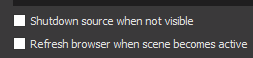
That can make some problem if you have your alerts in every overlay and not on its own
 mint lava
Hey is there anyway for my to change my alerts with the overlay?
ebon forum
@mint lava Yes. Select the Alertbox layer in the Overlay Editor and change the alerts there.
mint lava
Thanks
 burnt sky
What do a Memer do ? make great Memes ? 😄
well 😄 i have a bit of a problem, but its not really a SE problem i think - my Chrome is using alot of CPU power 😦 when i use media request (Might be always it is using CPU power) anyway i can drop the level of use ?
ebon forum
Enable hardware acceleration in Chrome and close everything you do not really need for streaming. Also stop watching your own player on the same PC, it is quite taxing 😃
burnt sky
Enable hardware 😄 i was told to turn it off 😃 because stream elements was lagging ?
narrow coyote
You can also lower the video quality. If you go to a random video on YouTube, lower the quality on it, and refresh media request page, it should use that quality. I usually have the video settings to 144p
burnt sky
KITE i now im stupid, but it does wreck the song quality also ?
narrow coyote
Nope, sounds just fine, even looks fine if you use show on stream with a smaller widget
ebon forum
Hardware acceleration helps a lot with offloading the CPU usage to the GPU. It depends on your personal setup, the lags are not present on every PC and software combination. Testing would help, i recommend to always have that on when the PC is not top tier overkill 😃
burnt sky
hehe cryonic my computer is an old / only got 980ti and an older i7 😦 i know i need to upgrade soon but thanks for the help 😄
mint lava
Is there any way to test the alerts?
narrow coyote
From the overlay editor, little blue Bell on the lower left in the editor
 pale cobalt
bois i need some help getting my obs to do more than 15FPS when streaming any game
narrow coyote
What are your system specs, and what encoding settings (output, video) are you using