#helpdesk-twitch
1 messages · Page 251 of 1
 magic ermine
Huuuhhh
Oh, no, sorry I was talking about static text on the screen
Sorry maybe I didn't say that lol
Well, not static, but latest tipper / sub
 tight harness
Ahh, it's possible for the alert box alerts but for something like that you'd have to use Insert Text to put the label part and then make the widget, set the colour for that text and place it after the label
magic ermine
Ah right so two different sets of text - Yeah I thought it might be possible using those brackets
tight harness
You can edit the widget to just have the variable showing and not the text before it
And use the Insert Text to have the text before it showing in a different colour
Then yeah just place them next to each other
Pretty sure I did it that way before, works fine as long as you have it all left aligned 😃
magic ermine
Alright that's awesome, thanks a bunch for the help! 😄
tight harness
No problem 
 uncut vale
@stuck hamlet no but i have streamlabs linked
 stuck hamlet
We don't work with StreamLabs. We allow imports, but not linking.
 inland knoll
hi everyone, is there a way to keep the hype cup from emptying?
 atomic hollow
@inland knoll change the recent events in the cup settings to 100
uncut vale
so how do i get the stuff to show up
stuck hamlet
You would have to use our system fully, and use the appropriate widgets you'd like to have there
uncut vale
like past donations arent showing up
inland knoll
thanks
uncut vale
like im using and overlay that stream elements has avaliable
its the animated llama theme
stuck hamlet
From what i see on your account, you recently signed up with us. and you have never received a donation through our system. For the labels to recognize the donations, you would have to actually use our system and get money through us
stuck hamlet
yes.
uncut vale
ok
stuck hamlet
they will have to donate from https://streamelements.com/meta_k2az/tip for it to show up
uncut vale
thnks
ok thanks
@stuck hamlet how do i add another payment method ?
or is paypal the only one ?
stuck hamlet
Paypal is the only one we currently support, but we will be rolling out new ones very shortly
stuck hamlet
Pretty sure there's a way. but i am no paypal expert
uncut vale
ok
 ebon forum
yeah you can add a credit card to paypal, it will be confirmed withhin a few minutes usually. adding a bank account takes days tho. then you can use the card to donate.
uncut vale
yeah but why go through that much effort to give some one money XD
ebon forum
you only do that once and then paypal will know your card for future shopping 😄
uncut vale
i know but it just a litttle more work
ebon forum
this is how paypal works. You only do that once and that's it.
uncut vale
i know that but for some one doing it for the first time it could make them say nah
but its all good
magic ermine
Hello my dudes I am back with another question quick - Is there a way to show a resub's month amount next to the name in a text widget? I currently have {name}{months} but it is still just showing the name and not the months next to it.
ebon forum
@uncut vale we will have more payment options soon. And most people who use paypal already have done that long ago 
 keen wadi
offical stream elements invite link? to post on my youtuve video upload?
 vapid badge
magic ermine
vapid badge
magic ermine
Another much simpler question I think - Any reason why my text align isn't saving? I try align 'latest sub' to right but it just stays aligned to left even though I've got right selected
magic ermine
Yeah but it is not aligning when I test it - The name overlaps to the right not left
tight harness
You may want to set a width and height in Position, size and style first
magic ermine
hmmm
tight harness
Click on Position, size and style above Text Settings
Put in a width and height for the width
Then it works 
magic ermine
Oh weird I thought that would be done automatically
Based on the text size, I meant
tight harness
Something I noticed the other day, but that's how to get it working
magic ermine
Alright you are spot on it seems to work - So for this I just need to make it nice and wide so it doesn't cut longer names off
tight harness
Exactly 😃
magic ermine
Getting there with all of this - Thanks for the help so far! 😄
tight harness
No problem at all
 silk mural
Hey, is it possible to make people request songs by name and not by link? 😄
tight harness
Yes, this should work already, have you tried it?
silk mural
how do I do that? I didn't find anything about it in the settings
 copper pollen
Thankyou @stuck hamlet for your help tonight much appreciated ❤️
stuck hamlet
My pleasure, tell your mods thanks for the sub 
tight harness
@silk mural You just type the name of the song instead of a link after !sr
copper pollen
@stuck hamlet they were something else tonight LUL enjoy the emotes 😂
 sonic agate
Hi someone is trying to tip me but when he clicks on the tipping page link it asks him to return “insert kalen’s email here” I’m kalen BTW how can I change this
tight harness
What's your tipping page?
sonic agate
YunoBright97


 blissful apex
Random Q, but can you make !fish commands in SE bot?
tight harness
So it's asking them to log in, but where is it asking them to put your email?
 serene granite
I'm not getting this same error
stuck hamlet
From the screenshots provided, it seems that it is an issue on his end. 
sonic agate
He’s checking it out
Thanks for the help guys
Sorry for the trouble he forgot to add his card to PayPal....
stuck hamlet
@sonic agate No worries, you should mod our bot and use chat alerts, you'd get alerts in chat when something happens 😃
sonic agate
Ok thanks
stuck hamlet
What is your Twitch Channel?
 lament blade
SupremeDuckStar
stuck hamlet
The bot isnt in your channel
lament blade
oh
 real frigate
hey what settings should i use for obs
lament blade
how do i do that then???
real frigate
upload speed 4.7mbps
stuck hamlet
https://streamelements.com/dashboard/ on the right of your dashboard, it says "join"
 fringe terrace
Hi @stuck hamlet could you contact me when supremi is sorted I just need ask a question about the overlay editor
stuck hamlet
@fringe terrace shoot
lament blade
@stuck hamlet there is no join thing¨
fringe terrace
Is there a way to directly copy a alert box with custom settings from one theme to another
 narrow coyote
@real frigate that is a pretty general question, there are many facotrs that determine your OBS settings
lament blade
plz help!
narrow coyote
On your dashboard, on the right side, there is a little box that says bot settings
lament blade
@narrow coyote https://gyazo.com/c12cf98dfe6f72cba89414967c5b4cc7 this is the only i can see

or what
???^
narrow coyote
Right side
fringe terrace
Bot Settings On Right Of Your Dashboard Above The Quick Settings
stuck hamlet
Yes @fringe terrace There's a button on the editor when you select a layer

this button
narrow coyote
fringe terrace
Yhyh thanks @stuck hamlet
narrow coyote
@real frigate https://stream.twitch.tv/encoding/
that can help with encoding settings, for your output
 shadow jasper
why ist it when i use overlays for steam labs my fps drops from 80 to 15-20
when i use it from player.me it drops only to 50
narrow coyote
Do you mean StreamElements? There can be several factors. The main resources that are heavier in overlays will be Kappagen, animations, and hype cup.
shadow jasper
yeah i meant streamellements
narrow coyote
Were you using a theme or a super theme? Was it static or animated? Do you have kappagen and hype cup?
narrow coyote
what cpu and gpu do you have? static themes really don't take much to process, unless you have multiple browser sources that are being shown, and dont have shutdown when not visible checked
 little mural
Im having troubles adding my cam in my overlay...
little mural
ah to OBS... not through stream elements
 weary mist
yeah, if you had to add it through us, you would double process it (not nice)
once to send it to us, second to load the overlay
narrow coyote
No worries, we are here to help
shadow jasper
cpu fx 4300 gpu gtx 1060 6gb but even when i have the overlay loaded my cpu isn't running 90% on cpu
narrow coyote
Thanks! you too!
weary mist
are you streaming with GPU encoding or CPU encoding?
narrow coyote
You would pretty much have to use nvenc encoding with a fx 4300
shadow jasper
my encoding is on NVENC from obs
when i stream with the over my cpu usage is around 80%
also when i don't have it loaded
and if i run my overly from playr.me is the same but my fps is around 40-50 and not around 15-20
narrow coyote
when you say your cpu usage is 80% with out the overlay loaded, you mean, that without the browser source, your cpu is still at 80%
 jaunty ore
Could anybody explain to me how to make custom text animations with css for streamlabs etc etc?
narrow coyote
and I have no experience with player.me, only StreamElements, so I do not know how they work
shadow jasper
yes
narrow coyote
This is not StreamLabs 
jaunty ore
No i know, but for all platforms overall
shadow jasper
the overlay i tried from steam ellements was BLUE STAR - RUSTY BLUE
stuck hamlet
You're asking for a course in custom CSS/HTML/JS? 
jaunty ore
@stuck hamlet Kinda yeah. Just some basic animation. I want to make something like this: https://twitter.com/FirstFloris/status/972216111524712448 I know that i have to make the base animation in after effects, but i want the text to fit the animation


Custom @FortniteGame Twitch alerts. Responsible with Streamlabs and soon available on
@getStreamChamp https://t.co/ahV9BrAzJk
Likes
138
 Twitter
stuck hamlet
Twitter
stuck hamlet
Sure, message @crimson girder 😃
jaunty ore
@stuck hamlet I can't find tutorials or site's that explain these kind of things... So my last hope is this discord server xD
stuck hamlet
He'd be more than happy to help
jaunty ore
Thanks @stuck hamlet ! I hope he has the answer I was looking for the whole day... xD
I have send him a message, hope he knows the answer 😄 @stuck hamlet
 jade fjord
Is there a way to make certain commands enable when I play specific games?🤔
serene granite
no
 wise cliff
Is it possible to give loyalty points to everyone watching a stream at once?
narrow coyote
!bonus all 1234
wise cliff
an error occurred while fetching the chatters list, please try again later 4Head
tight harness
I think I know why 
wise cliff
Also is there a way I can do it from the streamelements dashboard? So it is more anonymous?
tight harness
Twitch's chat servers are struggling as per usual recently
You can add points to individuals anonymously through the Leaderboard page
wise cliff
nodnod Yep I figured that out, maybe there should be a way to put in 'Everyone' or 'Subscribers' in the system to be used as a name meaning everyone in the chat or subscribers in the chat
lament blade
anyone on?
i know ive been coming here a lot but could i ask for help a little bit more?
 indigo roost
song requests stopped goin to queue
 dense beacon
Wanna ask. You know donation thing, is it possible to customize it with someone gifted a game or something? But next time someone donate it's show it?
wise cliff
Hey for the Slots odds is it the higher the bar or lower the bar that improves chances of winning?
 ivory terrace
In alert box variation settings there is a checkbox for "Pick an alert tandomly when more than one matches" So lets ssay I have a tier 3 sub resubscribe for 2 months. will it jusst pick some random varion to use??
tight harness
@lament blade Always best to start with the issue
@indigo roost Did your queue fill up to the maximum allowed for your queue in your Media Request settings?
@dense beacon Not sure what you mean, but it sounds like an idea so it goes here: https://strms.net/ideas (explain it in as much detail as possible and as clear as possible)
@wise cliff The bar is the payout amount, the chance is set purely by how many emotes you add
lament blade
all the alert boxes are checked on all my overlays but whenever any overlay is used when streaming alerts dont show up. all i hear is the notification so i have to say all the details like the people who followed and donated. how can i fix this? when i test it it works but when someone actually donates or follows no alert video appears
tight harness
@ivory terrace It basically means that if you have multiple alert variations set for identical conditions then it'll randomly pick one of the choices
Do you have the overlay in front of the game in your OBS? @lament blade
lament blade
yes. it works on my stream with the test but when they really do follow or donate it doesnt appear
im sorry bout this but my viewers are kinda getting fed up about it and i believe it discourages them from following or donated
tight harness
When you say "works on my stream with the test" you mean on OBS or on the overlay manager?
Also, please link your Twitch to your Discord in your discord user settings, it'll help us to not have to ask for your username whenever you need us to look into your account 😄
ivory terrace
ok is it possible to have a custom one set for tier 2 and 3 subs when they resubscribe?
lament blade
oh, im sorry. my discord for my twitch isnt done yet. but ill get on that later. my twitch username is despondthecynic77
yes the test does work on both obs and when i stream
my stream on twitch
i tried it when i was streaming and the dancing shark came on with a text saying bob ross donated 10$
but if my viewers do it it wont appear
tight harness
Donate or follow?
lament blade
both
it only says on the bar of my overlay recently followed and recently donated bar on my overlay
but no actual popup animation for donations and followers
tight harness
I'm going to put your overlay in my OBS and see if it happens for me
Am I alright to test it?
tight harness
@ivory terrace Sorry, considering i'm the only person around it seems it'll be a bit of a wait
ivory terrace
@tight harness whenever you have time just mention me, thanks
tight harness
Will do
ivory terrace
I undersstand
lament blade
im sorry for takimg up your timr
i was hoping to solve this myself
but i wasnt able to find a solution
tight harness
@lament blade No problem, btw if you do test events that's the same as a real event happening, it just doesn't store the data in your widget data page
So if the test works the real thing should work
Re-follows don't work, just in case you didn't know
lament blade
yes, i agree
tight harness
There was an issue with tips earlier, but it was rectified today
tight harness
Could have been due to the issue with them that occurred earlier
Seeing as that's fixed we'll have to see if future events still have the issue or not
lament blade
my friend tipped me 1 dollar, he asked me why it didjt show up, i did a test and the shark came out then he donated another 10 and iy still didnt come up
tight harness
Yeah, they both came through to your tip list, so we registered them
lament blade
yes
tight harness
I reckon it's likely down to the issue we had earlier like I said
So we'll have to see if it still occurs next time or not
tight harness
Some tips weren't getting alerted but they did come through eventually, I believe it's because we're making changes to the tipping to allow more payment methods
lament blade
ohh, i see. when do you think this issue will get fixed if you dont mind me asking?
lament blade
oh ok. ill try to do another test in the morning with my friends. thanks for the help. btw, since you saw my overlay, is it put on properly or did i do something than can be improved?
tight harness
Your overlay looked perfectly fine to me 😃
lament blade
oh thank God. i thought i was missing something obvious
ok, thank you sean. i really appreciate the help.
oh btw. how does one show up in the top donations?
tight harness
@ivory terrace It seems that the variation parameters are either months subscribed, subscription tier OR gift, opposed to what I believe you want which is months subscribed AND subscription tier. Am I right?
ivory terrace
yes. there is a variation for motnhs subscribed. saying name resubscribed. but its only the tier 1 level.
tight harness
@lament blade If you add a Top Tip widget make sure to set it to the right option, by default it's Session (which is current stream), you can change it to Weekly, Monthly or All-Time. If it doesn't set it automatically, go to Data (next to Widgets) in the top left and go to the Aggregates tab then click on Refresh Aggregates
lament blade
since i set up the tipping 2 days ago and got 2 donations and the 10$ should be on the top donations but it isnt
ivory terrace
so if the tier 2 subscribes for 2 months I can only do the resubscribed variation
lament blade
i believe the game overlay i use has a top donation box on the bottom right and it is not a widget. i thought it would just fill up to the highest amount donated
ivory terrace
I guess it would need the option to add a second peramiter in the varioation
tight harness
@ivory terrace You can add variables to the message which is {amount} and {tier}
ivory terrace
ahh thats it
lament blade
because i tried to edit it and it wouldnt let me so im assuming its not a widget
lament blade
oh ok. thanks again sean. i appreciate the help ☺️
ivory terrace
Ok what is throwing me off is I have 3 colored animations for each tier. If they resubsscribe I can only use the one animation but change the variable in the message for the tiers
tight harness
No problem 😃
ivory terrace
sound right
tight harness
Yeah, so you can have a variation for tier 1, 2 and 3 and then include the {amount} variable in the message to show the amount of months, or you can have variations for the amount of months and include the {tier} variable in the message to show the tier, or you can have a mix of both, but you can only set one parameter currently, so it'll either trigger because of the tier or the months, but not a combination of both
The message variables can both be used in the message regardless
It might be an idea for our ideas board: https://strms.net/ideas to have it so you can add multiple parameters, not sure how complex it'd be to make it a reality but it's worth asking for if you want it 😃
ivory terrace
I want a tier 2 sub who resubscribes to have the alert animation that tier color and months. when tier is exactly 9.99 its blue and says has subscribed. if they resubscribe the variation amount atleast 2 its a yellow animation. I would want the 9.99 resub to be blue and say resubscribed.
I can make it wwork, but yes likely to add for a variation "when amount is at least 2" add the option for 2 varioation perameters
months and tier
condition meets both
Ill submit it to the site thanks
tight harness
No problem 😃
inland knoll
hey again, I want to make a tip goal for my channel which I can add to OBS as a browser source - so I have created an overlay with the module in it - is there some recommended dimensions for the actual overlay to the tip target fits into it
 elder sorrel
!add
 nocturne pelicanBOT
To add your overlays to OBS, add a new browser source in your scene. Paste your overlay URL in the browser source properties, set the dimensions to 1920x1080 (unless you changed them on the website), and :ballot_box_with_check: “Shutdown source when not visible” https://youtu.be/KDvLynUqXI4
elder sorrel
Hope this helps 😅
narrow coyote
yeah, its best to make your overlay 1920x1080 in the overlay editor, and add your elements that way, even if it is something that you want to be able to move around in OBS
once, sec, and I will show you my example
I have this overlay, that is just my webcam frame, and a second overlay that is all of my widgets like alerts and kappagen. This way, I can move the frame and my camera around in OBS to fit different games better, but the browser source is still added at 1920x1080
@inland knoll ⤴
inland knoll
Thanks
 dark patio
how do i import viewers points over to streamelements
narrow coyote
tight harness
And if you need any instructions: https://support.streamelements.com/hc/en-us/articles/115000405371-Import-other-platforms-into-StreamElements
jade fjord
Not categorize then by game either?
dark patio
For some reason when i check the leader board its not showing everyone points
tight harness
You've checked the different pages on the leaderboard?
dark patio
yes
tight harness
I only see you and your bot in the leaderboard, so the points aren't imported
dark patio
yeah thats right but for some reason it has not done the points
lament blade
Do stream elements help with setting up the information under a stream? The parts that usually have "rules" "specs" "tip"
tight harness
@lament blade Help with it how? 🤔
tight harness
Oh I see, we didn't make panels to match the overlays, it's been requested very rarely
lament blade
Ah ok, so i should look to making my own panels, no problem
justt started setting up the stream properly x)
tight harness
There's a few sets of panels online, just give it a google 😃
tight harness
No problem
dark patio
noticed its not importing commands as well
magic ermine
Hey again! Just wanna ask something about what someone asked above there as I'm still not 100% about it - If I have these variables in my Latest Sub widget {name} {amount} {tier} is there any way to make them different colors? The text highlight section isn't available for the text widget it seems.
I think we established before that I'd need to use separate widgets but that's super hard when you need to account for different length names
tight harness
@dark patio Which import tool are you using?
@magic ermine Text widget doesn't offer highlight colours, correct. But, you can use Insert Text, type in the label part i.e. "Latest Sub:" then add the Latest sub widget and remove the text "Latest sub" from it so it's just the variable part, then place it just after the "Latest sub:" inserted text
magic ermine
Yeah so basically what I said above - I'd have to use two different ones and make each their own color if I want that
Okay thanks
tight harness
Yes
magic ermine
Another question - Do the animations on these widgets like latest sub and stuff actually animate the text that comes and goes?
I only ask because I think I saw Lirik had his text widgets animated as they popped in and was wondering if that was possible
dark patio
Ive managed to import the currency points over but for some reason i cant get my commands to transfer
ankbot which has changed to streamlabs chat bot now
tight harness
That's the right one 🤔
Good that you got the points over at least
Is it giving a message when you try the commands?
magic ermine
Custom O_o Do you know if he use StreamElements though? Out of interest...
The text and pop-ins and stuff on StreamElements look way nicer than others I've tried
Smoother and crisper
👌
dark patio
no wont do the message of what i use on streamlabs chatbot
tight harness
I know he's signed up to us at least
@dark patio I mean does the importer give an error?
dark patio
yes
tight harness
What does the error say?
dark patio
import failed want to try again
tight harness
Hmm 🤔 and you've got the app and our site open when you're trying?
 carmine crypt
i cant put background song list on GC
tight harness
With the app connected (logged in)
@carmine crypt Try doing it from the site, GC only offers partial support for Media Request currently
carmine crypt
same at page
dark patio
yes ive got the bot open and the site open
tight harness
@carmine crypt Have you got something in every field/option on the settings page? if it's not saving it means something has been entered yet
carmine crypt
yes
tight harness
Your playlist is working for me
carmine crypt
it work yesterday idk why i cant put a song list for background
tight harness
You just had to skip the video that explains how to use Media Request
tight harness
I skipped it for you just now, then it started playing the playlist, I refreshed and it's still got the right thing ready to play
What browser are you using?
tight harness
Awesome  no problem
carmine crypt
im using chrome
tight harness
Good
@dark patio I'm out of suggestions, i'd say at this point add the commands the old fashioned way, copy + paste
dark patio
first time using streamelements you see so im new to this program i heard its great and im summing that the sfx will work on this program ?
tight harness
Sound effects can be done by utilising the stream store, you can add Sound effect items to there 😃
They're not necessarily just commands but rather items, so if that's what you're trying to import that could very well be why they're not importing, they're done differently here
dark patio
ok thanks
 glad sparrow
so do i have to manually add latest sub and tipper or does it do it automatic?
tight harness
They update automatically
glad sparrow
mines not so
tight harness
All the data for the widgets is stored in Widget Data (https://streamelements.com/dashboard/session)

StreamElements
The Ultimate All in One Platform for Streamers
You have "rustymand" as your latest sub, you don't have any tip events through our system yet
glad sparrow
i went there but i had to set it manually the {name} not working it seems
tight harness
Your overlay shows you as still using {name}
glad sparrow
yeah but i had to manually put the latest sub in the widget data section
it would not do it auto
ivory terrace
when I add the variation Prime to my sub alerts it overrides my default sub animation with the prime. So when I test subscriber alert it gives me the prime, and resubscribe becomes prime. any idea what im doing wrong?
tight harness
Ahh I see, did they share the sub? @glad sparrow
glad sparrow
he said he thinks
tight harness
We basically register subs when they're shared
So if one is missing it's usually because it's not shared
glad sparrow
how do you do that im confused
tight harness
How do you share a sub? you get a big button at the top of the Twitch chat which says 'Share'
glad sparrow
he did that
tight harness
@ivory terrace The test you did a moment ago showed as Prime for me
The one after it wasn't
ivory terrace
I tested prime but it game me the tier 1 sub alert
then I added an amount and it showed the resub alert
tight harness
tight harness
Yeah
ivory terrace
ill refresh the browwser
tight harness
I went to test a sub alert, selected Custom, chose the Prime tier
ivory terrace
and for amount?
ivory terrace
Im still getting the default sub alert
let me add it to obs and try
ok so noww I get it for prime but it also does the prime for the tier 1 sub
I have the prime variation added
resubscribe also shows the prime animation
tight harness
Did you delete some variations?
tight harness
Your prime isn't showing for me anymore
ivory terrace
I added prime just moments ago
I did delete it before it then allows the tier 1 and resub to work properly
tight harness
Yeah I saw it before, now I don't 🤔
ivory terrace
I see it now currently give it a moment
glad sparrow
ok so may prime subs is not automatic
tight harness
It's the user who chooses whether their prime subs are automatically shared or not
ivory terrace
try now I had to exit the editor and back
tight harness
Not the streamer but the person subbing
tight harness
They have the option in their prime settings on Twitch
@ivory terrace Yeah, best to save before testing to ensure the changes save properly
tight harness
Yeah, all good now
ivory terrace
ok and test the tier 1 new sub
tight harness
Could be because you have "Pick an alert randomly when more than one matches" ticked, lets try it without that
ivory terrace
seems the smae I tried that before
as soon as I delete the prime variation it works like normal for new sub and resub
tight harness
I think it's because the testing does Prime/$4.99 OR $9.99 OR $24.99
ivory terrace
yes it has some kind of amount to it for testing
tight harness
Do you have a regular $4.99 sub in your activity feed?
tight harness
Ahh right, something you'll need to do is sign out of the website and sign back in
Otherwise the site doesn't recognise you as an affiliate yet
tight harness
And tier 2
ivory terrace
yup
tight harness
Pretty sure it's just that if you have a prime variation and you test tier 1 you get the prime variation as the one tested
ivory terrace
tie 1 and resub counting as the same
tight harness
Resub of any tier?
2 months tier 2 is correct
So yeah, pretty sure Prime and Tier 1 tests just test the Prime variation if you have one
When you get a live $4.99 sub we'll know for sure
ivory terrace
hang on ill get one for my mod
 brave lintel
Hello. I having an issue where I get this error when I try to login to my StreamElements account. Any idea what might be happening?
 royal quarry
Hi there, I'm trying to combine cheers and donations into the same widget, so it displays my recent cheers, and recent donations in the same scrolling text bar. How can I achieve this?
ivory terrace
I gifted the sub and its not showing in my notifications to test with
thats not going to wwork is it
 dense jackal
@brave lintel Seems to be loading for us, are you using a vpn? Try on chrome incognito mode as well
tight harness
@ivory terrace Gifted sub is a variation of it's own, it's not the same as somebody subbing with a $4.99 sub
brave lintel
Not using a VPN. Also, I tried it with an alt account and it worked fine, so it appears to just be this account. I'll try incognito mode though
Same thing happened in incognito
dense jackal
@royal quarry combining donations and cheers is not possible with our system and to my knowledge against twitch TOS they like to keep paypal seperate, and aren't too fond of how everyone uses their own tipping page anyway
@brave lintel What's your account name?
brave lintel
@dense jackal Twitch or StreamElements?
royal quarry
Damn that sucks, ok no prob. I know it is possible with Streamele software though, I've seen some streamers with their overlay set up this way, and I know they are using StreamElements because I asked them. Is there a way to offset the timing on the text scroll so you could in theory lay both cheers and tips over top of one another, and just have the text times alternating? Does this make sense?
I know you can change the speed but is there a way to set up a delay?
dense jackal
The username you had on SE should be the same as your twitch @brave lintel
brave lintel
Oh, lol. Should be texblaster. This is my first time trying to log into SE, so I'm not even sure if I've created an account fully
dense jackal
possibly changing scenes? we haver an image rotator that can show different images but not a text rotator 🤔 @royal quarry do you have an example of it?
alerting higher ups
@brave lintel
brave lintel
Cool, I think someone from Customer Support sent it to someone as well, but he recommended I check here too. I appreciate all the help
ivory terrace
@tight harness I created a new sub but that doesnt appear. i saw it in chat
dense jackal
oh do you remember who it was? possibly @tight harness
brave lintel
Someone named Sergei @dense jackal
dense jackal
Was it from our website?
brave lintel
Yes
dense jackal
Alright
 bright tartan
I see there is a way to give loyalty bonus points for raids, tips, etc... but is there a way to give the points from that stuff to everyone in chat and not just one person? I am doing it manually now and would love to have it automated
brave lintel
I have somewhere to go. Through what platform will I be contacted if the issue is resolved, or you need more information? @dense jackal
dense jackal
@bright tartan you can set it for every alert (other than raids but we have hosts) here https://streamelements.com/dashboard/loyalty @bright tartan
tight harness
@ivory terrace On your MarkMaul account? 🤔 You have no data in your Latest subscriber or Recent subscribers 🤔
dense jackal
@brave lintel Feel free to keep stopping by here, we are here 24/7 just mention @ supportheroes
bright tartan
does that give points to everyone or just the person subbing, raiding, etc?
ivory terrace
wow I just subbed to it with my bot account
brave lintel
👍
dense jackal
just to the person that follows/tips/etc @bright tartan
ivory terrace
do I have to stream for it to pickup the data
dense jackal
and u can give subs a multiplier so they get points passively faster
tight harness
@ivory terrace Nope, just needs to be shared
bright tartan
is there any way to give points to all? In my stream any time someone donates everyone in the chat gets 100 points per dollar
so one person cant just buy points for themselves
ivory terrace
I gifted my mod also and he shows a star in my chat. its a channel now he is subbed to
tight harness
Last activity I see in your activity feed is from 9 days ago
dense jackal
!bonus or !givepoints <number> all @bright tartan would give everyone points
ivory terrace
I see activity from 4 days ago in my dashboard
but I have 2 subbed to the stream now on twitch
bright tartan
yeah thats what I have been doing, was seeing if there was an automated option
tight harness
🤔
bright tartan
been doing this
tight harness
I see a host 4 days ago if I tick hosts, is that what you mean?
ivory terrace
tight harness
Ahh yep, you had hosts unticked for me
ivory terrace
but the new subs arent appearing
dense jackal
@bright tartan Unfortunately we can't have timers commands activate other commands (for looping issues) so you would have to do it manually
I would suggest an idea on our ideas board tho, like a variation for commands so it could give everyone points for say a 10 month sub or a $100 donation etc
bright tartan
You guys already have it set up to give extra points to one user upon donation, host, etc... Would it not be as simple as giving points to all in chat instead of 1 user? I will definitely add it to the ideas board
dense jackal
I don't think we have ever talked about doing something like that before, but I definitely like the idea
tight harness
@ivory terrace Wish I could tell you why, the only reason i'm aware of for subs to not appear is when they're not shared through the Twitch chat
ivory terrace
yeah I saw it in the chat both times. Maybe it needs some time to refresh
wierd
maybe because the stream wasnt live when i did the sub
it should still show as a nitiication
tight harness
Yeah it should show in the activity feed when it's shared
dense jackal
Definitely possible, we will look into it 😃
but for sure add it to our ideas board so this idea doesn't get lost
dark patio
ive added sound sfx on stream store does it only work when live ?
narrow coyote
If you have an overlay with the redemption widget active some where, OBS or browser, you should hear it
dark patio
oh so you cant use it when not streaming of obs
narrow coyote
What do you mean? Are you streaming straight from a console 
dark patio
oh i typed in the command does not see to work
im new to this program im normal use streamlabs chat bot
narrow coyote
Did you see the redemption I'm your activity feed?
You would need to have the store redemption widget added to an overlay, and have that overlay open and active somewhere, like browser, overlay editor, or broadcasting software
To actually hear the redemption
dark patio
ok thanks
narrow coyote
lament blade
Anyone available to help me please I have some questions relative to mod stuff
narrow coyote
What questions do you have?
lament blade
So my streamer was saying that it would be easier if I could delete videos from his channel for him . Is there anyway that can be possible ?
narrow coyote
Like deleting their vods? That does not have anything to do with StreamElements and would be on twitchs end, which I am not sure if mods can do that
lament blade
I guess I have to ask them then ... another thing is I wanted to create some type of command to do a countdown to the release date of an YouTube video can you help me with that ?
Like a !next video, and then it would appear when the next video is going to be released and the days hours mins left to that day
Or even just the days left to not make it complex
narrow coyote
 I am not sure if something like that would be possible. As far as I am aware there are no out of the box countdown for chat commands. You could maybe set it up like a counter like people use for deaths, you can see an example of that in #command-share
lament blade
Imagine like !nextvideo and then the bot says “title” in 2 days
narrow coyote
Yeah, checkout the example in #command-share for a counter, that would be easy to implement and manage
lament blade
Okay I’ll check it out thanks
narrow coyote
No problem
lament blade
This way right ?
I guess I can change the countdown every day
Well thanks for the help 
narrow coyote

 tired zephyr
hey, I have a quick question
in the loyalty settings
it says tip bonus, then i can fill in a bonus amount (say 10) and below that is says "bonus points for tipping (multiplies by tip amount)
but once I receive a tip, they only get the 10 points flat
it doesn't multiply
dense jackal
how much was the tip @tired zephyr ?
dense jackal
Yeah 🤔 It should be working like that, what is your account name?
tired zephyr
geNvidia
on the right it also says that all non'anonymous tippers receive "10" points
nothing about multiplication
 sturdy sluice
I think I am dealing with a command bug.. I could use some support. I am trying to update a streamers shoutout command, but somehow the alias won't move over from the old command..
Even though the old command is deleted.
anyone know how to fix the command database storage so we can replace the command?
I have deleted and remade new commands to try and overwrite the old one... already
royal quarry
I gave up on combining tips/cheers on the same scroll but now I'm having a very very simple issue that I'm quite certain is a bug, it's happened a lot of times before when I was just initially setting up my overlay. Quite simply I cannot get text to scroll the proper direction... I desire, and have the text set to "scroll right" but it continues to scroll left... I have even remade the widget from scratch countless times and saved, resaved etc, it will not work.
Any chance someone could help me correct this? It's making my overlays look kind of ugly 😦
 glad adder
dense jackal
glad adder
dense jackal
@tired zephyr running some tests rn
@sturdy sluice You can create and delete as well as edit commands from our chat command. @royal quarry It is against twitch TOS to combine cheers/donations, and try refreshing and saving after changing scroll directions, that seemed to do the trick on my end
@sturdy sluice or are you saying when you go here https://streamelements.com/dashboard/bot/commands/custom click edit, and add an alias, it is not saving?
tired zephyr
@dense jackal ok thanks
royal quarry
I've tried resaving, relaunching, logging in/out, nothing works. One of the scroll directions I've been unable to correct for weeks, just changing the position on the overlay now and I kind of have to change the scroll direction now.
dense jackal
 royal quarry
I can link you the overlay if you like
dense jackal
Are you using chrome?
royal quarry
Me? Yea I am
dense jackal
Hmm. Try making a new overlay all togehter 🤔
royal quarry
It's like 1/30 scroll bars, it's bizarre, all the others work and I can set and reset as normal lol
uhh, as in duplicate? I don't really want to have to remake it entirely lol
sturdy sluice
@dense jackal I have tried deleting, recreating, editing, everything... chat commands,,, dashboard... I am a full editor on the account
Nothing works to change the !so command,
it still stuck on a deleted command
dense jackal
Which channel is this @sturdy sluice ?
sturdy sluice
want me to whisper you
dense jackal
sure
@royal quarry just to test, make a new overlay and new text and try changing scrolling and save refreshing, if it works, we can duplicate everything over
there is a duplicate button to make it very simple
 olive lintel
@dense jackal did you solve the problem of @tired zephyr ?
dense jackal
Working with @tight harness to test rn
@tired zephyr Who was the donator? are you using USD?
I just tested and it worked on my account
royal quarry
I've tried what you said and the problem persisted
This is now happening on multiple overlays
Just trying to get text to scroll the proper direction :/
 elder smelt
This questions most likely been asked a million times but i'm having an issue with the overlays in OBS i add them as instructed as a browser source but once there it only shows the top left hand corner of the overlay , fitting to screen does nothing am i missing something?
nocturne pelicanBOT
@elder smelt Make sure to :ballot_box_with_check: “Shutdown source when not visible” for all browser sources (all OBS scenes). If using studio mode, uncheck “Swap Preview/Output scenes After Transitioning.” Also keep in mind that sound can play from any overlay loaded in the browser (editor or launched). https://i.imgur.com/FegZJQS.png https://i.imgur.com/yY0wcFl.png

 royal quarry
I basically just remade the entire overlay using the same parameters and I'm having the same problem with the same text box, all the rest are working without issue.
dense jackal
Make sure it looks like that first image @elder smelt
what text box is it, just a regular one or a specific widget?
royal quarry
Widget
Different widget in a few diff overlays, I can give u the URL if u want. Prob easiest way to see what I mean.
I've gone over every setting 1000 times, I don't think it's something from my end I have set incorrectly.
dense jackal
@tired zephyr when tested on my account it seems to have gone through correctly, we had some issues with paypal recently as they changed some of their pages, and it may not have registered correctly, please mention us when it happens again
Which widget @royal quarry
@royal quarry go here https://streamelements.com/dashboard/account/channels and send me a link with accesss to your account
elder smelt
@dense jackal i have it all set like that only 1280 and 720 as width and height and still just the corner of the over is showing
dense jackal
can you post a screenshot @elder smelt
elder smelt
yep
narrow coyote
If the overlay is default resolution, it would be 1920x1080, and should be added to OBS with that same resolution
dense jackal
Did you select a type of manager?
narrow coyote
Even of you are outputting to 720p, it's best to use a full Rez overlay
elder smelt
narrow coyote
Set it to 1920x1080
narrow coyote

tired zephyr
@dense jackal well he just donated another 15 usd and again nothing
For now I am just manually giving him the points
dense jackal
@tired zephyr I will report this bug, as it seems to be working for me
 viscid steppe
Another goober question from me. How do I set a sub variation alert for 3month /6 month/1 year?
narrow coyote
@viscid steppe if you click the little gear to edit the sub alert, you will see variation settings in there
I would send a screenshot, but I'm not in a position to do so 
tired zephyr
@dense jackal thanks. Maybe it will work itself out next stream
It's just the wording that makes me suspicious
Cause on my side it says multiplies of donation amount
And on the other it says a flat amount
 clever mango
 grizzled peak
How do I reset my donation goal?
narrow coyote
Either from the overlay editor > data, or from the activity feed > widget data
You should see all the goal data in there
grizzled peak
Thank you ❤
narrow coyote
No problem
royal quarry
Could someone please input some right scrolling text widgets into my overlays please? I found a bug earlier, but the guy who was helping me is busy now I believe.
narrow coyote
If you change the direction, save the overlay, and refresh, does it scroll in the desired direction? I have had it myself before where some changes were not immediately visible until the overlay was reloaded
royal quarry
No the widgets are bugged, I was going over this in detail with Tomathin earlier but he's busy right now.
Could you place a right scrolling at speed 2 "recent tips" widget in my test overlay by chance please?
narrow coyote
I do not have the power, or am in a position where I could do a test like that
royal quarry
Who do I have to fight to fix this?
Try to create a new widget for recent tips, and try to set the scroll direction to right, let me know if u can make it work.
I've now been on streamelements for 3 hours and 28 minutes trying to accomplish this XD
Text will not go right pencil dives out window
narrow coyote
I'm literally sitting in a hospital right now, so I can't test anything like that, otherwise I would. If you sit tight for a bit, someone who can should be able to look into this a bit more
royal quarry
Oh damn lol no worries
Both Recent Tips and Recent Cheers are both bugged in the same way
This is making my overlay look like a 6 year old created it, so the sooner you could provide me with a remedy the better, thank you!
narrow coyote
Are those the only those widgets you found this with?
 silent veldt
For some reason when i submit a new sound for an alert is doesnt take...
narrow coyote
Like you test the alert and it's not the expected sound, or are you seeing something else?
silent veldt
correct. After I submit and test the alert it's still the original sound
royal quarry
Recent donation is also bugged
narrow coyote
Do you see the default image too, like is there a possibility you have a variation that is being triggered?
silent veldt
yes but i haven't tried to change the image
narrow coyote
What is the alert you are testing? Can you try changing the image on the same alert?
silent veldt
Just cheering
weary mist
Cheer alerts have default variations that over write the default variation
You have to change or delete the variations
narrow coyote

silent veldt
soooo how do i do that? cause i've just gone into advanced settings to edit the cheer alert in my alert box..
I need to make a separate cheer alert that's not attached to my alert box?
narrow coyote
In the cheer alert, there should be a variations section where you configure these
narrow coyote
 clever nimbus
Is there a way to give Subs a zero cost for a redemption of a sound in the stream store?
brave lintel
<@&382267076632379392> Any updates on my error from earlier? Account name is texblaster
narrow coyote
@clever nimbus set sub discount to 100%
clever nimbus
Thanks!
narrow coyote
Wait
clever nimbus
ok....
clever nimbus
That would be a really good perk to give
tight harness
@brave lintel Devs are asleep, they're talented but they can't work in their sleep 😛
brave lintel
Wait, what timezone are they in?
 proud pumice
@strong mason EU, we'll be able to investigate into it tmrw (in about 10-12 hrs)
brave lintel
LOL. I'm NA, so that didn't even occur to me that they would be sleeping. Sorry to have bothered!
proud pumice
all good, this error seems very strange as you're the only one getting it
(kinda special, considering there are hundreds of thousands of people visiting daily)
proud pumice
the error you're getting is from the twitch api, not the streamelements one
 prisma gyro
how do i turn off chatbot
prisma gyro
i already have streamlbas going and its doubling up
brave lintel
Ah, so that explains why it's universal for any Twitch connection
proud pumice
@prisma gyro go to your dashboard on StreamElements.com and hit the mute/part button
proud pumice
but here's a pro tip: our bot doesnt require you to run a program, so better use that :>
prisma gyro
i cant seem to find mute/part
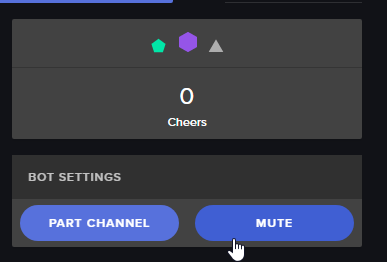 prisma gyro
....oh...i see lol
proud pumice

prisma gyro
my man! @proud pumice
proud pumice
sure thing
one day i suggest you move over from old bots like the one from slabs to StreamElements bot
:>
prisma gyro
well....wait a min...what are my benefits? im not tied down to anything here
proud pumice
oh there's so many to list, because its much better, but he most obvious one
you know how u have to run the program for the bot to work?
with StreamElements bot you dont have to, we host your bot in our cloud for free
so even when your pc is off - bot still works
people can come into chat and use commands / play games
good for community building
proud pumice
thats the sneak peek, the rest... find out for yourself, it will be a fun journey
yup
StreamElements
The Ultimate All in One Platform for Streamers
use the streamlabs/ankhbot importer
prisma gyro
hell ya
narrow coyote

 celest temple
Any updates on the ground control?
 grizzled nebula
I'm trying to figure out how I can better arrange my image and text in the alert box widget. When using the "column" layout, my image is stretched (and blurred). This is unacceptable for the images I wish to use (see image for reference). Questions I have:
-Is there an option to disable image stretching?
-Is there a specific image size I should be using for the alert box widget?
Thanks!
 raven willow
heyas. Modules wont update when enabling and disabling. tried 2 pcs and 2 diff browsewrs now. Any other suggestions ?
 cursive obsidian
Hey quick question... I'm trying to add the followers goal to my overlay, but the followers count is wrong... I think it started counting since I installed streamelement on my channel... is there a way to include the amount of followers who followed before installing streamelements to the goal widget ?
 misty wagon
@cursive obsidian Activity Feed > Widget Data https://streamelements.com/dashboard/session
@grizzled nebula @raven willow I usually am just the pleb doing the  &
&  rounds. Someone with the brains fitting to #support will help you.
raven willow
lol thanks
if i fix it ill post back here waiting in live chat que on website and waiting here atm
misty wagon
Do they serve on YouTube? I'm afraid I can not, I'm to much a pleb when it comes to these things but I will stirr up the breakroom and see if I can find support heroes
 obtuse light
@misty wagon i have a simple question im new to these things how do i set it up like what do you do on obs
 unborn obsidian
What do you need help setting up?
narrow coyote
If you are planning on using YouTube, please keep your questions in that support channel, and not spam the other channels
obtuse light
ok sorry
raven willow
@misty wagon any chance of dripping some hot coffee on a support hero to get em around here lol ?
 pine hemlock
@raven willow If something isnt updating that means that you have a value that isnt filled out or is a zero
raven willow
Trying to turn off a few modules like duel and slot machine, has been on in my stream for almost 6 months. what would I need to do ?
when I click disable it says there was an error updating the module
pine hemlock
To my understanding whenever you get the wont update error from a module it means there is a field that isnt filled out in one of the modules
I would check it for you but I dont have access to peoples accounts
stuck hamlet
!error
nocturne pelicanBOT
On the page that gives an error, press F12 to open Developer Tools. Navigate to “Network” at the top and then Select “XHR” in the filter section. Try the action again that gave the error and note in the network tab any red text. Please copy and paste the error information that is given when clicking on this red text.
 tropic kestrel
I'm having trouble with alerts sounding twice on top of each other 😦 anyone know a fix?
nocturne pelicanBOT
@Huxley#8167 Make sure to :ballot_box_with_check: “Shutdown source when not visible” for all browser sources (all OBS scenes). If using studio mode, uncheck “Swap Preview/Output scenes After Transitioning.” Also keep in mind that sound can play from any overlay loaded in the browser (editor or launched). https://i.imgur.com/FegZJQS.png https://i.imgur.com/yY0wcFl.png
raven willow
do you want me to past the information here ?
paste*
{statusCode: 400, error: "Bad Request",…}
details
:
[{path: ["chatalerts", "subscriber", "messages", 2, "message"],…},…]
error
:
"Bad Request"
message
:
"child "chatalerts" fails because [child "subscriber" fails because [child "messages" fails because ["messages" at position 2 fails because [child "message" fails because ["message" is not allowed to be empty]], "messages" at position 4 fails because [child "message" fails because ["message" is not allowed to be empty]], "messages" at position 5 fails because [child "message" fails because ["message" is not allowed to be empty]], "messages" at position 6 fails because [child "message" fails because ["message" is not allowed to be empty]], "messages" at position 7 fails because [child "message" fails because ["message" is not allowed to be empty]], "messages" at position 8 fails because [child "message" fails because ["message" is not allowed to be empty]], "messages" at position 9 fails because [child "message" fails because ["message" is not allowed to be empty]], "messages" at position 0 fails because ["0" must be a string], "messages" at position 1 fails because ["1" must be a string], "messages" at position 2 fails because ["2" must be a string], "messages" at position 3 fails because ["3" must be a string], "messages" at position 4 fails because ["4" must be a string], "messages" at position 5 fails because ["5" must be a string], "messages" at position 6 fails because ["6" must be a string], "messages" at position 7 fails because ["7" must be a string], "messages" at position 8 fails because ["8" must be a string], "messages" at position 9 fails because ["9" must be a string]]]]"
statusCode
:
400
theres the error lol
the only thing to fill out in bingo is points. so not sure where else i would add any information
pine hemlock
I would assume that there is a negative or blank value in your Chat Alerts module.
raven willow
in the timers ?
pine hemlock
Nope. Chat Alert module
raven willow
where do i find that at ?
pine hemlock
https://streamelements.com/dashboard/bot/modules Theres a module called Chat Alerts
Under one of the tabs when you click Chat Alerts there is likely a blank field
raven willow
its all filled out from followers tab through redemptions tab
it wont even let me disable chat alert settings just for testing purposes
 viscid edge
I setup my timers last night and wanted to check to see if they worked, I stream directly from a ps4 but have separate chatbox open and events list through streamlabs but the timers didn't work with the preset times and lines of chat. Do I need to have stream elements open for it too work?
cursive obsidian
@misty wagon thanks
pine hemlock
Someone will look into it for you @raven willow
raven willow
ok @pine hemlock thank you.
cursive obsidian
any way to get the loyalty leaderboards in twitch description ? I'm looking for some extention.. iframe think to emb it
pine hemlock
We have an extension for this already @cursive obsidian
cursive obsidian
@pine hemlock can you point me in the right direction ?
pine hemlock
@viscid edge Lower the requirements for timers to function, sounds like the requirements werent met
viscid edge
The lowest was 10mins or 5 lines of chat and there was more than 5 lines
pine hemlock
https://www.twitch.tv/p/extensions/ Click Get Started, search for StreamElements @cursive obsidian
stuck hamlet
@raven willow everything is not filled, have have squared everything missing https://www.onslaught.ca/s/ej17o15b.png
 viscid edge
They are done correct aren't they?
raven willow
@stuck hamlet heyas thanks a bunch, I was just assuming it was a default in those boxes. will update. much appreciated.
cursive obsidian
I changed mytwitch name, hopefully streamelements is gonna refresh automaticly.. a little worried atm
narrow coyote
log out of SE site, and log back in
 mystic hedge
Hey guys. For some reason my StreamElements Leaderboards doesnt show up on my dashboard extensions its just blank but it shows up on my channel panels. Any thoughts? Please @ me if you reply to me
narrow coyote
if you have the bot in your channel, part it and rejoin it after logging back in
cursive obsidian
@narrow coyote youre awesome<3<3<3<3
narrow coyote


 narrow coyote
did you add it before changing your name? Might be worth trying disabling the extension and reenabling it if that is the case
cursive obsidian
yeah allready tried that 😒
it didn't show anything before I changed my name either, maybe its gonna get fixed automaticly
narrow coyote
Maybe, I have not seen that before, and I am about start streaming, but we can check it out later if someone else does not swoop in and save the day
cursive obsidian
aight... have fun streaming dude 😉
narrow coyote
cursive obsidian
well if someone has a way to fix it let me know in personal message, because I'm off to bed... goodnight all and thanx for the great help
 cerulean jacinth
I am still having trouble with alerts: Every time someone subscribes, it plays my host alert on top and looped (I deleted all alerts from my overlays, made a separate overlay for all alerts and made SURE it has the don't show when not visible and refresh cache when starting) And it's still doing it. This is so frustrating.....because I triple checked this time and I don't want to have to disable alerts for every scene every time I'm switching scenes....
I had to mute desktop sounds and I have no idea how to make it stop even....
it only happens when I'm live, not when I'm testing on my own
Could it be that from time to time we need to redo the bot token?
 blissful summit
I'm a little confused about media share. once i have the module in OBS how does chat request songs? I can add them from the streamelements media page but when i try the !sr command (with the youtube link) nothing happens.
dense jackal
@blissful summit https://www.youtube.com/watch?v=17eUkoZ6eIs Have you checked out our tutorial video?

StreamElements Media request enables playing songs and videos in your stream. It's an upgrade of StreamElements Song request and Media share features. ----- ...
@cerulean jacinth go here https://streamelements.com/dashboard/account/channels and send me a link with full access, you can revoke it later, so I can look into your overlays
StreamElements
The Ultimate All in One Platform for Streamers
blissful summit
I did, but it doesn't really say much about the chat command or how it should work.
I have the module working in OBS and i can add videos to the qeaue myself but I cant seem to do it from chat, only from the SE page.
dense jackal
Have you enabled viewer requests at the top of the media request page? also check your default commands to make sure songrequest is activated https://streamelements.com/dashboard/bot/commands/default
blissful summit
I did enable and when i go to chat commands it says that the setting for that command is controlled by the module so i cant toggle it on from that page.
dense jackal
Is it toggled off?
blissful summit
hmmm maybe because i had it set to "enable when stream is on"
let me check
Bingo
thanks for the assist.
cerulean jacinth
I just went offline. Went through obs scenes and when I hit a specific one it stopped (I'm using one browser asset for the alert overlay....)
narrow coyote
What do you mean when you say you hit a specific one and it stopped?
lament blade
how do you turn down the follower notification etc in obs using the browser overlays?
narrow coyote
if you want the follower notification to be quieter, you will want to turn that down in the overlay editor, in the alert widget. If you want OBS to not be as loud for you, you could use the volume mixer to turn down OBS volume
lament blade
oh ok thanks!
narrow coyote
no problem
cerulean jacinth
@narrow coyote So, this is what I did. I clicked on every scene, just click on each once while the alert stayed on loop for more than 30 minutes and when I clicked a specific one it stopped.
All of this in OBS. As I mentioned, I deleted all my alert boxes from overlays. I have one browser source with an overlay with alerts.
And being the same, I have checked all the options to don't show when it's not showing and I have checked the refresh cache when it comes up
narrow coyote
When did the looping alert start? Is this something that happened while you were live
cerulean jacinth
It has happened every single time I go live for a week now
everything is fine, then someone triggers a raid or a sub
and it goes on a permanent endless loop
I tried deleting alert boxes, refreshing caches, taking away all the alerts from my usual overlays
and it keeps doing it
I believe if I close OBS it will stop so I want to make sure what to do....
cause if it's obs I have no idea how to fix it...except for refreshing caches?
(but it can't keep happening live, I'm having to mute sound every time and It's just impossible)
narrow coyote
If it is an OBS problem, a log from OBS might give some more insight
also, since this happened before, was there someone that was looking into this with you before?
cerulean jacinth
just now before closing it it crashed and I have the log....
narrow coyote
ok, if it crashed, we might have more than one log will can look at, but we can start with the most recent one(s)
cerulean jacinth
(we thought it was a thing from the day, but I hadn't had the time to bring it back up cause last times it happened it stopped after 5 minutes.....)
Where can I paste the log I got from now? I don't understand how it works very well....
narrow coyote
if you just drag the log file, the actual text file, into here, it will just attach it and I can grab it
cerulean jacinth
narrow coyote
ok, this is the crash log, and I am checking it out, can you also get the most recent log that was before this one?
cerulean jacinth
that's the only time it crashed the whole week....
or is there another log I can access in obs?
Oh ok, I opened it back and checking. Will attach in a sec
narrow coyote
ok, was going to say, by default all the logs will go to %appdata%\obs-studio\logs
cerulean jacinth
Let me try to see if I can fetch the one of Monday when this started happening
(I switched to one overlay for all alerts I think on Wednesday)
narrow coyote
ok, so from what I can tell, there does not appear to be any errors, or issues related to the browser source itself. I also did not see anything with errors regarding an audio device. There were errors with your web cam, which I have seen in my own logs, but in your logs there are several more instances of it. It might have something to do with switching scenes, and may not really mean anything as I would not expect it to have anything to do with looping alerts. As for the crash, what it is returning I will not be able to help decipher, as with the exception that is thrown only OBS staff could say. It might have just been a bad exit if it crashed while closing. The OBS discord could help interpret that log if you wanted to know exactly what the crash meant
cerulean jacinth
yeah I'm not super worried about the obs crash. But yes for the looping alert. Could it have to do with the video I have for it?
narrow coyote
Is it a webm video? Have you been able to reproduce the problem with not live with just test alerts?
cerulean jacinth
I tried rerunning it a few times but it does not seem to do it but JUST to be 100% sure I'll rerun all the things that happened today to test
nope, it doesn't loop when I test them
(I also tried to reload the overlays from the ground control, that didn't stop it either)
narrow coyote
and just to be sure, when you just tested them again, you had OBS open with the scene you are using?
narrow coyote
ok, I just need to step away for a few min, but I will be back shortly
cerulean jacinth
Did the 2nd test, and it doesn't do the loop. And ok, thanks again for the assist!
narrow coyote
ok, just to confirm a few things, when this has started happening, is it only with a specific alert(s), or is there anything that has been common when this has happened?
cerulean jacinth
it's been happening after a raid, a host and two types of subs
(I'm checking OBS again to double check that the normal overlays don't have alerts, I found one with the alertbox still so I got rid of it. But that browser source had the not load when not active checked. Still it's deleted now from that and I'll finish checking the rest)
narrow coyote
is there something in common that all of these alerts have, that your other alerts that dont do this, like the video they are using?
cerulean jacinth
nope, the only thing that is looping is the host video I have
and that video is different from all the other alerts
narrow coyote
I hate to say it, but I am a bit stumped at this point, and this might require some more knowledgeable folks to help with. One of the pros with access to better test or try reproduce the problem, and we can hopefully help you get to the bottom of this.
cerulean jacinth
I'm gonna keep checking all my overlays and make sure everything is working allright on this side. And well I'll see if it works tomorrow....hopefully crossfingers and everything I found the problem and solved it with the overlay checking
Again thank you SO much for the help!
I really appreciate it ❤
narrow coyote
no problem, defiantly report back if it happens again, and if you could get a clip from your steam when it happens, that might prove very useful as well.
cerulean jacinth
Will do! Thank you ❤
tropic kestrel
Still having a problem even after i was told to fix the "transitioning" and "quit when source isnt visible" my alerts play 2 times on top of each other any fix?
celest temple
So, I may have an issue with Stream Elements
stuck hamlet
@tropic kestrel What alerts are playing on top of each other?
@celest temple Whats up?
celest temple
So I made one of my viewers a mod. So I made him a Mod on my stream first by typing ''/mod USERNAME'' and then when to StreamElements website and added him name to the Moderator.
So now he can change titles and games.
I thought only Super Moderator can only change the stream title and game titles
So I am not sure this was suppose to do that..
stuck hamlet
You can set the commands to be triggered by different levels
Make sure to check your default commands, and have it set to super moderator
celest temple
Yeah, it is.....
They are set for Super Mod
And yet a Mod can use the Set Title and Set Game Commands
stuck hamlet
Who able to change title and game?
celest temple
On my stream right now?
stuck hamlet
I meant, who have you seen be able to, what is their username?
celest temple
TheNiddler, as he recently become a Mod
stuck hamlet
is he in your stream currently?
stuck hamlet
Could he try using the command?
celest temple
Sure, are you in right now?
tropic kestrel
@stuck hamlet the subscriber alerts
stuck hamlet
Are you sure you shutdown every other browser source you have?
tropic kestrel
in OBS?
stuck hamlet
ye
tropic kestrel
Yeah
stuck hamlet
Would you be willing to do teamviewer support? 😃
tropic kestrel
wait up, when you mean "shutdown" like make it not visible right?
stuck hamlet
There's an option in the properties of the browser source, called "Shutdown source when not visible"
tropic kestrel
it works then and doesn;t repeat itself but then, how do i fix the problem of it taking forewver to load when i just switch scenes
for like quick "close ups" or other scenes
stuck hamlet
if you have that type of set up, i recommend making a separate overlay dedicated to your alerts, so you wont have the echo
tropic kestrel
how do you do that?
stuck hamlet
On our site, just make an overlay and only have an alertbox on it
 sage wolf
Is there anyway to pull the song name from Ground Control so it can be picked up like a text file?
stuck hamlet
No, we don't touch text files
sage wolf
So basically media share is the only way to output track data into the overlay?
stuck hamlet
We have dubtrack and plug dj support as well
 carmine abyss
Do we have an ETA for the new streamelements leader board to show more then just points?
stuck hamlet
From what I've been hearing around the office It should be out shortly, it's currently in testing
carmine abyss
Can i possibly test it? Kappa
stuck hamlet
Unfortunately not, we are doing internal testing.
carmine abyss
Not a problem, do we know when Sean is back in the office? I am still waiting for him to slide into my DM's
stuck hamlet
lmfao, myself and Sean work out of office, he should be up in roughly 2-3 hours, but it is his birthday today, so maybe 5 hours
tropic kestrel
@stuck hamlet got it, thank you very much
stuck hamlet
❤
carmine abyss
Hmmmmm, @stuck hamlet Could you please DM him and ask him to reach out to me when he is on we are obviously in very very different time zones and he was looking into an issue for me that has come back and wanted a live example which i now have for him
stuck hamlet
I'm sure when he has time, he will reach out to you. 😃
carmine abyss
I hope so its been such a long ongoing issue
sage wolf
What variable does the SE Bot use to grab the song name from the media request system? The plugdj and dubtrack ones obviously aren't the right variables
stuck hamlet
What is your issue? @carmine abyss
You want it to be displayed on the bot? @sage wolf and how are they not working?
sage wolf
I just want to know what variable the !song command is using to grab the title from the media player
carmine abyss
@stuck hamlet Some of my notifications are not completing TTS but when i go into the layout editor and do the exact same amount it does TTS. I have had multiple people sign into my account and test it and keep saying I need to speak with Sean but no other info other then that and when he looked at it he wanted a more updated example
stuck hamlet
There is no variable for that, it's just integrated into the Media Share.
sage wolf
Well that's sad
stuck hamlet
But I'd like to know why you say plugdj and dubtrack arent the variables. If there's an issue there, i'd like to investigate.
sage wolf
So plugdj and dubtrack have vars for the bot to pull data from
But the default !song command just pulls the title and such from the ether and there's no variable for it
So if I wanted to make a custom !song command I can't grab the data
I don't use plugdj or dubtrack, I'm just running the media request off plain YT
stuck hamlet
Do you have this example? @carmine abyss
@sage wolf Unfortunately you are correct, there is no way to make a Custom Media Request !song command. You would have to use the default one.
sage wolf
Alrighty then, back to Streamlabs Bot I go then.
carmine abyss
@stuck hamlet 48 hours ago $6.66 donation from Peter_Tar with TTS eat it ETC did not play but when i gop into my stream overlay which is called - main current - it does the for a test one.
stuck hamlet
Do you have a clip of it? 😮
carmine abyss
no but if you go in there and replay the notification which i have done on countless times it still does not do the TTS
stuck hamlet
Sure, let me have a look. If i can't resolve this, ill escalate it.
carmine abyss
@stuck hamlet Be careful this notification is desgined to be REALLY loud
carmine abyss
i have my sound muted lol with obs now cause you are going to test it
stuck hamlet
Which overlay would this be?
stuck hamlet
"eat it eat it eat it eat it eat it eat it eat it eat it eat it eat it eat it eat it"?
is the donation message?
carmine abyss
uhh yeah i think so
 carmine abyss
and it was also doing it to some other ones als o
stuck hamlet
Do you have another one i could test with?
carmine abyss
let me see if they are because of this issue
i might not be able to see their noticiations anymore
but it was pwn giving me bits
This one but i cant see it in my notifications list anymore


 carmine abyss
yeah those ones
and there is also older ones too
that i can no longer see
you see what I mean @stuck hamlet ?
im just waking up so brain still slow
stuck hamlet
Bits are also protected by the anti spam, if you want every message to be read, regardless, just remove the anti TTS spam filter
carmine abyss
in saying that though the vohiyo100 is spam and it read that?
Allso 20 hours ago did you guys have a delay on donations?
stuck hamlet
Yes. We had a hiccup with paypal, but we've upgraded the system to be better and not miss anymore donations
carmine abyss
Easy yeah it eventually come through so i thought just a hiccup
stuck hamlet
I'm not sure what the technicals are in regards to anti spam for TTS, but im guessing because it's not repetitive like "pitty bits", it went through
carmine abyss
hmmm ok well ill turn off the anti spam protection and seee how it goes.
HOPEFULLY that is the issue
if i turn it off now and test it will i see the difference?
carmine abyss
oh i didnt hgear you test any for ages
stuck hamlet
cause when changing anti spam, you need to reload your overlay
Feel free to test an let me know
holy fuck
you're right thats loud
carmine abyss
HAHAHAHA
i didnt hear it at all
im testing to make sure my audio is ok
ok my headset was flat
stuck hamlet
it's working on my end 
stuck hamlet

carmine abyss
Thanks for that
stuck hamlet
I don't understand why this was an on going issue. It took me 3 seconds 
Sorry about that @carmine abyss
 dull elm
Hello. May i ASK where i find the Parameters for the commands?