#helpdesk-twitch
1 messages · Page 249 of 1
 tight harness

 normal igloo
@tight harness Now give me the one feature what is stopping me from being part of your family 😂
 lost pilot
Is there any way when i create an overlay, to make it 720p? When i try to change t after i've created the overlay, it cuts off a part of the overlay
 frank lagoon
hello there, can somebody help me with stream elements bot, i like to know how i set it up so that every hour bot tells in chat my social media ?
 weary mist
@frank lagoon dashboard, left hand side, scroll down until you find timers
frank lagoon
yes found it now
if i have chat lines set to 0,then no chat is required to activate the message right ? so every 30 minutes it will say in chat right?
weary mist
Yes
 minor kindle
What's the variable to show who gifted a sub in the alert?
 thorn vessel
anyone can help me with my alert settings, the message text is so far down the donation text i want it to be just right below
 clever mango
@minor kindle {sender}
@thorn vessel which alert format are you using? It sounds like you want to use text over image and then use the text padding to move the text down. Use a positive number in the "top" field to push it down
thorn vessel
@clever mango can i dm you?
clever mango
sure
 subtle garnet
Does anyone know if you can see how many bits you have earned as a streamer over time?
 elder sorrel
I'm not sure but you can try in the SE webpage on the left to click Tipping -->Cheers List.
That should provide somethin' I hope. I can't tell cause I don't have access to bits yet 😅
subtle garnet
Where is SE webpage?
clever mango
subtle garnet
Ty
clever mango

 pine hemlock

 woven coyote
how do I reset the tip goal?
pine hemlock
In the overlay editor there is a data tab at the top. You can go to goals and set the number to 0 again
woven coyote
thank you! it worked <3
 dry lagoon
hey guys. I just clicked into streamelements for the first time. Should it retroactively pick up all of my last follower info, etc? Right now every widget is blank
clever mango
We don't receive any information retroactively but you can manually input the latest X until you receive new events
dry lagoon
Got it, thank you
normal igloo
Hey guys I'm having Issues with Importing commands 😫
 safe kettle
Are we allowed to sell stream related merchandise on twitch? And if so, is there an option in the loyalty store to redeem items for real currency?
Where are you trying to import you commands from @JAMES#0489
normal igloo
@safe kettle streamlabs chat bot
minor kindle
@clever mango Thank you btw.
 wispy needle
Media Share widget is not working for me
normal igloo
Anybody?
 rare stream
hi, does anyone know if theres a way to have streamelements generate clips by a command?
 stuck hamlet
oh got, this place is a waste land
@safe kettle Sure you can sell merch on Twitch. I don't recommend doing it through our store tho. but there is an option for points for money. It's under loyalty settings.
@normal igloo this is StreamElements.
@wispy needle Could you elaborate on "not working"?
normal igloo
@stuck hamlet I'm fully aware of what this is 🤔
stuck hamlet
@rare stream if there is, it would be through a custom API. We don't support that as a default.

@normal igloo You're trying to import Ahnkbot commands to StreamElements?
normal igloo
@stuck hamlet yep
stuck hamlet
What seems to be the issue that you're getting?
normal igloo
@stuck hamlet I upload the files It says it's completed But when I go to chat commands There's nothing there
stuck hamlet
Could you send me the file?
stuck hamlet
What I meant is, it's not something that can be simply done with a customapi variable
rare stream
ah, right
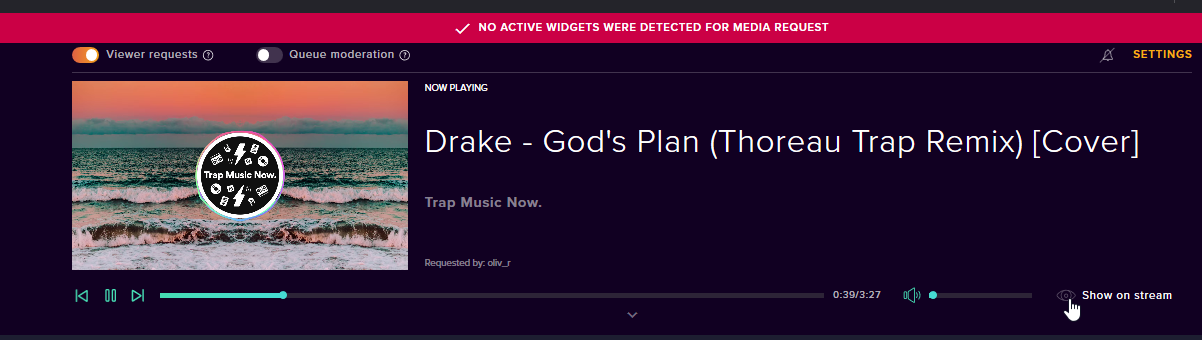 stuck hamlet
Do you have the widget on an overlay? @wispy needle
 finite vortex
So is there a reason when I am on the Overlay Editor and I try to test an alert in this case follow nothing happens? I have a gif and a sound selected for the alert.
stuck hamlet
And the overlay IS loaded on obs, correct?
stuck hamlet
Could you try deleting the widget on the overlay
saving
readding it
and saving
and trying again?
wispy needle
sure thing. gimme a sec
finite vortex
Okay do you need anything from me?
wispy needle
@stuck hamlet Same results sir
stuck hamlet
Will check you in a second @wispy needle 😃
https://www.onslaught.ca/s/rf4v6bpo.png @finite vortex

Seems to be working for me
Try CTRL + Shift + R
and trying again
wispy needle
im talking about media share tho not alerts
stuck hamlet
no no @wispy needle that was for Tango.
wispy needle
oops. not wearing my glasses atm my bad lol
stuck hamlet
I'll look at your issue right now 😃
finite vortex
@stuck hamlet Hmm works on Microsoft Edge but not FireFox maybe I should restart. What browser did you use?
stuck hamlet
Chrome
Our site works best with chrome honestly, it was built around chromium, but Firefox should still work
finite vortex
Ah hmm okay let me try Chrome


 cloud shoal
Hey guys - more so @staff here - can we have options for the default commands as to how the command is carried out?
ie. !created !accountage
My moderators would like it to be whispered to them when requested instead of public in the chat
stuck hamlet
default commands are subject to change in the coming months, it will have more options, but it's been put on the back burner for now, due to other priorities
cloud shoal
no worries
 flat frigate
Is there a way to have the streamelements bot auto respond to a question rather than making it a command?
For ex, if someone asks "how old is so-so?"
The bot auto responds to it
stuck hamlet
@flat frigate https://www.onslaught.ca/s/w4h31iy2.png
 flat frigate
How about if I don't have access to the streamer's dashboard?
Is it possible to set it up through chat
stuck hamlet
There's no way of adding it in chat
stuck hamlet
is it in the activity feed?
stuck hamlet
Unfortunately then I don't think it passed through our system 
 simple frigate
he clicked on the URL thats from stream elements
stuck hamlet
If you are 100% sure they used our service, we would need transaction ID and we could look into it further.
simple frigate
ok give me one second
 simple frigate
yes
stuck hamlet
pending to be approved? 
simple frigate
why is it in there

 silver ibex
Does the "recent events" slider on the hype cup currently work? It isn't reloading with said number of events for me.
 vital wyvern
@silver ibex let me check that out for you
silver ibex
I just noticed it as a new setting so not sure if there's something I need to do to use it, I tried changing the value and saving and reloading the cup but it doesn't appear to reload anything.
vital wyvern
@silver ibex yes we are having some issues with the hype cup atm
 spring lily
Hi, I saw that the chatstats options are bugged if there was a name change on the user, right?
vital wyvern
hello @spring lily could you state your current name and your last name before you changed it ? 😃
spring lily
Current name is CrisInuyasha and last name was CrisInuyasha22 (by the time I joined streamelements)
Was just wondering if there is anything I can do to fix it or if I should wait for it 😄
 last tangle
Anyone that can help me with a sound problem I’m having?
 gentle imp
let us know the problem @last tangle
vital wyvern
@spring lily this is something you will need to wait for, but you are added on our list 😃
last tangle
So when I have my stream elements starting soon screen up I can’t get it to pick up volume from my gaming PC so that I can play music while they wait.
spring lily
Ok thanks, that is all 😃
gentle imp
hmm scene has nothing to do music, if you have music playing and the right audio sources selected on OBS it will pick it up @last tangle
last tangle
When I change to Starting Soon Scene it takes away the “capture device” on the mixer section.
gentle imp
add it to that scene too and problem sorted, add capture device, existing one, done
last tangle
Isn’t it going to try to capture the video then?
gentle imp
I don't know your setup, but music is coming from diff pc? I don't have a dual pc and/or capture card but I'm sure something can be worked on
 inland knoll
is there a way I can monitor my chat from streamelements?
 winter zenith
Not yet, Popout Chat is a good work around for me personally
inland knoll
pop out chat from twitch?
inland knoll
I'm used to using streamlabs - just trying to make the move across
winter zenith
Congrats for choosing the good side  There are Ideas about integrating the Chat in our app Ground Control but for now I advise using the Pop out Chat from Twitch .
inland knoll
cool - thanks for the ideas - I'll see what I can do 😃
winter zenith
If you need anything else or want to know about other cool features about Stream Elements just ask me I am happy to tell you about all the good and cool stuff SE has to offer
inland knoll
Thanks - just working through everything at the moment
 upper steeple
when song request queue moderation is enabled do the songs needing to be looked at pop up in ground control?
 gleaming nimbus
Do we know when the songrequest backup playlist limit of 22 songs is getting increased?
stuck hamlet
The limit is right now at 50, and we are going to be increasing it. It will just load 50 at a time.
it is not limited to 22.
gleaming nimbus
@stuck hamlet Oh that's weird. My playlist will only use he first 22 songs 😄
stuck hamlet
@upper steeple if the window is big enough, I think so. but again, Ground Control is not supported at this time with the new system.
upper steeple
@stuck hamlet okay i'll test it out
inland knoll
what does the custom bot area do within the ground control app do?
gentle imp
allows u to rename bot
 nocturne pelicanBOT
@inland knoll Custom bot name requirements
- StreamElements bot modded and in chat
- Active overlay with alerts
- StreamElements tipping page in the panels below the stream (!panels)
- Create a twitch account for the name you want to use
- Ground Control app must be running
Steps to enable custom name
- Sign in to https://twitch.tv with the bot account
- Install and run Ground Control (!gc for download)
- Visit https://twitchapps.com/tmi/ and generate an oAUTH token
- Copy/paste everything in the box to Ground Control oAuth settings and enter the name for the bot account
- Restart Ground Control (custom name may take a few minutes to take effect)
inland knoll
thanks - its not using the name in the cutom bot, but it might just take some time - thanks for your help
winter zenith
@inland knoll did you completed all the steps? Including making the New Twitch account with your desired BotName and getting the oAUTH token WHILE logged in to your BotAccount?
inland knoll
yep - its all working just not the custom name - its currently using the second accound name
winter zenith
I am asking because some people forgette to be logged in as the Bot Account while they generate the OAuth token
inland knoll
hehe i did that the first time 😦 doh
winter zenith
what do you mean its using the second account name?
your bot account is named Name1 but its responding as Name2 ?
or still as StreamElements?
inland knoll
my bot account is called Name 1 - I have used a different custom bot name (e.g. name 2) in ground control it is currently still using name 1
winter zenith
It will stay like that
the Twitch account name is the bot name
you cant rename the Twitch account in Ground controlls 😃
inland knoll
whats the custom bot name for then?
winter zenith
either you make a new Twitch account with the right bot name you want or you rename the Twitch Bot account to the name you want to
What it does is taking the Twitch account you said the Bot can use. so basically the Bot Account "Name1"
in the field you have to type the Name in and the OAuthtoken for the StreamElements Bot to see/use the account you gave ground controlls
you also can use your own twitch account this gives the benefit of not having to sub to your channel if you want to use your own emotes in Command responses
if you want to give the Bot a different name you have to make a new Twitch account with the new Bot Name or Rename the existing one on Twitch (i think that costs money? not sure)
inland knoll
all sorted - thanks for your help ---- again
winter zenith
No problem thats what I am here for 
if you need ANYTHING else please don't hesitate to ask  I LOVE to help @inland knoll
Its like breathing air, I NEED to do it to survive 
 flat wolf
how to edit lama layout to fit screen
gentle imp
add it to your overlay with 1920x1080 res and then, after clicking ok, press ctrl+f on OBS
this will make it fit screen
flat wolf
thank you
 floral arch
I'm getting "error updating loyalty" everytime i try to update my Loyalty settings in streamelements. Any ideas?
 urban yew
Is there a way to activate sound effects without using !redeem?
I’ve seen other streamers do it and I don’t want to have multiple platforms on my overlays
 silver patio
How do I set up a monthly donation goal without it counting ALL donations?
tight harness
@floral arch Have you left anything on the page blank?
@urban yew You use the variable ${redeem <item name>} so for example, say the item name is example you'd make a command for example called !example and put the response as: ${redeem example}
@silver patio Reset the goal at the start of every month
floral arch
@tight harness thanks man. Yeah "tip bonus" was empty 😃
inland knoll
sorry - another question - how do i take myself and my bot off the leaderboards
tight harness
Add yourself and the bot to Ignored Users in Loyalty Settings and remove your points, you'll not gain any then
inland knoll
never realised I was so stupid with these things lol
winter zenith
you are not stupid, just not used to it
but you will learn everything really fast an become a master 
 atomic hollow
just like @cedar fulcrum
urban yew
@tight harness I will try this after work. Thanks
tight harness
No problem 
 dense jackal
might want to ask obs discord.gg/obsproject
 elfin lava
i need some help through teamviewer. Any staff that are free that can make my life easier?
flat wolf
no link to click
dense jackal
can you tell us your issue @RaccoonA#6504 maybe we could help from here
gentle imp
click the join button @flat wolf
elfin lava
im trying to change my follower audio and video. Changing the audio works but when i try to change my video it dosent work i have tried whit gif, jpg,mp3 and jpeg but nothing works
@dense jackal
tight harness
Tried webm video format?
elfin lava
no, ill try that now
 lapis jacinth
Anyone having problems with followers not registering?
winter zenith
@lapis jacinth did you rename your channel by any chance?
lapis jacinth
@winter zenith as in my screen name?
winter zenith
yes on twitch
lapis jacinth
not recently
winter zenith
try parting the bot from your channel (you can do that by going to the SE Dashboard on the right site in the Bot section)
Logout of SE
Log back in via Twitch
let the Bot join your channel again
lapis jacinth
ok I'll try that now
winter zenith
also offline Followers (while you are not livestreaming) take longer to register. when you are live its instant and refreshes faster
lapis jacinth
the followed when i was live! but i just realised that wizbot didn't even pick up the new follow's
gentle imp
they aren't showing on your dashboard?
 native lotus
${count <chicken>} how can i decrease the counter? when we counted to much? it must be simple but i dont get it 😦 FeelsBadMan
gentle imp
!editcounter name number u want
winter zenith
!editcounter chicken 0
gentle imp
^
winter zenith
!editcounter chicken 5
native lotus
thank u very much
winter zenith
Like ripzoor said every number you want :3
elfin lava
@tight harness i have downloaded wondershare video covnverter but when i convert mp3/mp4 to webm it takes my 13 sek clip and converts it to a 4 sek video. You got any tips?
tight harness
I'd suggest not using that video converter if it's doing that, try a different one
elfin lava
you got any suggestions?
tight harness
For video converters? Sadly no
elfin lava
ok
gentle imp
there's several online, try one of those
tight harness
Not sure how you found that one, when I google video converter it's not even on the first page of search results 😄
gentle imp
https://www.aconvert.com/video/mp4-to-webm/ perhaps this?
elfin lava
https://gyazo.com/2a2d3c8c434c129cc1c057b72e719f05 its at the top for me, ill just click around and see if i can find something useful
 gentle imp
if u try the one I sent and it works let me know please, will keep it for future reference
elfin lava
i havent tried the one your posted @gentle imp but this one works: https://www.online-convert.com/result/8ccb53fc-778b-4779-8481-11904102a565

you*
inland knoll
me again, can I add a playlist from youtube to the media player?
lapis jacinth
@gentle imp they aren't showing on my dashboard
I think it's a twitch issue if I'm honest
gentle imp
thank you @elfin lava saving it 😃
elfin lava
np 😃
gentle imp
@inland knoll yes u can here https://streamelements.com/dashboard/mediarequest/settings
look for backup playlist
damn @lapis jacinth it's working for me, did u try logout and back in?
sec, I'll test on ur channel
@lapis jacinth check if mine shows now
lapis jacinth
@gentle imp I’ll check now. I’ve had to go to work 😭.
lapis jacinth
@gentle imp 😂 I’m at work but I have a office to myself so not much work will get done tonight.
Right I’ve tried the log out and in and nothing 😭
lapis jacinth
Also your follow isn’t showing on twitch
gentle imp
channel is itstubzz right?
winter zenith
then it will be on SE the next time you stream
lapis jacinth
Ok I’ll let you know if it does when I go live next. Thanks for your help
 lucid moon
is this where we ask questions
lucid moon
ok good... can i assign a person to have access to my SE config area so they can help with my overlay and alert setup
tight harness
You just asked me this in Live support and I replied and told you where to do this 😄 I think you didn't notice yet
lucid moon
i just got a link to come here
tight harness
Check again 😃
Our chat is still open
I replied "Hey, yes you can, click on your username in the top right, the Channels tab allows you to do this"
lucid moon
its not working..or im doing something wrong
tight harness
What's not working?
Did you create a link?
In fact, watch this tutorial: https://www.youtube.com/watch?v=zl_h-ttZDF0
lucid moon
yes i created a link... but there is nowhere to assign a specific person and give them permissions
tight harness
You give the specific person the link
If you watch the video it explains this and would answer any questions you have in regards to this feature
 dense beacon
How did I clone a widget from one overlay to another?
gentle imp
select the widget, go to where layers is and then there's a duplicate icon there
that one
after u are asked if it's for the current layer or other, then u can choose 1 or several
@dense beacon
tight harness
Yes
dense beacon
Ahh ty.
dense beacon
Guys, I wanna ask. Is there anyway to config a hotkey to ground control to play/pause the music? 😄
 narrow coyote
Currently no, the hotkeys do not work with the new media request system. Ground Control is going to be completely rewritten, and will have full support with the new media request system
dense beacon
Nice :3 Any idea of when it's coming? 😄
narrow coyote
I have no idea when its been coming, but hopefully soon ™
There will most likely be something in #announcements when it drops
weary mist
it is one of the prime projects currently. We knew the new media request system was going to break it, so it was slated for upgrade soon after release. It will be a complete re-write, so it could take a bit. But hopefully not too long. Soon™
elder sorrel
Can't wait 👍🏻
narrow coyote
New Ground Control 

normal igloo
Hey guys should up time be Giving a up time Even though I'm not Live Or is that just for testing Purposes?
narrow coyote
I'm pretty sure it should give you the time it has been offline if you are not live
normal igloo
@narrow coyote ok Thanks 👍
 lament blade
hey, if i add a alertbox in a overlay, why isnt is showing up in chat if i get a follow?
narrow coyote
The chat alert is separate, go into the modules under under the bot settings of your dashboard, you will need to enable the chat alert module
If you still need, I can screen shot where it is when I get back to my desk
lament blade
haha, i got it, thank you very much!
narrow coyote
 crimson sparrow
helo
normal igloo
Is there a reason why the song request command is not turning on for me?
narrow coyote
the command is controlled by the media request itself. If you enable media request, the command will be enabled
normal igloo
@narrow coyote but I do have media request enabled tho?
weary mist
if you want the song request command to work, yes. You have to turn on media request
They are linked. If media request is turned off, then songrequest is turned off
narrow coyote
Then the command should work, if you look at the commands list, it will still may look like it is disabled
normal igloo
@narrow coyote @weary mist Ok my bad it was a case of look like it is disabled lol Thank goodness we got so many awesome helpers thanks for the help guys 😍
weary mist
👍
narrow coyote
anytime
 modern iris
the all time leaderboards. when does it update?
weary mist
instantly
modern iris
hmmm really ?mine didnt seem to update. only current
weary mist
Alltime only counts points earned from the loyalty section. Anything earned from !bonus/addpoints, !givepoints, or the gambling modules do not add to all time
modern iris
@weary mist ah that weirds.. is there a way to disable all time leaderboards thou?
weary mist
No, but you can reset it whenever you want
tight harness
@silver patio You go to Activity Feed > Widget Data > Goals > change the number > Save Changes
 steady monolith
Hey guys long time no comprendo 😛 .
Was hoping someone can help little old me out here
weary mist
always, whats up
steady monolith
I've made myself my own transition (or going to do a better one), ive placed the temp one as a transition into OBS for the mean time, however when i transition to a scene. It show the next scene for a mil second before the transition goes. anyway to have that not happen
?
hay @weary mist cheers 😛
weary mist
hmmm, not certain about that. I am not in the position to test. You could speak with OBS, as that will be on their end. They have a discord: discord.gg/obsproject
steady monolith
gracias @weary mist
 rain torrent
Is there a way to add a line break to a chat command response?
 serene granite
no, there are no line breaks on twitch chat
weary mist
it is a twitch limitation
lament blade
Hello ! ^^ i have a little issue, ( i think its because im a little bit idiot too and i cant see how can i resolve it, but well xD )
weary mist
we can help, whether it is an ID-10T error or not 
lament blade
2 days ago, i streamed like always, and my notifications shows up normally, but today, all the notifications works , except the follow 😦
i checked, its enabled, i reset the cache, i kicked the bot, i joined the bot again, i have the desktop app too, and ... well.. xD nothing
sorry if u cant understand me very well .S
same for last follower data
weary mist
Let me test something
weary mist
I am in your dashboard, I can see all of that
weary mist
I told you I am testing
lament blade
so sorry
 barren topaz
when my users type !commands they get an invalid page. How do I fix it so it links to the proper page?
narrow coyote
that command should use a variable for your user, did you recently change your twitch name or anything like that?
steady monolith
So @weary mist , just to let you know i figured it out. Transition point in in milliseconds not seconds 😆
weary mist

steady monolith

barren topaz
Nope haven't changed twitch or anything
Tip page goes to right page just not the commands link
narrow coyote
what is the link the !command is outputting?
weary mist
@lament blade We are looking into this issue. It is something new. I will let you know as soon as I know more
barren topaz

StreamElements
The Ultimate All in One Platform for Streamers
lament blade
@weary mist ok 😄 thanks you ^^ take the time you need ❤ and thanks you again 😃
weary mist
have you changed your name? @barren topaz
barren topaz
Nope
it should be pointing to https://streamelements.com/hnybear-1186/commands
StreamElements
The Ultimate All in One Platform for Streamers
narrow coyote
 Have you tried parting the bot and rejoin it? It might be worth it to log out of the SE dashboard, log back in, then part the bot and rejoin it
narrow coyote
from the main dashboard, it will be on the right https://streamelements.com/dashboard
barren topaz
yep that fixed it. Thank you very much.
Ok next question. I can't seem to turn on chat stats. Every time I enable and save it, it turns off. If I try to go to the page it shows a 404 error.
narrow coyote
that is a known issue that will happen after a name change, was hnybear-5974 your previous twitch name?
barren topaz
how can I fix it?
 pulsar plinth
Hey, guys! Having an issue with my Overlays on the website. I think I'm going to have to end up rebuilding one, which is fine. But I'm curious if this can be fixed.
When I go to load up one of my overlays, I just get the spinning loading icon. It doesn't happen with any of the other overlays I have. I have also attempted to make a copy of the overlay and the same thing happens.
narrow coyote
@barren topaz we just need your previous and latest name, and someone from staff can take care of it
barren topaz
never changed the name I have both youtube and twitch setup if that might be messing with things. Do you need twitch username or the SL username?
as far as I know they're the same name.
username should be hnybear
narrow coyote
if you never changed your name, then there might be something else funky going on. I will see if someone can check it out on the backend
barren topaz
ok thank you very much
 opal barn
Hi there. How can I make it so when a command is put in chat, an actual bot responds and not myself?
narrow coyote
When you enter a command the bot should be responding, unless you tired to rename the bot and used the oauth from your main twitch account, then the bot response would use your name
opal barn
Well whoops, how do I properly rename the bot then
narrow coyote
!rename
nocturne pelicanBOT
Custom bot name requirements
- StreamElements bot modded and in chat
- Active overlay with alerts
- StreamElements tipping page in the panels below the stream (!panels)
- Create a twitch account for the name you want to use
- Ground Control app must be running
Steps to enable custom name
- Sign in to https://twitch.tv with the bot account
- Install and run Ground Control (!gc for download)
- Visit https://twitchapps.com/tmi/ and generate an oAUTH token
- Copy/paste everything in the box to Ground Control oAuth settings and enter the name for the bot account
- Restart Ground Control (custom name may take a few minutes to take effect)
narrow coyote
you want to create a twitch account that will have the name that you wish to use for the bot
opal barn
Ahhh ok thanks
narrow coyote
@barren topaz Everything seems to be working, going to https://stats.streamelements.com/c/HnyBear is displaying chat stats
pulsar plinth
Hey, guys! Having an issue with my Overlays on the website. I think I'm going to have to end up rebuilding one, which is fine. But I'm curious if this can be fixed.
When I go to load up one of my overlays, I just get the spinning loading icon. It doesn't happen with any of the other overlays I have. I have also attempted to make a copy of the overlay and the same thing happens.
barren topaz
hmmm the dashboard page keeps trying to send me to https://stats.streamelements.com/c/hnybear-1186 and all the options are off with no numbers assigned.
narrow coyote
We are looking into it further, I will let you know when I hear anything
 dry hare
@pulsar plinth what browser are you using? (Please don’t say Netscape Navigator)
dry hare
Have you tried Firefox?
pulsar plinth
All my other overlays load up immediately. It's just that one.
dry hare
Did you change something?
pulsar plinth
I have not. I can install it quick and see if that's a fix for it. One moment, I'll let you know either way.
lament blade
hey
pulsar plinth
@dry hare I still just get the loading icon. The last time it worked, I added an image and text for an event. After the event, I went to remove it and it hasn't worked since.
lament blade
Hey, I'm confused about the alert box, I'm trying to make it so it only does TTS for people who have subscribed for 2 or more months. However I can't change the number inside of the variation settings
dry hare
Ah so whatever image you used borked the overlay
So if you clone a new overlay and add that same alert widget/image does it Bork the new one?
narrow coyote
@lament blade When you click the little cog wheel, you should be able to change the settings in there, including the time
narrow coyote

pulsar plinth
@dry hare it borks the new one, correct. just a constant loading icon.
As I said, If I have to rebuild the overlay, that's fine. I just didn't know if something could be done on the backend to have you guys go in and delete the image/text to make it work.
weary mist
@pulsar plinth what is your twitch name?
pulsar plinth
KiiNGS. Same thing.
weary mist
(relink twitch in your discord profile)
pulsar plinth
Ah, I'll do that now. Just changed names shortly ago. Thanks for pointing it out.l
weary mist
When you changed names, did you make sure to log out of StreamElements, clear cache, and log back in?
just verifying 😃
lament blade
what is this amount for exactly?
it doesn't simulate the number of months on screen
emulate w/e
pulsar plinth
I did, Scalper. This happened weeks after I did all that.
weary mist
number of months subed
lament blade
but it doesn't seem to do that
weary mist
@pulsar plinth which overlay (the name)
lament blade
is that a bug?
weary mist
@edthechowderhead#0001 I will check on that in a minute
I can only open one account at a time, lol
lament blade
okay
pulsar plinth
LOL I had to double check. I didnt know if I changed something.
But, yeah. The other overlays load right up. Those ones just sit and spin.
pulsar plinth
If I have to recreate it, that's fine.
weary mist
the console is showing errors, which I am guessing is the reason for it to never ending load
pulsar plinth
I have time to do it. So it's no big deal.
I just wanted to check
I appreciate your time, though. Thanks for looking into it!
Enjoy the rest of your day and week.,
lament blade
edthechowderhead, but I'm helping out Lacari
weary mist
So it is lacari's account we are looking at?
lament blade
yea
weary mist
ok
upper steeple
What quality does the song requests play in on ground control? Cause I see that the video on ground control doesn't come up with the youtube quality setting stuff anymore.
weary mist
It may be HD, but I will ask @upper steeple
lament blade
we haven't used the overlay yet, I'm just confused about the emulate not showing number of months subbed
upper steeple
@weary mist >_< oh nu that may be why i've been lagging lately cause i can't put the quality to shitty lol
weary mist
haha, I do the same thing. It might change once we update GC to actually work with the new system
lament blade
it seems fine when you did it, that was you right?
lament blade
okay it does it for T3 subs still
OH I just have to add the little {months} thing right?
woops
weary mist
probably 😃
upper steeple
@weary mist if you can find that out for me, would greatly appreciate it cause if it is in HD I'm gonna have to stop using song requests T_T
lament blade
okay mb, I'll fix that. However why isn't it doing TTS?
but it does it for TTS with T1 subs
I looked through my settings and all TTS is on for every sub
weary mist
that is not something I can test right now, lol. can't have sounds on
@upper steeple have you checked to see if there is a quality option on the webpage itself?
weary mist
ok, it may be the way we are processing song requests now, I will let you know
upper steeple
thank you
pulsar plinth
@weary mist I am still having issues with alerts coming up. I refreshed the cache inside my OBS. Neither my Ground Control or URL source in OBS is updating or alerting for widgets or recent follower.
Wait, it just popped up now but suuuuuper delayed. I can live with that.
weary mist
ok
pulsar plinth
Thank you again!
weary mist
👍
 unique plume
Sorry if I'm being a dummy but is there a way to put an image behind text/layer different images?
Like an image behind my latest follower/donation etc widgets
weary mist
for sure. Add an image widget, then use the layers section to move it behind the text widget
 midnight topaz
WTB shuffle >.>
clever mango
soon™
midnight topaz
but you know, over a week listening to the same 50 songs......
good thing I'm not a popular streamer XD
 lament stump
Apoc: HIHI
[5:26 PM] Apoc: I've checked everywhere
[5:26 PM] Apoc: but I don't know how to set up regulars without having to do it manually
[5:26 PM] Apoc: like "after certain points or hours"
[5:26 PM] Apoc: This is killing me
clever mango
try this for creating more smaller playlists from your current one
@lament stump There is no automatic system for regulars at this time. If you'd like it please register on our ideas board and give this idea a 👍🏽 https://streamelements.helprace.com/i181-automatic-regular-status-for-viewers
lament stump
ty
midnight topaz
well, it's not my playlist in the first place
clever mango
That's ok
midnight topaz
but I'll try it
clever mango
that site will take any public playlist and copy
 lunar dock
If you go to streamelements/user, it shows the currency follower, tip, and host reward for that channel. Why does it not show a subscriber reward? I have one set.
Also, I have it set to not give out any of the currency in response to tips, yet that still shows, just as being 0.
clever mango
@lunar dock Both of these are set to be fixed
lunar dock
@clever mango Cheers. Thanks for the quick response!
clever mango
no problem
lunar dock
Thanks for all the hard work you guys do 😉
clever mango
weary mist
lunar dock
Lol. I have my Discord up on my other screen and all I see are reactions taking place 
Also, is there a set time that giveaways will conclude if not manually ended?
gentle imp
nope, they go on forever
lunar dock
Thank you
gentle imp
you're welcome
 ancient cloak
i tried to install obs and it asked me to install both X86 and X64 and I did and ran them but I still cant install obs..can anyone help me
narrow coyote
not sure I follow exactly what you are saying, what happened when you tried to install OBS, did it error?
tight harness
Yeah, OBS Support can help you: discord.gg/obsproject
ancient cloak
@gentle imp yes nothing comes up when I search. \
whats another good obs software that I can link and try out
clever mango
Please join the OBS support discord linked above. They're friendly and will help you to install.
narrow coyote
if you want alternatives xsplit is one the bigger alternatives, but to get all the goodies, you need to pay for it
clever mango
There's only one OBS and it's StreamElements' recommended streaming software.
ancient cloak
@tight harness please send me invite again
ancient cloak
@narrow coyote thanks, i will try that one out now and see how it goes
narrow coyote
@ancient cloak I would also not give up on OBS, it is very robust, and gets along with StreamElements very well. Their OBS discord should be able to help you, but I troubleshoot installers for a living, so if you want, you can DM me what is happening when you install, and I am sure we can figure it out
gentle imp
before installing it, right click and run as admin, it should install fine then @ancient cloak
 royal quarry
Hey guys, I've been having a problem uploading a WEBm video clip to use for subscriber alerts in my overlay. The file uploads without issue, but I cannot get the sound to playback, is this a type of copyright protection issue or something?
Aside from this minor issue I can't say enough good things about streamelements..
narrow coyote
I'm making dinner, if no one else swoops in to help before I finish dinner, I can help and look into this 
tight harness
@royal quarry I can have a look but I'd need to know your Twitch username first
royal quarry
I had it working a minute ago, then I made a minor change and it's not working again 😄 - Let me fiddle around with it a bit longer and if I can't get it fixed I'll shriek for help.
tight harness
Alright 😃
lament blade
hi I think voteskip doesn't work on streamelements, we turned it on in ground control and on the website
we are locked in this
Is there a way for to staff to turn it on for Lacari?
@tight harness
it's working for our test channels
 robust ferry
How can I set up my bot to answer a question without it being a command? IE 'What keyboard do you use?'
lament blade
oh
narrow coyote
@robust ferry you can add keywords in the advanced settings of a custom command
lament blade
it's locked for some reason
sorry for pinging, he's live right now so I'm trying to fix it fast
lament blade
I know
but the command itself
says disabled
in the commands
and we can't use it in chat
that's why we are confused too
tight harness
It doesn't say disabled, it says it's controlled elsewhere 
lament blade
I know that's module setting based right, but it says disabled + it is disabled in chat
stuck hamlet
 Sean
Sean
 tight harness
This is disabled
 safe crown
Some times when i have media share on, the OBS media share audio plays slightly off from ground controls audio. is there any way to fix this?
lament blade
Yes and it's enabled elsewhere, however it's disabled
you just showed the checkmark is enabled
but the command itself is disabled
tight harness
Because it's greyed out?
lament blade
this is enabled
this is disabled

which do you see?
this is enabled
this is disabled
which do you see
tight harness
I see it as enabled in the settings of Media Request, which is where it's controlled as it says, that's what matters
lament blade
However it's a chat command right?
tight harness
Yes
lament blade
And it's disabled in chat
Which matters
Because people in chat are supposed to vote on skipping
right?
tight harness
Have you got 6 subs to try the command?
lament blade
yes
tight harness
And nothing happened?
robust ferry
I try adding a keyword but it is not savings
lament blade
we told lacari to restart ground control to see if that'll fix it
someone probably had a 2nd instance open
stuck hamlet
Ground Control has nothing to do with that.
narrow coyote
@robust ferry you have to press enter after you are done typing in the keyword(s)
stuck hamlet
I’m not at my computer, I will have a look once I get there. Give me a few minutes. @edthechowderhead#0001
 sour minnow
Hey i am adding a shoutout cmd for a friend with > that > Check out ${1}, they are playing ${game ${1}} at https://twitch.tv/${1} and it keeps doing follow at *** does not show there twitch link
 stuck hamlet
Ground Control doesn’t support the new version of song request anyways. It’s something we are aware of and actively working to fix. Anything on song request that is broken on ground Control, we cannot fix at the moment
lament blade
Okay
stuck hamlet
@safe crown Audio comes out of OBS/the media share widget. So as long as it’s synced in there, you should be fine 😃
It might seem offsync to you on ground Control, but your viewers see it properly
narrow coyote
@sour minnow that looks like it would be the twitch setting to remove urls. You will need to either disable that, also make sure you make the bot account a mod
sour minnow
Thanks they forgot it mod it
lament blade
nvm we are just going to back to streamlabs till song request is more developed again
robust ferry
Can Super moderators change bot settings or no?
stuck hamlet
@lament blade I'm not sure what you mean by that. The Media Request has been reworked from the ground up, and works flawlessly when used properly.
clever mango
@robust ferry super moderators are just a rank within the chatbot that gives them permission to use commands that are set to only super moderator
In order to change bot settings, you will need an invite to the streamers dashboard. These are the steps to create an invite.
robust ferry
Ok
clever mango
!invite
nocturne pelicanBOT
To invite managers to your dashboard, Click on your Channel Name at the top of the dashboard and scroll down to Settings. Click the drop down arrow to expand your channel managers and then create a new invite at one of three access levels (Bot Supervisor, Editor, Full Control)
lament blade
It works flawlessly for the web based platform, but we are using ground control. We'll wait for that
Lacari likes to use an external window away from the browser
narrow coyote
whats up, need help with something?
 sinful holly
Yes when people click my paypal link they get an error 404
clever mango
what is your channel name?
sinful holly
nvm i fixed it
the url was copied wrong
How do you change the top of the overlay to show your links?
clever mango
you can edit overlays from the overlay editor
My Overlays
then click on the pencil icon for an overlay to edit
sinful holly
when i click that all i see is the name change how do i change it so it doesn't say stream element all over the top
narrow coyote
click the other, larger pencil
sinful holly
Ok thanks 👌
narrow coyote
royal quarry
Hello, I was wondering if there is a way to improve the load time between scenes, as in when you change from overlay to overlay through OBS. There is always a 2-3 second delay where my overlay will load and snap on to screen, where as my video sources are lag free and load instantaneously.
nocturne pelicanBOT
@royal quarry Loading time for overlays will vary based on your internet speed, ping to servers, and the amount of data to load in the overlay. Using studio mode, you can preload your next scene before transitioning so that no loading appears on stream. You can also use a longer transition time. https://youtu.be/W8iWsD2Lq3U?list=PL_9rga23xIlJDyaOnO2avbss-PHm28oNs
royal quarry
The bot called me a garbage can ;_;
narrow coyote

royal quarry
The video is quite clear though thank you, I've never used Studio mode before. About time 😄
pine hemlock
garbage cans are useful in every day life
 snow whale
Hey! There is no feedback message from the bot when a viewer wants to execute a command for which he does not have enough points. This unfortunately leads to the command being tried again and again, because the chatter thinks that the command just has a cooldown. Would be great if there is an indication of missing points! (:
clever mango
I don't believe it's been suggested on the ideas board yet. Please add it there so the idea isn't lost https://strms.net/ideas
As an added benefit, when there is any progress updates on the idea you'll be notified
 misty sparrow
hi guys... I've bern using media request putting youtube song linjs in and viewers doing !sr... can i play a playlist if songs i have on my laptop, like drag them over into the history or something?
narrow coyote
If you go into the settings for media request, you can add a backup playlist that will play when there are no user requests
misty sparrow
and i can create one there by just dragging songs over?
narrow coyote
no, you will want to make a public youtube playlist, and copy the url for that playlist
misty sparrow
wen u say make a public YouTube playlist how do i do that?.. and will that work by just typping the song name and titles or will i literally have to copy and paste every song?
narrow coyote
you create the playlist on youtube, so you can pick songs/videos, and add them to a playlist, you can then just add that playlist URL to the backup playlist field in media request
misty sparrow
ok thx, but initially to creat that playlist i will have to copy and paste each song?
narrow coyote
That link I just posted above has the instructions on making and managing playlists on youtube
misty sparrow
yeh i just saw it, sorry... thanx a lot buddy much appreciated 👍
narrow coyote
no problem
 worn cradle
hmm... are there any "super girly" themes you guys have?
clever mango
"Fluffy Bunny" might work
All of the superthemes can be edited and you can take pieces from any superthemes and add to any of your overlays with the duplicate layer button in the editor.
"First Love" is also girly in my opinion
 languid hemlock
Hey all i have a question, when using the song request option in stream elements will it ever play ads? also will it play adds in my youtube premade playlist?
lunar dock
I see there is an editcounter command. Where can I see existing counters and/or how to edit them?
narrow coyote
It should not play ads
dense jackal
@languid hemlock It used to, but it does not anymore
narrow coyote
@lunar dock check out #command-share
lunar dock
@narrow coyote So it's not something that is dynamically updated? You must set the counter yourself? I was specifically wondering about having something that would count the number of times a specific command is said.
narrow coyote
if you use chatstats you should be able to see the top commands used, and how often they are used
clever mango
^ or add $(count) to any command and it will increment the counter when used
lunar dock
@clever mango I wish you guys had a Kreygasm emote
That's awesome to know, but that means that there is no way for it to simply increment when it is said in chat?
clever mango
That's exactly what $(count) does
lunar dock
Not a command, but simply "Kappa" for example
Sorry, I should've made that clearer
My bad 😄
clever mango
so you want to track emote usage?
lunar dock
Yes, but I don't want to have to go to the chat stats paged for example. It would be awesome to be able to type "!Kappa" and see how many times Kappa has been said.
clever mango
hmm
clever mango
but it won't count multiple in a message
dense jackal
Tru
clever mango
I won't say never but I don't see something like that being added anytime soon since we've already got the chatstats system and counters
dense jackal
I deleted it because it's not a question for here @lunar dock
clever mango
You can add it to ideas though if you'd like. If it happens to be a popular request on there (people can upvote) then we'll consider it sooner for sure
lunar dock
@dense jackal I know. I just wanted to mess with you 😉 😛
@clever mango Ok. Thank you! 😄
Good to talk to you again 
I have a feeling we'll be spending a lot of time together 
 fierce sun
What is the contest widget called I am having trouble finding it?
narrow coyote
no problem
 green yacht
Does streamelements has commands? if so, where, i dont see it
narrow coyote
Yeah, all the commands are listed in the chat commands of the bot settings. From you dashboard this will be on the lower left
green yacht
ok, thx
narrow coyote
There are also the modules you will want to check out under the bot section, we also have #command-share for some nice custom command examples
 carmine marsh
someone donated to my channel and 0 notifcation or anything popped up on my dashboard showing they donated yet the money and payment process went through to my paypal
stuck hamlet
I'll have a look
Are you sure they donated through our system? @carmine marsh
A lot of viewers are used to pulling up old donation pages
carmine marsh
Yes he was using your guys system
stuck hamlet
Yup, that was me verifying something. 😃
stuck hamlet
Im going to have to double check something here. What type of paypal account do you have?
stuck hamlet
Ah, ok. You've been with us for a while. im guessing?
carmine marsh
for awhile yes
and its just a personal paypal nothing special
donations worked just fine yesterday
stuck hamlet
We're checking 😃
carmine marsh
ty ❤
green yacht
btw, doe streamelements has a fee when you get a donation?
because the other day someone donated me 400$ but i only got 320 😦
elder sorrel
I think that's on Paypal's behalf if that's what you're using 🤔
green yacht
i used to use the other webstie (stream*****) and i got a 10$ donation but i got the full donation
but when someone donates my with streamelements i get a fee for some reason
carmine marsh
not sure what u used but with streamlabs and streamelements, paypal takes like 10% or somethin like that
not stream elements end
green yacht
feelsbad
stuck hamlet
2.9% + .30c
green yacht
thx
 heavy sigil
My Stream Elements Wont Let Me Log In With Twitch
 marsh lodge
Im trying to add a follower goal to an overlay and it's incorrectly showing the number of followers as 196 when it should be 495. Any ideas how I have broken it this time? 😅
gentle imp
@marsh lodge use total followers widget
or go here https://streamelements.com/dashboard/session then goals tab and edit it there
marsh lodge
Thanks. Will give it a go now 😄
heavy sigil
My Stream Elements Wont Connect To My Twitch
heavy sigil
Oh I Fixed It
gentle imp
great 😃
 slim schooner
Hello guys so.. i want to remove streamelements from my twitch account and i also do not want to get any more emails about streams i have done.. how do i do that? 😄
gentle imp
@slim schooner why would u wanna go away, something we can help with?
slim schooner
well it surely is a great way to improve streams, but i barely have 1 viewer and i honestly do not need that advanced things at all 😄
and i dont like how it spams my mail account ^^
gentle imp
scroll down to the bottom of the email, then there is a small unsubscribe
gentle imp
you can still use StreamElements on your terms, simple layout done by you but if you really want to, go to twitch settings
I don't see the point though, we make streaming easier and lighter on pc
you don't have to use all features, just what you want
slim schooner
thx ^^
well the thing is, im trying around with streamlabs currently, but also not that much ^^
if i ever happen to gain more viewers i surely will return to it, but for now i dont want anything i am not using to be connected to my account
gentle imp
alright, do hope you return, gl
slim schooner
me too haha - thank you for your help 😃
gentle imp
you're welcome 😃
lucid moon
none of my chat commands work.. why would that be
and several of the alerts do not display
gentle imp
is the bot in your channel @lucid moon
lucid moon
yes
gentle imp
hmm commands are working for me on your channel
lucid moon
they dont do jack for me
lament blade
how do you change the stream starting time. i tried changing it to 3 hours but it will only start from 59 mins
gentle imp
which browser and on twitch? @lucid moon
lucid moon
chrome.. and yes on twitch...
gentle imp
the countdown widget has hours @lament blade unless u mean something else
try /unignore StreamElements on twitch chat @lucid moon plz
lament blade
yes i tried setting it for 3 hours but it will only start from 59 mins?
gentle imp
tight harness
@lucid moon Your command are working fine for me as well 🤔
 fossil sageBOT
@lucid moon -> The bot commands for this channel are available at https://beta.nightbot.tv/t/hecticsc/commands
gentle imp
check the image, its ur side not bots
tight harness
We told you what to type in your Twitch chat
We told you both here and in your chat
lucid moon
ah i see.. i already tried the unignore and lose the attitude im not an idot
tight harness
Well that's the only reason that you wouldn't see the messages of the bot, so please try it again
lucid moon
i already told ou it did nothing
gentle imp
that is really strange
we had someone else before that was using a diff (legacy chat) and wasn't working either
but as you can see, it's working fine, you have it blocked on your side for some reason
lucid moon
i have nothing to block it with on my side\
lucid moon
no this is the browser i use
gentle imp
@lucid moon everything is working fine for everyone else
lament blade
it works for me as well
lucid moon
never mind i will go back to what i was using before...
gentle imp
nope, working fine for us @lucid moon
I recommend you scan your pc for maleware or viruses
lucid moon
i scan with maklwarebytes every day
gentle imp
or try clearing cache
lament blade
like this
lucid moon
and i just cleared cache cuz you just asked me
gentle imp
@lucid moon shows fine here
lucid moon
StreamElements
The Ultimate All in One Platform for Streamers
gentle imp
ahh, i know the problem @lament blade
gentle imp
on the response enter {hours}
lament blade
oh i tried that. didnt work. ill try it again
gentle imp
on the mesage
lucid moon
!commands does nothing ether
lament blade
oh i was using [ isntead of {
gentle imp
ahh 😃
gentle imp
np mate, glad it's sorted
tight harness
lament blade
i really appreciate it
lucid moon
ok back to streamlabs,, their stuff actually works
tight harness
Our stuff actually works though
lament blade
i was on streamlabs before
they were good tbh and this is a bit complicated for some but i think the bots are worth it tho
lament blade
ok, thanks guys, i appreciate the help. im gonna head out
see ya
sorry that guy was an ass
gentle imp
👋
 manic lava
Anyone who can help 😃
tight harness
Of course, ask your question 😃
midnight topaz
hm, last night someone gave me a link for tool, that copies a playlist from YT
but it's stuck >.>

staying like that for an hour, anyone else used it and had that problem?
tight harness
Sorry, never heard of it
 shy osprey
hey i use to stream with OBS and it use to be fine but i re downloaded it and since i did i get frame drop from 60FPS down to like 40 and it looks really bad, anyone know how to stop it
 spiral path
It can predict the future 😉
 left ice
true but how can I remove the future predict option 😄
spiral path
Cant help sorry, came here with some problems too 😄
left ice
Never mind I reseted the session and it updated to 182 till 1 more but thats me I guess
spiral path
I cant get the keybindings in Ground Control to work 😕
left ice
I am not that far in the bot yet using it for a couple of days but gl with solving your problems mate 😉
spiral path
Thanks, you too 😊
lament blade
hi
spiral path
Hey
lament blade
how’s it going
spiral path
Keybindings in Ground Control wont work
tight harness
@spiral path Keybindings will be fixed, Ground Control needs re-writing to work flawlessly with the new Media Request code
spiral path
Thanks man!
lament blade
Fuglen want me to follow u?
spiral path
You dont have to but I will be live in a moment 😊 Its a Danish channel but I do speak English sometimes
lament blade
ok
 woven escarp
I need small help...
 torpid estuary
hm everyone seems to be busy right now. i am not a support but maybe i can help! what do you need @woven escarp
 ebon forum
@woven escarp  how can we help you?
woven escarp
just wundering if i can change the name instent for "!accountage"
ebon forum
so you want to rename the basic command "!accountage"?
woven escarp
Yes if it works
ebon forum
We have no direct option to rename the basic commands, but we can make alias commands with the same variables. I do not know if we have a variable for that tho, but i would suggest poking @tight harness and checking out #command-share and all variables for that 😃
tight harness
!accage and !created are both aliases for !accountage, you can add more if you wish
ebon forum
Ah i see, you can make an alias for that, just edit the command.
Derp, i need some coffee
woven escarp
Can I copy that to a command and it will get up or does it get´s very buggy?
gentle imp
☕
torpid estuary
@woven escarp you can just add another so called "alias" to that command. Aliases trigger the command too, so no need for a new command!
gentle imp
yeah adding the alias will make it work like that
torpid estuary
To do that click on the little edit button on the far right of the !accountage command in your streamelement
there you can see the aliases a little bit further down. just enter howlong there and you are set.
ebon forum
Sorry for being derpy, this is way too early for my brain to function properly 😄
torpid estuary
haha i think everyone can understand the derpyness before the first cup of coffee
woven escarp
Nah no problem @ebon forum you´re doing fine i need fix some small things before Osu stream and next week i will change all my infomation down below
ebon forum
@woven escarp sounds good, feel free to ask anything around StreamElements and beyond, we try to help where we can 
 fallow shuttle
I need help copying an overlay to a completely separate account
can anyone help me <@&382267076632379392>
tight harness
Do you have dashboard access for the separate account?
fallow shuttle
yes
tight harness
Have you gone to My Overlays and clicked on Import From Other Channels?
fallow shuttle
I tried but it wouldn't let me
tight harness
What's their account name?
tight harness
Ahh gotcha, you have them both linked?
fallow shuttle
how do I do that?
tight harness
Well if you created separate accounts for them instead of having them on the same StreamElements account then via dashboard access
I don't see any dashboard access set up for the second account at least
Checking the first one now
fallow shuttle
alright
tight harness
Yeah, the 2 accounts are not linked via dashboard access, you need to set that up
When you set that up you'll have the option to Import From Other Channels
fallow shuttle
how do I do that?
tight harness
You go here: https://streamelements.com/dashboard/account/channels you click on a level of permission, you click on Generate Invite Link, you log into your other account, you click on the link, then you can import the overlay
 grim warren
hey all of my alerts keep playing twice in obs when they go off. any fix i can do?
narrow coyote
make sure on all of your browser sources you have shutdown when not visible checked
!multi
nocturne pelicanBOT
Make sure to :ballot_box_with_check: “Shutdown source when not visible” for all browser sources (all OBS scenes). If using studio mode, uncheck “Swap Preview/Output scenes After Transitioning.” Also keep in mind that sound can play from any overlay loaded in the browser (editor or launched). https://i.imgur.com/FegZJQS.png https://i.imgur.com/yY0wcFl.png




 grim warren
@narrow coyote alright that fixed it. thanks!
narrow coyote
 blissful apex
I imported my donos from streamlabs and it has copied it 4 times, should i just delete them all and re import?
tight harness
Yeah, delete them all and re-import once 😃
blissful apex
maybe i clicked more than once? GG boys 
tight harness
Maybe
blissful apex
Why do people use different names 
Cheers @tight harness
tight harness
No problem
 coral lava
think it would be a good idea to remove old duplicated items? like if i duplicate the alert box to another scene it auto removes the old one?
tight harness
So add the option to cut from 1 to another as well as the current option of duplicating?
blissful apex
How do you name your bot? the scrub returns
coral lava
@tight harness yea that way i dont have to go into 5+ overlays to delete the old alert box
nocturne pelicanBOT
@blissful apex Custom bot name requirements
- StreamElements bot modded and in chat
- Active overlay with alerts
- StreamElements tipping page in the panels below the stream (!panels)
- Create a twitch account for the name you want to use
- Ground Control app must be running
Steps to enable custom name
- Sign in to https://twitch.tv with the bot account
- Install and run Ground Control (!gc for download)
- Visit https://twitchapps.com/tmi/ and generate an oAUTH token
- Copy/paste everything in the box to Ground Control oAuth settings and enter the name for the bot account
- Restart Ground Control (custom name may take a few minutes to take effect)
gentle imp
follow those steps 😃
tight harness
@coral lava Sounds like one for the ideas board: https://strms.net/ideas
blissful apex
Awesome thank you
gentle imp
you're welcome 😃
lament blade
someone just subbed and it took like 30s until it appears think
blissful apex
That happens to me too @lament blade
lament blade
now it was instantly hm
blissful apex
So can you use 2 overlays together, like i got m laerts in one, can i make for the background too or does it have to be all in one?
narrow coyote
you can use multiple overlays, but adding additional browser sources will use a bit more cpu
weary mist
it gets easier with practice 😃
blissful apex
Yeah im sure, its just with having everything set-up and coming to something new im like...whats the point. I know the point but omg. i have no idea how to d it hahaha
weary mist
haha. Its worth the learning curve
blissful apex
Oh for sure, i;ve seen it and it's rare when people can accutaly show you hwy it's usefull. it/s why im here xD
weary mist
😃
blissful apex
how do you get recent subs/donos up?
blissful apex
I got my alerts spereate and im gonna do differnt backgrounds/overlays per scene. I got a decent cpu does that sound a good plan?
oh!
weary mist
That will work
As long as you "Shutdown source when not visible" on the different background/overlays, it will be fine
blissful apex
Awesome, i appreiacte the help guys
can you set it to automatically do that or do you have to switch it per scene?
weary mist
for the shutdown thing? Its a check box when you set up a browser source
blissful apex
oh sweet. I haven't touched my obs/streamlabs in like a year i feel like a 100% scrub rn.
One of the reasons i'm moving over here now is i know im gonna be sticking it out 😃
weary mist
Glad to hear 😃
misty sparrow
if i create a youtube playlist for my stream for when people aren't requesting songs.. can i put that list on random or will it always start from song one?
weary mist
right now it always starts on the first one. But the shuffle button will be readded in soon
misty sparrow
ok buddy thx
wen i waa switching stream off for the night couldn't i pause the current song, and restart from there next stream?
weary mist
that is highly possible
misty sparrow
I'll try it tonight and I'll let you know tmro bud
lament blade
: Hello. I'm currently modding in a partner's chat. I'm getting an error occured whlle fetching chatters list when trying to give out points to all of viewers in chat per the streamer. Is there something going on? He's streaming right now
misty sparrow
in my stream i do !give all (x)
lament blade
still the same thing
lament blade
Streamelements guys I should mention this is Kismet's stream and he's one of your supporters so I'd really like to get this working
wispy needle
Ground control takes forever or stuck in loading