#helpdesk-twitch
1 messages · Page 243 of 1
 dense beacon
 clever mango
!points
dense beacon
ty ❤
dense beacon
My alerts are not showing up .. How do i reset it ? :S
dense beacon
Like the sounds and etc
clever mango
There is nothing to reset. The alertbox will use the settings that it's given so check your settings for whichever alert had an issue.
dense beacon
They have worked all the time :S
I had 2 followers today and no alerts showing up or sound ..
clever mango
Are they in the activity feed?
dense beacon
Huh?
clever mango
how do you know you got 2 followers?
clever mango
Ok, that's the activity feed
clever mango
Click the replay icon for the follows
clever mango
You were using a different overlay when the person followed
Make sure you have an alertbox set up in that scene
chat scene
 late vortex
is there a way for SE to show subs? someone just subbed to me but it didn't show up I think as an alert and SE can't see it. Do I need to relink anything so that it shows up in SE same as it has in SL?
 tight harness
@late vortex Did they share the sub via Twitch yet?
That is how we find out when somebody does it, when it is shared in Twitch via the Share button at the top of Twitch chat 😃
late vortex
well it came up in my twitch chat yes
 jagged oak
i saved overlays where is says notifications won't show up on cheers if they're less than 100 and they keep showing up when they're donation 1 bit
is there a master "alert box" section that i can edit all of my alerts at once without having to go to each overlay?
 pine hemlock
you can edit on and use the copy widget function to copy to the other overlays @jagged oak
its the icon with the red notification looking symbol when u click on the alertbox layer
 weary mist
Make sure to check variations
jagged oak
but i only want to copy certain features.. like volume, amount and duration... if i did the copy widget function it would also copy the sounds and videos right?
weary mist
There is a default variation for 1bit that overrides the main alert box
 toxic basin
Hey, I have a question. Lets say a big streamer who gets followers all the time uses both a follower alert and a subscription alert, will the subscriptions and follows be put in the same queue? Or can they appear at the same time (overlapping eachother) ?
I guess that's possible if you make two alertbox elements in your overlay editor?
And enable subscriptions on only on of them?
clever mango
all in one queue
toxic basin
Oh okay thanks!
 molten heath
hey guys
do u know why song request isnt working ?
viewer requests is enabled, but i only have that guide video, and the bot doesnt confirm the requests 😦
 lament blade
Hey, I'm trying to setup bot commands right now and when I try to implement a !time command it constantly gets my time wrong. I've tried several things but my current command looks like this:
AcumenTV's time right now: ${time.CDT}
I'm in Central Time here in the US. Am I doing something wrong?
 stuck hamlet
try ${US/Central}
lament blade
Thank you so much!
weary mist
@lament blade check out the very last pinned message
lament blade
Oh okay. I will check that before I post in the future. Ty ❤
 blazing acorn
anyone else having an issue with song request command in chat always posting the same youtube link? in this case trailer for the netflix show "end of the f***king world.
stuck hamlet
That's because you have a twitch setting for your chat to remove links and replace it with ***
blazing acorn
cool thanks
 frosty lantern
@dapper trellis did you ever fix your problem or do you still need help?
 serene nimbus
Yesterday I asked and left ... forgot to check the answer 😄 so whats with hotkeys on ground control to control music?
molten heath
@stuck hamlet i don't have that setting, it worked till a few days ago 😐

 scenic gorge
I have no save button to change settings on my media share, so I can't change it to allow people with 0 points to put songs on again
S.O.S
 flint magnet
anyone around to help me with something?
flint magnet
oh ill DM you
scenic gorge
hasn't been saving for me 😦
 dense jackal
are you using chrome?
molten heath
@stuck hamlet its off
stuck hamlet

dense jackal
this is what I see @scenic gorge https://i.imgur.com/DCgZTGM.gifv
 molten heath
and when people use !sr and link, nothing happens
it used to work like a week ago
but i see it has been updated
nvm i fixed it
i had to redo the settings from webpage

scenic gorge
yeah I'm using chrome, I'll need to check soon if I can change anything or need to clear cache etc
dense jackal
try it on incognito mode
 uncut condor
Am building my new scenes, am loving the flexiblity. I have noticed that the subtrain element does not disappear (with animations or anything) once it's not active. How do we address this?
dense jackal
No way to make it dissapear with a certain number but you can make a seperate browser source with just it and hotkey your obs to hide it when youu don't have one going 
molten heath
^ 200IQ xD
 high peak
Anyone had a problem getting dc'd from twitch chat all the time while streaming ? i mean when i watch people its fine, but when i stream i cant see my own chat because of it.
dense jackal
what do you do to see twitch chat? @high peak
high peak
I tried just having it in firefox, tried to pop it out. Tried just going on chat. Still keeps spamming "welcome to the chat room"
uncut condor
Ugh, no. I need my workflow when streaming to be as minimal as possible. I already resent having to press a key to change scenes 😛
dense jackal
try chrome is my best guess I don't know about firefox (although I had heard good things up until now) @high peak
high peak
I mean firefox uses less ram and cpu, but i just dont get why it would dc me from chat all the time
dense jackal
@uncut condor add that to your ideas post it's not possible currently but I like it
@high peak no idea why I haven't seen this issue elsewhere did it randomly start happening? It's likely to be a twitch issue
high peak
Yeah started a few days back. Ill check on chrome and see. But its so random
 ancient iron
Having some issues with host alerts not displaying. randomly throughout a stream all meet the threshold set, some will display some will not
 gentle imp
@ancient iron for host/raid alerts to work you need to have StreamElements dashboard or Ground Control open
gentle imp
you're welcome 😃
lament blade
hey im trying to put the skip command on but it wont let me, says its to do with module settings
can anyone help?
gentle imp
skip song? I just enabled it without issues
gentle imp
https://streamelements.com/dashboard/mediarequest/settings try just changing that and nothing else, see if it saves
gentle imp
minimum is 2 votes to skip
if you use ground control u can skip songs directly from there
hmm I see what u mean, !skip command is off for me too
lament blade
!skipvote works
but not !skip
think u have a bug and so does the support on the se site
gentle imp
yeah, there is, hope it will be sorted asap
 valid pagoda
is removesong working? when I go into the queue they seem to still be there
 sinful radish
how can i downscale overlays? when i select 720p instead of 1080p, the overlay is not completed and is not fit on the screen
because for my PC 1080p browse source lags my pc
and i stream 720p60fps so i have no reason to get a native 1080p overlay, hope you understand me
gentle imp
we are having issues with song module, hopefully they will be solved soon™ @valid pagoda
 shell tree
So when is the media player getting fixed? I heard nothing from SE Twitter after 2 tweet's on saturday. No save setting button, cannot remove the back up playlist or replace it with another, and cannot change any of the setting's?
gentle imp
@sinful radish don't change to 720p the overlay, instead scale it on OBS to 720p
add it with it's normal size 1920x1080 then when all done, press Ctrl+f on the overlay browser source so it first your 720p
save is working @shell tree it's automatic
sinful radish
how can i do that, when i add the browser source to obs on 1280x720, it is not fully complete
gentle imp
add the source as 1920x1080
shell tree
@gentle imp afraid it is not and has not since saturday
gentle imp
since it's an holiday time we have a lot of staff off, things should be fixed soon hopefully
I thought u meant settings, those are working, didn't try the playlist
I was having issues with it not saving because I didn't had cost per second filled, u must so it saves if u have both requesting methods enabled
shell tree
@gentle imp thanks for the response btw, yeah i try and change the song limit and it reverts back every time and no other setting's stick plus you cannot use the !sr command. whole things not working. I did think on a bank holiday weekend on a saturday was a weird time to add a new feature
gentle imp
true 😦
settings stay if u fill that setting
also, u can try enabling request outside the settings, there's a slider button on the left, see if that works
shell tree
@gentle imp YEah that does not work but the cost per second worked. so basic setting's can be saved now but it will not load my new back up playlist. enabling it was not allowing !sr to work
right that works now just the bacp up play list problem
backup*
gentle imp
still can't change it like this? 😮
 lusty yacht
Came to talk about the same song request issues lol
shell tree
Yeah it is weird i removed my old back up play list but it will not load my other one, It is public and used many time's before
gentle imp
damn, i'll report that too, ty
shell tree
@lusty yacht look at the last few post's i'm asking anout it now @gentle imp has been very helpful and thanks mate big help
I can work with it how it is
at leats until it's fixed and btw it looks wayyyy better
lusty yacht
Yea
gentle imp
you're welcome 
shell tree
😎
lusty yacht
Some what works in browser, not sure how to get it working on ground control
A few refreshes did it lol
gentle imp
nice! 😄
can you change playlists on Ground Control?
that would be a nice workaround
shell tree
didn't even know it was a thing lmao il install it now and give it a whirl
gentle imp
!gc
 nocturne pelicanBOT
Our Desktop App Ground Control: https://streamelements.com/groundcontrol
lusty yacht
Can also change the bot name as long as you have GC up when you stream.
shell tree
Changing the bot name would be cool, @gentle imp nope did not work but a different play list worked......I think..........I might have accidently banned the whole play list 
Only thing i can think of
lusty yacht
I can’t get any settings to save on browser or GC for songs. Also the play/pause and skip keybinds don’t seem to work. And the chat commands work some times? Lol
 sour iris
oh crap
i tried to disable loyalty settings but it doesn appear to be disabled. so not saving i guess idk :/
gentle imp
you need to fill the cost per second part so it saves, if you are talking about song request module that is
 shut dune
Hello guys, i have no sound on alert box in my overlay into OBS, someone know how i can fix this ?
lament blade
@shut dune pm me bro
 stone spire
how do you change the request volume in he player now? am I missing something simple
tight harness
Are you trying to do it from GC or the site? @stone spire
 full rune
Hey, I have a problem with my all time top tip. It is saying I have no data for it even though I have imported data from Streamlabs. Anyway to manually update it?
My keybindings on Ground Control are also not working for media request. I've tried setting the program to administrator which didn't work.
stone spire
GC @tight harness
tight harness
@stone spire Drag it to make it a bit wider
tight harness
@full rune Ahh, that's what you meant 😄 go here: https://streamelements.com/dashboard/session then Aggregates then Refresh Aggregates
In terms of keybindings not working on GC we're aware 😃 it's being fixed
full rune
ahh there we go, thanks.
full rune
and alright, you'll have to try to get that working for soda's sellout sunday next weekend 
tight harness
I'm sure it will be 😄
full rune
right now is there anyway to remove a specific song from the media queue? I can only see remove all or just to skip it.
oh never mind, that was just because it is the backup playlist
tight harness
Ahh, yeah 😄
 crisp musk
Can somewane help me?I want points + duel on my stream but it dont work
gentle imp
hey @crisp musk have you enabled the module for duel and points command?
https://streamelements.com/dashboard/bot/modules look for duel and set it up before enabling
configure currency here https://streamelements.com/dashboard/loyalty
 ionic herald
still no DEV online yet? XD
 next spruce
there is no way to save my settings in media request at all?
stone spire

gentle imp
@next spruce there is, just make sure to fill in the cost per second, then it saves
next spruce
ok thanks
 weary mist
Its a complete rebuild. There is bound to be a bug or two in there somewhere, lol
gentle imp
yeah, it's being looked onto though
at least I've been staring at it for couple time 😂
jokes apart, everything will be solved soon™
next spruce
the backup playlist still only holds 200 songs at a time yeah?
 vital wyvern
ionic herald
vital wyvern
ionic herald
who can delete accounts on streamelements?
 winter zenith
I think your problem is not done with deleting an account but to merge two exsisting once right?
ionic herald
yes
tight harness
@ionic herald We're working on it right now
winter zenith
^
tight harness
The developer doing it for you is in your channel and followed you a few minutes ago 😄
ionic herald
oh he is, thats good hehe thanks!!! @south sluice ❤
shut dune
Hello guys, i have no sound on alert box in my overlay into OBS, someone know how i can fix this ?
clever mango
@next spruce Due to changes in the queue behavior (backup playlist songs are now in the queue so they show in the current playing widget), the initial launch of the media share system has support for 50 in the backup playlist but we will be increasing that to 200 as soon as possible. Hopefully sometime this week.
 narrow coyote
@shut dune Do you hear the sound when testing the alert in the overlay editor?
clever mango
I'm sorry for the backsteps here but it will eventually be worth it my friend 👍🏽
next spruce
Thanks for getting back to me @clever mango - tempting but really need to get past 200 somehow. 200 sounds like a lot of songs but when you use that same playlist every day viewers will eventually start hearing repeats and kill the playlist :(
- The rest of the request tool looks great though - great job
clever mango
It's tough because 200 is a hard cap from YouTube's end 😕 They don't give more than the first 200 of a playlist to any 3rd party
You can see that limit here on your playlist https://www.youtube.com/watch?v=nnmt1rStweI&list=PL446FBuxzmqGv5uull44mUDgqTboYPwQl
It will only display 200 at a time even though there are 980 in the list
It's just that on the YouTube site they can update the 200 in the "queue" as the playlist plays
weary mist
What I do for that is create multiple play lists, and swap them out periodically
 midnight topaz
quick question, Ground Control updated, where's the Shuffle button >.>
weary mist
@midnight topaz The shuffle button took a long deserved vacation. It should be coming back later this week. Depends on if the flight gets delayed
 snow vale
Anyone have any contacts to twitch to get a channel taken down for rebroadcasting / restreaming live content that isn't authorized?
weary mist
Twitch
Learn how to report violations of Twitch's Terms of Service or Community Guidelines.
How to File a User R...
Use that. The more people report it, the faster they will act
snow vale
Done it but not sure it will be dealt with quick enough : <
weary mist
That is the best we can do unfortunately
snow vale
: < If you're willing to help me report drop me a PM
 jade breach
Question, before the new update to the ground control app I was able to control the start, pause, play, stop, and skip of music through my keyboard's media buttons. Now, after the update, those media buttons won't control the ground control media. This was a huge feature I loved about ground control and it's gone now. Is there a known way to fix this?
clever mango
Hotkey support will return as soon as possible. For the time being the best media share experience will be on the website. We'll be starting development of a brand new ground control soon as well.
jade breach
@clever mango Ok cool, I'm so glad you all are planning on bringing it back. It was such an awesome feature. Is an easier bot name editor on the horizon in that new update by any chance? Like, where the bots name could be changed without having to change the twitch account username?
clever mango
I'm not sure I follow.. do you mean having to login as the bot account before generating the oauth ?
weary mist
@jade breach Soemthing like that isn't possible as the actual name of the bot account is completely on twitch's side
jade breach
@clever mango @weary mist Well, what I mean is something much like when you first have Stream Elements join your channel. Initially the bots name is Stream Elements. Instead of having to create a Twitch account to use the oauth code to replace Stream Elements name with a new one, why could't you just allow a user to go into their settings and change the name of the original Stream Elements bot that paid with your channel.
weary mist
@jade breach because that would change the name of the bot for all 500k+ users
jade breach
@weary mist Got you, so there isn't a specified bot account for each new user. Just one that only send specified interactions with that particular account.
weary mist
exactly
each bot on twitch (nightbot, streamelements, hnl, etc) all actually have a twitch account, it just joins the channel when you ask it to, and responds to the commands you set (all based on your channel)
weary mist
👍
 misty wagon
@jade breach 
 clever nimbus
On branebot we had our own bots. Mime was typicalphineasbot. Is that coming here?
nocturne pelicanBOT
@clever nimbus Custom bot name requirements
- StreamElements bot modded and in chat
- Active overlay with alerts
- StreamElements tipping page in the panels below the stream (!panels)
- Create a twitch account for the name you want to use
- Ground Control app must be running
Steps to enable custom name
- Sign in to https://twitch.tv with the bot account
- Install and run Ground Control (!gc for download)
- Visit https://twitchapps.com/tmi/ and generate an oAUTH token
- Copy/paste everything in the box to Ground Control oAuth settings and enter the name for the bot account
- Restart Ground Control (custom name may take a few minutes to take effect)
 faint latch
hey guys im looking to get the stream elements bot that can notify me when some1 follows my channel and few commands that can also help my channel out if no mods are in the channel
dense jackal
We do all dat shtuff 😄 @faint latch
 uncut dome
uh just wondering if the hot keys will be fixed on ground control
also people cant request any music even with user request truned on
 worthy reef
Is there an option to add audio response chat commands?
clever nimbus
That’s a lot of requirements. What if I don’t want panels
dense jackal
Check above @uncut dome ^ Right now the website is the best place for media requests, but we are working on a whole new ground control
weary mist
@clever nimbus The system is automatic. If you don't have a tip link in the panels, it doesn't trigger the custom name. 90% of people that tip check the panels first as they want the tip to be a suprise (instead of having to do a !tip command)
dense jackal
You can set up sound effects in your stream store @worthy reef and you can make commands so that you don't have to use the redeem command
clever nimbus
If I don’t use panels I can’t get my own bot name?
 proud pumice
@ionic glade its here
uncut dome
@dense jackal heard that man. thank you. Hopfully soon. its rough having to hit pause on pubg any time i think im going to get into a gun fight.
worthy reef
@dense jackal So add it to Stream store then add a command that would be used for the store item?
uncut dome
Is there any way you guys can make it possible to use live stations on media request
dense jackal
Yes @worthy reef here's an example of a command I made for a sound effect named happy
clever nimbus
Crazy. I think dictating that I have to use panels etc is crazy
winter zenith
But thats how the app/bot is programmed to register that only the loyalast of the loayalast StreamElements user can use this feature because its free and other services have complicated work arounds or you have to pay for it monthly to work :/
dense jackal
The reason is that other people pay to have that kind of feature, we just require you to use our free service.
winter zenith
^
clever nimbus
I didn’t say I would not pay
winter zenith
To have Panels on twitch is btw a real good way for new people to get to know you
worthy reef
Thank you!
clever nimbus
I have panels
winter zenith
so I would recommend it
oh you are using Muxy for tipping never mind then
it doesnt have to say "donation" or anything
Like I said if you do a small transparent one would work fine too
dense jackal
@winter zenith He has panels
winter zenith
We dont require you to #402919550066229250
dense jackal
he is using muxy for tipping
 green niche
hi guys i have a tech support issue with my stream elements
winter zenith
whats up flames? 
green niche
ok so you know when you stream the little red button in top corner of elements is bright red and says live?
?
dense jackal
Yes
green niche
well i was just live bout to end cos time but i noticed my commands didnt work and the button was OFF
the words were not live but said OFFLINE
iv signed out and in multiple times to no result, what do i do to fix
dense jackal
What is your twitch channel
green niche
hang on il link
dense jackal
no link just say the name
dense jackal
all good
dense jackal
sign in and out of SE and try parting and recconecting the bot
dense jackal
Log out of your StreamElements account then log back in
dense jackal
Then go to your dashboard
green niche
il try again tho
dense jackal
tight harness
Yes
dense jackal
click join
tight harness

dense jackal

green niche
wait where did u get tht pic
tight harness
It's a screenshot
green niche
from wherre
tight harness
From your channel
dense jackal
don't worry about it
green niche
sorry WHAT
dense jackal

tight harness
He is
green niche
still says offline but il try tommorow see if it changes
dense jackal
you are offline
green niche
thank you for your help guys i couldent be more gratful
tight harness

lament blade
I had the MediaShare set up before the new overhaul today and now it's not working, it's telling me https://i.imgur.com/bKSA5SP.png even though I do have the MediaShare widget that worked before in the overlay and overlay is open in OBS. I even tried making a completely new overlay with a new MediaShare widget just in case, same thing, says there's no widget.
 tight harness
@green niche I painted mine 
green niche
oh @tight harness
narrow coyote
click the discord profile pic
green niche
now i know the answer to this and you can just delete if u want, do u play video ames at all just curious
dense jackal
Looking into it @lament blade
lament blade

dense jackal
I have never played a video game
green niche
@narrow coyote i did mine doesnt move
dense jackal
have you played fortnite
 ivory moth
hi is there anyone who can help me setup stream elements with SOBS?
narrow coyote
naw, if you click on one of our names, you will see the discord roles i.e. colors
green niche
oh how do i get roles
dense jackal
not too sure how slobs works but with traditional obs u just set up with a browser source
tight harness
@lament blade Where do you see that error message?
nocturne pelicanBOT
@ivory moth Make sure to :ballot_box_with_check: “Shutdown source when not visible” for all browser sources (all OBS scenes). If using studio mode, uncheck “Swap Preview/Output scenes After Transitioning.” Also keep in mind that sound can play from any overlay loaded in the browser (editor or launched). https://i.imgur.com/FegZJQS.png https://i.imgur.com/yY0wcFl.png


 exotic pond
Hey guys - should hopefully be an easy one - We are looking to whitelist any Twitch Clip links so the bot doesn't time out when a clip of the streamer soiling their pants is put in chat - any way to whitelist a whole group of URLs?
green niche
!permit (user)
exotic pond
Looking to not have to permit individual users on known safe links
 analog grotto
can viewers donate using anything other than Paypal ?
analog grotto
one guy wants to use Skrill ?
dense jackal
@analog grotto not atm other payment options are on the way 😄
narrow coyote
you can whitelist the main url
tight harness
@lament blade I don't get that error when I look into your account 🤔
narrow coyote
analog grotto
@dense jackal is there an estimated arrival ?
green niche
https://streamelements.com/dashboard/bot/filters boab use that

StreamElements
The Ultimate All in One Platform for Streamers
exotic pond
Kite - you are a super star
lament blade
@tight harness Top of the page a few seconds after I click "Show on stream" https://i.imgur.com/TqLssIY.png
 dense jackal
not at this time but it is being worked on right now @analog grotto
lament blade
Also shows same message in Ground Control
green niche
ok cya guys
 upper steeple
@tight harness I think I found the problem with the !song command, I was looking through the default commands and I noticed a command called !next and it says the same thing next to it that !song does.
I put !next in my chat and it displays that there is nothing currently playing like when there is nothing in the queue (like !song should but doesn't)
Could this have something to do with !song not working for me?
stuck hamlet
No, that wouldn't have any bearing on your command not working.
We are deploying a fix tomorrow morning, you will be able to disable/enable it as you please.
 tawny pivot
Does it say the correct thing in chat? or is it just the example?
upper steeple
@stuck hamlet oh wanted to ask cause i never noticed that command before lol and i just saw it today. Cause I knew that !song worked before the update, so its good to know that a fix is coming tomorrow
stuck hamlet


 ivory terrace
Hello I am new here, I am using streamelements and when a viewer redeems an item from the store the auto response has a frog icon I want removed. Is this possible?
stuck hamlet
Enable the !pepes command in your default command section, and then used said command in your chat.
ivory terrace
I want the pepes emote out all together
ivory terrace
perfect
thank you
Next question, using the alert box and browser source I am noticing big CPU usage and lag in my stream. Any way to help this out
MarkMaul, disabled all pepes in bot responses 🐸
Nailed it
thank you
stuck hamlet
Are you shutting down your sources?
ivory terrace
Yes
well not the browser sources. they take like 5 seconds to load when switching scenes
it looks bad
then they ping the alert sound multiple times
stuck hamlet
You're using an animated theme, which takes a toll on your CPU if you don't shut them down.
!multi
nocturne pelicanBOT
Make sure to :ballot_box_with_check: “Shutdown source when not visible” for all browser sources (all OBS scenes). If using studio mode, uncheck “Swap Preview/Output scenes After Transitioning.” Also keep in mind that sound can play from any overlay loaded in the browser (editor or launched). https://i.imgur.com/FegZJQS.png https://i.imgur.com/yY0wcFl.png
stuck hamlet
This could help you 
stuck hamlet
yes
 pseudo quiver
how do i setup a chat bot for my stream
u got a link for a video or something? or explain me it like that
pseudo quiver
if someone if over idk lets say 10 min into the stream that it tells him : if u like its blabla follow
clever mango
Timers at the bottom of the bot menu in the left panel is what you're looking for.
pseudo quiver
ah aight ty guys
 worthy token
is there a way to boost a command count to a higher level without going through and trigger the command many times
weary mist
!editcount countername +1/-1/1
@worthy token that is if you are using $(count countername) variable
if you use just $(count), it is !cmd options commandname -count: 10
I recommend using the first way if possible, it is much more versitle
worthy token
Wonderful, Thanks 😃
 craggy magnet
Hey, I'm new to stream elements, I just made an overlay, how do I get to the URL to put it in OBS
nocturne pelicanBOT
To add your overlays to OBS, add a new browser source in your scene. Paste your overlay URL in the browser source properties, set the dimensions to 1920x1080 (unless you changed them on the website), and :ballot_box_with_check: “Shutdown source when not visible” https://youtu.be/KDvLynUqXI4
midnight topaz
ok, so it's not just the Shuffle button that's the problem
craggy magnet
Hi @clever mango , I got that part, but how do I get the URL for what I'm pasting?
midnight topaz
once the 50 songs end, they start repeating
midnight topaz
so I have a playlist with 5000 songs, but only 50 of them are played
craggy magnet
ohhhhhh thanks a bunch @clever mango and @narrow coyote
narrow coyote
clever mango
The backup playlist right now supports 50 songs. It will soon support 200 which is the maximum that YouTube offers at a time to 3rd parties.
faint latch
hey guys im looking for the hype cup how do i get it?
midnight topaz
well, if the shuffle does through all of the list it'll be cool
narrow coyote
hype cup widget
faint latch
where do i go for the widget?
clever mango
Shuffle is also coming soon for the backup playlist
midnight topaz
and I know, it prolly doesn't depend on SE
faint latch
thankyou
midnight topaz
no, I mean, if the shuffle works with the whole list, and not just the 200 it'll be nice
narrow coyote
midnight topaz
dunno how much it actualy depends on SE and how much on YT on that matter though
clever mango
No, we're only given the first 200.
midnight topaz
well........Google..............
as Linus said using their own app on their "own" platfor to stream on their "own" platform, crashes the app instantly
 sullen aspen
I added twitch chat to my overlay but when i type it repeats it and fills the chat box, and also doesnt show up on my stream
 lethal pawn
any tream element taff can help me on omething
proud pumice

tawny pivot
@stuck hamlet is ready 😃
proud pumice
whats up with you S key?
lethal pawn
kinda broken
tawny pivot

clever mango
You don't ay
proud pumice
S is imperative to run <S>E properly
uncut condor
thi i aweome
tawny pivot
Feel free to copy these -> S s
clever mango
😂
proud pumice
free asses : S s
i bet his strange nicknames means 'he that has no S' in mandarin or smth
clever mango
@lethal pawn We can definitely help you Go for it
uncut condor
I recently had a keyboard that would type E and R twice .. it was terrible..
teerrrriblee even
proud pumice
@uncut condor i bet you ran a mean 'eeerrrbody in the club get tipsy'
clever mango
crickets
stuck hamlet
Perry right now: https://youtu.be/KWKYpy__lfA

i made this for my friend travakh a little while ago ! i will never get tired of covering rap songs, u cannot stop me support me on patreon!: http://www.patr...
 sullen dock
hey guys
so recently i haven't been getting any host notifications
would somebody mind helping me?
nocturne pelicanBOT
Twitch doesn't have a "notification system" for hosts (unlike follows, subs, raids, etc.) so the only way for StreamElements to know that you are being hosted is to connect through you to twitch. This connection is made on:
- SE Dashboard page - https://streamelements.com/dashboard
- SE Activity Feed page - https://streamelements.com/dashboard/activity
- Ground Control desktop app - https://streamelements.com/groundcontrol
Please have one of these open during your stream in order to receive host event notifications.
clever mango
But have you been getting them in your activity feed?
Because that's step 1
@lethal pawn What's up?
lethal pawn
I am trying to get my Media Share working it found the media url on youtube but it dosnt show on my overlay
it says no widget found the widget is there
narrow coyote
you need to add the media share widget to your overlay
proud pumice
check the settings page, the cost per second needs to be more than zero, even if its disabled (its a bug we're fixing)
lethal pawn
it at £3
narrow coyote
 And you are testing with a URL that you added to the queue?
lethal pawn
yes
clever mango
what is your channel name?
lethal pawn
twitch channel
ytangelofhype
why u want to test my stream to see it shows on my overlay
clever mango
Which overlay are you using?
clever mango
lethal pawn
there was a delay i guessing
lethal pawn
so if i select show on stream it will be on the stream on twitch not in my overlay
clever mango
it will be in your overlay which is in your broadcasting software and is then sent to twitch
 junior glacier
Hey, I am new to the discord server and Stream Elements in general. As in ive never used it. I want to try it out but don't want to have to make a new overlay. Currently I use streamlabs OBS and am wondering if I can import my scenes with overlays into stream elements
 old dew
im streaming right now and I cant see my viewer count anywhere,,, like streamlabs and player.me
clever mango
@old dew It's an idea on the idea board. Give it an upvote on this page https://streamelements.helprace.com/i208-viewers-count-in-overlay
 sick tide
hi, someone knows, how to activate shuffle mode on backup media list?
clever mango
@sick tide Not an option at this time. It will be added soon.
sick tide
ohhh ty 😄 ❤
clever mango
@junior glacier We offer our own free overlays in the themes gallery. We don't import from SLOBS
junior glacier
Oh, ok
old dew
im not asking for a viwer widget,, i mean when im have satream elements open on my scond stream, i dont know how many people are watching
second screen
junior glacier
I thought you could import stuff from stream labs, or is that other stuff besides the obs stuff
old dew
that seems like pretty basic stuff, like real basic,,,,, looks like im going back to streamlabs
 obtuse pebble
Is it bad I just use SE as my steaming program rather than using obs itself?
nocturne pelicanBOT
Our Desktop App Ground Control: https://streamelements.com/groundcontrol
obtuse pebble
Yes that
clever mango
@obtuse pebble You still need OBS to stream
old dew
yea, but its not there now. huge miss ... cya
junior glacier
I want my alerts to kind of pop out of my cam, like slide under or slide up over my cam depending onj where it is
how do i do that
kinda like sodapoopin how they pop down
clever mango
In the overlay editor you can place your alertbox under the webcam and use a slide up or down transition
junior glacier
POGGERS thanks
clever mango
Keep in mind sodapoppin paid a a designer to make those custom alerts...
 unique ore
Where's the save button for the new media request page settings?
clever mango
It's auto-save
If it's not saving check your cost-per-second field
it must be at least 0
unique ore
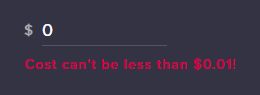
says it can't be less than .01
so set it to .01 and just leave the enable box unchecked to not use?
clever mango
greater than 0 is what I meant
junior glacier
why does changing the size of my alert box not change the size of the text that appears with it so its still in the alert box
clever mango
.01 is minimum, yes
unique ore
kk, thanks @clever mango
clever mango
Text has it's own settings and doesn't scale with the boundary of the alertbox
clever mango
There is a section called Text Settings in the left panel
junior glacier
but where is the layer for the alert text
clever mango
weary mist
there isn't a layer, its just the text settings of that specific alert (cheer, tip, host, etc)
lament blade
Would like to setup something where people have to be following for "x" time before they can chat. Is that something I do via StreamElements or is that Twitch side?
Thanks
clever mango
Twitch
 native horizon
MOin Kennst sich jemand mit obs aus kann leider nur auf deutsch schreiben derzeit
weary mist
@ebon forum
 ebon forum
@native horizon ich bin schon im Bett, machen wir morgen? ich muss um 6 aufstehen, geht net
 sour forum
Any reason as to why the points people earned on my Leaders Panel suddenly diminished? This happen to anyone else? Any ideas?
unique ore
and ground control app....media keys not working?
junior glacier
Is there a way to make the animation of sliding down and up end at a different place or end earlier?
sour forum
Yeah and constant pop ups of notifications in my stream that I have set to not go off in Offline mode too.
ivory terrace
Is it possible to chage the streamelements bot name? Or is that a permanent feature
nocturne pelicanBOT
@ivory terrace Custom bot name requirements
- StreamElements bot modded and in chat
- Active overlay with alerts
- StreamElements tipping page in the panels below the stream (!panels)
- Create a twitch account for the name you want to use
- Ground Control app must be running
Steps to enable custom name
- Sign in to https://twitch.tv with the bot account
- Install and run Ground Control (!gc for download)
- Visit https://twitchapps.com/tmi/ and generate an oAUTH token
- Copy/paste everything in the box to Ground Control oAuth settings and enter the name for the bot account
- Restart Ground Control (custom name may take a few minutes to take effect)
narrow coyote
Just let us know if you have any other questions, or any issues renaming your bot
narrow coyote


 dapper ferry
how do i get followers to pop up with super themes
every time someone follows, nothing happens
lament blade
Hello @tight harness i need your support
tight harness
Answered your DM @lament blade
 heavy junco
Hey guys. Ive tried uninstalling, reinstalling, and rebooting my computer and every time i launch ground control nothing appears.
nvm i got it. i used revo uninstaller to delete everything. its working now.
uncut condor
hey hey, am tweaking (always tweaking) and was wondering if I'm missing an option for custom CSS for a text widget .. I have latest sub, tip and bit usernames, and want a different border, shadow combo rather than the generic one. Got to get that pop.
Shame the animation settings dont seem to work with the text widgets either. Would love a sub name to bounce out then bounce in.
weary mist
at the moment, there is not an option for custom CSS for the text widgets in the editor. But if you put those text widgets into a seperate ovrlay, you can use the OBS CSS to edit it
 tranquil iris
I have used song request but not media share and I will almost never use media share. please tell me, and please actually mean it, that eventually here, we will be able to just use song request if we need to? for example currently, if i hit X on the box in Ground Control for media share, it will keep a box there that says YOU HAVE NO MEDIA TO SHARE. we should be able to get rid of that. it's a pointless box that just sits between the video and my playlist that i'm trying to keep an eye on and manage. I know you're re-doing GC or something and have other bugs to fix first, but it bears mentioning. I surely won't be the only one who weighs the options and decides NOT to use media share
weary mist
No one is forced to use media share. Right now, GC doesn't support the brand new system we put into place for Song requests/Media share. Ground control is next up on the list of things to upgrade, so you will see that fixed in the coming weeks
uncut condor
Thanks Scalper. Yeah my aim is to ensure a pure overlay experience, unless I utterly can not do such. This is mainly to assist when travelling to events because dear gods. #OneSceneToRuleThemAll
weary mist
haha, I agree. I do know there are plans for an Overlay Editor re-write, though that will take a while. Doing a lot of revamping this year to make it all better than ever 😃
 loud hatch
idk whats going on
my widgets not updating at all
not even on my events
it wasnt doing it auto
i had to refresh it on events list
clever nimbus
If I were to move my alerts from Muxy where I get a download of followers etc and use OBS to display Latest follower, Latest Sub, etc, Does Stream Elements download that to my PC? I use a custom intro screen that uses that data and would need it?
weary mist
We use cloud based widgets, so you set them up in our overlay, and have that overlaying your intro-screen with that information. These will live-update as new information comes in. Our goal in StreamElements to get as much off your computer and onto our systems as possible
clever nimbus
So, I would lose my custom intro screen data.
weary mist
depends on how you have it displayed. Are they dancing and moving about the screen, or stationary
clever nimbus
They slide in from the left. One of the Nerd or Die ones. I use one of his alerts for my follows, hosts, subs, etc. That is why I use Stream Elements for everything except that. I can’t customize the follows here with the stuff he does.
Love the concept of Stream Elements....just wish I could customize a bit more. Thinking of moving everything over to get the custom bot name. But I want more customization.
We’ll see.
weary mist
We have custom CSS available for alert boxes and such, you can easily use his stuff here
clever nimbus
Nice
weary mist
its just the text widgets themselves that are different
clever nimbus
Is there a video on how to do that here that I could watch
If that is the case, I will move all over
weary mist
The custom CSS stuff doesn't really have a video, as that specifically requires certain knowledge. You can turn it on for alerts in the alert box settings
there are some small changes necessary between muxy and here, but it should work. I had a friend convert
clever nimbus
Ok. I can just copy over the CSS stuff from muxy I would imagine
weary mist
and he said he was able to switch everything
clever nimbus
There is also some HTML stuff I have to do on Muxy to i belive
Ok.
Good to know.
I love a lot about StreamElements that was the last bit I hadn’t moved over.
 slender linden
its been around three days guys and still havent fixed the hotkeys :/
weary mist
@slender linden As it has been said many times already, They will be fixed once the rebuild of ground control is finished. Ground Control as it is does not support the new system
 dense hound
I'm having trouble fitting my webcam image inside the overlay box on my stream. Both are set to 16:9 but it still doesn't fit. I'm also having some difficulty importing my alerts information from Stream Labs OBS to Stream elements. It just says "error" when I use the chrome extension. Could anyone help me out with that?
narrow coyote
make sure you are logged into both the SE and SL dashboards
for the webcam, you should be able to resize it in OBS with the little control handles around the webcam source
dense hound
thank you, that fixed half the problem, I wasn't logged into streamlabs in my browser, it now imported my alert box, but I still don't see any follower information on my dashboard and also no information on my overlay "recent follower" button
as for the webcam, when I use the control handles on the edges to make the images the same size, the overlay box is wider than the webcam an there is black gaps on the outsides
 dry hare
dense hound
dry hare
dense hound
ok awesome, thank you, the webcam looks good
can anyone tell me why stream elements doesn't have my recent follower/sub information after importing from stream labs?
weary mist
We don't actually import that information from StreamLabs, only tip and alert box information. If you want, you can manually add the information for the "latest" widgets, and the recents will populate as events come through
dense hound
thank you
lament blade
i have the problem that every alert runs the sound 2-3 times at the same time
but only the sound
the gif/video not
narrow coyote
do you have the shutdown when not visible set on your browser sources?
 main stone
one of my viewers can't redeem certain items on my stream, even though he has way more than enough points to do so - noone else is having problems with that particular redemption... thoughts?
 elder sorrel
Did you limit how many times viewers can redeem an item?
elder sorrel
I don't see your twitch account connected to your discord to view your store.
main stone
even though he has like 10x the ammount required
narrow coyote
main stone
try now - twitch account is thork_foe
 tender salmon
Anyway to transfer points after a name change?
pine hemlock
Transfer, no. The channel owner can give the other account points yes
tender salmon
Fast replies, thanks. Shame SE doesn't have a migrate command and/or isn't running off UserID yet
stuck hamlet
running off of UserIDs would cause double the API calls
and Twitch got upset at us on Friday about our API calls regarding loyalty
so it's like 
tender salmon
Would reduce db clutter from old names, but yea if Twitch is getting upset about it, not much you can do
stuck hamlet
db clutter isnt the issue tho
elder sorrel
Huh, that is strange, @main stone Did the viewer change his name? I heard that resets points. If not, I'm out of options which SE Staff should be able to help with 😅
stuck hamlet
it's really the double api call
main stone
word. Thanks for taking a look ;-0
stuck hamlet
if you've looked at the Twitch API, they dont store the ID with the username. 
narrow coyote
@main stone can that same user redeem other items?
tender salmon
ah, well not having the name synced with the UID on Twitch's side is definitely a problem
stuck hamlet
who is the user?
main stone
bloodsangltp is the twitch name
stuck hamlet
whats he trying to redeem?
main stone
got to crash, long run in the morning - thanks for taking the time to look into it though 😉
my 'fyeah' redeem
stuck hamlet
Alright, well have him try again when you see him
main stone
won't be until tomorrow, but I will report back Thanks!
stuck hamlet
👍
 delicate citrus
with the new media request, why can the backup list only have 50 songs
narrow coyote
thats only temporary, should be back up to 200 soon
delicate citrus
I was also been having and issue with media request where when i make it cost currency there is no message anymore when ppl dont have the required amount like it use to with song request
 slow sonnet
hi is there a way to get StreamElements to whisper the user who uses the !points command? it creates lots of spam in chat and id like to know if there was a way to minimize that
clever mango
@slow sonnet Yes, edit the points command on the dashboard and expand the advanced options. You can change from reply to whisper.
 arctic palm
Does SE support sound effect commands?
slow sonnet
i cant seem to find the advanced options ;x
narrow coyote
@slow sonnet @clever mango can correct me if I am wrong, but you might need to make a custom command to see this option
you can disable the default command, and make a custom !points command
@arctic palm You can make a stream store item for a sound, and make a command that till trigger it
@dense jackal shared this example earlier for a sound effect item he has, happy
clever mango
@narrow coyote @slow sonnet Yes, that's correct
uncut condor
is kappagen broken .. trying to trigger a test explosion on subs .. no workie it seems
stuck hamlet
@delicate citrus yes it does work. What seems to be the issue?
clever mango
@uncut condor It's working here. Which overlay of yours are you working in? I'll take a look
uncut condor
working on generic 1080p .. i changed it to use chat emotes that worked
am poking .. have my mod team in zoom chatting as I do this 😃
clever mango
Ah, so it is working now?
uncut condor
emotes are coming through when typed .. but a triggered sub event seems to not be triggering the emotesplosions
clever mango
Ok, I'm going to test some emotes if that's ok
slow sonnet
@narrow coyote thank you ❤
uncut condor
go for it
but as I said
it's the explosion
trying to trigger that to occur with a sub
narrow coyote
no problem
clever mango
@uncut condor I'm seeing them here in the editor and OBS when I emulate a subscriber
uncut condor
dagnabbit
I'll reopen
LOL the bouncing of bits when you reopen is amazing .. just, nope, all thrown off screen hehe
OKay, reloaded and it's fine .. thanks ugh
clever mango
 simple frigate
my sub alert is not working?
uncut condor
There's no way to control the duration of a kappagen explosion huh
analog grotto
Is there a way to accept any cryptocurrency donations ?
clever mango
@uncut condor I believe it's a shared setting with the chat emotes duration.
@analog grotto yes, check out 1upcoin
analog grotto
Can that be integrated with stream elements ?
clever mango
@simple frigate what isn't working specifically? Are you receiving the sub in the activity feed? Did the person share their sub in chat?
!share
@analog grotto Yes, it will show alerts when you receive donations through them
simple frigate
@clever mango the sub doesnt pop up when someone subsd to me
clever mango
Are you receiving the sub in the activity feed? Did the person share their sub in chat?
simple frigate
im no getting any suby activint in ground control nor the sound popped up
nocturne pelicanBOT
Twitch prime (new and resub) and paid subscriptions (resub only) must be shared in chat manually by the person subscribing in order for the subscription information to be sent to StreamElements. For twitch prime, the user needs to have sharing enabled on https://www.twitch.tv/settings/prime. For paid subs, if the share box doesn't show up immediately it will when they refresh the page. https://i.imgur.com/VNJN0Uv.gif https://i.imgur.com/2297EA7.png

 clever mango
Are you subscribing? The person subscribing needs to follow those steps above
clever mango
I have read your message. I understand what you are saying. I am asking you if the person who subscribed to you shared their sub in the chat. That is required.
simple frigate
no he didn share it
clever mango
This message needs to show up in chat for Twitch to send the sub to us
clever mango
Please have them share and it will work.
clever mango
All good now?
simple frigate
yes we solid
clever mango
👍🏽
clever mango
First, type in at least .01 in the cost-per-second for media request settings
then disable viewer requests
delicate citrus
i did that, but is still says the songrequest is controlled by module settings and wont let me disable it
clever mango
If viewer requests is disabled the !songrequest command is disabled
lament blade
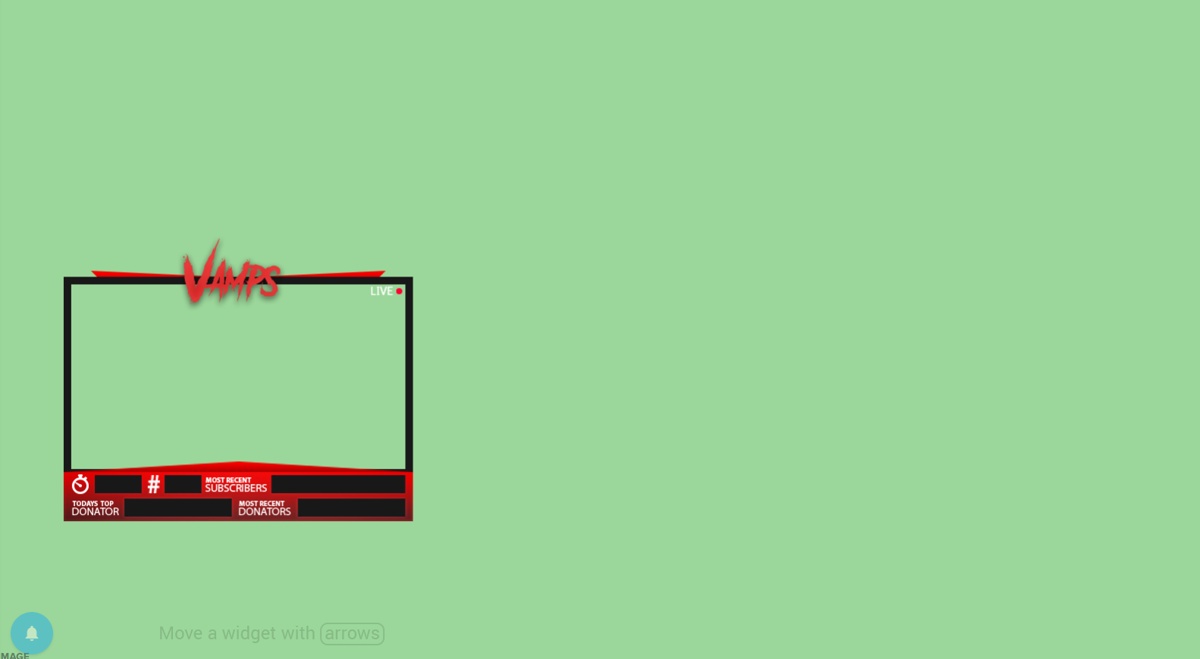
i have a question how would i add latest follower and donations and timer to my webcam https://i.gyazo.com/thumb/1200/fc6db76f95f9bafe8db96065e778fe59-png.jpg
 lament blade
i have yet to try it thanks
 fickle shard
I've made an overlay but it doesn't show on stream what do I do?
 vapid badge
@fickle shard Does it show up on OBS ?
fickle shard
I'm new to streaming so I don't know much
vapid badge
No worries ! You should have a software which allows you to broadcast your stream like OBS or xSplit ! Do you have any of those ?
fickle shard
I'm on ps4 until i get a PC is it not supported?
dense jackal
We just can't put our overlays on places without browser sources, if consoles made it so you could add a browser source then we would be compatable 😄
 limpid scarab
It would be nice to have overlays for console...
dense jackal
Ree at microsoft and sony to add more complicated streaming software
limpid scarab
Actually there is a way if you have a laptop or desktop, which is to screen share the PS4 to the laptop/desktop and then use the window capture source in StreamlabsOBS
it can sometimes cause a drop in frame rates tho
dense jackal
So most popular streamers who use console use an elgato capture card
limpid scarab
And a Stream deck
dense jackal
which captures the game from console onto their PC and they can edit from OBS
 somber breach
how doth i add an overlay to xsplit game caster?
dense jackal
yes but the elgato is key for console streamers, the stream deck is extra
somber breach
cos im a derp
limpid scarab
From what I know if you have them both the elgato can be just used for saving recordings and you can use the Stream deck to just stream
dense jackal
I believe our people who know xsplit are asleep atm @somber breach but do you know how to add a browser source?
dense jackal
eh you can but elgato's recording software is inferior to OBS in my opinion @limpid scarab
limpid scarab
yes
somber breach
not even sure what a browser source is
i just watched her video
and copied the text at the top
limpid scarab
I use the StreamlabsOBS @dense jackal because I find it more user friendly and I had a problem when trying to use it last time where the sources would'nt work
problem with OBS
dense jackal
So when you create an overlay with our system, it has it's own personal link. You can then add that as a source in your xsplit to display it. The type of source you want to add it to is called a browser source.
lament blade
@somber breach the add a overlay to xsplit is add source and webpage file and then you have to resize it once you add it
dense jackal
@limpid scarab I don't know much about how their system works, but I've heard it is the same as OBS just make sure you are setting them up correctly like so
!multi
nocturne pelicanBOT
Make sure to :ballot_box_with_check: “Shutdown source when not visible” for all browser sources (all OBS scenes). If using studio mode, uncheck “Swap Preview/Output scenes After Transitioning.” Also keep in mind that sound can play from any overlay loaded in the browser (editor or launched). https://i.imgur.com/FegZJQS.png https://i.imgur.com/yY0wcFl.png
limpid scarab
Yeah everything is set up right I have the overlay and some widgtes
somber breach
@lament blade im using xsplit gamecaster where do i put the link?
limpid scarab
I actually have the Black and Gold overlay from StreamElements gallery and I did a little editing to add a few things
lament blade
@somber breach idk then i am using broadcaster not gamecaster
i figue it should be same no
somber breach
its a bit different sadly
lusty yacht
For ground control, how do I adjust the sound for songs? The volume icon just mutes when I click it.
lament blade
@somber breach you mind send gyazo file of sources maybe it can help me find which source
limpid scarab
I am playing a rerun stream and I just looked over at it and I noticed I by passed a supply drop in Fortnite that was maybe 5 feet away from me. Idk how I missed that.
 north coral
I need help with my Alert box. It works with everything except for Hosts and Raids. Those just wont show up or give me the notification. Anything I can do?
limpid scarab
on StreamElements?
north coral
Yeah
nocturne pelicanBOT
@north coral
Twitch doesn't have a "notification system" for hosts (unlike follows, subs, raids, etc.) so the only way for StreamElements to know that you are being hosted is to connect through you to twitch. This connection is made on:
- SE Dashboard page - https://streamelements.com/dashboard
- SE Activity Feed page - https://streamelements.com/dashboard/activity
- Ground Control desktop app - https://streamelements.com/groundcontrol
Please have one of these open during your stream in order to receive host event notifications.
unique ore
Ground control keyboard media keys not working with the new player? And no shuffle option now?
north coral
Alright, thank you
limpid scarab
huh I seem to get those alerts when I am streaming my talk session
maybe I thought I did
north coral
I never had one of the links above open, that might be why
dense jackal
@unique ore It's a concession we had to make for what we wanted to do on the website atm . We are rewriting ground control so we can get all of that back 😄
limpid scarab
I haven't seen those links... I am going to check them out
unique ore
@dense jackal ok, just making sure. Like how you got the names for backup playlist now so...
dense jackal
Yeah it's very common mistake @north coral @limpid scarab you usually should haveone of these links open anyways for your stream as it's just your activity feed
limpid scarab
I'd like to start getting the views I have on Twitch to get some on YouTube too
from total
lusty yacht
Anyway to adjust song volume on ground control?
limpid scarab
Thx. I started on YouTube A few weeks ago and started videos last week and only have a total of 5 views on YT
I think I need to record some more Fortnite
dense jackal
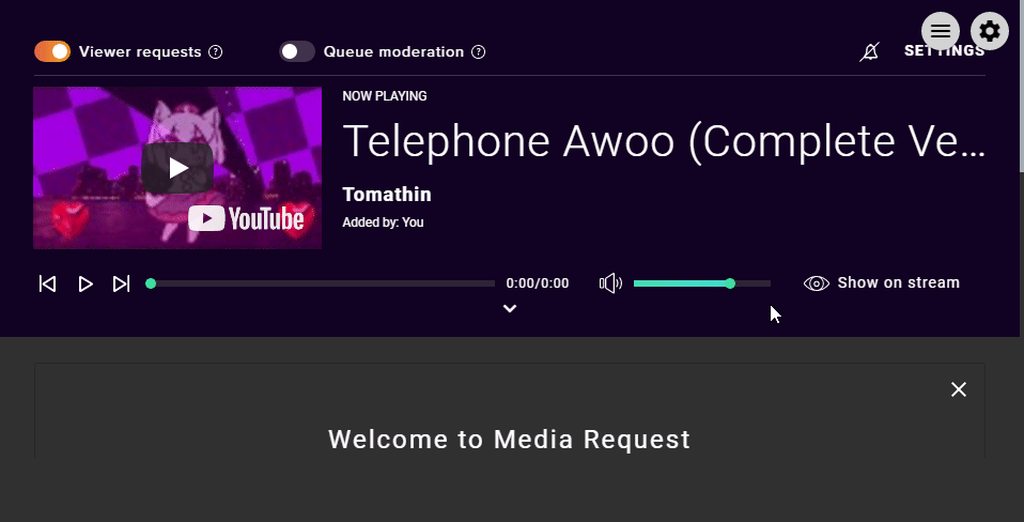
https://i.imgur.com/NifQm02.gifv @lusty yacht
 lusty yacht
Mines not showing the volume bar next to it lol 😭
lusty yacht
....... made it full screen..... window was too small. Was default size....
dense jackal
Yeah in that small of a formyou can see the speaker it can go mute from there but you need to expand it a little to adjust the volume
or you could have volume mixer pulled up
lusty yacht
Lol
lusty yacht
Yup, the quickest support too.
somber breach
can someone give me the store video
its just not loading for me atm
link would help 
dense jackal

Setting up StreamElements is easy, learn how to in this video, hosted by Twitch Partner GIRLvsDUMB - Got any questions, or just want to say "Hey"? Join our D...
 flat hare
quick question: Whats this "custom bot name" in the ground control app?
Nevermind, I understand! Holy shoot thats OP!
wait, I dont actually understand lol. I thought I did
 atomic hollow
😃
nocturne pelicanBOT
Custom bot name requirements
- StreamElements bot modded and in chat
- Active overlay with alerts
- StreamElements tipping page in the panels below the stream (!panels)
- Create a twitch account for the name you want to use
- Ground Control app must be running
Steps to enable custom name
- Sign in to https://twitch.tv with the bot account
- Install and run Ground Control (!gc for download)
- Visit https://twitchapps.com/tmi/ and generate an oAUTH token
- Copy/paste everything in the box to Ground Control oAuth settings and enter the name for the bot account
- Restart Ground Control (custom name may take a few minutes to take effect)
atomic hollow
!rename
flat hare
Thanks!
also I just did that by fiddling around with it, the custom name im using is a couple "o"s short, do the names have to match?
Had a bot account I used for Ankhbot (now streamlabs chatbot) lying around lol
also, any reason why my keybinds for songrequest arent working in ground control? I set them to ctrl+pageup/pagedown
gentle imp
yeah names have to match afaik mate
regarding the hotkeys, it's being worked on, not sure how it is atm
flat hare
The name pops up with the one I chose in my chat even tho its wrong. also Hi
so the hotkeys just straight up arent working?
gentle imp
oh it works? 😮
strange lol
yeah, at least from what I've seen ppl reporting
there was a rework on songrequest that actually broke a lot of things
flat hare
Yeah, I nearly creamed myself over it earlier lol. I dont know whats broken, but I really appreciate the song name in overlay actually pulling from the backup playlist
flat hare
appreciate the help! 😄
gentle imp
anytime when I know more about it i'll keep u posted
flat hare
Id appreciate that!
 royal lagoon
anyone who can help me?
gentle imp
we'll do our best, what's wrong? 😃
gentle imp
on plug.dj it shows the name after u join a room, on dubtrack is the same, it's also on the url
for instance https://www.dubtrack.fm/join/nightcore-reality room name is nightcore-reality
 nimble pendant
Hi there, I have problems with my StreamElements, everytime I would like to change the follow msg, it says "There was an error updating this module" and I have this problem for weeks now. It happens with every module I have :S
atomic hollow
ill take a look
gentle imp
same thing @royal lagoon https://plug.dj/the-chillout-room for instance
royal lagoon
text to speech?
atomic hollow
@nimble pendant fixed
your host message was empty
you cant save an empty message
nimble pendant
oh, thank you very much 😃
atomic hollow
gentle imp
what about TTS @royal lagoon there's is the option to activate it 😃
clever nimbus
To get media player to be heard on stream and to do song requests does there have to be a widget? If I send all pc sounds out to obs and I have the playlist playing won’t it be heard that way?
What’s the widget for
winter zenith
if you want to Display the video
the sound will be heared wothout sending it to the overlay yes
clever nimbus
Thsnks
winter zenith
But if you want to share the Video on stream its easier to put the widgit in 😃
clever nimbus
Thanks
winter zenith
No problem
 spiral pine
how do i add a bot moderater??
atomic hollow
/mod streamelements
atomic hollow
tight harness
@spiral pine Did you figure it out when you went to that link ⤴ or do you still need help?
spiral pine
i found it thank you
tight harness
Awesome
royal lagoon
HEY TRYING TO UPLOAD A PHOTO WONT LET ME :/
tight harness
What browser are you using?
royal lagoon
edge
tight harness
Could you try another browser like Chrome?
royal lagoon
k
spiral pine
question, i use a Webcam, and in OBS is pops up at 1920x1080 then i rezise it to fit into the overlay square
what are some sizes that i cna make the overlay square
in the editor
too that the webcam will fit perfectly when i shrink it
gentle imp
you don't want a square overlay, nor we have one
spiral pine
i mean
gentle imp
or you mean square skin for camera
spiral pine
the square that goes around the webcam capture
gentle imp
ahh, most overlays have 4:3 camera placeholder, check if there's none hidden
 elfin lava
Need Help: i those the Blue moonstone animated super theme and i edited it and saved it so now i have it in My overlays. How do i export it so i can use the theme?
nocturne pelicanBOT
@elfin lava To add your overlays to OBS, add a new browser source in your scene. Paste your overlay URL in the browser source properties, set the dimensions to 1920x1080 (unless you changed them on the website), and :ballot_box_with_check: “Shutdown source when not visible” https://youtu.be/KDvLynUqXI4
gentle imp
on each overlay there's a link that you need to copy/paste on obs browser source
or that ^^
tight harness
😄
elfin lava
Thanks
tight harness
No problem
 shut pumice
hello guys, i'm a streamer but i stream on ps4 because my pc is very bad, and i activeted the alerts through streamelements but the hosts not working
gentle imp
for hosts/raids to work you need to have dashboard open or Ground Control
that or StreamElements dashboard open 😃
shut pumice
raids work only host not work 😦
gentle imp
and you setup the host alert on bot module?
shut pumice
yep
gentle imp
then just have to do what I said above for it to work 😃
shut pumice
i tried to disable and enable but not change
nocturne pelicanBOT
Twitch doesn't have a "notification system" for hosts (unlike follows, subs, raids, etc.) so the only way for StreamElements to know that you are being hosted is to connect through you to twitch. This connection is made on:
- SE Dashboard page - https://streamelements.com/dashboard
- SE Activity Feed page - https://streamelements.com/dashboard/activity
- Ground Control desktop app - https://streamelements.com/groundcontrol
Please have one of these open during your stream in order to receive host event notifications.
weary mist
@shut pumice please read above 😃
shut pumice
the problem is when i stream with ps4 bacause i don't have che capture card and i have the chat on the tv
this is one example
instead the raid appear on the chat 😭
weary mist
yeah, there is no way aroudn that right now. Consoles don't have the software yet to be able to stream with overlays
nocturne pelicanBOT
@cerulean knoll Make sure to :ballot_box_with_check: “Shutdown source when not visible” for all browser sources (all OBS scenes). If using studio mode, uncheck “Swap Preview/Output scenes After Transitioning.” Also keep in mind that sound can play from any overlay loaded in the browser (editor or launched). https://i.imgur.com/FegZJQS.png https://i.imgur.com/yY0wcFl.png
tight harness
@shut pumice They're telling you the right information
weary mist
@shut pumice Please read the information the bot said. you HAVE to have the activity feed open on the website for the hosts to be detected
that is the ONLY way we get the alerts
shut pumice
if i open the ground control, i can see the message on chat?
weary mist
yes. If you have ground control open, the system will be able t get the host information from twitch, and it will alert in your chat
shut pumice
ok ty ❤ ❤ sorry the miss understanding but i speak english very bad 😦
weary mist
no problem. glad we got it through
shut pumice
😃
 spring cliff
need somehelp with the applications for step #3, what exactly do i have to do?
 winter moss
Hello 😄 - short question: is it possible that redeeming an item (in my case a sound effect) via the store page (not in chat) does not consider the cooldown?
tight harness
@spring cliff Step 3? 🤔
spring cliff
can you join voice?
tight harness
@spring cliff Juggling a lot of tasks currently, chat would be better
spring cliff
okay its the step where its for the tips in my stream, Have you set up tips through StreamElements (1) and added your tipping page link (2) to the info panels section below your stream? *
what exactly do i have to do to set this up?
tight harness
Go to Tipping > put in your PayPal email > choose the minimum amount you want people to be able to tip > choose whether you want users to have to sign in with Twitch before tipping > Choose where you want to enable tipping presets (suggested amounts to tip), you can also set the suggested amount to tip in general next to the presets > set your currency on the right
gentle imp
also make sure you add one twitch panel with the tip link
elfin lava
When i emulate a tip,follow,cheer or anything the sound comes on twice. How can i fix this problem?
gentle imp
@spring cliff here https://streamelements.com/dashboard/tipping after you setup all that up, you scroll down you will see a button saying "open my page", click that to get the link
winter zenith
@spring cliff no on StreamElements Dashboard
tight harness
nocturne pelicanBOT
@elfin lava To add your overlays to OBS, add a new browser source in your scene. Paste your overlay URL in the browser source properties, set the dimensions to 1920x1080 (unless you changed them on the website), and :ballot_box_with_check: “Shutdown source when not visible” https://youtu.be/KDvLynUqXI4
gentle imp
that will sort your problems 😉
spring cliff
thanks again guys i appreciate the help 😃
winter zenith
No problem
elfin lava
Oh lol, i had sound coming from obs and StreamerElements at the same time
tought i closed obs XD
 calm arch
hello! so I'm trying to get media share to work in my streams but for some reason my settings won't save and when i add media in manually it says i don't have the widget on my overlay which I do
gentle imp
yeah, mark shutdown source when not visible too on all browser sources
@calm arch fill in pay per second part so it saves
calm arch
oh! @gentle imp I'll try that haha
spring cliff
so after that is done do i justr copy paste the tipping url to my twitch?
gentle imp
cost per second I mean @calm arch under songrequest settings
to your twitch panels yeah make a new panel for it @spring cliff
spring cliff
okay ty
winter moss
Hm I will try my question once again as this got really annoying yesterday in my stream and I have no idea whether the problem is a configuration issue or not: is it possible that redeeming an item (in my case a sound effect) via the store page (not in chat!) does not consider the cooldown? I set the user cooldown to 300s per item and global to 120s but subs can redeem it almost instantly again. Any idea what I'm doing wrong?
gentle imp
first time I hear of such a problem @winter moss 😮
spring cliff
once again thanks for the help y'all i really do appreciate it!
gentle imp
you're welcome
winter moss
@gentle imp I checked my history yesterday of redeemed items and they were only seconds apart - from the same viewer
@gentle imp and they all played on stream
gentle imp
I'm not doubting you, just thinking what could make that happen 😃
winter moss
@gentle imp I'd love to know 😄 It was kind of "noisy" yesterday when everyone figured that out 😄
tight harness
Global cooldown is just for that one item, so they can use other items during the cooldown of the ones on cooldown
Global cooldown does not extend to other items
gentle imp
I had someone on my stream redeeming something kinda like that, I just didn't check how long it took
winter moss
@tight harness Oh that explains it! That's kind of unfortunate then ... with a cool down of the redeem command you can at least "mimic" my desired behaviour but only in chat - that's a pity 😦
@tight harness and I assume there is no way to disable the store page, right?
winter zenith
Not really
winter moss
@tight harness and make redeeming in chat only
winter zenith
but you could set other items also on a global cooldown
gentle imp
or set a higher currency on items
winter zenith
^
 really?