#helpdesk-twitch
1 messages · Page 239 of 1
 winter zenith
But I think thats not possible atm 🤔 maybe ask in developers or something? Or look through the possible variables of StreamiElements bc maybe I am missing something
 uncut quarry
I did but that list is very small and barely has anything that helps me aside from the ${user} thingie
But thanks anyways
 lament blade
Does anybody know or can help me with setting up my obs ?? and twitch ??
sure can bro 😃
@lament blade
can you help me ??
come in voice support @lament blade
yeah i'm in
no
my obs
ok i think i have TeamViewer 12 ?? or something
do you need password ?? or nah
We have video tutorials on how the get started on streamelements
 honest flint
!panels
 nocturne pelicanBOT
Twitch's official help guide for Panels: https://help.twitch.tv/customer/portal/articles/2416760-how-to-edit-info-panels
 vestal crater
is there any reason why my viewers get "not enough points to redeem" when they have 10k points and the cost of the item is 999?
 glossy wagon
Custom bot name is so difficult to achieve ...
 atomic hollow
@vestal crater hey
vestal crater
hi!
atomic hollow
can you please check if this user changed their name recently?
if they did please tell him to logout and back in to SE
vestal crater
oh sorry imean
my viewers get it when they try to redeem in my shop
they have to log out then in?
I'll let them know 😃
atomic hollow
give me a user as example please
vestal crater
I understand what you mean sorry xD
yea he changed his name a while back
@atomic hollow thank you for the help 😃
atomic hollow
np 
lament blade
wich game cs h1z1 ?
 pine hemlock

atomic hollow

 spiral pine
is there a !join command
not the raffle one thats default
but like a join queue for viewers to play with me
pine hemlock
Not currently a feature
 storm ledge
Is there a way to give the StreamElements bot a custom name?
sorry just saw the instructions on that one in the pinned messages
spiral pine
do you guys know if youll add more themes in the future?/
pine hemlock
@storm ledge 
@spiral pine we're adding themes all the time. Generally for holidays and new game titles that have a large impact and are games that will stay relevant
spiral pine
ohhhhh, yea im hoping for some more rainbow six siege ones lol
 hushed ice
Hello, is there a way to transfer a full list of my quotes from Ankhbot (streamlabs bot) to streamelements?
 plain gorge
i know there is a way i done it before but cant seem to find it, where is the place where i can reset my tip goal?
 wide plume
@hushed ice top right cornet on your dashboard, click on import
hushed ice
oooooh sweeeeet, do i have to make the file or can i just find it in the bot already made?
wide plume
i think you'll need the csv file
pretty sure it's the file that got exported out of the bot
 modern glade
afternoon everyone , i want to add my own sounds to my alerts but i cant find nothing on how to do that , can some help me ty in advance
wide plume
@modern glade go to your overlays, edit the one you want to edit, edit the alert widget (or add it by clicking on widgets tab -> alertbox) and you can click on the cogwheel next to every type of alert to edit them
modern glade
ok i got that but i have no sounds there , where can i get sounds
wide plume
when you click on the cogwheel next to a type it'll pop up with Advanced settings wher eyou can change the image or set a video, under that you can adjust the alert sound volume and below that you can change/clear the sound

 narrow coyote
you have to import the sounds
You could get sounds from somewhere like https://www.myinstants.com/index/us/ or another site, or use something like audacity to make sound clips from sound sources you already have
 narrow coyote
you have to import sounds
modern glade
its not letting me drag&drop the files irs saying ( Supported formats are: .png, .gif, .jpeg, .jpg, .mp3, .acc, .wav, .ogg and .webm
its not even letting me upload them what so ever
wide plume
what's the format of your file
 serene granite
are you using Google Chrome ?
modern glade
no im use Microsoft edge
modern glade
well then this is going to be a waste
i dont understand why everyone only does thing with google and leave every other browser out
wide plume
because Google Chrome is the most widely used browser by everyone, by far
besides, it's not like SE is purposefully leaving out every browser, the site is just optimized towards the most widely used browser, which is google crhome
modern glade
well for the people that not useing Chrome , like myself ,and if i want to use Streamerelement i have to use Chrome and Chrome it dont like my system
 ebon forum
@modern glade A simple clean install of Chrome with just Google, Twitch and Streamelements logins (and nothing else) would work. You can still use Edge for everything else and Ground Control for notifications live, just use Chrome for the setup process.
modern glade
i will give it a shoot cause i like Streamelement
last time i tryed was wiuth windows 7 and i never put it back in , so im trusting you folks and streamelement is a bomb
ebon forum
modern glade
ok so now i have to go and download Google chrome
ok another Question do i make this my Delfault Browser?
ebon forum
Not if you want Edge to start when you open links etc
default browser is just default - that will be used for example for links here. you want Chrome just for 3 things - Google (login, if at all), Twitch login and StreamElements dashboard
So you can actually use the editor etc
modern glade
oh ok i got you , this is just for twitch and Streamelements
ebon forum
yep. you will not need Chrome to run, just when you make changes to StreamElements etc.
modern glade
ok i got Crhome installed
ebon forum
Just log into StreamElements and use the editor as you want 😃
ebon forum
No idea, if there is no download button, it can get tricky.
But there is a download button for each sound, tried a few - go download them 😄
modern glade
i dont see no download
modern glade
if i click on it it plays but no download
ebon forum
And what happens when you press the huge blue "download" button?)
ebon forum
what do you mean by empty, when you press download on that page - it will download a soundfile
modern glade
i cant even download the sound
ebon forum
But that page works, specially with Chrome, check your Chrome downloads
modern glade
i dont know where the downloads are
ebon forum
Ctrl+J in chrome
ebon forum
So what did you do on the site, just download the sound from here as an example:
https://www.myinstants.com/instant/roblox-death-sound-effect-2459/
it works, just tested it again, if not - you have something messed up on your PC that i can't see.
modern glade
ok how did you get to that Page
ebon forum
to what page? just open sounds that you like
ebon forum
yeah because it IS a different page
modern glade
how did you get to the download
ebon forum
Open sounds that you like in a new tab or new page and there is your download button
modern glade
ya how did you do it
ebon forum
by klicking on the name of the sound?
ebon forum
Yes. Get familiar with Chrome for a couple of minutes, it is dead simple, but you should know how to open links when you stream 😃
 thorn gazelle
<@&382267076632379392> Need help with my stream. I posted a pic last night with my settings, viewers that hosts me should recieve 200 points. But seems like they only get 20. (not even sure if those points are the ones from hosting) www.twitch.tv/snarud
 tight harness
Were they hosting you for at least 1 viewer?
thorn gazelle
no, 0
tight harness
That'll be why
thorn gazelle
possible to change that?
 pearl light
 weary mist
yes
anyone can gift subs. But if you are talking about a free sub, that is partner only
lament blade
k
spiral pine
soo i was just hosted
and it didnt show up on ym alerts
and it wasnt announced in ym chat by stream elementsw
but it was announced by twitch
weary mist
@spiral pine do you have the activity feed open, either on the site or through ground control?
 nova copper
Hello guys, maybe there is some progress on mobile app for streaming?
 dense jackal
@nova copper Still being worked on heavily 😄
nova copper
atleast someone working on it 😄 will it be finished fater 2 month? @dense jackal
 twin mulch
i would like some help
dense jackal
No ETA but it's being completely re-written from the old app @nova copper
whatsup @twin mulch
twin mulch
im trying to setup my twitch layouts
i currently had streamlabs for my alerts but the layouts i found i like on sreamelements have he links to elements alerts can i sync my alerts from streamlabs onto streamelements
 clever mango
Mobile streaming app is in testing. It will be available for android soon™. iOS later this year
lament blade
hi can you help a noobie, im confused to what is wrong an where
dense jackal
It would be easier to just use StreamElements @twin mulch 😄
twin mulch
ok
clever mango
@twin mulch we make it easy to import your streamlabs alerts and donations https://chrome.google.com/webstore/detail/streamlabs-export-to-stre/ieknafncicchjncjiegckipdjnakialh
Open both streamlabs and streamelements dashboards in two tabs before running the extension
twin mulch
@clever mango its still not showing my follwers and stuff in streamelements after importing
dense jackal
@lament blade what did you do to get that?
clever mango
Past events are not imported. We start receiving events from twitch beginning the moment you sign in for the first time.
twin mulch
oh ok
lament blade
@dense jackal im having issues with sl points an wanted to switch to this an i get this when i click the twitch icon. i just tried yt an that authorised
clever mango
You can edit some data such as most recent X from this page https://streamelements.com/dashboard/session
And then as activities happen these widget data pages will fill up automatically
dense jackal
So you can't connect your youtube account @lament blade ?
or just when you click your logo in the top left it says that?
@lament blade my coworker looked into it and as @tight harness said before "You made an account for Twitch and an account for YouTube instead of adding your YouTube to the account you made for Twitch "
Both accounts are already linked
also you may want to delete that picture as it has your emails
but up to you
lament blade
@dense jackal its not showing anything under LOYALTY or BOT ive done the import thing also
i have no members showing or staff?
lament blade
im going to check my twitch see if i can see anything linked as im still getting the linked to different account error
thorn gazelle
I notice a huge difference on my fps using overlay and not using overlay. anyone got any suggestion how i can "simplify" the overlay so that i can still show the "important" stuff on the stream without the huge loss of fps?
I mainly stream games that needs higher FPS. which is why this is a big problem
 slim cairn
Using animated overlays take up a lot of cpu, therefore lowering fps, are you using a static overlay?
thorn gazelle
Static
narrow coyote
do you have kappagen?
slim cairn
Can you go into your browser source settings and see if "shutdown sources when not visible" is enabled?
If it's not, enable it on all your browser sources
 timber gorge
I got 5 tips from the same user today, but only 3 shows up in StreamElements, the other 2 only shows up in PayPal. Nowhere to be seen on the website or in alerts. Is that because of some limit or is it a bug? I don't have tipping moderation on.
thorn gazelle
I do have kappagen, does that take alot of cpu even when there's no emotes being used on the stream?
@slim cairn i have shutdown sources enabled
slim cairn
Yes Kappagen is known to take a ton of cpu
thorn gazelle
OBS shows that i use max 8% cpu even when !kappagen are active
atomic hollow
@thorn gazelle make sure you dont choose the "use entire screen" on kappagen settings
it saves a lot of CPU
@timber gorge please DM me the username
ill take a look tomorrow in our logs
thorn gazelle
@atomic hollow Id love to keep Kappagen, the viewers loves it... but i mean, if it gets rid of the fps problem, id switch it out any day
atomic hollow
no
you didnt understand
just disable that option and make the kappagen box a bit smaller
so it takes 90% of your screen
it saves a lot of CPU usage
thorn gazelle
What about moving text, like donation etc
atomic hollow
that doesnt do anything
animations, kappagen and hypecup
these are the "heavy" widgets
thorn gazelle
Okay
Ill keep it really simple then, aslong as there's notifications when viewers redeem shop , follow , donate , subscribe im happy
Thanks for the help 😃
atomic hollow
sure, try the trick with kappagen, it will help
lament blade
Why isn't my bot working in my channel ??
clever mango
@modern magnet the #welcome and #creative-chat channels would be better places to get advice on that 😃
@lament blade the bot is responding to commands in your channel. By the way your discord profile lists an inactive twitch channel but I found your new one
 modern magnet
@clever mango thanks
lament blade
@clever mango so the bot is in my channel ?
clever mango
lament blade
thats my channel
clever mango
yes, it's there
clever mango
that's the number of lines within 5 minutes
The chat line requirements are very high
clever mango
Timers within the bot section
lament blade
there it is
its not gonna post them aall at once if i set them to post every 30 mins
ya know what i mean ?
clever mango
I'll have to check on that
 random hound
hi, is there any way to include the song request to a discord server?
clever mango
Not at this time. Possibly in the future when we release a discord bot.
 tall pike
lament blade
tall pike
lament blade
Since the Subscriber Goal Widget is bugged or something is there something else I can use it its place to show sub goal
clever mango
@lament blade the subscriber goal widget is a simple counter that increases on subs/resubs. If the current number is not accurate you can edit it from Activity Feed > Widget Data > Goals
It's not going to always reflect the total number of subs because that's not what it is designed to do
That is what the total subscriber widget is for
The goal widget is made for short term goals like a daily or weekly sub goal
Hope that clarifies things 😃
 drowsy dune
Is there a streamelements latest subscriber chat command
 rapid osprey
I'm having troubles with linking my overlay to my OBS. Can anybody help please?
nocturne pelicanBOT
@rapid osprey To add your overlays to OBS, add a new browser source in your scene. Paste your overlay URL in the browser source properties, set the dimensions to 1920x1080 (unless you changed them on the website), and :ballot_box_with_check: “Shutdown source when not visible” https://youtu.be/KDvLynUqXI4
rapid osprey
I already did but nothing seems to happen when I try to do that.
narrow coyote
do you see your overlay in the settings for your browser source, like do you see the preview of it?
rapid osprey
I have to zoom out in the browser to make it fit in my screen.
narrow coyote
im talking about like this here
rapid osprey
I can't even add a browser source. I can only add a media source but I don't know if that's the same
narrow coyote
what version of OBS are you using?
rapid osprey
21.1.0
narrow coyote
then you should be able to add a browser source, if you click the + on the sources, it should be like the 3rd one down
unless maybe there is something preventing the browser source plugin from loading properly
narrow coyote
well, it is for sure missing, possibly it was not installed properly, or something like antivirus might be blocking the browser plugin
rapid osprey
But I don't have an antivirus :/
nocturne pelicanBOT
For the best OBS support, please join their discord where OBS devs and support volunteers are available all the time discord.gg/obsproject
rapid osprey
anyway, thanks for helping
narrow coyote
clever mango
Reinstall OBS studio, making sure to select the browser source plugin during install
rapid osprey
thanks @clever mango . Now that you mention it, I disabled that because I thought they were add-ons in my browser.
weary mist
@rapid osprey @narrow coyote you will need to re-iinstall
 gray umbra
Greetings everyone, I have a small question. Is it possible to make a notification appear by StreamElements in chat when someone follows, subscribes, or donates
like something in chat saying "insert person name here just subscribed/followed/ donated $x
narrow coyote
The chat bot has a chat alert module that does this
gray umbra
so it's automatic?
narrow coyote
as long as the module is enabled
narrow coyote
narrow coyote
no problem, let us know if you have any other questions
gray umbra
certainly 
 twilit rain
Is there any way to ban a song in the songrequest via a command (or even add the currently playing song to the banned songs list and go to the next song)? Or will I need to develop that functionality on my own using the StreamElements API?
clever mango
@twilit rain There is not. Please add this idea to https://strms.net/ideas and we'll see if we can add it to the system since it's currently being rewritten
pine hemlock
lament blade
When I have "Link Protection" on people that are not subs can still post links? Help?
twilit rain
@clever mango Done; thank you.
lament blade
For the twitch PayPal is it business or personal
pine hemlock
@lament blade either works. Business hides your personal name.
@lament blade bot isn't modded so it can't timeout anything. Unless you're using a custom bot name, then it's something else
lament blade
Ah ok @pine hemlock it just depends on if I want my name to be seen or not where it shouldn’t be shown in either to the stream
twilit rain
Another question; is there something that needs to be done for the song queue to auto play the next song in queue after the previous one is done. Currently the bot is stopping after the song is played and not playing the next one until I manually skip the current one.
clever mango
I believe that is a bug with the current system. The new system will be rolling out later this week so bear with us 😃
It's entirely re-written and much better. Check #297092117933719552 for a tease
 desert dome
 cloud plinth
Songrequest keeps pausing after every song and I have to manually go into ground control and click on the next song. How do I fix this?
pine hemlock
Read the message by Terra two messages up @cloud plinth
cloud plinth
Oh okay lol thanks
pine hemlock
@desert dome don't believe so. It's a payment. The fee is built in by PayPal. The only way to avoid it would be by giving the user your email directly and having them sending it as friends/family
 safe zenith
hello, i just changed the name of my channel...and i noticed that the streamelements bot isnt working in chat
i looked into streamelements and it appears to have the name change and all
clever mango
@safe zenith part the bot, log out, log back in, and join the bot
 sharp horizon
hello
i have found a overley but
if i will add on obs the will look as the overlay is zoomt in
how can i fix that
atomic hollow
@sharp horizon make sure the resolution of the overlay matches your OBS browser source resolution
lament blade
Is there a way to change the SE Bot name in Twitch Chat?
sharp horizon
the overlay is 1080p that is breed 1080 and high 720 i think
atomic hollow
!rename
nocturne pelicanBOT
Custom bot name requirements
- StreamElements bot modded and in chat
- Active overlay with alerts
- StreamElements tipping page in the panels below the stream (!panels)
- Create a twitch account for the name you want to use
- Ground Control app must be running
Steps to enable custom name
- Sign in to https://twitch.tv with the bot account
- Install and run Ground Control (!gc for download)
- Visit https://twitchapps.com/tmi/ and generate an oAUTH token
- Copy/paste everything in the box to Ground Control oAuth settings and enter the name for the bot account
- Restart Ground Control (custom name may take a few minutes to take effect)
 copper mural
I was wondering if anyone knows how to get a recording from stream labs obs
 stuck hamlet
This is StreamElements 
 vapid badge

 tepid cosmos
!gc
nocturne pelicanBOT
Our Desktop App Ground Control: https://streamelements.com/groundcontrol
 vernal pike
Require assistance please. My host alerts haven't been going off at all as of late. follows/donations/bits all work fine. host works fine when I test it from the overlay dashboard, but when I'm actually hosted, nothing
nocturne pelicanBOT
Twitch doesn't have a "notification system" for hosts (unlike follows, subs, raids, etc.) so the only way for StreamElements to know that you are being hosted is to connect through you to twitch. This connection is made on:
- SE Dashboard page - https://streamelements.com/dashboard
- SE Activity Feed page - https://streamelements.com/dashboard/activity
- Ground Control desktop app - https://streamelements.com/groundcontrol
Please have one of these open during your stream in order to receive host event notifications.
 gentle imp
yeah, you need to have always StreamElements dashboard or Ground Control open for host alerts to work
lament blade
is there any way to do "bets" like i play a racing game and i would like to set a bet if i win or lose?
lament blade
Thank you
how do i start one? whats the command?
or do i have to be in on the site?
stuck hamlet
You have to do it on the site.
lament blade
Whats your download and upload?
 cloud path
Hi, i changed my username on twitch and reconnected SE & SL but the last donation doesn't update in my overlays
stuck hamlet
kellylark_ is your new name?
If you'd like your tipping widgets to work properly, you would have to use our tipping service.
It is an import from StreamLabs that we offer, not an integration.
 wispy bison
Is there a way to have my personal emotes in a command prompt?
stuck hamlet
Gift the bot a sub, or contact twitch to get a free sub on the bot (usually only partners can do this)
wispy bison
Thank you!
 brazen moon
hi 😃
winter zenith
hello 
brazen moon
so i have this media share widget on my overlay, im testing it atm, how do i make it not show up ads on the videos ?
winter zenith
thats currently not possible :/ we are working on a new Songrequest system right now 😃
brazen moon
ah okay
winter zenith
a good work around is to Screenrecorde the Video to media share. so you can disable the adds on your own
its how I do it for now
brazen moon
are u busy atm ? can u check my stream ? see if its the same adds
its just in the bottom
winter zenith
you should link your twitch in your discord mate 😃
brazen moon
i dont have discord :S
winter zenith
its a swedisch add for "gratis" bla bla
brazen moon
its only some songs
winter zenith
and what I ment is to link your twitch profile to your Discord profile so I can easalie get to your channel. no server needed :3
brazen moon
oh
brazen moon
might be
brazen moon
ya think u are right
winter zenith
not might be it is so 😃
SE doesnt put adds on stuff
like I said if you want to Mediashare its best for now to screengrab the Video capture from the SR site or from groundcontroll
so you can delete the adds
brazen moon
not exacly sure what u mean when u say screengrab etc, i use obs and overlay editor on streamelements and groundcontrole
winter zenith
you can record a section of your screen in obs
not the whole desktop but just a section of it
If you select the GroundControlls window where the Video is playing you can delete the add in the window in ground controll so it's not showin the add on stream
 restive rose
Hey guys, is there anyway to get TTS with the tips with just using streamelements?
narrow coyote
You can enable TTS in the alert widget in your overlay. When you select the widget, and go into the tip alert, you should see the TTS settings. You can also create a variation for the alert, if you want the TTS to be a certain amount required
restive rose
Cheers mate 😃
narrow coyote
restive rose
❤
Okay, sorry to be a pain but one more thing - Do you know why my recent donation is showing all recent donations instead of just the most recent one?
winter zenith
you have to change that in the Overlay Editor of the overlay you are using 😃
some people like to display more then One last donator
you just have to delete the variables from the Settings of the "Top donator" widget
 ivory halo
hy guys
ebon forum

ivory halo
don;t know what happend i can't use raffle command
on my channel
i used alots today , but aprox 1 hour ago stopped
got only this message
Unrecognized command: /raffle
ebon forum
well, try that in the chat again, i'm in the channel right now, i see your chat.
 tawny pivot
hint: !raffle 
stuck hamlet
double hint: not /raffle
 whole stump
Is there a setting or method in StreamElements to display BTTV emotes on the chat overlay?
dense jackal
like on top of the chat widget @whole stump ?
whole stump
Yes
whole stump
This is for emotes typed in chat to appear as emotes instead of the words, yes?
dense jackal
I thought he meant emotes over the entire chat
 whole stump
Ah, yes
stuck hamlet
BTTV emotes should display automatically. try doing !emotes update
in chat, and refresh your overlay
and try again
whole stump
Okay, thank you.
 safe crown
Hey im having a problem with ground control. ever time some one adds a youtube link it adds a trailer for "the end of the f***ing world" nextflix show
winter zenith
 wtf?!
wtf?!
never heard of that before...
Is it also added as a spot in SongRequest?
or just like an Add
narrow coyote
Disable twitch setting to delete hyperlinks
@safe crown try this ⤴ it was reported before, and this seems to be the solution
safe crown
alright ill try it
 trail marlin
Hello! I signed up for StreamElements after I already had a few followers on Twitch. Not my follower count is lower than what I actually have. Can I update that somehow?
narrow coyote
Where exactly is your follower count lower? Signing up for SE should have no impact over followers at all
 floral stirrup
I think he's talking about a follower goal counter via an overlay. I've had that problem before too
 safe kettle
Is there a way to give someone moderation privileges for my streamelements account?
wide plume
go to your dashboard, scroll down to bot section, click on user management and add a user there
@safe kettle
narrow coyote
⤴ These are for the dashboard manager levels, and it sounds like that is what you are looking for @safe kettle , not just the chat levels, like viewer, sub, regular, etc https://www.youtube.com/watch?v=zl_h-ttZDF0
lament blade
When someone has time will someone help me setup everything because im confused af
 manic lava
Hey! Is there somewhere I can check how many times my commands are being used?
thorn gazelle
<@&382267076632379392> Anyone else having trouble uploading files to their streamelements account?
tight harness
On any particular browser?
thorn gazelle
Chrome
vapid badge
What's the problem ? @thorn gazelle
 narrow coyote
@lament blade have you checked out any of the videos on getting started? What part are you currently stuck at?
thorn gazelle
This is how it looks like when i try to upload a png
dense jackal
What does it look like after you actually upload it?
thorn gazelle
Doesnt get added when i click "upload"
dense jackal
🤔
tight harness
Did you click Select Files?
Then mouse over and Submit it?
Because Upload just opens the menu to choose your files to upload basically
thorn gazelle
I did the same as ive done for all my other songs / images, tried to both drag in to upload and to click on "upload"
tight harness
I'm assuming you mean and to click on Select Files, because clicking on Upload doesn't upload them
thorn gazelle
Upload>Select files> select the file > open / double click the file > https://gyazo.com/e122f6dde87a85e9060fb1707f36778b > Blue upload button > Nothing happens
wide plume
@manic lava if you go to Chatstats on the side, you can open your stats and it'll display your top used commands in there as well
tight harness
Did you mouse over and click on Submit after the things you listed?
thorn gazelle
Correct
tight harness
So it is showing as in the list of things on the website?
tight harness
Ohh 🤔 because you said you clicked on Submit but if it's not there then you can't have
thorn gazelle
Oh, i gotcha now
tight harness
What file type is it?
thorn gazelle
No, i havent clicked submit, because the img is not uploaded
PNG 5,29 mb
I find it very weird, as i can upload other files. except this one
I can upload other png files aswell
 manic lava
@wide plume THX ❤
narrow coyote
the open original in discord is not displaying the image for me in the browser 
thorn gazelle
I guess i could try to save it as jpeg, but that looks horrible having the cam being above the img 😫
narrow coyote
naw, jpeg is gross, how did you save this png?
thorn gazelle
PS
tight harness
Not loading for me either
narrow coyote
and you just did a save as, or save for web?
narrow coyote
you can try that, should be the same quality, it seems something may have gone a miss with the save, as I would expect to be able to open it from discord as well, and the image appears fine in discord, transparency and all
narrow coyote
tight harness

thorn gazelle
By the way, while i got u guys here, what's the best option. Use the overlay in SE? Import the img there, then put the cam in OBS, or to use image from my pc and cam in OBS?
Wow, im tired. horrible explained
I struggle with fps when i use fancy overlays from SE - im trying to simplify the use of overlay and widgets
narrow coyote
I would say import the image into the overlay, so you can add the widgets where you want on the image you set up. Adding that image to the overlay should not really add any more overhead to the overlay itself
things like kappagen, and animations are the real heavy hitters
thorn gazelle
Okay, cheers!
narrow coyote
trail marlin
@narrow coyote on SE, my dashboard says I have 24 followers for the year, when I actually have 32.
narrow coyote
that will only show the followers you have gotten since you started using SE
trail marlin
Ok. No way to change that?
narrow coyote
I do not believe so, but let me double check because I am not 100% on that
lament blade
can someone give me the links to the videos i can watch
narrow coyote

Setting up StreamElements is easy, learn how to in this video, hosted by Twitch Partner GIRLvsDUMB - Got any questions, or just want to say "Hey"? Join our D...
lament blade
thx
narrow coyote
lament blade
how do i get the stream elements obs
 marsh ginkgo
There is a slobs
 sharp thistle
Hi everyone. I have a question! I'm trying to set up an Alertbox for my Twitch stream. I have everything working with the exception of the audio.
When I get a follower alert, the sound and image appear in the StreamElements Editor without issue. However, on my stream, only the alert and image appear. The audio is not present within my actual stream. Anyone know how I can solve this issue? Thank you so much in advance.
(I've tested it and my game audio and other random audio plays).
lament blade
I could have sworn someone said there was an SE obs
narrow coyote
there is slobs, but it is just a fork of OBS, and updates on it are slow. Its best to use OBS Studio. Their last update was a major update for Browser Sources, and that benefits everyone
lament blade
what is slobs
narrow coyote
Stream Labs OBS
narrow coyote
you should just use OBS Studio https://obsproject.com/
lament blade
ok i already have it downloaded
narrow coyote
@sharp thistle it sounds like the audio is not being captured by the audio source that is being used for your stream
lament blade
😦 my obs wont update
narrow coyote
so even if you are not streaming, and have obs up with the scene with your overlay, you can trigger a test from the overlay editor, and this should trigger the sound. If you do not hear it in here, it will not show on the stream, and you may need to add an additional audio source to capture this audio
lament blade
now it worksa
sharp thistle
Thanks Kite. But I do hear the sound in the StreamElements overlay editor.
narrow coyote
right, I am talking about your streaming software, like OBS
that is where the audio is actually coming from on the stream.
sharp thistle
Gotcha
lament blade
ayo, guys. I need a little help with my overlays (3).
narrow coyote
Yeah, it should be coming from an audio output, like speakers or headphones
sharp thistle
I did that, and now I do hear the audio on my stream 😃
However, now I hear an echo from OBS
narrow coyote
you will also hear if from OBS, I find that useful, so I pay attention to my alerts. You can use the volume mixer to turn down OBS audio, that is what I do so they are not too loud for me
sharp thistle
What I mean by Echo is
When the sound plays, my speakers here it
so it plays again
lament blade
thats what happens to me
lament blade
my mic hears my ingame
narrow coyote
well, i would expect a dual sound from the overlay editor, unless you muted the overlay editor when you tested. If you mute the overlay editor, and test it again, do you still have an echo?
sharp thistle
no, the sound simply doesnt play
it could be because i have a delay
actually i dont...
huh
Ugh, i think i know the issue lol
im testing my stream
so i have my stream open on the same device
derp
lament blade
hey @narrow coyote is there any way I can make sure that i can keep all of my sources constantly visible without the alerts duplicating sounds?
narrow coyote
not sure i follow exactly what you are asking
sharp thistle
thanks for the help
lament blade
voice chat?
narrow coyote
cant, im at work
lament blade
oh sorry
narrow coyote
@sharp thistle no problem
lament blade
basically, I have 3 different overlays. I don't want the loading time when i switch scenes. I have to make them turn off in OBS when they're not live otherwise the alert sound plays 3 times. Any way I can leave them on and ditch the sounds?
Thanks
narrow coyote
@trail marlin I double checked, and it is not possible to modify the follower count on the dashboard.
Well, you will want to use the shutdown when not visible option for your browser sources, otherwise they will run in the background, and cause issues like this, as well as just eat up more resources than needed
with OBS its best to use studio mode to avoid the loading transition
!studiomode
nocturne pelicanBOT
Check out this tutorial for OBS’ studio mode which allows you to preload scenes before transitioning. https://www.youtube.com/watch?v=W8iWsD2Lq3U
lament blade
@narrow coyote ohhhhh thanks, so much!
narrow coyote
no problem
 mystic yarrow
hi id like to make my game look exactly like the screen twitch chat sees if they go full screen
anyone know any good way to do that ?
 vital wyvern
@mystic yarrow could you explain alittle more in detail about how you want it 😃
mystic yarrow
ok id like top open up a game of hs
have my chat overlay on the left and my camera on the right
while being able to play the game by clicking the screen
i already have a chat overlay and a camera configured
is that possible @vital wyvern
tight harness
Are you using OBS?
mystic yarrow
yes
tight harness
OBS captures your webcam, you add the chat overlay as a browser source, what's the problem? 😄
mystic yarrow
id like to open up the game in full screen
and still have the chat overlay over the game
tight harness
Ohh, no that's not possible
mystic yarrow
is that an obs limitation or just no one ever made that ?
tight harness
At least there's no way I can think of doing it, if there is it's nothing to do with us 😄
My guess would be that no-one ever made it
mystic yarrow
ah i see thanks for your time anyway
tight harness
mystic yarrow
you guys are the obs devs ?
vital wyvern
if you want to see the chat there is a popout function on twitch
weary mist
I haven't totally played with it, but you can try right clicking on a scene and going projector
mystic yarrow
yea but can i have it over a fullscreen thing while clicking on the full screen thing ??
weary mist
It's tough, because you have to also keep focus on the pc with the game you are playing will looking at a different screen
@vital wyvern not what he was asking ;)
vital wyvern
ah
mystic yarrow
@weary mist yea i know you can do that that gives me the screen i want but i can no longer feed the game my inputs
weary mist
Yeah, that is what I haven't played around with. I have seen it down with a console and capture card, so it's possible, just have to work out the logistics of a one PC system to get that
mystic yarrow
so youre saying it might be out there but you arent sure how to do it , or your thing doesnt support that function at all
weary mist
We don't have a thing to support that (we are not OBS). I think the software is there to do it, I just don't know how you would do it. You could ask for ideas in discord.gg/obsproject
mystic yarrow
@weary mist i thank you
 lofty tusk
I don't know if this was asked or answered earlier in this forum, but is there a way to easily change the colors of a theme from the theme gallery?
lament blade
I don't think your able to edit the themes in the gallery that SE supplies
dense jackal
I believe you can change them to your wish as long as they are used through our services
lament blade
Oh yes I forgot about the editor 😆
dense jackal
like you may edit the color and such once in obs
but not download and use our overlays elsewhere
lofty tusk
yea I've tried downloading overlays so that I can color change in photoshop but never worked. I've heard terrible things about the recoloring through OBS so I never tried it. I'll give it a shot to see how I like it. It would be a really cool function if the editor allowed for additional color options, or at least change the text that comes in as an image for "starting soon" or "stream ended" to something editable like the social media texts.
 untold estuary
Is there a way to set up a daily new sub (not resub) goal?
dense jackal
I don’t believe so at this time @untold estuary
 last kite
so um
I have a problem
there's like half of all my recent stream's stats that are missing
does anyone know what's wrong/why it doesn't show up?
I have the same thing on my twitch summary, it says I streamed for 26 minutes even though I streamed for 1h40m
lament blade
Might be a twitch issue if it's not showing your stats on twitch. Have you checked to see if there is any issues with any of the twitch modules?
last kite
where do I go to check?
last kite
doesn't seem like twitch has issues
I feel like that might be a bug, I've had it happen before too
all the achievements that I got from that stream are there but it seems as if everything that happened from the middle of the stream to the end is missing
lament blade
Perhaps someone can give a better explanation then I can?
last kite
hope so, I'm trying to research this better because this is really frustrating
most successful stream just cut in half
floral stirrup
Yeah, I've that that happen too. It typically ends at a specific hour. Ex. ends at XX:59
last kite
exactly. have you had it fixed later on?
floral stirrup
yeah, but i took a few days for me. Mileage may vary
last kite
hmm. I hope it'll be fixed for me too
lament blade
Perhaps it's a bug that twitch are looking into?
 stone spire
If I set something to subscriber permission leve, does that mean regulars have access to it too?
And is there anyway to reorder those permission values if so
tight harness
Subscriber is 250, Regular is 300 and no
lament blade
I have a question if i had a overlay made by artist and would like import to streamelements is that possible?
tight harness
Of course, Insert Image in the overlay manager
Or if it's a webm video, Insert Video
lament blade
thanks
 wicked stag
Whats the best way to get viewers to be able to play music on my stream
tight harness
Song Requests in the left navigation menu
last kite
I'm not sure if twitch knows about this, although since more people have problems with it I'd assume they know @lament blade
wicked stag
so i got the songrequest thing on, is the bot auto in their? or do i have to add an extension in stream somewerh
lament blade
i am having a issue when i click upload image overlay maker its not uploading the image i want to any ideas on a fix
pine hemlock
@wicked stag Dont understand what you're asking. You need our Ground Control app or the songrequest webpage open for songrequests to work
@lament blade Try using chrome if you arent already
lament blade
@pine hemlock this all i am getting when i upload the image https://gyazo.com/cceb1b765afcd1a57b23a3ab9c6cf937

i am using chrome
pine hemlock
ehhh. what kind of file are you uploading
lament blade
png
wicked stag
I think I figured out the songrequest, thanks guys!
pine hemlock
Are you sure you hit change image, not video @lament blade  I cant replicate it
Also if its still not working i'd try incognito mode
could be an extension messing with it
lament blade
it says set image and i upload everytime still give me that but try in incognito mod @pine hemlock thanks for help
@pine hemlock i am still getting it https://gyazo.com/039a735a1d336cf6d22e44c64473dc06
 pine hemlock
I havent seen this before. @clever mango @weary mist ?
lament blade
ok
 gleaming geyser
hi, so I successfully set up the game capture for fortnite, but the overlay for ingame won't show up. Help please
like the notifications and theme won't come up
 hot hamletBOT
Alright, @gleaming geyser has been warned because 'Mass mention'.
pine hemlock
You probably have the layers on obs set up wrong, the theme needs to be above the game capture
gleaming geyser
ok, how do I fix that?
pine hemlock
above*
pine hemlock
yw
dense jackal
@lament blade is it a photo created in photoshiop?
lament blade
its fix scalper help me
 charred garnet
i just set up a custom command but when i type the command in my chat to make sure the command works it replies with 3 stars
dont know how to fix it
last kite
seems like twitch is updating my stream summary, and streamelements is updating based on that correctly now
weary mist
@charred garnet that is because 1. the setting in your twitch channel is to delete links 2. the bot is not modded
last kite
where can I edit my streamelements panel?
weary mist
@last kite what panel do you mean
last kite
the panel that I put under the channel bio, with bits, subs, loyalty, chatstats and so on
weary mist
right now, the only one I am seeing in your panels is for StreamLabs
If you want to add the panel extension for SE, you have to add it
!extension
nocturne pelicanBOT
Our Panel extension can be added to your channel here: https://www.twitch.tv/ext/uaw3vx1k0ttq74u9b2zfvt768eebh1
last kite
okay, got it, where can I edit which stats show?
for example: I'd like to have the things I just mentioned above
weary mist
Right now, the extension doesn't offer that, it is the basics of what we are going to update it with. We are planning on adding all that you asked for
chatstats and loyalty should be on there already
last kite
yes that is there indeed. do you know when the update with customizations will come?
weary mist
not 100% sure, I just know that it is actively being developed
last kite
when do you think it might be available? or is the update release date unknown
weary mist
we don't like to give dates, just because with tech, anything can break
weary mist
charred garnet
@weary mist u know my brother crazygamer2987 thanks for the help
weary mist
@charred garnet no prob 😃
charred garnet
he says your a nice guy
weary mist
i try to be 
charred garnet
my brother just sent u a message about stream elements but just ignore it we figured it out
weary mist
haha, I already responded 
charred garnet
ya it was about my issue lol
 vestal prism
is there any way for my chat to be on screen and viewable by both me and my viewers?
I don't exactly have any way of checking chat, other than my phone, which heats up a lot and sometimes lags to the point where I can't see new messages
and the simple fact that I may want to use my phones for other things, and my phone has battery life
weary mist
funny enough, that was discussed earlier. It is possible, but its super tricky with just a PC, as you need multiple monitors and to watch one monitor while your game is in a different monitor
vestal prism
oh, ok then I guess I'll just use my old laptop
weary mist
because if you want to keep playing a game, it has to keep focus
weary mist
so it wouldn't be possible right now for you to get the chat overlayed onto your game
vestal prism
any solutions to be able to view my chat?
weary mist
not other than what you already mentioned. You either need a new monitor, or have it up on your phone. If you are doing IRL, then thats simple, just have the chat up
also, I almost bought that printer last year
I only recognize it because of the orange stripped stuff
lmao
vestal prism
dude you should
also, if you have seen pictures of the original, you know I've got it modded a lot
weary mist
haha, idk, I haven't looked in a while. I don't have room right now, lmao
vestal prism
honestly, if you're just starting out in the printer world, I would say get it. The Facebook group is super supportive, and you can get it printing really quickly
weary mist
nice
vestal prism
yea I don't have room for it, and I don't have room for my chat
weary mist
my only thing is I am not creative, so I would need to pay/buy models, lol
vestal prism
I had to design these to make desk space
and I still don't have enough
headphone holder, xbox one controller holder(that I made for the wrong side of the desk), and tool holder
ooh maybe I can make a stand for my laptop
where should I position it if I do?
weary mist
Haha, let's move to #general-chat to not clutter up support
vestal prism
yea, sorry
 toxic parcel
Anyone know of an API for a command to say what the highest viewer count of that stream was?
dense jackal
We grab that for emails but I don't believe that's in our docs 🤔
@toxic parcel maybe finding highest current users as an int during a stream https://dev.streamelements.com/ don't know if possible
lament blade
anyone know the best way to reach out too a audience?
vestal prism
I don't have an audience, but what I've heard is that you need to interact with them and involve them in your stream
 umbral maple
Is it against Twitch ToS to buy a sub for streamelements? I want my bot to use emotes.
umbral maple
LOL OK Thousands of subs huh! I wonder how many emotes? LUL Thanks I just added one more emote.
lament blade
Morning. Does anyone know the whitelist link for twitch clips that I can add into my link protection settings
atomic hollow
clips.twitch.tv
lament blade
Thank you Shadow ❤
atomic hollow
 timber oyster
hello there! I'm kind of having trouble with my subs, the notifications wont show up :c
vital wyvern
@timber oyster do you have the StreamElements website or Ground Control open ? 😃
timber oyster
i got the website open atm
vital wyvern
sweet, you should go on the activity feed , then when you get a sub it will show up 😃
atomic hollow
!host
nocturne pelicanBOT
Twitch doesn't have a "notification system" for hosts (unlike follows, subs, raids, etc.) so the only way for StreamElements to know that you are being hosted is to connect through you to twitch. This connection is made on:
- SE Dashboard page - https://streamelements.com/dashboard
- SE Activity Feed page - https://streamelements.com/dashboard/activity
- Ground Control desktop app - https://streamelements.com/groundcontrol
Please have one of these open during your stream in order to receive host event notifications.
timber oyster
hmm, i might have an idea why it wont work
theres no new activity after i changed my name
but i have gotten subs after my namechange
atomic hollow
yeah that might be true
log out and back in to SE
and also part and join the bot
timber oyster
hmm did that
but the default sub notification from twitch doesnt show up either in chat
thats why im kinda worried
vital wyvern
hm strange
timber oyster
like, atleast this message is suppposed to arrive, but it doesnt, i have contacted them a while back, but their support is not fast, and this is kinda urgent
gentle imp
subs need to share when they sub so it shows up
also, contacting twitch good luck with that, I'm waiting for over a month about an issue
timber oyster
people dont get the share option tho, even after a substreak
winter zenith
then its obviously a error on twitches end 
had the same issue a few weeks back
People resubbed on stream but I didn't got a Alert nor a Chat message
3 days after that the Sub appeared 
timber oyster
its been longer than 3 days now tho
winter zenith
@timber oyster did you contact twitch?
timber oyster
I did last week, still no answer
winter zenith
guesse you have to wait :/ sadly ... twitch support is slow AF sometimes
winter zenith
also very strange...
timber oyster
they have access to my emotes and stuff
winter zenith
@grizzled wyvern wow you made all the steps ! 😄
But I have to ask: JWT Token of your channel? or the Bot channel?
bc the JWT token is supposed to link Groundcontrolls to YOUR Twitch channel
in the Settings (by clicking on the Cog) you can set up your bot channel
lament blade
hello its me again , i just need a lil bit of help, my cup! it keeps emptying itself apart from hosts
winter zenith
and generate the OAuth token (only generate it while logged in to your bots account on twitch)
@lament blade what do you mean by "emptying ?
when you switch scenes? or everytime you start OBS
try restarting Groundcontroll
winter zenith
its a automatic system that tracks if you have all 3 requirements met @grizzled wyvern
@lament blade did you try looking into the Overlay editor? there you can set up how many events should refill the cup
Also, for me it works to redo the Cup had an issue where it wouldn't wanted to fill at all
timber oyster
do anyone know a twitch staff whomst can help me out then, or something like that
winter zenith
deleted the widget and put a new cup in and everything worked fine
@timber oyster sadly no 😦
timber oyster
:/
lament blade
is there a way to save my presets so i dont have to upload them all again?
winter zenith
OH @grizzled wyvern
I think I see whats the problem here
you dont have tipping in your panels right?
I just visited your Twitch and cant find a Tipping pannel
@lament blade you can duplicate the widget to another overlay
see if that works 😃
like I said just now
I think you don't have tipping in your panels
where do you have it?
I am scrolling around your Twitch Channel cant find it
timber oyster
do you reckon if i change my name again, that might fix it?
winter zenith
@timber oyster I think this will complicate things more... just wait for it :/
@grizzled wyvern true...
timber oyster
Yeah, thats what i tought too
winter zenith

gentle imp
@lament blade try clearing cache of the cup on obs, double click it and refresh, see if that helps
winter zenith
@grizzled wyvern I just asked the Developers about your problem
I've been informed that the Renaming feature unfortunately isn't available for Ground Controll if you are using a Mac
gentle imp
it will be there soon™
winter zenith
but Ground Control gets reworked ATM so this feature should be available for Mac soon sometime 😦
 grizzled wyvern
@winter zenith Sounds good and I hope so! Thanks for your help. I really do appreciate it 😃
winter zenith
If you can open Ground Control on a Windows Laptop or something and use GC that way while you are streaming you could have a workaround that way
but its overcomplicating things I fear.... so maybe just be patient :<
grizzled wyvern
@winter zenith Yeh Im afraid I'll have to be patient.. but that is definitely something to think about. 😃
lament blade
something seriously wrong with your cup, its not even emulating a event when i click it
gentle imp
haxx, how did you saw my cup? 😮
jokes appart, did u clear the cache on obs, double click it and hit refresh @lament blade plz
lament blade
did that
gentle imp
same thing?
lament blade
yep
gentle imp
how about browser cache? tried cleaning it up?
and are you using chrome, sorry for all the questions
lament blade
yes im using chrome
cleaned cache
on how many events refill the cup what should i put?
0?
tight harness
How many do you want to refill the cup?
lament blade
they just freeze like this
thats the hosts , nothing else seems to refill apart from hosts
gentle imp
that small I'm sure u can fit a lot, +50
tight harness
In some cases it's worth trying to remake the cup to ensure you have the latest version of the widget
lament blade
i want it so that my cup refills everything that was in there
basically i just want a cup that dont empty unless i click empty cup
tight harness
Yes we understand, that's how it works usually
I suggested something in my previous message
lament blade
ill try make a new cup but ill have to re-upload everything
u dnt make things easy do ya lol
tight harness
Why would you have to re-upload everything?
lament blade
well i have custom things that fall and when i make a new cup they change
tight harness
You uploaded it all before and it's stored on the cloud once you upload 🤔
lament blade
it is?
ok
let me see about a new cup
the cup keeps freezing when i try emulate to see if they work
nothing even drops
or they get stuck in the air like this
tight harness
Even with your brand new cup?
lament blade
before, i just made a new cup and clicked emulate
tight harness
Would you say there's quite a lot going on in your overlay as well as the cup?
lament blade
well its just a cup on the overlay
tight harness
I see, hmm. It technically shouldn't be a problem then, the cup can use quite a bit of CPU because of all the moving parts and physics but if it's just the cup in your overlay it shouldn't be freezing for you
I'll log in and see if it freezes for me on your account
lament blade
ok
 spring valve
hi....is it possible to deactive the chat-answer of the bot for the !redeem-command?
gentle imp
ok, since there's also another reply from bot chat widget
if u enabled that then u would have 2x, but no I tried disabling that too so I could personalize it
 tepid fox
Is there anyway to remove someone from a current give away?
spring valve
sad....but thanks @gentle imp 😃
gentle imp
I'm not sure if it's on ideas board, u can look around and if it isn't suggest it @spring valve https://strms.net/ideas
spring valve
I will do it, thank you
gentle imp
no @tepid fox the only way to remove someone who already won is keeping just 1 giveaway going all the time and tick remove winner from it
again, perhaps something nice to suggest on ideas board as well https://strms.net/ideas
tight harness
@lament blade Am I alright to test events now?
Also, you have recent events set to 0 currently, not sure if that's on purpose
tight harness
There's no freezing here
lament blade
nothing falls in the cup
tight harness
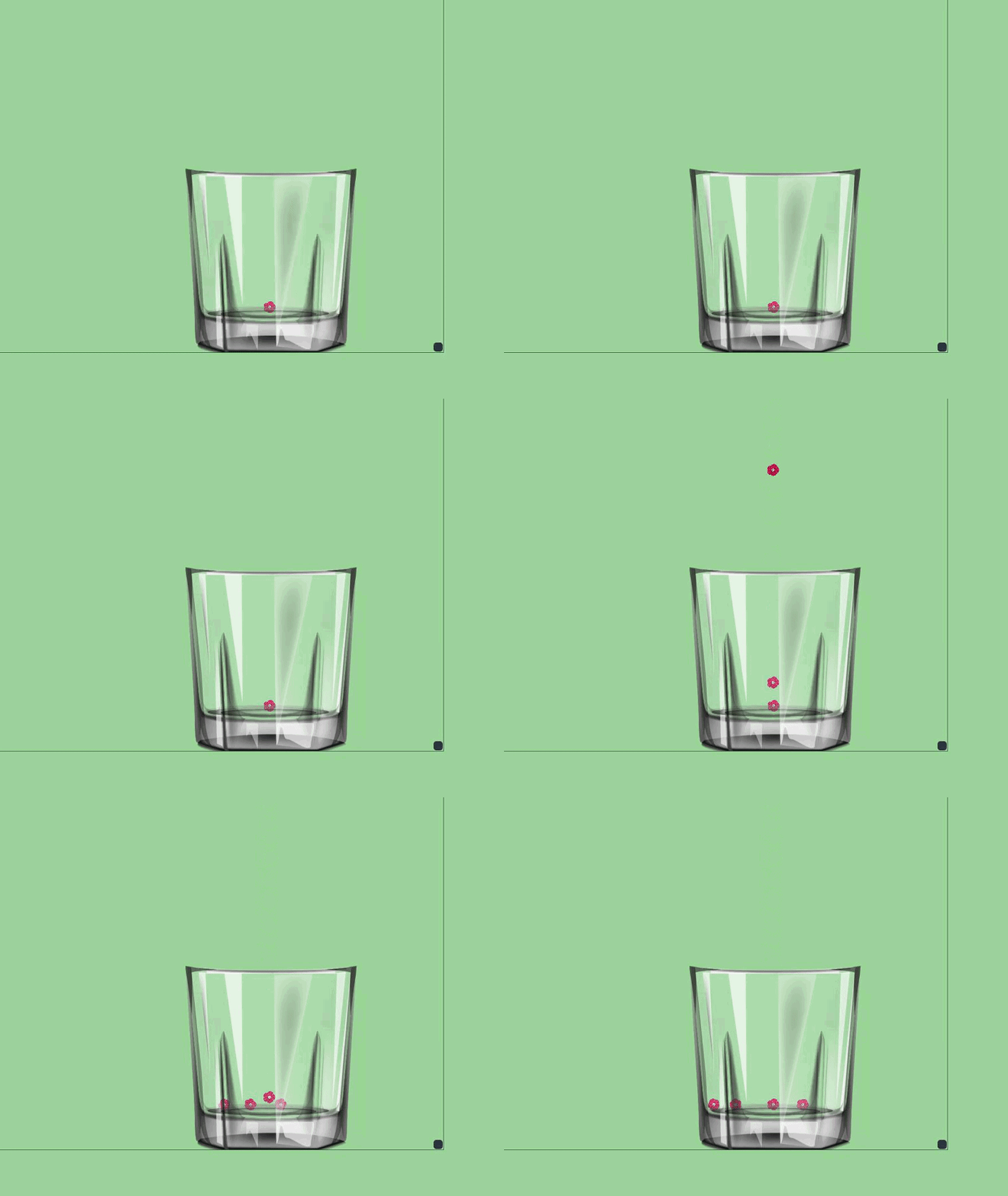 lament blade
oh i see it catching up now
tight harness
I think it's okay now
tight harness
Okay, I cleared it so it's fresh now, and it'll remember 50 of your latest events
lament blade
whenever i start obs up thats the only thing in there
tight harness
Impossible to test without real events, but we'll see now that we've got the cup readded
Let us know how it goes
tight harness
No problem
 timid yacht
How do you set more than 1 community with the community command?
gentle imp
hey @timid yacht on your dashboard u can add others
timid yacht
On SE dashboard?
gentle imp
no, on twitch
timid yacht
is there a way with the command as well?
gentle imp
hehe was just looking at it
usage: !setcommunity Speedrunning or whatever u wish
if u have any community on your communities u can set them there too
timid yacht
I know how to work the command, just not how to add multiple through the command.
gentle imp
hmm, can't make it work either, but anyway u can set that up on twitch dashboard, if u change it with SE command it will change that too
had 3 communities and had to re-add them after using the command
 charred salmon
atomic hollow
charred salmon
atomic hollow

 lilac yew
question , boys, the stream game change command is restricted to use by a person or mods can do it too? in the streams i have tested seems like StreamElements dont recognise a Mod triggered change game command
atomic hollow
@lilac yew supermods and broadcaster only
 tall snow
is there a variable to show sub length in overlay widget? {length} etc, i dont see it listed but seems like there should be. Please @ me thanks!
ok did a search in discord and apparently its {amount}
just so you know it doesnt show as existing variables like tipping does: https://puu.sh/zQxrT/8a55185f50.png / https://puu.sh/zQxsg/d7868dca78.png

 tight harness
Good point, I believe that's been noted before, needs to be updated
gentle imp
strange, it shows for me
or was it a specific widget, not alert box
ahh nvm, latest sub, that ain't supposed to show length just username
stuck hamlet
no, it's suppose to show amount too if wanted. We aren't displaying the available variables, and that's on us.
lament blade
I have an issue: My twitch isn't changing the game category or title when I change it, already restarted computer and waited 5 mins to refresh the page and nothing has worked, any ideas?
winter zenith
what is the new?
and where are you trying to change it? on the Twitch Dashboard or on your channel page?
or with the !title set command?
lament blade
on my channel page
winter zenith
try it from the dashboard
lament blade
is this a me issue or is this a twitch issue?
winter zenith
probably twitch
lament blade
I should be able to change it from Streamlabs obs correct?
winter zenith
Don´t know since I am not using SLOBS 🤷
changing it from Twitch dashboard is for sure the best way to do it
gentle imp
better from twitch dashboard or StreamElements dashboard
winter zenith
^
gentle imp
vapid badge
A Spanish speaker is coming to help @hearty scroll, hold on !
 hearty scroll
spanish?, my English is bad
, how to put command so that the players know how many coins they have
 late bronze
Question: Is it in streamelements also possible to change the amount of space between a range of letters ?
 hot acorn
Hey There, I have a little problem, I know have created 4 different overlays on the website.
- Stream starting soon
- Main overlay
- stream ending
but they all have the same link, can I do something about that?
vapid badge
What for @late bronze ? 🤔
hot acorn
Yes you should can do that, maybe go and press the Spacebar between the letters / sentences
late bronze
@vapid badge so when I have a new donation the username and amount will appear, but the space between each letter will be larger than default
 ripe herald
Hm i don't think it's possible cause it's {name} and it pulls name in font/color/size you choosed but space can't be added
winter zenith
@hearty scroll its !points
vapid badge
yeah, doubt it @late bronze
late bronze
Ah ok thanks for the help.
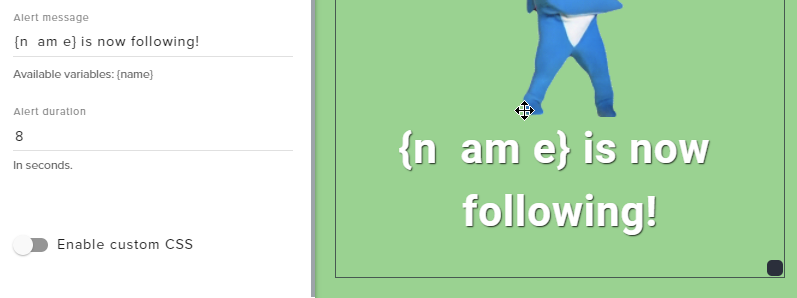


 hearty scroll
Kiwaplay thank you very much
winter zenith
no problem 
@hot acorn the same link?
are you sure about that? maybe its similar but not THE same
try importing your overlays into diffrent OBS scenes
make sure to press CTRL+F while on the overlay to make it Fullscreen (in OBS)
lament blade
What are some of the features u use contests for ? And has anyone used to as a tool to pick people to play multiplayer games with?? How have u done this ?
winter zenith
@lament blade The contest feature is for stuff like the example shows you: Will I win or lose this round?
people can bet points on an answer
and if you won you end it on Won
and if you Lose you end it on lose
 olive lintel
@hearty scroll hola mándame un mensaje directo para poder ayudarte
winter zenith
and then it will pick a person at randome that gets all the points I guesse
@olive lintel i helped him
he wanted to know what Command to use to display points
lament blade
I'm trying to think how. I can use stream elements .... so that they can use their points ... to be picked to play multiplayer games with me... hmm
olive lintel
@winter zenith
vapid badge
@lament blade Set up your stream store !
winter zenith
@lament blade for multiplayer uses I have a Item in my StreamElements store. Where people with enough loyalty points can buy a space to play with me in multiplayer games
vapid badge
⤴
lament blade
Dur dur dur thank uuuu @vapid badge
vapid badge
French @lament blade ?
lament blade
@winter zeniththank uuu
winter zenith
thats great to ensure that only people can play together with you that watch your streams for a longer time
and not just randomes in chat that ask "can I play with you?"
lament blade
Exactly !!! @winter zenith
narrow coyote
@hearty scroll you can also make an alias for !points so !lifepoints could work as well in chat
winter zenith
lament blade
I don't know why I had this moment bahaha, thank u!!
winter zenith
I also have a item where people can pick a charakter for me 
you dont want to know how often I had to play Hanzo in Overwatch... 
vapid badge

lament blade
That's a fun idea!!! Wow my mind just opened to possibilities !!
winter zenith
you can look around in my store if you want to
I am lazy and have the same picture for every item
its a work in progress

StreamElements
The Ultimate All in One Platform for Streamers
(No self promo I know  )
)
lament blade
Thank u!!! @winter zenith i will!! That's the only feature I have utilized for some reason
hot acorn
@winter zenith Yeee, i'm dumb it was the same source in another scene OOF
hot acorn
no 
lament blade
darn
vapid badge
Depends of your desired streaming quality @lament blade !
lament blade
It was sarcasm lol. IK that will do 1080 with 6k bitrate since you only need about 8 up to do that
vapid badge

storm ledge
Hello - I'm live and trying to get Songrequest working correctly - it's not - I've disabled all Link spam protection and unauthorized all of the bots on my channel except for SE and my regular viewers still are getting <deleted link> message - Help please
narrow coyote
it sounds like you have twitch setup to delete links
storm ledge
Nope - I've disabled that
narrow coyote
did you disable it while you were live?