#helpdesk-twitch
1 messages · Page 238 of 1
 dense jackal
 brave sparrow
oh yeah you did 😋 thank you i'll see if it works
 silent sapphire
 weary mist
@silent sapphire at the moment, there isn't one
brave sparrow
@dense jackal i changed the panels donation and recent tips are not showing in the events
dense jackal
@brave sparrow They won't transfer by changing the link but now when people donate through that page they will show up
brave sparrow
so only the old followers, cheers, and subscribers show in the recent events but not old donations?
dense jackal
If there's specific data like goals and stuff you need to change go here https://streamelements.com/dashboard/session you can also import your tips here https://streamelements.com/dashboard/account/import?provider=streamlabs
@brave sparrow They hsow up because we could pull the api from twitch as soon as you signed up, we can't get your donation data because it was going through streamlabs
but there are fixes as I mentioned above ^
brave sparrow
ohhh importing them will do the trick i think. Thank you for the help 😀 @dense jackal
dense jackal
np 
 deft lichen
Trying to get the songlist command to work but its telling me to look in the module, when I go there I don't see it though
 rugged trench
How can I get text to display OVER the image? or are these my only options?
dense jackal
You can use css/html/javascript but the one you have selected should show text over your image @rugged trench
are you going here @DTIII#0686 https://streamelements.com/dashboard/songrequest/general ?
deft lichen
I am, its supposed to be in the settings correct?
dense jackal
Yep
deft lichen
Enable songrequest and enable bot are supposed to be on for it to work?
dense jackal
Try parting and rejoining the bot @DTIII#0686
deft lichen
Ok
dense jackal
@deft lichen Looks working 😄
deft lichen
Request is working yeah but I was wondering about the songlist command
dense jackal
go here and check if it is turned on @deft lichen https://streamelements.com/dashboard/bot/commands/default
It's called songqueue
brave sparrow
I imported 2 too many times so now in the recent events it has multiple donations. Is there a way to remove the extra imports? @dense jackal
dense jackal
@brave sparrow you can remove them here https://streamelements.com/dashboard/tipping/list
rugged trench
@dense jackal Thank you!
brave sparrow
@dense jackal ❤
dense jackal
@deft lichen ah this is a known bug, enabling song request should auto enable that command. Try disabling song request, saving, parting the bot, joining the bot, enabling song request, saving
deft lichen
Tried that and it doesn't seem to be working, thanks for the help though! Appreciate it!
brave sparrow
I need help with top tipper in widgets. It says I have no data on the text even though I imported my donations from streamlabs.
dense jackal
go here and refresh totals and aggregates https://streamelements.com/dashboard/session @brave sparrow
 fair token
Can i get some help plz
dense jackal
whatsup @fair token
fair token
Can you make me the emojis like  these for when you sub
 fair token
No like can you cut a pic and send through private
Like can you cut this
But small @dense jackal
dense jackal
Like next to their name in chat?
or do you want that to just be an emote on twitch?
dense jackal
ah you have to be an affiliate to make a sub emote first
fair token
@dense jackalwhats that
dense jackal
You can make emotes on BettertwitchTV and they have instructions on their website for the correct resolutions you need
@fair token That's what you get before you partnered you need 50 followers nad like 3 avg viewers
dense jackal
I'm good thanks
fair token
@dense jackallol ok bye
dense jackal
you can always come back here and ask any questions you have 😄
 stone spire
How come there is such a big difference in the twitch stats vs stream report for chatters?
 flat frigate
Is it possible to set the permission of a command to "moderator only" within the chat? (not through the dashboard)
weary mist
you can set the level of a custom command using !cmd options cmdName -level 500
flat frigate
What would the numbers represent? I'm assuming 500 is supermod
weary mist
!levels
 nocturne pelicanBOT
Chat/Bot Levels
100 - viewer
250 - subscriber
300 - __regular __
500 - moderator (twitch mods automatically placed at this level)
1000 - super moderator
1500 - broadcaster
Dashboard Manager Levels (least to most access)
Bot Supervisor (can add super moderators from dashboard)
Editor
Full Access
https://i.imgur.com/s61Liry.png
 weary mist
👍
 drifting dew
Hi! So i just installed streamlabs to my teitch and now stream elements and when I tried to import SL to SE it said error occured and that the channel was already linked to a different account
Im new at this 😓
dense jackal
so when you went to import you used the chrome extension and logged into both websites?
and then clicked the extension and it didnt work?
drifting dew
I was logged in to SE on the website, did i need to also be logged in on SL websitev cos i have had it running rn not on the website but the obs
dense jackal
Yeah you have to have both sites pulled up and logged into
drifting dew
Ok let me try that!
dense jackal
cute icon btw 😄
drifting dew
Oh so that worked 😭 and ty!
Does this not import the overlay i got from SL?
It just says the alerts
dense jackal
No overlay just tips/alertbox
drifting dew
Okay cool! And this chatbox, are u able to disable it? I just clicked mute lmao
Or like when I do it myself the song requests it doesnt work
dense jackal
Sorry for the wait I didn't see this @drifting dew what chatbox are you referring to ?
drifting dew
Youre fine! Its that chatbot? I just wanted to enable song requests but i am unable to?..
I dont know much abt the bots or commands
dense jackal
you can enable the song request here https://streamelements.com/dashboard/songrequest/settings
@drifting dew
drifting dew
I have it enabled and when I try to do the !sr (insert name of song) it doesnt work? I gave stream elements or the bot moderation rights ?
dense jackal
What's your stream?
drifting dew
Obisweets
dense jackal
hmm try parting and joining your bot it isn't responding to anything @drifting dew
drifting dew
Ok!
stone spire
Hey guys, easiest way to set a countdown timer command?
dense jackal
it is working now
drifting dew
But the song requests didnt 😦
stone spire
@dense jackal
dense jackal
do me a favor @drifting dew go here https://streamelements.com/dashboard/account/channels and dm me a link with full controlto your channel afterwards you can revoke it
use the variable ${time.until <utc time>}
stone spire
thx
drifting dew
how do i revoke it afterwards?
dense jackal
from the same page there will be a red x next to my name
I can revoke it myself if you like
dense jackal
nah UTC time you can also do a date
dense jackal
nice 
 vale glen
Can anybody help I'm trying to add the shoutout command to the bot I had it in night bot and it worked fine I transferred over when I changed bot but everytime I put !so oh it just comes up with the command that was in night but not the streamers name and their link
vale glen
@gentle imp I pm you it thanks
 gentle imp
yep, on it 😃
 wanton jetty
Whats the prefix for this because [count] isnt working
wanton jetty
still not working 😦
 stuck hamlet
what widget is this?
wanton jetty
latest sub
stuck hamlet
amount should do the trick, i actually played with it today
stuck hamlet
{} and not []?
vale glen
@gentle imp the command works now mate thank you so much for your help you guys are really helpful
stuck hamlet

vale glen
Is there anyway I can add the bank heist game to my bot or just the highest
gentle imp
you're welcome @vale glen glad to help
oh heist are on the plan, we don't have it yet, soon™
there is roulette and some other I'm forgetting right now
roulette, raffle and slot machine
vale glen
i got them but ok thank
 silver patio
Im having issues customising my alert box, anyone free to help?
gentle imp
sure @silver patio let us know the problems
 gentle imp
which theme is that, so I can test myself what we can do
gentle imp
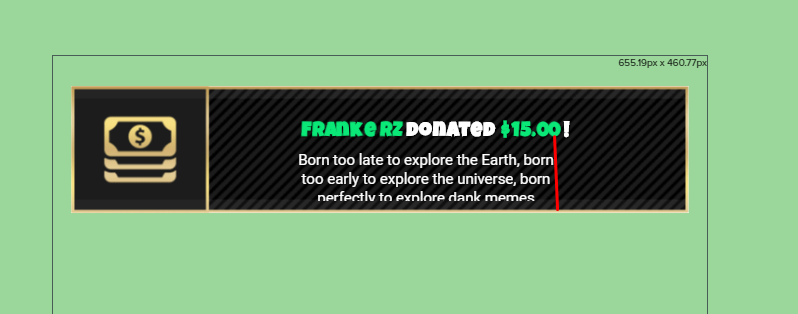
ok, on tip alert, text settings, advanced, u can change width and height
so, for that image I'm thinking you only need to change from 250 to 350 or so
or 370
let me know if it worked @silver patio 😃
 celest temple
Does the sounds for Follow Alerts and Cheer Alerts support MP3?
silver patio
yes
gentle imp
even changing width it won't? 😮
celest temple
Hmmmmmm
silver patio
nmope
gentle imp
strange, it's working for me, try something like 600 width
save, then test
you will probably have to use padding on the left or it will go over the image
also u can tick show message guides so u see the text box
that's what I'm using on all of mine @celest temple
you can also remove size and just play with padding, so box will adjust automatic to text size maintaining the left and right distances @silver patio
once you have one right, just apply same values to the other alerts
 fossil jewel
I need help at voice support
 narrow cipher
Good day.
is there a way I can have SFX, but only have them activated when I am playing certain games, like horror stuff etc? 😃
gentle imp
hi @narrow cipher you can add sounds to store and can be redeemed via a command, not sure how else to set that up
u would have to enabled/disable them according to the game u are playing
narrow cipher
Yeah, I know about the store 😃 Just wondering about the only on when playing Horror stuff part. Thanks @gentle imp
gentle imp
I can't think of any other way to set that up
if u mean alerts, then all u need to do is create a different overlay for those games
 tight harness
It's not an option right now, it'd be possible but it'd also not be particularly simple to setup because how would it know what games are horror games? You'd likely have to input what games you want these SFX to trigger during
 ebon forum
Having an option to disable the shop manually from ground control would be nice, would also be the easiest way without a lot of work behind it.
 slender yoke
I started using the total follower count widget (not the goal) and notice that it is showing more followers than I current have. I can't see anything in settings or data. How do I correct this? Does it update when I go live again?
gentle imp
hey @slender yoke
go to session data and reset it, should display fine then
u can go there while on overlay or https://streamelements.com/dashboard/session
 north glacier
Exactly what i was about to write 😃
gentle imp
go to totals tab and hit reset session
mine was showing 2 more too, those deserters!!! 😛
north glacier
Mine was showing 150 less lmao
gentle imp
lol
slender yoke
thanks @gentle imp
gentle imp
np mate
slender yoke
Question: I'm testing some new subscriber only store item sound effects. It seems as the channel owner, I can test non-sub only sounds, but the sub only sounds I can't test in my stream. Why is that?
tight harness
How are you testing them? Just redeeming them as normal?
slender yoke
I can 'play' them in the store directly, but when I enter the command in chat nothing happens. The sound effects play if I do not make them sub only, but if I make them sub only I can't test them. I'm presuming it's because I'm not technically a sub in my own channel?
tight harness
You are
slender yoke
I take that back. I just made them available for everyone and these new sounds I loaded up are not redeeming.
tight harness
Which ones? Looking at your store now
slender yoke
!style !superbad and !hahahohaha
tight harness
Which overlay are you using and does it have the Store Redemption widget in it?
slender yoke
currently using in game. Yes it has the widget, demonstrated by the fact that all the rest of the sounds are redeemable
tight harness
Try redeeming it for me now
I hear that perfectly fine through the in-game overlay
Figured it out in stream chat 😃
slender yoke
thansk @tight harness
tight harness
No problem
 thorn crystal
Has anyone ever had an issue where using a second, smaller SE source on top of your main overlay caused OBS to crash?
tight harness
No
thorn crystal
Doesn’t happen every time, but I’d say about 1 out of every 10 times I make the second source visible OBS just quits.
 pine hemlock
Check your obs logs and see if their support can assist
 shy tartan
Hello!
 nimble zinc
Gifting myself points, How do I do it again?
tight harness
!bonus <name> <points>
 lament blade
yes hello i have people donating to me via your donation link but the donations arent showing up in my paypal or in the stream elements
Can you check your paypal to see if the donations need to be manually accepted ?
can we get on a call?
Your donation link is from StreamLabs
We are Streamelements
no its from yours i changed my donoation link half way threw the stream
donation*
Okay, so when you got the donations, it was streamelements right? Well if you only missed the alert then you might've had tip moderation turned on, but if it's also missing on paypal, then it means the donation didn't go through at all. How do you know the person donated? did they get a confirmation of some sort?
it says it in chat so and so donated this amount
Go here and also turn tip moderation off https://streamelements.com/dashboard/tipping/moderation
weary mist
He doesn't have tip moderation on
besides, that wouldn't stop a payment going through paypal
lament blade
How did it say in the chat?

night bot was the one that said so and so donated money
weary mist
as far as I know, nightbot isn't connected to any donation services
lament blade
There is no way nightbot would've known
weary mist
unless its through streamtip or muxy
those are the only two connections they have for tips, and you have streamlabs, so it shouldn't have notified for us
lament blade
stream tips is threw stream labs?
lament blade
this is what it said when someone donated WHATAQUICKSCOPE14 has donated 5$ i like that skin
If it was nightbot that said it, you have to check how the person donated
weary mist
^^
lament blade
can you sreen share with me?
Can you send screenshots?
how do you takesreen shots on windows
?
weary mist
search for the snipping tool in your start bar
lament blade
ok now what
weary mist
open that program, click new, and draw a box around what you want to snip
 dark basin
How can i make the bot to send a message every 5 mins for example?
dark basin
ok, ty
lament blade
No problem, that should be it ^
its the left sreen
How is that nightbot?
anybody can type a message like that
why is the text green in then the rest our white
yeah but how do you do that so i can try it
/me
i fill like a dumb a** think you for helping me
thank*
weary mist
it happens. That is why having tip services is good. People can't troll tip you like that, because as long as you remember the tip message won't go through their name
lament blade
No problem
weary mist
As a side note, you have SL in your panels, so you won't get alerts through our system right now @lament blade
plus, if you change it, you can get access to the custom bot name along with being a sellout
!sellout
nocturne pelicanBOT
Are you a StreamElements all-in-one streamer and interested in stream promotion when you go live? Please fill out this application https://strms.net/sellout and if you meet the 3 requirements posted in the :pushpin: pinned message in #general you will be added to the stream announcements.
 safe kettle
Is there a way to see a list of what points were spent on in your channel? Like a receipt if you will, other than redemptions. Like if someone duels someone else and lost their points. A detailed list of exactly where someone's points have gone
tight harness
No
lament blade

slender yoke
Can I change the name of 'points' to something custom?
gentle imp
yes, on loyalty page u can name them what u wish
and can edit the default !points command to to fit the new name
 steady monolith
Has anyone had problems with the recent obs? Or with global source ?
 vernal sedge
If I am getting bits, is it then cheer on alerts?
 winter zenith
@vernal sedge yes
vernal sedge
thanks
winter zenith
no problem 
 wide plume
!mod streamelements after you add him
rugged trench
I'm changing everything over to Elements from SLOBS , How can I get all the ' bit information ' imported to properly show the top cheerer? I've already imported tips / alerts. Any help would be appreciated!
wide plume
@lament blade pretty sure you log in on https://streamelements.com/ at the top right corner with your twitch, then go over to your twitch channel chat and mod it using /mod

StreamElements
The Ultimate All in One Tools Platform for Streamers
weary mist
@rugged trench Open up the overlay under My Overlays (or make one if there are none), go to widgets in the top left, and then find the Top Cheerer widget
rugged trench
@weary mist I've done that but I can't seem to import the previous data in any way. It only shows the most recent and will not seem to pull from the ' all time ' category no matter what I do. 😦
It's ok, their name still shows above chat at least.
weary mist
It seems we don't have the past history for that. Sorry 😦
 fluid jackal
Could someone please help me understand why stream elements times out the same person 5 times for posting one message with a link in it?
weary mist
@fluid jackal we only send the timeout message twice, just in case twitch doesn't catch the first one. The others are twitch being special
fluid jackal
So it's nothing that can be fixed with a config or similar?
dense jackal
Nope it’s not really on our end :/
fluid jackal
That's unfortunate, thanks for the fast help nevertheless 
weary mist
👍
you could at least turn off viewing moderator actions, lol. then you don't have to worry about it
 tame bone
hey guys, i cant get the twitch chat to show up on my new overlay. Am i doing something wrong?
dense jackal
Do you have the widget on your overlay and when you type in chat nothing shows up?
tame bone
yes sir. exactly that problem
dense jackal
Is the streamelements bot modded in your channel?
tame bone
crap
weary mist
Log out of StreamElements, clear your cache and cookies, then log back in
It is still linked to your old name
tame bone
what do i do and sorry for being a dum dum
weary mist
@tame bone Log out of StreamElements, clear your cache and cookies, then log back in
weary mist
should work now
tight harness
Sometimes worth parting the bot and joining it again
tight harness
Might take a moment, the chat list doesn't update instantly
tame bone
ok, so it works in the overlay preview but doesnt show on stream or in obs
i got it
thank you guys
weary mist
👍
steady monolith
so is there a way to fix a browser source in a scene that is taking way to much CPU usage?
weary mist
Depends on what you have in that source. Do you have other browser sources than just the one?
@steady monolith
steady monolith
yeah I have 2 browser sources inside my main scene. The overlay and the Alerts
weary mist
I am talking about all scenes
steady monolith
So each of my scenes have 2 browser sources, the overlay and the alert overlay
weary mist
OK, first, make sure to shudown when not visible on the other ones. IF you don't do that, then those others are loaded the entire time (taking up CPU usage)
steady monolith
so ive done that a while back thanks to someone in this discord (im sorry if your reading this as you look through support, I have a bad memory)
weary mist
lol, its good. That is always the first step 😃 now, on to what you ahve in that overlay. A few things that are known to take more CPU usage are Kappagen, hype cup, and gifs/webm (animated overlays)
if you use any of these, some things to do would be to use static images, decrease the size of the cup, and decrease the area kappagen uses (just over your cam, or something like that). you can also reduce the size of the kappas
lament blade
kappa size reduction was the key for me.
took it down to 48px, still looks clear and I can do full screen
150 in a kappasplosion
limited people to 20 on screen at a time
steady monolith
so my kappa is top left of the Alert overlay, has the "Use the entire Screen for Emotes" ✅
The hype cup is using the whole screen of my main overlay, could this be it?
lament blade
the hype cup is a huge cpu eater if you're using the full screen
I have a very small part of the screen dedicated to it
steady monolith
but thats if you have viewers and that if they use emojis where it would eat your cpu right>
?
lament blade
the cup item 'physics' will eat cpu for lunch
weary mist
I have no problems with mine, lol. But. Kappagen has been found to use more CPU just for being marked to use the whole screen
lament blade
yeah, kappagen can eat a lot of cpu, that's why I limit people to 20 emotes per 30 seconds
that's solved all my CPU issues
that's on the OBS fast profile
steady monolith
okay so i will untick kappa's fullscreen
lament blade
@weary mist dude, things look so clear on my profile with that transition video clip now
steady monolith
the hype cup i had the physics ticked
weary mist
@lament blade 😃 awesome
 bright tartan
Is there a way to make the top tippers list scroll instead of being a huge list?
weary mist
doesn't look like that is an option, sorry @bright tartan
steady monolith
@weary mist is there a certain size and location where kappa would look descent?
weary mist
@steady monolith Depends on what you want. I have seen people do just a bar along the bottom (like a quarter of the screen), near alerts, over webcam
bright tartan
hmm thats an odd design choice
weary mist
@bright tartan yeah, you are the first to ask for it, haha. We put it together to match what shroud had setup on his intermission screen, scrolling wasn't even an idea
steady monolith
@weary mist that seems like a cool idea
bright tartan
ahh guess i need to add it to the ideas
weary mist
👍
bright tartan
would look great up there scrolling (and obviously sized right)
weary mist
Yeah, I think it would be a cool thing to have
steady monolith
so @weary mist & @lament blade that knocked around 30% usage off
OBS is now using 30% usage idling
weary mist
😃
steady monolith
Are those odds descent?
weary mist
that should help a lot
steady monolith
only on way to find out if this works aye
steady monolith
well that lasted a good 24 min XD
until obs started to increase in usage again 😆
lament blade
@steady monolith are you running multiple scenes by any chance?
weary mist
haha
lament blade
I had a similar issue, I had to tick the unload if not focused or whatever it is for stream elements
then it stayed at 30% per scene
 dense beacon
My sub stuff are not working. I can't even "emulate" one.. I have image on and even sound? :S
dense jackal
Are you using chrome @dense beacon ?
dense beacon
Firefox @dense jackal
dense jackal
try using chrome sometimes we run into issues with other browsers
dense beacon
Nvm. Now it does not work
steady monolith
@lament blade Multiple Scenes?
dense jackal
oh awesome 😄 I highly reccomend using chrome in the future @dense beacon
steady monolith
@lament blade im running 1 scene at a time, then when i need to i switch to another scene e.g brb scene
dense beacon
@dense jackal I don't recommend chrome 😛 Firefox uses ram and cpu more better.
maybne check into working with Firefox then 😄
dense jackal
@dense beacon I'm not saying in general, I think firefox is really good right now, I just mean our entire system uses chromium which is built into chrome and therefore our website works best with it
dense beacon
Okaay 😄
weary mist
yeah, OBS uses chromium, so making sure our stuff works in it is kinda important, lmao
 simple frigate
how can a viewer check their loyality points?
 narrow coyote
Default chat command is !points
simple frigate
oh ty
simple frigate
and how can i change the timer for the points?
to every 5 mins instead of 10 mins
weary mist
That is not possible. From what the devs say, twitch only updates viewer lists every 10 minutes or so anyways
simple frigate
ahh
 crude wind
some one can help me
pine hemlock
ask away
lament blade
on the tip goal, is there a way to partially fill the tips? I'm carrying over a goal from streamlabs
tight harness
Activity Feed > Widget Data > Goals > change the number for Tip Goal and click Save Changes
lament blade
thank you!
tight harness
No problem
 abstract elm
Hello, sometimes my notification doesn’t go off anymore not sure why. Even with replaying it manually. I must end stream completely to restart bitstream is there a reason why? Ps I’m streaming outdoor.
lament blade
Bitstream is a mobile app right? We have our own app, it's called Ace live streaming, maybe give that a try? ;.;
Oh but if it starts working right after you restart bitstream... don't know what to tell you, maybe give our app a shot and see if it works for you? 😄 or try contacting bitstream
 languid kernel
I have an issue with the setup. On the website it states for a user to set the scale to 1920x1080 for templates. Since I have a 3440x1080 monitor how would I be able to use any overlay that I choose? (when i add the overlay to obs it's very small)
lament blade
you can make your own overlay on that size, but our premade themes are meant to be used on 1080p, but what you can do is put it as 1080p on OBS and press CTRL + F
weary mist
Plus ultrawide isn't supported by twitch
It will appear with black bars on the top and bottom
 odd heart
hello i would like to disconnect the bot from my chat on stream what i can do?
weary mist
@odd heart go to the dashboard and part bot
odd heart
thnxz
 charred cliff
Quick inquiry. There’s no queueing system or command available is there?
stone spire
Is there anyway to stop the bot from constantly changing colours when you have a custom name?
stuck hamlet
Set a colour on the bot account.
pine hemlock

stuck hamlet
@charred cliff There's custom api's out there that would do what you want, but i dont know them by heart
charred cliff
I can find em. Just wanted confirmation that there wasn’t a baked in feature
pine hemlock

Create an amazing overlay with StreamElements, watch our video guide to learn how. ----- Tipping page setup: https://youtu.be/eLzxRkq7tJo Add KappaGen to you...
Does this help at all
shy tartan
Thank you
 outer jolt
I am having an issue with a chat command, actually two. I mad several chat commands all at the same time they are all enabled and I am not having an issue with any of the other commands just two of them, they do not work at all
made*
stuck hamlet
what are the commands and what are the responses
outer jolt
!style response > Style is our Snow Lady
!getrekt response > GetRekt is our Sand Lady
stuck hamlet
is this in your chat?
outer jolt
I have another one that is !emzy response > Emzy is our Song Lady and that one works just fine
Yes chat commands
outer jolt
Oh it's not my channel I moderate for Jaydammit
Sorry that would have been helpful information for you
shy tartan
Cuda, that video is very outdated. Many of the options are different now and are not found in the same places or they don't exist anymore.
pine hemlock
The only thing thats changed is we added more widgets
stuck hamlet
it would help if the bot was modded @outer jolt 😄
outer jolt
What do you mean? Am I missing something, because the other commands worked for me?
shy tartan
No, there's a lot more that is different.
I am following her instructions and it's not the same.
outer jolt
The bot is modded
stuck hamlet
It is not.
The moderators of this channel are: chatdogg, colbeh17, joltkip, lolololololgetrekt, mrheather, nightbot, revlobot, styleapocalypse, vivbot
/mod streamelements
outer jolt
I am using stream elements
pine hemlock
The broadcaster has to type /mod streamelements in their chat
 cursive plover
Sub alerts possibly more aren't working for me.
pine hemlock
Did the sub show in chat
cursive plover
I dont have chat alerts on, it isnt in my activities either, they have the sub icon next to their name now.
pine hemlock
Ask them to refresh their page and make sure they share their sub
or else it wont show an alert
cursive plover
that was it, thanks
stuck hamlet
I'll get the dev to have a look @outer jolt
outer jolt
@stuck hamlet Thank you!
@stuck hamlet Jaydammit has those words banned, we just unbanned them, but the commands still don't work. I'm just updating you, because I did not know he had any banned words.
@stuck hamlet After unbanning the words and deleting the commands and re-adding them the problem is solved. Thank you so much for looking into it
stuck hamlet
👌
shy tartan
Is there anyone that can help me with the overlay?
Does anyone do voice chat support anymore?
stuck hamlet
What seems to be the issue?
shy tartan
I just need to set up song requests
Is there a default command for chat to request songs?
shy tartan
Thank you
Do have to have the song request page on the Stream Elements website open in order for the songs to play?
stuck hamlet
yes
shy tartan
Alright
 livid ingot
Can SEbot mention hosts at all?
stuck hamlet
yes.
shy tartan
Is there a way to save the list of songs in the song queue? I'm not sure if the songs disappear after they've played through.
stuck hamlet
You can set a backup playlist
shy tartan
Where do I find the page for that?
I'm guessing whatever songs I add to the queue stay there.
Perhaps that's what you mean.
stuck hamlet
No, the backup playlist is registered in the settings page
 rare lichen
How do I get the tip button to show up on my twitch
lament blade
Hey guys , can someone help me pls ?
Is there an option or a mod (4streamelements ofc) to Welcome new viewers and randomly post feel free to follow massages ?
 upper steeple
@lament blade under Modules all the way on the left side at the bottom, you can enable chat alerts. That is where you will find the welcome for new followers.
You can make a timer to go off in the Timers page on the left side all the way at the bottom for the "feel free to follow message"
You can click settings after you enable the Chat alerts under modules and make the message say what you want
lament blade
Oh rly . Thx! Ill go check it out now
upper steeple
👌
I'll repost my question in case it gets lost.
on the song requests for the user limit is that for the entire time your live or does it have a cooldown to where they can request the amount of songs you put it to and then wait to request again?
 sonic juniper
Good morning, or evening, or day. Do you have updates on ChatStats for me? I have one, that i now get an Error 404 when i open my ChatStats page https://stats.streamelements.com/c/darkcrab.
It's been close to 2 months now. ETA on when this will be fixed?
 serene nimbus
So I cant manage to set variations to host so it would alert random variation on any host situation.
And "When amount is exactly" <<< I cant find where to change this... My "Minimum amount" is set to 0, but the alert is just default 😭
shy tartan
My songrequest is replaying the same song again
Also, I added a YouTube playlist to my backup queue and it won't play when the queue is empty
 jade prawn
So I'm changing my alert sounds, but i get double audio, the new sound and the generic dinging at the same time. Is there something I'm missing?
 forest stratus
i have a problem whit donation
i use all in one overlay not created by me but not show the donation and dashboard too not show me
is maybe becouse i use element and streamlab?
serene nimbus
@jade prawn did you click save before testing your alert? is OBS and your browser open on the same PC? because there is two sounds coming one from OBS other from your browser, I usually mute browser and listen to OBS only.
forest stratus
ye i ear sound but overlay not show donation in the corner of topo and recent donation is not showed too
in my dashboard isn't show any tips
 ripe herald
Are ppl donating via streamelments or via stremlabs
ripe herald
if they donate on streamlabs page there is no way for us to know that you received donation
ripe herald
well thats the problem 😃
jade prawn
@serene nimbus Thats exactly the problem. Thanks!
forest stratus
and sorry where i found link for donation ?
serene nimbus
@jade prawn happy to be helpful 😃
forest stratus
i have to do open my page in tipping and copy that link?
ripe herald
StreamElements
The Ultimate All in One Platform for Streamers
ripe herald
you need to set up here your paypal and if ppl donate via this site you will see alert
forest stratus
ye ye i set up all aldery but only not change the link
serene nimbus
So Host and Raid variation alerts dont work?
stuck hamlet
!host
nocturne pelicanBOT
Twitch doesn't have a "notification system" for hosts (unlike follows, subs, raids, etc.) so the only way for StreamElements to know that you are being hosted is to connect through you to twitch. This connection is made on:
- SE Dashboard page - https://streamelements.com/dashboard
- SE Activity Feed page - https://streamelements.com/dashboard/activity
- Ground Control desktop app - https://streamelements.com/groundcontrol
Please have one of these open during your stream in order to receive host event notifications.
serene nimbus
Ground Control Is open all the time but alert is default always ...
serene nimbus
ah ok then 😃
 copper glacier
Hi! Is there a way to get the StreamElements bot to greet my regulars when they first post a message when I start a stream?
stuck hamlet
No
copper glacier
Ah okay. Thanks!
 winged blade
Changed my sub notification image and sound, saved but whenever I try emulate it, it just throws the old one back
stuck hamlet
did you check variations @winged blade ?
winged blade
@stuck hamlet Ahh completely forgot. Thanks so much
 austere breach
steme elements isnt shwing up on chat
 split wedge
Hey how do I clear a goal widget like a tip goal/sub goal/etc.? I want it to start fresh.
stuck hamlet
@split wedge https://streamelements.com/dashboard/session
StreamElements
The Ultimate All in One Platform for Streamers
@austere breach Do you mean the widget?
tight harness
Activity feed > widget data > goals 😃 @split wedge
lament blade
someone donated me 10 first, after that 60, if i do the top tipper i get only the 60, how?
winter zenith
so they tipped 70 in general and it just shows 60?
lament blade
yes...
but the donations are a part of eachother, by the total tips i see only 1
i can send a screen private?
winter zenith
you can send a screen here also 😃
the most important screenshot I would need it in the Overlay Editor
edit a overlay click on data on the top left
and click on aggregates
on the bottom you see "All Time top tip" "all time top tipper"
lament blade
there is only 60 yeah
winter zenith
also where all time top tipper stands?
lament blade
yes..
winter zenith
thats wierd 
lament blade
thats why i needed help 😃
if i just add a donation of 10 and i makes 70
than its fixed maybe? xD
tight harness
Top Tip should show 60 and Top Tipper should show 70
winter zenith
exactly
winter zenith
nice
 winter zenith
if this happens again pls dont hassitate and report it here again!
bc you shouldn't have to do it manually
tight harness
I know the problem
winter zenith
what was it?
tight harness
It uses the email given with the tip, in the 60 Euro donation it has your email Marvin, not rd zar's email
tight harness
So the 60 and the 10 you just did use your email, but the original 10 uses rd zar's email
tight harness
That's why they weren't added, they need to use the same email to be seen as sent by the same person 😃
Hope that explains it
lament blade
i hope it too 😃
tight harness
I mean I hope that explains it to you 😛
lament blade
thanks for the attention guys!,
winter zenith
no problem 
lament blade
finally a platform that has good support 😃
 cerulean cradle
Is there a way to limit song request to videos in a specific youtube category (like "music")?
tight harness
Sadly not, but you can ban certain tags and links
cerulean cradle
np, thanks
 dapper apex
Last time i'm having some issue's with my browsersource freezing during stream. I only notice that because me alerts are not working. Refreshing the browserstream seems to fix it.
Is this a known issue or anything i can do about it?
my*
browsersource*
tight harness
I've had some people say the same thing since the latest OBS patch 🤔
dapper apex
Yeah it looks like it's been since the OBS patch
slender yoke
I'm streaming right now and my timers are not posting
tight harness
Do you have the right amount of chat activity to trigger them?
tight harness
Awesome 😃
 carmine crypt
i want to put a command on command_share but i cant so ill put here:
Command: Inewvideo
Response: $(customapi https://decapi.me/youtube/latest_video?id=CHANNEL_ID_HERE)
This command its used to display your last upload video on youtube, its very useful if you want to share yout last upload n.n idk if it help someone.
tight harness
Did you see the link at the top of the #command-share page? @carmine crypt
 paper gyro
Hello I cannot get my twitch profile picture to load in the stream elements website which means that all my shop and other pages look unprofessional. How can I fix this
Please @ me in the response so I see it since I muted the server cause I get tons of spam on discord
dense jackal
@paper gyro go to your profile on the tab on the left and click open profile, once on your page you should be able to click your icon in the top left and change your icon to the correct one.
cerulean cradle
With the data widget, it appears you can manually edit a newest subscriber or top donator name. Is there a way to have it automatically pull that data from a text file or other source?
wide plume
you can import info from other bots and services by clicking on import in the top right corner
@cerulean cradle
cerulean cradle
Thanks @wide plume !
wide plume
np :D
 rustic matrix
hmm any ideas why my cup is always empty when ever i load obs up i've checked event in hyper cup and it's set at 100
fossil jewel
No one helps Perfect
pine hemlock
Does it refill on the overlay editor or if you put the url in your browser?
Could just be your obs browser source cache needs to be refreshed
weary mist
@rustic matrix
@fossil jewel I'm on mobile, so not sure what you asked. If could copy/pasta it, I can help (just got home from an oil change)
rustic matrix
yeh refills on overlay editor but not on obs
pine hemlock
Try refreshing the browser source cache
rustic matrix
not sure where that is located :😕
stone spire
Is there a a way to set up a weather command?
weary mist
@Tre#2062 Double click on your browser source, scroll down, click refresh cache
stone spire
and nvm I found the weather api 😃
Can anyone helpme modify this api command so that it takes the whole input string,not just the first word:
$(customapi.http://api.scorpstuff.com/urbandictionary.php?term=$(1:))
 clever mango
$(customapi.http://api.scorpstuff.com/urbandictionary.php?term=$(queryencode $(1:)))
stone spire
❤
 sudden mirage
need help
I am using the violet momentum animated overlay.
But when I try it in OBS no video from my webcam comes out.
Please help
narrow coyote
The browser source used for the overlay should have no impact on your webcam. Is your webcam source positioned properly, and not behind another source in your scene?
rustic matrix
done that and not fixed the issue
pine hemlock
Close the SE site/editor and open obs by itself
 upbeat valve
Hi guys. I am trying to put a weather command in SE. I am using $(customapi.http://api.scorpstuff.com/weather.php?units=imperial&ottawa=$(queryescape $(1:))) But when I type !weather nothing happens. When I type !weather Ottawa I get this: [ERROR: YOU MUST SPECIFY A LOCATION] ? What am I doing wrong? Thanks!
 bleak imp
https://stats.streamelements.com/c/erzin i get a '404 - Page Not Found' error when trying to see my emotes
 tired raft
I'm trying to use one of the premade theme overlays on my obs, but the entire theme wont load just the upper right corner. any ideas?
pine hemlock
@tired raft Set your browser source size to 1920x1080 in the properties
tired raft
THX Lil Xan 😂
 mortal fox
Hi guys.. Might be a really easy thing to fix but... The alerts keep echoing in OBS?
Tried muting chrome, muting everything else but yeah they wont stop echoing
nocturne pelicanBOT
@mortal fox Make sure to :ballot_box_with_check: “Shutdown source when not visible” for all browser sources (all OBS scenes). If using studio mode, uncheck “Swap Preview/Output scenes After Transitioning.” Also keep in mind that sound can play from any overlay loaded in the browser (editor or launched). https://i.imgur.com/FegZJQS.png https://i.imgur.com/yY0wcFl.png

 pine hemlock
@upbeat valve Your url seems to be the issue. it specifies ottawa in the url already.. also api stuff is better to be posted in #dev-chat
mortal fox
Only issue with this is if you click it to shut down when not in use, when you transition to that next scene, it takes a few seconds to boot up the layout...
upbeat valve
oops sorry @pine hemlock. I worked it out thanks 😃
mortal fox
Also... Is their a way to copy the settings from Alertbox and import them to all your layouts? Or do you have to edit the alertbox on every layout?
 misty hare
@mortal fox you can copy
Just play around with everything and you’ll figure things out, it’s what I did lol
If you still need help lmk
nocturne pelicanBOT
@mortal fox Check out this tutorial for OBS’ studio mode which allows you to preload scenes before transitioning. https://www.youtube.com/watch?v=W8iWsD2Lq3U
mortal fox
Cheers
misty hare
Thanks @pine hemlock I was in my phone couldn’t get all that 😂
misty hare
I’d just copy the link again and paste it in obs browser source @Tre#2062
rustic matrix
ok i'll try that 🙂
rustic matrix
tried no luck
lament blade
I found a glitch in streamelements roulette function.
clever mango
please explain what's going on
lament blade
If a user requests a !roulette and the bot skips the user or doesn't recognize the command the next !roulette is a guaranteed win.
clever mango
Do you have some proof of this happening consistently over time? There's never been a report like this before.
lament blade
I'm a mod in a casino channel. I tested my theory today with all the users. Might just be 'luck' but it works 100% of the time.
 naive basalt
Hello for some reason my !points comand wont work
clever mango
@lament blade channel name?
lament blade
shirox1980
clever mango
Also, when you say "the bot skips the user or doesn't recognize the command" this is behavior consistent with the module cooldown
Which functions based on the cooldown times the user specifies
naive basalt
Actually none of my streamelements commands work in my chat
lament blade
question is , do you have the bot in your chat?
naive basalt
probably not how do i enable that
lament blade
 crimson yew
Yours look different from mine. o__o
naive basalt
where is that info starlite, I added him to chat and still nothing
lament blade
as @clever mango said go to https://streamelements.com/dashboard and you should see it
StreamElements
The Ultimate All in One Platform for Streamers
naive basalt
I did that, i parted the bot, rejoined it and still nothing
lament blade
did you mod the bot?
naive basalt
yes
lament blade
do you have it enabled?
clever mango
@conch(CANADA)#8046 The win percentage is 42% for that channel and the user cooldown is 1800 seconds. I see nothing in the roulette code that would cause a guaranteed win as you mentioned. We would need to see logs of it happening consistently over an extended period of time before we can consider it to be an actual issue.
And they're gone...
@naive basalt channel name please
lament blade
you havnt modded your bot?
clever mango
type /unban streamelements please in case it was timedout or banned
and then /mod streamelements
 clever mango
twitch is having issues
naive basalt
is there a way i can just ban the user and then unban and reinvite back?
 strange meadow
are the timed messages not working currently?
lament blade
if it still persists after the twitch thing has been fixed then maybe its an issue with the bot itself but i doubt it
naive basalt
@clever mango even when you did the !bot part command it didn't leave the chat, I had to go onto dashboard and part it
clever mango
We're looking into it
Twitch user lists are slow right now which causes issues for bots
lament blade
@naive basalt the bot is a mod now so try commands now?
naive basalt
still nothing
lament blade
i guess all we can do is wait till twitch stops having its moments
clever mango
have you typed /unban streamelements ?
naive basalt
when u guys are typing in the !ping command and stuff i can't see if the bot says anything that the bot says
clever mango
we want to rule that out
naive basalt
 naive basalt
On ground control yes i did that
I downloaded the ground control app
I just turned it off
clever mango
custom bot name was not configured properly
naive basalt
How can i configure that properly?
clever mango
!rename
nocturne pelicanBOT
Custom bot name requirements
- StreamElements bot modded and in chat
- Active overlay with alerts
- StreamElements tipping page in the panels below the stream (!panels)
- Create a twitch account for the name you want to use
- Ground Control app must be running
Steps to enable custom name
- Sign in to https://twitch.tv with the bot account
- Install and run Ground Control (!gc for download)
- Visit https://twitchapps.com/tmi/ and generate an oAUTH token
- Copy/paste everything in the box to Ground Control oAuth settings and enter the name for the bot account
- Restart Ground Control (custom name may take a few minutes to take effect)
naive basalt
eh i'll just leave it the way it is for now but i'll take notes on this lol
Appreciate the trouble shooting guys for real
 glossy moat
I'm trying to use the streamelements overlay with Nvidia Share,is this possible?
glossy moat
Maybe once i get a new gfx card. I've had bad experiences with OBS's huge overhead.
 lament blade
GPUs are so expensive nowadays its unreal
 deft token
Having some issues with setting up Sub Alerts. The picture image is not changing for some reason.
OH Jk. nvm
User error
pine hemlock

 lilac stag
@tight harness we talked the other week about delays with notifications on ground control. I've updated and had a go but the issue still persists...
tight harness
And this is while you're live?
lilac stag
yup
lament blade
@lilac stag try using the web browser instead of ground control that may work better?
 frail goblet
Is there a way to have some sort of command for que
People want to join me playing but sometimes I can’t remember how many people wanted to join
lilac stag
haven't tried that, would it work better?
frail goblet
It would that way it’s more organized when you’re playing with people and then there are those that have subs so they will get prioritized first
lament blade
@lilac stag might do no idea worth a try right?
tight harness
@frail goblet There's count variables, but a queue system has been suggested on our ideas board: https://strms.net/ideas
lilac stag
so the app just doesnt work as well yet? Is a fix inbound?
i just running an app dedicated for stream alerts
tight harness
They both work fine in general, I don't remember our previous conversation and I don't recall anybody else saying that they're delayed on Ground Control either
lilac stag
Do I need to post a link to the vod or something? Would that help?
tight harness
Is the issue demonstrated in the VOD?
lilac stag
yeah
tight harness
Then sure, always helpful 😃
 scenic anvil
So I was using one of StreamLabs default SFX for cheers, any way to import that? Import imported everything I uploaded
tight harness
If it belongs to them then that's probably why it's not importing
scenic anvil
Okay, does StreamElements have any SFX I can choose from, or is it all things I upload?
tight harness
We have defaults
scenic anvil
Okay, thanks
tight harness
But it's just a generic ping, the idea it to upload your own
scenic anvil
right
lament blade
should be able to find royalty free sfx theres loads out there!
tight harness
Very true
lament blade
@scenic anvil dm'd you a link
scenic anvil
Yeah I'd settled on the StreamLabs one as after searching for a while I couldn't find anything suitable. Just found a decent replacement though
lament blade
good good
lilac stag
@tight harness https://clips.twitch.tv/BenevolentObeseTaroAliens

you can hear the notification sound at the start
then right at the end the notification comes though
you can see that in the lower right corner that shows my second monitor
tight harness
Forwarded it on, thanks
 obsidian kettle
Is there a delay on the site or something?
I stopped streaming 10 minutes ago and it still says i'm live on my dashboard
 proud pumice
@obsidian kettle sometimes twitch takes up to 15 minutes to notify us you're off
obsidian kettle
Same thing for hosts and all that? Trying to find the name of someone who hosted me but it does not show up yet.
tight harness
@lilac stag You've still got Streamlabs alerts? 🤔
That's what the first alert is coming from
@obsidian kettle Check pinned messages about host alerts
obsidian kettle
I don't get it.
winter zenith
@obsidian kettle your activity feed must be open in a way for hosts to go through
either with GroundControll or on the dashboard
tight harness
winter zenith
if the SE Dashboard still say that you are live its just little "delayed" you are offline for sure if you stoped it in your OBS/XSplitt
obsidian kettle
Yeah i saw that i still dont get it
winter zenith
you mean why you have to have it opened?
obsidian kettle
where on the dashboard am i supposed to make that connection
obsidian kettle
I had it open the entire time
winter zenith
or use Ground Controll
obsidian kettle
still dont see them
winter zenith
oh thats all what I wanted to know
If you had it open in a way or another
if you still didnt recive the host it could be that your host alerts are wrongly configurated
 winter zenith
that an Alert should only play if xou get hosted/raided with a specific number
so for exsample if some one hosts with 0 views there is no alert but if someone hosts wit 3 it is an alert
obsidian kettle
That does not explain why the hosts don't show up on the dashboard either tho
winter zenith
well in that case I would think that it failed on Twitches end for SE to get the Host alert .
if it works all the time and just a few times not its probably bc Twitch hicked up and SE couldn't gather the information .
Did the alert show up in the Alert box on stream?
probably not 🤔
obsidian kettle
Nah i would have heard if the sound went off
obsidian kettle
Not on my phone but on my dashboard it did
winter zenith
Twitch Dashboard? 
what do you mean with "my phone"
you have the chat opened there?
winter zenith
ok so when it also didn't come up in chat its a twitch issue for sure
 balmy badger
i've noticed while using media share that when i show the video on stream it shows the ads from youtube. even if i close the ad in ground control it still shows on stream though, is there anyway to fix this?
good evening btw 😃
 flat valve
is there a way I can do custom giveaway commands? Like, I just want them to type !nameofgame to enter the giveaway, single ticket, no cost...
or do I have to use the ticket purchase system with the streamelements bot
 warm tulip
im trying to set up a shoutout command to give some support back to people who supported me to become affiliate whats the besdt way to do this?
 spiral pine
Im doing a giveaway tonight
and the !ticket 1 command isnt working
do i need to be live for it to work?/
dense jackal
was this in your chat @spiral pine
@balmy badger This is currently being worked on and hopefully fixed soon 😄
@flat valve you can do raffles with the module, but you cannot activate the giveaway module through chat to my knowledge
balmy badger
@dense jackal good to know 😃 thanks for your help!
warm tulip
@frail goblet am i being drunk or stupid or both? i cant see snything? would it be !so [user] or !shoutout [user] or am i missing something?
dense jackal
@warm tulip
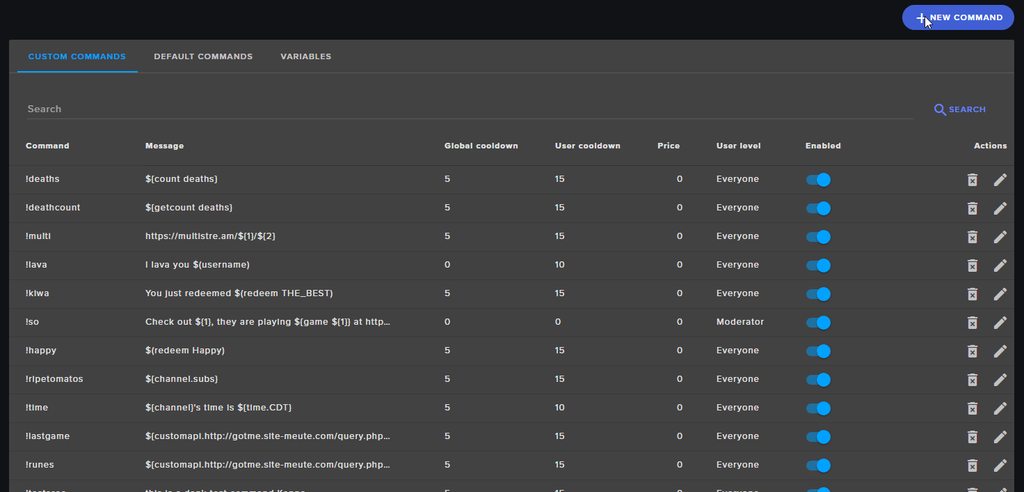
This is what @frail goblet was referring to https://i.imgur.com/HU3orB3.gifv
 warm tulip
oh nice thanks @dense jackal
dense jackal
np
spiral pine
@dense jackal should be editable, !enter worked though
dense jackal
@spiral pine check your default commands here https://streamelements.com/dashboard/bot/commands/default and look for !enter you can create an alias there like this
 minor ginkgo
I was wondering if you can delete the default follower sound the little ding/bell sound. I currently changed it but you still here the default sound.
 molten brook
Changing it should remove the original, unless you have another alert box also playing the alert
dense jackal
@minor ginkgo you should be able to change it are you using chrome? and what is your twitch?
minor ginkgo
@dense jackal im using chrome ye and my twitch is yroprl
dense jackal
do you have obs open? @minor ginkgo
minor ginkgo
yep
dense jackal
try closing that and make sure you save after making your change
minor ginkgo
@dense jackal found out what it was thanks for the help anyways!
dense jackal
oh what was the issue?
minor ginkgo
i imported the sound but had to clear it so it wouldnt play it twice
and after refreshing a couple of times it was good to go
 fresh raven
Heyho together, just one Short question: is it possible to use wildcards in commands on twitch? I want to Trigger 2 actions with one command 😅 like „!byebye“ Action1(!byebye) : say“User want to say good bye“ action2(!byeby*) : mute this User.
 thorn gazelle
Hey guys, i love to interact with my viewers all the time - They love the loyalty system!
But how on earth does it work?
I have enabled certain settings: follow stream = 100 points / first time sub = 1000 points / host my channel = 200 points / 10 points each 10 min spent watching.
But when people host me, or sub, they don't get the points?! 😦
weary mist
@flat valve you can add the alias to the ticket command for that
but making it zero cost, and only one ticket is very much an option
dense jackal
@fresh raven I don't believe so at this time
flat valve
kk thanks @weary mist
dense jackal
@thorn gazelle Are you sure? That's really weird I haven't seen that happening if it happens again while live please @ us
sometimes it may take a little bit to get the points to register but it shouldn't be long
thorn gazelle
@dense jackal How long is "take a little bit" ?
I handed out them manually as they never was given out by the bot 😦
it was probably 10 min after they hosted - followed and all that, they still have not got their points
thorn gazelle
hmm...
dense jackal
Next time it happens please @ support heroes and we will check it out
thorn gazelle
@dense jackal https://gyazo.com/cc77800c6c2bf1baeb854951ed661562 Nothing wrong with this picture right?

I will @ support heroes, hope it wont happen next stream 😃
 mighty hamlet
Padding for the secondary text on the subs variation is not showing
dense jackal
Looks fine @thorn gazelle
 honest flint
Can I rename the bot in my stream?
nocturne pelicanBOT
@honest flint Custom bot name requirements
- StreamElements bot modded and in chat
- Active overlay with alerts
- StreamElements tipping page in the panels below the stream (!panels)
- Create a twitch account for the name you want to use
- Ground Control app must be running
Steps to enable custom name
- Sign in to https://twitch.tv with the bot account
- Install and run Ground Control (!gc for download)
- Visit https://twitchapps.com/tmi/ and generate an oAUTH token
- Copy/paste everything in the box to Ground Control oAuth settings and enter the name for the bot account
- Restart Ground Control (custom name may take a few minutes to take effect)
lament blade
Hello all! I changed my overlay to one of the ones that SE has in the gallery, and no alerts are working. when i send test, it works, but I'm live and i have been getting subs, follows and bits and literally nothing is popping up in OBS...
pine hemlock
Did you change your name recently? Or password? If so log out of our site and back in
 gentle hamlet
Hi there. I'm having issues with the top donator widget not displaying the correct top donator. I selected the "All time" option but it doesn't show the actual top donator.
I checked out my top tippers leaderboard and the top tipper is correct there, but not in the widget
dense jackal
Make sure you are using the Top tipper widget and not the Top Tip widget
livid ingot
Anyway that StreamElements bot can pick up whos been auto hosting me at all?
gentle hamlet
@dense jackal yeah I've been using the top tipper widget
@livid ingot idk if there is but i do know that there a section on your twitch dashboard that tells you who autohosts you
narrow coyote
I thought the top tipper did not update until the session is over, at least that is how it has been working for me 
dense jackal
@gentle hamlet this is how my top tipper currently looks
dense jackal
Have you refreshed totals and aggregates?
gentle hamlet
oh where do i do that
gentle hamlet
I refreshed and it changed it, but it's still wrong lol
dense jackal
Are you sure the tip is in our system? What is the all time Tip and tipper supposed to be?
Like have you recently moved over to SE?
pine hemlock
Make sure all the tips from the person have the same email as well - ontop of what tomathin said
 toxic parcel
pine hemlock
toxic parcel
pine hemlock
@toxic parcel https://www.cuda.live/s/kuzedipn.gif

buying 1 ticket with the option costs 0
buying two tickets costs the price of one
lament blade
@dense jackal Hey man, Alerts got wonky again, host popup didnt work, then did on the next host i got but only text and sound, no image with the popup. Im offline now and tested everything and all will work perfectly now that im off... not sure whats going on...
and subscriber goal is going nuts now lol not reflecting correct amount
weary mist
@lament blade For the subscriber goal, are you using the goal widget?
lament blade
yes
dense jackal
do you have your activity feed or ground control open during stream @lament blade ?
lament blade
Activity feed
weary mist
So, the sub goal widget only counts upwards, and doesn't take into account re-subs etc. Its more in line for "I want to get 3 subs this week" kinda things. If you want a Total Subscriber goal, then I recommend using the Total Subscriber widget (which pulls values from twitch), and editing the text to look like a goal widget
lament blade
Yeah, Goal is what i have, but its showing total...
and even that number is wrong lol
weary mist
Total Subscriber widget pulls the number twitch says, Goal widget just increments by 1 each sub alert
lament blade
I get that, Goal is what i added to my overlay... its currently showing 7 new subs, 6 is what i have, and i did not get them all tonight..
weary mist
if you go here: https://streamelements.com/dashboard/session you can edit that value to match if you want.
StreamElements
The Ultimate All in One Platform for Streamers
weary mist
I am not sure on the alerts, I am going to leave that to tomathin since he was originally helping you with those
lament blade
👍🏽
dense jackal
@lament blade when is your next stream everything seems to be working fine on my end, do you have an anti virus?
dense jackal
Solution in dm's
 cloud plinth
My song request keeps pausing after every song. How do I fix this?
dense jackal
Are you using ground control @cloud plinth ?
 mighty tree
who can i talk to about getting info on importing from other bots?
dense jackal
Where are you importing from @mighty tree
mighty tree
Deepbot currency and stats @dense jackal
not sure if the stream has to be offline or online. im doing it online as full control moderator.
but cant seem to find the import page.
dense jackal
https://streamelements.com/dashboard/account/import Right here but we can only import the points
StreamElements
The Ultimate All in One Platform for Streamers
 viral token
I'm trying to have a giveaway to active users twitch for the day. I want a higher probability for followers than everyone else. It would also be nice to have a higher weight for people that have been watching the stream longer that day. This isn't possible with the current setup, is it?
mighty tree
@dense jackal yeah i clicked on that page, the blue import but it almost directs me to the page. then bring me right back afterwards.
not sure if its a bugg or what.
dense jackal
@viral token not at this time but you can suggest it on our ideas page here https://streamelements.helprace.com/s1-streamelements/ideas @viral token
Are you using chrome @mighty tree ?
viral token
@dense jackal I will do. thanks.
dense jackal
try disabling it why not but when you click import now it directs you to deepbot? or after you put in your token?
mighty tree
yeah no its doing it. almost like whenever i click it my page refreshes is what it looks like.
with adblocker disabled.
dense jackal
so not even seeing this at all ?
mighty tree
im seeing what looks like that, but it brings me right back to the dashboard.
dense jackal
hmmm this is really weird, it's working on my end, I would say try going and doing it on incognito mode
mighty tree
alright ill give it a shot.
hmm alright, so when im on MY channel it works. but if i switch to the channel im trying to do it for, it doesnt work. im assuming only the Owner can do this?
dense jackal
Interesting, it's not a youtube account is it?
mighty tree
no its through twitch
dense jackal
That may have something to do with it
mighty tree
but i have full power.
dense jackal
but this is a weird bug
mighty tree
im assuming thats the reason.
not quite FULL power haha
all good i will walk them through it.
mighty tree
yeah it looks fairly simple.
dense jackal
what's the channel that needs it imported?
dense jackal
danke
 rocky fjord
I have something important to say about se
You are losing much clients because there is no IDEAL option for donating to streamers
cloud plinth
Sorry for the late response but yeah I do use ground control @dense jackal
 edgy kindle
@stuck hamlet I think he means only paypal option
stuck hamlet
¯_(ツ)_/¯
 drowsy dune
Also I setup a giveaway but when my viewers type !ticket 1 they get no response and it doesnt enter them
 atomic hollow
did you check this option -
drowsy dune
yes I have that enable
 hearty tapir
Is it possible to change volume for the whole overlay or should I do it separately for all alert widgets?
atomic hollow
each widget has to be changed separately
hearty tapir
@atomic hollow thank you
lament blade
How can I get my actual sub count to show and not 64 https://gyazo.com/e59c93eba6b6dcf204bdac0401ce5027


Its the Subscriber Goal Widget btw
gentle imp
try the total subscribers widget instead
lilac stag
@tight harness are you sure? Also why would streamlabs alert me so much sooner than streamelements? :/
gentle imp
@lament blade
lilac stag
Sorry for delayed response, I was off the PC
tight harness
@lilac stag yeah we're sure
And because there's a different interval before checking with the twitch API would be my guess
stuck hamlet
we check every minute
winter zenith
@hearty tapir you can change the general volume of the overlay in your obs 😃
hearty tapir
@winter zenith I feel shame now you genius thanks PogChamp
winter zenith
No problem my dude
upper steeple
okay so i got a follow and hour ago, it shows on streamlabs but never showed on streamelements
 serene granite
did this person follow you in the past?
we added some unfollow/refollow protections in the past.
upper steeple
not sure, but why would it appear on streamlabs and not streamelements@serene granite
serene granite
we had people abuse the re-follow to get loyalty points bonuses.
 uncut quarry
Is there a way to make a command that Adds the user's name to a list in another command? And then clear the second command?
winter zenith
I think she is talking about a command that goes like „user1 tagged user2“ wit a second command that replys „user2 is it“
So when someone is using the first command again it sayes „user3 tagged user1“ and the second reply sayes „user1 is it“
But not sure 🙈
uncut quarry
Like one command adds the user to a list of users who's done the command, the other is said list which gets displayed by doing the command, while the thied clears the list out
winter zenith
So... its like !command „user4 entered the nice list“. Seconde comand is !list „nice list been triggered by: user1, user2, user3, user4“ and the third is !delete user3 „user3 has been deleted from the nicelist“
?
Bc I think thats way to complex and is not possible atm
uncut quarry
Something along those lines... I'm not very code savvy and can only do simple things, just a poor mod put to a hard task by a streamer >.<