#helpdesk-twitch
1 messages · Page 225 of 1
 hidden ember
 unborn yacht
@ebon forum
 ebon forum
This is our desktop app.
streamelements.com/groundcontrol
unborn yacht
Wait so I need the app for hosts to work....?
ebon forum
that or our dashboard open in the browser while streaming
unborn yacht
I have it open right now and its still now working
All the other alerts work though
 tight harness
@unborn yacht Check our pinned messages for this channel, second one down, it's all explained there
hidden ember
am i allowed to promote my stream in this group?
tight harness
Only via the Now Live bot automatically
hidden ember
oh alright
 muted wave
I noticed a lot of mistakes in the translation. Can I write here the correct translation of the elements?
tight harness
@muted wave The office staff who you'd normally discuss this with are out of the office today, their weekend is Friday & Saturday 😃
muted wave
@tight harness Well, thank you. Just a habit. In Russia, Friday is a working day xD
tight harness
In England too 😄
 pulsar mantle
Can you sub the bot to your channel for free?
 gentle imp
no unless u are twitch partner
tight harness
Twitch will only sub bot accounts for free if you're a partner, if you're not a partner you'd need to use a gifted sub
But, if you rename your bot to use your main account using Ground Control you can still post your emotes because it'll be using your own account which has all of your emotes 
 languid blade
@misty wagon i believe you tagged me on twitter to come in here
 vital wyvern
@tight harness still got that duplicated alert when i get new followers
and i have no idea why
languid blade
having super high CPU usage when having 5 scenes set up using the browser source ( really love how easy it is to use) when i open OBS, it goes up to 42% CPU usage, i deleted 4 of the 5 scenes and it went back down to 18-22%
tight harness
@vital wyvern I'll have a look into it, just looking into a report from Zendesk at the moment
 nocturne pelicanBOT
@languid blade Make sure to :ballot_box_with_check: “Shutdown source when not visible” for all browser sources (all OBS scenes). If using studio mode, uncheck “Swap Preview/Output scenes After Transitioning.” Also keep in mind that sound can play from any overlay loaded in the browser (editor or launched). https://i.imgur.com/FegZJQS.png https://i.imgur.com/yY0wcFl.png

 vital wyvern
alliright, good thing it can be fixed in mid stream lmao :3
languid blade
ill set up my scenes again and ill let you know how that worked
tight harness
@vital wyvern That's the thing I was telling you about before 😄
vital wyvern
:3
 stark furnace
Hi there. Are you aware that Tip Goal widget is not displaying properly ?
tight harness
How so?
stark furnace
It's not showing the Bar or the colours I have chosen. Only shows amount of tips and the goal in white text
pulsar mantle
Any tips for me that wants to start with streaming?
stark furnace
It only shows that in the editor too
It was working fine last week but last night only white text
tight harness
@stark furnace What's your Twitch name? I'll look into it
stark furnace
ZoeBallz !
tight harness
Thanks, tried finding it on your Discord profile but you didn't link it there yet
stark furnace
kk
tight harness
It's because you had "Use simple design" ticked @stark furnace
stark furnace
Oh ? Odd cos as I said it worked and looked fine on my previous stream !
tight harness
Yes, it's a new setting that we added, which you had ticked
Untick it and place it back how you wanted it
stark furnace
Ahh ok - Might I suggest that the default should be unticked ? Probably a bit late now though
vital wyvern
Soo Sean :3 you mind doing a fast check on little problem :3
stark furnace
Anyway - Thanks very much Sean 😃
tight harness
No problem
gentle imp
check you browser sources @vital wyvern if they have ticked shutdown when not visible
all must have it
tight harness
@vital wyvern Sure, same thing as before or something else?
tight harness
😃
 odd beacon
 clever mango
You have some adware on your computer. I recommend googling whatever message it says in order to clean your PC of whatever it is
 high ingot
I don't exactly know how to ask, but some icons are invisible on the overlay theme I'm trying to work with and I was wondering how to enable them? I'm also wondering how to enable moving the videos >.<
Maybe I missed a few things XD
tight harness
When you click on Layers in the bottom left of the overlay manager to show the list of different layers you've got a couple of symbols next to each layer, one is a padlock and one is an eye. The eye toggles whether that layer is shown or hidden and the padlock toggles whether the item can be moved or not 😃
high ingot
AH it was quite simple actually, I didn't think of that XD tHanks!
tight harness
No problem 
high ingot
❤ 😄
 latent mural
aaaand where does it show that :3
 craggy rose
hey guys i got a quick question, so for the alerts whenever i get like a donation or bit dono it says the emote when the viewer puts one in (pretty annoying), is there an option to turn that off or is it a permanent thing?
 burnt dune
@weary mist
latent mural
text to speech doesnt "get" that there is an emote in there
 weary mist
@burnt dune what are you doing to get that image?
craggy rose
@latent mural so thats default i guess? lol
latent mural
@burnt dune Nightpower-kun, a few more details might help
weary mist
@craggy rose I believe that is something we know about, and I believe its on the #💭︱feedback-and-ideas board
burnt dune
I Have Huaweii -.-
craggy rose
ahhh ok thank you @weary mist
burnt dune
Edit
latent mural
@craggy rose it's a problem with the code itself. As long as the bot doesnt realize that something is an emote, it just gets read out. So just wait ^^
burnt dune
@weary mist
craggy rose
ok thank you guys for letting me know 😃
weary mist
ahh, so you are getting that issue in the phone application. What are you trying to do that is getting that error?
latent mural
good. Now go. Go, and slay many foes!
latent mural
so, to reiterate: You try to stream with mobile, using the ace live streaming app (?), and if you click on "start stream" you get an error telling you "acess denied" ?
burnt dune
Yes
latent mural
never used that app myself, and this discord is more about problems with Streamelements, not outside apps, but here is the things i would check:
-Are you logged into whatever endpoint you try to stream to?
-Is your Stream key correct?
-Are you streaming to the right server?
maybe your connection is too weak with 389b/s ?
burnt dune
No 1,4K/s
latent mural
but in short - you might be in the wrong discord, and should try to look at the discord for that app 😉
burnt dune
-.-
latent mural
and now to go back to memes:
... Mobile streams. REEEEE
 long garden
i'm currently overhauling my alerts and one thing that would help tremendously is putting different alerts in different overlays. This is, of course, entirely possible with SE, but poses one dilemma- it allows alerts from each overlay to play simultaneously
as opposed to queuing them
is there any possible solution to this?
latent mural
@long garden shutdown all the browser sources in obs when not needed
long garden
won't they still be considered "needed" the moment a new alert is triggered?
long garden
meaning if i have follower alert and a sub alert in different overlays and i get a new follower and subscriber simultaneously, isn't it going to play both together no matter what?
latent mural
1 overlay per scene, -> different alerts in different scenes
latent mural
hm... if it is for one scene, put everythign into one overlay.
long garden
right, the dilemma i have is i'm using chroma keying for certain alerts
which actually works very smoothly
latent mural
also, you can edit the alertbox widget in your overlays to only send certain alerts
long garden
but then other alerts i don't want the keying
right, totally
that's what i'm doing
so the only remaining obstacle is the "stacking" alerts
everything else is perfect for this
latent mural
then make sure every alert-type can only be played in ONE single way
 serene wasp
how do i get rid of the bot
latent mural
(even though i still dont understand why you use different overlays in one scene)
long garden
it still just treats them independently
long garden
i want to use different overlays because i want certain alerts to be chroma keyed and others not to be
serene wasp
where
long garden
i'm applying chroma key as a filter to the source
latent mural
sec
long garden
it's basically a roundabout way of making certain custom GIFs transparent
long garden
obviously it's a ghetto approach, it's just faster than anything I've found so far
weary mist
@latent mural The app belongs to us, though we are pushing to get a new version out
latent mural
Scalper, shame on me
i did not know that
point still stands: mobile streaming. REEE
weary mist
😉
lol
I am not sure what the issue may be, but it could be a residual from the old version
latent mural
@long garden But if you turned the alerts on in different overlays, in a way that at the end end every alert can only be played once.... it shouldnt double down on the alerts
...okay, stupid question. Did you SAVE ?
long garden
me? haha yes
latent mural
it plays the alert in obs and the overlay editor, that is not the cause of the doubling down, right?
long garden
nope, nope
the two are on top of each other in OBS
simultaneously
now, granted, this is based on using the "test alert" function in the overlay editor
it's possible that with actual streaming it's handled differently
latent mural
which it shouldnt be able to, if you only allow the alert to be played in ONE of the overlays
long garden
so like if i just went nuts clicking "test follower" "test subscriber" test donation," etc.
latent mural
sp try checking if you just forgot to set the settings
long garden
it would queue it
oh, but when i say it's doubling down
i don't mean the follower alert is playing in both
or anything like that
i mean DIFFERENT alerts are stacking
one from each overlay
latent mural
oh it just doesnt Queue them anymore
latent mural
okay, let me check that on my side.
long garden
i think my best bet is just finding a way to make it all one overlay, of course
latent mural
and btw: how did you do that XD
long garden
there's just one alert i want to have green in
 strange pagoda
Is there any way to get another channel's current set game, for a shoutout command?
long garden
and the rest i'm making green transparent
latent mural
okay, here is the thing: different overlays have different priority queues.. So basically, as i see it, it is checking: "is an alert playing?" Yes -> Wait. No -> play it
but it only checks in ONE overlay
i dont think the widget is actually able to check in ALL overlays
that is the problem with using multiple overlays
long garden
exactly
they don't check in with each other
here's a thought, though it wouldn't solve this issue
latent mural
i do not know of any ways to get a workaround
long garden
with multiple widgets in one overlay, they DO wait for each other, right?
strange pagoda
You could set a ghost alert with the same timing that is invisible, if that's possible, so that that event is just synced with nothing appearing
latent mural
^
long garden
oh, dude
.....
that's brilliant
like a 7 second invisible alert
if the real one is 7 seconds
strange pagoda
Yee, and for the one that only has one alert, all the rest are synced
latent mural
... looking at easy solutions: not our forté ^.^
long garden
LOL
latent mural
tell me if it worked XD
long garden
my entire Twitch experience has been finding ghetto ways to accomplish what i want
latent mural
now i am intrigued
... ya know guys, other ppl would just ....not use 200 gifs in the overlay 😉
...she says while putting millions of gifs into her redemptions
latent mural
PRAISE THE SUN
latent mural
i kinda wanna see the outcome :3
latent mural
haha, i bet they will
long garden
we'll see
This is a test of it
two separate alerts, two different overlays
queuing up properly
latent mural
...those gifs make my day xD
 lament blade


latent mural
i guess that was worth the work
long garden
there are a bunch more to come
and some will be chroma'd and others not
so i'll just put them each into each overlay accordingly
and add a ghost to the other overlay
so good
latent mural
@lament blade just getting a sip
okay, ehre is the problem though
if there is 3 overlays
and you have a ghost delay in all of them
and 3 come in at the same time
2 will still play simultaneously
so, 2 overlays are the maximum for this workaround to "completely" work
long garden
why is that exactly?
either way, i think two will totally cut it
the only different i need is chroma vs no chroma
 frank compass
Hey is there a way that i can make a giveaway only for follower? Or see if they are a follower?
strange pagoda
Naw you could have one for each type of alert, plus variations, and just have ghosts in the other ones
Basically how he has it now
1 | 2
x | -
x | -
- | x
x | -
1 | 2 | 3
x | - | -
- | x | -
- | - | x
x | - | -
Sorry, Neon, that was for the discussion before, lemme see
Actually, you could set your chat to follower only mode for the duration of the entering @frank compass, but lemme check if there's an easier way
frank compass
Okey thanks
latent mural
oh, now i get it :3
that makes sense, thanks metal chain
all this stuff is confusing @.@
strange pagoda
Yeah, I don't see anything, but follower-only could be your solution @frank compass
clever mango
@frank compass after you draw the winner you can use !followage command to see how long they've been following
frank compass
okey Thanks guys
 oak rover
What commands should i do for my streamelements bot?
tight harness
You mean custom commands?
tight harness
That's up to you
 manic lava
any staff able to help?
 spring shard
Heyo everyone! Do I report bugs through the message feature on the site, or is there another place for it?
 narrow coyote
@manic lava if you post your problem/question, someone will help
tight harness
@manic lava What's up?
 bright tartan
Is there currently a way with the bot to post a welcome message in the stream chat when a new first time viewer joins?
manic lava
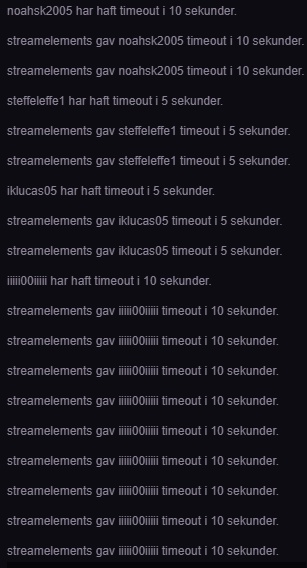
https://i.gyazo.com/thumb/1200/733d7c9e70be134e02f1e2efb1263367-png.jpg - My chat looks like this everytime it ban/timeouts anyone. Is it a bug or?
 bright tartan
someone in my chat was seeing that happen last night, but only that one person saw it
was normal 1 message for the rest of us
tight harness
@manic lava It's a Twitch visual bug, yes
manic lava
Oh, I thought it was streamelements
tight harness
@bright tartan Not currently
bright tartan
ok thanks
tight harness
We didn't rush to make a welcoming feature because quite a few people on Twitch dislike the idea of it
manic lava
Oh, then I hope twitch fix it ^^ Thanks for the help!
tight harness
No problem
bright tartan
It would be great if there was a welcome feature that whispered you instead of posting in chat just so you know when a new user joins
 glad elm
How to invite streamelements bot to twitch chat ?
tight harness
When you're on the dashboard page just click on Join Channel
glad elm
Tyou 😃
tight harness
No problem 😃
 twin path
Sup?
Is there any way to get a fresh stream even though you are transmitting via PS4? : D
tight harness
Fresh stream?
twin path
Overlays and stuf 😄
tight harness
If you use a PC via a capture card or Remote Play then it's possible
But directly from the PS4 it's not possible
twin path
PC = To old
Capture card to expensive becous im not that great of a streamer so dont ehant to put to mutch money into it 😃
Then my stream will stay the way it is! THX 😄
glad elm
@tight harness You get 10 points every 10 minutes ?
tight harness
You get x points every 10 minutes, you can set how many points are rewarded every 10 minutes
glad elm
Ok
tight harness
Where it says "How many points should viewers get for watching?" 😄
glad elm
Ok, 1 more thing
My stream is in portuguese, is there anyway to change what the bot says ? Like !duel myself he says "You cant duel yourself" and i want to change to my own
tight harness
You can change some things currently but not everything, it's planned 😃
twin path
Do you co-operate with Twitch?
tight harness
In what way?
glad elm
@tight harness Ok, thank you again 😃
tight harness
No problem
twin path
You have 1 kind of overlay/add-on named "StreamElements Leaderboards"
tight harness
That's right, we're upgrading the panel extension actually, but I believe the details of it are still a closely kept secret 😄
twin path
Oh so its just a Panel :/ Not making any Overlays with like Donations Followers* Subs
Just the basik stuff just for us Ps4 streamers 😄
tight harness
We do have plans for an overlay one as well
twin path
Well thank you sir ! That would make my day 😄 Peace out!
tight harness
No problem 😃
 worn cradle
 spring basalt
anyone else having issues with getting cheers & bits to transfer from streamlabs to streamelements? 😃
lament blade
we have some overlays that are variety and look good on a bunch of games, you can also drag the elements around and position them on places you think would fit for the game you are playing @worn cradle
 analog idol
Is there a setting somewhere that can make SR work with keywords like other song requests?
tight harness
analog idol
Noice
Also one other thing, how does HypeCup refill? I have recent events with purple bits and they're not dropping in my reloading cup
tight harness
What did you set the amount of recent events to refill at?
analog idol
I think the default? 30 maybe? And they're more recent than some other events that are dropping
tight harness
And you didn't empty the cup recently?
analog idol
Nope, I've never clicked to empty
tight harness
Curious
Haven't heard of any other instances of this, we'll have to see if it was a one off occurrence or not 🤔
analog idol
Yea it's weird, because it still refills, but just not with the most recent events
I haven't had a sub in almost a month yet my original drop is still in the cup
 quaint orbit
Hi guys, is there anyway to activate a trivia session to entertain my viewers?
And is there a YouTube video that goes into actual detail in how to create rewards for the points people earn? I am stuck when trying to create rewards
tight harness
@quaint orbit Trivia was suggested on the ideas board: https://strms.net/ideas but the idea didn't really take off. We have a video about the Stream Store here: https://www.youtube.com/watch?v=hoNYfLw1Gg4 the only thing missing from it is the access code item which is basically for things like game keys
quaint orbit
Thanks @tight harness Shane about not having trivia - will need to find another bot for that feature .
I’ve seen that YouTube video before but I struggle with the part about content . Is there pre defined or available content we can just quickly add / templates so we can get themes and immediate reward examples in there for people? Ie. Emotes, sound files etc
tight harness
There's nothing pre-defined and no templates, no. There are some examples in a pinned message in #welcome though
quaint orbit
Ok thanks
tight harness
No problem
 ruby venture
Hey all! Is there any way to ban a specific person from donating? I'm aware of tipping moderation but was wondering if there was something more direct. Thank you!
tight harness
If you see them in your tip list you can ban them from there
 young cosmos
My point bot isn’t loading in to my stream
tight harness
What's your Twitch username? @young cosmos
young cosmos
@tight harness robdog714
tight harness
I've tried rejoining the bot for you, also don't forget to mod the bot with '/mod streamelements' in your twitch chat
 azure horizon
Is there a way to make it so bots don't get loyalty points?
analog idol
The loyalty page has an "ignored users" section, and you can put the bot's usernames in there (as well as your own name if you don't want to clog up the leaderboard)
tight harness
⤴ @azure horizon 😃
azure horizon
Thank you ❤
 white fossil
Hey when I goto change my sub alert video, it wont let me clear it. Has there been any issues with that?
 celest wigeon
can anyone give support on camera with obs?
 stuck hamlet
Are you sure @white fossil ? Maybe a variation is still being played instead?
What do you need exactly @celest wigeon ? (:
white fossil
nope, I have tried so many time. I even deleted it and created another whole overlay
it wont let me delete that dancing shark!!!
starting to hate dancing sharks...........
stuck hamlet
What browser are you on?
white fossil
chrome
I mean it plays the same thing on chrome as it does in my obs
ok now ill set an image
then ill set the video
stuck hamlet
When you try to clear the shark, does it disappear or can you still see it in the small box?
white fossil
and it still goes to that shark
which small box? in the green screen or the top left
?
stuck hamlet
What alert are you testing?
celest wigeon
@stuck hamlet my camera was working when I first added it.. tried it again a few days later, it simply won't show
stuck hamlet
Can you take a screenshot of your settings of the camera in OBS?
Are you sure the camera is still the top layer?
azure horizon
Wait question about the points again, does that keep them from only getting points over time? Or all points in general? A friend said if you still do !givepoints all they will still get them
white fossil
@stuck hamlet im testing the sub alert
stuck hamlet
I don’t understand the question @azure horizon
Please double check your variations on the sub alert. @white fossil
azure horizon
I'm wanting bots to never get points so I don't have to keep making them 0
white fossil
wait I thought the variations match the main sub alert unless you change them?
azure horizon
but i tend to use the give all command if adding them to the dont get points list does that command still give bots points?
stuck hamlet
If there are no settings for the variations, it will mimic the default one. But by default variations have the shark
That is correct, people can still give the bot points. @azure horizon
azure horizon
ok thank you
white fossil
I go t it going, thanks @stuck hamlet
 brazen moon
hi i have a dumb question. but how do i link alerts in a overlay from streamelements to obs ? cuz i have this awesome overlay but it wont pop up the alerts when someone is following/hosting etc. the chat works.
 dense jackal
do you have an alertbox widget?
brazen moon
ya the program thing ?
oh sry
yes i do cuz it was in the overlay already
im using the moonstone animated overlay everything works exept for the alerts :S i did import everything i could, i dont assume i need to import from tipsmee and moobot etc if u never used it befor rigght?
tight harness
The animated overlay comes with it's own alert box so that should be fine
The idea being that you just change the sounds to what you want
lament blade
I HIGHLY suggest the devs for SE make it where you can customize the name of the streamelements bot
tight harness
@lament blade You can do that
lament blade
@tight harness Please tell me about it. Ive looked and can't find where
nocturne pelicanBOT
Our Desktop App Ground Control: https://streamelements.com/groundcontrol
lament blade
downloading now thank you
it looks as though all you see when you download it is how you adjust keybindings/songrequests etc
dense jackal
You need to have tipping page in your bio and be using our overlays/ bot to rename the bot
lament blade
was that for me?
@tight harness can I get you to come into voice and talk to me for a min
tight harness
@brazen moon I fixed your issue, you hid all of your alert boxes 🤔 not sure why
@lament blade It's simple, I just didn't get around to explaining it yet. You need to meet these requirements for the option to show in your Ground Control settings:
- Chat bot (modded and in chat)
- Tipping service (link in panels below stream)
- Overlays (theme or custom)
Once you've done those things you'll see the option
 misty wagon
Playing hid & seek, the new overlay mini-game 
lament blade
whatever happened to not having to do a bunch of run around SHtuff, just right click and rename the streamelements bot.
tight harness
It's a free service, most cloud based bots can't afford to offer a bot rename for free, it's a small price to pay considering it's free
lament blade
fair enough
misty wagon
Plus rightclicking to rename is a feature Twitch will never implement 😃
lament blade
i was sort of being sarcastic. i know that certain things will never be made so easy. its just the way of things 😉
misty wagon
nods
 placid spruce
Hey, can I get some help with SongRequest, please?
What's the command to allow my viewers to see a list of requested songs?
placid spruce
That command does not appear to be working.
dense jackal
with your username replacing my username
it's called !songqueue in the default commands
it's alisas is songlist
placid spruce
That command doesn't work either...
dense jackal
Check here https://streamelements.com/dashboard/bot/commands/default to make sure it is turned on
 dry hare
Do you have the Streamelements bot in your chat as a moderator?
placid spruce
Yes.
dense jackal
and make sure song request is enabled here https://streamelements.com/dashboard/songrequest/settings @placid spruce as well as https://streamelements.com/dashboard/bot/commands/default

StreamElements
The Ultimate All in One Platform for Streamers
placid spruce
The first one is.
The second is grayed out and cannot be changed.
I'm presuming you're "Lord_Scalper"...?
dense jackal
No that's my colleague
placid spruce
Thanks for your help!
 winged hedge
How do I fix this? I have tried resetting the session but it is still shows an amount of 61 when it should be 0
 flat valve
yeah - the chat window for my stream is still displaying my bot even though I expressly told it to ignore both streamelements and my renamed AdronBOT
dry hare
Is your overlay (source) cached in memory? You want to click “shutdown source when not active”
lament blade
Go over to the "data" tab , then goals, and edit the tip goal progress to 0 @winged hedge
winged hedge
Thank you Alice
lament blade
No problem
It's working for me, just tested, are you pressing enter after typing the renamed bot's username and saving the overlay right after? @flat valve
I've noticed that if you don't press enter and it looks like that (on the bottom) instead of the one on the top, it won't work
flat valve
@lament blade, i did press enter, its got the grey box with 'x'
if i close overlay and go back its there 100%
 coarse heath
Hi guys! Idk why but only one of my times messages has been going off for a few weeks. Any idea on what I should do?
 dim oxide
@dense jackal so my alerts aren't working again 😦
dry hare
@misty wagon can you take a look at @dim oxide ? Her alerts aren’t working and aren’t showing on her overlay. Did a test follow and nothing updated, but ground control updated
lament blade
so i got a question. your credit system is it customisable?
the "points per minute watching" thing
lament blade
well
dry hare
I named mine potato chips 2.5 hours ago
lament blade
not really that
dry hare
Hmm?
lament blade
i mean, i have a credit system (virtual currency) for my company too - and i was wondering if i could link the system to it so people can buy from there
dry hare
You mean use your Virtual Currency?
lament blade
or link
dry hare
Probably not?
You’d have to find a way to integrate into the twitch API and grant people your currency based on time viewed, but then also have to integrate it into SE for redemption
You can link it in your panels
lament blade
yeah, it really does boil down to API. i didn't study streamlabs
steramelements*
thats why i'm asking here 😛
would skip me a bit of headache
dry hare
They leverage the twitch API for monitoring viewers
You could technically do the same thing, but you’d need to figure out how to allocate your stuff
lament blade
basically don't reinvent something if it already exists
saves time
i could redo everything that already exists 😛
but why would i waste my time like that
maybe try to delete that widget and make a new one? @flat valve
@coarse heath Can you try parting the bot, logging out, logging back in and joining the bot to your channel?
@dim oxide Does it show up if you emulate an alert on the overlay editor?
dim oxide
it shows in my editor when i do a test alert, but not on obs
lament blade
is the resolution on the editor the same as on obs?
dim oxide
yes
lament blade
Does your whole overlay show up?
dim oxide
yes
lament blade
as if you add a random picture on top of where the alert box is, will you be able to see that on OBS?
i see it
dim oxide
yeah i just reset data info and replayed the follow alert
lament blade

 proper ingot
hi i was told to come here for help
I can't figure out how to get timezone variables to work on the bot commands. Been trying to get Hong Kong time using ${time.HKT} but it keeps responding with UTC time
misty wagon
Try UTC+8
proper ingot
just type in ${time.UTC+8} ?
misty wagon
I'm unsure, I usually just do the  and
and  but try it
proper ingot
yeah i just tried it. still shows up as UTC
misty wagon
@proper ingot we will find out! but it will take a bit longer than usual, sorry for that. Have a ☕ + while we find out (you see, that's what I normally do  )
)
misty wagon
Found it (thanks to @weary mist ) it's the last pinned message in this channel written by Perry
@proper ingot
misty wagon

lament blade
@stuck hamlet that command still didnt work
lament blade
rosadonna
this is how its pasted in
${1} has been lusting after ${channel} for ( $(customapi)&channel=${channel}&format=ymwd¬ext} )
stuck hamlet
Also, I just set up Seanze, and theres some commands i broke @lament blade 
lament blade
u broke them!!
stuck hamlet
it's the queue commands, I'd love to have the documentation for those if possible

im sorry dad
lament blade
u want the commands for the queue?
stuck hamlet
The documentation behind them, like how they work and stuff
cause i was checking and i couldnt understand them.
lament blade
lol
flat valve
Another issue - the contest widget fails to load sometimes when you run back to back contests on stream (i.e. we do bets whether i will win or die in a match)
I can reload the entire overlay by switching in OBS back and forth between two scenes with seperate overlays and it reloads and works
 spring parrot
None of my commands are working
 winter zenith
@spring parrot did you rename yourself on twitch?
Bc the twitch account you linked on discord could not be found
My next question would be if the bot is in your chat or if it is parted
If you renamed yourself on twitch I would suggest to :
- part the bot in your StreamElements Dashboard on the right side
- log out of StreamElements
- log back into StreamElements
- send the Bot into your Stream again on the right side where you parted it
@flat valve so you mean you make a contest, people vote and at the end of match you pick s winning side. After that you start a contest again and it doesn’t show up?
 cloud plinth
I started a giveaway but when someone types !ticket nothing happens. Can’t figure out what I’m doing wrong
 slim quest
hello can i have help
i started my stuff on twitch and i moved to youtube! and i dont see any chat commands i can add! can u please tell me how i add chat commands!
 rustic matrix
my cup keeps empty evertime i open obs to start my next stream any ideas why thx ?
tight harness
@cloud plinth check that your !enter / !ticket command is enabled
@slim quest you can add chat commands for twitch in the chat commands section on the left, we haven't added a bot to our YouTube support yet so there's no commands for that yet but we're working on adding a bot for it currently
@rustic matrix check the Recent Events slider in your hype cup options
 faint edge
Is there a donation setting where I can set it so that when someone is about to donate they can do so in their own currency, but when the donation goes throguh it will enter my paypal as my currency?
tight harness
@faint edge Yes, I believe if they change the currency on their end it still comes through to you as your preferred currency
rustic matrix
ok found it should it be all the way up to 100 or 0
tight harness
You choose
rustic matrix
well i want them to stay for a while so 100 ?
tight harness
It's really up to you 😄
However many recent events you want it to refill with, set that
rustic matrix
ok thx 🙂 for your help
tight harness
No problem
 vapid badge
Hey there, how can I change the bot's name in the chat ? :D
tight harness
Tipping > Open My Page
vapid badge
nvm !
tight harness
😃
vapid badge
Oh @tight harness, can I have the tutorial again pls ?
tight harness
Custom bot name requirements:
- StreamElements bot modded and in chat 2) Active overlay with alerts 3) StreamElements tipping page in the panels below the stream
The option will then appear in the settings of Ground Control. You must own the twitch account for the name you want to use.
- Sign into Twitch with the bot account
- Visit https://twitchapps.com/tmi/ and generate an oAUTH token
- Copy/paste everything that is generated into Ground Control and enter the name for the bot account
This one seems better 😃
 elfin pivot
@everyone does ground control work?
nocturne pelicanBOT
Please refrain from using [at]everyone or [at]here
tight harness
Yes
elfin pivot
i go to download but wont open?
tight harness
It's possible your anti-virus has blocked it, you'd have to check that, we're still waiting on Microsoft to review it
elfin pivot
oh k to easy il look now
vapid badge
Alright so I added the link to the tipping page in one of my twitch panels, The Streamelements bot has been modded, and I have active overlays with alerts on all my OBS scenes, still I don't get the option in Ground Control... :/
tight harness
Did you add a picture to your panels and then where it says Image Links To that's where you added the tipping link?
vapid badge
Oops, let me do that right away
Alright it worked, fulfilled the Oauth token procedure, but when I test the bot in chat, it presents my name rather than the custom bot's name
tight harness
Then you didn't log into the bot account on Twitch when you requested the Oauth token 😛
elfin pivot
what is a JWT token haha
tight harness
@elfin pivot Click on your username in the top right of the website and then click on Show Secrets
elfin pivot
found it thank you
tight harness
😄
vapid badge
How can I log in as my little bot ? 😶
tight harness
Well as the instructions state you must own the twitch account for the name you want to use, so you create the bot account, you log into it on Twitch instead of your main account, then you request the token
vapid badge
Ooooh I'm sorry, so I need to create a second Twitch account in order to get this to work ?
vapid badge
On it, thanks for your patience
tight harness
No problem
vapid badge
Awesome, thank you so much ! <3
tight harness

 strong stump
Is there a way i can transfer my stream elements settings from one channel to another?
tight harness
I'm curious what kind of settings you mean
strong stump
Like everything
cause i want to make a new channel and transfer all my stuff from stream elements over to my new twitch
tight harness
You can transfer your overlays, you give yourself dashboard access to your new account and then that'll let you import the overlays over to the new account. Although many of it will need to be done manually
strong stump
ok thx
tight harness
No problem
 rough jacinth
 frigid radish
Hello quick question... is there an Auto Social Media Alert in SE or OBS that can be sent out when i go live to my twitter and other social media platforms?
Also whats the difference between a Tip, Donation, and Bits
 feral forum
I was wondering if some one could help me with an issue I'm having. So when I create a new browser source for a scene and paste the url from stream elements and then I click ok but the it returns to the default url. I would be grateful for some help with this
frigid radish
@feral forum ok sorry let me recap so i am on the same page
you copy the link make the browser source... add the url and then do you change the resolution to match your scene and are you deleting the CSS code lines before pressing ok? i realize that might not be the fix but i just want to see if you are doing the same steps as me and ive had no issues...
feral forum
I am doing those steps
frigid radish
umm can you try something make another scene and add another browser source and see if it sticks in the new scene
tight harness
@rough jacinth Upvote this for updates: https://streamelements.helprace.com/i704-when-rejecting-store-redemptions-it-does-not-refund
frigid radish
(fyi im just a SE user attempting to help)
tight harness
@frigid radish There is no automatic outbound social media alert from our end, I believe Twitch has an integration with Twitter of it's own which allows you to automatically post on Twitter when you go live via that
frigid radish
Thanks Sean
feral forum
I think I've fixed it. So after I put in the URL and changed the resolution I went on to defaults to shut down the source when not visible and that would revert it to the original URL
tight harness
Tip/Donation is the same thing, Bits is just using Twitch's cheer system to donate in a different way
Shutdown source when not visible is very important to prevent double sounds
frigid radish
@feral forum i don't think that is the function of the Shut Down Source When Not Visible.... i think its just so its not using up resources when that object is not used by a scene
good point Sean i over looked that
feral forum
@frigid radish thank you for your help. It is greatly appreciated
frigid radish
For example i have taken my twitch chat log and made it on a new overlay in SE and added it as browersource to al the needed Scenes... and did not turn on Shut Down when Not Visible, so that when i flip from scene to scene (in game, brb, talk etc) the chat history stays in tack
@feral forum NP
but Sean i could use suggenstions or a critique to my obs and SE settings... randomly some nights of streaming my OBS will almost reach 20-25% CPU usage and i notice FPS drops.... while some nights i stay around 7- 10% cpu usage
is there a common reason for the fluctuation or too many variables, even though i pretty much play with the same programs running when streaming
Sean i got a question if Tips/Donations are the same why in a SE Super Theme Overlay is there a showing for LAST TOP TIP and then one for RECENT DONATIONS?
specifically the pubg super animated theme
tight harness
@frigid radish OBS settings can spike up to around that, it isn't too abnormal. I get it on my i7-6800K fairly frequently. Tip/Donations is just preference, besides, that text can be changed
frigid radish
ok wow thank you clearing up the tip and donation thing... they should pick one and stick to it lol i was confused why there were two different names for the same action happening
im running a i7 3770K
your 3 gens newer lol
i need an upgrade
tight harness
Yeah 😄
 sonic juniper
Update on my Chat Stats problem: Since it looks like you changed some things about it. I now got those little icons on my stats called "server-error-icon.svg".
When will i finally be able to use chat stats. 😦
tight harness
@sonic juniper Will try and get you an update as soon as I have one
frigid radish
oh wow i completely over looked this feature...hmm interesting
sonic juniper
Thank you @tight harness .
frigid radish
Trying to look for a tutorial on chat stats and how i can use it to make my stream more efficient... mind giving me a quick break down or a point of reference? Please
tight harness
I don't believe there's a recent tutorial, but if you go here: https://stats.streamelements.com/c/global it'll give an understanding of what it shows
 solar hedge
@frigid radish prolly a good idea to stick to "tip" ... I've heard of streamers getting in trouble cause they were accepting "donations" but weren't listed as a charity. "tips" = safer 😛
 neon heron
Any idea when more chat games/interaction things are coming?
Like would LOVE a boss battle
tight harness
@neon heron It's started: https://streamelements.helprace.com/i182-stream-elements-bit-boss-battle although there's no indication as to when it'll be completed yet
neon heron
Question, does Streamlabs Bit Boss work in the meantime if you use streamelements for tipping/alerts? Or does it not recognize one another
frigid radish
arathaert thanks!
 cerulean jacinth
With the current version of S.E. Can we upload video and apply croma to it inside the editor? (I haven’t revised code in a long time and I have no idea if CSS could support that)
Or would you suggest we croma the thing from obs directly?
 dry prawn
saw your tweet @misty wagon
honestly ive been getting these annoying issues with the host feature lately
even when using the ground control
first of all it wont limit to the x amount of viewers required for a host to show up
secondly, the end-image freezes every other host or so, forcing me to restart the overlay
I absolutely love the overlay, but there are some issues with the alert functions which just seems much simpler to use the CLR plugin from streamlabs
If I could set those all up in streamlabs then import them to my alertbox in streamelements thats fine
but the host bug has to go
tight harness
You can upload an alert box from SL to SE, custom CSS included
If you have any footage (for example a VOD) of this bug happening that'd be very helpful seeing as i've never seen or heard of this before
tight harness
But your mention of CLR plugin makes us wonder whether you're using OBS Classic still which is outdated and hasn't been supported for a year and a half
dry prawn
I'm using studio
I meant browser source
Just say CLR because im old and adapt slowly :]
let me get you a vod, hold up

It did that like 3 times 😦
@tight harness Also, how would I go about importing my current streamlabs setup into my alertbox without ruining everything? I might just give it another go, then add some things manually
I hate that streamlabs dont support full videos
tight harness
We recently added custom CSS to the alert box widget including imported alert boxes from SL
I'll show that VOD in our support staff channel and see if anyone has any ideas, I've never seen it do that before
dry prawn
So I can add, lets say, just 1-2 alerts from streamlabs instead of the whole thing?
tight harness
It adds the whole alert box, it's the custom CSS that's new
dry prawn
I see
I'm using a base overlay taken from the themes gallery, then I just completely remade it. However I really loved the animation of some of the alerts
Although, I did put an image over it one alert, then removed the image - and the original animation was gone
Id love to get that back if its possible somehow
Is is possible to copy the alertbox animations from the original theme, into my current one?
tight harness
You can duplicate certain widgets from one overlay to another, so you could duplicate the alert box from a new version of the same theme and then add the custom changes to the new one, keeping the default ones in place that you like
dry prawn
Awesome, how do I go about copying a widget?
tight harness
Select the widget and then click on this button in the bottom left
dry prawn
Thanks! Lastly, do you know why the host notification goes off although i've set a limit for a min of 10 viewers?
Does it have something to do with autohosts / hosts?
tight harness
Autohosts/hosts are seen as the same thing currently, where did you set the limit? in the alert box settings and the chat alerts settings?
dry prawn
Host alert settings, put the minimum amount to 10
And it still triggers below that
Also, the "stuck" bug just happened again. I should mention it's a .webm file
might help you track the bug down
Doesn't always happen, but a bit too often
clever mango
We're going to look into this for you
dry prawn
thanks guys
tight harness
@earnest holly Click on your username in the top right of the site and then tick Show Secrets
 earnest holly
thanks @tight harness
tight harness
No problem
 misty aurora
Hello there, I heard there was a support god that could solve all my problems here with SE. I was told to look for Sean the man 
tight harness

vital wyvern
@Crescentine#2828 you are correct, he is a le gud
misty aurora
@vital wyvern you've heard of him too?! he's so famous 😮
 somber mortar
Hello
misty aurora
He fixed my SE issues the other day, it was crazy.
somber mortar
Can an admin please message me I need some help
tight harness
What do you need help with? 🤔
tight harness
Alright, well what part of making an overlay are you failing at? Maybe I can tell you what you need to know 😃
misty aurora
^so legendary in action 😮
 naive beacon
Having an issue with the total subscriber widget not syncing with twitch. Whereas in the past a non-prime sub would resub and after a few mins the total subscriber widget would adjust to be correct. Now, when a non-prime resubs the total subscriber widget doesn't update after a few mins. The widget won't update till next stream
somber mortar
Well this is my first time.. So basically on every part maybe I can pm you?
weary mist
@naive beacon I believe there was a bug introduced that is know for that issue. It is on the list to be fixed. The Total Subs widget should update at the end of your stream, or if you force it by clicking the Reset Session in the totals tab
 hot hollow
Hey guys :)
I would like to setup a donation button. However, should I use my personal PayPal account or rather another account that is only used for streaming?
naive beacon
Thanks I noticed it for a a stream I mod for a week or so ago
 pine hemlock
@hot hollow Personal preference. most use the personal but change it to a business paypal so it hides their name
hot hollow
If possible I would like to not show my name. Is that only possible with a business account? Thanks for the answer btw 😃 @pine hemlock
pine hemlock
yep only possible with a business. which is what everyone does anyway
hot hollow
However, aren't their any fees for the business account?
clever mango
There are not
hot hollow
But PayPal does charge fees for donations right?
hot hollow
So irregardless of the PayPal account they will charge donations right?
tight harness
Yes
They take their fee
But there's no extra fees for it being a business account
tight harness
Just whatever details they ask for when you go to upgrade your account
Wasn't anything difficult to provide when I did it
hot hollow
Alright. Thanks a lot 😃
tight harness
No problem
 haughty talon
i can't seem to get my loyalty setting to show up on my stream so my viewers can see their points, make song requests etc
weary mist
@your settings look correct, i am in your channel, going to try it out
@haughty talon
@haughty talon looks like it is all working to me
haughty talon
seems to be working now, maybe its me thats a bit confused from converting to streamelements 😛
weary mist
its all good 😃 let us know if you have any more questions
haughty talon
if i do a contest where my users can bet with their points. do they win more points if the win or how dose it work?
weary mist
it is more a redistribution of points. Lets say 4 people vote, 2 in option a, and 2 in option b. If you pick A to win, then those in A split what was bet in option B
haughty talon
ah okey, so if A wins with 1 guy and B loses with 6 of them. A will win all their points?
weary mist
yup
and if B wins, those 6 split A's bet
and the split is according to the amount of points they bet
frigid radish
Does the SE giveaway only work off of SE points viewers earn?
and can viewers only earn SE points via watching the stream?
 modern jay
is there a way to change my email address on the website?
dense jackal
Theres plenty of games and contests you can hold as well for people to gain points @frigid radish
@modern jay the email is linked with your twitch account I believe
modern jay
ah okay thanks @dense jackal
 fallow fractal
Im having problems receiving donations that are from paypal, Thoughts?
dense jackal
Are you getting donation alerts in Streamelements that aren't showing up in paypal?
fallow fractal
Im sorry, donations that arent from paypal. Any time someone tries to donate using a credit/debit it does not work
dense jackal
Currently paypal is the only form we have, but we are working tirelessly to get more tipping options 😄
fallow fractal
okay, that makes sense thank you!
dense jackal
np
frigid radish
Tom can you explain those games and contest for my viewers to earn points
got any examples i can follow
dense jackal
Well say 4 people bet to win and 6 people bet to lose
everyone bets 10 points
if you check won the 4 winners receive 25 points each
15 more than they had
Also check here https://streamelements.com/dashboard/bot/modules for slot machine duels bingo roulette and more @frigid radish
 dim eagle
Is there a way to shuffle music on a youtube back up playlist? I don't want the songs playing in the order they are listed.
dim eagle
A thousand thanks to you sir. I think its time to get my eyes checked. 😄 @dense jackal
dense jackal
np! happens to the best of us 😃
 narrow abyss
Hi, I was needing help making chat command emotes. Mine are only displaying the text.
dense jackal
that will happen if you are using a cusom bot name or your bot is not modded
narrow abyss
Ya I am making a hype command.
dense jackal
are you using your sub emotes?
narrow abyss
Yes
 misty sparrow
guys how do i do a multi command to show guys me and my friends stream, the set up etc?
dense jackal
@narrow abyss you need to gift it a sub, or have it be partnered to use sub emotes
@misty sparrow can you elaborate further? not sure I understand
narrow abyss
Oh I get it. its not a sub just like a viewer cant post emotes
misty sparrow
im streaming, and my friend is streaming from another viewpoint, i wana do !multi and for the title to show me and his stream etc
 charred cliff
Is there a way to import the amount of hours watched into StreamElements from Ankhbot?
dense jackal
Unfortunately not @charred cliff
So you can make a command like this @misty sparrow
https://multistre.am/ ${1} / ${2}
without the spaces
you will always have to do two people
to do 3 you would need a seperate command https://multistre.am/ ${1} / ${2} / ${3}
etc
Does that help?
misty sparrow
the names are willo1974 and cull2k, can u show me what i would type?
dense jackal
to trigger that you would type
nocturne pelicanBOT
willo1974 Make sure to :ballot_box_with_check: “Shutdown source when not visible” for all browser sources (all OBS scenes). If using studio mode, uncheck “Swap Preview/Output scenes After Transitioning.” Also keep in mind that sound can play from any overlay loaded in the browser (editor or launched). https://i.imgur.com/FegZJQS.png https://i.imgur.com/yY0wcFl.png
misty sparrow
ok so how would that command know im playing with cull?
misty sparrow
ok thx bud
dense jackal
np
analog idol
I've still got my bits issue, did that get looked into? My hype cup isn't taking my most recent events for some reason
My cup is set to 20 recent events, yet my sub from over a month ago is still dropping in, and more recent events are not refilling the cup on reload
Also not to mention that my bits all fall in slow motion in OBS, and the "token bounce setting" does literally nothing for me
dense jackal
I'm pretty sure this is being looked into @analog idol just asked about it
analog idol
If I change the browser source's frame rate to 60 fps instead of 30 fps, they look normal when they drop, but they ruin my CPU usage
Which part, lol
dense jackal
Your bit cup not taking the most recent events
analog idol
Ah, alright. And as for the other two?
dense jackal
I haven't heard about the token bounce setting not working, we'll take a look at that as well
and as for the 60 to 30 it shouldn't be shredding your cpu unless theres a lot of emotes
 onyx ether
Hey there, I'm new to StreamElements
 prime skiff
Is there a way to get the timer widget to refresh its self after it has finished without refreshing the whole page?
dense jackal
what ps do you normally stream at @analog idol ?
tight harness
Hey SmirkyFox 😃
dense jackal
welcome @onyx ether 😄
analog idol
My OBS idles at 30% and when I make the overlay at 60 FPS it idles at 40%, even without bits being dropped. Just idling
dense jackal
@prime skiff not at this time
onyx ether
Ty
I'm trying to import my StreamLabs alertbox and tips. I have logged into StreamLabs and grabbed the extension, but the extension keeps telling me to log into StreamLabs... please help
I also tried to download the CSV file and Streamelements couldn't accept it.
prime skiff
@dense jackal is there anything out there that does?
tight harness
@onyx ether And you're sure that you're currently logged into both websites? We have had a small number of reports of this recently
onyx ether
Yes, positive
dense jackal
if your browser source is set to shutdown source when not visible @prime skiff you can simply change scenes and change back
but otherwise I don't know of any other timers
prime skiff
that wont work for my situation but thanks @dense jackal
dense jackal
gotchya ❤
onyx ether
Anything I can do?
tight harness
We have had a small number of reports of that issue recently @onyx ether I believe it is being looked into, the devs get back to work tomorrow so fingers crossed they find the problem 😃
 tardy surge
algum brasileiro?
onyx ether
Does the StreamElements Alertbox support video/gifs?
 onyx ether
Thank you @lament blade :3
lament blade
Yep, you can upload your own picture/gif and upload your own sounds 😄
fallow fractal
Im having Song request, It only works for non mods when they type in id and not the full url
I even turned off url moderation
 cinder lotus
So I tried to set up a custom name for the chat bot. It is working for a while but then he is jumping back to the old name. any reason for that?
 compact kestrel
when i type the command !followage the first answer is correct but then it says this after:StreamElements: ${touser} Has Been Following mighty71 On Twitch Since Not following... correct:StreamElements: @mighty71 mighty71 is not following mighty71.
dense jackal
what does your song requests settings look like @fallow fractal what ahppens when they typ the full url it just doesnt work?
@cinder lotus as long as you have ground control open it should be working
compact kestrel
also when i type !uptime it says first: ${twitch $(channel) "{{displayName}} has been live for {{uptimeLength}}")
thats not what i want
fallow fractal
@dense jackal it does this !sr ***
compact kestrel
wait lemme test now
fallow fractal
@dense jackal you must provide a valid youtube id or url
compact kestrel
ok now uptime works but not followage
dense jackal
twitch automod may be deleting your links so we see nothing @fallow fractal
dense jackal
np ❤
flat valve
@winter zenith sorry for the late response - yeah, sometimes the overlay does not show a second or third contest after they are run one after another. After one finishes, If I start another, it requires me to reload the overlay to pop up the widget on the overlay
compact kestrel
ehm some commands and moderator commands i cant activate in modules menu? then how am i going to do it?
tight harness
@compact kestrel You'll be referring to commands which are enabled/disabled on other pages, for example.. Module commands are enabled on the Modules page, the song request commands are enabled on the Song Request page 😃 makes sense right?
weary mist
@alpine perch that is under Chat Alerts in the modules
compact kestrel
@tight harness i wanna enable an moderator command but cant and it says that ill do it in modules
 alpine perch
aaa @weary mist ty
tight harness
@compact kestrel Okay, what's the command?
 normal wave
how do i change follower sound
tight harness
@compact kestrel !skip and !remove song are available as long as song requests are enabled
misty aurora
@normal wave go to your overlay, edit it, go to your alertbox widget, then on follower alert click on the gear icon, then under the space where you can change the image, you'll see change sound. Please note the accepted music file formats in SE 😄 I prefer .mp3 !
compact kestrel
@tight harness i cant enable that...
tight harness
@compact kestrel You can't enable song requests? 
Go here: https://streamelements.com/dashboard/songrequest/general and tick on Current state: Enabled
analog idol
You can't enable the individual commands because they default to what SR is
 clear prawn
Hey guys, is it possible to create a custom addpoints command?
been looking a bit, don't see anything online about it
normal wave
thanls
clear prawn
(sorry if this isn't the right place to ask)
tight harness
You can change the command trigger, but there's no variables to make your own command as such
tight harness
😃
compact kestrel
@tight harness still cant use !songlist !skip or !remove even when song request is activated
tight harness
Looking into your account now
clear prawn
huh... seems like after I changed the command it doesnt seem to work anymore?
tight harness
@clear prawn What did you change it to?
tight harness
And you renamed the !addpoints command to that?
clear prawn
ye
misty aurora
is the command enabled tho? @clear prawn 😄
clear prawn
yea
misty aurora
maybe just the slider button on the right hand side? 
tight harness
@compact kestrel Could you try adding a backup playlist in the song request settings page and then seeing if that makes a difference?
clear prawn
compact kestrel
im doing it now
misty aurora
@clear prawn before you changed it, it was working in your chat? hmmm... curious
tight harness
What i'd suggest is putting it back to normal and instead of renaming the command add !addtunas as an alias instead
compact kestrel
@tight harness no it does not make any diffrence
tight harness
Also make sure there's no other commands with the same name (or alias)
clear prawn
well I'm doing it for a friend, on his stream, I have full control on his panel, he just did the command in chat and it worked
is it a broadcaster only command?
tight harness
Yes
Well, Super Mod
But dashboard access and Super Mod are different, Super Mod is given in User Management
misty aurora
@clear prawn ahh there we go 😄 you can edit it though and change who can use it via the edit button
misty aurora
your discord pic is so funny tho @clear prawn good luck !!
clear prawn
thank you! I'm glad you like it, and I fixed it
misty aurora
don't be afraid to ask sean for support 😄 he loves it
clear prawn
needed to flag myself as supermod
compact kestrel
well im stuck as hell
tight harness
misty aurora
@clear prawn i wanted to make some buns jokes haha
tight harness
The command was recognised when I used it
clear prawn
@misty aurora hence the avatar 😃 one of my friends found it and It was love at first sight
misty aurora
@clear prawn you must get a lot of love for dem buns 
clear prawn
xD
 lofty pecan
Is it not possible to have variation based on amount of viewers on a host?
dense jackal
It is a known bug we are looking into, it seems the settings for variations aren't the same for hosts as they are for other alerts
lofty pecan
ah ok
dim oxide
yet again, started my stream and still can't hear my alerts.....sigh
tight harness
It's working in the overlay manager, which means the problem isn't originating from our side 🤔 something is going wrong on your streaming software
tight harness
Full Access is Full Access 😄
 woeful stream
So i do !level <name> Full Access?
tight harness
Nope, dashboard access is different to user level
woeful stream
So how do i make someone have full access?
tight harness
Dashboard access is given here: https://streamelements.com/dashboard/account/channels, user level is only relevant to things like chat command access and other chat based things
woeful stream
Oh thx
charred cliff
Is there a way that we can set it so ANY person can get timed out
dense jackal
@💙🌹Sammy🌹💙#2681 I had a look into your account, everything is working perfectly as intended on our end, your overlay isn't being updated in your streaming software but seeing as it is updating on the site that proves it's not an issue with the overlay or our site but rather an external issue. I hope that helps!
tight harness
@charred cliff Not currently, although it has been requested that Moderators can be the only exempt group, seeing as a Moderator (the bot) cannot time out another moderator anyway
charred cliff
Yeah that makes far more sense. Or a way to elimate "regulars" as a status to circumvent this.
pine hemlock
ask your question and someone will get to you
 hidden timber
Sorry if I'm restating something that people have mentioned.. but No one is able to donate due to Stream elements issues on my channel? :/
Also.. Donations are still not rewarding Loyalty points :/
clever mango
@hidden timber PayPal is returning a 503 Service Unavailable error on your tipping page which means you'll need to contact them. Have you recently changed your paypal email?
hidden timber
No, I have not and it was working earlier today.
clever mango
I will send you a message
hidden timber
thanks!
clever mango
I've added you as a friend so I can message
 tropic beacon
Anyone know how to disable streamelementsBot (because it gave a bug and presiso disable it)
lament blade
Sim, o que aconteceu com o bot?
tropic beacon
do nada o bot n respondeu os comandos então desejo desativalo e reativalo novamente
lament blade
Vai aqui https://streamelements.com/dashboard e clicka no "part channel" e depois no "join"
lament blade
nada
tropic beacon
?
lament blade
de nada
 lethal obsidian
why dos not my donates come up on stream???????????
tight harness
Ahh 😄
clever mango
but yea ⤴
 stone spire
Hey, how can I do variations for different item redemptions
clever mango
Currently there is only one alert variation but each item that is redeemed can have it's image shown
stone spire
Ok cool, do I just remove the video in the alert widget to do that?
clever mango
No, when you ☑ this item shows an alert in the item settings it will show the image you use there. If there's no image for the item, the default in the alertbox will be used
lethal obsidian
where do i find link to stream elements tiping?
tight harness
Tipping > Open My Page
stone spire
Is that just because it was showing a random alert?
Also, I've noticed replaying redemptions from the dashboard doesn't seem to work
lethal obsidian
never mine. thank
tight harness
@stone spire If you upload an image/gif for the item then that shows when the item is redeemed, as long as it is a Stream Perk
stone spire
Yeh, it's just when I was using the emulate redemption in the editor it wasn't using my items
tight harness
That's normal
To test individual items redeem them yourself and you'll see how they look
stone spire
Yeh, got it now
tight harness
Awesome 😃
stone spire
Any plans to integrate facebook/youtube etc into the settings somehow so that themes can use theme as variables?
it's a bit nitpicky I know, but would be useful when you have a lot of different themes/copies
and make setup easier
tight harness
It's been suggested before there ⤴
Feel free to upvote it, hasn't received much love yet
stone spire
Cool 😃
lament blade
Could someone assist me in unlinking my twitch from streamelements?
It is messing up my channel
 slim cairn
How so @lament blade ?
lament blade
It wont show any alerts, like hosts and bits. Then the messages in my chat are double
I have it in my OBS as one browser source, the overlays work, but not the sounds and alerts
 twin parcel
For some reason my cheer alert is staying the default bit symble thats spinning and not changing to what ever GIF i set or sound i set. any hint why?
pine hemlock
@twin parcel Check the variations for the cheer alerts
twin parcel
-_- well i feel dumb lol. i was changing it from the main cheer alert page lol not each variation...
dense jackal
Do you have ground control or your dashboard/activity feed pulled up and do the alerts work on your browser source @lament blade ?
lament blade
Through the browser source for SE I have everything setup. Overlay, alerts and recent follows/subs. everything works BUT the alerts
I dont have any ground control or activity open, though when someone does host me it doesnt appear on the feed
only follows and bits, but then bits dont appear in the stream overlay
And if I push a test, it will show on the overlay editor/OBS but not the stream
 strange frost
could i post my stream in here so people will watch it?
weary mist
@strange frost only place streams can be posted is in the #402919550066229250 channel, and the only thing able to do that is our bot. Are you a sellout? We can add you to the auto-announc
strange frost
lol idk whats you rdefinition of a sell out
dense jackal
!sellout
nocturne pelicanBOT
Are you a StreamElements all-in-one streamer and interested in stream promotion when you go live? Please fill out this application https://strms.net/sellout and if you meet the 3 requirements posted in the :pushpin: pinned message in #general you will be added to the stream announcements.
dense jackal
You need acitivty feed or ground control open for hosts to work @lament blade The other alerts should be working fine do you have any kind of antivirus, it seems to be something on your end that would be causing it then
strange frost
alright i filled it out
 ocean cedar
Anyone know how I change chat so only subs can post links? and regulars cannot.


 nocturne pelicanBOT
To invite managers to your dashboard, Click on your Channel Name at the top of the dashboard and scroll down to Settings. Click the drop down arrow to expand your channel managers and then create a new invite at one of three access levels (Bot Supervisor, Editor, Full Control)
clever mango
Have elus1ve send you an invite ⤴ as bot supervisor so you can do this for him @ocean cedar
 deep widget
Getting annotations on my media share song request youtube vids
nocturne pelicanBOT
@dapper trellis You can find your JWT token on your account information page (Click on your name next to the Sign Out button) https://streamelements.com/dashboard/account/information
clever mango
click show secrets
onyx ether
Hi, Can someone please tell me how to disable Tips and delete the tips page from my StreamElements site?
I've been unable to transfer over my StreamLabs CSV and don't want to have two tipping pages...
weary mist
@SmirkyFox#6013 The only thing you can do is disable it by removing your paypal email address. There should be a fix for exporting from StreamLabs coming as soon as the weekend is over
onyx ether
Is there any way to import time watched? This bot resets people's watch time to how much they've watched since I began using the bot (yesterday), which is very discouraging when they've spent like 700+ hours in my stream.
 violet nimbus
what a difference between Cancel a duel request to another chatter and Deny a duel request from another chatter ?
tight harness
@onyx ether not currently but I believe it will be
@violet nimbus if you're challenged you can deny the request, if you're making the challenge you can cancel it before they accept
vapid badge
Hey !
Is there any way to cap at a certain limits the number of points viewers can gain ?
tight harness
From something in particular? Or in general?
vapid badge
In general, I just don't want viewers lurking for hours, gathering points and using 'em all at once
tight harness
So I guess you mean in general, in which case no
vapid badge
Okay thanks