#helpdesk-twitch
1 messages · Page 205 of 1
 weary mist
 reef estuary
I don't want to take donation at the moment because I don't feel like my content is good enough for donations yet. ;-;
weary mist
why make the choice for people?
maybe someone disagrees, and wants to support you to make your content better 😃
it happens more often than you think
weary mist
then set up donations for charity 😃
people want to support streamers in one way or another. Give them the option. Someone will benefit, whether it is charity or yourself
 dense jackal
Donations are a way for your viewers to interact with you, as a streamer, the more ways the better, it's commonly accepted as well. There isn't something more ethical about not taking donations, you work hard. At the end of the day, it's up to you, that's just my take
reef estuary
Just never mind. I thought I just needed to have at least the bot in use. I guess I misunderstood the sellout channel description.
 summer stratus
@lament blade how do i move the whole widget
summer stratus
like its moving it 1 by one
 lament blade
There is no way to select multiple layers sadly
summer stratus
ah darn
lament blade
You can vote that up on the idea's board
 neon pecan
i wasnt always using stream elements when i streamed. now my stream elements is off in terms of followers and subs. How do i fix this?
lament blade
Do you mean you are not getting alerts, or it doesnt sync your subs/follows?
neon pecan
its no synced. like stream elements says i have 62 followers but i have 84
weary mist
@neon pecan you can change the values in your Data tab, found either in your activity feed or overlay editor
 young gust
Hi! How can i get my chat visible to the twitch? It shows in stream elements but not in platform
lament blade
Your chat is displayed on the overlay editor... But not on OBS?
young gust
chat area is displayed in both but the messages only in stream elements
lament blade
!multi
 nocturne pelicanBOT
Make sure to :ballot_box_with_check: “Shutdown source when not visible” for all browser sources (all OBS scenes). If using studio mode, uncheck “Swap Preview/Output scenes After Transitioning.” Also keep in mind that sound can play from any overlay loaded in the browser (editor or launched). https://i.imgur.com/FegZJQS.png https://i.imgur.com/yY0wcFl.png

 lament blade
Make sure you are using the same resolution as your overlay, on OBS 😄
young gust
I'll try 😃
lament blade
Let me know how it goes 😄
 tight harness

summer stratus
@lament blade does the text update auto or do i have to do it?
lament blade
Of the chat? yes it auto updates
summer stratus
for like a new follower
summer stratus
may have tro try it
lament blade
Yay! 
lament blade
Lower bitrate?
summer stratus
tryiing now
lament blade
No i'm just asking, what are you trying to lower? @summer stratus
Do you have shutdown source when not visible ticked?
summer stratus
i put it down to 1500
 pine hemlock
Lower bitrate doesn't affect performance
lament blade
Yeah, I didn't mean to ask you to lower your bitrate I just wanted to ask what you were trying to lower
 true verge
when i put my url on my obs all it comes out is help on the bottom right
tight harness
Could you right click on your overlay browser source, click on Properties then click on Refresh cache of current page?
You can also use this for reference 😃 https://www.youtube.com/watch?v=KDvLynUqXI4
dense jackal
make sure your link is correct
tight harness
⤴ that too
 solid tendon
Hi, sorry to bother y'all for this, but I'm trying to remove the streamelements bot from my channel entirely
I can't seem to find a simple way to do this. I've unmodded it, deauthorized streamelements, not sure what I'm missing because the setting is either very hidden or nonexistent directly.
solid tendon
Ah, Thank you. Sorry about that. I appreciate it very much.
tight harness
No problem
 keen wadi
I am running into issues with the bot timing out for things like mr.cat and ok... and random dots
lament blade
https://streamelements.com/dashboard/bot/filters Maybe it's symbol protection?
 hexed herald
at one point i updated my bit alert. How would I change it back to the default?
lament blade
And you saved the overlay? because if you refresh the browser without saving it won't save and will reset @hexed herald
hexed herald
I did save it
lament blade
I don't see a reset to default button, how hard would it be to just delete this alert box and remake it? @hexed herald
Or you could untick "cheers" for this alert box, make a new alert box and untick everything but cheers
But it'd be easier if you just remake it, because you can get duplicated alerts if you forget to untick it
that's what i said 
dense jackal
I misread 
 atomic yoke
Do we need obs for the overlay?
 clever mango
yes, or Xsplit
atomic yoke
Is that a free program?
clever mango
OBS is. Xsplit is not
atomic yoke
U need a capture card huh?
clever mango
Yes, if you're streaming a console
atomic yoke
What about that ps4 remote play if u know?
clever mango
Sorry, I'm not familar with how that works
clever mango
you're welcome
 uncut sapphire
Getting this when trying to download Ground Control.
weary mist
Yeah, its a known thingThere is nothing wrong with it, its a false positive
uncut sapphire
Thought it might be. Is there official post or comment from Stream Elements about it though?
weary mist
that is the official comment. We know its an issue, its basically because of the way it pulls information from the website
There needs a certificate signed by a uppity up company like Microsoft, and it hasn't been done yet. It was a few months ago, but it changed
uncut sapphire
No offense but I don't see your staff. I'm looking for something official.
weary mist
I am not staff, I am the Support guy. The reason it triggers antivirus is that we are incorporating the bot name change into it. Let me grab someone who is staff for you.
uncut sapphire
ok
weary mist
It makes a connection to twitch chat with the new bot name. which is something similar to common keylogger programs and such, thus the AVG picking it up
uncut sapphire
Just a suggestion staff might want to pin stuff like this
weary mist
Its from about 6 days ago, you can search AVG, and it will show one of the top results from Onslaught
 misty wagon
^^
lament blade
^ is a staff
misty wagon
Half awake, but still staff. It's a false positive.
uncut sapphire
Ok thanks. No offense to your helpers but I'm sure you can understand me not wanting to just take their word for it.
misty wagon
I understand, just watched Kitboga so fully understand. Have a good one.
lament blade
o/ Have a nice day
 fervent mesa
Question. While testing an alert for tips, by queueing multiple tips back-to-back I notice a considerable de-sync between the audio and graphical portions of the alert. Both the animation and the SFX are EXACTLY 8 seconds long. The first alert will run normally, but the audio begins roughly one second earlier than the graphic on the following alerts. Is this a common occurence or have I messed something up?
dense jackal
If you spam them, this may happen but it is very unlikely that a streamer recieves instant donations back to back to back
Or as in as fast as you are clicking test
Otherwise I have not seen this issue
fervent mesa
I've also noticed this de-sync occurs with other events triggering back-to-back, such as concurrent followers
dense jackal
Possible, when testing, I haven't seen this issue reported live before
We will look into it though, we are looking to completely redesign our overlay mangaer/editor system in the future 😄
I'll note this
fervent mesa
Ok. I was mostly just curious about this.
fervent mesa
I think the issue is in the editor where one alert doesn't completely end before the next triggers.
dense jackal
Yup I agree
fervent mesa
Also, one suggestion I have for the editor is when looking at what your current image/video is set to is having a filename displayed for both to easily recognize what is assigned. The image portion isn't as important as the audio I think, since it shows a graphicial preview, but being able to see what SFX I have assigned to which alert without going into the Change Sound menu is useful (unless I'm just being a dunderhead and not noticing such a thing already exists).
weary mist
@fervent mesa that would be good to add to the Ideas board. head on over to https://strms.net/ideas, create the idea, and post the link into the #💭︱feedback-and-ideas channe. 😃

StreamElements
The Ultimate All in One Platform for Streamers
lament blade
Hello, I'm new to stream elements. I was able to connect my account and jump through the initial hoops. Made a test overlay and have that correctly pulled up on my stream, buuut - there's no data for the widgets I'm testing, namely recent and total subscribers and followers.
Does streamelements not count current stats for a channel that just joined up and instead only count subs and follows that happen since starting with streamelements?
weary mist
@lament blade it depends on what data you want. We only get certain data when the event happens, but we do pull aggregate amounts (like follower count) directly from twitch
dense jackal
What is your twitch channel?
weary mist
so you will have to add your latestfollower, or wait until a new one comes in
weary mist
@lament blade if you go to the Data tab in the overlay editor, then navigate to your Totals (aggregates), and hit refresh. It doens't refresh often while you are offline, but will do more often while you are live
 crude gulch
Is there anything going wrong with the hosting alerts? Ive had 4 different hosts this stream and none of the alerts popped up for them
weary mist
@crude gulch Do you have your activity feed open?
crude gulch
Yes
weary mist
@lament blade the totals tab is refreshed, I just checked that out. The other data only comes in as events happens (new follow etc)
you can add things to the Labels tab if you don't want them to be empty for the moment
dense jackal
It may take some time to start recieving info from twitch api @lament blade scalper is refreshing what needs to be done and it will work rom here on out 😄
lament blade
Thanks for the instant support
weary mist
👍
dense jackal
@crude gulch Do you have ground control?
crude gulch
Yupp
weary mist
@crude gulch you had it open the whole stream?
dense jackal
🤔 weird
dense jackal
Usually the issue is not having something like that open, we will look more into this
crude gulch
Not in the ground control propgram or the website

 desert briar
You guys are waiting on a spotify integration still, right? @dense jackal
weary mist
@desert briar once they approve use for dev API access
dense jackal
we want it
weary mist
they denied us, and haven't really spoken to us since
desert briar
Ahhhh, it's the only thing I'm still waiting on for features. I'm gonna go send them feedback mentioning you guys 👀
weary mist
yay
dense jackal
pls do
desert briar
Also, I used stream elements for overlay, bot, and tipping as of today. Can I please be in #402919550066229250 for next time? :)
dense jackal
oh myb I'm adding u now
desert briar
<3
lament blade
 next spruce
is there anyway to quickly have it so all oy my alerts (followes/subs/tips etc) are muted?
dense jackal
to mute everything at once you can make a seperate overlay just for our alertbox
and make it a completely seperste browser source
so u can hotkey in obs
or have a mod waiting in ur overlay to do it on command 😉
 sonic swallow
Hey yall been noticing my alerts are playing the sound twice I made sure I only have one alert box any ideas on a quick fix?
pine hemlock
!multi @sonic swallow
nocturne pelicanBOT
@sonic swallow, Make sure to :ballot_box_with_check: “Shutdown source when not visible” for all browser sources (all OBS scenes). If using studio mode, uncheck “Swap Preview/Output scenes After Transitioning.” Also keep in mind that sound can play from any overlay loaded in the browser (editor or launched). https://i.imgur.com/FegZJQS.png https://i.imgur.com/yY0wcFl.png
sonic swallow
Awesome thanks again for always being quick with the support I really appreciate it
 atomic hollow
 brave steeple
am I doing something wrong when the background of a Animated SuperTheme isn't showing in obs?
brave steeple
the names and the widgets are showing, all the rest isn't
pine hemlock
What version of obs, and can you show us a screenshot
brave steeple
I guess I pushed the wrong button all the time. xD I thought the OK button started the update
pine hemlock
All good. Once you update, if it still isn't showing.. There's a clear cache button in the browser source properties.
brave steeple
will the scene's I've already set up go over? not that it's that difficult to do.
pine hemlock
All your stuff should still be there after updating
brave steeple
I thank U for all the quick help. 😄
pine hemlock
Yw
 delicate shale
there are no overlay themes anymore like the video explains (youtube vid of yours)
also my change image button doesn't let me see any premade images anymore
it is the fault of chrome?
or just a bug?
atomic hollow
@delicate shale not sure I understand
you dont see any themes in the themes section?
delicate shale
i don't
atomic hollow
what browser are you using?
delicate shale
chrome
atomic hollow
can you screenshot it for a sec please?
atomic hollow
themes are not here
its here - https://streamelements.com/dashboard/themes
StreamElements
The Ultimate All in One Platform for Streamers
watch this - https://youtu.be/jPfhUK7YYuY
delicate shale
ok i will
 cursive shale
Hello, thanks for having me here. Please could someone help me with the sizing etc of my overlay? When I ctrl+v the link, this happens? Not come accross this issue with any sources/scenes before. Thanks in advance!
atomic hollow
!add
nocturne pelicanBOT
To add your overlays to OBS, add a new browser source in your scene. Paste your overlay URL in the browser source properties, set the dimensions to 1920x1080 (unless you changed them on the website), and :ballot_box_with_check: “Shutdown source when not visible” https://youtu.be/KDvLynUqXI4
atomic hollow
make sure the source is set to 1080P
cursive shale
Thank you! On it 👍🏻
delicate shale
ok that made sense thanks for the friendly help 😃
tight harness
😃
 untold turtle
hey all was wondering if someone can help me im having a bit of a problem with a layout
im currently using the gta one and my donation words are not in the middle of said box and ive tryed fixing it
but dont know how too
untold turtle
tight harness
When you click on the widget and go to Text Settings these settings are what you want to change the alignment
untold turtle
if you look at hte top left hand corner
 gentle imp
ahh yeah, u can just move the box to the right place
gentle imp
on layers, look for top tip to select it if you are having issues finding it
oh well Legendary powerz 😛
untold turtle
awesdome thank you very much
untold turtle
you guys are awesome
yeah you honastly dont know how long ive been trying to fix it lol
tight harness
untold turtle
thats cool just seen it update on stream lol
tight harness
I just clicked on it then used the Arrow Keys on my keyboard to move it
 fiery walrus
Hello everyone. so when someone follows ( i tested it by myself ) it takes ~5 minutes to alert me and that's pretty slow and also bot takes too long to respond either. any help?
tight harness
Are you offline?
fiery walrus
oh wait so that must be the case then . now i feel stupid lol
fiery walrus
first time using streamelements SORRY 😄
tight harness
No problem 😃
 solar hedge
Just wanna say you guys are amazing and that being able to have multi-word command keywords is positively glorious. 
tight harness
😄
gentle imp
^_^
dense jackal

solar hedge
I was like "ooo I wonder if this is possible." Oh. It's possible.
Sentient bot incoming...
 winter zenith
The BEST  The BEST The BEST The BEST The BEST
lament blade
dense jackal
tight harness
Kiwa loves saying that
 rare stream
is there an issue with bot timers? ive got two setup and i havent seen them go off in days
i did a command and that worked
gentle imp
hey
for timers you need to setup time and interval of lines required for them to show
 fervent turtle
Hey guys, do you know how your own Twitch affiliate emotes will appear on a streamelements command? For example I made a command !awesome deniqtLove and when I type the command it only shows deniqtLove and not the picture of the emote.
tight harness
For affiliates you or one of your community members needs to gift the bot a sub, when you are a Twitch Partner they will give your bots free sub but until then the only way is gifting the sub to the bot
fervent turtle
Oh, thank you a lot. I will try it now. My eternal gratitude to you.
tight harness
fervent turtle
You're the best!
lament blade
why is SE not working for me rn
 ember bluff
can anyone tell me if streamelements has something to automatically fetch my csgo rank?
weary mist
@ember bluff only if you know of a working API that would return that value,, then you can use the $(customapi.url) variable
@lament blade not sure what you mean by that
gentle imp
were u able to set it up correctly @rare stream ?
ember bluff
there is one that nightbot uses. it works with SE as well. but it also returns a link to csgostats website. In case of nightbot it just returns the rank with no links.
rare stream
@gentle imp it used to work, its not right now
gentle imp
I used it on Saturday, are the lines/time requirements being fulfilled?
weary mist
@ember bluff if it is the same link, it should return the same information unless nightbot is cutting off parts of it. Not 100%, but its something you can play with.
ember bluff
@weary mist seems like that API was specifically made for Nightbot. CSGOstats have mentioned nightbot on their site as well. Am I allowed to post it here?
If anyone wants to try?
dense jackal
post on our ideas page
ember bluff
I think you are right @weary mist , they use "replace" in their API, they are replacing the link bit with "".
can we do that in Streamelements some how? because I am kinda using nightbot just for that one command.
weary mist
I do not think we have a way to cut off the end of an API responce at this time. like tomathin said, probably want to put that onto our ideas board
 thick beacon
need help getting my cam overlay back ;x
tight harness
Is it currently hidden?
thick beacon
No it's compeltely gone and customized
for me
so need to re-add it ;x
from the original
dense jackal
was it a super theme? or your own graphics
thick beacon
super
dense jackal
if you accidentally deleted it you can redownload the supertheme again
and copy widgets you have heavily customized
to the new overlay
thick beacon
Yeah no idea how any of that works; I think I'll just wait for my stream elements rep to get online
Thanks 😉
dense jackal
who is your rep?
thick beacon
terrabuck
nocturne pelicanBOT
Make sure to :ballot_box_with_check: “Shutdown source when not visible” for all browser sources (all OBS scenes). If using studio mode, uncheck “Swap Preview/Output scenes After Transitioning.” Also keep in mind that sound can play from any overlay loaded in the browser (editor or launched). https://i.imgur.com/FegZJQS.png https://i.imgur.com/yY0wcFl.png
 vernal nova
Hello 😃
dense jackal
Make sure your browser sources look like this^
vernal nova
yup it does
dense jackal
shutdown source when bot visible is very important, do you just use the hype cup
or a full animated overlay?
vernal nova
I use the full animated overlay
dense jackal
and What encoding do you use x264 or NEVENcC
i assume you also stream at 1080p 60fps
vernal nova
nenvencc and I stream at 720p 60fps
dense jackal
🤔 if you have a top quality pc you shouldn’t be having issues
is it randomlydropping frames or always dropping
vernal nova
only when the overlay is active
dense jackal
and what exactly are your specs if you don’t mind me asking
vernal nova
intel Core i7-7700K CPU
Aorus Ga-Z270x-gaming 8 (motherboard)
DDR4 32GB PC 2400 CL14 CORSAIR KIT (4x8GB) Vengeance Black r
Inno3D GTX1080 Twin X2 8192MB GDDR5X DVI HDMI 3x Displayport PCI-E
CORSAIR 1000 watt HX1000i semi modulair (80+ Platinum)
Toshiba 1TB SATA3 DT01ACA100 7200 32MB 3.5" desktop HDD
SSD 250GB Samsung 2,5" (6.3cm) SATAIII 750 EVO retail
DVD Driver LiteOn SATA black iHAS124 24x24x 8x 8x RAM intern
Enermax Liqmax II 120 120mm radiator 2x120mm fan watercooling
dense jackal

vernal nova
sorry bit much^^
dense jackal
u should not have any issues this is weird
vernal nova
that is why I'm asking 😛
dense jackal
ik you have good internet but what is your bitrate?
dense jackal
no that’s correct
 proven bay
Eyy.... is there any way to make the bot post recurring info during my streams?
vernal nova
ok wil try
 dim ravine
Hello, I just updated my new layer and there is a bar with current song playing. Just one ask question how does it work. So if ill put any music on my PC it will recognize it and automatically put in there or should i stream music from some special website to get it there ?
dense jackal
I’ll look into why it is becoming so intensive
tight harness
@proven bay You mean Timers?
vernal nova
the horror one but only the pop ups
vernal nova
the overlay in general makes my stream lag
and the lowering of frames does not work
still frame drops
dense jackal
tight harness
Will do, could we know your Twitch username? @vernal nova
proven bay
@tight harness I'll check that out
tight harness
Your twitch name has spaces in it? 
dense jackal
everything is in the cloud so we can check your acct from here @vernal nova and test your overlay for ourselves
vernal nova
Rudolf_The_Traveller
dense jackal
all good ❤️
vernal nova
Only The Horror Theme For The follower notification and so on
tight harness
Okay so without any themes loaded my OBS uses 1.9% CPU on average, when I load your theme it goes up to around 5 - 8% usage, i'm using an i7-6800K in comparison to your 7700K. I suspect that the only thing that could make a difference here is the hype cup because it's filling for a long time with lots of objects
But even so, 5 - 8% isn't a huge amount 🤔
vernal nova
Indeed but even when I a notification pops up I lose 10 to 30 frames
tight harness
How many frames do you have when that's not happening?
dense jackal
have you tried other overlays?
vernal nova
60
always
yes
I did
same thing happend
I can retry give me a sec I load a new overlay in
tight harness
I normally stream at 48 FPS but I've bumped it up to 60 to test
No FPS drop at all 🤔
Very strange that you're getting any FPS drop
vernal nova
ok tried a other overlay same thing
vernal nova
I love streamelements It makes stream life simpel I thankyou for helping me ❤
dense jackal
try x264 encoding it may just work bc ur cpu is a monster
pine hemlock
Under video what is your downscale filtering set to
vernal nova
base is 1920x1080 the output scaled is 1280x720, filter is bilinear
pine hemlock
And you're positive that shutdown when not active is checked on all the sources?
vernal nova
yup
pine hemlock
If so, I'd try reinstalling obs and if that doesn't fix it I would check their discord.. Because nothing sounds unusual to us
vernal nova
ok wil do thankyou for the help peeps ❤
dense jackal
❤
tight harness
vernal nova
wait could it be the game I started warhammer total war up I have frame drops in world of warcraft nothing at all...
pine hemlock
Could be. Your gpu usage is probably spiking which causes the drops when an alert occurs
If you enable vsync in game it may prevent it.
vernal nova
I'm going to check it right away give me a couple
ok I put everything in medium and vsync is of stil frame drops in total war warhammer only with overlays hmm strange
ok so in world of warcraft & in diablo now frame drops in warhammer total war frames drops ok verry strange stuff
dense jackal
As cuda said probably reinstall obs i’m not sure why you are getting these drops
 hardy garden
Can someon tell me if I need a credit card to open a pay-pal account ?
weary mist
you don't need a card to open the account, but you will be limited in what you can do if you are not able to verify (credit card/bank account)
pine hemlock
need a bank account
dense jackal
also make your paypal account a business account
hardy garden
@weary mist What are the limits ?
weary mist
That is something you have to check out Paypal for, but it includes send/receive limitations, and more
hardy garden
Ok, thx for the support, btw @weary mist I love your discord GIF image
weary mist
lol, which reminds me, I need to change it to something else. The holiday season is over. time to find soemthing else.... 🤔
hardy garden
says the tomato image xd
 hardy garden
^ ^"
dense jackal
/ban IanKu
hardy garden
sorry
dense jackal
just messin
dense jackal
Not atm, we always want to keep everything free too
 trail condor
Dangit, I want SE to take my money 😛
winter zenith
Signal boost bc i need that 
 serene granite
it will happen for sure, we're just waiting on a few things beforehand
lament blade
hi all,,,does anyone know how i can find my tip link in my twtich profile please
winter zenith
You mean the tip site for your streamelements?
lament blade
yes
winter zenith
You can find it on your streamelements dashboard
On the left side there is a „tipping“ tab
You can find your tipping page on there
lament blade
yea it says tip link in profile not active
but wen i click on it it takes me to mt twitch stream
winter zenith
Did you put in a paypal email adress?
winter zenith
StreamElements
The Ultimate All in One Platform for Streamers
there you go thats your tipping page
Just link that URL in your Twitchpannels and you are good to go
winter zenith
Well... did you put the tipping link into your twitch bio/pannels? 🤔
lament blade
twitch bio panels
winter zenith
From what is that screenshot exactly? Btw
lament blade
streamlabs
lament blade
or are elemants and labs 2 different things
winter zenith
Yes 
lament blade
well damnnn
winter zenith
So yeah if you are using streamelements for tipping of course its not the streamlabs donation link
Wich is why it sayes that its not active
lament blade
ok,,,thankyou for your much patient help
winter zenith
No ned to thank me I love to help
dense jackal
kiwa op
winter zenith

tight harness
winter zenith
Was trained by the best
tight harness
She's talking about me 
 lament blade
winter zenith
lament blade

lament blade
Got a long way to go before I am twitch affiliated haa
And how do u get into the sellout bit if I may ask
tight harness
!sellout
nocturne pelicanBOT
To be a proper #sellout all you need is to use StreamElements as your primary service for Overlays, Tipping and Bot.
lament blade
well its the only place iv used for overlays,,,really happy with that,,,,tipping hasnt happened yet lol
lament blade
o wow ok ty
tight harness
No problem
 long garden
the thing i posted about in here before still hasn't been fixed
is there any update about that?
the queue in the store redemptions not showing everything and not showing them in order regardless of how i choose to display it
for my channel it's absolutely crucial, so if it's not fixed soon i'll have to find another option
 crude temple
Anyone know if you have to go through each scenes alertbox sounds seperate or if you can carry it through accross overlays? So if i say had, a fart noise for a follow set up on gameplay overlay for follows, will that carry through on a different overlay for afk or do i have to go through each overlay scene and set it seperately?
weary mist
it doesn't carry through, but what you could do is make your changes, then duplicate it to the overlays you want, and just make sure to go into the other overlays to position the new, and remove the old box
crude temple
Ooooh so i can duplicate it to other layers. Perfect. that works great. Thanks 😄 Didnt know i could do that
weary mist
👍
 night horizon
Does the !watchtime command so the time watched since stream elements was put on the channel or since forever?
nocturne pelicanBOT
10 minutes of watchtime are given to those in chat when the loyalty points are handed out (every 10 minutes). Therefore, loyalty must be enabled for watchtime to work properly. There is no direct link between watchtime and all-time points. It can’t be calculated from the amount of all-time points a user has because subs may earn points at a faster rate and !bonus all command increases all-time points for users in chat at that time. Giving points to a single user does NOT affect all-time, only when giving to all in chat.
clever mango
!quote add ........ -- to add a quote. It will be assigned a number.
!quote remove # -- to remove a quote
!quote -- will display a random quote
!quote # -- will display a specific quote
A dashboard page for quotes is coming.
lament blade
@tight harness i am not added to sellout as you said bro
tight harness
Yes you are
 cedar siren
i am having problems getting stream elemets to do sounds from people redeeming sound effects
tight harness
Do you have the store redemption widget added to your overlay yet?
 torpid estuary
Hey all, is there any way I can access a list of all quotes added via the !quote add command? For me it doesnt show which quote # I just added (always defaults to 0 when adding a new one) and I have to quote until I see the quote to know which number it got.
lament blade
Sorry @tight harness my bad I didn't realise it was a bot that shows that you are live lol
cedar siren
thank you @tight harness
torpid estuary
@tight harness oh ok, that would have been the next question I'd asked! Thanks 
 velvet atlas
hello I have a question, how do I use the now live bot?
lament blade
!sellout
nocturne pelicanBOT
To be a proper #sellout all you need is to use StreamElements as your primary service for Overlays, Tipping and Bot.
lament blade
Or you want to add it to your channel? 😄
velvet atlas
i want add it
lament blade
tight harness
lament blade
No problem
tight harness
No problem 😃
lament blade
I was wondering if there was a way to make a SuperMod only command using the !command add command
 fathom kernel
i need a support agent any one on?
nocturne pelicanBOT
Chat/Bot Levels
100 - viewer
250 - subscriber
300 - __regular __
500 - moderator (twitch mods automatically placed at this level)
1000 - super moderator
1500 - broadcaster
Dashboard Manager Levels (least to most access)
Bot Supervisor (can add super moderators from dashboard)
Editor
Full Access
https://i.imgur.com/s61Liry.png



 dense jackal
whatsup @fathom kernel 😄
clever mango
@lament blade after adding the command use !cmd options <name of command> -level 1000
lament blade
Ok thanks
 nocturne granite
I'm a supermod and !pointsadd won't work when i use it
clever mango
it's !addpoints
nocturne granite
I meant !addpoints. It won't work
lament blade
The streamer may have removed the command
nocturne granite
Its still there. It just wont work for me
clever mango
channel name?
fathom kernel
@dense jackal i cant go on the website
fathom kernel
yes ^^
dense jackal
It's not loading at all?
fathom kernel
no white screen
fathom kernel
i did
dense jackal
I beleive someone had this issue earlier today, they said deleting cache and hard refresh worked for them
not sure why it's happening for a couple people though 🤔
fathom kernel
okay i tried deleting but still not working
clever mango
@nocturne granite what are you typing in chat?
nocturne granite
!addpoints thename 1000
dense jackal
@fathom kernel do you live in europe ?
fathom kernel
yeah
dense jackal
We'll look into this has it been working fine up until just now?
clever mango
Ok, it sounds like you weren't added as supermod
fathom kernel
okay thx were do u live
clever mango
Have the streamer type this in chat !level adama999 1000
fathom kernel
okay cuz my friend was gonna help me with the overlay thingy
dense jackal
Can he got on the site?
fathom kernel
its a she and yes to that anwser
nocturne granite
It worked! thanks @clever mango
dense jackal
My bad and alright just trying to locate the reason why this is happening to some and not others
 gloomy sand
the S.E. extension isn't currently working on twitch :/
fathom kernel
okay well ur the support and expert here sir
clever mango
@gloomy sand what isn't working?
lament blade
The panel extention? @gloomy sand
dense jackal
I don't see it on your page
fathom kernel
@dense jackal talking to me sir?
gloomy sand
@clever mango @lament blade correcto - it loads to a blank screen when i go to configure
clever mango
There is no configuration
dense jackal
no @gloomy sand
clever mango
It's ready to go when you add it 😃
lament blade
https://www.twitch.tv/lalicel/dashboard/extensions Go over here and just click "activate"
gloomy sand
dense jackal
as I said we are looking into your issue @fathom kernel
fathom kernel
okay got it text me when u need me @dense jackal
gloomy sand
wait so there's nothing to edit @clever mango @lament blade ???
weary mist
@fathom kernel try this in chrome:
Click F12,
Go to the Application tab
Go to Clear storage
Find the Clear Site Data button and click it
gloomy sand
I'm not sure what it displays now, how confusing
fathom kernel
okay done
clever mango
@gloomy sand when you add it to one of the panel spots it will then show up on your channel
it displays the same for everyone
gloomy sand
gotcha gotcha
 maiden swift
Anyone able to help me with twitch prime resubscribe alert setup?
weary mist
@maiden swift The setup is simple. Create an alert box, then go to variations, create new, and you can add a prime variation there 😃
weary mist
yeah
you can also add variations for new and resubbed prime subs
do what you want 😃
maiden swift
Hm Im not seeing where I would do it for resubb in the options though.
Ideally I would like to have "X just subscribed" and "x just resubscribed"
weary mist
I apologize, you can choose the # of months, or the sub tier
maiden swift
oooh ok, I'm not crazy then haha
weary mist
so if you want x just subscribed, do the tier. if you want x just resubbed, do months
weary mist
yeah, that is what I am seeing as well
 wanton sluice
hey scalper
weary mist
hi
maiden swift
Gotcha, thanks for the help @weary mist
 finite viper
Hi! is there a way to blacklist an entire domain in the link protection blacklist?
I'm guessing just add the domain... but wasn't sure.
finite viper
ok, hmm - if I set up the blacklist and don't put anything in the whitelist is it still going to block all links, or just the blacklist?
pine hemlock
Blacklist is just longer duration timeouts i believe
All links are timed out with link protection on
Unless whitelisted
 white fossil
Is stream elements working on Stream Deck from Elgato yet? I want it to work like OBS for Chaz Fong scenes
dense jackal
We are in contact with them 😄
white fossil
Oh ok. Any time frame?
white fossil
Thanks. I hope it’s soon.
dense jackal
It's mostly on elgato devs so 😄
white fossil
Gotcha
misty wagon
@white fossil A lot of people are tweeting them, it might help, it might not but at least they will be aware about it 😉
 dawn cosmos
I heard that you guys might be heading over to Mixer sometime in the near future. Hoping that we can get you guys going over there. I'm a partner there and really wanna use this amazing service
 red vine
why this error??
clever mango
!error @red vine
nocturne pelicanBOT
@red vine, On the page that gives an error, press F12 to open Developer Tools. Navigate to “Network” at the top and then Select “XHR” in the filter section. Try the action again that gave the error and note in the network tab any red text. Please copy and paste the error information that is given when clicking on this red text.
red vine
"Bad Request"
message
:
"child "stats" fails because [child "twitch" fails because ["twitch" must be larger than or equal to 10], child "bttv" fails because ["bttv" must be larger than or equal to 10], child "hashtags" fails because ["hashtags" must be larger than or equal to 10], child "commands" fails because ["commands" must be larger than or equal to 10]]"
statusCode
:
400
oh ok
red vine
damn its not saving i refresh and the settings go back to default
and i dont think my stats page works either
clever mango
Actually, I think the settings are not active right now as the stats system was just rewritten and isn't quite finished yet
red vine
oh okay 
clever mango
I believe it's set to default for everyone at the moment
I'll get confirmation on this in the morning
lament blade
hi i cant hear songs i am playing from stream elements
 slim cairn
@lament blade do you have ground control or the song requests page open?
lament blade
yes i do @slim cairn
trail condor
This is an odd issue. The Tiltify donation tracker... if I set an image or a video or a sound... it plays constantly, regardless of whether anything's been donated
slim cairn
Is the video playing?
lament blade
yes
slim cairn
You need to turn on Desktop audio
slim cairn
Go to OBS settings, audio, desktop audio and put it to the default
lament blade
ok, gotcha
slim cairn
I recommend downloading OBS though
slim cairn
Sounds good
trail condor
Anyone else use the tiltify donation tracker widget?
lament blade
thank you megaline
slim cairn
No problem. I have no idea about tiltify as I don't use it, have you reported this bug previously?
trail condor
nope, just noticed it
slim cairn
Have you tried just completely reloading the browser source?
trail condor
It's happening within the editor
slim cairn
Have you tried within OBS?
trail condor
the alert just keeps playing over and over nonstop
and won't be triggered by the donation link
even when the URL isn't entered for the donation link, it's nonstop playing
slim cairn
Is it only in the editor?
trail condor
nope, editor and launched page
slim cairn
Try removing the widget and readding it
trail condor
Just did that too
slim cairn
Didn't work out?
trail condor
Nope 😦
maybe I have the wrong URL? idk what else it could be. SE seems to nonstop play the alert like it's not being told to respond to an api
trail condor
It's just a URL, there's no verification
slim cairn
As said previously I don't use tiltify but that seems like the problem
Checking it out right now 1 second
dense jackal
I think tiltify may be 🅱roke atm
trail condor
Cool, I gots mahself a bug. 😛 To replicate:
- Add tiltify alert widget
- set URL (I just used the tiltify direct link)
- set a video/image/sound
- watch video/image/sound play nonstop, even in the launched window
slim cairn
If you're certain it's the right link as Tom said it might be broken
We'll look into it, thanks to bringing it to out attention
trail condor
St jude just needs to offer an API, ffs
how are they so behind about this. of all the charities....
slim cairn
¯_(ツ)_/¯
 zealous shale
hey guys im trying to copy my JWT from streamelements into streamlabs but it wont allow me to upload it. Any ideas what im doing wrong?
trail condor
@dense jackal hmm, yeah even without a URL it seems like the alert just plays over and over
dense jackal
Hopefully will be fixed soon!
trail condor
yeah I've got a huge charity stream in 2 weeks and need some kind of alert XD
dense jackal
Probably take it up with their support I'm not sure how that works @zealous shale
weary mist
!sellout
nocturne pelicanBOT
To be a proper #sellout all you need is to use StreamElements as your primary service for Overlays, Tipping and Bot.
weary mist
once you have all 3 of those setup, tag me
misty wagon
@weary mist 
weary mist
 fluid basin
@weary mist Yeah we use streamelements for all of it
weary mist
can you tell me your twitch name?
fluid basin
CoalitionGamingCrew
also, currently one of our streamers uses Bebo for the streaming software. at first, store redemptions played, but now they dont. they show redeemed, but they don't play thru the software and the stream doesn't hear them. known issue maybe?
fluid basin
streamelements has this thing where people watching accrue points over time (we set that). those points can be used in a "store" we set up so using commands that cost those points plays audio clips
thank you!
weary mist
lol, yes, I know what a store redemption is, but I am asking what type. There are 3 options. Perk, sound effect, and code list
fluid basin
oh sorry
perks and sound effects
the normal follow, donation, tip, etc alerts works but not the store redemptions
oh, nope, the normal alerts stopped working too. the animations for them show, but no audio
weary mist
what overlay is he currently using (the name of it)
weary mist
im trying to test it now
fluid basin
cross checked with Bebo, they seem to know its an issue
they said its a bug
was just hoping maybe you guys could do something as well
weary mist
yeah, if it is something bebo knows its a bug, the stuff works normally on our end. Bebo has several known bugs with our overlays they have been working on
fluid basin
ah alright thanks
man its tough trying to find a way for multiple people who stream to our channel to all share an overlay so that notifications for donations, tips, etc all work
weary mist
wish i could do mre, buteverything seems to be working on our end
fluid basin
all good, no worries
 gleaming matrix
Is there any way to tell which fonts work and which are broken? For instance, I can't get Press Start 2 to show up properly in layouts
dense jackal
I'm not aware that we have broken fonts, we simply just use google fonts at this time
gleaming matrix
Well, i can see it properly at https://fonts.google.com/ ... but not in the actual layout
 dense jackal
Not working for me either, I'll report this thanks for the catch!
gleaming matrix
Awesome, thank you!
 fringe moat
my Timers are not working nee some help!!!
dense jackal
@gleaming matrix apparently this has already been reported feel free to upvote here https://streamelements.helprace.com/i375-fix-the-press-start-2p-font-on-the-overlay
@fringe moat whatsup
not going off at the right time?
gleaming matrix
@dense jackal done, hopefully that does... something
dense jackal
It will make it more noticed I upvoted too
gleaming matrix
I feel like the more I mess with the layout creator, the more frustrated I get with it. Like, it seems like some things get designed and then just abandoned 😦
atomic hollow
nothing is abandoned
gleaming matrix
Deterred by the font, now I'm trying to have a static list of recent followers... and I can't make each one appear on its own line. So now I have to add an idea for THAT.
dense jackal
^
gleaming matrix
I understand, I really do. Software dev by trade, myself. No disrespect meant.
atomic hollow
dense jackal
 vapid badge
Good morning! I've just spent my first week streaming with Stream Elements and things are going really well, so first of all thanks to the devs once again!
Now here's my question. I stream along with a couple of friends on Discord, and have Ground Control playing music in the background. On OBS I set up my mic as an audio source and my Pc audio source on another. Now I'd like to know how I could play music in the background, before my streams start, when the countdown is showing, while me and my friends are still getting ready, talking on Discord.
So music and countdown on stream, but my mic and the Discord sound muted for the viewers.
I hope I made this clear enough
 pearl light
hey @vapid badge , you would need to mute your mic of course, for starters, but the stream would still be able to hear your friends on discord. your options here would be to utilize some kind of mixer (hardware or software) that can control the sound coming out of discord
i personally use a software mixer but i forget what it's called, let me look it up real quick
yeah it's called voicemeeter banana
the setup is a bit technical but once you get the hang of it it's really helpful
vapid badge
Alright! Thanks for the tip!
Could be a stupid question but won't turning down Discord's sound mute it for me as well?
pearl light
it would, which is why you can't and shouldn't mute it. the solution is to have discord send its signal to the mixer, and from the mixer only to your headphones and NOT the stream
@vapid badge this is the video that helped me understand all of this: https://www.youtube.com/watch?v=EdAhR_CdjLc
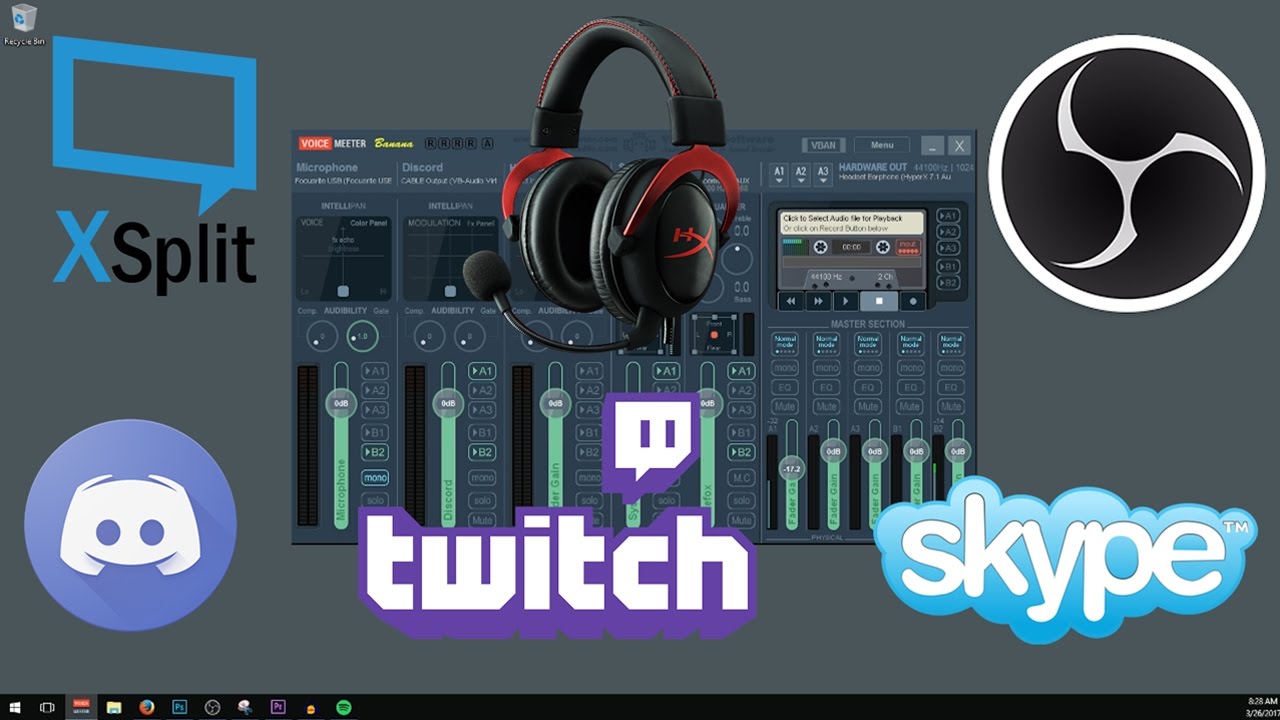
This video is an in depth tutorial on how to setup VoiceMeeter Banana for Streaming to Twitch, Beam, or Hitbox with OBS or XSplit and having full Discord or ...
vapid badge
Right! I'll give it a try when I come home tonight! Thanks a bunch!
I had a second question as well, not sound related
pearl light
sure
 echo falcon
just curious but how do you become a sellout?
vapid badge
I stream during a 6 to 8 hours and change game every 2/3 hours. I created custom Overlays for each game, and every time I switch to said game, I change Scene Collection in OBS. I make sure not to end the stream so I keep my viewers, but when I switch to the overlay designated for Gameplay, I have to delete and re-add the Game Capture element, which leaves the stream on a black screen for a minute or two. Any idea how I could keep each game saved and detected in each scene collection everytime I switch to one of them?
pearl light
why do you have to re-add game capture? if you know which games you're gonna stream, just have your game capture point to a specific window in advance
in each set of scenes
vapid badge
That's what I did, but everytime I switch to another Scene Collection the previous Game Capture turns black even though I specifically pointed him to the wanted game... It's odd
pearl light
not sure. i play only one game and when it loads up the game capture catches it
that could be a question for the OBS guys
vapid badge
Yep, I'll ask 'em straight away !
Thanks again for the support ! You guys are always a minute away when we need you, it's awesome !
pearl light
you bet 😃
gentle imp
I do that and have no problems Djen
vapid badge
Hmm weird, I'll ask the OBS dudes
gentle imp
stupid question but are you running obs with as admin?
also suggestion, when swithing games, make sure u go to studio mode, set all including game capture to new game, let all show then click transition, then exit studio mode
just create a switching games scene so ppl aren't seeing a black screen
vapid badge
I am
But that's actually a genius idea, how did I not think of that before
gentle imp
that's how I do it and never had an issue, only when I wasn't running it as admin ticked on shortcut
vapid badge
I'll give it a try tonight thanks Rippz0r
gentle imp
np, feel free to pm if u need
vapid badge
Alright ! 💙
next spruce
Hey team - anything more on a monthly tipping leaderboard? 😃
dense jackal
Not atm, sorry for your long wait! @next spruce
echo falcon
still wondering how one becomes a sellout
gentle imp
@echo falcon
- Add the bot to your channel and /mod streamelements
- Add the StreamElements tipping page link to your twitch panels
- Set up overlay(s) and stream with them
echo falcon
i should have all 3 done XD
gentle imp
yep
echo falcon
i said it as in i think i have them all done
gentle imp
u do, I'm asking someone with the proper access to add u
echo falcon
okay thx
dense jackal
gotchu B)
gentle imp
done thx to @dense jackal
tight harness

dense jackal

echo falcon
XD
 tame stag
Can i use an overlay I created on my ps4 when i stream?
lament blade
Hi just checking if i stream will i see the donation on my screen or i have to go to google to check
like can i see my streamelements stuff that i set in
 still plover
Hi, spanish support ? thx
still plover
well, english support, but i know hav a spanish staff support for this lenguage
Any way to put the new follower alerts diagonally??¿
For example in a corner ?
still plover
but in the overlay you do not have the option to rotate the text for example
lament blade
hey @everyone how do u check ur donation if someone donate to u
nocturne pelicanBOT
Please refrain from using [at]everyone or [at]here
tight harness
@tame stag only if you can capture your PS4 gameplay on a pc using something like a capture card
Ohh you asked in 2 channels 
atomic hollow

still plover
Well, does anyone know if there is a way to put the text of alerts diagonally? that is, rotate it?
atomic hollow
no
still plover
oh... ok 😦
lament blade
I Meant Like How Do U See That someone has just donated u
 steady lark
Hi, I am need of a little support. I am trying to change my Cheer sound but when I apply the new sound file both gets played. The original and my personal one
any tips on how to solve this?
dense jackal
are you using chrome?
steady lark
yes
dense jackal
try adding a new sound, saving and refreshing still no dice?
steady lark
nope even added the sound thru my Mac with Safari, I get both sounds and even tried to clear of all and redo with the new sound
tight harness
If you hear the new sound and the old sound it's likely you have another overlay added in your OBS which isn't shutdown when hidden which uses the old sound
dense jackal
also a possibility^
tight harness
Tick 'shutdown source when not visible' in the browser source properties for all of your overlays, even overlays in other scenes
dense jackal
legendary op
tight harness
No problem
steady lark
he sure is! time to get back on the grind ! 😄
dense jackal
which game?
still plover
I have a new question, how do I create transparent webm videos?
I have videos on webmas with chroma key but I can not get it transparent like in animated themes
tight harness
Tried asking Google that question?
still plover
does not give me a solution in particular
dense jackal
not sure i know how to help 
tight harness
It's not our specialty 😛 sorry
still plover
I already found the solution with a plugin for premiere
tight harness
Excellent
still plover
yes, muahahahaha
tight harness

 fierce sun
Hey guys, I would like to make my webcam box on my overlay larger is this possible?
When I try to rescale nothing changes.
gentle imp
hey, it is possible, I've done it
oh wait, larger, I shrink'ed mine, let me check, sec
fierce sun
Yeh it will go smaller but not larger.
gentle imp
fierce sun
thats a ton mate
gentle imp
glad I could help 😄
fierce sun
🏆
 half wasp
Hello, do i need to have a other module or something to get a chat displayed on my stream?
pine hemlock
Theres a twitch chat widget yes
half wasp
Where can you find it? 😄
pine hemlock
Edit your overlay, go to widgets at the top, its in there somewhere
half wasp
Thx 😃
tight harness
I believe it's called something like 'Your Channel's Twitch Chat'
 whole orchid
anything change with the give currency command to another user?
tight harness
No
tight harness
It's still !give / !givepoints to give from one person to another and still !bonus / !addpoints to add points as a mod/broadcaster
whole orchid
the code in the background
gentle imp
I changed mine lol
tight harness
It's a default command, it can't be remade as a custom command but you can add aliases to it
whole orchid
hmmm, ok, the person i mod for must have deleted it
tight harness
You can't delete it, but you can disable it
What is their username?
I can check for you
whole orchid
nevermind, i think i found it
he moved it to custom, and it must have messed up there
tight harness
Yeah, because you can add the message and the variables but it doesn't do the action
You need to use the default one for that
whole orchid
yeah figured it out, with yoru help of course, thanks
tight harness
No problem
lament blade
hi! i have some rewards on my stream shop but when they're redeemed, no sound plays on stream, even though i have them set up as sound alerts and have uploaded some sort of sound to go along with them. i was wondering what i could do to fix that?
tight harness
I can do some testing for you if you like
There's no store redemption widget on your overlay, once you add that it'll work 😃 @lament blade
 balmy badger
hi, i'm having some isues with follower alerts. I have 4 of them which should be playing randomly, but instead all of them plays at the same time
tight harness
Do you have multiple overlays added to your OBS without the option 'shutdown source when not visible' ticked in the properties of the browser sources?
Even if they're in different scenes
balmy badger
aaaah, that's it 😃
tight harness
tight harness
No problem 😃
 little fractal
any idea if SE works with Lightstream
 timid yacht
I've never tried this, but is there a way to change the color of SE in the chat?
tight harness
@timid yacht If you mean the default bot name then no, that setting is set on the bot account's settings
timid yacht
Not change the name, but change the Name color and Chat color.
weary mist
Yeah, that is what he is saying. The only way to do that is in the bot account settings, and that changes it for EVERYONE
tight harness
I didn't say the name 😛
weary mist
BUT
if you qualify for the custom bot name, you can set the color to what ever you want
tight harness
Do you mean the chat widget? 🤔
timid yacht
@tight harness You said "default bot name", so I thought you meant name lmao
Wait qualify for the custom bot name?
how?
tight harness
You asked if you could change the colour of the name, so I was explaining that changing the colour of the default bot name (StreamElements) can only be changed in the bot's account settings  lol
lol
But Scalper will explain to you how to change the name to a custom account name which will include changing the colour to what you set it to in that account's settings
little fractal
any word on wether SE will work on Lightstream
tight harness
Does Lightstream allow browser sources?
little fractal
I have not dove that far into it yet
tight harness
I have a feeling it doesn't
And if it doesn't then there's no way to get our overlays to load into it 🤔
weary mist
at this time, they do not allow browser sources, and they do not have integration created for us
little fractal
that stinks
tight harness
Figured as much
weary mist
It shouldn't be too difficult for them, since they have integration with multiple other sources, I was going to ask their support, lol, but they are taking for ever to respond
little fractal
obs just keep being a poop head
tight harness
How so?
lament blade
Is there any way I can get a command or anything that a viewer can use to SURGEST a song at allo?
little fractal
anything from encoder overloading to just not wanting to work
tight harness
@lament blade Suggest a song? we have song requests already, but do you mean something different but suggesting a song? 🤔
lament blade
ah we have song requests already? Thats what i meant! how do i do it again?
tight harness
@little fractal Have you spoken to OBS about it? discord.gg/obsproject
Command: !songrequest or !sr
lament blade
Hey! A quick question
tight harness
Sure, fire away
lament blade
@tight harness Thanks!
tight harness
No problem
little fractal
I have not spoken to obs yet. I do think it is time for that though...Thanks for the help
lament blade
Someone tipped me in my live stream today but no allert came on screen. I imorted the overlay from streamlabs
weary mist
@little fractal support says they will take the suggestion and possibly add it in the future -.- need more peoepl to pester them about it
tight harness
@little fractal No problem 😃
@lament blade Did you change your tipping link in your panels to ours?
lament blade
No i've changed nothing, it is wierd though, because in my paypal the ammount is there, but in the event list i have no updates for thta :/
that*
tight harness
You should change your tipping link to ours, otherwise people are still sending tips to the wrong service
lament blade
can i buy charms?
tight harness
Charms? 
lament blade
yeah i did, 5 days ago it was working... The subscriptions and everything are working perfectly though
tight harness
What's your username?
lament blade
my username?
tight harness
No
You still haven't told me what you meant by charms 😄
I was asking yiannis for their username
lament blade
@tight harness my username??
tight harness
Yes @lament blade
lament blade
charms
tight harness
You'd have to ask the streamer how they allow you to earn/gain points in their stream
lament blade
@tight harness yiannis_the_menace_gaming
tight harness
Okay, so I see the donations up until the 28th
Does the SL website show these donations you don't see?
tight harness
Then some people are still using your SL link for donations which is why it isn't showing
They must use your StreamElements link for it to show
 split jewel
QUESTION - is there a Timer or something I can turn on to show me HOW LONG I've been streaming for without using a command?
lament blade
@tight harness The thing is that the link that i have in my channel goes straight to the SE page
tight harness
You can add them manually in Tipping > Tip List > Add a Tip (make sure to tick the 'Imported Tip' option), but ideally they should use the StreamElements link all the time so you don't have to do that every time @lament blade
It's because they're using the wrong link
They may still have the old link in their browser history
Instead of going to your panels
Or maybe you didn't update the command for donating in your chat 🤔
lament blade
@tight harness I figuered it out. It seems that i've forgotten to update the link from the bot, and the guy used that one. I am on it. Thank you for the time 😃
split jewel
@tight harness I'm not on OBS . I stream directly from PS4
tight harness
No problem
weary mist
@split jewel yes, there is an api for that, let me see if I still have it
tight harness
@split jewel The only way to use overlays at all is by using a program which allows browser sources, streaming directly from a PS4 doesn't allow that. This is why people use capture cards or remote play to get their gameplay onto a PC
Wait, there is? 🤔
weary mist
yeah
split jewel
an api?
weary mist
Stream uptime: ${customapi.https://decapi.me/twitch/uptime?channel=lord_scalper}
paste that into a timer response, and change the channel name to yours 😃
split jewel
❤ I hope it works~ Thanks @weary mist
weary mist
yeah
split jewel
Yeah I want it to be in the Chat
tight harness
Alright cool
split jewel
exactly just an automatic thing that comes up every X amount of minutes just so I know how long I've been streaming cause I accidentally pulled a 6 hour stream the other day and it wrecked my body
weary mist
yeah, the last and only 24 hour stream I did, I was going litterally insane the last 2 hours
like
I was pretending to be a plane for about 30 minutes while playing Guild Wars 2
tight harness
lmao