#helpdesk-twitch
1 messages · Page 204 of 1
 ripe herald
 blissful blade
 lament blade
No problem 
 worn cradle
Doyou guys have any DayZ overlays and if not, any suggestions for one from your theme gallery?
lament blade
btw @ripe herald 
 dense jackal
@worn cradle there's a horror one
ripe herald

worn cradle
is there a zombieish one?
 weary mist
lol, bit of a sneak peak there @ripe herald 

worn cradle
ah, will look at both
dense jackal

 worn cradle
i might try those, they seemed to liken more too it, maybe i can suggest a zombie theme ❤
worn cradle
You guys make the coolest themes dude, idc if everybody uses them they 100% beat 75% oof the ones i see people pay for
The real heros.
 tight harness

lament blade

lament blade
can someone walk me through the overlay?
tight harness
@vagrant turret Try logging in while in incognito mode
Or clear cache and do it
Awesome 😃 no problem
 winter zenith
tight harness
@lament blade Overlay manager in general or a specific overlay?
lament blade
in general little confused thats all
lament blade
i just want a fortnite one to start off with
but maybe im just mis understanding the concept
 hard kettle
what's up chickens, i've been having some issues with my alerts recently, i haven't been getting alerts for follows, hosts, cheers or donos. I'm not sure if this is user error or if something is up? maybe i'm overlooking things but when i try to replay an alert it hasn't been working but emulating an event has???
 ionic summit
still getting the problem that only the first song in my music queue plays, and then all the others dissapear
lament blade
With what songs? @ionic summit
lament blade
Can you link a few ones? o.o
ionic summit
@lament blade want me to pm u them?
lament blade
@hard kettle So when you go to your overlay manager, and emulate events, it shows there... Does it also show on OBS? the test alerts?
Sure @ionic summit
ionic summit
wellp just because i descide to go to support it starts working with the songs....
idk whats going on
BTW! is there anyway i can have both alerts and song queue in diffrent windows? through the program, if not u should add that
lament blade
There has been some issues with the song request feature.... So still if you could PM me those it would be helpful 😄
hard kettle
@lament blade it works when i emulate them but when they actually happen or i replay the events the alert box doesnt show or play any cue :^(
lament blade
hey so i cant change TTS voice, any ideas?
 round flicker
So #helpdesk-twitch got a question
I have a huge DJ event I am going to stream tonight I was wondering where I could post my twitch link with time starting
 dapper apex
#402919550066229250 maybe lol
 clever mango
@round flicker I'll send you a message
 blazing vigil
Hello, Just a quick question .... Is there a way to make a command that is a sound so when a viewer puts in that command it will trigger a sound bite ?
tight harness
You can use the stream store to do this, you create a Sound item
blazing vigil
Ahh nice Thank you very much @tight harness
blazing vigil
Have no Idea why I never thought of that ....
 proven quiver
Anyone free to have a chat and help me with somthign
 silk rover
what's up @rebirth
proven quiver
just a few question with the overlays ect
lament blade
anyone in here good with obs can give me a hand? or is it just SE support here 😄
proven quiver
im ok with obs
lament blade
do you have time for a chat?
proven quiver
yh
lament blade
is there a possibility somewhere, that you can increase the size of this or start the text higher?
since longer texts will go "over the border"
tight harness
@Rebirth#7411 You can always message me if you have any questions about SE
@lament blade Increase the size of the image?
lament blade
yes
tight harness
If you drag it from the corner it'll stretch a bit
You'll be able to see when it reaches it's limit
lament blade
will the textsize also be stretched?
tight harness
You can change the text size easily in text settings so even if it does it's not relevant
But I just tried it and no it doesn't
Just the video
 lament blade
the same
okay I just gotta scale extremely much
but not it's going sideways over the border 
ok well, only proper solution i see here is, to get the alertbox of another overlay, and copy it into
tight harness
Trying to think if there's a way to limit what area the text can go into 🤔
lament blade
Nah I don't want to have less maximum text (shown)
I could change the line height, but that's it
I also noticed in the overlay i edit rn, for the autovariation subgift, there is no image/video 
tight harness
I think I knew that @lament blade 🤔
 mossy summit
I don't need support for this, but I'm using Safari 11.0.3 and the Nightbot Import wasn't working (it never showed the checkboxes for things to import after authorizing Nightbot). Worked in Chrome. Just wanted to let you guys know! 😃 👍🏻
tight harness
@mossy summit At the moment our website does generally work better on Chromium browsers, it is something we're aware of 😃
Thanks anyway
tight harness
Legenday 
tight harness
National holiday
 I do this too often
dense jackal
I do this too often
dense jackal
Legendary? You mean like Lego dairy
dense jackal

tight harness
Bullying in the workplace
lament blade
winter zenith
lament blade
hi! some of my viewers are trying to request songs, but keep being told that the requested song is too long. how do i fix this?
What do you have on maximum song duration? @lament blade
It's in seconds by the way 😄
tight harness
You have it set to 5 seconds 😄
 stark swallow
Is there a way to have StreamElements repeat a message say every 5-10 minutes?
tight harness
Timers
lament blade
tight harness
Fixed beatjuice's max song duration to 300 seconds (5 minutes)
stark swallow
Yup just found it, WAY at the bottom. Thanks.
tight harness
Yep 😄 no problem
lament blade
@tight harness THANK U <3
tight harness
No problem
 cloud niche
so im messing with kappagen and the goal is to have the emotes go over the whole overlay - but they seem to be spawning outside the area that they will actually show up on stream - sometimes the emotes dont even fly into the area that will appear on stream
winter zenith
how big is your window for kappagen?
tight harness
Do you have the option ticked "Use the entire screen for emotes"?
dense jackal
make sure entire screen for emotes is unchecked @cloud niche
weary mist
I believe he means they are appearing outside the overlay itself
cloud niche
i think i might start from scratch - imma mod recently got the permissions to edit for the streamers stream elements - i turned on use the entire screen for emotes and the emotes still spawn outside the overlay and fly into view
weary mist
The question is, do you have it on its own overlay, or the same browser source as your other things
cloud niche
its own overlay
like i can see it fine on stream elements but then on stream its only capturing a section of the green screen on stream elements
weary mist
is that overlay set up in obs to be the same size as the canvas, or bigger. If the streamer set it up incorrectly in OBS, that could cause your issues
weary mist
The streamer has to make sure the width and height are correct
cloud niche
hes not very smart when it comes to things like this
dense jackal
1920x1080*
weary mist
shhhh
 hardy kettle
hey bit of a simple problem i believe, so excuse my naivety. My main overlay in obs looks perfect, streaming at 1280*720p, 60fps, fantastic. Making a "stream starting soon" overlay and a huge portion of the overlay is cut off on obs as if the resolution/size is different, but i've quadruple checked and everything is the exact same setting as my main overlay. And on stream elements they're both set to 720p as well, really frustrating me
lament blade
You need to put the browser source in 1920x 1080 and then press Ctrl F i believe to fit it to your screen
But our overlays are meant to be at 1920x1080
that's why it's cut off
weary mist
I think he said he is creating them
hardy kettle
yes im making them myself, a brand new one, and my original one looks great, this new one has a huge portion cut off and just shows the top left area
hardy kettle
am eating cereal and accidentally poured my milk before the cereal im so pissed. Yeah i just did and it fits the screen but the same chunk is still cut out, so now most of the screen is just black even though the source fits it
lament blade
I always put milk before 
hardy kettle
thats seriously not ok
weary mist
lmao
lament blade
ok 
hardy kettle
but ill let it slide if i can get this working
lament blade
Maybe could you PM me the overlay link? and i'll try to see if it's cut off on my obs?
weary mist
ok, let me try this. what is the name of the overlay you are working with
hardy kettle
hmm. closed out of obs and reopened it and it looks fine now...
that doesnt make any sense
lament blade
O_O
hardy kettle
well call me a monkeys grandmother
weary mist
ok, monkeys grandmother
winter zenith
damn @lament blade
 stray quarry
Hello, I have a very good PC and am going to start streaming CS, RL, PUBG, etc like any game
winter zenith
oki
hardy kettle
appreciate the help and support guys, to all a good night
stray quarry
I have a problem, my quality is not good, ive watched videos and such for good settings but
weary mist
@stray quarry define "very good". that term is VERY loose
lament blade
You are talking about OBS settings?
tight harness

stray quarry
ok ty'
winter zenith
weary mist
@stray quarry also, check your task manager. If you have more CEF-Bootstraps than you have overlays on your one scene, then you need to go in and do "Shutdown when not visible" in ALL your browser sources
having these will cause quality reduction
stray quarry
one thing i have a problem with is that when im streaming csgo
it jitters in game, is that cause the bandwith it takes up
like it just feels scrappy, I always have 300FPS in game so its not my hardware
cloud niche
btw earlier question about the kappagen thingy -> it was the obs setting he changed it and it looks fab now ❤ ❤ ❤
lament blade
Is it only with csgo?
winter zenith
its probably a OBS issue if you ask me
stray quarry
ive only had a problem on csgo
rocketleague maybe a bit
i think it may just be the drop in upload speed?
lament blade
Glad to hear that! @cloud niche
stray quarry
I just did auto-config in OBS, it did a test
It put my bandwidth to 6000
speedtest has my upload as 11
but like i said, csgo jitters alot when streaming and sometimes rocketleague
but csgo very noticable
stray quarry
i just joined the community
lament blade
Oh so you don't have StreamElements all set up?
stray quarry
no
lament blade
Then i'm afraid i don't know how to help you, again, if you ask on OBS's discord , the people there might be able to help you better
stray quarry
alright, im going to set up streamelements right now also
lament blade
If you have any questions about StreamElements feel free to ask 😄
winter zenith
cool we can help with that 😄
 mossy portal
good afternoon, im trying to put my recent follower and recent tips and top donation on my overlay but no information is showing, anything i can do about this, i see all the info on the widget data page but not on my overlay on obs
winter zenith
have you connected your twitch to your streamelements account? 🙈
mossy portal
ofcours i do see my recent subs on obs
tight harness
Same name on Twitch as you have here on Discord?
mossy portal
yes but im not live right now i want to fix this before i go live
tight harness
Sure np
winter zenith
no problem
tight harness
I'm looking into it on your account now
winter zenith
thats Legendary Support right there 
mossy portal
lament blade
tight harness
Which overlay?
winter zenith
winter zenith
its 42
mossy portal
@tight harness are you asking me
winter zenith
but I forgive you @lament blade
tight harness
Yup
mossy portal
CSGO OVERLAY - RUSTY BLUE STAR 2CAM SCENE
tight harness
Alright, Recent Follower isn't showing because it's not in that overlay yet, if you add it then it shows fine, just checked
If you go here: https://streamelements.com/dashboard/session you'll notice there's no tips in Recent Tips, that's why the Recent Tips widget isn't showing anything
mossy portal
gotcha gotcha Thanks alot i see that option now in the overlay editor
tight harness
When you receive tips through our tipping system they get added to Recent Tips, then it'll show up in the Recent Tips widget 😃
No problem
 astral epoch
i'm trying to create a command that picks a response and increments a selected counter for that that response
the command is: lets blame ${random.pick 'Crad ($count crad)'} times
but its printing the $count crad part in chat, not the amount
tight harness
astral epoch
awesome.. typos get me again lol, had to move the $ to the left of the (
tight harness
Yep 😃
cloud niche
so i thought i remember seeing a import option for bot commands (nightbot to streamelements) am i crazy or just cant find it again?
tight harness
cloud niche
tyty
tight harness
No problem 😃
 elfin frigate
Hey so I am just going to use streamlabs for alerts, I have tried everything. If I still use streamelments as my donation link, will the alerts still work through streamlabs though?
tight harness
No
elfin frigate
Ok thanks 😃
tight harness
What do you mean by you've tried everything?
elfin frigate
I am getting echoed alerts. I tried deleting everything and putting a new overlay in. I am getting audio when the overlay is muted and there was no url/alerts in my obs. that's what is causing the echo.
tight harness
Is your twitch username the same as it is on discord?
elfin frigate
yes
tight harness
I'm going to try something if that's okay
elfin frigate
Ok sure
tight harness
Just some testing
Alright, if I run a test event that won't interrupt anything that you're doing now?
elfin frigate
Nope should be good
tight harness
Okay, just going to add your overlay to a browser source on my OBS and see if it echoes with the overlay manager muted
elfin frigate
Ok thanks
elfin frigate
Can you check my last stream? You'll see what I mean
tight harness
Yeah sure
elfin frigate
Becasue I can hear it playing right now and nothing is open, not url is in my obs right now
no*
tight harness
Are you making sure to tick 'shutdown source when not visible' on absolutely every browser source you add into OBS? Including ones in other scenes and from other services
elfin frigate
hmm... I can double check
tight harness
If they're in another scene they can still be open
Watching your VOD now 😃
I'll also throw you a follow as well, your streams seem cool
elfin frigate
Oh thank you 😄 ❤
Ok I checked every scene that had alerts, and I refresh the chache
tight harness
Watching you opening a bottle with scissors, I hope you were careful 😄
tight harness
I left my OBS open and I only heard it once during that test
Hmm, did you tick the speaker icon in the overlay manager?
So it's muted in there
elfin frigate
yah I did 😦
tight harness
And seems like an obvious one but there's only 1 overlay manager open? No others in another tab anywhere right?
And only 1 version of OBS, even more obvious but gotta check
elfin frigate
nopperdoodle
tight harness
Alright good 😃
I'll just make a recording using my OBS to show you that it's only playing once for me
elfin frigate
Ok
tight harness
Because i'm convinced there's a browser source somewhere in your OBS that we haven't found that's not got the 'shutdown source when not visible' ticked
I'll send you the recording via DM if that's alright
tight harness
Alright, check DMs 😃
I sent you a video recording I made of my OBS and you'll hear that it's only coming through once
tight harness
Alright 😃
 snow bane
Hello! I was wondering if there was a way to only a lot active chatters/viwers points? When I do a bonus it says 100 users but my viewer count is only at 49. Is there a way to only give it to the active viewers?
tight harness
Sadly not, the bot is only able to determine who is in the chat, not who is viewing from that list of chatters
I believe active chatters has been suggested on the ideas board actually
dense jackal
twitch has done some cracking down to get rid of lurkers
but it's not perfect
We just take the twitch api of the viewer list
snow bane
got it
elfin frigate
@tight harness I sent you the live streaming Alerts
tight harness
@elfin frigate So from what I heard from being in your stream I can say without a shadow of a doubt that it sounded exactly how it does when there's multiple browser sources open
How many overlays did you add the alert box to?
And this is the option in the properties of the browser sources which you absolutely must tick for all of them, whichever scene they may be in: https://gyazo.com/3b571b86b16825762aa5565fe98837ce
 elfin frigate
I add the aletbox overlay into 7 scenes, It's shutdown on each source too 😦
tight harness
Via that option being ticked? 🤔
elfin frigate
yup my dimesions are not the same but yeah
tight harness
Has the alert box been added multiple times to any one of the scenes?
As in 1 scene with the alert box multiple times
elfin frigate
I am looking right now to see
OMG YAY!
I had a donation goal that was the same as my streamlabs "alerts" that had the same link
It's fixed now yayayayayay
lament blade
Nice 😄
tight harness
AWESOME!
elfin frigate

 elfin frigate
Thank you so much for the help!!!
elfin frigate
 ❤
❤
 nocturne moth
hey guys, can anyone help me to get the quote system to work?
tight harness
Can you tell me what problem you're experiencing with it?
nocturne moth
well, I've added wuotes, but the bot always replies with no quotes found
*quotes
also, I added some from nightbot ages ago, but they are nolonger working either. When I add a quote is says "Successfully added entry #133"
tight harness
Interesting 🤔 is your Twitch username the same as it is on Discord? Also I agree that the quotes system needs some reworking, this should help a bunch when it's deployed, it is being worked on currently: https://streamelements.helprace.com/i242-quotes-tab-in-dashboard
nocturne moth
yeah same
tight harness
Nope 😃
Support staff
So i'm noticing a pattern with this message it's replying with every time
The quote did get added
But it still gives me the message so i'm looking deeper into your commands currently
nocturne moth
ok
tight harness
Okay, so you've got this command in default commands https://streamelements.com/dashboard/bot/commands/default
And you've got this command in custom commands https://streamelements.com/dashboard/bot/commands/custom
So it's triggering them both
nocturne moth
ok
tight harness
The custom one is the one that's saying "There are no quotes added"
But the default one is working
tight harness
Notice how when I removed the custom quote command it stopped with that there are no quotes response?
tight harness
No problem, it does say added quote #0 instead of the actual number it is, that's a known bug
nocturne moth
oh well!
tight harness
But it does add them and assign an actual number to it
nocturne moth
thanks again!
tight harness
No problem 😃
cloud niche
another question -> so for the bingo chat game -> how many emotes can people spam each submission (each message) - and is it possible to have the bingo not pull stream banned emotes?
lament blade
one emote per message
 lament blade
Yea, not sure what you mean by that ;.;
cloud niche
i think the streamer banned TriHard (for the racism that comes along with him. love trihex great guy) i dont know exactly what he did to "ban" it
with him* -> with the emote*
lament blade
I didn't know you could ban emotes
cloud niche
hmmm
lament blade
But i guess you can choose other options for bingo
if it's a twitch emote, you can pick only bttv ones to do bing with
¯_(ツ)_/¯
tight harness
You can choose what kind of bingo to do, but not which emotes it chooses
cloud niche
ok ill talk to him about the "ban" thing it was before my time never really asked what he did
tight harness
As in, you can do: Twitch, BTTV, FFZ or All, but you can't choose which ones specifically from those choices
 storm venture
Hello how to add Latin-ex to fonts? Some fonts don't support my language but in Google fonts they support.
lament blade
We are currently using google fonts, but there isn't a way to add any other fonts sadly
tight harness
I believe it's 800 fonts from Google Fonts we use
storm venture
No it is from Google fonts but it isn't show character "č" but when I download this font from Google it show this character.
tight harness
I see, I can't think why that would be but it doesn't sound like there's anything you can do to change that 🤔
storm venture
Ok... Nevermind... It is to late for me. I will fall asleep in a few minutes...
tight harness
Okay
lament blade
Goodnight!
tight harness
Good night
storm venture
You to... Actually I don't know what time you have. So maybe good morning.
tight harness
Almost 4 AM
lament blade
tight harness
lament blade
can you set games, such as duel, slot machine, point giveout, i dont see a option to alter that value
tight harness
For slots the bar at the top alters the payout
For duel the participants choose how much they bet
Setting the potential payout
lament blade
this one?
tight harness
Yes
lament blade
thnx
tight harness
No problem
 acoustic cape
Hello, I have a question about my stream overlay not working, can anyone help out?
lament blade
Of course, what is going on?
acoustic cape
well, whenever I try to copy my overlay into obs, it only shows the top corner of the overlay and not the rest. i'm not sure if that was a good description, apologizes
dense jackal
!multi
 nocturne pelicanBOT
Make sure to :ballot_box_with_check: “Shutdown source when not visible” for all browser sources (all OBS scenes). If using studio mode, uncheck “Swap Preview/Output scenes After Transitioning.” Also keep in mind that sound can play from any overlay loaded in the browser (editor or launched). https://i.imgur.com/FegZJQS.png https://i.imgur.com/yY0wcFl.png

 dense jackal
That should help 😄
acoustic cape
thank you!
lament blade
 misty sparrow
guys is there a way if someone typed a specific word in my stream that i could hav a few random responses, but without the viewers putting an exclamation mark at the start?
dense jackal
We cannot do keyword triggers yet unfortunately 😦
misty sparrow
ok thx
lament blade
 dry hare
dense jackal
dry hare
dense jackal
Feel free to add it to our ideas page 😄
lament blade
misty sparrow
@dense jackal is there a way i could get rid of the exclamation mark at the beginning of, say 8ball as example, then i could edit the word 8ball and hav responses?
dense jackal
Not at this time
lament blade
What are the champions
dense jackal
champions are streamers and People of interest that help SE to become the best platform on twitch
😄
but fr we are also dank memers

 solar hedge
And @misty sparrow and @dense jackal you can do keywords for some commands... it's under "Show Advanced"
solar hedge
yup
dense jackal
it's a module
solar hedge
well you could set up another 8ball command
lament blade
on the !tip command, there is a donate alias
so if someone does !donate, it will trigger !tip
solar hedge
yeah
You can do aliases for modules, but not keywords.
And you can do aliases and keywords for custom commands.
dense jackal
@misty sparrow to clarify if you created your OWN command you can use a keyword but not the specific modules
solar hedge
^
So like if you're playing wow and people are always asking what server you're on you could set up "server" as a keyword to trigger a command letting people know. It's almost like you can make the bot sentient....
Until someone comes in and talks about their waitress job and then the bot just goes weird.
dense jackal
cool trick make key word "i" or "the" and have it whisper to them 😃
for the mega troll
misty sparrow
but could i create say 3 different responses to that one keyword, in essence responding at random?
solar hedge
I don't think there's a way to do that atm.
dense jackal
Was checking, I don't beleive there is a way either
solar hedge
Also, while I'm here - the currency doesn't import properly from Ankhbot via csv.
dense jackal

lament blade
Can you give us more details?
dense jackal
misty sparrow
whete do i find show advanced
dense jackal
solar hedge
tmi prolly but w/e
dense jackal
@misty sparrow when you create a command
the advanced option is a dropdown you click at the bottom of the settings
dense jackal
solar hedge
any plans in the works for offline currency or custom interval (as opposed to 10 minutes)?
solar hedge
Keeps folks in chat. When I first started streaming I used a now-defunct bot that allowed for offline currency. It was kind of what started it, an incentive, but people ended up just hanging out in my chat 24/7.
dense jackal
I actually haven't heard of that before I like that idea 😄
people may even want to come into your stream couple min early
for more points
solar hedge
Yup.
dense jackal
make and ideas page I'll upvote it 😄
solar hedge
I mean... it wasn't a lot. Like 1 point per hour and points were virtually useless. But still :P
 dense jackal
gnite!
 carmine sundial
I have a little problem
 carmine sundial
I downloaded the animated fortnite overlay and I can not move it in OBS. Is there something I am missing?
nocturne pelicanBOT
Make sure to :ballot_box_with_check: “Shutdown source when not visible” for all browser sources (all OBS scenes). If using studio mode, uncheck “Swap Preview/Output scenes After Transitioning.” Also keep in mind that sound can play from any overlay loaded in the browser (editor or launched). https://i.imgur.com/FegZJQS.png https://i.imgur.com/yY0wcFl.png
carmine sundial
Ill go check
carmine sundial
Thanks for the help I can get it to move now just cant get my video to fit in the box. I'll try later.
dense jackal
alright
 storm goblet
hey
dense jackal
what's the problem boss
storm goblet
anyway of making a follower goal
Chat started
You
come up in the overlay?
storm goblet
so
having
this bar
and it goes green
when you are getting towardsw
your follower goal
dense jackal
correct
dense jackal
Yes it is the follower goal widget
Go to your overlay editor > widgets> and scroll down till you find follower goal 😄
dense jackal
Are you perhaps switching from streamlabs?
dense jackal
ah ok
The way StreamElements works
is you have everything on your overlay
and converts it to one link
storm goblet
ok
dense jackal
so you add alertbox follower goal and graphics you have etc. then paste the link of that overlay in your obs 😄
your obs becomes 1. Browser source (StreamElements) 2. webcam 3. gameplay
!multi
nocturne pelicanBOT
Make sure to :ballot_box_with_check: “Shutdown source when not visible” for all browser sources (all OBS scenes). If using studio mode, uncheck “Swap Preview/Output scenes After Transitioning.” Also keep in mind that sound can play from any overlay loaded in the browser (editor or launched). https://i.imgur.com/FegZJQS.png https://i.imgur.com/yY0wcFl.png
storm goblet
ok
anyway of getting a bar ?
showing how close or far you are away?
dw
found it
dense jackal
Awesome 😄
dense jackal
we have lots of themes here https://streamelements.com/dashboard/themes ❤
 quasi bison
does the current song widget support spotify?
dense jackal
No spotify won't accept our api requests 😦
dense jackal
To put it into perspective, discord finally got access to make spotify integration near the beginning of last november
They are stingy 😦
 slim cairn
We're planning on 25/7 support soon
dense jackal
 daring gull
Hello
 whole vector
hello all this is a stupid question. i am trying to use the !time command so my viewers can see what time it is for me. But changing the syntax to ${time.central} doesn't change the time... can u help?
 dense jackal
I'm not sure why
this isn't working
I'm testing CST
and getting incorrect time
but EST works
dense jackal
seems to be defaulting to almost 5 hours ahead when it doesnt recognize the timezone abbreviation
whole vector
i see
 left crow
hi, how do i edit my timers? 

dense jackal
 dense jackal
are you using chrome?
left crow
yes 😮
dense jackal
There should be trash can and pencil
left crow
yaaa, any issues on chrome?
dense jackal
it's built for chrome I thought maybe if you were using a different browser you would have issues
Try restarting your browser or relogging perhaps? I have never seen this
whole vector
try scrolling to see the rest of page the white at the bottom of his pic means there is more to load maybe?
 unreal pike
Is there any animation of follower's/subscriber's/etc name like hand writing so i.e. the frame of paper pops out and the name of a follower is written like with a brush
dense jackal
Not that I know of
but we are working on css alerts to allow for that kind of stuff 😃
dense jackal
 vapid badge
Good morning !
I've a question, I turned on the backup playlist on the songrequest tab, and usually have Ground Control playing the said playlist in the back.
However, yesterday a viewer typed in a songrequest, the song didn't play, the backup playlist just kept on going, but the weird thing was that on the theme that i'm using it did say it was playing the requested song.
Any ideas ?
slim cairn
@vapid badge did that issue only happen once? If so it was probably a 1 time bug.
And the backup playlist doesn't show in now playing because of youtube api limits
vapid badge
I'll give it another try tonight, I'm just wondering if I should have the Stream elements tab open to play music or just the Ground Control :/
slim cairn
Ground control is probably the best option 😄
slim cairn
Let me know how it works
vapid badge
Will do !
 neat nest
Hi
I was testing out tipping and saw that I only recieved 67 cents out of the 1 dollar that I donated does the same amount get takien off of every additional dollar or does it just take the first 33 cents?
slim cairn
@neat nest We don't take any fees, the fee you got was most likely from PayPal
slim cairn
I think so. PayPal has set fees, I have no idea how they work I'd do some digging online for more info on that.
neat nest
Thanks
slim cairn
No problem
 dusky cedar
"You must provide a valid youtube id or url" my viewers are getting this response for Songrequest. What should I do?
dusky cedar
okay thanks , will try
BroadcasterTurboCeitros: !permit in0nex
ModeratorVerifiedStreamElements: @in0nex you will not get timed out during the next 60 seconds
in0nex: !sr ***
it's always deleted ***, I think I need to permit them for sharing links? But evne with permit it's not working
 atomic hollow
you need to remove the ban for link posting or you can instruct them to use ID's and not links
this is a link https://www.youtube.com/watch?v=TKmGU77INaM&t=1719s
thats the ID - TKmGU77INaM
dusky cedar
Alright thank you ! 😉
 split wedge
Hey I was streaming today and some of my alerts were a bit delayed. I know it happens sometimes but it was a bit more than usual. Also the audio didn't work for one alert at one point. I checked it in the editor to make sure it was set up properly and tested it and it still took a while for the audio to play when the alert came up.
 weak grove
Morning all anyone up
I was streaming yesterday and when I tried to update the twitch header through the dash board it did not post. Is there a lag when we do this?
ripe herald
@weak grove you wanted update on streamlements dashboard banner or on Twtich
weak grove
Stream elements dash board...sorry for the confusion
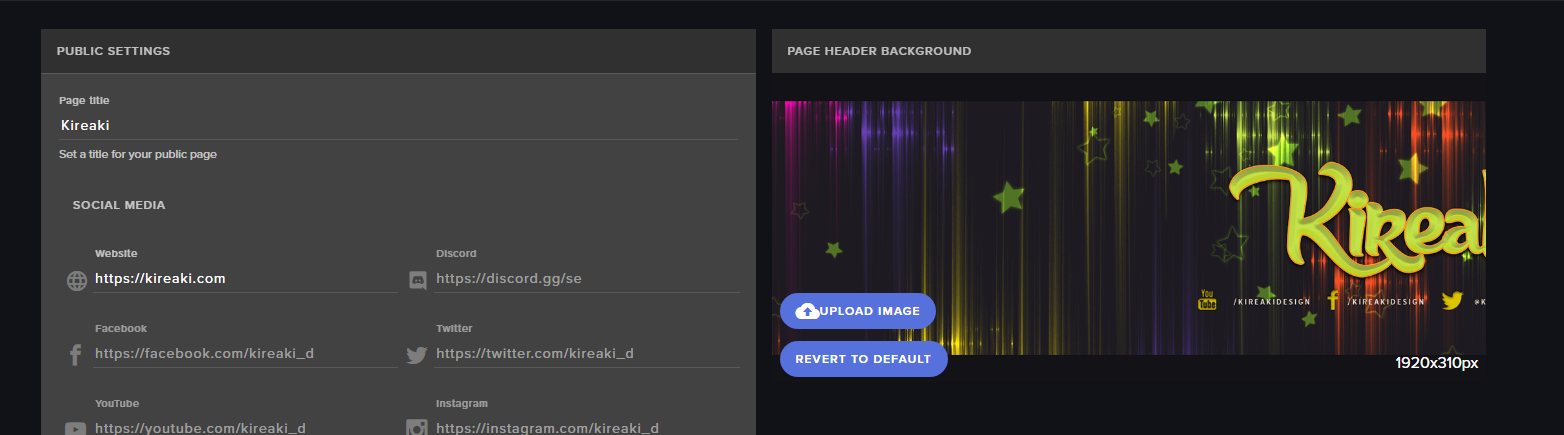 weak grove
Yes on frozengaming account we did twice. We eventually had to go to twitch and do it.
ripe herald
wait you wanted to change banner on twitch via our dashboard
weak grove
Yes lol
ripe herald
We don't have access to that
😄
it's Twitch banner not SE
when you change banner on our site it's only related to our site we can't change image on Twitch dashboard
weak grove
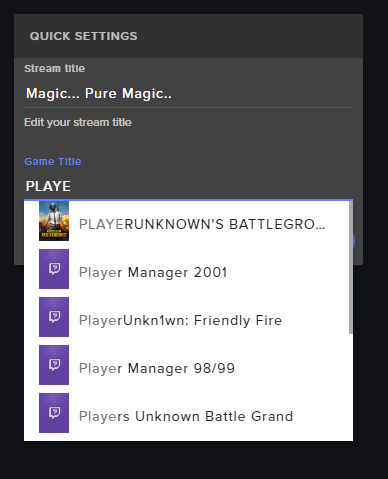
No not banner....on the stream elements dash you can out on what your are streaming when you go ilive and it normally changes the title of your stream on twitch
So like if I was stream PuBG on twitch underneath the video it will say now streaming PuBG....
ripe herald
so how is that related to banner 😄
weak grove
I mistakenly said banner... again Sorry
ripe herald
It's ok, was just little bit confused
weak grove
Me too lol
 weak grove
Kinda...so on the dash board over to the far right. There is a place to pick your game and to insert a comment before you go live. Once you input it you hit update. Our did not update on twitch when we went live.
ripe herald
Sec gonna change it to check
weak grove
We are trying to just use Stream Elements to update twitch when we stream. Instead of having to log into twitch
ripe herald
working for me
yeah i just checked and it updated in a sec
can you try to change now on your account
and just refresh twitch channel page
you dont have to go live
weak grove
Well crud... lol.... also.....I heard you might integrating YouTube gaming channel....would we be able to this as well for YouTube?
ripe herald
Youtube support is coming soon and you wil be able to test and try how it works, and give feedback so we can improve and make it better
weak grove
@ripe herald thanks for your quick response
tight harness
 elfin magnet
my nightbot, has been taken over by streamelements, im fine with it. But my "uptime" does not really work that often. How do i get this to work thru SE?
 serene granite
we have an !uptime command in the default commands
it should work exactly like nightbot's
atomic hollow
@elfin magnet disable the custom command and enable our defualt ones
 real carbon
Hey, simply and quick question, how do i can apply do get me into the sellout channel? o:
clever mango
Are you using StreamElements as your all-in-one service? Tips, Bot, Overlays?
real carbon
i do, yup
real carbon
thank you!
solar hedge
Good morning y'all! I was going over last night's stream and remembered that follow alerts were really delayed. The one I noticed was 10 minutes after I got the email. Viewers noticed the delay too... Isn't SE set to poll the Twitch api every 30 seconds?
 pine hemlock
I know someone messaged me about my personal bot being delayed in responses last night so im not sure if twitch was having issues
i dont have anything else to support that though
clever mango
30 seconds when online / 10 minutes when offline
 modest adder
How can I get notification when someone enters my giveaway. I have it enabled but it doesn't display in chat?
clever mango
there is an option to have the bot post a confirmation message in chat when someone enters in chat
this is in the giveaway settings before you start it
modest adder
Yeah I thought I had enabled it. Maybe I didn't. I can't restart as it's a monthly giveaway and a bunch of people have entered. It would be a pain to fix. I will check it next month. Thanks for the help.
clever mango
No problem
 tribal lake
Hello guys how you all doing?
I'm having an issue with the website, super super slow... breaking my chrome almost any ideia why and how to avoid it?
tight harness
Go into your Chrome settings, go to Advanced at the bottom, try turning off Hardware Acceleration and see if that improves the performance
tribal lake
Thanks @tight harness will do, any reasoning behind this? O.o'
 pearl light
hey @real basin you can ask about your issue here, the folks here might know more than me
 real basin
I Shall thank you for your help
Right the issue that i am having is that when im using the blue flare super theme the stream lags, everything on my end is fine its the stream and in my obs whichs lags
tight harness
@tribal lake just something we noticed, site performance improvement is on the to-do list
 cinder lotus
Hey guys, need a bit of help! 😃 How can I get a chat msg confirmation that will tell people that the got tickets when they use the !enter or !ticket command
They are buying the tickets but there never appears any confirmation which leads to confusion ^^
 empty crescent
anyone know why when i have the streamelements browser source active causes major fps drop in ops?
obs**
tight harness
@cinder lotus there's an option for confirmation via chat on the giveaway page, it's a tick box
@empty crescent Do you have multiple overlay browser sources added in OBS without the option 'shutdown source when not visible' ticked?
empty crescent
they are indeed ticked
tight harness
What's your CPU usage in Task Manager?
solar hedge
@dense jackal tried that CSV upload tool you sent. No dice. It loads the CSV to the page fine, but when I click "Send TO Stream Elements" it just puts a red x next to each username and their points, and nothing shows up in SE. And yes, double-checked the secrets I put in 😛
cinder lotus
@tight harness what if the giveaway is already running? 😛
tight harness
Then you missed the opportunity to tick the option 😛
lament blade
Have a nice day
tight harness
@daring gull Did you need some help? 🤔
 languid burrow
Question: Is there a way to create a list style command?
winter zenith
you mean like a bullet point list?
languid burrow
Similar, yeah. One of the channels I mod in plays PUBG with friends and they accept contracts to down other members of the team. So I was looking for a way to keep track of who has requested which people to take out etc
tight harness
Not sure how that'd work with our current variables 🤔
languid burrow
Only thing I could think of was to add them as quotes but there's no way I could find to list a range of quotes for example
 sharp whale
Does anyone have any tips for lowering the choppiness in your camera
tight harness
What FPS is it capturing?
dense jackal
might just need to get a better camera is it old?
sharp whale
But the overlays and other video sources don't have the same issue
It is a wee old
But at least it's 720p
dense jackal
might just be it’s age
 quick basin
hola
tight harness
Hey 
quick basin
español? :v
tight harness
@sharp whale You could try it at 48 FPS maybe
dense jackal
@olive lintel hablas español
quick basin
si
tight harness
@olive lintel Is our Spanish speaking champion 😃
 olive lintel
@quick basin mándame un dm con tu duda
quick basin
ok
sharp whale
Will try that. I Has a 5gb video card and a decent processor so i don't believe thats the prob. I appreicate the support :D
lament blade
Goodluck on that! 😄
tight harness
dense jackal
Ur prob isn’t the computer hardware but the actual camera itself I think, just to clarify
tight harness
48 FPS is like 60 FPS but not as intensive, if you can handle 60 FPS go for it 😄
sharp whale
Thank you guys :D
 echo hound
People redeeming things isn't showing up in my today's redemptions list, hwo come?
It's been happening for a while now
clever mango
Which of your items is being redeemed?
clever mango
Well right now there is a current bug that makes the page initially load in non-chronological order
if you click on the date/time column header it will order it correctly
and new redemptions should come in automatically at the top
@sand fulcrum Please check out our youtube tutorials first https://strms.net/welcome and then come here with any questions you still have. We're here all the time.
 clever leaf
Any support staff about? 😃
dense jackal
Whatsup @clever leaf we 24/7
clever leaf
Sitting in a streamer's channel, apparently her alerts don't work despite having ticked everything off (follows seems to work) I dropped a dono and a host.. but nothing happened.
She doesn't quite know where to go for the support either so, wondering if someone could maybe peek on by?
dense jackal
Sure what's her channel?
clever leaf
 gentle raptor
hello
clever mango

dense jackal
!host
nocturne pelicanBOT
Twitch doesn't have a "notification system" for hosts (unlike follows, subs, raids, etc.) so the only way for StreamElements to know that you are being hosted is to connect through you to twitch. This connection is made on:
- SE Dashboard page - https://streamelements.com/dashboard
- SE Activity Feed page - https://streamelements.com/dashboard/activity
- Ground Control desktop app - https://streamelements.com/groundcontrol
Please have one of these open during your stream in order to receive host event notifications.
clever leaf
Thanks @dense jackal and @clever mango for the amazingly quick support ❤
dense jackal
clever mango
 ocean dagger
Is there anyway for me to have the follow alert appear in chat while streaming?
tight harness
Modules > Chat Alerts 😃
ocean dagger
@tight harness Ty
tight harness
No problem 😄
sharp whale
One day there will be a music bot that can play stuff from smule o.o
tight harness
Smule? 🤔 haven't heard of it 😛
weak grove
Hello, I have question.....on the stream elements leader board, is there away to broadcast live the top 5 point leader?
tight harness
We have a Twitch panel extension which shows this 😃
weak grove
but we also broadcast to youtube at the same time. Is there away to show it on our stream
so youtuber can see
tight harness
Trying to see if it's on our ideas board or not yet 🤔 https://strms.net/ideas
i don't think I see it, consider suggesting it 😃
solar hedge
@weak grove - just an fyi that you can't broadcast to both Twitch and YouTube if you're an affiliate. Other option would be to do some sort of browser capture region? Alternatively, if the top five are comparatively static (which is likely), you can just put the names into a .txt doc or source in OBS and update 'em when they do change.
weak grove
thanks
lament blade
stray quarry
Hey! I am setting up streamelements right now and the preset themes
some of the text is unalligned
tight harness
Could you give examples?
lament blade
And also you can drag the text around 😄
stray quarry
yea im doing that now
tight harness
Thank you
lament blade
You can also turn off snapping to be more precise
winter zenith
and move it around with the arrow keys on your keyboard
if you selected the right layer 😉
 oblique pilot
Hi guys a simple question, is there a way to put just the name of the song for a song request? without the whole Link?
tight harness
Technically yes but you'll need to use 2 commands
I just need to remember the command 🤔
oblique pilot
which 2? like !Songrequest or !sr?
tight harness
Here it is
This command can be added to allow searching for a song. Bot will output youtube video ID that user can then use to do a songrequest. Response: Here's your video id: $(customapi.https://decapi.me/youtube/videoid?search=$(queryescape $(1:)))
So make a custom command called something like 'search' with that response, so they do something like "!search darude sandstorm" and it'll give them the video ID, so all they need to do then is !sr followed by the video ID the bot gives them
winter zenith
what do you mean?
stray quarry
and since im using a premade overlay from you guys, will it take any percent of donations
like say im just playing a random song on spotify
winter zenith
you want to know how songrequests work?
winter zenith
Oh
stray quarry
on spotify
tight harness
Spotify integration is not available yet because they denied our dev access request
And no, we don't take any percentage of any donations
oblique pilot
@tight harness Thank you <4
tight harness
If you have it set to Song Request as the option you choose on the left when you click on the widget and you're playing a requested song it will show, if it's a song from your backup playlist then it won't show
tight harness
How?
 loud dirge
I want to move my users hours from nightbot to streamelements when will this be avalible ?
tight harness
Their bots? You don't, you use our bot 
lament blade
Same question as dubbzhy
I want to move my users hours from nightbot to streamelements when will this be avalible ? 👍🏼
tight harness
@loud dirge No ETA, it's only commands and timers at the moment to my knowledge
lament blade
hey i dont know what i should do about this problem but whenever i try to enable the chat stats they default back to being disabled, what should i do?
stray quarry
do you recommend downloading the desktop app?
tight harness
@stray quarry Absolutely, it's very useful
stray quarry
okay cool
tight harness
@lament blade I know updates about being made to Chatstats, I wouldn't worry about it too much 😃
lament blade
ok, thanks
winter zenith
you need to open chat in a diffrent window I dont think Ground controll can display the chat
but Twitch has a neat "pop-out Chat" Feature
just click on the cog symbol in thebottom left corner and pop out the chat from there
tight harness
It's been requested for Twitch chat to be added to Ground Control
So keep an eye out for that 😃
This is Ground Control if you don't have it already: https://streamelements.com/groundcontrol
 tight harness

lament blade

winter zenith

lament blade
😄 nice!
tight harness
Now you do 😄
tight harness
No, they didn't have GC at all yet, so I was saying now they do
The feature is not out yet
tight harness
 wicked steeple
add :pepehands: plz
tight harness


wicked steeple
Not in my emotes
 proud pumice
good nuff
 Good Nuff'


 analog quail
So, turning on my stream elements overlay appears to be directly connected to serious performance issues. Is there any knowledge of how to solve this?
dense jackal
Well any browser source will always increase your performance for one, are you using super themes?
wicked steeple
Is that why my stream is laggy with skyrim?
Im using a christmas overlay that I havent updated yet 
super theme*
slim cairn
Since super themes are animated it will naturally take more cpu
lament blade
Do you have "shutdown source when not visible" ticked?
wicked steeple
btw nice job @fringe crane
lament blade
it helps too
wicked steeple
Mine is not animated
lament blade
on the browser source's properties settings
tight harness
I'm not sure who you just tagged, but it wasn't the developers
wicked steeple
Should I have shutdown source tagged?
slim cairn
Yes
wicked steeple
it is ticked
but I still get trash skyrim fps while streaming
I have 120 frames at all times offstream
slim cairn
What are your specs?
tight harness
Make sure it's ticked for all browser sources, including ones in completely different scenes
wicked steeple
I dont want to list off everything but Its a Omen hp 280-660 or something
nocturne pelicanBOT
Make sure to :ballot_box_with_check: “Shutdown source when not visible” for all browser sources (all OBS scenes). If using studio mode, uncheck “Swap Preview/Output scenes After Transitioning.” Also keep in mind that sound can play from any overlay loaded in the browser (editor or launched). https://i.imgur.com/FegZJQS.png https://i.imgur.com/yY0wcFl.png
slim cairn
dense jackal
SH
wicked steeple
Im using obs studio but everything is like that
slim cairn
Those are more than good enough specs to handle Skyrim streaming, you might've set OBS settings really high without knowing
wicked steeple
Where do I change it to lw
slim cairn
1 second I have a page to tell you what to do
wicked steeple
I went through and changed things to low that i could understand
most of the words is just dev words I dont understand
slim cairn
What's your bitrate at?
wicked steeple
I even turned anti aliasing off so I had best performance in skyrim and its still laggy on styream
I changed my bitrate thingy from 6k to 4k
it was laggy on botg
both^
slim cairn
Laggy on stream or on your computer?
slim cairn
That's typical
wicked steeple
going from 120 to like 30
which is WAY more frames I lose then norm
It litterally makes it unplayable
slim cairn
Try turning Skyrim graphics down?
wicked steeple
I set it to 2nd worst
do you want to me to start it up and show you what it is and what my settings are?
slim cairn
You can just screenshot it
wicked steeple
just f12?
slim cairn
print scr
slim cairn
Helping out in PM's ^
tight harness
Awesome 😃
lament blade
 faint frigate
Hi, I was wondering if I could get some help on an issue I'm having? I can't seem to save requirements for the store items on my stream store page?
dense jackal
Are you using chrome?
faint frigate
No, firefox
dense jackal
Try on chrome, SE is built with chromium and works best on there 😃
faint frigate
Alright, thank you
dense jackal
np
lament blade
 coral flare
Can someone tell me how to get this to work on OBS and not OBS Studio?
slim cairn
Do you mean OBS classic?
coral flare
When I downloaded it, it was just called OBS
tight harness
OBS Classic hasn't been updated for over a year
We strongly recommend that you use OBS Studio instead
slim cairn
You need OBS studio for SE to guaranteed work
coral flare
Ok then thanks
tight harness
No problem 😃
 nocturne dirge
So I have an issue I'm hoping there's a simple solution to. I'm using the Galactica Animated Overlay, and it causes my stream to stutter (not lag or buffer, per say, but just be choppy). When I use a scene that doesn't have the overlay it's fine. Just fyi, I stream at 720p/60, with 2500 bitrate. My gut says that it's because the theme is animated, and it's just too much, but I'd love some input. Thanks!
tight harness
What specs are you running?
tight harness
⤴ Good idea
nocturne dirge
Specs as far as PC?
tight harness
Yes
lament blade
graphics card...CPU.. etc
nocturne dirge
r9 270 graphics card, amd fx-8350 8-core @ 4GHz, 12GB ram
dense jackal
Also are you using Bilinear, bicubic, or lanczos scaling
nocturne dirge
bicubic
dense jackal
what do you use for encoding x264?
nocturne dirge
yup
tight harness
Sounds like your CPU is struggling, tried the hardware encoding option instead of x264?
lament blade
Problem might be because of your CPU not being strong enough to handle it then, changing it to a static overlay might fix it 😄
I need help 😃
How can we help you? 😄
😃
nocturne dirge
Ok I'll try that (hardware encoding), as well as dropping the fps a little. "Worst" case scenario I don't get a fancy animated overlay 😄 Thanks for your help!!
lament blade
No problem ❤
so i have taken the overlay from the pre-set one that was just released and put it into my OBS, however it only shows about 1/4 of it
tight harness
No problem
nocturne pelicanBOT
To add your overlays to OBS, add a new browser source in your scene. Paste your overlay URL in the browser source properties, set the dimensions to 1920x1080 (unless you changed them on the website), and :ballot_box_with_check: “Shutdown source when not visible” https://youtu.be/KDvLynUqXI4
dense jackal
48 fps isn't an issue playing games at less than 60fps hurts but not watch games I.E. most movies are 24fps @nocturne dirge
lament blade
It needs to be in 1920x1080
dense jackal
!multi
nocturne pelicanBOT
Make sure to :ballot_box_with_check: “Shutdown source when not visible” for all browser sources (all OBS scenes). If using studio mode, uncheck “Swap Preview/Output scenes After Transitioning.” Also keep in mind that sound can play from any overlay loaded in the browser (editor or launched). https://i.imgur.com/FegZJQS.png https://i.imgur.com/yY0wcFl.png
tight harness
😃
dense jackal
BLESS
tight harness

 eternal oracle
Can i contect twitch subs to my discord server
tight harness
Yes
eternal oracle
like when they join if twitch sub it will automatically put them in the twitch sub role
tight harness
Absolutely
eternal oracle
how do i do that
tight harness
Server Settings > Integrations
eternal oracle
cool thxs
tight harness
No problem
 reef estuary
I would like to be a sellout. I've basically converted everything I use on Twitch to Stream Elements.
 summer stratus
how do i add chat on my overlay
lament blade
Edit your overlay, there is a widget called "your twitch chat" 😄
So on the widget's tab on the top
tight harness
@reef estuary The 3 things we like people in #402919550066229250 to use are bot (modded) which you have, the tipping system set up which you don't yet and using our overlay system (at least for your alerts, can be completely custom or one of our premade themes)
!sellout
nocturne pelicanBOT
To be a proper #sellout all you need is to use StreamElements as your primary service for Overlays, Tipping and Bot.
lament blade
"custom" and then change the font 😄
tight harness
I noticed that you don't take donations, that's not a problem, do you use our overlays? 😃 @reef estuary
lament blade
under "themes" @summer stratus
lament blade
Or you can change colors here
summer stratus
how do i remove the thingos at the bottom?
only want the youtube and twitter on there
slim cairn
Select them then press backspace
lament blade
You can select it on the layers tab and then press the bin button
reef estuary
@tight harness I mean I would, but I can't really do that when streaming from a PS4. ;-; All I use for now is the bot.