#helpdesk-twitch
1 messages · Page 200 of 1
 acoustic cedar
так в модуле там настройка только сообщений
 elfin magnet
and,, my follow alert just stop working..
 ebon forum
ну так лотерея работает
acoustic cedar
@ebon forum так он работает как рандом или кто первее?
acoustic cedar
ты не понял меня. Если напишут 5 челов !join т.е согласятся участвовать, между ними будет приз или кто первым напишет получит приз?
ebon forum
я же говорю я не использовал , но лотерея действует на всех кто присоединился
 void drum
my chat bot just turned off.. can anyone help ?
ebon forum
yep, no bot in sight. did you part it from the channel?
void drum
no only thing i did is that i changed my name on twitch from weedielul to: weedie
void drum
what do you mean tell the bot to join
 tight harness
Join Channel button on the dashboard
void drum
no idea sorry guys
 topaz plume
If anyone has a second to pop into voice support to hopefully (quickly) explain overlay URL's to me
tight harness
@void drum
Where it says Part Channel, that shows Part Channel if the bot is in your channel or Join Channel if it isn't
It's on the right of the dashboard
void drum
well that was akwward
void drum
thanks for help @tight harness
tight harness
Did you set the level requirement to Regular?
Because Regular is higher than Subscriber
 untold sorrel
Nope, it worked yesterday
 spring shard
The 3 stars looks to me that it's a twitch setting.
untold sorrel
Ill check]
 clever mango
SR settings are fine for him and link protection is disabled. It must be another bot or twitch deleting links
spring shard
Oh.
 clever mango

topaz plume
So can you only get 1 url from the site to put in your obs?
clever mango
joining voice
 cedar siren
so i am trying to delete some custom commands on my streamelements how do you do that
 dapper apex
I'm having issues with double alert sounds all of a sudden. Anyone know what to do? Source are checked not active while not visible
tight harness
There's a pencil icon to the right, try scrolling rightwards if you don't see it @cedar siren
cedar siren
thank you @tight harness
dapper apex
Looks like i'm having this issue since updating OBS. But can't find a solution 😦
 misty wagon
Twitch Tuesday Patchday @untold sorrel It's tradition! 
 obtuse gyro
@dapper apex does the sound play through your stream or only while testing?
dapper apex
Through stream
obtuse gyro
you could have two sources of your overlay in obs, check if you do
dapper apex
I checked that. Also made sure that in other scenes source was checked as not activ e while invisible
Hmm if i remove the browsersource from other scenes the double sounds are gone... weird because all SE sources are checked to be not visible when inactive
It has something to do with the new OBS. If i have 3 scenes or more with SE source in it the sound will double up. Even when "Shutdown source when not visible" is checked.
 wanton pumice
 lament blade
my chat says there is a 2second delay on my audio and the screen.. like when I shoot .. the gunshot sound comes 2sec behind.. HOW TO FIX?
I have no stream delay set.. and everything seems fine.. hmm
 ionic pike
mine is simple
i just change my name on twitch
so i lose all my points on streams
@misty wagon
@proud pumice
@tawny pivot
 silver patio
Hey SE
How do I remove the BEEEP sound on follow/tip alerts? I've added my own customs sounds already
Latte botte 🥊
misty wagon
@ionic pike you forgot to tag half the people 
ionic pike
yeah xd
tight harness
@ionic pike Ask either the streamer or a mod of theirs with dashboard access to change it over to your new name 😃
@silver patio Check in your OBS if you have any overlay browser sources other than the one you're using with 'shutdown source when not visible' not ticked, even if it's in a completely different scene
😃
Also, check in the Variation Settings that you've updated the variations of the different alerts too
 minor flame
I am attempting to implement media share for tips above a certain amount, but I'm not sure it's enforcing the minimum
silver patio
@tight harness is another scene active whilst i dont have it used?
tight harness
@silver patio If you don't tick that option I mentioned it's still active even if it's in another scene, absolutely
silver patio
ah that might be it
 toxic basin
Hey, why is my gf's host not triggering the host alert
O _O
people who host with 0 viewers get an alert
when she hosts with 149 I don't get an alert
clever mango
Hmm one sec Trizze
toxic basin
XD
clever mango
xD
clever mango
on it 😉
 stuck hamlet
does she actually?
toxic basin
ye haha

 nocturne pelicanBOT
Twitch doesn't have a "notification system" for hosts (unlike follows, subs, raids, etc.) so the only way for StreamElements to know that you are being hosted is to connect through you to twitch. This connection is made on:
- SE Dashboard page - https://streamelements.com/dashboard
- SE Activity Feed page - https://streamelements.com/dashboard/activity
- Ground Control desktop app - https://streamelements.com/groundcontrol
Please have one of these open during your stream in order to receive host event notifications.
stuck hamlet
do you do that?
toxic basin
:OOOOOOOO
stuck hamlet

clever mango
yea
toxic basin
not sure
stuck hamlet
now get her to use us
toxic basin
but 0 viewer hosts work
clever mango
you haven't had a host come into SE for 6 days 
Just have one of those 3 open during stream and you'll have no issue
stuck hamlet
do you have one of the 3 things open?
stuck hamlet
probably cause when they trigger, you have it open
stuck hamlet

clever mango
is there a streamlabs alertbox open?
toxic basin
nope
nothing
got gyazo, imgur, twitch and youtube up in the tabs
and ground control is off
 toxic basin
:S:SSSSS
clever mango
taking a look at your alerts
toxic basin
should be a host here above her re-sub
with 149 viewers
didnt appear
i opened ground control just now
after he hosted with 0 viewers

 ?
clever mango
?
clever mango
close all SE stuff and I'll host you in a minute
toxic basin
ok closed all
clever mango
Sorry about the trouble there. Resolved now 

 dapper gyro
Stream elements ground control wont install. help?
dapper gyro
yeah. the one that says instaling with the stream elements logo right?
I have a antivirus porgram installed yes
clever mango
AVG?
dapper gyro
360 total security
tight harness
Norton then
clever mango
Ok, Ground Control comes up as a false positive in some antivirus because it is not yet registered with Microsoft
Please whitelist the installer in your antivirus software and try again
dapper gyro
alright. give me a sec
okay. I thought I had tried that, but apparantly I hadn't. thanks
clever mango
No problem. One more thing I recommend
right click the ground control program that was installed and select properties
Click advanced in that window and enable Run as administrator
dapper gyro
okay thanks
clever mango

dapper gyro
is there a way to change the bots name?
clever mango
Are you using StreamElements tipping service as well? Is the tipping page linked below your stream?
clever mango
Bot renaming (in beta testing) is available to streamers who use StreamElements as their All-In-One service(bot, tipping, overlays). When you switch your tipping service to StreamElements and link it in your panels, the option will appear in ground control.
dapper gyro
okay. Ill do that
dapper gyro
Do I ahve to link it in a interactive panel?
clever mango
nope
dapper gyro
ive set up the tipping and overlay, put the link in my pannels but its still not showing on ground control
clever mango
Try restarting ground control
dapper gyro
nope
clever mango
I'm not sure how long it takes and it's still in beta testing so I'll have to check with the devs on it
dapper gyro
okay thanks
clever mango
It will likely be tomorrow before I can reach them
dapper gyro
okay thanks
 edgy crest
Hi, quick question in regards to overlays. Last time I tried using the overlay feature, it would move the text everytime someone donates/follows etc. is there a way to fix this? or is there anything in the works to fix this? Kind of annoying when your overlay text is off center
 forest thorn
Is there a quick and simple way to undo something in the theme editor?
clever mango
right now the only way is to save often and refresh the editor if you mess something up
the new editor will have an undo
forest thorn
Gotcha, that's what i've been doing 😃
Awesome!
Thanks @clever mango for the quick response!
clever mango
you're welcome
 dense jackal
i'm not sure why it would be off center it should never be moving @edgy crest
edgy crest
Huh... It happens with StreamLables too. When someone donates or follows it changes the text and generally moves it to the left
edgy crest
Just the text
 strong orbit
are you sure you have the text as centered? you can switch between left align, right align, block and center in the alerts settings
strong orbit
if left aligned it changes because the nicknames takes diffrent characterlength
double check ^^ just to be sure 😃
 long garden
my stream store redemptions are still showing in a completely bogus order
nocturne pelicanBOT
Please refrain from using [at]everyone or [at]here
long garden
(sorry, that was force of habit, not intentional 😄 )
they're not showing in the order i'm receiving them, they're showing in some order by username that isn't even alphabetical
nothing i do changes it and i did nothing to make it this way
stuck hamlet
This issue has been reported and will be fixed shortly! 😃 @long garden
lament blade
😄
 halcyon walrus
@proud pumice I can finally stream again !
 broken breach
How do i stream on here
 frank nymph
 elder sorrel
🤔 That is weird. I downloaded ground control for song requests so I have no idea.
 gleaming sail
Help please. So I'm using song request and I added the "Current song" widget. When there is a request in the queue it shows what song is currently playing. But when there is no requests and goes to my youtube backup playlist it does show what is currently playing.
lament blade
Currently the widget only shows requests, and won't show songs from your back up playlist 😦 @gleaming sail
gleaming sail
whattt.... that sucks
lament blade
You can vote up on this idea here https://streamelements.helprace.com/i295-also-display-back-up-songs-on-currently-playing-when-no-song-request-is-running
My alerts eep looking clipped
@broken breach You can get started here < https://strms.net/welcome>

StreamElements
The Ultimate All in One Platform for Streamers
gleaming sail
@lament blade wow I hope they add it... Just switched everything from using nightbot thought it would work... 😦
lament blade
 It will still work for requests 😄
gleaming sail
yeahh I want both tho. Most of the times people ask what song is playing on my stream. :/
lament blade
@lament blade You mean your alerts look cropped?
You need to play with the box sizing/text size
Just making the box bigger should fix it 😄
yes
ok
 tacit ferry
i have a question how do you make the stream like not freeze every second because i made the video bitrate 1000 abd its still freezing
dense jackal
What is your interenet upload speed?
 glacial ibex
my setup wont let me choose YouTube as a site to post live streams on
 wanton sluice
A lot of times the freezing isnt because of the but rate. It’s more because either your GPU or Your CPU are maxed out so it drops frames. If you were playing a PC game try reducing the quality of your graphics settings.
@tacit ferry
tacit ferry
ok
wanton sluice
Or. Possibly you are running the game higher than 60fps
tacit ferry
no my limit is like 75
wanton sluice
OBS limits streaming to 60 on twitch. I am not sure what you tubes cap is. But on twitch OBS will only stream at 60 frames per second.
Guess the more specific question to ask you would be what streaming software are you using?
tight harness
@lapis flame Hey, @olive lintel does our Spanish support
 queen mist
Hey guys I was wondering if there was a way for Stream elements bot to say when somone follows in chat
 olive lintel
@queen mist check the chat modules 😉
queen mist
thanks VoHiYo
 lapis flame
@olive lintel donde escuentro Points (Currency.csv) y Commands/Quotes (Data.xlsx)
olive lintel
@lapis flame al ser una plataforma totalmente en la nube, todo lo puedes administrar desde el dashboard. Tanto tus puntos como tus comandos/quotes. Pero si me dices especificamente que es lo que quieres lograr, te guio paso a paso 😃
lapis flame
En ese caso @olive lintel me podrias ayudar a configurar completamente el StreamElements claro si dispones de tiempo 😅
olive lintel
@lapis flame te envío un link que te ayudará a empezar.
 atomic mica
isnt there anyway to export all your tips/tippers to a txt document or something
 little tusk
anyone know how to give all viewers points?
olive lintel
@little tusk !bonus all 1000
little tusk
when i try to !givepoints also says i have 0 lol
lament blade
Might be possible through the API, but i am not sure how @atomic mica
little tusk
got it tysm
wanton sluice
!givepoints gives your points to someone. On the website you can manage your viewers in the loyalty section and you could add points that way too
 winged sundial
Where can i find the raffle page ?
tight harness
Do you mean the settings for the raffle module?
winged sundial
to have a live raffle on stream
tight harness
Raffle is just a chat module, it doesn't have a public page 😃
queen mist
can a super mod access another persons dashboard
dense jackal
no dashboard access is given here https://streamelements.com/dashboard/account/channels @queen mist
StreamElements
The Ultimate All in One Platform for Streamers
 winter apex
Any suggestions on my in game FPS tanking when stream is up??
I know it can be a multitude of things, just want some recommendations
dense jackal
what resolution fps and bitrate are you streaming at rn
dense jackal
first of all use snipping tool to take screen capps
second of all try using NVENC instead of x264 what is ur graphics card?
and third lower the fps to say 48 or 30
and lower bicubic to say bilenear or something smaller
 pine hemlock
Downscale filter to bilinear would help. Lower stream fps would help.
dense jackal
@winter apex
 cloud plinth
Is there a way to have a sound effect or short video automatically play when one of my subs say something in chat?
dense jackal
not atm unfortunately but that’s a cool idea checkout our ideas channel! and add it if you like 😃
cloud plinth
👍🏼
winter apex
@dense jackal 1070
dense jackal
definelty change to NVENC instead of x264
winter apex
Done
winter apex
Thanks!
Used my phone to take pic btw cause I’m raiding
Was trying to be quick between pulls
My bad
dense jackal

wanton sluice
Just realized mine is set to lanczos. Lol
pine hemlock
Yikes
wanton sluice
Is there a difference in visual between that and bicubric?
pine hemlock
Not much no. More resources used for not much difference
wanton sluice
There is a pretty big jump between bucubric and bilinear.
I system can handle the highest one but it’s running it damn near capacity. If I can free up a little bit of resources Id do it
wanton sluice
Guess I’ll try bicubric out. See how that goes
dense jackal
to clarify i was agreeing with cuda that there’s a giant up in resources but barely any picture difference
wanton sluice
How big is the gap in picture diff between bicubric and bilinear tho? I’m assuming it’s greater than the difference between bicubric and lanczos
dense jackal
sorry read that wrong bicubic and bilenear diff is bigger than bicubic lanczos
 carmine topaz
@dense jackal how do i refund a doantion to a streamer
dense jackal
that would be through paypal I hope you weren't trolling them 
carmine topaz
i wasnt i put 50 instead of 5 XD
wanton sluice
You mean something you donated to them? Or somebody donated to you
carmine topaz
buts im fine i know i can fix it XD
dense jackal
lmao never luckjy
wanton sluice
The only thing about PayPal is the streamers going to get charged a chargeback fee
On top of the refund
Unless you catch him soon enough maybe they can not accept the donation
 ancient copper
Hello
lament blade
Hello, can i help you with anything? @ancient copper
ancient copper
@lament blade I need help with the stream labs store.
lament blade
Stream LABS? or StreamElements?
ancient copper
Elements sorry!
lament blade
Oh okay  What is going on? Can you be more specfic
ancient copper
I setup-ed the shop and I want the alert to appear on my stream or atleast the audio
I try redeeming it but it only appears in the chat.
ancient copper
yes
lament blade
And are you using our overlay?
ancient copper
umm... what overlay?
lament blade
ancient copper
Sorry I'm new to this.
lament blade
Oh, then you need to set up our overlays
can be custom or you can check out our premade themes https://streamelements.com/dashboard/themes ...But it needs to have an AlertBox widget to work
ancient copper
Ok thanks
And I've seen little boxes appear on streams can stream elements do this?
lament blade
Also if you are new, you can check out our videos, they are really useful 😄 https://strms.net/welcome
Little boxes?
ancient copper
Yeah like a point based system.
lament blade
We do have our loyalty system https://streamelements.com/dashboard/loyalty
lament blade
Not that, but we have a twitch extention.. it is displayed on the panels https://www.twitch.tv/ext/uaw3vx1k0ttq74u9b2zfvt768eebh1-0.0.3
ancient copper
Ok thanks that's all I needed to know thanks!
lament blade
"Keep track of points, total messages, Chatstats and top emotes, Stream store"
No problem 
 serene nimbus
What is the maxinum different alerts I can make for one action. For example follow?
clever mango
as many as you think of
clever mango
 what is sleep?
dense jackal
rt
serene nimbus
Lol
 chrome anvil
Anyone know why TTS isn't working? I have it set to trigger the TTS at 50 bits, someone cheered 100 tonight with a message and it wouldn't play. Am I doing something wrong? I even had the dashboard thing open
clever mango
@chrome anvil Which overlay? I'll take a look
chrome anvil
My ingame overlay...
Guy even asked for his bits back because TTS didn't work HAHAH
 weary mist

chrome anvil
I resorted to reading his messages in weird voices just to please him for the night lol
clever mango
Mind if I test some cheers?
 next spruce
Is the song request fixed yet? 😃
clever mango
@next spruce Some of the issues were resolved but I'm not sure which have been deployed yet and which are still in QA. I'll check on this and get back to you
clever mango
@next spruce These are still being debugged and tested. I'll message you as soon as I get the word that it's been completed.
 stone spire
Any ideas to implement NPP?
clever mango
NPP?
stone spire
New payment platform
The New Payments Platform is a world-class platform for payments innovation which can turn the possibilities presented by new ideas into real progress for Australian consumers, businesses and institutions. It’s designed to support an economy that never sleeps, never tires and never slows.
 proud pumice
sounds like a scam 
lament blade

next spruce
Thanks @clever mango
proud pumice
🅱
 versed crane
im mod with full control in someones stream and i wanna add points to someone with !addpoints 1000 excaliber80 for example is that the good command
because it doesnt work in the chat
 atomic hollow
add points is super mod and up
 worn cradle
do you guys have a credits wheel?
i saw one earlier on a streamlabs where it gave credits to everyone who followed, subbed ectect
 royal plover
Is Red Pyramid gone? I can't find it in the Themes gallery.
chrome anvil
@clever mango , Sorry for not answering...got caught up in something. Test away. I must let it be known, I am on a Mac...if you need anything, please let me know
 ripe herald
@royal plover I don't think we had Red Pyramid theme.
royal plover
https://twitter.com/StreamElements/status/958605093259173888 whoever runs your twitter seems to think so

@CivilianWaffles its an overlay called Red Pyramid we made for her, hop on our discord and we can help you out with getting it aswell (its as easy as adding a video file to the overlay)
https://t.co/b8EKB2y6Oy
 Twitter
ripe herald
Twitter
ripe herald
oh it's my old theme 😄
royal plover
ah
ripe herald
I can give you files so you can use it
if you want
but i don't think it's in themes gallery now
royal plover
well what I really wanted to know is if it's possible to make your own themes within StreamElements instead of a preset one
atomic hollow
sure you can do whatever you like
ripe herald
⤴
chrome anvil
@royal plover I made my own overlay and just put the wording of everything in the spots where it needed to be lined up with the overlay
It took a minute to line everything up, but it wasn't rough
royal plover
I'd have to make my own images and stuff though right? Like there aren't any tools that would allow me to make, for example, an animated border with just overlay editor correct?
ripe herald
If im rght about what you mean, you need To make your theme in editing program like Photoshop/After effects
then upload in overlay manager
royal plover
That's exactly what I was thinking. Thanks for clearing that up! 😃
lament blade
Yea, you can upload pictures/videos but you can't really create it on the overlay editor
ripe herald
If you gonna make animated be sure to convert it to webm
cause it supports transparency and it's light format
chrome anvil
I didn't even upload it. I went through OBS and just uploaded there...so it was harder but I was not happy with the lag times in the refreshing of the overlays when they were internet based
royal plover
roger Rodger
ripe herald
Yeah you can do like that also
But whole point is we offer cloud based service so you can go anywhere and stream from any PC
without need tu set up OBS all the time
chrome anvil
Yeah I can see that....I just like taking the rough routes LUL
making it hard on myself
ripe herald
and lagging can be fixed with transition
i think there is video @clever mango made how to do it
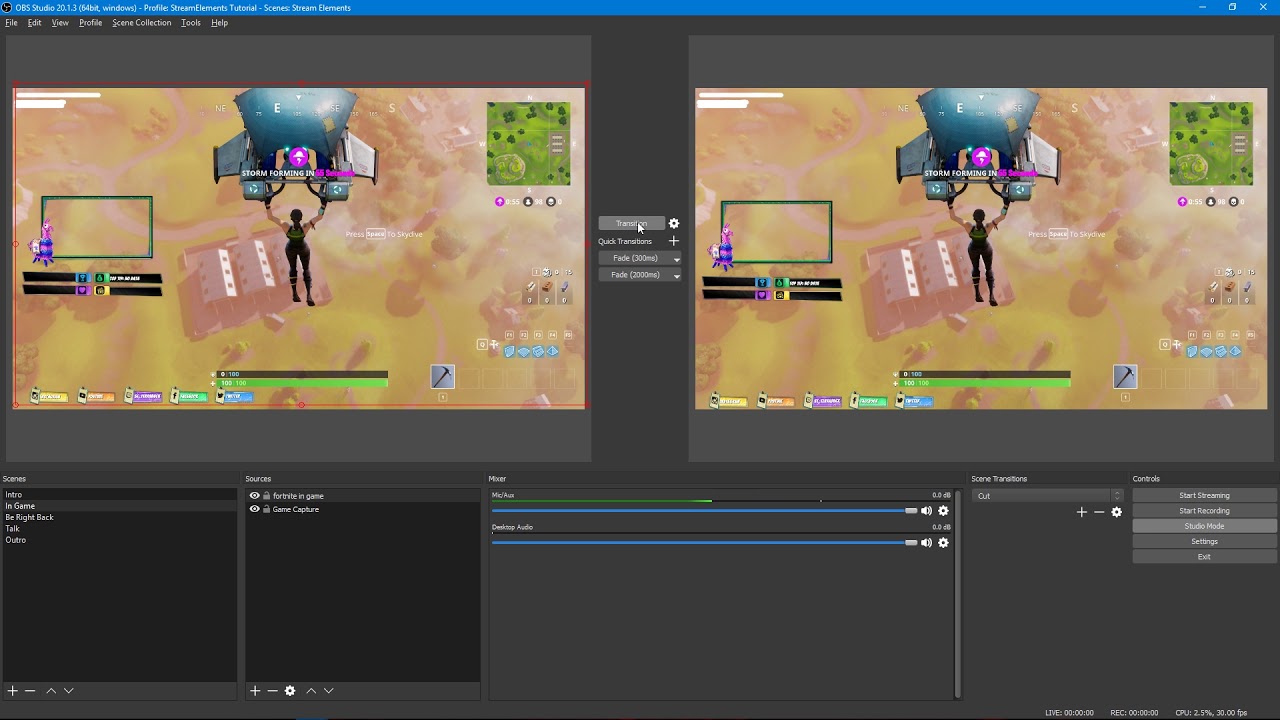
Tutorial #2 - Scene Transitions with OBS Studio Mode ----------------------------------------------------------------------- 🚀 StreamElements 🚀 -------------...
chrome anvil
Yeah he shows studio mode, I'm a broke small time streamer with one monitor LOL
In order for me to hit the scene, I would have tio minimize...I use streamdeck now, click of a button and it transitions
nvm I am stupid...hot keys
hence the harder work comment erlier LMAO
ripe herald
Well we are always here if you need some life tricks 😄
 modest adder
Is it possible to change the description of a giveaway without ending it?
proud pumice
@royal plover did you get your animated red pyramid sorted?
he saw the old one GvD had @ripe herald
xD
chrome anvil
I'm hoping I can get the TTS figured out....it was not working for me
ripe herald
@proud pumice yeah i remebered well i still have files if he will need it 😄
proud pumice
@chrome anvil TTS settings are per event, make sure you enable it for variations too
if you want someone to go on your account and set it up for you, just ask :>
royal plover
I figured out what I need to do, I wasn't really intereseted in Red Pyramid per se, just how it was made which it turns out was in After Effects, or some equivalent
ripe herald
In Photoshop is done whole design and then animated in After Effects
chrome anvil
I thought I did have them set up...I even lowered it to 50 bits to activate it tonight...and hit refresh then replayed the cheer....nothing...if you can fix it, go for it.
chrome anvil
The one titled InGame
let me grab the name
BLUEFLARE - BLUE FLARE IN GAME 16-9
They are all active...but I use that one the most
proud pumice
did u hear it?
chrome anvil
I heard the sound, no TTS
proud pumice
in OBS?
chrome anvil
Yep
proud pumice
ok i heard TTS in browser, let me check in OBS
chrome anvil
The alert went off, scared me....but no TTS
proud pumice
i hope you're in Studio, right?
chrome anvil
I can switch to Studio, but I don't use that when streaming. I use streamdeck
chrome anvil
I click a button and it switches scene for me
so, I don't use studio mode
I just have OBS running in the background
chrome anvil
Another Mac bug? LOL We found one with my hype cup too....my hype cup doesn't refill each stream
Every new stream I start with an empty hype cup because Mac
proud pumice
it says all of the info of the cheer in TTS
try opening your browsersource in chrome for a sec
can you?
lets see if your chrome plays it
proud pumice
so its not a mac bug
its an OBS mac bug
🤔
or its a settings thing on the OBS mac browsersource
i have a solution for you, but its sideways
chrome anvil
Lord, type slowly. I am computer stupid LOL"
proud pumice
mute the browsersource in OBS and have it open on chrome somewhere, sound will play from the chrome
chrome anvil
Ok
chrome anvil
I wasn't too worried about it...but tonight someone actually complained when it didn't play lol actually requested his bits back HAHA
I am trying to buy a gaming PC! hahaha
How do you mute OBS?
chrome anvil
I appreciate the assistance, Perry!
proud pumice
sure thing dude
 ivory glen
Stupid question, but it seems like I can't open the StreamElements dashboard inInternet Explorer. Is there anything I can do?
 gentle imp
yeah, use Chrome or Firefox
those are the recommended browsers for StreamElements
a lot of things won't work on IE
ivory glen
Internet Exsplorer is the only browser I have access to the channel I need to access >_>
gentle imp
how so?
ivory glen
It isn't my Twitch account. Just forget it.
gentle imp
sorry but to use StreamElements you really need to use chrome or firefox
ivory glen
Totally understand that . I will talk with owner of that account and move it over to Firefox.
gentle imp
aye, best way, or he can add you has editor and then you can access with your account
or add you as super mod, mod, etc, whatever fits best
ivory glen
I'm already an editor (full access) one his dashboard. I would like to change the profile picture for his acount, so I need to do that from his account.
gentle imp
ahh true
 prime knot
Hey guys! I'm having trouble importing my streamlabs currency
i have the cvs file but it errors out. not sure where to go to help solve that
atomic hollow
can you send me the file in a DM?
prime knot
sure!
 gentle zodiac
erm my streamelements is still not giving chat notifications with follows/hosts etc
nocturne pelicanBOT
Twitch doesn't have a "notification system" for hosts (unlike follows, subs, raids, etc.) so the only way for StreamElements to know that you are being hosted is to connect through you to twitch. This connection is made on:
- SE Dashboard page - https://streamelements.com/dashboard
- SE Activity Feed page - https://streamelements.com/dashboard/activity
- Ground Control desktop app - https://streamelements.com/groundcontrol
Please have one of these open during your stream in order to receive host event notifications.
 stuck hamlet
refollows don't work, if you tested that
atomic hollow
yeah
gentle zodiac
didn't see the host notification earlier, weird
now it works wth
thanks for the assistance
 candid heart
can someone tell me why i hear like 2 times the sound of a new follower? i only have OBS open and i hear i like twice... im getting angry because i cant find the problem
gentle imp
hey @candid heart you probably didn't tick shutdown source when not visible on browser sources
or you have the overlay page open on browser
candid heart
no its not open on the browser
atomic hollow
!multi
nocturne pelicanBOT
Make sure to :ballot_box_with_check: “Shutdown source when not visible” for all browser sources (all OBS scenes). If using studio mode, uncheck “Swap Preview/Output scenes After Transitioning.” Also keep in mind that sound can play from any overlay loaded in the browser (editor or launched). https://i.imgur.com/FegZJQS.png https://i.imgur.com/yY0wcFl.png

 gentle imp
so check all your browser sources on all scenes and tick shutdown when not visible
 cursive grove
is it possible to have "trivia" questions posted in chat and the first right answer gets pts?
gentle imp

 np 😄
np 😄
candid heart
i was almost ready to give up XD
gentle imp
been there myself so know how it feels 😄
candid heart
it was a earrape XD but thanks ❤
gentle imp
^^
@cursive grove there's no Trivia module but you can upvote it on ideas, was already requested https://streamelements.helprace.com/search?space=1&q=trivia
right now devs are really busy with an integration but when that is done a lot of other small things will be done fast
candid heart
owh one more question.. can you put more bots in stremelements?
gentle imp
anything you want to see added, either upvote or add new idea here https://strms.net/ideas
candid heart
❤ thanks
gentle imp
there's a search funtion, so search first, np 😄
serene nimbus
Is it possible to add muxy slot machine alert package in to stream elements?
lament blade
hey guys how long does it ttake a tip to hit paypal? just starting out got my first one earlier
serene nimbus
Almost instant @lament blade
lament blade
hmm havenntt gotten mine annd the email was correct
serene nimbus
and the donation was not fake?
lament blade
yeah it was a friend testing
serene nimbus
Sorry then I can't help
gentle imp
make sure paypal is marked to auto accept payments, I remember having similar issue
@serene nimbus there is a slot machine already, check bot modules, if it's something different add the idea here https://strms.net/ideas
serene nimbus
Slot machine as an alert
So every time some one follow it triggers alerts as a slot machine
Muxy and streamlab support it
It's from nerd or die
gentle imp
I guess it's best to add that to ideas @serene nimbus because afaik that ain't possible atm
lament blade
perfect thankyou!
gentle imp
np, hope it helps 😃
serene nimbus
Will do that 😭 was thinking I'm lucky today
gentle imp
hehe, after u add it, u can promote the idea on #💭︱feedback-and-ideas so ppl upvote it
 normal crystal
Hello, I'm having a problem when running Ground Control, my PUBG client keeps on closing and showing an error message
16:34:11: Starting BattlEye Service...
16:34:14: Launching game...
16:35:30: Note: File blocks can be ignored if they don't cause problems with the game.
16:35:30: [INFO] Blocked loading of file: "C:\Users\JABRONIEMAIN\AppData\Local\ground_control\app-1.3.8\Ground%20Control.exe".
tight harness
Ground Control comes up as a false positive sometimes, we're trying to get it registered as safe & not a cheat program also but these things take some time
normal crystal
I see it's fine, I'm willing to wait. 😄 So there's no workaround regarding this as of now?
tight harness
Don't believe so, it's easier with an anti-virus because you can add it to your exclusion list
But there's no such things with BattlEye
 wicked fable
Hello!  I was wondering if it is possible to have two Kappagen widgets in one overlay that both respond to a different command 😄 (I hope I'm in the right spot with my question btw ^^)
atomic hollow
you can have 2 and define to react to different events but not commands
and btw, 2 kappagen that work at the same time can choke your CPU if its not strong enough
wicked fable
@atomic hollow alright, thanks for the response! 😃
atomic hollow
np
lament blade
Hi there! I'm currently using this Overlay "EVOLUTION ANIMATED SUPER THEME" and I'm wondering if there is a way I could request the maker to add something for me? As I play Overwatch and started the stream alot. I'd like to add my Win's/Losses/Draws under my webcam at the top left. So wondering if there would be away to get text like that added which fits the rest of the UI? Wether it's animated or not?
ripe herald
@lament blade can you tell me is it something you edit yourself so you need just element/design where to put those Win's/Losses/Draws or ?
lament blade
@ripe herald Well I thought it would of just been yourselves to add it? (I have no idea what to do on there you see lol) All It is, to make it fit into the design, could there be some kind of animated and non animated box just so when I win or loose or draw I can add it and it just shows on the screen?
lament blade
well id would be great if it was text, but could it be animated at all or just add a text box in my overlays and edit it as and when i loose and win?
tight harness
It times the amount they receive from watching by the number shown by Subscriber multipler in the brackets
So say viewers get 10 points every 10 minutes and you have it set to 5x then subs get 50 points every 10 minutes
 obtuse arrow
every 10 min
tight harness
⤴
cursive grove
thank you
lament blade
Hello guys, im trying to set up stream right now, i have everything setup so far i just have one problem.
In the recent tip widget it shows in my obs as - $0 , the followers are not showing up if noone has followed yet but the tip is just sitting there on $0
i know it has to do with the {amount}{currency} commands but is there a way to hide them if there was no tip?
atomic hollow
which widget are you using?
 mossy quest
Hello, not sure where to ask about that, but here it goes:
I have seen some information about changing the SE bot name.
I have registered another account with the required name, but not sure how to proceed?
Or this feature is not available yet?
mossy quest
Really sorry to hear that, but thanks for the info!
Do you know where to follow more about this? Like ETA?
lament blade
i just created an empty overlay and added the "Recent Tip" widget @atomic hollow
tight harness
Technically if you use us for your main system (overlays, bot and tipping) it is meant to give you the custom bot name option in Ground Control
atomic hollow
@mossy quest you can participate in the beta for that if you like
@lament blade recent tips?
mossy quest
I transferred all of my settings fully to SE, I even downloaded the Ground Control, but this is a beta feture?
lament blade
Latest Tipper sorry
atomic hollow
with this specific widget there is no way to hide 0 values
lament blade
oh, so i guess i just have to let it sit there on the sad looking 0$ on :>
atomic hollow
you want me to be the first donator?
tight harness
@mossy quest The bot isn't in your channel (modded) and you don't have your StreamElements tipping page linked in your panels
mossy quest
My apologies, I must have changed that today back to NightBot (because of the stream).
winter apex
Shit @atomic hollow I’m not gonna turn down money, you can donate and see if my widget works 😂
tight harness

lament blade
this just looks worse than an empty box is what im saying, but its cool, maybe i just hide it till i get a dono in like 2 months and then enable it manually 😛
gentle imp
just set it to not visible on the overlay
winter apex
Just donate to yourself for like $2
tight harness
lament blade
yeah thats what im saying i just disable it for now in obs and just enable it whenever
lament blade
nonono man its cool, im not begging i was just looking for a fix
winter apex
<— Also suffering 💔
ripe herald
it's not begging just testing 😄
winter apex
Who wants to test if a $100 dono works??
winter apex
I’m telling you man, just give yourself a buck or two and it will fix it without you spending any money
You lose a small percentage
lament blade
its not broken !
winter apex
No but it will show a name and a dollar amount so you won’t see the $0 anymore
 empty crescent
any idea why streamelements is making it lag but i have the option not active ticked?
winter apex
And you can even donate as “NotCaseyy”
lament blade
yeah but that seems dishonest
gentle imp
hmm your donate link doesn't point to streamelements tip page
lament blade
thats not a great way to start of a stream i dont think ;P
winter apex
Make it a meme ¯_(ツ)_/¯
lament blade
do i have to set it to streamelements page? i just have it link to paypal right now
winter apex
Has to go through SE I thought
gentle imp
yep or else it won't show
ripe herald
Wait and how we gonna know you got donation 😄 If it does not go over us 
gentle imp
^
lament blade
see, so i get help afterall 😃 perfect
winter apex
Someone should donate now in his name so people think he’s giving himself money
lament blade
dont 😄
lament blade
aight so i have put my email on the tipping page, but where can i find the link i have to use?
gentle imp
I've done the command on your channel that shows the link
but it's this one https://streamelements.com/tip/caseyy89
gentle imp
on dashboard tipping page all u need to do is add ur paypal email
lament blade
yea it forwards to SE page now
gentle imp
👍
lament blade
thanks for the help 😉
mossy quest
Last question:
Is it possible to search for the video using !sr command?
Or it is only planned?
pine hemlock
Shadow you okay
gentle imp
xD
 turbid reef

pine hemlock
@mossy quest it's planned but not possible rn
mossy quest
Sorry to hear that.
Thank you, have a nice day everyone!
gentle imp
you too, thank you
empty crescent
can someone let me know why having the browser source active causes lag even though i have the when not active checked?
proud pumice

empty crescent
can anyone help?
atomic hollow
sure
pine hemlock
Could be obs settings. Could be your pc specs vs the overlay.
Animated overlays require more processing power and the browser source isn't super optimized.
 nimble owl
guys my latest follower/sub widget is broken should I like make a new one? to fix it?
obtuse arrow
browser source from SE isn't very optimize yet. i've same problem
pine hemlock
@nimble owl what's broken with it
 empty crescent
@pine hemlock im using the normal overlays not super ones so on my gaming screen my fps is fine but obs it looks terrible
pine hemlock
Can you make sure there's data in the field under activity feed, widget data. If there is a name under follow latest then remake the widget and it should fix it @nimble owl
@empty crescent you can show us your obs settings and we could take a look
empty crescent
sure how can i show you ?
nimble owl
It sais the name of the latest follower in the activity feed. just checked. even in the edit overlays i cant see the recent follower
recent sub is fine though
should i make a new 1 ?
atomic hollow
@nimble owl do you see it here https://streamelements.com/dashboard/session ?
atomic hollow
try Ctrl+F5 in the overlay manager
nimble owl
nah i did that doesent show
let me just make it new maby it will work then holdup 
its the "latest follower" not the recent follower widget mb
Fixed! I just deleted it and added a new "latest followers" widget ^^
atomic hollow

nimble owl

 @atomic hollow
oh and while im at it If i skip a song through chat via !skip the next song wont load and buffers for ever until i make it !stop and !play again. Does any one know why?
atomic hollow
its a bug, should be fixed very soon
nimble owl
alrighty thanks ❤ 
long garden
Has there been any update about the order of stream store redemptions not being chronological anymore?
This is a massive hangup for my stream. I do music requests and use the stream store to handle it. I currently can't even see what's been most recently requested.
It actually just got more interesting... now it's allowing me to organize "by date" but the most recent one it shows is from a month ago
It's leaving out the entire past month
clever mango
Onslaught replied to your post last night with "This issue has been reported and will be fixed shortly! 😃"
long garden
Right, was just wondering if there's any udpate since then
It's actually getting more interesting now... now when I do new redemptions, it's actually displaying them right away
so I think I may be ok for now even though something is still clearly wrong
it's leaving out the past month, but it's showing the new ones
it's also showing the new ones automatically when I do them instead of requiring refreshing, which is GREAT
That's going to save me a lot of time
clever mango
Sorry, I don't have anything new to report on this other than the devs have it on their task list. We appreciate your patience and apologize for any inconvenience.
long garden
As long as it keeps displaying the new ones like this, I'm fine. 😄 Without this, though, my stream is basically up a creek, so hopefully it stays this way.
One last note, in case it helps for you to know- now if i DO click refresh, most of the redemptions i just made disappear again
clever mango
Thanks, I've noted that in the report
@long garden From what you described before this idea appears to be completed now? https://streamelements.helprace.com/i331
 shadow narwhal
Not sure if this was covered already, but as of the last time I checked, to set up a viewer triggered soundboard, the bot has to respond and reroute the command to "!redeem sound." Is there a way, similar to what Branebot used to have, where people can just type a command and the sound will play, without the bot reciting a reroute?
weary mist
yes, as we have added a variable to the commands. $(redeem itme) will now trigger as if they used the !redeem sound command
so you can set up !sound with the response $(redeem sound)
(ノ◕ヮ◕)ノ*:・゚✧
dense jackal

shadow narwhal
I think I'm doing something wrong then- When I do that, streamelements just inputs in the chat "redeem !sound" and nothing happens. Is it supposed to recite it back?
dapper apex
If i add a tip goal it's already way over 100%. How can i reset that?
 dire sentinel
Is timers not working? I have a custom timer to tell people about song requests but the interval timer was set to 20 min, my stream has gone on more than an hour and no bot comment present
clever mango
!totals @dapper apex
nocturne pelicanBOT
@dapper apex, If you are using the total follower/total subscriber widget, reset your session from the Activity Feed to fetch updated data from twitch. If you’re using goal widgets, you can edit the progress of any goal by going to Activity Feed > Widget Data > Goals. This can also be found in the overlay editor by selecting DATA (next to WIDGETS) > Goals
clever mango
@dire sentinel what is the line requirement set to?
dire sentinel
5
This is my message: "Songrequsts are free. If you want to request a song just type "/sr [YouTube URL]". If a full URL doesn't work try posting with "/watch[rest of the URL]". Please keep the songs PG"
clever mango
Were there 5 lines posted in chat from minute 15 to 20 of the timer?
dapper apex
Thanks @clever mango
clever mango
the line requirement is to prevent the bot from posting in a channel with little or no posts
no problem @dapper apex
dire sentinel
No, no post at all.
dense jackal
it will only post if ur line requirement is met in past 5 min
so the bot waits 20 min then checks every last 5 min to see if requirement is met to post
clever mango
you can set the lines to 0 to have the bot post every X minutes no matter what
lament blade
https://gyazo.com/7393345a9f1350a81e393be8eae60896 my tipp page isnt showing my DP or anything?
 dire sentinel
It worked so far, I set it to 0 chat line and 1 min cooldown and it finally posted
dense jackal
are you using chrome @lament blade ?
lament blade
yeah @dense jackal
weary mist
I confirmed it
ripe herald
it's actually broken 😄
dense jackal
weird 
ripe herald
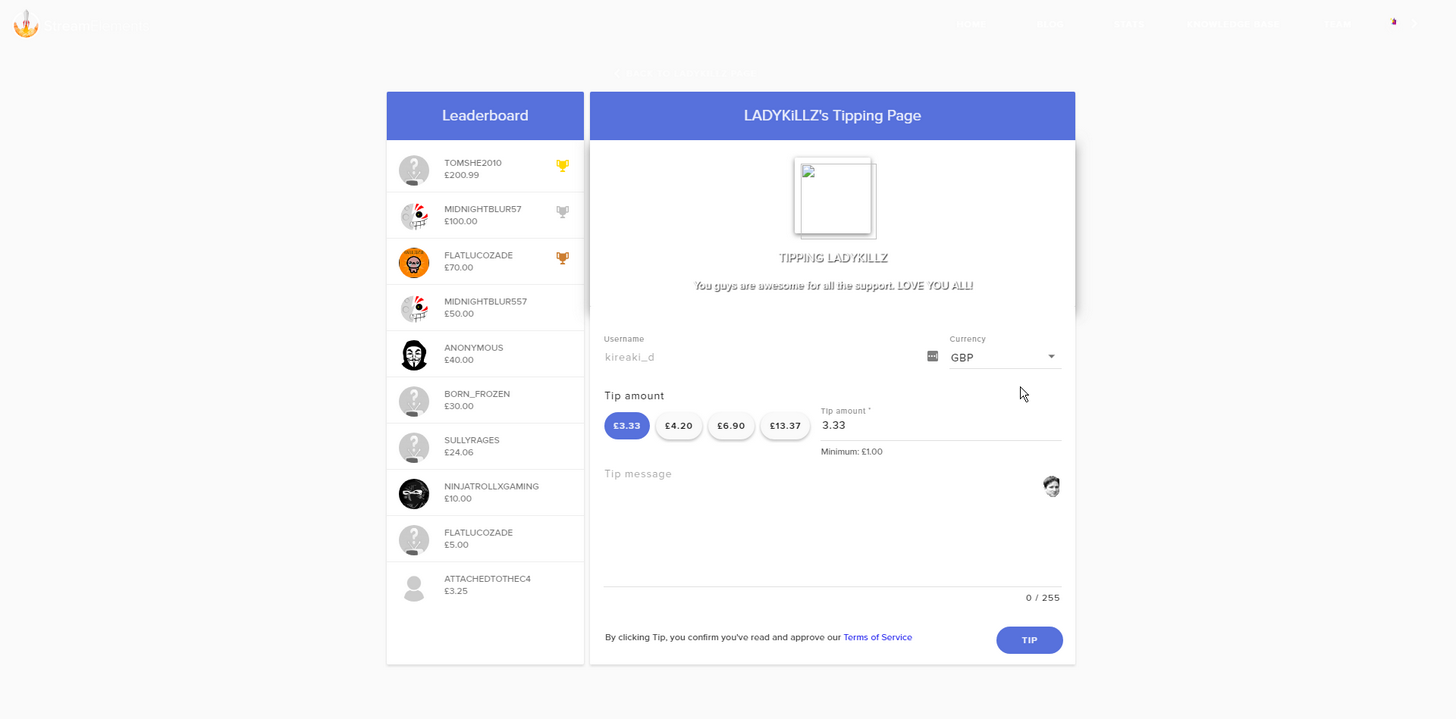 lament blade
???
 ebon atlas
same here
dense jackal
we got our boys on it @lament blade
lament blade
Alright just letting you know.
weary mist
or else mine is just taking forever to load anyways
but my images are not showing on my settings page
lament blade
neither are mine
ripe herald
mine is working :/
lament blade

I have that image next to the twitch symbol
dont know if that is meant to be there
dense jackal
should be ur twitch avi
lament blade
well that is a no then haha xD
ebon atlas
@weary mist https://i.imgur.com/mUvyTn2.png might be corrupted?
 weary mist
I think I know what it is
clever mango
@lament blade Did your profile picture change on twitch? You should be able to update your picture by visiting https://streamelements.com/ladykillz and clicking on the picture when you're logged in
weary mist
@lament blade it looks like you don't have the images sitting in the cloud storage
if you re-upload them, it should work as intended
lament blade
interesting i thought it would automatically use your twitch photo
weary mist
it should, though sometimes there are issues with it transfering from twitch
ebon atlas
sometimes it does not sync like mine did
lament blade
 dense jackal
especially if you ever namechange
lament blade
okay that part works, let me check my tipping page
dense jackal
niceu
weary mist
yup. now just need to upload the images you used for your tip page, and you will be all set 😃
lament blade
I never saved them didnt think i would need it -
But thats fine i can make a new one.
Thanks.

all working thank you guys.

dense jackal
clever mango
weary mist
lament blade
atomic hollow
dense jackal
too much love 
weary mist


 true gulch
Hey ! If i have a picture as a follower/subscriber alert. And i want to get the name of the follower over a see through part of the picture. How is the best way to doing that ? Now i see the name under the picture
weary mist
couple ways
you can do it via the text settings, or you can play with 2 alert boxes: 1 with just the image (no text to show), and one with no image and just text
@true gulch
true gulch
yeah option two is what i thought of aswell but much easier to just have one 😛 but am kinda lost 😛
probably thousands of easy way to setting up my stuff but first time doing it
 feral axle
https://stats.streamelements.com/c/zinwulfang should have stats his old name was fleetzen mind seeing if u can fix that?
yea its redirecting to https://stats.streamelements.com/c/fleetzen when it should be https://stats.streamelements.com/c/zinwulfang
@clever mango mind lending a  hand
hand
clever mango
checking on this
 radiant bough
yo guys, is there any other option than reseting loyalty points of streamer like ban from leaderboard or mute ?
tight harness
In Loyalty Settings there's Ignored Users
radiant bough
oh ok, im blind, thanks !
tight harness
No problem
 unique basin
ok i have a question my song request bot isnt allowing people to request songs
even if they are a follower
tight harness
What did you set the minimum required level to?
tight harness
I see a song that you requested 🤔
unique basin
not me it was yesterday
unique basin
should i make it alot higher
unique basin
i think i fixed it
tight harness
5000000000 is definitely higher than 100, yes 😛
I think 1000 would have been high enough
That should be good
unique basin
thank you i appreaciate it
tight harness
No problem
lament blade
Does stream elements have bit boss?
feral axle
@clever mango did u figutre out my problem
clever mango
@feral axle It's on the task list now. I can't give you an ETA on it but it will be fixed
 earnest lake
heelo
tight harness
lament blade
the bit boss has been under review for over 4 months so far? 😦 rip
clever mango
It will happen. It's just that there is a priority list and for a startup there are major projects and a framework that need to happen first.
dense jackal
just tell us whatsup @earnest lake
lament blade
Ah okay, thank you for your help @clever mango and @tight harness
tight harness
No problem
@earnest lake You haven't said what you need, might be something we can simply answer here
tight harness
Personally no, i'm very busy updating the knowledge base currently
dense jackal
!multi
nocturne pelicanBOT
Make sure to :ballot_box_with_check: “Shutdown source when not visible” for all browser sources (all OBS scenes). If using studio mode, uncheck “Swap Preview/Output scenes After Transitioning.” Also keep in mind that sound can play from any overlay loaded in the browser (editor or launched). https://i.imgur.com/FegZJQS.png https://i.imgur.com/yY0wcFl.png
tight harness
⤴ that 😄
lament blade
😄
pine hemlock

 slender anvil
thx for the store redemption fix @clever mango
true gulch
So guys.. if i have done this right.. for every scene i want.. and for every alert i need to make an "overlay" in my dashboard right ? What is the best way to make tier 1,2 and 3 sub difrrent ? under variation or best to do it in another way ?
weary mist
Variations
true gulch
ok ill try 😛
why is this so hard to understand 😛 crap ! 😄
if i want to upload all the sounds and pictures.. where is the best way to start ? Cant find a place for the uploads i have done ?
tight harness
When you go to change the sounds and images for each alert it brings up your library of uploaded files
true gulch
yeah that i have found.. but there should be a easy way in the menu for all my uploaded stuff aswell 😛 would be a lot easier to find
 paper comet
Hello guys, i recently left drangrybot on twitch, one thing they had was raffles in stream chat, do you guys have the same?
Also how to use it
Please
tight harness
You mean giveaways?
Or point raffles?
We have both
And point raffles are setup in here: https://streamelements.com/dashboard/bot/modules
tight harness
Yes it's easy to use 😃
paper comet
Is there a way to how the bot set up to “welcome” people to stream
tight harness
No, from our experience most people don't like this feature so we never implemented it yet
paper comet
Okay, thats alright. Love the app tho, thanks
tight harness
No problem
 granite nest
Hello, need help with commands
 clear dust
Is there a Staff member called Perry?
clear dust
It just says Member so wasnt sure.
lament blade
true gulch
i got a mail from perry today 😄
tight harness
Yep
lament blade
Love letter?
clear dust
Alright so he sends auto emails out I guess?
lament blade

clear dust
I had one but its in Junk...
tight harness
We send the emails out, if you reply back to them I'm normally the one who replies back to you 
Hello 
clear dust
Ah alright, Ill tell my Emails its not junk then 😃
true gulch
is there a way to give you access to my dashboard and you to help me out setting things up ? And is that a paid option or something ?
tight harness
Thanks 😃 @clear dust
weary mist
@true gulch you can give anyone access to your dashboard to assist, and no, we don't take payments
true gulch
just paid cash to get my overlay designed but am not sure if everything is correct 😛 and my friends keep telling me just to do everything in obs and skip SE 😛 but i still want to try 😛
weary mist
IF you do everything in OBS, then you would have to carry your assets to every machine you want to stream from (TwitchCon, PAX, your gran's house, etc). With SE, its cloud based, so you will never lose the images, and have them readily available anywhere 😃
tell your friend that ^^
lol
weary mist
good
tight harness
true gulch
anyone of you wanna have a look and help me finish the setup ? think i have imported everything i need atleast 😛
dense jackal
If you like you can dm me an editor link and see what you got 😄
true gulch
dm sent 😃
dense jackal
!multi
nocturne pelicanBOT
Make sure to :ballot_box_with_check: “Shutdown source when not visible” for all browser sources (all OBS scenes). If using studio mode, uncheck “Swap Preview/Output scenes After Transitioning.” Also keep in mind that sound can play from any overlay loaded in the browser (editor or launched). https://i.imgur.com/FegZJQS.png https://i.imgur.com/yY0wcFl.png
lament blade
When somone donated to me they said they could see my name though the pay pal, how do i get it so they cant seee it or how do i change pay pal name?
 Second
anyone?
Do you have a business account?
dense jackal
try changing to a business account
lament blade
wont let me do it ... just says i need to send legal documents ... how do i name it as my nickname from my game/stream???
when i send legal documents itll have my main name on it ... obviously cant change it then but its a personal account, does that matter?
granite nest
Why is my bot not sending the message after someone writes the command?
dense jackal
@lament blade you should be able to change to business you can always make another account if u have more issues you should probably check with paypal supp 😦
@granite nest what command?
is your bot modded in your channel?
granite nest
@dense jackal I added the !loots command in the SE
dense jackal
can you send me a screenshot of the command you created ?
 granite nest
The bot was not a mod, I might have changed the settings
Sorry for that, but thank you for your time
dense jackal
ah awesome its why i’m here
 dense jackal
omnipresent 
pine hemlock

weary mist

proud pumice
 dense jackal

weary mist
@slim wasp tell me whats up, and we will figure it out, we are ready 😃
dense jackal
ask us senpai
 slim wasp
danke!
i see someone back in august asked about the Left Shark showing up still despite making changes to reaction gifs
i tried to remove Left Shark outright from all of them but doing a test notification for new sub still had him in there
also, the sounds are hit and miss in terms of consistently showing up in the notification tests
pine hemlock
Variation settings
 solar hedge
Is there a way to remove the " you successfully redeemed xyz item for # points" message when someone redeems a store item?
slim wasp
thanks @pine hemlock ill look int it
lament blade
Is there a way for people to donate without them seeing my full name on my pal pay account?
dense jackal
@solar hedge you can create a new command using the $(redeem item), variable
solar hedge
Still triggers the response.
Also the "item is on cooldown" response when that's the case.
I'd love it if I could disable chat responses by the bot for this one item. Basically I'm making it so when folks use my channel's emote it also shows up in the corner with their name.
Kinda spams the chat with those activated.
 winter zenith
@lament blade yes you have to make your Paypal Account to a "Buissnes Paypal"account
That way no one can see your real name 
lament blade
@winter zenith Does it affect you in anyway making it into a business account or should you do it anyways?
winter zenith
It says its doing nothing ONLY some fees get applyed when you EARN Money
not when you send Money/Buy something if you still want to use your Paypal account to buy stuff
dense jackal
looking into it @solar hedge
solar hedge
Thanks 😃



 lament blade
@winter zenith So i can change it to a business account, and can i sastill withdraw the tips I get free of charge to my actual account?
winter zenith
Like I said you could just convert your real paypal account to a buissnes one
dense jackal
yes
winter zenith
ore make a buissnes one for free
dense jackal
business is better anyway , your stream is a business
you serve up hot entertainment
winter zenith
tschika POW
dense jackal
@solar hedge unfortunately it cannot be changed but I was unsure bc i’m certain we have talked about it and it’s something we want to fix
solar hedge
dangit
dense jackal
solar hedge
well that's an idea I'll have to shelve or take elsewhere 'til then 😛
lament blade
Ah i see! that makes more sense really ... theres two opetions they seem the same, whats difference between "Create a business account" or "upgrade Account"?
misty wagon
Nice try @solar hedge
solar hedge
I want it to happen now! Once I had the idea I was like yasssss.
I know CohhCarnage has something like that with his helloqueue but that's a proprietary thingy.
dense jackal
i’m alerting the hamsters to start running on all the wheels
winter zenith
@lament blade if you Upgrade your account you Paypal Account wich you are using now is being transformed into a buissnes account
misty wagon
Upgrading for free to a business account helps not only with your privacy, you also get better financial statements (if needed for the IRS) plus you regain partial seller protection which was removed April 2017 from Personal accounts. It's still not great fighting a chargeback, but atleast you got some ground to stand on.
winter zenith
If you Creat a new Business account you have 2 seperate account
misty wagon
Mine is Coffee Company I think
winter zenith
means you still have to transfer the money from you buissnes account to your privat Paypal account
or buy stuff from the buissnes account and using your privat paypal for privat stuff 
misty wagon
Nice ideas but don't do anything illegal please!  Make sure your local tax laws allow that.
But if you're Dutch (like me) or German (like Kiwa) ur screwd anyways cause we pay hella tax 
winter zenith
true 
 stark swallow
Does SE have a Discord bot too or does anyone know of anything that ties into SE points?
lament blade
@misty wagon @winter zenith nooo nothing like that, just trying to get my head round all this. So if i upgrade, and its a business account, can i transfer the money out of that (obviously after tax) to my personal current account I have for free? like there is no fee
misty wagon
No idea, for that you have to check with PP itself in regards to fees
dense jackal
not atm @stark swallow
misty wagon
@stark swallow sup we have a lot of secret 🕵 ones but not a public one (yet).
I'm the most sophisticated one btw 🤖
winter zenith
yes
dense jackal
he even has unique responses!
winter zenith
Its crazy @stark swallow if you say Latte Motte`s name on stream 3 Times he will magicly apear in your chat
dense jackal

misty wagon
True