#helpdesk-twitch
1 messages · Page 191 of 1
 mild pelican
 tight harness
Okay, so I just managed to change your Snowing overlay to Test and then back to Snowing
So the issue isn't with the website 🤔
I can do it again if you like so you can see
mild pelican
its just weird cause this is across multiple computers and chrome profiles
tight harness

Changed it back to Snowing for you so you can see which is which
But it's certainly letting me change it from my Chrome
Scalper should be back soon, I'll brb to eat my dinner
 tired frigate
hey guys. i'm streaming and the song request keeps breaking. either songs don't play from followers, last song in the line doesn't play, songs get skipped. idk how to fix it
skipped mid song. I've also been using ground control. Thinking of trying the webpage later
 exotic summit
hi guys this might be a stupid question but how do i use the overlays on twitch? im new to everything
 slim cairn
@tired frigate that typically happens when your internet disconnects for a breif second and ground control struggled to catch up
@exotic summit Have you downloaded OBS yet?
exotic summit
whats that?
exotic summit
thanks you so much i really appreciate it
tired frigate
@slim cairn i tried resetting everything and it didn't seem to help at all.
slim cairn
@tired frigate  maybe it's an internal problem with ground control. It's happened to me a few times as well. I can also say that they're rebuilding it which is coming soon 😉
tired frigate
sweet. seems like the whole deal is newish, but i like what's offered and excited for how it keeps growing
thanks for the info
 weary mist
@mild pelican im not sure what to say on this. We were both able to change it without issues. only thing I could think of would be something interfering with the html coding, which would be localized to your machine
tight harness
There are some known issues with song requests in general, not just limited to ground control, we're aware of them
 gaunt light
Legendary for president !
tired frigate
ah gotcha. thanks!
tight harness
One of our beta testers was nice enough to make us a video showing us most of the bugs with it recently so that was really helpful 😄
 pine hemlock
hewwo
 fallow relic
so i uploaded a new sound for a follower notification but its playing the old one still
tight harness
Did you check Variation Settings yet?
fallow relic
i have no variations and i cant figure out where the sound is coming from?
tight harness
Do you have another overlay added to your OBS with the default sounds still without having 'shutdown source when not visible' ticked in the properties of that browser source?
tight harness
No problem 😃
 stark furnace
Heya again - Is there a way to set up a command to do countdowns in chat ? I have seen a couple of other streams do it. By countdown I mean 5 4 3 2 1 GO type thing ?
so everyone can start a battle at the same time
tight harness
I think it's doable but not a feature yet, we do have some modules which do this for their specific minigame, so I think it's definitely a plausible idea
Consider suggesting it here if it's not on there already: https://strms.net/ideas
If it is on there already you just need to upvote the existing idea and if you wish comment on it if it's not exactly how you imagined it
stark furnace
Ok I'll have a look - I think it would be very popular
tight harness
I agree 😃
stark furnace
😃
I can only find reference to the countdown widget. ANy other names it might be under ?
tight harness
I don't believe so, in that case add it as a new idea, if I happen to come across a similar one at a later time I can just merge them together 😃
stark furnace
kk then 😃 Thanks
tight harness
No problem
stark furnace
tight harness
Upvoted 😃
stark furnace
😃
tight harness
I'll mention it in ideas as well
 crystal thicket
so, having problems with songrequests not playing songs from youtube becouse of region lock... is there a list? regions or what it does not accept?
tight harness
A list? 🤔 I don't believe so
crystal thicket
where is it located then.. must be in a contry.. based on the location of it i can probably dig it up myself somehow
tight harness
Is it not playing any songs or just certain songs?
crystal thicket
it's just some songs.. doesnt play it becouse of region lock
stark furnace
May I say - Youtube itself imposes region limitations so if someone requests a song that is banned in your region, when you try to play it, it can't.
crystal thicket
i did not request it to play any songs i could not play myself
tight harness
It's basically just an embedded youtube player, it's very possible that the songs you requested can be played in your region but cannot be played outside of your region, in which case the embedded youtube player gets denied access to play it
By youtube themselves
crystal thicket
i figured that allready... so was wondering what region the embedded player uses...
based off of that i could probably figure out more about it
my knowledge of stuff like this is maybe limited but i would guess the region the bot is placed in would determine what would be accepted or not
thats all
tight harness
I'm just asking one of the staff because I'm not sure whether it uses their account or any account at all
crystal thicket
ty sir appriciate the fast response
tight harness
They said to try using to song request part of our desktop app called Ground Control and/or Incognito mode in Chrome while trying to play that song through the site
crystal thicket
still doesnt asnwer what region it accepts... but thanks, wil try... icognito wil not fix it, it doesnt hide your region.
it would be easy for me to change to the same region as the embedded player uses then go ham on songs to figure out what it wil play or not.
weary mist
what song is it?
crystal thicket
alot of songs
tight harness
Just spoke to one of the developers who developed the song request page and he told me that if youtube blocks the song then there's no getting around that. If there's a region lock on the song then it's not going to let it play
crystal thicket
yea, but sometimes ppls upload songs from another region to bypass that, and it still doesnt answer what region it accepts...
 slim dock
can i be a sellout for osu?
tight harness
@crystal thicket To clarify, you can play the exact video on youtube yourself?
crystal thicket
yes, i did not request it to play a song from youtube i could not watch myself
tight harness
Do you have the author and Video ID?
crystal thicket
songs where skipped, i'll try collect data and come back with more info
tight harness
Alright, we're discussing it internally at the moment
weary mist
@slim dock we can check if you can be a sellout for StreamElemnets
crystal thicket
@tight harness can i pm you a list of songs?
pine hemlock
Do it anyway
weary mist
one thing, @slim dock you need to update the donation panel to contain the link to your StreamElements tip page
then I can add you to the #402919550066229250 list
slim dock
ohhh crap Thank you for reminding me
 remote sentinel
So i had someone donate to me and nothing is coming up, i have it linked with my streamlabs and nothing. Bits come up, everything else does but it doesnt show donations and doesnt show latest donator
weary mist
@remote sentinel We do not have a feed with StreamLabs. They actually actively block our access to their API
so alerts will not pop up on our end for StreamLabs donations
We can import tips from them, and the alert box, but we can not get a live feed of the tips you are getting
pine hemlock
So did they donate on labs or elements
tight harness
@crystal thicket I've been told that the issue could be that those specific songs can't be played externally but only on youtube directly
remote sentinel
second was using the elements link
crystal thicket
got ya
pine hemlock
Do you have tip moderation on? If so you have to manually approve the tip before the alert shows
weary mist
Lets jump to DMs, since this is about donations @remote sentinel
crystal thicket
@tight harness ty sir that would explain alot
slim dock
@weary mist How am i Looking?
weary mist
magical
tight harness
No problem
 runic sigil
hello can you help me Where do I enter a manual donation?
slim dock
@weary mist I was up for a whole 25 seconds then my internet pooped on me
tight harness
💩
slim dock
Think we are good now
 floral pulsar
I can´t seem to add any pictures since yesterday, anyone know why?
tight harness
@floral pulsar What browser are you using?
floral pulsar
Edge
 clever mango
 Please try Chrome or Firefox
floral pulsar
Does it not work on Edge?
weary mist
i believe you answered that question already 😉
floral pulsar
rip, thanks guys! ❤
clever mango
It's being optimized for chrome and firefox first
floral pulsar
Okay no problem, at least now i know!
runic sigil
@tight harness I found it here but did not make the alert
 pure forge
Regarding the Ground Control app, is there a minimize to taskbar instead of closing option that I may be over looking?
clever mango
There isn't. Please add it to https://strms.net/ideas 😃
pure forge
Will do, thank you for the timely response.
tight harness
@runic sigil You need to tick the box Imported Alert for it to make the alert go off
 lament blade
hi im looking to make a stream intro like you a count down with maby a snow efect and my name anny free aps and if so how do i do that ?
weary mist
Sure, go to our overlay editor, and you can create all that
We have the snow effect, we have a countdown, and we have the text box to add your name. You can even toss an alert box or more on there if you want
lament blade
yeah i saw that afterwards this program is amazing AND FREE!! i love who ever made this
tight harness

pine hemlock

 vivid otter
In the Loyalty tab, in the ignored people, no name appears ignored, and I have as 3-4 people ignored
 pearl light
@tight harness hey can you help @vivid otter real quick? i'm out of the office
tight harness
I'll have a look 😃
@vivid otter Could you link your Discord to your Twitch in your Discord user settings > connections?
vivid otter
yes! and now?
tight harness
I'll be able to do it in a moment, i'm also doing our live chat support currently
vivid otter
okey Thanks! ❤
tight harness
Did you mean to put 25.7 points for viewing and 500.5 points for following? 
weary mist
when you ignored people, did you hit enter, then save?
tight harness
I think people are getting ignored that shouldn't be, or did I misunderstand?
weary mist
@vivid otter
vivid otter
yes im push enter
weary mist
Are these people that you want ignored?
weary mist
faegwent is a bot, but there are sometimes people that leave your stream open over night/day. I have a few people like that
vivid otter
I want to remove from that list some people, I would like to see who I have ignored
weary mist
if there is no one there, then there is no one ignored
it will always show people you have already ignored
vivid otter
That's why I want help, so I can remove some people from that list
I have ignored people, but not appear in any place, before appeared on labels, now put a name hit enter and disappears
 last tangle
How do I get to the page where I can change the goals? Like a Tip goal started out
weary mist
@last tangle either through the activity feed -> widget data, or through overlay editor -> Data
@vivid otter That is what I am trying to tell you. If no names appear there, there is no one ignored
vivid otter
Because I do not understand that when I want to ignore someone, put the name and press Enter and not added with a tag, disappears
weary mist
I am loading up your dashboard right now, give me a second
@vivid otter what is your twitch name, I don't see it on your discord profile
tight harness
They had it there earlier 🤔
weary mist
@tight harness do you still have it pulled up?
@vivid otter It seems that there is something bugged with your account. I am sending it over to a dev to check it out
It is supposed to show all the names that you have ignored, but it isn't showing any of them
lament blade
how do you guys make money?? if i make money of my stream beacuse of this website im donating
weary mist
haha, we are backed by some very good investors. We have monitary plans, but nothing we need you to donate for 😃 The ebst thing you can do to help us is to tell your friends, tweet, share
 fast stone
why is it "too long"?
weary mist
@fast stone it means the broadcaster has set a song length in the song request settings, and the video requested is longer than that limit
lament blade
ok i will tell all my friends i actually have some small time streamers that could really use this
weary mist
big or small, we want them all 😃
tight harness
Gotta catch 'em all, pokemon 
tight harness
fast stone
the song wasnt too long¨
only a mere 6 seconds

idk why but thats what was requested
tight harness
🤔
fast stone
why does this happen
weary mist
the broadcaster has it set to a max length of 5 seconds
so if its 6 seconds long, its too long
@fast stone
 weary mist
probably didn't realize it is in seconds, lmao
tight harness
 glossy jackal
evening all, is there a streamelements bug or obs bug that 75% of alert sounds theres audio double
but not all the time
shutdown source is ticked
tight harness
For all of the browser sources?
weary mist
make sure its on ALL your browser sources, and if you have studio mode open, the preview scene is considered visible
glossy jackal
on streamelements web page .. audio is ok .. but on channel there is auio twice ontop eatch
weary mist
and if you are testing the alerts, make sure to mute chrome (either the tab or the whole program)
it will play both in the browser, and in OBS
glossy jackal
well i dont have that issue but stream that i manage has it .. he uses software not web browser
for elements
weary mist
hmm, we will need to speak directly with the broadcaster, if you don't have access to the computer, it makes it difficult to fix it. 99.99% chance it has to do with multiple sources popping the alert
glossy jackal
i have the access if needed ... need to wait till he finished stream .. otherwise it will be teamviewer fix for whole stream
i figured it as well but he has only 1 alertbox and 1 game capture .. so im sure that theres not multiple alerts on 1 scene
and strange thing is there is like 25% chance not getting audio double
what is weird
weary mist
does he have old alert boxes set up? It could still be popping for those
even if it is in another scene
weary mist
yeah, all scenes count with the "shutdown when not visible" check box.
if it isn't checked, it is running
glossy jackal
ok ty ill check those out and if im unable to fix ill be back
weary mist
👍
fast stone
Does anyone have problems with the song request
clever mango
Please be more specific
fast stone
I've sent it up ^
fast stone
Didn't work
weary mist
fast stone
still didn't work with a 2min song
weary mist
yeah
because 2 minutes is 120 seconds
He has it set to 5 seconds
he needs to change it to the corresponding seconds, so 5 minutes is 300 seconds
fast stone
made it work XD
weary mist
much better 😃
glossy jackal
TYVM @weary mist that shutdown was unticked on other sources ....
weary mist
:)
last tangle
Im still confused on how to navigate to the screen where I can reset my tip goal numbers
 spark crag
Can i see somewhere howmany vieuws i had this stream?
tight harness
You don't get the stream report emails?
@last tangle Activity Feed > Widget Data > Goals
glossy jackal
hmm with SR theres a bug ... where you set max lenght song to 5 sec .. then only mods can request
but when you set it as 300 then users can add over 11min songs to queue?
tight harness
Why would you set it to 5 seconds anyway? That's going to be too low
glossy jackal
seems there was an over eager admin on elements page 😛
and caster asked from me why sr isnt working
 autumn delta
i have a dumb question, If build a custom UI in StreamElements over using a premade one or doing it within Xsplit/OBS with local files is there less of a lag situation then pulling everything from the "cloud Storage" sorry if this is dumb i'm new to this and attempting to figure out the best way of putting things together for the best possible result.
glossy jackal
dunno ... prolly whoever set that wasnt reading infor that it was in seconds but thinked maybe that it was in mins
 solemn torrent
Is there a way to nest an overlay from an external site into the overlay layers for StreamElements? IE: I have a Loots account which has an overlay, i would like to nest it in my StreamElements overlay to make things more simple.
tight harness
@autumn delta The "lag" isn't even noticeable from my experience
@solemn torrent Not possible
solemn torrent
😦 thanks
autumn delta
@tight harness I have noticed some issues with scrolling text etc. though it could be due to our internet is only 240 down 12-15up although i had assumed it could handle 720p but it appears to have some problems. Perhaps it is on my end if no one else is experiencing that
glossy jackal
hmm there was 10+ songs in queue and suddenly its empty
why
no1 cleared it
started autoclearing since weekend
tight harness
@autumn delta 240 mb or kb? 😛
Because 240 mb is a lot
@glossy jackal Haven't specifically heard that one before but there are a fair few known issues with the song request system at the moment, it definitely needs some fixing
glossy jackal
and on streamelements sopftware preview is white .. need to reopen to start playing again but queue is cleared
autumn delta
@tight harness lol if it was kb i don't think i could run discord 😛 but yeah i think perhaps trying to stream utilizing premade overlays with all the extra graphics and shiny stuff might have been causing a lag issue. I'm not sure but thank you i'll see if i can figure it out a bit more
glossy jackal
tho i was told that same thing happened over browser
 static herald
can someone help me set up a stream overlay on action?
tight harness
@autumn delta Certainly possible, remember to tick 'shutdown source when not visible' for ALL of the overlay browser sources you add to OBS
Otherwise they're open in the background and use up resources
autumn delta
you know that might have been a cause as well i don't believe i was doing that for the scene transitions
tight harness
@static herald On action? I'm not sure what you mean by on action
static herald
its a video recording software
tight harness
Haven't heard of it 🤔
tight harness
Alright 😃
static herald
i used to use it on my old comp but then i bought action!
its called action! i wasnt adding that ! becasue i wanted to
tight harness
If Action allows Browser Sources then it should be alright I think, but I can't guarantee it
tight harness
That works 😃
glossy jackal
and most of the time requested video goes to buffer stage .,.. thats elements issue or streamer isp connection issue?
tight harness
Sometimes you need to refresh to get requested songs to show, but I believe this is generally when you've not had anything requested in a while, not heard of it buffering requested songs unless the current song is skipped with !skip and then !play fixes that
 tough turret
How do i start streaming
glossy jackal
somehow youtube sr-s are buffering alot and dont know why
tight harness
@tough turret Do you have streaming software? That's a good place to start
clever mango
Google and Youtube are your best friend, honestly. There is way too much to explain here if you're brand new. https://help.twitch.tv/customer/en/portal/topics/925393-beginner-broadcasting/articles
tough turret
i have stream elements
i looked at that link already and i cant find out how to enable broadcasting
clever mango
 next violet
Hey! When I am getting the follow on twitch.. the alert plays over OBS but doesn't show on stream.
When I got int SE.com and 'replay' that follow it then shows on OBS and in Stream.
Very odd.
clever mango
There's actually no way for it to show in OBS but not show in stream
next violet
Well at first I only hear the alert... when it's live.. but then the chat doesn't see the alert.
When I then go into SE.com and replay that alert they see and hear it.
Ugh.. I knew you guys would think I was crazy.
clever mango
In your scene in OBS is the overlay on top of the other sources?
next violet
There is a tiny img 'over' it but not blocking.
Just replayed the alert and it showed correctly.
in OBS
clever mango
Unless you're dropping a ton of frames or twitch is having issues whatever you see in the OBS canvas preview is what will be sent to twitch
I'll look at your overlay. Just a sec
 pastel river
hey guys.. I wanted to use ground control for songrequests, but when someone tries !sr <youtubelink> it doesnt show up in ground control.. am I missing something?
everything else works in ground control, alerts etc
clever mango
@next violet are you using BASE OVERLAY ?
clever mango
I guess you'll need to do a test stream so I can see it from twitch? Everything is fine in the overlay. Does your browser source properties look like this in OBS? https://i.imgur.com/6bWXxjR.png
 pastel river
Oh nevermind, I needed the bot for songrequest, works now xD
clever mango
xD
pastel river
thanks for helping I guess 
tight harness

clever mango
You didn't need it 😃
pastel river
haha yeah, was my own stupidity xD
next violet
Do I need to tick Shut Down ... ?
clever mango
Ok that's fine except ☑ shutdown source
You should so that this doesn't keep running if it's not in another scene
next violet
Dude... NO CLUE!
clever mango
haha
next violet
I'll see how it goes next time.
clever mango
If they say it's not showing up have them create a twitch clip and have a look back at it. Maybe they're  ?
?
lol
next violet
Very possibly!
Thx for your time bro.
😄
Cheers!

@clever mango ^^ ?!!?
clever mango
yeeep
next violet
lmao. Anywayy..
glossy jackal
hmm .. seems there is a bug still .. im seeing that max lenght for song has been set to 5 seconds again...
so seems that there wasnt an uneager admin working on it but system seems to reset it somehow
dunno why .. if its single channel issue only
clever mango
channel name?
glossy jackal
silluver
 brave forge
hello @everyone. just wondering if there is a way to give points to ACTIVE viewers ONLY?
not those AFK on chat
clever mango
Not at this time. If you go to https://strms.net/ideas and search for "active" or "afk" you should find the idea that you can upvote
brave forge
thanks @clever mango
clever mango
@glossy jackal how long should the max be?
glossy jackal
it was set to 7 minutes
but now after songs were buffering i refreshed page and all settings were resetted to default ..
and i set that max songs on list was around 40
all those settings are resetted to default
glossy jackal
can we get a log who changes what on page?
tight harness
Nope, but logs are on the ideas board for sure
glossy jackal
its hard for me to keep track if its bug or some admin is changing it
clever mango
There will be logs eventually for some dashboard actions but it would be near impossible to store all of the actions that happen on every dashboard
glossy jackal
yeah i can imagine that @clever mango
will inform streamer that if its happening again .. that he should make a cleanup on admin count
clever mango
clever mango
There are two users with full control + silluver
 little scroll
Hi, could someone help me? With loyalty for subs?
clever mango
We can help if you ask 😃
clever mango
Check out the latest 📌 message in this channel
little scroll
I'm using chat points on my twitch channel. And I want to give my subs more points for the given time.. sorry for my english, I am from czech republic..
for my subs..
lament blade
Sure, you have to make the subscriber multiplier higher
weary mist
change this for increased subscriber loyalty payouts
lament blade
little scroll
I dont see this panel on my acc 😮
tight harness
Did you recently get affiliate?
weary mist
In this case, my subscribers get three times the loyalty points per 10 minutes
little scroll

CtrlV.cz nabízí nejrychlejší ScreenShot a PrintScreen online jen pomocí webového prohlížeče a to bez doplňků.
tight harness
Did you relog?
weary mist
@little scroll Sign out of the site, and sign back in
little scroll
okey
tight harness
👍
little scroll
omg thank you very much!!!! :3
tight harness
No problem 😄
little scroll
cya
tight harness

glossy jackal
and update from SR page side .. if it starts buggering then you are unable to switch menus on streamelements web page
tight harness
Not heard that one before either 🤔
glossy jackal
according to streamer all those SR weirdness started from last weekend
and if you type !song ... elements tell that is playing x song ... onscreen its buffering but theres no sound... if i click on that buffer page the song start playing again from beginning
ill let streamer know that he could turn SR off for time being
clever mango
these are the known issues with song request https://streamelements.helprace.com/s1-streamelements/problems/top/c20-songrequest
if you see something that matches what you're experiencing you can 👍🏽 it to be notified of progress
glossy jackal
our problem is like there but then again it isnt exactly .:)
clever mango
Then please explain in detail including where and what the user is doing so it can be added
glossy jackal
ill try to reproduce it tommoro and make an video whats happening .. as video tells 1000 word more than explaining whats happening
tight harness
Thanks 😃
 barren plinth
hey folks o/ I'm having a bit of a problem with the loyalty system and so far haven't found anything on it, so I thought I'd try here. It seems like viewers can get infinite loyalty currency by just unfollowing and refollowing. Whenever they re-follow thye just get whatever amount of bonus i set. Am I maybe missing a really obvious setting for this? I love the feature of giving loyalty currency for following and I'd hate if I had to remove the bonus
 stuck hamlet
We had a fix for this, a while ago. Are you sure this is still happening?
barren plinth
It was still the case last saturday (13th), which is when a viewer told me and i removed the bonus
stuck hamlet
mmm, the viewer just told you, or did you see it happen?
gotta make sure before i cut the devs head off 😉
barren plinth
i better go double check before heads will roll bc of me
stuck hamlet
:p
 woven scaffold
Hello,
I am having issues with contests. My viewers are unable to vote/bet properly in my own chat. When they type in the commands they don't go through.
weary mist
@woven scaffold check the default chat commands and make sure !bet is turned on
woven scaffold
thank you very much 😃
barren plinth
@stuck hamlet tested it with a friend right now and it doesnt seem to award him any points ^^" however i'm noticing that said friends re-follow also isn't broadcasted by the bot. When someone told the stream during my giveaway last saturday that this was exploitable, my chat immediately exploded with ~15 to 20 followers that I'm sure were refollows... weird... please leave the poor dev's head intact though
barren plinth
nevermind, tested again and after the 5th refollow said friend got extra loyalty points
 barren plinth
please don't hurt him/her, I don't want this on my conscience :(
stuck hamlet
hahah, i will have to duplicate and show the devs. I have no ETA on fix currently, but will bring it to their attention 😃
barren plinth
thank you very much :) tell the devs I love the product btw, I've tested alot of bots and stream apps and this one is my favorite by far
stuck hamlet
did this person follow before you signed up to stream elements
and has he been following for a long time?
barren plinth
I think he first followed after I started using StreamElements, but I'm not 100% sure
Can i check when he followed somewhere?
stuck hamlet
there's special parameters.
unfortunately not anymore :p
cause he just refollowed
barren plinth
hahaha dam
umm well i can get some1 else to test possibly and i'll try to reproduce it
stuck hamlet
so basically, if you're offline we check new follows every 10 minutes.
and if they arent in our list of the past saaay 2k
we cant really do much about it
barren plinth
so the only way to make sure ppl can't stock up on loyalty while i'm offline is by disabling the bonus after I end my streams? That by itself shouldn't be a big problem
but what about when i'm online and doing a giveaway :D
stuck hamlet
no no
if they didnt follow while being signed up with us, that means they arent on our list of "followers" so if they unfollow and refollow, they will appear on our list, and will be given the bonus
barren plinth
ohhh
so that means it shouldn't happen a second time right? I'll just have the same person keep un- and refollowing then to see if it happens again
stuck hamlet
it shoudlnt
but this also means
they never got it
because you werent signed up with us :p
barren plinth
ohh i see :p that would be amazing actually, we're gonna test a couple more times to make sure that was the problem! Thank you for the help!
last tangle
Sorry if i missed it but how do i navigate to the Widget adjust page. I want my tip goal to be at 0 out of whatever
weary mist
Go to your activity feed, then click widget data. from there, click goals, change the tip goal, click save
@last tangle
pine hemlock

last tangle
Anyone know why my top cheer on the twitch chat feed is 1000 when it should be a different person and 10,000?
tight harness
Top Cheer and Top Cheerer are different
Top Cheer is individual cheer, Top Cheerer is the person who's cheered the most overall with the amount included
last tangle
Yea the top Cheer should be different. For some reaosn it has changed
tight harness
Ohh, sorry I thought you were asking a question related to our service 
Sometimes people get Tip and Tipper or Cheer and Cheerer muddled up
last tangle
Its on the twitch chat feed. So I thought maybe its something I acidentally did on Stream Elements
tight harness
If you mean at the top of the chat that's nothing to do with us
stuck hamlet
we dont touch your twitch account
pine hemlock
Im not sure how it works, should be the largest cheer you've recieved assuming none of your mods cleared it
tight harness
I had mods accidentally clear it a bunch of times, not too unusual
pine hemlock
 eternal robin
im having an issue with song request where people request a song and it says its too long but when a sub request the same song it goes through
pine hemlock
Which means you'd probably want to make the song length longer if it's an issue for non subs
eternal robin
alright i see it now...thanks
lament blade
tight harness
No problem
pine hemlock

 grand ledge
is it possible to see a list of people who have redemed something off your stream store?
tight harness
Yes absolutely, https://streamelements.com/dashboard/store/redemptions/history
grand ledge
cool! thx
tight harness
No problem 😃
 urban notch
I'm having problems with my dashboard. I can't access my dashboard without clicking the user icon on the top right. Then click profile then go back to user icon and click dashboard. If I click the dashboard button on the center screen, it boots me to a page I moderate. My event log and giveaways have been unaccessable. I have an active giveaway that I can't pick a winner. Can you help?
tight harness
Do you not see the Stop button to go back to your own account?
 orchid creek
So I use the PS4's streaming software currently. Is there anything I can do to better my channel? Such as a way to get a follower alert?
 proud pumice
you can get all of that via our chat alerts @orchid creek
enable and mod the bot and hop on https://streamelements.com/dashboard/bot/modules

StreamElements
The Ultimate All in One Platform for Streamers
enable chat alerts and any other chat interaction you want
sadly, PS4 streaming doesnt allow any on screen alert
orchid creek
Okay thanks I'll try that.
I currently have nightbot and moobot but I think they don't work
 misty wagon
Retire them both, they earned it https://streamelements.com/dashboard/account/import
StreamElements
The Ultimate All in One Platform for Streamers
orchid creek
Is stream element the Google chrome of bots on twitch?
misty wagon
That's a nice one. We are more than a bot but yes 😛
orchid creek
Oh cool then
pine hemlock
Chrome 
tight harness

pine hemlock

tight harness
No problem
orchid creek
How do I get rid of Nightbot and Moobot off of my Twitch channel?
Do I just /unmod?
clever mango
/unmod and then you can make them leave chat from their dashboards
lament blade
Yep
orchid creek
Alright thank you.
Looks like Moobot doesn't have a part channel button would simply unmodding it be enough?
pine hemlock
It should have a leave button on its dashboard but unmodding the bot only removes its power to timeout users
orchid creek
Oh okay
pine hemlock
I think it says remove instead of part for moobot
orchid creek
Strange I can't find it.
orchid creek
it says it's not joined my chat and it's not a modderator
pine hemlock
Then you're fine
orchid creek
"NOT IN CHAT
Moobot has not joined your chat yet. It could be on its way, but if it hasn't joined in a bit try clicking the Join- or Rejoin-button"
This is one of the alerts
and the other one is that it's not a mod so I guess I'm fine then
Thanks for the help
The follower alert message, If I include {user} then it shows the follower's username in the message as well?
pine hemlock
Yes. It will replace user with their name
 indigo bone
so im having an issue with redeeming sound effects using the stream store
i cant hear the sound effect
stuck hamlet
Do you have the store redemption widget on your overlay?
 west narwhal
anyone know how to set the amount of a tip goal to 0? i just created one but it did not start at $0
indigo bone
hmm now im getting double sounds when i redeem, i use the same overlay twice in my obs but different sizes and saved differently
i use dupilate overlays so i think this is the issue with the duplicate sounds
duplicate
indigo bone
does media share lag the stream at all ?
stuck hamlet
you runing windows xp?
clever mango
If you can play a youtube video you should be fine
you can test it with any request and see how your setup handles it
 queen garden
Is it normal to suffer from loss of frames per second?
stuck hamlet
what do you mean?
stuck hamlet
do you think we would purposely do that?
It's not normal, no. :p
What are your system specs, and how many overlays are you running?
queen garden
Nono, I don't think it'd purposefully happen, I just wondered if it was normal, and I have an AMD FX 6 core 3.5GHz nvidia 750ti
stuck hamlet
what overlay are you using and how many?
queen garden
overwatch simple (static) and just the one, I have others in other scenes but they're disabled when not in use
stuck hamlet
Are you sure all others are set to turn off?
idk how good or bad that processor is :/
queen garden
It's older, OBS tells me it uses less than 10% of my cpu
weary mist
make sure to check in task manager
queen garden
Oh very true thank you
 weak grove
question.... i have recently just joined a streaming group. They want to come over to stream elements and have assinged me to set it up. problem is when i do it connects to my individual twitch account. So... how can i creat a second account?
stuck hamlet
Incognito would be a good way to do it
or have them sign up, and get a full access link from them
that's the best way
 pale walrus
my brother bought me a pc with sli gtx 1080ti's and he said its trash should i keep it?
stuck hamlet
you can send it to me
 drowsy lynx
Lmao
 crimson vortex
i am trying to upload a GIF in streamelements but its not getting uploaded .. please help
 atomic hollow
what browser are you using?
crimson vortex
Chrome
atomic hollow
are you getting an error?
atomic hollow
send me the GIF in a DM
 wicked owl
Hello! I love using the song request feature but have been having a lot of issues recently during my streams. My viewers will add the song via !sr [yt link] but it won't add the song & give the reply "Unable to add song. Song is too long." Also, been having songs randomly removed from the queue and when it goes to the next song, I usually have to manually hit play to start it.
Another issue with the song request is that the songs usually stop playing midway & then deletes itself from the queue. I use Firefox as my browser to run it & stream through OBS.
atomic hollow
@wicked owl hey
few things
there is a limit that you set for the song length, increase it here - https://streamelements.com/dashboard/songrequest/settings
use our desktop app to run SR - https://streamelements.com/groundcontrol
Firefox is not 100% compatible, the system was built for Chrome
@wicked owl the lag issue can be solved by disabling hardware acceleration on Chrome
wicked owl
@atomic hollow Thank you so much for the fast reply! I will try these options & let you know if it still happens.
 upper steeple
you guys still haven't got your youtube api working for notfications and all that right?
lament blade
anyone know if streamelements will support yt soon?
stuck hamlet
Youtube support is peeking it's head around the corner. @upper steeple @lament blade
lament blade
oooooo thank you :)))
gaunt light
And its going to be to be legen wait for it......Dary!
lament blade
hello i have a wuestion if ad latest follower donator and tip does it aoutomaticly ad a name there wehen someone follows subscribes etc
stuck hamlet
yes
lament blade
ok I have one more question the bell icon in the bottom is that automatic or how do I get them in the overlay
stuck hamlet
bottom left?
lament blade
yeah there is a little blue bell icon with "emulate tip event" etc
stuck hamlet
I'm not sure what your question is, that is to emulate (test) your alerts.
 plucky widget
Hello, I have a question about the overlay
lament blade
nope im born in germany and live in sweden for the last 13 years but i go to english school
stuck hamlet
ask away @plucky widget
plucky widget
Is there a way to change the overlay's resolution? My screen is 16:10 and not 16:9, so it appears cut out.
stuck hamlet
on the overlays page, before going to the editor
there is a tiny pencil next to the name of the overlay
plucky widget
Yes.
stuck hamlet
click it, and you should be able to change the resolution
lament blade
hi i want non copyrighted music for my stream intro i found some on spotyfi but when i edit so that i have the clip my editor doesnt support the file that your website supports so any tips for sites where i can gety non copyrighted and downloadeble music doesnt have to be free just not too expensiv
 gentle imp
can't you convert it to mp3 or other?
gentle imp
there's even free places that do it for you, just google convert format to format or something like that
tight harness
Yeah, there's a bunch of them, I believe they have limits on how many you can do in a day but because there's multiple you can switch as you go 😛
misty wagon
Some more free online tools to help you that I use myself to make awesome stuff like the amazing HypeCup customization below
http://www167.lunapic.com/editor/?action=transparent
https://www.piskelapp.com/
https://ezgif.com/

Lunapic
Free and Easy to use online image effects. Try the Transparent Background effect.

Ezgif.com is simple online GIF maker and toolset for basic animated GIF editing. You can create, resize, crop, reverse, optimize, and apply some effects to gifs.

 hardy ridge
The StreamElements overlays I added are making my OBS Studio crash. After chatting with their devs on livechat we found out it was due to a browser source and I narrowed it down to the overlays I created here. OBS will not crash on exit (leaving a 25% CPU usage cefbootstrap open) and crash when I am changing profiles on OBS Studio. Any help would be appreciated 😃
 ebon forum
@hardy ridge this is rare. could you provide us the OBS logs?
ebon forum
ok i take a look
hardy ridge
ty
 lunar bronze
Hi there could someone help with the songrequest command!
Everytime a viewer sends a link they get timed out and the bot wont put the song in queu . Ive turned off Link Protection, and turned on enable songrequest and bot
After still not working
I told them to copy paste the ending of the YouTube link but it still wouldn't work.
Even though the bot is set on YouTube. Only mods like in the stream can request for some reason...
tight harness
@lunar bronze Does it say that the bot is the one timing them out? because you can also have link protection within Twitch's settings as well
Also worth bearing in mind that symbol protection is also relevant considering links contain symbols
lunar bronze
Ah that might be the problem but when i look through command list and i check the part with !sr / !songrequest its turned on but its grey and when i scroll over it it says i have to check the Module Settings.
tight harness
It's greyed out there because it's enabled/disabled in the Song Request settings page instead
lunar bronze
Yess i turned that on.
tight harness
It's basically just saying that it's not controlled in the commands page but it's still listed there so you can edit it's aliases etc
tight harness
No problem 😃
 lavish oxide
Hi, is there a way that I can enable or disable people without accounts chatting in my stream?
 pure warren
You need account to chat in Twitch chat.
lavish oxide
Oh all right thanks
tight harness
Yeah, if they don't have an account they don't appear in the chatters list which is who gets rewarded 😃
 alpine arrow
Hello I have a question
If I enable "Coins / Points" The bot dont sent me the coins¨
 serene nimbus
can streamelements bot tell my local time with !time cmd?
pine hemlock
Loyalty points are rewarded every 10 minutes.
alpine arrow
ok 😃
pine hemlock
@serene nimbus there's variable for time yes
alpine arrow
Thanks 😃
 dusty atlas
hello I have a problem with the activation of the roulette the active from module and it does not let me turn it on
Do I need to be live to activate the roulette?
serene nimbus
@pine hemlock thanks found it
pine hemlock
Enable the module and make sure the bot is in your chat @dusty atlas
runic sigil
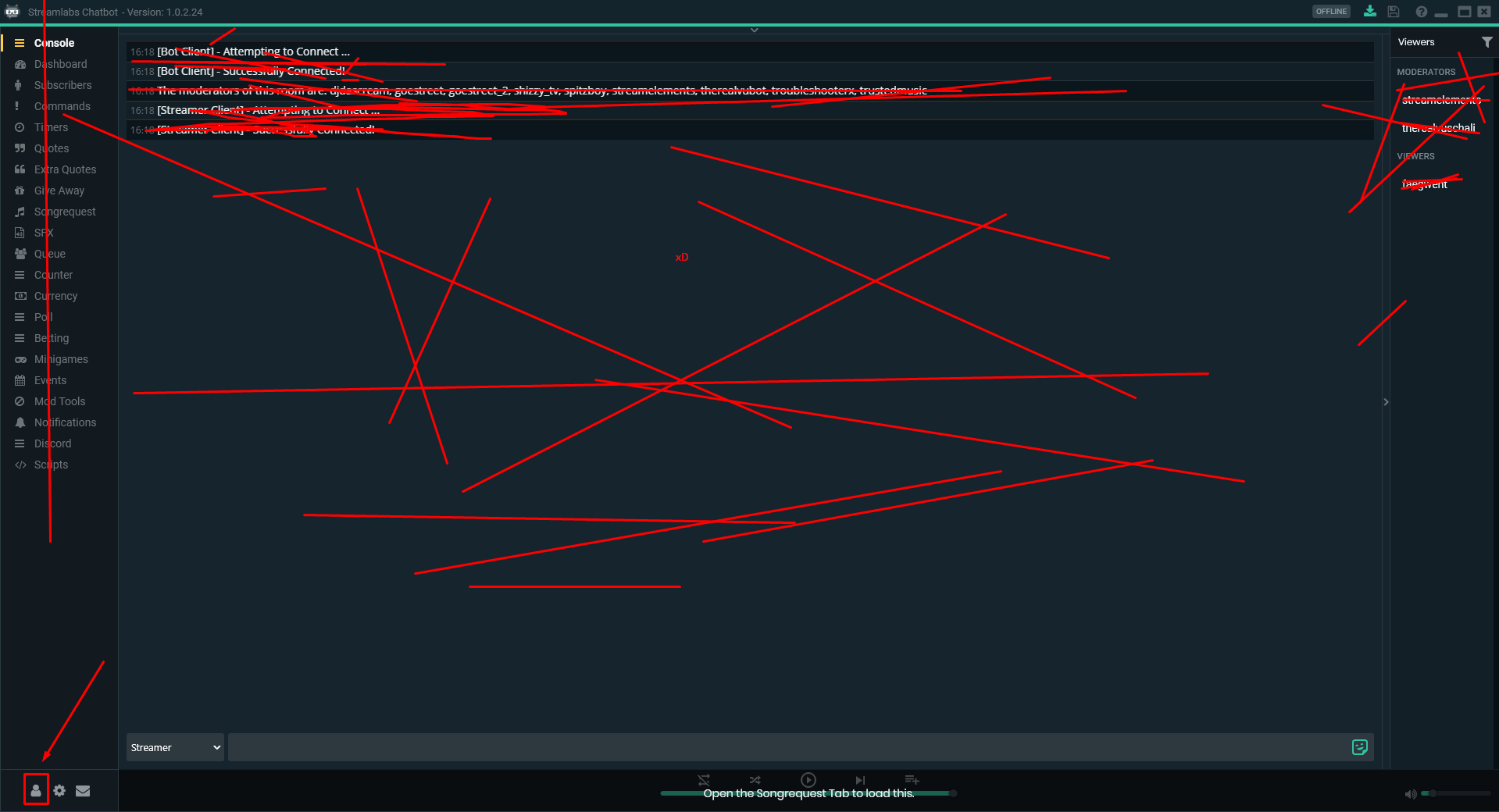
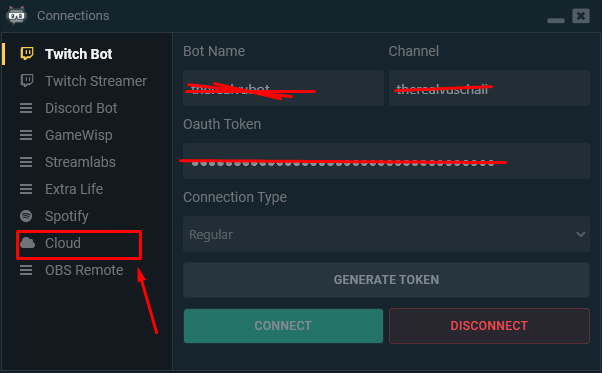
Folks, I can not find the folder that the Ankhbot / Streamlabs files are for importing, does anyone know the folder?
runic sigil
OK thank you
 stuck hamlet
lmfao
alpine arrow
you mean this?
runic sigil
@alpine arrow ♥
alpine arrow
No Problem 😃 @runic sigil
runic sigil
I'm going to take the test but I think that's it.
 low beacon

runic sigil
another thing, does streamelements have something like chatbot sfx?
alpine arrow
Can I turn off the Animations from the overlay?
lament blade
What kinds of the animation? The animated themes? @alpine arrow
gentle imp
hey guys, when u setup a code list redeemable is there anyway to make it one per user limit?
alpine arrow
yes
lament blade
Yes there is a way, @gentle imp
gentle imp
I have that selected yet u can get more codes 😄
stuck hamlet
there is no way to make it 1 user limit
gentle imp
it's just per code not user
lament blade
What theme are you trying to use? Because some themes come with an animated version and a static version of it @alpine arrow
gentle imp
ahh, thought so, ty both
lament blade
Missunderstood T-T
stuck hamlet
 your profile picture
lament blade
Cringe
stuck hamlet
u trynna seduce people? 
lament blade
Need to change it T-T
stuck hamlet
seduce into support
lament blade
I WAS BORED D:
alpine arrow
http://prntscr.com/i2plzr This one Alice
 stuck hamlet
YOU CAN BE WHO YOU WANT TO BE ALICE
runic sigil
another thing, does streamelements have something like chatbot sfx?
stuck hamlet
Yes, you can set those up in the store.
lament blade
It seems to have only an animated version of it  One second
Yeah, it doesn't have a static version of it 
stuck hamlet
huh?
runic sigil
sorry, I use the translator***
stuck hamlet
Well, yes it is possible.
stuck hamlet
its only in a few, its not very noticeable
gentle imp
but what does it do, add random stuff to it?
stuck hamlet
adds pepe's to some commands
gentle imp
alright ty, i'll leave it on 😃
 carmine abyss
So im running out of space on my SE server for files for my layouts etc. Is there a way I can pay for more?
carmine abyss
Notifications and they are webm and we are trying to export them at 800k bit rate but they are using roughly 10 - 12mb per one so its hard to have variations as i can have 5 and thats 50% or more.
stuck hamlet
I currently cannot give you more space, but remind me on sunday and ill ask around to see what i can do. 😃
carmine abyss
That would be fantastic! Me and my team are trying our best to work around it but trying not to make the quality of the file look horrible.
I will put a reminder in my calendar. What day is it currently for you? It is currently Sat 3:26am for me.
stuck hamlet
Friday
carmine abyss
Ok so Monday for that, easy done. Thanks mate 😃
clever mango
@gentle imp This has been suggested on the ideas board. Give it an 👍🏽
lament blade
could i get some help. Donations don't show up on stream
weary mist
sure, give me a minute and I will pull up your dashboard
@lament blade It looks like you have tip moderation turned on. If you navigate to your activity feed, you will have to approve your tips. If you don't want to do that for future tips, make sure to turn off tip moderation
lament blade
how can you turn tip morderation off?
weary mist
Go to the Tipping tab on the left, then its the second tab (Tip Moderation), and flip the switch
lament blade
Thanks for the Help
 quiet wasp
Where can I find the aller links and setting on the streamelements site?
 tough linden
@everyone is anyone else having an issue where 4.99$ subscriber emotes aren't kicking off when having variations
tight harness

clever mango
🤔
tough linden
sorry about that. need more coffee.
gentle imp
think I saw it, but ty will do @clever mango
weary mist
@tough linden are you talking about emotes in Kappagen?
tough linden
nah. the alert for a 4.99 sub isn't playing.
quiet wasp
Where do I find my allerts on the streamlabs page?
 stone spire
How can i set the bot to send a chat message every x minutes
quiet wasp
In Timers @stone spire
stone spire
@quiet wasp streamlabs lol?
quiet wasp
Danomate I don't see Allerts standing anywhere
quiet wasp
 clever mango
@stone spire timers is at the bottom in the left panel of the dashboard
quiet wasp
Where do I see allerts that I can add to obs so I can see when people follow on stream tip, and sub ect
clever mango
@quiet wasp are you asking about streamlabs alerts or streamELEMENTS alerts?
clever mango
it's common no problem
stone spire
@clever mango what's the difference between te online and offline interval, does that refer to live status?
tough linden
Speaking of Alerts, the Prime alert variation doesn't play when someone subs at 4.99
clever mango
@stone spire yes
weary mist
@tough linden mind if I test some alerts?
tough linden
@weary mist feel free.
stone spire
yeh I'm not sure if my follower alerts are working, someone come test them
lament blade
 You sent a kappa in the end, not sure if i should trust you
weary mist
lol
@tough linden gotta send this up the food chain, it should trigger the same prime = 4.99
stone spire
@lament blade I wouldn't trust anyone who didn't put a Kappa
lament blade

tough linden
@weary mist yeah I kinda figured that. let the devs know, its for sure a bug... not a feature...
also thanks for the Help @weary mist
weary mist
👍
stone spire
Anyone know if the twitch stats update live or only once you end stream?
I know achievements are live
 pearl pasture
Song request is not working for my followers.
tight harness
Followers is not a user level in our system, what did you set it to? 🤔
pearl pasture
Where would I find that
Im in settings rn
I have it set to everyone actually
and everytime they try ro make a request it says the song is too long when the limit is 20 minutes
tight harness
The limit is 20 minutes? So how many seconds did you set it to?
pearl pasture
Its in Seconds!!! Lol Thats the issue. thank you!
weary mist

tight harness
No problem 😄
 orchid dune
Hello! First I just wanna say I love this. However, is there any way you can edit your already adjusted stream overlay?
tight harness
If you go to My overlays and then click on the large pencil icon you can edit the overlays there, that's what we call the overlay manager
orchid dune
I already made changes to the overlay editor. However, I already made my own changes to that specific default overlay. I was wondering if there was a way to go back to my previous design and make more adjustments.
pine hemlock
Im not sure what you're asking. You can go back into the same overlay as many times as you need/want.
If you're asking about if we save copies prior to changes that you can revert back to, we don't
best practice is make a copy of the overlay before editing it if you arent sure if you're going to use the one that is being edited
orchid dune
ok. thank you.
i was just curious. i don't mind since your team makes it easy to redo. thanks again for this new platform streamelements!
pine hemlock
no problem, we're here if you need us
tight harness
👍
 ivory glen
Why won't it show the profile picture?
tight harness
@ivory glen When you go to Profile Page > Show my Profile > you can change it on the left
ivory glen
Ok. Thanks @tight harness 😃
tight harness
No problem
tight harness
We have Ground Control, but it currently doesn't have Twitch chat in it, currently 😃
Keep an eye out
pine hemlock
@tawny pivot ground control chat when
 tawny pivot
 lament blade
So there will be a chat coming?
Because I’m kinda considering going back to streamlabs
tight harness
It's been requested a lot and we listen to feedback 
weary mist
chat is coming. And if chat is the reason you are wanting that, I recommend using Chatty or Chatterino in the meantime. They are light-weight, and pretty awesome
plucky widget
@lament blade In the meantime, if you want to use the chat, Download Chatterino.
Lol, scalper literally said that and I didn't even read
tight harness
Whoops
clever mango
Not at this time
tight harness
If the API for it becomes more stable then it's possible we'll look into it again in the future afaik
 empty crescent
ok thank you for the help 😄
tight harness
No problem 😃
 glossy gale
What is reccomended for streaming video?
I've got nvidia shield but I don't seem to have any interface
weary mist
As a broadcasting software, we recommend OBS (open broadcasting software)
open source, free, and always being updated
pure forge
OBS 👌
glossy gale
OBS looks kinda overwhelming lol
lament blade
is it already possible to show the events like this? (yes I just donated 1€  )
)
weary mist
@glossy gale at first it is. But a few youtube tutorials and you will be a pro 😃
@lament blade not exactly like that
lament blade
possible to "focus" the most recent event?
clever mango
@glossy gale here's an awesome youtube playlist that covers everything in OBS studio. https://www.youtube.com/playlist?list=PLzo7l8HTJNK-IKzM_zDicTd2u20Ab2pAl If you're serious about streaming it's worth putting in the time to learn the program. There's also an auto-config in OBS that is decent but it's best to learn and tweak to fit your system.
 lusty laurel
Hello! O
I'm having trouble with my tipping alerts. I was streaming yesterday and my follow alert was working properly, however when I received a donation, there was no alert for it, and it didn't go onto stream elements until i manually uploaded it onto it. Is there a reason for that?
weary mist
are you using the streamelements tipping page?
lusty laurel
Yeah, I connected my paypal through the streamelements tipping page
weary mist
ok, what is your twitch name
lusty laurel
SnuSkwanch
I didn't realize I got the donation until I received the e-mail from Paypal
weary mist
@lusty laurel your activity feed had everything unchecked. If you check the box for tips, it will show you that the tip came through 7 hours ago
lusty laurel
Did you by any chance check them for me? I just went to my activity feed and they're all checked, and the tip that went through more than 7 hours ago, that was when I manually input the tip
weary mist
ok, yeah
lament blade
Hello? O:
lusty laurel
So.. everything should be good as long as I have those activity feed boxes checked?
weary mist
@lament blade hi
@lusty laurel it should, yes. When someone tips through your page, Paypal should send a message through their api, and that is how we pick it up
glossy gale
Cool I got obs to work, how can I add the interface and stuff?
pure forge
Each display is considered a Scene, Each individual element is a Source. For instance for league I created a "window capture " for the league client. And a "game capture" for the game launcher.
Your overlays from SE, will be a browser source.
tight harness
Exactly, a new scene for each scene, so you have a brb scene, a starting soon scene, an ending scene etc
lament blade
Those Overlay ,,Templates'' wich StreamElements have are just way to big for my ,,screen/obs'' haha wenn ich open the browsersource with the link on my OBs I only see 1% of the Overlay and I can make it fit .-. Anyone can help? .-.
tight harness
And you add the corresponding sources (overlays) in the right scene on OBS
pure forge
Proper resolution from desktop?
lament blade
well my Desktop is 1920x1080
pure forge
You'll need to set the browser source as the same.
lament blade
Didn't see something where I could fit the Overlay to it
tight harness
@lament blade The resolution for all of our themes is 1080p, you leave it at 1080p on the site, you add it as 1920 x 1080p to OBS, then if your canvas is different use Ctrl + F to fit it
lament blade
wait, i'll try
tight harness
That was it?
lament blade
Yea lol it worked xD
tight harness
Awesome 😃
lament blade
http://prntscr.com/i2ubgy is there a way to change those things? xD Or is this the Deal I go in when I wanna use the Design? xd
 tight harness
Some things have alternative icons hidden that you can show and swap out for what's there
But not all of them
lament blade
okay, well its good enouth for the beginning 😛
tight harness
👍
glossy gale
What do you reccomend for those of us with weird screen ratios? I'm using a 32 inch tv for a monitor so my I'm at a 1360 by 760 and the interface isn't showing up all the way on my screen lol
weary mist
that almost sounds like a 16:10 ratio
which is just barely off of the 16:9 that is normal now-days
you could go into the overlay editor and adjust things that way, or you can see if you can fit a 16:9 aspect ratio on your TV. 1280x720 or 1920x1080
glossy gale
I think I got it, but it doesn't appear the chat overlay is interactive with the twitch chat
OH wait, I got it 😄
weary mist
👍
 atomic shadow
im live right now but on stream elements website it says im not live so my notifications arnt working any ideas?
lament blade
Your recent events/alerts should work even if you are not live
clever mango
@atomic shadow Once twitch shows that you are live in the API, StreamElements will display that you are. It takes a little bit
lament blade
oh i keep missunderstanding
clever mango
Well you are correct, Alice. Events come in anytime. Followers are just retrieved less often when offline.
lament blade
 I see
I see
 quick mulch
Quick Question: Recently I've noticed I'm able to see my overlays without the website or ground control open. SO my question is this. Do I need to have either open in order get my alerts, followers etc?
lament blade
is there a way to empty the glass (bits)
I somehow managed to remove the chat of twitch when watching a stream, i'm not in cinema mode/fullscreen??  i'm confused
clever mango
@quick mulch The only event that requires the activity feed (site) or ground control open is hosts
 obtuse gyro
 quick mulch
@clever mango So the answer is no. I don't even understand what you mean by hosts.
clever mango
quick mulch
Oh der.. lol
 woven yew
how do i get the bot to show my rank with the command? i typed show solo rank as the the response and tested it with my channel and it only said show solo rank
 oblique umbra
i would like some to assist me please
 charred kindle
@pearl wave come in here plox
clever mango
Do you actually need StreamElements CEO for your question?
charred kindle
what dat mean
clever mango
Doron is the Chief Executive Officer for the company
Does your question require an answer from him? Or is there something that the support staff can assist you with?
oblique umbra
cant write it all down
 rustic matrix
ok question everytime i use steam elements overlays normal ones it makes my audio stutter but when i remove them audio is fine any ideas why this is happening ?
tight harness
@Tre©#2062 How much of your CPU is it using?
rustic matrix
between 14.4 and 17.0
tight harness
Are you ticking 'shutdown source when not visible' for the browser sources in their properties?
rustic matrix
yes all ticked
rustic matrix
no happens on start,brb and main overlay etc
tight harness
You know if you use the event emulator on the site? Do you get the problem then as well? Or just in OBS?
weary mist
And when we are talking about CPU, this is what your task manager is saying?
rustic matrix
oh i will tell you task manager now
tight harness
Ohh that was just what OBS is using?
rustic matrix
cpu for obs correct in task manager or overall
tight harness
Overall
rustic matrix
well rip 93% think i found my problem
rustic matrix
yeh thanks least now i can try figure it out to reducing it some how
pure forge
Is your overlay as basic as it can get? I run low spec and essentially all the premades were too much for me.
rustic matrix
yeh basic gold one nothing fancy etc
pure forge
I just have the Latest Follower, Top Tip, All time Cheer, Latest Tip and Latest Cheer with a bebe cup and it seems to do just fine. There are no borers or additional graphics.
borders*
rustic matrix
hmmm i might remove 2 things see if that helps it
pure forge
I would recommend starting one with the bare essentials and see how that does, you may have some wiggle room to add a few things.
rustic matrix
i just close some stuff as well steam and blizzard seems to have dropped it to 56% and sound seems ok atm fingers crossed 🙂
thx peeps for your help ☺
pure forge
No problem, good luck.
rustic matrix
thank you so much.
tight harness
😃
lament blade
is streamelements getting an update rn?
so many commands get ignored or delayed
right now
tight harness
At this time? Unlikely
proud pumice
checking
lament blade
right now
Is there a known issue with the ground control program triggering battleye anti-cheat?
 sharp nest
Hello there. I had a question about the purpose or functionality of chosing the resolution of themed overlays. I'm using the New Overlay - FORCE FIELD for a few days now and I want to be able to use it in 720p. Is there an option that actually changes the output resolution. It would make my stream look much better if I didn't have to shrink the default resolution to fit my screen.
---- Right now, the options for custom resolution or any resolution besides the default for that matter is just a simple canvas crop moving in towards the top left corner.
I don't want to crop the overlay to a custom resolution. I would like to have its output be the specified resolution. Cropping the canvas size defeats the purpose no?
tight harness
@lament blade We have heard of it happening on some occasions yes
pure forge
Overlay info>Overlay Resolution. Under Myoverlays Tab.
sharp nest
Yes. That option just crops it though. Is there a work around?
lament blade
Ah Ok. I'm assuming there's an eventual fix planned for that?
sharp nest
"select desired resolution for overlay" -- that whole thing. I expected it to be an output resolution. Not a canvas cropping. Seems like a pointless function.
tight harness
@lament blade It's not something that's possible to be fixed on our end to my knowledge, I believe we need to wait for them to stop blocking it
proud pumice
looks like there's a major hiccup with twitch regarding chatbots right now
pure forge
I'm uncertain Piper, I'm sorry.
proud pumice
we're working with them to fix it quickly
clever mango

tight harness
@sharp nest You keep the overlay at 1080 on the site, you add it as 1920 x 1080 into OBS, then you use Ctrl + F to fit it to your canvas
sharp nest
Thank you. But I do not want to use that high of a resolution. I want to be able to use it in 720p or preferably the custom size.
lament blade
Ah ok. I'll commence operation bug battleye tomorrow. 😉
tight harness
@sharp nest Right, so you do what I instructed, and you put the downscale resolution in your OBS video settings to whatever resolution you want it to be
sharp nest
No thank you.
I've been doing that for my last two streams. And
I need a browser source with less resolution.
It's slowing down my stream. I'll just find something else
Maybe one of your other overlays has its resolution output working.
@crisp plinth Can you help me?
lament blade
You already got good advice from @tight harness...
sharp nest
I did not.
lament blade
As someone who's played around with browser sources like SE and obs for the last 5 years, I beg to differ 😉
sharp nest
I feel my actual concern is being ignored.
lament blade
You can use a smaller size browser source if you're running a potato computer
BUT be warned: If you're using OBS that's a great way to necessitate reinstalling it on a regular basis.
sharp nest
OBS is not the issue. Your website interface crops the browser source canvas when I change it
on YOUR end
tight harness
Your concern is not being ignored at all, the themes we make are made to be kept at 1080p, I'm giving you the advice that we give to everyone with your concern because it's how it's done
lament blade
Piper, if I may ask, what's your input resolution?
proud pumice
bot is back operational 😄
lament blade
What are you capturing in OBS?
tight harness
Thanks @proud pumice 
lament blade
Is your screen resolution at 1080 or 720?
sharp nest
My heart is pounding this is so upsetting. I need to speak in voice
 crisp plinth
I'm looking into it @sharp nest
crisp plinth
When you create a new overlay or click the pencil next to the overlay it gives you the option for the resolution of your overlay.
@sharp nest
crisp plinth
Next to the overlay name i meant
sharp nest
It's cropping the browser source.
not on OBS
But on the site
I need to know how to fiX THAT
crisp plinth
Let me play around with it and find a solution
Okay so I did what you did and yes I see it crops it
But you may have to go into the image layer you have for the overlay and change the size
and then adjust the size for everything else
sharp nest
Whew. Thank you. I will do this. My follow up question will probably be about how to get the rest of the stuff on the screen to follow suit.
Okay ok.
Tedious. But worth it.
crisp plinth
Ya, sorry we dont have something that does this automatically. It'll be something I put on the ideas board
sharp nest
I usually have a lot going on. And even with a 2000 dollar streaming PC I still get dropped frames so I need to be able to cut corners in this area.
Serena (my PC) cried at the name "potato"
crisp plinth
Understandable 😃
sharp nest
She's doing her best. xD
crisp plinth
Poor Serena
sharp nest
OKAY anyway. Thank you so much for your help.
crisp plinth
Do you have Kappagen on your overlay? That can kill a lot of CPU
sharp nest
I just need this for the animated layovers as they are quite busy.
crisp plinth
Same with using display source in OBS
sharp nest
Kappagen? Is that the cup?
sharp nest
Ah well. Yes the cup is busy. But it's okay when I'm streaming. It's just the dropped frames I get with the BRB, STARTING SOON and JUST ENDED scenes
because this particular overlay uses animation.
crisp plinth
On the display source thing, window and game capture should be your go to's, display/desktop capture is really CPU hefty
Also set your browser sources to turn off when not active. Then use studio mode to change scenes and transition them after they load the browser sources again
clever mango
 I was just about to mention the importance of
sharp nest
AH yes. I do have the sources set to turn off. As they all play the notification noises in succession if I don't haha. Took me a bit a few months ago to figure that out
pure forge
Just to clarify. The fix for this was to go into the overlay editor and downscale each piece individually?
crisp plinth
Ya, you can do it in a precise manner with some math and then the position, size and style option
@sharp nest ^ this may save you some time and frustration
 rotund tangle
how do you get rid of supposed bots in your twitch channel ?
clever mango
such as?
oblique umbra
so u have 2 scenes in obs and both use a coppied overlay..its an alert box..and when i test it it sound in both scenes so i have a loop and i listen to two sounds...that happens only when i test it or it will happen when im streaming also?
rotund tangle
feagwent and fonz_tv and Sixfold
oblique umbra
i have*
weary mist
Faegwent isn't an optional bot
it doesn't add or subtract from your viewer count either
the other two I have never heard of
clever mango
If they aren't actual bots like StreamElements there isn't a way to remove them from your chatroom
If you think you might be viewbotted though you can send a report to twitch
tight harness
@oblique umbra Have you ticked 'shutdown source when not visible' in the browser source properties?
clever mango
or follow-botted