#helpdesk-twitch
1 messages · Page 182 of 1
 lament blade
 tight harness
He means the chatters list on Twitch
 terse canyon
pic is removed, but live still shows it
 stuck hamlet
v a r i a t i o n s
tight harness
You click on this at the bottom of the twitch chat:
 pliant hound
@lament blade I'm using the PURPLE FOLD PARTICLES SUPER THEME, let me test the same layout on the others
 pine hemlock
Caps 
lament blade
It is indeed working for me @pliant hound, just make the box bigger Or what also is working for me is
Going on advanced text settings
lament blade
And changing the top ;.;
tight harness
@lament blade I thought the second thing was a secret then with how your message ended 😄 lmao
lament blade
https://gyazo.com/60abf09b277c32ad7544abd5e161be96 I'm talking about this. I haven;'t seen a single message on the stream from twitch dashboard, but it still sais I had 4 chartters

So I wanted to know if it means messages in the chat or something else

tight harness
Ohh, yeah, that means 4 people were in your chat during your stream in total
pine hemlock
It means people in your chat. They don't have to talk
lament blade
the didn't need to post anything right ? I was worried that I'm missing some messages
pine hemlock
Or even have your stream open
lament blade
gotcha
So if there a big gap between the imagine and the text, just change the advanced text settings @pliant hound 
stuck hamlet
How many people were signed in to twitch and viewed your stream more than 5 minutes.
tight harness
They don't need to post anything, correct
lament blade
thx for the info
pine hemlock
Wanna see my husband @stuck hamlet
stuck hamlet
yes
pine hemlock
lament blade
Husbando?
stuck hamlet
hot
pine hemlock
Daddy 
lament blade
O wait, nobody but 🍅 likes anime here 
stuck hamlet
did you kiss him before you left
pine hemlock
I wish
tight harness
@lament blade I like some, not all
pine hemlock
I got to drive nicks new cadillac tho
Makes me want a one
Too bad it was over 50k
lament blade
terse canyon
 sub alert gifted sub variation is borked X(
lament blade
What's up with it?
pliant hound
Yep, putting it back the way it was on the default theme. My images are not good for alerts. :/
lament blade

pliant hound
Why is the distance between the image and the text so big though?
lament blade
At least you'll find the perfect way you want it if you keep looking around 😄
tight harness
I believe Line Height setting helps with that 😄
terse canyon
hey dudes, idea for special sound and image for when 94 happens in a tip/cheer?
OOH
FeelsGoodMan
i'll use that image
idea for sound?
OOH, troll song
nvm, i'm good XD
pliant hound
I dont even know where to get sounds, is there any website with royalty-free sound effects?
lament blade
There are some around, don't know any names though, you'll have to do some research 😄
terse canyon
that's my fav
http://www.incompetech.com is a great one too
if you want something that's more music-based, http://www.audionautix.com
OMG XD
lament blade
wait 
terse canyon
imma have a crazy frog song as an alert XD
lament blade
lament blade

tight harness
Not even gonna ask 
terse canyon
blame alice!
pliant hound
haha
tight harness
I gave her the link, so you can blame both of us
terse canyon
hah
lament blade
Taking credit for Sean's links
pliant hound
omg I'll be here at least another hour just choosing a TTS voice 
omg lets try the Portuguese one xD
lament blade
Portuguese 
pliant hound
I'm Portuguese
lament blade
I speak it c:
pliant hound
omg hahaha it sounds awful xD
a Portuguese TTS reading an Eglish text definitely doesnt work xD
tight harness
Sounds beautiful
pliant hound
beautifully terrible 
lament blade
I have problems
pliant hound
That's nothing
I had over 300 tabs at some point on my old laptop
THOSE were problems
lament blade

tight harness
And here I am with 2 open 
lament blade
pliant hound
I like all 4, how do I choose just 1? :o
lament blade
Nice 😄
pliant hound
She has the sweetest voice and my voice isnt sweet at all so she'll keep the balance
lament blade
:3
pliant hound
whomever recorded that voice should record novels for people with trouble sleeping
her voice is very soothing
lament blade
Asmr 
pliant hound
totally
terse canyon
hey, can I have a YT video play as an alert?
pliant hound
there's an option to change the image with a video, but you may need to have it on your pc
lament blade
Or make a gif of the video, i do that so it saves a bit of space
pliant hound
That's cheating :o
lament blade
 pliant hound
Over an hour later.... still not done changing this overlay
terse canyon
that's one of my alerts XD
lament blade
Nice
pliant hound
omg ur such a troll :P
terse canyon
guess what will activate it?
tight harness
I wish our Discord had spam filters
pliant hound
get banned > have a gif make fun of you
lament blade
terse canyon
94 cheer will activate the gif 😄
pliant hound
why 94?
terse canyon
look at my name
terse canyon
yup 😄
and every 94 cheer, someone can submit a gif / sound effect to add to it 😄
crazy frog will be my $9.4 one XD
can't upload mp4?
tight harness
It will tell you the allowed file types
terse canyon
yeah, just saw that
hmm, any way I can have the video's video as an image into SE?
or can I host it on my website maybe?
starting to realize how big this can get O.o
lament blade
Or make a gif of the video, i do that so it saves a bit of space
lament blade
There are tutorials online
pliant hound
I have 6 overlays to customize. If I spend this much time customizing each one... my hand will fall off.
pliant hound
hell no, I'm not having variations either, screw that xD
wo no, I dont get it
where are we supposed to write down our goals?
'cause on the widget data is showing the goal progress but not the actual goal
lament blade
Under widgets
pliant hound
This is EXACTLY why it takes me over an hour to do this lol
everything is on the layouts
lament blade
😛
pliant hound
I always wanted more widgets... careful what you wish for I suppose
lament blade
terse canyon
okay, i've got 2 variations for 94 cheer, and 1 for $9.4
lament blade
Nice
terse canyon
plus you think 2-3 hours is bad for an overlay? try 2 hours ON JUST A HUD MOD FOR MINECRAFT

pliant hound
damn it, I need a grid in this overlay
terse canyon
i'm so tired
pliant hound
trying to center an image on top of my camera
terse canyon
read that as "i need a girl in this overlay"
terse canyon
i'm a man, but I can cook 😄
terse canyon
cooking is just about following directions and being willing to fail. Good life lessons
lament blade
@pliant hound maybe turning on or off snapping would help
pliant hound
@lament blade i have that on, but it'll snap at the edges of the cam, not in the midle
lament blade
Then turn snapping off and try to be precise o:
 ripe herald
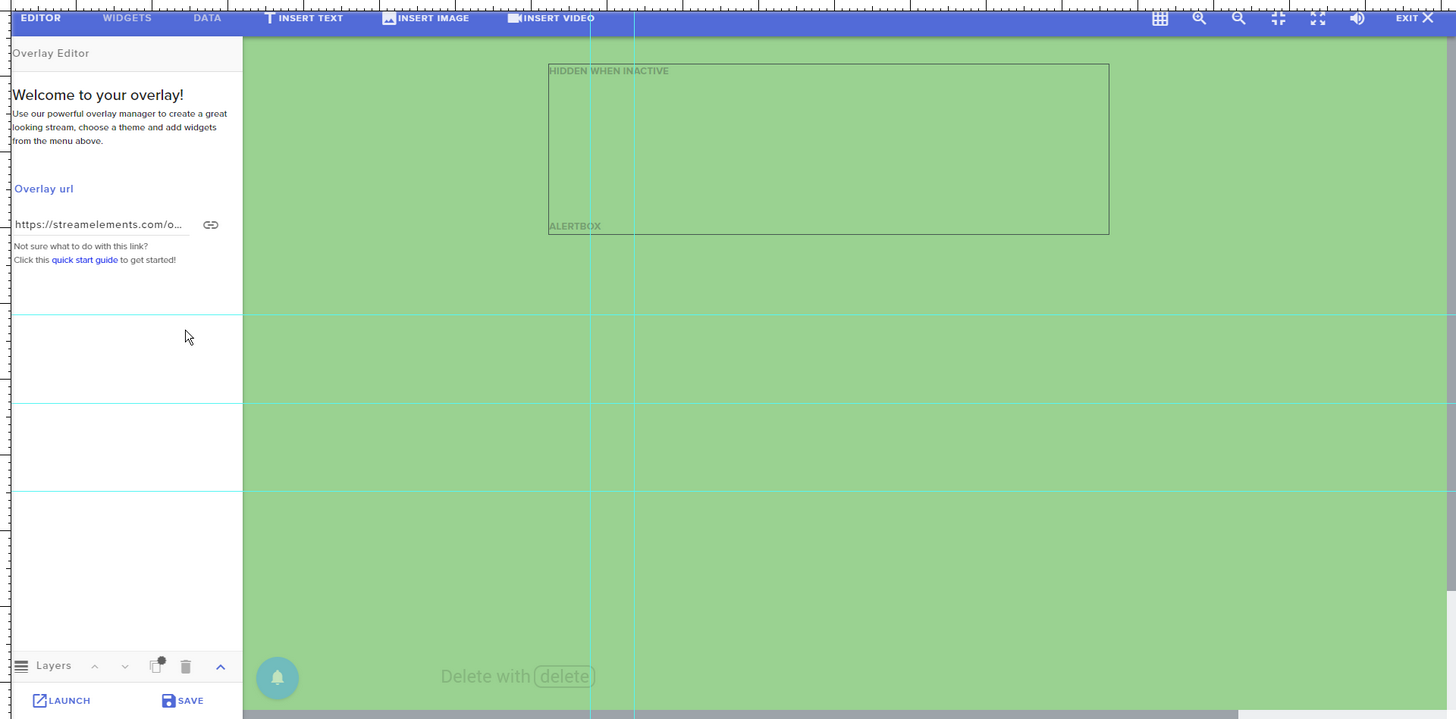
Best solution for grid is to intall and use this extension

Create grids and measure their distance easily.
works perfect
 lament blade
Didn't know about that one 😄 Thanks Kireaki
ripe herald
No problem i use that for setting up themes
 pliant hound
not for the one I was messing with apparently, maybe cause its scripted
follower goals
pliant hound
yeah, im trying to do weird things with this layout xD
omg over an hour and i dont even have kappagen and the hype cup on this layout yet
 clever mango
It's not a race 😄 you'll get faster at editing as you learn shortcuts and know where to find things quickly
lament blade
please could someone tell me how i can get the event list to scroll and not have a list in blocks? i would like it to scroll at the bottom of my overlay
tight harness
You mean you want it to have like a scroll animation?
lament blade
yea like a bar at the bottom so it is scrolling
ATM i have it like this
but it is using up space
clever mango
someone suggested this in the comments you can upvote the idea and add your support for the scrolling
tight harness
Thought that'd have more upvotes by now 🤔
tight harness
I gave it an upvote as well
pliant hound
same
lament blade
pliant hound
I think I'm finally done editing the overlay with the camera. Now to edit the one without the camera. And then the transition scenes.
Cant believe I actually finished one <3
clever mango
that escalated quickly @lament blade
lament blade
😄
clever mango
@lament blade feel free to look over all the other ideas and give 👍 to ones you like
lament blade
Nice job @pliant hound ❤
clever mango
that goes for everyone really
Lots of great ideas on there and it's one way we prioritize new features
lament blade
Save and reload, if it doesn't work, save and reload again
pliant hound
damn it
deletes widget, closes, reopens and readds widget
not working -_-
wth just happened? it was working fine for the last 2 days
it was working fine 1 overlay ago
nvm, it works now
clever mango
if you delete something it needs to be saved 😃
that's one way of "undoing" - don't save if you mess something up, just refresh
pliant hound
2/6 overlays finished
omg... I forgot that I also need to customize the alerts in all of them 
clever mango
make use of the duplicate layer feature
lament blade
i will do so @clever mango and i take it someone here has mentioned the new test obs from streamlabs. great idea imo (not enough for me to leave you guys) just seams the face cam does not seam to work very well on it.
clever mango
set up one alertbox and duplicate it to all of the others
pliant hound
no idea how to do that
clever mango
Select a layer. Click on the button with the red asteriks right above the layers panel in the bottom left
This goes for any layer you're using in multiple overlays. Duplicate to save a lot of time 😉
lament blade
ohhhhh i did see something, be nice to remove the message in twitch chat for some store redemtions. have a select box to "post to chat"
clever mango
@lament blade At this time SE has no plans to create a fork of OBS Studio as it's the best streaming software out there and free. "If it's not broken, don't fix it" 😉
We are however collaborating with the OBS team and you'll hear more about this in the future
pliant hound
and now we have Bebo too, which is also free and uses 50% less CPU than OBS and XSplit
lament blade
no i agree, the ONLY usefull thing i found on it was the twitch chat directly in OBS. saves having to have open other browsers just for chat
pliant hound
I need to take a shower before I return to these overlays. I didnt know we could duplicate things so I was doing things one by one in all of them ^^''
clever mango
pliant hound
voted
lament blade
ahhhh is this for your desktop app @clever mango
clever mango
lament blade
yes i have that, must say i do not use it yet as lacking features and slow at updating imo. for now i have your website open on dashboard
clever mango
I'm not sure what it would be slow at since it is essentially the website Activity Feed and Song Request pages in a desktop app
lament blade
i have no idea. last week i had both open, desktop app and the website. i had to refresh the desktop app to get updates 10 mins after the web dash updated
clever mango
shhh @pliant hound
lament blade
That is no way a moan, i am loving SE more each week i am using it. our little stream team will not be moving for a long while 😃
clever mango
I will mention this to our Ground Control dev though
lament blade
ok. i am just looking at wrighting a quick chat app now so i dont have to have web open while streaming
clever mango
Why write one? Chatty and Chatterino are already written and do a nice job 😃
I use chatty personally but chatterino is also good and they're working on a new version
lament blade
just want a basic no thrils chat tbh, i do not use it to write in just so i know what viewers are saying
clever mango
I see
 warm ingot
Hello i need some help!
New Command - Advanced Options - How should the bot send the message? This is for choosing how the bot sends it's response, the possible options are: Say, Reply or Whisper
where i choose which word the bot should say?
 stoic wren
Tiltify alerts still are not working. Am I just doing something wrong?
clever mango
@stoic wren I've made the team aware of this. There is a bug that needs to be worked out
stoic wren
Ok cool so it is being look at. I just really do not want to use that other product, not if I can get a one stop shop
clever mango
Understood, the team will get it working as soon as they can
 old solar
i dont know how to go live
clever mango
@warm ingot the response field is what the bot says
@old solar are you completely new to streaming? What have you done yet?
 viscid steppe
Minimum amount to alert for tips.. Does 500 mean $5.00 or $500?
clever mango
500 dollars
viscid steppe
Ahh. ok. There isn't a currency indication here so it's confusing. Thank you!
warm ingot
Hm what you mean? 😮 @clever mango
clever mango
@viscid steppe might be tricky since we support quite a few currencies
clever mango
@warm ingot Are you looking for where you write the bot's response?
lament blade
Good luck on streamingRory c:
clever mango
what the bot says to the person using the command?
warm ingot
Yeah i am looking for that 😉 @clever mango
clever mango
warm ingot
should i do !addcom Streamelements say Hey every 5 seconds?
or?
Okey thanks bro ❤
really nice support
clever mango
Do you want a command or a timed message?
warm ingot
Timed message
clever mango
That's a timer
warm ingot
yeah
clever mango
at the bottom of the left panel on the dashboard
below chat commands and spam filters
clever mango
?
warm ingot
Thanks for the help!
 indigo osprey
hey im trying to setup my supertheme but it only will show me the tips and not the actual overlay details
tight harness
The tips? 🤔
lament blade
indigo osprey
like top donator and tips at the bottom
tight harness
Have you set it to be 1080p?
indigo osprey
yep
tight harness
Are you referring to how it looks on OBS or the overlay manager?
On the overlay manager you may need to zoom out a little 😄
And if you add it to OBS as 1920 x 1080 but your canvas isn't 1920 x 1080 then you can use Ctrl + F to fit it to your canvas 😃
lament blade
indigo osprey
tight harness
Unless i'm completely misunderstanding what you meant, in which case I may need some more elaboration 😄
indigo osprey
thats only showing up
tight harness
So the graphics are missing?
indigo osprey
yep
indigo osprey
nope in the browser it shows up fine
tight harness
Can you private message me your overlay URL and i'll add it to my OBS and see if it's the same
indigo osprey
i sent it
lament blade
Wow the overlay editor is very slow atm
What browser do you use? o: If it's chrome you can go to chrome://settings/ ---> advanced and scroll down and turn off the "use hardware acceleration when available
it is chrome yea, but never seen any lag on the editor, took 3 mins for images to load then all ran fine again
yes that is ticked just checked
So un tick it 😄
tight harness
Figured out Michael's issue in DMs
clever mango
When the editor is opened, it's best to give it a few seconds to load before clicking anything. If something is selected while it's loading the tab can freeze.
The devs are always working to improve the efficiency and optimzation of the site and a brand new overlay editor is planned
lament blade
only reason i mentioned it as i have never had problems with it just tonight. maybe its just busy tongiht
clever mango
certainly could be
tight harness
But that option being unticked certainly does help a bit 😃
clever mango

lament blade
hi, i need help with a bug sound on my overlay 😦 someone can help me?
indigo osprey
got it working thanks guys
lament blade
We are here to help you @lament blade
tight harness
@indigo osprey 
lament blade
No problem
tight harness
@lament blade What's up? 😃
indigo osprey
btw is it just me or is the overlay editor being laggy
lament blade
ok, my problem is my alerts. I've put some songs for each alert, but they sound double. Sometimes yes sometimes no. Sorry for my english, im from spain 😦 haha
What browser do you use? o: If it's chrome you can go to chrome://settings/ ---> advanced and scroll down and turn off the "use hardware acceleration when available @indigo osprey
clever mango
When the editor is opened, it's best to give it a few seconds to load before clicking anything. If something is selected while it's loading the tab can freeze.
tight harness
@lament blade Do you have multiple overlays added in OBS?
lament blade
Stream elements works best with chrome 😄
tight harness
If so, did you tick 'shutdown source when not visible' for each of the overlays in the browser source properties?
lament blade
I have 2 scenes, one in which I play and one in which I do not play
ohhhhhh thats the problem?
tight harness
Yes, they are still open in the background if you don't tick that option
lament blade
i will try !
tight harness
Alright 😃
When you do that the scenes will take a few seconds to switch, but you can use either Studio Mode to pre-load the next scene or use Scene Transition 'Fade' with a few seconds to make it not noticeable 😃
tight harness
You can change the tokens completely and you can try to blend an existing cup with a picture you want to try and make it how you want
lament blade
Lul, haha. It is fixed! It does not sound double: D Thank you very much for helping me. Have a nice day ! 💙 😋
You too!
tight harness
But you need to use one of the preset cup shapes
@lament blade No problem, you too! 😃
lament blade
ok thanks
 karmic bronze
help
if someone follows my stream I get two sound alerts
I don't know why they're duplicating
tight harness
@karmic bronze Did you tick 'shutdown source when not visible' for each of the overlays in the browser source properties?
lament blade
^
 civic pasture
Hello,
I saw that on your site streamelements you had a fortnite dynaic overlay and I wanted to know about some overlay on can not edit the text at times the problem is that I manage a fortnite french community of more than 20 000 players and I did not want to have the text in English.
pliant hound
@clever mango You sir/madam, are awesome
I spent like 2 hours editing a layout and now I'll spend like 5 minutes editing each of the remaining ones
If there isn't a tutorial about duplicating elements on the blog yet... there should be
This tip is life saving
tight harness
@civic pasture The variables text is in English but everything else can be changed, if the widget doesn't seem to be editable check it isn't locked with the padlock symbol in the Layers list
And I believe all of this will eventually be translatable to various languages
Including variables
Most of the text should be editable though 🤔
@pliant hound I included this feature in the knowledge base when I re-made it recently 😃
But I guess not many people know about the knowledge base 😄
 upper steeple
So today i had someone redeem some sound effects but they did it right on top of one another, I have the cooldowns for 3 minutes on each sound effect but how would I do it where the sounds can't be redeem back to back like that?
tight harness
This was marked as a problem 6 days ago: https://streamelements.helprace.com/i543
upper steeple
did not know that, hope it can get fixed
tight harness
Should be fixable 😃
upper steeple
only way i can think is to make the cooldowns different but i can't figure how to do it without it being massive cooldowns
oh are redemptions going to be added to ground control where you can accept or deny them?
 fading shard
im curious can u make your overlay shouw while ingame
upper steeple
yes very convenient
fading shard
while your ingame
@tight harness while youre in the game so like u dont need to check who followed or not
civic pasture
@tight harness ok thx and I wanted to know it's not possible for you to do a special overlay in exchange for advertising I have 20,000 players on my Facebook group and 15,000 players on my discord?
tight harness
@fading shard I mean, while you're in-game you can still check OBS, I think you mean literally have your alerts show inside your game, but that's impossible
@civic pasture You'd have to talk to the staff about that 😃
civic pasture
ok who advise me to contact you in the staff?
civic pasture
ok
 slender anvil
i dont know if ive asked this already but is spotify set up with song requests or is it only youtube?
tight harness
Youtube, dubtrack.fm and plug.dj
We did approach Spotify for dev access but I believe they denied us when we asked, we'll ask again in due time
lament blade
is there a way i can export my overlay and give it to a team mate?
stuck hamlet
No
lament blade
Dam ok new "idea" then for me
lament blade
i have just done a search but couldnt find it
pliant hound
^ upvoted
clever mango
I'm going to merge it into this existing idea https://streamelements.helprace.com/i390-share-import-download-themes-overlay
tight harness
That's the one I knew of 😛
pliant hound
Upvoted there too then
pliant hound
I liked the idea :P
no one votes on mine, I'll start bribing people from the support to vote o,o
I hope everyone here likes cookies
clever mango
Use this
pliant hound
cause I dont have bribe money xD
you can share? O_O
ADD strikes again
still, i'm not popular on social media or anything
easier to bribe ppl here xD
clever mango
you can post yours in #💭︱feedback-and-ideas that what the channel is designed for
I see you did already
pliant hound
I always do, just so the devs can keep track
I dont even know how they can keep up with Discord and the website at the same time. They're like little working ants
clever mango
For ideas?
pliant hound
Uh?
clever mango
eh nvm
pliant hound
xD
Wasn't there a section of the forums we could leave praise as well? I could swear I saw that on my forum profile a couple days ago. Am I dreaming with SE or what?
clever mango
on the helprace site you can
pliant hound
Where? o_õ
clever mango
the site where ideas are added
pliant hound
yeah, that's where I thought I saw it but now I cant find it anymore
clever mango
It's also used for updates, problem reports, and praise
left side click praise
oh wait
clever mango

pliant hound
the praises vanished
tight harness
Too much praise, cannot compute
pliant hound
😭
tight harness
It's always nice when people say nice things about us on twitter 😄
pliant hound
Well, at least now I know I didnt dream it
I have this bad habit of dreaming stuff and then convincing myself it actually happened in real life
tight harness
Same 😄
 thorn glen
Hi there. I wanted to ask. How would one center text alerts over and in custom images that has been applied to alerts?
clever mango
Select the alertbox > Open an event settings > Select text settings
thorn glen
I've done that and even clicked the Advanced tab, but under the Subscribers Text Settings the positioning doesn't change for the announced text or alert.
Or under the Variation settings.
clever mango
Have you tried using margins to move the text around?
 unreal quiver
Im using a premade overlay but the camera boarder doesn't show up. I can't seem to figure out how to get it to show up
clever mango
does everything else show?
thorn glen
Margins?
unreal quiver
yeah everything else is showing
clever mango
@thorn glen Yes, are you trying to move the text up or down in front of the alert image ?
thorn glen
Yes.
clever mango
Use text margins under advanced
For instance using a number such as 10 or 20 in the top margin will move the text down
@unreal quiver make sure that the cam border layer is not hidden
select it in the editor and then open the layers panel in the bottom left scroll to find the layer and check the eyeball to toggle visbility
unreal quiver
Thank you @clever mango
thorn glen
Thank you @clever mango
 feral axle
clever mango
feral axle
clever mango
@feral axle This is an acknowledged bug and will be fixed. Quotes are still added but right now they all show as being added as quote #0
That quote is actually #2
 still lily
Is it possible to use streamelements overlay but use streamlabs donation page? Or do i have to use streamelements donation page?
 misty wagon
If you want to be switched on in the #291219887274328064 channel we ask you to fully onboard.
Our tipping also helps you monetizing your stream better, smart setup of your tipping page is really important. It's fast and uses presets with fixed donation amounts ($3.33/$4.20/$6.66/$13.37) for a faster checkout.
The other great feature we have is that you can ask users to log in with their actual username. That gives you better protection against chargebacks (no streamer wants those, right?) in combination with upgrading your PayPal account for free to a business one.
StreamElements does NOT take a percentage! We want happy streamers, not poor ones!  That means no hidden fees, no kickback deals nor shady tiny print. In fact, we don't even touch the money.
clever mango
If you do anything donation related it won't integrate with the other aspects of streamelements
still lily
OK good to know
misty wagon
For us the most important thing is that all works together; You receive a cheer/donation, it triggers chat-, and overlay alerts, KappaGen emplosions and your HypeCup fills, that what viewers and us love to see happen!
still lily
I have an other question. I live in Denmark and we have an app called MobilePay, where we can send money with our phones. Is it possible to make it pop-up with donation alert, when you get a donation via MobilePay?
misty wagon
Not at this moment @still lily We are working on getting new payment methods installed in the future
 shell fossil
Having some issuesw ith the timer not working. Can anyone explain is it after being online for x time it says the message or ?
nvm it finally worked
lol
clever mango
@shell fossil Timers work like this: If your timer is 30 minutes and 10 lines, this means the timer will post if between minute 25 and minute 30 there are 10 lines posted in chat. 25 minutes after the timer is posted, it will start checking the lines again and post again if 10 lines are met in the next 5 minutes.
thorn glen
So now I'm stuck. I'm trying to set up the gift variation (got it all centered) but it only says one name instead of who gifted who.
clever mango
What is the text in your alert?
thorn glen
{name} gave {name}
thorn glen
Thank you once again.
clever mango

 oblique thorn
Hi.
Is it possible to turn of the need for manually approving tips?
oblique thorn
Ah, nice. Thank you!
 rare stream
any way to speed up the event detection level? im noticing some events like follows take up to 10 minutes to show up
clever mango
events are polled every 30 seconds while live, 10 minutes while offline
rare stream
ah, ok
 split apex
is there a way to create an alias for a command + arguments? I want to create !resetdeaths to run the command !editcounter deaths 0
clever mango
nesting commands is not a feature at this time
and we can't have the bot trigger itself because this could result in an infinite loop and then the bot is globally banned in every channel
 pearl flint
How do you disable !donate in chat?
pearl flint
Thx
tight harness
!donate is an alias of that command 😃
pearl flint
My god I feel stupid now
tight harness
Nah, don't 😄 It's a common question
 mild temple
Is there an easy way to tell which Stream Elements fonts will work on my PC besides comparing individually what's installed vs what's in SE?
Ah, nvm. They're all from google fonts so I can just download whichever I like lol
clever mango
 mild temple
Having issues getting a specific font to work though, doesn't display properly within SE
mild temple
You have to ask for it 😃
rare stream
i did last night and i thought someone said i was set
mild temple
hmm, no idea then
rare stream
if someone could help me get hooked up i would appreciate it 😃
clever mango
just a sec
rare stream
says it does on mine?
mild temple
Not for me, it's just showing you as "online"
as in green status
not purple for live
rare stream
im looking at my other discords and it says im purple
mild temple
hmm, weird!
clever mango
You're in the queue to be announced. It takes a bit of time for the twitch API to list you as live to bots
Normally 5-7 minutes but it can be longer
Which font @mild temple ?
mild temple
Player something I just found another one haha
might not be open source?
if that makes a difference
oh, nope it was this one my bad https://fonts.google.com/specimen/Press+Start+2P
 hushed sluice
having trouble configuring a new alert sound
im using a theme and I cant seem to figure out how to remove the default alert sound so when I add the new one they both play at the same time
 weary mist
@mild temple that is a font that is known to cause issues
karmic bronze
@tight harness yes, all of them are shutdown when not visible
still getting double alert sounds if someone follows
hushed sluice
me too! haha
tight harness
@karmic bronze Do you have a secondary hidden alert box somewhere? Or OBS open twice? Or the overlay manager open in the background? Because they're the only other possibilities to my knowledge
 drifting basin
what would be a good age to start streaming? I'm 13 and looking to get into it.
just @ me for a reply.
tight harness
@drifting basin Nothing wrong with starting streaming at your age, you're old enough to be using Twitch plus it gives your channel more time to grow, just be weary of the trolls and try not to give them the attention they want, everybody gets them occasionally
 dense jackal
I've seen popular streamers at 14/15 @drifting basin , but be aware it is a dawnting task, and is not something done easily. If you have the computer to do it, give it a shot, see how you like it, but understand that people will come in and may try to harass you because of your age 😦
tight harness
Music from where sorry?
 lavish carbon
Store
tight harness
Did you add the Store Redemption widget to your overlay?
That's where sounds play through
lavish carbon
How you do that
lavish carbon
That’s the only way it’ll work?
tight harness
Yes
lavish carbon
Thanks
tight harness
No problem
tight harness
Yeah, you just change the number then change it back
drifting basin
thank you, @tight harness and @dense jackal
tight harness
No problem
hushed sluice
@tight harness is there a way for me to remove a default alert sound from a theme?
tight harness
Yes, there's a Clear Sound button, remember to clear the sound from all of the variations for the alert too if you want to remove it completely
drifting basin
should I use a tool like audacity to makje my voice sound deeper or no?
lament blade
You want to use it for an alert? @drifting basin
hushed sluice
@tight harness ive cleared sound for all alerts and I havent made any variations but it's still playing the default sound
tight harness
You don't have to have made the variations for them to exist, they get made by default
hushed sluice
@tight harness how can I see the default variations?
tight harness
Click on Variation Settings
It's one of the bottom left options when you click on the alert box
hushed sluice
@tight harness whenever I go there it says I dont have any variations
drifting basin
@lament blade nope, read the previous messages, you might understand.
tight harness
@hushed sluice Then the variations aren't coming from there, do you have any other overlays in your OBS that aren't shutdown?
There's an option in the properties of browser sources which you can tick called 'shutdown source when not visible' you should enable that for all of your overlay browser sources
lament blade
Well, it depends on your personal preference, i don't think you should change your voice to try to sound deeper unless you want to change it as a joke. But it is completaly up to you 😄
tight harness
I don't think you should do it either
drifting basin
okay ty.
hushed sluice
@tight harness got it!! thank you for the help
@tight harness one more question, any pointers on getting my chat to show up in on of my overlays?
I have a section on one of them labeled as chat but I assume I have to add it manually somehow
tight harness
No problem, and yes, there's a widget in Widgets called Your channel's Twitch chat 😃
hushed sluice
heck yeah awesome
lament blade
It's on the overlay manager 😄
tight harness
Glad I could help 😃
pine hemlock
hushed sluice
is there a way to mute the alert sound in my headphones?
tight harness
@hushed sluice Sure if you want to mess around with 3rd party virtual audio mixer software but you're going to have to rely on tutorials for that 😃
@drifting basin That question would be best asked in #welcome where others can reply with their experience about what worked
drifting basin
ok.
@dense jackal you said "I've seen popular streamers at 14/15", could you clarify who? or have you forgotten or something?
 coarse heath
Ello awesome SE peeps! I’m trying to find where I got my normal tip/follower/sub cup. I don’t see anything but hypercup in the widgets. Plz halp THANKS!
 wheat prism
I have a question: When somebody subscribes, the streamelements bot sends a message to the chat that says xxxx just subscribed. then like 3-5 seconds later the alertbox pops up the subscribe gif,message + sound... Is there a way to NOT have the streamelements bot say somebody subscribed in chat and just have the alertbox show the message?
or even customize that initial subscribe message that the bot sends chat (not the alertbox one)
clever mango
@wheat prism modules > chat alerts
@coarse heath hypecup is the only cup 😃 There are different ones within that widget to choose from. After adding the widget you can change the cup by clicking on the settings wheel in the middle of the widget settings
coarse heath
Ty!!! I love u @clever mango
dense jackal
@drifting basin it was a group of guys that played destiny together
unfortunately i don't remember there names sorry 😦
wheat prism
@clever mango Legend .. thanks... do you know why there is a delay between the chat and the actual alertbox ..? Maybe one connects straight to twitch IRC channel and the other subscribes to pubsub from twitch.... as i have some custom c# code which monitors for subs and it seems to get the message the same time the alertbox pops up..
clever mango
That's exactly why
wheat prism
might change my module > chat alerts to something like incoming sub or sub HYPE 😛
it is not a bug but a feature ... 😃
clever mango
I like it 😃
lament blade
OBS has a feature to figure out the best settings kinda, where do you get to it without reinstalling it?
Because my quality got worse during some changes :c
clever mango
clever mango
As a starting point, yes. But almost everyone will need to adjust from there
lament blade
I mean, I might not have max potential but I'd have a good start atleast
clever mango
yes
lament blade
And quality was better with this xd
 soft heart
i just did the auto config and i didnt know what my computer was capable of so thats cool....
at least i can record and stream in higher quality now
lament blade
 that's the sense behind it, when you don't know how to config it perfectly
soft heart
lmaooo
 woven escarp
Hello every one...
Im new to SE, but i like it so far...
Bin working on my settup, but i hid a little bump on the road, with the alerts
Any clever heads around ?
pine hemlock
Ask away
woven escarp
Ive add'd a custom sound for my alert, but it keeps comming with a bling while my sound is there aswell
pine hemlock
On obs or the website
pine hemlock
So make sure that each of your browser sources have the "shutdown when not active" option checked in them
Even on different scenes
Should fix it
pine hemlock
yes
woven escarp
if i do that, then the scene will look wierd when it have to load up when i change scene
pine hemlock
You're right, since it has to load the "webpage"
woven escarp
yea
pine hemlock
Heres a guide on using transition/studio mode so the viewer doesnt see the loading
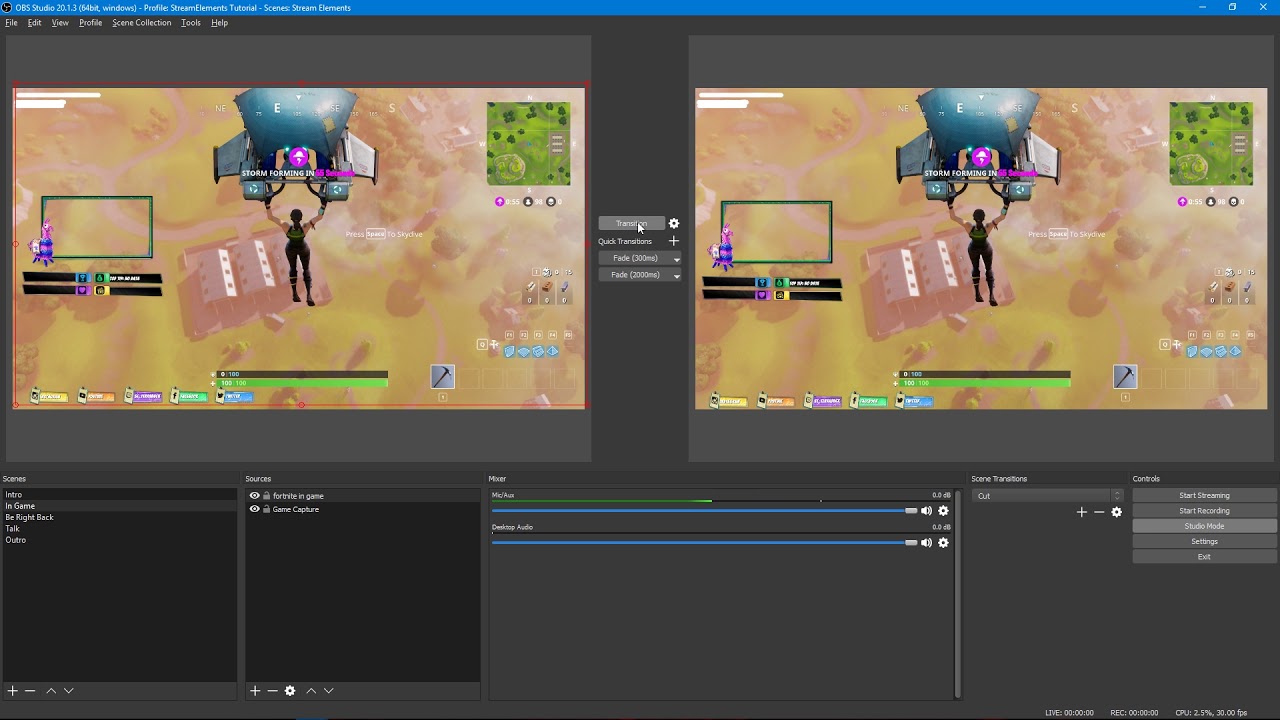
Tutorial #2 - Scene Transitions with OBS Studio Mode ----------------------------------------------------------------------- 🚀 StreamElements 🚀 -------------...
woven escarp
But it fixed the sound loop/bling tho
pine hemlock
The problem is that each browser source plays alert sounds regardless if its "active" or not, that option is the only way to solve it (unless you only run one overlay)
People remedy it by doing what the video I linked shows
woven escarp
im looking into it, cheers so far mate ❤
if i only had a stream deck about now 😄
But cheers, works great 😄
only things thats abit enoying tho, that you have to set all the alerts on 5 scenes
pine hemlock
you can copy the alertbox widget to other overlays
pine hemlock
 woven escarp
yeap
Jolly me! 😄
well, heck with it... all beginnings can be hard and you learn the quic ways <3
But cheers @pine hemlock for teaching me
pine hemlock
np
clever mango

 ionic flare
any ideas on how i'd make a sub age command?
 urban wolf
Is there a way to change the notification on subs? If so, where and what level manager do you need to be? If not, then alright.
lament blade
Meaning it would tell the person for how many months they have been subscribed? @ionic flare
@urban wolf You can edit that on the overlay manager, you can create custom variations 😄
urban wolf
@lament blade what about the chat notifications?
pine hemlock
Modules tab, chat alerts.
urban wolf
Thanks completely spaced on that section
lament blade
😄
 wide stream
Hi, why exactly isnt it possible to make custom video alerts? I.e for tipping? You are only able to use gifs and pictures, but if make a gif out of my video and use the video sound as donation sound, the sound and the gif are shifted.
pine hemlock
Cant show tiers in the chat alerts. tier variable can be added to the overlay alerts @urban wolf
urban wolf
Ok
wide stream
Nvm, I fixed that
lament blade
😄
pine hemlock
Usually the first alert may be a little out of sync, after that it should be synced
wide stream
I reuploaded both the sound and the gif, everything is fine now 😄
lament blade
Nice 😄
pine hemlock
@ionic flare Find an api that shows subscriber age
clever mango
@wide stream videos can be uploaded and used with the alertbox. They just need to be in .webm format and there are free online converters for it 😃 https://cloudconvert.com/mp4-to-webm
much easier and reliable than a gif/sound combo
 quaint lotus
The only thing I couldn't figure out, when I stream I'm somehow able to hear the audio loop, unless it was because I was having the stream open at the same time.
Like I hear my game/myself talking.
wide stream
Oh dang @clever mango Ty
pine hemlock
That would be you having your stream open
quaint lotus
Speaking of, I've heard it is a lot easier to manage with dual monitors.. I've been using my phone to watch chat to make up for it.
karmic bronze
or your video preview on your dashboard is unmuted
wide stream
I uploaded the webm but I can't choose it. Neither at 'set image' nor 'change video' @clever mango 
I can only delete it 
wide stream
Yup
clever mango
Could you try it with chrome? The editor right now runs best with chromium browsers
wide stream
Imma try that
clever mango
Thanks, that should work fine
 pine hemlock
lol


 tough raft
in the force field overlay in the themes gallery why is there 2 cam frames in the overlay, one big frame, and one smaller less visible one?
lament blade
For diffent types of webcam sizes 😄
tough raft
i was thinking that but didnt wanna delete one just incase it was important lol
lament blade
Different ratios. and you can pick one of them that fits properly
wide stream
Is there a way to preview the fonts? 😄
weary mist
lament blade
I was about to
weary mist
lol, it was sitting in limbo for about 3 years as discord though about posting it
wide stream
Ty 😃
split apex
is there a way to display a counter in a widget or anything like that, so it shows up on screen, not just in chat?
clever mango
@split apex are you wanting a custom counter?
ionic flare
Ive been looking for API's to create a subage command and almost all of them are outdated/broken, does anyone have any suggestions on where to look?
split apex
I have the chat commands setup already. I just want to be able to display it in the stream, not just in chat
weary mist
@split apex at the moment, there is no way to visualize the counter on stream. But I believe it is an idea you can upvote on https://strms.net/ideas
 north mesa
Howdy, So when i start a follower goal it does not have the correct amount of followers ?
Any ideas ?
Ill elaborate.. i have 437 followers but when i create a follower goal overlay it only lists me as having 293.
clever mango
is your goal to reach a certain number of total followers?
clever mango
xD
north mesa
So im trying to set a goal for 1000 followers and ill draw a steam voucher
clever mango
Do you want to use the bar or just text?
north mesa
I just created a text widget
i am still learning how to use the overlays
im using a cut down green flare setup right now
clever mango
Ok, if you want text and are doing a long term goal for total followers then use the "Total Followers" widget and edit the text around it to make a goal.
Total followers is pulled directly from twitch
clever mango
Follower goal is just a counter that isn't always accurate but can be edited by clicking on DATA in the editor
north mesa
Spot on... In the Data it lists correct follower's but yeah seems the goal widget is bugged for me 😄
clever mango
what widget are we talking about now?
north mesa
same one, the follower goal widget
data is correct but displays a false count 😄
its all good, thanks for the work around
it will work fine 😃
clever mango
try re-adding the follower goal widget
next thing to try is to press CTRL+SHIFT+R to refresh the page cache. If the follower goal progress under the goals tab is correct in DATA the widget should update as well
north mesa
I will take another look after my stream as i just went live but i will take a look at that
thanks for your help TerraBuck 😃
clever mango
You're welcome
 mystic gull
Was wondering if there is or will be an option in the future for a Spin wheel (Like wheeldecide)
I wanted to make it so that whenever the source comes up it immediately spins but I can't currently do that with wheel decide
clever mango
sounds like a great idea for our ideas board https://strms.net/ideas
wide stream
If you're using OBS you can choose 'interact' with the wheel and then you can spin it directly on obs, no need to open an extra browser tab with the wheel @mystic gull Idk if you know that
mystic gull
Yeah but what I'm saying is. I'd like to put in ony my stream deck
to where all I have to do is hit the button on stream deck and then it pops up and spins.
and then I can just hit the button again and it goes away
I was looking into that at first tho @wide stream which is what made me think of asking here lol
clever mango
All of these details should be added to your idea 😃
mystic gull
will do.
wide stream
I see @mystic gull
drifting basin
all good @dense jackal
 crystal zodiac
hey there guys, as anyone encountered an issue with streamelements after changing your name on twitch?
crystal zodiac
hmmm i tried that and I was happy to see my new name updated on the streamelements website but for some reason chat commands are no longer working xD
do i need to re-add the bot perhaps?
 atomic hollow
part and rejoin the bot
crystal zodiac
i think it worked thank you so much @atomic hollow ❤
atomic hollow
❤
 wild edge
my viewers aren't collecting points. The bot is being weird. help please
atomic hollow
checking
 ancient coyote
im looking for a "JWT" something for the streamlabs loyalty
to export my loyalty system
okok ive found it, but im not sure how to export it
i use the link but it doesnt recognize it on streamlabs or allow me export it
pine hemlock
I would contact Streamlabs regarding their program.
 kind lantern
when I get a follower It doesn't send the alert can someone help me?
atomic hollow
other alerts work fine?
kind lantern
no none of the alerts are coming through
atomic hollow
do you see them on the activity feed?
kind lantern
yeah
atomic hollow
you have an alertbox in your overlay?
kind lantern
I don't have an overlay
kind lantern
What do you mean?
atomic hollow
watch this please - https://www.youtube.com/watch?v=X7XrDdRE7Fk&feature=youtu.be

Create an amazing overlay with StreamElements, watch our video guide to learn how. ----- Tipping page setup: https://youtu.be/eLzxRkq7tJo Add KappaGen to you...
 frank compass
Hey is there a way to turn off the Standart bling sound if someone follows and i hear only my own sound?
atomic hollow
@frank compass you do that in the alert box in the overlay manager
frank compass
@atomic hollow yeah i can add a new sound there but then i Hear my new sound and this standard blink sound but i dont find the option to turn that off
atomic hollow
did you hit save?
frank compass
yes
atomic hollow
do you have the overlay open somewhere else?
frank compass
me maybe because i have some other overlay where i didnt change the sound? in other Scenes?
atomic hollow
yeah make sure you check the shutdown source on all scenes
 desert sparrow
guys do i need to keep my obs sound on when i stream or i can use only the overlay browser sounds ?
cuz i'm testing the alerts and i have echo when both bworser and obs sounds are on
atomic hollow
choose 1, dont do both
desert sparrow
yeah but if i turn off the obs sounds from windows mixer will viewers hear anything from me ?
frank compass
There is no option to change all my donation sounds at once in all overlays or?
atomic hollow
not yet
desert sparrow
how can i enable the default !sr for twitch chat
my songrequest module is enabled
my settings in that module are enabled for chat
and yet i can't use song reqeust
pls help
tight harness
@desert sparrow If you refresh the page is it still enabled?
desert sparrow
yes
only when i go to "chat commands" songrequest is disabled due to module settings
and in my songrequest moduel i have enabled
at the same time
tight harness
It's not disabled in chat commands, it's just greyed out because it's not enabled/disabled there
tight harness
I just went to your channel linked in your discord profile and the bot isn't in your channel
desert sparrow
StreamElements is already a moderator of this room.
desert sparrow
i'll try to join it again
tight harness
Yeah it's there now
desert sparrow
ty buddy
tight harness
No problem 😃
desert sparrow
you saved my life
 oak delta
hey there - none of the stream elements webpages are working for me outside of the initial splash screen, no dashboard (https://streamelements.com/dashboard) no ground control... https://streamelements.com/groundcontrol

StreamElements
The Ultimate All in One Platform for Streamers
StreamElements
The Ultimate All in One Platform for Streamers
desert sparrow
wait how can i rename my bot now 😄
crystal zodiac
is anyone else having trouble with their viewers gaining loyalty points?
crystal zodiac
oh! is there anything I can do to address that or just patience 😄
atomic hollow
guess you can tweet @ twitch 😃
crystal zodiac
thanks for the quick response ❤
tight harness
@desert sparrow It's a feature of Ground Control, last I heard we were testing it 😄
oak delta
why can I not load any of the streamelement pages regardless of browser
tight harness
@oak delta Have you tried Ctrl + Shift + R?
oak delta
yeah man
 fringe silo
I seem to have the same problem as @oak delta
 vernal solstice
Im just getting this, I've got it on chrome and safari
tight harness
The site isn't down, I can assure you of that because i've just loaded it up myself to check. Normally it's just a cache issue and Ctrl + Shift + R should fix it
oak delta
yep same
fringe silo
@tight harness tried that a couple of times ^-^
oak delta
it can't be mate - I just signed up for SE
fringe silo
@tight harness any idea how long it could take ?
tight harness
oak delta
well there's 3 of us who don't have the same result us you
 serene granite
@fringe silo @severe siren which browser are you using ?
fringe silo
chrome
vernal solstice
im also in uk if that helps?
tight harness
Same result on all 4?
oak delta
yep
tight harness
I'm in the UK too
fringe silo
Germany here
oak delta
im in australia
vernal solstice
I have that white screen on chrome and safari, tried clearing cache
oak delta
same result as myself
lament blade
Hey guys, i seem to follow the general youtube advice and setup guides, but whatever I do, the overlay stays "white" with a tiny help button below
oh it seems my preposter have the same issue
oak delta
looks like lokimund has the same issue
tight harness
I believe in the past we've asked people to check their anti virus and try powering off their router for a minute
lament blade
oh so its a server side issue?
fringe silo
thanks @se.staff
tight harness
No, they said they're checking if it is 😄
lament blade
i was thinking whether my "non active" adblock could still be denying access
vernal solstice
I dont have adblock
lament blade
but ye it seems like a webpage isnt loading
oak delta
@atomic hollow Ctrl + F5 no dice
 maiden coyote
got same issue here
tight harness
Ctrl + Shift + R is always worth a try
fringe silo
seems like we are not the only ones ^-^
weird
well but after doing it 10x it probably won't work on 11th try @tight harness 😄
oak delta
@tight harness it's not a refresh or cache issue
lament blade
yep, gotta agree it is neither
atomic hollow
guys, its due to the new version deploy, fixing now, sorry for that
lament blade
i can perfectly fine open my overlay in the browser
oak delta
okay cool
fringe silo
ok thanks @atomic hollow
lament blade
just cannot open it in "OBS Studio"
fringe silo
can't wait to try streamelements
oak delta
thanks @atomic hollow
vernal solstice
ive tried on two seperte computers, cleared cache, Ctrl + Shift + R, ctrl f5, still nothing
lament blade
xwing, is that in the browser or in your streaming software?
cause i can see mine in chrome, just not in obs
vernal solstice
browser, chrome and safari
vernal solstice
still the same
fringe silo
same
oak delta
also same
serene granite
k, thx
lament blade
@serene granite if that issue is limited to the obs how do i fix that?
 acoustic bronze
Someone got desktop app to see if its working?
tight harness
In OBS you go to the browser source properties and click refresh cache of current page
vernal solstice
I'm going to wait an hour and hope it loads, sorry for causing trouble D: thank you very much for the quick help though, discord is great for that!
atomic hollow
should be resolved quickly, sorry guys 
lament blade
@tight harness I did that several times. Its displaying fine in chrome tho >.< reckon that could be server sided then?
serene granite
you're not causing trouble - we need your feedback to help us find out the issue 😃
@fringe silo try Ctrl+Shift+R again please
fringe silo
@serene granite tried a couple times.. nothign
maiden coyote
white screen nothing in there exept for the help overlay addon to the site
acoustic bronze
^
oak delta
also
serene granite
ok, try Ctrl+Shift+R again please
serene granite
hmm, someone told me he just cleared cache and cookies and it was fine
fringe silo
well you wanna check out via teamviwer ?
still white page with a help button at the bottom right
serene granite
ya
fringe silo
ok sure
maiden coyote
it worked when i cleared all cookies aswell
so just clear cash in not enough
clear cookies aswell
maiden coyote
probs a change in the site that made the old cookie fuck up things:P
maiden coyote
aaah nice:)
fringe silo
ok gucci thank you very much
serene granite
for you to properly "refresh" everything a full clear cache & cookies is required
maiden coyote
well thanks for the help i gotto start now 😃 cya guys and have a great day ❤
tight harness
oak delta
I still can't load any pages 😦
serene granite
@oak delta clearing cookies and cache is the solution, I can connect with teamviewer to help you with that.
oak delta
@serene granite sounds good, would you like me to direct message the details
 steep narwhal
I'm wanting to do a giveaway where i'll have multiple people entered for the grand prize. Is there a spinner or something similar I can use that I'm overlooking?
serene granite
if you want to enter the people manually, our giveaway tool isn't capable of that
steep narwhal
Theyll have to use points from my streams to enter, but I'm looking for something thatll give an impartial win....
 stone spire
Hey guys, is there a way to get !bonus all working
or does it need to be a custom command?
stone spire
so I should be able to do !bonus all 100
tight harness
Yes
stone spire
"StreamElements: @stone spire , i couldn't find that user in the database :/"
tight harness
Don't use the @ symbol
If you're trying to give it to a person
But is it saying that all isn't a person? 🤔
stone spire
Id din't
yeah
that was it's reply to me
I did !bonus all 100
and that's what it returned
when I do !addpoints all 100 or !editpoints all 100, it just gives them to stream elements cause I think that's all that its seeing in my chat
but there are more users
serene granite
twitch was having issues with viewerlists earlier
are you seeing them in the viewer list?
serene granite
then our bot cant see them either
stone spire
the refresh viewers button is greyed out so
serene granite
its a twitch problem, they come and go