#helpdesk-twitch
1 messages · Page 168 of 1
 weary mist
@limber moat check out all the videos we have on youtube 😃 there is one for overlays

YouTube
Official youtube channel for StreamElements tutorials https://StreamElements.com
 limber moat
ok thanks
 maiden grotto
@weary mist refreshing cache won't work
the background video runs great the first time around and then just plain gets stuck or moves for a few frames and gets stuck for several seconds, over and over again
weary mist
interesting, that sounds more like an OBS issue. If you load up the overlay in the browser, does it do the same thing?
maiden grotto
hi, it also gets stuck launching the overlay on the browser
i'm not dropping any frames while streaming so i don't think its a connection issue
the weird thing is it only happens when it loops
the first time around it looks perfect
 peak monolith
helo looking at the videos for setting up stream elements and themes their dashboards are different than mine and have different features , so i dont understand how to get it working right
any idea what i should do?
weary mist
@peak monolith make a list of questions that you have, and I will answer them to the best of my ability. Or just start asking them (from the beginning). A lot has changed, and we do need to update some of those videos
I can't voice chat right now, but text is easy enough
peak monolith
ive got it connected to my twitch and using obs studio but when i try to use the themes the images always pop up bigger than the window in obs and i cant reshape them to fit better
weary mist
ok. For that one, make sure you set the browser source to width 1920, height 1080, click ok, then hit CTRL+F
that should transform it down to your canvas size 😃
 pine hemlock

 cinder ibex
Question... is it possible to make items in the store only available for regulars? Would it work if I make a command connected to the redeem command and set it for only regulars?
And is there a way to automatically make people regular... for instance after 40 hours of watching?
(i'm just one of those rare cases that can't be affilated/partnered, but looking for ways to set some extra's for people who support my streams)
peak monolith
hmmm now just figuring out how to fit camera and that into the boxes
how do you make it capture the twitch chat?
pine hemlock
@cinder ibex we don't have a regular only giveaway option currently. Also I believe there is a suggested idea on our ideas board for the regular after x hours of viewing
@peak monolith add the twitch chat widget on your overlay
cinder ibex
Thanxs @pine hemlock Hope it will come! Do you know if there is a way to make redemptions for only regulars?
peak monolith
thank you for help so far 😃 its really nice to get answers
weary mist
At this time, you can only make redempsions sub only. Thats another thing to put on the link cuda provided @cinder ibex
cinder ibex
Thanxs, that would be really great!
peak monolith
hello nearly got it done mut is there a way 2 have your cam on 2 different scenes so you can see them ,, at moment ive got it sitting in my gameplay window but it wont let me put it in the "talk " one#
 tight harness
@peak monolith You can use the same source in multiple scenes, Just go to Sources > Right click in the Sources window > Add > Video Capture Device > Add Existing > Select your webcam source you already added > OK
tight harness
Awesome 😃
peak monolith
so now all i gotta work on is making my own one from scratch * feels heavy pressure*
weary mist
haha
peak monolith
think first i gotta make my icon and work off that
weary mist
Ask your question, and we will be able to help @autumn lily


 weary mist
Are you using an animated overlay?
weary mist
A few ways, but each depends on a few things. How many cef-bootstraps show up in your task manager?

 weary mist
Ok, that's good. From there, it's basically the overlay itself. Being animated, the overlay takes more resources. You could switch to a static overlay, which will use a lot less, and certain widgets can take more. Kappagen, cup, things that move
 autumn lily
You mean, if I'm using an overlay without animation, then there will be less load
tight harness
Yes
tight harness
Exit?
autumn lily
Another method of fix
tight harness
Dm'd you
 spare flax
@everyone i need some help
tight harness
What's up?
spare flax
can you meet me in voice chat plz if you can
tight harness
I don't know what the problem is yet, it might be something really simple 😄
spare flax
the bot keeps working on and off
tight harness
Yes, go to your dashboard, click on Part Channel, then click on Join Channel
spare flax
its not on my channel
spare flax
ill tell her
tight harness
Okay
spare flax
i have an idea for streemelaments
tight harness
What's the question?
spare flax
how can i join the streemelaments team
tight harness
Which team?
spare flax
on the streemelaments website theres a team tab i want to be a part of it
tight harness

weary mist
That tab is actually the staff memebers (people that work for them). If you want to join the champions, you can stick around, contribute, help out, be friendly, meme 😃
spare flax
o ok i get it now i could have had a v8 lol
weary mist
😃
 tawny pivot

 stuck hamlet
That's an old meme
spare flax
but is still funny
stuck hamlet


 last tangle
Can i manually change my followers? its only counted the followers i have since ive been using the site
tight harness
Are you wanting to display your total followers? @last tangle
 cerulean vortex
Importing streamlabs alertbox and tips isn't working for me
weary mist
@cerulean vortex Try this for me real fast: Log out of both SL and SE. Log back into both. Then try the import, and get a screenshot of the error, and hit F12, and get the error messages there
also, make sure to check that you don't have any new overlays/tips in your list
cerulean vortex
@weary mist it worked now ;-; thanks lol
 grizzled peak
Hi, Im having trouble with my host/raid alerts not triggering in OBS but triggers in SE.
 slim cairn
@grizzled peak For the host alerts you must have either ground control or the SE website dashboard open
tight harness
Do you have follower goal instead of total followers widget?
tight harness
If you have requested songs you can show the video and have a bar which shows the progress through the song at that current time
Using Media share
 slim dock
is that a widget?
tight harness
Yep 😃 and part of the song request page
slim dock
@tight harness so i put it into an overlay and copied the http link and nothing is showing up on obs
weary mist
That means 4 browser sources are running right now
If you only have 1 on the scene, go through and check the box "shutdown when not visible" in the sources
weary mist
Haha, perfect
grizzled peak
I was just reading into it when we were both typing
tight harness
@slim dock Then you possibly did the wrong resolution somewhere, i'll get a tutorial link for you

Tutorial #1 - Adding StreamElements Overlays to OBS Studio ----------------------------------------------------------------------- 🚀 StreamElements 🚀 -------...
grizzled peak
he might not have the overlay stretched out @slim dock click on thje browser source -> Transform -> "fit to screen"
slim dock
yeah i'm not sure what it is honestly it's wierd i have it set to the tight resolution as far as i can tell and the song request is running
i'll have to mess with it later
tight harness
As long as it's a requested song you'll see it
You'll need to tick 'show video'
For the videos you want to show
slim dock
but what about if i just have my own playlist playing?
tight harness
If it's from the backup playlist it won't show
slim dock
oooo...
tight harness
It's meant for requested songs
slim dock
will you guys ever think about changing that? lol
grizzled peak
im having a problem with the host/raid alert not triggering in OBS but I can trigger it on the site
slim dock
i think it'd be good for all songs honestly
tight harness
Probably, i'm guessing it's depending on when Youtube raises our API call limit with them 😄
slim dock
gotcha
tight harness
@grizzled peak Make sure you have your activity feed open
Checked pinned messages in this channel, the top one
grizzled peak
@tight harness got it, just downloaded ground control. Nice I can bind buttons to play/pause and skip!
tight harness
Yep 😄
 wicked oak
Hello I've been in touch with Lord_Scalper on a problem I'm having but he's on vacation and kinds incommunicado, OMFGGoddess suggested I try using the Discord to get help, she said it's pretty responsive so if there is someone who can help me I can voice at the moment I still have about an hour before I have to start my schedule stream, I hope someone is available, it's not a big problem.
I also have Teamspeak if need be.
stuck hamlet
Can you try typing out the issue? Might be a simple fix 😃
wicked oak
Hi Onlslaught I hope so, ok so I can't get my previous donos from Streamlabs to show up in Streamelements overlays, I did what Scalper said to do but still no go.
stuck hamlet
You edting this one? XMAS - XMAS SPIRIT IN GAME ANIMATED
So session is basically "since you've been live". https://www.onslaught.ca/s/cm6zr8rv.png

You can click the drop down and change it to something else, like weekly or monthly, or alltime
wicked oak
yes
stuck hamlet
Yes to? 
wicked oak
Yes I'm editing that one.
stuck hamlet
oh okay, did you read everything else? 😃
wicked oak
Yes but not sure how to do the drop down.
stuck hamlet
Just click the widget, and it's settings will appear on the left hand side
stuck hamlet
just click on "Session Top Tip" and it will show you some other options
wicked oak
Yep, so I changed it to weekly now I have put in an amount?
 worn acorn
sorry! i didn't realize this existed. i must've had it hidden 
worn acorn
anyways, the streamer is m60_ :)
worn acorn
nice guy! i like him a lot 
but i just feel dumbfounded because i can't figure out why i keep getting the error. 😦
stuck hamlet
"length must be less than or equal to 250 characters long"
for sub
and your cheers message is empty
fix those and you should be good
worn acorn
it says "There was an error updating the module"
and i only put  - it was originally BudStar which got super obnoxious haha
stuck hamlet
BudStar BudStar BudStar BudStar BudStar BudStar BudStar BudStar BudStar BudStar BudStar BudStar BudStar BudStar BudStar BudStar BudStar BudStar BudStar BudStar BudStar BudStar BudStar BudStar BudStar BudStar BudStar BudStar BudStar BudStar BudStar BudStar BudStar BudStar BudStar BudStar BudStar BudStar BudStar BudStar
is the current one
worn acorn
yes
and then when i save the setting, it comes up with "There was an error updating the module"
worn acorn
i'm trying to replace it as m60SUPRSTR m60SUPRSTR m60SUPRSTR m60SUPRSTR m60SUPRSTR m60SUPRSTR
or whatever
stuck hamlet
yea, so, like i said, you need to fix 2 things
cheer message can't be blank, and your sub message has to be less characters
worn acorn
i tried changing them both and i still keep getting "There was an error updating the module"
WAIT i fixed it

stuck hamlet

worn acorn
 LOL i'm so sorry


 lament blade
How do you do announcements
stuck hamlet
On screen or in chat?
stuck hamlet
Have our bot in your stream and go to modules, it's called "Chat Alerts"
lament blade
@stuck hamlet I mean for like announcing my youtube channel and stuff ike that
stuck hamlet
Then what you're looking for is "Timers"
lament blade
O hty
 grave spindle
can you import fonts into the overlay editor?
 clever mango
No, but there are over 800 google fonts supported https://fonts.google.com
 grave spindle
I'm looking for like a ticking time bomb font anyone have any ideas of names, make the font search easier? lol
grave spindle
something like this
pine hemlock
Best way to find something is just use the site Terrabuck linked. Thats all we currently have/support
 ionic flare
Is there a reason why whenever my followers or anyone does !watchtime its not updating or showing the correct time?
I know some of my viewers have more than 0 seconds..
pine hemlock
I would probably try parting the bot, logging out and back in of our site and rejoining the bot
Command seems to be working for me
ionic flare
I just reconnected him
some viewers have reasonable time
some peoples dont update
one of my viewers has 0 seconds
while others dont
and some have certain time but it doesnt change

pine hemlock
Devs will have to take a look into it then
ionic flare
do I need to do anything for them to know about the issue or what?
I was thinking maybe the bot would have to have been on while they were watching for time
but it also has follow times way before I used the bot
also just saying
im loving streamelements
pine hemlock
I do believe view/watch time functions by the bot having to be in the channel so that might be the "issue" at hand
we can look up follow times via twitch api
 sage wolf
Anyone know if there's a way to make the Streamelements BrowserSource cache better somehow? My overlays have started loading super slow a couple of OBS updates back and was curious if it was an OBS issue or something with StreamElements that could be doing it.
stuck hamlet
Maybe this can help you: https://youtu.be/W8iWsD2Lq3U
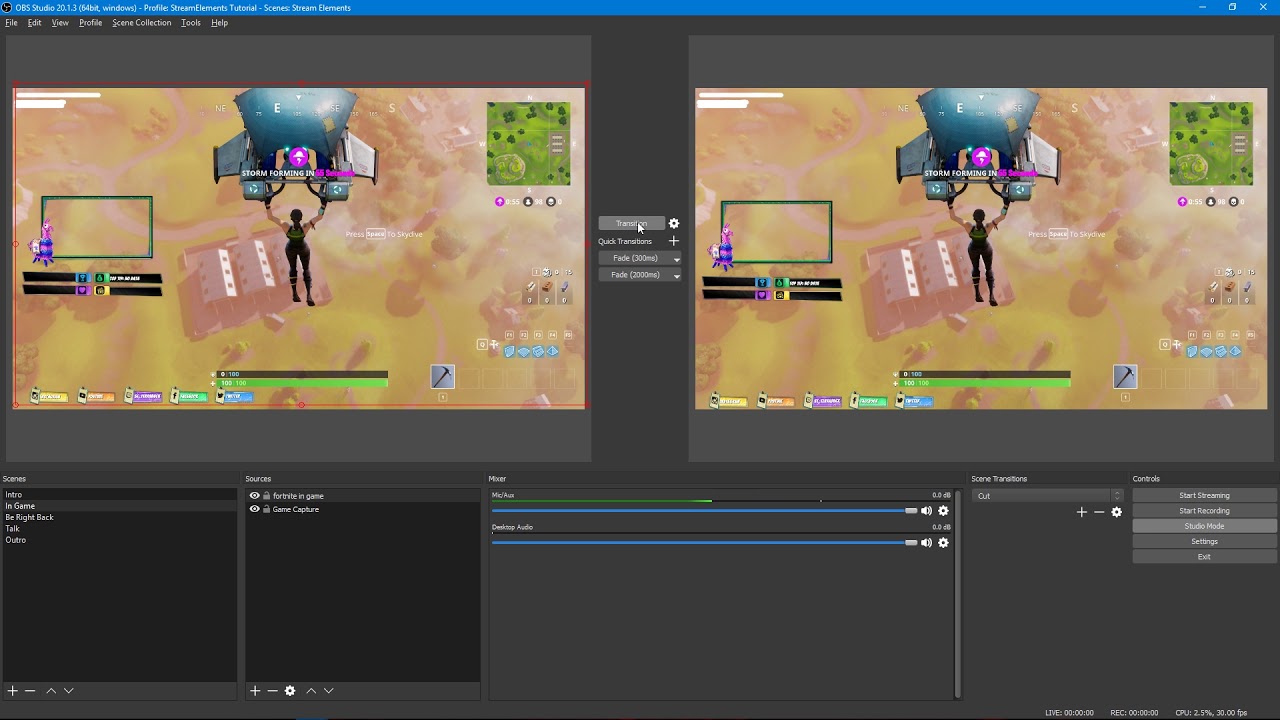
Tutorial #2 - Scene Transitions with OBS Studio Mode ----------------------------------------------------------------------- 🚀 StreamElements 🚀 -------------...
 amber turtle
hey can someone help me out really quick?
stuck hamlet
Drop your question, someone will help 😃
amber turtle
so i have a bot command for my social media and i want it to be listed like
Twitter
Snapchat
etc
but instead it just types it out like Twitter snapchat etc how do i change that?
stuck hamlet
Twitch Doesnt support line breaks, so it's not possible
amber turtle
damn unlucky all good thanks friend
last tangle
how do i restart the timer for starting soon?
stuck hamlet
Refresh the overlay @last tangle
stuck hamlet
You can reload it by, right clicking the browser source and then going to properties, then hit "ok"
 daring bear
Hey i'm using a streamelements overlay and im currently trying to edit the top part of it but it wont allow me to move the box is there something i need to click to move it. Like it shows a Circle with a red X when trying to click it and drag it over
daring bear
Its unlocked but i think i know the issue. The layer above it is locked and for some reason spans across the whole area of the overlay.
 tacit tundra
Guys, I need small tip. Yesteray I make tool to export points from leaderboard (managed to export +34k records) but now I have a problem with import list. I can't find information what structure must have a .csv file to import to current leaderboard. Now I have 2 columns user, points (without headers).
daring bear
Yep i got it nvm
stuck hamlet
Use this: @tacit tundra https://filter.dj/CSVtoStreamElements.html
tacit tundra
I'd rather not use external solutions
in import on streamelements is possible import .csv file but i don't know what structure must have
stuck hamlet
Then ask in api
tacit tundra
ok
stuck hamlet
that site i linked was made by one of the guys on our team. but if you'd like to creat your own stuff, go for it
tacit tundra
i do not want made own tool, i want only import my list: D
stuck hamlet
That site imports lists..
 versed merlin
Anyway to get auto hosts to show notifications anymore or did twitch kill this?
stuck hamlet
@versed merlin For us to display or capture hosts, you must be have our activity page open.
versed merlin
Wait what?
Currently if I get hosted I get the notifications
If I get auto hosted nothing
stuck hamlet
You get notifications from SE?
stuck hamlet
Okay, and when it's an autohost, you get a notification in Twitch chat, but not OBS?
versed merlin
When it’s a auto host I get like the server notification that blah blah auto hosted me with 3 viewers but no notification from the bot or obs
When I get actually hosted (like them coming to page and clicking host) I THEN Get he notification from the bot and obs
It didn’t used to be this way, or am I tripping?
versed merlin
Lemme check secn
 versed merlin
Right right
stuck hamlet
So if these auto hosts are 0, it will not show
stuck hamlet
Were they captured in the activity feed?
stuck hamlet
If they are captured in the activity feed, there should be no reason they don't show up
As long as they are above the minimum amount you set up
versed merlin
Ok so looking through my feed, you are correct
Auto hosts don’t show up @stuck hamlet
So how do we fix that?
stuck hamlet
Try logging out of our service and loggin back in.
I really don't know why JUST auto hosts wouldnt be picked up
if the problem presists after the relog, we will have to look into this further.
versed merlin
Ok, anyone else experiencing this? And by logging out you mean just clicking sign out?
stuck hamlet
yup
versed merlin
K, I’ll be streaming shortly, if I get auto hosted, (also will leave activity feed open) and nothing pops up I will @ you. @stuck hamlet , thanks for the help
stuck hamlet
Awesome 😃
versed merlin
Also since I’m here might as ask, any plans to enable song request searching by artist name or song name/ SoundCloud integration and expanding the playlist limit?
(Just trying to drop nightbot)
stuck hamlet
Once youtube plays nice and gives us more API points. We had searching, but had to remove it due to popularity.
Soundcloud too when they decide to play nice and give us a dev key :p
and playlist limits are set by Youtube, they only allow us to load 200 in an embed
versed merlin
Whattt?!
Why they play so nice with nightbot?
That’s super unfair, but thanks for the info
Hope things pan out, you guys are great
stuck hamlet
They play nice with nightbot because nightbot is the most popular bot on youtube in the gaming section :p
and also, apps created before "may 2016" (somewhere around there) get more API points.
versed merlin
ahh i c, unfair advtange type shit, its whatever, the minute you guys get your points nightbots days are numbered.
 glossy steppe
@turbid reef hi, can i ask you when will able to translate standard commands?
 turbid reef
@glossy steppe its high up on the TODO list but no eta just yet 😄
glossy steppe
@turbid reef ok, if u will need some help with languages, i can help you with Russian, Ukrainian, Polish.
stuck hamlet
Contact @serene granite for that @glossy steppe
turbid reef
👍
lament blade
is it acting as variables or is is the mininum amount to get written in the chat?
stuck hamlet
variable
 plucky blaze
Hey guys, I was wondering is there a way to filter specific chat lines or bot commands to make them show in my overlay? e.g. someone says "!abc hello world" and on my stream overlay it says "User1: Hello World"
 ruby linden
Hello i was wondering if its possible to make a command that would change the title and a number. this is an irl example, the title is: !settitle [Level: and this number is going up everytime the i enter the command] Quest to 250 hours on all heroes in QP!
soo the number in the [] will o up everytime that i type the command?
tight harness
@plucky blaze No, we have the Twitch chat widget though which shows all messages put in the chat
You could try adding it to the ideas board: https://strms.net/ideas
plucky blaze
ah okay. so no way of doing it right now? ty
tight harness
Nope, correct
@ruby linden !settitle <title> updates the title, the rest of your question definitely isn't a thing
ruby linden
soo in short you can't change variables within a commnd or using a commnad?
tight harness
Sure you can, you can edit the count command with another command for example, but editing the title is just done with !settitle followed by the title
ruby linden
ok thx anyway
tight harness
You can request it in https://strms.net/ideas and see if anybody else wants it
But what I was saying before is that it's not a thing currently
versed merlin
@stuck hamlet I can say definitively auto hosts don’t show up in activity feed or pop up as alerts. Any way we could make it happen?
stuck hamlet
@tight harness Know anything about this?
tight harness
I mean, I just got 3 auto hosts in a row and all of them showed up 🤔 @stuck hamlet
stuck hamlet
Hmmm.. i don't know his issue cause mine show up to :/
tight harness
@versed merlin You've got your activity feed up while you stream right? I have Ground Control open currently and no problems
versed merlin
I’ll log out refresh pc and try again, I will Lee you both appraised as I stream throughout the day, again thank you for the responses and support
tight harness
No problem 
 crystal mica
Hey guys, is paypal the only donation chance?
stuck hamlet
Paypal is the only one we have currently, but we are actively trying to get more.
crystal mica
ok nice thank you, im new to streamelements. ❤ nice animated overlays 
tight harness
Thanks, Kireaki spent a lot of time working on them 😃
 fringe spade
Hi! Last time I tried to connect w u about my problem I was streaming that's why I couldn't type here on time. I have the follower who can't use his points to redeem an item. Bot replies SORRY YOU DON'T HAVE ENOUGH POINTS. Please help us to fix it
He has enough points. He has been spending it without problem, but suddenly the bot started answer this way
slim cairn
@fringe spade Are other people able to redeem?
fringe spade
Yes, other people can redeem
 sick creek
Am I unable to edit nd delete custom commands? Because it certainly seems that way. Either that or I'm blind
sick creek
I'm on the website and in the commands section and I don't see how
stuck hamlet
No worries 😃
fringe spade
While I'm waiting for an answer on my request about prob of my follower, I wanna ask u how I can set up songrequest. I see that people can write a command sr and link, but how set up price? I just have an item I AM DJ but it doesn't connect with function Song Request
I've set up the price 80 Points to use songrequest but I can put sr and link in chat free, without spending my points...
tight harness
@fringe spade You're right in that they don't connect, song request and stream store are completely separate features
All of the song request settings are here: https://streamelements.com/dashboard/songrequest/settings
StreamElements
The Ultimate All in One Platform for Streamers
fringe spade
thanks
I was there and set up cost in points - 80... but how will they work? I was trying to test....typed !sr and youtube link in chat, my song was added in queue but my points haven't been spent
tight harness
That's because you set an exempt level, correct?
Broadcaster is no doubt above that level
So it's quite normal that you personally won't be charged for requesting them
fringe spade
So if it is my follower how he can use the songrequest? What will he see?
tight harness
They spend the points you set and the song goes into the queue
fringe spade
Ok, thanks) Will check this out)
tight harness
No problem 😃
fringe spade
I'm here again...Tested
Put !sr and link but my points are still at the same amount)
not mine
points of my test follower
and I can't see tracks in a queue((
tight harness
Try refreshing the page if you don't see the requested songs
fringe spade
Regular - it is who?
tight harness
No, there is no option for followers
It goes everyone > subscriber > regular
Then into mods
fringe spade
ok,,,,so if I wanna give this function to my standart followers I have to choose Everyone, don't I?
tight harness
Regulars are set here: https://streamelements.com/dashboard/bot/users/regulars
StreamElements
The Ultimate All in One Platform for Streamers
Yes, either everyone or regulars and just give regular to your trusted followers, up to you
fringe spade
I got it) Thanks
tight harness
No problem 😃
fringe spade
😊
 odd crown
@tight harness I really would like to know who came up with that "Regular not being Follower" thingy because it's everywhere but a little bit silly in my eyes.
tight harness
Well a regular is generally a trusted viewer, not everybody trusts every person that follows them
odd crown
True but I'd do Everyone > Regular > Subscriber > Moderator > Editor > Broadcaster
or make "Regular" as an option instead of a permission level, that way we could have Everyone and Regular Everyones, Subscribers and Regular Subscribers and specify what permissions or discounts are added to those with the Regular option.
tight harness
Ohh, yeah I completely agree
clever mango
I agree as well
 silk patrol
@odd crown that's one way to see it. you can also see it like this "anybody can sub, only I get to decide who is a regular"
 upper steeple
is the skip button on song requests bugged? cause when i try to hit it, all it does is backtrack on the current song playing. But it skips if i hit the skip button the youtube video
upper steeple
yep
thought it was just something that was happenign the other day but its still happening
tight harness
Since media share was added do you reckon?
tight harness
Nah, I was just wondering if something broke when media share was added
tight harness
Thanks for the info, i've passed it on 😃
odd crown
I have a !lastseen command with message "${sender} ${1} was last seen ${user.lastseen} ago" ... shouldn't it be "${sender} ${1} was last seen ${1.lastseen} ago"?
tight harness
Mine is: Check out $(1), they were last playing $(game $(1)) - twitch.tv/$(1)! They were last seen here ${user.lastseen} ago.
Works absolutely fine
odd crown
hmm, didn't knew ( instead of { works too
tight harness
Yep
odd crown
however this whole variable translation confuses me. I prefer it the "hard" way where no translation happens 😉
tight harness
@narrow terrace Put your idea here please: https://strms.net/ideas 😃
 narrow terrace
bah, there it is, already in it with upvotes and "planned". You rock @tight harness
deleted the question!
clever mango
Stream stats/reports will be massively improved before long... 
odd crown
Didn't knew Discord reads out some Visual Studio data ... interesting 😃
pine hemlock
I think that's a recent update
odd crown
I just noticed that the circle on the progress bar of the songrequest music player doesn't move. It just wiggles between sto positions.
and if I skip to the next song using the youtube functions the next song doesn't starts playing until I click play on the youtube functions
 cyan sky
Hello! quick question is there any way to have the chat load in from the top on the chat widget?
clever mango
@cyan sky Not right now. Please add it here https://streamelements.helprace.com/i240-chat-widget-features
you can add a comment to Cuda's post since he mentioned the idea
cyan sky
will do thanks
weary mist
@odd crown that was just recently reported as a bug 😃 thanks 👍
odd crown
ok thanks. Good thing is volume slider and automatically playing next song still works 😃
 gray quartz
Hi all, just wondered if i could change the !points to my currency name. Many thanks
tight harness
Yes you can, go to Loyalty Settings and change where it says Currency Name followed by clicking Save, then go to Default Commands and you can add an alias at the bottom of the settings for the !points command to what you want people to type to see their points or just rename the command to that and then click on Submit 😃
gray quartz
thankyou! default commands, am I blind? i'm not seeing it 😦 im sorry
tight harness
Chat Commands > Default Commands
StreamElements
The Ultimate All in One Platform for Streamers
gray quartz
ah thats wonderful, thankyou so much
tight harness
No problem 😃
gray quartz
❤
tight harness
❤
 royal prairie
When I use stream elements, obs seem to crash when I stop streaming
Anyone else who has the same problem? :/
tight harness
I've had OBS crash when I do a lot of things, I'm not sure how it'd be linked to using StreamElements though 🤔
royal prairie
I asked someone from OBS support and they said it was because of a browser source, and when I removed Stream Elements, it stopped :/
 stiff flare
So. recent followers, recent donations, etc, nothing of that is working
What's the deal here how could I fix it?
I really would like help. Because I need to start streaming very soon.... was with streamlabs before, everything was working fine, now i'm trying this and I can't get it to work...
Ok so I auto followed myself with an alt account, and I got the notification of follow literally 20 minutes after
Is that normal @tawny pivot @turbid reef
turbid reef
@stiff flare it checks less frequently when youre not live
turbid reef
yes exactly
turbid reef
every 30 seconds instead of 10 minutes
stiff flare
Alright, thanks for the info
And what do I do when OBS is literally taking like 60% of my cpu because of the plugins now
lol
 stiff flare
I'm using x264 encoding. This is gonna affect my performance a lot @turbid reef if the browsersources uses so much because they are animated...
odd crown
@stiff flare use your GPU instead
weary mist
You can use the GPU, just expect to need to up your bitrate, and possible conflict while playing high graphic intensity games. You can also switch to static overlays, those will use a TON less CPU
lament blade
Do we must enter youtube url video for song request or search terms work?
clever mango
Currently, URL or the video ID at the end of the link
We're waiting on youtube to allow the bot to search
lament blade
since i just watch a stream, and ppl donate so many SRs, i wanted to see, if it works also from here, but why is the yellow painted number alawys on 00:00? rioluK
 unique ore
Anything going on with the Gorund Control app? The playlist tracks aren't skipping when hotkey is pressed or when next track in window is pressed. and can't search through the video with the minute timer.
Though it does appear that the full playlist is loaded as i can use the YouTube embeded window to change tracks
weary mist
Yeah, those things are stuffed right now
unique ore
ok.
last tangle
Can i set it up where song requests can only be redeemed with points?
unique ore
You can set a cost in your settings for it
weary mist
👍
last tangle
where in the settings?
clever mango
 brittle sierra
i had a small question, whenever i add the twitch chat to my overlays it doesn't seem to work out so good. to a point it doesn't do real time messages when i'm streaming is there a setting i'm missing or?
tight harness
How delayed would you say it is?
brittle sierra
It not delayed i think its more like it just doesnt show it works in the preview site but once its in obs it doesnt pop up
 thorn spear
I had a person subscribe today, it bugged out and didn't come through streamelements, but streamlabs did managed to catch it.
It was with twitch prime.
lament blade
anyone here know anything about the api?
i keep getting { "statusCode": 404, "error": "Not Found" }
tight harness
@brittle sierra Sounds like you need to check the resolution
@thorn spear The person didn't share it in that case, how our system works is that it picks up when a sub is shared
@lament blade We have an #dev-chat channel, best to ask there
brittle sierra
Thanks! Ill try it out
 robust narwhal
Any one else have issues with Prime Subs not initiating alerts?
tight harness
Are they sharing them?
Because our system looks out for the sharing of the subs to register them within our system
 potent wagon
In a video in the comments it said can you use it on youtube and the anwser was yes but how?
silk patrol
@potent wagon Can you link that video please? Because we don't support youtube yet and we never advertised about it.
potent wagon

Every tool a streamer need, in one platform, cloud based and free! https://streamelements.com/ Overlay Manager, Tipping, ChatBot, Loyalty System, Stream Repo...
there
in the comments
silk patrol
@potent wagon planning and supporting isn't the same thing https://i.imgur.com/Bm89hky.png
 silk patrol
no worries, but youtube support is planned, so stay tuned for this
potent wagon
i got a gaming pc and good internet but i am scared if it would lag and will bring the game to lag
silk patrol
of course, video encoding is a very heavy task, video games are too, so in order to do both, you need quite a beefy PC
silk patrol
@potent wagon sure, let's continue in #welcome to avoid flooding the actual support channel
tacit tundra
Why now we can't choose more winner contest? Before, We can choose one, two, three ... winners but now right where We choose draw winner contest automatically will be ended :/
stuck hamlet
Contests was only 1 winner.
tight harness
I think you mean giveaways 🤔
stuck hamlet
Giveaways are what can pick multiple winners
tacit tundra
oh sorry, I thought about giveaways
weary mist
@SirClixxy#6574 yes, it is in the loyalty section on the left hand side of your dashboard
 strong dock
any known issues with st jude tracker and the bar not working?
stuck hamlet
@strong dock titlify?
stuck hamlet
did the alert show?
I know tiltify changed something that broke our alerts, so im guessing it broke the bar too
we havent looked into it yet.
strong dock
sorry live right now
but my alert were set to hidden so thats why they didnt work i thought
but it shows the amount just not the bar filling
stuck hamlet
Alright will write it down
strong dock
ya if u need clip or anything lmk or come grab one;)
strong dock
sort of a SE question... i dont see the browser source apps in task manager any more but obs cput is much higher than it use to.... did they do away with that?
weary mist
mine shows as a dropdown under OBS
pine hemlock
Mine usually show up seperate but ive seen the dropdown thing too
probably recent windows updates
strong dock
like its eating my cpu up hard core but i dont have any of those seperate system icons for each browser source running now tho
like running task manager
my cpu usage IN obs is normal
but cpu usage for obs via task manger is super high
pine hemlock
Refresh your browser source caches? Idk. Sounds like your browser source usage is being added to obs rather than seperate
stuck hamlet
You must have a decent computer to stream.
stuck hamlet
Depends what kind of mac you have.
lament blade
Macbook Air
MacBook Air (13-inch, Mid 2013)
1.3 GHz Intel Core i5
4 GB 1600 MHz DDR3
Intel HD Graphics 5000 1536 MB
is that decent
weary mist
that more decent to game. you want something at least twice that CPU power to stream and game
stuck hamlet
Then you better start studying
slim cairn

 lilac vessel
I'm having an issue with my Alertbox, the cheer notification won't go away (I've set it for 8 seconds). I checked all the variations as well. Testing the cheer while off stream works fine, and goes away as intended, but when I'm live it will stay on the screen until I refresh the BrowserSource in OBS.
stuck hamlet
I believe that is OBS freezing. What are your PC specs and your OBS settings?
lilac vessel
Intel i7-6700k CPU, 16GB RAM, AMD Radeon R7 200, Windows 10
stuck hamlet
i would recommend trying to refresh your cache in the browser source properties, and also maybe making the size of the alert smaller
lilac vessel
alright, I will try that. thanks!
 trail mauve
Having a small problem with the raffle feature, typing in !ticket 1 in chat doesn't purchase a ticket. Currently the only way tickets are purchasable are from the stream elements public page, do you have to make a ticket command?
 edgy kindle
@trail mauve Check your default commands :D
pine hemlock

pine hemlock
Timers should work fine. If they arent posting its because of the way that you have them set up. i.e. you chat isnt active enough to meet the requirements in the set amount of time
 proud crow
Does anyone know a Twitch admin by any chance?
My friend fell asleep on stream and I'm not sure what to do.
I've tried to call him, text him, etc.
 fleet summit
@proud crow try twitch presents
 heavy bluff
Follower goal isn't up to date with twitch...
fleet summit
thier in thier i think for globel admin
pine hemlock
@heavy bluff go to the data tab in the overlay manager and go to goals and you can set it the number you wish and it will update from there
heavy bluff
@pine hemlock thanks
 strange juniper
hey there, im having a bit of trouble getting my sounds to play for the redeem section
any advice on how to get it to work?
stuck hamlet
You need to have the store redemption widget on your overlay
 open bramble
Hello, im wondering how i can disable follow notifications on the overlays? i have just enabled a xmas overlay and i dont want the bell to ring on every follow 😃
Also, how can i customize each and every alert diffrently?
strange juniper
@stuck hamlet good looks my dude, thanks for the help
pine hemlock
@open bramble edit the overlay and find the alert box layer and disable the checkmark next to follow
 pure wraith
@hollow zinc @serene granite @stuck hamlet @valid thicket Please i need some help with donation box and stuff
@hollow zinc @serene granite @stuck hamlet @valid thicket i am in voice support
lament blade
Hey when im creating command i want bot to answer me with user name normally i would use $user but that does not work what can i do?
help?
@stuck hamlet ?
stuck hamlet
on our site, you can set the custom command to "reply" and that will tag the person
but our variable is ${user}
lament blade
ty
 cloud solstice
hey StreamElements nation 😄 hopefully you are all having a great day/evening 😉 any news on your Youtube integration progress ? I am so hyped for this feature since i am streaming on both twitch and Youtube 😄
silk patrol
No ETA yet, check the #270206314561404928 and #announcements channels from time to time
cloud solstice
thanks @silk patrol
 carmine abyss
Hey team, within my overlay I have added a tip goal widget which is already showing 226$ of 400$ I have reset my session data and it still shows the same thing. Is there a way for me to reset this back to 0$?
tight harness
When you go to Activity Feed > Widget Data > Goals you can change the number in there to 0 and then click Save Changes
carmine abyss
that fixed it! I knew it would be somewhere I was overlooking thanks @tight harness 😄
tight harness
No problem 😃
carmine abyss
@tight harness There isnt a way to have tip and goals in one goal is there?
and cheers*
tight harness
Nope, because they can be completely different currencies
carmine abyss
I thought as much just thought I would check
Thanks! 😃
I can come back in and manually update later anyways 😃
carmine abyss
Haha Perfect! Most of my UI is set up alot of my subs are asking for this and I have been putting it off and off for ages.
tight harness
I think the goal bars are great 😃
 shy dock
Hi Guys, I tried to import currency.csv and data.xls from Ankhbot and it doesnt work. I tried to import directly a CSV file, same issue. Points cant be imported 😦
tight harness
Did you use the Ankhbot import tool on the site?
shy dock
yes i did
and i tried "manually" too
i guess its because ankhbot is now streamlabs chatbot
tight harness
Did you get any errors?
tight harness
🤔
@shy dock Could you try using this for me? 😃 https://filter.dj/CSVtoStreamElements.html
Or is that what you tried already?
shy dock
it works with this now
I think its because of the csv separator was ; and not ,
should i Send point to "current" or "all time" or both ?
tight harness
Up to you 😃
shy dock
I dont understand the difference
the counter will continue based on the all time value ? and the current value will have the "all time" plus "new points"
?
 sleek river
Hello how can i add someone as Supermoderator that he can edit my Overlay alerts etc.?
stuck hamlet
https://streamelements.com/dashboard/account/channels you would do that here @sleek river
StreamElements
The Ultimate All in One Platform for Streamers
@shy dock you should import to both, alltime is pure time watched.
current is affected by mini games and removing of points/adding
shy dock
Thank you @stuck hamlet 😃
sleek river
@stuck hamlet Cheers Dude
 worn cradle
is there a way for me to get the streamelements bot in my chaneel to drop messages every 30 minutes about the all day giveaway i have going on?
tight harness
@worn cradle Have you checked this out yet? 😃 https://streamelements.com/dashboard/bot/timers
StreamElements
The Ultimate All in One Platform for Streamers
worn cradle
oh hey. look at that
 ember mountain
how to i make my face cam the same size as the box
tight harness
Drag the webcam from the corners so it fits inside the box
ember mountain
i tryed but its a sqaure
lament blade
anyone know how to get subscriber multiply bonus
for the loyalty because it is not there the option to do that
tight harness
Your webcam is a square or the box you have showing?
ember mountain
yeah i think
tight harness
@lament blade If you recently got affiliate just relog into the site 😃
@ember mountain It was an A or B question and you replied yes 😄 i'm confused
tight harness
If the webcam is square, try a different resolution for it in OBS, if the box is square but you have a rectangle image for your webcam then you've likely shown the wrong webcam box in the overlay manager and you need to hide that one and show the rectangle one
Not too sure which one of those is the issue you're having because I gave you both options and you said yes 😄 so I gave you the answer for both
 minor burrow
Can anyone tell me where to find the .txt to file for donations?
pine hemlock
There isn't one. Everything is cloud based and on our website
minor burrow
Ok ty @pine hemlock
tight harness
Text files in current year 
minor burrow
haha I'm a newb
Trying to figure out how to put top dono on a scene
I still have my follow, sub, cheer from muxy
tight harness
Nah i'm not making fun I just think it's a pretty inefficiently way of doing it nowadays 😄
minor burrow
Oh I'm sure, SE has made a lot easier
tight harness
glad to hear it!
 upbeat valve
I am trying to create a custom command.
I will be cooking a dish and want my chat to be able to add an ingredient from a list I provide.
I have created a command called !additem . The idea is that a user would type the item next to the command and then would receive a message.
User: !additem potato
Streamelements: User added potato to the recipe.
I can’t figure out what to include to make the bot repeat what the user typed.
It is probably pretty simple, but I just can’t figure it out.
Any help would be greatly appreciated.
clever mango
the bot can repeat what the user typed but it won't be able to add it to a list for the recipe if you're looking for it to also do that
If someone is keeping track of items that are added then it will work
upbeat valve
no, i don't want it to add to a list. just repeat what was added.
clever mango
OK, just a sec
command: !additem
response: $(sender) added $(1:) to the recipe
Usage:
TerraBuck: !additem a loaf of bread
StreamElements: terrabuck added a loaf of bread to the recipe.
upbeat valve
omg. Thanks you so much. I almost had it but you filled in what I was missing. Thanks so much.
clever mango

 jagged maple
hey so i tried to add my twitch chat under chatstats but when i reload the page its just disabled once again?
stuck hamlet
We are aware of the issue. Currently, none of the settings can be changed.
jagged maple
okay thx
any other "easy" way i could have my chat open on my extra screen without opening twitch?
jagged maple
kk thx
 warm carbon
how can I turn on the song request, if it tells me all the time that the configurations can not be saved, is it a beta problem or something?
pine hemlock
It means the numbers in the settings are too high, change them to something like this and it will allow you to turn it on:

@warm carbon
warm carbon
works again thanks cuda
 heavy spoke
clever mango
heavy spoke
clever mango
Song requests are only made through chat at this time
We have an ideas board @ https://strms.net/ideas that you can use if there are features that are missing but you'd like to have
ionic flare
For some reason !watchtime isnt updating correctly anymore
stuck hamlet
Do you have the loyalty enabled?
ionic flare
no.
do I have to?
also is there a leaderboard for time watched?
not a huge fan of loyalty points
stuck hamlet
I believe they are tied together.
ionic flare
just feels like too much
stuck hamlet
You dont have to use the command or anything, you could just have it enabled
stuck hamlet
the alltime leaderboard is for points gained for only watching, so that could be used..
Also, if this doesnt help, let me know
ionic flare
will there ever be a seperate leaderboards not based on loyalty points or will they always be tied together
i'll test it out
stuck hamlet
im sure later down the road they will be seperate..
ionic flare
after turning on loyalty should watchtime update immediately over time or no
still not updating
pine hemlock
It usually updates every 10 minutes, at least thats how points function
Give it a bit and let us know
 noble wyvern
on the website it shows my channel is offline, and it doesnt give me notifications when i get followers etc, happend after i changed name yesterday
noble wyvern
tried many times 😛
ahh, wouldnt work cause i had auto-login on, now it works lol, thanks
clever mango

 worthy vigil
I'm getting issues not being able to see my currency in chat, when I've named my currency "pepes" when we do !pepes, it's not showing in chat, at all, we only know our currency through the leaderboard made under the stream
tight harness
There is already a command called !pepes
You've still got the command !points as !points
worthy vigil
I've changed them both O.o
tight harness
!pepes turns pepes on/off on the site and on the bot, because some people didn't like that we used pepes
If the original one is disabled and you rename !points to !pepes should be fine
worthy vigil
well I just turned the command on, disabled it, then turned the command off, still nothing
tight harness
But did you rename !points ?
worthy vigil
I renamed the points command, AND the loyalty section to 'pepes'
tight harness
And is the original !pepes command disabled which does the other thing?
worthy vigil
yes


 finite viper
Hello! Happy Holidays - had a question about the quote command. Is there a viewable list of all quotes by quote number anywhere?
stuck hamlet
It is currently not viewable on the site.
finite viper
ok thanks!
stuck hamlet
upvote it here! https://streamelements.helprace.com/i242-quotes-tab-in-dashboard @finite viper
 covert ledge
how do i put alets on my obs if someone buys something off of my store
tight harness
You need the Store Redemption widget from the Widgets page
tight harness
No, StreamElements
covert ledge
dont see it
tight harness
@covert ledge https://gyazo.com/491b4c64ea3f099ee289a93ead9aa3e8

 elder mango
hi the UI is squished andi cant adjust the volume of alerts 😦
tight harness
@elder mango What browser are you using?
elder mango
Firefox
tight harness
Try with Chrome or another browser which uses Chromium and you'll notice the problems aren't there
elder mango
okay, will install chromo on this computer and try again, thanks @tight harness 😃
tight harness
No problem 😃
 bleak cairn
How come I can see my twitch chat in my URL overlay but nothing shows up in OBS?
covert ledge
@tight harness im using the website and i dont see it
tight harness
@bleak cairn Check you've put in the right resolution
@covert ledge Follow what you see on the GIF
covert ledge
it shows nothing for me
tight harness
@covert ledge Can you show me a screenshot of your Widgets page?
bleak cairn
all other widgets display with no problem, the overlay is set to correct resolution, is there an extra step for just the chat?
tight harness
@bleak cairn No, if you put the chat in the overlay and put in the correct resolution there's no problems. Although, if people put in the incorrect resolution it has the problem you described
You shouldn't post your overlay link publicly
tight harness
There's nothing visible at that link
bleak cairn
whew no damage
tight harness
Are there no graphics unless there's an event?
Or did you add something that's always visible to your overlay that should show?
bleak cairn
all graphics etc are in the overlay
bleak cairn
I'll pm you the correct link
tight harness
Alright awesome 😃
tight harness
There's a default one if you don't upload an image
ember mountain
how to you make a sub botton
pine hemlock
Twitch
This article explains how qualified broadcasters can start monetizing their channels.
#guide table.benefits {
text-ali...
ember mountain
ty
 pale glacier
hey guys, just wondering if anyone else is having some small but still noticeable studdering with all the overlays? I have noticed that no matter what overlay I use, there is a small studder, but my games that are behind it are smooth so I know its not my stream settings. How can I make the overlays animations smooth?
stuck hamlet
what are your system specs?
pale glacier
i7 - RX 480 8gb, 32gb ram on win 10
pale glacier
is it maybe a setting in my xsplit that is causing it to not be so smooth?
stuck hamlet
yes, you are using xsplit 
pale glacier
yes
stuck hamlet
i am not familiar with xsplit, but there should be an option to "not display in the background"
"keep in memory" something like that
not sure what the option is
pale glacier
I used to use obs but it I was getting the dreaded black screen on the game capture and the screen capture ever since my windows updated to the fall rollout
yes there is an option of "keep source in memory"
pale glacier
yeah it has been unchecked......its never been checked on any of my sources


 pale glacier
42% while running my game and streaming
stuck hamlet
try bumping the FPS of the browser source?
pale glacier
enable up to 60fps per second option?
stuck hamlet
sure
 wise sundial
So where is the live chat on the streamelements website I can't find it and I'm never on discord 😭
pine hemlock
Theres a help button in the bottom right of the screen
ionic flare
The issue I had with watchtime and it not updating is fixed
it is linked to loyalty points, as soon as you turn it on, it updates
stuck hamlet
yea, they are tied together
bleak cairn
Hey support my follower goal widget displays 3 more followers than I actually have, how can I fix this? I reset the session data and it displays correctly on the data page
clever mango
you can edit goals from Widget Data on the Activity Feed or by clicking on DATA within the overlay editor
 noble bramble
Hello, I am having an issue with my alert box and for the life of me I cannot figure it out
pine hemlock
Can you explain what's happening
bleak cairn
thank you suport that fixed it!
noble bramble
My twitch alerts are working when I test them on overlay settings but not in obs
noble bramble
Nevermind, got it. Rookie mistake 😃
upper steeple
i don't know if youtube is bugging out but there is no skip button on the video in ground control on song requests, its sometimes there and then it disappears cause i have to use the skip button on the video since the skip button below the video is bugged and @tight harness knows about this
open bramble
Hiya, it seems like my alerts arnt popping up anymore, anyone know anything about this?
open bramble
I havent changed anything, it seems like it do update on streamelemts, but not in my OBS
 atomic hollow
@ember mountain in the overlay manager under the alert box settings
ember mountain
ok
atomic hollow
go to follow settings and disable the sound
ember mountain
wheres alert boz settings in overlay manager @atomic hollow
 serene granite
edit the overlay you're using, then select the alertbox, then on the left you will see Follower and a gear icon next to it - click that, it's there
ember mountain
oh i didnt mean on stream i meant so i cant hear it when im in game
serene granite
hmm, I'm not sure what's a convenient way to do that - especially not specifically for follows
I think there's a way to make it so that all sounds that come in through our browsersource will be played on stream but you won't hear them - I'm not sure how though.
ember mountain
okay cause its giveing me a headace XD
serene granite
lower the volume a bit then 😃
and consider changing the sound to something more pleasant
if it's giving YOU a headache, assume the viewers feel the same way..
ember mountain
haha yeha
lament blade
can you make songrequest sub only?
so the !sr command only works for subs?
but donation sr for all?
help my life please
all fucking store sounds just got played, already twice LUL
 shy dock
Hi guys, I have a question: is it normal when we emulate an alert that we hear multiple time the sound (on each scene of OBS) event if I m on a specific scene. I did not tried online yet. An other question: the overlay animation look like laggy in browser, and the same thing appear into OBS. Is it normal? When I will be live, do the animation be smoothy ? (sorry for my english)
upper steeple
is there key you can press to reload the groudn control without having to close it and open it again?
serene granite
@shy dock edit the browser source properties on OBS to 'shutdown when inactive'
@upper steeple no button, but I think changing from darkmode to lightmode sort of reloads it... what's the issue that makes you want to reload it?
@lament blade you can edit the !sr command on the commands page to be sub only, and that doesn't effect the songrequest via web, so it should be exactly what you want
@shy dock after you change all browsersources to 'shutdown when inactive' let me know if they still appear laggy in OBS
shy dock
I'll check this
Its still a bit laggy. And the sound is hatched in OBS
But i dont hear the sound multiple times
I choosed 60 FPS for the source properties (for info)
Mmmh other strange things. yesterday i spent a lot of hours customizing overlays and today, it seems to be reset (default sound and text...)
tight harness
@shy dock Have you checked that it's not the Variation Settings which are still default? 😃
shy dock
no no. Everything has been reset. variations too 😦
mmmh will check something
all good
It was my bad
😉
tight harness
What was it? 😛
shy dock
i have the same alertbox on different scenes, and did not duplicate MY customized alertbox ont this scene. so : everything was default
slim dock
i still don't get why when i start a contest for 10 minutes it always puts between 6 and 7 minutes up
like it always starts with less time then i want i just put in 20 and it started at like 16 something
shy dock
Mhhh about the countdown (livestream will start in X minutes) how do we use efficiently this feature ? should we launch everytime streamelements.com on the scene and save it (to load the 10 min countdown)
tight harness
You can refresh the scene with shutdown source when not visible ticked and it'll reset the counter
shy dock
Yeah !! Awesome
 subtle socket
can i ask something related to twitch and not streamelements?
lament blade
ty
tight harness
@lament blade 
lament blade
and what's media share doing?
tight harness
As in what does it do?
lament blade
what is media share in general 
tight harness
It displays the videos of requested songs on your overlay using a widget called Media Share
tight harness
Or in other words, it shares media 
 misty wagon
See it as the video version of songrequest
lament blade
whats a video
tight harness
What's Media? It's a country
tight harness
Video is a town in the country of Media
misty wagon
It's revealed in some countries when u turn 18 
tight harness
No way 
lament blade
i would have belived it
 gaunt light
is there any ! Command i can do in the chat of my twitch that will start a 20 sec countdown
tight harness
@gaunt light Nope, but we have the countdown widget for the overlay
 clever nimbus
Just watched the Youtube video on Channel Management. Great video. One question though, how is setting someone as a Bot Supervisor, Editor, or someone with Full Contorl as the video described, different than using "user managment" and setting someone as a Mod or Super Mod. Which one overwrites the other?
atomic hollow
@clever nimbus hey, mods cant access your account
it only allows them to control the bot
ember mountain
Where do I give someone mod?
ember mountain
I thought you could give someone like suppermod on stream elements
atomic hollow
you can, here - https://streamelements.com/dashboard/bot/users/moderators

StreamElements
The Ultimate All in One Platform for Streamers
clever nimbus
Then what is the difference in a Super Mod and Regular MOD that you set under "User Manamgement" on the left side the Stream Elements page
atomic hollow
it just another level of mods, you can grant them more access to bot commands - https://streamelements.com/dashboard/bot/commands/default
StreamElements
The Ultimate All in One Platform for Streamers
clever nimbus
But isnt' that the same access as a BOT bot supervisor? etc?
atomic hollow
no, these permissions allows them to login to your account and do stuff on the actual SE platform
clever nimbus
Ok, here is what I need, can someone link me a resource showing user managment differences between Super moderator (1000), Moderator (500)? I want to compare the power given there to the Bot Supervisor, editor, Full Control. It seems like there is quite a bait of overlap
shy dock
Is it possible to change the botname in Twitch ? from "StreamElements" to something more personnal ?
atomic hollow
@tight harness do you have something like that?
tight harness
@shy dock We're testing this out at the moment 😃
atomic hollow
@tight harness talking about the mod thing
shy dock
👍
tight harness
Yeah, reading it now
@clever nimbus There is no such page because you choose which level has access to which commands, so it'd change for each person's channel
serene granite
hi @brazen ingot
shy dock
Why in the screenshot i see that i dont manage any channel ?
(just starting using StreamElements so a lot of questions ^^)
serene granite
that just refers to you having access to other channels on streamelements
clever nimbus
Ok, so what is the difference between Super Mod and Regular Mod?
serene granite
@clever nimbus go to your commands section
tight harness
@clever nimbus The Super Mod is a higher level, but you choose for each command which level is required to use it
shy dock
ok, any roadmap to integrate Youtube Channel ? 😃
clever nimbus
Perfect thnak you!
tight harness
So if you deem something to be unwise for regular mods to have it, set it to super mod and then the regular mods can't use that command
clever nimbus
Pefect!
tight harness
😃
clever nimbus
That is exactly what I wasn't getting...Sorry for being obtuse 😃
tight harness
No problem
clever nimbus
Also, glad to hear you are experimenting with allowing custom bot names.
tight harness
Yeah, we just want to check it's stabilitiy, but fingers crossed it seems to be going well so far 😃
clever nimbus
Super glad!
lament blade
Is there sound effects available to use on StreamElements?
lament blade
Ok thank you
tight harness
Then when people redeem them the sound plays through the Store Redemptions widget you can add to your overlay
tight harness
Yes, you can make a command with the response ${redeem.<item name here>}
lament blade
Ok, thanks for the help  😉
😉
tight harness
No problem 😄
upper steeple
the command for !songqueue does not work
upper steeple
i can't mess with the command cause it says its through the module
tight harness
How isn't it working exactly?
upper steeple
nothing happens when i use it in chat
tight harness
In your own chat?
upper steeple
yes cause i am live and someone wanted to know the song list
upper steeple
nope
tight harness
And songrequest in general is on?
upper steeple
yes they are playing right now
tight harness
Want me to take a look with dashboard access?
upper steeple
yes how do i do that
tight harness
I'll DM you the instructions
upper steeple
okay
tight harness
DM'd you
upper steeple
will check after this game
tight harness
No problem
 versed sedge
Hey just joined to see if there was a downtime or something for notifications to come up?
My friend just followed as I was offline and it took over 10 minutes for stream elements to register it
tight harness
It checks for events quicker when you're live than when you're offline
versed sedge
Okay, that's just a feature? That's totally fine then.
I just imported everything from StreamLabs and wanted to test it out
tight harness
But also follow events don't show up immediately because we basically have to check your follow list for updates to find out about follows 😃 so this can take a couple of minutes at least
versed sedge
As long as the delay isn't any more than like 30 seconds live.
Oh the delay can be up to that much?
minimum?
tight harness
From experience it's not done in seconds, no.
versed sedge
That's minorly inconvenient, but tolerable 😃
tight harness
All other events are done instantaneously, but follows require a different method to check
versed sedge
Okay, is that a feature that is in the works to be improved at all?
tight harness
Would be best to ask the developers whether it can be improved at all, it's not unusual for it to take some time to check for follows
versed sedge
Okay, cool. Thanks for helping answer my questions 😃 Another one if you can:
I heard there was a subscription feature to support StreamElements but I can't find it anywhere
tight harness
Presuming they meant that you can sub to the StreamElements twitch channel, but the best way to help us has always been word of mouth, helping to spread the word about StreamElements to your friends 😃
versed sedge
I meant I heard there was something I can subscribe to, so I can change the name of the bot that is in the chat (if that rings a bell)
tight harness
Ohh, not at all, there's no premium features, everything is free
We're testing the bot rename feature right now, testing it's stability
It seems to be going very well, but there's no plans to make it a premium feature, we have no interest in taking money from streamers or their viewers
versed sedge
That must be what I heard. Thanks for your time 😃
I appreciate it and hope to continue using elements 😃
tight harness
You're very welcome 😃
versed sedge
❤
lament blade
premium features are annoying tbh, many ppl would quit in this case
tight harness
Many people asked for them, but we don't want that business model
versed sedge
I am liking the features of Elements right now and because all things are free, having a subscription service would help generate revenue to keep the product high quality, but Eles seems to have it under control rn
lament blade
store/item redemptions is loyalty ight?
lament blade
Listen to only 1 Sound Effect (Item redemption) at one Moment
check #creative-chat how it is right now
just received this one
tight harness
Okay
 dry prawn
Hey hey, what's up with host alerts? Havent worked properly for like 2 weeks now
lament blade
if you look detailed, it's linked to \Local\ ground_control\Ground Control.exe
tight harness
@dry prawn They do work, you need your activity feed open somewhere, check pinned messages, top message
dry prawn
Wont even show up in dashboard so I can manually trigger em
dry prawn
@tight harness Thanks