#helpdesk-twitch
1 messages · Page 166 of 1
 winged blade
 tight harness
No problem 😃
 winged sundial
Good morning everybody 😃 Is there a way to change my profile picture on streamelements itself?
winged sundial
if i use the link it says 404 channel twitchusername not found
 atomic hollow
❤
 ripe herald
@tight harness this double thing happened to me 2x now
tight harness
Interesting 🤔
atomic hollow
what double thing?
tight harness
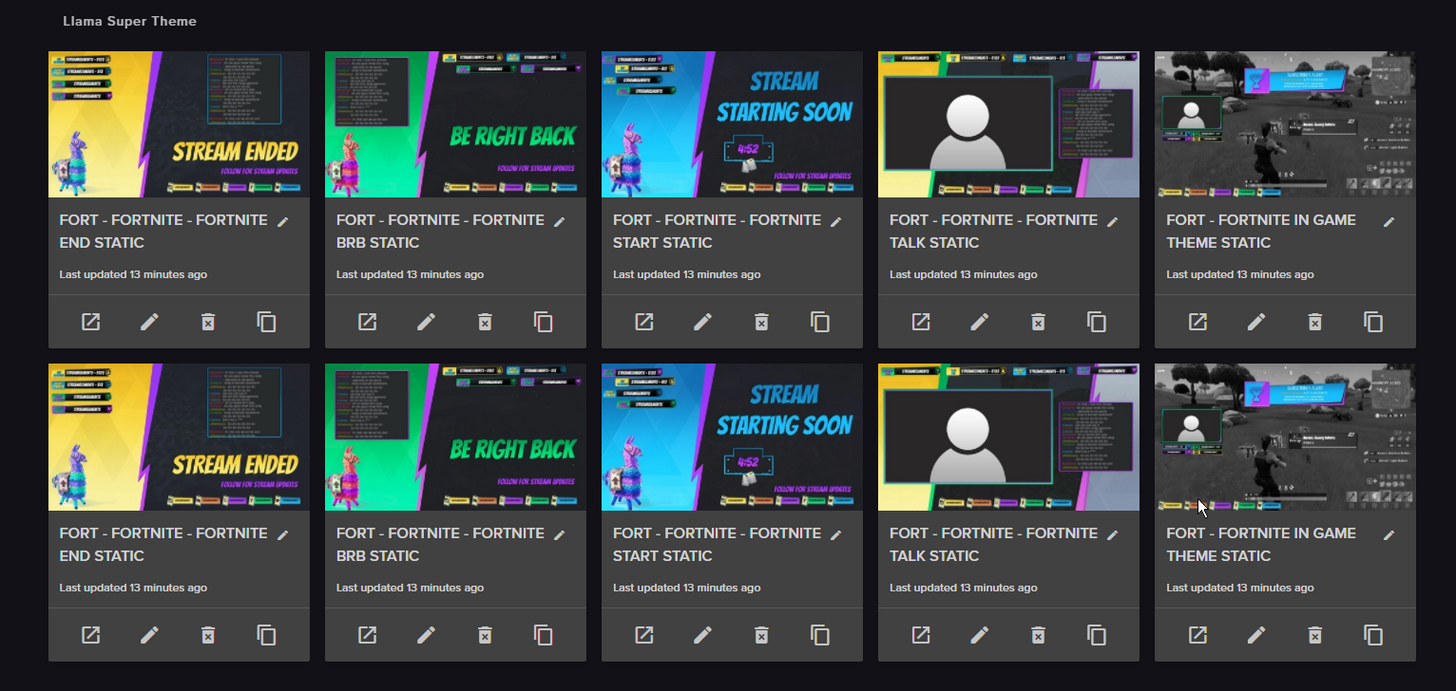
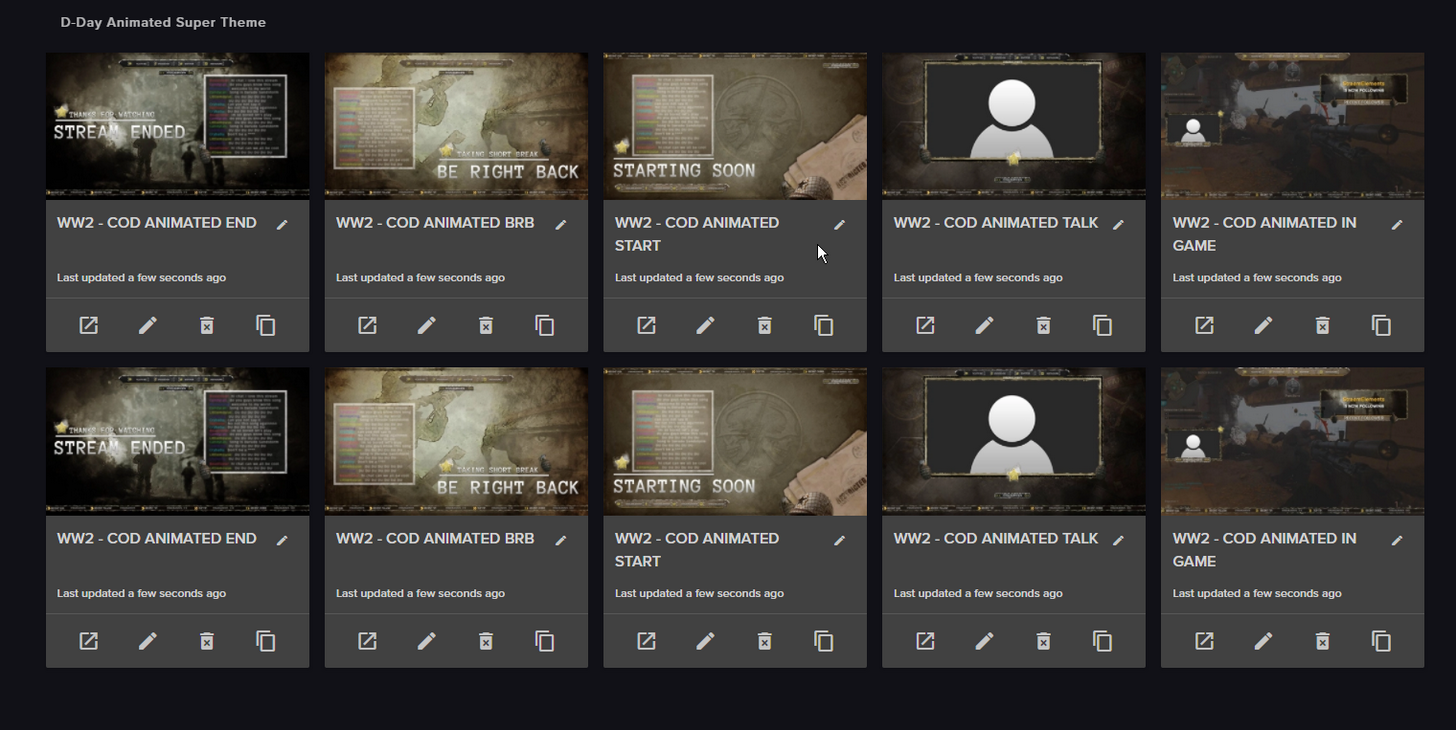
When you create a theme in My overlays apparently it can randomly create 10 instead of 5 overlays 😄
ripe herald
 tight harness
But it seems to be intermittent, didn't happen when I tested but Kireaki has had it happen and so has asteri
 slender yoke
when you copy a widget from one overlay to another using the tool, does it automatically save?
 dark fractal
Yo. ANywhere I can remove auto hosts to pop up as a host?
Pretty annoying to get spammed by it
tight harness
Not at the moment, it has been requested on the ideas board in the past
It is planned
dark fractal
okii
atomic hollow
I suggest to increase the minimum
dark fractal
already did, but often i get a lot and bigger ones since im in a org
atomic hollow
got it, well I dont like it as well, working on changing it soon
 clever mango
in a custom command use $(count emotename)
 untold smelt
Have you guys been hearing issues about the stream elements overlays causing lag and frame drops with streamers?
 pine hemlock
Animated overlays = more resources. Shutdown your browser sources when not active. Not all pc combinations with obs can handle them
untold smelt
I'm running a Ryzen 5 1600x at 4ghz. CPU and GPU are not the issue
clever mango
It's also very important that every single overlay in OBS shuts down when not visible https://www.youtube.com/watch?v=KDvLynUqXI4

Tutorial #1 - Adding StreamElements Overlays to OBS Studio ----------------------------------------------------------------------- 🚀 StreamElements 🚀 -------...
untold smelt
I also use xSplit
clever mango
then do NOT check "Keep source in memory"
untold smelt
yup
literally the only things are "keep in source memory" are required things, like webcams
 viscid steppe
Quick question about the new "XMAS SPIRIT ANIMATED SUPER THEME" is there an option for the Facebook symbol to be Snapchat? I think I'm the only person alive that doesn't use Facebook
 turbid reef
facebook 
viscid steppe
lol. @turbid reef
clever mango
There should be a snapchat icon already, no?
 stuck hamlet
I don't think we have a snapchat one, but i may be wrong. @ripe herald ?
viscid steppe
I'm looking at the "Stream Starting Soon" screen and there isn't one here
Ahhh. Okay.
clever mango
yea
ripe herald
just check on layers where it says
viscid steppe
I would make one but my gosh, it would look no where as freaking awesome as these do
layers.. I will look.
ripe herald
DOWNLOAD THIS ICONS something like that
clever mango
It should say bit.ly/something
ripe herald
 viscid steppe
I'm screaming! Thank you!! @wise flax
I STILL wish you guys would take donations! You guys make my stream look incredible.
hahahahah!!!!
clever mango

viscid steppe
I saw that! 😉 @pine hemlock
pine hemlock
:)
viscid steppe
💜
clever mango
@untold smelt are you talking about lag/fps in-game or stream?
 lament blade
um i stream on youtube could you guys support me pls
untold smelt
@clever mango stream
specifically my webcam
it only happens when I've got streamelements overlays running
tight harness
@lament blade We actually don't do youtube support yet, but when we branch out to youtube we will be
lament blade
@tight harness ok
tight harness
Right now we're only covering Twitch streaming, youtube is coming
lament blade
all right
clever mango
@untold smelt our xsplit expert is @ebon forum maybe he can take a look at what you've got
 ebon forum
@untold smelt @clever mango here, what is broken?
untold smelt
Just been having some issues with StreamELements overlays causing my webcam to lag, and the stream to drop frames
I turn them on, stream starts dropping frames
I turn them off
gucci
clever mango
using animated superthemes
untold smelt
^
clever mango
Ryzen 5 1600x
untold smelt
4ghz
ebon forum
how is your CPU and GPU usage looking? Xsplit directly shows the load in the main window
untold smelt
never above 60%
Except when I'm playing Divinity - Original Sin 2, but when I play that game, I specifically turn off a bunch of fancy shit, because it's an GFX intensive game
ebon forum
look at the GPU usage
untold smelt
and that game is primarily GPU load
ebon forum
Xsplit uses the GPU a lot even if you stream with x264 on the CPU
setting the game to lower settings and/or putting an FPS limit will help
dont use sync-options like v-sync or g-sync, limit the FPS by hand
untold smelt
Yeah, i've tried that, I'll be getting 150+ FPS in game
and I'll force limit to 60fps
 ancient wing
how can u add variations? dont have any accept button for a variation?
 dapper apex
Little question... In my dashboard i see "This month from 10 tips"
But there were no tips this month
clever mango
Month = last 30 days
ancient wing
Terra can u help me too pls?
clever mango
I don't think so. The system right now equates weekly with last 7 days and monthly with last 30. It would need to be changed by the devs
dapper apex
Viewers tend to be the highest tipper of the month at the first of the month because their name will be on-screen
clever mango
Ask questions, receive answers 
ancient wing
Terra how can i add Variation Tips, if i cant find the accept button?
clever mango
Are you talking about the variations popup window?
ancient wing
yea like a have a normal tip like 2 or 3 dollar and i want a high tip of above 25 dollars and it should pop up then but with another sound
tight harness
Variations Settings in the bottom left
ancient wing
i tried too but i cannot accept a new variation because i dont have a save/accept button on my screen
clever mango
you're using a non-chromium browser then most likely
ancient wing
i use mozilla firefox
clever mango
try chrome or another chromium browser
there are little visual bugs like this right now when using non-chromium browsers
ancient wing
okay ty m8 😃 i will try it
 final stream
Whare ur mah holiday deckrations?
tight harness
@final stream Have you seen the new overlays in Themes Gallery yet?
final stream
no
final stream
so a theme on top of t ahteme?
 paper sedge
Is there youtube functionality yet
final stream
Imagine 2 broser sourcs and another overlay that is just tisnek
clever mango
not yet @paper sedge
there will be a HUGE announcement when available
you won't miss it
paper sedge
Oh well. Twitch is SJW filled sos.
final stream
Youtube queries?
paper sedge
Can I move my setup from one account to another
clever mango
Imagine 2 broser sourcs and another overlay that is just tisnek
I don't understand
paper sedge
because i dont want to use my current twitch anymore.
 edgy kindle
Do you mean switching your SE Twitch account to a different twitch account?
clever mango
when youtube support is available you'll be able to connect it to your existing account
everything under one SE account
clever mango
streamelements
clever mango
you haven't connected a twitch account with streamelements?
edgy kindle
SE Twitch account = The current twitch account connected to Stream elements
paper sedge
rubs temples
i wanna cry right now
Dude i just want to move my overlays from one account to another.
edgy kindle
Yeah so exactly like i asked lol
clever mango
Can't be done at this time
ancient wing
how can i use a variation sound without the normal tip sound both are playing at the same time
edgy kindle
@ancient wing Do you have multiple scenes in OBS?
ancient wing
yes start,pause,break and ingame
clever mango
No, they aren't able to be exported from an account
edgy kindle
On your browser source did you check "Shutdown when not in use"?
ancient wing
@edgy kindle ty 😄 yea that was the problem^^
edgy kindle
Np~
paper sedge
How do i make the images in obverlay NOT lock to the side of every other thing possible
i need free move
clever mango
disable snapping (top right there is a grid icon)
paper sedge
Being able to move stuff pixel by pixel with arrow keys would rock x.x
clever mango
you can
clever mango
you can also use Shift+arrow for faster move
ancient wing
hey and the end card both sounds of my tips are playing so my variation and the other one how can i change that?
everything else is on shutdown when source is not used
 silk patrol
@ancient wing
- Make sure you only have 1 alertbox on your overlays
- Make sure that you haven't missed a browsersource on each and every scene with the checkbox ticked
- Refresh the cache of your browsersource by going into the properties and clicking on the refresh button
if it's still acting weird, DM me and I'll explain you how to give me a mod access so I can check if everything is OK
ancient wing
i'll try it
@silk patrol okay it works i had to refresh it ty for the fast answers (Y)
silk patrol
👍
 copper sapphire
So question for !sr are there anyways where they don’t need to post the link? In order for it to play
stuck hamlet
You can use 2 different commands, 1 that gets the ID of the video, and 1 that actually requests it.
but if you're just using !sr it would have to be link or ID
copper sapphire
I guess in the future will they implement something that doesn’t require a link
pine hemlock
Once youtube allows us more api requests sure
 odd crown
hi, I'd like the bot to answer to !lastseen / !lastactive. I set the response to ${1} was last seen ${user.lastseen} / ${1} was last active ${user.lastactive}
A user writes eg. !lastseen someuser and the bot should answer with when the user someuser was last seen. Are the commands/responses correct?
stuck hamlet
Yea, should be.
odd crown
Thanks. However is it a twitch limitation that users are only "seen" when they wrote something?
I joined with the user someuser and wrote !lastseen someuser but the bot still replied "3 mins 40 secs" ago.
stuck hamlet
lastseen is when the bot last saw them in the viewers list, it takes a snapshot every 10 minutes
lastactive is when they last spoke
odd crown
thx
odd crown
(Custom Chat Commands) User cooldown and Global cooldown are in minutes or seconds?
stuck hamlet
seconds
odd crown
Hmm, I have one User/Global Cooldown set to 5/15 in the 8ball module and one set to 10/3 in Default Chat commands. Which takes precedence?
stuck hamlet
they are individual
15 global cool down on 8 ball, means viewers will not be able to use that command for 15 seconds.
viscid steppe
Hi! I was wondering if there's a way to change the size of this square? My webcam doesn't fit very well inside.
Can I make a custom size?
stuck hamlet
Unfortunately not :/ We do the 2 main ones.
4:3 and 16:9
What is your resolution @viscid steppe ?
viscid steppe
I've grabbed my tech dept. (husband) He's helping. Thank you for always helping me! 💜
stuck hamlet
haha :p
 crude wind
Hi guys any way to change the Giveaway auto text? I change the command and I’m from mexico so I want to change it for Spanish and add my style
lament blade
I have a small issue
tight harness
What's the issue?
stuck hamlet
We currently do not support changing default commands. We will bring that in the future @crude wind
lament blade
The site is being slugish and taking long to load compared to other sites
stuck hamlet
Try disabling hardware accelaration in the chrome settings @lament blade
lament blade
Will try, thanks!
crude wind
Ok thanks
lament blade
It worked @stuck hamlet 😛
stuck hamlet
😄
 marsh sinew
for some reason my chat keeps giving me points and it wont let me delete them
tight harness
Have you added yourself to the loyalty settings ignored users list?
tight harness
I'll ask about it, not heard that one before
@marsh sinew Your name is not on the ignored users list, we just checked
It's blank
marsh sinew
strange i did it last night
ok now its on there but now i have to figure out how to get rid of the points i have for all time
tight harness
You can't remove all-time points, if that's what you were trying to remove that explains why the !addpoints -<number> wasn't working because that only removes Current leaderboard points
marsh sinew
damn okay
 idle flare
this isn't a stream elements question, but if anyone knows how to fix twitch integration, my subs aren't updating since last tuesday and force sync just loads it for hours and nothing changes.
tight harness
Discord has been known to sync forever if you force sync
stuck hamlet
it automatically updates every hour
idle flare
Mine is not updating every hour 😦
tight harness
Well not forever, but a very long time
idle flare
Forever, is a very long time...Pooh.
stuck hamlet
How do you know its not updating?
idle flare
people who subbed to me this week are not getting the correct roles they should.
it also says last updated: tuesday
as in, last tuesday
tight harness
Do you have Sync ticked?
idle flare
yes.
idle flare
yes.
should i try disabling the role and reenabling it?
force sync finally finished.
didn't add anyone
tight harness
Then i'd suggest asking Discord
stuck hamlet
make a new server 
tight harness
Wait, did you change your Twitch name and not reconnect it to Discord with your new Twitch name? @idle flare 🤔
tight harness
Then yes, ask Discord
idle flare
thanks guys
tight harness
No problem 
 safe canyon
hey guys, I was wondering if anyone can help me with the raffle option
I had 2 people in my raffle, one sub, one follower, subs for 3x luck, but it shows that they had a 150% chance of winning
does that mean they will win every time?
 empty anchor
Hi guys, quick bot-related question... I'm wanting to use the random.pick variable for a custom command... Just wondered if there was a character limit for it?
tight harness
@safe canyon Do you mean raffle? Because there is no sub luck in raffles 🤔
@empty anchor The same as everything else, if you surpass the limit you'll know about it 😄
empty anchor
@tight harness I'll put it to the test then, thanks 😂
tight harness
@empty anchor Good idea 😃
silk patrol
@empty anchor also twitch as a character limit, so you might wanna keep your items within that range

 slim cairn
@stark sonnet Do you need any voice support?
tight harness
@safe canyon I'm going to say that it's working but the % may be confusing 😄
safe canyon
okay so it's actually working as intended
 stark sonnet
@slim cairn Yes i do 😃
safe canyon
good to know
tight harness
Yes
tight harness
You can ask here
stark sonnet
If i download a font type can I use it for my alerts?
tight harness
We use Google Fonts
stark sonnet
So I am looking for something like "Ethnocentric" font
Im new to this whole, graphic design and build layover stuff lol
silk patrol
@safe canyon it's working as intended. 2 people entered the giveaway, so they both had 50% chance to win. But since the sub luck is x3, he has 150%, so yeah he'll win everytime. but percentage will iron out once more people join
safe canyon
doesn't that not work out mathematically?
tight harness
@stark sonnet If it's not available on Google Fonts I don't believe it's available to use
safe canyon
it sounds like it should be 25/75 so he still has a chance
silk patrol
yeah you could see it this way too, it's a very basic formula
empty anchor
@silk patrol @tight harness Sorry guys, I asked a stupid... It actually tells me how long the bot's response can be, my bad.... Thanks for the help anyway! 😅
tight harness
No problem
empty anchor
400 characters for the curious!
stark sonnet
@tight harness Is the best way to see to see the fonts before actually having to change the layover that i have?
silk patrol
@empty anchor no worries, we are happy to help anyway
pine hemlock
https://fonts.google.com/ has previews of the fonts @stark sonnet
 tight harness
@stark sonnet You can check the list on fonts on our site or just google Google Fonts and look what's available on their database
⤴ 😃
stark sonnet
Awesome! Thanks alot guys. Love the program
Is it true you guys partnered wtih Anhkbot?
Or using that chat bot?
pine hemlock
Thats streamlabs
tight harness
Not us 😄
tight harness
You mean the chat widget?
lament blade
Nah twitch chat itself
stark sonnet
Ahh okay!
tight harness
No, but you don't need it to because you can do that through Twitch anyway
lament blade
Ye just wanted to know haha, ty
tight harness
Glad you like it 😃
lament blade
SE => best one you can ever choose
tight harness
@lament blade Turns out you can type /clear and it'll clear, or you can make a command where the bot responds with /clear which will also do it
But it's just as easy to type /clear 
lament blade
Oh it works through a command great
So I believe the timer aswell hahaha
tight harness
You want to make a timer that does it?
lament blade
Maybe idk, just interested to know
Also cuz most of twitch mates are moving to SE because they like the usage of it on my stream and I recommend it them
stark sonnet
Sorry guys, one more question!
stark sonnet
lmao 😛 Is there a way to set up a replay with the basic overlay system in SE? For instance, I make a nice play, then someone is able to clip the video and set up a replay for the stream to watch
stuck hamlet
Something like boom.tv 
no, unfortunately we don't have something like that
but i would love to see it on our platform
would be cool a f
stark sonnet
It would be very cool!
lament blade
Could be #💭︱feedback-and-ideas then I believe
(click the link in the description and. Post it)
stark sonnet
Cool posted it in ideas
 lost vector
hi guys
tight harness
Hey 
lost vector
Any1 have a problem with gifs playing at random points instead of playing at the start ?
I mean, store redemption overlay
tight harness
@lost vector Hey, it was me you were talking to in the live chat 
lost vector
yes
but asking if someone know something
well i think there is so much people, i think that any ppl here has used this feature
and no one say that problem
tight harness
We knew it was a problem for alerts, and this was fixed for alerts, it's possible that the problem still exists for store redemption alerts, like I told you in the live chat we'll get somebody to look at it 😄
 waxen valve
hey @stuck hamlet , Lattee told me to shoot you a message because my hosts with 0 viewers arent getting the hosts bonus points i have assigned? would you happen to know if having a 0 viewer host classifies under the points system ?
waxen valve
why is that man i ask ?
a host is a host isnt it? 0 viewers or not? the alert still goes?
pine hemlock
Probably because most streamers dont want people to abuse points but technically yes you are correct
waxen valve
there should be a way that you will only get the bonus points once per stream ? that way they cant abuse it ?
empty anchor
I guess, or have the option to choose whether 0 viewer hosts qualify for the bonus
stuck hamlet
It's just the same way we have Tips and Cheer set to 1$ and 100.
waxen valve
yeah! that is a good idea, to have an option for that ?
stuck hamlet
I meant more like, thats why we have it to 1 viewer to get bonus from host.
Easier to moderate, and doesn't cause issues.
waxen valve
@stuck hamlet okay that is fair enough, i just thought it was strange that who wants to host has to be in their chat to clasify it as 1 viewer then host, it just seems a like too many steps when they could host straight from my chat you know ?
yeah you have a point @stuck hamlet
ill let my viewers know 😃 if they want the points, they have to work just that extra little bit harder XD
stuck hamlet
Work hard, play harder
waxen valve
would be good at a later date if possibel to have the option to reward with the points on 0 viewer hosts 😃 only if possible 😃
oh also! and maybe different points for different size hosts ?
stuck hamlet
Those all sound like great ideas, but i wouldnt want them to fall on deaf ears.
Write your request here: https://strms.net/ideas
and have your viewers vote it up, if it gains enough traction, the team will look at it 😃
 tidal swallow
this may be an incredibly noob question, but how do i make one chat command have multiple responses given at random? i can't seem to figure it out
tight harness
Have the response as ${random.pick 'answer 1' 'answer 2' 'answer3'} for example
tidal swallow
awesome. thanks!
tight harness
No problem
 quiet girder
Hey guys! - does annyone know why i CAN'T upload an PNG file at 27 Kbs ? - it just wont update with my image of an elfhat :S
tight harness
What browser are you using?
quiet girder
Edge 😃
quiet girder
oh ill try
 indigo haven
With regard to the loyalty points - does the "Follower Bonus" keep track of followers and only give it to them one-time? Or does it grant it a second time if they unfollow and follow again? And, if the former, does that get reset with any of the counter/tracking reset options?
tight harness
I'll DM you about it, 1 sec @indigo haven 😃
quiet girder
oooh 😄 - now my cup are going to the bottum of the stream , but why ? - i put on gravity and it happend ?
tight harness
Because gravity affects the cup too 😄
quiet girder
but 😮 .. thats means that i have to put my deck "DOWN" ?
wassent a problem earlier today be4 i took of the gravity
 stuck hamlet
you're using entire screen
pine hemlock
 quiet girder
lul sorry guys 😛 and thxx
tight harness
No problem 😄
quiet girder
wtf xP now my cup is gone -.-' too late for this xP
seems like it put it self down to bottum , hmm
dno why but i did a fix with deleting the cup and make a new one xp
tight harness
This will have reset the settings, like gravity 😛
idle flare
discord hasn't responded to me yet biblethump
tight harness
They have millions of users, not surprising 😄
idle flare
haha
stuck hamlet
haha
idle flare
is there a command i can add to show how many subs i have in chat
pine hemlock
${channel.subs} variable can be added to a custom command
idle flare
lets see if i remember how to do that
 full elk
Is there a way to add chatters to the regulars list via a command instead of the broadcaster needing to do it through the dashboard?
stuck hamlet
!level user 300 should do it
full elk
Thanks!
lament blade
Is there a trick to using the chat bot widget? I have it going in a browser source but none of the actual room chat is showing up :/
dark fractal
Anyone know how to do make streamelement emote count?
lament blade
Its showing up in the overlay editor but not actually on stream/obs
stuck hamlet
Have you set your browser source to 1920x1080 @lament blade ?
lament blade
I just did, still nothing
pine hemlock
@dark fractal https://www.cuda.live/s/s6ph6itu.png
 dark fractal
@lament blade make sure the chat is at top, so it doesnt get hidden behind the Display source
@pine hemlock thanks sir
lament blade
got it to work, thanks Lasbra!
 spare flax
Is ther any way i can add streemelaments to discord
dark fractal
np, obs can be a pain in the ass if you dont know how it works
pine hemlock
@spare flax We dont have a discord bot, yet.
indigo haven
Small "bug" - if you add someone as a Super Mod, then as a regular Mod (or v/v), then delete the older entry, it removes both. Refreshing the User page shows that only the most recent one takes effect anyway though.
lament blade
Someone added me as a super mod but it wasn't showing the channel :/
tight harness
Did they give you dashboard access?
Because Super Mod and Dashboard access are different
Mod/Super Mod is this: https://streamelements.com/dashboard/bot/users/moderators
Dashboard access is this: https://streamelements.com/dashboard/account/channels
@lament blade ⤴
indigo haven
(Although, if you have the latter, you can add yourself to the former :P)
tight harness
Yeah, Mod/Super Mod is basically commands, this is a whole other level
indigo haven
And it's fabulous
As a streamer with two accounts, it's invaluable
And once I discovered it, was literally the "I can't live without this now that I know it exists" tipping point
tight harness

indigo haven
Bug: Rendering issue with a line break in the Whitelist/Blacklist panels of Link Protection settings under Bot -> Spam Filters
Whitelisted links are treated as trusted links and are not affected by the link filter. <br> (press enter to submit) The <br> seems like it should be interpreted, and not rendered.
tight harness
Why not screenshot?
indigo haven
😂
 marsh niche
In a game LOL
tight harness
Ahh sorry, didn't realise 😄
 marsh niche
Any thoughts?
stuck hamlet
Try again?
marsh niche
Shoot he left lol
stuck hamlet
i scared him
marsh niche
I'll get back to you
indigo haven
With timers, are the "chat lines" counted in the last 5 minutes (as per the tip) or in the last X minutes (based on the Intervals above)?
stuck hamlet
as per the tip
 last tangle
Do i have to create an overlay with Stream Elements in order for it to work? I already have a working overlay from Strexm that my donations go through and all the
last tangle
For the loyalty program to work or contests.. stuff like that
stuck hamlet
nope
last tangle
So what are the benefits on using an overlay off of stream elements? IS there things that will only work if I have a Stream Elements overlay?
pine hemlock
Benefits? You need an overlay to use our alert system and all the other bunches of widgets we provide. We also provide premade themes that include these functions.
If you just use us for points/giveaways/contests you dont need to use an overlay.
last tangle
Okay I understand! Thanks
dark fractal
@pine hemlock could you help me a bit with the emote counter?
pine hemlock
What else do you need
dark fractal
I just need basic help, how do i add so if someone says forexample "Kappa" then the bot responds 1 (2) (3) etc "Kappa"
pine hemlock
The screenshot i provided earlier counts the emote

Add a command, doesnt matter what its called. Make the response: Kappa ${count Kappa}
Show advanced settings, scroll down to Command Keyboards add Kappa and hit enter
then submit
dark fractal
thanks got it to work
 clever lodge
Silly question, can you look at your chat while streaming?
Better question, can I use Stream Elements for everything? Without having to open Stream Labs ChatBot
indigo haven
Does https://twitch.tv/username/chat not work well enough? That's what I have up on my laptop or a tablet somewhere to keep an easy eye on it.
pine hemlock
Popout your chat from the website, or you can use a 3rd party app for chat.
But yes StreamElements provides everything including a chat bot that does not run locally on your machin.
clever lodge
I know I could bring up my chat through my own channel on Twitch haha And where is the chat bot through Stream Elements? I'm confused
indigo haven
Do you mean you want to be able to type and chat as the bot?
clever lodge
Instead of loading up StreamLabs Chat Bot to use it to chat with and see what people are saying in my chat, is there a way I can just load up StreamElements online and see the chat?
 misty wagon
Not at this moment but it's the highest request on features to have chat on Ground Control. For now you can open a stream, pause the vid and see chat
Soon ™
dark fractal
Yo I dont know any forums where to ask this, so i'm asking here, does anyone know where you can get a saved "tab" where you open up 3 different windows, in same locations each time? My chat, my notifications and my dashboard/youtube/twitter?
Cus I have tried session buddy, but it takes time to open up all that every time
clever lodge
Ok thank you. Is there anything I can use on the website while streaming? Or do I need to use StreamLabs for the new followers and chat?
indigo haven
Is there a way to test Extra Life alerts? They don't show up in the "Alert Test" list, and have no apparent testing button in the widget settings.
pine hemlock
@clever lodge We dont have a chat built in anywhere on our products. We do have an activity feed that shows the new followers etc. We also have a desktop app that provides the same activity feed and manages song requests.
@dark fractal You can set chrome to On Startup: Continue where you left off and it should reopen where they were

@indigo haven We dont have a way to emulate the alerts sadly.
dark fractal
I have tried that, but it doesnt really, when i popout my chat it doesnt start on my secound monitor
indigo haven
Thanks @pine hemlock - what about re-using the images that are in the theme? If I add a new alertbox or something, and hit "change image" I can't see a section for "this theme's images" to keep the look/feel consistent? (using the Extra Life mega theme thing to play with overlays currently)
pine hemlock
Under layers on the superthemes there is a layer called " DOWNLOAD ADDITONAL GRAPHICS " and if u click it there is a link that links to the additional graphics we have
 cyan jay
how do i restock inventory in my store? im prob just looking over it but i cant figure it out
indigo haven
This layer does not exist on the Extra Life bundle "Starting Soon" overlay.
I just went through the layer list hiding all the unneccessary stuff.
pine hemlock
@cyan jay Change the amount to different number, save it, then change it back to the original number of stock yo uwant
Thats what we have for the Extra Life images
cyan jay
@pine hemlock ahh okay.. i wasnt sure if there was just a button to click to restock or not. thank you for ur help
indigo haven
Ah ok, so just have to re-upload them if I want to make a custom thing with the same theme?
pine hemlock
Yeah basically. We dont provide all the images though. We usually encourage just using the overlay manager to customize what we provide and then we give some additional images
indigo haven
Fair
I'll probably end up redesigning one from scratch to match what I have on StreamPro eventually, but these are a good start.
 pine hemlock
Troll
clever lodge
I don't see the StreamElements Desktop App?
pine hemlock
clever lodge
Oh, ground control! haha thank you
dark fractal
Cuda follow 😮
 weak lodge
Is there a tutorial on how to setup a daily sub goal?
lament blade
What the regulars for?
 vocal leaf
regulars are a level you can use for commands
a layer above any random joining the channel
Question: on the dashboard, why is there no horizontal scrollbar in the custom commands menu? I always have to resize the window to be able to edit a command. (Chrome)
indigo haven
Is there a preferred "powered by" tagline to put in the bottom corner of like interlude overlays?
Done, thanks :)
last tangle
is there a command that you can type in chat that shows a breakdown of all the commands? like !info or something like that?
 sturdy cloud
most the people that put in !sr and the link it is telling them song is to long. But when I copy the same song it works. i had a few people test it in random games when streaming. I even changed the song time to 7
is their a fix for this problem?
indigo haven
!commands should link to the commands page?
pine hemlock
@sturdy cloud https://streamelements.com/dashboard/songrequest/settings change the maximum song duration. The broadcaster isnt affected by the length limit which is why you cant do it
7 = 7 seconds btw
sturdy cloud
lol ohh
indigo haven
Is there a way to get a text field on-screen that pulls attributes from your stream: eg, the current game text, or stream title.
I can do it with Snaz, which I'm using for some timer control and stuff locally client-side, but it'd be nice to have it clouded as well.
vocal leaf
@clever mango definitely don't have that
sturdy cloud
I guess after doing stream elements for 12 hours straight setting it up with obs i was bound to overlook that little detail that I just read so clearly . thanx @pine hemlock
pine hemlock
@indigo haven not sure what/if we have variables for text on overlays. would have to wait for someone else that knows
4Head
indigo haven
👍🏻 Thanks
last tangle
anyone know the height width of overlay to put in obs to fit the screen perfectly?]
indigo haven
If you're using 1080p then it's 1920x1080
Unless you're using scaling settings in OBS - in which case, you should change the overlay to the same resolution you stream at
stuck hamlet
Our website default is 1920x1080, so if you didnt change that, you should input that into obs.
 obtuse plaza
Is there any way to reset a $count variable?
stuck hamlet
if you have a name tied to it yes
obtuse plaza
Right now it's ${count votes}
obtuse plaza
Is that a default command, or do I need to add it?
stuck hamlet
its a default command
obtuse plaza
Ah, cool, thank you!
stuck hamlet
its case sensitive too btw, so make sure its votes and not Votes
obtuse plaza
gotcha, thanks!
Wait, is it !editcount or !editcounter ? I see !editcounter in my defaults
obtuse plaza
Gotcha, thanks
last tangle
Do all my viewers have to link there accounts to stream elements in order to redeem items and such?
stuck hamlet
through chat no, on the webstore, yes
last tangle
do i have to click on the song request or can i get it to automatically play? We cant hear anything
I have to have the song requests tab open?
stuck hamlet
You have to have the tab open, yes,
last tangle
ok
lament blade
is there a way to get this new button away?
tight harness
No, because they're new 😆
atomic hollow
it doesnt appear on the overlay
 warped imp
hey guys I'm currently trying out some new overlays that I've created and was wondering if any of you can help me with two problems that occurs while adding two elements to the screen: I'd like to start off with a countdown of 60 seconds on the starting screen but for some reason it lags and gets of time to the intro music that I play in the background. Also, the tip goal stays on top of the overlay so that it doesn’t fit in with the rest. It Would be really great, if someone could help me out here:) thanks
 violet nimbus
${args.word} doesnt work, Or should I use some other variation to repeat the user's word?
violet nimbus
thank you
still doesnt work, need something, like a touser in nightbot https://docs.nightbot.tv/commands/variables/touser
${<start>:<end>}?
clever mango
What would you like the bot to do? Repeat whatever the user says after the command?
violet nimbus
yeap
clever mango
use $(1:)
violet nimbus
but only one word
clever mango
$(1)
violet nimbus
thank you
 paper kernel
Hey all is there a way to add a playlist from youtube to the song que ?
or just multiple songs
clever mango
you can add a backup playlist to play when there are no songs in queue but it's not possible to add a playlist to the queue directly
 opaque fable
The bot is down ^^
tight harness
@warped imp Can't say i've heard of the countdown timer lagging people, in regards to widgets being on top of other things, you can change their position within the Layers section
warped imp
right I did that already and still no sucsess thats why I'm wondering now...
clever mango
The chatbot is getting a quick snack but will be back shortly. Thanks for your patience. 
tight harness
You changed the layers but the layer didn't change? Did you save?
warped imp
yea I changed the donation goal on top of the pictures for the overlay right now but still no chance...
tight harness
What browser are you using?
warped imp
currently firefox
tight harness
Try a Chromium browser, such as Chrome
Non-Chromium browsers have been known to not work 100% on our site
warped imp
ok I'll report if there is any change! thanls
 royal dune
can someone here help me with an easy command?
clever mango
Sure
royal dune
basicly i want the bot to repeat a message i have typed
not the preivous one
does that make sense?
clever mango
user: !say this is a message
bot: this is a message
like that?
royal dune
ye
royal dune
legend
tight harness
@royal dune Did you also ask this on our facebook page?
slender yoke
I seriously need help with chatstats. Nothing is there. When I click 'open my stats' button it says 'channel not found' . My extensions panel shows nothing. HELP
tight harness
Did you change your twitch name?
slender yoke
Nope. I asked this before and someone asked the same thing. Nothing has ever changed about my info.
tight harness
That's @tawny pivot 's domain 😄
slender yoke
Well, I'm looking for help. I asked before and never got a response.
royal dune
so my response to the command is !request $(1:)
how would i get it to say that silently?
clever mango
you want it to PM the user the response?
clever mango
whisper
royal dune
its talking to another bot
so i need the bot to see it but i dont want every1 else to seee it
slender yoke
@tawny pivot can you help me
 serene granite
@slender yoke just write here what you need help with
clever mango
I don't think this is possible because /w has been disabled for the bot account @royal dune
slender yoke
@serene granite I have already. I'm not getting a response.
clever mango
@slender yoke He's AFK. He will respond as soon as possible.
tight harness
@serene granite Their chatstats are bugged, we need Styler to look at it ideally
royal dune
ahhh ok
slender yoke
If that's the case is possible Streamelements can put out a blog update when it's corrected? Otherwise it should just deleted so I don't stress over it lol
royal dune
currently when i use the command it messags me baCK
i just want it to type a command
this is what i currently have
!request $(1:)
what would i need to stop it from @ me
 quick shard
Just wondering who I would talk to about the website. It gets pretty annoying when I have to wait up to 5 mins to edit an overlay because I get this all the time
royal dune
@clever mango thanks
clever mango
@quick shard Site optimization is an ongoing major project. There will be a new editor in the future as well that will be much improved.
For now, disabling hardware acceleration in chrome has been shown to help. I've also personally found that clicking anything as soon as the editor loads can freeze the tab. When I give the page 3-5 seconds before clicking anything it will load without freezing.
The team is definitely aware of the hanging page though and will be working to improve performance
paper kernel
@clever mango How do u add a backup playlist ?
clever mango
From the Songrequest tab click on Settings in the top right
 unkempt edge
Can I input custom fonts?
clever mango
No, but there are over 800 google fonts supported https://fonts.google.com
unkempt edge
I was using a font on obs but doesnt seem to be in here so I was kinda upset lol
tight harness

atomic hollow
shadow color? dont think you can change it
clever mango
@unkempt edge you can upvote this idea and add a comment if you'd like https://streamelements.helprace.com/i437-ability-to-add-a-stroke-or-outline-around-text
unkempt edge
Sweet done
Also for the bot. I inported my custom commands and timers. Do I still need nightbot or nope?
clever mango
You shouldn't
unkempt edge
So if I keep him, he will interfere?
clever mango
It can get confusing, yes
serene granite
😊
tight harness

unkempt edge
When are you guys intergrating when discord if ever?
clever mango
No ETA but it's happening
 sly bough
Hi! Can anybody tell me when all the Xmas stuff, (widgets, kappagens, super themes, etc...) are gonna be available? I can't use them from the overlay editor yet... ^^U
serene granite
they are available, if you don't see the widgets on the overlay editor's widgets lists press CTRL+SHIFT+R on the keyboard
indigo haven
Is "Discord Integration" going to be done just with a bot, or will there be channel-posting webhook capability?
The latter would be preferrable for some announcements than adding (yet another) bot
sly bough
@serene granite thx so much! ^^
serene granite
np 😃
@indigo haven the idea is to get as many of the twitch-bot's capabilities on discord
not everything is possible though.
tight harness

@unkempt edge Apparently it can be undone, just not by yourself as the user currently
@unkempt edge Hectic fixed it for you
unkempt edge
So im trying to inport my users points but it wont work at all
what is the format for points for streamelements
tight harness
Where are you trying to import from?
unkempt edge
streamlabs
tight harness
You're using the Chrome extension for it?
unkempt edge
I made a csv file from all the points
yeah it only imports donations and alerts
So im trying to use the "Import from CSV"
tight harness
Ohh 
tight harness
Name,Points should be the format
clever mango
please try https://filter.dj/CSVtoStreamElements.html
unkempt edge
This is how I have it formated
10pack,4
112blazes,2
2d4rwinter,96
and so on
clever mango
are these points from the loyalty extension?
unkempt edge
yes
clever mango
Were you able to export from the site? Or did you use the API?
unkempt edge
I just copy and pasted since the extension for importing streamlabs to elements only does donations and alerts
clever mango
I see
clever mango
unkempt edge
wow you guys are fast and really good
btw whats the diff between current and all time?
is it like current session and all sessions?
tight harness
Current can be affected by mini-games and such, all-time is for watching the stream
All-time cannot be edited, only increased via watching
unkempt edge
ohhh
okay thats fine then
So I hear double of my alerts since I am using the Ground control and obs plays the alert as well. Anyway around that?
 weary mist
Ground control does not play alert sounds. Check to make sure you have the box "shutdown when not active" checked in all your browser sources (in all scenes)
indigo haven
I'd really like if scenes didn't take so long to load when switching with that option on
unkempt edge
yeah true^
indigo haven
But I am considering putting one overlay with just the alerts, then others with the actual overlays, so I can leave it unchecked
unkempt edge
and @weary mist That fixed it but now its not as fast so thats sad
thats pretty smart
but thats work
weary mist
That is something with the way OBS loads and caches them. I use studio mode, so I can let the scene load, then transition
clever mango
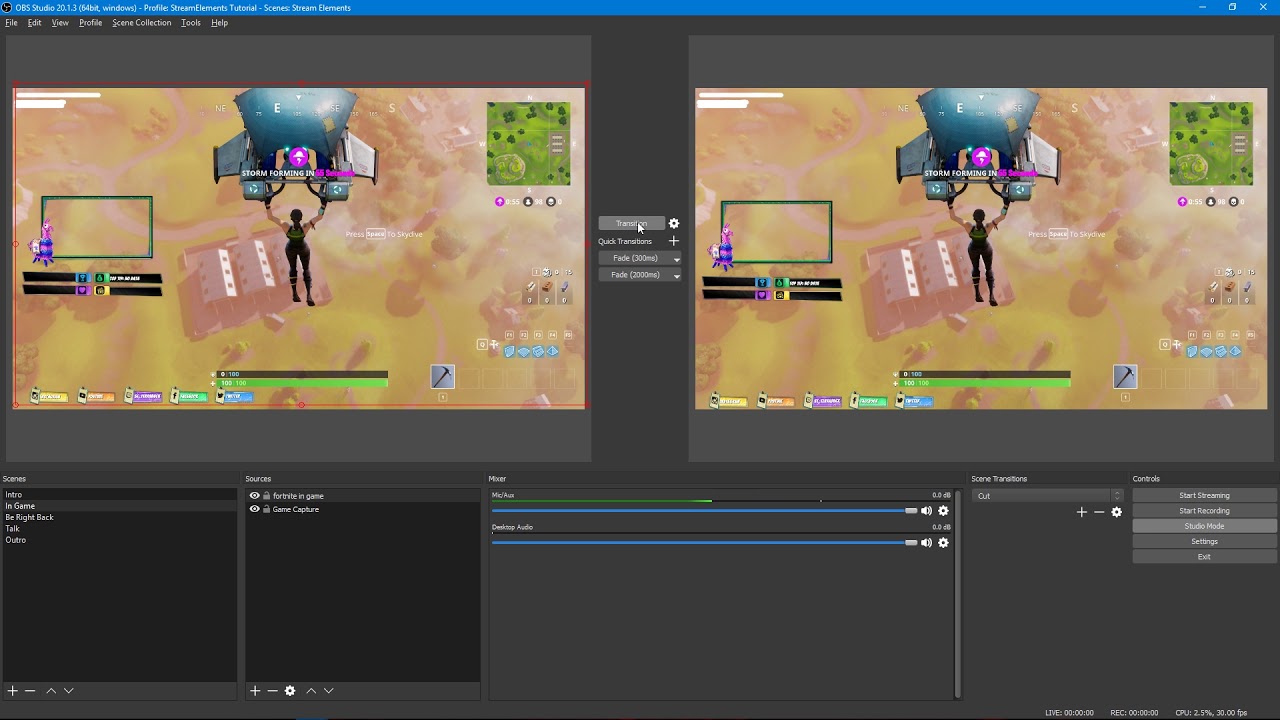
Tutorial #2 - Scene Transitions with OBS Studio Mode ----------------------------------------------------------------------- 🚀 StreamElements 🚀 -------------...
weary mist
Others use long transition times
tight harness
Yep, I use fade with like 5 seconds transition, either works 😃
unkempt edge
ill deal with the load time since its not that long
and my overlay is only text and the alert box
nothing too big like full on overlays
indigo haven
How I did it with StreamPro was just to have an "Alerts" overlay, which is reused on all the scenes, and never unloaded, and then a second overlay for each scene that has no sound, and can remain loaded
 glacial socket
Hey all, does anyone know if SE had a .txt for “song requests” so I can can pull it using OBS for a now playing overlay?
Has* not had
unkempt edge
That would be cool
glacial socket
@unkempt edge I’m going to suggest it if not lol
unkempt edge
also can we use spotify for song requests?
@glacial socket Ill upvote it if they dont have a better option
clever mango
We don't use text files. We use widgets and there is a current song widget in the overlay editor that can be added to any overlay
glacial socket
Ahhhhh ok
unkempt edge
and what about the spotify?
glacial socket
Thank you @clever mango !
clever mango
Working on it but we need their approval first
clever mango
They're not making it easy unfortunately
unkempt edge
I bet
I rather keep it only youtube then add soundcloud btw or have it where I can turn off soundcloud since all of soundcloud is all covers and such
weary mist
You can use soundcloud through plug.dj
Which we support with the currently playing widget :)
 gaunt light
tipping pages takes commision?
tight harness
Not at all, 100% free
PayPal will take their usual cut but that's unavoidable, we don't take anything
indigo haven
Silly PayPal
 serene atlas
hello, after i changed my nickname in twitch. The chat overlay is not working anymore
stuck hamlet
You should log out and log back into our site for your name to update
weary mist
And part and rejoin the bot
 split quail
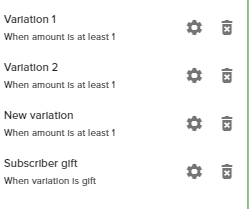
Hey guys, is there a bug with gift subs? I see the option in stream elements, and they work when testing, but in a live scenario, the gift subs don't trigger the "gift sub" variation.
lament blade
i dont get host alerts does someone know why?
stuck hamlet
Which do they trigger? @split quail ? or none at all?
@lament blade For host alerts, you need to have the activity feed open somewhere.
lament blade
ah okay thanks
 kind jacinth
Hi, can someone help me? I change the notification sound, I save and nothing change! D:
 fallow relic
i cant remember who gave me this solution before but i forgot how to do it. I have an overlay in obs and when my alertbox plays i hear it overlapping how do i fix that?
stuck hamlet
Hmm, I will have to get back to you on that one after some testing @split quail
@kind jacinth Check the varitations.
split quail
Thanks @stuck hamlet . Feel free to msg/tag me.
stuck hamlet
"Shut down source when not visible" @fallow relic an option in the browser source properties.
kind jacinth
@stuck hamlet ty! :3
stuck hamlet
no problem
split quail
@stuck hamlet here is a screenshot of the variations in case you want to understand my specific use case. I'm guessing that it's interfering because I have the variations set to "at least 1" ? https://i.imgur.com/EAm3rtS.png
 split quail
The name of the overlay in my profile?
stuck hamlet
yeee
split quail
 stuck hamlet
Thanks 😄
 misty sparrow
guys how do i set up this obs for my twitch? ive installed on my laptop but hav no idea what im doin
tight harness
Have you tried watching any tutorial videos on youtube yet?
 analog cairn
hey guys, is there anyone who can tell how i can copy my alerst from 1 page to another?
1 set of overlays to another set 😛
 dapper apex
What happened to € changed to EUR
It's text now
for some reason
Also i can't remove a tip atm
stuck hamlet
Alright, looking into it
dapper apex
thanks
dapper apex
Okay 😃
 hearty peak
anyone know why the dono widget is showing $ on the overlay manager but USD in my actual overlays in OBS?
oh
i can read messaghes above me
stuck hamlet

 trim badger
Hello there :) i noticed that Host Alerts didn't work atm
 stuck hamlet
@hearty peak @dapper apex fixed 😄
just reload
if that doesnt work, refresh cache 😃
 brazen surge
Is there anywhere to get the source backgrounds for the holiday theme? So I can modify the colors for the back drops and what not to my stream.
tight harness
I know the icons are available, I don't believe the backgrounds are afaik
clever mango
They are not
 north flare
Is there an easy way to update alerts for all overlays?
Like let's say I have 4 diff overlays I use... and I want to change my follow alert for all of them, what's the easiest way?
 trim cloud
Have an interesting issue. Alert Box widgets with "Raid Alert" disabled are showing raid alerts, with no way to disable them. Is this a known bug?
Enabling raid alerts on older alert box widgets is also still broken
tight harness
@north flare You can use the duplicate widget button in the bottom left
Looks like this
@trim cloud Do you have 2 alert boxes?
brazen surge
Is there anyway to possibly have them send source files?
tight harness
No problem 😃
trim cloud
Issue with multiple raid alerts appears to only happen in live version of the overlay, not inside the overlay editor. I've cleared cache and cookies on the live overlay in my browser to test, and it still occurs
tight harness
@brazen surge They aren't meant to be saved locally, they're part of our overlay manager
brazen surge
Oh cause I was looking to do a blue and silver one
tight harness
@trim cloud Have you cleared cache in OBS? you can do this in the properties of the browser source with the Refresh cache of current page
trim cloud
not using OBS, viewing overlay directly in web browser. Cleared both cache and cookies in said browser
one of the 3 overlays has since stopped showing up, but another is still showing. Do you have any kind of CDN that could be caching some setting but not others?
updates (like changing the alert text to "this alert should not display") are taking effect, but disabling the alert (unchecking it) does not seem to take.
spoke too soon, all 3 are firing agian.
north flare
in overlay editor adding a tip variation setting, what does "minimum amount" mean for ?
underneath it say sAmount of 0 will show all alerts
under Alert message - Alert duragation then the rigth of that Minimum amount
stuck hamlet
@trim cloud you dont want raids to appear at all?
north flare
(rigth now i added a variation of $100+ donation does a certain song.. and it's doing both the original donation AND the variation)
 trim cloud
@stuck hamlet I'm fine with them showing up, but I don't need them showing up for every instance of the alert box widget. Because Stream Elements has yet to fix a bug where older alert box widgets don't properly work for Raid alerts I've had to setup multiple instances of the alert box widget. I also have one alert box setup for tipping only (no other evens). But all 3 are now firing, even though I've disabled 2 for Raid.
but onyl showing up on the live version, not the version in editor
would have thoght the issue with older alert boxes not supporting raid alerts would have been fixed by now, so everyone has to do the bandaid solution of setting up a new alert widget just for raids. But now this new bug is making everythign fire, even if it's set to off.
north flare
lmk when someone is available please 😃
trim cloud
on my account view they are all turned off, and in the editor no raid alerts trigger
so it looks like there are even more bugs, hehe
 untold wedge
Does anyone know how to import follower and sub info from streamlabs?
trim cloud
I'll purge my streamelements.com cookies and relog to see if that gets me to the view you see, but either way that's a bug that should be tackled
stuck hamlet
okay i fixed it.
weary mist
@north flare someone is always available. Ask your question :)
turbid reef
@toxic basin 
 toxic basin
north flare
it's above
north flare
for some reason, i have the overlay editor up on my editing PC.. everythign sounds proper.. yet on the OBS machine.. alerts are duplicated.
I added a $100+ variation
it's plays both the 100+ and the normal one (only on the streaming PC) not on my editor
weary mist
The minimum amount is the trigger amout. Say, 10 as the minimum. That variation will only trigger on donation s with a min of $10
north flare
I refreshed the browser
stuck hamlet
You have to delete them manually, by sets of 25 @toxic basin
toxic basin
I have 426 pages 
weary mist
If you are seeing two, it means there is another alert box sonewhere
stuck hamlet
Would you like me to help you?
toxic basin
Is there no way you can do it on your side?
north flare
not "seeing" two
trim cloud
after cache/cookie purge I can confirm that the Raid alerts are checked for those alert widgets (all 3) Unchecking them and saving has no impact on external (non editor) version of alerts
stuck hamlet
it takes less than 2 minutes
stuck hamlet
dont import 4 times next time @toxic basin 
 stuck hamlet
:p

 toxic basin
thank you sir
 hollow zinc

weary mist
@north flare make sure you have "shutdown when not visible" checked. With a duel PC, it complicates the audio. Make sure one sound isn't coming from your main PC, or maybe something else along those lines
north flare
it is
turbid reef
north flare
im not using dual pc
stuck hamlet
No problem @toxic basin
north flare
just using a completely diff computer to do my editing
trim cloud
Just exited editor to re-launch it to see if those alerts are checked again, and now the UI element that expands the layers view does not click to expand, and StreamElements threw an error saying that window has become unresponsive. Looks like there are a few serious bugs at play
(chrome, OSX)
weary mist
@north flareok, that makes more sense, lol. Do you have scenes with different overlays?
 carmine furnace
how do i make my playlist shown on my "current song" overlay bit
trim cloud
exited again, and all 3 checkboxes are checked again. Seems it's not saving the UI state.
north flare
yes
untold wedge
Any @SE.Staff know if you can import follower and sub info from streamlabs?
north flare
diff scenes diff editors
er diff overlays
just did a test $150 donate.. and it played the sub song and the 100+ variation
tight harness
@untold wedge You can import alert boxes and tips from SL
weary mist
Make sure then that you have the box checked in browser sources to Shutdown when not visible
 sacred edge
@stuck hamlet 
weary mist
If you don't, the boxes in those other scenes will be playing sounds too
untold wedge
Alright that is what I thought, thank you so much.
tight harness
No problem 😃
stuck hamlet
@trim cloud Give me 5 minutes
carmine furnace
i need help with my overlay not showing my song that is currently playing from a playlist i made on youtube
please help
trim cloud
So the editor does appear to acknowledge Raid alerts have been turned off, showing them as unchecked and not displaying them, but the live overlay plays all raid alerts, and when the editor is reloaded they are all checked again. (quick summary to clear up everything)
stuck hamlet
@carmine furnace You cannot show backup playlist current. Youtube does not give us enough API point to be able to do that
toxic basin
hey I can't delete the last tip!
trim cloud
Thanks @stuck hamlet
toxic basin
"Failed to delete tip" 


 turbid reef

north flare
@weary mist i just wen through every scene and made sure it was checked on every single one
stuck hamlet
might be part of a bigger issue
toxic basin
@stuck hamlet
nvm worked now
if i pressed the trashbin icon
but didn't work with the "Delete selected" button
stuck hamlet
Alright! Thank you 😄
toxic basin
no problem 
 keep up the phenomenal 24/7 support
ok I imported it once and it is inflated again
stuck hamlet
@trim cloud Found the issue. The current work around is deleting the image and sound from the alert boxs
stuck hamlet
inflated again?
trim cloud
let me try that
toxic basin
Can I DM you some screenshots @stuck hamlet ?
stuck hamlet
one sec Trizze looking
trim cloud
problem
one of the outstanding bugs on old alerts is that sounds can not be deleted for raid alerts
stuck hamlet
@toxic basin You only deleted 2017 donations

Change it to this: https://www.onslaught.ca/s/rdrzm0z7.png

 trim cloud
"clear sound" UI element only shows for newer versions of the widget with raid
toxic basin
💃🏽 💃🏽 💃🏽 💃🏽 💃🏽 💃🏽 💃🏽
stuck hamlet
and enjoy removing 1200 tips
toxic basin
😄
stuck hamlet
toxic basin
😄 🔫
stuck hamlet
hahahahaha
trim cloud
so that got one of the versions to go away, so I'm down to 2 raid alerts rather than 3
stuck hamlet
you want them all gone?
stuck hamlet
Which alert box?
trim cloud
the one labled "Alert Box - Raid" 😉
stuck hamlet

trim cloud
would love to have raid alerts part of my normal alerts widget, but the bug with older instances of widgets supporting raids appears to not be resolved yet
weary mist
@north flare the only thing to do next is to isolate which overlay it's coming from. Make sure it's coming from OBS, so use the volumn mixer to mute it, and see if you still hear it
 timber dome
can anyone help me with a question?
stuck hamlet
@trim cloud Devs are going to fix the underlying issue of not being able to untick right now
trim cloud
awesome, thanks
timber dome
what are the tipping fees of stream elements?
weary mist
We take zero fees @timber dome
tight harness
Tipping fees in 2017 
 floral pebble
ok but 1 euro donate paypal takes 38 cents
weary mist
That's alllllll paypal
floral pebble
wow
last tangle
When I did a contest someone bet 90 points and another person bet 10 and they both won... The one that bet 90 only got 5 points from winning and the other got 45.. how does the contest reward work?
weary mist
So a higher donation won't see the same ratio
@last tangle it (should) return the points they bet, and split the wagers from other categories based on their share
trim cloud
we were down to 1 raid alert firing, but it seems me loading the editor was enough to get 2 firing at once again. Wondering if clicking ont he alert box layer updates it.
last tangle
Is there anyway to change the reward system on contests?
trim cloud
Also for the raid event bug list, the Kappa Gen widget supports all event types but raids.
weary mist
Not at this time, you can suggest it at the link in the header of #💭︱feedback-and-ideas
@last tangle
timber dome
is it because of the chargeback thing that they take a %?
stuck hamlet
@trim cloud fix should be there, you can now CTRL + Shift + R. and turn off raid alerts
tight harness
Nope, just how they make their money @timber dome
trim cloud
k
toxic basin
@stuck hamlet I removed all tips now and re-imported and it's still wrong :/
trim cloud
thanks again
stuck hamlet
tsk tsk tsk
toxic basin
Kind of weird, it's not even the top donator from Streamlabs who is top donator on Streamelements
stuck hamlet
Can you make me a admin for your streamlabs account? @toxic basin
toxic basin
sure
floral pebble
ok weird because if i send money to my friend they charge nothing but if i donate treu streamelements trhey charge 0.38 cents
weary mist
@floral pebble If you are sending US to US, paypal waves the fees