#helpdesk-twitch
1 messages · Page 164 of 1
 pine hemlock
 tight harness
⤴ it's one of the default commands 😄
 hidden knot
@lament blade I've just pmed you about the mobile streaming app
 lament blade
How do i use the overlay from your site?
tight harness
@lament blade If you mean the super themes they're in Themes Gallery on the left navigation panel
 final stream
So not to put too fine a point on it, and I thank Legendry and scalpel for the effort, I can just never use kappagen on my stream again? It was REALLY popular.
lament blade
No like the dashboard
If i go to my overlays, the one stream elements created is there, but there is no picture to save
tight harness
No picture to save? Could you show me a screenshot to show me what you're referring to please 😃
lament blade
How do i take a screenshot?
tight harness
It's saved to your computer, you then do Ctrl + V to paste it into something like paint
 atomic hollow
@final stream why cant you use it?
atomic hollow
dont publish that, it has your stream key
final stream
The command does nothing
atomic hollow
the command !kappagen?
lament blade
then how do i show it?
final stream
Legendary_studios spent over an hour trying to figure it out yesterday
Yeah the command !kappagen
final stream
And 1 other person whos nae I forget was helping him too
lament blade
It shows a whitescreen help me pls
 stuck hamlet
hi my name is dad
final stream
You type !kappagen (or any of its forms with variables) and nothing happens, neither in my stream or in the overlawy editor as you can see those therre too
lament blade
Hi dad! Could you help me with your site?
final stream
Events still trigger it, follows etc
But neither me nor my mods noy Legendary_Studios could do anything to make the command work
kicked the bot, tried in a new overlay
stuck hamlet

pine hemlock
@lament blade Not sure what your issue is. If you created a blank overlay and launched the overlay, nothing will show. The url that you showed us in the screenshot is what you put into browser source.
If you go to the themes gallery, create a theme, and copy the URL it provides - you should have something more than a blank screen.
stuck hamlet
@vale ember A dev will be looking into it 😃
tight harness
@final stream That was me and Scalper checking it out yesterday, I remember
Very weird issue 🤔 both the command and the kappagen settings seemed to be set up 100% correctly but it wouldn't trigger via the command but did trigger when an event happened. Command was 100% identically set up to mine which still works perfectly to this day
lament blade
Okay i got it! (Thought it generated one automatically)
tight harness
It generates a link automatically but you still need to put it into your OBS browser source yourself 😃
 rose geode
IS there a premade layout where the top bar has stuff in mind for people who aren't Affiliate yet? Most have the Recent Sub thing, and obviously people who aren't Affiliates don't get subs xD I'd like a top bar with Recent Follower and Recent Donation. And yes, I know all of them are editable, but the editor is still way out of my league, despite having watched tutorial videos.
Also, is there a way to import a handmade layout I did for a specific game into StreamElements?
https://i.gyazo.com/9595f65a681ac1570652a32f29ba1474.png
 lament blade
Where do I find the themes in the overlay management guide?
tight harness
@rose geode You can remove certain parts of the overlay which don't apply to you, that's why most of the newer overlays have interchangeable parts 😃
Also no way to upload overlays yet but it's been discussed before
lament blade
Does anyone know which SE widget to use to display someone's tips?
tight harness
@lament blade https://streamelements.com/dashboard/themes
rose geode
Yeah, I can remove the Recent Sub words and such, but that big empty space in the area itself is still there
tight harness
@lament blade What kind of tip? There's a few different kinds of tips
And even tip lists
@rose geode Yep, if you remove things there were be a space there, unless you put something else there 👍
lament blade
@tight harness when someone tips via paypal
tight harness
@lament blade No, I mean you've got top tip for session, weekly, monthly, all-time.. then you've got top tipper for session, weekly, monthly, all-time 😄
Then you've got Recent tippers (a scrolling list)
Need more info 😄
lament blade
Say someone tips me right now via paypal. That needs to display when that action occurs.
tight harness
So you mean the alert box?
lament blade
I setup extra life tipping and when I hit the test tipping it pops that up, so not sure if they both share the same pop up, but extra life does have its own tipping widget though
tight harness
Yes it does, have you added the extra life tipping widget?
Also I didn't realise you were referring to extra life tipping
lament blade
The extra life tipping test works fine but I'm wondering if someone tips me via paypal does that show up and where?
And yes, I added the extra life widget
tight harness
Via the regular alert box for regular tips and via the extra life widget for extra life tips
 vale ember
@stuck hamlet TY!!
tight harness
No problem 😃
lament blade
Okay look. I used a super theme, put it in my overlays and tried to edit out a little bit, and i get hit with nothing. it's no overlay. Please help!
tight harness
What did you edit out?
It's possible when you added it as an OBS browser source that you left it at the default resolution instead of changing it to your correct monitor resolution, that happens a lot
First thing to check ⤴
Also: https://www.youtube.com/watch?v=X7XrDdRE7Fk&t=174s @lament blade

Create an amazing overlay with StreamElements, watch our video guide to learn how. ----- Tipping page setup: https://youtu.be/eLzxRkq7tJo Add KappaGen to you...
Video guide for you 👍
lament blade
But i didnt edit anything out thats the thing
tight harness
You said you did
🤔
Either way, that video above and this one: https://www.youtube.com/watch?v=UuweQah3v00&t=69s

Setting up StreamElements is easy, learn how to in this video, hosted by Twitch Partner GIRLvsDUMB - Got any questions, or just want to say "Hey"? Join our D...
You'll find them very useful 😃
lament blade
IM GETTING SO FRUSTRATED
IT WONT WORK FOR
ME
I FIXED THE RESULOTION AND DIDNT EDIT ANYTHING AND IT STILL WONT WORK
tight harness
Can you DM me a screenshot of what you see?
lament blade
Ok!
 merry python
Is there a way where i can modify GeForce Experience while streaming or GeForce Experience doesnt support such mods.
I have searched but i can find only overlays
Just wanted to hear what expert have to say
pine hemlock
Doesnt support browser sources so no you can't add overlays etc
tight harness
Fixed 4EverAlpha's issue in DMs
rose geode
With the Twitch Chat Widget, is it possible to lower the opacity of it WITHOUT also lowering the text's opacity?
tight harness
So just the background?
rose geode
Of the chat widget, yes
pine hemlock
@rose geode https://www.cuda.live/s/t2ujdni7.gif

 clever mango
text color/opacity is separate under text settings
rose geode
Awesome, thank you.
Cuda's GIF was exactly what I needed.
I'm importing my handmade layout into the StreamElements editor as an exercise in learning it
tight harness
Good thinking 👍
clever mango
is it 1920x1080?
rose geode
Yes
Going from this with StreamLabs:
https://i.gyazo.com/d4244af6c319979025a1b3443e84eed3.png

To this with StreamElements:
https://i.gyazo.com/a782760ae256294b156b68d9465ecfed.png
ONE BROWSER SOURCE.
clever mango
nice!
 weary mist
and you can take it anywhere you want without having to rebuild it all 😃
rose geode
I only stream at home, so...xD Not really a big draw to me. To people who travel and go to conventions and stream at them, sure. I can see how it's useful. 😃
I'm just trying to lower CPU usage from all the browser sources xD
weary mist
haha 😃
at the very least, you never have to worry about losing everything to a HDD failure
rose geode
Just need to recolor those orange sides on the frame...
OBS would let me do a Color Correction Filter on it
I imported my donation stuff from StreamLabs to StreamElements using that Chrome Extension....how do I get it to reflect in my donation goal?
It should say 17.64%
weary mist
if you go to Widget data (or the data tab in overlay editor), you can click goals, and change the amount collected so far
rose geode
Tip = Donation?
clever mango
yes
rose geode
And as long as I imported my stuff correctly, if I get new tip/donation it should reflect in the goal bar?

I put my paypal email in and everything
Sorry for blowing this chat up LOL
I'm new to StreamElements.
tight harness
Seeing as you set it up with your paypal email then yes should work with our widgets just fine 😃
tight harness
Isn't the border 1920 x 1080? 🤔
rose geode
700 x 400
tight harness
Ahh 
tight harness
Webcam border?
rose geode
I just use it as a general border, but I do have it on the cam as well
tight harness
Ahh okay 😄
Would be best in my opinion to have a 1920 x 1080 one because you can shrink it down for the webcam and it'll be perfect size for the whole overlay too, I can imagine 700 x 400 not resizing up to 1920 x 1080 too neatly 😛
rose geode
I'm shrinking it down to go around a meme I put in my overlay that pertains to this game xD
And MAYBE around the Chat widget
I even have a sound effect triggered by a command that plays a clip of him saying "Now it's Reyn Time!"
tight harness

tight harness
It sounds like it'll take a bit of time to get it right 😄
tight harness
It shows requested songs
lament blade
What does that mean?
tight harness
Songs that have been requested through the song request feature
lament blade
Ok
 snow bane
Hello! I'm having trouble with the host alert. All my others alert work but for some reason the host alert won't go off. Any ideas on how to fix that?
 runic bridge
Heya guys,
is there any way to do a command like
!shoutout <name>
A big shoutout to <name> for supporting the stream. Check out his/her stream at www.twitch.tv/<name>
So when I input
!shoutout RandomDude
A big shoutout to RandomDude for supporting the stream. Check out his/her stream at www.twitch.tv/RandomDude
Thanks!
 mild shuttle
Give me a sec i got what yopu need
pine hemlock
@runic bridge if you create a new command there's command templates, one is a shoutout command.
tight harness
@snow bane You need your activity feed open somewhere, check the top pinned message for this channel 😃
runic bridge
Ohh.. Thanks @pine hemlock
tight harness
Twitch doesn't have a "notification system" for hosts (unlike follows, subs, raids, etc.) so the only way for StreamElements to know that you are being hosted is to connect through you to twitch. This connection is made within the Activity Feed code. This code is on:
- SE Dashboard page - https://streamelements.com/dashboard
- SE Activity Feed page - https://streamelements.com/dashboard/activity
- Ground Control desktop app - https://streamelements.com/groundcontrol
snow bane
So I need all 3 of those? The first two should be connected already
mild shuttle
@runic bridge this is what i use for shoutouts when i get hosted !streamer $(1:) is also a streamer, go check his/her channel out and drop the follow, last played game: $(urlfetch https://api.rtainc.co/twitch/channels/$(1:)/status?format=[1])
pine hemlock
You need one of them open while streaming
runic bridge
Was toying with the commands and I can't get it to work., didn't realize there is already a template for it. lol. Thanks! @pine hemlock @mild shuttle
mild shuttle
Not sure if it still works tho, didnt stream in a while
Got it as a command and only need to typ !streamer {name} to make it work
 silk patrol
@mild shuttle there is a template for that already, you don't need to use a custom API for this
mild shuttle
Ow really, like i said havent been on twitch much lately.
Need to dive in it again, thanks for mentioning it @silk patrol
rose geode
Okay, I'm glad I took the time to learn this, with importing my overlay into StreamElements. My CPU usage previously was 60% or higher while playing. Now it's about 18-22%. BIG IMPROVEMENT.
clever mango

pine hemlock

lament blade
Is there a current viewer amount widget? I'm on phone cuz idk what windows updates (restarting PC multiple times LUL)
clever mango
not yet
clever mango
are those cup tokens?
clever mango
they are probably capsule shaped which are bugged
 hallow harbor
They have been fine for a long time and just now messed up
yesterday night
well they were jacked yesterday night but were fine the day before
and every day before that
clever mango
what body shape are they set to?
clever mango
If you'd like, you can send me an invite as editor to your dashboard and I'll take a look
send via DM
 odd mortar
In the Overlay section, is there a way to export settings so you can import them into new Overlay?
pine hemlock
There's a button to copy widgets between overlays while in the editor
It's on the left panel above layers I believe
odd mortar
Thanks
 cyan jay
Can someone please help me. im adding stuff to my store on stream elements. im currently running obs. i was just wandering is there a way to test out my sound and picture notifications for redemptions on store. i went to the overlay on stream elements to try to activate it that way and no luck. i also went and opened my obs and then went to my channel and redeemed to see if i could see anything pop up and no notification picutres or nothing popped up. can anyone tell me if theres a way to check and make sure they work?
pine hemlock
In order for redemptions to show you need the store redemption widget on your active overlay
cyan jay
ahh okay that makes sense
 stone ice
i have the same problem that cuda
maybe
when i add redeem to the overlay sound well but cant see the picture of the redem
or the gif i dont know why
clever mango
is the item a sound effect?
stone ice
no
 winter phoenix
is there a way to make a comand for just one person?
clever mango
@winter phoenix not yet but please add the idea to https://strms.net/ideas
I like the idea and will 👍🏽
winter phoenix
i think it's there already I think I asked a few months ago
clever mango
oh I don't remember seeing it let me check
clever mango
@stone ice cool, let me know if it works and if not we'll try something else
winter phoenix
im searching nom
stone ice
thanks guys
winter phoenix
what happend to the orther site for ideas?
clever mango
we transferred ideas to this one as it allows for better progress tracking and notifications
this also has other capabilities that will be used in the future
winter phoenix
not sure how to discribe it other then It would be handy to have a command that is just one user
stone ice
i cant activate the 8ball command for example bacause say to me controlled by module setting and in module setting all is activate ... what is the problem?
clever mango
go ahead and post it in #💭︱feedback-and-ideas as well 😃
winter phoenix
I could not find a catagory to fit, so i left it ungatagorized
clever mango
I'd say bot
hallow harbor
Cries
winter phoenix
admis can move it
hallow harbor
I even put it on new overlay and it didn't work
clever mango
yes
winter phoenix
?
lament blade
can you somehow move items in the store? if not, i'll #💭︱feedback-and-ideas it
clever mango
the streamer can't move them around but the viewer can sort on the store page
lament blade
ye like this i know
clever mango
also sorting by item type
hallow harbor
2 days ago cup https://gyazo.com/e8429a1354e53ccdeb94e55b4335181b so terrabuck i have a feeling something changed on S E side recently
 lament blade
but can you like force a standard "sort"?
to have, as I do, redeeems for stuff like 1v1 and i've soundeffects
tight harness
@lament blade If I was you i'd just comment on the completed one bringing it up, because it did suggest that it would work on the streamer/viewers end
clever mango
I'm 95% sure the cup wasn't touched in the last couple of days 
tight harness
Correct, cup was improved about a week or 2 ago, no more changes more recently than that
hallow harbor
last 30+ days ive used these tokens never had this prob
spent a lot of time setting it up and testing bouncing etc
clever mango
it's been reported and will be looked at
weary mist
thankfully, @ everyone doesn't work, so you don't ping 8k people 😛
tight harness

clever mango
that's a lot of confused/angry people
lament blade
Hello, when I emulate an item redemption, how can I make it so that a specific item shows on the editor so I can be sure that its working. Right now nothing happens when I press emulate store redemption.
pine hemlock
Make sure you have the store redemption widget on your overlay.
Also if you want to test specific items you should redeem them yourself instead of emulating
tight harness
@lament blade Once you've done this ⤴ you can simply redeem the item to test it
Beat me to it 😄
lament blade
thanks
 sharp canopy
question about the idea website, if an idea is marked as "completed" does that mean it's implimented, or just developed and do be launched? (or possibly outright rejected)
winter phoenix
@lament blade the powers that be fixed it and changed the link a bit
lament blade
?
tight harness
@sharp canopy It means implemented
sharp canopy
hm, ok then I guess i didn't explain the request well enough
tight harness
Want to link me the ideas page?
sharp canopy
sharp canopy
the idea i was trying to convey is an existing list that might have 50 entries in it and the bot pulls one of them. not a user supplied list
tight harness
What you asked for is the ${random.pick} variable which is already implemented
lament blade
@winter phoenix ye what with this page, i saw this idea alrdy
I redeemed it, the sound is working but the gif isnt appearing.
tight harness
How would the list exist if the user didn't supply it? 🤔
winter phoenix
oh did i cut off ?
tight harness
It seems to direct you to the same place anyway 😛
winter phoenix
that works then
sharp canopy
I've seen it implemented in other systems LS, one way to be do it would be pull a random line from a google docs database and I can add the response lines
all the bot would do is see (1-x) options and pull one of them
it's very similar logic to a quote system, just for a different purpose
tight harness
So this wouldn't work for your idea?
winter phoenix
mine no
tight harness
Not yours 😄
winter phoenix
as the 2 commands i want are dedicated to 2 spacifig people
tight harness
Not yours Kitten 😛
tight harness
I was referring to Trinton's idea
sharp canopy
ok let me try this... what you are suggesting says "should i have a cookie, or ice cream" and pot picks one. I want to have something like "!desert" be the input, and the bot pulls form my list of options
lament blade
@tight harness I added a gif to the item but it doesn't show when I redeem it, only the sound I added is working.
weary mist
is the item a sound effect, or stream perk?
lament blade
stream perk
pine hemlock
I don't think gifs work for store redemptions unless that was changed.
tight harness
I've seen people use this existing ${random.pick} variable to do exactly what you're suggesting Trinton, so I guess that's why I'm struggling to see it's necessity to be done that way instead of the already existing way which has proven to work exactly the same way 🤔 if a bot picks an option from a list or pulls an option from a list, it's doing exactly the same thing. It's randomly picking from a list.
 swift parcel
gifs work for stream perks I've done it
especially if you clear out the alert image
weary mist
@lament blade I am looking at your stream store, which item are you testing with, Test or Test1
sharp canopy
ok am i misunderstanding something @tight harness (which is possible) or under random.pick does the user have to supply the list?
sharp canopy
ok then i don't understand how to use the command and I can work on it
tight harness
The streamer gives the response to the command ${random.pick 'example1' 'example2' 'example3'} etc
You can put whatever you want where i've put example1, example2 and example3
You can make as many options as you want
That's where you put your random responses, in those ' '
It all goes in the variable
 ember falcon
Hey guys, quick question about sub gifting. If someone is gifted a sub do they get the loyalty points from the bot or does the person who paid for the sub get the points?
tight harness
@sharp canopy Does that make sense now? 😄
sharp canopy
concept yes, execution no, I'll have to work with it when i have time tomorrow
tight harness
Alright, if you have problems tomorrow just ask 😃
sharp canopy
thanks
hallow harbor
@clever mango i pulled the cup away from teh side and a ton more came out but it still froze
 misty sparrow
hi guys ive got songrequest on my stream, the videos play but i have no volume, suggestions?
tight harness
Check it's not muted or too low volume, as long as you've got the the song request page or Ground Control open you should hear it just fine
hallow harbor
I actually think the problem isn't with my tokens its will the last 100 things you guys got trying to push out iwht the hype cup
tight harness
@hallow harbor We've already expressed our opinion to the devs that it should be less than 100, more like 20 😄
 tight harness
So many tiny little icons all pinging off each other
Chaos, for lack of a better word
tight harness
I'm laughing pretty loudly about that yeah we agree, too many icons 
hallow harbor
whats been happening is my tokens are freezing mid air
tight harness
That's when you know it's winter 
hallow harbor
all will fall but these ones now for some reason
my elmos and host and subs
sad face
lololololol
well if i put my followerss solo they work
 weary mist
what shape are the ones that freeze? capsule, square, circle?
hallow harbor
testing it all right now so far maybe square
tight harness
Sounds like a cheat code 
hallow harbor
idk @weary mist its confusing if i make them all solo check marked they fall
but when sub/followers/host all together
it freezes
weary mist
🤔
tight harness
Well that's bad
hallow harbor
wow thats the one causing all them to freeze it never did before
weary mist
try removing that variation, and remaking it
 misty sparrow
i can hear the video on my laptop, the volume is at highest and yet people can hear me talk but not the music
tight harness
@misty sparrow Your laptop? are you using both your laptop and something else to stream?
hallow harbor
oh your gonna love this
misty sparrow
im streaming from ps4, i hav stream elements on my laptop and i hav my twitch on too
ps4 camera i mean
tight harness
And your streaming software is running on your laptop right? 😃
misty sparrow
wot do u mean streaming software? ive used my laptop from day one if thats what ur asking?
tight harness
I have a theory what's happening, your laptop is capturing the audio from your ps4, but not the audio from your laptop
By streaming software I mean software like OBS
That you use to stream from a computer
hallow harbor
@weary mist @tight harness @clever mango thanks for the assistance i even uploaded a video how long it takes for my 100 activities to fall hah have fun https://youtu.be/6IoZTTvb9S4
 tight harness

 tight harness
@misty sparrow Found a tutorial video to help you set it up  https://www.youtube.com/watch?v=L1GYK9Q1IdY

Be sure to like and subscribe for more tutorials like these! NOTE: THIS IS PC ONLY Captured with: http://www.gamecapture.com I joined Maker Studios & s...
misty sparrow
how do i install obs? what is it and will it work easily on my laptop?
misty sparrow
I've got twitch on and i use my camera on ps4 to broadcast, and i hav s. e on laptop too
swift parcel
If you're streaming from a console overlays/song requests/onscreen alerts don't work as you need a capture card and a computer (that uses OBS etc) to stream with allthat
tight harness
⤴
lament blade
I get so much lagg when this is running: https://gyazo.com/8577e496273b3f361c271c907ced75d9 if i remove those boostrap i get 30 more fps, however then follower etc doesnt pop up

this didnt happen before, what is this
i believe it has to do with streamelements?
swift parcel
cef-boostrap is the browser plugin for OBS
lament blade
what should i do ? this didnt lagg before
tight harness
You only need 1 browser source open, tick 'shutdown source when not visible' on all of your browser sources in the properties then they'll shutdown when they're hidden
misty sparrow
how do i do shoutout command?
silk patrol
@misty sparrow create a custom command, then choose the shoutout template
misty sparrow
@silk patrolthx buddy
 copper sapphire
how do you add the overlay to OBS everytime i add it Its way to big
winter phoenix
ctrl f
 undone plume
Hello! Just wondering how you add text to speech? Just saw that you added that to streamelements and am having trouble trying to add it
winter phoenix
but check that you set the overlay size in the editor first
tight harness
@copper sapphire If it's too big that's not a problem, you can shrink it down, as Kitten said Ctrl + F usually works, if not you can just drag the corners of the overlay (the red box) to fit the canvas
@undone plume What are you trying to add it to in particular?
undone plume
Donations
tight harness
So the alert box right? 😃
undone plume
Yep, that is what i meant haha
tight harness
Open up the overlay manager for the overlay you want to edit, click on the alert box on the overlay, click on the gear/cog next to Tip Alert, click on the up arrow next to TTS settings at the bottom on the left @undone plume
No problem 😃
undone plume
Ohh i see, thank you very much! Have a good one.
tight harness
No problem, you too 😃
 bitter glade
I have a video I want to add as an overlay intro it is in mp4 format....any suggestions on best route to go with this?
tight harness
Add it as a media source in it's own separate scene
Set it to shutdown when not visible in the properties
clever mango
 in OBS @bitter glade
tight harness
Ohh, yeah 😄
clever mango
Videos (unless they are short clips) are best streamed directly within OBS and not in a browser source
 untold smelt
How do I set up Song Requests for songs only in the Music Category of YT Videos?
pine hemlock
There's no real way to do that. Song requests via YouTube is really just any YouTube video. You can use our settings to ban certain tags but there's no way to limit it only to music
 inland tree
id probably having a mod just skip the irrelevent bs o.o
pine hemlock
Sorry
 agile ridge
Hey guys, I've been having some issues with my overlay. I am streaming at 720 and the overlay is created with that in mind, however, it looks blury, any idea? OBS browser source is also set to 720p to fill out the canvas
tight harness
Have you tried 1080p on the site and OBS and then dragging it down to fit your canvas after it's in OBS?
tight harness
No problem 😃
 ancient iron
Hi team, do we know if the backup play list is set to shuffle mode or plays top to bottom?
clever mango
it can be set for either
ancient iron
im on the page now can't see it?
or is it while playing
on the youtube interface ?
silk patrol
@ancient iron https://i.imgur.com/IfcTRU6.png
 silk patrol
¯_(ツ)_/¯
clever mango
it is the playlist
silk patrol
👍
ancient iron
yea, there is a small visual queue on the youtube interface when u press it. so all good
thanks guys
clever mango

 pale nest
Still cannot get host notifications to show up on stream. Have Activity feed, Ground control, twitch dashboard open, and I've tried logging in and out. Host notifications are not popping up. Anyone know of a fix yet? >_>
silk patrol
@pale nest is the alert working when you do a test event in the editor?
pale nest
yes
 storm elk
I am having the same problem lol i hear the sound of the alert but no alert shows up on stream, my viewers are noticing too
tight harness
If you hear sound you may have overlays open in the background that you haven't ticked 'shutdown source when not visible' in the properties
storm elk
everything works in the editor tho
tight harness
What you see in the editor is exactly what you should see in OBS, they're essentially the same thing. I'm hoping you're both using OBS Studio 😄
pale nest
yes, lol.
storm elk
yes i am using OBS Studio
tight harness
Have you both tried going to the properties of the overlay and clicking on Refresh cache of current page?
storm elk
i have even refreshed the streamelements key in obs
tight harness
Ahh the overlay URL?
storm elk
yes the overlay url
it is a browser source so anytime i change it i replace the url in OBS to make sure it takes the new stuff lol
tight harness
I can check everything on our end if you give me dashboard access but seeing as you're both seeing it fine in the overlay manager it means it's not on our end so i'm not sure what good that'd be 🤔
storm elk
i will test out what you suggested and go from there @tight harness
Thank you for the assistance
 sharp linden
Heya, real quick Q. Is there an option that makes the bits and whatnot for the cup... less bouncy?
tight harness
@sharp linden Yes, this option will appear on the left when you click on your hype cup in the overlay manager 😃
sharp linden
lol, I'm pretty sure I even remember seeing that at one point and I forgot where to look for it
THANKS!!
tight harness
No problem 😄
 idle flare
my tip jar isn't showing my recent bits donated
am i supposed to liek reset it before every stream ors omething
its sort of full
the hypecup
idle flare
xD
tight harness
People asked for it to be refilled each time 😛
So we thought it can refill automatically, but people can reset it if they want, best of both worlds 😄
 harsh wyvern
by anychance does anyone know the syntaxt to set user lever when doing a !command add function in chat?
idle flare
how do i empty it?
tight harness
You need to add the command, then change the user level with the command options command
harsh wyvern
you cant do it from teh command line in chat?
tight harness
There is an idea on the ideas board to add it while adding the command
You can change it in the chat with !command options but you need to !command add first
Currently anyway
harsh wyvern
ok so once i have add the command lets call it test. what is the command for me to assign !test to moderator only?
tight harness
I'll tell you all of the flags from a previous time this was asked 😃 you'll see: !command add/remove/edit/options/show
Valid flags are: -cd (number) -usercd (number) -cost (number) -level (number) -type (say, whisper or reply) -count (number)
!command options <name> -level 500
Level 500 moderator
Level 1000 supermoderator
harsh wyvern
been searching for ever it feels like just trying to find syntax examples of things i can do from chat. i cant find a damn thing
you rock @tight harness that is the most help i have had all day. ty so much
tight harness
No problem 
idle flare
i reset my cup and now it no fill
harsh wyvern
is there like a cheat sheet of syntax and commands ? @tight harness that you might be able to point me at?
tight harness
You mean other than the default commands and variables pages on the site?
idle flare
i think i fixed it
tight harness

harsh wyvern
well they do a poor job on the variables page of showing the full syntax. imo,
like what you wrote made perfect sense, \
😃
tight harness
I manage the Knowledge Base so maybe i'll be asked one day to make a syntax page, would be good 😄
tight harness
Just finished updating the 20 feature guides, took me 3 days
harsh wyvern
nightbot does an ok job of showing the syntax usage with the various variables
i think you could do better 😃
thats a lotta work friend
tight harness
I also manage the Ideas Board so any ideas you put on there I'll see 😄
harsh wyvern
dude for real i have lost like 3 hours obsessed with trying to set my shoutout command from the command line to moderator. become personal
tight harness
Got it now? 😃
tight harness
If you have any suggestions for a syntax page feel free to DM them on to me
harsh wyvern
great man, will do
lament blade
hello does anyone know the name of the app for pc of streamelements where the Songrequest gave?
tight harness
Ground Control https://streamelements.com/groundcontrol 😃
 sullen briar
can anyone tell me how to turn off the auto log in for the website so that i can log out and log in as someone else every time i load the homepage it auto logs in someone i was modding for
tight harness
If you log out it shouldn't log you in the next time you load the page
sullen briar
every time i log out and then go back to log in i click on log in and it automatically logs me into the channel that i was modding instead of giving me the option to sign in as soeone else
tight harness
Tried refreshing cache? It's just Ctrl + Shift + R
sullen briar
i had to go to twitch and log into my account on there before it would give the me option to sign in as my self on stream elements
thanks for the help
tight harness
Ahh yeah, it logs in as the account you're logged into on Twitch, I thought you were already on your own account, makes sense 😄
sullen briar
sorry i thought i was to lol
tight harness
No problem 😄
 unkempt flume
Hi, i need help
How to disable streamelements explaining bttv emotes ?
Tried to google but cannot find the solution for this
clever mango
do you have bttv or ffz installed?
@unkempt flume
That looks like what happens when you have one of those extensions and hover over an emote. It should be possible to disable it within the bttv or ffz settings
stuck hamlet
that's a knwon BTTV issue
unkempt flume
Do you know where I can disable this
I'm using nightbot before and this doesn't happen
clever mango
It doesn't have to do with any bot. It's the bttv extension. Look in the bttv settings but it sounds as if it's a bug that needs to be fixed by the developer.
 storm elk
Still not showing my alerts
clever mango
@storm elk have you tried disconnecting and re-establishing the connection between twitch and SE? This is done from twitch settings
storm elk
Like within twitch?
clever mango
yes
scroll down to streamelements and disconnect
Close and reopen your browser and go back to streamelements. It should ask you to login and reconnect to twitch.
storm elk
Just did that, now to start stream again and see what happens
Thank you for this suggestion @clever mango
clever mango
no problem
unkempt flume
Ok it's fixed now. Thanks for the answers @clever mango & @stuck hamlet 😁
 trail mauve
Just a question, can super mods play start the stream elelent song requests? When typing !play in chat it says StreamElements: blue773, songrequest is now playing! but it continues to keep playing the backup playlist
clever mango
The commands currently affect only requested songs
 brisk thunder
Hey guys, my first time in here... been working on an overlay... Is it even possible to have 2 separate alertboxes run at the same time? Basically I have the standard green one with the default text from a Super Theme, and then I wanted another alert box to display a gif from the side without any text. It works fine once, but then only the gif shows up every time after that until I reset it. This is no good because it has no info, but I can't add the gif to the alertbox with the text or it will replace the frame.
So, is this even possible or do they conflict with each other? Is there some other way to get a second image for an alert event working?
pine hemlock
More than one alert box should work fine. What are you testing it with? It could be the variation settings causing the one not to show up.
 frigid bluff
@tight harness can you add these to the request / feature section
-
Option to remove confirmations when viewers are betting just like you have to remove confirmation when doing giveaways
-
An option to have a top shark and biggest fish after each contest.. top shark the viewer who won the most point fish is the person who lost the most.
-
An option to add points to subs only ?
tight harness
@frigid bluff 1. This is already requested here: https://streamelements.helprace.com/i471-add-the-ability-to-turn-off-chat-replies-when-betting-on-contests
2. You can add this here: https://streamelements.helprace.com
3. This is already requested here: https://streamelements.helprace.com/i477-bulk-update-points 😄
 rapid vault
Is there a way to add a chat command that allows a viewer to give points to another viewer?
silk patrol
@rapid vault there is already one in the default command 😉 by default, it's a mod only command
it's called !give if I recall correctly
the description should be like this ${sender} gave 10 ${pointsname} to ${user} PogChamp
rapid vault
facepalm Sure enough, there it is. Thank you so much! 😄
silk patrol
yw ❤
rapid vault
follow-up question, Does that take away the points from the sender and add them to the receiver? Or does it just add points to the receiver?
And sure enough, it sure does. I think I need some sleep... 💤
tight harness
Yes it takes them away from the sender
!addpoints or !bonus gives from the bot to the receiver (no sender, just from an infinite pool of points 😄 ), !give takes from the sender and gives to the receiver 😃
 slender yoke
So I copied my alert box with custom animations and sounds over to other overlays. It did not copy the settings. They all reverted to default items. Why?
slender yoke
I did it again and it worked weird
silk patrol
black magic 
 gritty thorn
Вем доброго времени суток, мне тут могут помочь с виджетами?
tight harness
@ebon forum ⤴ 😃
@gritty thorn ⤴ this person is our Russian support champion, he will be able to help you 👍
gritty thorn
Thx
 ebon forum
got him
lament blade
Could i get some help?
tight harness
Sure, what's up? 😃 @lament blade
lament blade
Hi, there is any way to link the LOYALTY system to a commande? (for exemple if a user use !loot add him x points) ?
tight harness
@lament blade Not currently as far as I know, people can gamble and potentially win points that way, but commands can't trigger other commands such as !addpoints
I'd suggest checking if it's on here already: https://strms.net/ideas if it is then upvote it, if it isn't then add it as an idea 😃
lament blade
@tight harness cool thank you for you reactivity ^^
tight harness
No problem
 desert umbra
I can not speak very good english, so i prefer to write here. is that a problem?
desert umbra
ok the problem is this: on OBS I have 3 video sources: - Webcam - Overlay - Game Window and 3 audio sources: - Desktop audio - Webcam audio (alweys off) - Mic; when I turn down the volume of Desktop audio, it turn down the audio of the game and of the alerts coming from the overlay too. It seems like all the audio coming from the pc is in this volume.
Is there the possibility to the possibility to switch the volume in two different channels: 1 for the game audio and 1 for the alerts/overlays audio?
Or do i need a mixer and now i have to change the volume directly in the game?
(sorry for my bad english 😂 )
tight harness
Just reading your question now 😄
ebon forum
Without a second soundcard (routed to your line in) it is impossible to separate game audio from our alerts. And even then, it is hard since we do not offer an audio output selection, neither does OBS for browser sources. So the game must support that.
Or a second PC that is running the alerts, but this is overkill and impossible to sync
desert umbra
I supposed that, thank you. So pratically I haven't tou touch the obs desktop volume, but the game volume instead
ebon forum
It depends on what you want to contol. If you want to control both (alerts and game and eventually music in the background too), use windows audio, the main slider. To control game audio, control that ingame
desert umbra
Ok
ebon forum
if you wish to expand your audio gear by adding some expensive toys, hit me up 😛
ebon forum
you too 
 paper kernel
Hey all i have a question, if you play songs through streamelemenst how do hear whats playing and whats requested if you not watching the stream so to speak ?
tight harness
Are you the streamer or a viewer in this scenario?
paper kernel
streamer
tight harness
You need to have the song request page or Ground Control open so you hear the song and then have your streaming software capture it as it's sound coming from your PC
tight harness
No problem 😃
paper kernel
do u control the volume from the app
tight harness
You can control the volume from either the app, the site or even through the twitch chat with !volume <volume %>
paper kernel
brilliant thanks
tight harness
No problem
 halcyon basin
Question: Do I need streamlabs open for chat alerts to work if I'm streaming from a PS4?
tight harness
Streamlabs? 
stuck hamlet
Idk about streamlabs, but i know with StreamElements you don't need to have anything open for chat alerts to work 
excetion to the rule, hosts needs the activity feed.
halcyon basin
ah ok I wasn't sure if I needed anything else open for it to work thanks
 slim cairn
Sometimes I literally can’t tell if they’re trolling or not
tight harness
I think people get them confused a lot, it happens quite often 👀
weary mist
it does, its what happens when your brand names are soooo close together
lament blade
Hi, which consumes more RAM groundcontrol or Chrome?
ebon forum
@lament blade both (dashboard and ground control) use just a few megs, nothing you would notice
clever mango
For me, the deciding factor is whether you use song request on the site. If you do, then use ground control because you'll need at least 2 tabs open in the browser to accomplish what GC does plus you get hotkey support.
weary mist
⤴
clever mango
In the future it will be a no brainer to use GC as it will be gaining additional features
lament blade
When I play music from my backup playlist on the songrequest tab, it doesn't display the current song playing on my overlay. Any tips on how to fix this?
weary mist
Waiting is the best fix right now. It will be fixed once we launch youtube (its turned off due to api limits with youtube)
@lament blade
an interesting workaround I found in OBS, you can do a brower source of the songrequest page, right click on the source, click interact, and navigate through the login sequence to get to the page. Once htere, you can close, then create a filter, add a crop, and crop down to just capture the part that shows the video name. If you turn on dark mode, you can add a color correction filter, and filter out the dark color, and get a pretty looking text image of what is playing
tight harness
That is an interesting workaround 🤔
 deep hound
How do I reset counts in commands?
tight harness
!editcounter Edit a custom ${count }/${getcount } counter
So use the command !editcounter 😄
 mint lava
I was trying to get help and the help chat disapeared!
mint lava
It is gone on my browser.
tight harness
Did you lose connection?
mint lava
I guess.
tight harness
Did you want me to DM you with the instruction again?
mint lava
If you don't mind.
tight harness
Sorted in DMs ⤴
 rough jacinth
Hello, guys. I have one trouble in my loyalty settings. I set up option that my subs get x2 points (2 points - 10 minutes for everybody) so my subs must get 4 points per 10 minutes. But SE shows them that they get only 2 points. Whats wrong? Best wishes drkiray
tight harness
@rough jacinth Have you tried anything like relogging into the site yet? 🤔
rough jacinth
@tight harness sure and subs too... Hmmm... they send me screenshot of my SE store and it shows them this
Is this text changing for subs?
 gaunt light
If i'm retarded and i need someone help with Loyalty system to config it is it possible to sit with someone ?
tight harness
I'm sat down
deep hound
@tight harness Thank you!
tight harness
No problem 😃
@gaunt light I made this recently: https://support.streamelements.com/hc/en-us/articles/115000370912-Loyalty-System - hope it helps 😃

StreamElements
Jump to section
The Loyalty program is the key to interacting with your viewers, increase engagement and get points.
This quick walkthrough video covers all the basics of the loyalty settings.
Sti...
deep hound
is there way to remove an entry in the all time loyalty points leaderboard?
tight harness
Not currently
deep hound
gotcha, thanks again
tight harness
No problem
 next steeple
Anyone avaliable? I am implementing some redeemable sfx's and i want to know how they get played back with out me approving them
stuck hamlet
SFX dont need approving
next steeple
then how do i get it to play?
stuck hamlet
You would have the store redemption widget on your overlay, and they would automatically play when someone buys it
next steeple
Ah gotcha. ill look into that
 spare flax
@everyone im here to help you out
 old locust
Anyone know of a way to have random sayings appear based on one command?
Trying to completely get rid of ankbot. That is the only thing I use it for
stuck hamlet
you could use the ${random} variable, but thats limited to like 400 characters
or use the quote system to do what you want it to do
 magic pawn
Question: If we would like to refund a store redemption, is there a way to do that?
nevermind. figured it out!
stuck hamlet
alright
next steeple
Okay got the regular sfx what about chat entrance sfx?
stuck hamlet
you mean, so they can use a command?
next steeple
No so that when they enter chat for the first time and say something the sfx automatically plays
next steeple
Ill be waiting
tight harness
Better yet, suggest it: https://strms.net/ideas
stuck hamlet
or upboat
tight harness
StreamElements
Jump to section
Spam Filters moderate the content of your chat. You can use the pre-set settings, from no filters at all up to "Strict mode". You can also use advanced settings to fully c...
gaunt light
I need your vocal support love 😄
if not today some other time but i need vocal assistance :d
gaunt light
Would like if you can fix the Contest Widget so it will hide after a certain amount of time , and not just say that it does 😄
clever mango
the timer begins when the winning answer is chosen
tight harness
I'm thinking we could probably clarify that a little, like have it say "Hide x seconds after contest ends"
 ivory lotus
My overlays decide to play multiple sounds for events like follow despite me clearing them and putting the new one in... Amy fix for this?
silk patrol
@ivory lotus You have to tick the checkbox called "Shutdown source when not visible" in all of your browsersource properties, in each and every scene
ivory lotus
@silk patrol ahh I must have missed one on my obs
vale ember
Hi awesome team, any word on the Tiltify Alerts? mine still do not seem to be working, and i ahve a major charity event on saturday, i dont want to have to swap to the dreaded streamlabs for the one alert 😦
vale ember
got it, thanks
tight harness
They were at a wedding today 😄
 compact stump
hm, i cant find !songlist command and this command settings
vale ember
well grats to whoever wededed
tight harness
That'd be hectic 😃
silk patrol
hectic got married???
pine hemlock
yes
silk patrol
holy moly! I didn't know about this. Congrats then ❤
harsh wyvern
anyone know if there is a !command to set an alias for a command?
like fromt eh chat window
silk patrol
@harsh wyvern unfortunately, no. you can't set aliases via chat, it has to be done on the website
harsh wyvern
DOH
tight harness
Valid flags are: -cd (number) -usercd (number) -cost (number) -level (number) -type (say, whisper or reply) -count (number)
So yeah, no alias one 😄
harsh wyvern
ty ty as per the norm from you my friend @tight harness
silk patrol
i've requested this a lot tho, and it makes sense since we have a list of flags available already. but I'm not in charge of the dev 😃
harsh wyvern
yeah i mean if you a re a mod on a persons channel its super helpful to keep chat moving along
silk patrol
yep, broadcasters can allow mods to access their dashboard, and then mods can change aliases there, but being able to do it in the chat would be way faster
tight harness
Agreed
harsh wyvern
yeah just like the adhoc nature of being able to do it from the chat window
silk patrol
feel free to add a comment on this idea, maybe the status will be updated if a lot of people scream at the dev team https://streamelements.helprace.com/i221-add-alias-using-chat-command
 glossy solar
Anyone else having large impacts on their CPU when using Overlays? I have 5 overlays that I use when streaming and having just three of them up brings my cpu usage up to 10% with nothing else running, just obs and discord.
I'm running an AMD FX8350 btw
overclocked
GPU is also at 30% and I'm running an nvidia gtx 1070
harsh wyvern
man that stream elements browsersource can eat a chunk of cpu
pine hemlock
Enable the option to shutdown when not visible/active in the browser source properties. Animated things will increase cpu uage
if you have 3 overlays open, i would say 10% usage is pretty normal
glossy solar
I have done that but that makes the scene transitions kinda trash because the sources have to be reloaded each time I switch a scene which leaves black space or the game with no overlay for many seconds before the source loads in.
pine hemlock
Enable a longer transition/ use studio mode to swap scenes to preload
clever mango
It's needed. Use studio mode or a longer transition to mask the transition on stream
glossy solar
studio mode? excuse my ignorance
clever mango

Using studio mode in OBS will allow you to preview your scenes before streaming them to your live audience. I show you how to do that in this tutorial. FREE ...
tight harness
It's the button just below Start Recording I believe
glossy solar
oi, thank you!
tight harness
 finite viper
Soo... wierd question - I'm moderating someone elses channel right now. I was trying to set up OBS for the first time w/ my channel - but each time I try to go to overlay's it redirects me to the channel I'm modding (and tells me it can't load their overlays). Thoughts?
I'm navigating from my dashboard, but it takes me to theirs.
clever mango
does it say you're moderating in a green bar at the top of the dashboard?
finite viper
yep
clever mango
Click STOP
finite viper
I can go back to modding for them later, right?
silk patrol
yes, all you need to do is click on this https://i.imgur.com/4LEeKmh.png
 clever mango
yes, to access someone else's dashboard click the icon next to the Live button and a dropdown section appears and you select the channel
finite viper
ok, I see...
Hmm out of curiosity - what do the Part Channel and Mute buttons actually do?
tight harness
Part Channel - bot disconnects from the channel, Mute - bot stops talking
tight harness
No problem
sharp canopy
slightly weird thing I'm trying to do, I want bot to repeat a message after a !command , but ${user.lastmessage} includes the !command which I don't want. is there a better way to accomplish this I'm overlooking?
(this allows the function of have a "cost")
silk patrol
@sharp canopy do you want the bot to repeat the same message everytime no matter what command you use, or do you want the bot to post the output of the command twice? I don't think there is a way to do what you are trying to do anyway
sharp canopy
user types !command I like cookies. Bot output: I like cookies
the only problem with user.lastmessage is it inlcudes !command
silk patrol
oh then that's pretty easy then, just use ${1:}
clever mango
the bot will say whatever comes after the !command
sharp canopy
so would it end up being ${1:command}?
silk patrol
no just {$1:}
clever mango
what is your command name?
silk patrol
1 means it will take the first word after the name of the command, and : means everything after the first word.
so if you type !copy hello you, it will say hello you
clever mango
Command: !say
Response: $(1:)
sharp canopy
ok that makes sense
 viscid steppe
Quick question for you. I have an overlay that's playing my old alert sounds as well as my new holiday alert sounds at the same time. No variants in any list. Suggestions?
silk patrol
maybe 2 alertboxes, maybe 2 active browsersources, maybe a cache issue
sharp canopy
thanks @silk patrol just got to trouble shoot it repeasting a message but it's close now
tight harness
Hey @viscid steppe 
silk patrol
- check the layers panel in the overlay editor to make sure there is only one alertbox
- check that all your browsersources in every scenes have the checkbox called "shutdown source when not visible" ticked in their settings
- go in the settings of your active browsersource and click on the refesh cache button
@viscid steppe
sharp canopy
so it's behaving a little different with {$1:} ... it's taking the last 2 lines instead of just the last one
silk patrol
@sharp canopy ??? make sure it's ${1:} not {$1:}. it should only output what you type after the command name
sharp canopy
yeah it's: ${1:} ${user.lastmessage}
stuck hamlet
${1} is the one thing, ${1:} is everything
silk patrol
oh don't use ${user.lastmessage} just ${1:} as terra said earlier
sharp canopy
oh
silk patrol
 silk patrol
👌
 marsh sinew
is there a way to find out the top supporters for the year for bits and tips combined
or separate so i can combine them
silk patrol
@marsh sinew you can get a list of your top tippers there https://streamelements.com/dashboard/tipping/top-tippers but you can't filter it for a specific duration
feel free to request it on the ideas board if it's not there already https://strms.net/ideas
 mint falcon
question... how do I change the tipping event speech?
stuck hamlet
That would be in your overlays, it is called "TTS Settings"
 valid pagoda
having an issue with song requests, doesn't seem to be limiting song requests to the maximum number per user
 hazy thistle
Hi! Is there a watchtime leaderboard ?
It would be great to have one with time instead of the points
stuck hamlet
There actually isnt one
hazy thistle
Oh 😦
That would be awesome to have one. We could gift subs to the top user or something to make them feel better 😃
stuck hamlet
Shoot it up on our Ideas site, and then paste the link in #💭︱feedback-and-ideas
hazy thistle
Thank you!
 lucid gorge
question~
if i want to do giveaways via streamelements, but it's from the 8th to 16th, do i have to start a giveaway daily?
stuck hamlet
Nope, start it on the 8th, and it'll keep going
lucid gorge
never done it before...so do i just draw a winner each day?
lucid gorge
so i am doing a giveaway each day from 8th till 16th, do i setup giveaway daily or just once?
that make more sense? lol
stuck hamlet
Okay, i thought you meant you're keeping it open for 8 days :p
Yes, you can draw a winner, close it and then "copy" the giveaway settings and start it again
Daily would be better imo, but it's really what you'd like it to be
stuck hamlet
np
rough jacinth
hi, how set the bot to ignore specific users from getting points?
stuck hamlet
That would be on the loyalty settings page

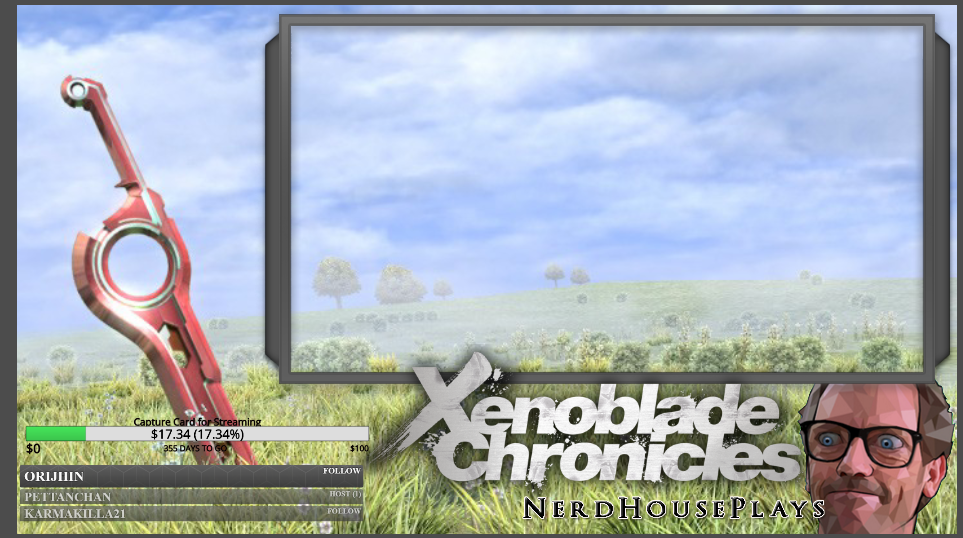

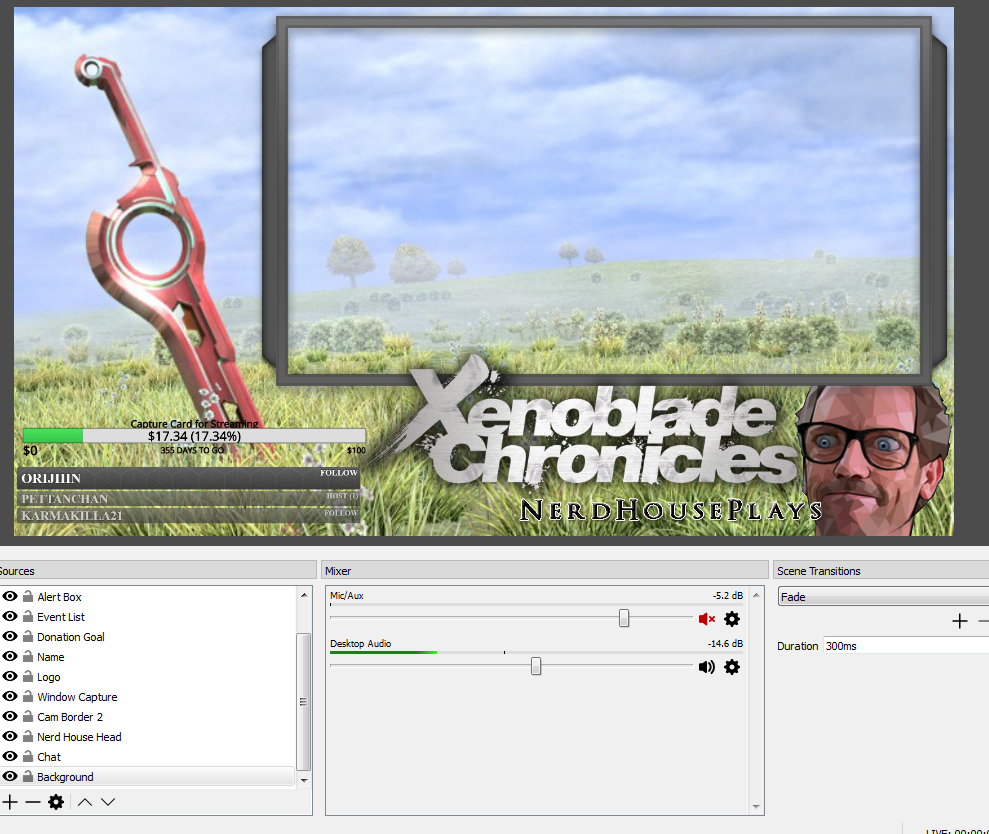
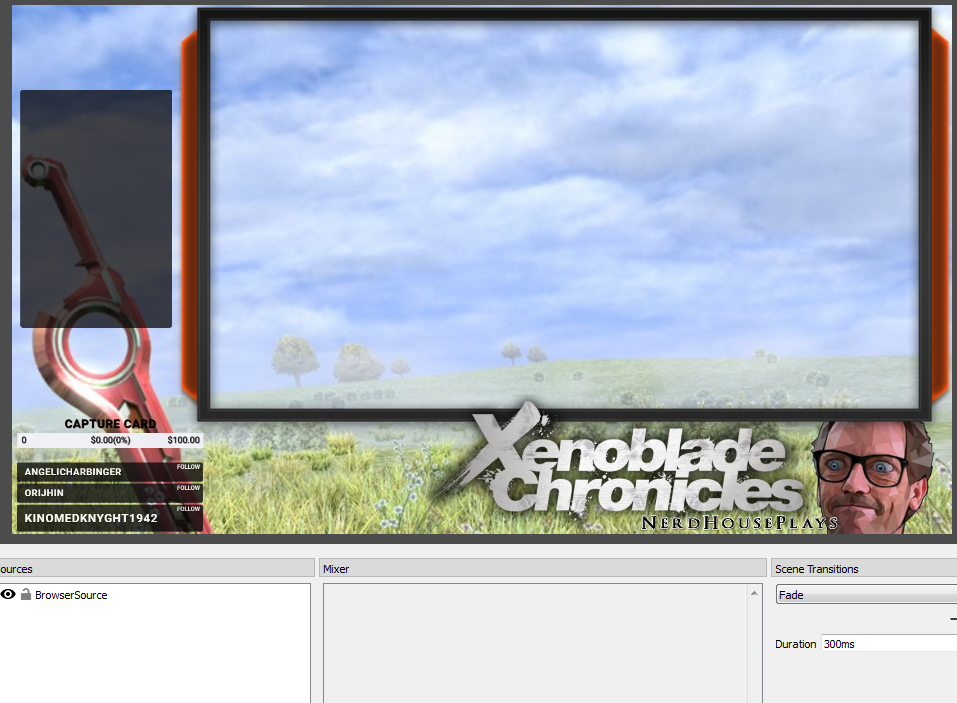


 stuck hamlet
Most likely because you didnt set your sources to "Shutdown when not visible" and you're using a super theme.
Also depends what your specs are
 flint vale
i did the first one
stuck hamlet
You shutdown all of your source?
stuck hamlet
Are you using the full theme? all 5 scenes?
I may be your OBS settings as well.
What is your CPU usage at right now?
stuck hamlet
Various different things. Are you new to streaming?
stuck hamlet
👌 quality
stuck hamlet
you can stream at 500 bitrate, which would look like pixels
but being realistic, no, i wouldnt stream with .67 upload :/
 limpid marten
@flint vale where in aus are you? thats pretty bad
are there things nightbot can do that stream elements cant? or can i do it all with SE?
stuck hamlet
Euh, first time i see that @bleak cairn Try refreshing the cache of the browser source.
@limpid marten I dont know much about nightbot, but we do a lot here
limpid marten
ty
 bleak cairn
@stuck hamlet That fixed it thanks Onslaught!
stuck hamlet
np 😃
 onyx wharf
hey guys... i have a problem with a question i posted. it was misinterpreted and closed: https://streamelements.helprace.com/i442-is-there-a-way-to-trigger-commands-like-quote-in-timers/1/votes
pine hemlock
@tight harness ^
tight harness
You asked for timers to trigger commands, timers cannot trigger commands because the bot will not recognise or respond to it's own responses
I explained this in my response to your question
You use quotes as an example, but you could just make a timer with the response of quotes if you wanted this and this would actually work
It wasn't closed, it was set as answered, people can still reply and upvote questions after they're answered, it doesn't close them, also it definitely wasn't misinterpreted 😄
@onyx wharf
onyx wharf
@tight harness ok, but i can't answer :/ ... and of course what you explained makes sense and was not what i had in my mind (i am a softwaredev myself, so i know the problems of endless loops^^)
The second part you just wrote "timer with the response of quotes" is what i am looking for, i wanted to know how you do that
tight harness
You can create Timers here: https://streamelements.com/dashboard/bot/timers and have the message they put as quotes you want to share with people
We don't have a Quotes page on the site yet, but when we do we could think about adding it so people have the option of having the bot randomly put quotes from the list into the chat every so often, but you'd have to submit that as an idea opposed to a question
Because if you add them as a Timer it won't be randomised
onyx wharf
that is exactly the point. the !quote command does a random response. so i wanted to know, if there is a way to trigger this command with the message-syntax in the timer message
tight harness
No, due to the limitations I explained. This is why I explained it'd be better submitted as an idea, opposed to a question
tight harness
No problem
marsh sinew
but wait do tippers include bits?
tight harness
No
There's widgets for cheers and cheerers
And there's widgets for tips and tippers 😃
They're separate
marsh sinew
but is the info of how much cheered stored somewhere?
tight harness
There's no cheerers list currently like how we have a tippers list, but it is already suggested so feel free to upvote the idea 😃 https://streamelements.helprace.com/i340-keep-track-of-cheers
Just upvoted it myself, I'd like this 😄
marsh sinew
same
tight harness
Awesome
tight harness
You mean when you stream you're getting them? could be the resolution you've set
 potent python
how do i fix that?
pine hemlock
Change your resolution under video, or it could be the game you're playing
potent python
but it is on 1920X1080
 slim dock
i keep having this issue during stream where i have a window for the song requests and when people request it only starts there song if i refresh the page, ti's just really annoying
is there a reason it's not automatically updating?
tight harness
If your game is 1920 x 1080 and your OBS canvas is 1920 x 1080 then it is weird if you're getting black bars @potent python
@slim dock I've heard that one many times and experienced it myself, i've very certain it's on the bug list already, thanks for letting me know it's still happening, I'll bring it up again for you
slim dock
i just wasn't sure if it was my end
tight harness
Nope, you're good
 gray moth
Hello, i have a question. i have giveaways on the list which are already done, how do i need to move it to "past giveaways"
tight harness
When a giveaway is closed and finished it will be in past giveaways (which shows the last 4 giveaways)
 fringe spade
Hi! Pls help me to solve my prob. My follower has some points, but he can't use t. When he tries to redeem an item, Stremelements wrotes U don't have enough points
tight harness
Do they have enough points? 🤔
tight harness
Testing now 😃
tight harness
Just gave a viewer of mine enough points to buy an item, asked them to buy it and they bought it no problem 🤔 is it a sub only item?
fringe spade
OMG! Other followers can use this function without problems. And he could do it. But suddenly smth broked and he can't use his oints
tight harness
That's weird  so it's only happening to this 1 person?
fringe spade
yes, that happens just w 1 pers
 fluid tendon
can we add stream element on discord chat server?
tight harness
StreamElements discord bot is on the ideas board
The link at the top of the #💭︱feedback-and-ideas channel
@fringe spade Did the person change their name recently?
tight harness
And has redeemed things successfully since then until now?
sharp canopy
can vairables be nested? I want to draw from an api that is: ...com/{#}/file
so I'm wondering if i can change the # without a manaul update to the link in the command
sharp canopy
it's a command question
tight harness
Yes, a command question related to APIs, which is one of the reasons why we have an #dev-chat channel
stuck hamlet
yes @sharp canopy
you can
but the command will have to look like
!command #
variable would be ${1}
fringe spade
@tight harness Yes, with a new name he could redeemed an item
stuck hamlet
part the bot and have it rejoin, see if that helps
 mystic holly
So, I remade my KappaGen overlay and the animated emotes won't work.
I did empty the cache. This happened before. It was being addressed by SE. Then they started working about 2 weeks later. As of about a week and a half ago they stopped working again. The regular emotes work but the animated ones are not working. It is only animated ones that won't work.
 proven forge
Is there a way to get the overly working with Nvidia shadowplay?
pine hemlock
Only if it supports browser sources, which i believe it doesnt
silk patrol
@proven forge Yup not possible, feel free to send an email to nvidia about this
proven forge
ok
silk patrol
@proven forge also, if you go into your encoder settings in OBS, you can select NVENC, which is the encoder used by shadowplay. This way you can have all the features that OBS provides and still benefit from hardware encoding
ember falcon
Hey guys, I don't think my question was seen last time. How does are sub gifts handled? Does the person who received the sub get loyalty points or is it the person who paid for the sub who gets the points?
tight harness
The receiver of the sub
ember falcon
Alright, thanks
tight harness
No problem 😃
fringe spade
What about my problem?
tight harness
@fringe spade You didn't reply to Onslaught yet, he gave you a suggestion
I personally think that your viewer may need to relog into the website, it's unclear what the problem is because everybody else can redeem items just fine, we've never had this problem before and nobody else is reporting it 🤔
fringe spade
Oh, ok, thanks. I haven't seen the answer)
rose geode
Having the problem with Chat background and text opacity. I want the background to go away but keep the chat. Opacity meter fades both. Trying to adjust the chat's opacity with the slider changes the option to full color.
Got it.
tight harness
That was quick 😄
Sorry fixing another issue in DMs otherwise I'd have answered sooner
 keen wadi
eyyo, so when i open obs, i notice i get multiple alert sounds from my browser source. nothing is duplicated, i dont have studio mode on, but when i open task manager, i see multiple bootstraps (if i remember correctly) open, i manually close one and it doesnt duplicate sounds anymore. how can i make it so i dont have to close that every time
tight harness
@keen wadi Hey, what you need to do is right click on the different overlay browser sources, for each one click on Properties, the tick 'shutdown source when not visible'
 silk void
how to set a mod as super mod so they can add commands and stuff please?
is it !level 1000 (@username)
@tight harness
 fervent pike
hey there.. i have a problem with importing my points from ankhbot.. when i export my currency.csv , it's correctly exported as "Name,currency, hours" - then i import it via streamelements, but in the leaderboard the hours appear, instead of points.. what's my mistake? thanks for the help
fervent pike
just ctrl + a -> ctrl + v ? with the title "name, points, hours" or without?
and ty for the very quick help
stuck hamlet
well you'll have to CTRL C first 
fervent pike
😄
tight harness
Hours isn't listed on the imports page for Ankhbot
stuck hamlet
but yea, it will delete the hours on its own
stuck hamlet
remove title
fervent pike
Ok. so i put it all in, the token, the id , clicked load csv, sent to stream after this, clicked yes, now it's "all" fine except the all time thing, there it displays still the hours
ah ok.. sorry, i got it
tight harness
👍
fervent pike
❤ ty so much
keen wadi
@tight harness so I want it checked?
keen wadi
Thank you. The sound of tts reading on top of itself is slightly horrifying
tight harness
I can imagine 😄
harsh wyvern
hey is it possible for me to have a command lets say called !sub. when i call that command it calls another command !redeem thanks . is that possible to nest one command in another?
tight harness
Commands can't call other commands
harsh wyvern
meh figured as much, was worth a try. many thanks as ususally . super helpful always thanks for that ❤
tight harness
What is it that you're trying to do? Make the !redeem part unnecessary?
harsh wyvern
meh was just trying to do a short cut to !sub
instead of typing that whole thing out
tight harness
Ahh, when you said !redeem I thought you were trying to make it so people can redeem items without the !redeem part, which is possible
harsh wyvern
oh really is it possible to do that?
tight harness
Yep 😃 you can use ${redeem <itemname>} as the response for a custom message
And it'll redeem the item without the need to type !redeem <itemname>
You just type !<itemname> at that point 😃
harsh wyvern
so is that a command option? like !command option ${redeem <itemname>} ?