#helpdesk-twitch
1 messages · Page 163 of 1
 weary mist
 silk void
@charred stratus i just set the timeout time to 86400 that should do haha
weary mist
@silk void LMAO, that is quite the timeout 
 halcyon heron
gr8 m8 i r8 this platform 8/8 Kappa
halcyon heron
anyways guys , thanks for everything
if i have anythhing to ask later , imma make sure to hit you up guys
keep up the good work tho ❤
 clever mango

 rose geode
Imported an overly from the theme gallery, and I have many many issues with it
First off, my name is NOT centered on the bottom portion
Can I edit them myself?
like it has a "Song Playing" thing and I dont use music in my streams
And it has Facebook/Instagram, and I dont use those.
Off center example: https://i.gyazo.com/90f3323f6a5f2bf03414da367d2c3b66.png
 weary mist
@rose geode all themes are editable
you can open them in the overlay editor after clicking on My Overlays
rose geode
I'm super new to StreamElements, so please bear with me lol
Fixed the name, woo. Hmm.
Not where I want this to be right now, but I'm done for the moment. This is all a bit overwhelming still.
 slim cairn
Stream elements is significantly better to use but I can understand. Better to make the slow change then no change!
weary mist
😃
 upbeat rose
hey question!!! Is there a counter option for SE? Like if I want to count how many times I die in a game during my stream?
weary mist
you can set up a counter through chat
if you use $(count <name>), it will increment the count. Then you can have a secondary command $(getcount <name>), which will show the count without incrementing it
upbeat rose
but no way to have like a funny sound play each time or have the count displayed on the stream window?
 tight harness
It's on the ideas board but it's only got 2 upvotes at the moment https://streamelements.helprace.com/i398-add-custom-variable-count-on-overlay @upbeat rose
I just upvoted it so that's 3 😄
weary mist
upboated
tight harness
 it's picking up speed
upbeat rose
haha i just upvoted as well
tight harness
Awesome 😃
 lament blade
hi , how can i reset my follower goal plz ?
weary mist
Activity Feed _> widget data, or the Data tab in the overlay editor. Then click goal's, and change the follower field to Zero, and click save 😃
 mystic holly
Just wanted to let you all know, the animated emotes are not workingin KappaGen again. They were and then stopped again about a week ago.
weary mist
@mystic holly double check the widget on your overlay, then do a cache refresh in your broadcasting software
 native horizon
and for donaters the url ?
weary mist
@native horizon if you go to Tipping, then click Open My Page, that page is what you want to link
 tired flower
Question. in the activity feed why isnt there a check mark for subs. or to get notifications for subs
weary mist
@tired flower If you just recently got affiliate, you might need to log out and back in for us to recognize this
tired flower
and how do i get the check box for subs if there is a way
weary mist
I am showing it right now on my own feed
weary mist
grats 😃
tight harness
Correct
weary mist
@native horizon click Open My Page
tired flower
thank you so much that fix the issuse. just a heads up. past subs dont show up but everyting is there. and ty @weary mist
tight harness
weary mist
its near the bottom @native horizon
tired flower
you guys are fast as always
tight harness
Like sonic 😄
weary mist
😃
 mellow thorn
were do i get my jwt tokjen for ground control?
weary mist
@mellow thorn click on your username in the top right, then show the secrets
mellow thorn
thx
rose geode
Is there like a tutorial video on how to use the Overlay editor?
There's a lot of premade overlays I like in the theme gallery, but they'll all got stuff that doesn't apply to me in them. So I thought I could sort of try to make my own, but the editor is confusing as hell.
weary mist
yeah, there are a ton of videos here: https://www.youtube.com/streamelements/videos

YouTube
Official youtube channel for StreamElements tutorials https://StreamElements.com
rose geode
Finally, something that's actually helpful! Thank you.
 misty wagon
@rose geode just take it step by step, don't have to do all of it at once.
 bleak cairn
I use restream's multi chat web source for my chat needs, how can I import it into an overlay on streamelements? It's a browser source
 final stream
Is !kappagen broken?
 stuck hamlet
@bleak cairn we don't support browser sources in our overlays
@final stream no reports of it
final stream
Well consider this one
final stream
 stuck hamlet
How are you using it? @final stream
And is it on your overlay.
Do you have explosions enabled?
stuck hamlet
Have you tried parting the bot and having it rejoin?
bleak cairn
Any plans to integrate this in the future? Sadly I have to recommend other services now unless you know a workaround...
stuck hamlet
What other services let you have a browser source inside a browser source?
bleak cairn
Still looking, just hoping you'd be helpful
stuck hamlet
Unfortunately, don't think there's any other services that support that
tight harness
Browser source within a browser source? That sounds impossible, browser-source-ception 🤔
final stream
@stuck hamlet I have not but will that JUST be the bot and not work on my overlays and stuff erased lol?
bleak cairn
With programming anything is possible. And I assume since you didn't answer my question that stream elements isn't interested in supporting this in the future?
final stream
I did add several commands and timers yesterday
stuck hamlet
Hasn't been discussed, no. @bleak cairn
bleak cairn
gotcha thanks
stuck hamlet
@final stream not sure what you mean. Could you help him @tight harness ? 😃
tight harness
@final stream Parting the bot and making it rejoin doesn't remove anything, it just makes the bot rejoin your channel
final stream
How do I do it?
tight harness
On your dashboard to the right there's a button that says "Part Channel", you click on it and it changes to "Join Channel", click on that when it shows
final stream
Did it. Let me make sure I didnt pooch the comand, I was rooting around in there
nope command is still there, gonna alter the trigger and see if it helps
Nope. Also changed the triggere and turned it off and back on again (lol)
tight harness
@final stream i'll have a look, i'll DM you how to give me Editor access so I can see from my end
final stream
k
 waxen valve
I'm having issue where hosts aren't getting points assigned to them when streaming 🤔 subs get them 100% but I'm not sure about followers of bits or any one else? Any information of what might be the issue?
I have ground control open and my alerts too
 sharp linden
If one is using the Ground Control app for listening to music, is it not able to process song requests?
weary mist
@sharp linden it does process them, but there is a known bug where after a time, or after you had a song request queue empty, it stops picking them up. A quick restart of the app will fix it
@waxen valve not too sure on that, but the followers/bits should be fine. Hosts are tricky, for many reasons. But I will let the people in charge know
sharp linden
Worked like a champ! Thanks @weary mist
Side question, is there a way to make tokens for the cup less bouncy and more 'stay in my fucking cup"?? lol
bleak cairn
@support and @stuck hamlet I apologize for my abrasiveness earlier, I've been trying to work on my stream all night and haven't slept.
waxen valve
@weary mist awesome thank you! ill give it a test later today 😃 and it will work offline as well ?
weary mist
@waxen valve yes. If the alert triggers, it should be adding the points defined in the loyalty section
stuck hamlet
No worries. @bleak cairn
waxen valve
 @weary mist thank you my friend! ill try it all tonight :3
stuck hamlet
Just trying to be helpful, I don't think it's something that anyone is doing.
 gray moth
question: how do i add sound effects from stream elements to the stream, i added it to the store, but it doesn`t trigger the sound and gif, just message
 hearty peak
does anyone here have access to the bot that can send an emote in my channel? im trying to test an issue ive noticed
tight harness
@gray moth Sound effects only plays a sound, because it's a sound effect
The gif you put on the store for sound effects is just for the store page
gray moth
alright @tight harness
weary mist
@hearty peak how many do you need
hearty peak
i needed them from the bot 😛 not a person
weary mist
ohhhh
hearty peak
ok
sooooo
for some reason command responses with emotes dont show up on kappagen
but like the pogchamp in tweet alerts do
weary mist
🤔 interesting
hearty peak
like this command isnt showing up in my kappagen scalper
if youre still in channel
but when i send them
they do
oh RIP apparently i lied
so i guess GIF emotes dont show up in kappagen?
is that a known bug or nah
weary mist
maybe, not sure. Which platform is the gif emote from? @hearty peak
weary mist
ok
hearty peak
yea none of the GIF emotes i have show up in kappagen
let me reopen OBS since you did those commands
yea still not showing up
 echo lodge
Hey SE! I'm looking for help in creating a !hype reaction. Is it possible to have a bar fill up when someone types a word and if it does fill up an animation happens?
tight harness
@echo lodge Post it here 😃 https://strms.net/ideas
echo lodge
Ok!
 balmy valley
Hi. I dont get points for watching blackfireice strem
What am I doing wrong?
It just stopped at 22
Over hour ago
gray moth
@balmy valley you got banned on stream elements i guess
slim cairn
@balmy valley You didn't get banned, dont worry.
Unsure what the issue is, but is the user streaming?
or is it a vodcast
balmy valley
well he is offline for 10 min
but I watched for over 2 hours and till 21:00 (warsaw) points just stopped
*it was live stream
slim cairn
Had you gambled anything during the stream? or redeemed something from the store?
 nimble owl
 stuck hamlet
Of the activity feed, yes.
We even have a desktop app that has song requests and activity feed in it

 spare flax
I need help setting up my streemelaments bot @everyone
 steep tulip
What's wrong with it?
spare flax
It's saying it's off line and when I test add coins It doesn't work
 silk patrol
@spare flax I just tried a command in your chat and it works. If you want to add points to a viewer, the correct syntax is !addpoints username amount, for instance !addpoints mralucarddante 100
spare flax
O ok brb
silk patrol
you can rename the default command to addcoins if you want
spare flax
The it worked
silk patrol
you can also add aliases if you don't want to rename commands
bleak cairn
I want to put a countdown timer on my stream for the FCC decision on December 15th. How do you recommend I implement this?
silk patrol
@bleak cairn there is a countdown widget that you can add to your overlays
clever mango
 bleak cairn
@silk patrol does it countdown days?
clever mango
hours, minutes, seconds at this time
bleak cairn
@clever mango Is there a limit to the hours? E.g. 264 hours until FCC takes away net neutrality
tight harness
Is this a new meme that's unknown to me? 🤔
clever mango
will that work for you @bleak cairn ?
bleak cairn
Terra@clever mango thank you! That's what I wanted! I'd love to see more streamers adopt this. Now, how can I make a contest to reward the person who reaches out to their state representatives the most??????
clever mango
hmmm
bleak cairn
Question open to all
clever mango
That would require you to track how often people are reaching out which sounds difficult
bleak cairn
What have other streamers D'One when they wanted something similar? They send screenshots?
Done*
clever mango
I personally haven't seen or heard of others doing something like this but screenshots of emails sent seems like it could be used as proof
bleak cairn
Could i divy out my currency as I please so I can reward those who message me screenshots?
clever mango
sure
you can give bonuses manually
!bonus <username> <points>
!bonus is an alias of the !addpoints command
bleak cairn
Perfect! Finally, Have you seen anyone accepting bitcoin if so what services are they using??????
tight harness
Haven't seen that at all
bleak cairn
How can I be your FIRST beta tester for this??????🙏🙏🙏
clever mango
I added a bitcoin address to my panels that people can send btc to through any method
silk patrol
maybe once we add more payment platforms, some will have bitcoin support
bleak cairn
If we integrate it into alerts I can die happy 🤤🤤🤤🤤
silk patrol
as I said, once other payment gateways are added, it will be integrated into alerts 😃
clever mango
isn't one of the purposes of bitcoin as a cryptocurrency to be an anonymous exchange? It seems that if the transaction is linked to SE and a twitch username that takes the anonymity away
silk patrol
¯_(ツ)_/¯
bleak cairn
This streamer cares not about anonymity
silk patrol
the point of cryptocurrency is also that it's not ruled by banks
bleak cairn
Exactly
Decentralization FTW
Anyways, thanks team, it's good to know Sovereign Starseed can come here for quick answers 👍👍
silk patrol
always a pleasure to help ❤
clever mango
 worn cradle
i hear notices twice when i have two different overlays, how do i set them to turn off when not active?
like is someone hosts i hear my host notification noise twice
 pine hemlock
Browser source properties. There's a checkbox to shutdown when not active
worn cradle
where is that at?
weary mist
double click on the source
scroll down
check the box next to "Shutdown when not active"
worn cradle
ty!
 robust storm
Hello
Any1 knows how can i change the permissons for mods, so they can't be able to do !raffle ?
Thanks
clever mango
do you know what level your raffle command is set to?
robust storm
The problem is that I don't see any option to change the level of the raffle
clever mango
ok, what's your twitch name?
robust storm
iminis
clever mango
so you want to make it so that twitch mods cannot start a raffle, correct?
clever mango
do you have manager access to the streamer's dashboard?
clever mango
ok click on chat commands
robust storm
ok
clever mango
default commands
scroll down to !raffle under moderator and click the pencil icon on the right to edit
there you can change the user level to Super Moderator or Broadcaster
clever mango
do this same thing for !cancelraffle and !sraffle
clever mango
you're welcome

 urban wolf
Have a question for someone. I am also in the voice chat.
 jolly karma
Hi! My BTTV gif emotes are not showing up on my Kappagen overlay; this seems recent, any advice?
 hexed herald
Anyone else had issues where the sound redeemed from the store sounds really processed or rerecorded multiple times compared to the sound that's uploaded and the "demo" sound in the store?
tight harness
Nope 🤔
hexed herald
It sounds really bad on the stream. Had my girlfriend go in and redeem each one and it's all 5 I have
I went into the store and hit the preview, and I also went back and listened to the recorded files and they sound good.
I have a vod of it and could send files if it helps?
tight harness
@hexed herald Do you reckon multiple are playing at once? because that's the only thing I can imagine it could be, in which case tick 'shutdown source when not visible' in the properties of your browser sources
tight harness
Alright, sounds good
Can't think what else it could be, if it even sounds fine on the preview then that's what the alert box will play
clever mango
@urban wolf I'm in voice if you need help
 candid whale
Is there any way to reset the monthly donation widget data?
For some reason it shows my total
tight harness
Yes, go to Activity Feed > Widget Data > Goals
Change the number and hit Save Changes
candid whale
Sorry I didn't mean the goals
I'm talking about the total donations that can be set for a certain time period (total, month, week etc)
tight harness
Ohh, no
candid whale
So I've moved over from streamlabs about 2 weeks ago. My monthly donation total is showing all that ever happened. Will it refresh after 30 days?
or per calendar month?
tight harness
I believe after 30 days
candid whale
ok, thanks!
tight harness
No problem 😃
spare flax
Whos a vip member
clever mango
@jolly karma Hi, this is a current bug that's been added to the dev list. Sorry about that.
tight harness
@spare flax You mean who has access to the VIP voice channel? It's for the SE.Champions and above 😃
 steel pollen
My bot is turned on in my channel, it replies commands but not tracking points
tight harness
Could you try logging out of the SE website and then logging back in? @紫狐#2267
 limber drum
can i ask obs related question here, or is there any place you would suggest to ask elsewhere? it has nothing to do with streamelements tho.
limber drum
kk, thanks for the reply
tight harness
Fire away 😃 what's up?
urban wolf
If you create a command, is there a way that you could have it affect the points said person earns? I am in voice chat as well
tight harness
The only way to affect the per 10 minutes points somebody earns is by having them subscribe
urban wolf
So you can’t have a command that affects the points earned. This is all controlled under the loyalty settings
tight harness
Yes
 tawny latch
I changed my username on twitch and stream elements is showing other usernames (my friends changed their usernames too) when i do !top online , how do i fix this so it syncs with my new name/new friends users?
tight harness
@tawny latch Tried relogging into the site? That's the only thing I can think of that would potentially do it, if that doesn't do it then not currently
If it doesn't do it then it may very well need to go on here if it's not already: https://strms.net/ideas
tawny latch
@tight harness Oh okay, yeah I've tried that thank you. Is there a way to clear it then? The !top all results, I don't mind clearing it
tight harness
Not to my knowledge
I think it's all stored on the database but I don't believe there's a command or page on the site for editing it in any way currently
Would be nice 👍
tawny latch
Aw darn. Thank you for your help.
tight harness
No problem 
 white grail
any support staff online now ?
slim cairn
Just ask away and we’ll get to you as fast as we can. @white grail
white grail
I was made a super moderator in a certain Streamelements account. However, I cannot access that account as my streamelements user account states that: "you still don't moderate any channels". Is there another setting adjustment that the other user has to perform in streamelements to give me access to moderate their bot ?
weary mist
@white grail Supermoderator is the chat based permissions. If you want dashboard access, the person needs to generate a permissions link. You can see how you would do it by clicking on your name in the upper right, then going to channels. The person that wants you to manage their dashboard needs to generate a link based on the amount of control they want to give you
white grail
the "generate invite link"button? in the "channels"section of their account ?
 atomic hollow
yes
white grail
ok thanks
 rough jacinth
Hello, guys & girls. 2 questions:
- When Chrome-lags issue will be fixed? Is there is any info about this? This is so annoying. Would be nice 👍
- Is there is any way to prevent user from getting points on my channel? Something like blacklist or stuff
best regards, drkiray
 chrome fable
how can I implement my own CSS code as alert box?
atomic hollow
hey @rough jacinth
- did you try to disable hardware acceleration?
- yes, you can set the bot to ignore specific users
@chrome fable its not possible yet
 lofty geyser
Just noticed my condensed tip goal doesn't show the progress bar. The box is there with the background fill colour, but the progress colour is not. It is there when I uncheck the "condensed " option. Have I done something wrong?
chrome fable
is there any trick on importing with the chrome extension? my extension only says "please login to streamelements" but iam already logged in
atomic hollow
@chrome fable make sure youre logged in to streamlabs as well
chrome fable
iam 😃
atomic hollow
just tried and it works for me
chrome fable
atomic hollow
please verify again that you are logged in to both platforms
chrome fable
after that the button "copy donations to streamelements" gets active again but nothing happens
atomic hollow
whats your twitch username?
chrome fable
Namitsoo
atomic hollow
what version of the extension are you using?
chrome fable
atomic hollow
very weird
atomic hollow
tried both
chrome fable
ok 😦
atomic hollow
sliding to your DMs
 limpid marten
Donations not showing up? known issue or is there a fix
i can see the donation on the tip list but it isnt in the recent events nor did it show up on stream
 lusty hazel
is there a download I can use for music?
instead of using the web site?
anyone know?
tight harness
@limpid marten do you have enable moderation ticked in Tipping > Tip Moderation?
atomic hollow
@lusty hazel we have a desktop app - https://streamelements.com/groundcontrol
 wind sphinx
subs arent popping up on my stream events
tight harness
@limpid marten Having it on means you tips have to be approved before they'll show
tight harness
So having it off would mean they go through automatically
But if you turn Enable moderation off then they'll go through automatically and you won't need to do that, all of the options beneath Enable moderation will still work without that option ticked itself 😃 @limpid marten
limpid marten
i get it now, Thanks alot man
tight harness
No problem 😃
wind sphinx
dont suppose anyone knows why my events arent showing subs? 😛
tight harness
Recently made an affiliate?
wind sphinx
yesterday 😄
tight harness
You need to relog 😃
When you log back into the site it'll see that you're an affiliate, it's still using your old authorization which doesn't see you as an affiliate
wind sphinx
hmm I relogged but my recent subs arent showing will it not show ones that I got before I relogged?
wind sphinx
ah ok thanks for the help! ❤
tight harness
No problem 😃
lusty hazel
thanks @atomic hollow
atomic hollow
❤
 sweet crescent
gimme some of those asspoints please
lusty hazel
_<
sweet crescent
/wink
lusty hazel
i had trouble importing points from ank so just wondering if there was a way to give everyone 500 points
tight harness
asspoints 
lusty hazel
lol
tight harness
!addpoints gives people to whoever you choose, or if you put all it gives points to everybody in the chat only
lusty hazel
no way to do it offline?
slim cairn
Maybe you could ask a mod to do it when someone asks about it?
tight harness
You could do it manually if you want repetitive strain injury  or you could upvote this: https://streamelements.helprace.com/i477-bulk-update-points
Whichever sounds best to you 
tight harness
I'm currently going through the ideas board and giving it a good seeing to, merging duplicate requests etc
 wild belfry
is there any way to create a redeem daily point command? since the cd is capped at 5minutes and im not seeing any way other than adding it in the shop and manually editing the points
sweet crescent
a good seeing to? seems like @tight harness is staring at the board with a stern look
tight harness
Absolutely! 😎
@wild belfry The cooldown either has been or is being raised to 24 hours, have you checked it recently?
wild belfry
it gives red numbers once its over 300 seconds as a chatcommand
tight harness
Sure but if you change it in the store item settings https://gyazo.com/6a9c6473f01c7d187736a4212d91d2e8

Bottom left
If it's over that cooldown it still won't redeem
wild belfry
okay. Is there a way to make elements or another bot (nightbot) react to the redemption right away or will i have to add the points manually/have a mod do it for me?
limpid marten
@tight harness so my donation when it came up showed what i got and not the donation amount is there a setting i have missed or something to change that
tight harness
@wild belfry There's a couple of points ideas already https://streamelements.helprace.com/i202-point-multiplier-redemptions & https://streamelements.helprace.com/i386-automated-stream-perks-in-the-stream-store
Showed what you got and not the donation amount?
What do you mean by what you got? Because to me that would suggest the donation amount 😄
I think I misunderstood what you mean
limpid marten
it was a 5.00 donation but on stream only showed up as 3.81
3.81 was what i got from it
pine hemlock
PayPal fees
tight harness
Ahh, that'll do it 😄
lament blade
if you check my description, the SE Panel, why I don't have Chatters and Emotes? 🤔
on twitch
 sonic kiln
Where is the hide video option? I remember it having one.
tight harness
We removed it because the youtube embed player wasn't letting the new song play unless the video was showing
limpid marten
I know im asking alot of questions haha just trying to understand as much as i can haha... But can you change the amount of time loyalty points are received?
sonic kiln
Oh, that's to bad. The videos bog my stream down.
tight harness
@lament blade It's working fine for me, what did you do? 
@sonic kiln You can still turn the video quality down luckily 😃
@limpid marten No, although it has been requested already: https://streamelements.helprace.com/i315-custom-loyalty-point-payout-intervals
limpid marten
ahh i see thanks
sonic kiln
@tight harness how do I do that?
tight harness
@sonic kiln I'll make you a gif, 1 sec 😃
Just uploading it now

There you go @sonic kiln ⤴
sonic kiln
thanks
tight harness
No problem 😃
tight harness
@pine hemlock Onslaught said the same thing 😛 why do you hate it? His reason was long links 
pine hemlock
ugly links, ugly site
tight harness

pine hemlock
sharex uploads to imgur, use it 😡
tight harness
He made the same suggestion 🤔
 wet lava
i hope they get a bit boss
tight harness
Currently under review
Apologies for the late reply, currently working on updating our knowledge base
lament blade
Im having issues with one of the scenes I have setup my name wont snap into the box where all the other scenes have it....it either ends up past it under it or in it but at the top where you cant really read it anyone know how to fix this?
pine hemlock
You can disable snapping and move it better manually with this button at the top right of the overlay manager https://www.cuda.live/s/5a26dj50.png (the first icon)
 lament blade
awesome thanks!
wet lava
Aww snap @tight harness can't wait
tight harness
Ikr?! 😄
 quick hemlock
hello my subs cant buy sub only items out the store
tight harness
It's being fixed 😃
quick hemlock
oke thank you 😃
tight harness
No problem
 autumn delta
are we able to add bitboss into the overlay until the feature works in streamelements? although it can't track donations etc.
tight harness
You can add it in your OBS, you can't add it to the overlay maanger
autumn delta
ah ok i'll have to see if it works with xsplit
autumn delta
yeah i saw that, which is awesome i look forward to that feature as currently we are loving the growth capablities with you guys
 silk mural
Hey guys, I'm trying to setup my Hype Cup, I'd like to have no message popping but to still get the stuff in the cup. Is that possible?
I tried eliminating the message from the cheer event but then the cup stays empty if i simulate a cheer
pine hemlock

 marsh sinew
So I changed my PayPal account email and forgot. To change it on streamelements people have been donating... Where does the money go?
tight harness
@marsh sinew We don't store payments ourselves at all, you'd have to discuss that with PayPal themselves as they handle the entire transaction
 dim sorrel
Can someone help me with my overlay? My gifted sub alert text wont behave. http://prntscr.com/hjgx61 The alert is set for the message to be over the picture, and I have the same picture set for a regular sub and it works just fine there. 😦
 marsh sinew
Aha got it
weary mist
@regal nebula part the bot, log out, log back in, join bot to your channel
stuck hamlet
Check the padding for gifting subs @dim sorrel
250 should be good for you @dim sorrel https://www.onslaught.ca/s/ooz3m6p5.png

 regal nebula
@weary mist can i merge my chat stats with my old name too?
weary mist
the chat stats are something a bit different, those don't get a lot of manipulation, so I don't think its something that is doable right now
weary mist
do the sequence again, clear your cache after logging out
lament blade
is the streamelements page down? i cant open it
weary mist
working fine for me @lament blade
lament blade
hmm i refreshed a couple of times
tight harness
Working fine for me too 🤔
regal nebula
now i just dont have a broadcaster
tight harness
No problem 😃
dim sorrel
@stuck hamlet Thank you so much! ❤ I've been trying to fix it for so long haha!
stuck hamlet
No problem 😃
lament blade
does someone know the name of the donation goal?
stuck hamlet
Tip Goal?
lament blade
yes
stuck hamlet
im not sure what your question is
lament blade
i want to setup a tip goal but i cant find the right one or i cant set it up
stuck hamlet
 tight harness
Overlay Manager > Widgets > Tip Goal
lament blade
yeah thats the right one thanks
 paper flower
Is there a way that the bot says something everytime I stream, Like a youtube link or such.
weary mist
you can use timers
 willow pine
lament blade
willow pine
lament blade
upgrade to OBS Studio, you are using OBS Classic which is getting no updates since a year @willow pine
stuck hamlet
@willow pine 
lament blade
why would you use old obs (classic), 0 adventages
tight harness
Why would you use Classic? Classic hasn't been updated or supported by the devs in over a year, it's riddled with problems nowadays
clever mango
There are also security risks because it's a deprecated program
tight harness
So honestly there's plenty of advantages to switching 😃
clever mango
asteri was saying 0 advantages to staying with classic
tight harness
Fixed
 nimble anvil
Hi
i need help pls
in the song request i want select the out audio?
someone can help me?
tight harness
You mean like through a virtual audio mixer?
nimble anvil
mmm
Traducir
él mirado un tutorial, pero me di cuenta que tengo que seleccionar la salida del audio y en el programa no me aparece, pero si sabes que la agradecería mucho que me quiere
171/5000
Quizás quisiste decir: él mirando un tutorial, pero me di cuenta que tengo que seleccionar la salida del audio y en el programa no me aparece, pero si sabes que la agradecería mucho que me quiere
He looked at a tutorial, but I realized that I have to select the audio output and he does not appear in the program, but if you know I would appreciate it very much he loves me
tight harness
@nimble anvil Just a suggestion 😃 https://www.youtube.com/watch?v=EdAhR_CdjLc
This video is an in depth tutorial on how to setup VoiceMeeter Banana for Streaming to Twitch, Beam, or Hitbox with OBS or XSplit and having full Discord or ...
nimble anvil
yes, yes more or less, but to divide the audio, I need to be able to select in the streamelemnts the audio output
@tight harness
weary mist
if you use Ground Control, you can use the program "Audio Router"
nimble anvil
i use stream elements
weary mist
Yes, Ground control is the desktop aplication for streamelements
tight harness
There's no setting within our tools which allows you to choose where the sound is output to
Pretty sure it just goes to your default one
nimble anvil
then its imposible no?
tight harness
Impossible to change from our end, but you can change settings within those software
 upper steeple
is there a way for the chat alert module for cheers to say "blah blah just cheered X amount bringing their total cheered to X?
 frosty crane
Does the devs know about this bug? 9:13ModeratorSubscriberPingu510: !quote add Kappa
9:13ModeratorVerifiedStreamElements: @frosty crane added quote #0
9:13ModeratorSubscriberPingu510: !quote
9:13ModeratorVerifiedStreamElements: @frosty crane #1: Kappa
upper steeple
@frosty crane yes
frosty crane
alright 😃
upper steeple
the quote #0 your talking about correct
frosty crane
y
upper steeple
yep they know
tight harness
@upper steeple I don't believe so but it would be nice I agree
lament blade
It's one week later... The last time that I asked you, and still nothing news? But really absolutely Nothing? Pfffff
 winter phoenix
I aw having trouble linenig stuff up, no matter how far to the left I put the alert box its off screen on the right
i also cant see onything I have on the right
upper steeple
@tight harness T_T
tight harness
@lament blade You asked only a week ago? 😛 when Youtube goes live it'll be talked about a lot, don't you worry about that.
lament blade
@winter phoenix I guess you just have to change obs clr size to 1920/1080
Right click > properties
winter phoenix
thats bigger then my screen
lament blade
@tight harness what do you mean with that last sentence? @tight harness (I'm native dutch, still English learning so sorry for asking :))
tight harness
If you set it to 1920 x 1080 and then use Ctrl + F it'll fit it to your canvas
@lament blade It means that when we launch Youtube support we'll post about it everywhere, so you'll know about it when everybody else does 😃
winter phoenix
alo did not work
lament blade
Do you use obs Studio or classic
winter phoenix
studio
winter phoenix
classic is not suppored by anything anyway
lament blade
@tight harness sorry for asking that... I'm still learning English for 3rd year now... (Of the total 4 years) so, every bit learning helps me :)
Ye I know
weary mist
@winter phoenix is the source fit to the OBS canvas? CTRL+F to do so
winter phoenix
yes it is
lament blade
@tight harness seen my last msg?
@winter phoenix go again to properties and refresh cashe
Idk if this might help
tight harness
Do you know if you set it to 1080p on the website?
They should be matching ideally
lament blade
@legendary_studios Thanks for making my English better... I need to get good English results on school. I leave.. bye!
winter phoenix
not sure
tight harness
You can change it after making it, you click on the pencil by the name of the overlay to do that
winter phoenix
i was looking for a screen size in the settings and cound not find it
lament blade
Hello. Im trying to stream on the android app. The chat box will not connect to chat. It just says 'chat inactive, press here' but nothing happens....
Bye!
tight harness
@lament blade Everything else seems to be working?
lament blade
Yeah everything else is great
tight harness
I'm asking the other support staff because i'm not too sure myself 😃
tight harness
For Robsssss, I gave you instructions of how to change the overlay size on the site: "You can change it after making it, you click on the pencil by the name of the overlay to do that"
clever mango
@lament blade which app are you using?
tight harness
I'll make a gif @winter phoenix
lament blade
Ace live streaming
tight harness
@winter phoenix https://gyazo.com/0dbdbb1ea5a1d72547b4946d3232fa60
 winter phoenix
I wish that was also in the editor
clever mango
@lament blade That app is going through a complete overhaul (it's now owned by StreamElements) and the current version may have some compitability issues. The new version is in development and will be integrated with SE to make everything work and also be more user friendly. It will also have some features never before seen in a mobile streaming app  I would say for the time being try using another streaming app and there will surely be an announcement when the new app is available.
lament blade
Ok thanks ;)
winter phoenix
no kappagen for raids?\
lament blade
Terra, this update in 2017 or 2018 you just "leaked"?
lament blade
Well would be good to know, since I thought about doing a stream into Christmas or 24h stream into Christmas idk
Where will the list about quotes you make on twitch be shown?
Hey, I'm trying to make a command on my stream with a counter so that when viewers uses ex: !command it will add to the counter.
clever mango
@slim cairn the mobile app will be android first and then iphone
 untold smelt
where's the best place to download ground control?
I'm helping a streamer get it set up
lament blade
@untold smelt activity feed
untold smelt
TY
 mossy dome
Question: Do any of the very cool things StreamElelments offers require a subscription? In other words do I have to pay for any of the things offered before I can use them?
clever mango
100% Free
weary mist
@lament blade there is a $(count <name>) and a $(getcount <name>) variable you can use. The first increments the count, the second gets the value of the count
lament blade
aiit...thanks 😃
candid whale
My mods are able to spam roulette faster than normal users. is there a tweaker for this?
 candid whale
😭
pine hemlock
Lol
 distant marlin
is there a way to timestamp the time of the stream witha a command?
i saw on google about !highligh but cant find it on site
tight harness
Technically you could !uptime and then work it out
 spark gulch
Hey everyone, hoping someone can help. Apparently I had my first donation from a friend on a recent stream but its not showing on any of my overlays through the bots. Wondering what maybe I did wrong. I added the email for my account on the tipping page and I see the tip in my tip list and top tippers.
(tip list and top tippers in my streamelements account. I also see it in my paypal account)
 swift parcel
is tipping moderation on?
spark gulch
where do I see that?
 hoary mirage
Hey, so I recieved a tip through you guys but I haven't received the money? Is that an issue or is there something I'm missing?
spark gulch
nvm found it, yes its on. I only have standard profanity protection on
swift parcel
turn off the slider.. the other protection will still work. Unless you have mods to do it for you , you have to manually approve it all
@hoary mirage They either didn't send money or somethings up with paypal. We just report when you recieve money from someone we don't touch it at all
hoary mirage
???
spark gulch
ok turned it off, and yeah I saw it in the "pending tips" section to approve. Just popped up. Thanks @swift parcel
 grizzled peak
Hi! I am trying to export tips from streamlabs to elements. says sign in to stream labs but I already am. any suggestions?
steel pollen
My bot is turned on in my channel, it replies commands but not tracking points and I did log out and login again, and I even made the bot to part channel and join again but not working
weary mist
The bot isn't required to track loyalty. Are all the loyalty settings set on your dashboard? @紫狐#2267
@grizzled peak Log out and log back into both sites (SE and SL), then try it again, and let me know. IF it doesn't work, I have a way to do it
@hoary mirage that is something you will need to talk with PayPal about. We do not touch the money, it goes straight to what ever email address you put in for paypal.
hoary mirage
Cool cool, thanks man
 sage kernel
im having issues setting up a few things on se could i get some help plz
weary mist
@sage kernel explain what issues you are having
sage kernel
i want to make my discord pop in chat every now andd then and i dont see how to put that in or change the 1 on my profile
im in the voice support channel if talking would be easier
weary mist
Timers (all the way down on the left hand side) will do the first part. The second is under the profile tab, let me get the link
sage kernel
im on that page lol but when i click where discord is nothing happens and when i click open my profile i dont see a option to change it
nvm i need to start my stream ill come back later thanks
 cloud plinth
Probably a stupid question but how do I set up a multilink?
candid whale
can't find where to make someone a regular T_T
tight harness
@candid whale Do you see User Management on the left navigation bar?
@cloud plinth Like a multistream link?
cloud plinth
Yes @tight harness
candid whale
@tight harness got it!
 lofty cedar
Hey there. I am not sure if anyone know the answer or not...thought I would ask. Is there a poll or voting command. Not a contest or bet. Preferable to vote up to 10 items. And go possible for a week or longer?
tight harness
@cloud plinth Google search multistream 😃
Plenty of options
@lofty cedar Not currently but it's on the ideas board already
cloud plinth
It’s not something I setup through StreamElements?
lofty cedar
@tight harness thanks!
tight harness
No problem, it's already Under Review 😃
cloud plinth
Oh okay. I thought there was a command for it
tight harness
@cloud plinth You could make a command for it if you wanted, it's possible, but normally you'd just go to a multistream website, set it up, then make a command which responds with the link the site gives you
If you don't want to use a multistream website just make a command which responds with the links as the responses
cloud plinth
Oh okay gotcha thanks
tight harness
Nothing fancy required 😃
 lean valve
Need help, I can't setup a profile picture.. why is that?
tight harness
@lean valve Go to https://streamelements.com/sn0wduck and you can change it on the left 😃
lament blade
Some people are able to buy multiple tickets for a giveaway even tho I set it to only 1 ticket per person. Most can't buy multiple, but some can. any idea what's going on?
spare flax
Im here to help ok
lean valve
btw im making my own overlay... and for some reason when I setup a Latest Subscriber widget, I dont see it anywhere so I can position it
weary mist
@lament blade If you have sub luck, each sub ticket purchased is multiplied by that sub luck
clever mango
@lament blade are the ones getting more than 1 ticket subscribers? Did the ones with more tickets buy on the giveaway page or in chat? If in chat, what did they type to enter? These are all needed so that it can be explored and fixed if found to be bugged.
lament blade
No, there's no sub luck. The ones getting more tickets are not subscribers either, and they're buying them in chat via !ticket
clever mango
did they use the command more than once or did they receive more than 1 using !ticket?
lament blade
they used the command more than once
lament blade
ok that'd be sweet 😄 yea i just refunded the giveaway cuz it was spoiled & started a new one, people still able to buy multiple
even tho i specially checked to make sure it was 1 limit
so it's persisting across multiple giveaways
clever mango
is first ticket free?
clever mango
and no sub luck
lament blade
yep
clever mango
Thanks for the info! The giveaways system is being revamped over the next couple weeks so i'll definitely have the devs look into this after I'm able to replicate it here
lament blade
alright sounds good 😃 for reference one of the guys was not a mod in my chat and the other is too
clever mango
good to know
 idle flare
twitch chat is not showing on screen, never had a problemw ith this before. is this a SE or Twtich issue
 slender bane
does a certain amount of time have to pass before an item added to the store populates the response to the !items command?
added an item, 10mins later, still says no items found
clever mango
you changed your twitch name yesterday
have you logged out and back in and parted/rejoined the bot since you changed names?
slender bane
no I have not
clever mango
ok first part the bot
from the dashboard
then log out
log back in
and have the bot join the chat
slender bane
@clever mango done
clever mango
is your store item called test?
slender bane
not for me - for a dashboard i have access to

 slender bane
done
clever mango
hmm ok let me look into this as it should show in the command pretty quickly
 slender bane
yes it is
slender bane

clever mango
yep that's what it is
access codes aren't showing in !items
thanks for the report
we'll get it fixed
slender bane

clever mango
@stuck hamlet 
stuck hamlet
wat
clever mango
Terra🅱uck - Today at 9:31 PM
yep that's what it is
access codes aren't showing in !items(edited)
thanks for the report
we'll get it fixed``` clever mango
still should show as available items in the store
maybe at the end with a disclaimer saying must be redeemed in the store
slender bane
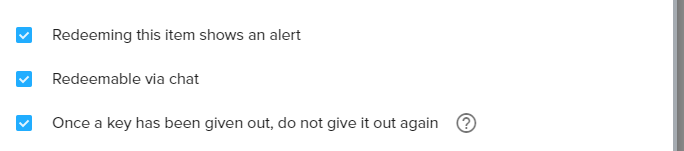
the way i understood the menu, without knowing more, is that it's redeemable in chat
 stuck hamlet
did vale change his name recently
idle flare
yes terrabuck the twitch chat widget is not working
clever mango
@idle flare I'll look into it thanks
idle flare
thanks.
slender bane
not recently, like months ago
idle flare
my twitch is pokermaniac1122 if you need that.
clever mango
he's there
slender bane
and it's fine if it's not redeemable in chat but at least that checkbox shouldnt be there then that says "redeemable in chat"
clever mango
@slender bane yea, it's intended to only be redeemed in the store so that the code isn't posted in chat. That option was removed for access codes but seems to have popped back up.
slender bane
I see, and yeah i second your suggestion that there's some additional text there so people know not to expect it to show up under !items
clever mango
or have it show up with a disclaimer that codes can only be redeemed in the store
slender bane
yeah, whatever works
clever mango
he's saying codes can be redeemed in chat and should show in !items
stuck hamlet
Does not PM code, and doesnt appear here: https://streamelements.com/dashboard/account/redemptions
shgit scuffed all around
slender bane
streamperk test wasnt an access code, just making sure you are aware
slender bane
the item name for the code item is just test
stuck hamlet
okay that one worked
👌
so we just need to add it to !items 😃
Item is out of stock, could you put more random words in there @slender bane
slender bane
@stuck hamlet done
stuck hamlet
Okay, thanks 😃
idle flare
Terra let me know how to fix the twitch chat widget when you have time. not urgent
clever mango
checking it out now
idle flare
thank you
 buoyant relic
 clever mango
your channel? they seems to be working now
@idle flare chat widget is working for me
what resolution is your overlay?
stuck hamlet
bi
 covert hamlet
can someone help me out
triyng to change notification images to new stuff but a dancing shark, which i did not add myself, keeps being used and idk how to remove it
idle flare
terrabuck it is 1920 1080 i think?
it was 1917 1080 for some reason, 1920 1080 now. not working still
clever mango
check variation settings for the alerts and make sure you're saving after changes @covert hamlet
covert hamlet
thank you ❤
idle flare
yes it is not working terra, and even adding a new twitch chat box widget did not fix it :/
can you go into my profile somehow
and like fix it 😛
clever mango
send me an editor invite in DM
 vocal horizon
Hello guys! The is a way to remove the ElementsOkay emote when someone redeem an item?
stuck hamlet
No, but what is the reasoning to removing it? @vocal horizon 😃 I ask to forward the request
vocal horizon
Thank you 😃
clever mango
Within the next 2 months, StreamElements plans to allow everyone to edit default command responses including the !redeem response
Until then, I've been told the emote will remain in the response
lament blade
hey guys, i have more info on that multiple tickets from the giveaways thing
its only non-subs. normal viewers, who are able to buy multiple tickets even tho its set to 1 maximum
and when they buy the 2nd 3rd etc, there is no message in the chat confirming it gets bought, but it still is registered in the giveaway
clever mango
thanks @lament blade I've been testing with @stuck hamlet and we've been able to replicate and report
 weak grove
Hey all....with the new updates recently....was there away to add stuff to your store to only allow followers to use and for subscribers only material? Is there a video on this...kinda lost here
clever mango
subscriber only items are possible
anything followers-only is difficult because the bot is in thousands of channels and would need to constantly scan each channel for changes to the followers list
weak grove
Ok....so for subs only....is there a video I can watch in order to do this? or is that simple ...lol
Oh...can I get my own bot???? Heh
 worthy token
I see that you can put in like "recent tips" in as a widget,
and you can turn off the scrolling
but is there anyway to make it a list format.
Tipper 1,
Tipper 2
etc
clever mango
@weak grove you simply create a new item and check subscriber only on the item content page
weak grove
@clever mango awe thanks I see now
worthy token
Or is there a local file writer we can use?
clever mango
@worthy token
worthy token
k...
is there anyway to remove the indentation :l
I know its kinda trivial, but it matters xd
xD*
clever mango
I'm not sure why it indents but changing the text alignment to center or right might be better for you
I'll check with the devs on the left align when using line breaks
worthy token
Thanks
clever mango
I got it!
worthy token
Center will suffice for now.





 worthy token
<33333
Another Q...
Widgets, obviously there is recent cheers/subs/tips etc
but no session based ones?
weary mist
Are you looking for session based where it shows the list of people that followed.cheered/subed?
worthy token
Mmmhm.
weary mist
or anything else session based
weary mist
Those can be used as a session, just reset them before you start streaming
weary mist
you should be able to just remove the names from the "recents" areas
weary mist
xD
worthy token
Thank you kindly ❤
worthy token
Last one I promise :3 In the chat alert settings for the bot, can you ask the overlords if its possible to add a chat alert for when someone gifts another person?
worthy token

 dense reef
Is it possible to make discounts in stream store for some viewers? so they can purchase with 10% off for example 😃
stuck hamlet
For some viewers? how would you determine these viewers? @dense reef
dense reef
I want to make discounts for people who spend a lot of points in my stream store, or some kind of cash back for theese ppl would be nice 😃
stuck hamlet
Ahh, no there isnt any option like that
dense reef
Oh I see, so the only option to give them points manually
stuck hamlet
yup
dense reef
@stuck hamlet also my viewers came up with idea of achievements, so the bot announce in chat some fun accomplishments like "5000 points spent" or "stream viewed for 100 hours" etc. is there a way to do so?
 digital ridge
Hey guys, I'm trying to import points from ankhbot. Can someone help me out? :[
It says import has failed so.. yeah
stuck hamlet
@digital ridge Thought we imported yesterday?
@dense reef No way of doing this, you should put it on our ideas board
digital ridge
Yeah. sorry bout that. Heh. I noticed an issue in points for several people yesterday, so I wanted to make a fresh import after editing. Sorry :[
dense reef
@stuck hamlet Got it. And another question. Like a month ago I asked about another payments methods (QIWI-wallet), streamlabs does support it, and SE support told me that its coming. Any news? 😃
weary mist
@dense reef That is something under active developement. Paperwork and Dev work, both must be completed, lol. One takes longer than the other, I will leave it up to you to figure out which
dense reef
@weary mist Thank you! 
stuck hamlet
@digital ridge should be able to use this: https://filter.dj/CSVtoStreamElements.html
 magic imp
What is the best way to set up a "shout out" chat command with variables in StreamElements?
digital ridge
@stuck hamlet Thanks~ I was able to do it :3
magic imp
NVM didn't realize there was one in the templates already.
 plucky parcel
Heya! I have a bit of an issue with the website for a while now. Keeps freezing on chrome as well at on edge. At work it works fine on the chrome browser and I cannot put my finger on it to as why this is. Does anybody know a fix/trick to fix this? It's annoying to say the least
plucky parcel
I'll try an do that when I get home to my PC and I'll let you know if it fixed it. Thanks!
stuck hamlet
No problem 😃
 azure crescent
Not sure if it's been recently addressed but I was wondering how I could permaban these from the leaderboard since they're all me or bots...
stuck hamlet
You could go to your loyalty settings and ignore the points from earning points, and we will be implementing a delete/edit feature for all-time soon
azure crescent
@stuck hamlet thanks!
lament blade
hi i'm new to the platform (thank you for all the good work) how can withdraw my tip money plz ?
atomic hollow
tips go through PayPal so thats done through your PayPal account
lament blade
@atomic hollow how long does it take please ?
atomic hollow
youll need to ask PayPal that, depends on many things
when you get a tip through StreamElements the money is in your paypal wallet right away
lament blade
thank you for you answer ^^
atomic hollow
sure
lament blade
@atomic hollow i have my paypal account et on Euro and my stream element set on euro and i still have 30% fees any idea where it come from please ?
atomic hollow
thats from PayPal, we dont take any fee at all, I suggest you talk to their support
lament blade
thank you again 😃
Overlay not work in mode show only on stream.
Anyone else having issues with the ace live streaming android update? The chat box still doesn't connect to chat :(
worn cradle
hello! I'm wondering why these two stats dont match up?
ive never had any subscribers before like... a week ago and, i did have previous followers but I'm intereated to see why they dont match
atomic hollow
@lament blade checking
lament blade
@atomic hollow ty ty
atomic hollow
@worn cradle please go here and update - https://streamelements.com/dashboard/session
these stats are from Twitch and sometimes they are not aligned
@lament blade not sure I understand the problem
worn cradle
@atomic hollow still says the same thing
worn cradle
well I updated the stats and the stats are right but what its displaying is wrong 😦
worn cradle
yeah, still say 9/15
atomic hollow
np
worn cradle
for stream elements created themes is there a way to remove where a camera might go because i dont use one?
 paper kernel
Hi all please help im getting double playback on custom alert sounds any suggestions ?
lament blade
Do you have a second overlay hidden but also going off?
atomic hollow
@worn cradle sure, just delete that layer
@paper kernel did you click the "shutdown source" on all sources?
paper kernel
No , i didnt is that on OBS
atomic hollow
yes, in the settings of each source
please do it for all sources on all scenes
otherwise they will go off even when not used
paper kernel
So for each overlay im using i just click that option ?
atomic hollow
yes
atomic hollow
np
paper kernel
so the source is reset every change of scene ?
paper kernel
ok thank you so much for the help much appreciated
 barren pendant
How can i insert JWT token into app because is too long and copy/paste doesn't work ..?
atomic hollow
it does 😃 just try it
upper steeple
um my sub alerts aren't going off
and i have done nothing
i've even refired them and nothing
my alerts aren't going off
atomic hollow
checking @🎄LordFluffyButt🎄#4737
upper steeple
@atomic hollow ty so much
atomic hollow
np, much love
 narrow olive
are we supposed to report bugs and issues here or send e-mails?
tight harness
Here is fine 😃
narrow olive
ok, well none of my subs appear as subscribers on the streamelements page (https://streamelements.com/sirpenguins) when they go there and they also don't get the loyalty x2 bonus that i've set
tight harness
When you say they don't appear as subscribers, you mean they don't have their badge in the chat on the right?
narrow olive
I mean that this button comes up. i don't know if it's supposed to still be there if you have subsrribed already or not, in which case sorry for wasting time. but the bonus loyalty is still an issue
tight harness
I get that on my own profile which i'm definitely subscribed to
Don't believe it disappears if you're subbed
narrow olive
ok well that was the minor issue tbh 😃 but the loyalty is the big issue
cuz my whole stream is pretty much based on a loyaly system, so it's annoying that the subs don't get their bonus 😦
tight harness
If the subs don't get their bonuses try clicking Part Channel on the dashboard, log out of the website, log back into the website and click Join Channel again. That's the thorough way of doing it, then check if they're getting their points after that (will take at least 10 minutes)
narrow olive
alright! thanks for the tip 😃 i will do that and see if it works next time i stream 😄
tight harness
Awesome 😃 let us know if you're still having issues after that
narrow olive
will do! o7
slim cairn
Is that like a saluting emote 😄
tight harness
Yep
 tardy lark
What is wrong with my syntax please. I can't seem to quite get a custom command for a specific user last seen and last active for a bot command. I'm looking at the variable list and can't quite figure out what I'm doing wrong.
@godofpotato1234 was last seen ${godofpotato1234.lastseen} ago and last active in Chat ${godofpotato.lastactive} ago. Their last Message was: ${godofpotato1234.lastmessage}
I see you can use user.lastseen, but how would I set user to be the same variable regardless? I'm sorry, I need coffee yet.
tight harness
@tardy lark Reading your issue now 😃
tardy lark
😄
tight harness
Ahh, I see the problem 👍 where it says user you put the username but you do just leave it as user
${user.lastseen} is the variable, you don't change it 😃
Or did you leave it and it's just completely broken itself? 😛
tardy lark
so, where would I put the name? make an alias for !lastseen or copy it and use for instance my wife in the !lastseen (here) and make an alias for it so I can just do like !wife?
tight harness
Testing it on my channel at the moment 👍
tardy lark
This is a custom shout out type of thing for like any user who earns it. or lol my wife
atomic hollow

tight harness
1 being the target of your command
tardy lark
thanks for the very prompt reply
I guess I forgot I could just leave everything alone and create an alias for it
tight harness
${1} is the target of your command, if you do for example ${1} ${2} then !lastseen example1 example2 would work
But yeah, if you make an alias !wife you'd still have to type your wife's username for it to know who you want to pull the lastseen time for 😄
 golden wing
thanks
tight harness
No problem
 vale ember
Hey there, im having trouble getting Tiltify alerts for my charity event. not sure what i could be doing wrong
stuck hamlet
What is your campgain link?
stuck hamlet
hmmm, you're not doing anything wrong.. let me check with the devs, maybe tiltify changed something without us knowing
vale ember
TY so much!
lament blade
New update not help (overlay not work in stream in mode show only on stream
Actually i have sound but havet picture
tight harness
What do you see instead of a picture?
lament blade
Nothing
I reboot stream ,reboot overlay but it don't help
Overlay poctures i see onle when off this mode. But it not convinient and eat more resourse
tight harness
Which mode?
lament blade
Show only on stream
tight harness
Which mode doesn't it show on?
atomic hollow
@lament blade you need russian support?
atomic hollow
sorry, just wanted to help
atomic hollow
we are not sure what you mean, can you send a screenshot please?
lament blade
It very hard
So when I start stream and my web overlays on, and I on "show only on stream" . Then stream started and when I open youtube on my second device , I see that overlay not show , when I go to settings , web overlay - and off this function overlay showshow
atomic hollow
are you talking about mobile streaming?
lament blade
Yes
 dusky vessel
Is it possible, that the currently playing song of the songrequest feature is displayed in the chat with a link?