#helpdesk-twitch
1 messages · Page 159 of 1
 weary mist
 crisp kestrel
yo guys.. can i see my subs and the expiring day of their sub?
weary mist
@crisp kestrel not at this time, though you can request that list directly from twitch, from your revenue tab
 gentle olive
 tight harness
@lyric totem I was asking if you have multiple browser sources open, could be multiple SE ones and it will still have the same effect
 celest grotto
Hey guys, I need some help
weary mist
ask away mylord
celest grotto
I need to disable the donation commands for SE because we use nightbot for donations but the !donate command pulls up both nightbot and SE
 silk void
this is why i complain about my PC..... even with google closed even with spotify and the other stuff still 100% cpu usage....
i5-4570
gtx 950
16gb ram
asus b85m-e (mobo)
weary mist
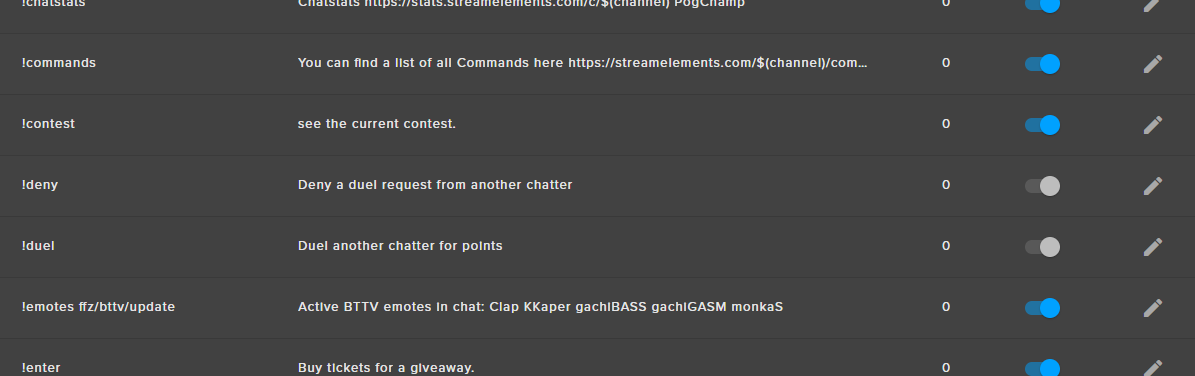
@celest grotto if you go to default commands, you should be able to turn it off there. Its all the way to the right. IF you don't see it, zoom out
tight harness
@silk void That's a lot of usage 
weary mist
yeah
tight harness
Like alot, alot 
 weary mist
!tip
could be an alias on !tip
@celest grotto it is an alias on the !tip command. if you turn that command off, you will be good to go
celest grotto
thanks
 lyric totem
@tight harness Nah just one Browser Source per scene in OBS
tight harness
Even if they're in other scenes they still could be open while hidden
You need to go into their properties and tick 'shutdown source when not visible'
 viscid mango
for the kappagen what doese the enable emoji option do?
tight harness
It means that if people type an emoji like 😃 😄 😛 then it shows those too
That's why it has the 🤔 emoji next to it, to indicate that
 upper steppe
Ok, so I have a few question, and I might be on here a lot for questions, just a warning
upper steppe
Oh sorry didn'
t know I inturupted a convo...
Is there a way for me to add a command where if you redeam something from the store, it doesn't play a sound until you type the said command into chat?
tight harness
@upper steppe That's fine 😄 don't worry about it, we're always around to help when you need it  just reading through your message now
upper steppe
I just read through what I said too and Realised I should be more specific
tight harness
Are you experiencing anything different to that? Because the sound items are meant to redeem when you type the redeem command in the chat
Yeah, maybe I misunderstood, sorry 😄
upper steppe
I'd like to add something where if you redeem the item, it doesn't go off until you type some kind of custom command into the Twitch Stream chat.
 dense reef
Hello, guys.
Is there a way to show an alert of sound effect (as a store redemption) separately from stream perks alerts?
tight harness
@upper steppe So you basically want them to be able to redeem it but not trigger the sound until they type something else additional? 🤔
upper steppe
Yeah
But I'm fine without that, if it's not possable, I'm more concerned with other questions really.
That's just the main one
That pops into mind
weary mist
@celest grotto no, only through the dashboard
tight harness
I understand why you want it, but in terms of how we prioritise things I worry that it's quite niche and that not many others would want it 🤔
 echo lodge
Hey Streamelements I was wondering if I can get some help on host notifications. I was in here earlier asking about it and was told to download ground control, but that will simply notify me and not the stream will it not?
upper steppe
@dense reef I acctually have the same question! XD
tight harness
@upper steppe By all means post it in here: https://strms.net/ideas - just we can't promise it'll definitely happen 😄 because generally people want immediate redemptions
upper steppe
Ok that's fine! ^.^
tight harness
@echo lodge You need the activity feed open somewhere yourself for host notifications to work on your stream
echo lodge
Ok so just keep ground control open and it will pop in stream?
dense reef
So my viewers love stream perks I use, but i have lots of audio effects as a store items, some ppl don't know what this is and it would be nice to show a little alert
tight harness
No problem 
echo lodge
😃
tight harness
@dense reef Alert for sound effects?
If you mean in the overlay that could be seen as a little counter-productive because that's just our way of adding sound effects to your stream, it's not meant to have any visual side to it
dense reef
I mean my stream perk alert is a big crazy icon in the middle of a screen, and I wanted my sound effects redemptions to be a small music icons in a corner
tight harness
🤔
Haven't seen anybody else mention their chat not understanding what sound effects are 😄 but again it's a case of adding it here: https://strms.net/ideas - just we can't promise it'll definitely happen 😄
lyric totem
@tight harness Yeah I checked on that and confirmed I had deleted every other browser source in all my scenes, there is one source per scene and that is the SE one, and those all have the shutdown option ticked
tight harness
You said earlier you think it's since the Win 10 Creator update? I believe I'm also on that update but I don't experience this 🤔 that's why I'm trying to think what else it could be
If you could let us know your specs that could help too @lyric totem
 narrow terrace
SUPER minor thing, but for some reason, my logo doesn't show up in my dashboard...anyone know why?
tight harness
You need to go to your profile page on our website and upload it from there 😃 @narrow terrace
It's just https://streamelements.com/YourUsernameHere 😃
 lament blade
Someone wanted to stream soon, but has 0 knowledge
So idk when you are home
But I'm around 1.30pm cet
Step 1: connect streamelements to twitch
Step 2: go to themes
Step 3: take a theme you want
Step 4: Copy the links you get in OBS Studio and use BrowserSource, scaling 1920/1080, and tick shutdown source when not active!! Add the link of course
you have to make a scene for start, game, end, and if you need BRB and talk. So 3-5 scenes, and for each scene you gonna add one BrowserSource. Otherwise it won't work. For your game scene you add maniaplanet aswell, below the browser source
Step 5: on streamelements, you go to overlays and edit your overlay. You might can't edit subs or cheers since you are no affiliate or partner yet. Press save on bottom left before you close
Step 6: go tip settings, add your PayPal mail etc, and copy your link in your Twitch description.
Additional Infos
- SE has it's own Pictures for your description, if you don't want to make any by urself or purchase some /...
- you can give me rights to edit your overlay, if you can't do it
- I can help you out in everything since I know a lot
I was bored
He already has ground control installed so I didn't had do write it
 slim cairn

tight harness
One sec, just reading this essay 
slim cairn
im copying this for later 
lament blade
I'm bored and a bit drunk cuz 5h Maths needed clean brain xd
slim cairn
cars cant get drunk 
lament blade
hello guys I need help can anyone help pls
tight harness
Sure, what's up? 😃
lament blade
soo I can put my overlay on the obs classic
show always a black screen
do you know who to fix that
tight harness
Yes, OBS Classic has not been updated or supported in over a year, I strongly recommend using OBS Studio instead 😃
lament blade
but If I use the obs studio my stream always lag and using this one no
tight harness
If you do decide to swap this helps convert from Classic to Studio https://obs-converter.rodney.io/
It's as I say, Classic has been left behind by the developers so it doesn't get updated or supported in over a year
slim cairn
Unless you're on Mac 
lament blade
i try it but dont do the same on classic
tight harness
They focus solely on Studio now
slim cairn
Classic definitley has a more user-friendly UI so i can understand
but studio is easy to get used to
tight harness
No problem 😃
lament blade
say i have a new paypal account how do i change that on streamelements?
tight harness
Absolutely
tight harness
Ohh misread, I didn't see the "how" part, I thought you were asking if you do it 😛 that makes a lot more sense now 😄
It's just in the Tipping Page at the top ⤴
Very easy to do 😃 then just click Save at the bottom
lament blade
do i just change my email?
lament blade
is that it? , seems a little 2 easy
lament blade
so whatever email account i use for paypal i just put that in
tight harness
Yes
lament blade
ok thankyou
tight harness
No problem
lament blade
k have a great night o/
tight harness
You too 😃
lament blade
voice pls?
weary mist
hey @lament blade we are not always available for voice, the best thing to do will be to let us know what your issue is, and if someone is available to answer, we will do our best. I personally am not available for voice, but I can type pretty well right now
tight harness
Megaline jumped in with them and then they both left so I think they're good now 😃
weary mist
👍
 winged sundial
is there something going on with the alert box?
slim cairn
We're screensharing
tight harness
What seems to be happening with it?
winged sundial
getting followers but alert box wont go off, but getting email notifications
tight harness
Hmm 🤔
winged sundial
ok now they coming in weird
tight harness
The ones from earlier?
tight harness
6 minutes does seem a little long, the checks for new followers isn't constant however, I believe we check for new follower events every couple of minutes usually
winged sundial
ok 😃 will see how it goes once live 😃
lament blade
Hello, I have yet another problem with the alertbox when the stream is live. The last time your advice helped me when I changed the scale from 1280x720 to 1920x1080. So it worked the first time after I changed that, but ever since that first stream the alert does not pop up anymore. It is registered in the website and the chat bot is also registering it, but not the alertbox.
tight harness
So since you made the change to the 1920x1080 resolution you've lost your alert box somehow? 🤔
lament blade
Yes, I had downscaled the overlay the first time, but changed it. It worked the first stream after, but that was the only time it did.
tight harness
And you made no changes since that stream?
lament blade
nope
tight harness
I'd suggest trying to add the overlay browser source into OBS again, as in delete it then re-add it 😃
lament blade
I tried just adding the browser adress again, but I will try that the next time I go live. I'll keep you posted 
tight harness
Alright, sounds good
 next spruce
how do we stop the hype cup from automatically refilling each stream?
tight harness
@next spruce Do you see the Clear Cup option? It's the middle icon on the right https://gyazo.com/0bee69d882e6ff3e40ddd0b685d399a9
 next spruce
I have to do that every stream...?
tight harness
Yes, it used to empty every time, but then a large majority of people asked for it to auto-refill, so it was changed. If you want it to empty every stream then you have to empty is every stream, correct.
next spruce
Because if it's already full it's kind of annoying - it means there' no incentive to "fill" the cup
just seems your accomodating for really small streamers 😦
no offensive
tight harness
There's an incentive to make it splash when it's full, so there's that
 winged flume
Understandable
tight harness
All you need to do is click that icon to empty it, you can do it as often as you like
 candid whale
Hey guys, trying to get the follower goal working atm. It's counting my followers from the last 7 days or so. Trying to make it daily
tight harness
If you go to Widget Data (Activity Feed > Widget Data) you can go to the Goals tab, change the goal to 0 and Save Changes, you can do that as often as you like @candid whale
candid whale
ooh nice, thanks! @tight harness
tight harness
No problem 😃
next spruce
is 1800 seconds still the maximum global cooldown on store redemptions? If so - when is this being increased? x
 pine hemlock
I can ask
next spruce
thank you 😃
pine hemlock
Devs are all probably asleep but I pm'd one
tight harness
I remember mention of it being increased to 24 hours
But not 100% sure if it was implemented yet or not
next spruce
that would be amazing if so - fingers crossed
tight harness
It would probably tell you if you set it too high
tight harness
🤔
winged flume
OOF
next spruce
How does the access-code list work?
tight harness
You put in codes and the system distributes them however you tell it to with the various options you're given
next spruce
Awesome - sweet update.
tight harness
Glad you like it 😃
candid whale
@tight harness if I set up a cost for a song request, is there a better way to make it clear that it costs loyalty currency than a timer? Can a "permission to use !sr" be put in the store?
tight harness
@candid whale You could have it so subs and regulars can request songs, then give regular to those who pay for it in the store, but you'd have to do this manually in User Management
And if you wanted to remove it from them afterwards you'd have to do that too, so not overly convenient how you want to do it 😛
candid whale
Right. So I could basically set up a loyalty paywall for !sr. That's beautifully wicked
I will do it with an evil laugh
candid whale

 sonic kiln
Is stream elements going to have spotify or just stay with YouTube?
tight harness
We want to have Spotify too but we need Spotify to agree to let us use their API first
tight harness
Not to my knowledge, otherwise we'd already have it 
 tight harness
Best to leave it to the developers 😄
slim cairn

Create and manage Spotify Applications to use the Spotify Web API. Obtain credentials to authenticate with Spotify and fetch metadata.
true
tight harness
Been awake for almost 18 hours  should probably sleep soon 😄
tight harness
Yep
next spruce
is there an advised size these store thumbnails should be? They get placed very weirdly haha
tight harness
If there is I haven't heard it 😛
But yeah I know what you mean
looks like your one there is 112x112
Maybe 224x224 would be better 😄
 dapper nacelle
Hey if I want to add a !time command for my NZ local time, how can I use the UTC+12 timezone? It seems no matter what timezone I try it just says the same time.
 upper steeple
was there any talk on making so the things that drop into the cup don't scroll across but instead fall straight down?
also little tid bit, you guys don't have a hype cup sub gift variation
 unborn obsidian
is there any reason why some of my subs dont get a nitification when they resub?
notification*
 stuck hamlet
do you see these resubs in chat
 worn cradle
hey guys! so my streamelements tab wasnt open when someone subbed, how can i manually add him in?
pine hemlock
You dont need the tab open for subs. Did he share his sub in chat after subbing?
The only thing you need the site/dashboard/activity feed/ground control for is hosts
worn cradle
well the alert didnt go off and it says i have 2 subs instead of 3
pine hemlock
Did he share his sub in chat after subbing?
Also was it a prime sub, if so - the user could have the option set to not share his subs, therefore we wont get alerts
pine hemlock
I'd recommend logging out of and back in our site so this doesnt happen in the future (this refreshes our connection with your twitch account.) But you can manually add the username of the sub/ add the +1 count to your subs via https://streamelements.com/dashboard/session
Prime users can disable this option: https://www.cuda.live/s/38vdukvc.png and when its disabled, we'll never know about their sub to your channel

and theres nothing on our end that we can do about
378x186 is the size that people see on the store redeem page(public) @next spruce
worn cradle
it said his name in chat, id just like to add him so it shows the correct amount of subs
upper steppe
Is there a way to set it up where if you get a stream perk from the store, where after you get the item you have to talk in chat to use it? Or is that already the main function for it?
stuck hamlet
Refrshing your totals will show the correct amount of subs @worn cradle
pine hemlock
https://streamelements.com/dashboard/session -> Totals tab
stuck hamlet
there is no function like this @upper steppe You get the item once you purchase it.
upper steppe
Ok
worn cradle
how do i refresh my totals?
 upper steppe
So lets say I want an image to pop up when they purchas it, would I just put an image on the Store redemption overlay? and if I put multiple overlays will they be seperated from eachother?
pine hemlock
Images show up via the store redemption widget. What you add on the store item image is what pops up
worn cradle
thank you
upper steppe
Cause I don't want a sound to play for the wrong thing.
pine hemlock
I dont know what you mean by the wrong thing. The sounds you upload are what plays.
I would encourage you to add store items and test redeeming them yourself to see how it functions
upper steppe
What I mean is, when I press the button to test the different Store ovberlays it plays the sound of 1 item and shows the image of the other item
pine hemlock
What do you mean by store overlays
upper steppe
oops, I meant Store redemption Widget
pine hemlock
Are you emulating the redemption? because thats going to show whatever is in the widget settings.
If you actually redeem the item, it will show what you uploaded in the store.
 toxic parcel
Quick Question, Has the cheer alert been getting stuck on screen / OBS for anyone?
upper steppe
Oh... sorry... that would make sence... I'm a dumby! Let me test some more, I thought I tried everything but I just got an idea
pine hemlock
Havent heard of it, but right click your browser source -> properties and scroll down and refresh cache, let us know if it happens again after you do this @toxic parcel
toxic parcel
Well I'm just asking b/c my friend is streaming but I will report back 😄 Thank you @pine hemlock
pine hemlock
Yeah let him know, if it happens again we can look deeper
toxic parcel
Alrighty
 humble ether
guys your tipping lists are completely broken
humble ether
i know i know sorry, wasn't finished, kinda on my way to bed,,
but,,,
tippers list widget and top tippers page under tipping fane show completely different list from what the leaderboard on the donation page shows.
Aaaand the top tipper on my list on widgets is completely broken,, like 45k dollars 500 donations out of nowhere XD
stuck hamlet
Are your tips imported?
humble ether
yeah i guess, that whole importing thing is broken as well,, but i've talked about this before,,months ago, and there was nothing that could be done.
different valutas are going in on the leaderboards as the same valuta.
so when i have a 100 DKK donation on the leaderboard on the donation page its actually shown as 100 Euros--.
its dumb,, but i know, you can't do shit about it,, for some reason
😃
I just wanted to say that the leaderboards donations page list is not the same as the widgets,, you guys might wanna try and look at that.
stuck hamlet
The top tippers list widget is calculated by Email, so if you have imported tips that are through CC or other ways, we cannot calculate that into the widget, you will have to manually add emails to them
humble ether
what
if they are in your system under the tipping history its not sure you can see them ?
what is CC ?
stuck hamlet
CC is credit card.
humble ether
never mind, im just not gonna use the system,, unfortunately i must say that more and more things make me want to switch away from SE again,, the idea of SE was to make things more simple and honestly alot of things are just more a pain than before,..
oh every single donation is from StreamLabs.
so paypal
So thats not the issue.
Something else is wrong, but yeah i dont care about my case, just wanted to let you know so you could look into the general problem and fix it.
for other people that care.
GN! 😉 happy working 😉
pine hemlock
Delete your old imported tips and reimport them. Works fine
stuck hamlet
I'm sorry I didn't understand your issue properly. Re-importing like Cuda said should fix your issue, we updated our importing.
Have a great night 😉 happy sleeping 😉
pine hemlock


Improvements to imports and everything about our system(s) are done daily. Stuff like old imported tips, theres nothing we can do - but thats something you can manually delete and re-import and the data will show correctly, as shown above.
humble ether
Had no idea you updated the import system 😉
stuck hamlet
It's now a chrome extension which makes it more reliable.
pine hemlock
https://chrome.google.com/webstore/detail/streamlabs-export-to-stre/ieknafncicchjncjiegckipdjnakialh

Export your Donations and Alerts from Streamlabs straight to StreamElements
next spruce
thanks @pine hemlock
pine hemlock
i dont remember what i typed but you're welcome @next spruce
pine hemlock
Is it the alert that is frozen
pine hemlock
Ideas @stuck hamlet
pine hemlock
Could just need an obs reinstall
stuck hamlet
seems like obs is locking up when the animation plays
stuck hamlet
Refrshing it everytimeit freezes really..
toxic parcel
Alright, thank you.
 dull blaze
Hello! Is there a way to change the emotes that go with the purchase of items with loyalty points? Currently the little Pepe Trump frog pops up when people are buying items and we really REALLY don't want that
stuck hamlet
do you mean KappaGen?
dull blaze
Maybe? When people purchase something from the store there is an announcement in chat with little emotes
stuck hamlet
Umm, maybe you're talking about the chat alert module? This is the first time i hear a little pepe trump
sorry if i dont quite understand
 ruby cypress
I have a question about the new Top Cheerers... My number one cheerer changed their name recently so it isn't accurate. Is there way to combine?
stuck hamlet
Really good question  I'm not sure if we do ID or username of cheers
I'll have to ask a dev
ruby cypress
Thank you @stuck hamlet I see the person on there twice with both names 
stuck hamlet
Ahh, well to answer your question, you cant add cheer/merge them
and with that info, it sounds like we do it by username :/
dull blaze
ruby cypress
Yeah that's what I thought but figured it couldn't hurt to ask if they could be merged 
stuck hamlet
why did you call it "little pepe trump", that's just a 
 sleek stratus
you can edit that
dull blaze
It’s pepe the frog. It’s a emote that was adopted by Trump supporters on social media.
sleek stratus
wat
dull blaze
Cool! How can I?
sleek stratus
gimme a sec im on my phone
dull blaze

BBC News
The frog's creator appears to have accepted defeat in his bid to stop it from being a hate symbol.
Just FYI for stream elements people
stuck hamlet
Pepe is just a meme. Just because the ALT Right use it does not make it theirs.
pine hemlock

dull blaze
Right, but it popping up upsets channel viewers
sleek stratus
Then redemptions, you'll see it there. Just erase the "FeelsGoodMan"
dull blaze
👌 Thanks!
sleek stratus
Let me know if it worked
stuck hamlet
Dani, the !redeem command is default, it's not part of the module.
Module will only activate if you purchase through the store, not chat
sleek stratus
;o
dull blaze
Thanks
sleek stratus
oh maybe because my chat uses the store link, that's why
stuck hamlet
but currently the only solution is to disable the redeem command and force viewers to redeem through the store.
sleek stratus
maybe you should change it and tell them to use that meanwhile?
dull blaze
Yeah... I’ll figure out something.
We had two people mention it an leave the channel before we could explain during our last stream.
sleek stratus
I wouldn't worry too much if they left because of that, tbh. I rather have people not complain about that kind of stuff, then again that's how I run my stream and you have your way. Hopefully they work something out 😃
dull blaze
Thanks for the help anyway
sleek stratus
Gl 😃
dull blaze
😆
 marsh magnet
Hi, im looking to create a command or a store item, where my subs redempt to write their birthday, is it a way to put just subs to redemp? or a command that makes a list? thank u

 haughty sky
For some reason I am getting an echo when my alerts go off. When i stream I have obs open, the song request page in steam elements open and my pop out chat from twitch open
anyone know how to fix the echo
pine hemlock
Enable the shutdown when not active option in all of your browser sources' properties
 vocal leaf
need help with an active giveaway
unable to draw a winner. the button greys out as soon as i hover the mouse over it
which is slightly inconvinient 😛
marsh magnet
oohh! thank u so much!
pine hemlock
are you on chrome @vocal leaf , did you close the giveaway?
vocal leaf
can't refund or close it seems. same issue.
i did not start the giveaway, another mod did. he says he see's a loading circle on the draw winner button
pine hemlock
uhhh
vocal leaf
yeah
pine hemlock
Can you give me an invite link to your dashboard in a DM
i can try to close it
Ive never heard of this one before
vocal leaf
ok, gimme a sec
 fleet summit
pine hemlock
fleet summit
pine hemlock
theres a widget for that.
pine hemlock
Edit your overlay and add the twitch chat wdiget
pine hemlock
it updates itself
 narrow shard
Please help. I set up my tip page. I have my alerts set up. But anytime someone donates to me through the steam elements tip page, my alert never goes off. How do I fix this?
The money comes to my paypal and all, but the alert never goes off
I tried watching the videos for help, but it's been 3 hours and I am just not seeing it
weary mist
Are they showing up in your Activity feed?
narrow shard
No they are not showing in my activity feed either. But when I click on the tab for tips, it shows up as a recent donation
narrow shard
No. There is no pending alerts
weary mist
sent DM
 humble pecan
overlays aren't working for me with obs classic. All I get is a help bubble in the bottom right?
Does it only work with OBS Studio?
weary mist
@humble pecan Unfortunatly yes. OBS Classic hasn't been updated for 1 year, 3 months, and 27 days, and will never be again. There have been some major updates to the browser source that are required that classic just doesn't have
humble pecan
Ah, okay. Thank you! @weary mist
weary mist
Studio has come a LONG way since it was first released, and is much better optimized than classic now. If you need help, there is a scene converter online somewhere, makes the transition easy
 lost sparrow
Is there a way to remove the Pepe from the response when someone redeems something from the store? Its seems that was set as the new response and I dont want any emote there at all when someone redeems something
 clever mango
Since the !redeem response (or any other default command) cannot be edited, it would need to be changed by the devs. I'll ask them about it.
lost sparrow
Awesome thanks. Seems like an odd thing to add there when you cant change it
clever mango
StreamElements is quite fond of memes (Pepe being #1)
I'll let you know what they say when I hear back
stuck hamlet
we make memes in the cloud
 alpine surge
sorry @pine hemlock took me forever to get back. i asked about a TIP JAR question. in OBS its frozen.
whenever an event happens.
pine hemlock
We just pushed updates that prevent freezing, but if its only on obs and not the overlay editor, it could just be how your obs is rendering the cup/images
Updates were this morning
alpine surge
oh okay lemme try
its actually frozen in the editor now
when an event happens @pine hemlock
the "so and so followed the channel" goes across, and right before the token is dropped it freezes
clever mango
I think I know what's going on here
alpine surge
its cause i was bad all year 😦
 clever mango
yep
clever mango
For some reason capsule freezes the tokens. The devs will squash that bug
alpine surge
thank you so much @clever mango
clever mango

alpine surge
another question, does the space jar give the drops goo like physics? they dont seem to congregate to the bottom, rather start to collec tand float up like a space capsule type deal
clever mango
I think you're referring to the destiny animated cup. All of the cups use the same physics (although that's a neat idea)
 drifting mauve
Question! Does anyone know if the "Giveaways" have a max amount of "time elapsed"? Or will it keep running until I "Close Giveaway"?
clever mango
It will keep running
drifting mauve
Bless 🙏
Thank you!!
I need it to run the whole month !
Thanks for the quick response! ❤
clever mango
😃
drifting mauve
Hey! Question.. again xD
Why can't I import my csv file from my Revlo points?
https://gyazo.com/ab0c15beaf24b5d6bcc703b5f5d0db91

 cloud plinth
Is there a way to automatically give someone loyalty points for specific events like follows, hosts, bits etc?
 cloud plinth
Oh okay thanks!
drifting mauve
Welcome 😄
But ya for anyone who's imported before?
Hey! Question.. again xD
Why can't I import my csv file from my Revlo points?
https://gyazo.com/ab0c15beaf24b5d6bcc703b5f5d0db91
Just ping me when someone knows xD
pine hemlock
 Please try this site https://filter.dj/CSVtoStreamElements.html You'll need your CSV in Name,Points format @drifting mauve
drifting mauve
@pine hemlock Thank you! I'll give it a whirl! I started manually importing xD
 fleet flume
i need support
Ya know the follow and sub widget
when someone follows it doesnt pop up
@misty wagon
pine hemlock
log out of the site and log back in
fleet flume
Thanks
 proper raft
So, uh.. Mixer support. When? 😃
tight harness
@proper raft no ETA at the moment but we'll be putting out announcements about it when it's happening :)
 kind jacinth
Just asking: is it normal that when I swith from a overlay to another and both of them have the twitch chat, all the messages get deleted? Like, if there were 10 messages in the twitch chat of my overlay and then I switch to another overlay that has the twitch chat, in this secondo overlay I can't no more see the messages!
 serene granite
yea, the chat widget isnt reading data from our servers or anything, it reads directly from twitch
so when you switch an overlay it reloads the widget and unfortunately gets cleared
tight harness
There was a suggestion yesterday which was to have an overlay just for the chat widget and have it not shutdown when it's hidden
But that means multiple browser sources so it will use more CPU
serene granite
aye, when you do that just make sure the overlay with the chat widget isnt smaller than 500x500px
 queen wave
Hi, I have a quick question. In Streamlabs store I set up a gif with a sound but when I redeem it, nothing happens :/ I think I need to add a Browsersource but I can't seem to find the link I need to copy into Browsersource
kind jacinth
Is there anyway a way to resolve this "problem"? Maybe just starting writing it on that website with all suggestions! ;w;
serene granite
@queen wave i think you mean streamelements store.
you want to put the "store redemption widget" on your overlay
@kind jacinth indeed, add it to the board 😃 it is linked in the subject of the #💭︱feedback-and-ideas channel
queen wave
@serene granite Where can I find the store widget?
serene granite
@queen wave if you don't have an overlay already, you want to go into My overlays, create one, edit it (pencil button), and at the top left click on Widgets - its listed there
https://www.youtube.com/watch?v=X7XrDdRE7Fk here's a tutorial for the overlay manager

Create an amazing overlay with StreamElements, watch our video guide to learn how. ----- Tipping page setup: https://youtu.be/eLzxRkq7tJo Add KappaGen to you...
queen wave
@serene granite Yeah so I followed the instuctions on the video. When the item is redeemed only the sound plays but nothing else shows up on the screen :/
 cinder ibex
Asked before, but didn't get an anwer, or maybe I've missed it.
A while ago, I've banned someone from my channel... but that person is still watching... and earning points. Is there a way to prevent banned people from getting points. Everytime I see he has earned points, I delete them... But in the all time leaderbord he is now on the 7th place...
serene granite
@cinder ibex go to Loyalty Settings and add him to the ignored users list
@queen wave what's your twitch username ?
queen wave
@serene granite I'm not live right now I'm testing it on obs. I can test followers and subs on streamlabs that stuff works fine plays sound and shows gif but streamelements only plays sound and I put it on the very top of the list so nothing should be in the way
serene granite
i'll take a look at your setup on our system, just need your twitch username 😃
queen wave
cinder ibex
Thanxs @serene granite . Do you know if there is also a way to get him out of the all time leaderbord? I know it seems like a little thing, but I just want that name gone...
serene granite
@cinder ibex no way to do it right now, but we'll add a way to remove ppl from alltime leaderboard, its on the pipeline just a bit lower priority
cinder ibex
I understand! Thanxs, good to know it's in the pipeline 😄
serene granite
@queen wave for the gif to show it just needed to be a 'stream perk' item type
clever mango
@lost sparrow I don't have an ETA as there are many projects in development and awaiting development but being able to customize default command responses is planned
serene granite
i changed that for youand tested it , sorry if i scared you 😃
@clever mango @lost sparrow planned and high importance, just a bit of a complicated task.
queen wave
oh stream perk alright let me try that and yeah it kinda did scare me lmao xD
serene granite
@queen wave FYI you've set your alertbox to show alerts on tip, but on your twitch panel the link is to streamlabs. you wanna setup your streamelements tipping page at https://streamelements.com/dashboard/tipping and copy the url you get from the "open my page" button to your twitch panel
queen wave
Oh, how do I disable the tipping? I have it set up I streamlabs already
serene granite
you can disable it on the alertbox settings on the overlay itself
but why use multiple systems? clean up your OBS clutter and throw it all on our cloud 😃
queen wave
haha I just might 😛
serene granite
also FYI the bot has a chat alerts module @ https://streamelements.com/dashboard/bot/modules if you want to the alerts to show up in chat
is the store item working well now?
queen wave
Yeah it's working great now, thank you! 😄
serene granite
np 😃
humble ether
@stuck hamlet hey about yesterday , you said it's now a chrome extension , the importing of donations.. so this doesn't work on Firefox then ?
stuck hamlet
the import is a chrome extension, just the import itself.
serene granite
you only need to use it once though
so you dont need to actively use chrome
just install chrome, install the extension, login to streamlabs, login to streamelements, click the extension button
poof, all donation history and alertbox are on streamelements
stuck hamlet
remember to delete the previou imported tips
 dapper apex
Is there a command to transfer all points from one account to the other? Like when a viewer changes username
dapper apex
Okay thanks. I'll tell my mods 😃
Other question. I tested songrequests... In the commandslist it says "!songrequest Request a song by youtube id, url or video title."
But requesting by video title did not seem to work
stuck hamlet
ahh, thats because we havent update the UI of the site :/ we should really get someone on that
its only ID or URL
dapper apex
Okay but will it be available again any time soon?
stuck hamlet
i unfortuantely do not have an ETA to give out, we obviously want to make it available, but not sure when it will be possible
dapper apex
As long as it's planned to be done sometime i'm happy 😃 I understand there are bigger priorities. Thanks again @stuck hamlet
 gray moth
Question: is there any way to reset certain user`s points on All time dashboard?
stuck hamlet
oh it's not about priority @dapper apex We had that feature, but as we grew more and more people used the feature and unfortunately searching by title is more "expensive" in api points, and youtube only gives us a certain amount.. so for now we disabled it until youtube plays nice 
@gray moth in the all time, no. You can do the complicated way of exporting points, resetting leaderboard, editing your exported points and re-importing. but thats a lot of work :p
gray moth
Alright) thanks for the answer @stuck hamlet
kind jacinth
I don't know why, but when i was editing the text settings of my alert box, this happens. Can someone help me? D:
kind jacinth
It's just that 2 phrases are one over the other!
But if you want, I can do a screenshot anyway!
stuck hamlet
if you refresh, it is still broken?
stuck hamlet
can you show me your settings? is this import? made by default?
kind jacinth
I copied all the alertbox from another overlay and put it in this overlay. But in particular in this settings (che sub one ) it gives me this problem! Right now I only changed the gif, the color and the size of the text!
*duplicate, it's the right word xD
 silk patrol
@kind jacinth do you have multiple alertboxes on your overlay? SInce you duplicated it, maybe the old one is still there
kind jacinth
Nono! I've already deleted the default alertbox!
stuck hamlet
https://www.onslaught.ca/s/ikl9gjzs.png looks good to me?
 dapper apex
In the Loyalty settings. The subscriber bonus. Does that also count for resubs?
stuck hamlet
ah, its the resub that's broken
dapper apex
oops i'm interupting! Sorry
kind jacinth
oh, it's that you @stuck hamlet owo Anyway, I saw this problem only with the looong message! Like "Born to be... "
stuck hamlet
no worries @dapper apex i believe so
kind jacinth
With "Hi my name is Bill" it's all okay, but with long message no! D: You see that?
kind jacinth
Different overlay but of the same type! Like, this alertbox was in "Black Gold Talk Game Theme" and I put it in this overlay "Black Gold in Game"!
Then, for the sub in particular I just edited the gif, color and size of the text and nothing else D:
I write it wrong, I put the alertbox in Black Gold Start Game Theme! (sorry, to many themes! ;w; )
 stuck hamlet
im going to have to ask a dev to look into this
kind jacinth
Wait, I was thinking... maybe editing the texts I did something wrong and now it looks like this when the messages are too long!
Can you check it? D:
kind jacinth
Ok... ;w;
 rapid cypress
Hey I have an issue I hope u can help me with guys, maybe I'm not seeing it but my "Latest Tipper" text correctly shows € instead of $, but my "Tip Goal" widget shows my Tip goal in dollars, when I want it to show Euros... Any idea of how to change it?
stuck hamlet
i believe this bug was reported yesterday
tight harness
Yes this was reported yesterday, the devs are aware thanks for the report though 😃
rapid cypress
Oh sorry, didn't see it. Thank you for checking it out though !
tight harness
No it's fine, you wouldn't have seen the report from yesterday, any feedback is greatly appreciated ❤
 steady onyx
Hey uh how do I stop my re-subscriptions from playing random Animations from my folder? cus it keeps playing a video /sound that I dont want everytime someone resubbs
 steady onyx
well I have multiple and I want them, but its randomly picking them for the Resubb, I just want it to do the typical resub animations for the tier the resub is relevant for.
tight harness
Then don't tick the option at the bottom here: https://gyazo.com/b802b24e3543316af77b04ef81e69134
 winged sundial
good morning suppirt team. I have a question. Is there a way to let donation go through automaticly? I have to accept them first before they show up on stream
tight harness
@winged sundial Ahh, I know what's happening there, you've got Enable moderation ticked here: https://streamelements.com/dashboard/tipping/moderation
Simply untick Enable moderation and click Save 😃
winged sundial
Thank you very much 😃
tight harness
You're very welcome
narrow shard
What are some reasons why stream elements isn't seeing that I got a sub on twitch?
Like, I get alerts for follows, hosts, and donations....but not subs. Is there something special that needs to be done?
stuck hamlet
is your affiliate status new?
narrow shard
Yes it is
stuck hamlet
You'd have to log out and log back in for us to see that you're now affiliate!
narrow shard
Oh! ok
stuck hamlet
and congradulations 😃
narrow shard
Thanks! 😃
tight harness

narrow shard
Hmmmm. I signed out and back in and the sub still is not showing. Am I doing something wrong?
The person subbed at 7:30am.
stuck hamlet
unfortunately it wont capture the subs you already got, but everything after you logged back in
😃
narrow shard
ohhhh, ok. Well thanks!
dapper apex
I can't figure out how to bump a songrequest to the top of the playlist. How can i do that without having to remove all the songs above that one?
tight harness
It's on the ideas board, more upvotes will make it more likely to be looked into 😃 it's one that i've upvoted
dapper apex
Thanks, upvoted
tight harness
No problem 😃
 weak schooner
ok so question... why does one overlay eat up more CPU with OBS than a previous overlay that I use? They are basically the same, overlays.
stuck hamlet
what do you have on the overlay and how much is it using?
weak schooner
I have my overlay image, the store box, recent follower, sub, and the kappagen
My main overlay takes my CPU to 80-90% and my previous onethat i was using, keeps it at about 50%
weak schooner
I have an older CPU, i5-3570 with 16GB RAM, and a GTX 1050
BUT just opening up OBS with my new overlay my CPU shot up that high, then i turn it off and it goes back down.
stuck hamlet
You could try removing KappaGen.. but im really not sure why it would be spiking up like that
 errant birch
my overlays never show in obs i have to refresh the site every time i try to stream!
stuck hamlet
that is an old cpu too tho, so that may have a factor
Are you using obs studio @errant birch
slim cairn
Same thing happened with a guy yesterday
He was forced to use OBS classic because Studio was laggy as hell
tight harness
OBS Classic is older than OBS Studio is laggy though
slim cairn
He had a decent graphics card so it’s a shame..
 idle flare
hi guys, aol is going under and i made a new email. how can i change my email on streamelements? thanks.
stuck hamlet
Every time you boot up OBS you need to refresh the browser sources?
errant birch
yea its just a black screen on the overlays with full screen'
 safe scaffold
how to change the size of overlays t
idle flare
Guys, i need to change my main email for stream elements
tight harness
@idle flare You can do this in Tipping, change your email there, click Save 😃
That's all you need to do
@safe scaffold In OBS?
 timid yacht
@tight harness You around bro?
tight harness
@timid yacht Yeah i'm here, what's up?
timid yacht
Is there a way I can make a !time command in SE? Basically a command to tell what time it is where the streamer is? @tight harness
tight harness
@timid yacht Yeah absolutely, it's actually explained in one of the pinned messages for this channel 😃
What time zone do you want it as?
timid yacht
Perth in Australia
tight harness
Sweet, so try ${time.Australia/Perth} for me in the !time message 😃
You've just got to have that variable in there where you want it to work out the time there 👍
idle flare
thanks @tight harness
tight harness
No problem 😃
idle flare
@tight harness it looks like that is to change my paypal email. i am trying to change teh email currently associated with the account. AOL is going underr, and i have an email under them listed for SE. I'd like my streamelements emails to go to my new email
tight harness
@idle flare The only email you can change with us is your paypal email, your other email is set in your Twitch account
idle flare
😄
tight harness
😛
idle flare
i'l llet you know if it works
tight harness
Awesome 😃
idle flare
seemed to update
I will know for sure next time i stream, i love those post-stream emails that show chat stats.
Very great program
tight harness
Glad you're enjoying them 😃
 quaint root
Question:
I am currently using the song widget from the overlay section. How can I make a song from Youtube or Spotify show up on my overlay or intregrate it?
errant birch
my overlays are just a black screen when i start obs
serene granite
are they fine on the browser @errant birch ?
errant birch
yea but i need to refresh the browser all the time
serene granite
@quaint root if you use our songrequest it will show the song that's playing on the widget
@errant birch which overlay? what is its name ?
quaint root
@serene granite not quite.
errant birch
sunburst static brb
serene granite
hmm you dont have a brb one, did you deal it by any chance?
errant birch
mbb
serene granite
@quaint root what's your twitch username?
lament blade
Hello, does any1 know why the redepmtion shop with Subscriber only does not work? When user try to buy it says you need to be subscriber, even if hes a sub
serene granite
@lament blade what's your twitch username?
tight harness
@serene granite kn1ght is referring to backup songs showing in the Currently Playing widget, I answered them in DMs 😃
serene granite
k
 viscid moth
Okay so I am having an issue with the hype cup settings
When i am on the section to pick a cup
i cannot scroll down to cup scale or enable cgravity anymore
gravity*
I can see that cup scale is there but I can't get to the slider
or scroll down
That is all i get with no ability to go lower
Is this a known issue??
weary mist
which browser are you running in
weary mist
Normally I would attribute this to Firefox (since the site is optimized for chrome), but I am getting the same issue. Workaround: Zoom out
weary mist
❤
vocal leaf
is it still possible to set up giveaways via chat command or was that taken out with the overhaul?
weary mist
I believe that was taken out, as the !giveaway command is now linked directly with the dashboard giveaways
vocal leaf
k, thanks.
timid yacht
@tight harness I got it thank you for that help! 😄
tight harness
No problem @timid yacht 😄
timid yacht
❤ 
tight harness

 agile lava
So I could use a little bit of help if someone's around! I'm set as a moderator / super moderator for someone's stream, but I have no ability to edit, add, or delete the custom commands and probably some other things that I don't know I'm missing out on.
tight harness
@agile lava You can use dashboard access, the streamer can set it up here: https://streamelements.com/dashboard/account/channels they create a link and then send you that link 😃
It's possible that the streamer set the command to edit commands as a Broadcaster only command
agile lava
Another super mod/mod has access to those commands, which is why I think it's not on his end?
tight harness
What's their Twitch name?
agile lava
The streamer, or the mod?
tight harness
Streamer
agile lava
Makarimorph.
 misty wagon
agile lava
misty wagon
agile lava
I have full control on his stream
He's so trusting, but something went wrong in between me having mod/supermod/full control enabled and me actually being able to do anything.
misty wagon
mod/supermod is a Twitch chat rank, editor is a web-based rank. It's best that Makari contact us himself. He has me on Discord
agile lava
But if it says that I got the link for full-control when he added me to his stream, then that should still override everything, yes?
 cosmic summit
anyone else having issues emulating follower and store redemption events in the overlay editor?
misty wagon
@agile lava it's a seperate way of accessing the casters platform. They do not conflict/interfect with eachother.
tight harness
@cosmic summit Not that i've heard
serene granite
@agile lava is it possible you're zoomed in?
weary mist
With store redemptions, you will want to actually redeem an item, otherwise its a derp from what I have experienced @cosmic summit
weary mist
@agile lava not sure if someone solved it via DM yet. But. This is a known issue with the site not formatting properly to fit a smaller resolution. The work-around for it is to just zoom out in the browser, and the icons will appear on the right. Its weird how the page is set up, in that the commands are in a seperate frame, so the scroll bar is very tiny, and can't slide right very well. but this should work
agile lava
hahahaha okay so apparently you need to be at 80% of the screen zoom for it to show on Chrome because lawwwwls and there's no scroll bar unless I'm actually more blind than my glasses can ever help with
great coding.
tight harness
So you see it with 80% zoom? 🤔
agile lava
Yeah
weary mist
yeah, its been around since I started here about 6 months ago. Don't know why they keep not fixing it.
agile lava
Is there... a recommended resolution for the site?
serene granite
1920x1080
i said that quickly before @tawny pivot would say his native resolution
tight harness

pine hemlock
im still half drunk and unable to follow conversations right now
just blame @tawny pivot for whatever issues u have @agile lava
 tawny pivot
3440x1440.
pine hemlock
dank u
agile lava
I'm going to sit and cackle and headdesk all at the same time
tight harness
Do you have a different resolution to 1920x1080?
agile lava
Why would one code to a specific resolution?
pine hemlock
I dont have an answer to that one
misty wagon
What's the link again for moving to OBS Studio?
serene granite
its coding without testing it on different resolutions and adjusting accordingly
pine hemlock
pine hemlock
ya go home
tight harness
I am home 
serene granite
but fret not @agile lava , redesigning the entire dashboard (to help it make more sense) is on our pipeline, and i'll make sure they don't overlook the most popular resolutions in this.
 steep pumice
does stream elements have a way to post to your twitter whenever you start streaming?
tight harness
No, the Twitter module posts tweets from the twitter accounts you choose into your Twitch chat, not the other way around 😃
steep pumice
ok thanks for letting me know
tight harness
No problem
 fiery lake
When you try to skip the leaderboard to the last page it fails to load
Also, I need a way to export the full list of my loyalty points, I'd like to throw out anyone below a certain amount of points to shorten the list again.
Anyone able to help?
weary mist
I believe we have a way for something like that. Give me a second
tight harness
DM'd him the link 😃
weary mist
👍
tight harness
Passed on the bug as well, thanks for pointing that one out 😃 @fiery lake
 tepid nova
Good afternoon,
a doubt ..
I can show in the Overlay the overall total of the follower donation.
For example, he made two donations of 3.33
without overlapping only 3.33. wanted to put the total. 6.66
weary mist
@tepid nova what is your native language, we might have someone that can help (so we don't lose anything in translation)
tepid nova
Portugues-
misty wagon
João 
tepid nova
Ola
misty wagon
We have a couple of Portoguese speaking streamers. Lemme know if that's needed @tepid nova
https://streamelements.com/dashboard/tipping/list you can edit tips here btw
tepid nova
That's what I want to know,
Can I accumulate as donations?
In Top tippers (DASHBOARD) the 6,66
but in Top Tippers (OVERLAY) only appears 3.33 that would be referring to a donation of him.
There were two donations of 3.33
weary mist
There are a couple different widgets. There is Top Tipper, and Top Tip. Make sure you get the Top Tipper. Then, you can change it to All Time, Monthly, Weekly, or Session. Each will look at a different period of time.
 sterile sorrel
Hello! I dont know which text channel i have to write to, but i have a question about 'duel' module settings. i have russian speaking audience on twitch channel and decided to add duel module into chat. To make it more clear for non english speakers i translated responses settings and points won messages into russian, but didnt find a form for translating intermediate commands text 'juliaplayshots wants to duel you for 0 points, you can !accept or !deny within 2 minutes'. Is there any form to change this text into another language or it is built-in? Thank you
misty wagon
@ebon forum  @sterile sorrel he's our Russian speaker 😃
 ebon forum
@sterile sorrel привет, давай помогу)
 solemn copper
hi i tried converting my files to transfer to obs studio and t got an error .. any solutions? 
ebon forum
@sterile sorrel в личку напиши что точно нужно, а то тут бардак)
tight harness
@solemn copper The solution may be doing it manually
solemn copper
yeah thats what i thought 
lament blade
hey guys, in the Raffle module settings, what does it mean by "Max duration for single raffle in seconds" ?
30 seconds max duration = people are only eligible in the raffle for 30 seconds? Idek pretty confused by the wording here lol
lament blade
Ohhhh I see, seems so obvious now that you say that facepalm
weary mist
haha, sometimes you just need a different view 😃
lament blade
In order for the tipping bonus to be applied in the points system, do I need to use the Streamelements tip page rather than the Streamlabs one?
Hesitant to change to the Streamelements one just because there's no credit card option, only Paypal, and I know some people use Credit Card w/o Paypal sometimes
Thanks for your help btw @weary mist 😃
pine hemlock
Yes it only applies to our tipping page
lament blade
Ok, no way to enable credit card payments? Only Paypal?
weary mist
not yet. Though, if someone doesn't log into paypal, they can still process a credit card payment through them. We are working on expanding the payment processors though
or so I have been told, with the cC option
lament blade
Ok perhaps I'll try it out, I really like the feature of bonus points being applied automatically. Just don't want to miss out when individuals don't have/use Paypal
pine hemlock
People can use PayPal with credit cards without logging into PayPal btw @lament blade
Most ppl don't know that
lament blade
Yeah I had no idea until now, thanks for passing on the info. Good to know, I can pass on the knowledge to anyone who doesn't want to use Paypal 😃
 jolly folio
how does the $redeem variable work ? My understanding is now you can use alias' for redeem commands?
 oblique marsh
@weary mist If you find a moment, Could you come help me with my alert box again, Its so tiny and I cant seem to get it fixed properly. Streaming, Much love thanks! Just when you get a moment!
weary mist
for sure. just about to hit a busy period at work, then I should be able to help. What specifically do you need?
 tight rover
LOVE the twitch extension! How do I display store items in it? The "configure" view is blank, and "more stats" doesn't give the store items option.
weary mist
@tight rover the store items are coming next, this was just to get the extension out there, and now we can start making it awesome-er
tight rover
@weary mist Thanks! Just wanted to make sure I wasn't missing something. I absolutely adore the idea, though. Will make pitching people to my store so much easier!
weary mist
agreed 😃
 west gull
Not sure if this is the place for it, But I have read the entire guide on becoming an affiliate/partner. I have one question how would I draw attention to my stream without something like giveaways for eample
tight harness
Use StreamElements to it's full potential
west gull
I don't fully see how that would help at all seeing as I am at the bottom of the list for anything I stream
tight harness
Have you not seen our super themes?
west gull
None of the super themes go with any of what I have for the rest of my channel
tight harness
Try suggesting one that does then: https://strms.net/ideas 😃
Also in response to your first question, not really the place to ask but it's not a bad place to ask either
sleek stratus
Just keep streaming, make it interactive with song requests, store redemptions and be yourself. It's a long way to the top
(If you wanna rock n roll)
west gull
the only reason I asked was because its been a long almost 9 months with no viewers at all for most things
tight harness
I can see why that's worrying
sleek stratus
I've been streaming for two years and no partner 
but hey, keep going man, maybe reward the loyal viewers
Play other games too
tight harness
Make sure that you just try to have fun, if you're clearly disappointed then it's not going to be fun for any new viewers to watch
sleek stratus
^
west gull
I try to have fun, and it is VERY hard to reward loyal viewers when I am the only viewer...
 swift parcel
stop worrying about numbers. just play and talk out loud what you're doing.
 tough pike
hey I need a little help: I would like to make a reaction gif like store item, so if you buy it you can see on stream a gif and a sound. I wanted to use the sound item, but it only reproduces the sound and the gif is only shown on the store page. How can I show the gif in the stream too?
Keep in mind that I woul like to use different gifs for different items, so I can't set up the gif in the store widget
west gull
I was never worried until around 9 months in I only gained like 3 followers, and they never stuck around after they followed
tight harness
@tough pike Stream Perk, as you said Sound item is only for sound
tough pike
@tight harness but the stream perk has to be manually enabled...?
sleek stratus
It also helps if you're part of other stream communities, you don't have to advertise your stream but eventually you'll make friends and they'll watch your stream
tough pike
I mean every time a user buys it I have to play the gif ecc and I can't do it when I'm playing
okay just tried and it shows the gif autmatically... It doesn't make very sense but if it's work it's ok hahaha
swift parcel
you can also make a stream perk item which shows the gif so make a stream perk and sound board item, so they would have to buy the gif then sound
its what I do (as I have reaction gifs as well)
tight harness
Yep, shows the gif you upload and the plays the sound you upload
tough pike
okay got it, thanks a lot!
tight harness
No problem 😃
@west gull Lots of different things come into it. The game, your personality, your ability to network with others, but a flashy super theme definitely helps too 😄
tough pike
YOU THOUGHT I WAS DONE HUH?
Sorry to ask a lot, but how can I change the currency of the stream tip goal? I'm sure I once chaged it but now it shows dollars instead of euros..
in the tipping page I have already setted euro as currency
west gull
Started with Random games, went to PUBG, moved back to random games/PUBG, then onto Destiny 2 when it came out, and most people wont even consider talking to me about my stream or anything because I am not an affiliate @tight harness
tight harness
Not being affiliate has nothing to do with it, I streamed for 11 months and got partner and this was before affiliate was even a thing
The game I streamed had a lot to do with it
west gull
I stream Destiny 2 because I enjoy it, but I cannot compete with the knowledge/skill of anybody who played the original, so once again I am at the bottom of the list
tight harness
Lots of people stream those games and you don't have a built up community yet, it's logical that you'd get buried in that case, this is why I said the game matters to begin with
west gull
I made a whole suggestion on the Super Theme, and I have no idea what games would even be a good place to start
tight harness
If you want to discuss ideas then #💭︱feedback-and-ideas is the place to do it 😃
tough pike
anyone? :c
tough pike
ohh okay, so it will be fixed and it will match the tipping settings?
tight harness
Yes absolutely
west gull
@tight harness mind if I DM you a question because I don't know the best place for it on this discord?
tight harness
@tough pike No problem
@west gull Looks like you did already 😄 but yeah that's fine
 lime karma
Hello, I had some issues trying to use a super theme. When I launch it and add the link to my OBS browser, it always seems to be too large for my stream. I have adjusted the resolution to 720p which is what I currently stream at. I haven't found any other way for it to match my screen. Does anyone know what the problem may be?
weary mist
Set the width to 1920, height to 1080, then click ok. Then, hit CTRL+F
all of this in OBS
lime karma
Alright, I will give it a go
 fickle oriole
Hi, I need some help with Kappa Gen. So I'm trying to only use the bottom of the screeen, I set resolution to 1920x100 in the editor and on obs when I made the source. The question is, it shows up fine in the editor as I'm testing, but it doesnt show up on OBS. Does KappaGen only show up when I'm online then? 🤔
weary mist
no, it should show up fine. Which version of OBS are you using
fickle oriole
20.1.3
fickle oriole
ok
weary mist
when you are capturing the browser source, are you putting in 1920x1080, or 1920x100
fickle oriole
I followed the "guide" for it, they recommend that I click shutdown source when not visible, but either way when it on or off, doesnt work also
I put 1920x100
weary mist
ok
So what is happening, you are only capturing the top 100 pixels of the overlay, so what I am going to do is move your kappagen up to the top of the screen, hit save, then emulate an event. Watch your OBS
clever mango
your overlay is 1920x1080 and you told OBS to only look at the top 1920x100
fickle oriole

weary mist
exactly
The green space is where everything is, so the widget was appearing around 1920x980 to 1920x1080
so I moved it up to the top portion of the overlay, and you can now see it since that is what OBS is looking at 😃
Magic and hoodoo
weary mist
❤
dapper apex
Howlong does it take before SE will notify i'm not live anymore?
I need to import my old currency but it seems to fail when i'm live 😦
clever mango
I believe it's 5 minutes after going offline that twitch send the offline status through the API
tight harness
Yep, 5 mins sounds right
clever mango
Also takes about 5 minutes for twitch to send online status through the API
 spiral olive
halp its happening again, the loud ding ding ding overlapping new sound alerts i just added 😦
dapper apex
Been over 15 minutes when i went offline. In the dashboard i can still see the "Live" icon on top
weary mist
@dapper apex that is normal, with how twitch tells when someone is live/offline
clever mango
@dapper apex how are you importing?
dapper apex
clever mango
is it giving an error saying it can't be done while live?
it should be possible any time
dapper apex
I did it before. But my donations were imported earlier... So everyone has double points
I needed to reset and import again
But it keeps failing
clever mango
is there an error message?
dapper apex
No, just an X after the names
clever mango
check that the account ID and JWT inputted correctly
clever mango
dapper apex
But SE is now also saying i'm not live. I was thinking it would not import because people were earning points at the same time
Thanks anyhow
clever mango
That could be it. I'm not entirely sure but I believe I've imported for others while they were live. Either way, it's done now 😃
 ancient iron
Hi team, Is Hypecup playing up at the moment ? trying to re-create the widget and cup is not showing when adding it
weary mist
it should be fine, give it a minute or two to load when readding it
ancient iron
ok i'l wait it out
lament blade
Can I give a mate 10 Euro that he donates 1k bits ?xd
clever mango
twitch wouldn't know about the donation so yes
tight harness
Also Twitch adds like 40% onto the cost 😛
lament blade
Well someone asked me atleast, if I still need some bits
Wasn't 10k bits 100 through Amazon?
clever mango
they run promos all the time but mostly they're for first time bit buyers ¯_(ツ)_/¯
lament blade
He never bought any xd
tight harness
You can't get 1,000 because it goes 500 > 1500
ancient iron
no promo atm i don't think
lament blade
Also his twitch prime is not in usage
tight harness
You'd have to go for 1500 which is https://gyazo.com/e98a9b996eaf8b56e3c6ccd25232bcd8
 clever mango
yea, no current promotion
ancient iron
still no cup loading. can somebody try make a fresh overlay and adding a cup widget ?
lament blade
Or first times rabat
clever mango
@ancient iron new overlay new cup?
ancient iron
yep
clever mango
ok
ancient iron
wasn't getting cheer notifications when simulating it so i deleted and tried re-creating
dense reef
I found a bug. When you mouseover the redeem button the description covers it and you can't  click it!
weary mist
try scrolling to the right and down
ancient iron
its on Fit to screen, cant scroll
clever mango
link to your store @dense reef ?
 burnt anchor
How do I change one of the premade overlays (bullet rain) from 1080p to 1440p native resolution? Im streaming from 1440p down to 720p
tight harness
@dense reef @clever mango I posted this on the bug report page earlier and told Hectic about it
dense reef
@clever mango https://streamelements.com/ripper_and/store
@clever mango long descriptions cover redeem button 😦
clever mango
@burnt anchor they need to remain at 1080p but can be scaled to fit canvas in OBS
tight harness
Yep
burnt anchor
How do I do that in OBS?
clever mango
after adding the browser source at 1920x1080 CTRL+F
ancient iron
fair few errors in console @weary mist I'll try again from home, i think my works proxy is blocking certain aspects of the site
booo work taking all the fun out of life
burnt anchor
Oh, that's really easy. Thanks @clever mango!
weary mist
@ancient iron my work does the same thing with cheers
clever mango
@dense reef it's been reported and will be fixed as soon as possible
dense reef
@clever mango thank you. good thing you can redeem it via chat
 orchid pasture
@proud pumice or other staff can I be a #291219887274328064
clever mango
@orchid pasture you're in 
you'll want to update your twitch link in your discord profile
 proud pumice

 slate glen
HELPPPPPPPPPPPPPPPPPP
I have fallen and I can't get up (I have no idea how to use your editor) Im going to die
tight harness
Have you tried the youtube videos yet? 😃
clever mango
https://www.youtube.com/streamelements/videos has quite a few tutorial videos

YouTube
Official youtube channel for StreamElements tutorials https://StreamElements.com
Create an amazing overlay with StreamElements, watch our video guide to learn how. ----- Tipping page setup: https://youtu.be/eLzxRkq7tJo Add KappaGen to you...
orchid pasture
@clever mango that should be the link changed hit me up if not though thanks
clever mango
fixed
orchid pasture
@clever mango thanks
 marsh sinew
is there a way to have song requests in the chat but turn the bot off so it doesnt spam??
clever mango
the response to the !sr ?
marsh sinew
yes
 river solstice
Hi, I'm having an issue. Viewer is trying to redeem an award I have in the stream store, but keeps getting the message saying they don't have enough points, when they actually do have enough points to redeem the award. It's only affecting them, as another viewer was able to redeem the same award no problem.
dull blaze
I have a problem with my channel stats resetting in the middle of the day. Is there a way to set a time zone or something?
clever mango
@river solstice viewer name?
river solstice
viewer name is Koliathh
Greatly appreciate the help, thanks again @clever mango 👍
dull blaze
Hello! I'm having an issue with the stats on my dashboard resetting in the middle of the day. Is there aw ay to change the time zone or soemthing?
clever mango
Not at this time but I've asked for this to be changed to local time zone. I believe it currently uses UTC + 0 for everyone
Devs have a huge task list right now so I'm unsure when/if this will change
 prime glen
I'm getting double audio from alerts in OBS any clue why?
tight harness
Yes, you have multiple overlays without the option 'shutdown source when not visible' ticked in the properties?
prime glen
Even if i have one overlay it doubles
tight harness
@prime glen If you have multiple browser sources of the overlay and you don't tick 'shutdown source when not visible' of the different browser sources it'll happen
tight harness
It's because they're still open in the background if you don't shut them down, so you still hear the audio from them, no problem 😃
 upbeat valve
Hi guys. I have a weird issue. My SE is not triggering alerts when someone hosts or throws bits. It shows up in chat, but the alerts don't trigger. When I look in the SE, the alerts are set up fine. When I look on the dashboard to see who hosted and tipped, it shows zero hosts but does show the bits. It was working last week, but stopped on Friday. It is weird that it triggers in chat even though it is not showing up in SE. All other alerts are working. Any ideas?
tight harness
Can you try leaving your activity feed open when you're streaming and see if that fixes it?
If you check the top pinned message in this channel it should explain what's happening
 heady quest
Is there a way I can reset my follower goal in the widget page of the Overlay Editor?
tight harness
Yes, there's a Goals tab in Data, you go to Goals, you set it to 0 and you click Save Changes
upbeat valve
ahh ok @tight harness thanks so much.
heady quest
Thanks
winged flume
pulls out knife
slate glen
O_O
winged flume
stabs Hobo Joe
slate glen
Well uh... get that knife away from me i dont want aids
winged flume
RUNS AT YOU
tight harness
Which tutorial is that?
winged flume
The good one
tight harness
I meant which one didn't help 😛
winged flume
Asf well?
slate glen
I had the point where I quit trying to use it in the past and now I am trying again
I want to make this work
tight harness
But which tutorial?
slate glen
StreamElements Overlay Manager Setup guide
tight harness
Ohh, I was expecting something that's changed recently, that's actually not changed much since the video was made 😄
Any parts in particular that you're struggling with?
 proud grove
!command options !command -user cd ## correct?
tight harness
You don't need the ! before the command name when changing the options