#helpdesk-twitch
1 messages · Page 136 of 1
 clever mango
 odd rock
Hello Stream elements. I am having trouble with my stream store. When people try to redeem an item through the store, its not showing the redemption or anything of the sort.
also when i try to edit my store, it is bringing up the create a new store item instead of allowing me to edit the current item I am attempting to edit
clever mango
Are they redeeming on the store webpage?
odd rock
Yes
clever mango
Do alerts work when redeeming with the chat command?
 weary garnet
Hello, how do i use a Giphy as a sub alert!
odd rock
it wont show in my recent events, nor will it give me any notification on my channel chat, but it takes their points
with chat command they are working and taking the points. But nothing in the actual store is working
 thick eagle
For some reason I am unable to approve a donation? Any suggestions?
clever mango
All redemptions ARE working. It's just that currently the SITE redemptions are not showing alerts
Devs are fixing this
You can check your redemptions on the store history
You should see redemptions here https://streamelements.com/dashboard/store/redemptions/items
odd rock
Says no pending redemptions
Even though multiple users tried yesterday to use the store option
 swift parcel
@weary garnet you need to download the gif and upload it while in the overlay maker
odd rock
instead of chat commands
I can see it in the history but thats awful
very very very scuffed.
 feral axle
how would i make a rate command that does a count from 1 to 10 only
odd rock
i can post a gyazo if you would like
all i see if my follows, subs and hosts
even though i have redemptions turned on
from that exact link you just sent
weary garnet
@swift parcel It keeps downloading as an image
feral axle
a bit off
swift parcel
it should be a .gif @weary garnet which is what you want
clever mango
If you approve the store redemptions on that first link, do they then show in the activity feed?
feral axle
Touchs Butts With @swift parcel 
odd rock
None of them are showing in the pending area. Its blank. The only section it shows anything is in my history
Nor does it have any way for me to do anything with them in the history
 odd rock
I cant edit that
it was with stream perks
Thats the other issue. I cannot edit a single of them
when i attempt to edit, it brings up a new item creation
clever mango
That's known as well. These are being fixed by the devs.
weary garnet
@swift parcel they download as .gif but when i try and submit it to the overlay, theres only the delete option
odd rock
so for now, all my chat or viewers can do is use the commands and not use the actual store that I set up?
Why even have the option of the store open on the stream elements page if its down?
clever mango
Because disabling that is a huge task
odd rock
so there is nothing i can do and you cannot help me in any way shape or form. Can i get an eta on when devs will have this fixed at least/
clever mango
And the bug will be fixed in the next day or two. Redemptions through chat will work.
thick eagle
Is the donation thing also part of an issue that is being fixed?? I cannot approve donations that are in the queue?
feral axle
@${channel }We Rate You ${random.20-30} / 10
clever mango
I haven't helped you?
odd rock
well you told me information I already knew
swift parcel
@weary garnet select the alert widget that you've placed (or hopefully placed) in the overlay. then edit the sub alert section of the alert widget to where you can change the image out
clever mango
Ok
Have a nice night
Terra🅱uck - Today at 10:47 PM
And the bug will be fixed in the next day or two. Redemptions through chat will work.
odd rock
Where do i send a report for a horrible support help?
 runic bridge
Wow. This guy.
odd rock
sorry but like it should be announced or told on the main site when its set up
or it shouldnt be availiable
but thank you
runic bridge
it's almost like your paying hundreds and thousands of dollars for their services.
thick eagle
There's going to be glitches in every system.. he said they're working on it
thick eagle
THEY JUST TOLD YOU
odd rock
yea i had to come here and find out its scuffed. there should be something saying its down that goes server wide
odd rock
I would lol
feral axle
@odd rock https://www.youtube.com/watch?v=TP8RB7UZHKI LISTEN LINDA

Mateo makes a sweet and convincing argument for cupcakes! Visit us at thebigtino.com facebook.com/thebigtino tvtino.com
thick eagle
🤣
runic bridge
But you're not so at least be courteous and don't be an ass. It's not like they can magically fix everything. lmao
odd rock
Nor am i asking them too
but im asking for a simple notification saying things are down
so that the people using your system have an idea
swift parcel
@odd rock We just went through a dashboard update that has introduced bugs. Which are being worked on quickly. We apologize for the inconvience but it will be fixed
odd rock
thats stuff is down
runic bridge
but you don't have to be an ass about it.
feral axle
@odd rock thats wat Discord For
swift parcel
And all of you shouldn't be making fun of his frustration either
odd rock
its not my fault its off, nor is it my fault stream elements didnt tell us this.
feral axle
@odd rock they did tel us on twitter
odd rock
so forcing me to follow you on twitter so i can know whats goin on inside the program that they create. Instead of a simple notification in the system that says this is currently down
runic bridge
I'm done with this guy's logic. Good Luck 😄
swift parcel
It is quite common for all the bot services to use twitter to announce bugs/outages etc
thick eagle
Because they should spend their time putting notifications on their website rather than trying to fix the program and sending out a quick tweet explaining?
 proud pumice
we're not experiencing any downtime atm, so whats the issue here?
thick eagle
Even TWITCH uses twitter to alert people of issues, you realize this?
runic bridge
FYI : If you're having a bad day, doesn't give you the authority to give another person one. 😄
weary garnet
I just wanted to let Stream elements know that you guys are fucking amazing
odd rock
Fair both of you didnt need to come into the conversation. You simply did to attack me. I am waiting on actual staff responses. Its interesting that nothing in the actual program says this stuff is down. I have to go to other sources to find it.
proud pumice
@odd rock nothing is down atm, so whats up? 😛
odd rock
I can see the open beta info and thats about it. So i came here
thick eagle
I had an issue that I was awaiting a response for.. and you started raging at the staff about not receiving an answer when they already answered you...
proud pumice
coolzies @odd rock
you're actually kinda right
since we dont have any in site notification system
odd rock
like i have no way of knowing
weary garnet
@swift parcel so i set the image, but when i test out the sub alert it still shows up as the dancing shark
odd rock
just trying to state that
proud pumice
we do have the message of the day
proud pumice
but we use it for new and cool stuff
weary garnet
even though it says it has the gif attached
odd rock
so im being forced to go to other options
and go through other means then the actual site i am trying to use
swift parcel
@weary garnet the sub alert I believe has variations to it as well so check that section
odd rock
thats a litle backwards
proud pumice
@odd rock bugs isnt smth we notify on social media or website announcements, we just fix them when we find out about it
xD
odd rock
I guess thats a way to go about it, but a notification saying something is down might help the general population that doesnt know stuff is down
 edgy kindle
@odd rock I've read this conversation and no one attacked you. We explained to you that a system feature is having issues and have announced it in numerous ways however you chose to complain about not recieving a notification via the dashboard that a feature is having issues when most services don't do this
proud pumice
common guys lets stick to the subject of this channel
which is helping people use SE
oki? 😃
odd rock
None of the actual people that work for se did. All the other users in here dcided to go at which i had to respond to
why i said i was waiting on se official response
but thank you. i guess ill wait a day and see what happens.
edgy kindle
All of the people with Blue names are part of the support team or other options.
proud pumice
@odd rock gathered info for you, it looks like tmrw EU noon we'll deploy a fix for the in-website redemptions, chat redemptions should work right now
edgy kindle
The SE.Staff are mainly devs
proud pumice
alrighty?
odd rock
Fair i guess. Just really hard for a person using your system to know its not something they are doing
so it might be something you want to consider changing
or adding
cause at first it seems like its something i have done wrong, i spend hours of my time trying to fix it, only to come to find out its an actual bug that is known
edgy kindle
We have a website just for new suggestions that you can use. #💭︱feedback-and-ideas You can find the link in the channel topic
odd rock
I see it. which i am gonna put a full description of this issue and a suggestion
proud pumice
awesome, we encourage people to be on our twitter or discord not only for the giveaways, but also for all sorts of product updates
thick eagle
Okay.. back to my original issue, I have donations set to needing approval and for some reason I am unable to actually click approve. Is this a known issue?
Or am I just stupid? lol
proud pumice
@thick eagle we're actually adding a new thing for donation area, it includes banning troll donors, your issue might be connected
please gimme your browser info and screen resolution and i'll have a dev check it out
odd rock
Do we have a list of all known bugs? or something I can reference to see what is currently broken?
I am about to go look on twitter but its just a question before i do
 fallow relic
im having an issue where my alerts arent showing how many months someone has subed to me
please help
odd rock
Side note for another bug. When you become a twitch affiliate, it doesnt change in your loyalty settings until you log in and out. Simple fix is logging in and out but the system doesnt auto update.
 atomic hollow
@fallow relic what are they showing?
proud pumice
@odd rock we have to get you to relogin to get your new info from twitch, they dont push new info changes
@fallow relic show image or the text please?
odd rock
Fair. I can see why that works that way. Pottentially something you put as a little note that says something along the lines of "when you get a sub button, relog to get sub loyalty settings"
Thank you for the help @proud pumice
proud pumice
sure thing 🚀
odd rock
Im sorry if i seemed rage mode, but its been a long 4 hours of trying to fix this lol
in the end to find out its nothing on my part. little triggering ya know
proud pumice
yeah dude i know its frustrating, for me its frustrating that people dont know we bring a new level of support and waste their stream time instead of just hitting us for help
odd rock
yea i wish i had not done so. But there are always going to be people like me who are new to the program that attempt to fix it themselves for ever until the point they have done everything they can
Though, having a constant support discord, solid stuff guys
that i appreciate greatly
proud pumice
well a cool idea might be to check if someones spending lots of time on website without going live and asking if they need help
odd rock
and will be using alot. I have quite a few ideas for your site and things I am gonna submit
odd rock
Thank you once again and hopefully tomorrow i dont have to come in here and ask if its fixed again 😉
proud pumice
they'll be working on it, i hope the fix is nice and easy
come in again anyway, even if its fixed
odd rock
i will lol. No more self fixing this
odd rock
sounds good. Ill do so.
atomic hollow
when the founder of the company gives top level support 
proud pumice
Cx
odd rock
Ill be submitting my list of ideas probably after I finish setting other things up. I have quite a few I would like to see implemented possibly. Thank you for the help and I wish you all the best
proud pumice
awesome dude, thanks!
 wheat mica
After an update, my overlay alerts stopped working, as well as my store redemtion section. When I go to edit anything it shows an empty section and If I try and re type the item it says an error has occured. Has anyone else had this issue and found a fix?
 pine hemlock
Which alerts?
Also yes we are currently having issues with store redemption via the website.
Redeeming via chat should be working currently.
If your alerts are working on the site but not in obs, try opening the properties of the browser source and scrolling down to refresh the cache.
 raven solar
They still haven't fixed being able to edit an item in the store? I reported this over 12 hours ago and they said they were already working on it then
wheat mica
The redeeming part is working. They points are being subtracted and the alert goes into streamelements just fine but the display through OBS doesn't work. However the main issue is I stock my store prior to each stream and a lot of items are sold out. So I can not edit the amount of items left in the store at this time it will not let me.
raven solar
That's been a known problem for 12+ hours now @wheat mica Just have to play the waiting game for a response.
wheat mica
Ok, I knew about it for a while as well. My last stream was where I found the issue and that was almost 24hr ago now
pine hemlock
We can assure you all store redemption bugs are on the list and are being worked on. Sorry for the inconvenience and wait 
wheat mica
It's fine. I just wanted to see what was going on with it or if there was a work around was all.
raven solar
@pine hemlock Any ETA? I got a few hundred people waiting to make redemptions and I'm delaying my stream waiting for an update.
pine hemlock
I don't have an eta for editing specifically. I've seen an eta of noon EU for redemption fixes tomorrow. (Tuesday)
Again. Super sorry for the inconvenience.
wheat mica
Also, under loyalty settings I don't see Sub bonuses and Bit bonuses is that intended?
@raven solar I was able to create all new items. You may beable set everything up that way.
pine hemlock
@wheat mica devs are aware of that issue as well. Searching on discord i see it possibly fixed tomorrow as well.
Sorry I have to hunt for current issues. Was away all weekend at twitch con.
wheat mica
Thanks for your quick responces
pine hemlock
wheat mica
Ok, after messing around with everything I have found a work around. First off what I have found out was anything that was created prior to the update does not work. So I made another overlay for the time being with my alerts. After creating items I was able to test and the new items show up on the new alert overlay. Hope this helps anyone who needs a quick fix!
 tribal pivot
Need help, I'm selecting a new sound for my Alerts but it just sticks to default
pine hemlock
Check the variation settings @tribal pivot .
If that doesn't work try ctrl+f5. Make sure you're using Chrome :)
tribal pivot
Where is the save button for each Variation? I click the Cog wheel and edit it but there's no Save optiion
I'm probably overlooking something stupidly obvious
 tribal pivot
Oh turns our their website is just broken on FireFox lmao
If I load it via Chrome everything is fne
fine*
 frosty verge
Ok so a couple things. When my viewers redeem store items, the sound notification only plays occasionally, and when it does, the image never shows up. Is there a way to fix this? I have the store items set as stream perks, would setting them as sound effect fix this? Also, on obs classic, my overlay from streamelements put a help button on screen. it was not there a few days ago. how do I get rid of it? Sorry for the illiad of a post
 stuck hamlet
v2 is suppose to work better on firefox..
tribal pivot
Thanks for the info man, Love Streamelements tho ❤
frosty verge
lovely. its odd, of course because last stream there was no help button, and today there was
stuck hamlet
Hasn't been touched in over a year.
Could be because of v2, try refreshing the cache of the source
pine hemlock
As for store redemptions, theres a few bugs but the devs are aware and they are being worked on
tribal pivot
Use to be an OBS Classic user myself @frosty verge Upgrade to OBS Studio, you won't regret it.
frosty verge
Ive checked studio out a couple times. the ui just seems so different and daunting. I'll look into it further. i love the SE integration and would hate to lose it because I'm stuck using an old program
tribal pivot
A good YouTube tutorial will catch you up to speed 😃
stuck hamlet
There's also ways of importing your scenes
pine hemlock
Sadly classic isnt supported by the devs anymore so its tough. Studio is similar in most regards with some minor ui tweaks.
I believe I used this to swap from classic to studio: http://obs-converter.rodney.io/
frosty verge
Also, whats the basic difference in store item types?
tribal pivot
I just noticed your profile picture is LeafyIsHere >.> Bravo to you Cuda.
stuck hamlet
Basic difference is sound/image and thing.
So people can redeem sounds/images to be played on screen to maybe scare you. And a thing would be rewarding your users with either a physical object, or providing them with something on stream
It could be a range of things, such as, letting them play with you, playing a certain game, asking a question if chat is moving too fast. Things like that
Just a few basic examples
frosty verge
I meant the difference between stream perks and sound effects in the store. thank you for the descriptive answer though!
stuck hamlet
Yup yup
pine hemlock
The difference between the two isnt much. Stream perks is the same as sound effects, except a stream perk doesnt require a sound to be uploaded - this means if no sound is uploaded it will play the sound uploaded in the redemption widget
frosty verge
Thank you!
pine hemlock
Also, I believe sound effects dont show an image at all. You can upload an item image but its not going to translate onto your redemption widget since its just a sound
 onyx anchor
Hey thanks for the help guys! One last question, how come the Creepster font doesnt show up on OBS but it does in the overlay editor of SE?
pine hemlock
Try refreshing the cache of your browser source under properties
onyx anchor
perfect! thanks!
tribal pivot
Any clue why you can't edit shop items anymore? When you click Edit it just opens up the tab with blank name etc, acting like if you clicked on 'Create new Item'
 serene granite
it's a bug that we're aware of
its high on the list , won't be long til its fixed
tribal pivot
Ah, ok thanks for the quick response!
serene granite
np, thank you for your patience 😃
 lament blade
Btw is it fine as I have it on my twitch description? .../TMAsteria
 indigo tartan
I need help. Its activated but my viewers couldn't roulette all or gamble.
 tight harness
@indigo tartan The devs are aware of some people having issues with roulette, I just tested it and it worked fine for me but as I said some people aren't having it work as intended
indigo tartan
 oki thank you @tight harness
tight harness
@lament blade Is it fine in regards to what?
lament blade
For this 4 rules thingy for #291219887274328064
serene granite
eternal servitude
tight harness
☑
 obtuse plaza
Is there a way to have a command generate a random variable, and then store that variable for recall?
For example: If <specific user> rolled 1-100, I'd want to be able to then have a command that will recall the number that <specific user> rolled last
Second question: If I have a command like
"!ban | Your vote to ban ${1:} has been recorded. Kappa"
Is there a way to also include {count <name>} that tracks the number of times a specific user was named rather than just the number of times the command itself has been used?
 misty wagon
https://streamelements.com/dashboard/bot/commands/variables with the Random variables
obtuse plaza
I've looked at the variables, I'm just wondering if there's a way to do what I'm asking that I've missed when looking through, because I didn't see one.
tight harness
@obtuse plaza First question: You can pull a random number, a random emote, a random chatter, a random choice from a list you provide, but you can't recall the last random thing that was picked currently, consider adding it to https://strms.net/ideas - Second Question: We have a count command for how many times a command has been used and a way to show the count without incrementing it, that's ${getcount <name of command>}
If you use ${count <name of command>} that'll display the count but also add 1
obtuse plaza
@tight harness
1st.) Gotcha. Thank you.
2nd.) That I've done, but I realized it counts each time the command is used, rather than being able to special-designate. I think I understand that it can't be done now. But what I was looking for was more along the lines of tracking the number of times that "!ban <specific user>" was used rather than just the number of times that "!ban" was used
tight harness
Would be another thing for the ideas page then 😃
 dense carbon
hello everyone, quick question.
If I have a redemption for song requests is it necessary for us to pull the link from the redemption? or will it be added to the sr playlist automatically? I tried testing it but I'm not sure if I'm doing something wrong.
tight harness
It doesn't get added automatically, I believe it's something that's been wanted for a while but currently we allow 2 types of redemptions: Sounds & Stream Perks, Stream Perks have to be manually done for now, there has been talk of automating some things for this in the future
 silk patrol
@obtuse plaza You can create a ban command for each user, but of course you want to limit that to a couple or it will be a nightmare to maintain 😃
obtuse plaza
Yeah, I'm looking at an average of around 25-50 active chatters so that would be nightmarish
I had considered doing that but the list was just a bit too long
dense carbon
@tight harness alright that clears it all up for me, thank you! I think it would be a great feature, but I know that kinda thing takes time.
tight harness
Understandable 😄
@dense carbon Absolutely, I know a lot of people who would appreciate that feature 😃
 latent plover
YO
tight harness

latent plover
can someone chat with me please i need help setting up stream and im new
silk patrol
@dense carbon People can request songs on youtube and it will get automatically added to your song request queue.
latent plover
can anyone help me please
?
silk patrol
@latent plover ask and we'll do our best
tight harness
What would probably save you some time is to watch the video tutorials that the bot linked to you in #welcome when you joined the Discord
The very purpose of those tutorials is for teaching you how to use our features, unless you literally meant setting up a stream and it's unrelated to our services in which case you'd probably need to watch different tutorials
 crimson quest
just wondering on the tips page, is there any options to have a option for the donators to cover paypal fees?
serene granite
not yet, but we're going to add that fairly soon
crimson quest
ok thanks
i just changed over to a biz acct to hide my name and display my username instead
talk about fees lol
from a one dollar donation i got .67 cents, took a 3rd lol
serene granite
ya 2.9% + 30c is somewhat standard
 uneven stone
Hey guys, my "Total subscribers count" is broken. Until Saturday everythink went fine, but since yesterday it's broken...
I modified the message this way:
Investigators: {count} / 75
Until Saturday it showed "Investigators: 54 / 75" but now it showes: "Investigators: 0 / 75" Even if there is a new or a re-subscription...
silk patrol
@uneven stone Hey! Can you try to go on this page, then in the totals tab and click on the reset session please? https://streamelements.com/dashboard/session
If that doesn't work, you can use the widget called "subscriber count". Make sure it's set to "session sub count" in the left panel and then edit the sub count in the session data tab of the page mentionned previously
uneven stone
Sadly it doesn't work. "Amount of Subscribers" is still 0 and "Total Followers" more than 25k too high 
silk patrol
try the second solution then, it will work. we are aware of that bug with the totals.
uneven stone
Thank you very much @silk patrol 
 dusk sequoia
Hey guys I had a question, is the lag on the Alert system normal? When we get a follow we will get the chat saying Thank you for the follow then maybe a min later the Alert will come up on the stream. Also sometimes the sound for the alert will play before the GIF even shows up.
serene granite
yes, it's normal for follows to be delayed upto 1m on display, but it's something we'll solve soon when twitch released a new way to handle that
dusk sequoia
ohh ok ty 😄
just wanted to make sure it was not on my end
so its something on twitch's end?
serene granite
ya, they currently don't send out notification for followers, it's something we have to go and request, so we can't do that every second for every channel
but they've announced they are making a system that notifies us (and other tools) of followers
so once that's out we'll use that and delays will go disappear 😃
dusk sequoia
ohh ty very much for letting me know
serene granite
np 😃
 gaunt light
@clever mango @ripe herald When are you spose U'll guys add Copy function from a Overlay to other overlay ?
 velvet wren
Hello guys, my donations are coming through as myself donating to myself. Which is kind of strange lol. I have to then ask who made the dono and then edit it in the data tab of the overlay. (But this is also effecting leaderboard stats)
silk patrol
@gaunt light This is under review https://streamelements.helprace.com/i258-copy-a-layer-widget-and-it-s-settings-between-overlays
@velvet wren maybe users are trolling you, you can enable "Force users to login" on your tipping page
velvet wren
That was enabled dude
I disabled it to allow them to actually change the name to see if that worked, but haven't streamed since changing that option yet.
misty wagon
@velvet wren have you logged in/out, clear cache since the new Dashboard? We are working out a couple things now so everything should be up running smoothly over the next couple days.
Btw, ur still better than Krangsi 
velvet wren
I'll actually give that a try, the good old 'turn it on and off again'.
Haha I love Krangsi but yeah your right I am better 
lament blade
so for songrequest, your own playlist is not getting listed for current song 
pine hemlock
YouTube api is limited for us. Unfortunately backup Playlist won't show current songs until we get approved by YouTube for an increase
Songrequests will show the current song name
 vital knot
Is there any reason the new RIPcheer bits wouldn't work with the cup?
 muted heath
hmm, i just started stream, and my sub count showing 0, any idea why ? i tried refresh it in overlay page, didnt help
 crude yoke
Here is the screen shot i was asked to place here with the oversized screen since hte last update for the site.. dual screens so yeah too pics but the overlay theme is very large ..... oversized when editing it still works fine just hard as heck to dink with
pine hemlock
@muted heath there is a fix for this already but it hasnt been deployed yet.
So, expect it soon
silk patrol
@crude yoke you can use this button to fit your overlay according to your screen size https://i.imgur.com/oahPlqG.png
 pine hemlock
@vital knot To get the new cheers to be added you'll have to re-add the hypecup widget
vital knot
ok, thx
pine hemlock
 grim dune
Heyy on Twitter AssifT (@atomic hollow here maybe?) You just told me to hop on here for the fixing of the things! Hallo!
serene granite
@grim dune we're here for you
atomic hollow
hey @TheStinkRat#2247
stuck hamlet

atomic hollow
fail
pine hemlock
wow he types while flying
grim dune
Hey @serene granite! I chatted with you before. So sorry to be your problem person, but I still haven't heard anything re: can't login/host notifs issue. It's still a very troubling time here
Typing while flying? Now that is impressive
atomic hollow
we are looking at the isse 😃
grim dune
Like, looking in a way that I should stick around for a resolution or that I should check in later? (Not asking this to be an asshole- if I don't realize the answer will come much later, I'll just toddle around and suddenly, oh my, where'd the day go?) :p
serene granite
@grim dune remind me your twitch username please
grim dune
@serene granite TheStinkRatStreams 😃
grim dune
@serene granite dude. thank you so much! I really appreciate it!
 mortal basin
hey can someone quickly help me and tell me why my twitch follower alert makes the sound effect come twice?
pine hemlock
Make sure you dont have the website open. Open your browser source properties and check "shutdown source when not visible" on your brower sources
Especially if you're using multiple scenes
pine hemlock
What do you mean? The shutdown source option? No it wont close it on your stream
mortal basin
but that means it will start loading up when i switch scenes, right?
so i gotta make a new overlay ,thats just the alert, right?
pine hemlock
It means that when you're not on the scene with the alert, it will pause itself so no sounds/etc come through for that specific scene
mortal basin
yeah, but when i switch scenes it will be black for some time (the overlay) and start loading up again
pine hemlock
When you get a new alert on your specific scene it will load as normal
silk patrol
@mortal basin yeah, the overlay will need a few seconds to load when switching scenes
mortal basin
then i think ill make a different overlay with just the alert, cause i dont want the overlay to load up all the time
pine hemlock
You could seperate the alertbox in order to have your overlays not have the shutdown option on so they load like normal.
mortal basin
that's what i meant
pine hemlock
yeah thats the solution a lot of members are using currently - if they use multiple scenes
 scarlet mauve
i cant sign up to the suggestion site with sso.
silk patrol
single sign on
scarlet mauve
the thing that allows you to login with twitter and stuff
pine hemlock
Might be a helprace site problem itself. not sure
If you change the font size of the inner text size, the bar thickness increases btw @scarlet mauve but yeah I get what you're saying
lament blade
Hey guys Just a question, my store redemption alerts aren't playing any sounds. I can see it pop up but there's no alert sounds at all no matter how many times I change it and save it. D: Is this currently a known issue?
pine hemlock
We're currently having issues with store redemptions. Its a top priority at the moment.
Redeeming store items via chat should be working.
Also I believe if you add a new store item, the redemption should work.
lament blade
awesome 😃 Thank you very much.
 brave vine
hi all i have issues in overlays post link for show in obs overlay
pine hemlock
@brave vine can you explain a bit more
brave vine
last stream i have full on and edit the overlay in website but after today is not be see in obs and just show me one icon in "help"and i post helping to @serene granite
silk patrol
@brave vine go into your browsersource properties and hit the "refresh cache" button at the bottom
pine hemlock
If you're using obs classic you might be experiencing this issue
but yes, refreshing the cache from the browser source properties
silk patrol
@brave vine where are you from?
brave vine
portugal :S
 hallow harbor
You guys notice the copy clip icon doesn't copy the entire link in overlays?
silk patrol
@hallow harbor Works fine for me
hallow harbor
Hmm out of 9 overlays I had to go back and highlight the entire link
silk patrol
I just did 2 overlays in a row and both worked on the first try
hallow harbor
What browser?
silk patrol
chrome
hallow harbor
I'm using Firefox
silk patrol
we recommend chrome as browsersources in OBS use Chromium
hallow harbor
Oh
silk patrol
our website is optimized for chrome, some stuff won't work in firefox
brave vine
but still not working in obs :S @silk patrol
hallow harbor
Alright I'll change up browser
brave vine
maby more later i test again ...
silk patrol
@brave vine have you refreshed the cache as I mentionned earlier? Are you using OBS Studio?
brave vine
yes i refresh and used obs classic not like studio
silk patrol
our overlays won't fully work with classic. classic has been discontinued a year ago
brave vine
i know but still like classic :S
silk patrol
@brave vine it's up to you if you want to use classic and not benefit from optimizations, bug fixes and a fully working overlay. nothing we can do about that
 river vine
Contests arent working on my chat channel. When I start the contest, nothing comes up in chat to stat the contest has started. Is this a known bug?
silk patrol
@violet nimbus this is a known bug, we are investigating to see if it's on our end or Youtube end as it was working before
 violet nimbus
@silk patrol thanks
 serene nimbus
SongRequest - close video playback so only song is playing is possible?
 unreal arch
hey guys recently the 'crrently playing' for my song requests does not show ther current song playing anymore. !songrequest works but it will not show what is playing on the overlay
silk patrol
@serene nimbus that question was answered just above your post 😃
silk patrol
@unreal arch was that an actual song request or was the backup playlist playing? we can't pull the song info in the backup playlist due to Youtube API limitations
unreal arch
actual song request was happening all last night during my stream, ppl would request songs and they would play, but it wouldn't show the song playing just stayed showing 'Currently Playing: No Song'
pine hemlock
Might have to check the youtube api again then
river vine
Are the contests on StreamElements bugged? As when I start them, they dont show in chat.
pine hemlock
What part isnt showing in chat?
pine hemlock
@unreal arch i'm talking about on our end
pine hemlock
Youtube has an api limit on us
Thats why backup playlist song names dont show
So we'll have to poke someone to check on that again
unreal arch
thank you
 silk rover
Is there any way to add a store redemption or chat command that my audience can use to display a text alert? Like a message with a donation, but using the points earned via a command?
silk patrol
@Nordeast21#5782 not yet, but this might have already been requested. Check our ideas board using the link in the description of the #💭︱feedback-and-ideas channel
river vine
@pine hemlock its doesnt show the contest has started.
silk rover
Okay, thank you sir! @silk patrol
pine hemlock
Mine is, can you try and part the bot from your channel via the dashboard and rejoin it @river vine
hallow harbor
So theres a difference between Google Chrome, and Chromium?
pine hemlock
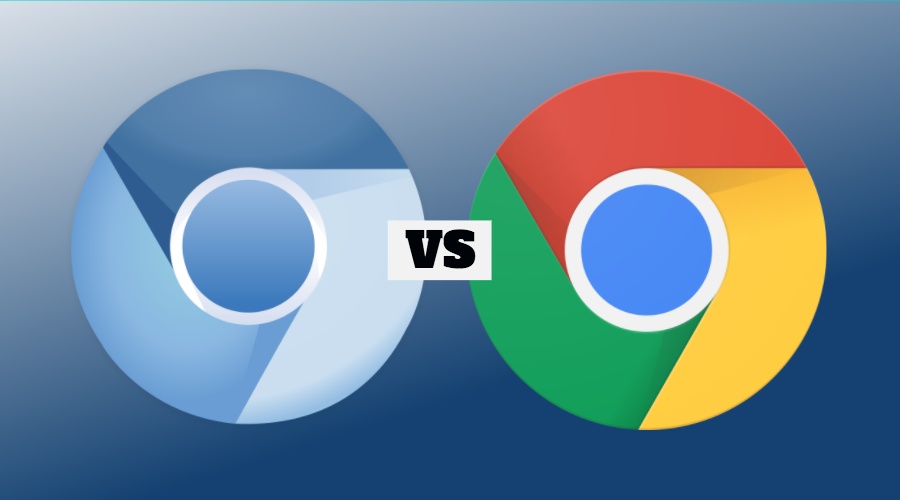
Google Chrome is a web browser developed and maintained by Google Inc. Chrome uses the open source web browser Chromium's source code and adds a bunch of features developed by Google and some nonfree components.

hallow harbor
❤
river vine
@pine hemlock now I have done this, its working perfectly. Thanks!!
pine hemlock
@unreal arch Should have a fix by the end of the day hopefully
hallow harbor
ok quick question! "we recommend chrome as browsersources in OBS use Chromium" should i download Chromium just for my broweser source or will chrome be just as good?
well google chrome usess their browser source
 weary mist
chrome will be perfect
hallow harbor
so i should be good right?
weary mist
its what we test it all in
 chrome gate
Hello i have a question how can i activate this button
weary mist
that will be in the modules tab
chrome gate
yes its activated :/
pine hemlock
can you test the command in your chat
 floral galleon
question
pine hemlock
ask away
floral galleon
are people gonna get pissed off if i play a game with low quality?
i use a fucking laptop for gameplay
that's the problem.
pine hemlock
I mean its hard for some viewers to watch lower quality streams but no one is going to get mad
@chrome gate If its activated, try !duel username in your chat
floral galleon
alright
pine hemlock
(if its activated under modules, that is)
chrome gate
ok thanks for the help 😃
pine hemlock
Streaming is about having fun. Dont be nervous about it. Theres a bunch of guides around for setting up your obs settings and such. stream.twitch.tv gives basic guidelines for certain qualities.
muted heath
my overlay from streamelem for LoL is not working, its just showing little blue icon "Help", i brokee something or what ? 😛
brave vine
maby not work more in obs classic :S
muted heath
studio here
 full pumice
Hello guys
muted heath
ye
full pumice
Has anyone ever been able to successfully add a !subage command?
Also, sorry for interrupting like this
 delicate ibex
when editing a store item, it does not prefill the form with the selected item's info
pine hemlock
@delicate ibex Currently editing isnt working. We are aware of it. It's being worked on, sorry!
@muted heath Go to your browser source properties and scroll down and refresh your cache.
 ripe holly
currently chat commands are not functional
any updates?
um... so you made me a liar... they're working now
pine hemlock

ripe holly
haha Luv ya SE
 tawny pivot
clever mango
tawny pivot
clever mango

ripe holly
destiny 2 pc today See you all on the field of battle! xoxo
pine hemlock

clever mango
Viewers earn stream currency while watching streams and can earn bonuses for following, subscribing, cheering, tipping, hosting
floral galleon
what do the points do?
clever mango
They can use this currency to play games in chat, enter contests, "buy" things from the stream store, and enter giveaways
pine hemlock
^
floral galleon
alright
pine hemlock
Also for modules
clever mango
it's whatever you'd like it to be
floral galleon
alright
full pumice
Thanks @pine hemlock
floral galleon
fuck yeah
clever mango
be prepared to explain what that entails to viewers though 😉
floral galleon
wait
one more thing
w h e r e ' s t h e h y p e c u p .
so i can make shitty cuphead jokes
 radiant condor
the animated themes and the cup are kinda laggy when alerts spam to me, is that something to do with my int speed? or obs?
clever mango
It's a widget added to overlays in the overlay editor
floral galleon
wait
how does the stream store work?
like when someone buys the item, can they use the item and i have to do what the item is?
like this
clever mango
I think you'll find the video tutorials on the StreamElements youtube very helpful https://youtube.com/streamelements

YouTube
Official youtube channel for StreamElements tutorials https://StreamElements.com
@floral galleon
floral galleon
thanks mate.
2 questions
- is this good
- why does this say 1 item left. i put it on -1.
pine hemlock
Should say unlimited
Try re-adding it again
But yeah looks good :)
If you dont edit the number it will say unlimited, maybe you might have hit your scrollwheel when moused over it and it counted up
floral galleon
jokes on you
you have to wait 40 minutes to force me to make a cringy joke
because i have 500 points every 10 mins
HHHHHHHHAAAAAAAAAAA
GOTEM
 pine hemlock
Im already cringing
clever mango
This guy is good!
floral galleon
whenever someone redeems the cringy joke
it plays the roblox death sound, but slowed down.
 willow mica
hey i'm trying to go live but my overlay stopped working
it's just black with help on bottom right
any idea?
pine hemlock
@willow mica Browser source properties, refresh cache
floral galleon
if someone starts playing earrape in my stream
willow mica
how do i do that with old OBS?
floral galleon
im going to give him 20000 tokens
willow mica
not obs studio?
floral galleon
if i know how to
pine hemlock
Old obs isnt supported. :/ im not sure how
floral galleon
fuck
pine hemlock
@floral galleon !setpoints username pointammount
@willow mica I would advise to upgrade to studio. Classic hasnt been supported by obs for over a year and problems like this occur because of that
This tool helps convert your scenes as well: http://obs-converter.rodney.io/
floral galleon
"there was a fucking error updating the god damn module"
willow mica
thanks cuda
i'm in a hurry juist trying to fix this atm
any way you can think of to refresh the source
would be amazing
pine hemlock
Not sure tbh
clever mango
@floral galleon which module?
floral galleon
@clever mango all of em
willow mica
Does anyone know how to refresh CLR browser sources in classic OBS? can I delete the cache itself from somewhere on my hard drive?
willow mica
tried
floral galleon
h e l p
clever mango
@floral galleon I'm using chrome and having no issue. Are you using chrome?
floral galleon
yeah.
clever mango
Can you show me the error message?
pine hemlock
log out, ctrl+f5, log back in, see if it works?
lament blade
can i get some help?
clever mango
@lament blade what version of OBS are you using? Top left corner
lament blade
20.0.1
clever mango
Double click the SE browser source and scroll down to refresh cache
lament blade
SE browser?
pine hemlock
Your brower source in obs
lament blade
ah it works now thanks!
clever mango
👍🏽
lament blade
its in all my overlays so i thought mayby streamelements is down
pine hemlock
When we update the site, sometimes things need a refresh
clever mango

lament blade
ah but thanks guys! good people here that help
Hey everyone, I'm having a bug currently, when I try to edit one of my already existing item in store it opens as a blank item
pine hemlock
@lament blade We're aware of that bug, It's a top priority at the moment.
Sorry for the inconvience atm tho
floral galleon
hol up
lament blade
Oh ok thanks !
clever mango
refreshes the page without cache
pine hemlock
^
floral galleon
oh
 weary salmon
so my stream alerts arent popping up on stream, but test alerts do
weary salmon
so far just sub alert
floral galleon
wait hold on
can i switch back from game to chat in a few seconds without using 2 screens?
does a phone count?
weary salmon
but recent events doesn't show the sub either
clever mango
@weary salmon Do you see this box on your StreamElements dashboard?
weary salmon
yes but i literally jsut got a sub
clever mango
Was it a twitch prime subscription? @weary salmon
floral galleon
but streamelements doesnt
clever mango
@floral galleon https://streamelements.com/groundcontrol
pine hemlock
We have our own app.
floral galleon
well fuck
 lyric totem
@floral galleon Yah it's got Ground Control
floral galleon
sorry guys.
pine hemlock
its under activity feed, called ground control
clever mango
All mobile streaming apps work
floral galleon
hold on.
does twitch have an overlay on games?
so i can play and type in chat at the same time?
weary salmon
maybe its a twitch thing, revenue tab in dashboard isn't show any new subs either
pine hemlock
@weary salmon Possibly.. if their api didnt catch it, we wont either
weary salmon
k thx
pine hemlock
Let us know if any other problems occur though @weary salmon
clever mango
@weary salmon Did you get the subscriber notice in twitch chat? It looks like this example https://i.imgur.com/EwGNXUK.png
 pine hemlock
its safe.
floral galleon
n i 🅱 🅱 a ?
floral galleon
oh yeah woops.
clever mango
Click more info and then install
floral galleon
is that better
clever mango
The program is safe. It's just not registered with windows defender yet.
pine hemlock
We wouldn't lie to you.
floral galleon
alright
hold on
is there any way i can use ground control and play games at the same time?
i dont have 2 screens, so that's an issue for me.
 raven sequoia
Is there any Tiltify integration, or plans on it? I am converting to 100% charity streaming.
clever mango
If you are gaming in full screen @floral galleon it will be running in the background
pine hemlock
@floral galleon You'd have to minimize to see it but yes it can be run the background
floral galleon
m i n i m i z e ?
wait
i can stream a window and it'll be full screen for my viewers
right?
pine hemlock
yes thats how streaming works
clever mango
@raven sequoia Not at this time but it has been requested on the ideas board https://strms.net/ideas Feel free to give it an upvote
pine hemlock
But if you want to see the desktop app you'd need to minimize your game to see the desktop app
clever mango
@raven sequoia Actually another charity provider has been requested but not tilitfy so you can add it and others can 👍🏽
floral galleon
god im nervous
im not gonna turn on my mic or facecam
but still
t h i s n i b b a n e r v o u s
 blazing briar
heyas total mind blank here.. being a moderator in a channel, how do i set a command as moderator level only from stream chat please?
as in !add com level 500 ! so follow blah blah (being that 500 relates to moderator level)
clever mango
@blazing briar After adding the command type this command
!cmd edit <name of command> -level 500
blazing briar
thank you ❤
clever mango
Here are the various flags that can be used with !cmd edit
-cd (number) -usercd (number) -cost (number) -level (number) -type (say, whisper or reply) -count (number)
 fossil jasper
I just opened my streamelements page and went to my store to edit a redeem, and all cant change anything on any redeem. The edit box comes up with the default info as if I was starting a new redeem. If I change anything and try to save, it doesnt save. All my redeems are there, but I am unable to edit. Is this a known issue?
pine hemlock
Yes its a known issue with high priorrity @fossil jasper
clever mango
Sorry about the inconvenience
fossil jasper
ok, wheeew, thanks! I set a limit on certain redeems each stream, now those will be "sold out" until it is fixed I guess
pine hemlock
The only workaround right now would be add new ones until its fixed. But yeah you're not alone on the stocking issue, sadly. Devs are working on it though
fossil jasper
ok thanks for the info 😃
pine hemlock
blazing briar
@clever mango i did what you said but it just changed the command to say -level 500 when actioning the command :/
clever mango
 Sorry about that. Brain fart. Just a second
 pine hemlock
#blameterrabutt
clever mango
goes to get a cup of coffee
blazing briar
thank you very much guys ❤
floral galleon
might as well stream this friday.
so barely anyone would watch me
less people = less nervousness
weary mist
puts on calendar 
raven sequoia
Thanks, @clever mango! Added!
clever mango
 👌🏽
👌🏽
 elder onyx
Is anyone familiar with the songrequest variables?
pine hemlock
songrequest variables?
elder onyx
Well, I'm having this problem where the widget wouldn't display what song it's playing
pine hemlock
We're having issues with the api pulling the names for requested songs. Devs are aware of it
elder onyx
I see, I was trying to figure out what's the problem with it for like an hour LOL
pine hemlock
Yeah sorry. I brought it up earlier when someone said they were having a problem
elder onyx
I tried searching everywhere on the net for solution, at last I had to come into the Discord Channel for help.
It's cool, dude. Still trying to figure out how this thing works.
clever mango
We're always here so feel free to stop in here anytime
runic bridge
Heya, sorry to bother. Do you have an ETA on the tip approval fix?
elder onyx
@clever mango Yea sure, I guess for now I'll just use what I can.
clever mango
Sorry about the inconvenience
elder onyx
It's cool, man.
 misty aspen
Hey guys, I'm having an issue importing the streamlabs alertbox. It says import failed but video footage shows me that people get a popup asking to allow StreamElements to view the Streamlabs widget. Which I'm not getting
After inputting my alertbox it just says import failed.
weary mist
Let me check on that, from what I know, SLabs has blocked us (and a few other companies) from the API, the import did have a banner explaining this, but doesn't now
misty aspen
Oh damn that is quite awful. Why? Because they're losing too many people or...
weary mist
huh
yes, lol
Must be something new I completely missed, because it looks like they found a way around it kinda
but I will need to find more information before I can comment much on it
misty aspen
So until then I cry into a corner? 😄
clever mango
Writing to them on social media about this in the meantime will be helpful
They need to hear from streamers that holding users' data hostage isn't right
misty aspen
What other companies/services are they blocking?
clever mango
But I am also checking on this
stuck hamlet
@misty aspen can you give me the link of your alerts?
stuck hamlet
Thats fine
misty aspen
Yeah realized, meh
runic bridge
I'm resending my questions 😄
Heya, sorry to bother. Do you have an ETA on the tip approval fix?
clever mango
Hi @runic bridge I sent you a DM
stuck hamlet
No eta, but its at the top of the list
runic bridge
Thanks!
stuck hamlet
literally at the top 😃
 visual pollen
Is there something wrong with the streamelements website?
runic bridge
Just checking cause I'm checking all the time on the page. Thanks! @stuck hamlet @weary mist
visual pollen
Everytime I browse to it and try and use it.. it lags out so bad I'm waiting like a good minute for it to react :/
visual pollen
Yeah chrome
pine hemlock
(chrome setting)
pine hemlock
Disable it and restart chrome - see if its any better for you
muted heath
i have a problem with obs since i started use streeam elements, every time i wanna close OBS its crashing, it wasnt a big problem, but it crashed a few times while i was streaming, i want change scene, and suddenly obs crash its quite annoying, any idea why is it happening ?
im using obs studio
 exotic scarab
is there anyway to add your leadorboard points to your twitch channel panels
clever mango
@muted heath I recommend sending your program logs to OBS through their forum
stuck hamlet
That will be an extension early november! @exotic scarab
exotic scarab
okay thanks i just didnt know if there was a way around it for now
 autumn cypress
Is total sub count and donation amounts bugged since the update? I've refreshed source cash adn sub count wont update, and dono amounts only show $5.5 instead of $5.50
clever mango
How far off is the sub count? @autumn cypress
exotic scarab
will there be a cheer leadorboards too?
autumn cypress
@clever mango Its showing 0. New subs/resubs make it count up though. I checked to make sure I had total sub count selected so not sure whats going on
clever mango
This widget right?
muted heath
@clever mango ok thanks, also i ahve same problem like @autumn cypress , my sub count today was showing 0 subs
muted heath
for me was ok, just today it happend, i tried reset, still 0
clever mango
Ok, just a second while I look into this
autumn cypress
yeah still 0
clever mango
Devs are looking into it now. Thanks for the reports 👍🏽
Slevin what is your twitch username?
autumn cypress
SlevinIV
clever mango
@muted heath @autumn cypress Please sign out of StreamElements and then log back in. Thank you
stuck hamlet
You are currently not viewed as affiliates/partners.
Once you do that, go to "Activity feed" and see the right hand panel. If you do not see "Bits" it is still an issue, and you should try CTRL + Shift + R.
if you do see "BITS", go and refresh your totals 😃
 silent zealot
Damn, still can't change anything on my streamelements.. don't know what the f happened =/
muted heath
@clever mango oh, it worked 😄 thank u !
clever mango

pine hemlock
What can you not change @silent zealot
silent zealot
Overlays and tipping settings but @clever mango already checked it and it's working on his pc..
clever mango
very strange issue
pine hemlock
I mean.. try chrome beta? flush your dns settings? reset cache?
Idk what you've tried
silent zealot
I'll try that dns settings on cmd
weary mist
what is your twitch name
silent zealot
zattofps
weary mist
you should relink discord, its still showing ezatto
silent zealot
Sure. I tried chrome and opera so far but the strange thing is that it was working 1 day ago
weary mist
did you try incognito on chrome?
silent zealot
I'll try that now
 sonic egret
Excuse me can someone help me? :3
clever mango
Sure, ask away
sonic egret
Guys i need help.. my Subscriber Luck Meter Gone i don't know why 😦 >> Printscreen... http://prntscr.com/h1iodi

Thank you!
stuck hamlet
Logout, and log back in 😃
sonic egret
still the same
stuck hamlet
Twitch Username?
sonic egret
Acidrain21
hallow harbor
Im using google chrome now, i was using firefox and have made chrome my default browser! Do i need to get new links for my overlay or will it go throw my default now?
pine hemlock
Your links dont change when you change browsers
hallow harbor
kk
stuck hamlet
@sonic egret We will write down this issue. Apologies,
autumn cypress
@clever mango Sorry, stepped away for a minute. I relogged, see bits in the activity feed, and reset totals in the overlay editor, but still not updating sub count
sonic egret
@stuck hamlet no worries thank you!! i will wait appreciated,,
stuck hamlet
@autumn cypress CTRL + Shift + R, and try again?
autumn cypress
nothing


 weary mist
🐛



 pine hemlock
what do you mean
silent zealot
So far I tried:
- Change browser
- ipconfig /release /renew /flushdns
- Restart router and modem
- Chrome incognito
And nothing works
sonic egret
ow im not alone.. i just notice it yesterday
silent zealot
How can I access chrome beta?
stuck hamlet
@silent zealot Any errors in console when you try to change something?
clever mango
pine hemlock
^
pine hemlock
can u check the v ersion of your normal chrome for us
chrome://settings/help
in regular chrome
silent zealot
Sure
62.0.3202.62
I'm pretty sure I can't change the tip currency tho
USD works fine but BRL gives me that error ^
pine hemlock
yeah weird
 green quail
Hi there! I can't modify any store item. The form is like a brand new item when it's supposed to be filled. I updated my chrome, done ctrl-shift-R, sign out - sign in. Nothing is doing it. ☹
pine hemlock
@green quail We're aware of this issue, its a top priority and the devs are working on it
Sorry for the inconvienance
green quail
@pine hemlock Thank you!
 dark niche
o7 Hey, hey there. Chatted with StreamElements at TwitchCon and was advised that I could use StreamElements with Mixer. Looks like the option to login with Mixer is currently greyed out. Advice? 😃
swift parcel
It's coming.
clever mango
You are able to use the overlay graphics currently with Mixer but full integration (bot, tipping) will be coming in the future 👍🏽
dark niche
🤔 Alright - is that currently through logging in with Twitch?
clever mango
That's correct. When you log in with a twitch account, you'll be add a supertheme or theme to your overlay manager and edit the graphics in the editor. You can then add that overlay URL to your streaming software and stream to Mixer 
When full integration becomes available, you'll be able to utilize the rest of the StreamElements tools
dark niche
Cool, thanks for the heads up.
silent zealot
Now that I can miraculously edit my overlays again I need some clarification about AlertBox. I'm using CSGO super theme and there's a image alertbox already: ok. I'm trying to use the existing alertbox with a second alertbox to use a gif that pops behind the first one. When I emulate the follower thing it works but the rest keeps the original shark gif and message even when I delete it.
Ps.: My english isn't my first language so.. sorry about the poor grammar 
pine hemlock
Check your variation settings @silent zealot
You'll want to change the image/sound in that too
silent zealot
Omg you're a god. Thanks @pine hemlock
And thank you @clever mango for the patience last night!
 inner trail
hey guys, i am trying to set a sub goal in my overlay but streamelements has my number of subs at 0... I have tried to Reset Session ...
serene nimbus
Redeem is still not working perfectly two users redeemed at the same time and only one was show on stream, other nowhere to be found...
pine hemlock
@inner trail can you try signing out and back in to the SE site and see if it changes
If not let us know
inner trail
will do
pine hemlock
@serene nimbus via chat or on the website?
inner trail
@pine hemlock things did update for me so i can see more accurate data but i the Widget "Total Subscribers" still list 0... but if i use Subscriber Count (monthly) it list a number.... any ideas...?
serene nimbus
@pine hemlock in the chat both commands
but only one triggered
other I dont see it anywhere...
 blissful sand
guys any chance to get a twitch overlays and panel direct on twitch like a StreamLabs one
pine hemlock
@inner trail we're looking into it
@blissful sand we have a twitch extension in the works
swift parcel
extension panel is coming soon I don't believe we have plans for an overlay but you can always check https://strms.net/ideas about the overlay
pine hemlock
@serene nimbus I know theres a cooldown between redeeming via chat, that might be what happened
serene granite
we have plans for an overlay extension, coming after the panel extension
still open for ideas obviously!
dark niche
Subsequent question: Is there a way to get heads up when Mixer functionality is implemented? I definitely want to use y'all and was sold very well at TwitchCon as a valid alternative to my current solution, but unsure of the roadmap.
pine hemlock
We announce major stuff like that in here and on twitter generally. also on the website we have a message when you login
clever mango
Absolutely, we'll have a big announcement here and on twitter
clever mango
@serene nimbus Was there a confirmation message posted by the bot for both redemptions? Or only one?
 trail condor
Quick question from a new-ish user! Are the goals combinable? Can I merge bit goals and tip goals into one bar?
tight harness
Not currently
It's also worth noting that bits are always in $ whereas tip goals can be in a number of different currencies, so that could be tricky 🤔
trail condor
Oh heck, never thought of that. Soooo that'll be a fun dev problem to work out 😛
swift parcel
currency exhange rates are always changing too so... practically impossible if you want a real time rate scale
but can always make a game between the two bars
"which can fill the fastest?" 😄
clever mango
Great idea 👍🏽
tight harness
I did this, cheer goal bar filled a lot faster 😛
 faint copper
Changed nothing, yet the bot doesn't see any events for notifications. How do I fix this?
clever mango
Chat alerts?
faint copper
Alert Box in Scene.
clever mango
Are events coming into the activity feed? https://streamelements.com/dashboard/activity
faint copper
Nope. Last was from 3 days ago
clever mango
Please log out/in to refresh your twitch token on the site
faint copper
Ok done. Will come back if it doesn't work from there
clever mango
Let's also refresh the overlay cache
faint copper
oh, in the stream software?
clever mango
Yes
faint copper
Done
clever mango
Thanks
 devout spire
I have a quick question about the tipping system because my tips i received havent gone through yet.
clever mango
Do you have tip moderation enabled on this page? https://streamelements.com/dashboard/tipping/moderation
devout spire
yes i do. the tips was received and noted in streamelements but it hasnt gone through to my paypal
clever mango
@devout spire Hmm, did you receive an email from paypal?
devout spire
@clever mango oh i found it in the spam folder.
clever mango
Ok good so you will receive the funds in your account
Now, in terms of the notification on StreamElements
When tip moderation is enabled, it requires manual approval of tips when they come in before the alert will show.
Unfortunately, the approvals are not working right now BUT it is being worked on right this second and there should be a hotfix incoming shortly
So for the time being, let's disable tip moderation
And when the approval system works again you'll be able to approve those and have the notification go off 😃
devout spire
@clever mango ok thank you for the help! I'm still learning stream elements at the moment but this helps me understand the tipping system better 😄
 dense jacinth
hey guys, setting up my overlay and i added my alert box. is there a way to test the alert box through streamelements to make sure it works before starting my stream?
clever mango
Yep
There's a blue bell at the bottom of the editor
hover over it and you can emulate different events
dense jacinth
awesome! thanks 😄
 formal lance
hello guys, i need help 😦 who can assist me? My problem is that i don't know why, the !volume command doesn't work anymore properly... Any solutions?? Thanks
pine hemlock
Seems to not be working for me either
We'll note it
Sorry for the inconvienance. We have devs working songrequest bugs currently though
 stark canopy
Hey, were sub bonuses removed? (Loyalty wise)
pine hemlock
If you don't see the sub multiplier uder loyalty settings, sign out of the site and sign back in @stark canopy
 tranquil iris
is one of the song request bugs not being able to hide the video anymore
clever mango
That's intentional
tranquil iris

clever mango
because of how the youtube iframe is working atm
feral axle

tranquil iris
ok i see
not intentional as in "We got rid of that cause we didn't like it" or something
clever mango
But we'll look into allowing hiding again
 orchid burrow
I want to be a sellout too Kappa
clever mango
You're in @orchid burrow!
orchid burrow
thanks bro
 smoky tide
I've never had chat able to song request via search. They have always had to do the YT url. Is there a setting that allows the search as well?
clever mango
Youtube API limit is the reason for this. As soon as youtube raises SE's limit, search may be possible again.
swift parcel
we just need to send more cookies
clever mango
Months back we had search but then the limit was getting slammed with all the new users searching and so it needed to be disabled.
🍪 ➡ 
formal lance
@pine hemlock sorry if i bother you, so you are not able to set volume with !volume cmd either ??
formal lance
ok, thank you, we'll wait for it to be fixed then 😃
 opal epoch
Hi
pine hemlock
opal epoch
so how to i make my sources close every time i change scene ?
orchid burrow
just mark a checkbox when editing it
swift parcel
properties of the browser source and checkmark "Shutdown when not visible"
orchid burrow
right click -> properties
opal epoch
found it thx guys 😛
swift parcel
👍
dense jacinth
anyone know how to get chat to show up in the overlay?
orchid burrow
Gotta add a chat widget
can you figure it out or do you want me to explain it to you?
orchid burrow
no problem
 unreal geyser
so have the issue been fixed? w.r.t the subsciber total not being the same as twitch.
or at least a workaround?
stuck hamlet
it's not showing up that you're affiliated https://www.onslaught.ca/s/7rg8930t.png


Please log out, and log back in.


 gray moth
Question, is there any variable to metion someone, but not the person who called the command?
stuck hamlet
a random user? @gray moth
unreal geyser
hmmm doesnt work @stuck hamlet
stuck hamlet
signing out doesnt work?
gray moth
no, sort of $(touser) like in Nightbot
unreal geyser
nope it doesnt work
 turbid reef
$(user) should do it
gray moth
@turbid reef it returns back to me)
turbid reef
@gray moth it tries to get the user from the first argument and defaults to yourself