#helpdesk-twitch
1 messages · Page 105 of 1
 weary mist
as for polling, that is another thing that is on the list, but no ETA yet. Lots of things could change in the coming weeks though as they finish up a few projects
 lament blade
All your fault @weary mist
weary mist

lament blade
Still adding more
 fathom compass
Is there any integration between stream elements and discord currently?
weary mist
@fathom compass not at this time, but it is something that has hit the idea board a time or two
lament blade
I tried finding a gif large enough of the "please stand by" but everything was to small to fit the 1920*1080 that I wanted
So yea I have to stick with this
weary mist
lol
lament blade
I'm going to use a part of this song for the sub alert. Still thinking of what part to but a 5-10sec bit from. Its all so good 😃 https://www.youtube.com/watch?v=LclHp7zppQY

Dion - The Wanderer (FULL SONG)
My life right now @weary mist Sundays are SE day 😃
weary mist
haha
lament blade
This is what I went with @weary mist
 sturdy cedar
i have two different scene and i listen the alert two times why?
weary mist
@sturdy cedar Make sure you have the box "Shutdown source when not visible" in the browser source properties
sturdy cedar
thx you so much!!!!
 tight harness
What do you need help with?
tight harness
So you've got the button that says 'Leaderboard' on the website, that takes you to your Leaderboard, you've got a button that says 'Loyalty Settings', that takes you to your Loyalty Settings
 feral imp
Sean's currently busy, so no....
tight harness
You tagged the wrong person, also no i'm not able to get into a call
feral imp
you also tagged the wrong person 
tight harness
You see on the Leaderboard page there's a button which says 'Give Points'?
feral imp
use that
tight harness
That's how you give points
 lean nebula
ohhh
feral imp
😃
 tight harness
That's not me remember, you're tagging the wrong person
Remove points? You do the same thing but with a - before the number
 polar gorge
Is there a way to check who has "redeemed" an "item" in your store?
tight harness
Yes, when you're in your Stream Store page on the site click on Redemptions then Redemptions History at the top right
 knotty thicket
Hey, when using StreamElements for Tipping, do you take a percentage of the money donated? or is it a free to use service completely. thanks ^-^
tight harness
Completely free
knotty thicket
okay, thank you!
tight harness
No problem 😃
lean nebula
@tight harness hey question
how does the tipping thing work i put my paypal in but nothing on my stream appeared to donate
 pine hemlock
You have to add your tipping page url in your description/info boxes under your stream for people to find it
tight harness
tight harness
If you add an alert box to your Overlay Manager yes
lean nebula
how do i add something to my store/ @tight harness
tight harness
https://streamelements.com/dashboard/store/items - Do you see the button which says 'Create New Item'?
lean nebula
i got it, thanks.
 kind jacinth
Someone can help me? I saw that, during my stream, when someone follow me (and I think it's like this with all the notifications), I hear the song of the notification 2 time with like less then a second of distant between the two. Is it beacuase I was runnign the streamElements ground controll?
 craggy comet
hey my animated overlay stoped moving and i dont know why
tight harness
@kind jacinth The only reasons you'd get double audio are: 2 browser sources in different scenes or sources which aren't shutdown when not visible, 2 instances of OBS open, or the Overlay Manager is still open and not muted
kind jacinth
Ok, I'll check! Thank you for your quick answers! As always ;w;
tight harness
No problem 😃
kind jacinth
Oh, I just saw a thing: on bottom left of my overlay should appear my donators, or at least one... but no one appear! Why? D: What can I do?
 clever mango
@craggy comet I'm not sure either why the animated overlay would freeze but refreshing it in OBS should unfreeze it
craggy comet
how do i do that
clever mango
click the eyeball to hide and then again to view
craggy comet
it didnt work
craggy comet
no
craggy comet
there we go thanks
tight harness
@kind jacinth You may want to delete that widget and add a new one for what you want it to be, we recently gave the sessions page a complete overhaul to improve widgets 😃
kind jacinth
Ok, I'll! Thank you again! >w<
Last thing for today, I promise! D: Where can I put my twitch stream when in this discord when I stream? Like the sellout section ;w;
clever mango
Once you are using all three features of Stream Elements (bot, tipping service, overlays), you can send a message to a staff member and they will get your channel added to the #291219887274328064 channel
tight harness
Then you can become a glorified platinum sellout 
 sudden basin
glorified triple platinum sellout 😄
kind jacinth
Oh, so a staff member right now is online? owo
 spare jay
getting an issue with the Chat overlay ... sorta ... overlapping itself when I try to save the chat on the screen.
https://clips.twitch.tv/ScaryDignifiedCakeTwitchRPG
 polar gorge
@tight harness Sorry for responding so late. Thank you for your help.
tight harness
No problem:)
clever mango
@kind jacinth Please link your twitch with your discord
kind jacinth
pm or right here?
clever mango
Discord settings >> Connections >> Twitch
That will show your twitch on your discord profile
 undone veldt
is there an easy way to rescale a premade overlay to fit my monitor? my monitors resolution is 1440x900, so the normal 1080 and 720 resolutions dont really fit the screen properly
kind jacinth
@clever mango done! :3
 slender bane
hey guys, I'm getting user feedback that the bot isn't giving points according to the usual timer for the past hour or so. 5:56:54 z00z_ow: !ping
5:56:54 StreamElements: streamelements has been running for 1 day 22 hours! elementsS
 trim cape
Hey, Is there a possible way to change the current amount of the goal? as it set the same from my last tip goal
clever mango
@spare jay That's interesting. Do you have all browser sources that you've added to OBS set to Shut down when not visible ?
tight harness
@trim cape https://streamelements.com/dashboard/session and then click on Goals, change the value then Save Changes 😃
trim cape
ahh thank you
clever mango
@spare jay Or is it possible that there are two chat widgets in that overlay by accident?
@undone veldt Different aspect ratios will make rescaling become slightly distorted
 woeful thicket
I did an import of streamlabs stuff and it's showing me my recent tip and top month are people who haven't tipped since maybe last year. Please fix. I have a 12 hour celebration stream tomorrow and I'd like for things to not be broken 😦
sudden basin
any chance someone here has a little more experience with OBS here as i cant seem to fix an issue im having that is non SE related
tight harness
@woeful thicket Have you tried editing your session data yet? https://streamelements.com/dashboard/session
@sudden basin I can try to help but no promises 😄
sudden basin
@tight harness ok well every game i stream works fine but i have 1 game that does not appear in OBS all i get after selecting the .exe file is a black image
clever mango
I'm assuming game capture. Some games do not work well with game capture
tight harness
That's true 😮
clever mango
For these you'll have to use display capture or window
tight harness
Some games work better with Window Capture
I think it's generally newer games, but it can be pretty random
sudden basin
ok i will give these options a try to see if it works
clever mango
Window Capture will require you to play the game in Full Screen Windowed or Windowed
tight harness
Yeah, Windowed or Borderless otherwise it doesn't see it as a window
I prefer Borderless anyway 😄
clever mango
Most streamers use FS Windowed / Borderless anyway so that shouldn't be a problem
sudden basin
yh i use FSW all the time but this game does not have that option yet
its still in alpha
woeful thicket
I can't edit the monthly stuff @tight harness just the recent as far as I can tell.
clever mango
Only Fullscreen? @sudden basin
sudden basin
yes only FS is available
clever mango
Display Capture in OBS then
tight harness
@woeful thicket In Session Data you've got all the Top data, in Labels you'll got the Recent stuff and if you go to Aggregates you can Refresh all of that data
We recently overhauled this section of the website 😃
sudden basin
@clever mango ok screen capture didnt work in FS mode so i have to play the game in windowed with an ugly border using window capture
clever mango
I've never heard of display capture not working... 🤔
clever mango
Multiple monitors?
sudden basin
yes but only 1 uses the game
clever mango
Does it work on the other monitor?
clever mango
woeful thicket
I've refreshed it twice and it's still coming up with the wrong people @tight harness It's also got wrong totals for some of them as well. Like it's showing a guy who has tipped $200 total as having tipped an aggregate of $600.
tight harness
I can see that happening if it was imported 3 times 🤔
woeful thicket
?
tight harness
Did you just import the data once?
woeful thicket
Just once.
It's actually showing as having 168 entries in streamelements and 220 in streamlabels.
So it's actually missing some from the import.
 trim cloud
Any update on the "recent tips" widget? I's been like a week and it's still throwing a 404 for a JS asset that's missing.
tight harness
If your tips are showing incorrectly then you'll need to wait for a Sttaff member to look into it, I have Bot Admin but in terms of the site I can only offer instructions and advice myself
woeful thicket
It's missing old data though looks like all my tips from January 2015 to August 2016. So I'm not sure why it's affecting the new stuff.
tight harness
@trim cloud You didn't hear anything back about this?
woeful thicket
Soryy January 2016 to August 2016.
trim cloud
Last I heard was in our private chat where you said a developer had a fix that was going out. That was friday.
Seems odd to have an asset for one of the widgets throwing a 404 for a week.
woeful thicket
Thanks anyways @tight harness Maybe you can help me with this thing then? I imported all of my alerts from streamlabs and it looks like they came through as an overlay and a widget within that overlay. I can't figure out how to get that widget into my other overlays though.
I thought it would just replace the standard one in the widgets section or be added under a different name but it's not.
tight harness
If you know what Widget it is then simply click on Widgets at the top of the Overlay Manager and add it there, you can compare the Text settings to make sure it's identical to how it is in the other overlays 😃
clever mango
@woeful thicket The imported alerts will be added as an alertbox in its own overlay. There is currently no way to move elements between overlays so the best option at this time is to use that overlay as your alerts overlay and add it as a seperate browser source on top of any SE overlays you create
tight harness
Ahh yeah, that works too 😄
clever mango
If you'd like to make changes to that alertbox overlay without affecting the original you can duplicate it and then edit the duplicate(s)
woeful thicket
It's not showing up in the Widget thing above the overlay when I saved the Widget as a separate name. I wish I knew that before I worked on my other overlays as it's going to take another half hour or so to move stuff. Switching is seeming like a huge and messy hassle. 😦
clever mango
The widget overlay will create a new, blank alertbox widget within the overlay. This allows for different alerts within different overlays
tight harness
If you rename a widget it's just for that individual instance of that widget, if you then add a new widget the widget will have the original name because it's a new widget
I'd find it more confusing if it didn't happen that way 😄
woeful thicket
I'm very confused. I assumed importing an alert box would import the alerts as alerts not as overlays. I have roughly 20 different alerts now saved on one overlay and have to either manually move all of them it seems or redo all my other overlays. Not 😄
tight harness
Alerts are part of an overlay, everything is in an overlay to save CPU usage instead of a tonne of different browser sources which all take up CPU usage, our way of doing it is a lot smarter
clever mango
Could you elaborate on the 20 different alerts? I'm not sure how all of those would be added to a single alertbox widget. Do you have multiple widgets in that overlay?
tight harness
It also means that if you were on a different PC all you'd need is the link to your overlay and OBS and you could stream using your overlay without needing all of the different links and media uploaded to our website that you'd have needed locally in other instances
 tawny copper
hi i have it set to give people certain points for hosts, follows tips etc but they ae not recieving these. any suggestions?
clever mango
@tawny copper the points should be given within 10 minutes of the event
Has it been longer than 10 minutes?
woeful thicket
When it imported my alerts from streamlabs it made one overlay it is has one alertbox with all of my follows, tips, hosts, bits, subs and variants of those within one widget. They're not separate.
And that's fine. I just don't understand why that one widget can't be saved as a Widget that I can click on in my widget section and add to the overlays I want it on. Like I can't do the thing mentioned above "If you know what Widget it is then simply click on Widgets at the top of the Overlay Manager and add it there"
clever mango
Moving elements between overlays is something that we woud like to do in the future but it requires a major overhaul of the overlay manager
sudden basin
guys why does SE keep emailing me with recaps after each stream
clever mango
@sudden basin It's a feature that was added a month or so ago. Most streamers like to have these stats after their stream but if you don't, you can unsubscribe at the bottom of the email.
tight harness
@woeful thicket You can't do it because it's not a feature yet, you said you can't do it the way I mentioned, why is that?
woeful thicket
Because my imported widget doesn't exist in the widgets at the top of the overlay manager.
tight harness
Your import simply takes your data and uses our pre-existing widgets to make that data display, the widgets your import created are available in the Widgets section
tawny copper
it still hasnt went through
clever mango
what type of event? @tawny copper
tawny copper
hosting
woeful thicket
The widget my import created aren't in the Widgets section. I've scoured them. There's just AlertBox and that's the generic one.
tight harness
I don't know what you mean by imported widget like it's any different to the widgets in the widgets section, they're the same thing
clever mango
The thing is, there is no imported widget. It's simply the images/sounds/text that are imported into the pre-existing alertbox widget
woeful thicket
When I emulate the regular AlertBox one to see if it's working to add to my overlays it's still showing the generic shark thing not my images, sounds and text.
That's how I thought it worked in the first place that, that would just be replaced.
tight harness
Just alert box? https://gyazo.com/0cf454407033536eaf88801b0fb7ae96
 pine hemlock
Try importing again @woeful thicket
If you alertbox is configured on streamlabs then it should import your custom images/sounds etc
But yes it will create a new overlay
tight harness
Also, if you've changed the default alert but not the Variations then you will see the shark when you emulate the alert because you left the Variations as default
clever mango
@tight harness well, we import both the alertbox data and the tip data. The widgets that use this information are populated
But we are specifically talking about the alertbox widget right now
tight harness
I was saying that in reference to her stating that it's showing the generic shark alert
woeful thicket
I just reimported the alertbox stuff so I didn't duplicate the tips that actually made it in the last import. The AlertBox still is showing the dancing shark though. Not my stuff.
clever mango
@woeful thicket thought that by importing the alertbox from SL, she would have that alertbox available to add directly into any overlay. This just isn't the case right now until we can make the elements portable between overlays.
pine hemlock
If you try to change the image, do your old images show up in the image manager @woeful thicket
tight harness
Yeah i'm aware
woeful thicket
No they don't show up.
pine hemlock
Sounds weird then.
tight harness

pine hemlock
@woeful thicket we'll ask someone who can look into it
tight harness
I've been on support for 14 hours already today so you can take over
clever mango
o7
sudden basin
to be eligable for sellout i need to have all 3 things BOT, OVERLAY & TIPPING but does it matter what overlay i use or how much of an overlay i use ?
clever mango
Using SE overlays in your streams in any capacity qualifies
 tawny eagle
I've added a .webm video for my follow alert, but I am unable to save it. The save button at the bottom disappears. Am I doing something wrong?
sudden basin
have you tried converting it to .mp4 instead as that works for me
tawny eagle
I tried that first and it wouldn't let me because it's not supported.
sudden basin
oh ok
tawny eagle
If I converted it to .wav maybe?
sudden basin
is it a video
tawny eagle
yeah
sudden basin
.wav is audio only
sudden basin
the .webm should work as it works for me
tawny eagle
hmm Idk why it's not for me then
Well what i'm doing is going to my Alert box layer. Then I click the cog next to follower alert. I then selected "Set Video", choose my webm, click submit. Then everything just kind of freezes.
tawny eagle
The "Launch Overlay" and "Save" options at the bottom disappear too
sudden basin
wait for TerraBuck as he will be able to help more
tawny eagle
Okay, thanks for your help thus far
sudden basin
nps
tawny eagle
Any idea how long he will be lol
tawny eagle
oh hi lol
tawny eagle
Okay sounds good
tawny eagle
firefox
clever mango
bingo
Many of the site's features are developed and optimized for google chrome, including the uploader. This is most likely the issue.
clever mango
No problem 
 heavy flax
alright im dumb don't know what Im doing so how do i put the theme on my obs. Noob when it comes to streaming lol
clever mango
Have you checked out our youtube tutorials? They are great to start with if you're just starting out. Then If you still have questions you can get help here any time

YouTube
Official youtube channel for StreamElements tutorials https://StreamElements.com
 wheat crest
hey im new to stream elements i need to know a little more in depth than what was shown on ur youtube on how to set everything up for my stream 😃
if i could talk with someone through the process that would be awesome
slender bane
I didn't hear back about the bot not awarding points since a few hrs ago....should I just part/join the bot as a first step in troubleshooting?
clever mango
Ask away
wheat crest
ok
clever mango
I'm not available for voice support right now but I'm here if you want to type questions
wheat crest
ok do uk who is avalible for voice rn? i do best when someone talks through it with me 😃
clever mango
@slender bane Loyalty points earned every 10 minutes or loyalty point bonuses for follows/hosts/etc?
clever mango
Are you live now?
slender bane
will DM
clever mango
@wheat crest I believe I'm the only one here at the moment
wheat crest
is there anyway u can talk rn? or is there a time where i can come back?
im just having truble getting the process stared
when i try to login in it gives me a 404 token error
clever mango
Are you logged in on twitch website?
clever mango
We use your twitch authorization in order to log you in on SE
wheat crest
i see that but it does not load after doing my 2fa on ur site 😦
to connect my acc from twitch that is
wheat crest
im always in incognito mode on chrome
pine hemlock
Could be twitch having issues if anything
wheat crest
twitch is loading fine sir as far as i can see
lament blade
Need some help SE Champs
wheat crest
:/
clever mango
Have you tried without incognito?
 ebon forum
try a clean browser or delete cookies
twitch had some issues the past 3-4 days, it might got stuck somewhere
pine hemlock
@lament blade ask whatever
wheat crest
i clean my broswer history everytime im about to close my broswer
im in voice chat now so i can reslove this faster if you guys dont mind :/
since i dont know how ur site works really
lament blade
I created a new overlay manager with new audio alerts and its seems to have also changed on my other overlays? Why and can that be changed or is that just how it is
lament blade
Nevermind I'm stupid
pine hemlock
You probably clicked cancel when you tried to login to StreamElements so now you unauthorized the site to access your account
clever mango
We don't currently have an admin available to look into your account from their side but when they are online I will have them look into this. @wheat crest
pine hemlock
That's the only way to get a 404 error I can think of.
wheat crest
ok 😦
just dm me when the admin gets on plz
i was trying to do a test stream tonight but i guess ill do it tomorrow :/
clever mango
If you want to send screenshots to my DM step-by-step of what you're trying and seeing I may have a better idea of what's going on but this is a bit strange since you're logged in on twitch
wheat crest
even if this 404 Token error was fixed i would still like a voice chat walk through of how to get this set up for OBS (verison 17.0.0 is what i have)
and i will dm those pics now
one min
pine hemlock
You're gonna want to update your obs. We also have video guides of setting up the basics.

Setting up StreamElements is easy, learn how to in this video, hosted by Twitch Partner GIRLvsDUMB - Got any questions, or just want to say "Hey"? Join our D...
heavy flax
Alright set up theme on obs but is not showing up correctly.
clever mango
If you go here https://www.twitch.tv/settings/connections @wheat crest do you see stream elements as authorized?
pine hemlock
Did you change the width and height of the source on one @heavy flax
heavy flax
yes
wheat crest
what verison of OBS do i need cause the verison 20 will alywas crash on me
pine hemlock
What's not showing correctly
You might be able to use version 17 but generally stuff runs better on current versions
heavy flax
any of it lol
wheat crest
@clever mango im dming u now
pine hemlock
Dumb question but is the source set to visible lol
heavy flax
pretty sure it is lol
pine hemlock
Can you show some screenshots
I'm on mobile. Can't think of why it wouldn't show. Try adding another browser source?
spare jay
@clever mango sorry was broadcasting when you sent that. Orignally I have the scene open for a very long while ..... but lately it just fills up and then it starts doing its merg over after 20 lines of chat and starts ghosting its self. Still haven't figured out why.
But to answer the question. Originally I don't have my scenes to close down due to errors with some of my OBS settings causing the overlays to not properly work. Had an entire broadcast with my webcam only capturing me every 5 minutes ... gotta tell you Regret that time I quickly Scratched my Nose on Webcam
clever mango
That is strange. Could you send me your widget settings so I can try to recreate?
spare jay
sure how would you like that as the Link or some other way I honestly can't think of right now?
clever mango
You can screenshot the widget settings and post here or in DM
spare jay
i can also do Teamviewer session if you want to ... just moved all my viewers over to my regular Co-host for the night
spare jay
? didn't know others could access my overlay link
clever mango
part of the link is your auth token
spare jay
🤦 that would have been handy to know before I was allowed to setup the scenes
that just tells me I can help setup other broadcasters scenes for their games then lol
clever mango
You would need to be logged in to their dashboard to edit their overlays
TBH, I don't know how the token can be used but I was told those links contain sensitive info and shouldn't be shared except with SE staff/champions
All good though. I deleted
spare jay
yeah I saw
plus I am in IT ... so I wasn't entirely worried was going to delete the photo myself till you said you got it
clever mango
Ah, then you definitely are more knowledgable in that area than I
I'll do some testing on my end
on the chat widget
and If needed, I'll poke the devs about it 😀
spare jay
well its happened 4 nights in a row
and so far it seems like with the Chat widget issue started happening after the Wednesday Twitch Blackout
clever mango
Interesting.. so you've been using this setup without issue and it seems that this ghosting started around Wednesday
spare jay
so there might be an API or a chat Log error or something going on with the widget
after that happened on Wednesday
because I haven't gotten any other reports of issues from my viewers, and even then the Chat widget froze up after 4 hours of chat and broadcasting solid
no scene switch or anything like that so it stayed active
mostly because I have links that keep popping up before people join so figured leaving chat on the stream would help share those links for viewers just jumping in
 tiny lotus
Is the event list supposed to have some sort of animation?
clever mango
So this overlay is running for a few hours without changing scenes before this starts happening?
spare jay
well originally that was the case ... now its bound to happen with in 30 minutes of any Active Chat on a Small channel
granted I haven't had an active enough chat to heavily test it ... but I will have time tomorrow with my 8 hour stream of GTA
 wicked gale
Where would I go in this discord to find someone knowledgeable in coding that is also familiar with the bot?
spare jay
Mostly I am just looking to have things ironed out before I do a Week of giveaways using the giveaway widget and find that the Chat widget keeps crashing might make things a little complicated for the giveaways
I use both chat and Overlays for those things
clever mango
@spare jay Understandable, thanks for the info. I'll be passing all of this info to the devs this evening so they can look into it
spare jay
ok and thanks ... if they want they can DM me as well I have mine open because of all the IT work I do
clever mango
They're in Europe so they'll see this in a few hours
spare jay
oh joy ... I am just heading to bed ... only got 3 hours of sleep after a full 9 hour day and a 15 hour work day before that too
oky doky ... just let them know my Timezone is CST
clever mango
👍🏽
spare jay
JD release TerraBuck back to the Wild to be Plucked by another member needing support
clever mango
@tiny lotus animations are not working yet for event list
 thick eagle
Is there not a way for me to turn sound off entirely for follows? It won't allow me to adjust the volume at all and i've removed the follow sound entirely? 😕
clever mango
If you've removed the sound there shouldn't be any. I assume you're emulating the follower alert? Could the sound be coming from somewhere else?
thick eagle
Yeah, there is literally no sound selected and yet there is sound every time I get a follow. I mean, the volume bar is greyed out as if there's nothing... yet there is? Lol
clever mango
Try refreshing your overlay in OBS
clever mango
Ok, the sound is playing when you're getting an actual follow alert. Correct?
thick eagle
yes
clever mango
Do you have the editor open in a tab?
thick eagle
I do now, yes.. but muted
 elder frost
Uhhh streamelements isn't in my chat and the commands aren't working
clever mango
Let's close the editor just so that we can eliminate a possible source of the sound
@elder frost have the bot join from the SE dashboard
 hearty flame
@elder frost Did you remember to make streamelements a mod in your channel?
elder frost
yep!
Got it! Had to "Part Channel" and re add it a few times
finally worked. Thanks guys! ❤
Yeah found out with name change you gotta deactivate the bot and reactivate it after relinking your new twitch name on teh site.
clever mango
@thick eagle if you've removed the sound, saved the settings in the overlay editor, and refreshed the browser source cache in OBS, the sound is likely coming from another overlay. Are all browser sources shutting down when not visible?
wheat crest
@clever mango i have stream elements working now im guessing the servers were down in my area
i still need help getting things working and im live right now
clever mango
Twitch servers have definitely been flakey this past week
thick eagle
❤ ❤
wheat crest
@clever mango would u be able to help me over voice chat or have someone help me over voice chat please it would be nice
hearty flame
Here's a question for the experienced gurus: I know how to make a command whisper the reply to the person who executed the command...what I'm trying to make it do is specifically whisper ME when a mod uses a particular command. Since "/w" doesn't seem to work (even though "/me" does) with SE, I'm losing hope that this is a function I can make SE do. Anyone know of a way to make this work?
clever mango
I would help in voice if my mic was working right now but it is not
wheat crest
anyone else mic work to help me set it up plesae?
clever mango
@hearty flame the SE bot is blocked from using /w, /color, /disconnect, and a few others so it would not be possible to set up this command in this way
If you give me the context of how it would be used I might be able to come up with a workaround
hearty flame
Essentially creating a timecode marker; I want myself and my mods to be able to execute a command that will send me the current uptime and a description so I know where something is in a stream when I go to make my edits or highlight reels without having to scrub through it. At the moment I have "${uptime} - ${1}" for the meat of it.
I know that part works, but figuring out how to get that whispered to me is...well, not working.
wheat crest
@clever mango anyone here who can help me with team viewr?
i get things done faster talking to people 🙃
 stuck hamlet
@elder frost you'll also want to sign out of SE and sign back in, so everything is synced properly
clever mango
@hearty flame I've been racking my brain for a solution using SE and I can't come up with one. Personally, I use Chatty to monitor chat during streams and through that program I can mark highlight times and write them to a text file.
I'm afraid there is no way to do what you want with the SE bot at this time
hearty flame
Rats, that's what I was afraid of. There goes my hope of consolidating everything into one service 😭
clever mango
@wheat crest I can provide teamviewer support but I don't have a working mic right now. If you want to do that let me know
wheat crest
please do
i can at least talk to u even if u haev no mic
i do things a lot faster when i tlak to people NOT to sound wired or anything
clever mango
I will DM you
stuck hamlet
@hearty flame i there is an api for that
wheat crest
@clever mango ok
 hearty flame
@stuck hamlet I know there are other bots that do it, but once something goes beyond bot usage it starts to make a whistling sound as it goes over my head. Not messed around with any of that kind of thing too much.
stuck hamlet
 i know there's an api somewhere, i just have to find it, but i cant rn
hearty flame
Even if you found it I wouldn't know what to do with it.
hearty flame
Fabulous, you are a magical unicorn
weary mist

 strong dock
can SE post item description of a store item in chat?
 swift ingot
why video overlays look pretty low quality on my obs but on the website looks good
clever mango
@strong dock Only by creating custom commands for the items
strong dock
tell me more
im trying to recreate a obs remote command that i had in deepbot
but i just need it to post the item descript
clever mango
custom command !<item name> with the response being the description
That's what I was thinking
strong dock
i want it to post when the item is redeemed
 knotty warren
? -- How to reset the Cheer Goal to 0 bits
clever mango
knotty warren
Is that a response to me?
strong dock
lol everything i need done is a request. haha.
knotty warren
oh nvm
clever mango
@knotty warren Activity Feed > Widget Data > Goals
knotty warren
@clever mango 🙏🏼
clever mango
@swift ingot What size is your OBS canvas? Did you resize the overlay?
strong dock
there a way to a video and image show up same time for an alert?
strong dock
hm ya two same overlay. ya maybe
clever mango
I'm off to bed, everyone 😴
swift ingot
@clever mango 1440 x900
pine hemlock
Is your overlay on the SE site set to 1440x900
and is the browser source on your obs set to 1440x900
after those numbers are correct, click on the browser source and hit Ctrl+F
If u dont know how to change the overlay size on the SE site, click the icon in the yellow box and hit custom on the drop down menu https://www.cuda.live/s/A7hA43i4.png
 knotty warren
Is there a way to change the font that appears ON the cheer goal bar?...or just the text above/below it
 hollow zinc
@weak pagoda Go to My overlays and create an overlay if you haven't already. Once you have an overlay, click the pencil button to go to the overlay editor. There in the top left corner you'll see 3 tabs. Editor, Widgets and Data. Click on Widgets and find the alertbox widget. Then just click add. You can play with the settings to customize it.
 weak pagoda
thank you
hollow zinc

weak pagoda
i dont get how you actually customise it
hollow zinc
@knotty warren you can. Select the widget and on the left side you'll see Text settings. Expand it by clicking the ^ icon. You'll see Secondary text. Adjust as you like 
@weak pagoda play with the settings that appear to the left when you select the widget.
weak pagoda
i found it thank you
hollow zinc

weak pagoda
is there a way i can clear the ones i imported from stream labs
hollow zinc
alert settings?
weak pagoda
yeah
hollow zinc
yes. Just delete the widget
hollow zinc
you can do that by clicking the trash icon in the layers panel(bottom left), the DELETE button on your keyboard or FN + Backspace on Mac
weak pagoda
do i add the alert box to my overlay or is it seprate?
hollow zinc
The overlay system is designed in a way that allows you to have it all as 1 browser source
So, it would be better to have it all in 1 overlay: Labels, Goals, Alerts
 silk patrol
it's actually better to have the alert widget on a separate overlay to avoid the loading issue where stuff pops up on stream when you change scenes
weak pagoda
mmm ok
ill keep all this in mind
yay i found my fav follower sound that i hard years ago
 left timber
Bits alerts are not working on my overlays
They stopped working about 20 minutes ago
tight harness
What happens if you try to replay the event?
stuck hamlet
Refresh your browser source
left timber
They don't even show up in the event list
Everything else works but Bits
I'm live right now
Browser refresh doesn't work because they aren't showing up in the event list on StreamElements
pine hemlock
blame @hollow zinc
stuck hamlet
np
 serene nimbus
What is the location of steam elements servers?
tight harness
There's a few around the world
serene nimbus
Europe?
tight harness
There's plenty in Europe
serene nimbus
Scandinavian countries?
serene nimbus
Why I ask is that switching scenes some times it takes more than 5s to get my overlay. And as I notice my ISP download speed depends of the browsing location even if it's Europe...
tight harness
We're aware it can take some time, it's something that we're looking into whether it's possible for us to reduce that on our end
silk patrol
@serene nimbus switching scenes will always take time. An overlay is a web page, no webpage loads instantly
a easy way to prevent that is to have one overlay for your alerts and one for everything else. shutdown the alert overlay but not the other one, this way it will stay loaded all the time
serene nimbus
I kind of understood but don't know how to any detailed guide on this one?
Oh wait I think I got it
silk patrol
@serene nimbus create one overlay with your alertbox and store redemptios widget.
create another overlay with your designs (top/bottom bars, cam border, scrolling text or whatever you use)
add both overlays in obs, tick the shutdown when not visible checkbox on the alert overlay, don't tick it on the other overlay
serene nimbus
But what about CPU load is it high with this set up?
silk patrol
it uses a little bit more, but since there is only your alertbox on it, it doesn't use that much
only a 3% increase for me
serene nimbus
Great! And thanks!
Was thinking to get my borders offline and only use widgets from SE
silk patrol
you can do that too
but the good thing about SE is that since everything is in the cloud, you can stream from wherever you are or whatever device you use, you just need your overlay link and you're good to go
serene nimbus
Agree
tight harness
I may actually try this myself at some point, because the loading time for me can be quite high 🤔
 sacred obsidian
Where can I access other streamers dashboard if they added me as a moderator? 😄
tight harness
You can't yet, it's in the works but not available yet
sacred obsidian
Oh alright! Thank you. 😃
tight harness
It's in the works, pretty far in development 😃
 humble ether
okay so thats a no 😃 cool,, friend asked 😃
tight harness
We're throwing around some ideas to improve it at the moment
humble ether
cool 😃
 woven matrix
Hello there! I have a question. Does contest widget have functionality to show bets size percentage instead of number of participants? Or will u add this later?
It could be 1 point on "A" and 1000 points on "B" and still show 50/50.
tight harness
@woven matrix The current options are what you see, if there's anything new you want to be added to the widget then suggest it in #💭︱feedback-and-ideas
woven matrix
@tight harness k, thx
tight harness
No problem 😃
 chrome osprey
Is it me... or isnt there a Red Flat Theme Overlay?
silk patrol
@chrome osprey Red Lines Super Theme
silk patrol
@chrome osprey Super themes are a collection of themes, you can use only one overlay of the super theme if you want. and it's a non animated one too
But if you don't find something you like, feel free to create it yourself. Sky is the limit
chrome osprey
Yeah I know that concept, but I just liked the other flat themes.. ah well see if I can find some time to create stuff on my own hahaha
 uncut vault
I'm trying to make an animation for when someone follows, and the animation itself works perfectly, but I can't get it PNG/transparent background in a format that Streamelement supports. Any suggestions?
 compact steppe
You should be able to do it as PNG. if you open the file and delete the white background it should save the transparency and then it should still be transparent when added as an image/gif in streamelements
silk patrol
@uncut vault Are you using Chrome?
uncut vault
Yes
Whenever I export as GIF (I use after effect and photoshop) it doesn't have a transparent background and when it does, it's a web gif thing
I will try to export as GIF on Photoshop again when I am at my PC
silk patrol
you might have an issue with your gif export, we support gif without any issue
uncut vault
Probably my export then. I just can't get the transparency to work. How would you suggest I make the gif?
silk patrol
I'm not a gif expert, but using the export function in any adobe product should work just fine
 ripe herald
it's tlittle bit specific with Photoshop gif even you make PNG/transparent it will have background
alerts support webm
and webm is perfect for transparent alerts background
If you do animation in Adobe after effects or Pro @north walrusrWoof#7506 you can export as mov format and then convert it to webm online
weary mist
lul
uncut vault
I have it as .mov and that didn't work, I will be sure to try converting it to webm!
thank you everyone!
weary mist
👍
weary mist
lmao, those tags are not working out well for you
ripe herald
@weary mist i press mention and it shows up like that
Sorry if thats bothers you so much 😉
compact steppe
i just feel sorry for Hype, he'll have notifications and be confused
 solar rivet
Hey folks, how do I refresh the info?
weary mist
@solar rivet which info are we refreshing?
uncut vault
Alex, I might be dumb, but I am not confused... yet
ripe herald
Hype will feel the love 😄
solar rivet
Like I made a mistake and I ended up duplicating my tips, I deleted the duplicates, however my top top section now shows double th amount of the actual tip
compact steppe
i meant Hype. not you @uncut vault . different user 😛
compact steppe
haha
ripe herald
I clicked on your name and clicked mention and Discord tagged wrong person
So he will see notifications
uncut vault
ah
weary mist
more entertained
ripe herald
👍🏻
solar rivet
can anyone help me reset the tip data within stream elements?
compact steppe
not used tipping before so can't help i'm afraid
weary mist
@solar rivet ok, are we talking about removing tips, or just resetting a goal?
solar rivet
@weary mist so I have improtanted the tip data from stream labs, I made the mistake of doing this mor than once
so now it has duplicated my tips, when I erase them, and try impornting again my all time top tip is showing 30$( when its really 10) so even when I delete it it still reatins that data @weary mist
weary mist
if you go to Activity Feed, then widget data, go to the page with the data you want to reset, and hit the reset button in the top right. That wil repull the data
solar rivet
thanks!
 timid fable
Hey guys, Is there any possible way to play a specific sound at a specific follower?
for example, play a party sound when reach 200 followers
silk patrol
@timid fable unfortunately no, but I think this was already suggested, so maybe it will happen in the future. I think we are looking into follower variations, but I can't confirm it
timid fable
I understand, I just wanted to make a surprise for a friend of my that is reaching 1k followers, anyway, thanks for the answer 😃
 strong fiber
is it possible to export points/leaderboard to a csv?
stuck hamlet
only through the api at this time
strong fiber
dam
lament blade
hello this is Vienessa. I need help with my Super Overlays. The Black and Gold set
tight harness
What seems to be the problem?
lament blade
I think I have everything setup but two things. One where do I go to setup my Mic? I have snowball mic and I just noticed all the letterings on the overlays are so small I can't read or see the names of whom followed me or the Tips amount.
tight harness
Setup your mic? That's nothing to do with StreamElements or your overlay, the text in the overlay is small enough to fit in the overlay, if you want bigger text then it'll not fix in the overlay, so that overlay is not for you
clever mango
Your mic is setup in your broadcasting software (OBS most likely)
weary mist
you can also read the events from the activity feed, so you don't have to see your overlay
 narrow terrace
this may seem like a dumb question (probably is) but where do I go to change games allowed, settings, etc. I just can't seem to find it anywhere!
weary mist
do you mean modules?
narrow terrace
yes
I can see my settings, my account and all that...but I can't seem to find any button to go to the moducles and really make a lot of bot changes
I feel like I'm blind and missing something!
weary mist
should be on the left. If you can't see the side bar on the left, there is a symbol at the top left like you would see on a mobile site (three bars) click that
weary mist
🍰
 graceful portal
hello, i want to create a new goal for my tips, but I still have the money from my last tips in the bar. I need the goal starts from 0 $
lament blade
oh wow ok thank you
clever mango
@graceful portal Activity Feed > Widget Data > Goals
You can also do this from within the overlay editor in the Data tab
graceful portal
@clever mango thanks 😃
 fleet shell
is there any video turtorials on how to make animated overlays like in the superthemed section Id love to make a destiny one but kinda a noobie in editing 😃
clever mango
All I know about it is the artist who makes them for SE uses a combination of photoshop and after effects shrug
fleet shell
rip
tight harness
Also if you mean a Destiny 2 super theme there already is a super theme for Destiny 2 😄
fleet shell
yeah I already downloaded it but I'd like to change something just don't know how lol
 scarlet junco
Stennos - Last Friday at 1:25 PM
Monday the StreamElements version of BitBoss is launched in the Overlay creator, right? I want to be in on that the second it's available
tight harness
I have literally no idea where he heard that from
uncut vault
@ripe herald I just tried that converterio.co wesbite just now, and I got a MP4 file for some reason
 glacial relic
Is there a way to get the game to display when in the overlay editor? i assume it's something like {game}. is that right?
lament blade
How do I reset my donation goal?
Its still where it was
@weary mist or anyone around?
@tawny pivot You got a min
tight harness
@lament blade https://streamelements.com/dashboard/session - click on Goals, change the value for the goal you want to reset and click Save Changes 😃
glacial relic
i'm using one of the pre-made themes but can't seem to find a way to add hyperlinks to these. any help would be appreciated
ripe herald
@glacial relic on the left side you have layers panel
glacial relic
yep
ripe herald
there you can find related names and you just click on text in panel and change it
glacial relic
yeah i've found the panel but in the text box i don't see a hyperlink option. or is it some formatting to hyperlink it?
 glacial relic
yeah i wanted to be able to link the words
tight harness
I'm confused how a link would go onto an overlay, when you click on a stream it pauses it, there's no option anywhere to have a link in your overlay
ripe herald
Yeah wanted to say same thing 😄
tight harness
Where did you get this idea from?
glacial relic
haha i didn't even think of that XD sorry. ignore my dumb question
ripe herald
No worries 😄
 fathom ivy
Hi, I'm going to be streaming on Mixer and I'm sure this will work on Mixer but is it supported there? And, will I miss out on some of the features by not being on Twitch?
tight harness
I haven't heard anything about being supported on Mixer so you'd be very limited to what you could do for now to my knowledge
fathom ivy
Yeah I like the Twitch auto setting and all the other things for Twitch but I feel that I will have a better chance on Mixer. I think all the setting will work just not sure
silk patrol
@fathom ivy overlays will work but not the follow/sub alert, chat bot won't work. mixer is great for their low latency, but keep in mind that twitch is the n°1 streaming platform right now, so you might be losing on viewers/followers by using mixer
 hexed herald
for some reason, follower notification isn't working and it didn't update latest follower. Anyone else have this issue?
I tried resetting my session and it didn't work
silk patrol
@hexed herald do you see the follow in the event list? if not, try to log out and log back in
silk patrol
try to refresh your browser source then
hexed herald
ok, thx
 lusty hazel
How does one change the new follower sound with stream elements?
tight harness
In the Overlay Manager click on the Alert Box, click on the gear next to Follows in the left panel and you can change the sound there
lusty hazel
ah got you thanks man
tight harness
No problem 😃
lusty hazel
I will probs end up having more silly questions to ask 😃
 low frost
needs help
tight harness
What do you need help with?
tight harness
Have you tried to edit it?
tight harness
I'll try it on my end
low frost
like very other one works
tight harness
Just tried it and it changed fine 🤔
 tawny pivot
It might be a variation that has an image.
tight harness
I didn't suspect that because they said they'd used SE forever 😄 otherwise I'd have suggested that 😛
tawny pivot
low frost
lament blade
For the giveaway function, are you able to roll twice to pick 2 winners?
tawny pivot
Yes you can pick as many winners as you please 😄
 orchid ledge
my recent followers is not showing in the overlay for some reason
tawny pivot
Try reloading the overlay for a second.
orchid ledge
no i mean even in editor
tawny pivot
@orchid ledge I'll take a look, ping me if it doesn't add your next follower to the list.
 minor kindle
How can you export your points from Stream Elements?
 edgy kindle
@minor kindle You currently cannot
 safe stump
Why does the editcounter command not work for my custom !death command?
Any Ideas?
Or any idea on how I can set the $(count) back to 0 without deleting the command?
 crisp patio
Anyone know how to set KappaGen to be fullscreen on OBS. What resolution?
pine hemlock
There's an option to make KappaGen use the full resolution in its settings @crisp patio
@safe stump !editcount death 0
If it doesn't work try a negative number
safe stump
It shows that the command works, but it doesnt change the count in the original command. It just continues going up.
crisp patio
I see an option to center widget I see. I've played around with custom resolutions but it looks wierd on OBS
pine hemlock
When you add KappaGen to an overlay there's a setting to allow it to use the whole canvas
In the overlay manager
crisp patio
I have the "Use the entire screen for emotes" selected but when previewing it looks really small on OBS, what should the height and width in OBS properties be set to becuase the defualt doesn't work.
 random topaz
i cant even open up a create an overlay in streamlabs
pine hemlock
Are you using Chrome @random topaz
random topaz
yeah
pine hemlock
Try incognito mode. Shift ctrl n
crisp patio
1920 by 1080 in the properties for the browser source makes it look even smaller when I test it.
pine hemlock
Did you press ctrl+f while the source is selected to make it fit to screen. Also did you press save on the overlay manager after setting the option
If you make a change but don't save it won't show on obs. Also you can clear the cache of the browser source under properties if you scroll down if the change isn't showing
random topaz
did cntl n on obs still saying i cant create an overlay
pine hemlock
Ctrl shift n on chrome for incognito mode.
Then try and go back to stream elements and see if you can create an overlay now
crisp patio
ok worked after clearing cache thanks
pine hemlock
Yw
random topaz
@pine hemlock still not able to create an overlay
pine hemlock
You go to StreamElements and the create an overlay button does nothing?
random topaz
its greyed out but theres a green check mark
clever mango
Hi @random topaz would you like to use teamviewer so I can see what you're talking about here? If I can see what's going on it will be a bit easier to help
random topaz
streaming right now so cant really get that done but will later
clever mango
Ok, just ping me here when you're ready later 😃
random topaz
@clever mango if you hop into my stream ill show you my streamelements real quick
clever mango
I can do that
 pulsar solstice
I am now at mobile version in Discord. Is there any opportunity to give someone a role?
You can slide to left and can see all the members on the right side. But I can not see any opportunity to give someone a Server role
clever mango
🤔
You would need to have the "manage roles" permission in this server in order to give roles
 shy stirrup
my total subs count is one higher than what the twitch dashboard shows. Any reason for that?
pine hemlock
By how much
shy stirrup
only 1, but its been a couple days now
pine hemlock
It's because you count as a sub
clever mango
Are you an affiliate or partner?
pine hemlock
I'm not positive. I remember this being talked about but dunno what came of it so I'll let someone else answer that
clever mango
How many free subs have you given?
shy stirrup
@clever mango not sure what you mean? twitch prime?
clever mango
As partner you can contact twitch to give a free subscription to bots, family, etc
Have you done this?
clever mango
Ok so your only free sub is yourself
pine hemlock
How long ago did you get partner
shy stirrup
couple months
clever mango
The -1 sub on the count should be working now. I am showing the correct number of subs
pine hemlock
I'm not positive then. He could refresh his counts
I can't browse the site on mobile
If you could show him how
shy stirrup
i know i can change it in the widget data but i read its being pulled every so often, streamed about 18h ago but its still at 16 as opposed to 15
clever mango
It actually can't be manually edited now that we pull from Twitch API
And this is your "Total Subscribers" that we're talking about right? Found at Activity Feed > Widget Data > Totals
shy stirrup
yes
clever mango
Try resetting your session from the Activity Feed page. It's next to Widget Data
pulsar solstice
@clever mango not this Server I have my own Server with custom roles. I know that I can give users roles with right click on the name
But I can not do that in the mobile version
shy stirrup
@clever mango did that, didnt work
clever mango
@shy stirrup Ok, I'll poke someone who can look into this further
shy stirrup
cool, thank you
clever mango
@pulsar solstice You can edit member roles by going to Server Settings > Members
pulsar solstice
Ahhh ok thx @clever mango sorry for bothering you 😅
 crude vigil
hello, is there a way to make a new command to be mod only just by typing in the chat, or does the streamer have to do it in the settings ?
clever mango
Yes, after creating your command type !command edit <command name> -level 500
crude vigil
-level 500 ok lol thanks 😄
clever mango
Here are the user levels
crude vigil
oh very nice ty
clever mango
@crude vigil I'm sorry, I misspoke earlier. The command flags are -cd (number) -usercd (number) -cost (number) -level (number) -type (say, whisper or reply) -count (number)
In order to edit these after creating the command, the syntax is !command options <command name> -level 500
 random kite
Does anyone know how to postulate the twitch affiliate function?
clever mango
!command edit edits the message sent by the bot. !command options is what we need
clever mango
@random kite I'm sorry. I don't understand the question
random kite
Join the Twitch Affiliate Program
clever mango
Here are the details from Twitch: https://help.twitch.tv/customer/portal/articles/2785927-joining-the-affiliate-program
Twitch
This article explains how qualified broadcasters can start monetizing their channels.
#guide table.benefits {
text-ali...
random kite
@clever mango Thank
 timid yacht
Quick Question guys, Is there a way to get streamelements bot to sub to a channel to where you can us sub emotes in commands?
clever mango
It's possible for Twitch Partners
timid yacht
Not for Affiliates?
clever mango
Unfortunately not because Affiliates do not get any free subs to give out
timid yacht
Ahh okay, thanks for letting me know 😄
clever mango
SE bot can use any emotes that you upload to FFZ or BTTV though 😃
hexed herald
so i got the recent follower and goal count to update but for some reason it's not firing the alert
i already releoaded the capture url
 cold nexus
Trying out stream elements for the first time and using a super theme. Finished adding the themes to OBS but it's using a huge amount of my CPU maxing it out. Is this supposed to happen?
clever mango
@hexed herald your follow alerts are not working?
hexed herald
no, each time i start streaming i have to reload the url for my overlay
happened twice now
random kite
The trouble is that it costs people to see my live stream no one sees it😦
clever mango
Do you only have one overlay? I don't think I've ever experienced this but I don't have OBS running when I'm not streaming and I switch scenes in OBS during streams
@cold nexus Is this an animated super theme? The animated themes require a quality CPU because it has to do almost all the work of rendering/encoding/and streaming both the gameplay and the animated overlay
cold nexus
Using multiple overlays since it's a super theme in a new scene. And yes OBS can run without streaming. Yes it is an animated theme. My CPU is a little above average
clever mango
@random kite What costs people?
@cold nexus do you have all of the browser sources shutting down when not visible?
cold nexus
hmm not sure how to do that
clever mango
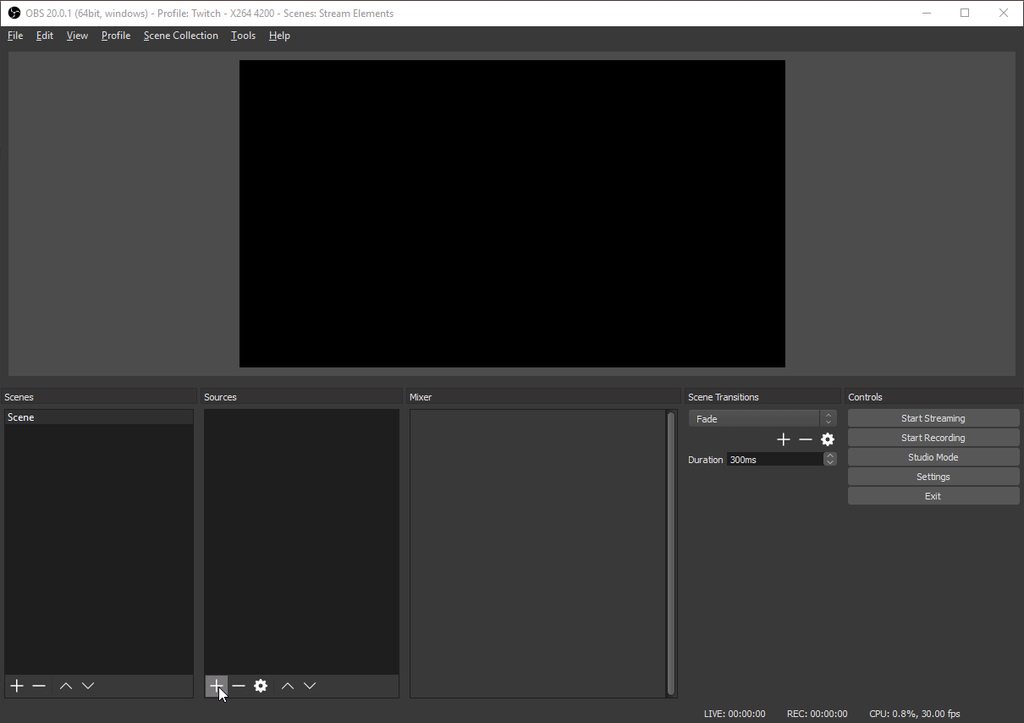
 random kite
I do not speak English
cold nexus
Thank you I will check
 errant dock
hey i have a quick question, am i allowed to post a link to a giveaway im doing?
@random kite ocupas alluda?
random kite
un poco
errant dock
en que te puedo alludar
random kite
es que quiero postular al programa de afiliados de twitch
clever mango
@errant dock Sorry, it cannot be posted in this server
errant dock
@clever mango alright
random kite
tengo todo listo pero me ve muy poca gente 😦
cold nexus
@clever mango Thank you I think this helped but will shutting down the source when not visible affect the preview during actual streaming?
clever mango
Thank you for your help @errant dock ❤
hexed herald
@clever mango do you know why i'd have to keep resetting the overlay?
random kite
que ?
clever mango
@cold nexus Shutting them down means that any overlay that is not being previewed/streamed won't be running in the background, eating CPU
random kite
no encuentro donde puedo mandar el mail para postular
errant dock
que es lo que quieres postular?
random kite
al programa de afiliados de twitch
clever mango
@hexed herald I do not. I've never experienced this. The only thing I can recommend is to start OBS fresh before each stream.
errant dock
tu no le mandas nada a ellos, cuando ya pases las qualificasiones twitch te va a mandar un email ati
cold nexus
gotcha I will give it a try. Thanks 🙂
clever mango
@hexed herald This also isn't something I've heard others report yet :/
random kite
el problema es que no puedo postular 😦 no se donde hacerlo porque la pagina que esta es la informacion
random kite
entrar
errant dock
ellos te van avisar ati
random kite
es como antes de que te acepten
errant dock
si ya se, ellos te avisan ati
random kite
ok gracias 😃
aqui esta: Unas cuantas semanas después de que tu canal se vuelva elegible, serás invitado por medio de un correo, una notificación en la esquina superior derecha de twitch.tv, y en la pestaña "En vivo" en el Panel de Control.
errant dock
eso es lo que te dije
 tight cedar
is there any way to make the Kappagen emotesplosion change which emotes explode for a given teir of subscription?
clever mango
That customization is not available but it's a cool idea. Please add it to #💭︱feedback-and-ideas and you might just see it in the future
 edgy geyser
so - question, to have donations and 3rd party (non-cheer) related tips be shown in your all's widgets, I must use the streamelements tipping page, and no other, or is data synced across multiple platforms?
stuck hamlet
For us to calculate/see any tips made, it has to be done with our system, yes.
You can import from StreamLabs, but that is just importing your previous tips. Not ''linking'' it to us.
 feral carbon
Can streamelements stream or do you need OBS
edgy geyser
that was what i figured - thanks
stuck hamlet
We do not stream from our website, you will need a thrid party application like OBS Studio or Xsplit. @feral carbon
feral carbon
okay thx
 unique ore
is there any way to route the audio for song requests by chance? I'd love to be able to route it through voicemeter banana so that I can't hear it but stream can.
weary mist
I use an app called audio router
lol
believe it or not, it routes audio
@unique ore
unique ore
@weary mist thank you....that looks like it might do what i need
slender bane
is there a way to disable the !donate command from triggering?
weary mist
you can turn it off in chat commands, the default tab @slender bane
 worn pivot
Quick Question: Stream Element notifications or custom commands don't display my sub emotes. Where do I set the bot as sub or is there any other setting I missed?
edgy kindle
@worn pivot If you're a twitch partner email Partner Support
Currently Affiliates cannot get their bots subbed
slender bane
@weary mist ah, it had the alias !tip, ty
stuck hamlet
Unfortunately thats not something we can control, and due to the fact that you're only an affiliate you have no free subs to give out. You could try emailing Twitch Support and asking, but theres not 100% solution.
worn pivot
ok thank you all
 obtuse patrol
Has the scroll settings disappeared for anyone else under TEXT SETTINGS ?
stuck hamlet
for what widget?
stuck hamlet
they should be there
obtuse patrol
latest follower, latest sub there is no scroll settings in the editor for me
stuck hamlet
try scrolling down?
obtuse patrol
I have lol I have tried different browsers, deleting cache and cookies etc
I am a computer tech so wouldnt ask if i didnt try everything
silk patrol
obtuse patrol
there is no setting there for scrolling
on my end there is no setting
thats why I am asking it used to be there
stuck hamlet
yea, and i meant scroll down :p i see the setting. it might just be hidden
what size monitor do you have?
silk patrol
⤴
clever mango
It's just below text shadow
stuck hamlet

 obtuse patrol
yes I know where is used to be
I am trying to tell u that it was there but isnt now for me
I cant scroll down any more the setting just isnt there. I am gonna try a different PC
stuck hamlet
can you do CTRL + SHIFT + R?
the other thing you can try and removing the widget and adding it back.
You're using chrome correct?
obtuse patrol
I think its an issue with this chrome browser on this PC to be honest
I just done it on my laptop and it seems to be there.
yeah def an issue with the displaying of stuff on this chrome browser since it updated might have to reinstall chrome on this system
silk patrol
clearing cache might fix it too
stuck hamlet
That's a strange issue, but im glad you got it resolved (a bit, for now)
 dire dune
how do you enable songs and song requests?
silk patrol
@dire dune On the songrequest page also make sure you enable the matching commands in chat commands
https://streamelements.com/dashboard/songrequest/general then settings on the right
silk patrol
no prob ❤
sudden basin
ok guys im back with another issues (thats if it is an issue)
when i remove the dancing shark from my AlertBox and replace it with another image/video the shark is still there, why is this?
silk patrol
@sudden basin check variations
sudden basin
ok so i need to remove the variations image aswelll ?
silk patrol
yep
sudden basin
ok thanks
also if i had like 4 different variations and someone subbed for instance does that mean it would pick a random image each time a viewer subs/follows/tips etc.
silk patrol
@sudden basin nope, variations have conditions. sub variations are for resubs, tip variations are for specific amounts
sudden basin
ah ok so if a tipper tips €10 i can have a specific image show for that specific amount
silk patrol
exactly
 ruby anchor
i need some help its says my top donator is on 1111.11 but its on 3552 :i what can i do ?
tight harness
@ruby anchor You can go here: https://streamelements.com/dashboard/mytips and click 'add a tip' for the person to make it the correct amount, but be careful to add the right amount 😃
ruby anchor
okay thanks 😄
tight harness
What seems to be the problem?
lament blade
I want to create a command for subcount
i created it
but i can't find it anymore
why ?
tight harness
What's the command called that you made?
tight harness
Can you try it in your chat for me? I'm in there now
lament blade
tryed
tight harness
It isn't showing in your commands: https://streamelements.com/shizuka_mefisto/commands
So it can't have been created
lament blade
okay thanks bro
tight harness
Try making it again 😃
lament blade
${channel.subs}
tight harness
Just the sub count? no other words right?
tight harness
No problem 😃
lament blade
Okay maybe i want to add
something for my viwers
for spend points
Is possible
to do a giveaway
but for
who wanna join it
pay like 1000 coins ?
oh yeah i see it now you implemented that
already
sorry xD
hollow zinc
 upper steeple
is there any way to make it where you have to be a follower or sub to enter a giveaway?
 soft valve
I have just created a custom command so my viewers can easily find out what time it is in my timezone (I get asked that question way too often.) Anyway I've used ${time.BST} which is the right timezone abbreviation but it displays the wrong time - its a hour behind. Any ideas?
silk patrol
@upper steeple sorta, since you can set a cost for tickets, people have to at least watch you stream to get points. But at the moment no, it can't be follow/sub only. but it might happen since a lot of people requested it
upper steeple
@silk patrol i really hope it does, cause people can watch and not follow and enter the giveaway and I don't want that
silk patrol
You can set the ticket cost to a very high price to prevent it, but I feel you, that's not the perfect solution
soft valve
My above question and problem has been resolved by @serene granite - Thanks SE!
silk patrol
@soft valve don't forget to check pinned messages when you get in a discord, there is always useful stuff in there 😃
 golden wing
is there any way to set commands to be used by followers only? i know you can set them to regulars only which would be a good substitute if i can set it up to auto add someone to regular list after x ammount of time?
 serene granite
no way to do a follower only command unfortunately
the auto addition to regular is something that was requested in the past, but didn't get much traction
 vague raven
Hi I have somebody that's trying to donate on my stream but it won't let him change his name to Anonymous and I can't seem to find the setting anywhere to change anything can somebody please help me out thank you
tight harness
Pretty sure I know what's happened
You'll see Force users to login and use their actual username ticked
Untick it and they should be able to set a custom name
vague raven
nopr not check
tight harness
That's the only setting we have which prevents people from putting their own custom names 🤔
 cloud solstice
hey there , i know it's a long shot but is there anyway that we can customize the bot name from streamelements to a custom name ? any premium feature for that ? cheers
serene granite
it's something we want to add in the future, but it isn't planned for any time soon
cloud solstice
cool stuff hectic 😉 any news regard the Youtube integration ? there is only fussbot avialable in the market . would love to see you guys joinjing the youtube community as we have a lot of streamers in there too 😃
serene granite
we're currently working on youtube integration
it's a big project, but it's being actively developed
 calm zephyr
hy guys i have a question about the 8 ball on stream element it`s possible to change the standart text: the 8-ball says..... to my own text ? ps: sorry for bad english ^^
tight harness
Yes, correct