#helpdesk-twitch
1 messages · Page 101 of 1
 outer flare
 tight harness
@pulsar solstice Only works with the link
 jade breach
Question, if I want to export the information for everyone on my leaderboards, how would I do that? Like points and times in my channel?
 silk patrol
@jade breach you can't
 stuck hamlet
You can
You just have to do it through the API
If you know anything about that
But there is no button to press to export it.
silk patrol
let me rephrase then, you can't through the website and if you don't have coding skills
 pulsar solstice
@tight harness Is there any mini games than Roulette or slots? Can I write my own mini games like !gamble (amount) ???
what is the parameters I need?
silk patrol
@pulsar solstice yes, it's in modules, and you can add an alias/rename it in the chat commands so viewers can use gamble instead
tight harness
Creating them from scratch though, nope
pulsar solstice
Or I would like add something like !don (for double or nothing) so users can put all their points into luck. They can double the amount or lose everything. Is that possible?
silk patrol
double or nothing is basically roulette all
pulsar solstice
ahh ok
tight harness
Yep
 obtuse patrol
My friend (wullie_82 < twitch who uses your system because I reccommended him, received a twitch sub yesterday but never got an alert via streamelements and its not showing on the activity dashboard either yet is in streamlabs
pulsar solstice
@tight harness what is the commend for adding someone as regular?
pulsar solstice
what is this 300? is that the points amount?
tight harness
Nope, it's the level for Regulars
tight harness
Np 😃
 lost ridge
Does anyone know how to use the plug.dj song players, I've signed but but don't know where the room name is to play in the song request tab
pulsar solstice
Is that possible to show someone's watchtime on the channel?
How long he has been watching currently + all time watching ?
 clever mango
${user.time_online} Time the user spent watching the Stream
It's a variable that can be added to a custom command
pulsar solstice
Ahh ok thx and an all time is not possible? Like User A is watching you for 2 hours now and have spent 100 hours in your channel
clever mango
That variable is for all-time. There is no variable for time watched during one stream.
There is also ${user.time_offline} for time spent in chat when stream is offline
pulsar solstice
@clever mango is there any custom command like ranking system? I want to give users a rank for their activities. For example the user write !points and the output says: You have 1000 points, you are rank 1 in the leaderboard and your title is Commander (the Bot will automatically add users who has reached a certain amount)
pulsar solstice
Oh hmm ok :/
Can I write this into suggestions? Would be cool because I like the idea to give a rank name and people can be proud of their Title they reached
stuck hamlet
You can suggest it in #💭︱feedback-and-ideas 😄
 edgy kindle
@pulsar solstice This is already on my list of suggestions :D
stuck hamlet
perfect 
pulsar solstice
@edgy kindle oh nice you are fast ❤ thank you
edgy kindle
Not really fast but it's been a long standing suggestion lol
pulsar solstice
Yeah I know that is not really new. I personally using AnkhBot now and want to change to SE. I like the browser dashboard than a exe app and now I have import all the system I used in the past 6 months =_= really Hardcore change for my channel but I love SE functions
edgy kindle
@pulsar solstice To give you an example of how new features show up; The devs have a list they fill out. this list consists of 1. new feature 2. a feature already here but needs work(such as cheer cup) and 3. bug fixes
pulsar solstice
And yeah in AnkhBot you can name the rank 😄 that's pretty cool
clever mango
Do you need help importing your points? @pulsar solstice
pulsar solstice
Yeah would be nice I don't want to import all 200 viewers manual xD
clever mango
Ok, the first thing you'll need to do is make a file backup with split files
in ankhbot
Do you know how to do this?
pulsar solstice
Not really can you whisper me? I don't think people want to read about this 😅
clever mango
This may actually be easier to do through voice support if you are able to do that
Well, this is a support channel 😃
pulsar solstice
Hmm sorry I am on the way to the restaurant now 😄 later maybe
And my English is really bad 😦 I am not really good at speaking. Greetings from Germany 😉
clever mango
No problem. When you're ready just ping me here and I'll help 
pulsar solstice
Ok Nice 👍
clever mango
I would have never guessed that English was a second language for you from your writing
pulsar solstice
Oh no hehehe really actually I am from Vietnam living in Germany xD and my English is just from Secondary School 😮
That's all
I just learned through gaming and chat writing but no skill in speaking
I still don't know much vocabularies and need to use the dictionary xD
clever mango
You're doing great from what I've read. Again, I'll be here whenever you're ready to import
pulsar solstice
Or is there any tutorials in YouTube? Made by SE members? If yes you can send it
@clever mango
clever mango
Not yet but I will be creating one
pulsar solstice
Ah ok cool
tight harness
Any and all of our youtube tutorials can be found here: https://www.youtube.com/channel/UCjerlCIbLPQwSnYlClkjDXg/videos

YouTube
Official youtube channel for StreamElements tutorials https://StreamElements.com
There isn't one about importing from Ankhbot though
pulsar solstice
Hmm but I can not imagine how does the import works? Maybe picking a file in the AnkhBot folder and put it into the web browser into SE Database? 😮
@clever mango
clever mango
Exporting from ankhbot creates a points.xml file. We convert it to csv format with only name,points and then there is seperate site where the csv can be imported to StreamElements
pulsar solstice
Ah ok sound nice
Ah that's why AnkhBot is supporting the CSV file for RevloBot. I used RevloBot before AnkhBot but this website stoped :/
But I never imported the file 😮 I just told my viewers "sorry guys we have to begin from 0" RevloBot is not working anymore. And people was really upset cause they had over 100 hours
 pulsar solstice
But yeah those people still there and supporting me 😄 now a new change again and I don't want to told them this again 😅
clever mango
You won't. And they'll be able to gamble again like they did with Revlo 😉
And buy stream perks/sound effects from the stream store
pulsar solstice
Oh Stream Store? What is that? Can users buy some Effect with points?
😮
That's new
clever mango

Stream Store is where your viewers can spend their points on cool perks. Watch the video and learn how to set your own store. ----- Join our discord for live...
 elder mango
Hi can anyone help me with the Donation Goal Widget? Is it possible to show how many weeks, days are left? Thanks
tight harness
If you don't tick the condensed view you do get how many days are left
clever mango
elder mango
Um, I haven't checked condensed and it shows a month 😦 Hold on... screen shoting
jade breach
@stuck hamlet Do you know where I could find the coding for this?
stuck hamlet
Coding for?
elder mango
So i haven't ticked Consensed. Never did and it just shows month 😦
tight harness
If there's over a month of days left then that makes sense for it to say there's a month left, are you wanting to be able to change the format of the time left so it says weeks and days instead of a month for over a month?
clever mango
What is your Goal End Date? @elder mango
elder mango
30th of sep
yeah. cause it sat at two months for a month and now it is at a month. @tight harness and it really makes it diffucult for people to see that time is passing
clever mango
I see what you are saying now. This is something I'll have the devs look at. It appears that anything from 26 days to ~40 days shows as "a month"
Thanks for bringing this to our attention. It would be more clear to show days remaining
elder mango
No worries! Glad it will be solved 😃 @clever mango I thought it was my derpyness. 😛 Yeah ti would be much clearer for the streamer and viewers for it to show weeks and days 😃
tight harness
Agreed
elder mango
😃
jade breach
@stuck hamlet for exporting my leaderboard stats.
stuck hamlet
We have no code for it, we just have visible API.
pulsar solstice
@clever mango is it possible that the hours (watchtime) will be imported too? Or only the points?
clever mango
I will have to check on this and get back to you @pulsar solstice
pulsar solstice
Alright thx would be nice because there are viewers with over 300 hours and they want to know in the new system 😃
If not it's also ok I will use both. Overlay and alerts in SE and Currency in AnkhBot @clever mango
 lament blade
Is there some way to download sounds I've uploaded to stream elements or stream labs? DM me if you know a way
Looking for good places to find alert sounds too
clever mango
SE does not offer a download option for items that have been uploaded. https://www.myinstants.com is a great site for sound effects @lament blade

 white lintel
Okay, thanks!
lament blade
@clever mango someone told me i could download by using the network tab?
does anyone know how to access that?
@clever mango that site has thousands of clips
I don't feel like spending days wading through troll sound effects to find something decent =/
clever mango
There is a search function
stuck hamlet
I don't know who told you that, but there is no official way of downloading these.
clever mango
¯_(ツ)_/¯
stuck hamlet
It is not possible.
lament blade
Someone said it is possible through opening the network tab
clever mango
It's not something we provide support for here. Sorry.
 kind pasture
hey so Im having some issues with cheers. A memeber of my chat cheered me during a stream, and the bits showed up in the chat, but not in my alert box or even my events list on my dashboard. I pretty much am using default option for bit cheer notifications. Only changed the sound, font, and added tts. The cheered 14 and the again for 7 and it never showed up and my minimum is set to zero. Bug I guess?
lament blade
Seems like the staff just vanished
tight harness
We didn't vanish, you were told we don't provide support for that here
kind pasture
Bug help is okay, right?
kind pasture
Okay lovely c:
tight harness
Start off by telling us the problem, it saves a lot of time
lament blade
Sure i want to youse your preset overlay
when i put it on obs all works like recent follower and recent sub
but for the top donotation and recent
all is set to 0
why ?
Staff members propose a solution, but when you ask them for help they refuse to communicate
Alright then
Ian678 - Today at 11:27 AM
you can get the url for file by opening the network tab in your browser
pulsar solstice
ok I am ready @clever mango
tight harness
@kind pasture I haven't heard about that happening to anybody else 🤔 will have to do some testing and get back to you
In the meantime if you DM me your settings in your overlay manager for cheering that'd be useful
As in your cheer alert settings
lament blade
sure
kind pasture
@tight harness Allrighty, will hop on to pc and do that
pulsar solstice
so what do I need now? @clever mango
pulsar solstice
ok
lament blade
@tight harness i pm you ?
pulsar solstice
I have the AnkhBot folder open now
edgy kindle
@lament blade Hey i'll DM you.
tight harness
@lament blade I was talking to BippityBoo, I haven't gotten around to your problem yet
lament blade
So who can help me ?
pulsar solstice
@clever mango and what about the hours? Have you found out?
 cyan iron
So I thought of something with the cough ${random.user} issue I brought up the other day. That it could work for say a !love command.
12:04 88lynn88: !command add !love ${sender} has ${random.user}% love with ${user} PogChamp ❤️
12:04 StreamElements: @88lynn88, successfully added command love.
12:04 88lynn88: !love Nightbot
12:04 StreamElements: 88lynn88 has 46% love with Nightbot PogChamp ❤️
12:04 88lynn88: !love StreamElements
12:04 StreamElements: 88lynn88 has 40% love with streamelements PogChamp ❤️
Just figured I'd let people know SeemsGood
clever mango
@pulsar solstice I was just informed that hours are not imported at this time. Stream Elements does track user hours (online viewing and offline) but this only begins once the streamer has signed up with SE
Would you still like to import your points? I'm happy to help if you do
 worn plank
can we upload another browser source to run through se's browser source?
clever mango
@worn plank This cannot be done
pulsar solstice
@clever mango arrggh that is not really nice for my viewers :/ ok anyway no problem I will use both Bots Services
@clever mango thank you for your help
worn plank
ok so I have an animated social media popup written in js is there any way for me to put this on your overlay setup?
pulsar solstice
@clever mango ${user} is watching the Stream for ${user.time_online} is that the right command to find out for how long a user is watching my stream when i am online?
worn plank
thanks
clever mango
@pulsar solstice Just to clarify, that would show the total amount of time the user has spent watching your streams since you signed up for Stream Elements. It would not show how long during a particular stream. ${user.time_offline} is a variable that is harder to track with Ankhbot because of the bot being run locally. It won't track if the program is closed or the hosting computer is asleep or off. SE bot is pretty much always running 😃
 agile sundial
Hi, was wondering how subscriber goal works?
I've repeated my recent subscribers but the count hasn't increasee
 simple garnet
I know this may get deleted since it's not directly with streamlabs but anyone who streams and used a 3440x1440 monitor I need help setting my obs up. Do I need to go to a 1080 16:9 or keep my screen. I don't want to play the game in a windowed 1080 format on the 3440x1440. Any help would be appreciated and you can just pm thanks in advance
stuck hamlet
@agile sundial currently counts subs per session
session being stream
we are fixing it so you can choose
agile sundial
ooo ok! thank you!
clever mango
@simple garnet Hi, this is Stream Elements 😜. I should be able to help you with your OBS related question
What resolution are you playing your game at?
3440x1440 in fullscreen?
simple garnet
Yes correct @clever mango
clever mango
And what do you want to output to twitch? 1920x1080?
simple garnet
Specs are 5820k 1080ti oc edition and the stream is choppy and I can't figure out how to clear it. I output 1920x1080 to twitch and it's choppy. If I scale the game to 1920x1080 in a small window and stream it, the stream doesn't get choppy. It's killing me and I'm wanting my stream to look good.
clever mango
Open your OBS settings, go to the video tab and take a screenshot of that window please
By the way, are you using the latest version of OBS studio?
simple garnet
Yes I keep it up to date. I'm not at my house at this moment. Can I tag you once I'm on my pc with the pic later?
clever mango
Sure
 rough sedge
@stuck hamlet hey how are you today? ^_ ^
@stuck hamlet i'm going to stream in a bit, trying again to work out how to take an 1080p animated theme and have it reduced to 480p
rough sedge
the problem is that I'm using xsplit
I maybe found a workaround but the problem is that compressing that much the animation comes up weird obviously
clever mango
Ah yes, now I remember
@ebon forum is a Stream Elements champion who uses xsplit. Maybe he can help out here?
rough sedge
I'll wait for him to answer then... is also known that if I switch scenes through xSplit, takes 2/3 seconds to "load" the webpage the overlay comes from?
clever mango
This is normal as it is a webpage that must be loaded into the scene. I'm not sure about Xsplit but in OBS studio, the streamer can use "studio mode" to pre-load the scene before transitioning to it
Does xsplit have something similar?
rough sedge
yeah I can open a preview of the scene by hovering the mouse over the scene
but not sure if it was a known problem or something that there's nothing we can do about XD
clever mango
It's common for browser sources, especially animated ones. There may be a way to reduce the load time in the future through cacheing but I'm not sure if/how that would work TBH
rough sedge

 harsh dove
@clever mango how can i get one of my overlays to show?
clever mango
You've created it using the overlay manager?
harsh dove
yeah
clever mango
Are you using the latest version of OBS studio?
harsh dove
yes
clever mango
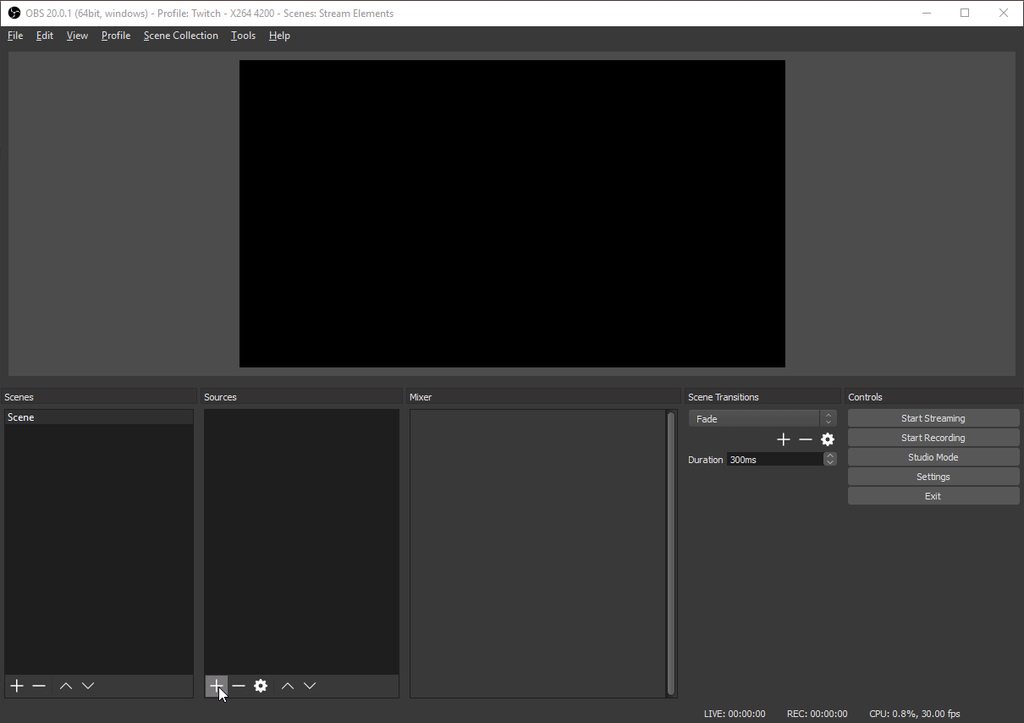
You get the overlay URL by clicking Launch at the bottom left corner of the overlay editor
stuck hamlet
you should be able to resize your browser sources in xplit @rough sedge
if not its a shit program xd
harsh dove
thanks @clever mango
clever mango
By the way @harsh dove this assumes that your OBS Base (Canvas) Resolution is set to 1920x1080 in Settings -> Video
If it's not let me know and we can adjust
rough sedge
@clever mango @stuck hamlet I managed to get it working, now I just need to understand how to make it read the stats from the channel instead of the session (yes I've linked my streamlabs to streamelements)
stuck hamlet
Stats like that are currently session based, we are rolling out a fix for you to be able to choose this soon
rough sedge
stuck hamlet
like you can smell it
rough sedge
noice
do you also have in mind to add minigames with points and all? maybe bot renaming too?
stuck hamlet
we have some minigames, under modules.
stuck hamlet
Renaming can't be done if we host the bot. we are looking on ways we want to proceed with this. but nothing for the near future
stuck hamlet
😃
pulsar solstice
Is the bug problem already fixed? 😮
stuck hamlet
ˢ ᵒᵒᶰ ᵗᵐ
clever mango
Exterminator is on the way
 ebon forum
@rough sedge do you still need some help with Xsplit?
rough sedge
@ebon forum so-so XD seems that it's quite taxing for the cpu to manage animated overlays, but I think I've managed to add them in the right size for the moment
ebon forum
@rough sedge yep. Xsplit is generally a bit heavier than OBS and with animated overlays you need a beefy CPU. i suggest 6-8 core with a decent OC if you want to run everything and dont care 😄
 sudden basin
guys how do i appear in the Sellout section
 frosty zealot
you need to be using all of the pieces of the system, (bot, overlay, tipping) and then just ask someone like @weary mist
 sudden basin
do i have to use the bot
 weary mist
If you want to join the sellout channel, it is all three parts
 hexed drift
afaik, I'm not on the sellout list yet and yes, I am using all of those parts, completely given up on StreamLabs when I moved to StreamElements
clever mango
Have you messaged anyone yet?
hexed drift
not yet
 sage cipher
hi, can anyone help me please? my layout is not working, how can i fix that? top donators and followrs are not showing up
sage cipher
ok thanks
rough sedge
@weary mist I think my body is ready to become a Sellout 

I've setup everything today, gonna be smoother in the following days
weary mist
:)
harsh dove
can someone help me with Alerts
 hasty briar
My sounds are still broken SFX they get reeedemed and nothing happens
tight harness
@harsh dove What's your problem with alerts?
harsh dove
i made an overlay that was just an alert box (no backgrounds) but the page won't load
tight harness
@hasty briar Do they play when you click on the Play button in your store page?
hasty briar
Yes
tight harness
@hasty briar Did you add the Store Redemptions widget to your overlay?
harsh dove
@tight harness i think its because theres no background
hasty briar
Yes unless it was removed this happened a while back and nuuls fixed it for me said it was something on their side
tight harness
@harsh dove The background is transparent, it'll only show something when you get an alert, what happens when you emulate an event in the overlay manager?
sudden basin
does SE support a tip jar like StreamLabs
clever mango

harsh dove
lemme check that
hasty briar
Tip jar is under construction last i heard
sudden basin
oh good i can finally 100% switch over to SE now that i know that
@clever mango is there an ETA on the jar
sudden basin
ok so patience is worth it
harsh dove
@tight harness it looks like everything is working
sudden basin
im excited now
tight harness
@harsh dove Good news 😃
hasty briar
Ok, yeah some how my store redemption was removed added it back fixed now
clever mango
There is a preview of a basic cup in #297092117933719552. I say basic because there will be a lot of customization
tight harness
@hasty briar That's awesome 😃 glad we figured that out
harsh dove
is there any giveaway with stream elements?
clever mango
Yep
harsh dove
i think i found it
clever mango
Left hand side of the dashboard in the Loyalty section
tight harness
There's actually Giveaways and Contests, if you want them to display an overlay on the stream add the widget for them in the overlay manager 😃
clever mango
Contests allow your viewers to bet on outcomes (Ex. Will I win or lose the next round?) with their points. It's a lot of fun.
You make them too so they can be anything with multiple outcomes to choose from
harsh dove
@clever mango @tight harness I added a live chat but i would like to know how much lag should i add to the chat?
 finite mural
When someone auto-hosts you do they still receive the bonus points that you setup? Rather than just doing a regular host
tight harness
Entirely up to you @harsh dove experiment with it
harsh dove
k thx
tight harness
There's currently no difference between an auto host or a manual host, a host is a host
So both are rewarded
finite mural
cool thanks 😄
sudden basin
@clever mango sorry for the late reply but i can see the preview of the cup
harsh dove
@tight harness im confused how the giveaway widget works, does it show a timer?
weary mist
there is a preview in #297092117933719552 I believe
clever mango
⤴
tight harness
@harsh dove There is a timer on the site and it can display the timer on the stream for up to a minute I believe (unless that was changed)
weary mist
@harsh dove you could always start a giveaway to see what it is, just temp. But it shows timer and count of how many people have entered
clever mango
3rd one from the bottom
 unique ore
So i'm still sorta new to stream elements and had a question.....is it normal for CPU usage to spike with OBS when using the animated superthemes?
weary mist
yes
think about this: The browser source with OBS uses CPU, and it has to animate all those things on its own
it doesn't get the assistance of a GPU
so the animated things tend to suck down a bit more CPU than normal
unique ore
I'm getting spikes in the 90-100% CPU usage tho....how do people use them with that kind of drain?
clever mango
It all depends on hardware and the components in the scene
unique ore
i7-6700k cpu, Radeon r9 390 gpu, 16 gb ram....attempted the bulletstorm animated supertheme for battlegrounds
 tiny lotus
what are video quality are you streaming at
that processor shouldnt have that kind of problem
unique ore
right now just having obs open, no game with the BRB scene the only source my cpu is holding at 88% w/o streaming or recording right now.
one sec on the vid quality
weary mist
I am running the same processor, while playing PUBG I get about 80-90%, but that is including everything else I am running
weary mist
I am actually streaming with that overlay now ❤
unique ore
what vid quality stuff you wanting to know specifics on?
I usually have bitrate 6000 with AMD encoder.....pretty much the obs tool's suggested settings
@clever mango yes, the scene i have loaded only has that one source going
clever mango
@unique ore But do you have other browser sources in other scenes?
And if so, are they shutting down when not visible?
clever mango
For every browser source, it's highly recommended to check the box in the source properties to "shut down when not visible"
tiny lotus
but then they have to boot when you switch scenes
weary mist
yeah, I use studio mode for that
clever mango
Yes, but it also means you're not running x number of animated overlays at one time
tiny lotus
oh i never thought about that
unique ore
i usually use studio mode anyway so that's not a big change for me
i thought on your guys video it said to keep them open?
unique ore
....you're right....i remember that now.....
that's helped alot now that i've gone through and done that to the scenes
i'm down to about 40-48 avg now
unique ore
ok. thanks for the help there....i knew it had to be something i was doing wrong with the hardware i had
appreciate it
harsh dove
my chat widget won't work all its showing is a black box
clever mango
Is your text black?
clever mango
light colors
harsh dove
like a light red?
clever mango
My experience so far has taught me to avoid red at all costs in streams
harsh dove
oh oke
harsh dove
i made it a white
clever mango
Is it working now?
harsh dove
i wish i could simulate a text
weary mist
just type in your chat
clever mango
Sorry @simple garnet missed your message. Just a sec
simple garnet
all good im waiting lol
clever mango
Ok first thing I notice that might be giving you issues is Lanczos downscaling
simple garnet
if its easier for you to get into a room i do have a headset.
clever mango
It's generally not worth it in my experience. Bicubic is almost always adequate
Remind me again please what you were having trouble with
Lag?
I'll jump in voice support in a minute
harsh dove
@weary mist can i ask you about troubles about Streaming (Making a name)
 steep pumice
so my recent sub and top cheer got removed. is there a way to add it manually?
edgy kindle
@harsh dove Are you needing help creating a name for your stream?
harsh dove
@edgy kindle whats happening is that it says that i need a twitch supported language
edgy kindle
Hmm what are you trying to name?
edgy kindle
Ah alright
weary mist
@harsh dove ask away
harsh dove
@weary mist I got it fixed
 lofty delta
I followed all directions to get set up. I go on twitch and I see my live stream but when I go to stream elements I get nothing. Says no activity
weary mist
the activity will only show if you get an event (follow, host, tip, cheer)
 knotty warren
I apologize if this has been asked recently, but is "Top Cheer" bugged?
lofty delta
ok so how do i see what other people see? like the overlay design
weary mist
link your twitch account to your discord profile
weary mist
ok. so for you, @lofty delta, how are you streaming to twitch, is it a console, capture card, or a broadcasting software?
lofty delta
im using the twitch app and OBS
weary mist
@harsh dove your bot is working, you just need to play with the commands 😃
lofty delta
and im on my computer
weary mist
ok, so for overlays, you have to add it via a browser source link. I recommend you spend some time and watch some of the youtube videos we have put together to teach people how to do everything there is for streaming/streamelements

Setting up StreamElements is easy, learn how to in this video, hosted by Twitch Partner GIRLvsDUMB - Got any questions, or just want to say "Hey"? Join our D...
weary mist
there is more than one video 😉
lofty delta
ok i'll check em out again. thanks
edgy kindle
@harsh dove You gotta contact Scalper, hectic, or styler once you're using tipping, overlays, and the channel bot
harsh dove
i have everything but the tipping (i don't have tipping set up because i don't have a paypal)
weary mist
once you do that, I can get you added 😃
steep pumice
so my recent sub and top cheer got removed. is there a way to add it manually?
weary mist
yes, if you go into the editor, click widgets, then add that widget 😃
 lapis pecan
So for some reason, my overlay just gets cut off at anything less than 1920x1080. The widegets and tabs don't shrink to fit the resolution, any idea on what I'm doing wrong? Streaming at 960x540, but the overlay only shows like 2 tabs even on the website
 next spruce
What's the difference between "Win message" and "Winner message" on the Duel settings?
clever mango
Ready @lapis pecan
steep pumice
@weary mist I have it still added its just the name is mission
weary mist
oh, there are some updates to the sessions page that are comming soon that will take care of that. In the mean time, you can replay your previous cheer even to fill the spot temporarily
unique ore
@clever mango @weary mist hey wanted to say thanks again! I was able to do my stream and it turns out that was a lot of the problems I been having elsewhere in my streams. Tonight I was hitting around the 80% cpu with everything running like you said. So I have all my scenes fixed now.
lament blade
how to stream?
weary mist
😃 ❤ @unique ore
clever mango
Great to hear @unique ore
weary mist
@lament blade I recommend looking up videos on youtube on how to stream, we are here to assist once you have a basic understanding
unique ore
What app are you guys using for mobile streaming? Saw this video...

Join our discord for help: https://discord.gg/NdjRD6e
clever mango
There are many but bitstream is one of the most popular
unique ore
Ty
 lilac fractal
Hey guys! So, I've been working on an overlay for a buddy of mine, and it dawned on me as I finished it, it's going to show my information, and not his, since I made it on my profile. Is there any way I can transfer the overlay to him? Or export/upload it somewhere so he can get it?
@edgy kindle
edgy kindle
@lilac fractal Sadly not
lilac fractal
Bummer... Alright, thank you! Y'all should maybe make that a feature some day. 😛
edgy kindle
@lilac fractal It wont be required when SuperMod dashboard access goes live~
unique ore
SE bit boss battle > plastic cheer cup 😸
 ancient wigeon
having a cheer cup > not having a cheercup
unique ore
Situation ==true
In your theme gallery, there are no mobile ones are there?
Any advice for building one? Namely should I make one for portrait and one for landscape I imagine?
 void lodge
I can't find the Themes tab when creating an overlay
edgy kindle
@void lodge This has been made it's own tab on the main dashboard.
It's labeled Theme Gallery
void lodge
I just noticed it, thank you!
Any chance PaySafeCard and iDEAL will be implemented as payment methods?
 atomic hollow
yes, we are working on it
void lodge
Im getting this error when installing GroundControl
 frosty lantern
aww sheet son
void lodge
rigged 
void lodge
I had to disabe AV 😃
 brazen mesa
Derp question, but I changed my username on Twitch and now my chat widgets won't work since Streamelements didn't update- is there a way to change my username on Streamelements so I can keep all the loyalties data?
stuck hamlet
just sign out and sign back into SE
and it should fix 😃
Refresh your cache on obs too
 ruby anchor
i still got a problem tho... all my data is gone from live feed and my overlays
silk patrol
@ruby anchor we are working on it
 coral kelp
why doesnt the live chat widget automatically delete deleted messages in chat
ruby anchor
@silk patrol any ide on when it fix?
silk patrol
@ruby anchor No ETA yet, work is being done
coral kelp
can someone respond to my question :v
also why does the streamelements website constantly hang my browser
tight harness
@coral kelp Are you using Chrome? we recommend that people use Chrome who use our website as it's built to work smoothly with Chrome
coral kelp
yes i use chrome
tight harness
@coral kelp The only time I have the website even remotely lag is when I have 100% CPU usage, it's running fine for me now
silk patrol
working fine for me too. As for the chat widget, it's still in beta
there is always room for improvement
coral kelp
well id like really appreciate it because people constantly harass me and exploit the fact that i have to manually clear the chat widget whenever they say dumb bs because it stays on stream
lament blade
Am i really the only one with huge problems in my counters? the donater count and subscriber count ???? :/ it havent worked at all since i started using streamelements.. and you guys keep says "we will fix this" but nothing happens :/ what is wrong with this shit ? 😦 do i really need to go back to streamlabs or something? 😦
lament blade
well, all my counters reset.. and when i go to the session dashboard and type in the numbers it wont save it.. "latest donater" is working, but it says "top donator = 0"
and it only counted 1 sub, who subbed yesterday.. it wont count all my other subs.. and again, wont save it when i manually type in the number.. altså it counts resubscribers as "subs".. cant change that..
silk patrol
A new version of the session page is being worked on, the count fields don't work anymore because data is being pulled from twitch automagically. That's why you can't type anything into it
lament blade
so i will never be able to make it count my donations i have already recived?
silk patrol
They will appear once everything gets sorted out
They are still being registered, only the display part is not working right now
 dire kelp
Hi, I have a question about streamelements overlays
I would create one overlay with some widgets, but I would like to not show all widgets at the same time
would it be possible to show one widget, make it dissapear and then show other different widget?
silk patrol
@dire kelp Hi, if you want it to be done automatically, then no it's not possible, that's a very specific behavior. But it can be done manually, just create multiple overlays and hide/show them whenever you want in OBS
 serene granite
or open the overlay editor and hide (the eye icon on the bottom left) the widgets you want to hide, and then save
silk patrol
⤴ works too. i thought of it as well, and it will use less CPU, but you need the overlay editor open all the time
dire kelp
but i want to do it automatically, one element in obs which shows latest follower a few seconds, then latest sub or any other stuff, a "cycle of widgets"
silk patrol
As I said, it can't be done
maybe in the future, feel free to request it here #💭︱feedback-and-ideas
dire kelp
ok, thanks for the response 😃
lament blade
Is there a way to turn off the donation part where they can add a youtube video with the doantion as i dont want to have that as an option.
silk patrol
@lament blade yep https://streamelements.com/dashboard/songrequest/settings
 burnt sky
I cant get my Loyalty settings (Host bonus) to work :/ Do the "hosts" need to be streaming to host me before it triggers ? - RasserGG
tight harness
Not to my knowledge
burnt sky
I am a small (Really small 😄 ) streamer but i would like to "give" my friends who autohost me some "Points" because most of my interaction with viewers are with points 😄 but we tested it 10 times now and after an host no points are automatic given 😦
silk patrol
@burnt sky Was that an autohost or a manual host ?
lament blade
How do i get the announcements in my discord channel?
burnt sky
@silk patrol i have tested with bough
silk patrol
@lament blade We don't have a discord bot
burnt sky
(sorry for the bad english) - i am danish 😄
silk patrol
@burnt sky no prob. by tested, do you mean that you've asked your friends to host you to see if they earned points ?
burnt sky
Yes 😃 i got also got 1-2 totally new viewers to host me just to check it out, and noone got the 100 points
silk patrol
Thanks for the feedback, we will investigate it
burnt sky
Thanks 😄 #BestToolEver #FuckMoobot
tight harness
 lol
lol
white lintel
Is it normal that the names have no colours in the chat widget when it's transparent, can I enable that?
tight harness
@white lintel If you check in the text settings if it was able to be changed it'd be in there, give that a test, if not then it's possible it's not been added yet, it is still in beta 😃
white lintel
No problem! Thanks for the answer
tight harness
You're very welcome 😃
 cunning tendon
I was using StreamElements for the first time last night and everything seemed to go just fine. I have an issue with the activity feed though. It shows the 4 follows I got last night, but it doesn't show the host. Any idea why?
silk patrol
Auto-hosts maybe? I don't know if they appear in the activity feed like regular hosts
cunning tendon
Could be but I doubt it, this was someone that never hosted me before.
 empty fjord
If youre in a twitch team, you might be getting auto hosts from its members. Happens to me a lot, dont know most of the people that i get those auto hosts from
cunning tendon
i'm not on a team but would it work the same for a community? If so that would make sense. I just checked and the host showed up in muxy.
silk patrol
I don't think it works for communities, since there is no setting for that in the twitch preferences and there is one for teams. It does work for similar channels as mentionned in the autohost settings
 main shell
Is there any kappagen commands? 
tight harness
Yes, !kappagen [emote] [amount]
main shell
Screams!
Thank you a ton!
tight harness
No problem 😄
cunning tendon
Hm, dunno what happened. Guess we'll see what happens in the future, maybe just a bug 😆
tight harness
I believe auto-hosts do show up in the activity feed just the same as manual hosts
 viscid steppe
Quick question about giveaways. I like my subs to name new characters. Is there a way to set up Giveaways for Subs only?
tight harness
@viscid steppe Not currently, you can set sub luck but not subs only, although it is a feature which has been requested plenty of times so I know it's going to be a thing 😃
viscid steppe
I really appreciate your help @tight harness You have been so amazing these past few days as I figure this all out! You rock! 😃
tight harness
No problem 😃 
 sly cape
Im highly considering switching to StreamElements and I was curious on a scale of not really customizable to totally customizable, how customizable is it?
silk patrol
@sly cape You have to try it to figure that out. Some parts are highly customizable, others aren't. It's not a black and white situation, like most things in life. But I can clearly say that it's more customizable than other platforms
sly cape
@silk patrol I currently use StreamLabs in conjunction with AnkhBot, and idk, I just feel like trying something new.
I like to tinker, so I will give it a shot
tight harness
@sly cape We are in beta so if you have any suggestions just give us a shout in #💭︱feedback-and-ideas
sly cape
@tight harness I'll keep that in mind. Thank you!
agile sundial
Hi are the widgets still broken?
tight harness
Which widgets in particular?
agile sundial
Latest Subscriber and Newest Donation seem to be the ones I had problems with!
Even when I reset and it updates, it would revert to showing nothing or £0
lament blade
Thank you @silk patrol
 lapis canopy
Hi none of the chat commands are working for me in the twitch chat for any of the channels I have subscribed to or that I'm following.
They was working fine yesterday but nothing today, I have tried signing in and out of twitch. Closing my browser and restarting the laptop, even tried using different browsers all to no avail.
weary mist
@lapis canopy which channels? You are the only person right now that has reported the issue. Also, which commands are you attempting to use?
lapis canopy
Rushlock (!points !roulette !top points) and Markeedragon (!gold and !raid) all these commands seem to be working for everyone else
weary mist
Can you DM me links to their stream?
sudden basin
@serene granite i want to enter the giveaway for D2 but i dont know how to copy the link for my retweet
tight harness
@agile sundial It seems this is related to the other widget issues we've had recently, fixing hopefully coming tonight
serene granite
you know that's a good question
sudden basin
should i just link my twitter ?
agile sundial
@tight harness Sounds great! Look forward to it :3
tight harness
As do I 😃
sudden basin
ok i have a problem... my streamelements bot is showing up as a viewer and not a mod when its clearly a mod
tight harness
Showing up where as a viewer?
sudden basin
on my twitch
tight harness
Try unmodding it then remodding it?
tight harness
No problem 😄
agile sundial
Curious question, why is it important to "Shutdown source when not visible?" - isn't it better since the overlay loads up faster?
tight harness
If it's open in the background that uses up valuable resources which don't need to be used up
serene granite
and audio that comes in through it (such as an alertbox triggered due to an event) will be heard on your stream
lament blade
is there any problem with streamelements atm? the commands don't work
tight harness
@lament blade Not aware of any problems with commands 🤔 i'll give it a test
agile sundial
Ahh I see, thank you!
lament blade
@tight harness not in my channel tho 😄 haven't tested it there
tight harness
@lament blade You're right, commands aren't working for me either
lament blade
oh ok
tight harness
@serene granite Commands aren't working currently, are we pushing any updates atm?
serene granite
yes
tight harness
ahh, 😄 that'll be why
lament blade
oh ok thank you 😄 how long will that take?
tight harness
Never takes long 😃
sudden basin
oh updates... what for ?
lament blade
thanks for the fast reply
tight harness
You're very welcome, multitasking champion here 
lament blade
as always 😄
serene granite
@lament blade please go on the dashboard and tell it to part the channel and then join the channel
it'll speed up the process.
 tawny pivot
Twitch is restarting a cluster filled with offline channels.
lament blade
ok i can't do that on the channel i'm moderating 😄
tawny pivot
Do what hectic said to resolve it
lament blade
but i'll tell
 rancid glacier
Anyone available for voice support?
sudden basin
@serene granite will the update be adding any new features ?
 hasty chasm
So for the chat widget and commands is there an option to have the chat widget show the "message deleted" thing when you timeout/ban someone ?
tawny pivot
@hasty chasm I'll write it down.
hasty chasm
or when the bot times someone out
 dense egret
Question! For some reason my commands and music requests are not working while I am live. Anyone else having issues? I have refreshed and did all my usual things to get it back.
lament blade
^ I'm having this problem too.
tight harness
This is to do with what we were just talking about, the bot is restarting for some updates to go live
serene granite
@tight harness its actually twitch restarting some chat servers apparently
my bad
tight harness
Ohh whoops 😄
serene granite
we're also releasing updates but theyre not related to the bot
will post in #270206314561404928 when its live
tawny pivot
It'll be back in ALL disconnected channels in ~7 minutes.
tight harness
@dense egret @lament blade ⤴
dense egret
Thank you!
tight harness
No problem 😃
agile sundial
sadly not >.< I use youtube since I'm pretty familiar with it
Is there a way of linking custom commands to chat instead of all available commands?
weary mist
@agile sundial can you explain that a bit more? I don't know what you mean
agile sundial
So you see how you can look at the commands for my channel using https://streamelements.com/ninjanultrix/commands ?
I don't want to show all commands, just the custom commands I have made
So if you do !commands in chat, it'll show the custom commands - not all haha, if that makes sense?
weary mist
Ah, that makes sence. But no, that is not an option at the moment
agile sundial
oh okay, understood! thanks!
lost ridge
youtube is ok, but i'd like something a little different, i have tried what i can see, edit the name of the room but on Plug.dj it doesn't say what the room name is:
 frigid kayak
Hey! Hope you all are well! How do I get my Total Subscriber Widget to show an accurate amount? It is stuck on 0? Do I need to go live for it to take in the correct info?
tight harness
@frigid kayak We're aware of this, it's something we're hoping to have fixed tonight 😃
tawny pivot
It should resync when you go live every 2 minutes aswell.
frigid kayak
Oh!! Perfect! Thank you! I'll just leave it up then! Didn't know if it was on my end
tight harness
Some changes are being made to the session page, it'll be well worth it 😃
 potent pine
hey i need help :p
tight harness
What's the problem?
lost ridge
what's up @potent pine
potent pine
okay so, i imported my data from streamlabs into streamelements, and tried to use a streamelements overlay, but its using data from so long ago, like nearly 6 months ago, any idea how to get it to todays info?
tight harness
Using data from so long ago? What kind of data? 😮
tight harness
You could reset your session, then all the imported data is still there but any current session data is reset, the session page is being worked on tonight though so may be worth waiting a little first.
 kind jacinth
Someone can help with the song request command? D:
potent pine
ill wait for now, thanks for your time and help 😄
tight harness
@kind jacinth What's your problem with the song request command?
@potent pine No problem at all 😃
potent pine
😄
kind jacinth
@tight harness when someone with that command put the song in the queue, to let the song play during the stream I must have the music page of streamelements open? Or I don't know! D:
tight harness
Yes, you need either the page open or Ground Control open, either of those HAS to be open because that's where the music comes from
Hope that makes sense 😄
It'd be impossible for you to have the music playing otherwise
sudden basin
is there any chance of youtube support for the now playing in the future at any point in time
or even spotify
clever mango
It currently works for song requests but not backup queue
This is because of a youtube API limit
So yes, in the future it is possible that it will work for all youtube songs
Spotify has been talked about and could also be possible in the future
kind jacinth
@tight harness ground control?
tight harness
We basically have a limit of how many API calls we can make from Youtube, so for now it's limited
clever mango
tight harness
@kind jacinth Ground control is a desktop app that you can download which has some features available
clever mango
It's great because it plays and manages SR, shows your activity feed (compact mode available) and allows you to set hotkeys for certain actions (very helpful)
Also, dark mode
sudden basin
darkmode = legendary
tight harness
In some cases it's probably better than having a Chrome tab open too 😛
sudden basin
no pun intended @tight harness
 wide schooner
Hi all .. I'm having an issue with my subscriber sound effect still plays even though i've removed it from the sub alert . And i went one further by deleting it from SE all to gether ???
clever mango
Did you check your variation settings for subscriber alerts?
Also, try refreshing the overlay
wide schooner
yes i deleted all those too .. i have no variations in the list
ive re-started my browser too
clever mango
If you mute the overlay editor tab, do you still hear the sound effect?
clever mango
yes
wide schooner
it still plays
wide schooner
yes
kind jacinth
@tight harness thank you! >w<
wide schooner
i closed obs and it doesn't play ..thanks i'll reset them
clever mango
Certain changes require the browser sourc to be refreshed or have their cache refreshed in the browser source properties
You can hide and reopen the source or refresh cache from the properties
wide schooner
it was coming from a different scene on obs
tight harness
Figured it out?
wide schooner
yes thanks !
tight harness
Awesome 😃
clever mango
Coming from a different scene means that "Shutdown source when not visible" may not have been checked
Double check that this box is checked for all browser sources
 serene nimbus
Should it be checked by default?
tight harness
It's often not checked by default but we recommend that it's checked in most cases to save resources
serene nimbus
Oh to save what resources?
tight harness
Well if you have browser sources open then it's going to use CPU, if you hide them when they're not in use then you save CPU usage 😄
serene nimbus
Dual PC stream setup but will have that in mind
And one more thing why I'm not on sell out chat?
clever mango
With static overlays it's not so much a problem but if you've got 3+ animated (this includes scrolling text) overlays then the cpu usage skyrockets
tight harness
You can request to be in the sellout channel if you use everything as in overlay, tipping page and bot 😄
You just need to ask a Staff member if you meet that criteria
serene nimbus
I think I use all of that#
tight harness
I'm pretty sure they check if you ask 😛
serene nimbus
Will ask tomorrow
tight harness
Sounds like a good idea 😃
serene nimbus
I'm up for any promotion to my young channel
tight harness
As they say, any publicity is good publicity 😄
serene nimbus
Stream elements also is a great tool but I still can't find payed stuff here 😉
clever mango
Stream Elements is completely free to use
serene nimbus
I know and that's what surprises me
tight harness
SE has venture capital, they have no need to monetise any of the features 😃
lost ridge
@tight harness "Well if you have browser sources open then it's going to use CPU, if you hide them when they're not in use then you save CPU usage" - how are we to monitor chat, twitter, SE etc?
serene nimbus
Now I think I know why it's so hot in my room when I stream....
clever mango
There are other methods of monitoring chat that don't involve having a browser open. You can also use Stream Elements' Ground Control app to monitor activity feed and manage song requests
I stream single PC and rarely have my browser open
tight harness
@lost ridge I'm not saying have no browser sources open 😄 I'm saying minimise how many you use
lost ridge
Oh, ok @tight harness
serene nimbus
Any browser?
serene nimbus
My music is from browser...
ancient wigeon
Any update on the cheer cup? We've been hearing "next week" for the last 2 months lol
tight harness
Nope, I use the youtube plugin
clever mango
There is no ETA at this time for the cup. The main job right now is optimizing it so that it does not affect performance too much
tight harness
@ancient wigeon Getting deja vu?
clever mango
This is no ordinary cheer cup
tight harness
Is it a Marks & Spencer cheer cup?
clever mango
A who and what?
tight harness
I guess that's an English thing 
clever mango
..
tight harness
It goes something like "This isn't just any x, this is a Marks & Spencer x"
clever mango
Ok no, forget what I said
tight harness
Marks & Spencer is a somewhat posh brand in the UK and they have adverts which use that slogan 😛 we make a lot of jokes about it here
tight harness
They do a lot of things but it does seem to be primarily clothing yeah
 dark charm
Hey guys is there a way to edit the images from the layouts provided? I tried opening them up with a .webp plug-in but in GIMP but it's failing. All I'm trying to do is flip the image 180*
tight harness
Not something that we provide, although a flip feature on the overlay manager may be an idea for #💭︱feedback-and-ideas
dark charm
Ah... yeah.
tight harness
No problem 😃
 gleaming grotto
I seem to be having an issue connecting with twitch on the website
clever mango
Are you attempting to sign up or already have?
gleaming grotto
I haven't signed up with stream elements, I just clicked on "connect with twitch" on the main webpage and it let me access stream elements using my twitch account
that was last friday though
tight harness
So where is the issue if it let you access the website?
It's no longer letting you access the website?
clever mango
Did you reach the Stream Elements dashboard that day?
gleaming grotto
@clever mango yes
clever mango
And now when you try to connect with twitch it doesn't do anything?
gleaming grotto
yeah it just reloads the page
clever mango
Chrome?
clever mango
Are you currently logged in on twitch's site?
tight harness
Also worth asking if you're using a VPN, that can cause problems
tight harness
What about the website?
gleaming grotto
logged in fine
clever mango
Would you mind if we connected via teamviewer so I can take a look?
gleaming grotto
idk what that is
clever mango
It's a remote viewer. It just allows me to see what you're seeing
I haven't seen this come up before so I'm not quite sure how to proceed
But seeing it should help
clever mango
What was the fix?
 frigid scarab
Link protection? If you turn it on, should you keep the setting on twitch channel settings?
gleaming grotto
you guys are goping to make fun of me
tight harness
Nah, it's useful to know for future reference 😄
clever mango
I would use one or the other @frigid scarab
gleaming grotto
I didnt realize that I had to be logged into the actual twitch site to log into stream elements..................
silly me
tight harness
@gleaming grotto Ahh, that's why I asked if you were logged into the website 😃
clever mango
Yea, no worries glad you got it figured out
gleaming grotto
yeah
tight harness
It uses your connection to the twitch site to log you into SE
gleaming grotto
thank you guys for the help though, i appreciate all the hands on
tight harness
You're very welcome 😃
dark charm
Soooo I haven't looked into it at ALL.... BUT, here's something someone may be able to answer quickly for me ?
How do I get my overlay to detect the song I have playing if it's playing in Pandora on the web browser?
clever mango
@frigid scarab Are you interested in blocking all links or certain ones?
It's not possible @dark charm
Currently the overlay now playing widget pulls from youtube song requests, plug.dj, and dubtrack.fm
tight harness
I believe we've been looking into other things like Spotify too 😄
But I haven't heard about that one in a while
clever mango
Basically you can create a room where you and others can add songs to a playlist
dubtrack works the same way
stuck hamlet
i like dubtrack for the 3 seconds i used it
tight harness
dark charm
So I figured out the plug.dj thing, but the room name is "♪ EDM | TRAP ♪" and it's not updating the song ATM
is it due to the special characters?
tight harness
Possibly 🤔
clever mango
try lowercase?
 sleek geyser
when I go into my overlay and try to add a "total followers" widget, it shows I have 3 followers. But twitch says I have 48. How can I fix this?
dark charm
lowercase didn't fix the issue
weary mist
@sleek geyser once you start streaming, it should pull those values from twitch every 2 minutes
clever mango
@dark charm try a room without symbols
just as a test
I tested it. It looks like the symbols are the problem
tight harness
So it's got to be a simple name then, I figured as much
dark charm
I even tried "[Trance House Chill]" and it's not working
so no symbols period I guess
clever mango
I'll make the devs aware of this
sleek geyser
@weary mist I've been streaming for quite some time and it still shows 3 total followers instead of 48
dark charm
@sleek geyser I had this issue before you may have to update it in your monthly count
manually
weary mist
@sleek geyser you could try a session reset, there are updates that could have caused it to freeze up
tight harness
@sleek geyser ⤴ That, also you could try readding the widget, we used to have only Follower Count which simply counted up when you gained 1, now we have Total Followers which pulls in the number of followers from Twitch every 2 minutes
dark charm
@sleek geyser go to activity feed in your dashboard
then edit session
change those numbers there
tight harness
Updating it manually are a thing of the past
dark charm
My buddy and I were racking our brains as to why it wasn't updating for us about 2 months ago
happy to see this was fixed :}
clever mango
There are changes coming to the Edit Session page
dark charm
nice work
clever mango
tight harness

 lost current
going to stream in an hour. I have the countdown clock widget up and it is at zeros. How do I restart it?
clever mango
Refresh the browser source
lost current
In OBS?
clever mango
yes
lost current
Cool Thanks!
clever mango
You're welcome
 mortal heron
Who's TAL?
edgy kindle
@mortal heron TAL? Explain please
edgy kindle
Yeah Tal Assif is their legal name
mortal heron
oh is it a staff member in here?
edgy kindle
@atomic hollow
mortal heron
oh ok!
weary mist
yeah, he is a guy
 coral wagon
I need help
stream elements isnt working on my streamg usy what do i do 😦
It always works but the commands arent working now
weary mist
part and rejoin the bot
weary mist
👍
lament blade
i try using a super theme thing but it doesnt show the whole overlay
next spruce
Keep getting an error message when trying to update the duel module?
anything over 1800 seconds on user seems to bug it
clever mango
@lament blade Did you change your SE overlay size?
lament blade
no whats that
lament blade
1920x1080
clever mango
Go to your browser source properties and change the resolution to 1920x1080
lament blade
how do i do that
clever mango
Right the source
properties
It's the window that popped up when you added the browser source
lament blade
thanks
clever mango
Everytime you add a browser source you must to set the dimensions of the source and check the box to shut down source when not visible
It sounds like the max cooldown on duel is 1800 seconds @next spruce
tiny lotus
Is there a way to sync my alerts across all scenes so I can switch scenes while an alert is playing and not mess it all up?
clever mango
There is but it requires the same alert box to be used in all scenes
tiny lotus
oh ok
clever mango
And NOT setting that alert overlay to shut down
It should be pretty rare that an alert plays while switching scenes but if it does happen you can always replay it from the dashboard or Ground Control
lament blade
my sub count is wonky, Twitch dashboard is saying I have 11, streamelements is saying I have 2
edgy kindle
@lament blade Are you using Goal?
lament blade
.... now that you brought that up I had to look to make sure
it's sub count, so that's session, week, or month, thanks for making me look
edgy kindle
Np
lament blade
actually no
clever mango
There is a Total Subscribers widget now
lament blade
I just did total subscribers and it's saying 2
clever mango
This will update with Twitch within 3-5 minutes of you going live next time and then will update every 2 minutes after while you are live
Same with Total Followers
lament blade
last time I checked I had 11, according to the dashboard I have 11, the goal used to say 10
edgy kindle
@lament blade Did you just receive 1 today or ...?
edgy kindle
Hmm
clever mango
Goals Progress CAN be edited in Edit Session
It's the totals that are pulled automatically
edgy kindle
@clever mango It's Total not goal he's having issues with
lament blade
btw I love your name @edgy kindle
edgy kindle
@lament blade According to our information Currently the widgets will update in real time and will also update 1 hour post stream. Since yours is not updating properly we'll inform out staff
lament blade
thanks
I have no doubt it'll get handled 😃 you guys have amazing support
and I hope that never changes
weary mist
oh, it won't. They keep some of us tied up in the basement
we get food and sometimes light for good support

lament blade
it's safe from most natural disasters at least right?
weary mist
yeah, I think its a bunker
lament blade
you're better off, the sun gives ya cancer anyway
weary mist
says the blacksmith
lament blade
omg right? Me too, anyway thanks for letting me be heard guys, but I'm off to bed
edgy kindle
@weary mist Fire heat is different when you're working above the coals
weary mist
lol
 midnight marsh
how do i get the songs i am playing on my pc on the current song thing?
weary mist
@midnight marsh the only way to get songs onto the current song widget is to play through one of the 3 sources: youtube, plug.dj or dubtrack.fm
next spruce
@weary mist it supports just YouTube now?
stuck hamlet
What exactly? song request, yes. @next spruce
clever mango
Current song widget displays youtube videos that are requested, not any youtube video
 tough turtle
I currently am streaming and can not get song requests to work in my chat room
stuck hamlet
What seems to be the issue. @tough turtle
tough turtle
i can copy and paste the !sr url and it works, but no one in the chat can. it says that they've requested too many songs or to provide a vaild URL which they are.
but there's nothing in the que unless i copy and paste it
stuck hamlet
Head over to your song request settings and check if you set a max of song people can request.
tough turtle
no there is no max.
clever mango
Minimum user level set?
stuck hamlet
Try setting the max to 10, save and try again 🤔
tough turtle
StreamElements: @protectchloeprice, could not add song: You have requested too many songs
stuck hamlet
"No max" seems to be blocking it. Bot might think you mean 0 requests.
tough turtle
she hasnt requested any btw, that was her first
stuck hamlet
So test by setting it to 10
tough turtle
@y4ssou230, you must provide a valid youtube id or url
@GuyNaruto, could not add song: The requested song is too long
each person is getting dif. error messages
tough turtle
hawleigh
stuck hamlet
Glad we could fix your issue on your stream! 😃
 slender lichen
Careful: Wall of text
Problem: alert sound playing double or single when it shouldnt be playing at all
- OBS opened and streaming (Twitch), NO browser source with any alerts in the current scene (to test it out live with my viewers I just put my webcam in it with just blank screen)
- browser opened, SE dashboard page open (as always when streaming to modify things on the fly, for example custom commands, etc. but as mentioned the overlay editor was NOT OPENED in any tabs)
- opened the overlay editor to trigger a test alert, sound was muted there (result should have been: no alert at all to be heard, because in browser it was muted and in obs there was no browser source with an alert in it)
- result: alert sound played (wasnt shown in obs of course)
I thought maybe the mute/unmute button didn´t work in the editor so i turned it on but then it played double (1 from overlay editor and 1 from I DONT KNOW)
I tried different things and everytime there was 1 alert playing from a source I didn´t get my hands on. Definitely from SE because i created this specific alert there.
My next question was...what would happen if I create a NEW overlay with a NEW alert box with a DIFFERENT alert sound & gif and put only this in a OBS Scene?
Result: When I triggered the alert in the editor (editor muted), the new GIF & SOUND showed up in the obs scene, played just fine....BUT also there was the previous alert sound playing, that´s only attached to the other overlay/alertbox that isn´t used in the current scene/overlay.
I just don´t get it, where does it come from?
First time experiencing this but as mentioned, I can´t get my head around it and my viewers (following my steps and seeing dashboard etc. while testing it) couldn´t either.
Sorry for the lengthy text, here is a TLDR helper:
- Problem: An alert sound is playing when triggered, even when it´s not put into any scene in OBS, don´t know where it comes from but it´s my creation, just not active anywhere I would know of.
stuck hamlet
@slender lichen just seems like you haven't ticked an option on your BrowerSource.
It's called ''Shutdown source when not visible''
All BrowserSources are global, that means always active, UNLESS you turn that setting on i just mentioned
slender lichen
Even when "invisible" (deactivated) in the active scene or not even present in the scene (like a scene where only a webcam is active and nothing else)?
Didn´t know that OBS would show/use stuff that isn´t in the current scene oO
stuck hamlet
yes. like i mentioned, all sources are global and will make sound/appear on the other scene if you dont turn it off
Also, if you switch your scenes quick enough, you'd see it as well.
so just turning that setting on will fix it
👌
slender lichen
ok so on every SE browser source or only on ones with the alerts in it?
stuck hamlet
Would be best ALL to reduce as much CPU usage as possible. But if that isn't an issue for you, then just the alerts
slender lichen
ok great. that whole "playing in the background" thing explains the higher cpu usage for the last streams, thx for clearing this up.
Edit: reduced the cpu usage by 8%, what a great side effect 😉 thanks a lot
stuck hamlet
😃
next spruce
My Session Top Donator isn't working?
stuck hamlet
what do you mean by ''not working''
next spruce
doesnt update sorry
it was working
went to 105
then stopped
hes donated like 150 now
tried refreshing it etc
would switching computers have any effect?
if he donated from one computer then logged in on another
stuck hamlet
what widget are you using? and he donated in one donation, or is this all added up?
next spruce
added up
stuck hamlet
no the computer should not make a difference, thats the point of SE. as long as the user name is the same
what widget are you using? whats the name
next spruce
the layer says Top Donator 1
stuck hamlet
Okay.
Let me have a look 😃
it seems like you've updated your session about 30 minutes ago.
I'm not quite sure what has changed or anything.
The new sessions data page should be out in the coming days, this will negate this issue. (Im honestly not sure what you update 30 minutes ago) :/
next spruce
tried manually doing it
but its not in "edit session"
that actual widget
Didn't see a 105 anywhere
stuck hamlet
How much is the total suppose to be, because i see a number on my end, but not sure if accurate or not
Well something was changed, because even in the API i only see 105
by any chance, could you tell me when he changed PC?
Im curious to see if this is a factor, how many tips did he give from another PC? @next spruce
I'm going to guess the last 3 tips were from another computer.
unique ore
is there a way to edit the default behavior of alertbox animation? Example, i add a new supertheme (or make my own) and it defaults to the fade in/out from top. I want to change them all to just fade in/out. Is there an easier way to do this than having to go to each category on the alert box in all 5 of the supertheme's and changing these?