#helpdesk-twitch
1 messages · Page 97 of 1
 edgy kindle
https://streamelements.com/dashboard/songrequest/general <- gotta have this page open to hear the song requests
 silent jackal
My song requests page is on SE
edgy kindle
@silent jackal Do you have the page open when someone requests a song?
silent jackal
No.
edgy kindle
Theres your issue <3
silent jackal
Oh ok.
Ok I have it open with a song playing and no audio.
I have the song request page open and the video is playing on the song request page but music.
@edgy kindle I have the page open the song is playing and no one can hear it. I looked and the song is a max volume on the page. I requested the song so I know how loud it should be.
 weary mist
@silent jackal can you hear it at all?
silent jackal
No
weary mist
there should be a volumn bar, can you try turning that up and down and see if that helps?
silent jackal
I can't and the people watching can't
weary mist
Also, check your sound mixer to make sure that you have the browser able to be heard
silent jackal
It is at max volume
silent jackal
I am on ps4
weary mist
oh
hmm
so are you streaming through the PS4 or through a broadcasting software/pc?
I know you are playing on the ps4, but does the stream leave to twitch from pc or ps4
silent jackal
Through the ps4
weary mist
ok. I am not great at consoles, but from my understanding, streaming from a console is very limited based on the software that they provide
as far as I know, the software they provide only allows you to stream the game you are playing
the best way would be to figure out how to get the video/sound from the ps4 onto a computer, then use OBS or xsplit to broadcast to twitch, thus greatly enhancing what you can do for your stream
 tender iron
Hey! It looks like my stream stores sound clips doesnt sound at all in my stream. Where could the problem be? I have set their settings as "Sound effect".
weary mist
@tender iron have you put the Store Redemption widget in your Overlay?
tender iron
i dont think i have since i have built my own with local files and use them on OBS (normal, not studio)
weary mist
studio is now the norma, btw. Classic is no longer supported by OBS
they haven't updated it in almost a year, and have no plans to. As for the store things, you need to have a browser source with the overlay with the widget to get any sounds/images from the store to appear on your stream
tender iron
well, they did work before through Revlobot, but now they stopped 😛
and from there i imported the stuff here
edgy kindle
Revlo still had browser source urls you had to put on obs
weary mist
revlo did an alert through the site
tender iron
so, in otherwords, i need to make a clear overlay (with overlay editor) with just the store redemption-feature?
weary mist
just to notify you. with ours, you are able to set specific sounds, along with an image that will be displayed. At this time, the only way to get that is through an overlay. if you ONLY have the redemption widget, it will take MAYBE 1-2% of your cpu. Or what ever it would take to keep that revlo page open
tender iron
i want just the sound effect to be heard when viewers buy them through store
weary mist
Yup, so create an overlay, add the store redemption widget, and just launch the page
tender iron
also, Revlo is literaly dead nowadays 😛
silent jackal
@edgy kindle How do I play the music when streaming off of the PS4?
edgy kindle
I dont know if you can sadly unless you used a capture card for your PS4 on your computer
weary mist
⤴
silent jackal
Ok.
weary mist
I mean, you can play if from your phone, and you would hear it, but your stream would only be able to heard it if it makes it through your microphone
 ancient wigeon

silent jackal
Gonna try and use iheartradio
 graceful portal
 hollow zinc

weary mist
❤
 lilac fractal
So, I may have accidentally imported my Streamlabs info twice, and my donations are now doubled. How do I fix this? @edgy kindle
weary mist
@lilac fractal you are able to do a mass update by hitting the check boxes on the My Tips page, and then delete them all
lilac fractal
Well the thing is, it's not in the My Tips Page.
And for some reason, it's also not registering correctly with my top donation or recent donation things on my overlay. The bottom dono was my first dono, and the overlay editor is saying that was my most recent one. The $20, and 4 $5 were from the same person, and said that the all time top dono is only $20, instead of the full amount he's donated.
weary mist
yeah, that second part is a part of the import. It is a known issue. You can edit the information on Activity Feed -> Edit Session
as for the Top Dono, I believe it shows the top single donation, not cumulative
lilac fractal
I didn't think about that... Lol, my bad. Thank you! I'm gonna see if this will fix it right quick.
Alright, well I fixed that, but the dashboard still reads as $90, with 12. Also, since I imported that, if I get a donation through Stream Labs, will it still make an alert through the Stream Elements overlays?
 pine hemlock
Im not sure we can fix the stats on the dashboard. Only donations via your SE tip page will show as an alert on your overlay
lilac fractal
Oh alright. Thank you both! that's all I've got for now. Lol, you were a big help!
pine hemlock
np anytime
 rocky river
What is the Personal Access Token? Is it something you can give others to make them editor of the bot?
rocky river
What does it do?
hollow zinc
What it says. Gives access 😛
rocky river
Wouldnt that be like the editor function of nightbot?
edgy kindle
No
rocky river
Difference?
edgy kindle
Supermod access is coming around the corner; your access token is pretty much logging in as you
 frosty zealot
Yes and no, right now it’s more like giving someone your twitch password. Outside access to dashboard is coming soon though.
rocky river
hmm okay
 silk gulch
having issues with the song request playlist to load
i am not having internet issues i checked
 tight harness
Is the page minimised?
hollow zinc
If you have the video hidden, toggle it so it shows. It's a bug with youtube iframe.
 junior valley
I'm confused as to what syncing streamlabs with streamelements does am I able to get an alert in chat for donations?
edgy kindle
@junior valley It's not syncing; it's importing your common values such as tips, alert widget, etc
 teal igloo
can someone there help me?
edgy kindle
What do you need?
teal igloo
When I get my stream started,I only see the new follower image
I want it to show my whole overlay
edgy kindle
Hmm Are you talking about OBS?
teal igloo
yeah
edgy kindle
What resolution did you set your overlay to in the settings for the browser source and are you using any themes?
teal igloo
how do you find the resolution of something on your stream?
edgy kindle
In your OBS settings whatever your canvas is for your stream
teal igloo
its 1920x1080
 clever mango
 edgy kindle
@clever mango Shh
teal igloo
so how do I fix this?
teal igloo
ok
edgy kindle
set the resolution options to 1920x1080
After you save and close the window hit CTRL+F to fit to screen
ancient wigeon
MISSING: Bits cup. Call me if found @ancient wigeon . Thanks. <3

 ancient wigeon
Like I said, it's getting harder and harder to make these comments without integrating penis humor.
edgy kindle
@ancient wigeon If i could give it to you i would but devs are stingy 
ancient wigeon
prepares the penis humor cannon
 valid charm
Is there a way to do the !setcommunity command, and choose which slot it is in? As currently a streamer can have 3 communities at once but !setcommunity just changes the one
clever mango
No, since twitch made the change to 3 communities, the !setcommunity will change your current community setting to the one community that you set in the command. I will bring this to the attention of the staff and see if/how we can change this in the future.
 patent forge
hi any body know why the followers overlay display the wrong number :/
clever mango
It's based on the number in your activity feed
You can edit by going to Activity Feed >> Edit session
 serene tartan
How do I disabled donations?
clever mango
I'm not sure why one would want to disable them but if you don't post the tipping page link anywhere it should eliminate almost any donation
tight harness
I think there is a button which takes people to the tipping page from people's SE profile page, but I think as Terra said that not sharing the link yourself should help to avoid it from happening if you're set on the idea of not receiving them
People would have to go out of their way to find it though I reckon
 worn plank
does webm support alpha channels?
worn plank
hence why I was asking 😛 thanks
hollow zinc

 thorn oyster
Hi all! Is there a way to remove the rank mention when someone checks their loyalty !points in the chat? I'm worried it may make things feel too much like a competition. >.>
weary mist
could be a good thing, lol. I have been having people donate to get those points
edgy kindle
@DaxRated#8159 Recreate the command as a custom command with the appropriate variables
thorn oyster
Haha @weary mist fair enough. And thanks @edgy kindle .. I'll do that!
weary mist
😃 I ment to say that, got distracted, haha
ancient wigeon
:gooSad:
edgy kindle
@ancient wigeon Cant you be excited about something else lol
 royal elbow
Hey! I'm trying to make a shoutout command with the SE bot, which I already had with Nightbot. But it seems like some of the syntaxes aren't working the same way. "Make sure you check out $(user) 's stream at: twitch.tv/$(user) They were last seen playing $(twitch game $(user))"
The last part doesn't work, where it tells which game they last played. Is there a working version for this? 😄
weary mist
yeah
if you create custom command, click templet, scroll down, there is an option for Shoutout
 astral epoch
hey people, trying to make a death counter command where mods can increase the count, but normal chat just sees the message - all I have so far is X has died ${count} times
weary mist
edit it to your heart's desire
royal elbow
Oh sweet, thanks scalper! 😃
weary mist
@astral epoch that is perfect
I would just recommend making it mod only, and a 15-20 second cooldown to make it so that people can't accidentally over use the command
astral epoch
yes but how do ppl call up the death count just to see the total?
ie is there any way to call up the value of the count without incrementing in another command?
 white spindle
Hi, is anyone active here that could help out?
frosty zealot
there might be one or two people that fit that bill 🙃 what's up?
white spindle
So I was fooling around with the Overlay creator, but once I add the browser source into my OBS, they don't seem to fit :\
frosty zealot
right click the source, then click properties, make sure the width and height are set to 1920x1080
white spindle
Awesome! Thanks so much and thanks for such a quick responce!
frosty zealot
no problem, let us know if you need help with anything else 
 opal epoch
is anyone online that can help ?
frosty zealot
yep, what's up?
opal epoch
so i take one of the default overlay and one of them is a timer for starting stream
how to i restart it ?
frosty zealot
you restart it by refreshing the page. you can do that by toggling the source's visibility (click the 👁) if you have "Shut down source when not visible" checked.
you can set the length of the timer in your overlay editor
weary mist
@astral epoch sorry. not that I know of yet
opal epoch
do you have a way to put a keybind for restarting it ?
frosty zealot
you can set keybinds in OBS settings, you'll need to run OBS as an administrator if you want to use the keybinds system-wide
astral epoch
thanx @weary mist - is there a way to set the initial count of the $count variable?
 granite prism
Hey all, was just wondering, is there a way to add an extra decimal on the "Recent tips" widget? Maybe something in the amount field I need to add in?
opal epoch
@frosty zealot thx i will stick with the 👁
weary mist
@astral epoch I am unsure on that one. I think someone figured it out at some point, but I can't remember what the command was
@granite prism its a known issue, I have been poking people about it
granite prism
@weary mist That's all we can really ask for. 😉 So, as of the moment, no.
opal epoch
@frosty zealot with the new overlay im lagging really badlly do you know why this is happening i never lag before ?
frosty zealot
what overlay are you using @opal epoch
frosty zealot
Do you have all of the different variants in separate scenes? Is the box for "shut down sources when not visible" checked for each?
opal epoch
welp that was not no and yeah different scene
frosty zealot
check that for each scene, right now you have all of the different scenes running at the same time even if you're not looking at them.
which might be eating up a lot of CPU usage.
opal epoch
yeah i notice the difference already thx
 cyan iron
Just wondering if theres any plan to have Song Requests also work through Keyword instead of soley YouTube Link?
frosty zealot
Until YouTube allows for more API calls (like a lot more) it has to be by the link.
cyan iron
Alright thank you :)
frosty zealot
no problem
 robust tapir
Idk if this has been a topic yet but when I use overlays it lags up my gameplay and streaming on OBS... is there a fix for this? or do I just have to stay away from overlays
frosty zealot
what overlay are you using @robust tapir
robust tapir
the counter strike overlay and the rocket league overlay are the ones ive tried
the ones from the themes galelry they put 4 exes running in my task manager and when i shut em off its fine
but im wondering if there is a way around that
frosty zealot
those exes (cef-bootstrap) are the OBS browser sources. it doesn't look like it's lagging in your stream, but if you're seeing 4 at once, that means that the checkbox for "Shut down when not visible" is not checked in each source, if you check that you should see better performance, especially on animated sources.
@robust tapir
robust tapir
that in obs or overlay edit?
frosty zealot
in obs, right click the new sources you added and then go to properties.
you can do it after the game. I've got time
robust tapir
do i need to refresh server when scene becomes active too?
frosty zealot
you don't, it will automatically do that since you're doing that with the other checkbox. They're kind of an either or thing.
robust tapir
ah gotcha
frosty zealot
you will see that momentary pause between switching scenes, you can avoid that by using studio mode and preloading the next scene.
robust tapir
lets see if it works
frosty zealot
let us know if you come across any other issues
 hasty briar
I can't seem to get my bits to actually fall into the cup
Nothing drops just shows the cheer amount on screen
frosty zealot
The cup is undergoing maintenance. It will be released in full soon ™
hasty briar
oh ok
 steady lagoon
Hello, can someone explain me how to make Stream Elements bot as a subscriber? Or is there any other way to make i.e !hype comand with subscriber emotes?
I cant find any information about that
pine hemlock
@steady lagoon Only partnerts can give the bot a fake sub by emailing partnerhelp at twitch and asking
steady lagoon
Okey then, thx for the fast answer
 cedar siren
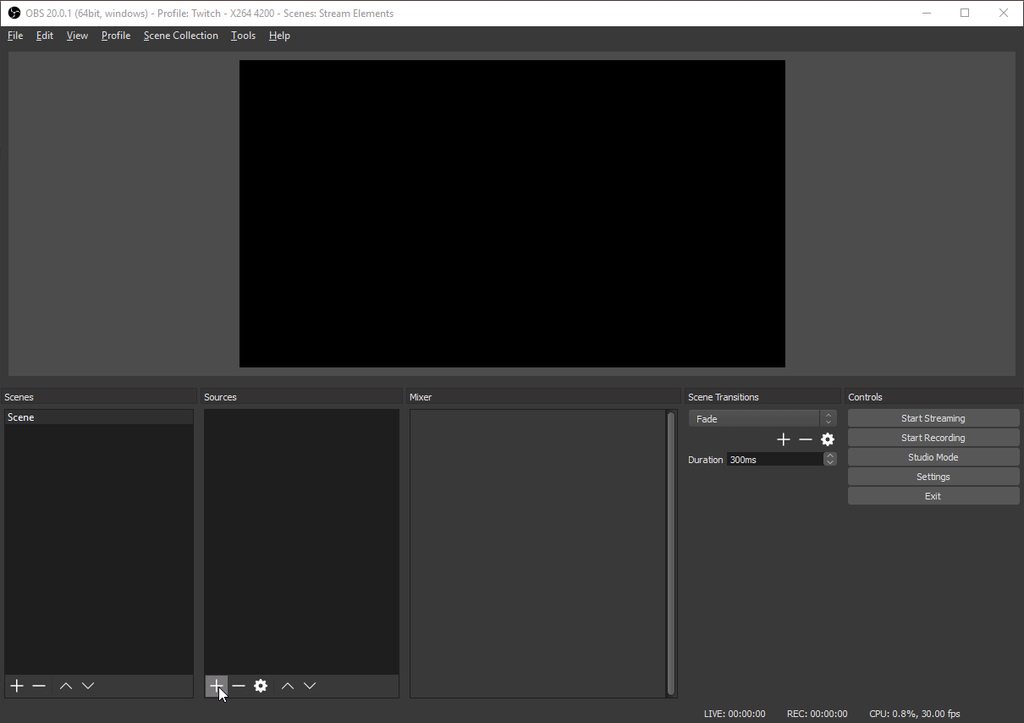
so obs 20.0.1 did away with broswer pugin?
cedar siren
mine is gone
weary mist
😃
 lament blade
Good Morning Lads! Im wondering why my Host alert always shows "count" alerts, I think I did something wrong in the text?
counr viewers* that is
weary mist
yeah, its from the import
lament blade
wut do i do :U
lament blade
ty!
 unreal oriole
My store redeem alert appears to use the old image - even after I deleted the old image and uploaded a new one. When I test it in the emulator the correct image pops but when someone redeems it on stream it's the old alert.
 cloud hamlet
can i ask a question here?
 atomic hollow
sure
 unique ore
I dunno if i'm missing it or not, but are goals done anywhere or are they valued per widget?
pine hemlock
Activity feed shows the data for the goal widgets
you can edit session to change the values
unique ore
Oh thank God
clever mango
Hi @unreal oriole 😃 Did you try refreshing the browser source that has the redemption widget in OBS?
 waxen valve
who can i talk to about user management support ?
atomic hollow
talk to me
 cinder lotus
Hey, is there a command for viewers to see how many points they can earn for watching/following etc.?
or a general page to link? The profil page only shows how many points you earn every 10 minutes, not the rest of the stuff
clever mango
There is not a default command but you can make a custom command with the information
 stuck hamlet
We only have a page for watching, cuda linked you the page. And as terra said 
cinder lotus
Is there a reason not to have the complete overview on the profile page?
Yeah I`m currently making a graphic
but would have been easier to just have it on the page
 silk patrol
You can integrate it in your chat alert. If someones follows, the bot can say "Thanks for the follow, here are x points for you"
clever mango
I do this ⤴
atomic hollow
@silk patrol you are always on point, you want to cuddle with me?
pine hemlock
@atomic hollow gay
silk patrol
@atomic hollow always ❤ @pine hemlock #NoHomo
pine hemlock
french people
atomic hollow
they dont put out on the 1st date
 silk patrol
🥖 & 🥐
atomic hollow
LUL
pine hemlock
fucking perry said he was indian
clever mango
LUL
pine hemlock
fuck off
stuck hamlet

atomic hollow
you thought we are Indian????
clever mango
😂
silk patrol
Jewish isn't an ethnicity tho 😃
atomic hollow
true
 atomic hollow
so you thought you are going to meet 2 Indian dudes in Twitchcon?
pine hemlock
well i mean perry looks kinda indian to me
atomic hollow

stuck hamlet
Perry Indian tech support
pine hemlock
dude i assumed ok
silk patrol
wait till perry hears that #RIPcuda
atomic hollow
@proud pumice are you from Delhi or Bombai?
stuck hamlet
I'm going to bed. I hope I die
pine hemlock
i hope u die too
 pine hemlock
dude its @proud pumice and @atomic hollow
atomic hollow
LULUL
 ripe herald
Perry is a flower guy 😄
 ripe herald
Yeap 😄
 proud pumice
Rofl that was some long period trolling
atomic hollow
lul
proud pumice
Ruined my indian identity
 dire solstice
Hello @atomic hollow I'm here.
 frail iris
so i keep getting spam emails i need to try your overlays... but yet i cant change anything on them to fit the resolution i stream at
only good thing so far is the weekly reports
 next spruce
is 10 the maximum amounty fo whitelsited links im allowed?
atomic hollow
@dire solstice hey there
send me the CSV/excel
ill take care of it
@frail iris what do you mean? what resolution is that? you can change the resolution of the overlay
@next spruce for spam filters?
frail iris
2560*1080
atomic hollow
next spruce
yeah for spam filters
atomic hollow
@next spruce I just tested and added 15
@frail iris on the previous page
my overlays
you need to edit the overlay
that small pen sign
dire solstice
I've already taken care of it manually. Thanks though.
lament blade
hey, when creating a giveaway and that people type "!enter" is there a way that the bot send a confirmation message saying to everyone the user entered the giveaway ?
atomic hollow
❤
next spruce
mine only takes 10
lament blade
i have another Q @atomic hollow
is there a way to customize the welcome message when someone enters the chat ? couldn't find it
atomic hollow
we dont have a welcome message, you mean follow?
lament blade
no, just welcome message, that would say to the guy "Welcome to the stream, don't forget to follow !" for example
atomic hollow
we dont do that, we dont like calling out lurkers 
lament blade
it would be nice to have a welcome message, to also remind the rules or stuff like that when the guy gets in
atomic hollow
I understand but we dont have it 😃
lament blade
ok then it s a proposal for your next updates 😄
ancient wigeon
coughs
silk patrol
@lament blade you can create a timer for that, it won't greet new viewers as they arrive, but from time to time they'll know stuff and things
atomic hollow
@ancient wigeon you need a cup with something for that cough?
lament blade
@silk patrol how would you configure that so that an individual receives it only once please ?
atomic hollow
you cant, it will be a general message every X minutes
lament blade
oh ok i see
 loud plover
So does the follower goal show the total number of people that have followed you regardless of how many are CURRENTLY following? Because my counter is off by 2...
lament blade
it s the session's followers, no ?
loud plover
total followers
atomic hollow
you can edit it here - https://streamelements.com/dashboard/session
loud plover
Thanks. 😄
ancient wigeon
@atomic hollow I do need a cup. Cheers, bro.
 rustic heron
is there a way to change the minutes?
silk patrol
@rustic heron do you mean how many time people have to be in your stream to earn points? if so, nope
rustic heron
damn
frail iris
there needs to be a grid or something or a better way this is becomming a huge hastle just to try and resize or move something because its got so many layers for no reason
silk patrol
@frail iris you can use the arrow keys
frail iris
yea but i have to keep tabbing back to obs and refreshing just to see if its aligned
still doesnt give you an even grid arrow keys or not
one layer is higher than another but looks even
silk patrol
@frail iris if you use the "position and size" panel, you can specify top and left position
frail iris
that doesnt help when you are trying to put back 6 lines of text back where they belong
and the stupid icons
and the rest of it on the other side
silk patrol
if you put the same value in "top" or "left", they will be aligned, then just use the arrow keys to move them or type different values for "left" or "top"
frail iris
there is no way to make them even but eyeball it
silk patrol
when you load the theme, they are aligned, just move them the same amount of pixel in the same direction and they will still be aligned
silk patrol
on your screenshot, they are
silk patrol
chillax dude, i'm trying to help. no need for caps
i was able to achieve some dank themes with everything aligned, you just need to figure out a way to do it that suits your need
frail iris
just like Hearthstone i set my resolution it does what it wants at 1920
... hence why there should be a grid
since no it does not set everything up by default
dire solstice
Under "User Managment" what are the perks given to "Regulars"?
tight harness
Whatever you give them, you can set permissions for song requests, command use etc
dire solstice
Ok. Really having to do some digging to see all the perks that can be given, but I see now. Thanks.
unreal oriole
@clever mango I did. The weird part is the text changes took effect. Like now the text shows as the correct color. The image just shows a different color. Maybe the streamelements sever just needs time to refresh? I've also logged out of streamelemts and back in. Like I said the weird part is it emulates correctly on the overlay manager does pop the correct image on my OBS layout. But if I type redeem in the twitch chat it does not play the right image. So weird. I'll keep attempting.
 hasty chasm
so like is there a way to turn the green bg into an image of what you are trying to overlay?
or something
cause like I dont really understand how one isnt supposed to keep refreshing and checking OBS back and forth
unreal oriole
What do you mean @hasty chasm ? Right now I'm using the URL in overlay manager as a source.
And that URL in plugged into my overlay.
silk patrol
@hasty chasm the green background isn't displayed on OBS, it's just there in order to see better. you can insert an image to put as a background if you want
hasty chasm
Ugh
ok
so what I am trying to say
Is I dont understand how to get around eyeballing where the wigets and stuff go without seeing what i am trying to put an overlay over on the editor. One of the ways i've figured out is going back and forth between OBS and the editor because OBS displays what I am trying to overlay..another way is making multiple overlays for a specific part (like makiing an overlay for twitch chat for example in the exact size i want the chat to be) but that would end up using too many browser sources
silk patrol
@hasty chasm you can do a screen capture of what you are trying to overlay, then upload that image and set it as a background on your overlay.
hasty chasm
Alright cool thanks
unreal oriole
Oh I hear ya @hasty chasm I have the same issue. Haha lots of trial and error. I'll try the screencapping idea as well!
 rich copper
does anyone know how to proper setup a overlay for 4k screen ?
silk patrol
@rich copper have you tried using custom resolution when creataing/editing an overlay?
silk patrol
are you using a super theme or a self made one?
 charred kindle
how do i supermod some1? 😄
weary mist
!level <username> 1000
 hasty rain
oh might help if i posted in support, not general
could i get some assistance with a double alert sound issue in the voice support? 😃
 serene granite
@hasty rain Make sure you have ticked the checkbox “Shutdown when not visible” in the browser source properties in all your scenes. Also alerts will sound if scene is loaded in preview for studio mode, have extra scene with nothing in it to switch to, or exit studio mode
hasty rain
that did the trick! i didnt realize i had a second scene with it unchecked
 floral comet
I cannot upload a profile picture..
clever mango
@caketrap#4672 This is odd for sure. Was the old alert image the image that was attached the store item and you replaced it there? Or are we talking about alert image within the store redemption widget?
weary mist
there are known issues when trying to upload using a different browser than chrome. Are you using Chrome?
floral comet
oooh i'll try that
 devout sentinel
is there anyway to look at a point log, to see if someone actually lost all their points?
 ripe glen
Hello. Can I add rights to someone so he can edit my Dashboard? Like in for example in Nightbot. I was asking about 3 months ago and your stuff told me you will add this feature in few weeks.
pine hemlock
@ripe glen Its being worked on
clever mango
No ETA at this time
clever mango
@devout sentinel Sorry, no points log
lament blade
on the overlay chat widget there is an animation settings, but i don't have a enter animation, the chat message just pops in, is that a bug atm?
clever mango
@hot hamlet and @weary mist: the Night's Watch of the #welcome
The animation setting would refer to the widget as a whole, not the chat text
lament blade
ohh okay, thanks
 cosmic lichen
Where or how can I create an auto msg in the chat? Eg: Like every 1-3min post a advertising "follow me for giveaway".
clever mango
SE support is best support 
weary mist
❤
worn plank
is there a way for me to copy a widget from another overlay and paste it settings and all into a new overlay?
weary mist
not at this time 😦
worn plank
alright thanks
 keen helm
so my buddy's webcam on obs studio keeps resetting everytime he scene switches while using super themes
any tips?
like he has it configured on both scenes but every time he swaps scenes it just disappears on one or the other
clever mango
His actual camera source in OBS? SE overlays wouldn't have any effect on that
clever mango
stream link?
keen helm
weary mist
thats odd. Does he have a difference video source for each scene?
clever mango
Onslaught is helping through teamviewer now
weary mist
oh cool
 clever mango
We like the Champions title
edgy kindle
Cause most of the champions are not in the same location as the office @keen helm
weary mist
⤴
weary mist
we are hear to help make staff lives easier
edgy kindle
@keen helm We get paid too but in our own way  Satistfaction of helping others

 onslaught's voice
 lime zodiac
Is there anyway to copy my alerts from overlay to overlay?
keen helm
@stuck hamlet http://prntscr.com/gbcsrp ask him about that on the overlays
 clever mango
keen helm
clever mango
keen helm
@stuck hamlet
weary mist
@lime zodiac not at this time 😦
lime zodiac
@weary mist So, people are really recreating their alerts for every overlay they have? :/
weary mist
some are. Depends on what you are doing. A trick that some have used is to just create your alerts on one overlay, and just use that on all your scenes. Also helps get rid of duplicating sounds when using studio mode
lime zodiac
@weary mist I didn't think of that, ty
weary mist
👍
stuck hamlet

 obtuse slate
worn plank
obtuse slate
worn plank
can I download the files I've uploaded for alerts in the future so I don't have to store them locally?
tight harness
@obtuse slate Nope
lament blade
yea, you should be able to right click it and then click on "copy link" or something like that
@worn plank ^
tight harness
@worn plank You can try what jerome said, there's definitely no built-in feature for that, uploading sure, downloading nope
 kindred ruin
Hello, I previously used streampro for all my tips and I'm wanting to transfer all the information over to stream elements, how would I be able to do this?
worn plank
alright that doesn't seem to work I'll just store it on drive or something until that comes thanks
tight harness
@kindred ruin Any and all import tools are here: https://streamelements.com/dashboard/account/import
I don't see one for Streampro so it may need to be done manually
kindred ruin
how do I do that manually?
tight harness
Click on the text at the top of this Discord channel, we have a lot of useful guides for walking you through setting up your alerts and everything else
kindred ruin
okay ty
worn plank
is there a place I can document for people how to setup specific commands for calling mmr in Dota so they can set it up easily?
lament blade

GitHub
GitHub is where people build software. More than 23 million people use GitHub to discover, fork, and contribute to over 65 million projects.
worn plank
done and done ty all
 lament loom
heya hi hello
@everyone
or anyone
when i set up my obs my first scene do i add my over lay there or after my mic and cam
lament loom
thank you
tight harness
I was going to say however you want/what works best
Takes some experimenting usually 
weary mist
I like sandwichs
 upbeat tree
What version is ground support on? Because the latest update says that activity feed is availbe for it but mine doesn't seem to have it. I have version 1.2.7
lament blade
do you have any activity? current version is 1.2.7
ground control will, afaik, not show the past followers etc
upbeat tree
I don't understand what you are saying here
upbeat tree
nvm I read the update wrong
stuck hamlet
Activity feed has always been in GC
upbeat tree
I thought it meant something else
I know t has
I guess I was thinking it meant like "monthly cheers" "follows since last restart" and things like that
 strong dock
where are these d2 theme items? i needs them
frosty zealot
Coming Soon™
tight harness
Nice try 😉 not our decision
 tight harness
I don't think that's how it works 😛 making people testers is not as easy as it sounds, very few Champions test things occasionally, it'll be released soon enough 😄
upbeat tree
soon ™
strong dock
not really what i meant but more would would i need to talk to you to let them know id be intersted in testing new features and things. specially d2 related
weary mist
let me tell you, the overlays look 🤤
strong dock
and theres only 16 days left for "testing"
stop it @weary mist
u know i main destiny. dont tease me!
weary mist
😉
strong dock

tight harness
This is why I explained that very few Champions test things, it's not for everyone who asks for it, they decide which Champions they want to test something at the time, letting them know you're interested won't make a difference i'm afraid, that's what I tried to explain
strong dock
right. guess im meaning to say id be intersted in how to become a champion
tight harness
It's more of an invite only kind of thing to my knowledge, there's no application if that's what you're wondering
strong dock


ya naw i figured as much. just throwing it out there is all
lol. but keep up the great support. gotta finish these nachos b4 the chips get soggy
 silk void
anyone @here able to help me with something regarding commands please ?
silk void
basically i want to make it so mods have different permissions basically, i am head mod of my mates channel i am also supermod for streamelements for his stream, but i want to make it so other mods of the channel are not able to add edit or remove commands is that possible ?
edgy kindle
@silk void There is a way to make the command edit command super mod only
silk void
how?
edgy kindle
The streamer will have to change it on their dashboard
Under default commands
it'll be under the category moderators
silk void
am i not able to access his dasboard ?
edgy kindle
Not yet. WIP feature
weary mist
not at this time
silk void
alright thanks
 serene zinc
is there a way to edit the redeem message from the bot?
weary mist
you can edit the message on the overlay editor, after clicking on the widget
@serene zinc
serene zinc
Already know that thanks, but I meant that for the chat. Like: User, you successfully redeemed item for ... points.
 wooden cedar
I've asked this question before, but I lost the answer 😛 How do I pull a list of the amount of currency of people in my channel?
Nevermind, I found the answer again
 frank adder
what is the code to pick a random user from the stream
weary mist
@serene zinc https://streamelements.com/dashboard/bot/modules, chat alert settings
@frank adder at this time, there is not an option
frank adder
awww ok 😩
 lilac kite
Is there a way to make someone a manager/editor on stream elements?
edgy kindle
@lilac kite If you mean where they can access your dashboard not YET but it is very much WIP
lilac kite
So there's no way other way I could chnage commands and other setting atm?
edgy kindle
You can change commands via chat
but everything else not yet
@lilac kite !command add/remove/edit/options/show Valid flags are: -cd (number) -usercd (number) -cost (number) -level (number) -type (say, whisper or reply) -count (number)
lilac kite
ok i see, thanks!
 proud grove
im currently trying to implement the time command and only CET is working, no other timezone is working
kindred ruin
hello, I setup my stream today using stream elements but my alerts have stopped working for some reason. they were working when i was testing before going live and after going live theyve stopped working. Any way I may be able to fix this?
weary mist
@proud grove check out the pinned message, it has all the timezone information
proud grove
ty that worked ❤
 final mauve
how do I get songs to work?
weary mist
the soung request page
edgy kindle
@final mauve Did you check default commands to make sure !songrequest was enabled?
final mauve
yep
lament blade
maybe music blocked in your country?
edgy kindle
@final mauve If you have it in your queue list and have the page open it should work fine
lament blade
or use ground control
edgy kindle
^
final mauve
I need the page open?
edgy kindle
Yes
lament blade
lament blade
then go for ground control
kindred ruin
any reason as to why my chat and alerts other than follows wont show up on stream?
final mauve
im guessing downloadable app?
lament blade
and you may want to use firefox for the song request, ff uses less ram than chrome
final mauve
you need widgets for overlays for that
lament blade
yea ground control is a downloadable app
final mauve
@kindred ruin
kindred ruin
i have widgets for them, they work in the editor but not on the stream
lament blade
did you clicked on save?
kindred ruin
yea
edgy kindle
@final mauve @lament blade Dont forget that having a lot of addons also generates more CPU usage for browsers
lament blade
correct overlay url?
kindred ruin
yup
final mauve
did you use the browser links
kindred ruin
yea
lament blade
edgy kindle
@kindred ruin Studio or classic obs?
lament blade
check these two and try again
kindred ruin
classic
edgy kindle
Switch to studio
Our overlays do not work well with classic as classic is no longer supported by OBS
final mauve
afaik not much support for classic
kindred ruin
oh alright
final mauve
plus compatibility issues
kindred ruin
ty
astral epoch
@weary mist re: setting a $count value you can do so using options (name) -count (value)
astral epoch
is there an option to see what quotes are available for a stream?
weary mist
just realized it was in my original commands info, I must of added
not at this time, I believe the quotes system is due a re-work, but there are a few things ahead of it
astral epoch
np we are using another quote system and I was going to look at moving them across but that can wait til the re-work
 drifting blade
I deleted an old follower sound and uploaded a new one. the old one is still playing ontop of it
weary mist
- make sure to press save after updating. 2. force a refresh of the cahce in obs
weary mist
😃
drifting blade
for some reason the top donator widget is missing and sometimes even doubling the amount
same process to refresh?
its saying one of my donators has donated an extra 1000 which would be awesome if it were true but it isnt. I dont know why this is happening
weary mist
that is odd, do the refresh thing just in case, but did you happen to import that tip?
 deep brook
!song says no song is currently playing when a song is actually playing, but from the fallback playlist (empty queue). imo it should still report the playing song
 grizzled bay
No one has the error while import points from deepbot ? A error occured?
 dapper dagger
after i put the link in for the overlay it is put in only showing the corner of the overlay
stuck hamlet
@deep brook API limitations
@grizzled bay is deepbot running?
@dapper daggeruse the correct resolution, if you didnt change it, our default is 1920x1080
deep brook
for some reason, a single 1080p StreamElements overlay with nothing on it, is tanking my ingame FPS by about 20-30, despite neither GPU or CPU usage being above 40% ingame. hide SE overlay in OBS, and no fps drops, if I revert back to 5 different browser sources from another overlay website, I only get about 5 fps drop. this is in a scene with only the overlay browser source, no game capture etc. its a bit of a deal breaker since it contradicts the whole single browser source overlay = better performance thing. any way to figure out whats wrong?
weary mist
what all do you have in the overlay @deep brook? Can you DM me the link so that I can test it in my OBS?
deep brook
nothing in the overlay, completely empty
weary mist
now that is complely weird
deep brook
it did have a kappagen but I removed it and refreshed the browser source
weary mist
I have the animated overlays on my stuff, along with 3 kappagens and it maxes at 25-30%
deep brook
I'm not sure if its something about my system since all the monitoring stuff isnt showing any cpu/gpu usage changes, I'll try it on another computer maybe
weary mist
when I turn it on, it does spike up to 3.5%, but then goes back down to 0% usage. When checking it, watch your CPU% usage on CEF-Bootstraps
I put the overlay on a scene on its own, and I had only that one source showing up when I tested it, that way I knew which CEF it was
might I add in there that I was watching that on the task manager, lol
deep brook
I watched for spikes, nothing really went above 4% CPU usage, I'm not recording/streaming at the time, just having OBS open
I'll try xsplit, maybe its an OBS issue
weary mist
It is an odd issue for sure. Try out one of the static themes, just to be sure it isn't something weird with loading a blank page. Also, what are you system specks? Are you using gpu or CPU encoding?
deep brook
CPU encoding but as I said, I'm not encoding during testing, just have OBS open and visible. I have an i7-2700k (ooold), but its still only sitting at 29-35% usage during all of this.
and a GTX 980
 terse canyon
atomic hollow
terse canyon
atomic hollow
@terse canyon still working on it
 livid sierra
First of all, StreamElements is amazing! and literally perfect for me since I can't use OBS without my potato laptop exploding.
The only issue I've had is that when people host my channel it isn't recorded in the activity feed/the chat module isn't announcing it in chat and thus not rewarding loyalty points for hosting.
(I have it enabled in the module and every other alert works just fine)
Any ideas?
unique ore
On the timer's....if i have multiple timers set on the same intervals....will they all fire off at the same time or do they cycle?
serene granite
@livid sierra please try the following: 1) On main dashboard Part Channel , 2) Log out, 3) Log in. 4) Join Channel
livid sierra
@serene granite No luck. :/
serene granite
what's your twitch username ?
livid sierra
imagineapples_
serene granite
ah
you don't have any overlays
we need you to have an active overlay to know when someone is hosting you
it can be blank.
livid sierra
I've got it working now, Hectic. You're an absofruit legend. Thanks a bunch. ❤
livid sierra
You too then, Shadow. Much love. ❤
atomic hollow
❤
 versed matrix
Hi guys, when can i change robot when i get some tips
atomic hollow
hey, not sure what you mean?
 teal coral
maybe a stupid question but is there not a way to set a maximum bet on the roulette command? I don't see it in settings
versed matrix
@atomic hollow Where is that
tight harness
@teal coral There is no maximum amount setting, only a minimum amount
@teal coral If you want to add it then suggest it in #💭︱feedback-and-ideas 😃
silk gulch
need abit of help with command vaiables. I have a !hype command that then outputs a block of text then the user name that i put after it. I want the vairiable to include just random words i put in after '!hype'
 silent veldt
Are there any commands for highlights?
silk patrol
@silk gulch ${1:} is what you are looking for
@silent veldt nope, but it has already been requested
silk gulch
thank you
silent veldt
Thank you @silk patrol
silk gulch
now it doesnt let me put a space in the command I want !hype ${1:} and when i submit it goes to !hype${1:} 😦
silk patrol
you want to put in in the response, not the command name itself
 sacred ermine
how to export the points ?
 empty grove
Can anyone tell me why I cant login to streamelemets ? thanks in advance
silk patrol
@sacred ermine from StreamElements? you can't. Why do you want to export them may I ask?
@empty grove Works fine for me, try to empty the cache (CTRL+F5)
empty grove
@silk patrol idk when ever i go to login it does return me back to homepage but doesnt log me in :/
silk patrol
@empty grove are you using chrome ? are you logged in on twitch website?
lament blade
^ any extensions installed which might block something like noscript?
empty grove
Well somehow I manged to logged in but the points I had on other streamers are gone .. its all 0 😦
silk patrol
@empty grove Did you changed your name recently ?
empty grove
Long time ago maybe a month
silk patrol
There is your issue. Points are tied to your name, you need to ask that streamer to transfer your points from your old name to your new one
empty grove
well i was watching their streams regulary shouldnt my new name get points from start ?
@silk patrol im really sorry for all the trouble i guess its some kind of a slow load.. sorry for all the stupid questions :/ my points are there for my new name so its all good 😄
silk patrol
@empty grove No prob, we are here to help no matter what, no need to apologize ❤
empty grove
Thank you
 elfin plover
Why does !sr (YT Link) not work in the chat? when everything is enabled? 😃
silk patrol
@elfin plover works fine for me, make sure the command is also enabled here https://streamelements.com/dashboard/bot/commands/default
elfin plover
i see no !sr on the default list?
elfin plover
Worked ! you'r the man @silk patrol 😃
silk patrol
Thanks 😃
silk patrol
@hasty briar feel free to use #creative-chat instead, this channel is for StreamElements support
 supple crescent
off
hasty briar
didnt know it was in here sorry
 scarlet birch
Hey everyone, im new to Stream Elements and working on setting some things up. i was wondering if there is a way to maniplulate the $(count) command. i am trying to create a death counter, and trying to figure out how to reset, or even subtract in case you accidently use teh command one too many times. Right now it looks like "!death
This NOOB has died $(count) times!" is there a better way to maybe accomplish this ? Sorry if this isnt exactly the proper channel to use
edgy kindle
@scarlet birch From what I know you can -count <number>
on edit
so like !command edit !death -count 2
 keen patio
what is the defernce between lastest follower or recent follower
 low halo
Latest follower and Recent followers
scarlet birch
@edgy kindle doing !command edit !death -count 2 changes the outcome of the !death command to just show -count 2
 fervent fossil
Hello, I have problem with Overlay editation. Page is blank and in console are 503 from server
edgy kindle
Maybe !command options !death -count <number
silk patrol
@keen patio latest shows one follower, recents show multiple
edgy kindle
@scarlet birch
low halo
thanks MrAlucardDante
silk patrol
@edgy kindle yes it's options, edit edits the output text
scarlet birch
YES thats it! thanks @edgy kindle
silk patrol
@fervent fossil works fine for me, website and overlay in OBS
edgy kindle
@fervent fossil What browser do you use?
silk patrol
try to empty the cache and refresh (CTRL+F5)
fervent fossil
Chrome and IE
silk patrol
StreamElements is optimized for Chrome
 eager tapir
Is there a way to disable the tipping page? I can't seem to find it
stuck hamlet
Unfortunately not, why would you want to?/if you don't link it anywhere there's no issue.
eager tapir
Okie dokie, thanks
 knotty warren
This is from just minutes ago, but first occurred last night. I cannot figure out why my CPU usage has suddenly gone sky high when OBS is running. This is when I'm NOT recording, NOT streaming. No encoding whatsoever. Discord, OBS, and one Chrome window (SE). Thoughts?
CPU: Intel i7-7700k • GPU: Nvidia GTX 1070 FTW • RAM: 32GB DDR4
frosty zealot
looks like you're running at least 9 browser sources at once.
knotty warren
I understand that the bootstrap processes are tied to browser sources, but I never had this problem prior to last night and I haven't changed ANYTHING.
frosty zealot
go to your browser sources and check the "Disable when not visible"
knotty warren
sigh ...so my workaround for my overlays taking 3-5 seconds to load when changing scenes was pointless
(my alert box is a standalone overlay for each scene, so that it is always on)
frosty zealot
are they all animated scenes? it looks like probably a few are.
knotty warren
Clarification: One source, for alert box, for all scenes.
weary mist
if you use studio, use the preview scene to let an overlay load before switching, works like a charm, and makes it so you can reduce your CPU load
knotty warren
@weary mist Doesn't work like a charm when you have a stream deck
Not trying to sound abrasive to suggestions/input. Came here for it! 😉
weary mist
there might be a way around that as well. I haven't really played with OBS enough, but there might be a way to queue up a scene, then another hotkey to actually switch. I will look at it tonight
knotty warren
Thanks @weary mist but I have tried to use a hotkey switch for it and other methods. It only defeats the purpose of the stream deck in the first place (in terms of simplifying switching scenes). Using the preview window to pre-load a scene and THEN switching to it only reduces how seamlessly you can transition in and out of scenes.
weary mist
hmmm
have you looked into the new transisions?
there is one that is supposed to allow you to overlap an image during transition, which could hide the screen while the overlay loads
kinda like how DrDisrespect does his transitions
knotty warren
@frosty zealot - Can you be more specific as to what you meant by "animated"?
frosty zealot
some of the themes have animated elements, lights moving around the boxes or something like that.
knotty warren
For SE? I'm not using any of the superthemes
through SE
They're simply just text, some stagnant, some scrolling.
weary mist
thats odd, there should be no reason those are using 2-5% of your CPU. an animated overlay takes that much on mine
knotty warren
I reduced the weight of the overlays by adding my ticker boxes (subs, tips, etc) as one image source for each scene.
weary mist
I run a i7 6700k, 4.0ghz
knotty warren
Example of scene (without cam)
frosty zealot
What CPU do you have @knotty warren
stuck hamlet
look at chat 👀
knotty warren
My entire setup is in the chat box on that image
weary mist
its weird that an overlay that has no animations on it takes 3.-5 seconds to load in for you
knotty warren
Can anyone verify if SE recently did something on the backend to change how sources are read/interpreted/loaded (idk?)... All the info I can find for bootstrap.exe points to the (source of) the source being responsible for how hard OBS has to work to reach for it
stuck hamlet
whats your up/down
 frosty zealot
5 down, 100 up?
knotty warren
No, I corrected myself after looking at the way it was asked. Ha. 100 down/5 up
Spectrum 
@stuck hamlet - Sure, which one?
stuck hamlet
You have more than 1?
knotty warren
Wait, link for...?
 lament blade
What is a champion vs a staff
edgy kindle
@AlyKkat#5376 Staff are part of the company and can go to the office; champions are users who have made a contribution to the platform, help out, or other things that the staff decide
lament blade
gotcha
stuck hamlet
Some of us work for SE, but not in office 😃
lament blade
seems like gorund control is not picking up the fallback playlist, only the first song or something like that, or is it just me?
oh and store sound effects, they are played in the overlay right?
That makes more sense, should probably post tht.. I thought champions were just overzealous streamers
clever mango
@lament blade the video must be showing when the playlist is loaded in order for the full list to be loaded
Once the playlist loads you can disable video
stuck hamlet
@AlyKkat#5376 where do you think is the best place to post that?
 clever mango
Discord tags... 
 mild quarry
Hey. is it possible to change the desciption and localisation for default commands?
edgy kindle
@mild quarry Not yet but is a highly requested feature
lament blade
I looked and noticed you don't have a welcome or rules or server info channel... that's where I'd look for that information.
mild quarry
@edgy kindle ah I see, thanks 😄
edgy kindle
As for server into there is no real need for it cause people can just ask questions <3
stuck hamlet
@lament blade i like the idea 😃
When Categories come out, im hoping to pimp it out here
lament blade
I'd agree, I'd simply just like to know the difference. I've had some rude experiences with champions previously..
and I wasn't sure what/who they were... in relation to se.
edgy kindle
If you wouldnt mind, contact a member of staff about that SE Champion and they will take care of it @AlyKkat#5376
stuck hamlet
Us Champions that work for SE are hopingto be added to this page: https://streamelements.com/team
 wild geode
Is there a way for moderators to add global cooldowns when adding new commands?
stuck hamlet
but one can dream
weary mist

edgy kindle
@wild geode Yes when adding the command i believe it's -cd <number>
wild geode
Thanks.
weary mist
-usercd if you want to do both 😃
wild geode
So -cd is global -usercd is obviously user.
Thanks 😄
What about adding a cost to commands?
lament blade
@clever mango thanks that worked!
anyway, store item sound effects, do i have to open the browser or is the sound played in the overlay?
frosty zealot
it is played in the overlay if you have the store redemption widget added.
lament blade
oh fml, thanks again
wild geode
Is there a list of all variables that I can use in creating commands? I see the variables tab but I feel like there's more. For example that cooldown isn't listed on there.
edgy kindle
!command add/remove/edit/options/show
Valid flags are: -cd (number) -usercd (number) -cost (number) -level (number) -type (say, whisper or reply) -count (number)
wild geode
So for example I wanna add a command !purgeme. I tried !command add purgeme /timeout ${user} 1 -cd (60)
But instead of adding a cooldown it inputs -cd (60) as the reason for the timeout.
I'm sure the order of the cooldown is wrong. I'm not sure where to place the cooldown flag
stuck hamlet
no boss
options must be done once the command is created
so you create purge me
and then !command options nameOFcommand -cd 60
wild geode
Ohh okay.
stuck hamlet
75% chance that works 
wild geode
lol alright. Thanks a lot.
 glossy river
yo whats up guys, im new to streamelements and im really liking it, im currently creating my overlay. I want to use one of the animated notifications for my tips and subs, Can I link that with my streamlabs or how does that work?
edgy kindle
@glossy river Streamlabs will not work with any of our widgets just as our tipping service will not work with their widgets
sacred ermine
@weary mist not a high priority because they dont want people to be able to stop using the service easily? the bot is great but that makes it sooo frustrating
glossy river
what about for subs and bits, will they still be able to use the custom animated alerts?
weary mist
@sacred ermine I know 😦 but you are partially right. Plus they are working on several large projects right now, so while something like that might be easy, it isn't priority
edgy kindle
@glossy river Those are twitch features and work with either platform
hasty chasm
I must be overlooking something but like is there a way to make the bit icons that show up on an alert smaller without having to make the entire box smaller?
tight harness
@hasty chasm You're not overlooking anything, that's exactly how it's supposed to be. You have 3 variations, I'm not sure how you'd be able to change the size of just the bit icon without changing the entire box seeing as it's one alert in one box, they're not separate.
weary mist
you COULD make two alert boxes, one with the images, one with the text. I helped someone set that up the other day
tight harness
And that works alright? I know that different alerts generally queue, is that not the case if they're for the same thing i.e. both bit alerts?
weary mist
it seemed to work, especailly because they are in the same overlay
frosty zealot
They play at the same time if they’re the same alert
 warm iris
trying to update my cheer alert and it just keep it as the standard any ideas what to do?
weary mist
delete the variations
hasty rain
hello everyone! ^^ question for you. is it possible to make a command in streamelements to where it initiates a game of roulette (1/6 chance of getting timedout (akahot600) 5/6 chance of living
basically making a custom module
tight harness
Streamlabs?
hasty rain
oops
lol streamelements
**
sorry about that, just switched over to elements because wayy more impressive
tight harness
I don't believe it does mod commands like /timeout, I believe there is a good reason for it but I know it's been requested before
hasty rain
by looking at it, it seems the only way id be able to do that type of thing is to edit (for instance) Slot Machine module. and just change the commands and responses
like for winning make it say /timeout etc etc etc
alright ill have to mess around with it and see if it is possible. thank you for the response @tight harness
tight harness
No problem 
 solid fable
Im just starting with streaming and I am having issues figuring out how to get the overlay to be properly sized in my OBS studios
lament blade
what's your screen resolution? 1920x1080?
solid fable
yea it is.
lament blade
@solid fable https://i.imgur.com/VpVmtsd.png
 edgy kindle
@solid fable And did you hit CTRL+F for fit to screen?
solid fable
yea I had hit cntl+f I just didnt have the check marks.
 ripe laurel
@solid fable Here's a quick video: https://www.youtube.com/watch?v=X7XrDdRE7Fk Lots more there to help you get started with as well!

Create an amazing overlay with StreamElements, watch our video guide to learn how. ----- Tipping page setup: https://youtu.be/eLzxRkq7tJo Add KappaGen to you...
solid fable
thank you that change fixed it
 rain cloud
is there a way to make a shoutout command?
clever mango
When making a custom command, there is a template for shoutout at the top
silk void
this is the pc im looking at getting 😃 https://uk.pcpartpicker.com/list/qL4Kr7 any good ? my max budget is £820 credits to mongol for helping me
lament blade
yea looks fine
ripe laurel
If you're transplanting your hard drive @silk void you may have to get a new Windows key. I remember doing that a long time ago so might need to take that into budget consideration.
lament blade
^ these days the win key is bound to your ms account, if you have one and used it to login into your win 8/8.1/10 computer
 charred ermine
Ok, so whenever a redemption plays....it's insanely loud, and I have the audio volume set to 10%. Thing is, this didn't start haoppening til maybe 6 days ago...and I can't figure out why
lament blade
how do i test if follows show up and such
weary mist
you can use the even emulator
lament blade
I'm not able to change the image for the sub alert, I'm not a afiliate / partner, might that cause it?
ah nvm, variations.. 😄
hm, when someone subs for one month, i can't write user just subcribed for 1 months, can i somehow make it something like if(amount >= 2){ // months instead of month }?
oh and again nvm.. now i use the variation xd
 regal spear
Hi, i have lot of question for StreamElements :
- Can we have got an alertbox for testing overlay ?
lament blade
yea
open dashboard > my overlays > select 'go to overlay editor' > bottom left click on 'event emulator'
@regal spear
regal spear
oh thanks
lament blade
note: you have to add the alert widget first
regal spear
Other Question : CountDown how work it ? Because i can't reload at begin
lament blade
countdown starts when the scene where the overlay is gets active
 fiery frost
I dont have "add browser source" on my OBS so how do I apply the overlay?
fiery frost
thank you!! @lament blade
regal spear
@lament blade and reload at ten minutes for example how work it ?
lament blade
reload what?
regal spear
the countdown , i test an overlay template with countdown
regal spear
in my obs, the countdown work when my scene active but when i changed the scene, the countdown is not reload at ten minute
oh i check
oh thanks :d
lament blade
yw
 frigid kayak
Hi! I'm new here so sorry if I'm in the wrong place. I'm playing around with the editor (and I've tried it in both mozilla and chrome) and I'm trying to change the default image for the alert windows away from the shark to my own image. It works when I test some of the alerts but things like the sub and bit alert will keep the default image even though I've uploaded my own. Is this a known issue or how do I ensure my image will be shown on stream? Thanks!!
regal spear
@lament blade it's normal, when i changed my scene i have got a blackscreen during 1 second ?
 native cedar
does SE currently have a bit cup?
@frigid kayak you have to change it for each alert type, and any variations you have set up (there are a couple variations by default as well)
regal spear
@native cedar u can maybe response in my question please ?
native cedar
that's very much not normal, but outside of my area of expertise to diagnose or help with
frigid kayak
I changed it for each alert type 😃
regal spear
i find my error in obs, refresh browser in obs isn't a good option for countdown sorry ^^ but thanks
clever mango
A new cup is coming soon 😃
 vivid trail
@frigid kayak I searched "default image" and found these
Maybe look into variation settings?
vivid trail

frigid kayak
I had to switch to Chrome to use the Editor, it was near impossible on Firefox
vivid trail
Good to know, I think devs prioritize browsers with the highest market share
Perhaps the overlay editor should have a message that says something like "best used with Chrome" 
frigid kayak
It makes sense, the main issues I had was really editing things haha. I would click to change the color, but then, that was all I could do. I had to click out of the setting, re select what I wanted to edit, and then go and edit my next setting. If I didn't do that, the settings would just lock up.
weary mist
probably helps that OBS uses chromium for the browser source, so it is best to have the overlay optimized for chrome 
frigid kayak
Is there a way to turn off the secondary text on the alerts?
Hmm I guess I could set the W and H to 0
vivid trail
In the Sub Alert settings, uncheck "Show Subscriber Messages", then go to Variation Settings and check the box.
frigid kayak
HAH OMG IM BLIND TY
This editor is pretty neat, excited to see where you guys go with your addons! GJ!
 storm storm
question is there plans for a program on the pc
lament blade
@storm storm https://streamelements.com/groundcontrol
storm storm
ty
frigid kayak
Is the Subscriber Goal Widget in the Editor something that resets every session, or is it keeping track of your total subs?
lament blade
should reset every session
https://streamelements.com/dashboard/session @frigid kayak
weary mist
as long as you hit reset session anyways
frigid kayak
Thank you so much!! Appreciate the info!
lament blade
isn't a session a stream session? like stream start > streaming > stream end and then next time a new session will be started?
lament blade
oi okay good to know
clever mango
And from that page you linked above, we can reset individual values rather than the entire page. This is helpful to keep values like all-time top donation or any that we don't want reset
 jolly basin
I have a quick question what's the best way to have StreamElements message in your twitch chat whenever someone follows or host your channel? Had a new follower today and for some reason the sound and animation didnt show up in the overlay so I missed it during the stream. 😦
serene granite
nm mmmmmmmmmmmmmm,,m,mj bbngv
@jolly basin theres a bot module called chat alerts
jolly basin
@serene granite thanks for the reply. I just looked for it, is it in the Widgets part in the overlay editor?
I am not seeing it
nm I think i found it from the main menus, i'll mess with the settings .. Thanks again
serene granite
Ya it's part of the bot, not overlay
 tawny copper
hi, hoping you can help. i synced my tips 2 times from streamlabs and now on streamelements it has doubled my tips, is there a way i can edit my tips and delete half?
found it lol dm im an idiot lmao
serene granite
no worries 😃
 timber granite


 tawny pivot
@timber granite It seems like twitch is restarting some chat servers.
We got disconnected from a few hundred channels.
Should reconnect in no time 😃
ancient wigeon
buys a pair of oxen to raise while waiting for cheer cup
 empty crescent
so i have everything set up but when i get a follow or anything its not showing or making any sound, would love some help 😃
silk patrol
@empty crescent overlay and alertbox set up? are you using OBS studio? have you tried to emulate an event ?
empty crescent
ok wait it popped up it just took a good 5 minutes to show XD
silk patrol
@empty crescent Yeah, twitch is restarting some servers.
empty crescent
ah ok, well thank you very much for being so fast to help! 😄
silk patrol
@empty crescent you're welcome ❤
atomic hollow
@ripe moon hey
 ripe moon
@atomic hollow hi
atomic hollow
so please explain step by step what did you do and what doesnt work
ripe moon
Sure after logging in to my Stream Elements account I went to overlay manager. I selected Create Blank Overlay, named and selected the approriate display. Once inside the editor, through the add wiget option I selected Alertbox resized and centered the box that appeared. It shows a default animation for a follower, and I wanted to test it so I went to Event emulator, selected emulate follower event and nothing happens.
 pulsar crow
There is a way to create a survey on StreamElements, with a overlay?
weary mist
@pulsar crow not at this time 😦
serene granite
@ripe moon are you using chrome ?
ripe moon
@serene granite Yep should I not?
serene granite
other way around, you should be using chrome
pulsar crow
@weary mist Thanks!
serene granite
@ripe moon can you try opening chrome in incognito mode?
maybe some extension is doing something it shouldnt
or even worse, something it should
ripe moon
@serene granite Welp that fixed it, I'm dumb. Thanks, now to figure out what is stopping this from working normally.
serene granite
if you find out let us know please
ripe moon
Will do
serene granite
thanks 😃
ripe moon
@serene granite took 2 secs to figure out. Adblocker Plus apparently stops overlay editor from emulating events. I disabled it and everything works.
serene granite
good stuff 😃
lament blade
adblock plus isn't a good choice these days, they let some ads pass the blocker, try adguard out.
serene granite
try ublock instead