#helpdesk-twitch
1 messages · Page 89 of 1
 distant nest
 jagged ridge
if i wana stream 1080 30 fps and do song reqeust what internet plan should i have ?? like : download x mb Upload y mb ??
@distant nest try lowering stream resolution or fps
 potent peak
btw look at the HEARTHSTONE static theme. The social media icons is the same.
distant nest
@jagged ridge already streaming at 480 aha... cant really drop much more ;L
jagged ridge
oh
distant nest
shocking net round here :L but still drawing viewers so :L putting up with it atm
jagged ridge
@tight harness @misty hare if i wana stream 1080 30 fps and do song reqeust what internet plan should i have ?? like : download x mb Upload y mb ??
 strong dock
is there a fortnite super theme yet? i may make the switch if thats the case... lol
 misty hare
@crimson flame you need to check "shut down source when not visible"
distant nest
@misty hare just tried... still crashing
misty hare
@jagged ridge you need to stream at high bitrate at 1080p , i recommend streaming at 720 as non partnered streamer...it also depends on ur pc if it can push a 1080 stream
 tight harness
I'm not too sure how I'm meant to answer the question of what internet plan you should have, I'd be guessing 😛
I currently have 75 MB down and 20 MB up and I have no problems
misty hare
recommended bitrate for 1080p it's 3500 or more
tight harness
Although I'll soon be getting 200 MB down and 20 MB up (the UK is limited to 20 up for some reason  )
)
misty hare
i have 200 down 25 up
misty hare
stick with 720, you may use 80% of ur upload for streaming
however ur download needs improvement unless u stream offline games
jagged ridge
yea but any idea for the song reqeust ?
misty hare
what's ur twitch?
jagged ridge

Twitch
#Carbon In 5| ComeSayHi twitch.tv/philipf19 #scallywaggaming #OlympusOPS #thundergaming Emot spam isn't an option, its a way of life
misty hare
u have streamer mode enabled
misty hare
y you have like 5sec videos?
misty hare
I wouldn't try 1080 if i were u, just trying to help
don't use obs server test...get your stream key from twitch
at 1500 bitrate you can stream 720
jagged ridge
i havent streamed with obs yet .. i'lll be getting on that these 2 days
misty hare
obs is easier on your cpu
 terse owl
I don't really mind if not
misty hare
it all depends on your rig
jagged ridge
beleive it or not @misty hare i used to stream flawlessly on 1080 😛 with 4 mb up 4 down
😛
but i dont know if i can handle song request
misty hare
it makes it clear if you have the recommended bitrate...if it's not it'll show a lil fuzzy
misty hare
yes @terse owl
jagged ridge
why would u want to change its name ? @terse owl
jagged ridge
haha
misty hare
no @terse owl you can't change the name
jagged ridge
saV what games do u play ?
jagged ridge
play pc paladins ?
misty hare
nope
misty hare
thanks i might check it ourt
jagged ridge
they keep on updating it
misty hare
nice
jagged ridge
each 2 weeks a new caractere
misty hare
well i'll be back later
jagged ridge
😃
misty hare
gotta take care of few things
terse owl
Nm
 edgy kindle
@terse owl What command maybe I can help
 lament blade
see @misty hare even on obs I cant see everything like how I see it when I create it
jagged ridge
that smile ^^
edgy kindle
@lament blade Set your OBS browser source resolution to 1920x1080
terse owl
It's been said on genral @edgy kindle
lament blade
@edgy kindle I just changed it and its still not working
edgy kindle
@lament blade Super theme right?
and now set it to fit to screen by rightclicking the browser source for your overlay and going to transform and finally fit to screen
lament blade
@edgy kindle yeah super theme
edgy kindle
@lament blade
 weary mist
oorrrr ctrl+f
 spiral salmon
Is there a way to have StreamElements bot greet new people when they enter the stream for the first time?
jagged ridge
@spiral salmon use wizebot
spiral salmon
I was using deepbot but moving away from that
tight harness
@lament blade It definitely looks like your resolution is different to what you're inputting, otherwise it would all fit smoothly 🤔
 wary current
Do y'all have the ability to do the title and artist when doing a song request or no?
lament blade
@tight harness what should I check
weary mist
@wary current not currently, but we are working on it. It costs about 13 times as much as a link song request on the youtube api
wary current
Holy moly!! Sounds good. :)
weary mist
so we are keeping just the link until we can up the youtube api quota
tight harness
@lament blade Your monitor resolution because it seems to be different to the resolution you're setting the overlay to be
wary current
Makes sense. Thank you
 hazy flint
Boys, how do i set it up so a message is posted in chat every so many minutes/seconds?
weary mist
@hazy flint timers, dead bottom left
edgy kindle
^
 edgy kindle
Some of us anyways Keepo
jagged ridge
@tight harness is my english bad or am i asking a hard question ??
literrally no one was able to answer me and im not talking about this server only
tight harness
I guess it's a difficult question  I admit I was a little lost for an answer
jagged ridge
oh come on 😛 hah
tight harness
It's not a question we're asked often, that's for sure 😛
Infact you may be the first
edgy kindle
@jagged ridge Song requests eat as much as other bots do. It's based on the song requested such as length and quality of the video loaded
jagged ridge
what do people ask ? how to download GC ? 😛
@edgy kindle there is no youtube gear (option) in GC so i cant lower or edit the video resolution
any idea if its the lowest by default or am i missing somethinbg ?
weary mist
@jagged ridge the gear isn't something we can add. That is youtube, we can't control how the player works. It might be a regional thing, because the gear pops up fine on mine, and I didn't change a setting
 clever mango
I know we're talking about GC here but i'll mention that with the browser song request page, if you lower the quality on any youtube page, the setting will be saved for SE song requests. I've tested this.
jagged ridge
not regional .. i tried USA vpn .. still no gear
clever mango
I'm unsure if this is true for the GC app
jagged ridge
clever mango
How large is your GC window?
It seems like when I resize the window to a smaller size the resolution drops automatically
jagged ridge
about the size of ur mobile
clever mango
I'm now currently using 360p in GC
Are all of your YT vids playing at that 720 resolution?
Or do they vary at the same size window?
jagged ridge
come again ?>
clever mango
Are there any resolution changes when playing multiple videos or does it remain the same?
jagged ridge
u mean with multiple songs in quescue ?
its ramdom each video has its own video quality ( with empty queque or full list )
@clever mango any idea of a songrequest platform or bot that doesnt use youtube ( mp3 not mp4 types .. )
clever mango
I've never used either but SE is able to pull current song data from dubtrack.fm and plug.dj and I think they would allow viewers to request songs
Requests wouldn't be through chat but It's the best I can think of at the moment. Also, I know SE is hoping to have spotify as a song request provider in the future
jagged ridge
spotify is free ?
jagged ridge
oh .. well .. thx anyways ,,
weary mist
and they have to give permission for us to use their API
clever mango
@jagged ridge Have you tried a test stream yet using youtube song requests? The videos are not pulling 4mbits down constantly so I think your stream will be fine
You can even use the ?bandwidthtest=true and you won't appear live on twitch
jagged ridge
i use restream . io can i use theat same command as well ?
clever mango
I don't think so because restream will not be able to tell all of the platforms that it is only a test
Are you using OBS?
jagged ridge
i'll google that part
yea but i never streamed with it .. got it like 2 days ago
my PC failed me like a week ago and i lost ALL HDD .. and Xsplit was a bit heavy so i got now obs
clever mango
I would just grab your twitch streamkey and add that into OBS with ?bandwidthtest=true at the end
Yes, I definitely prefer OBS to xsplit in terms of the resources required
jagged ridge
Xsplit is easier to find stuff in it 😛
weary mist
like what email the stream email goes to when you are done streaming?
 amber sonnet
the one in my settings on streamelements i changed it on twitch will it automatically change by itself?
edgy kindle
@amber sonnet It's based on your twitch email
So hit CTRL+F5 and sign out and sign back into the platform
amber sonnet
thanks m8
jagged ridge
@clever mango thx for ur help .. we waisted too much time for nothing 😛
OBS:
1080 30fps
Ingame
60-120 fps
70-110 ms (just like when im not streaming)
with or without song request (its the same+15ms)
clever mango
😉
jagged ridge
@clever mango i streamed and local recorded .. the recording was flowless as if it was offline .. OBS settings or im just having the best settings ? not a single blur or pixel fliker
when i used to do it in Xsplit ( the local video sometimes whould be blurry as the connexion drops in stream
..
Am i missing something ?
clever mango
OBS > Xsplit as always 😛 ¯_(ツ)_/¯
jagged ridge
no i meant when i stream+ record on Xsplit ( my local recording will output the uploaded stream and not RE record a separate file ) so if u drop frames , ud see them in the local file as well ..
this is how i used to test my stream and fix it
clever mango
Sounds like you're using different encoding settings for local recording in OBS than the stream settings. Is that not possible with Xsplit?
jagged ridge
hmmmm need to play around with obs and digg in all its settings
At least my CPU isnt reaching 80-95 % anymore 😛 Fuck Split 😛
 restive jetty
Should be an option in xpslit to match your recording encoding settings to your live stream ones
sorry in OBS
jagged ridge
yea i'll digg for that later on
jagged ridge
can u show me ur strreaming tab ?
jagged ridge
u stream at 720 ?
clever mango
Yes
jagged ridge
beleive it or not i used to streamon Twitch and utub at 1080 30 fps ( i have only 50 followers 😛 ) not yet affliated 😛
edgy kindle
Streaming at 1080p 60fps isnt ideal
Not many can withstand watching at that quality without buffering issues.
clever mango
I would use 720 unless partnered because only partners are guaranteed transcodes. Also, 1080p requires at least 6k bitrate to look decent
jagged ridge
@edgy kindle man plz read the above ..
edgy kindle
^not a man
jagged ridge
it : plz read the above 😛
edgy kindle
Also i've been reading the conversation the whole time but as it still stands even if you did stream at 1080p60fps you probably lost out on a lot more viewers
 terse canyon
any updates on the cup?
 jagged ridge
30 fps 😛
terse canyon
i heard that two weeks ago iirc
edgy kindle
@terse canyon two weeks ago it was "soon"
jagged ridge
my pc cant handle the 60 fps ( at least not with Xsplit )
clever mango
It is in final testing this week
edgy kindle
Monday "today" as it still is for me we were told next week
lament blade
Is there any way to delay the appearance of the text on alerts to allow some of the newer Super Theme video graphics to completely load first before displaying the text? On some of the Themes, the text is appearing way before the animations in the graphics finish, and it looks a little weird.
terse canyon
thx yall ❤
jagged ridge
try adding spaces
edgy kindle
@lament blade From what i've heard using studio mode or whatever its called would help with this
where you can add custom transitions
lament blade
No, I mean in the actual Theme.
clever mango
Based on what you told us earlier about your net speed, even 1080p30 would require a bitrate higher than you have the ability to upload @jagged ridge
lament blade
I'll make a gif and show you what I mean.
edgy kindle
Alright
terse canyon
What bitrate would y'all recommend for 1080p60?
edgy kindle
@terse canyon no less than 8k from my experience
clever mango
Check this out https://docs.google.com/spreadsheets/d/1Vm0_8BQGNxKcowK5RwTgiqQisR4mVblbWvl-N4A-lDM/edit#gid=0

Google Docs
Calculator
Stream bitrate calculator based on, https:// www. reddit. com/ r/ Twitch/ comments/ 2dz7ru/ bitrates_resolutions_and_quality/, FPS values for main table, edit them here
WIDTH, 640, 696, 768, 852, 960, 1096, 1152, 1280, 1440, 1536, 1600, 1920, 29. 97
HEIGHT, 360, 392, 432, 480, 540,...
terse canyon
i've heard 6K
i've actually done 4K and it was perfectly fine
slightly grainy but nothing annoying
clever mango
It's always better to lower res than to stream at too low a bitrate for the res
edgy kindle
@terse canyon For a true 1080p60fps a lot of streamers who use business class ISP services use 6-8k but most of them are partnered
terse canyon
my problem right now is that I don't always get transcoding and my pc is having stability issues
i've done 1080p60 with some games one day, then a month later can barely do 720p30
edgy kindle
My suggestion is to just stream at 720p
clever mango
^
jagged ridge
Maybe restream.IO is fixing something in the system making me stream 1080 30fps without affliate or probs
edgy kindle
http://puu.sh/x4szm/0ed317a0d5.png @terse canyon


^my settings and i'm able to stream with a decent quality
jagged ridge
whats ur ISP plan ?
edgy kindle
60Mb/s down 10Mb/s up
edgy kindle
Because my computer cant handle that high of a bitrate sharing a connection with other people streaming live TV
jagged ridge
oh
clever mango
You can always get 1080p source on twitch but what you won't be guaranteed is the additional twitch transcodes (720, 480, 360) which allows your viewers with slow net to watch
terse canyon
I have 30mbps up. plenty
edgy kindle
@terse canyon Are you affiliate or non?
edgy kindle
You might get away with streaming at 1080p30fps then because affiliates get priority over available transcodes
terse canyon
hmm
edgy kindle
Like we were saying you CAN stream at 1080p60fps but you'll get more viewers at a lower setting who can actually watch your stream
terse canyon
yup yup
lament blade
This is what I'm referring to. The text in the alert appears before the animated video background is done. I'm looking for a way to delay the text appearing until the animation in the background has completed so the text appears on a solid background.
https://media.giphy.com/media/xgYnJcH0mxtmw/giphy.gif
 edgy kindle
I typically watch streams at 720p or 480p so there is 0 buffering @terse canyon
terse canyon
i can watch 1080p60 at any bitrate, no issues
jagged ridge
^^^^^^
but you'll get more viewers at a lower setting who can actually watch your stream
viewers like 3rd world countries u mean ?
edgy kindle
@lament blade Ah yeah I see what you mean now and sadly you cant change that because it's a duration of the video file
@jagged ridge Anyone with a low connection speed really doesnt need to be 3rd world country
lament blade
You don't have to be in a third world country to not have 10mb+ internet. A lot of my viewers have shitty internet, and streaming at 1080p 60fps is entirely overkill for Twitch anyway.
edgy kindle
there are plenty of people in the US who have dial-up or mobile-grade speeds
lament blade
I'm not asking to change the duration of the video file, though. I'm asking if there's a way to put a text delay on the text appearing, like StreamLabs has.
jagged ridge
everyone i talked with on Discord has at least 50 Down / 20 up 😛 im the lamest connx speed with 4/4 😛
edgy kindle
@lament blade We'd have to ask Darko about it and see about getting it added once the bitcup is out
clever mango
I have 60/60 internet but If I drive a couple hours west the fastest speed available is basically dialup
US
edgy kindle
That would be part of the category it would fall under @lament blade
jagged ridge
wtf
edgy kindle
@jagged ridge The US is pretty shitty when it comes to the world of internet speeds/prices
lament blade
Yeah you're REALLY limiting your audience if you steam at 1080p60fps in my experience.
jagged ridge
HAHA dont talk about /prices !
lament blade
@edgy kindle Thanks 😃
jagged ridge
barely 4 down / 4 up 50 $ /month and the least pay sallary is 400 $
doesn t include phone bill or 3/4 g or gaz or anything
edgy kindle
All im saying is america isnt as great as everyone in those other countries think it is; yes it might look better to those on the outside but it's got its problems too
jagged ridge
where do u live in the us ?
edgy kindle
Central US
An example of what i mean is; I pay $400/month for my rent for a trailer 3 bedroom while someone over in california could be paying $1200+ for 1-2bedroom
jagged ridge
do u know any lebanese peeps ? 😛
edgy kindle
I might have met a few in the past but i dont know any on a friendly level
jagged ridge
dont.. we suck 😛
clever mango
I do enjoy lebanese food 🤤
jagged ridge
im 140 kg 😛
edgy kindle
no clue how much weight that is
jagged ridge
i do enjoy em too 😛
clever mango
opens converter
jagged ridge
times 2
edgy kindle
America still uses that system that no one else uses
edgy kindle
Whats your height/age?
jagged ridge
308
clever mango
What's your favorite lebanese dish?
edgy kindle
I'm 23, 5'11" and weigh roughly 216Lbs
jagged ridge
190 cm ( 6 foot 3 ) aged 28
edgy kindle
Yeah so see your weight and height match for a guy your age granted you have muscle mass
jagged ridge
nah .. im all KFC 😛
clever mango
edgy kindle
I'm all ass
jagged ridge
im all ass aswell :/ 😛
edgy kindle
I got them chicken legs with the drumstick thighs but a beer belly
jagged ridge
u 'shld add a selfie channel over here :/
 edgy kindle
Love me some game of thrones
clever mango
That reminds me. I'm 2 episodes behind and I'm about to be swallowed by spoilers if I don't get caught up real quick. Goodnight all
edgy kindle
I had never watched a single episode until Season 7 aired...(not saying I watched it from there) and I went and found out that HBO Go has every episode so after 6 whole years I started from episode 1 and went to Season 7 episode 2. 63 hours in less than 10 days
@clever mango You dont have to worry about spoilers around me; i'll delete them 
jagged ridge
never watched any second of it and will not !
edgy kindle
I never thought GOT had so much sex and other scenes in it
edgy kindle
Nah I was playing paladins during the alpha but didnt care for it
jagged ridge
pc or console ?
jagged ridge
http://www.paladins.com/play-for-free?ref=philipf19
download it and thank me later ..
jagged ridge
I'm gunna leave this here and head to bed ( 6:40 am ) good night ladies !
https://clips.twitch.tv/BetterCrypticTurtleUWot
 lament blade
🤔 Changing the sound file for the Subscriber alert on the EVOLUTION ANIMATED START overlay doesn't do anything. There's no sound no matter what I do.
The text-to-speech works, but the sound clip won't play.
 frigid flare
Ummmm so my ground control isnt playing song requests
but they are showing up on the website
weary mist
@frigid flare shut it down and restart it
weary mist
xD
 radiant sparrow
What's the best way to set up timers like in terms of time and chat lines
weary mist
@radiant sparrow not every 1-5 minutes, lol. don't spam, but don't hesitate to have them happen
they can be useful
edgy kindle
@radiant sparrow The best way is to have multiple settings ranging from different chat lines and minutes

Here is an example
radiant sparrow
Well what I'm worried is they are gonna repeat
edgy kindle
Timers only repeat after the chat line requirement has been met and the time between them is hit
If you've got 2 set for 15 lines of chat and 5 minute timers they will both hit at the same time
however if you have 2 15 lines of chat and one of those being 8 minutes and one being 5; they will hit at different times
radiant sparrow
But won't the 5 min one start over before the 8 min
edgy kindle
yes
after the 5 minute one has hit, it will be 2 minutes after the 8 one that it hits again
radiant sparrow
I feel like this could be easier if stream elements changed the system
edgy kindle
We did change the system
We changed it to how people wanted it to be
Before the system had an algorithm that defined which timer would hit and most of the time it would not do the timers correctly and sometimes repeating the same timers even though it should have used another
radiant sparrow
I wish it was just a list of timers and I could set it to drop every 15 chat lines and it would just go down the list then start over after it went through all of them
edgy kindle
If you have every used Nightbot timers then ours are identical
radiant sparrow
Yea I don't like nightbot timers either
edgy kindle
The way you could work this is easier than it seems
If you'd like, pm me and i'll help you determine your settings
lament blade
I have a question!
I made some overlays in streamelements and use them as a browser source in obs studio. Everything works fine at first. But sometimes the browser source doesn't work anymore. I have to copy & paste the link and it works again.
Is this i known bug? Does someone else have this bug as well?
 pine hemlock
are you using obs studio?
 red vine
hey cuda i have a problem
pine hemlock
no wilbo
red vine
can u help me with it :3
lament blade
Did you ask me? Yes, I use OBS Studio 64 Bit.
red vine
problem is in my pants 
pine hemlock
I havent heard of a browser source not working. Is your obs up to date, can you check your logs from obs?
help -> log files -> show log files, find one where your browser stops working and see if you can find any information in there
If you open the url from the browser source in chrome, does it stop functioning there? because then its a SE issue
if its stopping in OBS it's probably something faulty with your obs configuration or obs itself
and im not sure what based on what you've said, since ive never heard of it
The only time i've seen a browser stop functioning is if it only has something like the stream chat in it and the chat loses connection, then you have to refresh it
but other than that 
lament blade
Ok, let me check everything you said real quick! 😃
 scarlet sapphire
hey on my tipping settings I have set an image but im not sure how to clear it to make it go back to default
anyone know how to change it back to default images?
lament blade
@pine hemlock OBS is up to date. But I found this in the log-file: "22:10:36.175: Device Remove/Reset! Rebuilding all assets...", at this time the browser-source stopped working. Looks like this is the problem. Because I opened the overlay url in my browser (Chrome) yesterday and it was fine, copied the link in the browser-source and it also worked in OBS again.
 noble smelt
rip stream elements?
 atomic hollow
?
scarlet sapphire
@atomic hollow im bad with that stuff honestly, just a new stream so im not too stressed on a custom background and header
pine hemlock
@lament blade Sounds weird. I would go to the obs forums and post your logs and see what they have to say
noble smelt
yeah i noticed
scarlet sapphire
unless you have some suggestions or theres some on streamelements?
lament blade
@pine hemlock will do, thanks! 😃
pine hemlock
yw @lament blade gl
pine hemlock
It was having issues before @noble smelt posted
@scarlet sapphire https://cdn.streamelements.com/static/user/background_default.jpg is the default tipping page background

 scarlet sapphire
lol thanks also is there a way to turn off emotes in tips?
pine hemlock
Other than adding them manually to the filter list, I don't think so currently
scarlet sapphire
saying "test" gives me some test bird turning around
scarlet sapphire
all good ill figure it out, thanks @pine hemlock
 keen coyote
So i have a few users who have subed and their levels are not changing automatically to the sub level (250) and is stuck on level 100. Anyway i can fix this?
 drowsy sorrel
is it possible to add other users to a account on the website so they can manage some stuff witouth them having full access / having the original account twitch details ?
edgy kindle
@drowsy sorrel Not yet but hopefully within the month to next month
 sleek geyser
is it possible to exclude the bot and myself from the chat stats?
 granite lantern
👋 Is it possible to create a timer that choose between multiples messages ?
like moobot timer
edgy kindle
From multiple messages no; our timers are based like nightbot
granite lantern
ok 🙁
edgy kindle
@sleek geyser chat stats or loyalty?
tight harness
@granite lantern No, they're commands that can either be enabled or disabled but not edited
tight harness
@granite lantern You can check if somebody's requested it here: https://strms.net/features if they have then you can upvote it, if they haven't then you can add it, you make a good point 😃
 sturdy cedar
sleek geyser
sturdy cedar
sleek geyser
@edgy kindle from the chat stats... I don't want the streamelements bot or myself be on the top... I want my viewers to feel awesome and battle for #1
noone has a chance to beat the bot though 😄
jagged ridge
@sturdy cedar how did u got those settings ? in Gc or website ? ( prvide link )
 silk patrol
@jagged ridge my overlays -> widgets -> current song
jagged ridge
song reqeust = youtube link ? and first 2 are online radios ?
jagged ridge
checking it now
 buoyant hull
You can create your own room, and have people be the dj
never tried Dubtrack.fm though
clever mango
basically the same thing
buoyant hull
Can you have a dancing emote too ? 😮
clever mango
No 
 rigid bay
Is there anyway to show to stream that that thing from streamers shop redeemed from him? (like revlo)
 nocturne glade
how long does it take for the host to get the coins
clever mango
@nocturne glade It should be credited within 10 minutes
as that is the refresh period for loyalty points
nocturne glade
thank you
clever mango
@rigid bay It sounds like you are looking for the store redemption widget which will display when items/sound effects are purchased in the store
You can find this in the overlay manager under widgets
rigid bay
oh i see.. thank you  @clever mango
silk patrol
@jagged ridge you just need to put the room name in the current song widget
clever mango
jagged ridge
current song ?
clever mango
Yep
jagged ridge
cool
clever mango
Right column
terse owl
Scuse Me?
clever mango
👋🏽
clever mango
You can edit a user's points here: https://streamelements.com/dashboard/leaderboard/current
It will not delete the bot completely from the board but if you zero their points and then make it so that they can't earn points under loyalty settings, they will remain at the bottom with 0
clever mango
You're welcome
nocturne glade
how do u start a contest
clever mango
Click on contests on the left hand side
Set up your contest and then create contest
hazy flint
i was wondering is there any plans to make it so you can show a youtube playlist on a bar as well as Dubtrack and song requests?
clever mango
What do you mean by "on a bar?"
 kind jacinth
Someone can answer my questions about music in streamelements? D:
clever mango
Hello
kind jacinth
Ehy @TerraBuck ! So, I'm using obs for streaming and I'm thinking: if I mute "audio desktop" no one will listen to the song in the songlist, right?
clever mango
Yes, desktop audio is anything that is playing through your default playback device (speakers, headphones)
So all of your computer sounds would be muted
hazy flint
@clever mango so when you have the writing somewhere with the song request name going across or for Dubtrack, my question is will this be availible for youtube playlists
eventually
would be amazing
or for deezer
or spotify
clever mango
It will be available as soon as youtube increases our API call limit
hazy flint
Nice
 misty flower
does anyone have issues with the sounds you uploaded for redeemable items in the stream store not working?
it shows the notification in OBS but no sound
is there a criteria for the sounds that have to be used?
silk patrol
@misty flower they are working fine on mine, have you chosen a sound for that specific item?
misty flower
yeah
i just downloaded some clips from youtube
they are mp3s
and only a few seconds long
i can hit play on the store item in stream elements.. but when i go actually try to redeem them in my chat. No sound @silk patrol
silk patrol
You are using the store redemption widget on your overlay right ?
silk patrol
yep
silk patrol
youtube too. i see that you have 3 items in your store, but they are all set on sound effect even tho it's a stream perk, try to switch them to stream perk instead
misty flower
what's the difference?
silk patrol
sound effect will only play a sound without any alert going on, stream perk will play an alert with the sound and image you specified
silk patrol
yeah my bad, I haven't noticed that items have a play button even if it's a stream perk, have you ticked the checkbox "Redeeming this item shows an alert" in the item content tab?
misty flower
yeah
it shows the alert
like Lets Party
but no sound
maybe i'm just not doing the right criteria on the sounds.. idk
nothing works on all 3 lol
silk patrol
that's weird af, since you see the alert pop up, the sound should too. I just tested mine and it works fine
silk patrol
try to delete the store redemptions widget, add it again, save and launch overlay
lol, same idea
misty flower
hahhahaahah
it's fine.. i get the stinking notification
just sucks there's no sound
silk patrol
have you checked your PC sound ? maybe you are just not hearing it
misty flower
i can even hear it when my stream overlay is opened
just not hearing it in OBS
but like follower alerts, subs, etc. Work just fine
silk patrol
@misty flower are you using OSB Classic or Studio ?
misty flower
but i just have the default stream elements
uhhhh
i have studio mode
if that's what you mean
silk patrol
nope, the version of OBS, it's written at the top in the title bar
misty flower
just says OBS
silk patrol
but since you are hearing follower alerts sound, you should hear store item sounds too
silk patrol
could be, but the weird thing is that we can hear it on your store page
does it look like this ? @misty flower
misty flower
silk patrol
so it's studio, which is good ^^
misty flower
idk man lol may just have to deal with it
silk patrol
nvm what I said, it might be classic, which is no longer supported. Is there a version number in the title bar, like 17.0 or something along those lines?
silk patrol
I can't guarantee that it will solve the problem, but updating OBS is always a good idea (version 19.0.3 available) 😃 https://obsproject.com/download
 dire juniper
I need help with overlay
weary mist
What can I help you with @dire juniper
 timber granite
Any word on allowing mods/roles access to run giveaways for us?
dire juniper
getting the overlay onto obs and how to use it @weary mist
 fickle silo
When i stream through obs (studio) , it doesn't appear on twitch :/ Someone know if this is a bug or am i doing something wrong?
silk patrol
@timber granite Supermods access is being worked on
@dire juniper have you watched the tutorial videos on StreamElements youtube channel? Basically all you need to do is create an overlay, add stuff on it, click launch and paste the link of the new tab in OBS https://youtu.be/UuweQah3v00

Setting up StreamElements is easy, learn how to in this video, hosted by Twitch Partner GIRLvsDUMB - Got any questions, or just want to say "Hey"? Join our D...
weary mist
@dire juniper once you have the overlay created, if you click launch overlay, you can copy the URL and add that as a browser source in OBS. Make sure when setting up the properties, to put the wdith as 1920 and the height at 1080 (default for overlays)
dire juniper
ok thanks
silk patrol
@fickle silo Probably something wrong on your side, since it working fine for everyone else ^^
dire juniper
ive done initial setup
 frosty zealot
have you created the browser source?
fickle silo
Ohwell 😅
timber granite
Thanks @silk patrol is the main feature I am searching for post-Revlo, will continue to check back.
silk patrol
@timber granite You're welcome. we'll let you know in #270206314561404928 when it's out
@dire juniper there are plenty of videos on the channel, there is one that explains everything you need to know about overlays
 granite prism
Hey all, I haven't had the time to test it, but I was just wondering if the song request by name (non link) was working again?
weary mist
@granite prism not yet, there will be an #270206314561404928 posted when that happens 😃
granite prism
Perfect, I'll be on the lookout! ❤
 calm grail
I had some questions about Song Requests. We cannot get it to work right on our channel. Our channel is comprised of different streamers who all use the same stream key and would like to know if Song Requests will work in this capacity?
calm grail
Thanks
weary mist
Have each of them download the Ground Control app, and put the JWT token from streamElements into the app, and they will all see the alerts/song requests made in the channel
that is the easiest way to do it
calm grail
Alright great
weary mist
and by alerts, I mean activity feed
calm grail
That doesnt sound too painful.
weary mist
sometimes the app needs to be restarted if you start it up before you start streaming to recieve the song requests, but its pretty quick on startting up
 dry blade
@weary mist will we ever be able to make the !quote add/remove command usable by everyone?
weary mist
there are plans for a re-work of the quote function. Though I would recommend not making it usable by everyone, as trolls would have a LOT of fun with it
dry blade
okay
 noble rain
i am having trouble uploading gifs to use as alerts it keeps failed when uploading they are gif files from giphy
silk patrol
@noble rain which browser are you using ?
noble rain
firefox
edgy kindle
Chrome
silk patrol
@noble rain there's your issue, StreamElements is optimized for chrome
noble rain
ok thank you will get chrome
 next wave
Hey guys, can you please tell me where I can provide feedback?
weary mist
take three steps left, and start typing away 😃
 flat axle
Can I get some setup assistance please you awesome bunch
weary mist
What other assistance do you need? I can't join voice right now, but I can do what I can from here
 amber trout
Is adding Spotify to the SongRequest support going to be a thing?
weary mist
You first issue looks solved already @flat axle
@amber trout I believe that is something they are looking at
amber trout
Sweet! Thanks
flat axle
my issues are chat not working, followers not showing, overlay seems delayed with countdown timer ect..
#feellikenub
amber trout
^ had similar issue to that too. Also, alerts would play twice for follows and such.
frosty zealot
from the top, chat not working how? is it not populating in your obs preview?
@amber trout sounds like you had multiple sources playing.
flat axle
yer not showing on obs but is showing on streamelements
amber trout
Nope, Just one source!
frosty zealot
🤔
lament blade
why cant i add a youtube playlist to sr?
flat axle
im in voice if you wana talk my dumb ass through it
amber trout
When previewing it, sounds great, one alert sound. But while streaming, I was getting multiple alert sounds
frosty zealot
is your audio somehow looping (did you already get this fixed?)
@flat axle I can see chat working on my end, is the 👁 for the chat element lined out in your layers tab in the editor?
amber trout
I'll have to see if it's fixed tonight. But right now, there is only one sound per trigger. Which is good. I guess we'll see
flat axle
leme check
frosty zealot
is that the only sound that is duplicating? do you maybe have your stream up in the background and being caught by desktop audio source @amber trout
flat axle
no there is no line through it, just checked I see it working on site just not obs
amber trout
all my alerts were duplicating. And no, it was an echo of each sounds.
frosty zealot
do you have multiple scenes with overlays? @amber trout
amber trout
I do, but only have audio set up on one overlay
frosty zealot
🤔 when you get home can you let us know so we can play around with a few things? 🙃
when you say it's working on site? does that mean that when you launch the overlay into a browser window you can see the chat?
@flat axle
weary mist
Thank you IC for helping, I have to go grab lunch for the boss
frosty zealot
np @weary mist
flat axle
I have it running via clr browser in obs prievew and the chat doesnt work, not use the web source
frosty zealot
are you running OBS Studio or Classic?
flat axle
classic
frosty zealot
That may be the issue, Studio is the only version that is fully supported.
flat axle
kk will install it now
frosty zealot
let me see if I still have classic floating around to test, CLR Browser and BrowserSource are a fair bit different.
oh. even better 😃
let me know when that's installed and we can check again 
flat axle
sure
 open elk
I have a quick question about importing tips. 😃
frosty zealot
I may have an answer, or I can do what I can to find one.
flat axle
works with studio
open elk
Cool. I was trying to add a tip to my account that someone had payed when I was using a different service. Problem I'm running into is that they paid with a card, not PayPal, so I was just wondering if I could just put my PayPal e-mail address, or if that would screw something up.
frosty zealot
add it to a goal or something like that?
open elk
Yeah. I just added the goal tracker and I would like for that to be counted towards it.
 buoyant monolith
I need help with adding a overlay to OBS, anyone able to help atm?
frosty zealot
@open elk if you go to your Activity Feed from the Dashboard, you'll see Edit Session, click that then edit the "Tip Goal" line, you can change what your current progress to a goal is.
what part are you stuck on @buoyant monolith
frosty zealot
Are you using Studio?
frosty zealot
OBS Studio is the only supported platform currently, not all features work with CLR Browser.
frosty zealot
no problem 😃
open elk
Thanks, @frosty zealot !
frosty zealot
you're welcome!
open elk
I figured there had to be a way, just couldn't pin it down. 😃
flat axle
right next question, how do I get my actual donations to show not this like guy
frosty zealot
which like guy? when you test the alert, it throws in a fake donation for you to make sure everything is working properly. You'd need to have a donation once it was set up for it to trigger a "real" alert.
frosty zealot
if you want it to display that you would need to import that donation.
flat axle
think i did it
frosty zealot
you can do that from either the My Tips page, or more easily through the Activity Feed and editing the session
buoyant monolith
What res are the themes made in?
frosty zealot
you can set them to your preference, but the default is 1920x1080
flat axle
oh damn it going throgh all my donations lol
frosty zealot
if you choose one of the import functions I think it does grab and notify based on all of the donations that were tracked with your previous service... I can't really speak on how that works since I didn't have anything to import haha
frosty zealot
I don't quite get what you mean there? is it not properly displaying the amounts?
flat axle
no its displaying them right, just I have had £100's in donations so its still running through them
frosty zealot
ah, yeah that might take a minute.
flat axle
or all night lol
frosty zealot
you can >| skip alert in the Activity Feed if need be.
you'll have to click over and over, but it is shorter than the animation length on an alert.
flat axle
makes me feel humbled gonna let it roll
frosty zealot
sounds good, glad it's working
@shadow comet I don't think anyone's available to hop in voice, anything we could help with in text?
flat axle
got them guys sorted
frosty zealot
cool
flat axle
saves ur fingers XD
frosty zealot
haha appreciate every little bit, I wind up typing a ton all day long
flat axle
i bet great job though bud
frosty zealot
ty
flat axle
donations still going fml
 serene granite
After importing , check the edit session page under activity feed and make sure it's perfect
lament blade
any news on the cup yet???
lament blade
been waiting ages for a working cup
serene granite
It's in final stages of development
flat axle
alerts finally stopped
frosty zealot

atomic hollow
@flat axle you fucking god, great to see you here
flat axle
thanks XD
flat axle
will do and thanks
atomic hollow
Im hooked on your soundcloud
weary mist
lmao
atomic hollow
Wut
flat axle
lmfao
atomic hollow
Youre not the DJ?
flat axle
hahahaha no #feelsbadman lost a fan
flat axle
epic fail
atomic hollow
But i still love you
flat axle
thanks homie
flat axle
oh I can pretend
atomic hollow
Do it please
flat axle
glad you like the sound cloudwhat did you tink of my latest
atomic hollow
Oh the bit is sick
frosty zealot
flat axle
I got inspiration from tupac and toto africa
flat axle
x
tight harness
True romance 
atomic hollow
flat axle
obs studio wont leme use ptt fml
tight harness
Won't let you? I use PTT on OBS Studio every day 😮
flat axle
mic selected but nothing happening
 flat axle
yer
tight harness
And you've got this ticked in Audio? https://gyazo.com/8a3271ec387db834877c2831c62b3fa4
 flat axle
wtf works if i launch with admin
tight harness
Ahh, it could be that something else was taking priority, yeah 😛 OBS can do that
flat axle
think it was razer synapse at fault
frosty zealot
OBS needs to be launched as admin in order for the hotkeys to work without focus, I had a less than enjoyable time figuring out why my mic never muted without focusing the window
flat axle
thanks streamelements can finally ban nightbot
tight harness
flat axle
is there a way to change the sr volume in chat via command
weary mist
not at this time
flat axle
kk
tight harness
It's a nice suggestion, i'm sure I've seen it suggested before
flat axle
would help if mods can change volume stop them trolls in their tracks
tight harness
I completely agree 😄
flat axle
I have some night where 90% of songs are trolls, I have listerned to the USSR anthem too many times
another question can I reset the counter via command?
countdown counter to live that is
frosty zealot
I don't see one in the commands list. an option you have for that is to just hide/show the source in OBS when you want to reset it. It'll be a slight black screen/anything under that source on stream if you do it while live though.
flat axle
sure thing thanks
 hearty peak
hey this is the second time i have had a particular individual not show up on my dashboard when he subs
weary mist
@flat axle you are able to !skip songs, and add youtube links to the banned song list in the account settings
flat axle
thats good does anyone have a list
weary mist
@hearty peak I actually had that happen last night when I subbed to someone, but I had the notifications turned off in twitch settings for when I sub. Did his sub show up in chat?
hearty peak
no it did not
weary mist
that might be the issue then
weary mist
I wonder if it is an issue on twitch's end 🤔
frosty zealot
did he post his announcement on his end?
weary mist
follows come through fine, and they use the same API. so the only thing that I could think is that there is something up with the API itself where its not putting all the correct data
frosty zealot
you need to do the announcement in order for the alert to trigger I believe.
weary mist
that is what I believe as well, from what I experienced last night on my own. I think its a stupid setup
flat axle
Guys gotta say you have done a great job here, by far the best site I have seen and used with awesome support 10/10 will reccomend to everyone, also if its ok can I display a panel in my stream helping to spread the word.
frosty zealot
I understand the reasoning, but it adds an extra step that not all viewers will go through (especially those who are mobile only) and thus their subs tend to get lost in the fray 😦
 silk void
how to remove commands in chat?
weary mist
!command remove <command name>
silk void
thanks
weary mist
? you can disable them?
weary mist
oh, he said from chat 
weary mist
I was about to go play with it, lmao
frosty zealot
trying here 
flat axle
Image Link : https://gyazo.com/21cd9fd56826be1a3b8d39e5ca7a5526 put this in stream panel is this ok to do?
 frosty zealot
I think someone on staff needs to answer that question @flat axle I know there's a whole section on linking and using SE artwork in the ToS.
flat axle
sure I will hide it for now but spread the word thanks guys going live now to test, again thanks
lament blade
how to check if somewone reedem something on streamelements store
frosty zealot
from your dashboard go to Stream Store and at the top is a button "Redemptions"
click that and it'll show all redemptions
@lament blade
lament blade
thank you
frosty zealot
no problem
granite prism
Hi, I was wondering if there was a way to copy a widget from one overlay to another. Like, copy the Alertbox from one overlay, and use it on another I've already made.
frosty zealot
Currently there is not, each Overlay is a sandbox to itself. Any elements you have uploaded can be used in multiple overlays, but there's no way to copy something like your alertbox at this time.
I don't know if it might be easier for you but you can copy the overlay that has your alertbox and remove all other elements and run an OBS source that is strictly the alertbox and use 2 browser sources in your scenes?
granite prism
Yeah, that's what I'm going to do until I decide to not be lazy and recreate all the variations in a new overlay as well. Thanks! 😃
You guys also have the most responsive service anywhere around. Really awesome. Thanks! 😃
buoyant monolith
also, for what was posted earlier. I think pointing back towards streamelements would be okay, i mean. You're giving them pubicity right? 😮
I dont see how it could be a issue, just my opinion though.
frosty zealot
I just don't know the exact answer @buoyant monolith I'd hate to steer someone the wrong direction, especially when they mean it with the best intentions.
buoyant monolith
Yeah understandable. I only said my opinion of the matter, it's always a good idea to ask a staff member.
frosty zealot
I wouldn't think there would be any issues with a shoutout. My bigger worry would be using copyrighted graphics.
lament blade
whats a channel regular
frosty zealot
it's a way to note and offer special permissions to people who frequent your chat.
lament blade
k
frosty zealot
you can set up things like special chat commands that only Regulars can use in order to keep down spam if it's something that EVERYONE is going to want to try once they see someone has done it.
(cooldowns work for this too, but it gives people a reason to hang out if they really want it)
lament blade
how do i start a raffle
frosty zealot
you can do that by setting up a Giveaway, each user can buy raffle tickets with points that they've earned from being in chat. From the Dashboard go to Giveaways, and then set the options you want there to be. Once you're ready click "Create and Start"
frosty zealot
!raffle
lament blade
k
 sly breach
Anyway to remove somebody from the leaderboard, because I want to still be able to collect points but not show up on the leaderboard
frosty zealot
under Loyalty Settings, put your name in the Ignore field
sly breach
Yes, but then i can not collect points
tight harness
That's not possible, either you're on there and you collect points or you're not on there and you don't collect points 😃
sly breach
ight
frosty zealot
They are disabled for the time being, new tip cup is coming very soon!
 ancient wigeon
I heard somewhere that the super mod dashboard is being targeted for the end of August. That legit?
frosty zealot
I don't have any information on when that will be available other than that it is on the docket for upcoming features. 
frosty zealot
steal command, what do you want it to do?
terse owl
Where people can attepmt to steal a random amount of currency
frosty zealot
would the Duel module work for you?
terse owl
I guess
frosty zealot
I think it effectively accomplishes the same goal.
frosty zealot
I can't think of a way to set up a command to let someone steal points from another viewer.



 frosty zealot
May I ask why you would want to allow your viewers to rob each other of points without accepting the challenge?
frosty zealot
That seems like poor RoI in terms of their time spent in your stream.
frosty zealot
no problem, I hope that works for your channel
tight harness
I have seen people do something like this before in the past, but I don't believe the variables are available for you to do it with SE
frosty zealot
not that I can see
misty hare
@next spruce did you set up your tipping page? Added your PayPal? As far as I know the cheer cup is being updated. Isn't working ATM. But I haven't had issues with getting tips and bits.
tight harness
In widgets, yes
 uncut notch
what is the best way to transfer loyalty points from ankhbot to SE?
edgy kindle
@uncut notch Using our import settings :D
oh wait
I forgot my bad we dont have anhkbot x.x
frosty zealot
You need to contact them for the CSV
 livid ingot
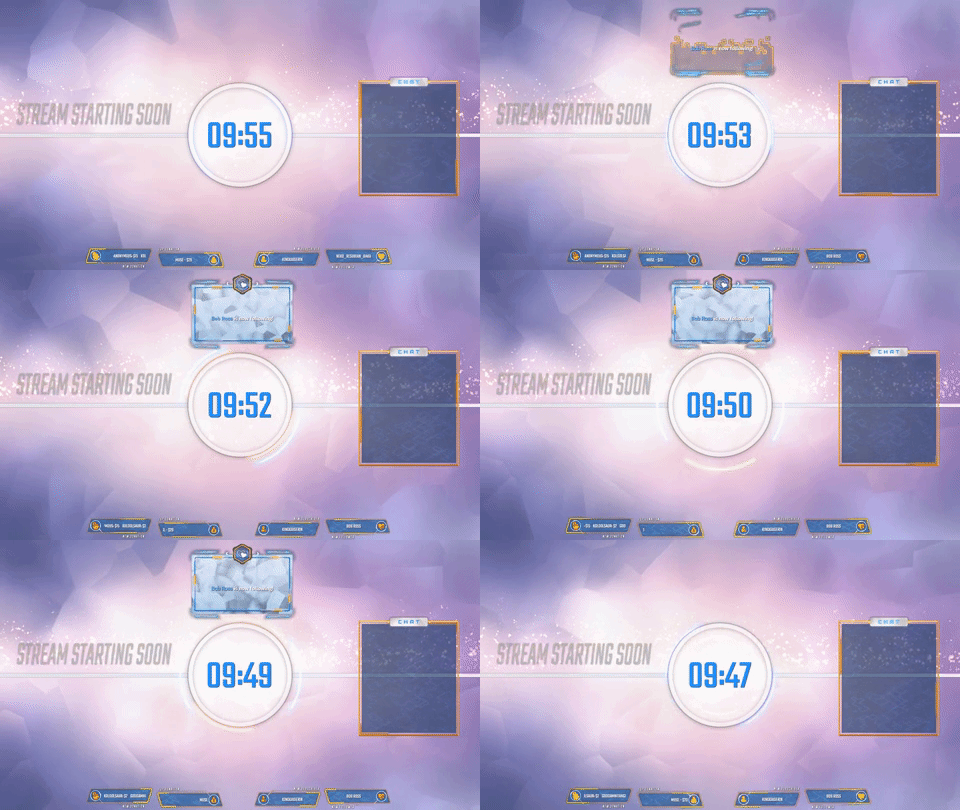
So how do i get my overlay looking like the way it looks like in the picture, compared to what i have now
frosty zealot
Change the source settings to 1920x1080
tight harness
Happens all the time 😄
frosty zealot
It's all good 
livid ingot
Ok..next question, How do i edit the social media stuffs lol
tight harness
Does it seem to be locked?
livid ingot
nope, Enevr mind, found it, Sorted it, editing it lol
tight harness
😄
livid ingot
Tried using the overlay with the Bebo app im Alpha partnered with, Doesnt like it for some reason, but yet OBS works like a charm
frosty zealot
It depends on what they're using as a browser in that app @livid ingot, may need optimization on one end or the other. Case in point is that OBS Classic doesn't work for a lot of things, but Studio does.
 neon ore
So stupid Question but I only just imported my streamlabs stuff & things to streamelements And when it comes to the Alert boxes for Host, Donations etc will there be a future thing to add the text in the box instead of on top of it at all?
 shadow cliff
Is there a way to automatically add users to the regulars list after a certain time / hours / points?
noble smelt
is there a way to reset the sub goal to 0?
its stuck at my current count
or would it reset when stream is live for the session?
 drifting sluice
no problem!
noble smelt
They haven't implemented a dark theme for activity feed and popout yet have they?
Nvm downloaded a Chrome Website Color Inverter 😄
 finite dawn
is there a way i can let the bot add points with every follow/sub/dono?
 serene heath
Anyone got any new news on the cheer cup?
@finite dawn thats in the loyalty settings
finite dawn
thank you 
serene heath
no worries 😉
finite dawn
is there a way i can add points to all viewers after an event?
serene heath
!addpoints all ###
finite dawn
the bot cant add auto?
serene heath
go to your dashboard, select the alert box you are using
select the gear beside follower alert and drag the volume slider to 0%
 fickle furnace
did that still here it everytime i get a new follower
serene heath
is it possible you used another program or site before coming to streamelements?
maybe try clicking "clear sound"
 short raven
So im not sure how but streamelemnts left my chat channel is there anyway to inv it back
fickle furnace
yea i usto to use twitch alerts but i didnt have a follower sound on there either
 rough mirage
Can anyone tell me how I can fix my commands not working?
 steady sable
Are there supposed to be other alert sounds/animation/picture besides the default? When I go to change it, I only get the upload screen. I use the Themes. Thanks.
 next spruce
There are no messages showing up in my chat overlay widget?
they show up on my overlay manager but not on OBS
@stuck hamlet xx
 stuck hamlet
Using obs studio?
next spruce
yeah bro
stuck hamlet
Also please don't tag, I could be asleep.
Do you have an anti virus?
Is your resolution 1920x1080
next spruce
Its not active and yeah reso is 1920
stuck hamlet
Even not active can still block connections
next spruce
all my other stream overlays work though?
stuck hamlet
I recommend uninstalling, rebooting PC and testing
We have an issue with the chat that if it isn't 1920, it doesn't capture chat. But you just said it was
stuck hamlet
Browser Source
weary mist
@stuck hamlet night bb
clever mango
@neon ore you can move the text around by playing with the text margins for the alert box
neon ore
@clever mango I got it my dude thank you though I figured it all out 😛
clever mango
@short raven You can make the bot join/part your channel from the dashboard
Glad you got it figured out @neon ore
@[PS4]MG5000here#0813 Which commands are not working?
weary mist
@[PS4]MG5000here#0813 seems like your commands are working fine (I am in your chat)
@steady sable yeah, at this time, we don't have a library for you to pick from
 sharp raven
Is there a give all command? I have givepoints enabled but when I type !give all <amount> it searches for a user and returns i couldn't find that user in the database :/
pine hemlock
@sharp raven !addpoints all <number>
edgy kindle
@sharp raven !give shares your points with others you need !addpoints
Cuda stealing my answer cause I'm in mobile
*on
pine hemlock
sry
edgy kindle
it's fine lol took so long cause code box
 dense glen
hey guys! i was wondering how to go about setting up a donation goal? the only way i can think of is to set up a text box and update it manually, but i was wondering if there was a better way to do it. thanks in advance!
clever mango
Within the overlay editor you will find WIDGETS at the top. There is a donation goal widget in there 😃
dense glen
i'm at widgets, but i don't see the donation goal widget there
dense glen
i did that earlier today, but i think it shows the total amount of tips i've received over my time of streaming thus far
clever mango
You can edit the data here: https://streamelements.com/dashboard/session @dense glen
dense glen
ooooo okay thanks @clever mango that makes sense now. but it won't completely reset how many tips i've received over time right? or will it?
or does it matter?
as in i can find out how many tips i've received total since my first day of streaming elswhere
clever mango
The section you want to edit would be "Tip Goal." The description wording does not seem very clear to me in that it is says The total *number* of tips towards your goal since last reset . I think it should say total amount as number sounds to me like the number of tips
Do you want to know the currency total of all-time tips or the total number of tips all-time?
dense glen
currency total
clever mango
Hmmm
All of your tip data can be found under https://streamelements.com/dashboard/mytips as you can set the date range
But that won't give you a grand total
dense glen
is that grand total data something that could be added in future versions?
clever mango
Let me check something else
dense glen
nod
wait
i just answered my own question, i think
underneath tip goal is total tips
clever mango
Yes
dense glen
and if i don't reset total tips, then that answers my question
clever mango
This is what I was looking at
clever mango
So be careful not to reset all and instead reset individual values and that should work for you 😃
dense glen
will do. happy streaming!
clever mango
Same to you
 hazy thistle
Is there any change to the tipping system ?
My viewers tried to tip me more than 1000Huf but they could not
It was like capped to 1000
clever mango
@hazy thistle As far as I know there were no changes made
Was this one viewer or multiple?
weary mist
@hazy thistle it could be something with Paypal
 chrome osprey
So yesterday I didnt receive any StreamElements report... Bummed out because it was one of my best streams! Can i still get it?
atomic hollow
let me check @chrome osprey
 bronze lichen
@atomic hollow "error occured" when i try to import my deepbot data. someone can help?
atomic hollow
they only permit this API to premium users unfortunately
any way you can get a CSV with the points?
chrome osprey
Thnx for checking! @atomic hollow
next spruce
how does the command for contests work?