#helpdesk-twitch
1 messages · Page 73 of 1
 meager lance
Quick question! I have kappagen setup but for some reason the emotes fly super fast . is there a way to slow them down?
 tight harness
@quiet trout You've turned off moderation?
@meager lance I don't believe you can slow them down, you can change the amount that fly out within the allowed time but I believe the speed is hardcoded
 lament blade
hi there! question: I followed the instructions for an overlay down to the reolution settings and shut down source when not visible but it doesn't work on stream and doesn't show the alert but when I emulate a follow event it shows up, what's going on? :/
tight harness
@lament blade If it's working on the overlay manager but not on OBS then it's going to be something about your OBS settings most likely, did you set the correct resolution of your overlay in OBS?
 quiet trout
Yeah turned it off
meager lance
okay, its just weird because the first time i set it up it was okay and floating but now they whip up the screen. should i just delete and retry maybe?
 edgy kindle
@lament blade Also what version of OBS are you using
quiet trout
0 pending either
tight harness
@quiet trout Still showing them on your activity list?
quiet trout
Yep!
lament blade
yes I did, and actually that's a good point, I haven't updated OBS yet, that might be it
edgy kindle
Studio is the only supported version here
lament blade
but I set the correct resolution in everything
quiet trout
The thing is, I'm not even sure if my follow alerts work. Can anyone test, Incredicate @ Twitch, unfollow right after if you want.
lament blade
yes I have Studio
edgy kindle
@lament blade So let me rundown a checklist for you
- Did you add widgets to your overlay
- did you save your overlay after customizing it?
- did you hit launch in your overlay and copy the new window/tab url into your OBS browser source?
lament blade
- yes, 2. yes, and 3. yes
edgy kindle
Can you screenshot your overlay editor without showing your addressbar/url for us
lament blade
Hi please, What are the requirements to use the OBS studio?
edgy kindle
@lament blade What do you mean?
tight harness
Fixed Incredicate's problem 😃
edgy kindle
@tight harness What was the issue?
tight harness
@edgy kindle We're not too sure which of the suggestions fixed it but it's working now 😄 he admitted he's a little drunk 😛
 weary mist
lulz
lament blade
I installed the obs studio but it does not open.
edgy kindle
What OS are you on?
lament blade
What is OS? 
edgy kindle
Hmmm one minute please.
tight harness
Screenshots would be easier
lament blade
edgy kindle
@tight harness I dont think he knows how
 stuck hamlet
what are you trying to do
edgy kindle
@lament blade Alright and your issue is that you cant get them to work by real follows?
lament blade
yes
edgy kindle
Alright link your twitch page
lament blade
 edgy kindle
@lament blade Seems to work fine
stuck hamlet

 ripe laurel
Did your friend unfollow and refollow?
lament blade
we tried testing it by having him unfollow and follow again
edgy kindle
Could be they followed you before and unfollowed.
 stuck hamlet
that doesnt work :p
edgy kindle
Follows can only be triggered once.
ripe laurel
It's to prevent spam accumulation of loyalty points.
edgy kindle
Regardless of platform
 edgy kindle
Well good luck to you
tight harness
@lament blade You're not an idiot, plenty of people don't realise that but it makes sense when you think about it 😄
lament blade

stuck hamlet
Ley, why not upgrade?
 wanton jetty
Song requests are broken its not anouncing when somone adds a song to the list
yes iv parted and reconnected
edgy kindle
@stuck hamlet Ley probably didnt upgrade during the free period
stuck hamlet
why not upgrade now
edgy kindle
Cause it costs money
wanton jetty
Anyone else ??
stuck hamlet
why are you answering for him?
 edgy kindle
$119USD for win10 home
wanton jetty
well a bit of acknowledge ment wouldnt of been a miss, instead of making me feel like im being ignored while your charring about somthing that shouldnt be in the support chat but instead should be in the general chat since windows 10 has nout to do with the bot...
edgy kindle
We do more than just SE support in this channel @wanton jetty
We help streamers with issues
stuck hamlet
Upgrading to windows 10 is free. The only option that you don't have is Customization and a water mark on your screen at all time. (bottom right. not very big)
wanton jetty
Ok either way it of acknowledge ment wouldnt of been a miss
stuck hamlet
Shenmue, i saw your message, i didnt answer because i was testing before giving you an answer.
edgy kindle
^It also helps to have patience
quiet trout
Bot seems broken
edgy kindle
@quiet trout What is your issue?
stuck hamlet
im going o/
quiet trout
Bot seems to be in the channel but doesnt respond to any command
wanton jetty
^
edgy kindle
That seems to be a problem with a few people today. #announcements
 unkempt oasis
Actually, you can still get Win10 for free if you use the accessability upgrade
wanton jetty
Same issue as earlier
edgy kindle
@unkempt oasis I thought they only gave the free update for a year
 sterile void
the bot was working again then unresponsive again
tight harness
@edgy kindle There was a workaround if you used the accessibility upgrade instead
wanton jetty
@edgy kindle Your lucky you didnt get force updated
edgy kindle
@quiet trout Try departing and reparting the bot
Well technically I wasnt given the option
I force updated myself
 tawny pivot
It shouldn't be unresponsive for more than 1 minute.
We're rolling out the updates.
unkempt oasis
Accessibility Upgrade
Microsoft is committed to accessible technologies that empower people with disabilities to achieve more.
tight harness
Updates 
 shadow oxide
On the overlay manager, the Save button keeps getting hidden by the multitude of settings bars. What is the solution?
edgy kindle
@shadow oxide Are you on firefox?
shadow oxide
Yes. Firefox.
edgy kindle
If so simply hit the escape key in the editor
stuck hamlet
@lament blade check that link
edgy kindle
it should close out the boxes
shadow oxide
Focus is on that tab, I hit Escape. Nothing happens. Same.
edgy kindle
Hm.
stuck hamlet
Beardy, our system is build to run better on Chrome
shadow oxide
Focus cannot be ANYWHERE ELSE.
shadow oxide
@stuck hamlet I can tell because I run into things like THIS on a daily basis.
edgy kindle
2005 and counting
 misty wagon
mosaic ftw
 hexed drift
I've been testing the raffle. How can I choose if I want to run a single or a multi-raffle? And in general, what is the difference?
edgy kindle
^He can probably explain it better than I can; i have yet to test the raffle things
 olive lintel
!sraffle 200 = 1 will win 200 points. !raffle 200 = 4 will win 50 points
hexed drift
I would recommend adding at least a field to it on the dashboard that tells what the commands are. And, of course, that info on the differences would not be bad either.
Since you'd expect !raffle do something and that seems to run the multi-raffle.
olive lintel
yep, you are right.
 fair rampart
Giveaway page keeps giving me errors and sometimes doesn't show the giveaway. Also there should be a countdown instead of time elapsed, and the description should show. Mine isn't showing anything but the title. Also my image isn't showing.
@edgy kindle
@serene granite
weary mist
@fair rampart there isn't a countdown as it isn't set how long the giveaway will last, ie the broadcaster chooses when to shut it down.
olive lintel
@fair rampart are you using chrome?
weary mist
A few of the things you have mentions are already on the board for feature requests as well.
fair rampart
Well technically the broadcaster can't choose when it shuts down other than doing it manually 😄
no im not using chrome
that can't really be the issue
if so then thats a bit ridiculous since firefox is incredibly popular
olive lintel
@fair rampart Streamelemets is optimazed to use with chrome, because OBS use Chromiun for their browser source. try it in there.
fair rampart
true...the beta disclaimer 😃
understood
still though...
the browser support is basic
and it's a cloud based service
weary mist
its also a very small team working around the clock to keep this service up and running, let alone free for you
give it time, things will come as everything settles down
 final lodge
Hi
olive lintel
@fair rampart give it a try (chrome) and tell us if you found a bug please. (this is to be sure that the problem is the website or the browser)
@final lodge hi
final lodge
Is there a way to enter the song name in SR and stramelements research the first song that meets the criteria? Or any way to read an API that does that?
olive lintel
@final lodge youtube's API works in a very special way. We get allocated 1m points to spend every single day. (capped at 16m a month)
Searching a song costs us ~100 points, meanwhile direct urls only cost 7. We currently have so many people using songreques
final lodge
@olive lintel ooh, got it, but is there a way to make it read an API? Or it's not possible yet?
fair rampart
i will download and use chrome just for you guys 😃
ill let you know
i want to help as much as i can
weary mist
@final lodge that feature is built into the youtube api, though it costs about 14 times as much as a url song request. we are working to get our limits increased to bring back what you want
don't worry, it will come, we don't like having to get a url as much as you or your viewers
final lodge
@weary mist thanks buddy! I'm loving stream elements so far, replaced my old bot for it 😄
weary mist
👍 I replaced 3 bots for it 😃
olive lintel
I replaced 4... what did I win?
tight harness
I replaced 4 too 😄
 modest atlas
Salut, un français disponible pour m'aider niveau "overlay" ? 😃
final lodge
4 bots? 😮 And I was thinking that using two was too much
weary mist
@stuck hamlet
olive lintel
it's a Draw.. I will share my prize @tight harness
modest atlas
@buoyant hull @hidden tangle je sais que vous êtes fr si jamais vous êtes dispo ^^
 hidden tangle
qué pasa
modest atlas
Je ne comprend pas comment faire des overlay différente en fonction de l'item acheter sur le store
edgy kindle
@fair rampart That looks really weird.
fair rampart
ya
olive lintel
press ctrl+F5 @fair rampart
edgy kindle
Ive never seen that banner before
fair rampart
still weird lol
modest atlas
@hidden tangle perso j'ai 1 annonce qui réagis au moindre achat, mais j'arrive pas a en faire 1 pour chaque achat, du coups avec son différent, image différent ect..
edgy kindle
what I see on SE
olive lintel
@fair rampart did you put a description in this giveaway?
olive lintel
@weary mist we have a bug over here
fair rampart
Same for mobile Firefox even though you mentioned only support for Chrome
Just fyi
What do I win?! Lol jk
olive lintel
this = 
 fair rampart
Nooooooo 😂
weary mist
going to have to try harder than that 😉
fair rampart
Don't tempt me lol
 coral tulip
hi 😄 / .... im having a prob with my streamelement bot joining the chat... clicking on "Join Channel" button does nothing
am i missing out something or e bot is down??
weary mist
could I get a link to your channel (link your discord profile to twitch for free advertisement)
coral tulip
 weary mist
if you just recently hit the join button, give it maybe 5 minutes, sometimes it gets distracted by butterflys and stuff on its way over
olive lintel
are you using chrome @coral tulip ?
weary mist
its not a browser issue
olive lintel
the bot is recording stats: https://stats.streamelements.com/c/aisey834
meager lance
Question. The follow count for follower goal is incorrect. I had followers before i started using stream elements, is there a way to update the number to what i actually have?
weary mist
@meager lance Activity feed - > edit session
meager lance
thank you
weary mist
@quick laurel you can just set loyalty points given per minute to 0
weary mist
ah. I will have to see if it is possible to get that changed. but for now 1 point per 10 minutes isn't very much, so any points you hand out would be much more than anything they earn
 crimson nebula
hi, i have a little question
have any method to put the name of the song from my spotify on "current song" widget?
weary mist
not at this time
crimson nebula
ok thx @weary mist
 quick laurel
@weary mist ok thanks
 dim garnet
Hey i am just curious if other people are having issues with people being able to show their !points ?? I keep having to go in to it and hitting save again and then it works, but its an every day multiple times a day thing.
weary mist
there were some updates to the bot over the last few days that have caused that
dim garnet
ok just weird its been happening for 2 weeks now
i asked about it b4 but was up in the air
 still narwhal
The bot has been RIPing for me ever since i got it. I guess cause so many people use it now? No clue.
weary mist
there have been a LOT of people, and a LOT of updates
we do everything we can to make sure we get 24/7 uptime
 terse yew
I found this area before but can't seem to find it again
Where do I alter the msg that SE bot posts to welcome new followers?
 restive jetty
Bot -> Modules -> Chat Alerts
terse yew
thank you very much
ripe laurel
Did you fix donation duration @terse yew ?
fair rampart
Any idea when the giveaway issues will get fixed? I can't do one until it is. The description not showing and a customizable countdown or end date vs time elapsed. No one uses time elapsed.
 keen stream
if i changed my twitch name would it mess with all my settings like would i have to re-setup everything?
fair rampart
redeeming a store item doesnt execute the item command
i tried like 5 times
or maybe its not supposed to?
@weary mist
weary mist
its not supposed to execute any command
fair rampart
ok....ill add that to feature requests 😄
keen stream
@weary mist what about if i change my name, would it mess up all my saved stuff?
edgy kindle
From what I understand it can @keen stream
 sharp spoke
Hey! so when I do the !subcount command it counts my sub is there anyway to minus one from the subcount so it doesnt count me as a sub to my channel?
edgy kindle
@sharp spoke You'd have to ping @turbid reef when he's available; He's the bot dev
sharp spoke
@edgy kindle thank you so much!!
edgy kindle
tfw its only 11:42pm but you're tired for some reason
weary mist
@keen stream as a viewer, yes. As a broadcaster no.
stuck hamlet
Adding to this  a simple sign out and in will fix everything for your account.
 unique badger
is there currently a way to make raffles only called by the stream owner? I don't want my mods abusing points because they use them, too 😛
stuck hamlet
If you don't trust your mods, why are they mod? 
 frosty lantern
exactly XD
 dim pond
Is there any way to convert a command argument to all upper case letters?
This is a nightbot command I want to use with the StreamElements bot
!commands add !smmurl https://supermariomakerbookmark.nintendo.net/courses/$(eval `$(query)`.toLocaleUpperCase())
quick laurel
Guys I'm having a lot of trouble with the point system randomly deciding to stop giving points. Everything seems good at the beginning of my stream but when there's 70 or more viewers suddenly points seem to stop being distributed. This is the second time this happens. Any known bug about this?
 untold estuary
Quote system permission is broken, I set the permission to everyone to be able to add/remove and it is not working. Tried just subs only. Only mods and myself can do it> please help! https://i.imgur.com/OiLvfCM.png

 cerulean ruin
wait, you can add quotes? And if so, how
edgy kindle
@untold estuary From what i've been told There is a secondary permission that isnt accessible that determines who can add/remove them. It is apparently locked to mods+
I'll bring this up with the staff to either fix this or clarify the command better.
untold estuary
Oh ok, would be great to let subs have this option to add quotes (and not remove, leave it to mods/me for that) as a sub perk
OR are you saying that is not even possible? @edgy kindle or intended
edgy kindle
The quote system is very limited. Basic functions and no dashboard list accessible that can only be changed via chat commands. It definitely needs an overhaul. but as for current state I can not say whether it is or is not intended
Anyways I relayed the information @untold estuary I'm off to sleep. 0131 for me
untold estuary
TTY
ripe laurel
@cerulean ruin when it's enabled at https://streamelements.com/dashboard/bot/commands/default you can use !quote add quote here
cerulean ruin
thanks
 sleek ember
How do I change the subscriber luck in giveaways? In the FAQ it says something about a bar, but I can't seem to find it
ripe laurel
From @silk patrol : it's a known bug, it only appears for partners right now
sleek ember
alright, I'll just wait it out then ^^
 nocturne moth
any ideas why I'm not getting notifications for bits and what not?
it like works for a few minutes,. then just stops
getting pretty frustrating
stuck hamlet
@Landyra#4738 that bug should be fixed, can you hit CTRL + F5 for me one the giveaway page?
Fuck mobile tagging
@sleek ember
 upper steeple
just went live and no alerts went off or showed in my activity feed
@atomic hollow no bits are showing activity feed or on the overlay, not sure of other alerts
lament blade
so for twitch affiliate subs it doesnt show up on the dashboard nor am i getting the alert for it ..
i can tell when it shows in chat but not the other stuff
 gotta wake up the slaves
 proud pumice
 atomic hollow
@upper steeple @nocturne moth
stuck hamlet
Refreshing might be useful
 cyan iron
Is there a way to call more than one user in a command? Say, you have a !hug command, and you want to tag two users instead of just one?
Nevermind! I figured it out.
stuck hamlet
@cyan iron if can use ${1:} and everything after the command will be picked up
!hug Shadow and Perry
Onslaught hugs [Shadow and Perry]
Without the brackets
cyan iron
I used !command add !hug ${sender} gives ${1} and ${2} a hug! <3
But I like that as well 🙂 thank you!
unkempt oasis
If you don't have a second person listed the command won't display anything
 hearty crag
Is there anyway you can make a poll for viewers in chat?
tight harness
@hearty crag Contest is kind of like a poll https://streamelements.com/dashboard/contests
But not really 😛
Closest thing we have to one currently, you're best off using strawpoll for now
hearty crag
Ah I see, thanks for letting me know
tight harness
@hearty crag Feel free to check if it's suggested here and if it's not you can suggest it 😃 https://strms.net/features
If it is suggested already you can upvote it
 ancient wigeon
Any updates on that pretty new bits cup??? I heard a few weeks back there was an ETA of 2 weeks. Any beta or anything in the near future? :)
tight harness
@ancient wigeon We were told on Monday that it'll be out very soon, we appreciate your patience 😃
@ancient wigeon The bug fixing had to come first of course 
ancient wigeon
agreed^^  I must have missed that very soon thing, my bad
but thank you
I'm itching to drop streamlabs :P
tight harness
Aren't we all? 😄
ancient wigeon
The idea of everything being on one site intrigues me. Instead of having 4 different accounts for different stream things.
tight harness
Exactly, I had 4 before D:
tight harness
@modest atlas Did you set the correct resolution in OBS for the overlay?
modest atlas
Yes, but if it was the resolution the mark would be on the full height.
tight harness
@modest atlas How does it look in the overlay manager?
modest atlas
This is fix, I move the overlay on the right, to hide the tape.
tight harness
It's fixed?
stuck hamlet
Well that doesn't really fix it
It's like having a hole in the way, and instead of fixing it, you put a poster over it
tight harness
Sounds like a prison escape
modest atlas
@stuck hamlet yes, but i cant fixe. Je vois pas comment faire autrement
stuck hamlet
Hmm. Envoy moi ton liens, je vais regarder plus tard
modest atlas
Celui de l'overlay @stuck hamlet ?
stuck hamlet
Oui
atomic hollow
No Spanish please 
stuck hamlet
Lmao
Pas dans ce serveur, il a un code important dans le liens.
Maid merci, je l'ai
modest atlas
ok
 weary vessel
any staff folks around who can help me with setting up my stream avec stream elements overlay etc?
tight harness
@weary vessel There's actually some videos and tutorials already designed to help you with the setup process here (https://support.streamelements.com/hc/en-us) but if you need any help still after seeing this feel free to ask
weary vessel
yeah I just looked around, Ill get back to you if I need any more help, thanks 😃
 dawn wasp
Is there a command to draw a giveaway winner?
I've closed the giveaway but I don't have the option in the website?
stuck hamlet
You should have it under the giveaway tab
stuck hamlet
I mean, our site isn't best on mobile, is there anyway you can check on PC? :/
dawn wasp
No lol
stuck hamlet
LMAO
YOU RIGHT
This seems to be an issue
What about if you flip your phone sideways?
atomic hollow

atomic hollow
horizontal?
stuck hamlet
Ayyy 😃
atomic hollow
I fixed it 
stuck hamlet
Yea, you see more on horizontal
Hahahah
I tested a bit on mobile the other day
For situations like this 
atomic hollow
@hollow zinc and mobile are worst enemies
stuck hamlet
Hahaha poor darko
tight harness

 fleet spruce
hello is anyone available and can help me with the follower goal feature?
i'm trying to use the widget and can't figure out how to edit where the follower goal data feeds from
tight harness
@fleet spruce I'll get you the link, 1 moment
fleet spruce
thank you
tight harness
@fleet spruce https://streamelements.com/dashboard/session Where it says 'Follower Count' 😃
tight harness
Plenty of other things you can set there too 😄
tight harness
You know on the main dashboard page, you click on Activity feed on the left then on the right there's a button for 'Edit Session' 😃
fleet spruce
basically the widgets are pretty defaulted but you come here to adjust values on the counters
tight harness
@fleet spruce Hope them directions help you find it in the future
fleet spruce
okay i found it omg thanks!
fleet spruce
will do thanks
testing this out, maybe migrate streamlabs to streamelements and consolidate
tight harness
Sounds like a plan 😉
 buoyant hull
@modest atlas Hey, désolé j'étais en vacances. Je viens de rentrer. 😃 Je peux me rendre utile ou ton problème a été réglé ? 😃
modest atlas
@buoyant hull C'est régler merci ^^
buoyant hull
Coool 😃
 minor sierra
I still have an issue with the followalerts. Whenever multiple people follow, the visual alert, so the gif. Gets out of synch and start somewhere in the middle of the gif and also ends somewhere where it shouldnt. Anything I can do about that? Sound stays normal.
minor sierra
A guess what I have what might causes it, is in streamelements if you edit your overlay, the gif of the alert keeps playing in the background, but not active on screen. And maybe it just picks it up where ever it is in the loop and when the follow gets through. Because it never starts and ends on the same moment.
tight harness
@minor sierra @lament blade It's definitely been mentioned before, trying to remember what causes it 🤔
I myself use a gif for follows but it's a gif that is meant to loop so it's difficult to test with
stuck hamlet
It's known and Styler has said he's going to look into how to fix it
tight harness
Ahh awesome! thanks for the clarification Onslaught 😄
minor sierra
Yeah, my guess what causes it is what I just mentioned. Otherwise I dont really know. Because if it would be something else, it would've made the sound also start somewhere random. But thanks for the heads up that it is getting looked into. ^^
stuck hamlet
It doesn't do it cause the overlay never really refreshes
 verbal jetty
hi there! i need to add in a new twitch token code but i can't figure out where to do this. thanks!
tight harness
@verbal jetty By twitch token do you mean your stream key or another token? 😃
@verbal jetty If you mean from our website then all of your tokens can be found here: https://streamelements.com/dashboard/account/information
Make sure to tick 'Show Secrets' for them to be visible
verbal jetty
how do i change mine?
tight harness
@verbal jetty What do you want to change?
verbal jetty
my stream key
tight harness
@verbal jetty The one from Twitch?
verbal jetty
yes
tight harness
@verbal jetty Here is where you'll find your Stream key: https://www.twitch.tv/YOURTWITCHNAMEHERE/dashboard/settings/streamkey (replace YOURTWITCHNAMEHERE with your actual Twitch name), then you can input it into your Settings on your stream software
verbal jetty
i already have one in but i need to put a new one in since it's changed
tight harness
@verbal jetty Then get the new key from where I told you and put the new key in, then you're done 😄
verbal jetty
where do i put the new key into my stream elements account? i can show secrets but it won't let me change it. i have it in my obs and that's all updated but i can't figure out how to change it on the stream elements website
tight harness
@verbal jetty You log into SE with your Twitch account, you don't need to put your stream key into SE
verbal jetty
i have my old one there but i need to update my stream elements with my new one.
 silk patrol
@verbal jetty your stream key is used in a streaming software to stream (as the name implies), you don't need it for StreamElements
tight harness
@verbal jetty That's not your stream key, there is no-where to put your stream key on the SE website because it's not necessary
verbal jetty
ohhh okay. i thought i had to update it since i have a new one
tight harness
Nope, you're good 😄
verbal jetty
thank you so much for sticking with me lol
tight harness
It's alright, no problem at all
verbal jetty
thanks for the info!
tight harness
Lets us know if you need help with anything else
 potent hedge
Noob questions, now that I'm using Stream Elements can I still combine it with OBS or Xsplit? And I see you can incorporate Nightbot here. Is that a useful bot to have in addition to the default Stream Elements one? Any advice greatly appreciated. Thank you!
stuck hamlet
yes you can use SE on OBS and xsplit, im not sure what you mean about nightbot, we have our own bot that can do the same things nighbot does
tight harness
And more
potent hedge
@stuck hamlet @tight harness ah ok, great. New to this all this bot business. Just heard how popular Nightbot was. But if the SE bot that what it does and more then there is no need for it. Thanks for the info. And good to know I can choose to use OBS or xsplit with SE. Cheers!
stuck hamlet
I reccomend OBS 😃
tight harness
I also recommend OBS 😄
atomic hollow
I recommend windows movie maker
 void slate
Is there like....a general How to Use instruction manual? Viewers had a question regarding some of the games available. Roulette only seems to work once in the chat room?
tight harness
@void slate How offer a game can be done depends on the cooldown that you set for that individual module here: https://streamelements.com/dashboard/bot/modules
All of our videos are available here: https://www.youtube.com/channel/UCjerlCIbLPQwSnYlClkjDXg/videos

YouTube
Official youtube channel for StreamElements tutorials https://StreamElements.com
The second to last video is about modules 😃
void slate
There is no cooldown setting on roulette
tight harness
@void slate There is 😃
void slate
the scrollbar is so small I didn't even see it XD sorry #blondemoment
stuck hamlet
yell at darko
tight harness
It's no problem 😃 if you have any more questions just ask 😄
void slate
I'm sure I'll have plenty more as I keep trying to set this up to the best of its and my capabilities lol
weary mist
@void slate love the name. Also, we thrive on answering questions :)
void slate
Then you'll live long and prosper with me as a user lmao
tight harness
@void slate That's what we like to hear 😄
 hollow zinc
Yell at material design 😉 but yeah I agree. It's a little too thin
tight harness
@hollow zinc Speak of the devil 

hollow zinc
it notifies me when someone mentiones my name 
tight harness
Even without the at?
hollow zinc
Yea

 mossy smelt
hey does anyone have an issue of when they plug in the link into browser source your overlay widgets dont show up?
when i launched it on the site it showed and inside of OBS it is not showing
stuck hamlet
What is the resolution of your browser source on obs
mossy smelt
my canvas is 1920 x 1080 and my output is 1280x720
wait you meant browser
hang on lemme open that
stuck hamlet
yea 😛
mossy smelt
it was 800x800
silk patrol
@mossy smelt set it to 1920*1080
stuck hamlet
that
mossy smelt
alright it showed up.
i guess i was used to twitch alerts being centered in a smaller box so i never took into canvas size
tight harness
Because this does the full overlay it needs to be the maximum size 😄
stuck hamlet
Your canvas size must match the size on the overlay manager 😃
mossy smelt
alright now the rest is guess and check as im slowly weening everything off from alerts into elements
one question is there a twitter auto tweet bot in here or is that in the pipeline?
tight harness
It doesn't auto tweet currently, it posts in your chat what certain twitter accounts tweet (you can choose which twitter accounts)
You can have a check here to see if it's already suggested: https://strms.net/features if not feel free to suggest it, if it is already in there then upvote it 😃
mossy smelt
alright thank you guys
tight harness
No problem
lament blade
Is there anyone that would be able to help me with custom Overlay questions
lament blade
Id just like the name to show in the box and not everything else that is seen here https://gyazo.com/9f44c6a02703f9183a1b05ec09f9eb85

Been trying to figure out how to remove the resub aspect
stuck hamlet
so just the name?
lament blade
yes
silk patrol
@lament blade you need to check the variations
silk patrol
you did the right thing {name} but you need to do it on all the variations, SE provides some variations for resubs
@stuck hamlet feel free to go to bed, even tho it's still early for you lol
lament blade
https://gyazo.com/38dc7093ca543557ddd29befd621e93c So just leave name and Ill be good?
 lament blade
Thank you.
void slate
What is the timer function? #newbiequestionscontinue
lament blade
its a timer that you can add via the widgets. You can have it be follower / subs/ or donations. Set the timer as you please and let it go
pretty cool in my opinion
silk patrol
@void slate it will post messages in the chat every x minutes
void slate
The timer below spam filters?
stuck hamlet
Then it would be what Dante said
void slate
Gotcha.
stuck hamlet
You can watch the timers portion of my video to get a better understanding
void slate
I'll just go watch all the videos now...
stuck hamlet

like these
it'll post after X minutes in my channel
The videos are super helpful. I know they aren't for everyone tho, so you can skip to the part where i talk about them 😃
ripe laurel
Once he enables them they'll post after X minutes he means 👍
stuck hamlet

lament blade
Thank you fellas https://gyazo.com/1becbf27c2810a7423c21e46ac9ae57f
 lament blade
Weekend are my days off so I can make he stream better in some ways. I learned about the Overlays via StreamElements a couple days ago so I'm going to see how everything works
 royal frigate
hey guys, is there anyway my viewers can gamble their points?
lament blade
its in your widgets
silk patrol
@royal frigate it's called roulette, it's in the bot modules
ripe laurel
Hello @royal frigate. There are the !slots module and !roulette modules at https://streamelements.com/dashboard/bot/modules.
royal frigate
thankyou guys
one more thing, im adding a !time command but it doesnt understand my current time zone which is BST (British Summer Time) it just keeps accpting GMT which is an hour too early. Anyone can help? 😃
weary mist
Check the pinned message :)
royal frigate
how do i see it bro?
silk patrol
@royal frigate the little pin icon at the top
ripe laurel
Click the icon that looks like a push pin on top right.
ripe laurel
Some time zones exist that have the same offset as BST, but can be found under a different name: Try CET.
ripe laurel
Is it showing 9:21 now? Hmm.
royal frigate
YES
yes*
sorry for caps lol
its 8:22pm right now in the UK, its called british summer time, time goes forward an hour in summer in the UK 😛
unkempt oasis
@royal frigate use ${time.Europe/London} and it will be good
unkempt oasis

 heavy arrow
Hey, anyone around? 😃
I was wondering why my "Follower goal" did not display the correct amount of followers i have :o. It only says "53/100" (my goal is 100). Do I need to change any settings or so?
royal frigate
hey guys sorry for being annoying but can I change the name of stuff like roulette like can I change the name to !bet ?
and how do I setup the twtter command to show my recent tweets, at the moment ive got a sepearte command for !twitter on nightbot so I think its clashing :/
unkempt oasis
@heavy arrow You can change the number of follows here: https://streamelements.com/dashboard/session
tight harness
@royal frigate No, the name of the command cannot be changed but the wording on the responses from the bot can be changed to whatever you prefer
royal frigate
okay thanks
heavy arrow
Eey, thanks alot @unkempt oasis
void slate
Okay, another noob question about tipping & paypal....A) do you have to use paypal for tipping and B) is there any way around the paypal fee since it's a tip and not an exchange of goods or services?
unkempt oasis
@void slate A) At the moment yes, but we are working on getting other payment providers B) Paypal will charge fees even if it is a tip, so unfortunately the fee is unavoidable
void slate
Damn that's annoying of them. Oomph. Okay
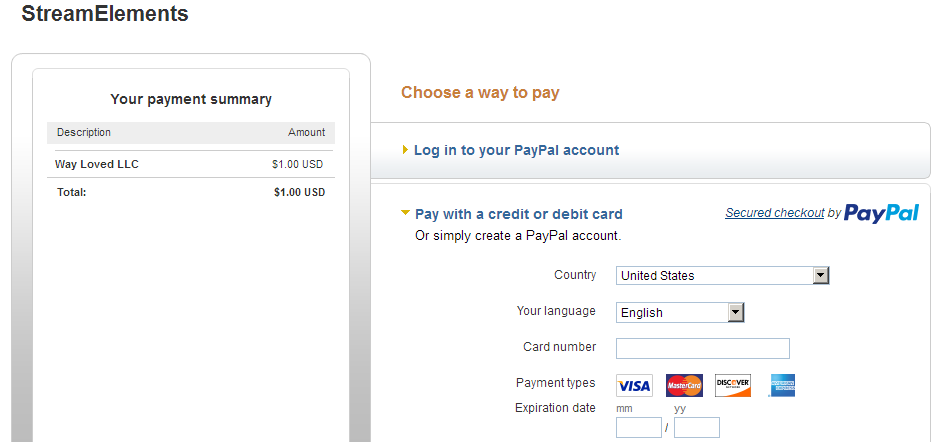
 vivid trail
If they don't have a paypal account, they can still pay with credit/debit cards http://i.imgur.com/gBRSV7B.png
 chilly isle
Hello there! I'm adding a follower goal widgit and i would like to edit it to the current amount of followers i have. right now it reads "Followers Goal: 1/100" is there a way i can edit that first number?
unkempt oasis
@chilly isle You can change the number of follows here: https://streamelements.com/dashboard/session
chilly isle
awesome, and how do i get it save that way? it keeps resetting to 12 for some reason
ripe laurel
Did you scroll down and click on SAVE @chilly isle ? That page doesn't auto save every change.
 white orbit
hey oh is there a way to set up auto messages
ripe laurel
There is a timer feature for commands if you scroll down to the bottom of the left side @white orbit if that's what you're looking for.
chilly isle
i did but it must have messed up for a second because it works now, thank you!
white orbit
ok yea im guessing that the only way to set that up though is through the dashboard and not in chat right
ripe laurel
Yes.
white orbit
alright thanks @ripe laurel
hexed drift
Earlier I ran a multi-raffle on stream. What are the rules for the price on that one? We had 4 participants and one person got the whole pot like if it was a single raffle.
tight harness
@hexed drift This is how it's meant to work
 coral oasis
why doesnt my stuff update at all?
tight harness
@coral oasis Which stuff are you referring to?
coral oasis
like my current song and lnew followes seems like none of mine work
tight harness
@coral oasis We're aware that current song isn't updating, it's being worked on. In terms of followers not updating you can manually correct it here: https://streamelements.com/dashboard/session (it won't go down if you lose one, only counts 1 when you gain one, so it will need occasionally updating manually if you lose some)
hexed drift
@iron ember But I made a multi-raffle (!raffle) and it started it with a pot of 5000 and gave all to one person. That's what I'm saying, it didn't work like a multi-raffle even though it was a multi-raffle.
tight harness
@hexed drift Roughly how many people would you say entered the raffle?
hexed drift
I said it up there, 4.
olive lintel
@hexed drift there's an exception to the rules.. if only 4 or less people enter the "multi raffle" then the raffle, become a single raffle.
hexed drift
^ And that is why it would be nice to have more info in the dashboard of how stuff works.
olive lintel
@hexed drift yep, streamelements is working on that. don't forget.. "open beta " 😉
hexed drift
Also considering that it's out of the streamer's control how many people enter.
@olive lintel Yeah, I understand that but before going overboard with features, some documentation would be nice to have for what is already there.
Was a bit of trial and error setting up the overlays as well but I got them going.
tight harness
An open beta like this where changes and fixes are being made very frequently would very rarely have detailed documentation
 vivid scaffold
Hiya! I recently added the SE Sub Combo but it isn't updating with new subscribers
tight harness
I do agree with one thing though, it is trial and error 😃
coral oasis
i cant get mine to update new followers still and my chat doesnt work
 echo hound
Someone donated on my stream and it didn't read the text to speech, why?
olive lintel
@coral oasis it's your dashboard showing recent events? in https://streamelements.com/dashboard/activity ?
hexed drift
@tight harness And that goes back to what I said about not adding too many features before getting the ones going that are already there. But yeah, now I know.
coral oasis
yes it shows a new follower after my brothers but does not update on screen
tight harness
@vivid scaffold I haven't tried this myself yet so hopefully somebody who has can give us some insight into why that might not be happening
ripe laurel
@echo hound check to ensure TTS is enabled on the AlerBox widget for tips.
coral oasis
and also the twich chat is that workinng?
vivid scaffold
@tight harness for sure! its a really cool feature
 jagged herald
the !bonus all doesnt work but !editpoints all worked
olive lintel
@coral oasis for this time, can you edit the number in https://streamelements.com/dashboard/session ... then retest? try with different viewers, not just one unfollowing and follow back please.
tight harness
@jagged herald !bonus all? 🤔 I'd use !addpoints all (this gives points to everybody currently in the chat)
Try that and let me know if it works 😃
ripe laurel
@coral oasis do you mean chat doesn't show up on your stream but it shows up in the overlay editor? If so, try setting your resolution to 1920 X 1080 on your BrowserSource properties and see if the text shows up in chat box. Saw someone post that earlier.
olive lintel
^
jagged herald
@tight harness !bonus is in !addpoints's alias tho
tight harness
@jagged herald Does !addpoints all work though? Because this is what I've used countless times in the past and it's never failed me
jagged herald
@tight harness tried with !addpoints all __ and !editpoints all __ worked, but not !bonus all __ as it returned as "i couldn't find that user in the database :/"
olive lintel
@-[< ❤ ᵏʸʳᵒˢᵏᵒʰ ❤ >]- ∞#9765 try in here: https://streamelements.com/dashboard/bot/commands/default scroll down to broadcaster , then you can edit the command to anything you want in the pencil, try adding a new alias and test again.
jagged herald
i didnt amend this, it used to work for !bonus all __
but not now.
it responded: i couldn't find that user in the database :/
coral oasis
i tryed hitting repeat and it doesnt change it
jagged herald
u guys should try
olive lintel
@jagged herald if you "editpoints all " it works?
tight harness
tight harness
@olive lintel They said that addpoints and editpoints works fine, but not bonus, although bonus works fine for me 🤔 weird
jagged herald
!addpoints all and !editpoints all works
coral oasis
my chat shows up as a black box it has worked b4 but is not working now and i tryed to repeat follow and nothing is chageing
 regal nebula
i can't seem to add commands from chat
olive lintel
@coral oasis when you click on repeat, it just repeats the alert, but it doesn't add to the count.
ripe laurel
@coral oasis does your twitch chat show up in your overlay editor?
tight harness
@regal nebula For your own channel or one that you moderate?
ripe laurel
@regal nebula are you added as a mod or higher on the channel you're trying to add commands to?
jagged herald
@regal nebula if u are a mod of someone's, u need to be supermod to add/edit commands/points.
regal nebula
i am
olive lintel
@-[< ❤ ᵏʸʳᵒˢᵏᵒʰ ❤ >]- ∞#9765 can you change it to look like this? testing purpose
regal nebula
level 1000 
ripe laurel
Does the streamer have the !command command enabled @regal nebula ?
regal nebula
even the broadcaster can't do it
tight harness
@regal nebula The broadcaster can't add commands? I'm assuming we're still talking about through the chat and not through the website
regal nebula
yeah in chat sir
jagged herald
@olive lintel i know that will work if it is added as a new command but not from alias. need to resolve if alias for !addpoints worked
tight harness
@regal nebula What command is being put in chat to attempt to make the commands?
olive lintel
@jagged herald it's not a new command, it's rename the main commands (default)
tight harness
@regal nebula You should put !command add [name of command] [message] I believe
ripe laurel
@regal nebula does !ping work? If not, try !bot unmute and try again. If not, rejoin the bot.
jagged herald
@olive lintel the reason is, new users who use SE will not know how to use since the developers added !bonus as alias due to most of the users are migrated from revlo so they dont need to edit it.
tight harness
@regal nebula Without the brackets of course
regal nebula
ping works
olive lintel
@jagged herald yep, I understand, but bonus command is working for me.
tight harness
@regal nebula It would of course be infinitely easier for the broadcaster to add the commands here: https://streamelements.com/dashboard/bot/commands/custom
jagged herald
@olive lintel i know it worked for u but he got the "not found" for the specified user... the bot thinks all is an user instead.
ripe laurel
@regal nebula do you see the !command add showing under Moderator on https://streamelements.com/STREAMERNAMEHERE/commands ? If not, it's not enabled.
olive lintel
@jagged herald so I need you te do some test to find the problem and fix it. try renaming the default command to "bonus" and add alias the other command and try again please
ripe laurel
@regal nebula put in !cmd add !legendary_studios whatever you want it to say
tight harness
@regal nebula This is how it's shown on the default commands list
 worn oasis
Anyone else having problems with the points? nobody gets points at the moment ^^
jagged herald
@olive lintel if u see my initial screenshot, it dont work for "!bonus all __" as SE thinks that all is an user.
ripe laurel
You didn't put the exclamation mark @regal nebula .
regal nebula
ok how do i enable it?
tight harness
@regal nebula The broadcaster does it here: https://streamelements.com/dashboard/bot/commands/default
regal nebula
oh i've never put an ! in the command name in my own channel
olive lintel
@jagged herald yep I know.. now we are in "test mode" . that's why I need you to do what I asked, (it's just for test purpose).
ripe laurel
You're trying to use the !legendary_studios command but yeah, you have to have ! as part of the command to call it that way.
tight harness
regal nebula

jagged herald
@olive lintel i have alrdy said that test is working but back to that !bonus all __ <--- then the bot think "all" is an user. it worked for !bonus username __ .
ripe laurel
https://cdn.discordapp.com/attachments/199460642975907840/333347138975301633/unknown.png Here you're trying to use !legendary_studios but you put in !command add legendary_studios
 tight harness
@ripe laurel They figured it out 😄
ripe laurel
Yeah i was scrolled up 😛
tight harness
Oops 😛
ripe laurel
@worn oasis try rejoining the bot. Someone else said no one was getting points for a while after he switched over to SE but it's working now.
@coral oasis does your chat show up in in your overlay editor when you type in twitch chat?
olive lintel
@jagged herald I just tried with you config and everythings is working up. 
tight harness
@olive lintel Works fine for me too
regal nebula
one more thing , i know the numbers for the user levels... how do i alter a command level from within chat?
!cmd options <command> level -500
ripe laurel
Yeah.
regal nebula
ok thanks 😄
olive lintel
@jagged herald I forced an error.. and this shows up in the chat.
but your bot is answering this: https://cdn.discordapp.com/attachments/199460642975907840/333345402503823360/Screenshot_1450.jpg
 olive lintel
that means the "bonus" alias is been used in other command. try to find it please.
 cursive anvil
Whats the hammer badge? 🤔
ripe laurel
Ask if your friend renamed !addpoints to !bonus or if he kept the defaults. If he renamed it, try changing it back to the default. I know you put a pic up earlier but you said you didn't change it but not sure if your friend may have.
tight harness
@cursive anvil Probably a Bot badge for some 3rd party extention
cursive anvil

olive lintel
@tight harness but it's on the streamelements name: https://cdn.discordapp.com/attachments/199460642975907840/333345402503823360/Screenshot_1450.jpg
Oh! 3rd party extentions... ok ok
cursive anvil
Haha the name if it is "twitch-badges", its for custom affiliate badges
echo hound
Why is my tipjar not working?
ripe laurel
It's probably BTTV. Also has that mentioned in the stream's title.
tight harness
I have BTTV but I don't have the hammer icon 🤔
cursive anvil

tight harness
The mystery continues
ripe laurel
@echo hound the cheer cup is being rewritten and is nearing completion. The current one is really buggy and is only for cheers now i believe.
jagged herald
@ripe laurel i will check with him again
echo hound
Thanks @ripe laurel
ripe laurel
Hopefully we can resolve it before his next stream 👍
cursive anvil
Its from the extension "twitch-badges" its for custom affiliate badges but it just adds a couple other badges
olive lintel
^
cursive anvil
All imma say 
ripe laurel
I'll never know what the affiliate stuff is like for a broadcaster 🤷
 inner hound
is there a way so that the text-to-speech does not read the icons? I have the Spanish voice; Sofia.
olive lintel
@inner hound no en este momento 😃 , pero están trabajando en ello.
ripe laurel
@coral oasis is that Latest Follower the one from StreamElements and not streamlabs? Did you just switch over to SE?
dawn wasp
Thanks again @stuck hamlet for the horizontal giveaway help earlier! Sorry I didn't thank you personally at the time we went straight back to streaming after the giveaway 😃
tight harness
@dawn wasp Hope you had a good stream 😃
dawn wasp
Just a general question - are the !giveaway start commands gone (replaced by the website?) or do they still exist in another form?
tight harness
@dawn wasp They don't show on the website so very possibly if they don't seem to be working in your chat
dawn wasp
Thanks @tight harness!! It was pretty good - we got lucky with 4g and minimal buffering in Dracula's castle but the dinner place we went to was underground and lacking wifi 😦 the joys of irl streaming 😉
tight harness
IRL streaming sounds fun 😄 me and my girlfriend will likely do cooking streams when we move in together in a couple of months, excited for that!
dawn wasp
Yeah they didn't work at all today which threw me 😦 I guess that means there's no way to do a custom entrance command anymore either
tight harness
Currently we do gaming and art streams, looking forward to expand 
dawn wasp
Oooh we started with cooking streams too!! I miss them - no chance to cook while travelling 😦
Almost set the kitchen on fire frying Japanese ham and cheese croquettes lol... Totally worth
tight harness
Totally planned
echo hound
Someone is watching my stream but not getting any points, how come?
 fringe nebula
^ I keep having this issue and my sub multiplyer doesnt seem to be working too
echo hound
Hmm anyone knows?
vivid trail
@echo hound @fringe nebula Try part/rejoin 😃 Points should work then. https://streamelements.com/dashboard
fringe nebula
okay and what about the sub issue?
lament blade
After a couple hours of messing with the Overlay editor on StreamElements nothing lines up on OBS when I test it https://gyazo.com/369f9347646119dd8bfc17ba95c1a115 All the alerts are larger and way off to the right of the screen where nothing can be seen. Any advice?


 ripe laurel
@lament blade check to make sure your OBS and overlay editor are set to the same resolution.
I'm thinking it may be the overlay. You can click on the edit pencil icon beside the overlay name in the overlay manager, put in the width and height you want and then save that and try again.
vivid trail
@fringe nebula Devs are aware of the affiliate subs multiplier not working and it's on the list to be fixed. Thank you for letting us know though.
unkempt oasis
@lament blade Please remove the Browser window properties screenshot. It contains your personal token and shouldn't be shared
lament blade
Ooops. Thank you
@unkempt oasis
I've not looked but is there a way to support Stream Elements so they keep doing what they do?
ripe laurel
Just spreading the word is the only way i know of.
lament blade
I went from having about 8 different sources in OBS to now only having 3 lol
ripe laurel
All the widgets are independent of one another as well so if one thing stops working it doesn't bring the whole thing down 👍
lament blade
The bit cup is the only thing that I'm a little iffy about.
ripe laurel
Reporting bugs/issues and feature requests will help as well!
Yeah, that's being rewritten and a new one is nearing completion.
echo hound
Is there a "donate to play a video on stream" feature planned?
ripe laurel
https://streamelements.com/dashboard/songrequest/settings has tip for song requests but i haven't tried it yet @echo hound . Would have sent this 20 minutes ago but my browser crashed again on this old laptop -_-
 waxen swallow
anyone have an issue with the loyalty not being applied while streaming?
tight harness
@waxen swallow Try parting the bot from your channel and then telling it to join again
waxen swallow
@tight harness lmao simple fix Thanks 😃
mossy smelt
alright so how do i get song request to work?
do i have to have it open on the computer that has the elgato attached to it?
like i couldnt hear it in my channel is my problem (just to clarify)
tight harness
@mossy smelt I remember somebody else using an Elgato capture card asking this and having problems with it, normally you'd need the website or Ground Control app open with the music playing through that, the problem they had is that their PC would only capture the console's audio and not the PC's audio which is where the sound is coming out. Hopefully it works for you 🤞
mossy smelt
ok so capture the pcs audio as well
tight harness
If you can yeah 😃
mossy smelt
alright ill get that set
tight harness
@mossy smelt If you figure out how to do it i'd appreciate it if you could let me know how so I can help people with it in the future
tight harness
Sounds good 😃
tight harness
@crimson nebula At the moment only links
mossy smelt
alright think i have it set
 plain path
hi i keep getting
An error occured.
Could not fetch contests
everyone time i try to make more than one, or start the one that has saved
tight harness
@mossy smelt Let me know if it works 😄
mossy smelt
alright here it is....
step one go down to elgato sound capture and make sure it isnt muted and check capture music
then go to settings (little cog in the bottom right of the elgato sound capture box) and where do you want to hear your mucis? hit none or else you will here the song played over itself twice with a one second delay
crimson nebula
@tight harness but the option is here, i remember used when feature is oppening
tight harness
@crimson nebula Yes it is a feature that we used to have available, the problem is not with the feature, the problem is that we can only use the YouTube API so much each month, this feature uses a lot of that limit, we're currently looking at getting the limit lifted so we can re-enable this feature
@mossy smelt Thanks I made a note of that 😃
mossy smelt
alright glad i could help
tight harness
@plain path Doesn't happen if you just start a fresh one from scratch and have that as the only running contest?
crimson nebula
@tight harness ok thx my friend, i hope to reimplemented the feature
stuck hamlet
No problem @dawn wasp 😃 thank YOU for using streamelements
plain path
@tight harness yeah still happens 😦
tight harness
@hollow zinc ^ Isn't this what happened when we were testing the contests the other day? 🤔
hollow zinc
What again ?
tight harness
@hollow zinc
hollow zinc
You can't start more than one contest. You need to pick a winning option first on the one that ended / you closed, or you need to refund it. I agree, the messaging could be better which we will spend some quality time improving those things on the 2nd iteration.
plain path
ive done all that , closed them, refund,removed then it doesnt let me add a new one
i only wanted to use SE for that, cos i used it on revlo
hollow zinc
One sec, I'll check some stuff
You might or might not see contests popping on your end
plain path
ive add the overlay in xsplit to test nothing comes up, but then it wouldnt when it errors when i try to make a contest
but thanks for taking alook for me.......fingers crossed 😃
hollow zinc
what is the twitch username you're using with SE?
plain path
casshern_uk
hollow zinc
That account doesn't have any contests. No past contests, no recent ones.
plain path
i know i get the error everytime i try to make one
plain path
standard...or edited
hollow zinc
with the info that's default on the form
hollow zinc
Try relogging in
Or if you can open the browser console (inspect element and then navigate to the console tab, if there's red stuff, send a screenshot to me in private message)
hollow zinc
Yeah. Every time you click on one of the contests from the list to the right side, it creates a new contest with the same information.
You can go back in contests and check who won what contest after that
hollow zinc
Do the console stuff, there should be red stuff.
ctrl + shift + i -> console tab
send a screenshot to me
hollow zinc
All right guys, try not to have adblocks on SE  We dont have ads on the website.... yet
tight harness
Was that the problem? 😛
hollow zinc
Seems like it
plain path
well i found it blocking in the console......BUT.... whitelisted and turned off ...still didnt work...removed and cache refreshed theres nothing blocking it but still not working now get a 404 and 400
looks like a java error maybe ?
tawny pivot


plain path
java limited text to 60 not 124, anyone else get the problem, turn off ad blocker and make sure your title is no longer than 60
thanks for everyones time, laters al
hollow zinc
Java 🤔
plain path
did i get that bit wrong? lol
tawny pivot
We're using  &
& 
tawny pivot
don't worry about it 😉
plain path
lol
misty wagon
🗒 FTW
untold estuary
Is something up with the bot tracking currency? I have someone in stream who has been in stream for 30 minutes and has not gotten any currency at all.
I had the bot part and join channel again, but now this viewer is not getting the sub bonus, and he is a sub. Please help!
 dull prism
off topic of se but does anyone use obs to do a lot of youtube recordings
weary mist
@untold estuary the sub bonus for the moment is bugged
untold estuary
oh @weary mist how long has it been bugged for?
weary mist
@untold estuary I think since affiliates got subs. its on the list to be fixed though
its only for affiliates, partners work fine
untold estuary
Ah bummer, ok.
untold estuary
@weary mist any idea when it will be fixed?
 opaque comet
What is the average wait time on a support ticket?
 uneven glacier
I'd love to see seperate luck sliders for Twitch Subs and regulars. Be nice way to award the cheap loyal viewers. 😛
weary mist
@opaque comet not sure what you mean
@untold estuary as soon as they can get to it, lots of things happening right now, though its on the list
 raw hollow
Hello, for the chat widget in the overlay editor, is there a way to align text to the left? My text is automatically centered
stuck hamlet
@opaque comet I answered your support ticket yesterday?
Yea @raw hollow it's quite strange. I don't know who I have to poke about that, but I will poke.
raw hollow
I'm poking too, if I find it out or get an answer from someone, I'll definitely announce it on here
stuck hamlet
I'm pretty sure it's Darko'a job
raw hollow
Please let me know!
stuck hamlet
👌🏼👌🏼
weary mist
@stuck hamlet @raw hollow its a known issue, its on the list to be fixed
raw hollow
Will we be notified in some way when issus get fixed?
raw hollow
Also, when writing descriptions for stream store items, text gets cut off after a certain character count and continues in the next line, regardless of what the character is (I had an issue where it kept happening mid-word)
eg: "Add 2 songs from the playlist to t
he top of the queue!"
 wide delta
Probably missing something obvious here, but is there a way to get just one line of Latest Activity (whether it's sub, follow, or donation) that I can have scrolling at the bottom of my stream? I've looked through everything I can think of and can't find a way to do that
weary mist
@wide delta not at this time, sorry
wide delta
k, thx
 static thunder
I'm having an issue with StreamElements not recognizing the correct number of followers I have. I have the follower goal overlay and it's counting about 30 followers less than I actually have so the goal is a little weird... how can I fix this?
weary mist
you can edit the follower count in Activity Feed -> Edit Session
 zealous compass
are any of the devs or staff around
weary mist
whats up @zealous compass
opaque comet
@stuck hamlet I had submitted a ticket here https://support.streamelements.com/hc/en-us/requests/new just wondering how long it takes to get a response?
weary mist
ahhhh
opaque comet
I never got the email 😦
stuck hamlet
Look in your junk?
opaque comet
I have streamelements.com whitelisted so it shouldn't have gone to junk. If it did it was trashed. I get over 1,000 junk mails a day and it is emptied daily.
opaque comet
I sign out at the end of every stream and then sign in at the beginning of every stream. So yes.
opaque comet
I actually had a host allert play last night. But it was only 1 out of like 5-8 hosts.
stuck hamlet
Now you can't hear or see the alert?
Well what was different between that 1 and the 4-7 others?
opaque comet
I have 2 overlays set up 1 for my OBS and 1 for PlayClaw (I use that to record and to do ingame overlays). Neither of the overlays play the graphic or audio.
As far as I know, other than when they started hosting, nothing was different.
stuck hamlet
Viewer count being different?
stuck hamlet
On the hosts that happen
opaque comet
All but one, if I remember, were 0 viewer host. 1 was a 6 viewer host. The one that showed was a 0 viewer
stuck hamlet
Strange. I also stated that I would escalate this, and I'll definitely do that later on today when people are awake. 😃
Your channel is SirJaxxy?
opaque comet
Also 1 of my follower alerts showed up like 3-5 minutes after the chat notification for the new follow. Other than that all my follower alerts have come through OK
stuck hamlet
Server might of been slowed by something.
opaque comet
Yep SirJaxxy on Twitch
stuck hamlet
We are working on building more servers
Alright, I will poke someone later about it 😃 see if we can figure it out
opaque comet
OK can you DM me here if you hear anything? In the meantime I'm going to go back to using my StreamLabs alert box.
stuck hamlet
Sure
 slate meteor
is there a way to setup an aliase for roulette?
 candid crystal
Hello, need some help here with overlays -- for somereason emotesplosions appear on my stream but not the chat emotes. Need a bit of assistance
atomic hollow
what do you mean? @candid crystal
candid crystal
@atomic hollow if I trigger an event, emotesplosions show on browser windows and OBS, which is working as normal. However when I chat, on the browser windows, emotes will drop/bounce/zoom etc. but on OBS it shows nothing.
stuck hamlet
Are you using obs studio or classic?
candid crystal
Ah, I think classic. v0.659b
stuck hamlet
We don't support classic, and neither do the obs devs :/
Hadn't been updated in 10+ months
I recommend upgrading
candid crystal
doing that now
stuck hamlet
Awesome! Let me know if you need help with anything 😃
candid crystal
Wow and is there anyway to transfer profiles/scenes from classic to studio?
This will take a while otherwise... 
atomic hollow
thats the beauty of StreamElements, the overlay is cloud based
one URL and you transfer it all
candid crystal
Right, but the scenes arent x_x
atomic hollow
I dont know if there is a way to send over the scenes to Studio 😦
maybe @stuck hamlet will know
candid crystal
Just googled it... outlook is bleak
candid crystal
rest in peace. its impossible apparently
but i appreciate the help guys.. this will likely fix this issue
annnd yes.. it works
le sigh. time to get to work
stuck hamlet
I'm glad to hear it works Kyle
lament blade
still can not go through pages
on my redemption page
using Chrome and have tried CTRL + F5
Hello ^^ ( First of all, English is not my main Language. sorry if i write something wrong ) I know i can make a charge - up bar with donations, But i want make one with cheerings, How can i make this ? Thanks 😄
i mean, the tips goal ^^ how can i make the same but just only with cheers ? 😄
olive lintel
@lament blade te puedo dar soporte en español. preguntame lo que quieras
lament blade
muchas gracias , puedo hacerlo por aqui o por privado ? @olive lintel
olive lintel
@lament blade mandame privado
atomic hollow
@lament blade still is the queue, should be fixed soom, sorry for that
lament blade
thanks ❤
please could u also add the total value that there is in the redemption page, its not essential but sometimes it is pleasing to see if there is 20 or 100 redemptions to make
😄
atomic hollow
you mean how many times a user redeemed something?
lament blade
ohh no but you are on something there, that would also be cool
i mean like the total pending redemptions
atomic hollow
oh got it
sleek ember
@stuck hamlet sorry, I didn't see the tag before. I used ctrl + f5 but still can't see the bar. maybe I'm too blind? 😅
weary mist
ooooooooooooo
 warped imp
hey guys just one quick question I'm new to Streamelements and completly lost in initial setup! 😃 would it be possible to help me out with it? thanks in advance
stuck hamlet
Just drop your question and someone will help
atomic hollow
or you can follow our video tutorials

Setting up StreamElements is easy, learn how to in this video, hosted by Twitch Partner GIRLvsDUMB - Got any questions, or just want to say "Hey"? Join our D...
start with this
and continue
we are here if you need help
sleek ember
@stuck hamlet still looks the same after relogging
sleek ember
😅
warped imp
ok thanks! the thunk is I've watched the vido but I have some problems by addin the source for the overlay to OBS . It schows on the "launchoverlay" but not in OBS studio!
atomic hollow
launch overlay is in StreamElements
when youre done creating the overlay you need to launch it
stuck hamlet
Are you using OBS classic or Studio?
atomic hollow
take the URL and use it in OBS
warped imp
ok thats what I did but it won't show up! I used this guide https://www.youtube.com/watch?v=X7XrDdRE7Fk

Need help setting up your Overlay Manager? Got any questions, or just want to say "Hey"? Join our Discord server: http://bit.ly/DiscordStreamElements https:/...
stuck hamlet
Also make sure your resolution matches. So on obs, your resolution should be 1920x1080
Cause that's default. And I doubt you changed it
warped imp
hold on I'll try:)
so do I need to set the resolution to 1080p or 720p? 'cause resolution in OBS would be 1280x720
warped imp
...still no chance to see anything in obs:(
I can see it in the browser tab but not in studio
stuck hamlet
Are you using OBS Classic, or Studio
warped imp
Studio