#helpdesk-twitch
1 messages · Page 68 of 1
 tawny pivot
 silk patrol
@vague pond it was restarted to push an update, it's back now
or soon if you are in the queue
 urban beacon
Nope. Not up.
 restive jetty
Bot just came back up for me after part/join
silk patrol
Just be patient guys, i know it sucks, but update have to be pushed anyway
 vague pond
well back to nightbot for the moment being
urban beacon
An update shouldn't keep the bot down for this long. Also, why not roll updates on a schedule? If they're this inconvenient.
Like I understand this is a free service, and I am grateful for it. But I'd imagine down the line they're monetary plans, at which point user-retention is huge.
 dense plaza
hello, it is possible somehow to import my followers to StreamElements? Widget on my overlay does not show any name.
silk patrol
@dense plaza you can edit what the widget displays here to reflect your last follower https://streamelements.com/dashboard/session
@vague pond it should be back now, no need to use nightbot ^^
@urban beacon even if the bot is updated on a schedule, people are using StreamElements worldwide, so it will always be a problem for someone
urban beacon
Yes, but that way it can be planned around.
silk patrol
update usually take 1 or 2 minutes
urban beacon
And it would also reduce the amount this issue happens
dense plaza
@silk patrol hmm, I see there only number of followers, or am I blind? 😃
urban beacon
I.E, 4-5 changes in repository, have a nightly build or a test server, then deploy to live weekly.
silk patrol
in the future, an announcement will probably be made a few minutes before
urban beacon
Something like that would be incredibly helpful.
vague pond
Well its working now. Im not sure if there was a heads up warning about it happening or anything, but it would be great if you could let us know before you update it tho
silk patrol
@dense plaza my bad, it's only for numbers there ^^
it will be empty until you get a new follower
SteamElements has no way to know who was your last follower before you use StreamElements
dense plaza
@silk patrol it´s OK ;)
OK, so I need to wait for new follower, I´m a small streamer, so it can took forewer 😄
thanks
urban beacon
Events triggering twice.
 crimson granite
and twitter is double aswell
silk patrol
@crimson granite @left jolt an update just got released, everything should be back in a minute or 2
crimson granite
Thanks
 left jolt
Thank you!
@silk patrol should i refresh the bot in the channel in 5mins or will it just start working again?
 misty flower
😦
 ocean mango
^
misty flower
glad i'm not streaming smh
silk patrol
@left jolt it should be back on its own, but you can still try to part it and add it back
left jolt
@silk patrol any update when x2 sub bonsu for affiliates is going to work?
 weary mist
@left jolt mine is working great. Have you checked the loyalty settings recently?
restive jetty
@left jolt @weary mist I had to log out and back in to get mine working.
 stark canopy
I have a quick question about song requests. Can I set up a base playlist that always plays and then songrequests come in when requested. Something like how nightbot works
weary mist
I have to log in all the time, because I am back and forth between like 4 computers, lol. So it worked outta the box for me. But a quick sign out, sign in, or a hard refresh, even a cache clear might have to be done
silk patrol
@stark canopy yes, there is a backup playlist you can use when the queue is empty
stark canopy
@silk patrol Where would I find that?
stark canopy
@silk patrol Found it thanks so much
 upper steeple
made bot part channel and rejoin, says streamelements is running but no commands work still
never mind it is just really slow in responding
weary mist
yeah, normally it will take a few minutes once you part/rejoin, more if many people are doing the same thing. I always recommend waiting, and trying to just re-save a few settings. Normally works faster than parting/rejoining
 sharp hare
StreamElements seems to be in a bad mood this morning
silk patrol
@sharp hare an update got pushed, it slowly coming back
sharp hare
there an update post about what was updated?
weary mist
something delicious, though its mainly a testing update first
stark canopy
Can I import my jar from stream labs
weary mist
if everything goes well, there will be an announcement
@stark canopy unfortunatly not, tho we have a new jar on its way
sharp hare
i think the number 1 request was moderator dashboard access. crossing fingers for that
stark canopy
Okay thanks
 rough jacinth
So, can somebody from dev team say something about this trouble? " If item is on cooldown and somebody redeem it - coldown refreshes. This is completely not right". My viewers is so angry about this. They just cant order game-queue cause of this 😦
stark canopy
Is there anyway to get the bot to display my total number of followers?
 turbid reef
@stark canopy yes, $(channel.followers) should do it 
stark canopy
Can I do it on the overlay editor
silk patrol
@stark canopy yes, using the total followers widget
@rough jacinth it was added to the bug list, the devs will look into it as soon as they can
stark canopy
When I using total followers it displays my follower count since I started using stream element @silk patrol
silk patrol
@stark canopy you have to there to update the number https://streamelements.com/dashboard/session
stark canopy
Thanks
 idle plank
Is the bot down again?
 rose shore
So I got an email saying I should ask this in the Discord. One of my viewers keeps attempting to claim a reward, and every time she does, it'll say in chat that she's claimed it. BUT it's not taking any of her points for it...can anyone help??
 vivid trail
@rough jacinth Thank you for your feedback! It's been added to the internal bug report by @weary mist for devs to review 🐹 💦 I added a screenshot.
 split harbor
@silk patrol a little late, but I checked and I am on the most recent version of OBS studio but none of my BrowserSource's have the option to check the box to make sure the alert sounds aren't spammy
(also hi @crisp plinth !)
weary mist
@split harbor scroll down 👍
split harbor
HOLY whelp
weary mist

 THANKS
weary mist
THANKS
weary mist
yessir
split harbor
Thanks!!
 unkempt oasis
👍
idle plank
Hey the bot is being pretty unresponsive on my chat, are there updates being rolled out currently?
 violet pollen
Any ideas why SE keeps disappearing from my chat?
idle plank
^
ocean mango
^
tawny pivot
We are taking a look into it 😃
 valid swallow
Hey guys 😃 Don't know if I'm missing it: is there is possibility to reset your chat stats?
For examble, I would like to be able to reset them, when I'm getting new emotes, so I can see how frequently they're being used compared to older ones.
 sturdy cedar
is there a way to do a soundrequest with a title of song?
 stuck hamlet
So youtube's API works in a very special way. We get allocated 1m points to spend every single day. (capped at 16m a month)
Searching a song costs us ~100 points, meanwhile direct urls only cost 7. We currently have so many people using songrequest that we had to disable the search feature until we can get these limits increased.
we are working to get song search back
 jolly ice
Is there something wrong with my StreamElements setup? It says I have 29 followers even tho I only have 7
sturdy cedar
ah ok good job @stuck hamlet 😃
but very important is an edittext on default commands to change languages
😉
stuck hamlet
stuck hamlet
Zilla, where does it say that?
 small shoal
Hello um stream elements isn't working for me or MchizO
stuck hamlet
Im not sure Gekan :/
jolly ice
@stuck hamlet It says that on the website, in OBS it says I have 0 followers but on Twitch I have 7
stuck hamlet
Strange :/ maybe one of the devs can fix that
small shoal
thanks ! 😄
jolly ice
How is it current setup? You should make it so it grabs the current followers directly from Twitch and output it in the overlay with 2sec auto-refresh
stuck hamlet
on obs? or on the site?
 pseudo horizon
We are having problems with StreamElements is leaving unnoticed from the stream when the channel is live.
stuck hamlet
oh you're talking about the widget
jolly ice
And it also does not say who my latest follower are either
 upbeat tree
Anyone know if it is possible to lose twitch affiliate?
My channel just got it and I'm going out for most of July and won't be able to stream..
 fiery lake
Don't you just get it for a year and then they review it?
jolly ice
@upbeat tree It is possible, but message Twitch about it and put a Offline banner on your Stream telling when you get back and you should be fine
upbeat tree
Thx @jolly ice
jolly ice
@stuck hamlet It now shows on the dashboard that the "bot" is the latest follower but it did not update my total followers counter.
Now it's updated to 37
stuck hamlet
I wish i could look into it. but i cant, one of the devs will have to look into it
jolly ice
Do you have a bugreport page to send bugs?
stuck hamlet
@tawny pivot can you have a look at this mans stuff?
tl:dr, widgets saying he has more followers than he actually does
jolly ice
@tawny pivot here's the roundup so you don't need to scroll through the chat:
-Total Follower widget shows incorrect follower amount or none if I reload the overlay dashboard.
-Latest Follower does not show the correct latest follower. Almost always it won't show anything until someone follows me.
weary mist
the widget doesn't remove un-follows, it just incrememnts when you get a follow. don't know if that information will help you figure out what you want to do or not
jolly ice
Well it still won't show who my latest follower are or update the counter to the correct amount
ocean mango
HOw do i get the Sub meter to work? in the overlay
 dawn wasp
is there any way to get sub level in the Subscriber chat alert?
 simple tree
I can attest to the follower thing. For me it's the follower goal, it says 11/100 for example when I have 69. I thought there was something I was doing wrong.
 misty wagon
https://streamelements.com/dashboard/session Here you can adept the numbers. Twitch is a bit wobbly right now (wonder why 😄 ) but we are on it. Thanks for the feedbacks 🍩 ☕
simple tree
oh that's exactly what I needed! thanks
 tight rover
Bot unresponsive in my chat right now, after leave/rejoin
slots, roulette, and other commands not working...
Tagging @misty wagon
misty wagon
Yes just reported it to Devs
 wind moat
bot is down for me as well
 quiet trout
Same
 west canyon
After changing my name on Twitch, the SE bot doesn't seem to be in my chat anymore. I tried the part channel -> join channel thing
left jolt
my bot isn't working again 😢
west canyon
do I need to start streaming before the bot joins my chat?
oh wait everyon's bot isnt working?
 north quiver
everytime we reload the bot it works for about 5 minutes
west canyon
the bot just wrote something in my chat
StreamElements: StreamElements running MrDestructoid
left jolt
i tried to rejoin my bot and it still is silent even when it joined back into channel
west canyon
but my custom commands don't work xD nvm
 shy ridge
i have problems with the overlay taking up to 10-15 sec befor it's loading on the stream it's really putting down my stream quality down :S
left jolt
Is stream elements bot broken again?
i retried to reload it to chat and it didn't even announce itself when it came back in.
trying to do a raffle 😢
west canyon
yeah other than a random "stream elements is running" in my chat, it doesn't do anything else
pseudo horizon
What is happening guys? the bot left 4 times today on a channel i am modding. what is going on?
rose shore
Streamelements isn't even working on my channel....don't quite know what to do. I'm doing a 12 hour stream today too!
 junior shore
API on Twitch's side is having issues which is affecting the bot.
pseudo horizon
@junior shore Do you know how often it happends?
junior shore
I don't have that information. Sorry about that. @pseudo horizon
Drops in frames while Kappagen is going? @left jolt
left jolt
i am currently not using kappagen
but i am doing vodcasts during the day when im at work and i can see upload drops repeatably from twitches end
there is something happening to their connection
i know others mentioned twitched this whole week was having massive connection issues
junior shore
It's partly because of the affiliate sub button.
shy ridge
when will the bot work again ??
shy ridge
in a hour maybe ?
tawny pivot
Live channels ~10 minutes.
@shy ridge You can part the bot and join to get moved to the top part of the queue.
shy ridge
?? @tawny pivot
stuck hamlet
i mean, what dont you understand about that?
shy ridge
all ^^
tawny pivot
Everyone is in a big queue.
You might be at the very bottom which will take an hour.
So there's the option to part the bot. And then rejoining to get moved to the top.
Which might be a minute give or take
 azure dock
Having problems When I'm testing out my tip alerts, I have OBS open and it's showing my test follow alerts and test host alerts (both pop up fine in OBS) but when I go to test my tip/subscriber alerts nothing is popping up in OBS
misty wagon
@azure dock Have a look at this one https://www.youtube.com/watch?v=X7XrDdRE7Fk&t=79s

Need help setting up your Overlay Manager? Got any questions, or just want to say "Hey"? Join our Discord server: http://bit.ly/DiscordStreamElements https:/...
azure dock
Thanks, unfortunately I already did that and the alert isn't popping up in OBS for my test tip and test subscriber alerts
weary mist
is the alert popping fine in the browser?
azure dock
Yes, I thought maybe it just won't pop up in OBS until I'm live streaming for tips and subs
weary mist
what obs are you using?
 ripe laurel
OBS Classic hasn't been supported or updated for quite a while now. The OBS Studio is the one that's getting all the attention 👍
 edgy kindle
Oh hey a league streamer
azure dock
Haha yep, thanks tho I'll have to get studio
 echo hound
What's wrong with all the bot and alerts issues lately?
 trim perch
little more detail there, perry posted there was a mass disconnect and it was reconnecting at 2:55
 ripe glen
Hello. Month ago I asked about access to streamer's dashboard. Did you add this option? Can streamer add rights to user so he can edit streame's dashboard?
ripe laurel
Apparently twitch's API has been having issues.
It's still in the works. They want to get everything working as well as they can before release. I think the ETA was like a month or so? Sometime July maybe.
Unless i'm thinking of something else.
 distant marlin
so i saw we finally got giveaways, but is SE down? bc its really slow, and nobody was able to enter the giveaway from chat
also is there a way on twitch to see which mod banned someone , after the person got unbanned?
trim perch
this might still apply "Hey guys we're sorry for the bot hiccup, we're reconnecting to all channels as fast as twitch is allowing and are working on a method to prevent all bot disconnections in the future."
distant marlin
thank you 😄
trim perch
has this been resolved @proud pumice or could this been another issue
 cobalt niche
Having major issues with bot responding to commands. I'm constantly having to part and rejoin the channel
trim perch
then I would imagine the mass disconnect is still being worked on. Anyone with additional news feel free to update.
 deep hound
Hello all, is there a way to edit a giveaway?
quiet trout
Aaaand bot broke again
trim perch
I think you need to refund the points and remake as far as I know @deep hound I am not seeing an update after starting option
quiet trout
We all seem to have it
 proud pumice
Yeah we're still fixing it. I'll update once its all in channels.
weary mist
It has to join ALLLLL da channels, give it a bit of time @quiet trout
 lament blade
okey thanks Perry, can you fix my "all-time-top-donator-count" aswell 😛 ?
 torpid quiver
Hmm, when i add a subsound to my alerts it won't play when triggered. Actually after pressing the text sub, it will show the alert once but without sound but every further test i send won't go trough until i reset the browser! Same affects on OBS!
deep hound
@trim perch Thank you! I am liking what I see from StreamElements, and since this is new it's understandable. That said, an edit button for ongoing giveaway may be neccesary.
trim perch
They just rolled out the new giveaway option yesterday. What are you trying to edit?
misty wagon
@torpid quiver your bot is currently not in channel. Do part/join
trim perch
yes, how else will the bot know it happen
deep hound
@trim perch Well, for starters, the decription entered for the giveaway does not appear anywhere, especially the public page. The picture also does not appear. That was what prompted me to want to go into edit mode to make sure those are entred and submitted correctly, which I found was also missing.
trim perch
you can mute the bot @torpid quiver if you dont want it to say something, but it needs to be in the channel to work
deep hound
@trim perch Side note, there doesn't seem to be a way for multiple giveaways. but that may be by design. I would like to suggest for that capability.
Please don't take these as complaints. Just things that I find are missing from what would make for a better experience from a user standpoint. All in all I love this service.
left jolt
Contest doesn't let you have sub options for affiliates yet?
trim perch
@deep hound hmm the description does not show, interesting, might be a bug. Blue confirm!
@torpid quiver mod the bot too, just to be safe (im pretty sure that is a must)
torpid quiver
Already have it as mod
trim perch
@left jolt what kind of option, like a sub only contest?
wind moat
the bot is broken again in my chat:)
left jolt
yes
trim perch
I think Perry is still workin on it and will update shortly
ripe laurel
Bot finally rejoined the one i'm watching.
trim perch
@left jolt I dont think that is an option, but a work around could be sub only chat mode while it runs
torpid quiver
Ok...so i noticed that, when it's a new sub (Not resub), the audio and alert trigger!
But when it's a resub for example, no Audio / No Alert at all and all further alerts won't go trough.
weary mist
@wind moat it will take the bot some time to rejoin, it has to join alll the channels
torpid quiver
Note: Those are all Emulating Subs ^^
left jolt
@trim perch Oh! Sorry i meant Giveaways* blah
there is no sub options for me as an affiliate within giveaways
trim perch
@left jolt "You can improve your subscribers chance of winning the giveaway with luck, set the bar to determine the luck multiplier. How it works? setting the bar on 2X will give your subscribers twice the chance of winning (equal to buying 2 tickets), this can set up to 10X"
deep hound
@trim perch Also, and this is more minor, the giveaway and stream store background will not change to a diffenet image. I used a different computer to check, and it's not being changed.
weary mist
@deep hound ill make a note of that
trim perch
Scalper halp xD
 stuck osprey
hello, is there a way to use the songrequest feature without using a link but just words?
deep hound
@weary mist Thank you! Sorry for the stream, again, these are not complaints. I understand that this is new. Please keep up the great work.
left jolt
@trim perch so that is the bar in loyalty correct? there is no bar or luck within the contest panel?
weary mist
@stuck osprey Styler - 6/20/17 at 6:04 PM So youtube's API works in a very special way. We get allocated 1m points to spend every single day. (capped at 16m a month)
Searching a song costs us ~100 points, meanwhile direct urls only cost 7. We currently have so many people using songrequest that we had to disable the search feature until we can get these limits increased.
 tidal swallow
@rough sonnet if you're having trouble with the bot, these guys can help you here
deep hound
I am going to utilize the giveaway function.. Let's test for more bugs
trim perch
@left jolt for giveaways, its the bar in the loyalty setting from my understanding
it will gie them higher chance
not for contests from what I see
left jolt
alright thank you
trim perch
😄
weary mist
heh, thanks @trim perch for the help
trim perch
I felt like I was fightin a boss battle xD
deep hound
The battle is far from over!! lol
trim perch
Overdrive meter is a go
deep hound
Is there a way to send a consolidated bug report to your team?
 tender heath
is there a way to give someone "regular" status after they have spent a certain amount of time in the channel?
weary mist
@deep hound just send me a nice, long, DM
trim perch
⬆
weary mist
@tender heath not at this time, though having more control over that type of thing has been requested
trim perch
@tender heath manually you can add them only for now
weary mist
I do have a workaround though
deep hound
It will be long.. I can't promise nice.... jk thanks for the help@weary mist and@trim perch
weary mist
Put a store perk that people purchase to be a regular, then when they redeem it and it pops in chat, either a mod can give them the status (!level <username> 300) or you can add them at the end of the stream on the dashboard
trim perch
oooo I like that
weary mist
😉
deep hound
Another question... how do I edit my time zone in Stream elements?
weary mist
@deep hound depends on what you mean, lol
if you are trying to do the ${time} command, its one thing
deep hound
Like in the statistics. Does that show me record according to my time zone?
weary mist
ahhh, no
deep hound
Server time then?
weary mist
yea
deep hound
gocha
 empty fjord
BUG!! I FOUND A BUGG!!!!
Whered the other tab go?

thats the countdown widget, btw.
Ugh.. it works fine now.. not sure what that was tho, the secondary text thing
edgy kindle
@empty fjord What browser?
empty fjord
Chrome
most recent (59.0.3071.115), on Mac OS Sierra
only happened once though..
actually no, its still acting weird
clicking around in the settings boxes/accordions, while switching layers fucks it up completely
seems like its showing some settings for the chat box, some for the countdown widget, and collapsing the accordion breaks the main widget settings (like the message format)
super weird.
Another thing: Open Sans Condensed is available as a font choice in the countdown widget - pretty sure it shouldnt look like this 😂
 near ember
Any way to use a widget within a layer on multiple overlays? Currently if I want to change 1 thing I need to change it manually in 6 different overlays
stuck hamlet
wait wat
empty fjord
@near ember dont think so - you could set up a few generic layouts in the overlay manager and use them on top of each other in OBS
like i have a separate overlay that only has alerts + kappagen in it
and another one for the other shits
near ember
That's a good idea. Will definitely do that
empty fjord
i know that kind of defeats the whole point of having everything in a single source, but its a hackidy fix that works ;p
stuck hamlet
idk what you wanted to do :p
near ember
Only thing is that I have alerts in different areas of the screen on each overlay
 rough sonnet
The bot keeps not responding. It's only started happening today. ???
empty fjord
@stuck hamlet basically, he wanted to use an overlay as a widget, kinda
misty wagon
@empty fjord check vip channel 😉
near ember
Like.. I want to change my bit notification TTS voice. I currently would have to change the voice in 6 different overlays rather than just once
stuck hamlet
y do you have 6 different overlays?
empty fjord
I cant think of a workaround for that @near ember. I can only suggest that you try to use my previoussly mentioned hack to reduce the amount of overlays
near ember
Left webcam, right webcam, full facecam, mobile games, then 2 specific games that need weird placement
Will play around with it @empty fjord , thank you
 slender bane
hey guys - what can I do when SE is in the channel but not responding to commands? happens every few days
misty wagon
Part/Join bot
empty fjord
@near ember No worries man, feel free to @ me if you run into trouble 👍
slender bane
@stuck hamlet  ty
ty
lament blade
is streamelements crashed?
 vocal mango
Hi! I have a question 😛
stuck hamlet
the bot? the site? the services?
 deft sinew
bot
stuck hamlet
hi Nikki
lament blade
the bot
ripe laurel
When the scroll bar disappears or goes blank in overlay editor i just save and go back and go in again.
idle plank
Bot isn't currently responding to commands rip
 proud crow
The services are mostly online.
ripe laurel
The bot isn't responding again, yeah.
proud crow
Yay!
stuck hamlet
No the bot is not dead, we had a technically issue with it before, its rejoinning. please check #announcements
stuck hamlet
If you'd like Parting the bot, and making it rejoin should put you at the top of the queue
ripe laurel
I'll tell the streamer to rejoin it again. It left again -_-
This is on twitch's side right? I saw some other bots post about updates and stuff too.
Affiliate stuff i'm thinking.
stuck hamlet
We launched giveaways, and then i quote "nuuls is fixing potato code"
ripe laurel
Okies. So don't join bot yet?
ripe laurel
Did that a few times today lol But will try again.
torpid quiver
Ok so are resubs bugged just for me?
 sand sonnet
I know you probably got nagged all day already, but I was wondering if I can be expecting the bot instance to return to my friend's channel anytime soon?
 humble ether
@proud pumice @turbid reef ,, yo,, guys,, if a viewer changes twitch name,, how do they get their points back ?? Does that happen automatically ??
empty fjord
@humble ether if its a case of a single viewer, im sure you can just manually add his points onto the new username, no ?
empty fjord
pretty sure the bot only picks up people by their chat name, so i wouldnt count on it to happen automagically
stuck hamlet
it doesnt not support name changes, if someone changes their name, they "lose" their points
empty fjord
aye, so youre safe to move it manually 😃
 hearty peak
is there not a way to cut off a box within the overlay manager from the top?
humble ether
thats kinda stupid 😄 even revlo bot could figure that out 😄
hearty peak
like i can manage the size of a box from the bottom right corner, but i dont have the option to shorten it from the top down
 vague raven
How do I add the streamlabs alert box to my current overlay generated on stream elements I can't use stream elements alert box because I have sounds and images on stream labs uploaded to it and I no longer have access little certain files because I have a new pc can anybody help me with this issue I already integrated stream labs to my stream elements
 olive lintel
@vague raven the best way is to go to streamlabs and re download your files from there and remake them in streamelements.
@hearty peak you can change the size in here:
ripe laurel
Yeah i just moved the top where i wanted it and then used the arrow keys to shorten the bottom.
hearty peak
yes i know that but thats not what im asking
olive lintel
or I take a screenshot from my OBS in full resolution and pasted in the overlay manager of Streamelements and in that way I can put everything where I wants 😃
@hearty peak please, give us an example. I know what you mean about click top of the box to resize it to whatever you want... but why do you want to do it?
hearty peak
im trying to crop it
as opposed to resize it
i.e. maintain a 1080p res
but shorten the topo
top**
olive lintel
@hearty peak atm, as far I know, streamelements doen's have a Crop option. the best way is to take a screenshot of your OBS preview screen or stream and paste it inside your overlay manager to arrange everything to perfection with the actuals tools
 vocal leaf
can you only enter a giveaway once? or is there a way to buy additional tickets?
cobalt niche
Anyone know how to get Stream Element's Twitter alerts to work in chat?
hearty peak
well unlike the bottom portion of the overlay manager i cant move an image outside of the top
if that makes sense
like i can have part of a full image hanging out outside the bottom or sides
but it gets stuck at the top
misty wagon
@cobalt niche have you found the module yet?
olive lintel
@vocal leaf you can buy ticket everytime you want
cobalt niche
@misty wagon I have. Wondering if I need to include the @ symbol or not when typing a username to follow!
vocal leaf
no, not working currently
e.g. running a giveaway now
viewer purchase 1 ticket
wants to buy additional ones, gets error
cobalt niche
@misty wagon Think I just found out lol, had a user named "StreamElememes" follow me 
vocal leaf
"you already entered giveaway"
cobalt niche
@misty wagon WHO APPROVED THE USERNAME 
misty wagon
I'm a bit lost with your previous response haha but am happy you found it.
olive lintel
@hearty peak yep, I know what you means. it's time to use an external app to "crop it".
cobalt niche
@misty wagon Lol thanks!
olive lintel
@vocal leaf let me do some test
vague raven
@olive lintel how can redownload them
hearty peak
bleh ill just create a seperate overlay for it if i have to and move it in OBS
olive lintel
@vague raven
cobalt niche
@misty wagon Any plans on including a {url} argument for the tweet module? Would be very cool!
misty wagon
I'm unsure what that would do @cobalt niche ?
cobalt niche
@misty wagon Provide a link to the tweet it's referencing
misty wagon
That is currently the case afaik
cobalt niche
@misty wagon Maybe it doesn't provide a link for tweet replies? Just tweeted a reply to test it out and was just the text from the tweet
@misty wagon So sorry to bother you btw
misty wagon
No problem, I just tweeted you as a test
cobalt niche
@misty wagon Did it work?
misty wagon
See your channel chat
cobalt niche
@misty wagon Replied, alert is in chat!
misty wagon
But the original tweet is not. Can you show me a screenshot of your twatter module config pls
cobalt niche
@misty wagon Of course, PM or no?
misty wagon
No nudes in there no? 😃
cobalt niche
Alrighty then, that answers my question
misty wagon
cobalt niche
@misty wagon
misty wagon
ripe laurel
Just found out the link protection doesn't use the name but says: Reason: StreamElements: ${user} It's OK. Just don't do it again..
olive lintel
@vocal leaf yep, confirmed, you can only buy 1 time. it's time to wait for @tawny pivot to ask him to add that option. (multiple ticket purchase )
vocal leaf
SeemsGood
cobalt niche
@misty wagon Hmm, wonder why mine didn't work. Do I need to follow StreamElements through the module?
misty wagon
@cobalt niche it shows with link on my channel. I think you do need to follow but am unsure.
cobalt niche
@misty wagon Ok, thank you!
olive lintel
@misty wagon when will be the "super themes" available? 
misty wagon
Big launch planned @olive lintel follow StreamElements to stay posted https://twitter.com/StreamElements

http://StreamElements.com
Premium Streamer Tools for community and revenue growth
Tweets
648
Followers
1141
 Twitter
hearty peak
Twitter
hearty peak
what do if sound isnt changing for bits alert
olive lintel
@hearty peak don't forget to click save (are you using FF or chrome?
hearty peak
chrome, i hit save and it didnt change it
hearty peak
ok so i think its something to do with the variations
but its doing emotsplosions even though i dont have that selected and its still playing the default sound under mine
 strange hill
I can't find my DeepBot API Secret
misty wagon
@strange hill Are you a $10 lifetime or $5 monthly paying Deepbot users? Only the $5 have access to it is what I understood from other Deepbot users.
strange hill
$10 lifetime
 clever mango
I have an API command for nightbot and I'm wondering how I can "convert" it into something SE bot understands. Can someone help me with that?
command is !pubgs [player name]
response is $(urlfetch https://2g.be/twitch/PUBG/command/query=$(querystring))
 prisma sundial
My follower sound wont lower no matter how low i put the volume
clever mango
are you clicking save after lowering and then testing it?
prisma sundial
yes
i just deleted a variation and it still plays the variation as well
it like nothing is saving for me
clever mango
hmm
prisma sundial
I cant figure this out and its putting a damper on me streaming
weary mist
im not sure if it would effect it, but what browser
prisma sundial
chrome
weary mist
hmmm
prisma sundial
ive gone and deleted all overlays
then opened up another hit test on tips and its still playing an old one
im at a lost
 untold estuary
I set up a variation sub alert and when trying to test it after saving, it only gives me the default alerts, not the custom image/sound etc. that i've created. Any advice?
I am trying to preview a custom $9.99 sub alert, are those not previewable?
That may be it, when I go to set it, the event emulator, it looks like it's talking about number of months? http://i.imgur.com/47XRlcu.png and not actual sub tier.
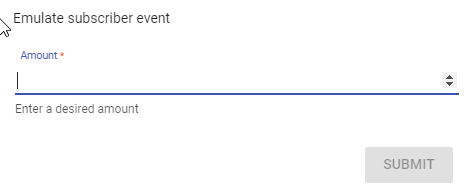
There are the default event emulator options of 1 and 3, those look identical/default as well.
 scenic depot
Anyway to set up a Multistream with StreamElements the same way Nightbot can??
in theory that should work but i cant get SE to edit commands 😦
when i enter whats in the "!multiset" it works but when i try the command it does not
clever mango
I may be wrong but I don't think one command can trigger another command right now
I've tried before and couldn't get it to work either
scenic depot
yeah i was afriad of that 😦 then ill keep using Nightbot just for the multiset then...
clever mango
Yea, SE is still very much in development so I use other bots as well for certain things until SE implements them
 open burrow
Does anyone know where on the paid version of BitStream on android
you can add the overlay?
open burrow
Thanks
open burrow
Mate thanks!! ive found it
open burrow
Theres no way to long press and paste into it?
clever mango
I think you could if you can open SE from your phone browser
I didn't even think to try that facepalm
I typed in those long URLs
misty wagon
Join StreamElements at: https://StreamElements.com Got any questions, or just want to say "Hey!"? Join our Discord: http://bit.ly/StreamElementsDiscord
clever mango
What's up
 raven vapor
For the contests tab, how do i make it to give players their bet amount when i win
Do i do a command?
Oh wait
misty wagon
Goto Contest in the left menu
raven vapor
it only gives one of the players money
I thought it gives all the people double that voted on the correct answer
clever mango
you pick 1 winner
clever mango
after the contest ends
misty wagon
for that you might want to use a !sraffle, not the !raffle. !sraffle is single raffle
upbeat tree
So the backup playlist song not whowing up in the current song windget on overlay manager is still not fixed... This is a bit agrivating.
misty wagon
Modules > Raffle
 rocky ember
is there any way to export the loyalty stuff (like points amounts) into a CSV?
misty wagon
@upbeat tree I know you have been asking this a lot and waiting for it, I'm sorry for that. Honestly we love to see a lot of things and again I agree, it's annoying but we only have limited amount of time and resources. Patience is a virtue. ❤
upbeat tree
That is like the one thing that needs to be fixed ;~;
misty wagon
@rocky ember not at this moment. You can put it on the pinned list in #💭︱feedback-and-ideas (and upvote others you like)
@upbeat tree only from your point of view 😛 but I get where you are coming from. Again, I wish 💫
upbeat tree
I understand that new things are nice. But things that are broken really need to be fixed before focusing on new things. Atleast that in my stand point.
misty wagon
Again I understand your frustration but we are not a gaming company that just adds new stuff and neglects the basis. That's unfair.
In fact a lot of our time and resources are currently spend exactly on that; the basis. Scalability, keeping the machine running smoothly and not adding all sorts of bling.
So basically what you are saying is a compliment to us, thank you. We do our best to make an awesome, great and stable platform for hundreds of thousands of users.
Also to add to that; we always communicate open and fair with our community. I hope that counts too. You people are the ones we are doing this for and to give you an idea; It's 4AM in Amsterdam 😉 ❤
 crimson granite
Hey everyone! oes the sub goal widget only count paid subs or twitch prime subs too? Mine says I have 7 subs, when I really have 10... Not sure why the numbers are off. I have tried to refresh both the overlay in xsplit and on the streamelements site. Any advice on this? thx and I love the service!
misty wagon
You can edit the session here: https://streamelements.com/dashboard/activity
 frigid flare
my bit cup isnt responding to anything
misty wagon
On the right of the screen
misty wagon
answering in your Twitch chat
crimson granite
Im sorry I should have been more specific. I am meaning the sub goal text on my stream overlay. It's the text that is shown on my live stream.
misty wagon
Oh wow you're fast, I was still answering in Twitch chat. You are using the cheer cup in OBS, not the one in our overlay Manager. You have to set it up in our Overlay manager and then take the url from the whole overlay set and put that one as a brower source.
Maybe it's better you aren't doing this on stream and you have more time 😉
frigid flare
im using the one in overlay manager...?
obs doesnt have a cheer cup?
like
it doesnt work on the overlay manager on the site even
like my cup isnt working full stop
edgy kindle
@frigid flare From what I understand SE bitcup only supports bits? I tried using the event simulator but only bits shows up
misty wagon
Use KappaGen to make is nicer, also Cheer Cup 2.0 is coming. A lot more functionality.
frigid flare
im using kappagen?
misty wagon
I'm responding to what you say on stream, bit delayed I guess
edgy kindle
 frigid flare
yeh
edgy kindle
@frigid flare ^bit emulation
frigid flare
just did a cheer in the test and its working
edgy kindle
If you're okay with it I would suggest temporarily use StreamLabs if cheercup is 100% needed
frigid flare
used to it on muxy and streamlabs with follow and stuff
ye. was just about to swap that element till 2.0 cup comes out
edgy kindle
Hope you switch back when 2.0 comes out~
 atomic cobalt
@misty wagon Could you help me with an issues I am having with Overlays and Song Requests?
weary mist
whats up @atomic cobalt
atomic cobalt
hello @weary mist I have been working with @sacred edge on the Ground Control App working on OSX and testing out the different versions. but I wasnt able to get on ealier enough to talk to him today. But after I installed and buildt the newest version of the app, It plays my backup YouTube Playlist ok, but My Overlay says "No Song" when it is playing songs from the backup playlist and when someone requests a song it is delayed in showing the right song that is currently being played
weary mist
yeah, the backup playlist at this time doesn't show up in the currently playing, so that is a known bug
 terse yew
Is it just me or are follow alerts super delayed?
atomic cobalt
ok, that is what I thought too @weary mist thanks for confirming that
@terse yew I have had the same problem but it does not happen all the time, I have had it one time take 30 mins for the Overlay Alert and Chat Alert show up on my stream. @weary mist Is that delay a current issue? I was going to ask that question as well
weary mist
hmmm, not too sure about that. there were some issues with the bot that might be some residual effects
upbeat tree
@misty wagon Is there a way to make widgets not snap to edges in the overlay manager?
weary mist
@upbeat tree use your arrow keys after selecting the module
upbeat tree
okay thnx
atomic cobalt
ok @weary mist I will let you know if it happens again tonight when I am on. It really started happening after Twitch Did their API Update for the Affiliate Program Sub Button. That is when the delay was really bad and a lot of the members in the Community I am the admin for told me they were also having the same issue when someone Subed or Followed their channel, it would show one of them but not the other or it would show up really late like 15 to 20 mins later
weary mist
yeah, that sub button really tossed everything into disarray
atomic cobalt
ya @weary mist I figured and that is what I was telling everyone. Twitch has the tenticy of rolling out those update so quickly that all the outside apps and bots that use the Twtich API dont get a chance to keep up and make their updates in time to handle the new types of request
weary mist
@terse yew do you have tip moderation turned on?
atomic cobalt
Well thank you so much for your help @weary mist I will let you or @sacred edge know if I am still seeing thoses issues as I am streaming. Have a great night
hearty peak
my images for alerts stopped showing up all of a sudden
what do
i tweaked the variation text on subs and they disappeared and wont come back
ripe laurel
Do you have this checked on the AlertBox widget @terse yew ?
ripe laurel
I'm emulating alert after changing sub notification variation settings and haven't had any not show up. Have you tried logging out, clearing cache, and logging back in?
hearty peak
i fixed it somehow
idk how
but now im trying to figure out why its playing my sounds twice
one slightly ahead of the other
terse yew
@ripe laurel let me try to find that setting hahaha
ripe laurel
Overlay editor, AlertBox layer on the bottom, cog wheel beside Tip alert @terse yew .
Do you have it opened on OBS or another tab @hearty peak
terse yew
oh i was just told that it did show up but super fast! i'll try to increase the duration
hearty peak
i tested it with only OBS open
terse yew
thanks rinnie though 😃
hearty peak
and it still did it
weary mist
ok, then you have two overlays that are playing at the same time, do you have the box checked to shutdown source when not visible?
ripe laurel
If you're testing it with OBS open you would hear the sound from the overlay editor as well as through OBS.
ripe laurel
If it's on an active scene. Oh.
ripe laurel
Bottom of properties when you right click your BrowserSource @hearty peak .
weary mist
hearty peak
oh in OBS
weary mist
yesthur
weary mist
you should
hearty peak
its still doing it
ripe laurel
Check it on all your scenes that you have it on.
hearty peak
damn it takes like a good 5 seconds to load when i switch scenes though
weary mist
I think its a bug with OBS, turn off all the sources but one
ripe laurel
Yeah, if you check it everything shuts down so you don't hear the sounds playing and then when you change scenes they have to load again. You can try having Studio Mode open and then click Transition in the middle of the two scenes after everything loads. That's what i do but i also have an old slow laptop -_-
hearty peak
is the one on the right or left the live one? i forget
ripe laurel
The right one is live. The left is preview.
hearty peak
ok
i am still having a bug with my sub alert now. it was working fine until i went in and edited the variation text that deals with multiple month resubs
i removed the Just and it stopped showing the image or playing the sound
just shows text now
ripe laurel
Go back to it and see if the set image and sound are cleared.
May be a bug that those don't save.
ripe laurel
lol I tried the sub thing and now none of my emulations work.
weary mist
beta
ripe laurel
Logged out and in. Going to try again.
Yeah, variation updated but the image doesn't work. The sound does though.
hearty peak
I get that XD it doesn't make it easier to cope haha
hearty peak
What's so weird though is that BEFORE I edited that ONE word in the variation, it worked just fine
No it doesnt
Now**
ripe laurel
I can choose the different layouts and the text moves around but no image or video. Might be the text that's screwing things up. I remember someone was trying to edit the text on something and it wouldn't save.
ripe laurel
While i'm here i should go through my alerts and make them all match my stream 😹
 small adder
Question about Stream Store. If i create a sound effect. Is there way I can set a requirement up that it must be a particular user? Like ${user} == viewer1
weary mist
@small adder unfortunatly not at this time
small adder
ok
weary mist
@hearty peak I am not too sure. I haven't played enough with editting everything. I have most of my stuff defaults, lol
vague raven
On the Loyalty settings how can I change it to where is less than 10 minutes to get a point?
weary mist
unfortunatly, that is not possible at this time. @vague raven
vague raven
Okay to questions I've tried to ground control app and I can't seem to get my JWT token to paste in the section that is required also in the song request area where can I upload or put in my playlist link off YouTube or is that not available at this time thank you for the fast response
ripe laurel
Try <Ctrl><V> or right click and select paste.
I think the song request thing is on the SE song request area. I just restarted and am loading things up again so don't have my SE open yet.
hearty peak
anyone know where the list of variables is?
weary mist
@vague raven you put the backup laylist in the song request setting page on the website. The JWT token should be from your account page
ripe laurel
On the chat commands page bottom left @hearty peak
weary mist
⤴
vague raven
Yeah I see it and I copy it meaning I right click in a copy it but I can't paste it in where it's supposed to go
hearty peak
im not seeing the one for months subbed
weary mist
then you should be able to past there
@hearty peak i am not sure if that is implemented yet. I will have to ask tomorrow when the bot guy wakes up
ripe laurel
That variable i think is {amount} from the alert widget.
But that's for the alert, not for chat 🤔
hearty peak
yea it is amount appartently
vague raven
Yeah I've literally tried like a hundred times I go to right click where to put it in in no option comes up to paste or any option for that matter so it might just be broken for now which is okay I mainly just wanted to use it for some request but I can just double tab it for now
hearty peak
@ripe laurel btw i fixed the alert by recreating the variation and deleting the old one
dont know why it worked but it did
ripe laurel
Congrats 👍 I just restarted so going to set up my alerts again.
hearty peak
for some reason though along with that issue the overlay manager wont show the alerts now
only OBS is
ripe laurel
@vague raven try <Ctrl><P> someone said that worked for him.
Even though that's print for me.
vague raven
Ah ty
ripe laurel
lol i think the bot got reset? I hosted the one i usually do and it says i just hosted for 0 viewers.
vague raven
it worked thanks


 upbeat tree
Outlook? Haven't heard of that in awhile...
upbeat tree
Have to use it for college ¯_(ツ)_/¯
weary mist
office 365?
upbeat tree
A mix of both
Dunno much rlly. Haven't had to touch it yet. Don;t start for another month ish
weary mist
365 isn't too bad
hearty peak
in the chatbox widget is there a way to align the text left or right? or does it only center
weary mist
it was nice since i got more than 250mb to store my emails...
@hearty peak hmmmm
checking
hearty peak
cause its default is centered but i dont see a way to change that
upbeat tree
for a sec thought your steam library was the sources and I was like "Holy smokes"
hearty peak
LOL
weary mist
lul
hearty peak
that would be a RIP on my CPU
weary mist
try using the snipping tool so I can get a closer look, lol
upbeat tree
yeh was going to ask how you do it xD
weary mist
lmao, that message tho
hearty peak
proud crow
Same screenshot.
weary mist
hearty peak
if you open original you can zoom 😛
weary mist
mine is left aligned
upbeat tree
Left align it?
weary mist
weird. Have you tried deleting the widget and readding it?
 rapid tapir
o.o
weary mist
right?
rapid tapir
I have a theory as to why that happens
ripe laurel
I want to be streaming on a beach too 😉
 real escarp
anyone elses affiliate subs not showing up
hearty peak
soooo wot do @weary mist @rapid tapir
real escarp
i submitted on zendesk a ticket for it....i signed up like 3 days ago and my sub never showed up in overlay text or activity feed
vague raven
How does a tweet modular work
vague raven
Okay cuz I see nowhere to link your Twitter account LOL
upbeat tree
lol true
I think it grabs from your twitch feed
yah know. the stuff that tweets to tweeter
through twitch
hearty peak
its catching on Kappa
real escarp
any other affiliates not seeing their subs on dashboard
ripe laurel
I'm trying to use this Google font for my alert but it won't let me: Janda Sparkle And Shine.
rapid tapir
ah crap @hearty peak I thought I could check, but ill have to wait for styler to wake up
sorry :x
 indigo summit
Do chat squatters earn points during VODs or just live streams?
ripe laurel
Stream has to be online for people to earn points.
 modern pilot
Is there a way that a moderator can access a streamer's SE dashboard and UI?
indigo summit
ThanX @ripe laurel
ripe laurel
Not yet. That's been highly requested and coming soon ™
modern pilot
thank you very much!
ripe laurel
😹 I think the ETA is later July but will have to see if i can find that post. They want to get it working as well as they can before release 👍
Found it.
So at least a month.
Did you fix the donation duration @terse yew ?
terse yew
Is there a way to set the donation goal widget to be consistent throughout all overlays? (if that makes sense)
or do I have to manually change the text/goal amount in each overlay?
@ripe laurel I'm not sure! I set to higher but I'll have to wait for an actual donation to see XD
cus I think i set it at 10 before and it was fine when i tested it but then it was shorter after
ripe laurel
Do you have many changes on the overlays? You can duplicate an overlay and make changes but at the moment there isn't a way for things to be duplicated across overlays.
terse yew
I have quite a few
one overlay is for art and the other is my game lobby overlay
ohh okay
ripe laurel
Yeah, when i was testing trying to get the image to show up for as long as the TTS reading the 1000 memes thing i couldn't get the time to be consistent.
terse yew
I was thinking like how twitchalerts lets you set a donation goal on a separate page and you just insert the 'widget' into OBS
and it's consistent no matter where you put it
ripe laurel
Oh, if you'd like you can create an overlay just with the widget. It would basically be the same idea.
Then add that as BrowserSource.
ripe laurel
😹
With that you shouldn't have to check Shutdown source when not showing so it'll stay on the scenes.
ripe laurel
I was checking to see if you were online but you're hosting Lixy 😃
terse yew
oh yeah I just went offline hahaha
but i'm using obs to check settings and it seems to be working
ripe laurel
Maybe the next time you stream you can adjust the donation alert duration better 😸
ripe laurel
You can reset sessions on your Activity Feed.
terse yew
yah i'm gthere right now!
i want to reset my tip goal
but when i click oeset only t ip goal
it seems to reset everyhting?
like everything else disappears too and id ont want to reset the donationns stuff
ripe laurel
Or try edit session.
terse yew
okok
ripe laurel
If you click under Amount it'll let you type in a number or use the arrow keys at the end.
terse yew
do you know if everything auto resets at the start of each month?
sinec they have the top monthly donator option
ripe laurel
They shouldn't.
terse yew
so i have to auto restart it at the start of each month?
ripe laurel
I don't know though since i haven't had a donation in a while lol
ripe laurel
Hmm. They have monthly and weekly things oto.
ripe laurel
Europe.
ripe laurel
Already Canada Day here too 😉
terse yew
reset**
ripe laurel
You should be able to see it rolled over if you check your dashboard.
terse yew
oh man lol okay let me take a look
there are so many settings to get used to again hahah
learning curve
there's thsi bug i think
where if you edit the name of someone who donated in your settings, it counts it as a nwe donation
like
i didnt get 11 tips
LOL
ripe laurel
Yeah, if i edit anything it adds the total amount so i had to delete all my donations.
terse yew
cus this person donated but accidentally did anon so i changed the name to their name and it readdedit
so then i changed it back to anon again
and it readded again
etc etc
LMAO..
do u know if the devs know about the bug?
is there somewher i can post it
ripe laurel
And mention the reset buttons too 😉
Not sure if there's a list of known issues somewhere we can check.
ripe laurel
We can use emojis in alerts messages ⭐️
 cedar siren
so someone donate 250 bits to my stream and obs crash just want you guys to know. that it might be a bug
upbeat tree
@cedar siren That would be on OBS's side. Did you notice your computer slow down before the crash?
cedar siren
no it didnt
stuck hamlet
@ripe laurel if someone hits reset on something and all of them reset, it's just a visual glitch, fyi. 😃
upbeat tree
@wraith stone Could have been just by chance. I don't believe SE would have been able to crash OBS. SE is just a browser source
ripe laurel
So not everything resets? I don't have many things to check lol but good to know 👍 @terse yew
stuck hamlet
@cedar siren you can get the logs and send it to the devs 😃
upbeat tree
^
cedar siren
can you help me fine those
stuck hamlet
Open obs, and under one of the tabs at the top you'll find logs
I'm currently on mobile, so I can't tell you which tab it's under.
Maybe help?
upbeat tree
C:\Users\AppData\Roaming\obs-studio\logs
stuck hamlet
^
upbeat tree
Or
C:\Users(PC-name)\AppData\Roaming\obs-studio\logs
Depending on how yours is setup
cedar siren
upbeat tree
You can also just open OBS. Click "Help" and under "log files" select "upload current log files"
it will upload your most recent log file to the OBS devs to look at.
cedar siren
will it streaming again
upbeat tree
👌
stuck hamlet
We aren't the devs, so giving that to us does nothing. :p
upbeat tree
^
But it seems the crash was from error code 126 failing to load "amfrt32.dll" and a few modules
Seems you have some custom plugins AND OR running 32 bit plugins on a 64 bit os
--
Gotta figure out this Bits crashing their OBS. I sent 5 bits and it crashed again
ripe laurel
@cedar siren do you have the AMD Advanced Media Framework Encoder Plugin and are using an nVIDIA GPU?
upbeat tree
where they?
ripe laurel
Oh i didn't look at the file. May be using a wrong version 🤔
Also, you're using OBS 17 not 19.0.3 which is the updated one @cedar siren
ripe laurel
👍
upbeat tree
And they have a AMD Radeon HD 7500 Series
ripe laurel
I see that now 😃
upbeat tree
I told them that it is either their version out of date. Or the fact they are running 32 bit OBS on a 64 bit OS
ripe laurel
Hopefully downloading the correct one works then 👍 Back to customizing my alerts 😹 Oh it's already past 3:30 and i didn't do my dailies yet -_-
Almost 3:30.
upbeat tree
almost 2:30 for me
ripe laurel
Hopefully Rinnie will stream opening my presents today. Got her cat a shark costume lol She didn't stream the last 2 days 😿
upbeat tree
don't know who that is but hopefully!
ripe laurel
There are a lot of us streamers out there with our own audiences 👍
upbeat tree
👌
Can't tell if you are the streamer of who you speak of.. or a fan.. With your username lol
but tbh I used to have a young fan who had a username of similarity to yours except with my name xD
I feel awks saying fan xD
She watched my streams and at the same time works for me.. so idk xD
ripe laurel
If i were the streamer i would hope to 💖 myself too 😉 But yeah, i am a supporter but a young one i am not.
upbeat tree
¯_(ツ)_/¯ everyone is a kid at heart
ripe laurel
Growing up is optional; Growing old is inevitable.
upbeat tree
Peater pan never said that!
ripe laurel
Peter Parker never picked a peck of pickled peppers either 😉
upbeat tree
Well..
ripe laurel
I can't even get bits to donate to test 😾
upbeat tree
But it is my computer!
@ripe laurel What do you mean?
Serriously the bits crashed their stream
ripe laurel
No credit card and not in the US.
upbeat tree
You can watch a 30 seccond add for 5 bits
ripe laurel
Is he still updating?
upbeat tree
And you can do it like 6 times for 30 bits
ripe laurel
Yeah, that's for US apparently.
upbeat tree
huh didn't know that
Well I can't subscribe to people because I don't have a credit card linked to my paypal
Have money on my paypal just no credit card
ripe laurel
I think <Alt><Prt Sc> is quicker than snipping if i want a specific window. At least that's what i use. Gotten used to with a second monitor plugged in but i'm in the midst of procrastinating cleaning so don't have it plugged in now.
That's odd. I can subscribe fine with my PayPal.
I do hate how lots of sites i can't tell if they take PayPal or not and then have to go through checkout to see credit card only. Then they send me reminder e-mails and discounts but i have to pay more elsewhere 
upbeat tree
lol true
ripe laurel
I want to get Rinnie a 10-pack of certain ramen that's on amazon for $17.99 but no CC so can only find it on ebay for $18.99 for a 5-pack .
ripe laurel
Have to use Window Capture on my game because Game Capture won't work anymore since IDK which update 😦
upbeat tree
My game capture sometimes works
ripe laurel
I've gotten lots of things from ebay over the years. I remember getting a beaded pouch and when i got it the envelope had the bumps and ink but someone slit the envelope and took the pouch. I suspect someone in the postal delivery service.
upbeat tree
dang
ripe laurel
I did take a risk with a Chinese seller for a custom made dress with a long train for one of my streamer friends and she loves it. So there are some gems there 👍
upbeat tree
Sounds pretty.
ripe laurel
I was worried about the quality TBH. She's going to do a photo shoot for me as a birthday present later 😃 The seller said the tiara was shipped separately and i haven't heard if she's gotten it yet or not.
upbeat tree
"Shipped Separately" Sounds like this discords Soon ™ .... lol In other owrds you might never see it...
(Just teasing this server delivers pretty well with it's smaller dev team)
ripe laurel
Yeah lol I was wanting them shipped together but if they were going to ship it separately, why not ship it first? The seller did make a combined price auction for me, which is why i have yet to leave feedback as i'm waiting on the tiara.
ripe laurel
Yeah, i usually go for the highly rated ones that have been around for a while.
upbeat tree
yeah
ripe laurel
And i have the PayPal protection policy 👍
upbeat tree
Well tbh I don't trust allot of community ran things.. cough G2A cough but if it doesn't cost allot then I give them a try
ripe laurel
IDK what that is. lol
upbeat tree
but I am going to sleep ;~; Super tired... It's like 3AM
ripe laurel
I'm ahead of you! Sweet dreams 😸
upbeat tree
❤
lament blade
@atomic hollow did you forget to fix my All-time-top-donator counter? 😃 or did i missunderstand something? i thought you where gonna do it 😛 ?!
proud pumice

stuck hamlet
Shadow has been busy with irl things
 atomic hollow
@lament blade will try to get it done on Monday
 brisk flint
I have a contest setup (was very hard to do, because always errors I had), but now if I would like to start the context an error shows up.
My user: kozaka_gamer if you would like to check
Contest:
Error:
Yesterday the bot was like dying, then live, dying then live. Maybe this is contest thing and something else is also fixed?
Do viewers see all the loyalty bonuses they get? Like for following?
 fleet oxide
how do u reset donation goals
stuck hamlet
Look in the channel topic, and the sessions link
rose shore
Hi, I asked this earlier and didn't get a response...
I have a viewer trying to claim a reward. Every time she does, it says in chat that she's claimed it. But it's not actually taking away any of her points for it.
 wanton jetty
I dont have a subscriber luck bar on the giveaways.... is this a known bug ??
@stuck hamlet
stuck hamlet
Might be an oversight
 fresh flare
Hey everone. In KappaGen I don't see my new BTTV emotes. Any way to "refresh" it? Thanks 😄
stuck hamlet
Log out, CTRL + F5, and log in might fix it
stuck hamlet
You mean, you don't see it in the "Select Emotes" for emotesplosions?
fresh flare
yeah
stuck hamlet
Has the emote been accepted?
fresh flare
yeap, couple hours ago
stuck hamlet
Hmm, I guess we'll have to wait and see 🤔
fresh flare
🤞
 minor sierra
Question. When someone hosts/follows etc. I hear the alert twice. Sometimes 1 is a bit behind the other. But when I press the 'repeat' button on the Groundcontrol program, it only lets me hear it once. Is this a known bug, or is there something I am doing wrong? I tried to look in this discord using the search function. But couldnt really find anything. Its only the sound btw. The animated alert just shows up once.
stuck hamlet
@minor sierra you must have 2 sources within your other scenes
You need to tick the option "shutdown source when source is not visible"
minor sierra
I am going to slap myself in the face now. I actually read that solution but I rechecked it and that actually did it. 😐 I love you now. Kappa
minor sierra
\ PogChamp /
 hollow zinc
@brisk flint does the error show when you try to start the contest, or in general when you just navigate to the Contests page?
 oblique mulch
might just be me derping but i cant seem to have the entire overlay cover the screen on xsplit. Its in 720p but the alert is centered on the website but not on xsplit
 tardy saffron
I haven't updated OBS to Studio edition yet, can that hender things with StreamElement overlays and alerts?
 ancient wigeon
So, is there a way to manually add a subscriber to streamelements stats?
I'm missing one in my list. My first one.
unkempt oasis
@tardy saffron Yes, some features don't work on OBS Classic because it is so old, and OBS Classic is also unsupported by the OBS devs
tardy saffron
I knew one day this would come. Remember me fondly obs original ❤
 coarse lake
Hello
I have a quick queston
is there a way in the store to have the item react with chat? I am creating a store item to give each person in the chat 300 points. I dont want one of my mods or myself to stop and type the command...can the store redempion do this automatically?
stuck hamlet
The "make it rain" feature from Revlo? @coarse lake
coarse lake
yes
stuck hamlet
It's been talked about, but I'm not sure what the decision was on it.
coarse lake
yea I just want to keep the mods and myself from having to type too much and let the bot work for me.
stuck hamlet

But he's just a child
Child labour is bad!
Nah, But for real I get it. Dw. Maybe someone more qualified will answer
coarse lake
gotcha
 spare oracle
is there no way to disable the tipping page once you added your paypal email?