#helpdesk-twitch
1 messages · Page 62 of 1
 rapid tapir
 trim perch
if it is any widget, try holding shift while you grab the grip
should rize without croping
 sturdy grove
I have a question regarding the loyalty settings. I see where you can adjust how many points someone gets if they sub to your channel, but how would that work if the sub is from Gamewisp? On that note, Gamewisp offers the broadcaster to reward their subs by choosing either to give additional currency and/or using a currency multipier. So if on one tier i wanted to reward 200 points but then on the tier above that i want to (ie) double that amount, would SE be able to automatically do so? Or would that have to be done manually?
 weary mist
@sturdy grove There needs to be some work done on the gamewisp integration. It was a new thing right when revlo announced they were closing its doors, and we got flooded with people, so we have been focusing on keeping the bot standing, and getting big features into the dashaboard (contests and giveaways
I will make sure to bring that up to try to get more information, but it could take some time as we start to catch up on everything
 gritty belfry
Any words on custom commands that would activate another command?
Custom commands to run default commands basically
 sacred edge
@gritty belfry you can click on edit and add a alias here: https://streamelements.com/dashboard/bot/commands/default
gritty belfry
@sacred edge !roulette isn't part of the list though :\
and some other commands too that are not on that list
weary mist
ah, that is part of the feature-requests 😃 its on the list
gritty belfry
I see
thats good then
I wonder why some of those commands arent visible on the list to be changed though
weary mist
It could be because the commands page came out before those did, and just never got updated. We are in beta, but are wroking hard to get things straightened out 😃
 stuck hamlet
Pinned messages in #💭︱feedback-and-ideas
 wanton jetty
Users using "Codes" from gamewisp for subscriptions dont trigger subscription alerts (needs looking at coz i think it should trigger them) @stuck hamlet
wanton jetty
Deepbot picked the alert up fine
stuck hamlet
@rapid tapir
 untold estuary
FYI contests last night were working ok for the bot in channel but not always showing up in OBS. I would have to refresh it in OBS for it to show again after doing several back to back contests.
Also could we have an option to have the contest overlay stay up even after the contest has closed but not completed?
 prisma sluice
Hey guys my bot is down
rapid tapir
@turbid reef is head of bots Keepo
@prisma sluice are you sure its not muted or left your channel?
 turbid reef
also make sure its modded in your channel
 vivid trail
@rapid tapir

 zealous salmon
dude
weary mist
DUuuuuuDDDEee
zealous salmon
bug?
weary mist
which page is that from?
zealous salmon
my bad
weary mist
👍
 ripe laurel
I see the sub button for the streamer i'm subbed to. Not sure if it's a connection thing.
ripe laurel
No, i think it's because they have a subscription page that it shows as it links to that page. Actually it links to https://twitch.tv/streamer/subscribe but it redirects to https://www.twitch.tv/products/streamer/ticket
 next spruce
In regards to the tipping page and leaderboard - why is my leaderboard not automatically updating? I used Add Tip to manually import the total one of my viewers have donated, they donated again last night and it hasn't added even though they were the EXACT same usernames?
ripe laurel
Make sure you inputted it correctly. I added one spelling the name wrong and now i can't delete that name off my leaderboard -_-
next spruce
Does it matter if one is uppercase and lowercase?
ripe laurel
I don't think so since the leaderboard makes everything lowercase.
next spruce
yeah well there's no spelling error so I'm extremely confused
weary mist
I think the leaderboard does take a few minutes to update, how long have you waited for it to updated
weary mist
yeah, that might make a difference
next spruce
upper and lowercase?
weary mist
try editing the tip so the names are exactly the same
next spruce
I did that, it just made copies of the donations on the leaderboard lol
ripe laurel
And also if you have the recent tips widget you'll see all the edits. So i'm thinking of not using that until it gets fixed.
next spruce
can just reset the session
weary mist
the recent tips, yeah, i get that part. But the leaderboard should update... I tested it out myself last week, lol
ripe laurel
Leaderboard updated when i added the last few days so not sure why it's not working now. for him.
next spruce
Ok ive changed the imported tip to lowercase - ill let you know
it updated but made a duplicate omg
HAHAHA
ripe laurel
I guess i can try resetting session and deleting tips and readding since i wanted all the tips to show up since i don't have that many that i imported.
weary mist
If you search in the My Tips page, do you get more tips for him, or just enough for one of those
next spruce
its just the 1150 and 10
so it's a problem with lower and uppercase
RIP another 3 hours of myt life
ripe laurel
What i did to get my tips page leaderboard working is disabling it and refreshing and reenabling it.
next spruce
I tried that
weary mist
I will see what I can find out for you Ron
next spruce
thanks mate
ripe laurel
My recent tips is now blank. Thankies for that. I can start over adding them all in again.
 frank falcon
So we got a cheer and alert didn't pop D: not cup got a cristal.
Any ideas on whats could have gone wrong?
weary mist
does it show up on the activity feed?
frank falcon
no :c
weary mist
well, thats why it didn't pop. It didn't even register the cheer. Is it your channel?
frank falcon
My husband's, but i have acess to SE dashboard from my pc
weary mist
do you have options set so it won't pop for cheers under a certain amount
can I get the link?
frank falcon
to his stream?

Twitch
the after finals relaxed plays || Me Happy!! testing new things =] #shogunstream
if we do have this option on i have no idea how we set that to not show under some valueS:
weary mist
I will see if I can figure out the setting
frank falcon
alright no rush. 😃 thank you
 cerulean hazel
is this where i put a question if i am having trouble with streamerelements?
wanton jetty
Users using "Codes" from gamewisp for subscriptions dont trigger subscription alerts (needs looking at coz i think it should trigger them), It triggered fine on Deepbot but not SE so may be somthing that wants loooking into @rapid tapir
cerulean hazel
i got a question regarding !raffle if anyone can help me out i would appreciate it 😃
frank falcon
@weary mist Just so you know, we found the min. amount. It's 0 and there's 2 variations: 1 is at least 1 and the other is at least 100
Let me know if u need any more info or screenshots
weary mist
OK. you have all the boxes checked for the activity feed? I am not sure why would stop it from recording the cheer
@cerulean hazel what be your question 😃
cerulean hazel
@weary mist im trying to use the raffle moduel in my chat but i cant get it to only use single raffle every time i try its multi
cerulean hazel
and doing regular raffle gets multi or can i do !mraffle
thank you byt the way, not sure if that is outlined somewhere on the website/dashboard/moduel but i feel like it should be....i didnt see it
thanks again
 shy ridge
reset all time leaderboard can you also reset one person ?
weary mist
@shy ridge no, only the whole board
frank falcon
Yes, everything is checked. Also got the amount on Twitch so idk?! D: If u wanna see some screenshots i can PM you no problem
 slate meteor
For some reason when I upload my same alerts i use on streamlabs on streamelemnts they become a lot smaller.
frank falcon
Was the please for me, @weary mist ? xD
weary mist
@frank falcon yesh
@slate meteor I am not sure how to answer, as I didn't import anything personally. And this is the first time anything has been said about it. Have you checked to see what it looks like on OBS?
or xsplit, what ever you use
slate meteor
Well Yes, i use the overlay thing that they use.
And so the preview on that looks bad and there is no way to control the size of the image.
Only the text..
Streamlabs one looks great! My image size is 500x100
in pixels.
 tranquil iris
don't know who to ping but my tip page is broken suddenly
says Sorry, {{ ::vm.user }} has not setup donations yet.
kinda urgent so hello?
happened within the past 40 minutes or so
ripe laurel
If you mouse over the bottom right black corner of the alert in the overlay you can resize images.
tranquil iris
had a successful donation about 45 minutes ago but now my page is broken
weary mist
@tranquil iris give me a minute, I will check
tranquil iris
thanks
ripe laurel
This bottom right corner @slate meteor. Here i made it small. Can click and drag it to the size you like.
weary mist
@tranquil iris what do your tip settings look like?
tranquil iris
well I haven't changed anything to answer your question in one way
someone donated 45 minutes ago, I didn't change anything, and now it's broken
weary mist
@tranquil iris ok. Mine isn't working either. I am going to go flog someone
shy ridge
the train count widget dont work for me
 grizzled bay
Hi when i try to import points form deepbot to streamelements i got an "error ocurred" any ideaS?
next spruce
@weary mist any luck with the tips? If the devs can make it so it recognises tips from names with exact same spelling but letters can be upper or lowercase.
weary mist
@next spruce for your issue, it could take a few, this is early early morning for the devs. As soon as I know more info, I will let you know.
next spruce
Ok, I might just have to re do the whole thing.
 craggy stump
Hi im new to this and wanted to ask a question about the raffle feature. Do i ask that here? ('-' )
weary mist
@craggy stump yessir
craggy stump
sweet. So when trying to configure the Raffle module, i see the option for Single and Multi option. And when I type !raffle in the chat box, by default it starts a multiraffle which selects 3 winners. How do i enable it so that it defaults to the Single raffle winner instead?
weary mist
!sraffle
grizzled bay
So how can import from deepbot please?
weary mist
other than that, there is no way to set it to default to a single until we get access to the commands that the modules use
@grizzled bay I am not a total expert on the process, but do you have the bot running right now/
craggy stump
ohhh so it was a different command. Ok that's simple enough. Thank you 😃 I'll try that out
grizzled bay
yes also i entered the api secret but still gettin a error.
weary mist
@grizzled bay which browser are you using?
 toxic parcel
Quick question my friend added me as a supermod but I cant seem to join his channel
grizzled bay
@weary mist Chrome
weary mist
@toxic parcel supermod access to the dashboard is a work in progress
@grizzled bay hmmm, I remember someone having this issue before, but I can't remember how they resolved it
toxic parcel
So I cant help my friend setup the bot at all?
weary mist
@toxic parcel at this time, the only thing you would be able to do is set up chat commands from the twitch chat 😦
the joys of beta
toxic parcel
😐 ok thanks
grizzled bay
well thanks.
 brisk lagoon
Is there a way to get the bot to subscribe to my channel so it can use my emotes in commands?
 lament blade
Looks like Donation Pages are down?
 proud pumice
@woven plover seems like we got an error from european central bank for currency exchange
fixing right now, moment
proud pumice
all currency rates. we're pushing a fix.
craggy stump
Sooo i tried !sraffle but it didn't start on my chat ('-' )
proud pumice
fixed
 timid yacht
Is SE down for anything right now?
proud pumice
refresh
next spruce
thank you @proud pumice
proud pumice
np
weary mist
@tranquil iris All fixed 😃
weary mist
do a ctrl+f5 or ctrl+shift+r
timid yacht
Make it leave and come back
untold estuary
no commands are working
timid yacht
I did
untold estuary
oh ok
timid yacht
it works now
weary mist
oh, you are talking about the bot, give me a second
weary mist
it may have been because we pushed a fix for the tip page
ripe laurel
Does the tip page leaderboard only go back so far? My first donation from about a year ago isn't showing up.
weary mist
@prisma sluice there was a fix pushed just now, it should join back. If it doesn't, make it rejoin
ripe laurel
If you can access your dashboard from whatever you're accessing here with you can rejoin it from there.
ripe laurel
I don't even have a mobile 😦
prisma sluice
Lmao
cerulean hazel
@weary mist my bot randomly isnt responding to any commands?
weary mist
@cerulean hazel you will need to make it part and rejoin
weary mist
👍
cerulean hazel
i was only confused cuz it was working fine and i tried to run a raffle for chat rn and boom
didnt work lol
weary mist
it will take some time. There are a lot of channels that this will be happening to
cerulean hazel
gotcha, i was just asking cuz i was looking for like a reboot button i figured thats all it needed 😃
thanks again
weary mist
❤
prisma sluice
Thanks for the fix y’all
 solid coral
what is the command to start a gamble
or do i have to add that
ripe laurel
There are modules for !slots and !roulette.
weary mist
Thanks Rinnie, I got distracted
ripe laurel
No worries. I keep tabbing back from stuff. Was working on overlay but with the way i layer things i have to keep some things on OBS 😹
solid coral
thank you @ripe laurel and @weary mist
ripe laurel
Can't set a cap on roulette yet though!
solid coral
am i able to change it from !roulette to something different such as !gamble
ripe laurel
Not sure if you can make a custom command to alias it as default commands can't be modified yet.
weary mist
not yet
solid coral
okay thanks to the both of you for the help have a nice night
ripe laurel
Also the fact that it's a module as well i wouldn't know how that works. Take care!
solid coral
okay you to
 crisp plinth
Found two bugs on my first test stream with SE.
-
If the roulette or slots command is used incorrectly (ie !roulette [no amount or other text] or !slots 100 [or other text]) it starts the cooldown.
-
!song doesn't work on fetching song from backup playlist
didn't test for global cooldown, just individual
 oblique crag
Stream Elements isn't allowing song requests via song title?
 proud crow
That is not possible at the moment.
oblique crag
Who are you referring to @proud crow ?
weary mist
@oblique crag that is correct. We had an issue of using up all our API requests through youtube, so we had to temporarily disable it
proud crow
Your message, @oblique crag ☺
oblique crag
@weary mist Ahh, okay. Will you post an update when it's reenabled, or have a time frame of when you expect it to be reenabled?
 zinc vault
To get stream shop items to trigger, what do i have to do? When someone redeems the item, i cant hear it on obs or anywhere else
*its a sound file
ripe laurel
Styler - Last Tuesday at 6:04 PM
So youtube's API works in a very special way.
We get allocated 1m points to spend every single day. (capped at 16m a month)
Searching a song costs us ~100 points, meanwhile direct urls only cost 7.
We currently have so many people using songrequest that we had to disable the search feature until we can get these limits increased.
weary mist
it depends on if we can increase the amount of requests we can get. YT gives 1m points per day, and a searched song request is 100 pts. A link is 7 pts.
lol
oblique crag
Ahh yeah Great repost @ripe laurel
weary mist
@zinc vault do you have the store redemption widget on your overlay?
ripe laurel
😹
oblique crag
Sorry, I missed that the other day. Thanks for the update! Might wanna update the tooltip on the SE site to reflect that they need to enter the link now.
proud crow
Asking for a time frame from devs is something short of a miracle if you actually do get one. :P
weary mist
@proud crow depends on what they can get out of youtube. It isn't something we can put a timeline on
zinc vault
No, but i tried having the window launched (im using two pc setup, so i only need sound on my gaming pc)
like the overlay window
proud crow
I'm just saying in general. Lol.
weary mist
@zinc vault yyou do need to have the store redemption widget in that overlay you launch
ripe laurel
Don't forget to save any changes you make to overlays.
zinc vault
That i havent tried! 😃 i just imported my settings from streamlabs ^^ thanks
proud crow
I'm a dev myself and I know ETAs are hard to come by... 
oblique crag
No you have to enter a # value
Like, !duel NAMEHERE 100
And the number represents the value you're dueling for.
weary mist
😃
ripe laurel
I don't see a minimum but a maximum amount can be set.
 olive lintel
yep.. . but maybe add a option to prevent the 0 duel?
 hardy kernel
ripe laurel
hardy kernel
ripe laurel
Styler - Last Tuesday at 6:04 PM So youtube's API works in a very special way. We get allocated 1m points to spend every single day. (capped at 16m a month) Searching a song costs us ~100 points, meanwhile direct urls only cost 7. We currently have so many people using songrequest that we had to disable the search feature until we can get these limits increased.
weary mist
copy/pasta for da win
ripe laurel
Currently needs a valid YouTube ID or URL.
stuck hamlet
copy paste?
more like keybinds amirite
So youtube's API works in a very special way. We get allocated 1m points to spend every single day. (capped at 16m a month)
Searching a song costs us ~100 points, meanwhile direct urls only cost 7. We currently have so many people using songrequest that we had to disable the search feature until we can get these limits increased.
ripe laurel
I don't use those on this laptop. And i have the source poster too 😉
Maybe pinning it would be easier.
ripe laurel
Yeah, no one looks at the last few messages either like when the bot goes down.
Maybe a big pop up with the latest common issue(s) complete with the scam/spam voice saying "Warning" like on those shady sites.
When someone clicks to enter this text channel 😛
stuck hamlet
 ripe laurel
How do i sign up to be an editor to fix visible words like changing "provive" to "provide" and "Store store" to "Stream store" and such? lol
 atomic hollow
you PM me and I make sure our genius developers fix it
ripe laurel
I guess i can start from the top of the StreamElements page and go down making a list of things i come across 😃
But i'd have to go in a channel with everything active to see what the bot's responses are.
 autumn star
So I do a lot of fishing in IRL, would there be be anyway you guys could create a customizable counter widget that is controlled by chat? like I or a MOD could type !add fish 1, fish being the name of the counter and it would increase the counter.. just a idea I am available for testing 😃
weary mist
@autumn star that would be pretty cool. You can at least do a command that does count, using the ${count} variable
autumn star
correct, would be nice to have the option to show on stream overlay tho
weary mist
very true 😃
autumn star
so like as I am fishing and I catch a catfish I could have a counter "catfish" and a MOD in chat could type !add 1 catfish or something like that
ripe laurel
Is there a way to emulate chat to test Kappagen chat emotes?
weary mist
the normal emotes, no, but the emotesplosions you just have to emulate an event
ripe laurel
Yeah, i have the emotesplosion set up now 😃
weary mist
I jsut spam my own chat to test the normal emotes, lol
ripe laurel
Guess i'll have to open my chat then!
I was thinking of just having it limited to one section of my screen but then the emotes look cut off at the edges. I'll just leave it as full screen then.
shy ridge
the train count widget dont work for me
autumn star
also does anyone know why SE would make Bitstream choppy? I have a Moto X Pure
 rough cradle
is songrequests down?
seems like its not working for one of the guys i'm watching
he said it's getting an error of "you must provide a valid youtube url" but i did a direct url when requesting
 alpine shuttle
When using a template in the cusomt overlays is there an option to add a source HTML for people to click or follow? Or is it more of a add your Twitter/Facebook ect in the text instead of it just saying twitter page ect....I think as I typed this I've figured it out....FML
stuck hamlet
@rough cradle https://www.onslaught.ca/s/6t08gvjf.png
 rough cradle
yeah and it worked with requesting that way right, but try to actually have it play through your webbrowser, I guess I could test on my account too but it doesn't work for him
stuck hamlet
request from where?
ripe laurel
An overlay on stream from a viewer's perspective is like watching something on television - it's not interactive in the sense that one can click on something. YouTube has their clicking things that are added after by the uploaders.
stuck hamlet
but @rough cradle welcome 
rough cradle
ah @stuck hamlet this is what he was meaning I think 
ripe laurel
Keybind time?
stuck hamlet
So youtube's API works in a very special way. We get allocated 1m points to spend every single day. (capped at 16m a month)
Searching a song costs us ~100 points, meanwhile direct urls only cost 7. We currently have so many people using songrequest that we had to disable the search feature until we can get these limits increased.
provide valid url
or id
come on now Peach
ripe laurel
*provive
stuck hamlet
dont be rhino help server pleb 
rough cradle
doesn't pull from the first video on a search link music bot does rip i know such scrub here xD
i never saw that announcement so didn't realize haha
ripe laurel
Searching takes up too many resources so for the moment it's direct links or IDs.
 lament blade
why is song request broken?
stuck hamlet
So youtube's API works in a very special way. We get allocated 1m points to spend every single day. (capped at 16m a month)
Searching a song costs us ~100 points, meanwhile direct urls only cost 7. We currently have so many people using songrequest that we had to disable the search feature until we can get these limits increased.
not broken
lament blade
okay i will use nightbot for it than i guess lol
i didnt know there was a limit to it thats all
stuck hamlet
our sond request isnt brokem..
 fickle vector
From what I understand of the issue, you can still request songs through using the youtube URL
ripe laurel
Direct URL or ID.
lament blade
yeah but you have to past the URL to the song you cant just type !sr and the song title like most other features like nightbot
i have never had to paste the URL till now
fickle vector
It should be back up next month. Their agreement with youtube limits how much searching they can do per month, and they have reached that limit between all the users (probably due to the influx of revlo users)
ripe laurel
Nightbot has been around a lot longer and has a much higher limit.
stuck hamlet
The devs will contact youtube shortly, should be resolved sooner.
lament blade
gonna have to figure out how to make it unlimited to keep people using that feature
Nightbot has no limit to songrequest
fickle vector
It looks like they're working on it 😃
lament blade
okay i was just wondering since i use the feature even just relaxing at home on my PC and want to hear a certain song lol
ripe laurel
https://twitter.com/nightbotapp/status/861093136201728000 "Looks like Nightbot for YouTube hit its' YouTube API quota for the day." Unless Nightbot shares something other than song requests with YouTube.

Looks like Nightbot for YouTube hit its' YouTube API quota for the day. It won’t be back 'til midnight PST. Sorry about that.
 Twitter
slate meteor
Twitter
slate meteor
Well i might of got everything working. Just need to get the backup playlist for current song to work.
 hexed oriole
I have a question
next spruce
viewers getting timed out for requesting songs? Happened multiple times
hexed oriole
Hey @atomic hollow I figured it out 😃
atomic hollow

ripe laurel
Disable Moobot or request with ID.
fickle vector
This feels like a bit of a dumb question, but where can I locate quotes, and can I import a file with ones from an old bot (ankhbot)?
 silk patrol
@fickle vector right now quotes can only be seen in the chat using !quote #number, but some people (including me) have requested a list on the dashboard1. feel free to upvote that or any other feature you'd like to see added http://www.tricider.com/brainstorming/3HdiALda4Zp
and unfortunately, no, you can't import them
fickle vector
Ah, so if I wanted to import quotes, I would have to do it manually? 😩
silk patrol
yep
fickle vector
Will upvote. Thanks for the help ^_^
silk patrol
yw
hexed oriole
When I'm trying to import my Streamlabs alertbox and tips, it doesnt seem to work. First it said failed, second it said sucess - but.. When I go under "my tips" I can't see anyone, and neither when im on the tip/username
atomic hollow
I am on it @hexed oriole
hexed oriole
ahh sry
atomic hollow
its all good
ripe laurel
Did you check the date range? My old ones didn't show up but after a few minutes they did.
hexed oriole
well - when i go into https://streamelements.com/tip/NAME then it should appear with a leaderboard, but it says "no donations"
ripe laurel
Oh, my leaderboard on that doesn't show my first donation from about a year ago. Are your donations recent? May just need some time to update.
You can try disabling and re-enabling the leaderboard and refreshing.
Since you said you can't see anyone under the my tips page, maybe it only successfully imported the alerts. Try importing just the tips and uncheck the alerts and see if that imports properly.
hexed oriole
Ill try to just import the tips thanks 😃 I started streaming for 6 months ago, and.. my rescent donation was 6 days ago
ripe laurel
Then yeah, those should show up.
hexed oriole
i tried, and it said "sucessfull", yet it doesnt work
ripe laurel
Wait a few minutes if you just did it.
hexed oriole
ill wait 😃
 lean birch
@hexed oriole How many tips do you have on stream labs..
ripe laurel
I just did mine a few hours ago and had to wait but it's showing up for me now 😃
hexed oriole
151 @lean birch
lean birch
yep, that will be it, Ive just submitted a fix for imports with over 100 donations.. Will let you know when you can try again
hexed oriole
ahh okay - thanks
Is it possbile to check how many followers u have received in "today", "week", "month" and "year" just like in streamlabs?
ripe laurel
For today, week, month there's the Statistics chart on dashboard. It only shows a month at a time though.
hexed oriole
so i cant see montly, i can only pick one month back, and then choose 1 day at a time?
ripe laurel
The calendar on top you can pick the first date you want to show on the left. It'll show a month from there and you can add up the numbers for all the days. I don't think there's a total number chart. Closest thing may be an overlay widget or check your session stats when you click on edit. That'd tell you the number of activities since the last time the session started.
hexed oriole
https://gyazo.com/fd1d43b888f900f1822852ad63cbdb39?token=f3af3c110dec915f3d709ed1e6ba7e03 the callendar to the right upper corner, right?

ahh - i think i got it 😃
ripe laurel
Mine only lets me choose from May 23rd.
hexed oriole
this is from jun 😛
ripe laurel
Not sure if it's because i just started using it.
June 1 to 30 in that picture. How far back can you go?
hexed oriole
May 23rd 😃
ripe laurel
hexed oriole
might be the date streamelements launched
ripe laurel
I think it only shows the last month.
hexed oriole
might be 😛
ripe laurel
Song request beta was launched in March so it's been around.
hexed oriole
ahh okay 😃 hehe
I think I keep streamlabels and nightbot, and just use streamelements for the points
seems easier for me 😛
ripe laurel
Whatever works for you. Once dashboard support for mods is implemented one channel i'm modding at will get rid of all the other bots since SE has pretty much everything used in that stream covered.
hexed oriole
some of my commands doesnt seem to work with SE, and... so far I've just got used to StreamLabs 😃 hehe.. I'll wait using SE fully when I feel like everything has been implemented..
atomic hollow
everything is ready, we can help with the imported commands from nightbot and the tips import will be resolved shortly
hexed oriole
but i really like the features with the point system
i did import commands from nightbot
atomic hollow
create some overlays, create some cool alerts, have everything in 1 place, save yourself so much work
hexed oriole
Like - i have a viewergame list, people type "!join" to join the list. Then they can see their position in the list by typing "!list", and remove them self etc.. but, my command "!join", doesnt seem to work with SE - but it works with nightbot
btw - my "alert" from streamlabels I imported to SE. When I try to edit, it shows 1 animation, but I had several that played randomly when people followed me. Are they imported too? Cause I can only see 1
atomic hollow
we dont have random alerts yet, only variations
hexed oriole
what do u mean with variations? 😃
atomic hollow
you can create a different alert for a donation of $1 and one for $4.20 for example
same for sub tiers and resubs
and hosts/cheers
hexed oriole
ahh yeah okay - Im pretty sure you can do that aswell in streamlabs, with the different alerts with different donation amount
atomic hollow
yeah of course
hexed oriole
I'll think ill use SE so far for the point system, and then manage SE, nightbot and streamlabs 😃 I wanna say thanks for the help shadow 😃
i think*
hexed oriole
❤
sacred edge
@muted knot it should tho 
 muted knot
@sacred edge Import?
sacred edge
the falback playlist
muted knot
Oooo. Yeah I didn't properly restart the application, it works fine now and it makes me moist. 👍
sacred edge
👌
muted knot
Still having issues importing tips though, right now that's the only problem I'm having 😃
 misty wagon
#ctrlshiftr
muted knot
Just tried and it failed :< @atomic hollow
muted knot
No worries @atomic hollow
 dusty comet
Hey, is there a way to make it so that the top donation adds up? So like, say John donated $10, then later donated another $5, the top donation would be: John $15; as opposed to: John $10
Also is there a way to show the uh, 0 at the end of donations with cents? My current latest donation displays as $4.2, and comes up as $4.2 in the alert - but is actually $4.20. It kinda triggers my chat's OCD, they bring it up a lot
trim perch
Ash,do you have it set to force them to log with twitch account
dusty comet
No
But the majority of the people donating at logging in and using the same name anyway
trim perch
that might be why though, as that is the "logger" could be wrong though.
Someone else will chime in soon
dusty comet
It's really rare I would get an anonymous donation
trim perch
yes, but say JohnSmith gives you 10 bucks, then I go on and donate as JohnSmith with 5 bucks
how will it know that it was 2 diff JohnSmith's without making them log
dusty comet
Spose. I can try that, but would like some more info
trim perch
@misty wagon any thoughts on this
silk patrol
@dusty comet you should always enable login to tip, this way you know who tipped and if there is a problem you know who to speak to
dusty comet
It's on now, but will that fix the issue?
silk patrol
not sure, probably since tips will be linked to one account
 floral parcel
hi i need help
silk patrol
@floral parcel sure, how can I help you ?
floral parcel
im a supermod in a twitch chanel but i can´t see her dashboard
silk patrol
@floral parcel because it's not possible yet
floral parcel
i caný modific nothing
silk patrol
but it should be a thing soon
atomic hollow
can add/edit commands
silk patrol
was about to say it. !cmd add/edit/remove <name> <text>
floral parcel
i saw the commands tha i can use
another thing the songrequest did´t work
think*
silk patrol
it should be working, maybe the broadcaster has limited it
floral parcel
ok thank you
shy ridge
The Train Count Widget dont work for me when i use it dont work and not showing the timer
silk patrol
@shy ridge works fine, watching a streamer that is using it right now
shy ridge
okay it dont work on my stream yesterday for my 4 followers
silk patrol
I saw it having so issues last weekend, like the timer was a bit fast, and it resetted twice, but right now it's fine
shy ridge
it's still dont work i just test it
 bright kelp
Hey guys, just a quick question. For tips, do i need to create an overlay for it to show up on stream or is there another method for tips to be seen on stream?
 restive jetty
Question: Is there a way to use the nightbot quote system with streamelements? Or is there a bot module coming that does that?
silk patrol
@shy ridge then the issue is on your end, I can send you a link that proves it works ^^
@bright kelp yep, you need to create an overlay and add the alertbox widget
bright kelp
ok ty
silk patrol
@restive jetty you can use nightbot and streamelements at the same time
shy ridge
how can it be on my end when it's your overlany manager ?
restive jetty
@silk patrol I was just hoping to consolidate bots. ❤
silk patrol
@restive jetty there is a quote command, but right now you can only use it in chat, no way to see quotes on your dashboard
@shy ridge the timer starts at 0, you need a follower for it to start counting
restive jetty
oh! thanks 😃
shy ridge
iknow i got 4 followers yesterday when streaming
 weary bay
Oké i have a question and hope some one can help me. I have like a view timers what i use. But for some weird reason it only say one timer and not the other timers. Any one know how to fix that?
weary mist
If the timer's are triggering at the same time, then only one will trigger. Try staggering them out more, either via more chat lines, or different times
weary bay
Oké. So if i have 1 for every 5 min. Than i have to set the others on like 10 or 15 min?
weary mist
more like 7 minutes, or 9 minutes, as that 5 minute timer will trigger at the same time as the 10 and 15, so it will do the same thing agian
trim perch
i tried a timer to get the bot to use slots, I was a sad panda when it couldn't gamble
bot equality!
trim perch
i was trying to get it to use those commands so others saw they were active
muted knot
🤔 Is there anything that could be going wrong with the importing of tips on my side? Already tried clearing all my caches, cookies, logging out&in to SL and SE, but.. No dice :<
trim perch
while making it seem fluid and me not having to randomly announce it was there
muted knot
@atomic hollow I will prepare the coffee enema's
weary mist

ripe laurel
Do you have 100+ tips @muted knot? Someone earlier had that issue:
Eidrm - Today at 5:02 AM
yep, that will be it, Ive just submitted a fix for imports with over 100 donations.. Will let you know when you can try again
 spark wren
I have been using streamelements for a few weeks and am noticing that autohosts do not trigger the host alert. Is there a setting I'm missing for that to alert?
 weary mist
@spark wren Yeah, I have never gotten alerts through any system for auto-hosts
spark wren
I used to get them with streamlabs but even that stopped a bit ago. Twitch must've changed something
weary mist
I think they did
the show up differently on the dashboard
and I don't think they even show up in chat as a notification because of that, which might be why the API won't pull that information anymore
ripe laurel
"StreamLabs lets you enable auto-hosts in your Alert Box settings. Log in to StreamLabs Click on Alert Box > Host > Show Auto Hosts Enabled." From reddit but IDK about SE.
So the notifications are worked differently is what i can tell.
spark wren
I'm now finding stuff from twitch about the change. Who would autohost with a full channel?
ripe laurel
twitch itself says a notification would only show with at least 1 viewer as well. Lots of popular streamers have a lot of people camping when they're offline.
proud pumice

 low marlin
Hey guys, two quick things: 1) song requests has stopped searching for songs and is now requiring the URL. Is this something I've changed by accident or something going wrong?
2) When I get a host off of someone it does not show up in recent activity, all other alerts work fine. Everything is checked to show up.
Any help appreciated 😃
ripe laurel
Styler - Last Tuesday at 6:04 PM So youtube's API works in a very special way. We get allocated 1m points to spend every single day. (capped at 16m a month)
Searching a song costs us ~100 points, meanwhile direct urls only cost 7. We currently have so many people using songrequest that we had to disable the search feature until we can get these limits increased.
low marlin
Makes sense, thank you 😃
ripe laurel
Can't check about hosting since it's been a while since i was hosted. I'm one of those that can stream for 24+ hours and not have anyone type anything in chat.
muted knot
Was an update for Ground Control just pushed? I just restarted the application, it updated, and now I'm no longer able to bind my media keys 🤔
@sacred edge
sacred edge
muted knot
Checked github, I think you're the right Ian ..? 
sacred edge
yes
muted knot
I was trying to run it as admin, since some games and Discord run as admin, so without it it can't grab the global hotkeys.. All standard keys seem to be able to bind properly, but it's not picking up the Media keys 😃
sacred edge
My keyboard has no media keys so i can't debug that
muted knot
Not sure if that's enough information to be able determine bug (or user-error  )
)
D: No media keys?! You using a naughties microsoft clicky? 😛
Okay, so I was wrong again; it seems to be limited to MediaPreviousTrack and MediaNextTrack keys @sacred edge

 muted knot
They worked today/earlier, they just don't work anymore
sacred edge
oh
muted knot
And I'm pretty sure my Ground Control updated when I restarted it about 10 minutes ago 😛
sacred edge
yes there was a update
muted knot
¯_(ツ)_/¯
Maybe it's Windows being windows.
Oh. It was Windows being Windows. I'm sorry for the trouble Ian.
Did run into another issue with the backup playlist only playing the first song in the playlist, but I reset my tokens, put token into GC and everything seems to work fine again.
misty wagon
We don't mind you keeping @sacred edge awake, just make sure he gets enough 🍩 and ☕
turbid reef
@sacred edge
 weary mist

misty wagon
Hush @turbid reef go back to sleep, we need you in 6-7 hrs
turbid reef

sacred edge
@muted knot works fine for me https://i.nuuls.com/4Tj4b.mp4
muted knot
It was Windows being Windows  @sacred edge
Sorry for the trouble. Did run into another issue but putting in token again seemed to have fixed that, read above ^
sacred edge
do you hide the video?
muted knot
I do
muted knot
So if you hide the video, it bugs the whole "next in playlist"?
sacred edge
it bugs the playlist by only loading the first video
muted knot
Because I've just hidden it again and I'm able to next through playlist again just fine 🤔
sacred edge
because the playlist is already loaded
when you start it while it's hidden it happends
same would happen on the website
muted knot
Ahhh... Gotcha, gotcha. That is fantastic to know, thank you.
So if I run into it again I can just unhide, re-launch, play, and hide
sacred edge
yes
sacred edge

muted knot

 nimble owl

misty wagon
@muted knot I resent you seeing me for just the 🍩 guy, I'm also in charge of ☕ and condiments. I put in soooo much more.
I'm also great at shopping groceries
muted knot
You brought me the wrong order Latte 
beats you down with a rolled-up magazine
 snow bane
Hello! I was wondering how to test alerts.
weary mist
In the overlay editor, click the link button in the lower left, it is an event emulator
misty wagon
You goto your overlay manager... oh nm, by the time I'm done typing @weary mist told already. I'm out
weary mist
Check to make sure you don't have multiple alert boxes open
snow bane
ok
ripe laurel
Also if you have OBS open you'll hear the sound through there as well.
snow bane
yeah i hear it but it's coming from somewhere else too and I cant figure out where
I cleared it from Streamlabs already and took out the CRL browser for it in my OBS
ripe laurel
You can go to your Volume Mixer and start muting one thing at a time to troubleshoot. Tabs will have a volume icon showing when there's sound.
weary mist
@snow bane did you get it resolved?
ripe laurel
Also your links on your twitter with the @ links to other peoples' twitter lol
snow bane
Nope I can't figure out what the issue is
ripe laurel
fb/insta
weary mist
Derp, discord took a minute to update
@snow bane save and close your overlay editor, and reopen it for me
snow bane
ok
weary mist
Then check the layers tab to see if there are multiple alert boxes
snow bane
Nope only one
weary mist
Ok. You said you don't have any source in OBS correct?
snow bane
What's the source?
weary mist
Browser source
snow bane
oh i have the streamelements one
weary mist
Oh, then that will play the sound as well
weary mist
Yeah... to test it, you could open the volumn mixer and mute OBS and rerun the test
ripe laurel
Do you have Shutdown source when not visible checked and are on a scene without the SE source?
weary mist
⤴
ripe laurel
Here's mine, on the bottom of Properties.
snow bane
Just did that and it's still echo-ing
thanks!
mmmm so weird
I took out the sound for my host, but it still is sending sound
so it's taking the sound from something..
ripe laurel
Right click volume icon bottom right, Open volume mixer and mute OBS as per @weary mist and try it.
snow bane
Oh that worked
ripe laurel
So it's from OBS then.
ripe laurel
Now we have to get the sound to play only once 😸
Hopefully you won't have the browser open or overlay launched during stream and it'll only come through on OBS 😹
weary mist
Exactly
snow bane
haha yeah
ripe laurel
Don't forget to unmute OBS!
snow bane
oh can they not hear OBS then if i mute it?
ripe laurel
After you're done setting up alerts. I got mine set up now and am almost done with my overlay.
 dire swan
Can i have som help to set up stream elements?
ripe laurel
The volume mixer is so that you don't hear it on your end but it should still broadcast sounds as long as you don't mute desktop. But then you wouldn't hear the alerts lol
Like don't mute this.
Plenty of Scalping to go around, yeah 😄
weary mist
Unmute obs when you are done with the editor, or just mute the editor instead
ripe laurel
Don't forget to update your twitter links @snow bane
 indigo summit
What's the status on removing the need for the word "redeem" for store items?
ripe laurel
Do you mean as a command @indigo summit or on the site?
You can try messaging that owner and asking for it. Maybe he's a nice guy!
snow bane
LOL do nice guy's still exist??
ripe laurel
I'd like to think so.
But that reminds me of a long post i read about the origins of the word "nice" being used in that sense.
snow bane
haha
ripe laurel
If you want to read it i can message it to you lol
My bestie's in TX and is getting married in 4 months.
Did you figure out your issue @dire swan ?
weary mist
@indigo summit its on the list, but they have some big things they want to get out in the next month. They definitly want to do it, so keep an eye out for it in the updates
muted knot
lays down all sexy-like and waits for @lean birch to appear on the scene
ripe laurel
Just noticed KappaGen has its own command !kappagen that showed up on my commands list.
ripe laurel
Okies, i disabled it.
weary mist
cbenni, you sneaky boy
weary mist
@ripe laurel he is more looking to turn it from !redeem item1 to !item1
ripe laurel
Maybe an alias but then would that be as if SE is redeeming and not the user?
weary mist
there currently isn't a way to do it
because it would be having !item1 call the !redeem item1
which isn't something that works at this time
ripe laurel
Yeah, i was thinking there wasn't a pass through type command.
weary mist
yeah, if only, lol
ripe laurel
I should go do IRL stuff and then work on my overlay some more tonight. Be back in a bit!
dire swan
No i did nt @ripe laurel I need help to set the whole thing up
indigo summit
@ripe laurel I mean that all the store items require the word redeem to be in front of them in Twitch chat. For example, if someone wants to buy something with their points called "heal" they have to type "!redeem heal" rather than just "!heal". The redeem requirement is throwing off people that used to be on Revlo where that was not required. I heard tale of the "redeem" being removed?
ripe laurel
@dire swan you can start here: https://blog.streamelements.com/1-minute-twitch-stream-setup-89a6c73c85b9 and if you have any problems along the way post back here 😃
Stream Elements - Legendary Live Streaming
- Get latest OBS Studio https://obsproject.com/download
- Build Overlay on https://streamelements.com/dashboard/overlays (instructional…
stuck hamlet
@dire swan have a look at our set up videos https://www.youtube.com/channel/UCjerlCIbLPQwSnYlClkjDXg and feel free to asks questions if you're still puzzled
dire swan
@ripe laurel or @stuck hamlet Can you help me on TeamViewer?
stuck hamlet
With?
ripe laurel
I don't use that, sorry.
dire swan
@stuck hamlet Set up my SE?
 proud trench
Is song request fixed back to being able to use the name and artist instead of a link?
ripe laurel
Not yet.
stuck hamlet
As i mentioned, have a look at our videos, they will help a lot. and if you have any questions after the videos, or in between, feel free to ask.
 wraith mulch
Is there a way to disable donations on streamelements?
I had already filled in my PayPal information, but I want to undo it
stuck hamlet
Why would you ever want to do that? o:
wraith mulch
because I use a different service for donations, and I don't want people to confuse the two!
The other service actually shows up on stream and integrates with other on stream overlay stuff
I turned off tip overlay for streamelements for that reason
but if someone donates to this one accident, they essentially "waste" their money
I don't want that to happen
ripe laurel
You can disable the tips page.
ripe laurel
Or don't post the link on your profile.
stuck hamlet
Well i highly reccommend you use our tipping service 
wraith mulch
also, what's the percentage streamelements takes with tipping?
stuck hamlet
0%
 left jolt
I am playing around with the current song widget. Does it not show the songs which are queued on your back up playlist?
wraith mulch
cool
stuck hamlet
SE doesn't take a cut off your donations 😃
Kissing, idk if its been added. i know it wasn't showing, but the devs know
wraith mulch
That's great! However, the reason why I don;t use it is because it doesn't integrate with the Tip Jar that I currently have setup. SE only seems to have a bit jar, which isn't as good as the one I'm using right now
since the current one I'm using includes bits donations, follows etc
wraith mulch
That's great! Keep us posted
left jolt
@stuck hamlet ok, i am trying it now, none of my back up songs are showing only ones which are song quested in the queue D:
muted knot
I wish I could use the jar Until it uses gpu accelleration, any cup eats like 20% of my (admittedly rather shitty) CPU
 mossy osprey
Thank you @stuck hamlet
ripe laurel
Did you enable the module already?
stuck hamlet
Yea, have the module enabled https://streamelements.com/dashboard/bot/modules
ripe laurel
Hmm. The module thumbnail doesn't show the command as the other ones. Only way to figure out the commands for some of those modules is via the thumbnail i think?
wanton jetty
@stuck hamlet How can i get the Bits cup to remain full and continue though streams.... 😢
Keeps freaking emptying
Doing my nutt in
stuck hamlet
Strange, but the bit cup is being re-written. It might be a bug
But a bug that won't be fixed, cause it'll be completely brand new
 quick python
So I have two problems.. not sure who to tag here. First one, about a week ago viewers are no longer able to do !sr <search> for a song. they have to put in links. it wasn't that way when i started using the bot, and its very frustrating for me and my viewers. Is this a known bug? something thats being worked on? I will not be using the song request feature if this is not on, its very tedious to go to youtube to look up 10 songs to request, copy links and come back. plus that usually takes minutes, thats minutes people arent watching, have to inturrupt their viewing, and by the time the songs are requested they've missed half of em.
Second, i have all the volumes set to 25% for notifications. however, hosts seem to be at max still, while all others are so quiet i cant hear em. I actually thought they just flat out werent working for bit donations until i noticed it on OBS by chance today. is there a bug with the audio levels?
ripe laurel
There's a limit with YouTube that's being worked on being increased so URLs or IDs right now until that's resolved.
I don't feel like copying and pasting the YouTube thing but @stuck hamlet has it key bound if you want to read it 😃
stuck hamlet
So youtube's API works in a very special way. We get allocated 1m points to spend every single day. (capped at 16m a month)
Searching a song costs us ~100 points, meanwhile direct urls only cost 7. We currently have so many people using songrequest that we had to disable the search feature until we can get these limits increased.
ripe laurel
And even if you don't want to read it 😛
quick python
😄 hey thank you so much. any time frame on that?
sorry for sounding nit picky, its just a serious pet peeve of mine 😄 like of all things, anything else could be broken and this is the thing that irritates me most haha. i guess theres always gotta be someone
untold estuary
FYI contests last night were working ok for the bot in channel but not always showing up in OBS. I would have to refresh it in OBS for it to show again after doing several back to back contests. Also could we have an option to have the contest overlay stay up even after the contest has closed but not completed?
weary mist
@untold estuary as for the first part, the contest not showing up in obs is something up with OBS. I have to do the same thing, and not just for contests. Its like it freezes, then needs to be refreshed. As for the second part, they are working on getting out some more things, then will revisit for upgrades
untold estuary
@weary mist you think it's an OBS issue? No other alert or event has this issue that I have noticed...
weary mist
@untold estuary I will have it happen with regular alerts every now and then, no contest involved
stuck hamlet
doesn't think it's an obs issue
weary mist
CBenni has confirmed this as well
untold estuary
shrugs
weary mist
@untold estuary tonight, when you stream, have the overlay launched in chrome. If it freezes in OBS, check the browser to see if it is frozen as well
stuck hamlet
His issue isn't it freezing
untold estuary
Yeah it doesn't freeze
 untold estuary
Thanks
stuck hamlet
Np
untold estuary
I know it's not OBS because the same feature (contests) with Revlo never had this issue. And it used an OBS browser source.
weary mist
the feature might be the same, but the way it works could be a ton different. The reason I believe it is freezing because I will have the same problem, and refreshing the source works fine. That is why I am suggesting the test, if it freezes in the browser, it isn't something to do with obs. I keep frogetting to do the test myself, so the more people that do it, can prove me wrong.
stuck hamlet
@untold estuary a quick work around would be to set the source to refresh and shutdown when not visible, and then just quick switch scenes, and back. It'll refresh saving you time
If you have your scenes on keybinds
It'll go faster
weary mist
going to throw this out there, OBS pushed an update today that indicated the issue that I have been experiencing. I will be testing it tonight.
ripe laurel
These ones.
untold estuary
Let me know if it fixes @weary mist
crisp plinth
BUG REPORT: I've noticed if I have ground control open before I start streaming, it won't add song requests to the queue. However If I open it after I've started streaming, it's fine.
stuck hamlet
you streaming shouldn't take a affect on this, but @sacred edge
 marsh loom
Hello! Has anyone encountered issues with a StreamElements bot command that's not triggered by the keywords you put into the command? For example, I have a command called !lvlhype that outputs a copy pasta in chat whenever someone levels up from the ranking system in WizeBot. I made the !lvlhype command to be triggered automatically if someone inputs "Level up for" in the chat. Consequently, the !lvlhype command automatically triggers in my chat when a person inputs it but it doesn't trigger when WizeBot says the keywords. Any solutions to this?
weary mist
it might have something to do with WizeBot being a bot
stuck hamlet

@marsh loom can you do me a favour, and make the bot leave and join again?
oh
it has a price

i found the issue
marsh loom
oh sure thing! give me a moment
marsh loom
@weary mist that's what I was thinking as well
marsh loom
I changed the price before but it wasn't working then as well
stuck hamlet
Why does it have a price?
marsh loom
just did! crossing fingers 😄
stuck hamlet
now, what does it take for wizebot to say this?
marsh loom
"wizebot 🚀 level up for" and "level up for"
Here's an example of what WizeBot would say: "WizeBot 🚀 Level UP for Fruitymangolol (lvl 15) !"
marsh loom
by simply being in the channel while WizeBot is enabled O: Folks start to get notifications in chat once they hit level 10+
marsh loom
going through wizebot now to see if I can change it
stuck hamlet
just want to test
marsh loom
sorry doesn't look like it - I only have the free version of wizebot
Also, wizebot only works if the stream is online
stuck hamlet
 marsh loom
yes, but you're not a bot?
marsh loom
it has been working for everyone in chat who does the command and states the keywords, it just simply doesn't work for when wizebot says the phrase
rapid tapir

marsh loom
Yeah, that's why I'm confused on why it's not working O:
I'll be streaming tonight so I can come back in here and let you know with updates on how it goes with the command ^^
Thank you for the help! 😄
stuck hamlet
https://www.onslaught.ca/s/h3hp4boe.png might be why it wasnt working cause it had a price
 marsh loom
Let's hope for that. remember, I only changed the price when I saw it wasn't working with the price being 0. I was simply just testing the variables
stuck hamlet
might be because of cooldowns too
 night mason
Question for song requests: In the "Default commands" page, it states that for, "!songrequests", this command can be used via, "!songrequest <Request a song by youtube id, url or video title>".
I attempted to activate this using a video title/search terms, however I am prompted to enter in a url instead. I can confirm that entering a youtube URL works. Is the "video title" function still in development?
 dusty iron
Quick question. For the giveaway command is there a way to allow ppl to buy multiple entries?
marsh loom
@night mason I can confirm that only entering the youtube url works for me as well.
stuck hamlet
@night mason we had the feature but:
So youtube's API works in a very special way. We get allocated 1m points to spend every single day. (capped at 16m a month)
Searching a song costs us ~100 points, meanwhile direct urls only cost 7. We currently have so many people using songrequest that we had to disable the search feature until we can get these limits increased.
we are working on getting it lifted
marsh loom
@stuck hamlet I remember reading this somewhere else in this discord. Can that be pinned somewhere?
night mason
Gotcha @marsh loom & @stuck hamlet, Thanks for the reply!
marsh loom
ahhhh okie doke! I'm new to discord so I don't know the attention span for channels quite yet O:
stuck hamlet
no worries
 unique crane
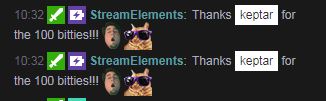
Having trouble with streamelements double posting the bits message when users post bits http://i.imgur.com/wPRkjlH.jpg is there something that needs changing any help will be great thanks happening in few channels
 worldly geyser
is there a way to buy tickets for giveaways with your points?
next spruce
Is there a way to make default commands whisper instead of show up in the chat? Like the custom commands advance settings allow
stuck hamlet
@next spruce https://www.onslaught.ca/s/dx5p6uqa.png

 zinc vault
When users in my chat use !roulette and they win, they get this message in chat " StreamElements PogChamp Tvedolini went all in and won 385 Saltflakes PogCham} ${pop he now has {pointsintsname"
ripe laurel
Default should be: /me PogChamp {user} went all in and won {bet} ${pointsname} PogChamp he now has {points} ${pointsname} FeelsGoodMan
stuck hamlet
yea, i feel like you changed it
ripe laurel
"PogCham} ${pop he now has {pointsintsname" this part is messed up.
stuck hamlet
ya dont say
 fresh prairie
how do i set it so people can gift other people points?
weary mist
it is a default command: !givepoints <targetuser> <#ofPoints>
misty wagon
@marsh loom We tried to proof otherwise, @stuck hamlet but if we push to hard he might evolve into a Von Neumann architecture and then the world is in deep shit.
 ancient wigeon
Do we know a timeline for when the cheer cup will support more than just bits?
misty wagon
⌛ the hour is nigh @ancient wigeon or in modern sayings; **Soon ™ **
ancient wigeon
"Noone knows the day or the hour"
Kappa
ripe laurel
nigh
misty wagon
With patience was born the world, I passed (or modern version I'M DEDD!!)
 misty wagon
Missing out on a lot of good features like better chargeback production (and my free hush hush advice), presets that DO work, lesser steps for viewers to take to donate (it's after all mostly an impulsive step) and lemme see, I miss another one but you already made your mind up so non importante 😛
ancient wigeon
lol
its only important to me cause im not an affiliate, so the cup would be useless to me with bits only :P
misty wagon
Me too waited a year to buy a new car cause they didn't had the bronze coloured hoodcap 
As in use KappaGen for your donations? 😉
ancient wigeon
I already use that:P but the cup is really nice to have too haha
misty wagon
like the hoodcap, I concur
 worthy mango
Hey, all! Got a question about a theme. I saw on the 1 minute twitch stream setup if gives the theme in 1080. What if I've got a 1440p screen?
weary mist
the real question is what are you going to be streaming at
because you don't really see your own overlay
only the viewers do
worthy mango
I've been streaming at 1440p
weary mist
with what service?
worthy mango
OBS Studio.
weary mist
that is a software, what service do you stream to
worthy mango
At least when looking at my OBS studio, it shows it.
Oh, sorry. Twitch
weary mist
are you a partner?
worthy mango
nope
weary mist
twitch limits your stream to a quality of 108p|60 IF you are a partner, 720 if you are not
weary mist
so there is no point in streaming at 1440
worthy mango
good to know. I'll drop that down.
weary mist
👍
misty wagon
I give up, @weary mist is da king!
weary mist
save you some bandwidth
 upbeat topaz
I'm pretty sure twitch has relayed my 1080p streams, on the rare time I've done them.
weary mist
it depends on the time of day. If you are a top 500 streamer, and there are no one else, they can do it, but not often will they show in 1080
misty wagon
@weary mist Just tell me if you are on your phone right now?
upbeat topaz
Regarding stream rates, all my streams are 720p60 @ 6mbit. If I run anything higher than 6mbit, twitch seems to throttle me back down to 6. I haven't few months though.
 empty solar
Can super mods make new commands for the channel? if so how can they?
worthy mango
I would consider myself to be pretty technically inclined, but a lot of this stuff is not intuitive. For instance, I'm trying to figure out stream overlays and things just aren't findable (like removing a youtube channel/facebook link.)
weary mist
!level <username> 500 for making someone a mod
misty wagon
It's my believes that the higher you put your bitrate, the more viewers u loose at the bottom with crappy wifi/cellphone and such. I adive 3500 and 30FPS. Not everything that shines is gold.
empty solar
i get the whole making someone a mod @weary mist im asking how they can make commands,
weary mist
derp
upbeat topaz
Twitch has been transcoding all my streams to lower rates. Those with cellphones should be able to watch the streams.
misty wagon
From remote aka webinterface no, it's in the pipeline. Currently supermods on from chat
weary mist
!command add/remove/edit/options/show
Valid flags are: -cd (number) -usercd (number) -cost (number) -level (number) -type (say, whisper or reply) -count (number)
upbeat topaz
I monitor my own stream with my android tablet. Every time I get an option to pick from like 144p up to 720p.
I usually go 360p though.
empty solar
@weary mist does the same work for timers?
misty wagon
Yes it's different per location, country, device etc.. hence why I advice the above settings
worthy mango
Thanks for your help friends. But I think I'll just forego using StreamElements.
misty wagon
No @empty solar those can only be done from webinterface just like the modules on/off
 sharp talon
how do you access someone else's dashboard if your a super mod?
upbeat topaz
You can't get into the dashboard yet.
misty wagon
@worthy mango I can tell another hoodcap story but I just did. StreamElements is so much more then just a bot or something to handle loyalty points. I think our insane growth proofs that.
@sharp talon scroll up 10 mins 😛
worthy mango
Oh, I didn't want just a bot. I'm a very very very smalltime streamer. All I want is a simple overlay and for it to do something if someone follows me.
misty wagon
LatteMotte ☕ - Today at 3:57 AM
From remote aka webinterface no, it's in the pipeline. Currently supermods on from chat
worthy mango
Don't even need anything to do loyalty points.
sharp talon
yeah i dont understand what you said there
misty wagon
Alright the supermoderator can currently only handle commands from chat. The rest is in the pipeline. Sorry my English is always a bit crap around 4AM 😛


 upbeat topaz
If the recommendation is 3.5mbps @ 720p30 for twitch streaming (my old setup), then that means I can drop my internet package down 1 setting. The old plan was 5mbps up max, this new one is 50mbps up max.
misty wagon
We are currently finishing writing some fancy documentation. Meantime have a look here https://www.youtube.com/channel/UCjerlCIbLPQwSnYlClkjDXg

YouTube
Official youtube channel for StreamElements tutorials https://StreamElements.com
ripe laurel
This may be useful @worthy mango https://blog.streamelements.com/1-minute-twitch-stream-setup-89a6c73c85b9 For the overlay you'd want the AlertBox widget.
Stream Elements - Legendary Live Streaming
- Get latest OBS Studio https://obsproject.com/download
- Build Overlay on https://streamelements.com/dashboard/overlays (instructional…
next spruce
Last night, there were a couple of viewers that tipped and were not forced to use their login names. It just asked for a nickname - why is this?
ripe laurel
You may want to reconfirm your settings. I know the bot was restarted due to issues earlier.
 vast wren
do bit stats only get tracked through overlay manager?
vast wren
for whatever reason none of my bits are being tracked in the stats
however im not streaming with obs atm becaue im in a potential bug or misconfig issue with elgato support
weary mist
It is all the way down under supermoderator in the default commands
fresh prairie
oh ok thx
next spruce
Last night, there were a couple of viewers that tipped and were not forced to use their login names. It just asked for a nickname - why is this? @weary mist
weary mist
There was soemthing that happened last night, and they had to do some fansy things, which probably reset the cache on the bot, so it needed to remember settings
It was a weird thing that had to be sorted
untold estuary
@weary mist @stuck hamlet it appears to be working now - maybe it was that OBS fix
weary mist
@untold estuary agreed, its been working great all night 😃
stuck hamlet
My apologies to Scalper, if that is the case
 wraith marlin
is there a way to add a youtube playlist into the streamelements queue?
not just a single song
ripe laurel
There's a backup playlist.
wraith marlin
ahh thanks!!! 😃
ripe laurel
Good luck! I haven't tried it out yet.
wraith marlin
looks like it's working well!
ripe laurel
😹
wraith marlin
I have a few stream playlists i've made on my YT channel
ripe laurel
IDK if you can input a few at once or not. I guess you can always make one big mega playlist 😃
wraith marlin
yeah I have a few mega playlists xD
 crimson zephyr
do the stream store perks show up on stream when someone redeems or makes a noise? I set it up with a gif and sound but nothing happened
ripe laurel
They should play through the redemption widget on the overlay.
Perks are redeemed manually. Maybe if you try setting it as a sound effect.
weary mist
Sound effects will play through the store redemption widgit automagically. Stream Perks need to be approved by you, but it will play the alert with a gif. We are working on makeing it so that the gif you set will play through the widget (so you can have a unique thing per item). Right now, you can set a general gif and sound effect through the overlay manager. @crimson zephyr
Also link your twitch account through discord
weary mist
user settings, connections
its a thing through discord, that way when you stream, everyone can see and join just by clicking your name
crimson zephyr
Okay 😃
wraith marlin
is there any way to view twitch chat via StreamElements?
wraith marlin
ahh I meant on the site 😃
ripe laurel
weary mist
⤴
wraith marlin
ahhh okay, is there a way to monitor it on the dashboard?
weary mist
not yet, though it has been requested
wraith marlin
yayyy! that would be awesome! especailly if it's on the same page as the song requests, so you don't need two tabs open 😃
wraith marlin
I haven't, what is that?
weary mist
you can view your activity feed, and get your song requests
I keep it up next to my twitch dash
wraith marlin
I'll have to check that out! thanks! 😃
ripe laurel
Bottom right of Activity feed.
wraith marlin
is it on iOS?
weary mist
its windows/mac
ripe laurel
It's a desktop app.
wraith marlin
ooooh gotcha!
 lost sparrow
Is the audio alerts for the items in the store not working currently?
weary mist
do you have the store redemption widget on your overlay?
lost sparrow
Yep
weary mist
it should play the sound you set in the widget for stream perks, and the sound you set in the store fr sound effects
lost sparrow
Cuz its been working fine the past few days. Just had a redemption and got no alert
weary mist
thats pretty odd. Mine worked fine tonight. thogh I haven't tested in the last few hours
try doing a redemption yourself, see if it will do it this time
lost sparrow
I just reset the whole thing and added a new redemtion widget and its working now. Really weird
weary mist
yeah. Beta, haha.
lost sparrow
Ah, just found out, had to re-enter the overlay url into OBS. The sound I heard was from the site itself, but obs wasnt playing it. Weird too cuz it was the same exact URL
weary mist
very weird. lmao
next spruce
my ground control is not loading? Just constantly updating?
marsh loom
Update on my question from earlier today: everything is working fine! the command is automatically being triggered regardless of bot or person. woohoo. ^^
stuck hamlet

autumn star
Question: How come when I load up the follower goal it shows I have less followers than I do on Twitch?
silk patrol
@autumn star the number of followers is session based right now. you can edit the session here https://streamelements.com/dashboard/session. when stuff get sorted out, StreamElements will use the twitch API to get that number
autumn star
@silk patrol Thank You! 😃
The settings in the dashboard for the donations doesn't seem to translate over the the overlay 😦
to the overlay*
silk patrol
@autumn star which one?
autumn star
so for instance the top monthly tipper
I set it to to someone and it doesn't give me what I set it to in the dashboard
even after a CTRL+F5
silk patrol
you can also modifiy the monthly top donation using the session page ^^
autumn star
yea that is what I mean by the dashboard
dashboard/session
it just reverts to what it was after the save
and it's not even correct
it's pulling data from lst month
last*
silk patrol
do you use the top donator widget on your overlay? the values on the session page are donations and not donator. try using the top donation widget instead
I think the top donator widget uses the tip leaderboard, and the top donation widget uses the session values. Not sure tho, I'm not the dev behind it ^^
autumn star
okay I'll check it out now
ancient wigeon
All I need in my life is the fixed bits cup (so it handles follows/tips as well as bits) and I'll be able to make the switch from StreamLabs completely :)
autumn star
It still reverts even using the top donation widget @silk patrol