#helpdesk-twitch
1 messages · Page 59 of 1
 hollow garnet
 humble ether
okay
 trim perch
@hollow garnet spitshooting here but if you have two services pinging your follower request, it might be hitting up SL first then SE second, once SL is not doing its alert, SE would be quicker.
because testing my followers now, its less than 10sec from follow to alert
hollow garnet
ok i will set up se for follows and teast it out this weekend
then i will be back with the results. thansk again
humble ether
@atomic hollow can u tell me how roulette and raffle works ?? ,, the responce on the win or loss doesn't tell me anything,, what actually happens ? 😃
Seems like you cannot loose your points on raffles if u loose ?
it that true ?
 restive lantern
Hey all - has anyone noticed their overlay periodically becoming super choppy? The entire thing (image rotator, follower alerts, kappagen) wil suddenly drop to like 5fps for a time and then randomly fix itself
 weary mist
@restive lantern check to see if your CPU is getting maxed out
humble ether
@weary mist u know something about the raffles and roulette ? 😃
restive lantern
@weary mist nothing else was dropping frames, my webcam & gameplay capture were both still consistently 60fps
when the parts of the overlay that were from the layer coming from SE specifically were dropping
weary mist
@restive lantern if you launch the overlay in browser, does it lag there?
@humble ether yeah, I do. give me a few minutes though. I can explain it
humble ether
okay, can u just write me a PM when u are available ? 😃
restive lantern
i dont think so but ill test when i can @weary mist
weary mist
@humble ether yeah, of course 😃 I will try not to make it a snoozer
humble ether
@weary mist don't worry about it.. 😊 I just want some numbers.. when do people win and why 😊
 lament blade
Hey, we're porting over our Revlo to SE today (late, I know). Is there an option to have other people than yourself access your SE Dashboard?
 unkempt oasis
@lament blade Not at the moment, but it's coming soon
lament blade
Saweet! Thanks Rev!
trim perch
this would be easy to test if not at the office, but the music widget, does that title the current song from the song request/
secondly, is there a way to filter out troll songs so they are not played in the first place?
 icy bramble
hi all, I recently renamed my Twitch channel and while it appears to have been reflected on my streamelements account it stopped tracking activity after the name change
is there a way I can refresh my account so it starts tracking activity properly?
 stuck hamlet
Logging out and logging back in should fix that.
icy bramble
I did that and it did change it so my name change was reflected on the dashboard but the activity feed is still empty
 quartz lava
Songrequest seems not to be working for me, I got page opened, but instead of YT player I get blank space
quartz lava
Well, songs are adding fine
But nothing happens then, it's just a song queue and blank space with player controls
icy bramble
@stuck hamlet cleared my browser cookies/session and logged in again to streamelements with my twitch account but no dice on the activity feed, i tested with a host from a bot account and it didn't show up on streamelements but it did on streamlabs
stuck hamlet
@proud pumice
 livid tapir
how do i make a custom command so that : USER headbutts TARGET ?
cant find the target variable
on ankh it was just $target
but that doesnt work
quartz lava
@stuck hamlet I'm using latest version of Opera
 clever mango
@livid tapir try ${1}
livid tapir
ok, one sec
stuck hamlet
@livid tapir most of our variables can be found here https://streamelements.com/dashboard/bot/commands/variables
clever mango
${sender} headbutts ${1}
stuck hamlet
args is target
 clever mango
did it work for you, @livid tapir ?
livid tapir
@clever mango yours did, yeah. thanks v much 😃
clever mango
No problem glad I could help
stuck hamlet
@quartz lava we reccomend using chrome.
 split harbor
Hey! I've been trying to use the "total follower count" for the "follower goal" and both seem to only track the number since I joined streamelements. Not sure if this is a known bug or not.
So it says "41/2650" instead of "2642/2650" for my follower goal
 night mason
Question regarding store redemptions. When "Redeeming this item shows an alert" is selected, what are the details of the alert?
weary mist
It pops an alert through the Store redemption widget in the overlay manager
you can customize that widget so it pops a custom image/gif/video and message along with sound.
night mason
Ahh gotcha - thank you
weary mist
🔜 will be each item getting a custom image and sound, which will be pretty sweet
night mason
Sounds awesome! Looking forward to that!
weary mist
😃
lament blade
Just a quick question I don't need to have Stream Elements open for it to work properly right? Unless I'm using the song request section everything else runs on its own?
 atomic hollow
right
lament blade
Okay cool. And how do you go about becoming a #291219887274328064 ?
 dense jackal
ping @proud pumice and use our tipping service 😄
 fiery jetty
Hi, When someone donates/follows/cheers they don't recieve their point rewards for doing this
 olive lintel
@fiery jetty take a SS and put it here (of your loyalty settings https://streamelements.com/dashboard/loyalty )
 chilly isle
hey all question, im making 2 seperate overlays, and im on the second one. How come when i try to add a new sound to an alert, the previous sound i used also plays with the new sound? Trying to just get the new one onto this alert on a seperate overlay
also the original sound i used is now doubled on the first overlay
 olive lintel
@chilly isle you need to check these two in each scene (overlay)
chilly isle
I'm so dumb lol thank you im new to this whole thing
dense jackal
thank you @olive lintel !
 patent wraith
Is this possible to change number of twitch emote total on a !bingo? 176 is a lot to guess for a little stream :x
dense jackal
@fiery jetty are they using the SE tipping page?
olive lintel
@fiery jetty are you testing with your stream offline? or are testing with your stream on?
fiery jetty
@dense jackal Yes
@olive lintel stream online a friend donated 1 Euro but didn't recieve his points
we waited a half hour
olive lintel
@fiery jetty are you online right now?
fiery jetty
@olive lintel no offline
dense jackal
@patent wraith checking rn
patent wraith
Ok thanks 😃
chilly isle
alright now that ive got that one fixed, heres another. Im looking at my OBS and its showing double of all my widgits. I've turned the shutdown option on and off but that hasnt seemed to help
olive lintel
@chilly isle please double check you have only 1 browser source with the streamelements overlay link plz.
dense jackal
I don't believe there currently is @patent wraith but you can do FFZ or BTTV although I haven't tested those on my stream because I don't have any personal ones
chilly isle
that corrected it, but if i wanted to save 2 seperate overlays in OBS I would have to go into streamelements and grab the link for that overlay?
olive lintel
@fiery jetty can you check in your activity feed the donation? (https://streamelements.com/dashboard/activity)
patent wraith
@dense jackal thanks, yea, i know, but not everyone use thos ones, would be a pretty good thing i think 😃
olive lintel
@chilly isle you can create all the overlays you want 😃
dense jackal
@fiery jetty possible bug with Twitch, bugs like this have been popping up ever since Twitch started doing E3 coverage
fiery jetty
@olive lintel I think I know the problem, I have the option enabled were people are able to choose another nickname
olive lintel
@chilly isle 1 overlay per scene if you want
dense jackal
@fiery jetty so they can change their name for your chat?
fiery jetty
@dense jackal no they can change their name for a donation
@dense jackal they dont have to use their twitch name if they donate
dense jackal
that would be why
chilly isle
@olive lintel Correct! But as far as saving them into OBS I can only have 1 browser source link in the software at a time. When i add my second overlay link into OBS, that is when i get the double stacked widgets
olive lintel
@chilly isle are you using 2 overlays in the same scene?
@fiery jetty if you can test this , don't forget to tell us about it
dense jackal
^
 ocean coyote
Is there a way to remove some text from the default commands? For example, removing the leaderboard rank off of !points
olive lintel
@ocean coyote you can rewrite it if you want 😃
ocean coyote
When I go to edit that command it doesn't even show me what the return is
Unless you mean disabling that command and creating a custom one similar to it
olive lintel
@ocean coyote sorry I mean you can write a new command for your points without the leaderboard
$(user) has $(user.points) $(pointsname) and is rank $(user.points_rank) on the leaderboard.
ocean coyote
Thank you!
olive lintel
$(user) has $(user.points) $(pointsname) and is rank $(user.points_rank) on the leaderboard.
@ocean coyote don't forget when you create a new command you can choose "templates" :D...
ocean coyote
Oh right! Thanks a bunch
chilly isle
alright i think i got it for now, thank you @olive lintel !
fiery jetty
is there an option that stream elements will automatic turn off when you go offline?
olive lintel
the bot will stay in your channel, but the points will count when you're online
stuck hamlet
Turn off, like not respond at all?
fiery jetty
@olive lintel Thx for the help
 zenith sparrow
Hello! I have a few questions:
- When you enable song requests, it just puts a list up right, it doesn't actually play anything on stream?
- Does stream elements have something like moobot where it just posts something every hour or so?
- and instead of logging onto the streamer's account, if i am a mod, is there shared access available like streamlabs?
dense jackal
- Yes 2. Yes under timers! 3. Not currently although we are working on this!
dense jackal
Gotchu B)
 trail olive
hey guys quick question: I am a moderator for a channel but I have no idea how to get to their page in order to do stuff
 edgy kindle
You cant right now
zenith sparrow
Looks like you can't - I asked this just now. No mod access yet.. so either you have access to their twitch
trail olive
thats too bad
olive lintel
@trail olive Not currently although they are working on this!
zenith sparrow
is there a way to test timers in stream?
instead of waiting until the stream comes online?
olive lintel
@zenith sparrow you can choose 2 differents intervals
dense jackal
^
zenith sparrow
yah odd, i'm changing it but its not triggering
dense jackal
how many chat lines do you have
zenith sparrow
1
dense jackal
can you link me your twitch?
zenith sparrow
 zenith sparrow
Sorry - have another question. When I input banned words, where do I go to see the words that are banned in Spam Filters?
olive lintel
@zenith sparrow inside the settings in banned words in sapm filters
zenith sparrow
Right, I submit the words but then i dont see them anywhere
So I saved whatever words I want to use but can't see my list anywhere
olive lintel
olive lintel
clever mango
yea you enter each word separately then submit
 mighty kayak
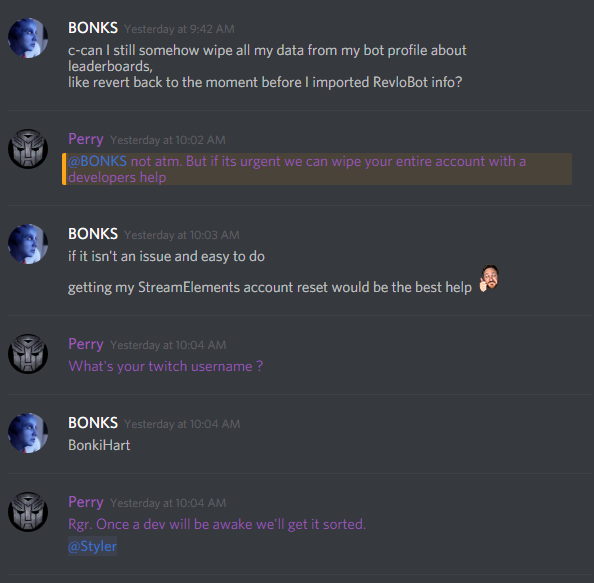
http://i.imgur.com/oUPygvT.png any updates?
 weary mist
@tawny pivot
 proper vapor
Hello!
i have a question about the overlay store redemptions. They don't seem to appear...
olive lintel
@proper vapor don't forget to add this
proper vapor
yeah, i did
it works if i test it, but not it someone buys it from the store
only the sound goes off
olive lintel
are your item have this?
proper vapor
i have it set to sound effects!
olive lintel
so. it will have only sound effect, try creating a new one and choose stream perks
proper vapor
That did it! Thanks so mush 😄
Oh, one more thing. Is there a way for the streamelements bot to auto send messages every 30mins or so with the commands?
olive lintel
yep.. it calls TIMERS
proper vapor
thanks ill do that now
olive lintel
@proper vapor scroll down in the left panel
 proud pumice
@mighty kayak we're dealing with the highest load of people joining streamelements, all hands on deck are currently busy monitoring and tracking servers to make sure we don't get any downtime. we'll be able to get you sorted sunday, okay? 😃
mighty kayak
well alright
 graceful adder
how does the raffle work exactly? like how much does it cost a viewer to join?
 silk patrol
@graceful adder it's like a giveaway for points. you set the amount of points people can win. people enter the raffle, and when it ends it picks a winner
graceful adder
oh, so it costs nothing?
silk patrol
yep
graceful adder
hmm ok
olive lintel
@graceful adder maybe you want to try the giveaway command insted raffle
silk patrol
^
olive lintel
@graceful adder here's the syntax !giveaway start <accessLevel> <keyword> <time in seconds> <cost?>
silk patrol
the giveaway command allow you set a cost and access level too, so you can limit it to regulars/subs/mods etc
olive lintel
access levels are : 100 or all (everyone), 250 (subscriber), 300 (regular), 500 (moderator)
silk patrol
dammit @olive lintel you the man
graceful adder
so how would i write that out if i wanted to give away 100 points at the cost of 10?
olive lintel
@graceful adder !giveaway all join 300 10 (all = all users, join= keyword - you can change it- , 300 = time of the giveaway, 10 = the cost
your viewers need to type !join
graceful adder
oh, that;s it? seems alot harder
olive lintel
after 300 secs... the bot will pick a winner... then you need to give him MANUALLY the 100 points
graceful adder
ok cool thanks
 strong apex
Hey, I had some questions about contests. Is there a way to have the bot automatically post the link to the public contest page?
So that if the contest is, say, 5 minutes long, the bot will post something like that every 2 minutes or so just to remind people thecontest is going?
silk patrol
@strong apex that's actually not a bad idea. you should post it on SE brainstorming page http://www.tricider.com/brainstorming/3HdiALda4Zp. people can still vote using the chat with !bet <keyword>
strong apex
Yeah, it's just a feature that Revlo had that I really liked
and since Streamelements is basically "Revlo, but everything is nicer," I figure that'd be a good thing to add.
silk patrol
you can also create a timer with the link in it and activate it only when you start a contest, but having the bot to do it automatically will be a nice addition
 sturdy quail
As moderator access to the dashboard is currently in development, is there a way to specify Userlevel while executing !command add?
silk patrol
@sturdy quail yes with options. !cmd options <name of the command> -level <accesslevel>. but it's not documented yet, so glad you asked ^^
you would have to create the command first of course
sturdy quail
that makes perfect sense! thank you 😄
lament blade
Hey.
Where do you change the ummm alias commands?
Like allowing !gamble instead of !roulette
dense jackal
This is something that's in the works @lament blade
 knotty vault
Is there a variable to return a random user from the chat list?
weary mist
@knotty vault there might be, we just havn't chased it down yet. I have heard of the undocumented variables, so hopefully once documentation is complete, we will have more info
 sturdy grove
I had made an overlay that was supposed to display the current song playing via song request as well as the sub goal and follower goal during the stream, but it never came up. I had copied the link for the overlay and used it to make a new browser source in OBS Studio. Was I supposed to use it somewhere else?
weary mist
that is correct, have you clicked the save button on the overlay manager?
silk patrol
@sturdy grove here's a tutorial video if you want to see it in details

Need help setting up your Overlay Manager? Got any questions, or just want to say "Hey"? Join our Discord server: https://discord.gg/NdjRD6e
sturdy grove
Thanks I'll try it again
silk patrol
let us know if you're still having issues
 obsidian tide
Not sure how to access a streamer's dashboard as a supermod, or is this not possible yet?
obsidian tide
cool thanks! looks great so far btw
 empty tendon
Hey guys. Previously Nanito and another was helping a stream I mod for www.twitch.com/dreadsss and we were messing with the timers and it worked. But I set it to the settings we want and it's currently not working. I have chat lines set to 30 to activate it and then 75 minute intervals but we've surpassed those settings and it still hasn't triggered. Any ideas?
lament blade
I could have sworn I set alternate command a couple days ago.
weary mist
@empty tendon timers are touchy, I wish I could say I understand them completely, but I can't
silk patrol
^ dark magic 
weary mist
@lament blade currently any commands used by modules are not able to have alias' assigned. It has been requested that we get that ability 😃
@silk patrol great way to describe them, lmao
empty tendon
No worries, I'm going to be AFK for a bit so I'll check back if they're here again 😃
lament blade
Ahhh it must have be the custom commands.
 honest flare
ok so my Notifications are not popping up on my stream when someone redeems something
weary mist
@honest flare do you have the store redemption widget on your overlay?
honest flare
yes
 languid cipher
my installed ground control app for SE is not even loading or working
not sure why
weary mist
@languid cipher did you connect using your JWT key?
@honest flare sometimes removing and re-adding the widget works. Check to see if it shows up in the browser when you launch (that way we will know if its obs or the overlay itself)
 proper loom
Still can't import Deepbot points, any updates on this?
 karmic trellis
hello, is there a !poll command being implemented on SE? if not, is there a way to manually store counters/variables in commands? thanks.
silk patrol
@karmic trellis not yet, but it has already been requested. feel free to upvote it here or any other features you'd like to see http://www.tricider.com/brainstorming/3HdiALda4Zp
weary mist
there is one in the works
 lilac forum
Is there a known issue with Timers? Lately only 1 timer at a time seams to be running.
I set intervals to 1 minute and 0 for chat lines and out of 8 times only 1 is showing....
8 timers*
 sterile void
i was trying to find the documentation for all the flags available for !command <action> <name> -flags but couldn't find them anywhere, can anyone point me to the link?
stuck hamlet
@sterile void there is currently a few things undocummented, working hard to get them out there!
sterile void
thanks @stuck hamlet! is there a way right now to manually set the count of a command with a flag?
lilac forum
Anyone know what might be going on with Timers?
silk patrol
@sterile void if you search for nuuls post using the discord filter with cmd, you can find some, like !cmd options testcommand -level 500
 lone bridge
@lilac forum to be honest I haven't had the opportunity to test the timers myself, but I will say you are not the only person who seems a bit confused by them.
I think I'm going to jump in my channel and play with it a bit myself 
lilac forum
I mean, I understand them. I have had them set up for over a week but recently it seems bugged or something
like i said, only 1 out of my 8 timers seems to actually be working
lone bridge
yeah, I wouldn't be surprised. Have you tried maybe parting the bot and then rejoining? Sometimes a new session sorts things out
lone bridge
i only say I wouldn't be surprised because timers is relatively new and the devs might not have been able to sort the bugs out. But I know some folks had issues with custom commands not working, and parting/rejoining solved that so it's worth a shot! haha. please let me know if it works
 misty wagon
Happened to me too. Nit when I change all the timers a little bit (lines/chat/minutes) they start firing again.
weary mist
the bot just needs to be reminded what its job is every now and then
smack it around, break in a new whip, turn it off and back on again, it all works 😃
lilac forum
Testing now. Fingers crossed ^_^
empty tendon
Hm I tried parting and rejoining but no luck. Timer doesnt seem to work
weary mist
mess around with the settings of them. change the line count or time, then save
empty tendon
The save is auto right?
nvm "submit"
Yeah did all that, deleted even and remade the timer
weary mist
weird
sterile void
thanks @silk patrol found what i needed!
silk patrol
@sterile void glad I could help ❤
lone bridge
Okay @lilac forum let me know how it goes, I feel like we can't ignore the anecdotal evidence that it keeps acting wonky. Thanks for the feedback @empty tendon et all on the timer - I'm going to submit a bug report for the devs to look at when they're back in the office.
empty tendon
Sounds good - thank you
lilac forum
Ok, just finished testing
lone bridge
👀
lilac forum
it looks like it randomly selects 1 of the 8 timers
and only does that one
the others won't work, just that one
lone bridge
@empty tendon what exactly does yours do? not trigger a timer at all?
empty tendon
i only have 2 timers, they don't trigger at all
lone bridge
and you tried deleting, remaking, AND parting and joining, and still doesn't work
empty tendon
the thing is previous i was testing with Nanito and .. forgot the other person's name (maybe it was tom). And he did some emotes and it triggered
but that was a few hours ago
yep, i tried deleting both timers, remade them. parted the chanel, rejoined, delete and remade
so all the combinations
lone bridge
yeah, well, we shouldn't need some special person to trigger your timers for you 
hahaha
empty tendon
hahaha
the twitch channel i'm on is actually streaming os there is constant chat lines going on
but alas no triggers
lone bridge
I'll let them know. Full disclosure: not sure how high it's going to be on the priority list for this week, but we are having a team meeting on Monday morning and I can update you on what the team priorities are
as you can see, there's a LOT of stuff we've added in such a short time
empty tendon
sounds good, i'll keep checking back
lilac forum
Understandable. Thanks for the help regardless
lone bridge
thanks for the feedback 😃
 rich urchin
Question ~ I made a follow alert overlay, but the sound for the alert only plays on Twitch if I have the Desktop Audio enabled in OBS. Is that normal, or am I doing something wrong?
empty tendon
@lone bridge just made a brand new timer and put every at 1 minute, 1 chat line. and that timer is the only one that triggered and just appeared. but it has definitely been way more than 1 chat line/ 1 min
lone bridge
that sounds normal @rich urchin, because that's where obs is pulling your audio from. correct?
so that's a good thing, you have sound! 
@empty tendon can I come hang out in the channel?
lone bridge
👌
rich urchin
@lone bridge ~ Yeah, the audio is being pulled from OBS. I finally have sound!
...although, for some strange reason, when the alert pops-up on screen, the frame rate drops from 30 FPS to, like, 15 or less.
lone bridge
what are your current video output settings?
it sounds like obs is struggling to keep up, you may want to lower quality to compensate
lower bitrate or stream at 720 instead of 1080 or both
stuck hamlet
stream.twitch.tv scroll down a bit, it'll help you set up the best settings for your stream.
lone bridge
Ooooh 👀
stuck hamlet
👀
rich urchin
Oh... I think I need the HD Standard Framerate settings...?
 shadow oxide
Any reason I get double playing of Subs/Donations animations on my overlay? I start from a brand new overlay, I add Alertbox (everything default), I hit "Save". Then I hit the "Event Emulator" and "Emulate follower event" or "Emulate tip event" and it plays sound and animation twice.
weary mist
do you have two browser sources running in different scenes?
plus it could be playing the sound both from the editor and obs
lone bridge
yes - mute your tab or mute the overlay manager
if that doesn't work, then you likely added a browser source in a different scene and forgot to select the option to not run the audio in the background
weary mist
also, make sure you have this checked
then when you are in different scenes, you don't have other sources running causing drama
they like to talk behind my back all the time
lone bridge
Yep - you wanna shut down the source when not visible @shadow oxide if you have your overlay in a different scene added.
shadow oxide
Definitely have "Shutdown source when not visible" checked - it's probably that the overlay exists in 2x different scenes though.
Is that documented anywhere?
weary mist
not sure about documentation, but it is a pretty common thing we run across
shadow oxide
I wouldn't walk into landmines if there was a sign posted that says "Here by landmines."
lone bridge
LOL
weary mist
true, haha
lone bridge
@shadow oxide in the set up video that is something we point out to do when setting up
BUT we need to draft up written demo guidance too
weary mist
but where is the fun and excitement if you don't step on a landmine every now and then
shadow oxide
@lone bridge I've watched an hour of different setup videos from different people including you. 0 of them specifically mentioned this.
lone bridge
to select that option not to run in the background?
shadow oxide
I 100% have that option selected/checked.
lone bridge
this is important feedback
I will say in the few months we've been trouble shooting, we've never not been able to solve the duplicate sound issue by either a) ensuring that the tab/overlay manager in your browser window has audio muted or b) ensuring that there isn't a scene running sound accidentally in OBS
if it's still running the audio in OBS and those setting are selected, I would gather that's OBS having a ministroke and not the bot
because OBS shouldn't be letting that sound come through twice
weary mist
yeah. You could also try to mute OBS/shut it down and emulate to see if it still comes through twice
lone bridge
are you sure there's not an internet browser window hiding somewhere?
something from a previous session still open \
shadow oxide
You mention duplicate sound. I also get duplicate image. So follow animation twice, for example.
lone bridge
OHHHHHHHHHH
sorry to be a pain in the butt, but would you mind recording @shadow oxide? It would help the devs
weary mist
thats definitly the overlay, but you said you only added the alert widget once?
shadow oxide
"Any reason I get double playing of Subs/Donations animations on my overlay? I start from a brand new overlay, I add Alertbox (everything default), I hit "Save". Then I hit the "Event Emulator" and "Emulate follower event" or "Emulate tip event" and it plays sound and animation twice."
weary mist
I totally missed reading that last part
lone bridge
yeah me too. My apologies @shadow oxide, I'm volunteering my time to be here and I have two kids and a cup of coffee to keep me going. I didn't mean to skip over your details. We get that duplicate sound problem all the time so I just skimmed. I'm sorry. honest mistake
if you really believe it's a bug, then please make a recording and post it so we can show the devs
it will greatly assist in that
weary mist
highly
A video of you adding the widget to a blank overlay, and emulating would be awesome
lone bridge
yeah, scalper is always here
weary mist
I also have 9 different overlays, lmao
misty wagon
He actually lives her but we don't want the authorities to know 😉
karmic trellis
hello again, is there a link for more details about the "options & show" parts of !command ,thanks!
weary mist
There isn't a lot of documentation yet, but I can try to explain to you
!command show !test <-- will spit out what the command is, including variables
!command options allows you to add command variables on the end, like cooldown (-cd #) or cost (-cost #)
I have a list of the variables somewhere, give me a few minute
s
karmic trellis
alright sure, thanks!
weary mist
Found it 😃
❤ discord search some days
here are some chat command things for you to play with:
!command add/remove/edit/options/show
Valid flags are: -cd (number) -usercd (number) -cost (number) -level (number) -type (say, whisper or reply) -count (number)
karmic trellis
thank you Scalper 😃
lone bridge
scalper ftw
lament blade
Hey, will there be any form of "gamble" in the future?
 gaunt thistle
Can you make custom alerts for specific rewards in the stream store?
weary mist
@lament blade Latte is pointing out the !raffle and !slots modules for gambling 😃
lone bridge
also roulette @lament blade
you can "!roulette 69" or whatever
but i think you'll either lose 69, or win 69, right @weary mist?
weary mist
both are, kinda
depends on what your definition is 😉
with slots, you can change how much people get from winning (the slider bar) and how hard it is to win (the number of emotes the slots have access to)
 lone bridge
not that I mean to should on myself
 wraith mulch
is there any way for streamelements to have store item "custom" required information appear on the stream overlay?
misty wagon
You mean like the requirements the caster can set; Additional Requirements? (For example: Enter home address, Enter e-mail address, Enter Phone no. etc)
weary mist
yeah
wraith mulch
yeah
misty wagon
Unless I mistaken your question; I don't think your viewers would like to have their personal information shown on stream.
wraith mulch
Ah yes! I never asked them their personal information
for example, one reward is !redeem question
where they include a question at the end of it
and I want to display that question on stream
misty wagon
ah right, cause I don't think the personal information would be possible at all without viewers consent (or give a lot of troubles with logal laws 😄 😄 )
At the moment your request is not possible. You could however put it on the #💭︱feedback-and-ideas. There is a pinned msg in there where you can also upvote other requests.
wraith mulch
Okay, thank you!
lament blade
Hello is there a way to set up the bot to automatically add regulars?
weary mist
not at this time, but you can task your mods to do !level <username> 300
lament blade
ok
weary mist
or have the person redeem an item in the shop, and that will create a list for you. I believe it has been suggested for it to be done though
 upper steeple
okay I said I would let you guys know if my chat was still coming up weird and it is indeed
 ancient wigeon
Is there no way yet to have follows/subs/donations go into the cheer cup instead of just bits?
stuck hamlet
@upper steeple known bug, fixing!
@Paladin Goo#1158 cheer cup is being rewritten
I hate mobile
upper steeple
@stuck hamlet kk was just touching base
stuck hamlet
Np
 frail ledge
Is there any way to remove yourself and bots from the loyalty system leaderboard?
stuck hamlet
Remove your points, and add yourself to the ignore list 😃
frail ledge
hmm ok let me see 😃
if I ignore a mod will it allow them to still participate in the games and etc but just not earn any points. One of my mods wishes not to earn any points
but still be active in chat
stuck hamlet
If the game requires points, then no.
stuck hamlet
No problem 😃
 merry ether
 jaunty cave
Is there a way to fix the overlay? It keeps blinking
stuck hamlet
Strange, first I here of this
 woven star
I was wondering if anyone had the same problem I have; I keep trying to use the font "press start 2P", but it doesn't show, instead it displays the font by default. I reloaded the overlay manager, changed the fonts, saved, looked at the live version, gave up, came back two days later, redid another overlay: same problem
stuck hamlet
Wish I could troubleshoot, but I'm not currently at home
upper steeple
just realized that cheers aren't showing up in my chat either T_T
 hollow zinc
noted @woven star
silk patrol
@upper steeple have you check the chat alerts modules? maybe it's disabled. It's working fine on a stream i'm modding right now
upper steeple
let me check
i mean it doesn't show the bits like the stremalabs chat box did, it would have the little animated bits in the chat when they cheered
 frosty lantern
hey ho anyone need support?
jaunty cave
my overlay is blinking
stuck hamlet
What obs are you using?
jaunty cave
obs studio x64
stuck hamlet
What version?
 ripe laurel
Hi. This is the page i'm trying to look at: https://streamelements.com/rinnieriot/leaderboard
Same thing happens on FireFox as well as Chrome.
stuck hamlet
I see.
@tawny pivot ?
25k people on he leaderboards, the board doesn't update when switching pages
 tawny pivot
Let me just take a look 😃
ripe laurel
Thankies!
stuck hamlet
Thank you Styler 😃
ripe laurel
CURRENT also has more than ALL TIME i just noticed. Maybe it's bugged from REVLO importing?
ripe laurel
@lament blade once you pick a picture, scroll down under it for the button to upload. I had this problem and just tried it again and noticed a scroll bar pop up on the right of the picture i just selected.
weary mist
Add onto that make sure you are using chrome. The site works best there
 left jolt
any ETA on twitch chat obs bug where it doesn't line up what people say to their name?
stuck hamlet
No ETA as of yet, but usually updates are pushed Monday
 royal crane
how do you make slots so people win?
i havent seen anyone win and ive messed with the percent
 vivid trail
@timber crystal Fyi slider actually only increases the points you win if you manage to win. Less emotes = higher win chance. Rough estimates: 5 emotes = 3% 4 emotes = 7% 3 emotes = 12%
stuck hamlet
You can change the percentage
royal crane
how?
stuck hamlet
Hit settings
royal crane
yup
stuck hamlet
One second
@vivid trail are you sure?
I thought putting it to like 1% would basically mean you have 99% chance of winning.
royal crane
me too
stuck hamlet
Can't test right now cause I'm at work
Dylan, have you tried lowering the scroller?
And saving
And trying it?
royal crane
yup
vivid trail
@stuck hamlet I am not sure. I searched it and that was what @silk patrol wrote
lone bridge
@ornate badge @stuck hamlet bringing this !bonus all conversation here
I'm going to log into my alt account and see if when there are no users connected to SE there what it says
because I had 14 users in my chat and it worked just a second ago
but if I didn't have any, i wonder if it'd work
 violet pollen
Is there anyone I could talk to for a few minutes in private? I need some help with the cheer cup but don't really want to spam this chat with all my questions 😄
And I meant private as in Direct Messages. 🙂
stuck hamlet
Well, let me answer you with one answer
Cheer cup is being entirely re-written!
😄
stuck hamlet
You could use it right now, but it only tracks bits, and only has one cup :/
violet pollen
Oh I see, thank you very much 🙂
lone bridge
it's going to be reallly cool though 😃
 sleek ember
Hi guys, I've been away on holiday for two weeks. Anyone know if you can sort your shop by redemption costs by now?
lone bridge
I don't think it's an option yet @sleek ember
sleek ember
welp, I'll better start over then and sort them from the beginning xD
lone bridge
😦 I feel your pain
what's funny is it annoyed me in revlo that it auto sorted and I couldn't change the order
I wanted to put my most popular rewards listed first, but those cost more
sleek ember
yeah, generally getting sorting power would be nice
because always having the newest last will make it go under :c
lone bridge
yeah, i agree.
 ionic barn
Hi, if there is a update will we being noticed with a notification on what's new and improved? second question, any idea when there will be a update? I'm excited
 buoyant hull
@ionic barn When a noticable update happends, you will see a little widget on the left menu.
And there are updates almost every week. Depending on which feature the dev team is working.
ionic barn
Ow I see ! keep up the great work
buoyant hull
Should have said "badge" instead of widget
Like here for the "Contests" menu :
https://puu.sh/wmL86/42aaf29d93.png
 ionic barn
ow and what do you need to do to become a sellout streamer?
buoyant hull
Use streamelement (overlay, donations ...) and ask the SE gods (in Red) to add you to the list 😄
ionic barn
I will pray for them imidialtly!
buoyant hull
i forgot the bot!
ionic barn
Got them all!
lone bridge
yep! basically hit those three and you're a #291219887274328064
hahah 😃
@atomic hollow we have another one 😃 ^
buoyant hull
I will go take a shower to refresh my SE powers. To tired after a day painting a house 😄
lone bridge
i need to do the same thing xD
ionic barn
Haha great!!
 proud crow
Hi RandomGirlSinging!
lone bridge
hi @proud crow ! how's it going?
@ionic barn have you disabled the bot to notify in chat with new followers?
I noticed you personally thank folks
but i'm not seeing SE bot doing it
i didn't even know you could do that
but then again, i never tried to alter/disable it
ionic barn
Yes I use Ankhbot for thanking people and I set up my own account as the bot he can use to do that, so it looks a bit more human than a bot you know,
weary mist
I turned off the thanks for Cheers, because it was pretty much double to what the people type in chat
but left everything else on
buoyant hull
I used to have both @ionic barn . But i finish to disable Ankhbot and just use SE bot 😃
and i do thank people personnaly too. 😃
ionic barn
Can't miss the Ankhbot Chat console tho, Maybe if SE could add a huge chat console that would be great, aswell I use the Ankhbot Songrequest still got a lot more functions
lone bridge
YouTube is a top priority right now @ionic barn, so stay tuned!
ionic barn
I will absolutely! 😃
 visual panther
hi can someone help me find the page where i can change commands and stuff for another channel if i am mod there
lone bridge
Currently @visual panther moderators cannot access a dashboard but can only edit via chat commands
This is a top requested feature and def something on the devs radar to push out sooner Than later
visual panther
ok thanks for the quick answer
lone bridge
No problem! I'm really sorry for the inconvenience 
 distant marlin
@misty wagon hey got a minute
distant marlin
k
misty wagon
Ask away!
distant marlin
what woould be the variable to pick up from chat a number
i was thinking of doing a bingo game with numbers
$(args)
stuck hamlet
Random number?
${random.1-100} Random Number from 1 to 100 ${random.20-30} 24
change 1-100 to whatever you'd like
distant marlin
but thats giving the number
i want to make it like people in chat post numbers and commands chooses some random number and when its posted , shows that you won
lament blade
Hey guys! Is there any way to uhh make the donation goal any prettier? I mean, the only thing Im able to change is the text? where do i change the goal number and is there a way to get rid of that blueish-purplish colour? 🤔 monkaS
stuck hamlet
like this? https://www.onslaught.ca/s/t9hdlw9q.png

you can edit everything in the overlay manager
lament blade
im not fining it then
https://i.gyazo.com/284a9d536a85726bc2b988c21fbb143b.png under which tab?
 stuck hamlet
what browser are you using?
lament blade
chrome
stuck hamlet
can you refresh?
distant marlin
so i would start a command ,with lets call it bingo, and as for bingo people would spam numbers instead of emotes, bc spamming 160 emotes until its found its kinda harsh for small stream,
so when "winning" number is posted bot says congrats winner " " and gives him some chips
so basically same as bingo but instead of emotes uses numbers
as mod im sad i cant check what modules look like and edit even more
stuck hamlet
Unfortunately, i dont believe we support that type of cmmand making.
Joe, just sign up.. and look ? :p and supermod access is coming soon
lament blade
okay another quick question, can i add somewhere how much i already have?
stuck hamlet
i feel like im not understanding any of your issue.. im sorry. you mentioned how you wanted to see what modules looked like. if you sign up to StreamElements, you could look at the modules
edgy kindle
@lament blade For what?
stuck hamlet
Meeix like you already have some donations in?
lament blade
the donationgoal, like i wanna add it and say i already have 50 out of 200
yeah exactly
lament blade
nice!
stuck hamlet
😃
lament blade
Thanks guys! ill be back 4Head is there any news of adding the other payments? i think last time i wasked the answer was its supposed to be there soonish 🤔
stuck hamlet
i was told something special is coming 
 upbeat tree
You guys keep saying that...
edgy kindle
If anything for "Now" set up "Non-Paypal" tip page through streamlabs; While it wont count towards your goal you would still be able to recieve those tips
upbeat tree
 You keep saying special things are coming But I don;t see nothing
lament blade
 i just set up regular tipping with paypal over SE is that not working? i keep tippee donation alerts as extra for all the other options
 soft gull
@upbeat tree visit #💭︱feedback-and-ideas
stuck hamlet
Radical, rome wasnt built in one day 
distant marlin
@stuck hamlet so you mentioned some sign up and check command?
buoyant hull
@stuck hamlet Stop looking for something special, here i am!
edgy kindle
We only say what we have information on @upbeat tree the Staff are the ones who actually work on SE on the developer level
stuck hamlet
Joe, you mentioned wanting to see modules?
upbeat tree
I know lol
stuck hamlet
ahh
upbeat tree
Main thing that is bugging me (unless already fixed) Is the back up play list songs don't show up in now playing widget for the overlay manager
stuck hamlet
we push samll updates during the week and big ones usually monday or tuesday
We have also, a lot bigger things to work on than back up song list showing up in overlay. i do understand how its frustrating, but bare with the devs as they are a small team and trying their hardest to make it the best
soft gull
patience is the key i say 😃
lament blade
@edgy kindle soo i cant set up donations through SE yet? cause i mean i just worked over an hour on setting it up and all and we just tried with 1€ and i heard it? but its not showing in the d-goal or alerts? is that feature not working yet? :/
edgy kindle
screenshot
lament blade
sure https://i.gyazo.com/3632a483861ceced6a41dd116f325cc5.png sorry im german, ss means something different here
 edgy kindle
Okay so is the 52 what you currently set in session?
lament blade
yes
edgy kindle
Okay and can you tip yourself $1 and see if it changes?
lament blade
we just tried with 2€ but ill try again
the 2€ show up in my paypal but not in my SE dashboard 🤔
 lament blade
Keepo
edgy kindle
Do you have it enabled?
http://puu.sh/wmPcr/7a023086c7.png

And do you have moderation enabled for tips?
lament blade
 edgy kindle
 lament blade
i cant tip myself, paypal wont let me FeelsBadMAn
wheres the second screenshot from?
edgy kindle
Your tipping page
lament blade
found it ya looks the same
stuck hamlet
Meeix, could you refresh for me again?
soft gull
could you be a little more spesific @urban beacon
stuck hamlet
it shouldnt Meeix :p
lament blade
ah jesus i broke it then Kappa
lament blade
Fix it and Ill pay you with my deepest respect hows that 
soft gull
sounds good if u ask me @lament blade
lone bridge
SOON ™
stuck hamlet
@proud pumice you around to see why Meeix's donations arent showing up on the dashboard and tip goal?
soft gull
he aint here
lament blade
HEY STEPH ❤
soft gull
 needs his rest ladies and gents ✌
if it aint muted could it be that she maby toyed with overlay and turned something off @stuck hamlet ?
lone bridge
@lament blade ❤❤❤❤
stuck hamlet
i dont understand how that would work, but ok
lone bridge
wie geht is dir 🤔 ?
soft gull
ich bit gut und dich @lone bridge danke fur die frage 😉
lament blade
aww xD gut! what about you ? i finally got around to set up SE with the overlay and everything, but then I broke it :4Head:
 slender treeBOT
 lone bridge
LOL 
I'm good meeix, just running around with the kids
We added thousands of users to SE in the past couple days, so I wonder if that could be causing any bot issues 🤔 I dunno how things work I just test it
lament blade
okay soooo 🤔 i just forced my boyfriend to give me money and that seemed to work
stuck hamlet
lone bridge
😂😂😂😂
lament blade
maybe my mod just screwed up
lone bridge
That always works lol
lone bridge
Yeah- I have had delays before!
lament blade
okay... but now I heard it a second time? without seeing it? with huge delay? this is scary XD
stuck hamlet
I've had my paypal tips on "Pending, waiting to accept" before.
lament blade
oh maybe it couldve been the overlay window i didnt have it muted
lone bridge
I wonder if it's just playing the sound through OBS or a browser window with overlay
stuck hamlet

lament blade
holy shit i just got scared for my life xd
stuck hamlet
so many things
lament blade
im just incapable of this, i need a more adultier adult for this hahahaha
love you too ❤
lone bridge
You are capable, it's just new and you are learning 😛
I've had every issue under the sun, we just try our best 
lament blade
~and our best just wasnt good enough~
soft gull
whats your age if u dont mind me asking @lament blade ?
lone bridge
Back off she's MINE
soft gull
just curious 😄 😛
lament blade
hahahaha
soft gull
entschuldigen Sie mich vermissen
lament blade
im a teacher and before i started teaching i was really good with technic and it stuff, somehow in the past year ive gotten worse and worse, i swear its in the profession
lament blade
thats very true 😃 i couldnt think of any greater job 😃
lone bridge
Didn't know u taught @lament blade
Makes a lot of sense
Your nature and what not ❤
lament blade
english and history @ high school m'am ❤ thanks
 urban beacon
more specific?
I mean, overlay on causes huge frame drops in Overwatch, where frames matter a lot.
soft gull
r u using a strong pc @urban beacon ?
 cyan iron
Same question as @spiral shadow how do we get the timers to go? Theyre set up, enabled, but theyre not working.
 spiral shadow
my chat timers wont kick in, if i could get a pm thats be great
eff u lynn back off my sammich
cyan iron
LUL
ripe laurel
Are people supposed to be getting points even if the bot isn't in my channel? I haven't started using it on my stream yet and see people have points already.
weary mist
@cyan iron and @spiral shadow, timers are finiky. Me and @lone bridge are trying to bribe the devs with tacos and lashings to fix them, or reveal the black magic behind how they work 😃
 turbid reef
yes, the bot does not hand out points
cyan iron
I think we worked it out. He imported his timers from nightbot and they werent going off, but I deleted and readded one and it started to go off. I think it might have been a problem from the conversion to stream elements? Though Im not really techy so Im just winging it 😅
edgy kindle
If they give you a follow and you have points set to be rewarded for that @ripe laurel then yes they will get points
atomic hollow
@spiral shadow got help?
ripe laurel
lol I never set anything up with mine as i only logged in for the channel i'm moderating.
edgy kindle
Maybe the streamer gave someone points then
soft gull
@atomic hollow seems like hes busy
edgy kindle
Dashboard support for mods isnt a thing yet
ripe laurel
I understand. I mod for a channel and logged in for her channel. The bot has never joined my channel and i haven't set it up for my own stream yet but i see people have points in my channel is what i mean 😃
soft gull
did your streamer import points from other sources ?
weary mist
@soft gull she is talking about his/her own channel is getting points, and he/she doesn't know why
sorry @ripe laurel didn't know which pronouns to use, lol
ripe laurel
lol He is fine 😃
soft gull
awwww ok sry my bad than i got lost hehehe
ripe laurel
rriotHi @tawny pivot I fell asleep. Did you manage to find anything about the pages not updating the names when i go down the list?
atomic hollow
@ionic barn you are now an official sellout 😃
lone bridge

urban beacon
@soft gull yes, 1060 3gb, i7 6700k 4.4ghz, 16gb memory.
 whole smelt
Hey, how do I activatge points?
soft gull
they are active when you are live @whole smelt
you can set it in settings how many points will your viewers recieve for watching 😃
whole smelt
Ahh thanks!
whole smelt
@soft gull Sorry, how do I access the loyalty settings? I'm on the dashboard
soft gull
@whole smelt right there my friend
whole smelt
OH I'm an idiot and I didn't even see that menu. LOL thank you!!!
soft gull
hehehehe no problems and ur more than welcome @whole smelt
lament blade
Yeah Perry thanks 😃
proud pumice
coolzies 😄
 crystal turret
Just wanted to confirm but I was under the impression that it is against the Bit Use Policy on Twitch to give virtual currency in exchange for bits? (Referring to the bonus of currency for 100 bits given). Might be something to follow up with Twitch Staff about.
olive lintel
@loud oracle or @knotty hawk can confirm this?
oh!... I understand.. do you misinterpreted the tos @crystal turret
weary mist
That has been raised before, and staff are working with twitch right now to see what can be done.
@olive lintel it is in the affiliate contract (not sure about partner)
olive lintel
This refers only to the person with the bits selling or trading their bits for something else. E.g. I have bits and offer them to someone in exchange for steam codes
weary mist
its still iffy, because it will depend on how people handle it.
weary mist
@languid cipher whats up?
soft gull
whats up @languid cipher
olive lintel
I'm not an staff member 😦
languid cipher
is ground control working
weary mist
It is working for me
soft gull
same here
crystal turret
Yeah I wasn't sure, the wording is a bit vague. Just wanted to mention it so other Affiliates don't run into a situation. Thanks.
 sacred wigeon
is someone here to help ?
weary mist
always
ionic barn
@atomic hollow that's awesome thank you!
royal crane
can someone make this command work with elements?
!commands add !destiny -cd=5 -ul=everyone $(urlfetch https://2g.be/twitch/destinyv2.php?query=$(querystring)&format=$(provider)&user=$(user)&channel=$(channel)&bot=nightbot&defaultconsole=xbox)
no
sorry
this one
!commands add !destiny -ul=everyone $(urlfetch https://2g.be/twitch/destinyv2.php?query=$(querystring)&format=$(provider)&user=$(user)&channel=$(channel)&bot=nightbot&defaultconsole=xbox)
really need this for the stream lol
weary mist
I am not sure if there is a query string variable. @turbid reef can you comment on this one?
it might have to be something with a custom API
turbid reef
you can use $(queryencode $(1:)) instead of $(querystring), the rest should be the same
weary mist
urlfetch works?
turbid reef
yeah its an alias for customapi
weary mist
ah, cool
 torn burrow
hey my friend just added me as a super mod in his streamelement thingy, my question is how can i can go to his dashboard
.....
ripe laurel
TheDerpySupport - Today at 3:28 PM
Dashboard support for mods isnt a thing yet
atomic hollow
coming soon
ripe laurel
👍
 brave dawn
I need some help about transfer points? I change my name on twitch.
torn burrow
so i cant do anything as a supermod for now?
edgy kindle
@torn burrow Not yet except use Mod-Super mod only commands
torn burrow
how can i edit/del or add commands?
edgy kindle
!command add/remove/edit/options/show
These are the default super mod commands
http://puu.sh/wmYqf/0bfebe4c28.png
 atomic hollow
yes
torn burrow
can i have the command api so i can edit it just a bit for my friend? please
olive lintel
@torn burrow here : https://github.com/StreamElements/api-docs/blob/master/bot.md#commands

but if you want more support about the API, the best place is in #dev-chat
brave dawn
I need some help about transfer points? I change my name on twitch.
weary mist
@brave dawn can you explain?
Are you saying you want to move your points from your old name to the new name?
edgy kindle
@weary mist He's saying he wants to transfer points from a bot service but he changed his name so he probably cant get the CVS file anymore
brave dawn
@weary mist yes
weary mist
I would work with them, because you can prove what your previous name was through twitch. As a streamer, I can click on someones name, and see their name history, and when they changed it
 wild edge
the bot just stopped working for me. it says it's enabled though
 wise prism
what do we have to do in order to have our channel show up in the sellout channel
 crisp prairie
@here @everyone So i just finished setting up my rewards store and the browser source overlay for store redemption alerts. problem is, the sound goes off for every scene i have the alerts in. so i end up with a triple echo of the alert noise. I have "shutdown source when not visible" checked as well.
misty wagon
@crisp prairie I'm unfamiliair with that term. Sounds like you are setting it up in OBS?
crisp prairie
yes
weary mist
@crisp prairie just to check, make sure you have no overlay open in your browser, and just make the other sources in other scenes invisible (clicking the eye)
actually, reverse that, lol
close OBS, and pop the alert in the overlay manager
see if it plays the sound 3 times in the editor
crisp prairie
it only plays once in the overlay editor. making it invisible in my various scenes fixes it. however, that means i would have to activate the alert everytime i switch between face cam and game cam, etc
weary mist
im guessing you have 19.0.2 obs?
crisp prairie
yes
ok it fixes the echo if i have them invisible on all scenes. but the image / text doesnt show up
weary mist
for the image, make sure you have the correct dimension in the source properties
weary mist
ok, but you should still be able to have your current scene have the browser source active
crisp prairie
as soon as i activated it in one scene, the echo happened
weary mist
that is weird.
I deactivated alll my other sources, and only had the sound once
and it was from the scene I am currently streaming with
crisp prairie
its odd too because i tested out SE previously when picking a replacement for revlo, and it worked fine. i dont know why itsglitching now 😮
weary mist
I don't think it is SE in this case, I think there is something that is hiding that is pulling the browser source a second time
its just a matter of finding it and flogging it until it relents
crisp prairie
ya i think its something in obs. pretty sure i tested it originally before 19.0.2 came out

weary mist
so if you turn off ALL browser sources in OBS, you still hear it
weary mist
what if we turn off the sound in volumn mixer for just the browser
crisp prairie
and how do i do that
ripe laurel
Right click the volume icon bottom right, Open Volume Mixer.
 south shale
oooooo 😃 nice ok great
weary mist
👍
south shale
once giveaway is in there this basically has EVERYTHING
weary mist
Once you turn it off for the browser @crisp prairie, keep obs as is, and pop the alert
see if you still hear it
crisp prairie
turned it off for google chrome, and still heard it
with echos
if i mute obs i hear none of them
weary mist
ok. so we need to see which sources are producing the sound. Turn them all off, lol, and turn them on one at a time until you find one making sound that shouldn't. only have to do browser sources
tedious I know, but it might help
crisp prairie
like NO OBS BAD OBS
weary mist
flogg it
crisp prairie
ok i have to go live, i was setting this up and it took way longer than planned, ill just leave them all invisible and have just the sound for now. I shall return in approximately 4-5 hours lol
crisp prairie
coolio
south shale
cant seem to find where i change my donation panel URL
got it, yo this platform is BEASTTTTT.
 nova dawn
if im a super mod in a stream, is there a way for me to check the settings to a stream like a dashboard for mods?
weary mist
@nova dawn that is something that is being worked on
nova dawn
ah ok thanks @weary mist 
 nimble pewter
am i missing something or is there no way to have the bot tell people how many points they get at (repeating every 60 mins or so)
weary mist
all the way at the bottom, you can create a timer that does that
 mortal shuttle
How does a super mod access the dashboard of the channel they mod?
mortal shuttle
Ahh okay thank you
 soft canyon
any form to reset all loyalty points?
weary mist
you can reset the current leader board (it should reset all points) in the dashboard, under leaderboard
nimble pewter
can you make it so people will need a certain amount of points in order to request a song
weary mist
alltime is currently set to not be resetable, but it is on the list to add
nimble pewter
nvm found it
 marsh lake
hello i need help
edgy kindle
Whats your issue @marsh lake ?
nimble pewter
when enabling things like !duel, !slots, these commands are not showing up as part of the command list for viewers
edgy kindle
@nimble pewter You'll proabably need to create a command to list these or a timer; Because they're modules they're not actually in the bot's default command list
marsh lake
i'm having teouble with gif
weary mist
what are you trying to do?
 vocal granite
edgy kindle
vocal granite
edgy kindle
@vocal granite Known issue and is being worked on
 untold estuary
Someone just redeemed a store item, and it did not pop up as an alert through the bot. Any idea why? I have it enabled in the modules.
edgy kindle
Perk or Sound?
untold estuary
Sound
edgy kindle
Try switching it to perk and see
untold estuary
But it's a sound alert 😮
edgy kindle
From what I know currently sounds do not proc chat alert~~(you should be able to read that when decided perk/sound)~~
Just checked myself lol it does not say that
edgy kindle
Yeah Store 2.0 is coming soon
imo theres quite a bit of things that should have been done before branching out but you gotta sweep the market up before they move to something else
edgy kindle
I wish, personally, they would throw out bug fixes when they're fixed instead of weekly updates so we dont get all the same complaints haha not that its a problem but it cuts down on redundancy
frosty lantern
@marsh lake what was your problem with it?
jaunty cave
Where will the sound effects be played when people redeem them from the shop?
weary mist
@jaunty cave It will play through the store redemption widget
 red vine
New viewers dont seem to be showing up in my leaderboard
frosty lantern
it will take until they have reached their first set of points at 10 minutes
red vine
No... I think my leaderboard is full :WutFace:
slender treeBOT
 jaunty cave
@weary mist thanks!
weary mist
👍
jaunty cave
what's the variable for a user input? for example !poke someone is it $(2) or $(args)?
 dapper crown
The chat alert for hosts doesn't seem to be working. Can anyone help me out?
weary mist
@jaunty cave it would be the ${1} for the first word the person puts after the command
${2} is the second, etc
so ${1} would be the someone
stuck hamlet
Hmm, have you tried without /me
dapper crown
No. That doesn't seem to affect the follow alert.
jaunty cave
@Scalper#2854 thanks again! :D
stuck hamlet
@dapper crown are hosts showing up on your dashboard?
dapper crown
They are.
 coarse salmon
anyone in here familiar with setting up the store im having an issue
weary mist
@coarse salmon yea, I set mine
coarse salmon
alright so the problem i have is... i set up a redemption as a stream perk when i test it it does show up in chat that its being redeemed but on the overlay its only showing the generic image and sound instead of the one specific for the redemption used
how can i fix that?
weary mist
that is something that we are working on. For now, its only set through the overlay manager.
It is on the list of todo's
coarse salmon
i see so its not something im doing wrong... so my question now is, when i set an overlay with the store redemption widget... is there a way to set up individual sotre redemption widgets for each item
and it will recognize based on what was redeemed or not
weary mist
not yet. The goal we are working for is that you set it in the store, and it will automagically pull that to show. Right now, all it does is trigger that an item was redeemed
coarse salmon
gotcha, thank you for the answer... side note keep up the great work, im currently in the process of moving all my revlo, nightbot and streamlabs to this great new one stop shop 😃
weary mist
👍
 twilit totem
Hello, I'm making my music playlist. But I would like to know if it is possible to add songs from soundcload. Or is it only from Youtube? Thanks
weary mist
as far as I know, it is currently set up using the youtube player. You can try the backup playlist with a link to the sound cloud playlist and see if it works, but im about 83% sure its youtube only
twilit totem
Ok, thank you for the answer. 👍
weary mist
👍
proud pumice
we actually tried to get soundcloud dev approval and got denied for no reason
boooooo soundcloud
sleek ember
what's the deal with the userlevels? I can't find anything about it in the bot, but I've seen it mentioned in discord a few times o:
edgy kindle
Userlevels are for like Viewer, Subscriber, broadcaster, mod, etc
They're used to define what commands can be used and by who
ripe laurel
I just restarted and still having the same issue that names aren't changing on leaderboard when i go to another page - only the numbers beside the names change.
sleek ember
huh, I must've misunderstood then. I thought I saw something like promoting viewers to ranks. but that might've been another bot then ^^
edgy kindle
You can in a sense; Promoting a viewer to regular
sleek ember
alright, thanks ^^
is there a way to modify the feedback from default commands? like when you use the command that shows your points it also gives out your rank on the leaderboard, is there currently a way to leave that part out?
stuck hamlet
@proud pumice can you look into Rinnie's issue?
@Landyra#4738 you could disable that command, and make a custom one.
I HATE MOBILE
@sleek ember
 thorny atlas


 atomic hollow

 stone pawn
Hey, any idea why the points import from deepbot is not working? Just shows "an error occured... :/"
atomic hollow
how many users you got there?
stone pawn
15k
it looks like it doesnt even start, since as soon as i hit import it will just bring that message
atomic hollow
should be OK, very weird, let me check with the devs
can you PM me the list please?
stone pawn
how can i export it? 😃
 vivid cove
This is totally unrelated to SE; but I hope you can help me anyway? I got a huge bit donation, but it didnt update as recept top cheer ontop of chat, is there any way to get it up there now?
atomic hollow
you are talking about your streamlabs labels?
stuck hamlet
Pretty sure he means; Someone donated bits to me, but it's not pinned at the top?
vivid cove
no, twitch chat 😃 I guess it's lost in the void
stuck hamlet
I guess so 
 weak lodge
I got an idea from another stream.. I would to know if I can use triggers or thresholds? I would like something to happen [sound play, or something else] based upon a couple of conditions.
In a nutshell, I would like a stream alert to tell me when to do a giveaway, ie if a sub goal and bit goal is met, is this possible?
I would then like to be able to reset the numbers between events.
 meager plume
Hi, came here to find a way how to being a supermode create new 'shop' items, contests etc on the streamers account. I have only revlo experience and a bit confused on streamlabs =\
atomic hollow
currently there is no mod access to the platform
stuck hamlet
@meager plume devs are working hard tho!
misty wagon
@weak lodge automated stream goals, nice idea. Put it in the pinned msg in this channel and upvote the others that please you #💭︱feedback-and-ideas
lament blade
does SE take a huge chunk of donations when recived ?