#helpdesk-twitch
1 messages · Page 49 of 1
 upbeat topaz
 sleek ember
those are given automatically, I believe?
 atomic hollow
yep
upbeat topaz
Sweet.
 weary mist
its pretty awesome, especially the bits/tips bonus you can give. you set it per dollar, and I am pretty sure it still gives per penny. people could essentially "purchase" your your currency
upbeat topaz
Noticed that. You can give followers a 1 time point bonus for the follow. I wonder if they unfollow and refollow, if they get another bonus.
Same with being re-hosted.
 hollow zinc
Nope. Bonuses happen only the first time
upbeat topaz
Ok. When it comes to re-hosting, is it once per stream or once in general?
weary mist
I think the hosting comes when they host the channel, but not auto-host (as far as I can tell).
@hollow zinc for the hosting, is it once per stream session?
upbeat topaz
Ok. Surprised hosting isn't a per-stream thing.
 turbid reef
its essentially per stream 😄
upbeat topaz
Provided the stream is longer than the cooldown, or they don't run a couple smaller streams in between cooldowns. 😃
weary mist
thanks nuuls
 uneven olive
please please please have Kappagen ignore your bot, every !slots just pointlessly tosses a bunch of emotes on stream, ore make it an option to add certain names to ignore
 cold saddle
hey is yeti there
 rose kettle
I gotchu bro
 verbal kelp
I need support with stream elements preferable in voice is it okay if I join?
weary mist
you should be fine to join. I would try to help, but I don't have access to a microphone atm
upbeat topaz
For the timers, once the chat lines portion is met, then the timer message appears right away... or does the online / offline timer run first, then sends the message?
 worn pivot
@upbeat topaz I am pretty sure it respects the timer first then checks if the chat lines are met
ie - after 30 mins it will want to trigger the command but checks if there were enough chat lines to actually execute it
upbeat topaz
Hrm ok. So if the chat lines are not met, does it wait for it to meet or does it start the 30 min timer again?
I was hoping it would wait for chat lines to meet, then run the timer.
 regal roost
Good afternoon, everyone. Sorry to just jump in but my song request playlist is only playing the first song . Any idea why?
 viscid ingot
Hi friends, I'm working on setting up StreamElements and I'm trying to create commands where viewers can spend their points, specifically I'm having trouble where a single command will take 300 points from the person using the command and give everyone else in the channel 100 points
 coral lava
@hearty peak you on?
weary mist
@regal roost that is a known issue, they are working on that
coral lava
or someone who can help me with setting up a response for buying a "ticket" for a giveaway
weary mist
@viscid ingot I know that is on the list to be added as a default command
 hearty peak
What's up?
coral lava
just trying to remember how you said to set up the giveaway entry
weary mist
I have it written down, give me a second Games James
hearty peak
Go check the default commands list that's where t was
weary mist
!giveaway start everyone Kappa 60 20
that starts a giveaway, everyone can get in on it, they say Kappa in chat to enter, it lasts for 60 seconds, it costs 20 points
coral lava
so i do monthly ones and want iot to cost 1000 points how would i set that up?
add how amny seconds are in a month? lol
weary mist
lol, i was just thinking about that, and it also depends on the month and when you start it
weary mist
the other way would be to do a store redemption, where you would just clean those out once a day, add them to a spreadsheet, and have some online thing pick a random winner
weary mist
you can set the redemption to not do an alert
 sullen zinc
Is there a way to make a redemption for loyalty points sub-only?
weary mist
I think there is a way, give me 3 minutes
you can change the chat command !redeem to subscriber. as far as rescricting the actual store, I know there have been multiple suggestings on putting in user level requiorements
sullen zinc
but I don't want all of the redeemables to be sub-only, just a few options.
Ok, sounds like this is already a feature request.
weary mist
check out the http://www.tricider.com/brainstorming/3HdiALda4Zp and vote for features 😃
sullen zinc
thanks! Will do.
With Revlo going away and people looking for replacements, that is one of the core functions available for revlo redemptions.
weary mist
yeah, I know at least half the suggestions on the list are things revlo does, haha
If they get those going, they will be the top choice when revlo finally shuts off the servers
I miss my !contests
 unkempt oasis
There is a big effort ongoing to have Revlo features done before the shutdown
weary mist
^^^^^^^^^^^^^^^^^
 tawny wadi
is there a walkthrough on the modules, not sure how to implement them
tawny wadi
raffle, duration and maximum amount. how do i interpret this because i dont understand the explanation its giving
weary mist
so, the raffle is like giving away points to someone random. Duration is how long you want for people to enter (in seconds), and the max amount someone can start a raffle for (your mods/super mods)
tawny wadi
and max amount of points? is that the giveaway amount?
weary mist
in a way, yes. The max is the most someone can give out in one raffle. If you set it to 500, then your/your mods can't start one for 1000 points, or 501 points, or 3000000 points
worn pivot
There is no function to set the giveaway /keyword raffle to pick 2 winners, right?
weary mist
not yet @worn pivot
unkempt oasis
Not yet Kyena
worn pivot
thanks 😃
weary mist
@tawny wadi, its unlimited tickets, people join by typing !join. the bot automagically has that set up
another option is !giveaway, which isn't a module, just a default command
!giveaway start everyone Kappa 60 20 for example: start-> starts the giveaway, everyone-> everyone can join, Kappa -> thing people have to say to get entered, 60 -> seconds giveaway will last, 20-> cost to enter using command set previously
really should set up that explination on a hot key with how often I say it, lmao
weary mist
I hope that it will have other options. otherwise, its 3600 seconds per hour
upbeat topaz
For commands that you can assign points to, that's loyalty points that someone would use to issue the command?
tawny wadi
@weary mist command for time left in raffle?
weary mist
ooh, that is a good one. it looks like there is a bot command line you can edit for time remaining, it probably does a time remaining every so often depending on the length of time in the raffle
just a test one I ran, but:
didn't need prompting, just said it
unkempt oasis
The bot announces 3 times between the start and end of the raffle
weary mist
said at the quarters
weary mist
ah, that is a giveaway, that is a different command
tawny wadi
oh i see
weary mist
the raffle is !raffle
tawny wadi
so raffle has time but giveaway does not?
weary mist
yeah, I will suggest that feature
don't forget to vote for features http://www.tricider.com/brainstorming/3HdiALda4Zp
rose kettle
@oblique briar Do you still need help?
 crude crypt
How do I see my bit alert?
rose kettle
I'm in Voice if you need halp
weary mist
@crude crypt make sure you have the Alert widget on the overlay set up, it should pop up using that
crude crypt
okay, is there anyway of test the alerts?
unkempt oasis
^
tawny wadi
@weary mist voted
weary mist
ty 😃
tawny wadi
if im setting {points} in the raffle settings module where do I put the number
is it {100points}
weary mist
so with raffle, it defaults to what you put into the max. if you want to raffle less than the max, then you just do !raffle (number)
aka !raffle 100
crude crypt
Thank you
weary mist
np
tawny wadi
is there a way to block moderators from certain commands?
i haven't assigned any yet so I can not test
its just a quesiton
weary mist
yes
in the commands section, you can edit the command, and put which level the user needs to be able to use it
aka, everyone, regular, mod, super mod, broadcaster
and the hierarchy is that order, lowest to highest
 tulip pecan
Hi! So, I something came up in my channel today.
I have a short global cooldown but a lengthy user cooldown on my '!redeem' command in my bot.
Users can troll my channel and work around the user cooldown by going directly to the store and purchacing items outside chat.
In store items can only be set witha global cooldown. Is that something i can fix? Am I doing it worng?
 edgy kindle
@tawny wadi By the way be careful with your username; Riot is the name of a company
weary mist
that is a good suggestion Wrigglemania, as far as I have been able to tell, the only way to set the store cooldown is in the settings of the item, which I am only seeing global
you could also increase costs, increase global cooldown, decrease point insentives
also, get them addicted to gambling, lol
!roulette is a great way for them to waste points without you getting spammed with alerts
upbeat topaz
I noticed that if you disable part of a timer (online or offline) it still shows the # of minutes in the timer overview. Might want to add an indicator to show if part is disabled, or change the disabled # to n/a etc.
tulip pecan
My costs are all pretty balanced. The only real issue is being able to troll via using the store and working round my sexy sexy hardworking chat bot
weary mist
yeah. I know they got their plates bombarded once revlo made their announcement, but we can always add it to the list 😃
tulip pecan
Ya
tawny wadi
@edgy kindle thanks for the headsup
tulip pecan
While im asking about things... the sound effects play button covering up my artwork still kills me. I LOVE SE SO MUUUCH THOUGHHH!!!
Also RIP Revlo.
upbeat topaz
I like the online vs offline timer options though. This way I can test stuff in the chat when not streaming and not have to worry about SE spamming stuff in it.
weary mist
the way you snipped that, lol, looks like a goold ol' poloroid
upbeat topaz
Hrm... if I turn off online & offline minutes for a timer, but keep the timer enabled... does it just send the message once x chat lines have been made?
tawny wadi
can tips be given and the tipper receive points?
edgy kindle
@tawny wadi Yes
weary mist
@tawny wadi under loyalty rewards
edgy kindle
Under your loyalty point settings you can set the amount they get per 1$
weary mist
edgy kindle
 edgy kindle
@weary mist Gotta learn to be faster
weary mist
lmao, I beat you on all but the last one 😛
edgy kindle
nope
edgy kindle
- You said Loyalty Rewards
- I gave them a full description on where to go
- I showed the picture for the tip bonus first Keepo
weary mist
but good timing, I have to run
tawny wadi
suggestions for rig% on roulette
 drifting sluice
Does the sub only box for the emote explosion work for gamewisp subs?
edgy kindle
http://puu.sh/w7VH7/1d9621b7c9.png
Running into issues with resizing the AlertBox

My image lost its color
and the alert is weird
@tawny pivot Any clue?
 tawny pivot
@hollow zinc Can take a look for you quickly 😃
edgy kindle
Okay and as for the size?
hollow zinc
click one of those to see it in action
and as for the size
just click and drag the black square in the bottom right corner to resize it
or make the font smaller
edgy kindle
Ah okay. was at 42 and this is 30
http://puu.sh/w7VWA/598d22fbcc.png

Is there a way to make the notification start on the right instead of left?
edgy kindle
and Im guessing play with text margin to get it where I want?
hollow zinc
yeah to move it from the top/bottom
edgy kindle
okay and is there a way to display a backdrop that drops down
drifting sluice
Does the sub only box for the emote explosion work for gamewisp subs?
edgy kindle
Like if I wanted http://puu.sh/w7Wiv/842ab5d560.png to drop down per notification but also display seperate icons per notification
 hollow zinc
@edgy kindle what do yu mean ?
edgy kindle
What I was looking to was
edgy kindle
http://puu.sh/w7Wov/71a218e124.png
This is my layout; and I was hoping to have the live notifications drop down on a board(like the previous picture) but each notification(follower, sub, bits, tip) have their own icon like the heart for follower I displayed in the alert

 split panther
I am meeting with a streamer who is having issues adding Super Mods
we are in need of help
@edgy kindle Anyone?
hollow zinc
@turbid reef can help with the bot
edgy kindle
@split panther THe only thing I can tell you is 1. Make sure he's typing your name correctly
2. make sure whatever command you're trying to use is enabled in the default commands
split panther
Ohhhhhh Alright
edgy kindle
@split panther
http://puu.sh/w7WAc/508e789d76.png

^the greyed ones are disabled commands.
@split panther It would also help if the owner of the stream was here seeking help rather than one of the mods so he can be walked through what to do
@hollow zinc Few posts up
hollow zinc
I dont understand what you mean
 dim sorrel
So I have a question about a command I used to have for Ankh bot. it was the !highlight command. It saved the time stamp from when it was used to a text document on my computer so I could go back and highlight it after the stream. this was the command line: $savetofile("C:\highlights.txt","$time- $uptime - $msg","Highlight timestamp saved! :D","Failed!") would something like that work for this bot?
split panther
Thanks for the support Everyone
edgy kindle
@hollow zinc
http://puu.sh/w7Wov/71a218e124.png
This is my layout; and I was hoping to have the live notifications drop down on a board(like the previous picture) but each notification(follower, sub, bits, tip) have their own icon like the heart for follower I displayed in the alert
I want the alert box to drop this down http://puu.sh/w7Wiv/842ab5d560.png
when new alerts come in below the game box(the "Starting Soon section")
and would like to make it so each notification(subscription, follow, host, tip, bit) has their own icon to display such as
http://puu.sh/w7Xku/877538aa33.png
 split panther
We got it working now @edgy kindle Thanks for the support
edgy kindle
@split panther What was the issue?
edgy kindle
yeah
split panther
@edgy kindle IDK but @weary mist had the streamer do this and now we are good !level idahostar8390 reset
!level idahostar8390 1000
hollow zinc
@edgy kindle you would need to create an image and set it as a background to the alert
edgy kindle
So I would have to create multiple backgrounds for the notifcations each with a different icon @hollow zinc
hollow zinc
Yeah
 abstract eagle
Hi! Is there any way to have the streamelements bot auto join when a streamer goes live and then it auto leaves once the streamer goes offline? Or does one have to do it manually from the streamelements page?
edgy kindle
Why would you want to do this if you dont mind me asking?
upbeat topaz
The points only calculate when the stream is active, doesn't it?
edgy kindle
Thats correct
abstract eagle
I'm helping a friend of mine set up this bot, and she doesn't want lurkers to gain points when the stream goes offline.
Oh, I guess that solves it. Thanks!
edgy kindle
@abstract eagle That doesnt stop people from gambling points when its offline though
if you have it enabled
abstract eagle
Thank you so much!
tawny wadi
suggestion: add tags/filters to manage overlays
edgy kindle
@tawny wadi #💭︱feedback-and-ideas
tawny wadi
#💭︱feedback-and-ideasadd tags/filters to manage overlays
abstract eagle
Also, if I'm a super mod in a stream under streamelements, how do I get access? I can't find anything.
edgy kindle
@tawny wadi You have to click on the #💭︱feedback-and-ideas to go to the channel
tawny wadi
@edgy kindle got it, thought it was a repost to the channel
 snow zephyr
hey guys, does streamelements only work with OBS or can I use Xsplit as well?
turbid reef
yes, it should work fine but we highly recommend OBS studio 😄 @snow zephyr
unkempt oasis
It seems like there is a problem with the chat widget in OBS 0.659b. The text is showing in the overlay in Chrome, but when it's in OBS it shows the connecting text and then doesn't show any of the chat
I know it's a depreciated version, but OBS Studio doesn't work for my friend
 dense jackal
my friend was having this problem earlier
try reposting the overlay link
in browser source
unkempt oasis
That didn't work
dense jackal
and he tried restarting obs?
unkempt oasis
I'm checking it on my PC too and it's the same, so it's not a local issue
unkempt oasis
No worries
unkempt oasis
Just created a new scene with nothing but the chat widget and same issue
edgy kindle
@unkempt oasis May I ask why you're using such an old OBS?
unkempt oasis
It's the only version that works with his Internet
edgy kindle
"with his internet"?
unkempt oasis
Yeah, I'm not sure exactly what issues he has with OBS Studio, but it hasn't worked for him
edgy kindle
Did your friend not configure the output settings right?
unkempt oasis
I think it's something to do with the minimise network latency that was in OBS
Studio implemented it differently and it lags for him
edgy kindle
OBS Studio 19.0.2
Output:
■ Simple
■ Bitrate 3000
■ Audio Bitrate 160
■ Encoder Preset 'Very Fast'
Operating System
■ Windows 10 x64
Internet Connection:
■ Down 8MB/s
■ Up 5MB/s
These are my specs and OBS Studio works fine
@unkempt oasis Is his stream lagging or his computer?
If its his stream thats lagging he probably just needs to lower the output resolution
Non-partners shouldnt try streaming in 1080p
unkempt oasis
Stream lags. He streams 720p@2.5Mbps
edgy kindle
Whats his bitrate
unkempt oasis
2.5Mbps
edgy kindle
Tell him to lower the video bitrate on studio to 1700 and that would probably help
Binding to an IP might help too
When you bind to an IP you can choose to opt into Low Latency Mode
 weary mist
I also highly recommend attempting with the new OBS. they have a beta thing that will try to set up your network settings and rates for you based off a few tests
@unkempt oasis also check what his processor is up to. Having a lot of sources proved an issue for me with OBS as it would max out my processor, and then stream would get choppy because OBS was secondary to game
there are a lot of ways to manipulate OBS to fit a system, lol
unkempt oasis
I'm getting him to try Studio again
weary mist
I love my OBS, I will help any way I can to get him running 😃
 misty wagon
@unkempt oasis OBS Classic is no longer supported by OBS itself. Best to use Studio.
edgy kindle
@misty wagon Its not Rev having issues; its his friend(which is honestly who should be here asking for help lol)
unkempt oasis
/Shrug He has Studio installed now, I've done all I can
edgy kindle
@unkempt oasis You could tell him to join here and get help?
unkempt oasis
Probably could, but I'm just after getting into bed, so it can wait until tomorrow 
weary mist

edgy kindle
So much for I've done all I can Keepo
 solar brook
Heyguys on support chan ! Quick question, i see that i can invite SE bot on my channel but i don't an option to link to my bot account, should i dig deeper or is it not available ?
weary mist
as far as I know, you can only invite it to chat so far
I believe it is on the requests list
edgy kindle
@solar brook Do you mean renaming StreamElements to your bot account?
If so that feature is not in and most likely would be a paid-for feature in the future according to the tricider votes
edgy kindle
solar brook
Ok good to know
 ancient prism
yeah if that gets added itll be a paid for feature
solar brook
Would definitely pay for it
solar brook
Thanks @edgy kindle @ancient prism @weary mist
misty wagon
No gonna watch a series, bbl 👋🏼
ancient prism
@rose kettle are we making that a thing now
rose kettle
STREAMLYF
ancient prism
right
rose kettle
It's a thing Kappa
ancient prism
you mean
rose kettle
PogCamp

 rose kettle
I'm gonna go chill now. My head hurts. And i need energy for tomorrow. Gonna be a woman for 12 hours PogChamp
ancient prism
you gotta get rid of  and just join servers
rose kettle
Goodnight ❤ Kappa
ancient prism
have a good one
edgy kindle
Wait why did I see that emote @ancient prism its not showing on server emotes

 and
and  and
and  edgy kindle
Nitro comes with its own emotes?

 hollow zinc
I guess we're gonna have to update the alertbox a little bit 
edgy kindle
@misty wagon That doesnt change the size of the bits
@hollow zinc and one small issue Ive seen is chatbox widget doesnt wrap text

 hollow zinc
Good to know, will be fixed. Thanks
edgy kindle
I'll use Streamlabs Chat overlay until you guys can get that fixed since i'm going live tuesday lol
misty wagon
My bits are tiny! 😇
edgy kindle
picture?
 frosty lantern
we know
edgy kindle
oh gawd hold on
im gonna meme all over this

The tyranny of normal-sized food is OVER. Watch Full Episodes: http://asw.im/7HSnza SUBSCRIBE: http://bit.ly/AdultSwimSubscribe About Rick and Morty: Rick an...
misty wagon
On cellphone, sorry. Will be back at pc later
dense jackal
little bits
dense jackal
we got tiny food tiny lasagna oh shit we got tiny people little bits
ancient prism
little bits
edgy kindle
@hollow zinc One more question; Follower goal; Is there a way to make it read from your channel follows?
hollow zinc
it reads from there
whenever you get a follower it increases a variable that the widget uses {count}
edgy kindle
But I want it to read my current follows/overall follows not just what i've gotten since using SE @hollow zinc
Okay now I'm really confused
http://puu.sh/w86Lw/ab8dc04a88.png

it was just at 3/25 a minute ago
it literally doubled my followers
 edgy kindle
Is that a hidden feature?
edgy kindle
Yeah I just located it
hollow zinc
Awesome 😄
edgy kindle
Good to know you can change those
OBS is looking decent now
http://puu.sh/w876v/d24cfd861c.png
 hollow zinc
Looks great!
edgy kindle
Launching bandwidth test real quick
drifting sluice
Anyone available to help in voice chat?
edgy kindle
What do you need help with @drifting sluice
drifting sluice
Overlay isn't working
edgy kindle
Have you read the startup guide?
drifting sluice
Someone walked through it with me earlier from here but he is streaming now
I see emote blast but not alerts
edgy kindle
You have to manually add the alerts box
In your Overlay Editor click the Widgets tab and scroll until you found Alerts and you'll click the button to add it
drifting sluice
Yes I have it on
It's not showing up in my browser source windo
Sound is there though
edgy kindle
Did you save the overlay after adding it?
drifting sluice
Yes
The alert sound is there, the actual pop up pic isn't popping up, the emote blast does
Got it never mind thanks
Bye!
 vivid granite
Is there a variable like $(touser) ?
If not, there needs to be for shout out commands
edgy kindle
Have you checked the variable list?
If you dont mind, use a code box to give me an example of what you're looking for
vivid granite
I have, and I can't seem to find one that matches what I'm looking for, but I may have overlooked it
What do you mean code box?
edgy kindle
Check out ${1}, they are playing ${game ${1}} at https://twitch.tv/${1}```
Something like thisOh
edgy kindle
If you click New Command They have a list of pre-made command templates
vivid granite
I'll check it out
edgy kindle
Essentially ${1} works in a command like !hello ${1} ${2}
would output
Text1 Text2 when filled in
vivid granite
So ${1} would be the touser variable
 vivid granite
Thank you very much
 red vine
其中有两个逗号,应是给出了两个参数,为什么只有一个{}??
misty wagon
^^ Which has two commas, should be given two parameters, why only one {}? The
 fleet oxide
Hello everyone, how do i link Gamewisp sub notifications to StreamElements
frosty lantern
@misty wagon ^
edgy kindle
If anyone needs me i'll be checking out the Starbound update Kreygasm
ancient prism
do you mean  @edgy kindle
 edgy kindle
@ancient prism No because on Twitch it's no longer KreyGasm it's Kreygasm
weary mist
that is what mine said
 edgy kindle
@ancient prism Better
 echo jasper
I've been playing around with the songrequest feature and seem to have an issue unless I'm missing something. I've linked a playlist from Youtube to play when there is no request in the queue but it only plays the first song. It won't start the next one in the playlist?
weary mist
that is a known issue, they are working on that part
echo jasper
Thanks for the quick reply!
misty wagon
@fleet oxide Looks like noone online that can answer your question son, I'll pick it up in the morning if noone answered by then
To elaborate, how the intergration triggers, not the import itself. I honestly don't know seeing it's so new/beta
 timid yacht
Do Super Mods on StreamElements have the same power as Revlo? To be able to go in and set everything up for the streamer...
timid yacht
So for now I would have to be able to login with their acount in order to do that?
edgy kindle
Yes but it's advised that you just wait until the feature is added or have the streamer come here and request help
ancient prism
sure what are you needing help with it?
weary mist
slots is a predefined gamble command. depending on what emotes the bot puts into the 3 "slots", you win/lose
!slots will do the default minimum
!slots 100 will bet 100 if it is above the minimum
weary mist
100% would be even chance for them to win or lose
80% would be more like a 40% chance of winning
 lyric juniper
hey so how do i get the redemptions to play the sounds and images on my stream?
where is the URL for OBS embedding?
edgy kindle
You need to create an overlay
ancient prism
90 would be closer to 45
edgy kindle
Once you create your overlay you need to Save the overlay and then click the Launch button
copy the url and then paste it in browser source on obs
 lyric juniper
o
 fiery adder
I'm mod at a streamer's twitch channel who used revlo for loyalty tracking and rewards. I got to know about StreamElements when watching one of the other streamers I follow. Had a quick look at StreamElements today. But is it just me or is the leaderboard just the current leaderboard instead of the all-time leaderboard?
Revlo had an all-time leaderboard that wasn't affected by bonus points etc which gave you a nice overview of the most loyal viewers.
"This is the all time number of rainedrops collected, not including changes from bonuses, gambling or contests."
weary mist
there is an all time leaderboard as well
weary mist
can you send me a screenshot of the overlay?
 lyric juniper
can a make specific widgets for each redemption
what is the point in adding the soundsa nd images to redemptions if u have to do it all through widgets anyway?
edgy kindle
http://puu.sh/w8gBN/91512b8de7.png
Example of what it'll look like

I have the background image "invisible"
lyric juniper
so where do the redemption sounds go?
edgy kindle
"The alert settings apply only to items of type Stream perk that have Redeeming this item shows an alert enabled."
lyric juniper
i already uploaded a bunch of sounds for different rewards
edgy kindle
 fiery adder
there is an all-time leaderboard like revlo? What am I missing cause I can't seem to find it?
weary mist
@fiery adder yes, there is
lyric juniper
on my stream store page
edgy kindle
@lyric juniper The sounds play for different rewards however if you have the type set to Stream Perk it will play the overlay sound
lyric juniper
i want the users to be able to buy sounds in the store that play in stream
weary mist
yeah, that part works great. I have it in mine
lyric juniper
so i should use stream perk not the sound one?
weary mist
you can use both
edgy kindle
If you use the Stream Perks item type it will only play a certain sound
fiery adder
yeah @edgy kindle but that's for my own channel? How can I, as a viewer, see the all-time leaderboard of a streamer I follow who uses StreamElements?
edgy kindle
 lyric juniper
if a user was to go to my store and click buy on one of the sound alerts I set up would it show up on streasm or not?
i dont want to use that store redemptions widget
i want to use the ones i uploaded to my store page already
ancient prism
edgy kindle
You're misjudging what I'm trying to show you @lyric juniper
edgy kindle
@lyric juniper Ive given you the answer you want but you're not understanding
fiery adder
any viewer can see it
lyric juniper
yeh its too complicated revlo was simple
i have no idea how to get my store rewards onto my stream
weary mist
lol, iots the same as revlo
fiery adder
I loved it because it didn't take into account any gambling and bonus drops
weary mist
you just have to have the alert widget on your overlay, and it will play when someone purchases the item
lyric juniper
for me this store redemption widget is the same alert no matter what award you buy
i want a single alert per store item
weary mist
@fiery adder Ill add it to the feature request list, it should be easy
edgy kindle
@lyric juniper You need to set the item type to Sound not Stream perk
lyric juniper
i did that
weary mist
@lyric juniperthey are working on being able to have different pics and sounds for each alert
its still a work in progress
lyric juniper
so this basic feature doesnt exist yet?
so why did it ask me for sounds and stuff in my store
where are the sounds played?
only to a single user who redeems it?
ancient prism
the sounds work
weary mist
if you are doing it as a sound only redeem, it plays in the store redemption widget
Test it yourself
ancient prism
you just have to have the overly setup as i showed
lyric juniper
i want a user to buy a sound and for it to play on stream
ancient prism
im making a gif for the store
lyric juniper
but the sound should play for all users?
ancient prism
^
weary mist
are you looking at the editor?
fiery adder
cool, you're a streamelements developer @weary mist ?
edgy kindle


weary mist
@fiery adder haha, i wish. But i have been helping, and adding to the list they have running at the pinned link
@lyric juniper can I get in a voice chat with you?
it might be easier if I can talk to you
edgy kindle
um
lyric juniper
this is my preview overlay right?
edgy kindle
delete that
fiery adder
nice @weary mist 😃
lyric juniper
why
weary mist
its got things in it people shouldn't have lol
edgy kindle
That contains your streaming API for SE
lyric juniper
well heres my store then
if u buy something on it
nothing happens on my preview
ancient prism
weary mist
try to put it onto your streaming software, and have it on
make sure you have saved the overlay
lyric juniper
but how can the program even know where to display the image
i havent set up how big i want the iamge or anything yet
edgy kindle
You have to do that in the overlay
lyric juniper
and on revlo I could display text next to the image with the username who redeems it
weary mist
it has all that set up, just add the widget
lyric juniper
but there is no option in the overlay to add store items
edgy kindle
STORE REDEMPTIONS
ancient prism
Can you join chat please
lyric juniper
thats for all store redemptions
weary mist
ancient prism
https://cdn.discordapp.com/attachments/199460642975907840/320036625889492992/2017-06-01_23-09-23.gif
 weary mist
lyric juniper
weary mist
lyric juniper
ive got that
but it is still not gonna let me change the text based on what item is redeemed
lyric juniper
lul the user already knows what item they redeemed
weary mist
What you name the item is what is displayed
lyric juniper
I want special messages to show up for each item
weary mist
give example
edgy kindle
You should have just said that in the first place instead of giving us the runaround
@weary mist He wants it similar to the !roulette thing where different messages show based on the items
weary mist
@lyric juniper Have you tried putting the speciall message in the Item Name, and the item name in the description?
reverse psycology, lmao
ish
edgy kindle
Dont think that would work if it requires variables @weary mist
ancient prism
it would have to be a preset message per item
lyric juniper
heres how it works on revlo: https://i.gyazo.com/eb2551121cf13d527ac1ff8dad9cadd4.mp4
i guess u cant do that with this software
ancient prism
you can
ancient prism
ill make a gif to show you
weary mist
so then we need to add it to the feature-requests
SE wasn't planning on Revlo dying, so they have been bombarded with requests. Hopefully something like this can be added. They have a lot on their plate, lol. Only like 9-10 total, and 3-4 developers total
lyric juniper
and if a user types !redeem aww then this appears with a different sound: https://i.gyazo.com/4f621fb2c198af8c08c9b59ef589bd3d.mp4
ancient prism
thats how you would do it
this would post the {Photo} {name} then the {item}
play sound
lyric juniper
lol this app doesnt even support basic fonts like revlo does
ancient prism
what do you mean
lyric juniper
luminary that was was the first thing i did in that gif
ancient prism
lyric juniper
thats why i already have a bunch of items viewers can buy that do absolutely nothing on the stream 😂
lyric juniper
revlo lets you use any font on your PC
lyric juniper
yeh but not the same font that is used in the game I stream 😉
 narrow lagoon
did streamelements have roll dice to win points bot like this?( If viewer roll 1-10 lose 11-20 win 100 give points to all viewer)
lyric juniper
so it wont look as nice
edgy kindle
@lyric juniper Feature request the font then.
weary mist
@edgy kindle its been requested, yesterday I believe. They said its in the works
edgy kindle
IMO it doesnt matter what font you use as long as its legible
ancient prism
@narrow lagoon not yet but it is in the works
weary mist
@narrow lagoon it has !roulette, which is similar. you can also set the "rigged" quality
narrow lagoon
coming in next two week?
weary mist
if you want them to win 50% of the time, you sit it that way
they haven't set a time frame on anything, but they want to have a lot out for the final shutdown of revlo
lyric juniper
from your gif luminary
will it show the image i uplaod to the store
each reward has a different image
ancient prism
It wont show that image as of now but that is in the works
edgy kindle
@ancient prism Btw what do you do on league?
ancient prism
?
edgy kindle
the "League of legends" talkshow overlay
 minor kindle
How does the Twitter module work? DOesn't seem to be doing anything.
ancient prism
I can help when I get back if someone hasn't already I'm omw to a fire xall
weary mist
@minor kindle after you activate it, make sure to go into settings, and put your twitter handle in the +follow spot, then it will follow you, and say what you tweet, when you tweet
weary mist
you can also have it follow anyone else on twitter, and get their tweets. Just like it has twitchsupport and streamelements already on there. Its pretty cool
minor kindle
Alright, I figured it out. Thank you.
weary mist
👍
timid yacht
For the curreny settings, can it only be "per 10 minutes" or is there a way to change that?
edgy kindle
@timid yacht Its been requested a lot
timid yacht
@edgy kindle I would be on board with having a choice between having per 10 mins or every 1-9 minutes depending on what you prefer.
worn pivot
Good Morning 😃 iirc I talked to a few members here about switching off DeepBot but that I would really need the option to set custom sounds and welcome messages if a certain viewer enters chat. I think someone mentioned yesterday that this can be done via the Redeem system but I can't properly figure out how. Setting up the Item is easy enough but it would be a real pita to make sure the right viewer only redeems it. I can't see any name restrictions or such unless I miss something? The only restriction I can set it points but that would be a huge pita to have to give someone points just so they can redeem an item. Or is that what I would have to do atm?
narrow lagoon
I put my ID and bot to leaderboard ignore but me and bot still show on the list
 gloomy skiff
someone here who can help me convert a nightbot command which is not working after an import
 lime sparrow
i cant update my loyaty section it keeps saying there's an error
unkempt oasis
What command are you trying to convert @gloomy skiff
narrow lagoon
I got two questions about Slot machine. 1. I set user cooldown to 500 seconds but after 3mins the command work again 2. Odds in Slot machine regular to 25 only or i can adjust?
hollow zinc
You can't change the win chance for the slot machine in the settings, however, if you use less emotes that are winnable, that makes it easier to win.
_How rigged should the system be? _ this part is the % of points people win when they win
so for 80%, if I play with 100 points, and I win, I get 80 points. However when I lose, I lose my 100 points. And over time i'll lose less than if I win, hope that makes sense
narrow lagoon
Thanks
 buoyant hull
yesterday a viewer won 2000 points with slot machine, while i was perma loosing 
hollow zinc
I've won a couple in @tight harness chat
worn pivot
my chat really loves bingo 😄
good way to discover some emotes I didn't even know existed
hollow zinc
😂
 tight harness
Darko is a slots addict
buoyant hull
Now i know the price of 3 Kappas 😄
tight harness

hollow zinc

narrow lagoon
different emotes has different odds?
hollow zinc
Less emotes higher odds
More emotes lower odds
narrow lagoon
thanks
hollow zinc
if it's wrong @turbid reef should correct me
 slender treeBOT
 tight harness
nuuls isn't online so no corrections will be made at this time  please try again later
hollow zinc

tight harness
buoyant hull
@turbid reef status update : 
 coarse karma
i am adding overlay " store redemption" and i have added into my obs. but when i test it, there is only alert sound notification and no image and words. how can i fix it? thanks
and the sound noti got overlapped(got repeated) even i have just add one plugin 😦
 crimson granite
I am trying to get an overlay going, and for whatever reason it isnt showing up in Xsplit. I have narrowed it down to a resolution issue. I have my stage set to 1280 X 720. When I copy the link over to xsplit, the box is blank, and I have to try and resize it to get the images and alerts to show up. But it wont scale correctly when I do this. Any help would be appreciated.
 jagged fractal
@crimson granite I had a similar problem and I fixed it by choosing the text over the imagem overlay instead of text below the image which was causing the image to be resized no matter what
misty wagon
@gloomy skiff dm me the command or put it here, we will help you with it
crimson granite
Thank you @jagged fractal I will look at that right now 😃
worn pivot
@coarse karma probably a stupid question but did you actually add the store items?
gloomy skiff
@misty wagon thx but @unkempt oasis already fixed it for me 😃
misty wagon
@unkempt oasis 💝
gloomy skiff
Yeah thx again @unkempt oasis 👍
unkempt oasis
Np 👍
 silk patrol
@coarse karma for the overlapping issue, be sure to check the "Shutdown when not visible" checkbox in your OBS source
Stream Elements - Legendary Live Streaming
- Get latest OBS Studio https://obsproject.com/download
- Build Overlay on https://streamelements.com/dashboard/overlays (instructional…
jagged fractal
Here's my problem: I want to display the message that comes along with the tip scrolling in a 500px box. problem is, stream elements overlay doesn't update the stage of the message depending on its size. so what currently happens is, if I set, say, 500px for the stage, some donations work well, the longer ones will be cut. using a stage of, let's say, 2560px width shows the entire message but then on obs there's no way to have the message scrolling without having a big gap between the message's text.
Muxy does this rather well because it saves the messages to a txt file on your computer and obs just needs to get it with no predefined stage size.
to make it perfectly clear, this is somewhat how I want it to work but without the gap between the same message: https://media.giphy.com/media/qoDDQhekkyVe8/giphy.gif

 willow mountain
trying to do some mod stuff in @lone bridge channel but !command isn't responding to mods
silk patrol
@willow mountain weird, i used it like 10 seconds ago, what was you command?
silk patrol
is the bot a mod ?
willow mountain
yes
silk patrol
does other commands work ?
willow mountain
oh yeah we're finding out nothing works... i'll get steph to check whether her mod list got wiped
silk patrol
@willow mountain check if the bot isn't muted 😉
upbeat topaz
I tried testing out the timers last night on my 3.5hr stream and none of them triggered. Not sure why.
silk patrol
@upbeat topaz how many chat lines have you set?
worn pivot
@upbeat topaz you can't trigger actual commands if you did that such as !command - I did that as well
upbeat topaz
The timers was for the bot to announce various things in the stream.
worn pivot
sorry, I am probably confusing you. I thought it might be that you did the same mistake I did. I used an existing command in a timer command which doesn't work 😃
upbeat topaz
There are no timers for delayed commands.
worn pivot
how did you set the timers themselves?
silk patrol
@upbeat topaz there is a 1 minute delay between timers
you might wanna check if the durations don't overlap
worn pivot
^
upbeat topaz
The timers have a 5 minute separation between them.
One is 20 min, other is 25 min.
upbeat topaz
That defeats the purpose of having the bot not spam a slow channel. 😃
silk patrol
true, but at the same time, you are sure that the measseg is sent if nobody is talking, but that's p to you
timers need some docs imo
worn pivot
yeah I agree - especially since they are different on SE than in deepbot
they should also be randomized automatically
but I think there is an official request for that
upbeat topaz
I just setup a timer for 1 minute offline and 0 chat. will see what happens
The offline timer works with 0 chat lines.
So the bot isn't counting the chatlines I am guessing before doing the timer.
Well, never realizes that chatlines = x
silk patrol
probably, i've set it up to 0 because their is either an issue with it or i'm to dumb to understand how it worked ^^
upbeat topaz
There's nothing to not understand. 😃
2 timers. offline (not streaming) and online (streaming)
I had online timer enabled for 5 min, offline for 1 min. the offline was working.
silk patrol
maybe the chat lines only works when you're online
upbeat topaz
I was online last night. 😃
Tried the timer again, with online portion disabled, and the offline timer was still running. Looks like there's something wrong with how the bot keeps track of chat lines to do the timers.
Hrm, well a 1 chatline timer works for 1 min offline.
Slowly raising the chatline requirements.
Timer kicks in 1 minute after the chatline is done.
Hrm, 2 chat lines had the timer message appear within the same minute.
I have timestamps enabled in twitch chat to test.
 summer coral
Interesting. I was having some similar issues last night. It was my first stream with SE after switching from revlo. I had four timers set up and they didn't seem to be working. I switched to 1 timer and seemed to work ok. I'll keep testing in future streams. I agree that I believe the offline timer worked ok. I'll test more this weekend.
upbeat topaz
Well, I delayed the chat responses. I had it set for 1 min timer, 2 chat lines. 2nd chat line was created 2 minutes after the first. Bot then sent the msg during that same 2nd minute.
 humble ether
With the fixes to import from streamlabs, does this mean that i can get all my variations of donation alerts when i import? or do i still have to make them myself ? 😃
upbeat topaz
Tried 2 timers. 1 min & 2 min. only the 2 min works. Now testing 1 min & 3 min.
Next test after will be 2 min / 5 min timers.
 wide delta
I don't know how these bots and things work, but since StreamElements does use StreamLabs, is this something that needs addressing?

reddit
Tonight while tinkering with Streampro.io, a friend and I have discovered a very serious vulnerability in Streampro.io. If anyone is using this...
upbeat topaz
1 min / 3 min timers result... only 3 min timer worked. Now testing 2 / 5 min timers.
 dense sigil
Dunno if already known but when the songrequests playlist queue is empty, i set it to jump to the predetermined playlist, but in the overlay it shows No Song.
silk patrol
@wide delta what do you mean? StreamElements doesn't use StreamLabs, or maybe I'm unaware of something
upbeat topaz
it just does the alert / tip importing.
wide delta
If you sign up for the tipping, doesn't that go through StreamLabs? (Also, why I mentioned I don't know how bots work 🙃)
turbid reef
no, tips do not go through streamlabs, just through paypal
wide delta
Okay, cool, good to know, I was sure I clicked on my tipping page once and it took me to a SL page...
turbid reef
yeah, we allow importing tips, but nothing more 😄
wide delta
Okay, great!
willow mountain
OK so it ended up that a number of people set to mod/supermod in RGS's SE config had been removed, it must have happened since Wednesday morning because I was using supermod commands on her stream then
not sure if an update was pushed or some kind of rollback happened that might have caused problems
upbeat topaz
That's strange.
I did the 2 min / 5 min timers test. Only the 5 minute timer was activating in chat.
weary mist
what are common timer messages? I have never used them before, but they seem like something I should use, lol
silk patrol
@weary mist "Feel free to follow me at <whatever you want>" "If you would like to support me, you can donate to me here <tipping page link>" etc
unkempt oasis
Another good one is if you are partnered with anyone, having a link to them. and if you have a Discord/Twitch server the invite links to them
 harsh sky
is anyone having issues loading the websites? also all my alerts seem to have disappeared despite saving them in two separate overlays
 warped glen
 fossil jasper
Yeah, nothing working on my steam right now. commands are not working
seems like they started working again
summer coral
@upbeat topaz I've done a similar test (with my stream offline) and it appears whenever I have multiple timed messages, only the message with the longest duration timer triggers. So, if I have three timers and one is set to trigger at 3 min, one at 5 min and one at 9 min, only the 9 min timer works. Seems like a bug?
upbeat topaz
That would be my guess.
weary mist
agreed
 upper steeple
is there a bug with the total follower widget? It is telling me that I only have 49 followers which is not true lol
weary mist
I believe so, it is only showing me followers I have obtained since getting SE
upper steeple
same
edgy kindle
@upper steeple @weary mist Thanks to Boxer/Darko I know how to change it
 upper steeple
must know
upper steeple
wooooo thank youuu
weary mist
that changes a lot 😃 super excited to get home from work, haha
upper steeple
are there going to be any changes to the cheer cup? Will it soon resemble the one from streamlabs, where the bits actually bounce and cause an explosion when something large drops in the cup?
hollow zinc
Yeah, we'll update it soon
upper steeple
okay thank you
hollow zinc
 👌
👌
 tight shell
@hollow zinc is the whole site down atm? i can't get anything loyalty related working
@hollow zinc and as i say that and test it again now its working lol
hollow zinc
Slight turbulence
tight shell
haha
edgy kindle
@hollow zinc Any chance to add custom cups?
hollow zinc
I'm not sure @edgy kindle , @lean birch should be able to give you more info about the upcoming cup stuff
tight shell
So far i am just using this for loyalty tracking and it sucks when it doesn't work right haha
weary mist
loyalty tracking should be good, that is one party I haven't had any issues with
edgy kindle
@weary mist If you read there was Slight turbulence with it a few minutes ago
 lean birch
@edgy kindle @hollow zinc Yes custom cups ( to a point ) should be a thing
edgy kindle
@lean birch Awesome; I hope to hear great things about it
weary mist
same!
edgy kindle
@lean birch I'm hoping to make a custom cup similar to a game's Potion bottle
weary mist
😮 can I get a skull glass? Lol
lean birch
i want to allow custom sprite sheets too, so if you know what they are... think of all the cheer type customisations you can have 😉
weary mist
😮 HYPE
lean birch
but i have a long ways to go before that
weary mist
true, but epic ideas
lean birch
so much to do, so little time
edgy kindle
By sprite sheets im guessing you mean like changing the follower icon and the tip icons?
lean birch
yea the icons that drop into the cup
edgy kindle
Awesome because while my icon is part of my logo its not my full logo
lean birch
end goal is to allow you to provide your own sprite sheet, so they can be animated
again this is stretch goal, nothing offical
edgy kindle
Well as long as I can have a custom cup the rest is just sand in the jar
weary mist
or.... cup
edgy kindle
Jar.
weary mist
glass
edgy kindle
GET THE MEME
weary mist
PUNS ARE NECESSARY
hollow zinc
Get out
edgy kindle
https://www.youtube.com/watch?v=gRcj6CAhe7s
@weary mist

I wonder what's inside it? Right Click and "Save Target As" (or equivalent with your browser) this link MP3: http://www.mediafire.com/file/ymo2xbkngjt/I've G...
ITS A JAR
weary mist
well, you said sand. not dirt
edgy kindle
But the jar is full of sand
weary mist
lol, dirt
edgy kindle
When he pours it out its sand
weary mist
yeah, but he calls it dirt, so I am sticking with that
 minor kindle
So I think slots is bugged or doesn't work as intended lol. I set it to 200 and people still lost everytime lol
But I'm going to leave it for now, everyone loses and then like once in 100 someone gets 2250 coins from it for only using 100 coins.
minor kindle
Yea, that's what I've been telling them.
Use roulette for easier, but slots for high reward.
weary mist
there you go 😃
 lament blade
Is StreamElements having hiccups? It keeps dying on me. 😦
weary mist
Slight turbulance
edgy kindle
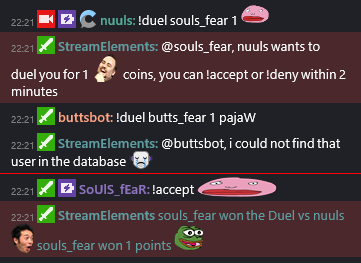
@turbid reef Can you tell me how !duels work? Ive tried using it with another viewer and the issuer always won
turbid reef
probably just unlucky 
edgy kindle
is it 50/50?
turbid reef
yes
edgy kindle
Weird..
weary mist
ill try it with you @edgy kindle
turbid reef
works for me  https://i.nuuls.com/qOoV_.png
 edgy kindle
Hmm...weird
turbid reef
how often did you try?
edgy kindle
We dueled like 10 times in a row and the issuer of the duel always won
minor kindle
You should go to Vegas.
weary mist
lolz
minor kindle
Does the sub goal reset everyday or... ?
edgy kindle
You can manually change it
@minor kindle

^thats for followers
but same location just scroll some
weary mist
best thing ever, lol
 cosmic elm
I need help. The banner image won't change. I tell it to change, and it looks like it does, but when the page is refreshed, it's the default one again.
 final isle
Question for your beautiful people. If we leave the bot in chat even if the stream ends, do viewers still get points?
 olive lintel
@cosmic elm are we talking about Stream Store?
@final isle only when the stream is online
final isle
@olive lintel thanks!
cosmic elm
@olive lintel Stream store and my profile, plus other things that use the same banner
weary mist
I haven't added that stuff yet, and I am not home to try it. I will try though when I do return to my place of rest
cosmic elm
@olive lintel I don't get a save button, it just changes when I click 'Submit' but doesn't stay that way
olive lintel
for example.. if you want to edit a Store item yo need to press Save always to record the change
@cosmic elm
cosmic elm
@olive lintel https://gfycat.com/FoolhardyPerkyCaterpillar
 olive lintel
@cosmic elm oh!... to change it.. you need to go to Your main Dashboard, in the left panel, choose Profile Page..
it's the "page header background"
on the right
cosmic elm
Ah, okay that worked
Why do I have the option to change it from the store if that doesn't work?
olive lintel
it's the beauty of the beta stage of the page. 😉
please report it to any SE Staff or champion.
this is the correct way to have an amazing web site (when the users encounter these errors)
misty wagon
Platform will detect if stream is online/offline. No point hugging lurkers anymore. Allthough there are still able to gamble are there points away. Also your timers will fire according to your offline settings
Thanks for the help @nanito. You've been promoted to help me with sugarcoating the 🍩
 restive lantern
I want a mocha and a donut FeelsBadMan
final isle
@misty wagon how do you start and run giveaways through this bot?
restive lantern
@final isle !giveaway start then !giveaway stop
or you can just put a time and it'll be auto
if you type !giveaway it'll give you instructions
hollow zinc
Penises
restive lantern
It's my test word
 lusty yacht
That's funny
Anyone change to streamelements from streamlabs overlays? Streamlabs isn't always showing alerts but I'm lazy and don't want to switch lol
olive lintel
hi.. I did
everything is working (sound included)
@lusty yacht use the import tool in top right ... My accound --- integrations and import... streamlabs
lusty yacht
That's it? Then replace the browser stuff in obs?
lusty yacht
..... well then
olive lintel
😉
lusty yacht
I'll do that, thanks lol
frosty lantern
If anyboday needs support gimme a holler
frosty lantern
^ same
restive lantern
For your ref tomorrow: @hollow zinc can confirm, one of them updated as expected. The copied version of that overlay that i edited further for a diff composition SAYS it's 1600x900 now, but it doesn't adjust the size of any widgets, it only crops. The original overlay I created (not a copy) resizes correctly with the instructions you gave me (e.g. also resizes the widgets and positions correctly to new res)
in the new "900p" version - even if i remove a widget and re-add it it's still added at 1080p res.
In the screenshot, you can see both the original overlay (gameplay), as well as the "copy" (cam/queue screen). Both have been edited to 900p from 1080p, but only one of them took the changes:
hollow zinc
Only the canvas size changes, the widgets remain the same @restive lantern
restive lantern
incorrect - the widgets changed on the original one (as you can see in the screenshot)
if that's not meant to happen, then it's a blessing that it does!
hollow zinc
Widget size doesn't change. But when you resize the browser source in your streaming program
restive lantern
because that's the point is i dont' want to spend ages rebuilding it
it's not resized in my streaming program, they're both added the same way ;/
hollow zinc
I'll look into it tomorrow. Maybe there's something im missing in your explanation cus it's already 2.24 AM
restive lantern
lol that's why i said for your ref tomorrow! go to sleep sheesh
hollow zinc
Yup. Enjoy streaming, gn! 👋
restive lantern
night!
Also re the multiple instances of bit cup - user error! NOT an issue if "keep in source mem" is checked. It must have been refreshing when switching scenes ^^
However, copying actual customized widgets would be incredibly helpful if you just want certain things you've already customized to fit your brand added to multiple existing scenes
frosty lantern
Yay ya got it
upbeat topaz
Anyone happen to have an update about how the timers should be working (and why they don't work properly)? 😃
edgy kindle
The timers dont work?
upbeat topaz
Nope. I ran a 3.5hr stream last night. The 2 timers never fired once.
edgy kindle
How many chatters did you have
upbeat topaz
When testing them in offline mode, only the timer with the highest minute timer would fire.
I averaged 3 people during the stream, and the chat was fairly busy the whole time.
edgy kindle
Okay so if its anything like Nightbot's; 10 lines of messages need to happen within a minute and then after 20 minutes one should turn on and 5 minutes later the next one should proc
upbeat topaz
That part isn't like nightbot.
During offline testing, I was able to setup a 1 minute timer, with 2 chat lines.
edgy kindle
@turbid reef Can you weigh in on this
upbeat topaz
I did 1 chat line, waited 3 minutes, did another.
Then within that same minute, the timer fired
When doing offline only mode (with no chat lines required), I had a 2 min and 5 min timer. Only the 5 min timer was firing every 5 min.
crude crypt
How do I make it where if some one cheers 71 bits in cheer1s it dumps all 71 bits into the cup
weary mist
that is not implemented as of yet
crude crypt
okay thank you
snow zephyr
hey guys, is there a way to delete all leaderboard entrys with 0 points?
weary mist
i believe that is in the works
snow zephyr
I have 121000 positions, where do they come from?
ok, so would be cool to get rid of them one day 😃
edgy kindle
@snow zephyr Did you import from revlo?
snow zephyr
yes
edgy kindle
My best solution for that would be to Wipe your leaderboard and open the import.cvs file in a program and clear out all the entries you dont want and then import
snow zephyr
but you cant wipe the leaxderboard, only reset
edgy kindle
Reset would wipe it wouldnt it?
upbeat topaz
not delete the users
snow zephyr
no and the 100k+ users dont come from revlo, they are in streamelements
minor kindle
Did you guys just change the way slots work? 😄
 weak schooner
Ok so I added Streamelements to my buddies twitch account. He is trying the songrequests, but nothing is being played. He streams through the PS4. Does he need to sync his PS4 & Youtube account before it will play? The songs are in the queue but doesn't look like anything is playing.
weary mist
It plays through the website, so if you ha e the site open, it will play the music.
weak schooner
It's going through the PS4 though.
 proud trench
Is there anyway to have the alltime leaderboard public instead of current?
weary mist
You would have to stream the ps4 through a device to a pc or laptop to get the overlay/ music requests
@proud trench xnrthat is a request in progress
proud trench
Alright, thanks 😃
weary mist
@weak schooner I'm not too experienced in console streaming, but as far as I know the only way right now to do SE song requests on console would be through a capture device. Which would allow a lot more options for his/her stream anyways
proud trench
capture card and obs would be best option for that
weary mist
^^^^
I think next year I'm going to invest in a capture card and do a dual pc stream. I have a decent laptop that could do it, would free up a lot of resources from my gaming pc
Lol, I say decent, when next year it will be 5 years old, lmao. And I have already had to take it apart, and glue the housing back together, lmao
proud trench
I only do console streaming rn, i use the elgato.... I wish I had a good pc to game and stream with 😦
weary mist
But 🤷
@proud trench believe it or not, but you can get a decent enough one to stream for around $800-$900. I got mine last year, and they make a better one now that costs around the same.
I wish I waited like a month, lmao... I could have saved a bit of hassle and upgrading
I habe already upgraded my ram and just yesterday my processor. Well worth it.
I played and streamed doom yesterday, smooth as butter. I was in heaven, haha
proud trench
Im hoping to get me one soon, I want to play battlegrounds
 clever mango
I'm not understanding what the "levels" are and their purpose? Can someone help me out?
found it in the commands section
also in user management
weary mist
So, from what I can tell, it's going to have more usage later. Right now, you can only use the presets. 500 is mod, 1000 is super mod
 sterile orchid
Outta curiosity has anyone heard of Boggzbot?
weary mist
It's useful for setting supermods in chat. Hopefully, later, you will be able to set custom user levels and then user those levels to allow special commands
sterile orchid
or do you think its just a renamed bot
weary mist
Nope @sterile orchid. It could easily be a renamed one, or just some obscure one, or a homemade one
clever mango
what channel did you find the bot in?
sterile orchid
SkyHook - creative/irl
was just curious
never came across the bot name before
but then again renaming bots for $5 is productive af xD
clever mango
yea it's probably a custom mod bot
sterile orchid
ye anyways thank you 😛
weary mist
Yup :)
 vivid trail
Yep, custom bot that redirects to skyhook's website https://skyhookart.com/bot

skyhook
One of her mods is named boggz7




 weary mist
;)
clever mango
difference between mod and super mod?
weary mist
Supermods you would give more delicate commands
Like being able to give bonus loyalty points
Or any other command you wish. It is all customizable in the chat commands page.
If you go there, you can see some of the default commands and how they are set per user.
weary mist
Yup :)
olive lintel
is it normal to have so many cef-bootstrap when I use the overlays? (3 in total)
crimson granite
Hey everyone! It would be nice to re configure the layout of the dashboard. I would like to pop out items, or move them around. I do live improv drumming on Twitch, anfd will be using the dashboard to see realtime events. I want to see the follows, tips and bits, but need to see the recent events next, not the stats box. Streamlabs let us pop it out, which was so nice. Please get that feature in there, unless it's there now, let me know. 😃 so far I am LOVING this!