#technology
1 messages · Page 291 of 1
 signal forge
But everytime i locate it asks me to download atleast 20gb
Please help
I dont have enough internet to download!🙄
 granite kestrel
Does it say downloading or Preparing/Verifying?
signal forge
Downloading
granite kestrel
If you formatted your PC, isn't the game gone
signal forge
Its gone
I copied it in my hdd
External!
Installed origin! Copied the game , open origin , click locate game
Took 10min to locate
Every time it stops at 16gb or 14gb
Ask me to download the rest
Any solution for this
Or a back door to Install the game
 noble steeple
You do realize that copying it onto an external drive doesn't mean that you copy all the required files to run the game, since some files are hidden/can't be copied over to other drives, hence why Origin asks you to download those missing files.
Same thing goes for Steam games. You can copy most files, but some crucial files need to be redownloaded before you can start the game.
 latent light
Have y'all heard about DirectML on the Xbox Series X? it's gonna be like DLSS 2.0 on Nvidia RTX cards

Nvidia's DLSS, which is their proprietary machine learning upscaling, relies on tensor cores in their newer GPUs. Xbox Series X doesn't have any dedicated hardware for DML; however, the GPU is capable of 8-bit and 4-bit precision operations.
So, that 12TFlops of GPU power can be calculated as 96 TFlops of DML computing power, meaning that instead of calculating a single 32 floating-point operation per-cycle, the CUs can instead do 4x int8 ops or 8x int4 ops, which are frequently used in ML applications, which will make it much faster than a generic GPU without that functionality for any algorithm that uses those small datatypes, allowing it to do some ML work without too much impact on the rest of the GPU's workload.
While Xbox Series X is able to do something similar to DLSS, it will have to do so at the expense of using some of the GPU's Compute Units for those operations since there is no dedicated hardware to offload ML operations.
 storm osprey
i thought zotac made a small 2080/ti
 prime jasper
really? imma check this
its not that small but its defiantly smaller than the normal 2080
i don't think they have the technology to shrink the size of a card that powerful yet
which is sad because i prefer compact sff builds
prime jasper
indeed, its unfortunate
storm osprey
why do you like sff?
prime jasper
i like to have a portable setup because i move around alot but i don't like gaming laptops
storm osprey
id rather have a micro set up still,
sff seem cool, but does it really matter if a system is the size of a gallon of milk vs 2 gallons of milk?
 supple bane
tbh yeah
at that size, even a 10% improvement in size will see massive improvement in temperatures
signal forge
Need help
My game just keeps downloading the game folder reached to 65gb! But in origin it stuck at 76% 24gb
Talking about apex legends
latent light

TweakTown
We can expect a new power interface on NVIDIA's next-gen Ampere GeForce RTX 3000 series cards, expect power consumption over 300W.
wtf
 lofty light
Awesome 
 strong breach
lofty light
strong breach
lofty light
Imagine in 10 years we'll have the top of the line cards using dual 24-pin connectors

 polar tundra
Creative assembly should help dice
 violet plank

that 12 pin PC makes no sense
rumor has it there is another 4 pin as well,that's 16 pin,like 2x 8 pin that 2080 (ti) already got
they would need to include adapter(s) cause no PSU got such connectors
maybe 2x 12 Pin? for 320W
but then again,most user would have to buy a new PSU lol
unless the want to yeet 300+ W trough the 12 Pins,which would fry them instantly 
supple bane
as long as the keying/pinlayout on the 12 pin is the same as a 8+4 idc tbh
meaning you can use 8+4 or if you have a swanky new psu you can use a 12 pin
violet plank
you can't push that much W through those pins,they are too tiny
unless they use some others
look at the 2080 ti highly oc'ed models
they got 3x 8pins or 2x 8 and 1x 6
gives me an 14nm +++++ intel feeling all over again lol
supple bane
yeah well, it could be 2x12pin or 2x8+4pin
or 3x
i just mean the connector its self
violet plank
ah,got you
most would still need a new psu tho
cause limited to 2 x 6+2 pice
specially pre built
supple bane
if they do draw 300+w. im interested to see the coolers tbh
there is no way they wont be 3 slots or more
violet plank
hope big navi does a better job
but i doubt it
imo cooling 300w isn't a big deal,but getting all that heat out of the case
or they push the upper thermals to,dunno,105 C? 
supple bane
i cant get rgb fusion to play ball ree
if i launch it, it just completly hard crashes windows
violet plank
dafuq
supple bane
like, completely unresponsive,
violet plank
gigashite quality software
supple bane
ctrl+alt+delete aint got nothing on this crash
violet plank
well,aura sync isn't much better
works only half the time
but doesent crash windows
at least
supple bane
i had to reinstall windows, so im having to install all my software again
but rgb fusion just eint havin it
so i have wonky colours in my desk atm 
supple bane
yup, tried
violet plank
got any other rgb software besides fusion?
cause they always tend to kick each other
supple bane
no
its a fresh windows install
thing is, when i try install it i get an error saying cant install c++ 2015 or sommot like that
supple bane
fuck you gigabyte lol
violet plank
.net framework and visual studio stuff
you can always try to call gigashite support
supple bane
complete utter waste of time
violet plank
just try to manual install .net 3.5/4.x and visual c
supple bane
last time i had contact with them. my gpu fans were rubbing on the shroud and they asked me to install gpuz

violet plank
ah right,i remember 
supple bane
would you know any other way to control the led's ?
i assume i cant just install another companys rgb software right? like aura sync?
can i do it in the bios or something?
violet plank
nah,you need that fusion stuff
they all make it incompatible to each other so you use their stuff
violet plank
only thing you can normally do in the bios is switch the rgb of the mb on or off,that's about it
supple bane
Gigabyte finally being a good company
violet plank
how lol?
supple bane
The entire of rgb fusion is in the bios
violet plank
seriously ?
supple bane
Like there is a tab in there called rgb fusion lol, clicking that basically just opens a bios version of that app lmao
violet plank
i can only switch it on or of with asus,no control at all
supple bane
Tbf it's not as detailed as the desktop app
but i can change colours/lighting modes etc
violet plank
and if you wanna change something you gotta go into the bios lol
supple bane
thats true
violet plank
but actually nice that you can change it without software
would love to have that too with asus
since i usually only use 1 color
supple bane
i dont usually say this. but hats off to gigabyte. u did gud kid
violet plank
agree with that one
supple bane
i brought my motherboard and swore i would never buy another gigabyte product, and then was forced to buy a gigabyte 2070 cuz it was the only one i could get my mittens on
and i regret that decision too lmao
if im ever in the situation where the only part i can get is gigabyte. im just not going to buy it lol
supple bane
Slovenian
violet plank

Microsoft Download Center
The Visual C++ Redistributable Packages install run-time components that are required to run C++ applications built using Visual Studio 2015.
well,both the same anyways

TechPowerUp
This archive contains the latest version (July 2020) of all VCRedist Visual Studio C++ runtimes, installable with a single click by running the inclu
better one
supple bane
oh isuni, you wouldnt know anything about how to file share between two pc's on the same network would you ? 
in windows i mean
cuz im trying to make it work. and failing miserably
violet plank
file manager and share?
supple bane
well my main issue is when i try to access the pc it is asking for credentials, and a.) i have no idea what they would be and b.) i have disabled all password protection as far as im aware
supple bane
yeah but again. i have no idea what the password or username would be
violet plank
dunno the pw,you can try to disable network discovery and start it new without pw
on both machines
not sure if win10 home has some limitations tho,i only use the pro versions
supple bane
ill try using my laptop with an ethernet cable then
well both devices are connected to the same router, just one with a wnic and one is ethernet
violet plank
if you got 2 lan ports on your pc,directly connnect it
and be sure your router allows sharing on the network
supple bane
hmm actually. ill chech that
supple bane
i can log into the routers settings if thats what you mean
supple bane
again. i cant even get the two pc's to recognise each other on file explorer now
violet plank
turn on network discovrery
supple bane
i have all that turned on yes
violet plank
well,read that microsoft link i posted
supple bane
i did lol, i have done all those things
let my try with my laptop, see if i can get that working
violet plank
hmm
hard to say over discord lol
easiest thing would be to directly connect them
just unplug your internet
if you don't got 2 on your pc
ports
supple bane
well that would mean running another ethernet cable around the house lol
violet plank
huh?didn't you say laptop?
supple bane
no. im trying to do it between mine and my dads pc
violet plank
ah
supple bane
when i said laptop, i meant i was just testing it on my laptop to see if i can get it to work there
violet plank
call ms support,they gonna remote access your pc
and set it up
without seeing it it's really hard
my guess is your dads pc is not on the network
supple bane
ooh, i got further
i could see the file, but couldnt open it. "do not have permission"
although i have set it to everyone and password protection is disabled
violet plank
just copy it on a usb/external drive ?
supple bane
oh. yeah i have been doing that for ages
which is the whole reason im trying to get this to work lol, just so its less of a pain
violet plank
want the easy way?let ms support call you back
you might be blocked cause of group policies
could be a lot of things
and hard to say without seeing your stuff
violet plank
guest as owner?
supple bane
when i was selecting everyone. but then not clicking the add button to add everyone to the share list
so i just selected everyone, then shared it without actually adding everyone if that makes sense
violet plank
well yeah,that's networking,always complicated
supple bane

last question, how do change name of desktop?
so its not desktop-;sdiugfsd;iugfsgiudugdsfiu;g' ?
violet plank
type name in your search field
should be first option and there you can rename it
device name
supple bane
Tarr
violet plank
uhhh.this could actually kick some serious nvidia ass 
maybe (hopefully) the reason why they push that 300+W
latent light
what sucks is that any GPU 30-50% more powerful than a 2080Ti will get bottlenecked hard at 1080p and even 1440p with any current CPU available
RTX 3080Ti will definitely be strictly a 4K card imo
storm osprey
maybe at 1080p but 1440p and 4k there shoulnt be much of a bottleneck
latent light
we just need CPUs with higher single-core performance than what we have now
10900K can bottleneck a 2080Ti in some CPU heavy games at 1080p
latent light
Zen3 up to 20% faster than Zen2 in single-thread, production in September, so launch will probably be November/December
storm osprey
heck yes
latent light
December 7th launch is my bet
storm osprey
i fucking hope
latent light
that's on Pearl Harbor day too
RDNA2 graphics cards will come out before Ryzen 4000
storm osprey
im stuck with nvidia
violet plank
integer is not relevant for gaming,floating point is
latent light
Death Stranding can take advantage of up to 24 CPU threads
wtf kind of scaling is that
storm osprey
lol wtf
latent light

Just how many thousands of objects and billions of polygons was that Unreal Engine 5 demo pushing? New details on Epic's next-gen tech!
😳
violet plank
Linus Tech Tips
Planning in purchasing an MSI product? Perhaps its time to reconsider. A smallish reviewer on YouTube, TechTeamGB, pointed flaws on a review sample from an MSI laptop. Before publishing it, just to be sure that he didnt get a laptop that faced the manufacture error bad luck sy...
 fallen harbor
if mid tier gpus consume between 70 and 180 watts and respective cpus consume usually no more than 50 watts why are most psus recommended for gaming above 500w?
i got a 450w 80+ gold evga psu which sends 432 watts to the 12v sector (cpu and gpu) which is already a lot for my pc even though i have an rx590 that doesnt consume little unlike nvidia.
my cpu consumes a max of 50w and my gpu a max of 175 which makes a total of 225w
other gpus such as r9 380 consume 180w and every post i see about it mentions it should be paired with a psu of a minimum of 600w. why?
idgi
i know some psus dont have the exact wattage that they specify in their brand and hence are kinda bullshit, like the thermaltake tr2 600w which actually only sends like 290w into the 12v sector
but that isnt a good reason to just go up in wattage, its just a missinformation
its as bad as saying “just get a more expensive psu”
violet plank
security margin so they can't be sued
supple bane
cpu's draw more than 50w
my cpu draws 85w when it has a 65w tdp. and overclocked it will draw 110w
violet plank
if you see a recommendation you can always go -100W and you'll be still on the save side
and cpu does not equal cpu package power draw
supple bane
and the cpu and gpu isnt the only thing that is drawing power. storage, ram, fans, coolers, chipsets, ROM etc
and you got wasted energy when power passes through the VRM's and capacitors
when those things heat up. they are turning some of the electrical energy into thermal energy which is wasted
therefore the powersupply has to provide even more power than what the cpu SAYS its drawing
violet plank
and if you got power spikes (which all components have/get) and go on the limit of your psu,it will cause ripples and crash your pc on the worst case
supple bane
which i have experienced ^
if i have my cpu and gpu overclocked, my power draw is like 450-500w. on my 550w powersupply, this causes a hard shut down
fallen harbor
this doesnt exactly answer my question though, are you gonna tell me the rest of the components consume more than the cpu and gpu combo? (im excluding OC). If this combo makes 225w what do you need a 600w psu for. The drives, chipset, fans etc wont consume over 300w
violet plank
amd ryzen 3700x,65W TPD,real package power draw 90W,i don't even start with overclocking
cause your sytem draws way more than 225W
you calculate wrong
fallen harbor
how so. The gpu and cpu is what draws 225
supple bane
what cpu and gpu is it?
fallen harbor
i5 8400 and rx590
violet plank
list all your components
supple bane
my arse do they draw 225w lmao
fallen harbor
one 240gb ssd, 1tb hdd, 2tb hdd. 3 60mm fans
supple bane
they draw wayyyy more than that.
fallen harbor
the i5 8400 draws a maximum of 49w and the rx590 175w
violet plank
ram?
supple bane
no. it draws more than that. im certain of it
fallen harbor
16gb ram 2666mhz
every single site i checked on is sure of this though
do you have any source
violet plank
your system power draw is almost 400W
supple bane
im getting over that
violet plank
ah lol,granty beat me
supple bane
i got 424w
violet plank
i calculated low
supple bane
A.) powersupplys age, they wont always be able to supply say 600w.
b.) motherboard VRM's and capacitors waste power as they turn it into heat as it passes through them
c.) tdp isnt everything. im guessing PC part picker goes off the listed tdp. and my cpu SAYS its 65w but in reality it draws 85w
violet plank
take the 10900k,listed as 125W,can draw 300+W
supple bane
my list doesnt account for peripherals either. a keyboard and mouse will draw some power. it will take power to shove a signal down a cable for your monitors etc. this stuff adds up
hence the rule of thumb, take your marketed power draw. then slap 200w ontop of it, and get a powersupply with that rating
violet plank
if you're on a budget you can go with a +100
supple bane
side note, i downloaded rise of the tomb raider and holy shit. people complain about the fps in bfv lol. with a 2070 im lucky to break 30 fps
violet plank
is that the last part?
violet plank
i got the first 2 of the relaunch,still missing the last,waiting for a good discount cause reviews say it sucks a bit
but those 2 don't get me down to such low fps
supple bane
you play at 1080p tho right?
violet plank
1440
supple bane
ah
 molten coral
480p masterrace
supple bane
1440p, completely maxed settings, i average 25 fps i think
supple bane
idk lol
violet plank
let me check if i got that on steam
molten coral
Weird it shouldn't be that low I thinj
violet plank
finished it some times ago
supple bane
make sure u are using all dem
i guess run the in game bench mark and see what you get
violet plank
gotta check the settings sec
molten coral
supple bane
violet plank
wow,that game draws some serious cpu
supple bane
really?
violet plank
somethings wrong with your setup,sec
supple bane
i dont have that on my overlay actually
violet plank
up to 50% cpu,bfv does not go over 30%
supple bane
bfv takes my cpu to 80-90 
violet plank
violet plank
i got fps to 144 and vsync double buffered,rest are your settings
supple bane
da fuq
violet plank
re checking
supple bane
i cant change mine to 144 which is annoying
not that it would make a difference atm lol. but still
i have dx 12 disabled? should i try with it on?
violet plank
sec,i got anti aliasing wrong
that could drop the fps hard
re running bench
dropped hard lol
supple bane
what did you have AA on before ?
violet plank
supple bane
i want to try dx 12 first actually.
supple bane
I'm trying with dx 12, one momento
violet plank
lol
supple bane
Its pinning my CPU to 100% too
violet plank
go dx11 fsaa
violet plank
ah
supple bane
got a slight improvement i think
violet plank
was about to say lol
hardly
you should get around 100fps
with your system
fxaa it was
supple bane
I dropped aa to fxaa and it hasnt done diddle squat
violet plank
use the preset very high ?
violet plank
lol
yeah go dx11
and use the preset very high
with fxaa
and vsync double buffered
supple bane
supple bane
im still miles behind you
violet plank
and i didn't like the hair job,so i turned that off too,just had it on for the bench now
supple bane
i wouldnt have thought a 2070 is like 40fps behind a 1080ti
supple bane
that also went down when i changed the settings
supple bane
no doubt
supple bane
arent you already 1440p 144hz?
violet plank
but it's not available atm,pretty new one
supple bane
and im kinda bound to this desk for the time being lol, since yanno. my pc is inside it
violet plank
yeah lol
mine is already a few years old,it's starting to bleed light on the top,sucks
supple bane
what do you mean by that?
violet plank
on a full black screen you see some light on the top part of the screen,bleeding trough the upper edge
supple bane
oohh hahahah
violet plank
ips problems
supple bane
i thought you meant the desk lmao
violet plank
well and old age
nah lol
waiting for this baby

LG 38GN950 Gamplay Footage Battlefield 5 3840x1600 160hz
38gn950-b
supple bane
you are deffo gonna need a gpu upgrade for that tho lol
violet plank
yeah lol
supple bane
3080 here you come
violet plank
hoping for big navi actually since it's a freesync monitor
well it's gsync compatible tho
gonna get whatever is better
atm i'm bound to nvidia which sucks
at least no fucking FAN in the monitor,hate this shit
supple bane
i have never used free/g sync so i dont suffer from that addiction lol
violet plank
it's pretty nice actually,once you go with it you won't wanna miss it
supple bane
i still dont understand how it can fix an already seamless experience tbh
violet plank
it's calling for you,can't you hear it?get it!
supple bane
jog on lol
i brought a new monitor only 6 months ago
like take bfv. i dont stutter, my fps is fine. my screen doesnt tear. so how will g sync help?
violet plank
same goes for ips,once ips,you can't go back
in this case it won't
this fall will be expensive,new phone/cpu/gpu/monitor (and ps5 maybe)
lofty light
I'm reaching the point where I don't feel the need to upgrade my pc parts now thankfully
 opaque saddle
oof
latent light

TechPowerUp
Over the past few days, we've heard chatter about a new 12-pin PCIe power connector for graphics cards being introduced, particularly from Chinese language publication FCPowerUp, including a picture of the connector itself. Igor's Lab also did an in-depth technical breakdown o...
storm osprey
hmmm what does this mean?!
latent light
new PSU required
or maybe they will have an adapter
RTX 3000 is already a disappointment in itself, it's based on the Samsung 8nm node, which is just refined 10nm, which is refined 12nm
storm osprey
i cant imagine a new psu
especially if you have a semi(modular) psu
might be a cable purchase
storm osprey
so why require that for a 350w gpu?
latent light
a 350w TDP Nvidia GPU is gonna consume more than 350 watts
it will probably peak in the 400-450 watt mark
and the rest is overclock headroom
latent light
also, you can't use two 6-pin connectors, the connector shapes aren't in the same order
it's a whole new type of cable
storm osprey
welp, good thing i got a modular psu
latent light
fallen harbor
is it possible to fix a case fan that spins very slowly?
storm osprey
depends on the reason why its spinning slowly
lofty light
Why would they make a new connector when they could just make 2-six pins or even like the 3-eight pins that the super high end cards have for 2000 series
fallen harbor
depends on the reason why its spinning slowly
@storm osprey is there any way to know?
storm osprey
yea its just gonna take some time
is it a PWM fan connected to mb/controller that determines the fan speed?
do you have a resistor?
how is it connected?
violet plank
bleh,my worst fears seem to come true,hope big navi fixes this
latent light
@lofty light there will probably be an adapter included with the cards, although it seems that the 12-pin has a higher demand than dual 8-pin connectors so you're gonna need a PSU with 3 EPS connection
violet plank
if nvidia would only release a high end model without that rtx shit
storm osprey
well a molex connector is just static power iirc, so if youre fan is spinning slower than normal theres something likely wrong with the fan itself
latent light
imo, Nvidia is being anti-consumer
violet plank
nvidia is doing the intel lol
still hope they really fear big navi and that's the reason for that 3k shit
those tensor cores fuck everything up
latent light
The reason RTX 3000 is so power hungry: it's based on Samsung's 8nm node, which is just a refined 10nm, and furthermore a refined 12nm. TSMC is supplying all 7nm chips to Apple and AMD and there's not enough for Nvidia.
violet plank
lmao
good thing amd got more capacity at tsmc since huawei has been kicked
hope they deliver
fallen harbor
@storm osprey is it worth it giving it a try and opening it and checking if theres something fixable or should i just get a new one?
storm osprey
opening up a fan? ive never thought of doing that...
even if you could i cant imagine you can assemble it back together properly for it to not cause wobble and be loud AF
fallen harbor
kk
lofty light
Depends on the kind of fan too
You've got cheap brushes, more expensive bearings and even more expensive maglevs
violet plank
just get a noctua,they will outlive you lol
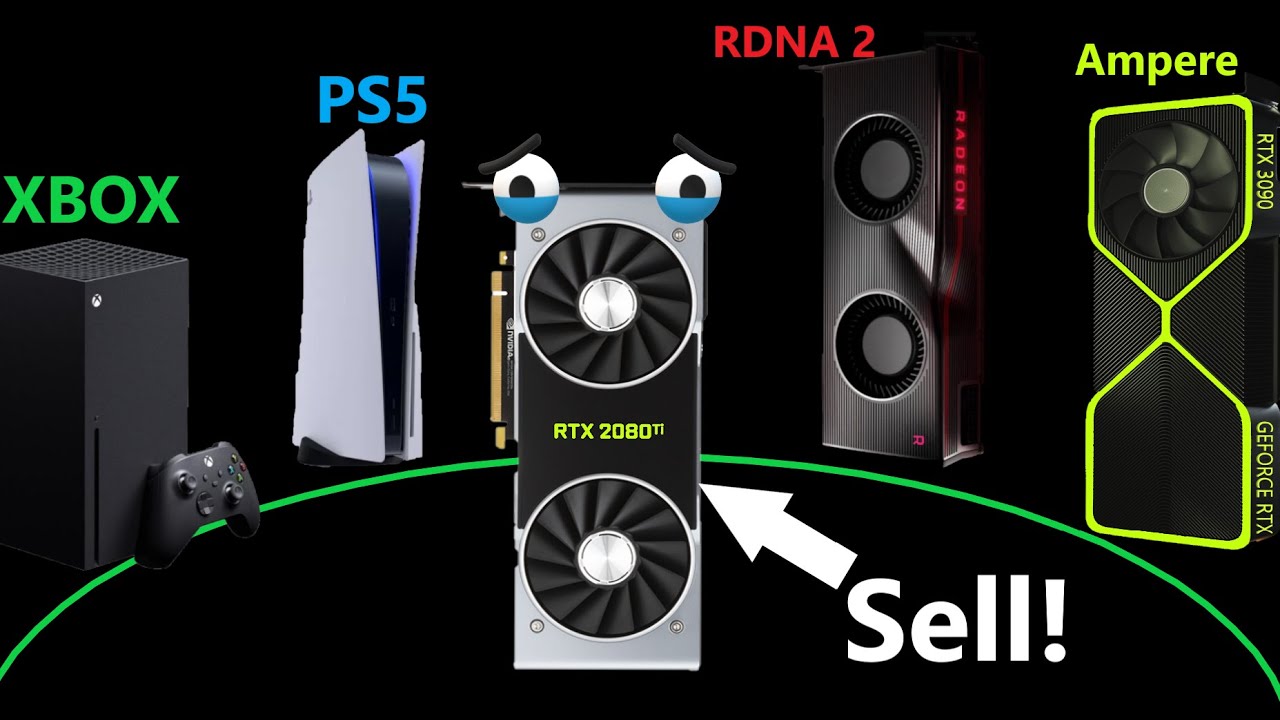
I received new RDNA 2 & Ampere info. Sell your Turing Cards soon!
0:00 Ampere discontinuing Turing, what does this mean for Ampere?
3:26 The Samsung 8nm Rumors are looking more and more likely
5:45 The performance of the RTX 3080 & 3070 Ti
8:10 So should you sell your Turing ...
lofty light
Lol
I'm defs not selling mine
Spend enough money to happily live with it for years
violet plank
"In 2020, Nvidia is so leaky that they are providing more AMD leaks than AMD lol"
storm osprey
god i hope FE are not that ugly design
lofty light
Good thing is you can always chuck a watercooler on 
storm osprey
ehh i doubt ill ever watercool
violet plank
watch the video and reconsider 
storm osprey
too long didnt watch
storm osprey
im at work
storm osprey
its easy to use discord while working, not watching videos though
storm osprey
yea watch laters get lost forever
supple bane
wait, why are we bullying nyphon into watching something ? whats so important lol?
fallen harbor
Anybody has any idea what this could be? I found it in my old stuff https://i.imgur.com/wSEHsgt.png
oh nvm it's a hdd holder stuff
i think
whats the name of those fans that come with some little things to be grabbed onto a heatsink?
like this one
are they sold separately?
latent light
"In addition to PSU manufacturers launching new generations of products with 12-pin connectors, most prominent manufacturers are expected to release aftermarket modular cables that can plug in to their existing PSUs. Graphics card vendors will include ketchup-and-mustard adapters that convert 2x 8-pin to 1x 12-pin"
storm osprey
well ill have ketchup and mustard cables for a bit
violet plank
ew
fuck you nvidia
not gonna buy new braided cables
regular fans @fallen harbor the clamps can be bought from some company's,i know noctua and bequiet sell them,others no idea
fallen harbor
oic
tyvm
i found two spare clamps today but i broke one while trying to put a fan in
: (
it was too delicate
fallen harbor
i think my mistake was that i put one screw too tightly
violet plank
yeah,ppl usually use way too much force to tighten screws
fallen harbor
but then again the fan i was trying to use for it is kinda dead anyway
spins as 80 year old fans would spin if they were biological beings with a human lifespan
and for some reason fans cost a fuckin fortune right now where i live wtf
supple bane
super man knows his shit huh
supple bane
he covered the logos of the brands at the start tho which i thought was cute
supple bane
i mean he missed some stuff i could still at least work out it was a 2080ti and a 3900x
 wet notch
i guess he just don't want to make it look like he was sponsored or anything
wet notch
2080ti is pretty good right?
storm osprey
2080ti is the best gaming gpu for the price right now
msrp is like 1100 usd
the next best gpu is 800
lofty light
2080 super is basically the 2080 anyway
storm osprey
2080 super are cheaper than 2080s right now according to pcpartpicker
regular 2080s are probably out of stock and just marked up from that
 red birch
Hi. I want to config freestyle nvidia. It worked for me, but now is not. Why? Nvidia blocked this feature for bf4?
 quaint topaz
@storm osprey yes, the 2080s are running short since they were replaced with the Supers
Basically getting a 2080 right now is pointless unless you score a pretty good price, which is unlikely.
lofty light
Plus they're using the 2080 chips to cut them down and make 2060 KOs
 fallen harbor
how come cavil’s pc has a 2080ti insted of a 2080super. I thought they stopped producing ti’s?
quaint topaz
Ti's are still in production
supple bane
2080ti's are still available yes
quaint topaz
All 20 series cards below the 2080 Ti have been replaced with Supers
fallen harbor
oh so its just 2080ti now? is the 2080 the only one with three versions?
supple bane
yes
fallen harbor
ic
supple bane
well arguably the 2060 too. with the 2060, super and KO
supple bane
its something EVGA make
slightly faster than a normal 2060, slower than a 2060 super
fallen harbor
oic
quaint topaz
I think EVGA uses the same boards the founders edition ones do
at least for the regular ones, not sure about the KO
since both the founders and EVGA cards use the same software which is probably the best GPU software ive ever used
EVGA precision X
 silk echo
lads
i need some opinions
should i get a VR or should i upgrade my PC
by PC i mean stuff like GPU, case, fans, ram
molten coral
What do you have now?
silk echo
1070
molten coral
cpu?
silk echo
2600X
silk echo
thats the thing, im counting on series 3000 to drop gpu prices a bit
my "salary" is around barely 300$
supple bane
I too shall be getting a vr headset later this year too so that's pretty poggers
Probably gonna be a rift s
molten coral
I need more space for VR
supple bane
I've got most of a 3x4m room so I have plenty of space
fallen harbor
only thing id get a vt set for is vr chat
supple bane
There is a desk running around one half of the room, the rest is empty
molten coral
I've a small room so big f
silk echo
so yall saying vr > pc upgrade?
supple bane
I'd say so yeah
molten coral
I mean if you are still happy with the 1070 yeah.
supple bane
Upgrading now is silly, considering there is alot of big launches on the horizon
My friend was playing vr on a 970, so you are good in that manor
silk echo
see im good with it now
but big games are launching soon
and playing on a 2K screen isnt helping my FPS either
fallen harbor
its not like you need to upgrade in order to run vr games
silk echo
tru
fallen harbor
oh
fallen harbor
no it makes sense but idk
its a matter of preference
i never go beyond 1080p and 60hz so if i had a 1070 id still be pretty well
where are you from btw
silk echo
Israel, why?
fallen harbor
would you be interested in selling your 1070 overseas if you ever think of upgrading?
gpus here cost a fortune so
silk echo
u from south america?
fallen harbor
yes
silk echo
shipping would prob cost more than the GPU itself, but i can def. look into it
fallen harbor
hmm youre right
i guess
idk how much the shipping would be but it wouldnt surprise me if it was too high since we are very far from eachother
this kills the ando
i just want a mothertrucking case that doesnt cost more than my monthly wage for christ sake
get me out of this place
anybody
i know how to cook i can cook your meals every day
and i like doing errands
fallen harbor
is it normal to
uh
feel uncomfortable about having only two slots of ram being used even thouhg i have enough for today's standards?
because if I ever want to upgrade to 32gb in like 6 years I wont find the same modules I have right now
supple bane
you mean using 2 out of 4 slots on the motherboard?
fallen harbor
yes
i have 2x8
which is fine
but it pains me looking at empty slots
lmao
help me
itd be beautiful to see the 4 pretty modules all together
supple bane
consumer hardware sees no performance improvment for 4 sticks of ram
so its looks pretty yes, but its not "better"
fallen harbor
i know i know
itd be better only the day games require like 25gb ram
but by the day that happens itll be a looong time
i am assuming
storm osprey
nicee
latent light
Also got a i7-2600 and 8GB DDR3 but need to find Sandy Bridge motherboard
Gonna build niece a PC for her birthday
Next month
fallen harbor
cute
 latent light

The latest benchmarks of AMD's Ryzen 7 4700G 8 Core Renoir APU push the chip to 4.8 GHz with a stunning DDR4-4400 & 2200 MHz IF clock.
Result from making Zen2 a monolithic die
 digital hill
I need that
 final garnet
why is it that gpus are these super big chonks while cpus are just smol chips
fallen harbor
¯_(ツ)_/¯
latent light
"The JEDEC Solid State Technology Association said in a report issued Tuesday the new DDR5 memory specifications will provide developers with twice the performance and lower power consumption. Among the key improvements will be a quadrupling of maximum die density, up to 64 gigabytes from 16 gigabytes under the old standard. Each DIMM can handle two 32-bit memory channels instead of only a single 64-bit channel. Since each bank operates independently of each other, the burst length can be doubled and greater efficiency can be achieved. That means, for instance, DDR5 SDRAM can perform two 64-byte operations in the same time it takes DDR4 SDRAM to perform just one operation."
So dual channel memory is possible on just one stick of DDR5 RAM

 ashen ether
Is the Acer Nitro 5 2020 ryzen 5 model available in your cities yet
 verbal token
 true cradle
molten coral
true cradle
molten coral
Personally I would stay away from anything acer related.
latent light

Support us on Patreon: https://www.patreon.com/hardwareunboxed
Intel Core i3-10100: https://amzn.to/3cetu6f
Intel Core i5-10400: https://amzn.to/2TNio1V
Intel Core i5-10600K: https://amzn.to/2M98iUS
Intel Core i7-10700K: https://amzn.to/3cQKBfv
Intel Core i9-10900K: https://a...
rip 7600K users
 somber tendon
Is it normal for BFV to crash to desktop with no error?
 warped topaz
Yeah it’s common, bfv just crashes whenever it wants with no explanation lol that’s why I play bf1 a superb game 😂
somber tendon
@warped topaz you had one recently?
warped topaz
Yeah I was playing on my brother’s PC and bfv just crashed for no apparent reason
latent light
the technical problems of BFV are worse than any other game in the franchise
BF4 did have severe crashing issues on PC when it came out, but it all got fixed in a few months
 pearl ingot
Hi tech page
latent light
BFV will be 2 years old in October, still lots of optimization and stability issues
warped topaz
Exactly hopefully they will fix those issues soon
molten coral

violet plank
no tech
 cold cave

digital hill
I never thought a game can be so broken and unfinished but still has players playing it
 glossy plinth
Im only playing it for the graphics lol
 summer comet
graphics? How are the graphics any better than BF4/1?
fallen harbor
dunno how you directly compare graphics to resolution but ye
glossy plinth
lmao
fallen harbor
what would yall recommend for a pc that will still be able to run modern games in 60fps and 1080 in 6 years?
doesnt matter if low graphic settings are required in the future
what's the budgiest motherboard for the i5 10400?¿
quaint topaz
@fallen harbor Prices differ from one play to another, look for a LGA 1200 motherboard
fallen harbor
im looking for the cheapest one as long as it's not garbage
not planning to overclock
nor sli
just for i5 10400, or maybe 10600 (not sure which is more worth it yet) paired with a 2060 super
quaint topaz
Best budget motherboard I can think of is the Asus prime.
fallen harbor
asus prime h410m?
there seems to be a big price gap between i5 10400 and 10600
is the 10600 worth that difference?
id pick ryzen but my friend wants intel exclusively
quaint topaz
How much is it
fallen harbor
idk
forgot
saw it in a site
idk how much he can get it for though
i only saw the original prices
im watching videos and all three 10400 10500 and 10600 seem to perform almost the same
at least in today games
literally 2 additional frames from the worst to the best
quaint topaz
The H410 is pretty basic and budget friendly. Don't expect good clock speeds on it if you plan on OCing.
it'll do the job for light gaming
fallen harbor
no OC expected
hes not interested at all in it
only something that can hold the stuff together well enough
wants to game on 60hz and 1080p for at least 6 years
doesnt matter if low graphics in 6 years
wants intel and nvidia exclusively
so i was thinking some 10th gen i5 and 2060 super
quaint topaz
Then I personally recommend saving up for a slightly more powerful build for better future-proofing. Games today require at least an i5-6600K to run properly
fallen harbor
what would you suggest?
quaint topaz
what's the budget?
fallen harbor
1500usd but prices in his country are elevated
so thatd be hard
the 2060 super is 590 usd
at least in one site
quaint topaz
Could save up just a little and go for something like an i7-6700, if thats not an option then go for the i5 10 series
but i dont think you'll last 6 years without needing an upgrade, but i could be wrong
Some AMD CPUs are cheaper and perform on par and even better in some cases than intel, you should look into that as well
fallen harbor
i know but he wants intel only
specifically
he's always had that and thats what he feels comfortable with and doesnt want to think about anything
fallen harbor
what PSU would you recommend for a i5-9700 and 2070super?
supple bane
600w
storm osprey
shopping by brand is normally bad, especially when most brands dont even manufacture their own components
in the case of PSUs theres maybe 4 major manufacturers out there
personally, the only general "brand" i would promote is seasonic, but even then they have some bad PSUS
but they do make their own psus, most of their psus are at least good, and most of the OTHER brands "good" psus are provided by seasonic
violet plank
laughs in seasonic prime titanium
supple bane
laughs in shitty corsair powersupply but i cant really change it as it will mean glueing brackets to a new powersupply so it will work with my desk
So much for warranty
molten coral
I've a corsair rm750x is pretty good so far
violet plank
btw i'm seriously starting to doubt that nvidia 12pin power connector,only 1 source,no reaction from any psu supplier.That and it still makes no real sense to me as with 2x 8 pin and pice bus you can draw 375W
quaint topaz


"Imagine all the extraordinary things we'll be able to do once computers have literally hundreds of CPU cores!"
Developers: https://t.co/M3qiQpzt42
Retweets
16183
Likes
52021
 Twitter
fallen harbor
Twitter
fallen harbor
is it normal for an i5 8400 to be 40c on idle with an hyper 212 with two fans attached to it? 🤔
room temperature is around 20
 rugged dome
It is a bit on hotter side, even tho nothing to worry about. But you can also try to remount the cooler and repaste thermal paste.
 sand phoenix
henlo does anyone remember that bug a few months ago where origin would take the focus away from games and what tf the fix was
swear it was to delete some licenses folder or something but i cant find whatever it is
summer comet
@fallen harbor where did you see a 2060 Super for almost $600 USD? I see it for $250-$300 anywhere I look.... (I know I'm late but deal with it  ) I see 2070 Supers go for around $450 - $550 USD
supple bane
not everywhere in the world has the same, cheap component prices which can be found in the US
molten coral
He is from a country where prices are super inflated because of taxes and more stupid things.
I think he was from argentina
prime jasper
I have a laptop and goddamn it gets hot.
Literally my cpus max temperature is 105C and it’s clocking at 96-
my laptop is going to explode one of these days
quaint topaz
where did you see a 2060 Super for almost $600 USD? I see it for $250-$300 anywhere I look.... (I know I'm late but deal with it
yeah as mentioned above you guys in the US don't pay for VAT
we have to pay +17% here, some places have +25% and poor Hungarians pay +27%
 golden grotto
everyone here is flexing with their high end pc components
while im stuck here with an i3-9350k
ASUS ROG 1050TI strix edition
16gb corsair ram
fallen harbor
thats a well playable enough pc
ashen ether
I dont even have a pc at all. I used to play in a 1050ti cafe but since this corona happened I cant go there and I can only play in a 750ti local cafe. I play BFV avg 40 fps not even 1080p

latent light
Oof
prime jasper
Damn
Im bout to get a new pc only issue is that itll take a month for it to arrive from the US to here bc we’re putting all the parts in a shipping container
ashen ether
Hello everyone. I originally planned on getting a gaming laptop for school since I was supposed to go to college this school year. But then, corona happened and I am skipping school this year.
At first, I was eyeying the Acer Nitro 5 2020 (R5 4600+1650ti). But I realized I am not going anywhere now since I stayed at home for the past 4 months.
Mom told me that I should get a pc instead. Now the problem is I will still go to college next year.
Help me decide whether I should still get the Acer Nitro 5 2020 or a desktop. Thanks in adavance
supple bane
Well specs wise, compared to a desktop, that laptop sucks. you will get at least double the fps by going with a desktop for the same price point
but obviously. you cant take a desktop to school
so i guess decide how important taking the device to school is for you
prime jasper
if you buy a PC with all that in the air then you have to accept that at some point you will be away from it for a while, but yes a better computer no doubt
also no matter how advanced a laptop claims to be, a few years in it will start to degrade more than the equivalent PC
ashen ether
Also, I can't pay for these in cash. A local laptop store in here offers 0% installment. There is also a pc shop here that offers build your own and pay for installment but pc parts are scarce because of corona. I'll be deciding on what the shops will offer
prime jasper
after so many years I have a small pile of dead laptops
most died from a critical system failure
ashen ether
@prime jasper what do you mean critical system failure?
prime jasper
GPU/screen/powersupply failure
ashen ether
I'm just hoping if I ever get a laptop it will last more than 4 years lol
prime jasper
very hard to get parts
ashen ether
My friend's laptop is 2 years old. It's still doing well
prime jasper
the one I am using for my load splitting is a moderately good 2013 model
only problem is its battery dies after 10 minutes unplugged
good cpu/gpu combo for its age tho
can run BF3
but that is always a common thread with all laptops, over time the battery steadily degrades and holds fewer hours of full power use
when it was new it could go 3.5 hours without being plugged in at 90% power
 molten bramble
but obviously. you cant take a desktop to school
@supple bane I mean, it is possible, but requires rack-mounting it in a shock-mounted SKB or Pelican case. 😄
supple bane
ok, you reasonably cant take a desktop to school
digital hill
@supple bane Oh so I can't put my computer and monitor on a wagon with my mouse and keyboard at the side to take my pc to school
So thats not possible
storm osprey
lol i fucking love this drawing
digital hill
all made with mspaint
storm osprey
did you ever see my pc cart?
digital hill
I seen it and its possible to take your desktop to school but getting permission to use it might be a problem
storm osprey
i used to bring my skateboard to school and one of my teachers would watch it for me, even years after i didnt have a class with him he let me store it there
digital hill
Ah
storm osprey
that teacher was super cool
digital hill
Ah
storm osprey
Ah
digital hill
This is hilarious
storm osprey
lol wow
storm osprey
edge is supposed to be pretty good now
though i think every time they do something with edge "its supposed to be good now"
supple bane
the only reason i use opera gx is the built in ad block and vpn tbh
and the pop out videos and customisation i guess, but mainly the things above
molten coral
Tbh I kinda like the new edge
digital hill
Free vpn is not open source but data is used to make it free
molten bramble
@supple bane It's not a VPN, it's a proxy. They've misled the public on that and it's drawn criticism from the IS community.
Opera GX's hard resource limiter is why I used it for background streams on the big screen above since it doesn't impede degrade performance of the machine.
violet plank

While the week started off rather slowly, hardware news picked up towards the end of the week. As such, we have plenty to cover, including a GN exclusive, in which we’re able to confirm the rumored 12-pin PSU connectors for Nvidia’s Ampere.
supple bane
12 pin is going to be able to deliver 600w?!
violet plank
yeah but it's not gonna be likely on consumer cards like i thought
there is a massive psu shortage atm anyways
gotta love torvalds ranting about intel
quaint topaz
opera gx
Ah yes, the Gaming™ browser.
supple bane
@storm osprey btw I reccomended a 502 to someone and they brought it, they said they like it soooo
Another one for team brick
storm osprey
they are just stupid
more stupid people in the world than smart
hence cardi b being so popular
supple bane
Your outnumbered here mr cat 
storm osprey
i dont consider myself smart, but i would assume stupid people do outnumber me by a lot
supple bane
I think youre just crazy
Funny thing is. I perfectly understand and respect your point of view, I know a light mouse is probably better for gaming. I just think this whole war is hilarious
And I will keep it going till the day i die!!
storm osprey
you could kill me with your brick of a mouse
my mice will probably break after a couple of hits
supple bane
I probably would have brought a model o already if they weren't so hard to get over here
My friend had to pay more than the mouse in shipping
storm osprey

molten coral

latent light
 median elm
glossy plinth
Corsair rgb glaive pro worst mouse
latent light
I'm sure I'm right on this, if Navi2 is labelled as 'RX 6000' series and if 'big navi' is called 'RX 6900', XFX would 100% make a model named the "THICC 69"
glossy plinth

 keen tangle
digital hill
keen tangle
digital hill
Damn
also if intel igpus were that good we wouldn't need gpu's anymore
For standard consumers and budget gamers consumers
violet plank

Notebookcheck
Fresh reports suggest that Nvidia will only launch 8 nm GPUs this year, with a possible 7 nm "Super" refresh scheduled for 1H 2021. This could allow AMD to steal the GPU performance crown with 7 nm Big Navi GPUs this year and jump to 5 nm next year.
supple bane
turns out it might not have been a bad windows install causing my gpu to go kapoot
i think it was rtx voice... i just installed it, realised the issue came back right as it finished installing. uninstalled it and poof, it was gone
i swore by rtx voice, i recommended it to everyone with an rtx card. how could it betray me like that
supple bane
 violet plank
remove the clamps holding it down
rtx voice is a thing?
don't think i know anyone using it
violet plank
never cared about it so far,what's it good for? or better than other voice progs
supple bane
Well it's about the same or slightly better than Krisp. It cuts out all back ground audio and there is no quality degredation
The advantage is that its free
Krisp and most other software there is a monthly fee
violet plank
hmm nice
supple bane
Despite it being called rtx voice, and everywhere saying it requires rtx cards. It can work on anything with some tinkering
My friend has it working on a 1050ti
violet plank
amd cards as well ?
supple bane
I imagine so
The biggest downside is there is a slight performance hit
As it runs ai on the gpu to cut out audio, you lose about 5 fps
violet plank
that sucks a little bit
prefer it on the cpu as there are free resources when i play
supple bane
I honestly cant wait to get my br headset now, I want christmas to come already
Still got 5 months to go
 violet plank
cleaning time
violet plank
make some custom filters
quaint topaz
I'm not very satisfied with my NZXT S340 Elite
I'm definitely going for a Lian Li case for my next build.
There's very little room for cable management in the back. The back cover is literally bulging and stressing the screws holding it in place ...
supple bane
that was the same for my case i had before my desk pc, the corsair carbide 275r
i could barely squeeze the back on once it was built up
now tbf, my cable management skills are shoddy on a good day. and im very lazy so that doesnt help
quaint topaz
I spent a good hour making sure everything's clean and snug and it still bulges
Could be the braided cable extensions but it's still bad
 gray wyvern
Really? I always was into the look of NZXT but maybe I should reconsider. Lian Li is looking pretty nice tho
storm osprey
NZXT are decent, but theres better for the price
personally i suggest getting phantkets p400a at a base point, then meshify c if you can drop a few more bucks
latent light
Phanteks seems to have the best value in terms of airflow
latent light
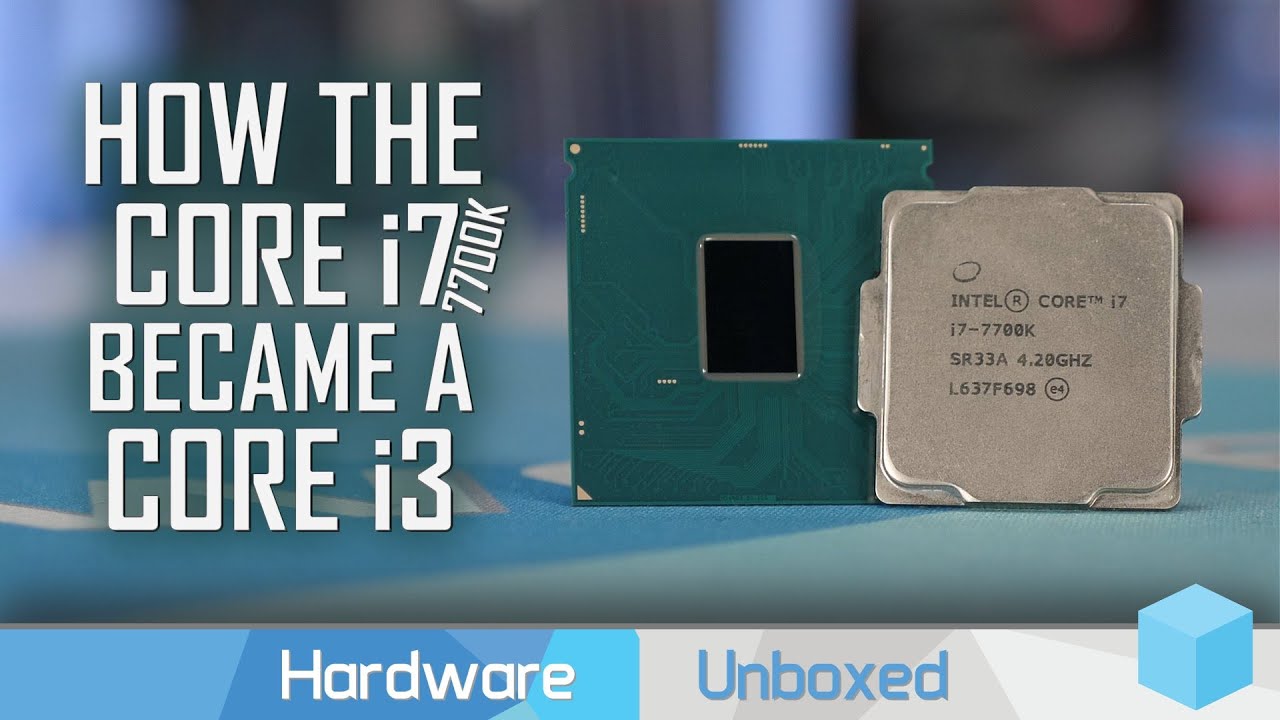
Support us on Patreon: https://www.patreon.com/hardwareunboxed
Intel Core i3-10100: https://amzn.to/3cetu6f
Intel Core i5-10400: https://amzn.to/2TNio1V
Intel Core i5-10600K: https://amzn.to/2M98iUS
Intel Core i7-10700K: https://amzn.to/3cQKBfv
Intel Core i9-10900K: https://a...
disagree, i5-7600K was a worse purchase
digital hill
I have the same issue with my fractual design focus g
I have to hammer my leg to make sure the screws are holding it in
It works but my cable management is the best I could do without cable ties
or the quote from the verge "tweezers"
storm osprey
how dare you bring up the verge
supple bane
The cable management of my desk pc is horrifying. but it doesnt really matter as i have like a foot of space and no one can see it



 quaint topaz
quaint topaz
quaint topaz
Novation launchpad
I don't see it for it's intended purpose lol
Remapped each button for a different key binding
digital hill
Also question about that cable management how the fuck is not falling off
molten coral
Also question about that cable management how the fuck is not falling off
wdym
quaint topaz
^
digital hill
Granty desk system
molten coral
oh lol

OnePlus Nord is officially official. Here's everything you need to know.
OnePlus Nord series: https://oneplus.com/nord-series
dbrand Pastel skins: https://dbrand.com/shop/pastels
OnePlus 8 Review: https://youtu.be/OHP1rLwR6r8
MKBHD Merch: http://shop.MKBHD.com
Tech I'm usin...
Looks pretty good for 399
molten coral
765G
supple bane
@digital hill there are these pad things holding it up
digital hill
Ah
digital hill
Ah thanks
storm osprey
those cables hurt
supple bane
Honestly, I did this on day 4. I couldn't be arsed at this point
To build something pretty
I just bundled them all up and stuck them to the desk
Honestly the way that board which all the parts are on is suspended is the scariest part
digital hill
That painful cable management is true
supple bane
6 L brackets hold that up, which is fine until u realise how hollow and flimsy the IKEA desks area. Those 6 brackets are screwed into basically nothing
digital hill
But I can say its great as its hard to even get some decent cable management from under the desk
If I can spell shit
violet plank
who needs a desk build when you can have a wall build