#technology
1 messages · Page 288 of 1
 compact spade
So if I have a 60 hz monitor and a GPU with 300 FPS and if I have a 144 hz monitor with 300 FPS what’s the difference?
 violet plank
your monitor limits the fps,you can't get more than 60fps on a 60hz monitor
compact spade
Ok thanks for helping bro
compact spade
Did you saw the teaser of bf6 right ?
violet plank
not aware of any teaser
 primal pier
Well they should the graphics and animation
But wasn’t called said bf6
True it could hint for it
 ashen flax
compact spade
ashen flax
compact spade
Ok
 supple bane
one is 60fps the other is 144fps
basically, a monitor with 60hz can only display 60fps at maximum, so anything above 60fps will still just be cut down to 60fps by the monitor, 300 fps or not, you will still only see 60 of those 300 frames
144hz is 144fps, meaning that at a maximum that monitor can display 144 of those 300 fps
 prime jasper
I think the Japanese Soldiers it showed were just place holder to see how many soldiers they can get on screen at one time
The building collapsing was a modern day building
 latent light

Tom's Guide
All-digital Xbox Lockhart could be 'half' the price of Xbox Series X
Estimated to cost $249-299

It's a cube
 left grove
😳
supple bane

По вопросам: https://vk.com/fx8320e
Группа в VK: https://vk.com/rx4dofficial
Discord канал: https://discord.gg/FX393Zu
 digital hill
Damn the issue is the xbox got very little exclusives but the ps5 man got so much
 fallen harbor
is it possible to play battlefront 2 or ow from an external disk? the spare pc i am testing has an old 80gb hdd and those are the games i have in my external drive and they wont fit
digital hill
I think so
fallen harbor
wtf i typed wmic memory get speed on cmd to know how fast these ddr3 rams are and the result is 333 333
do 333mhz ddr3 rams even exist
 opaque saddle
You mean 1333?
digital hill
That's not right
fallen harbor
could it be that its underusing them or just miscalculating them?
fallen harbor
done
opaque saddle
Ok can you please move to device manager
So, right click on windows icon
Left click - device manager
Can you see an drop down menu say the ram? Take a screenshot
opaque saddle
Processor
digital hill
Doesn't task manager show the ram mhz
Meaning if task manager shows it 333mhz then that means something is up and I feel like he isn't running in dual channel which task manager may show
opaque saddle
See dm
He has mixed two different ram sticks together. I have asked him to remove all the ram sticks and the 4gb stick but leaving the 8GB running
After he has unplugged the ram, then insert the 8GB
I knew he messed with the ram a bit, so if he has 8GB ram it should run at the native speed the RAM supported. But he is running 8GB+4GB = 12GB, I know something isn’t right
digital hill
ah
 molten bramble
!!support @mossy zephyr They should be able to assist.
 silent oasisBOT
ℹ Contacting Battlefield Support
If you need to contact the Battlefield Support team for questions you might have, crashing in game and or server issues head over to
https://help.ea.com/en/battlefield/battlefield-v/
ℹ Contacting EA Support
If you need to contact EA support about account issues, billing issues etc head over to
https://help.ea.com/en/
If you need help in this Discord server you can send a Direct Message to our ModMail bot!
 mossy zephyr
!!support @mossy zephyr They should be able to assist.
@molten bramble I need help with paypament origin
 boreal violet
any chance anyone here knows why I'm getting the BSOD everytime i launch the game? reformatted my entire pc, updated all drivers. specs are an i7-8700k, evga 1080ti, 16gb ddr4 ram, corsair h100i liquid cooling, samsung evo 970 256gb m2, evga 750w platinum psu, and an asus hero rog z390 wifi ac mobo.... soooo hardware wise i should be more than good. still though, pc bsod on launch showing errors from irql not equal or less, kernel something, and one other error i cant remember about system. but its mainly the irql / kernel one. all my other games run just fine, doom eternal, wow, halo, destiny. just battlefield does it. been at this for 7 hours now
digital hill
Had same error one of your drivers is an ass
Reformat it again I may say but this time watch your drivers open the game with gpu drivers only and if it doesn't bsod after 1 match then install another one and repeat until one drivers bsod you don't install it
boreal violet
oof. gotta say if that seriously ends up being the solution... wow. this much diagnostics when buying a new game is pretty ridiculous
digital hill
Yeah but there's another way of looking into the drivers of the bluescreen using windbg
Don't ask how it works but it didn't work for me as it wasn't really telling me the corrupted drivers
But it could for you
I just did a full on nuke of all drivers and it mysteriously disappeared
boreal violet
yeah its a head basher for sure. i uninstalled every bit of software and all windows updates. disabled my bluetooth and brought everything down to barebones. so far it works
 signal forge
Need medic!
Anyone there?
Small information needed
i5-3330 , 8gb, 1060 6gb
Will 300watt enough?
For 720p gaming
supple bane
you will probably get better performance on 1080p
the lower the resolution, the higher the cpu load
hence your cpu is too weak for low resolution gaming
signal forge
The monitor is have is 720p only
supple bane
ooooof
signal forge
Will 300watt enough for the Setup?
supple bane
how old is it lmao?
signal forge
Its way too old PC
supple bane
probably not
signal forge
I just have managed to upgrade from NO gpu to 1060 6gb
Any 200watt psu available?
I will just externally give power to only GPU
supple bane
id say you will need 400w at a minimum
signal forge
So i have 300watt
Let it be like that
Will any company manufacturs 200watt psu
So that i wil buy it and use it for only my GPU
Instead of a whole new 500wat psu
signal forge
so 500? no enough
my frnd on i7 8th and 1060 6gb with 550!
im i5 3330 woth 1060 6gb
s0 400 is ok?
or 500?
supple bane
400 would work
signal forge
ok! tq! and how to know what mobo is using?
like any software which tells the configuration of mobo
its way to old and we dont remember its origin
supple bane
as long as it has a pcie x16 slot it will work
 spare thorn
Is a 1660 super and a ryzen 5 2600 good enough for 150 fps on BF4?
supple bane
1080p. id say so yes
spare thorn
K.
latent light
I'm anticipating that Xbox Lockhart because it will only cost $300 but it targets 1080p 60-120 fps in all games and can do 4K/upscaled in many games
Tom's Guide
All-digital Xbox Lockhart could be 'half' the price of Xbox Series X
Plus it looks cool
It's still gonna be a lot faster than the Xbox One X
Thanks to Ryzen CPU
signal forge
Anyone online?
Is 8gb enough ddr3, i5 3rd, 1060 6gb
For gaming and discord?
8gb ram or 12gb ram?
supple bane

4Gb vs 8Gb vs 16Gb RAM Test in 8 New Games
4GB RAM DDR4 - 2133 Memory Module
https://goo.gl/vUEKDx
Games:
Ghost Recon Wildlands
Hellblade Senua's Sacrifice - 01:02
Battlefield 1 - 01:54
Mass Effect Andromeda - 03:15
Rise of the Tomb Raider - 04:32
Deus Ex Mankind Divided - 0...
digital hill
@signal forge 12gb but 16gb would be good enough as games are gonna rely on more ram
digital hill
then 12 is good
 sinful mantle
honestly for bfv 12 is perfect
opaque saddle
I got 32gb RAM and only one game will use >29GB is cities skylines
Normally uses 10-12GB while gaming on my side
latent light
Tfw people with 4GB ram play cities skylines
 quaint topaz
@latent light I really like that they're both aiming for a digital only edition but I doubt any of them have the balls to stop manufacturing blu-ray ones later on.
Really starting to doubt that we're ever gonna see the up rise of digital only gaming consoles.
fallen harbor
cant make the audio work on this pc
the drivers seem to be failing but i tried installing multiple times and i still get nothing
speakers or headphones wont be recognized
anybody knows a trick for this?
been trying all day : (
fallen harbor
hmkay
sorry for all the questions i do here
this uncle of mine wants a pc to work from home because of the quarantine and all and strictly wants the pc to not lag like the crappy budgiest ones
i only have an idea of what to recommend
do you think ryzen 3 1200 and 8gb ram would be good for that? for videocalls and stuff without lagging?
i guess i3 9100 would be good enough
maybe thats actually too much
digital hill
ryzen is too much maybe an atlon 300ge might be good
fallen harbor
Wait, you intel or AMD?
whatever is best and cheapest for this
i am looking for stuff to suggest
hmm ok
i was specifically told that they dont want the pc to lag like shitty office pcs so i want to make sure about that
i heard about athlon 3000g
but i never had one so idk
i wonder if this needs integrated graphics or not, for video conferences
digital hill
it has an igpu not very good for gaming but can do normal stuff
like watch videos
sheets
some old games from 2011 gaming
fallen harbor
thats good but i also want to make sure it's not kinda bad for everything else
as in lagging
having to wait to open a window etc
fallen harbor
should it be 4.4 then?
i imagine 8.8 would be overkill
for office work and video conference
dunno
digital hill
What you mean by 4.4 or 8.8?
digital hill
two of 4 is enough 8 is too much for office work
 molten coral
8 is too much? It's perfect for office work.
digital hill
its two of 8
fallen harbor
between 4.4 and 8.8 i guess i should go for 4.4
digital hill
which 16gb is uhh not gonna be used and overkill for office work
fallen harbor
anybody knows what mobo should i use for the athlon 3000g?
digital hill
Really its overclockable but just buying an a320m will just work
Jesus christ
5000 of what currency I may ask?
fallen harbor
argentinean peso
digital hill
Ah
molten coral
is 70 bucks
fallen harbor
a320m-s2h or a320m-hdv?
digital hill
cheapest one I guess I don't know the difference
fallen harbor
kk
digital hill
but psu don't even think of cheaping out
digital hill
Yeah it should if he's doing office work and video streaming
fallen harbor
does ssd for office work do more other than just turning on and turning off quickly?
digital hill
Well it opens and closes quick and windows is pretty much gonna run smooth
HDD could be better in value but ssd will help him with booting quickly and it running smoothier then butter
and if your looking for psu here's a list https://linustechtips.com/main/topic/1116640-psucultists-psu-tier-list/
fallen harbor
corsair vs450w i guess is enough?
oh
ok
i happen to have a limited list to pick though
theres no much offer here
fallen harbor
" Corsair | Builder CX(-M) 2012 <=600W [green-label] - CV <=550W - VS 2017 [gray-label] - RM 2013 1000w [orange-label]"
not sure what <=550w means
no more than 550?
fallen harbor
ok
digital hill
and for case just make sure good airflow and your good
molten coral
Could always use PCpartpicker to see if it's enough @fallen harbor
fallen harbor
okay ty
the lowest one is ryzen 3200g lol
it's twice as expensive as athlon 3000g here, wonder if it's worth the price
digital hill
Its overkill
fallen harbor
alrighty
 vernal flame
@fallen harbor your uncle doesn't want it for gaming?
If not, 8 gb ram should be enough
fallen harbor
no he doesnt
he wants a good pc for home office work
is athlon 3000g nice for that or will it struggle?
@vernal flame sorry for the late response
vernal flame
@fallen harbor it should be enough for any office work and basic Photoshop
fallen harbor
amazing. tyvm
fallen harbor
oic
vernal flame
Amazon cancelled my mobo order
I should wait for another Asrock b450m pro4 with my Ryzen 3600 (or any other 80 USD mobo) or take the risk of buying b450/b555 within the price range of 130 (there is one for ordering with no stock time announced, but I can order) or any other b550 within the price range of 90/130 USD. Because
I'm just missing the mobo
prime jasper
I would consider a 550 mobo instead, they seem to be decently priced
vernal flame
@prime jasper b550 $125 (included wifi) plus good vrm for threadripper
Low/med vrm b450 Asus $130
B550 phantom gaming 4 with wifi
 dull condor
depending on the features u want maybe its worth it to step up to x570, the price diffrence isnt too big (depending on the model tho)
@vernal flame
 mystic socket
Amazon cancelled my mobo order
I should wait for another Asrock b450m pro4 with my Ryzen 3600 (or any other 80 USD mobo) or take the risk of buying b450/b555 within the price range of 130 (there is one for ordering with no stock time announced, but I can order) or any other b550 within the price range of 90/130 USD. Because
I'm just missing the mobo
@vernal flame bro make sure u don't gotta update bios u.u
vernal flame
@dull condor I can't over clock here, power issues are constant
digital hill
also how bad is usps shipping in computer parts I may ask?
prime jasper
I just play on the good ole Xbox One S
vernal flame
@prime jasper so?
prime jasper
I was just saying
latent light
Apparently if the PS5 ends up $500, Microsoft will price the XSX at $400 which will be a significant loss
prime jasper
That’s pretty cheap for a new console
latent light
Xbox Series S could be the cheaper digital-only Xbox Series X alternative.
There's leaks of a ~$300 variant that's smaller and weaker but still uses a Ryzen CPU which already makes it much better than the One X
prime jasper
I’m gonna get the regular version of the new Xbox when it releases, it sounds extremely good for console
latent light
It's very good value for the hardware it has
1TB NVMe SSD, basically a Ryzen 7 3700X just without a boost clock, higher graphics performance than Radeon VII
prime jasper
I think
digital hill
Isn't it an apu though
latent light
Yes but was talking about the PC equivalent specs
prime jasper
I don’t talk Pc specs well because I don’t use one but it sounds nice for console
latent light
XSX and PS5 APU die costs less than $80 to manufacture
digital hill
jeez
latent light
Why don't they put console APUs in desktops smh
prime jasper
How good is that? I don’t speak PC very good
vernal flame
@latent light the games will only use 6 cores btw
So the performance is the same as Ryzen 3600
digital hill
And has a powerful gpu
latent light
Digital Foundries confirmed 1 core/2 threads is reserved for operating system while 7 cores/14 threads are for games
A bit odd but I'm sure this doesn't mean the death of 6 core CPUs (unless you don't have multithreading)

digital hill
Damn
The operating system must be big then
As why would you reserve 1 core for os
latent light
Make the console as snappy as possible I think
digital hill
Strange isn't the nvme ssd job to do that or it's some other things
latent light
CPU performance has a huge affect on how fast apps launch
vernal flame
Consoles never use all the cpu power either way
digital hill
I wonder what the ps5 menu screen gonna look like and consoles will always be used to its limit in the future
latent light
I'm sure BFV uses all the Xbox one/ps4 cores
digital hill
The base ps4 I can already hear the fan start screaming
latent light
PS4 and Xbox one both use an AMD 'Jaguar' 8c8t CPU that's based on piledriver architecture except it's on the 28nm node and not 32nm like the Fx series CPUs
Strange
digital hill
also this is what would happen if you literally put a jet engine in your pc its not a boeing 747 but still https://www.youtube.com/watch?v=P-NMXzUnu1Y
vernal flame
Still
digital hill
Its a jet engine and that's all you need to know
vernal flame
XSX will not use the whole CPU power and GPU in years to come, because they stick within some graphics range
digital hill
Whats the x1x?
digital hill
Ah but I feel like they'll use the whole power in microsoft flight simulator 2020
vernal flame
Exceptional cases
digital hill
I mean in the beginning they won't push it to its limit but later on I bet it will be pushed to its limits
vernal flame
Either way, console are useful for single use, but PC still better because multitasking
digital hill
True but console like xbox series x I heard got multitasking in games
vernal flame
@digital hill nah
Its a lie. Its a copy of save state from PSP / PSX emulators
When you open other game, it will make a save state and use it during the next boot
digital hill
Its better then anything else
expect windows but its nice compared to reopening the game
latent light
Yeah takes only ~5 seconds to change between games and continue where you left off without going through a menu
 bronze snow
guys I have a problem at in BF5 it started to move a little hard but before that everything was going well and I'm playing with requirements low
 storm osprey
your psu is dusty af
molten coral
Oh you are making a case? @supple bane
storm osprey
ahhhh i see
supple bane
Yeah, I'm putting my PC in a desk
storm osprey
wall mount or desk desk?
supple bane
Desk
storm osprey
nice
 pallid silo
Hi guys I need to pick some parts :) I wanna play 1080p 144hz low settings on battlefield 4 only what should I choose?
 glossy plinth
GTX 1080
glossy plinth
? 1060
supple bane
My 2070 gets 170 on ultra 1440p lmao
storm osprey
i cant imagine bf4 being intensive
but i wouldnt get a 1060 just because of old tech and its probably overpriced because of "supply and demand'
molten coral
Should get a 2060 so you can also play other games at high fps.
glossy plinth
I wanna play at 144 bfv but i cant cause i chose the wrong monitor my specs
molten coral
10 series aren't even available anymore here
glossy plinth
wasted 500usd rip
storm osprey
for bf4 144 fps at 1080p i would think a 1660/ti/super would cut it
but yea, at that point i would just spend the 50 bucks more and get a 2060 ko
@pallid silo region?
storm osprey
bleh, foreign markets
storm osprey
uhhh none of those
glossy plinth
does battlefield v support dlss 2.0
storm osprey
are those used or new prices?
storm osprey
is 1060 6gb?
pallid silo
Yeah
storm osprey
thats not a bad deal, and i think youll get close to 144fps with that
but id much rather get something in the 16xx series
prime jasper
no, but warranty is nice. if your 1060 craps out you got no warranty
pallid silo
My cousin has a 1080ti from ebay never broken for 3 years
I've never had to use warranty on any of my parts before
prime jasper
its possible, but just another consideration of price over time
pallid silo
Ahh okay! :p well doesnt the 660 still get drivers?
storm osprey
psu*
pallid silo
And it's a new build for my friend :p something atm
So nothing
Need to buy everything
storm osprey
ahh
pallid silo
He said he doesnt mind used :) like even 4th gen intel
storm osprey
for bf4 thats fine, but if ever he wants to play newer titles theres going to be compromises
pallid silo
He is only gonna play bf4 as he isnt interested in anything else
Well... bf4 and lol
prime jasper
a 3400g might make more sense
pallid silo
Will that be able to reach 144fps at low settings
prime jasper
its a strange thing because 144 at 1080 needs a decent cpu to push it
youre looking at old intels so you need to be mindful of that
pallid silo
Ahh okay!! :/ well he said to me anything over 100fps is good but hes gonna use a 144 monitor
prime jasper
yeah putting together used parts is weird for budget because some components like cpus can be equal in price to something brand new
pallid silo
Ahh okay! :p what about an i5 2500 with a 980ti
prime jasper
yup, 2500 is...not great either unless youre able to squeeze a damn good oc
prime jasper
yeah a 6600k is good enough for sure, especially with OC
prime jasper
just be mindful of prices compared to brand new, Ive seen intels that are no longer made have a premium for being discontinued
pallid silo
Yeah!! :p I'm looking at prebuilts as they seem to be cheaper
supple bane
Is gluing a bracket to a psu a bad idea
Dont ask for the context but, on the flat sides would it be ok?
pallid silo
What's a ryzen 3 1200 like vs a 6600k
storm osprey
really need to know the prices
thats where this gets hard and i complain about doing this in a foreign market
prime jasper
well surely you can get a better ryzen for 90 lol
pallid silo
Is there much difference from a ryzen 3 1200 vs a r5 1600
1600 is double the prixe
Price
pallid silo
Games only use 4 cores (bf4)
storm osprey
generally games need 4 cores minimum and favor frequency
pallid silo
So 1200 will be decent
storm osprey
personally, idk a single person that makes a build for a specific game, that doesnt end up playing other more demanding titles soon after
it sounds like you guys are trying to build as cheap as possible to just hit requirements for bf4
pallid silo
My other friend built a pc dedicated to csgo xd
storm osprey
its just my observation
pallid silo
Fair enough xd
storm osprey
"yea i just want to play valorant"
end up playing warzone with us but at bad fps since he built for valorant...
molten coral

storm osprey
im so confused on what youre doing now...
molten coral
Flextape
storm osprey
thats a lot of damage
molten coral

FLEX GLUE® is an easy to use, super strong, rubberized, waterproof adhesive that instantly bonds, seals and repairs virtually everything!
Excellent for:
Home & Garden, Automotive & Marine, Boats, RV’S & Trailers, Maintenance Repairs, Construction, Plumbing & Electrical, DIY P...
vernal flame
@pallid silo your CPU will die with next gen
supple bane
I assume not
storm osprey
i know you put laptop drives into ps4
so i cant imagine it doesnt work the otherway around
storm osprey
as long as its laptop format i really dont see a reason why it wouldnt work
 fossil trail
how do you laptop format it?
storm osprey
uhh depends on if its your first or 2nd drive in your laptop
storm osprey
so you cant boot to windows currently?
storm osprey
thats a drive
fossil trail
theres 1 slot for ssd and one for hdd
storm osprey
yea just google how to format drive windows (insert version)
fossil trail
ok ty so much nyphon
storm osprey
for windows 10 i go to disk management
storm osprey
i know they are both 2.5" drives, i just didnt know if somehow sony locked them to ps4s with some proprietary bs
molten coral
iirc they aren't locked
fossil trail
yeah i cant open it, i need a philip screwdriver
molten coral
oh
fossil trail
yeah
i gotta get a screwdriver to open the back and install it
ill keep using my external hdd int he meantime
molten coral
I've the oldest version so I can just slide off the side and change it pretty quickly
vernal flame
I'm debating if getting the Asrock b450 Pro4 or Asrock b550 phantom gaming 4 ac
$80 vs $125
opaque saddle
Get the one with better VRM design
storm osprey
pretty sure b550 generally does
opaque saddle
But assuming the 550 has a better design
storm osprey
on top of more features
vernal flame
B550 has good vrm
opaque saddle
Better VRM design will makes your motherboard last longer
storm osprey
though does that matter with something like a 3600?
opaque saddle
I will go for 550 tbh
doesn’t really matter if you got 3600 or 3900x
It’s like another security layers
storm osprey
ive seen a few reviewers say b550 is incredible but kind of pointless for most casual gamers
opaque saddle
Well if he would go for the budget build then yeah 450 will do the job really well
storm osprey
for just a single gpu and plugging in casual peripherals i dont think the 550 really has any gains over 450 to justify it
opaque saddle
But the 550 seems to be a “better build” at the end of the product lifespan
storm osprey
the only real main perk is cpu support into the future
vernal flame
Rip
opaque saddle
I’d say if he really wants to go for a budget build then 450 will be good
vernal flame
Ehm
opaque saddle
Wtf
opaque saddle
Anyway check out hardware unbox if they have in depth videos about VRM design on various motherboard models
Hardware unbox channel on YouTube
vernal flame
No unbox video
opaque saddle
I mean the video from a YouTube channel called “hardware unbox”
Coz they usually have in depth videos talking about the design
Almost 4am here so getting a bit lazy
latent light
New leak suggests RTX 3090 is only ~30% faster than 2080Ti and will have a power hungry 350W TDP

Hope it's not true but that could very well be the case
Not a lot of room in the GA102 die
vernal flame
@opaque saddle yeah thanks, but no unbox about that model
storm osprey
@latent light i saw a video that speculated the die could be on 2 sides, like how the fans are oriented
digital hill
30% faster and 350w jesus we might need 2000w psu soon
storm osprey
its kind of what i expected the end result to be...
digital hill
I mean without a case that's how it is
supple bane
thanks nyphon 
digital hill
Its kinda nice
digital hill
Move the wire though away from the carpet
That's gonna be a really nice desk and pc setup
storm osprey
im still confused why the psu needs L brackets
supple bane
cuz its going UNDER the desk
storm osprey
 supple bane
cuz i ran out of room 
i laid it all out on cad but ran into a problem with the tubes for my aio not being bendy enough
so its gotta go elsewhere
meaning there is no room for the psu
supple bane
airflow wont be an issue
digital hill
Just make sure the fan is pointing out
storm osprey
a problem i found out when i put my pc under my desk was that it gets warm under there
so be warned
digital hill
so where the airflow going like how is it gonna leave
supple bane
blue=motherboard
red=gpu
yellow=drives
white=fans
green=psu
well air will be sucked in at the bottom by those three fans, and then blown back out by the aio
which will now be above the motherboard
storm osprey
wheres your intake?
supple bane
read it again lol
digital hill
That's gonna be a bad idea though
The aio got to be powerful enough to remove the heat why not do it the opposite
storm osprey
so the 3 horizontal are intake and the 2 exhaust are going to be rad exhaust?
supple bane
yarp
digital hill
The 2 aio blow in cool air then the 3 fans can blow it out
storm osprey
how are you not going to sit under the desk?!
vernal flame
Earthquake, bye pc
supple bane
right*
storm osprey
ahh i see
digital hill
Ah
storm osprey
well that should be fine
digital hill
Yeah and make sure to screw shit so it survives an earthquake
supple bane
i live in the uk, thats not a concern lol
storm osprey
idk if i trust your only exhaust to be limited by a rad but guess we will find out
digital hill
Yeah its a little weird
supple bane
well its worked with my tower, so i dont see why it wont work here
and i have another fan or two lying around, ill figure something oout
its a 240mm rad on a 65w chip. im not worried about cpu temps, i only care about gpu temps
and i have 3 120's puffing right at it, so tis all good
storm osprey
well if you already have fans might as well as cut some holes out on one of the side panels for more fans
supple bane
i might have to, ill see how she goes
storm osprey
im glad i never went with a wall or desk mounted pc
now that i got my little cart to push back and forth xD
supple bane
oh christ aye its a lot of work
ive been at it since 10am this morning, its now 7pm
and im probably about half done
side note i think i have a shitty thermal paste application on this temporary setup
i am passively cooling my cpu, but 47c seems hot for idle temps
storm osprey
for passive cooling that sounds fine to me
storm osprey
wack
supple bane
i cant figure out why tho
digital hill
Hey I have a question for my pc cooling
Here is what I'm trying to do https://imgur.com/a/HzgEYtQ
Will it work?
supple bane
ok this is really worrying me
ive got no sound output through any device
monitors, motherboards nothing
storm osprey
you done fucked it up
supple bane
what?
storm osprey
what
supple bane
your kidding right?
storm osprey
i mean, idk
digital hill
woops
storm osprey
was the volume muted xD
supple bane
well
maybe
it was in my monitors settings tho
i still have no audio through my motherboard
digital hill
So it will work?
supple bane
oh one final question, will my gpu be fine like that so long i dont knock it ?
its just sitting in the pcie slot, not screwed into anything
digital hill
Yeah but screwing it in will work
supple bane
well i have nothing to screw it into atm
digital hill
Ah I think it will stay
supple bane
update on the shitty thermal paste application
i dont think it is
cuz the radiator is warm to the touch, so i guess that means heat is transferring from the cpu to the rad
digital hill
Eeh try to redo it with something simple like a rice
storm osprey
i do X
supple bane
im guessing that if the thermal paste was bad, the cpu temps would be high and the radiator would be cool
cuz the heat isnt getting to the rad
but thats not the case, im idling at 50-60 degrees but my radiator is hot too
storm osprey
supple bane
i mean, thats a lot of paste for not a lot of result
storm osprey
are you in short supply of thermal past that costs 5 bucks?
molten coral
I cool mine with liquid nitrogen for that -10 cooling 
supple bane
yes i am in short supply of thermal past
storm osprey
it costs 5 bucks, buy some
molten coral
oof, if you was my neighbor you could have like 2 tubes from me
storm osprey
i used to have a bunch of tubes, no idea where they went (probably gave them away)
supple bane
i have like 1/4 of a tube of thermal grizzly left
storm osprey
well use that...
molten coral
should be enough tbh
supple bane
ok well
molten coral
I always use a dot
supple bane
when i put everything into the desk for the lastt time, i will do an X
just to satisfy daddy nyphon
molten coral

molten coral
no u
 supple bane
 storm osprey
find me a pro that uses a g502
storm osprey
your both probably silver 2 in valorant/csgo
digital hill
I use a corsair dark core rgb
storm osprey
🤮
digital hill
Hey I like it
digital hill
You use a microsoft intelligent mouse I bet
supple bane
yeah thats what i said dingus
digital hill
I rather use a brick then a mouse that flies over the place
storm osprey
why wouldnt you want to be able to throw the mice?
prime jasper
If youre so weak you cant throw your mouse across the room then you really need to see a doctor
digital hill
That what I mean't
storm osprey
its just science
brick mice are harder to get going and to stop
youre laterally gimping your own accuracy
storm osprey
no, x takes more
but gets better thermals
(lower temps are better)
now i see why they add that in videos
vernal flame
How it takes more?
supple bane
with my 400mhz oc and 1.35v, my cpu doesnt go past 55 degrees
so i really dont need to worry about thermals lol
digital hill
Though I kinda do what the old classic microsoft intellmouse though
I heard its a sleeper gaming mouse
storm osprey
so i really dont need to worry about thermals lol
@supple bane you shouldnt be worried about how much thermal past you use when thermal past costs 5 bucks
supple bane
yeah i know it costs 5 bucks
but its just why use like 5x as much paste for 2 degrees
storm osprey
5c
supple bane
ah
storm osprey
supple bane
#PinThis
 digital hill
4k 240hz
storm osprey
your mb doesnt have one?
supple bane
that bottom one will do
vernal flame
@prime jasper its possible btw
prime jasper
right....sure in very specific instances
storm osprey
maybe if you drop all settings to low/off
 supple bane
Is it ok to power up a motherboard on the box that it came in?
quaint topaz
@supple bane as long as you don't have any conductive metals laying below the motherboard then yes its safe
supple bane
yeah i tested the box with a multimeter, tis fine. thanks tho
vernal flame
Asus Rog Strix b450f has good vrm? Or I should preorder the b550 phantom gaming 4 ac?
digital hill
I think waiting for the b550 might be a good idea but I don't know as I use a b450-f and just oced my gpu
prime jasper
latent light
vernal flame
Sauce?
latent light
It's very likely because AM5 will have different pin count and they won't be able to put a 5nm based APU out with RDNA until 2022 or 2023
Ryzen 5000 APUs are still gonna use 7nm Vega iGPU with probably no more than 8 compute units and Zen 3 based CPU
Intel will catch up in iGPU performance and likely come ahead until we see RDNA2/3 in an APU with DDR5 memory
 little oasis
idk about that
they said that x470s and b450s will not support 4000 series processors by default
latent light
It's up to motherboard vendors to make their decision on having B450/X470 support Ryzen 4000
With ROM optimizations it's possible to make 300 series boards support Ryzen 4000
vernal flame
Asrock B550pro4 seems to support all the zen processors
latent light
B550M pro4 has better VRM than the B550 pro4
opaque saddle
Well my iPad Air 2 (2014) is still showing up on the list
It’s always nice to see they have supported my device
digital hill
I feel like it's the same list as ios 13 for some reason
opaque saddle
It is but they have added the new iPhones released from last year
 wise saffron
 brittle sorrel
Yeah they probably gonna cripple it with the update tho
opaque saddle
nah only 6s
 lofty light
This'll be the last update for the 6s but still
violet plank
starting too feel bad for intel lol

There are two Amperes in datacenter compute right now, and they are both gunning for Xeons. One is the “Ampere” A100 GPU accelerator from Nvidia, and the
 cobalt gulch
oof
supple bane
@storm osprey it worked lol
Excuse the appalling cable management, I'm working on that
molten coral
Can we get a full picuture of it? 
violet plank
psu nudes! 
fallen harbor
doing a custom case?
supple bane
Desk pc
I didn't need to buy a power button btw
Stole it off my case
Shame its white, but I can live with it
supple bane
No the entire front io
I was gonna buy a power button off amazon for my desk, but I realised I could just remove the front io
molten coral

supple bane
Still needs cable management on the underside, the perspex needs cutting and fitting and it needs a touch up with paint
storm osprey
is perspex what we americans call plexiglass?
molten coral
Yes @storm osprey
storm osprey
crazy ewwopeens
molten coral
It's called plexiglas in NL too
storm osprey
its true
 plucky violet
I cant decide what keyboard to buy. Either the HyperX Alloy fps rgb, logitech g413 or logitech g213 rgb
digital hill
Logitech is pretty good with their keyboards but go for the one you like
storm osprey
@plucky violet im kind of a keyboard enthusiast myself
plucky violet
nicenice then which one is the better one?
storm osprey
NONE
uhh loaded question
do you know what kind of switches you like? and what type of keyboard and features?
plucky violet
Mechanical
storm osprey
within mechanical there is linear, tactile, and clicky
plucky violet
uhm there is one that should register when it goes halfway
digital hill
I think that's a lot I don't know
storm osprey
there are different actuation points for different switches
"speed" switches actuate at 1.2mm while standard switches are at 2mm
(the difference is meaningless, it matter more about keystroke registration to your computer, which has a bunch of variables like software, hardware, cables etc, and even then those are meaningless differences)
digital hill
I feel like that's clicky
storm osprey
the type of switch does matter for its actuation point
clicky is like a cherry blue
they feel nice but are really loud
kind of a dick move to get a clicky switch
plucky violet
but genereally who creates the better gaming products, hyperx or logitech
storm osprey
thats marketing bs honestly
the only thing keyboards can contribute to a better gaming performance is being able to bind/micro keys
plucky violet
I don't really use macros at all
storm osprey
which typically you can at least bind in game so 🤷
so technically speaking, even an office dell keyboard will "perform" the same
youre not gonna rank up in csgo or increase your kdr using a "better" keyboard
plucky violet
but why does it say that it's 75% faster then the "Normal" keyboard
digital hill
Marketing
storm osprey
^
i dont even know what they are referencing either
probably the keystroke actuation point
just looking at math the 1.2mm actuation point vs 2mm sounds like 75% faster to me
digital hill
Most likely just marketing saying we got faster milisecond time when you press the key
storm osprey
its literally a meaningless flex
digital hill
Basically
storm osprey
like how mice show their max dpi of 16000
its trying to do the "its a bigger number so its better" scenario
digital hill
There's no use of having that much dpi
storm osprey
when literally 90% of pro gamers are using 800 dpi or less
digital hill
also its kinda stupid having 16000 dpi as its bascially your mouse moves across the screen like messing with windows cursor speed
storm osprey
i also dont think 16000 is a "native" dpi
so youre probably scaling and not using a raw input
digital hill
Ah
storm osprey
though its said that newer mice dont have this problem
id just stick with 400, 800, 1200, and 1600
anything above 1600 is already ridiculous
digital hill
mine is 1500, 2500, and 3000 but I only use 1500
storm osprey
by default?
digital hill
Nah I think it was like 800 but I always use one dpi and never change it
No default
Wait not
digital hill
Any reason?
digital hill
Ok
storm osprey
"For those reading this comment who don't know what I am talking about here, some High DPI mice actually use upscaling to reach the resolution that they claim. So lets say a mouse is advertised as being able to go to 6000DPI, one method that some manufacturers use to achieve this is to put a 2000DPI sensor in and upscale the reading.
If the mouse is set for 3000DPI, the sensor will set itself at 1500DPI and the mouse hardware doubles the value of the reading from the sensor. If the mouse is set to 6000DPI, the hardware just triples the reading."
molten coral
About to play tlou2 
storm osprey
maybe 400 is the only true dpi and EVERYTHING else is scaled
but at least in multiples of 400 its an even multiplier?
digital hill
the last of us 2 oof
storm osprey
@molten coral oooo weee
supple bane

full reveal
pretty proud of it tbh
time to get it onto pc part picker i guess 
thats not the pc btw, i have two fans running trying to keep me cool during this heat wave
digital hill
sexy and really nice
prime jasper
Can an average laptop run HOI4?
digital hill
Eeh it relies on specs
The average laptop is pretty much a mess as there are too many to count
but dual core with 4gb of ram then it should if its modern
Lowest settings


 strong breach
Such a nice build @supple bane
storm osprey
thats an add if ever ive seen one
supple bane
At least it was related to tech
storm osprey
lol he was at least following that rule xD
supple bane
Unlike most of the peeps that do that, some roblox montage or some shit
storm osprey
and posts it in every chat
supple bane
Yup, the channel will usually be a clan channel and it will either have "dark" "wolf" or "gaming" in the name
Like DarkKnight gaming or sommot
storm osprey
why not DarkWolf Gaming?
supple bane
That works too I guess lul
Oh, and dont forget the Xx xX at the start and end
XxDark_Wolf_GamingxX
Taaa darrr
storm osprey
yeaaaa i used to do the X thing when i was younger
supple bane
Oh god
storm osprey
xXFallen_AtreyuXx
prime jasper
BLEEEEDINGGG MAAASCARRAAAAA
storm osprey
yea, i was emo and goth during those times
supple bane
I think it's the first and only username I have had
storm osprey
@prime jasper killa knows whats up xD
prime jasper
the emo anthem never dies
supple bane
You can tell alot from a person's name 
storm osprey
even though my name was cringe i wasnt that bad
i had friends that thought they were half demon...
supple bane
i didnt get any comments on my Pc part picker build about my desk pc. : (
im not mad, just disappointed
storm osprey
you didnt post your pcpartpicker list
supple bane
erm
storm osprey
ohh are you saying on there you didnt get comments?
supple bane
mhm
supple bane
tis still high up on the build list. not like its been buried or anything
just its got no interest
storm osprey
hmm
supple bane
its 13 on the build list
storm osprey
maybe just a normal thing now?
supple bane
i just think its "lower end" specs and no watercooling lol
if it had a 2080ti and a custom loop, bet yo ass it would be featured
storm osprey
well first picture is also a bit weird
supple bane
even if everything else about the desk was the same
i couldnt work out how to change it
storm osprey
people would probably want an iso view so they could see the desk and parts
and your 2nd word is a damn typo
supple bane
oh.
storm osprey
wants upvotes, cant type isn't
supple bane
i have an excuse for the typo
its hot and sweaty, and i was on my laptop
slippery fingers
storm osprey
mmmhmmm
supple bane
Well the, hot sweaty laptop part is true
there, picture updated
les see how this goes
fallen harbor
guise i put w10 in a pendrive thru rufus to install it on some pcs but one of them wont recognize the installer
i boot it from the pendrive just like on the other pcs but the installer never comes up
the screen remains black with a text dash in the above left corner
anybody has any idea?
the hdd has only like 12gb left of free space. Could it be that it needs more free space?
digital hill
You use windows or linux @fallen harbor
fallen harbor
the pc that isnt recognizing the installer already has w10 but i want to do a clean install
digital hill
as in windows got a pretty good usb installer
You can download it from microsoft
But it seems like your not booting to the pen drive
Go to bios and make your pendrive on the top
fallen harbor
isnt that the same as choosing the pendrive in the boot menu?
because thats what i did
 olive warren
battlefield 1 running awesome on linux!
digital hill
Ah
Most likely the installer failed sorry for late response
@fallen harbor Try to make it with windows boot installer as If it remains black like that then its not bootable
Try to redo it
fallen harbor
i set the bios to its default settingns and somehow it fixed it
tyvm tho
for your tiume
 crude wren
anyone whos good on tech for xbox, are the usb storage drives a good investment?
fallen harbor
never heard of it sry
anybody knows if a corsair cv 450w 80+ bronze is enough for an i3 6100 + 750ti? this old pc has a very shitty generic psu of the worst kind and i feel i really should replace it for some quality
but idk what to pick between 450w and 550w
and i am short of options locally speaking
it's either those or deepcool DA 500w 80+ bronze
and also need another for an i7 3770 and r9 380
is any of those 3 good for these two pcs?
storm osprey
450w is more than enough for what you have. If that is a good model you’d have to do research
fallen harbor
450w is more than enough for what you have.
even for the i7 3770 + r9 380 one?
If that is a good model you’d have to do research
what do you mean?
if what is a good model? sorry
fallen harbor

if these models are nice it'd be good because they are significantly cheaper compared to other brands of similar specs
fallen harbor
yeah but i keep hearing a lot about how the wattage amount isn't the most important spec of a psu
but tbh i personally have no idea
fallen harbor
what difference there is between Crucial and Ballistix?
the ram modules I see that are only labeled after "Crucial" are cheaper than the ones labeled after Ballistix, but I also see Ballistix is from Crucial? idk
fallen harbor
one of my pcs has one module of crucial ballistix and I want to know if it'd be okay to mix it with another module of Crucial (but not ballistix because those are more expensive)
but idk
sinful mantle
the difference in the two are about different timing speeds. If you mix two different timings they would run together but the faster one will revert down to the slower ones timing speed. So go for another stick of ballistic.
violet plank
Intel XE GPU Lab Test Setup
reminds me of @supple bane 's PC 
btw did you finish it yet?
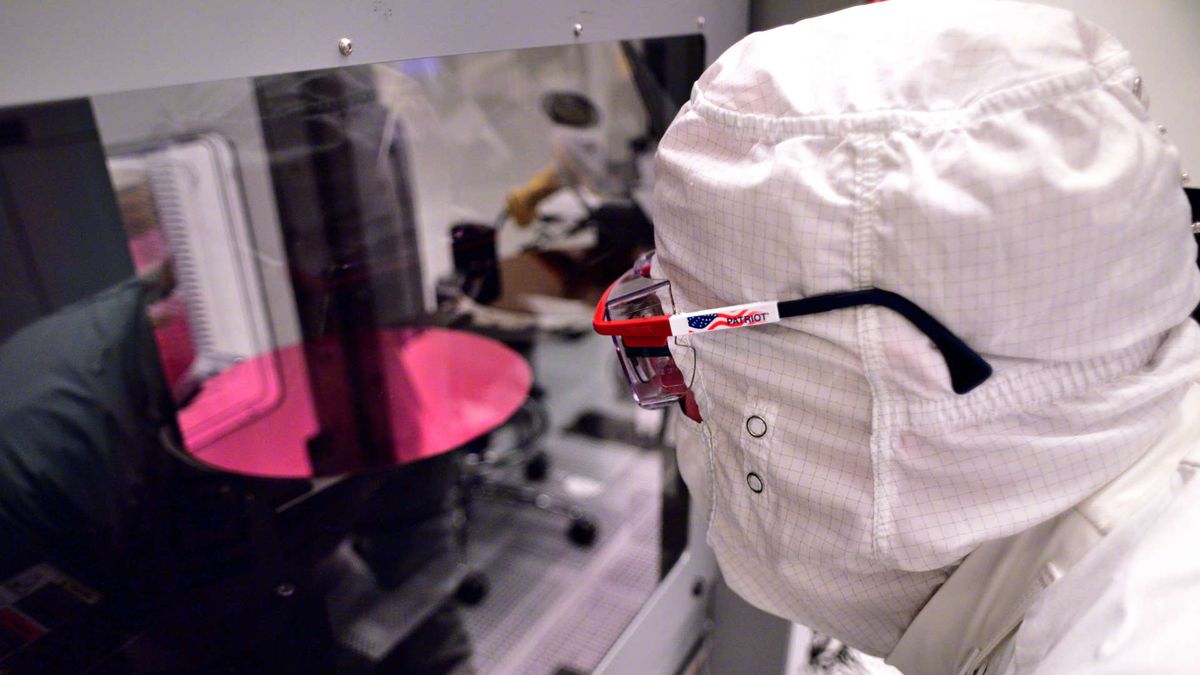
pcgamer
Ex-Intel principal engineer, François Piednoël, believes he witnessed the inflection point three years ago with Skylake.
still wanna buy a intel cpu @storm osprey ?
supple bane
I'm at school, I'll talk later
fallen harbor
anybody knows how to calculate the actual wattage of a psu?
are there any maths i should do with these numbers?
 violet plank
google psu calculator