#technology
1 messages · Page 276 of 1
 molten bramble
hydra
the problem is, for majority of users who got an APU or Ryzen G series (not Ryzen without iGPU) or intel CPU (not the one with F at the end) will extremely extremely unlikely getting a gt 710, they 99.999999% getting better than this.)i guess for people who needs to run CCTV programs on the system (as you said) , or buy/selling stock
@opaque saddle Word, makes sense.
 teal pecan
OK
Let me ask all of you something. Just to clear up an argument with my friend. What CPU would you choose for gaming, Intel or AMD? Actually witch one is better objectively for gaming performance.
molten bramble
It probably comes down to personal preference, brand loyalty for some, etc.. I personally choose Intel because I've had great success with them over the course of 25+ years. Some might argue AMD. That's okay.
teal pecan
But if you just look at the facts. Because my friend is building his first PC and claims that AMD is better
 opaque saddle
https://www.youtube.com/watch?v=B3clc38zvwA
unless people who would like to try running it as SLI (not supported by many games, and expensive with 0 efficiency)
unless people wants to get the pc hook up with a 2nd or 3rd monitor, i guess will buy it since AMD released a 3000g for 50 buck, it really limit their customer from getting those stuff

GT 710s are the most popular video cards on Amazon, but they also suck...but do 4 of them SLI'd together suck? Let's see.
Dawid's Video: https://www.youtube.com/watch?v=IOQ7RnJj3dg
Different SLI Auto: https://www.techpowerup.com/forums/threads/sli-with-different-cards.158907/...
molten bramble
I've never had an Intel processor go bad on me, I have had that with AMD. I tend to go with what's reliable in my eyes.
@opaque saddle You mean the 710? Does it have SLI support?
opaque saddle
i was using athlon x64 back then, switched to the 6 cores
it has, but not officially
depending on whether the game supported SLI, no matter how many they put on it, it works as a SINGLE 710
if it doesnt work
molten bramble

Check out Weegeenz's completed build on PCPartPicker! Core i7-8700K 3.7 GHz 6-Core, GeForce GTX 1080 Ti 11 GB Turbo, ENTHOO EVOLV SHIFT Mini ITX Tower, ...
ngl, that 's a pretty slick case.
opaque saddle
dont get me wrong, the iGPUs are stronger than a single 710
teal pecan
These multiple graphics cards all seem a bit unnecesary don't you think. I mean they don't marginally improve performance
But is this even about performance or just the HDMI ports 😂
molten bramble
Are you painting with a broad brush or talking about the 710?
opaque saddle
unless people cant afford for a quadro, they will go for multiple 710
teal pecan
The 710 mind me
molten bramble
I think the use cases noted before probably paint the picture on who it is for. I don't see any real consumer use for it otherwise.
teal pecan
OK
opaque saddle
in one word, people who wants to connect >3-4 displays with a cheap cost
teal pecan
Maybe makes sense for them but why dont they just use one of these
https://www.orei.com/products/orei-hd-102-1x2-1-port-hdmi-powered-splitter-ver-1-3-certified-for-full-hd-1080p-3d-support-one-input-to-two-outputs
molten bramble
That just mirrors a single source onto two displays.
The card allows for four separate sources onto four separate displays.
opaque saddle
if you got another GPU on your PC, you can have 7-8 displays (3 or 4 on higher end, PLUS another 4 from the card)
teal pecan
OK, but the only consumer for that is a person that needs CCTV or wants to watch 7 movies at once on 7 tvs
 supple bane
is there a post box mode in bfv ?
opaque saddle
if you owns a business
supple bane
if so how would i enable it ?
opaque saddle
then you can get one display running a tv channel, 2 for CCTV, and one to control, maybe to play music on Spotify
molten bramble
@supple bane Post box?
supple bane
so it has black bars on the top and bottom
molten bramble
ah
opaque saddle
unless you got it running on a different screen ratio with using full screen
like 720p on a 4:3 monitor, with using full screen mode
otherwise you have to check out if your nvidia/amd panels can adjust if its running at a different screen ratio
molten bramble
@supple bane We call it letterbox over here, I guess is sort of means the same thing.
otherwise you have to check out if your nvidia/amd panels can adjust if its running at a different screen ratio
@opaque saddle Yeah, I think this is the only method.
If it even works.
I might look at micro-ATX as well, could potentially stack two GPUs in there or a capture card, etc. with the additional space while still staying relatively small.
supple bane
ok thanks
 wraith jay
Hello, is that tech support?
molten bramble
I assume you mean "this", and no, it's not. There are people here that volunteer their time to assist as they can, but official support is here:
!!support
 silent oasisBOT
ℹ Contacting Battlefield Support
If you need to contact the Battlefield Support team for questions you might have, crashing in game and or server issues head over to
https://help.ea.com/en/battlefield/battlefield-v/
ℹ Contacting EA Support
If you need to contact EA support about account issues, billing issues etc head over to
https://help.ea.com/en/
If you need help in this Discord server you can send a Direct Message to our ModMail bot!
wraith jay
But for batllefield 1?
opaque saddle
@molten bramble if you stack a gaming card to use for gaming (like 2070) then put a 2nd used card (maybe 1050 standard) as a capture card, it will gives you better fps in gaming without recording/ decoding performance compensation
and the 2070 +1050 will works and perform as a single 2070 in gaming
the mods shall rename this channel to technology
supple bane
yeah i was really tempted to use my 1060 with my 2070 and use the 1060 to stream off of, but a.) my psu isnt strong enough and b.) it would look wank
 storm osprey
does having it in the same system really work?
i always thought you needed a separate system
supple bane
i think so, i have seen plenty of people do it
 prime jasper
yeah its quite common
supple bane
i wouldnt know how to setup the drivers tho
prime jasper
even at my job people who need tons of monitors hooked up to their desktop will have 2 different gpus
supple bane
like, surely you couldnt just use geforce experience to download drivers, because that would just download the drivers for the primary gpu
and if you do figure out how to download 2 sets of drivers, what stops them from interfering
prime jasper
it wouldnt matter
the drivers only wouldnt work if you are using a very old gpu with a new one
otherwise it will simply detect 2 different gpus and output on both
storm osprey
or different brands
prime jasper
you might have to set certain games to manually choose one over the other
supple bane
i mean, i have a riser cable. maybe i could figure something out with that to get the 1060 out of the way
i brought that riser cable with the intention of mounting my 2070 vertically. but it doesnt work with my case, i would need a right angled one
so i will most likely be selling it on ebay
storm osprey
6gb?
supple bane
the 1060? no its 3gb
 latent light
I wanted a used 1070 I saw for $120
latent light
Yeah
 stoic sail
I always get this problem with origin. All of sudden it goes offline and then this message shows up when I try to login "online login is currently unavailable" I tried to update the time and date, but it doesn't solve the problem. Any help ?
supple bane
thats because the servers are down atm
stoic sail
Oh I see
molten bramble
@molten bramble if you stack a gaming card to use for gaming (like 2070) then put a 2nd used card (maybe 1050 standard) as a capture card, it will gives you better fps in gaming without recording/ decoding performance compensation
@opaque saddle I had considered something like that because I have a 1050Ti sitting around atm, might be a good fit.
stoic sail
Thank you
opaque saddle
Certainly it will
molten bramble
like, surely you couldnt just use geforce experience to download drivers, because that would just download the drivers for the primary gpu
@supple bane Hmm, I use two different GPUs in my current system, but perhaps chaining them this would give GFE a problem.
opaque saddle
But you have to figure it out how to use it properly, make sure you plugged the DP or hdmi cable in the gaming card
And leave the 1050ti empty
latent light
I don't use GFE with Nvidia, I just download the driver alone
GFE has given me problems
opaque saddle
If you start up windows with the card that has cable connections, it will use that for all the background tasks
 violet plank
you can also disable pcie slots with gpus in the bios as display output
at least on some bios
or force it to use only a certain gpu,can't recall it atm
stoic sail
Are the servers back up ?
storm osprey
google it
stoic sail
You don't know ?
molten bramble
Well, you don't know, so would it be a surprise that he wouldn't?
molten bramble
Outstanding.
molten bramble

storm osprey
learning to google is a skill that most everyone needs
stoic sail
 sure man, whatever you say
molten bramble
The only one weird-champing here is you over something you should have accomplished in the first place. Secondly, maybe ask in the #battlefield-legacy-titles channel next time as this isn't technical support or informational on the current status of the Internet and all it's delightful attractions.
Move on.
Mind your next words.
stoic sail
Thing is, i was asking about origin in general. I play apex legends mostly. Anyhow, i'll keep that in mind, thanks.
molten bramble
You failed to specify that. Have a nice day.
stoic sail
You....too 😕
prime jasper
Man I had to use my other 1tb hard drive to download bfv as my other one is now at 200gb
 lofty light
I found out how to get the raw console output from my iPad that is constantly restarting but it's incredibly unrelated to the issue 
I think there's a slight delay in the output and as a result I'm not getting the fatal error that causes the restart
I need someone familiar with iPad refurbishment tbh
prime jasper
I dunno maybe louis rossman
opaque saddle

Display issues?
Why don’t you use the diagnosis tool with your GSX account to find out what went wrong
@lofty light
opaque saddle
System issues?
lofty light
Literally no issues with the system other than the random restarts
opaque saddle
What version of the OS is it
lofty light
Even touch ID works and that's the fussiest part normally
Was on 13.3.1 now on 13.4.1
opaque saddle
I remember for certain types of iPad running at certain IOS version causes random restarts
And no display output
Did you use DFU reinstall it then restart
opaque saddle
If you can managed to suspend the installation process while doing the DFU system installation. Then reinstall it by doing the same process. If it works it means it isn’t hardware related.
Otherwise the logic board is faulty
lofty light
I don't want it to be
opaque saddle
I remember a customer who got an iPhone 4 and dropped it to the floor
lofty light
As if I have to replace or fix that it means it'll cost a buttload which defeats the purpose of me trying to fix it
opaque saddle
The phone was unable to boot up
lofty light
Oof
opaque saddle
Then we tried to do DFU install for 4 times
It works in the last round
He’s happy with his fixed iPhone 4
lofty light
I will admit btw that I did knock off a couple very small components on ye logic board just here
Next to the LCD connector corner
lofty light
As they're close to the battery connector my current guess is it's the gas gauge that errors out when it tries to check the battery
opaque saddle
Same model or same display
lofty light
It's a 10.5" pro so that'll be expensive af
opaque saddle
Yeah indeed
Not many people got that to be fair
Unless you can managed to get a demo iPad from Good guys then you can get it for cheap
My sister got her for 50 bucks although it has been used for 2 years
lofty light
A 10.5" pro for $50?
opaque saddle
9.7 for 50. I heard 12.9 for 200
So possibly around 150 for your model if they do have t
It
I have to ask my brother in law if they have the demo or not.
They usually put that into the front counter if you don’t mind asking
lofty light
This one's only 2 years old
opaque saddle
Yeah she got her Out of warranty device for 50
lofty light
Noice
opaque saddle
I guess the cost that you spent for display
May worth to put in into an used iPad to be fair
And I spent $738 (yes I paid for 738 bucks for a new iPad at that time, 5.5 years old till now)
For an iPad and I use that for 2nd display
And watching YouTube and amazon prime videos on the couches and bed
lofty light
Had to buy a new display for it which cost $230
opaque saddle
Oof
lofty light
10.5" 120hz display
opaque saddle
oof
lofty light
Second hand this model seems to be like $500+ online still
opaque saddle
So the display was faulty when you got it from work aye?
lofty light
Well
opaque saddle
And yes if you managed to get it running do you can use that for gaming with 120hz support
lofty light
Shattered and the thing was bent substantially
opaque saddle
Bad luck tbh
lofty light
Made it my project
opaque saddle
Wait for another 10.5” iPad and swap the parts over then
I was kinda regretted not getting a MacBook from work back then
I got asked if I wanted a MacBook and I said no
Big mistakes, from saying no and not asking for MacBook
lofty light
Damn
 lofty light
Luckily we have a micro solderer in town who does third party apple repair all the time successfully so I'm going to take it in to him
lofty light
laughs in spending 4.2k on a MacBook 
opaque saddle
Well it works and it worked
lofty light
I got the 2018 13"
opaque saddle
I got 2018 15” and 2019 15”
opaque saddle
It’s actually really bad for students from not getting a MacBook to be fair
lofty light
Getting it for work and getting it 100% off on tax 
opaque saddle
Windows updates and killed the machine during assignments
prime jasper
Linux exists
and its better then windows
with updates being one simple command
sudo pacman -Syu
opaque saddle
I will use a MacBook for softwares that I’m using
opaque saddle
@lofty light switch off HT and TB for colder temp and higher battery endurance
lofty light
Eh na I'm happy with the current battery life at the performance
opaque saddle
Well I got 15 hours of battery life per charge
No Bluetooth or USB enabled with cpu temp at 35C in room temp
lofty light
Damn man
For the new ones that's great
Luckily though with work I never need to be away from a wall charger
opaque saddle
Yeah the 45W rated (down to 35w) cpu would never draw over 28W From the wall
Although it is clocked at 2.6ghz with no noticeable differences
In comparison to my desktop, my 3600 would never draw >17W with same settings
lofty light
Damn
On a slightly unrelated note I'm surprised apple only just got 100W out in a battery in a MacBook this year with the 16"
I've had my Dell xps 15 with that for years
opaque saddle
It’s like 82w with my 9750H
With TB and HT on
So pretty much get a better processor and clock it down for better battery life and product life span
lofty light
Noice
I dunno, I've always liked the idea of a pocket rocket over bothering about lifespan
I'm the Jeremy Clarkson type of guy
 true cradle
 prime jasper
@slate rivet cant even begin that without budget/country
 slate rivet
UK £1000
 slate rivet

 slate rivet
built enough over my time not to bother with building my own one lol
rather pay someone to do it for me 
 molten coral
Yeah i'm gonna do the same with my next PC
Kinda feels like a waste of time after doing it many times
slate rivet
yeah i've done desktops and laptops so many times and different models
supple bane
Linked him a system with a 3600, 16gb of ram and a 2060 super
slate rivet
cheers babe
supple bane
Dont mention it
supple bane
Gud
slate rivet
time to recall you back 
 supple bane
I was kidding as well
Although I felt extremely bad, I did think it was hilarious
You have all the right to be salty
slate rivet
it was funny lol
plus i don't care at all
MC is fun for me
until creeper blows my stuff up 
prime jasper
arent the creepers over there supposed to have explosive loicenses first?
supple bane
nah the realm is hosted somewhere in mainland Europe i think, its all good
 harsh spear
On PS4 what are some good alterations I can make to my video settings to improve the game? Even the most general advice or tips is appreciated
I’m not very learned in this sort of thing if I can’t do anything that’s cool too
storm osprey
idk about in game since i dont play bfv on there, but i know if you have a ps4 pro theres a setting to use more power or something
i forget what its called
storm osprey
ps4 doesnt have rgb
 cedar robin

harsh spear

 lilac surge

lilac surge
E
opaque saddle
i was playing games on my ps4, then i got asked where my console is from others
 untold tiger
PS4 supports full RGB, but it's not worth using unless you're playing on a monitor that has full RGB gamut. You'll actually get shittier color accuracy enabling it on a non-full RGB display.

 hollow hornet
How long does it take to add a new Graphics card to a pc tower/how hard is it? I have money to buy one but I'm scared it'll go wrong
molten coral
30 seconds?
storm osprey
uhhh depends
assuming your psu is strong enough and you have the right connection
the process of plugging in a gpu assuming everything is already in order, yea 30 seconds
its literally pull out of box, take off wrapping, remove pcie slot cap, push it into slot, plug in power
other than ram, its the easiest thing to do to a system
 west willow
Maybe a few minutes at most if you're PCIe cable isn't properly routed
and crammed somewhere in a dark corner of the case (most pre-builts)
hollow hornet
Hmm okay
west willow
Otherwise just plug it into the PCIe slot, plug the power cable in and screw in the back
hollow hornet
For mass produced university computers
Can you find the tower specs anywhere
Using their labels
Cuz I heard you could buy graphics cards that weren't compatible with some pcs
west willow
Depends on the PSU and how much space you have, I guess
You can't do much with a cheap 250-350W PSU that a lot of pre-builts have
storm osprey
@hollow hornet main concern would be psu, just open it up and look inside
if anything you might have to get a small gpu to fit, or just leave it open
storm osprey
i dont think its pre built, it sounds like they got a local deal on an old schools pc and wondering what they can do with it
untold tiger
I love when they put A320 Micro-ATX motherboards with single stick 8GB 2666MHz RAM
storm osprey
on a budget buying old office/school pcs and slapping a gpu in them is pretty common
untold tiger
PSUs are non 80+ rated 400w drives
storm osprey
yea i was gonna say 400w is pretty generous
but there are a lot of 1080p/60hz cards that wont need more than 350w
hollow hornet
How do you find what power your psu is?
storm osprey
open it up
west willow
Some random non standard parts just to fuck everything up
hollow hornet
It doesn't come up in system diagnostics does it
storm osprey
nopes
west willow
like weird motherboards, PSUs or coolers
untold tiger
Slapping a card into a semi-decent business PC will usually yield pretty respectable performance
But...
And this is a hard but.
Those motherboards are not designed to handle the excess heat.
west willow
Need to pick a low tdp budget card then...
untold tiger
Cases are usually pretty narrow or compact, with really bad airflow.
storm osprey
i used an 4th gen semi decent i5 dell vostro for gaming for years
well i didnt use a case tbf
untold tiger
GTX 1050 doesn't need external power
west willow
Most of the time it needs to be an ITX or low profile GPU as well, otherwise it won't fit
storm osprey
https://discordapp.com/channels/140933721929940992/422598689928773632/567834806482632712 link that shows my front room build i made
west willow
Neither do most 1050ti
molten coral
that is lit nyphon
storm osprey
i destroyed it though...
untold tiger
GTX 1650 I don't believe do either, though if I'm not mistaken, they do clock higher with external power
I think it's a 6-pin
That doesn't NEED external, it'll just be throttled
west willow
1050ti should be fine as well
storm osprey
570 consumes way more power doesnt it?
untold tiger
You can get them on eBay for like $90
west willow
Doesn't the RX570 require a decent 450W PSU?
untold tiger
150w to 75w
west willow
or maybe a really good 400 one
west willow
an RX560 is weaker than a 1050 though
RX570 is probably the best value, but I'm afraid that won't be an option
untold tiger
Yeah, seems that way.
GTX 1650 is good enough too.
Best power/performance balance.
west willow
I think most 1650s don't pull more than 75W
untold tiger
Only the 1650 Super needs more power
storm osprey
just do this if case is too small
west willow
Looked it up, runs fine on factory setting without extra power.
storm osprey
someone should @ them to get a 1650 assuming psu isnt that great
west willow
I'd just get one that's close to base specs, OC models won't be worth it
hollow hornet
I'm sad now I looked at buying a graphics card a while ago when the whole gtx range was on sale but I didn't get round to it
prime jasper
@storm osprey what cpu?
west willow
ice lake/10th gen I guess
storm osprey
ye
west willow
Oh I thought you were talking about the new intel picture
untold tiger
I'm running a Ryzen 7 1700, 16Gb 3200 RAM, and a GTX 1660 Ti
west willow
I found this: Nyphon said"even my 4c8t cpu at 1440p cpu struggles, though it is a 4790"
storm osprey
ohh my main pc has a 4790, the front room build had a 4570
 storm osprey
define good
molten coral
^
storm osprey
and are used parts allowed?
west willow
depends on the resolution and framerate you want
molten coral
yikes used parts
untold tiger
you know what CPU has aged really well now with multi-core performance? FX-8350
storm osprey
only on certain games
prime jasper
@storm osprey no
untold tiger
Vulkan
prime jasper
Everything has to be new
prime jasper
Gotta be 4k
molten coral
4k lol
prime jasper
Hmm
storm osprey
3600/2080 super/ 16gb ram
west willow
minimum yes
untold tiger
You can spend like $700 and get 1080p/144
storm osprey
1080 144hz you can probably get away with 500-600 if you dont mind using lower settings
west willow
Yeah, a Vega 64 can suck 300W out of it lol, 56 isn't much better. Easily 200 for that one
storm osprey
you can probably save 100 bucks on that build easily, but then put 100 back for legit windows
hollow hornet
Is the gtx1050 basically the go to graphics card
storm osprey
no
untold tiger
GTX 980 Ti's for cheap
storm osprey
used market in usa is great honestly
untold tiger
Titanium
west willow
Nah, a 1050 only has 2GB of VRAM
untold tiger
Yeah, 4GB minimum
west willow
4 is the minimum nowadays
storm osprey
generally speaking theres normally something like 1080 and then 1080ti
the ti is better but costs much more than the performance is worth
untold tiger
Or maybe the 3GB GTX 1060
storm osprey
(talking new)
untold tiger
Better than a 1050 Ti
hollow hornet
Would you buy your graphics cards off Amazon?
hollow hornet
I mean most companies have accounts on there
untold tiger
I get mine at Micro Center, but eBay is always worth a look
storm osprey
ahh micro center
you lucky sob
i only have frys electronics which is going out of business
west willow
Got mine from amazon, because europe. Not a lot of great deals here. amazon.de was my best bet
untold tiger
I have a Zotac GTX 1660 Ti Amp Edition
I can get it running over 2GHz
With 400Mhz added to the VRAM
But normally I run about 1850Mhz with 400Mhz to the VRAM. Runs stable on all games, no issues.
supple bane
i won the silicon lottery with my old 1060 lol, i could put 400 mhz on core and 550 on memory 
untold tiger
But I have profiles for individual games.
supple bane
that was like 2.15 ghz core and 4.5ghz memory
i havent really tested my 2070 for how far it will go, but ive seen it surpass 2ghz on the core already, and i havent really pushed it that far yet
untold tiger
Honestly, this is one of the reasons the PS5 will actually end up low-key being better than the Series X
Fucker runs at 2.23Ghz
untold tiger
Also, it's data compression and streaming capabilities are a generation ahead.
hollow hornet
Do all the gtx cards come with fans?
untold tiger
All GTX cards do, yes
west willow
I just leave my 5700xt at around 2GHz, don't want to crank up the fans too much
untold tiger
Some low-end GT cards have passive coolers
supple bane
yeah thats the main concern with my 2070, it gets HOT
and the cooler on this card isnt really amazing
west willow
Once I accidentally set my fans to 100% and tf that was loud.
supple bane
even at 100% my card isnt too loud which is nice actually
its audible but its a deep air rushing/rumble sound so its really easy to drown out/forget about
west willow
Mine never go above 50% and temps are decent enough
untold tiger
But from what I've read, PS5 is more reliant on streaming super fast compressed data, which requires fewer CUs and a smaller memory interface. Higher core clock is better for pushing more polygons while more CUs usually allows for more GPU accelerated effects.
But by using faster compression streaming, you can do more with less, and do it with a smaller power footprint.
hollow hornet
How much noise do graphics card fans make
supple bane
depends on the card
hollow hornet
I have a fan in my pcu atm and it's not too loud
west willow
Depends on the model and how hard you push it.
supple bane
some are loud some are quiet
generally speaking, the more you spend on a model, the cooler and quieter will be
west willow
RX5700xt is like a jet engine at 100%, but I capped it at 45% and temps never go above 80 on my model (Gigabyte Gaming OC)
untold tiger
Even though both consoles have a Gen 4 PCI-E slot, only the PS5 is using a gen 4 PCI-E M.2 SSD, and it's using a custom compression accelerator.
But back to OP.
Triple fan are almost always quieter. Blowers are like jet engines but keep hot air from circulating into the case.
supple bane
i dont mind components being loud as long as it isnt a whistle sound
or whine sound
if its a deeper sound my headphones cut it out
untold tiger
Depends on how good the fans are.
Sapphire for example has pretty quiet fans for AMD cards.
Blowers are always going to sound like jet engines though, since fundamentally speaking that's basically how they work.
supple bane
well, the smaller and faster a fan spins, the higher pitch the sound it will make
the bigger and slower fans can and will still make sound, but it will be more of a rumble
untold tiger
Thiccer cards with more heatsink surface area tend to run cooler, especially triple slot or triple fan variants.
west willow
Yeah, specifically waited for the AIB ones, because I knew the reference blower was going to be hot and really loud (half a year ago now though)
untold tiger
They'll get be very bulky
Though, if you're feeling fancy, you can run a liquid cooling loop, or get a hybrid kit
Hybrid kits replace the heatsink on virtually any card, and work adjacent to a radiator cooler.
west willow
Nah, triple with a good heatsink is good enough for me.
untold tiger
Gigabyte Windforce cards are pretty quiet
supple bane
not always amazing coolers tho
untold tiger
ROG Strix too, but those tend to be like $40 more expensive when you can usually just move up another model.
west willow
Unless you really want to push with overclocking
supple bane
i have a windforce and i keep having to press on the shroud as the fan is catching on it
west willow
Wanted to get a Sapphire first, but for some reason those literally cost 100eur more back then
supple bane
and im not the only one that has that issue with this card, a few people i know have their shrouds getting caught on the fans
latent light
Fans on Gigabyte card seem to be louder than other manufacturers
untold tiger
Sapphire are like crown jewels of AMD Radeon
latent light
My Gigabyte RX 580 has 2 fans but it gets as loud as a reference blower one
untold tiger
I like Zotac the most, though
west willow
I think it mostly depends, each one has good and bad models, although some more or less than the others
untold tiger
My Zotac Amp makes almost no noise most of the time.
supple bane
i WOULD have had a thicc card, compared to the one i got, but litterally the hour i went to hit the purchase button, the price went up from 370 to 430
so i ended up with a dual fan instead of a triple
west willow
Neither does my card, just never put the fans to 100.
45-50 is more than enough under full load (for my specific model)
supple bane
not for my gigabyte model lol
im reaching 79-81 degrees at 100%
but as i said, 100% arent loud on this card
thats my phone up againts the glass with fans at 100%
that sound is really easy to drown out with headphones on
storm osprey
i have my system prefer cool temps so my fans kick in pretty good, with open back headphones and moderate volumes i dont hear anything
west willow
Apparently the Gigabyte one is actually one of the quieter ones in my case: https://www.youtube.com/watch?v=lLHP_ubnjfQ
But that's far from 100% though
Sapphire is the coolest one though
and around the same volume
No way I was going to shell out 100eur extra for it though
untold tiger
Yeah, with AMD, Sapphire or nothing
untold tiger
Yeah, but well built
untold tiger
I had a Sapphire R9 380
Still faster than a 1050 Ti, lol
Another great budget pickup on eBay if you're trying to save
storm osprey
i went from 970 to 980ti to 1080
front room 750 ti to 1060 to 5700, but returned 5700 and retired front room build
untold tiger
Now, onto audio
west willow
I just use my onboard audio... 😅
storm osprey
hyper x cloud to audio technica ad 700x
west willow
hyper x cloud as well
storm osprey
onboard to soundblaster z till it broke, back to onboard
that for gaming
for music i went from Sennheiser 58x, to sennheiser 6xx
schiit stack modi/magni 2
storm osprey
nice i want a modi 3 magni 3+
but really dont need it
ill probably get the fulla 3 for my gaming desk
untold tiger
1000X's are next for me
storm osprey
i havent heard them
untold tiger
But I upgraded my 900X's with thicc AF leather pads
storm osprey
i settled for 700x for gaming and just got different headphones for music
ewwww leather
(i live in the desert so fuck that)
i got aftermarket velour pads
untold tiger
900X's are better for music, different driver and tuning.
west willow
leather in the heat is the worst
untold tiger
500X and 700X have virtually no low end
untold tiger
They all have great soundstage and imaging
But for music, 900X are as low in the series as you should go.
untold tiger
They're not bassy by any means with the mid-bass, but the extended low end, the sub-bass is very textured and deep stretching. Highs are very resolute and piercing. Mids are competently detailed.
6XX's are very warm sounding. Great low end in the mid-bass, silky mids and highs.
storm osprey
i think im sensitive to high end so anything piercing gives me headaches fast
untold tiger
Analytically speaking, the 6XX have better highs than the 900X, but they're tuned back from reaching the 40kHz threshold.
To preserve that silky warm signature.
Koss KPH30i's will anger you though, because for $30 they sound better than $150 headphones
storm osprey
are those the clip on headphones?
untold tiger
And they're 60ohms so you can crank power into them without distortion
No, those are the KSC-75s
I have them too
storm osprey
damn the kph30i sounds super good
a little brother to the 58x from what im reading
i might just snag some if/when they come to drop again
untold tiger
Koss just kills it with their sub-$50 headphones
$20 on Drop, but $30 directly from Koss
My PortaPros are from Drop
storm osprey
yea id wait for drop, i really dont need more headphones
untold tiger
I'm using Tidal Hi-Fi
storm osprey
if i didnt get spotify for 5 bucks i would
untold tiger
Qobuz is probably better if you listen to mostly jazz, rock, or classical
I like mostly House, Trance, Downtempo, and such.
storm osprey
i listen to a lot of mainstream shit and then random stuff
 mild bough
Damn what is going on with the Microsoft servers
Getting 300kb/s
Speedtest on my router says 150mbp/s up and down
So wtff is going onn
I need to update FH4
 lament bone
#goodcompanies
prime jasper
@strong breach yo
storm osprey
dont @ people not currently in discussion, especially admin/mod/staff
 shell bloom
Guys I have a bug in bf 5 that is like epileptic flickering
https://youtu.be/KuI4uovqHYE
looks like that
somebody know how to fix it ?
and no I dont change my gpu thermal paste the temps were 70 max
shell bloom
I did that 2 times and reinnstalled it 2 times
storm osprey
if that doesnt work, clear drive and reinstall everything on it
storm osprey
gpu drivers updated?
shell bloom
yep
storm osprey
i would say gpu is going bad but its only bfv?
shell bloom
rtx 2060 super windforce
storm osprey
can still go bad
shell bloom
new
shell bloom
1 month
shell bloom
so I saw the video I linked and it looks the same what I have so idk how to fix that but I know now that Im not the only one with that
storm osprey
have you tried other games?
molten coral
Tried different drivers?
storm osprey
dont use amd driver for nvidia gpu
shell bloom
It wont even work
storm osprey
you can use old drivers, you just have to uninstall your current driver
shell bloom
well I think that wont change cause I have that since 4 new drivers
anyways I go sleep now thanks for trying to help gn
 unkempt mirage
 crude creek
5600xt
storm osprey
2060 ko
if you can get 2060 ko for 20 bucks more, id get that, if 5600xt is lower than that FOR A GOOD MODEL get that
per na, just get evga 2060 ko
 worthy lily
Put the servers back up u knobs
molten coral
Ok, I'll push the red button to fix it
 fair viper
Um can I get some help?
I can't play Battlefield V
It's keep saying that I can't connect online
 humble raptor
Anyone know how to fix the Punkbuster constant kicking on BF4
?
I just bought the game after not playing for like 6 years on ps3 and now I cant play online
I already reinstalled Punkbuster and allowed them through the firewall
 silent musk
Yup
fair viper
Is BFV not working?
 mystic kraken
Can't connect to servers on ps4.
fair viper
You too?
mystic kraken
Only for ps4.
fair viper
?
mystic kraken
The servers don't work for ps4 users.
fair viper
Why?
mystic kraken
Most ps4 users.
fair viper
Wow
Trying to casually play some game because I can't go out
Now I can't even play the game
mystic kraken
I don't think anyone can go out.
fair viper
lol that is true
untold tiger
RX5700 XT is very close to a 2070 Super. With modest overclocking you can eclipse it.
The 2060 series is basically only worth buying if you have no intention to spend over $400, or if you're hell bent on ray-tracing.
Even then, an OC 1660 Ti will match a 2060.
prime jasper
How to solve this issue in origin **Your credentials are incorrect or have expired. Please try again or reset your password.
 granite kestrel
!!support
silent oasisBOT
ℹ Contacting Battlefield Support
If you need to contact the Battlefield Support team for questions you might have, crashing in game and or server issues head over to
https://help.ea.com/en/battlefield/battlefield-v/
ℹ Contacting EA Support
If you need to contact EA support about account issues, billing issues etc head over to
https://help.ea.com/en/
If you need help in this Discord server you can send a Direct Message to our ModMail bot!
 hidden plank
Just got a new computer
And BF5 lags so much on it
Only game that does it
Ryzen 7 3750h/1660ti/16GB RAM
Like 40 fps
On low
supple bane
FFR on ?
hidden plank
Yep
supple bane
try switching versions of DX
supple bane
well, the only thing i can think of is a cpu bottlneck
that cpu is a 4 core for starts, and in terms of gaming, as far as i can see its pretty weak
this game is extremely cpu intensive, the most intensive game i own for that fact
hidden plank
Yeahhh
That's true
I dont know why ASUS put it with a 1660ti
Also supposedly the newest nvidia drivers aren't allocating vram right on laptops
west willow
Yeah, but it still has 8 threads. Think performance wouldn't be that bad if that was the case.
Stutter would be normal, but only 40 fps.
https://www.youtube.com/watch?v=p1YOwFUT61A That guy has an old i5 and gets better fps than that (although it's from a while ago, but still)
hidden plank
I uninstalled last night
I'll try reinstalling tonight
Supposedly nvidia will be releasing a hotfix driver soon
NV-Cache would reset premature
Which could actually explain my issues
They say it causes stutter and lag since your cache deletes itself after everytime you switch programs
west willow
Asus laptop with 1660ti and 3750h https://www.youtube.com/watch?v=RAJkvJjwTcA
90 on low, but that's in campaign though
So I think it's indeed some underlying issue, not simply a bottleneck
untold tiger
No issues with my desktop 1660 Ti
hidden plank
I got it all dealt with!

Using a software called Ryzen Controller allowed me to manually prevent the CPU from bottlenecking
Jumped from literally 30 FPS on medium to 90
west willow
Guess it didn't boost properly then or something
 kindred knot
FPS problems online multi-player matches.
supple bane
we need more information that that
what are your specs
what resolution are you using
what settings are you using
what fps are you getting
what game is it
 pallid silo
In the future once 4th gen is out and if the 3950x drops in price I might get it but will a x470 gaming pro carbon be able to handle a 16 core?
violet plank
in theory yes @pallid silo but i highly doubt it will run stable
that board has only 5 phases (doubled)
pallid silo
@violet plank ahh okay! Would it be more wise to get a 3900x
violet plank
with only slight oc yeah
pallid silo
I wouldn't be overclocking the 3950x or the 3900x
violet plank
even without oc,no gurantee the 3950x will run stable on it
the vrm are just not really powerful
but that's not the main problem
pallid silo
They did loads of tests for that
violet plank
sec,i do a proper check
vrm's are borderline,you can run it,but you'll need a really good cooling and disable all oc in the bios
imo better go with the 3900x
if you got some electronics knowledge check this:
ah crap got deleted
google doc get's filtered out by the bot
if you want i can dm it to you
prime jasper
Pbo wont allow it to overdraw the vrms
If you don't manually oc you'll be fine
Thermal sensors on board will keep the board from melting and pull clocks under load
violet plank
vrm's will get hot as hell
prime jasper
Indeed, but wont melt for the reasons I mentioned
If the bios officially supports it...you can do it. Will you be missing out on its full potential? Yes lol
violet plank
yep,wasted money imo
msi site does not work for me to check the latest bios support
latent light
3950X stock will run fine on just about any motherboard, even the cheapest A320 chipset
3950X draws roughly the same amps and watts as the 2700X
Iirc Ryzen 3000 CPUs have a feature that clocks at a certain speed based on power delivery and VRM temperature
 elder bane
Uh dude no
The VRM is designed for a specific power load, even clocks
A320 chipset VRM gonna get devastated after 3 days of 3950X
untold tiger
I didn't think they were compatible with A320
latent light
Asus and Biostar have A320 boards that work with the 3950X
A320 that lack heatsinks on the VRM will have issues
Also Buildzoid's videos are made with overclocking in mind
latent light
Intel raising Z490 prices to match Ryzen X570 equivalents because AMD hasn't launched any midrange chipsets like B550 to keep motherboard prices stable
prime jasper
yo is Ryzen 5 2600x good for BF V ?
prime jasper
if im using Ryzen 7 1700x is it worth it ? @supple bane
i remember someone said bf game need more cores
storm osprey
we need to know resolution and settings to give you an accurate answer
2600x should be better for 1080p since it has better ipc
1700x does have more cores, but likely won benefit bfv that much either way
supple bane
if you are thinking of buying a 2600x, dont
storm osprey
but if its 1440p they both are likely performing the same since you gpu will be determining the performance more
prime jasper
i just want to play with 1080p and high or ultra (if my pc can handle it)
storm osprey
and you already have a 1700x?
prime jasper
not yet
storm osprey
well..
so are you building?
ideally you should get the 1600 AF if its still under 90 bucks
prime jasper
i have GTX 1060 6 gigs, B450M, and 16 gigs ram
prime jasper
ahh, which one is better ? 2600x or 1700x
storm osprey
b350 supports 3600 right? just get that
2600x better for you
but why are you getting the X and why 2600?
prime jasper
but my budget
storm osprey
region?
storm osprey
what site are you buying from?
prime jasper
@storm osprey there's an app here named Tokopedia
like amazon app but the sellers from my country only
prime jasper
wait hold on
storm osprey
ah nvm there are more listing
ok basically
get the cheapest 2600 you can get
the 2600x barely gets any perfomance gains
if you can get a 3600 even close to the price of a 2600 get 3600 instead
storm osprey
in that case sure get the 2600x
id only recommend 2600x over 2600 if its within 10 bucks of the cheapest 2600
storm osprey
youre welcome
(this is assuming only gaming, if you are doing anything production wise on this pc the 1700x would be better)
prime jasper
yeah i just use it for gaming only
storm osprey
yea 2600x
latent light
2600X boosts to 4.2 GHz which is fine also paired with 3200MHz memory it'll play anything smooth
latent light

Tom's Hardware
AMD's three-year old processor gets a nifty upgrade.
4 core/4 thread on 12nm for $60
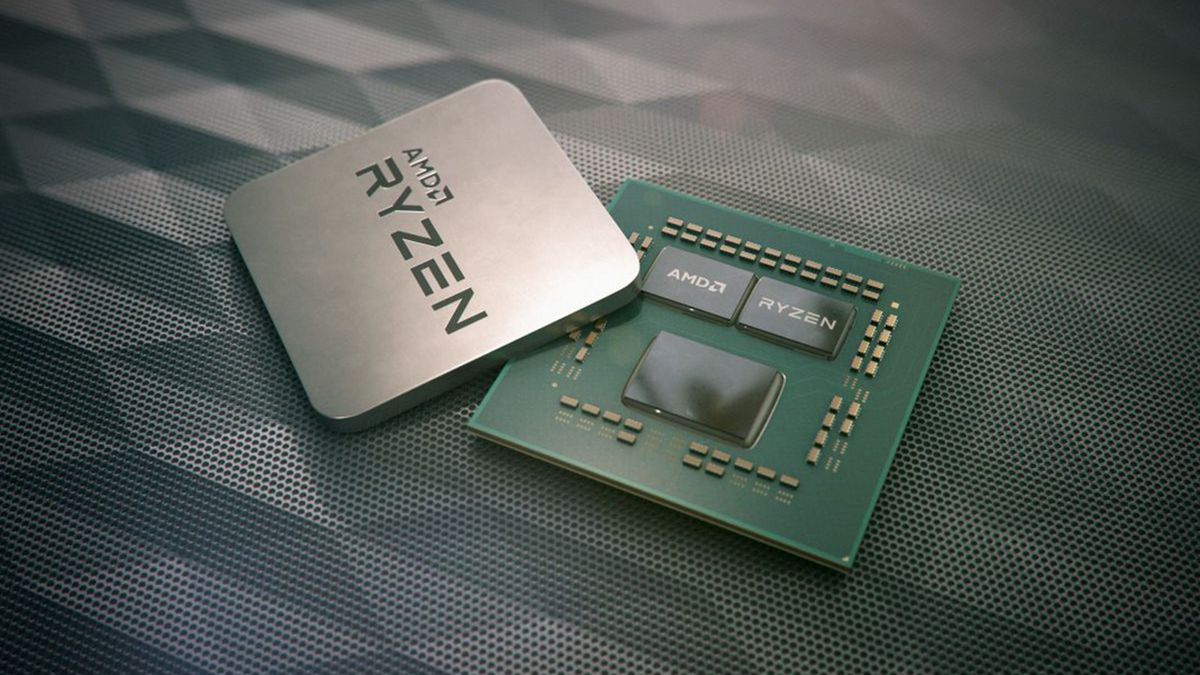
pcgamer
Forget desktop APUs or Ryzen 4000, the red team's next launch could be budget Zen 2 processors.
Ryzen 3 3100 and 3300X with 4 cores/8 threads at $100 and $120

pallid silo
So I just put this together (had these parts already in my house) would this build use much electricity? :) (not too sure if I should run the pc 24/7) I'll just be running a minecraft server for all my friends to play on :)
latent light
@pallid silo just enter BIOS and turn off the R7 1700 boost clock and it will only pull like 45 watts at stock 3 GHz
Also get atleast 2666 memory for 1st gen Ryzen
pallid silo
Turn off boost clock? How :o and I already have the ram haha
latent light
Enter the BIOS, when your PC turns on spam the delete key or F2 key
You can watch a short tutorial video on this
pallid silo
Ah okay sweet!! :DD not too sure if I'll run it 24/7 tho tbh I'll see how it goes :D I would let my YouTube/twitch followers go onto the server but I dont want them going onto it when I'm hosting it on my own network and they could get my IP
molten bramble

pallid silo
Yeah dont want people getting my ip lol
 dry otter
 void flume
Sorry for jumping in directly with questioning. On ultra 1080p settings, my 2070 SUPER + R5 3600 gives 130-140 fps with dx12 but stutters like a bitch. dx11 puts me to 85 fps...
What's wrong here?
void flume
stock fan, around 70 C, ultra, 1080p
I wrote those above actually
Is this an issue between amd-windows? Am I doomed to have 90 dps instead of 130?
latent light
@void flume could be that motherboard or the 2070 Super having stability issues
void flume
Overwatch giving me +144fps constant for example
latent light
Make sure you enabled XMP profile in the BIOS to make sure the RAM is running at 3200MHz and not the default 2133
latent light
Battlefield V is picky with RAM
Is it placed in the correct slots to run in dual channel?
latent light
Also BFV optimization is always messing up with updates
void flume
was there a current update?
guess its been a week since last nvidia update
not sure if there's a more stable one
latent light
Sometimes updates makes optimization better and other times they make it worse and in some cases to the point where the game stutters on the best hardware
void flume
let me check xmp and get back at ya
latent light
Ok
void flume
a-xmp on now
there were another option for this mobo, oc genie. not sure what it does, leaving it off now. seems like it give some extra power to somewhere
is there another recommendation to fix this? more like windows-driver related?
@latent light seemed really good. I was doing the tank story, when I was getting between 3 shermans it was stutterfest
now it seems ok
not sure how to stress test this
multiplayer?
getting around 100fps with occasional stutters there... maybe dx11 should be the way
void flume
Tried multiple other things for dx12 stutter problem. Looks like best performance is coming from dx11+FFR so far.
pallid silo
I've been researching hosting my own server and all that and the pros and cons to hosting a minecraft server from home vs using a company and it it even worth running it from your home as... 1. You have to port forward your router 2. It uses electric and 3. The electric that you spend to have the pc on is more expensive than actually renting from a server hosting company? So is there any point really hosting it from home? :)
Plus If i use a hosting company I can get people joining me without giving out my actual ip
Just want a third pair of eyes on this situation home server vs renting server
supple bane
there is a lot of faf
thats my issue with that
so much damn time spent on getting it working when i could just pay to have someone to do it for me
pallid silo
makes sense!! 😄
ive made serves before xD
i need to use photoshop (i make my thumbnails on my laptop) but i wanna use linux mint as windows has lots of bloatware haha :p what should i do as photoshop isnt compatable with linux
supple bane
youve made servers before you say?
explain this to me then lmao
ive wanted to make a peer to peer network between me and my dads computer for ages now.
would i need NIC in both computers to do that? or can i use the motherboards ethernet port ?
pallid silo
yeah xD minecraft servers lol
supple bane
because ive got the computers to recognise each other in the network, but i cant access files from the other computer
on both sides
pallid silo
 finite gazelle
i got a nintendo switch, and heard you can play BF5 with a joycon. anyone know of ways to do this? tried a few programs that didn't work
supple bane
i doubt a switch would run bfv
supple bane
oooh
finite gazelle
but it doesn't get detected by BF5
supple bane
yeah idk
why would you want to play a shooter with a joycon lmao
when you have a keyboard and mouse
finite gazelle
only the left one for movement
and mouse for aim
it's got more than enough buttons to bind
11 to be precise
supple bane
even still. i dont know why you would want to dot hat
using a keyboard would be much better
finite gazelle
cause you're used to it
using a stick is much more comfortable
and using a keyboard just strains the wrist
supple bane
yeah i dont agree with that
finite gazelle
well agree to disagree. anyway i'm not looking for convincing... just wanted to know if anyone knows of a fix
dry otter

storm osprey
agree
storm osprey
new amd cpus announced and new chipset
 tawdry rapids
i got a bsod today playing bf1 midgame
it was something with memory
the error was memory management
untold tiger
If a Switch can run Doom, it can run BFV
Might have to be downscaled to 24 player maps
And 720p
storm osprey
switch is basically a ps3 afaik so yea
bf3 on ps3 was 32 players total and 900p iirc
untold tiger
It was 24 players on PS3
And run at the lowest settings with x2 MLAA (which you could later disable)
And ran at 1200x704p
storm osprey
oof
untold tiger
30FPS
storm osprey
and i still loved it
untold tiger
XB360 version ran at like 1140x600p
It's funny playing it on PC now though. It was hard to play at 1080p Ultra/60 back in 2011
They ran the trailers on Crossfire 6990 PCs, lol
storm osprey
jesus lol
untold tiger
But now with a 1660 Ti I get like 140FPS at Ultra settings, lol
I only have a 60Hz IPS monitor, so I triple buffer
Runs smooth
I G-Sync monitor is next on my list.
I'm debating 1440p though
There's an ASUS TUF 1440p/165Hz G-Sync compatible that's on my radar
storm osprey
definitely not worth 500+
ive seen them go much cheaper, and im sure there are better monitors out now, this was good years ago
storm osprey
same monitor?
supple bane
No
storm osprey
ahh
supple bane
Same specs
storm osprey
ive seen the same exact monitor for 350
untold tiger
That can refresh down to 1Hz from 144Hz
supple bane
Other than gsync
supple bane
I think I have a cpu bottleneck with my system tho. Only on bfv like, but that's the game I'm playing most
untold tiger
Ultimate can adaptively sync any framerate, which is insane
supple bane
I should be able to get 120 fps, but I'm only getting 100-110
I need to do more testing
untold tiger
I have a CPU bottleneck, too. I'm running a first gen Ryzen 7 1700 clocked at 3700MHz
supple bane
I'm running a 2600 with an rtx 2070
untold tiger
I'm going to upgrade cases, and I've had a radiator laying around for a year now that doesn't fit my current case.
supple bane
It's fine in every game except for bfv on low settings
storm osprey
...
untold tiger
So I'll get to 4GHz once I have better cooling
storm osprey
here i am with a 4790 non k
supple bane
You have a 1080 right ?
storm osprey
1440p
supple bane
No the gpu dingus
supple bane
Yeah you probs have a cpu bottleneck too then
untold tiger
I mean I can run PUBG at 1440p Ultra and stay above 60FPS 99% of the time. It'll hover between 60-90FPS
storm osprey
my 1% lows are pretty bad on certain games
untold tiger
At 1080p it's 80-120FPS
supple bane
Because a 4790 is weaker than a 2600 and a 2070 and a 1080 are almost identical
So basically if I'm bottlenecking I'm bfv, you are
untold tiger
Though, PUBG's performance varies. Enragel remastered runs exceptionally well.
storm osprey
@supple bane youre at 1440p?
supple bane
Yeah
untold tiger
I'll get lower frames on other maps.
storm osprey
i think 4790 probably beats 2600 on ipc but 2600 on multicore
untold tiger
1660 Ti is basically a faster, more efficient 1070 with GDDR6
supple bane
The thing is, both my gpu and cpu are running at like 60% on low
And my fps reflects that
storm osprey
weird