#technology
1 messages · Page 245 of 1
 sour ivy
What temps? What gpu? What cpu? @prime jasper
 prime jasper
It's going over 45c,cpu is 6700 i7 and gpu is rx590. Sapphire nitro
All the setting are on low. Low low. And off
@sour ivy
prime jasper
@sour ivy i dont know what temp. Underload is but once it goes. Over. 40 it's always dropping frames. Like crazy
prime jasper
Never brother because it's never pushed
It's always under that temp or it lags
By the way i play destiny 2 same. Low settings and no lag
Bf5 it's like it has cancer all of a sudden
sour ivy
no gpu runs under 40 C under load especially with a stock cooler
but i dont rlly know so hopefully someone else can help u
prime jasper
thanks buddy
 latent light
Ryzen 7 1700 for $80 on fb marketplace
 analog linden
first gen ryzen not even worth the price of free......heh
analog linden
If you dont care about FPS then yeah It's fine. 60hz 1080p and such
 lofty light
Well I mean if you're using an i5 then you're way more screwed
Sounds like you're out of touch with lower end computing my man
 supple bane

Intel Core i5-8600k vs Ryzen 7 1700 Test in 7 Games Games: The Witcher 3 Battlefield 1 - 01:08 Grand Theft Auto V - 02:10 Project Cars - 03:30 Arma 3 Apex - ...
M8 the 1700 is still a really solid cpu
remember the 1700 is about 120 bucks cheaper than the 8600k
lofty light
Plus it's excellent for stuff that uses more threads too
supple bane
admittedly as zen+ goes, its a waste to buy one new, considering the 2700 is slightly cheaper and absolutely smashes it. but compared to intel, its still a strong option
lofty light
Well unless you go all out for the 3900X
 grizzled apex
Or just get a 2600, can go to micro center and get cpu, mobo and ram for under 300$
 inland flame
Getting huge drops in fps at 1080p with low settings. Anyone else? Neither gpu nor cpu are maxed out. Memory is fine also. Any suggestions?
prime jasper
specs?
inland flame
9900k @5ghz all cores, rtx 2080ti, 16gb memory @4000mhz
prime jasper
lol you must really be going for 240fps or something
inland flame
yes, the thing is I can maintain 120fps at 1440p but I get dips down to the 140s and sometimes as low as the 130s at 1080. That makes no sense to me
 summer comet
You have all that going at 1080p? Low? Daaamn
inland flame
yes i prefer fps to resolution or visual quality. I would love to have both but it's not possible with BFV
prime jasper
those dips are normal, more explosions, smoke, and players on screen means more workload on the gpu/cpu
happens to me too
you should easily be able to hit 120fps at 1440p ultra with those specs
I have less than you and I can
inland flame
I guess so but you would think it would max out the gpu or cpu. gpu is sitting at like 50% and cpu is jumping up and down but not hitting 100. I can hit 120 on ultra at 1440 but I can't maintain it. I get drops down to the 70's maybe even lower. Can you maintain 120?
prime jasper
have you tried dx12? I cant maintain it no but rarely does it drop below 80
inland flame
I just came back to the game so it's been a while but it seems like I had better performance before. I had better fps with dx12 but I was getting a lot of stuttering. I haven't tried it since I started playing again. Has that been fixed?
prime jasper
seems better
but make sure vsync is off regardless
you can try toggling future frame rendering too
 hoary ember
Btw i am getting stutter too
inland flame
I will give that a try. 1440p seems much more stable to me than 1080. I think I will switch
Thanks for your help
prime jasper
if youre on dx12 then make sure dxr is off as well
looks pretty but frames are crap
prime jasper
you may be able to compensate the fps drop with future frame rendering
inland flame
That's why I switched to dx11 but the fps suck 😦
hoary ember
On dx12 fps is gud but not smooth
inland flame
I have that on. I would rather have the fps. Higher fps mean lower latency anyway
hoary ember
On dx11 whole thing is a mess
inland flame
That must be the problem since I was using dx12 before. I'm gonna try switching. Thanks to both of you for the replies
hoary ember
Nah bro thanks to @prime jasper
 mild bough
what is api?
supple bane
application programming interface iirc
i might be wrong on that one tho

Microsoft DirectX is a collection of application programming interfaces (APIs) for handling tasks related to multimedia, especially game programming and video, on Microsoft platforms. Originally, the names of these APIs all began with Direct, such as Direct3D, DirectDraw, Dir...
here
mild bough
What gives me best performance?
supple bane
idk, try both and find out
put it on dx 11, see what performance you get, note it down, then switch and compare the results
 humble jetty
hello i've been getting stutters on my 1070 8gb with i5 8400 is there any fix to this?
 storm osprey
@humble jetty toggle dx11 and dx12, toggle future frame render
humble jetty
Okay
 charred basalt
good evening gamers
storm osprey
hello
storm osprey
wow fine
charred basalt
lol
 kindred knot
graphic issues...
So is Battlefield V updates like trying to find the right shoe size fit?
storm osprey
@brittle talon where is your display cable plugged into in the back of your computer?

 brittle talon
gimme a sec
definitely plugged into the top area since there is no bottom area lol
I appreciate your positivity but I don't think you're going to find a solution
storm osprey
well if youre plugged into the top area that means you are using the CPU's igpu for gaming
brittle talon
My PC just isn't made for games
brittle talon
but I don't have any 1060 or 580 hahaha
storm osprey
god damnit xD
i was talking to a different person with a duck profile picture
and mixed you two up xD
brittle talon
Oh no
storm osprey
brittle talon
I'm very sorry haha
storm osprey
welp, my bad
brittle talon
I was here with my potato trying to look where I had plugged in the display
storm osprey
but yea, hd 620 is your igpu, which is basically only good enough for basic tasks and playing a game like league of legends or maybe csgo
if your psu is good enough getting a gpu would make your pc good for gaming
assuming you have at least 8gb of ram
brittle talon
I still have 500 hours in BFV haha
storm osprey
you have 500 hours off of an integrated gpu?!
brittle talon
I haven't spent much in gaming
storm osprey
youre a madman
storm osprey
any gpu, even a 750ti would help a lot
brittle talon
I doubt my PC is customizable
storm osprey
idk a single desktop that doesnt have at least 1 pcie slot
which is what you need to add a gpu
brittle talon
it's so smol 
brittle talon
mmh
brittle talon
it's a dell something
storm osprey
yea i used dell parts to make my drawer pc
brittle talon
Then I'll see if I can do something about it
storm osprey
youll likely just need to add a gpu and a psu to get good gaming out of it
brittle talon
thanks for your help :)
storm osprey
hell, your cpu is better than mine xD
brittle talon
is it?
brittle talon
I think games run better on my laptop though haha
storm osprey
i have an i7 4790, which is recommended specs
well laptop could run better if it has a better cpu or a gpu
brittle talon
gpu is probably the better one
brittle talon
The hotter my laptop is, the better frame rate I get 
storm osprey
idea, sell laptop, get a gpu and (probably) psu
brittle talon
I need my laptop for uni haha
mild bough
4790? that is very specific
mild bough
i7-4790, very specific numbers imo
mild bough
does i4 exist?
 worthy horizon
No
mild bough
oh ok
mild bough
why?
prime jasper
ask Intel
storm osprey

SoloLearn
Check out what Anjaneyulu Bairi has posted on SoloLearn
supple bane
yeah, the 3 hardware giants have really sucky naming schemes
amd's is the best out the bunch tho imo
their gpu naming is ass, but the cpu naming is actually quite good
mild bough
isnt amd gpu like amd 1, amd 2 etc etc
supple bane
no
mild bough
oh
supple bane
there it started off ok. with the rx 400/500 series, then they got funny with vega which was a bit random, now they have rx 5000, so naming schemes have seemed to hit the shitter with amd gpu's but like i said, amd cpu names are good
mild bough
Vega sounds like a GPU from the Windows XP era...
supple bane
no. vega 64 is about gtx 1080 performance
storm osprey
always makes me wonder if companies are knowingly naming shit weird to drive sales one way or another
like 5700 and 5700xt
why not 5600 and 5700
supple bane
BEcaUse Xt
mild bough
why xt
worthy horizon
Why not
mild bough
extra tidious
worthy horizon
I call it extra fun
supple bane
amd cpu's are simple, you have r5 _600, _600x, r7 _700, 700x and r3 _400g etc
the names all match
as the generation goes up
like r5 1600, r5 2600, r5 3600
worthy horizon
Isn't it the same as intel?
supple bane
no...
intel does it once it twice
but most of the time its just random, and the ones that are like that it is really inconsistent
mild bough
I just sort high-low and find the most expensive within the price of my budget
worthy horizon
It isn't really random
supple bane
i disagree
storm osprey
intel has a naming convention, its just tedious in a way
worthy horizon
Cpu tiers divided into gens and then into specific cpus
supple bane
yeah the first number is the gen, but the last numbers are random
storm osprey
i think the last 3 numbers have to do with frequency correlation or something like that
 molten bramble
 silk latch
Hey guys! I have a problem with DX12 and i can't find a solution, probably somebody here can help. I have Ryzen 2200g CPU and RX 580 graphics card, BF5 runs fine-ish on it, but i wanted to check DX12 to see if i can squeeze out more frames with it. But once i switch to DX12 mode and restart the game i have infinite loading screen (one that is black with white V loader in the top right corner) and the only way to get rid of it is to alt+f4 out of the game and delete configs (which resets me back to DX11). What could cause this, does anybody have any idea what my first steps to identify the issue could be and if it's even worth it? Oh, and i forgot to mention that i just did clean reinstall of latest stable driver (didn't bother with optional one yet). Thank you!
kindred knot
@silk latch that last update removed DX12 for me. HBU?
silk latch
I'm not sure what do you mean
Also, as a side note, i didn't play BF 5 before, just got my GPU and found out there is a BF 5 trial
So it's also a freshly installed game
@kindred knot if you mean the option in the settings - it is still there for me and it's clickable
But as i said, that's trial, i'm not sure if trial is a separate client
kindred knot
@silk latch yeah the option setting. Mines is gone..
storm osprey
@silk latch might want to verify files or redownload, but afaik dx11 is better for your hardware
silk latch
I tried both with no success
Will take some time to test performance with some overlay then, i have a feeling that i'm bottlenecked by CPU and tinkering with GPU won't do much anyway
Thank you!
prime jasper
you are definitely bottlenecked by the cpu
ryzen doesnt overclock worth a damn anyway
silk latch
I remember seeing a video where somebody had better frames on overclocked 2200g (with only integrated GPU)
So that's why i had a thought that the issue might be something else
prime jasper
if you tinker with enough .ini's and settings and whatnot sure I guess its possible
silk latch
Do you think upgrading to Ryzen 5 would be enough?
prime jasper
a 3600? that would be a huge upgrade
storm osprey
i dont think getting a 3600 would fix your dx12 infinite loading problems
prime jasper
not but it would help dx11 all the same
storm osprey
but yea youll get a performance increase
idk what they are asking at this point, if theres a solution to the dx12 problem or if they are wanting better performance
silk latch
Yeah i wasn't quite clear, sorry about that, i was talking in general, not in the context of the DX12 issue
storm osprey
yea a 2600 or 3600 would be ideal
storm osprey
id go 2600 if absolutely needing to save or on 1440p, otherwise id go 3600
silk latch
I'm on 1080p
supple bane
the load on the CPU would be less on 1440p, so wouldn't it make a difference
lofty light
I'm thinking I'll end up using my 5820K in my server instead of my 2600, it'll use a lot more power but I get quad channel memory and it overclocks better
silk latch
@supple bane that sounds interesting... How does that work?
 violet plank
5820k is an overclock beast
iirc cpu package draw is around 150W when oc'ed 4.5ghz all core
but mainboard input is more like 200W
@lofty light
had mine on 4.7 air cooled,but the 200mhz extra are not really worth it
think it spiked up to 300w
supple bane
@silk latch I'm not sure tbh, but Ik it's fact,
silk latch
Going to give it a shot when i get home, thanks!
Is this something specific for BF 5 engine?
mild bough
Can I overclock PSU?
supple bane
no lol
prime jasper
would be hot
mild bough
probably haha
prime jasper
burn your house down hot
supple bane
in theory, the hardware is maxed out out of the box
Like, if you draw more than let's say 550w from a 550w psu it will either shutdown or blow up
mild bough
cooool
supple bane
modern psu it will shutdown, but I THINK older ones would catch fire
 supple bane
don't expect an atomic bomb lol, it would likely just fizzle and puff some smoke
 fallen harbor
i wish we could post pictures in this chat so i could see everyone elses rigs
 supple bane
that just shows how shit discord compression is
thats a 4k photo, and its looks like it was taken on my laptop webcam
supple bane
mild bough
haha
supple bane
right click on it, open original, and look at the tab at the top of your browser
mild bough
oh
supple bane
my phone takes it in a weird aspect ratio thats why
mild bough
What phone you have?
supple bane
iphone 6s +
mild bough
oh
My ex had the same phone as you, but her pictures suck
Think it was something with snapchat compression tho
 crimson wolf
someone help me
i cant connect to nvidia geforce experience and it says theres no connection even though there is
supple bane
yeah their services are down atm
 thorny pelican
@crimson wolf Sorry for the ping but i have been trying to fix this for 2 hours was so scared my pc was fucked but we are not alone https://www.nvidia.com/en-us/geforce/forums/geforce-experience/14/324184/cant-login-on-geforce-experience/
supple bane
jeez the services are down lol
fallen harbor
@supple bane ty what gpu is that?
supple bane
1060
fallen harbor
3 or 6
supple bane
3
supple bane
evga
supple bane
np. enjoy
fallen harbor
oh it says evga right there
supple bane
the whole specs are ryzen 5 2600, 16gb of ram, 550w psu, gtx 1060, 2tb storage (1tb ssd 1tb hdd) and a gigabyte b450 auros elite
supple bane
just send it to a server with just you in it
and right click on the photo
copy link
fallen harbor
ye i kno
supple bane
and post the link
supple bane
FLOOF!
storm osprey
yep thats my kitty puka
supple bane
i assume your exhausts are on top, so its getting fanned with nice warm air
supple bane
at least those arent your intakes, jeez, your fans would completely be clogged with floof within the hour
but i wouldnt let my animals ontop of my pc, because IK FOR CERTAIN it would piss into my computer and kill it or something
i just know it
fallen harbor
supple bane
very nice, you should work on the cable management though
fallen harbor
yes i did my best and took a lot of time on it but it still looks messy
im not sure what i should do
supple bane
put all the cables out the back
there is a little compartment at the back behind the motherboard
storm osprey
fallen harbor
all wires with the enough length are in the back
except that one for some reason
i put it in the wrong hole no pun intended
storm osprey
should be able to get a lot theough that bottom and route the cables to the closest out to where it goes on mb
bottom vert routing should have gpu cables
top vert routing should have you 24pin and fans
fallen harbor
3 satas go through the top vert too
storm osprey
bottom vert should also have the front io cables
fallen harbor
it does
supple bane
well tuck it behind the case of the fan
so you cant see it
even if you need to have a cable in view you need to make it as discrete as possible
storm osprey
 storm osprey
yes i got a honda
fallen harbor
i feel terrible sorry for posting such bad nudes
prime jasper
trust me, you dont
storm osprey
this is true
fallen harbor
ye
storm osprey
peer pressure
fallen harbor
whats ugly about that
prime jasper
the lighting is all fuzzy lel my camera didnt quite figure out how to make it work
fallen harbor
i like the lighting
storm osprey
killa comin in with the 2080
fallen harbor
looks very cyberpunkish
prime jasper
comin in with that 80C on that bitch when BFV gets hot and heavy
supple bane
thats not that bad
thats like average for an air cooled gpu
its nice, i like it
i love how mine looks, but its like the opposite of a sleeper, it looks like it would be a battlestation but in reality it has a 1060
prime jasper
and my cpu hardly hits above 50c so meh
fallen harbor
a sleeper?
supple bane
a sleeper is something that looks shit but in reality it would be really good
storm osprey
fallen harbor
arent you from chile or something
supple bane
wut, im from the uk
fallen harbor
uh i mistook you for someone else then nvm
storm osprey
mikael?
supple bane
his from norway
fallen harbor
¯_(ツ)_/¯
supple bane
an example of a sleeper in car context would be a 2005 ford focus st, looks crap, but in reality is head spinning fast
storm osprey
i like mini builds
latent light
storm osprey
ye but it helps with temps and thermals
latent light
Mini Ryzen builds
fallen harbor
huh
 quaint fractal
i like ATX 😛
fallen harbor
what specs does that box have
quaint fractal
Place for some GPU?
mild bough
would be fun to have a mini setup
quaint fractal
board
latent light
It's a very small motherboard, it uses a laptop A.C. power cable instead of a power supply
quaint fractal
nah
latent light
Also uses SODIMM RAM
quaint fractal
ok
supple bane
its funny, that whole pc is about the size of a normal psu
quaint fractal
yep
fallen harbor
i want my pc to be the size of a console or smthn like that
mild bough
or as big as an entire house
quaint fractal
Matx Board
Slim GPU
fallen harbor
no
mild bough
would be super good
latent light
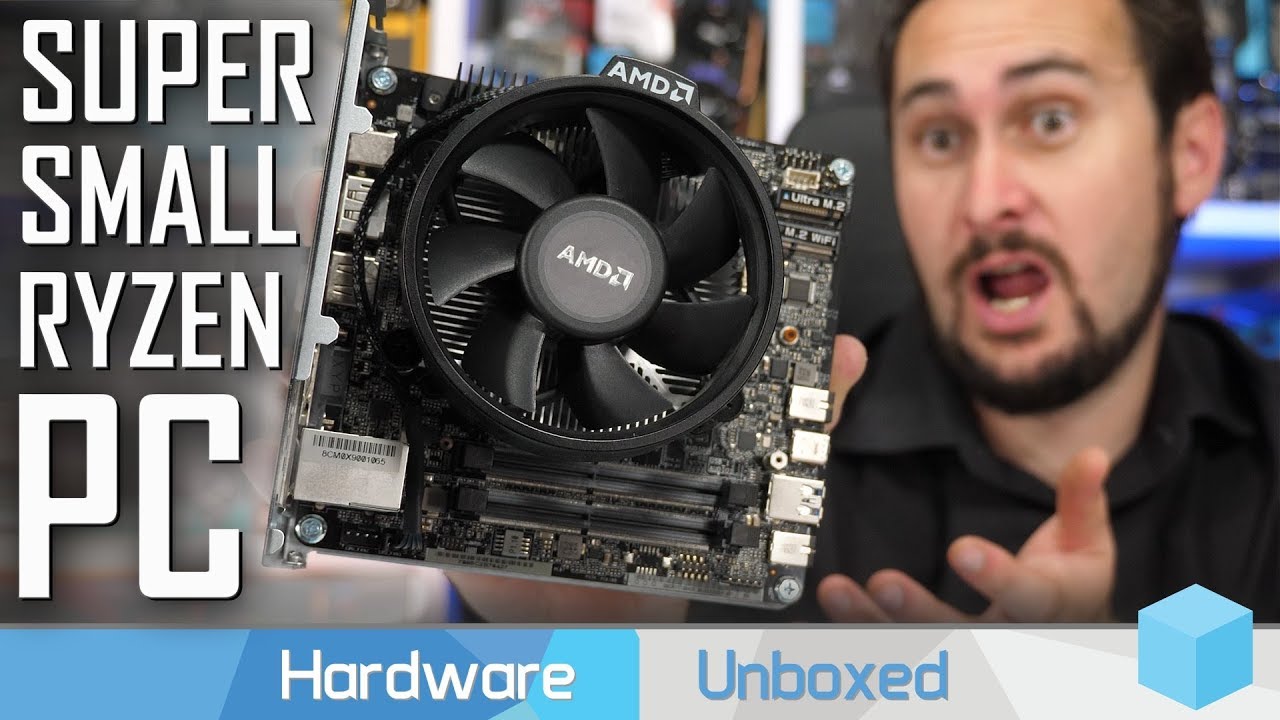
Support us on Patreon: https://www.patreon.com/hardwareunboxed GeForce GTX 1660 - https://amzn.to/2ClTuOe GeForce GTX 1660 Ti - https://amzn.to/2BHQpYr GeFor...
this is it
you get a motherboard, a case, power cable, built-in WiFi all just for $150
you just add Ryzen APU, storage and ram
can be built for $300
storm osprey
can use tv
latent light

Instagram
5,181 Likes, 513 Comments - Kyle (@bitwitkyle) on Instagram: “Happy Halloween 💀”
violet plank
i can fix that! 
hoary ember
oh my god...
fallen harbor
f
fallen harbor
respect for the micro
supple bane
I love how the CPU fought back
little buddy sticking up for himself
Clinging onto the screwdriver
@violet plank with a lot of patience you might be able to
chances are the die cracked or other damage was done, but if it's just bent pins it's totally fix able
 balmy ore
only question i have: "why?"
supple bane
because exposure ?
literally what did grim just do
he shared it
Posting a video of you doing some boring typical shit like an awesome kill in a game won't get you exposure, but doing something like that will
molten bramble
I don't understand why they didn't pound two of them. 😄
prime jasper
because he only had a single core
molten bramble

lofty light
@latent light is that bitwit
latent light
Yes
lofty light

lofty light
Pretty nice actually
Looks very similar to my first build but I didn't manage the cables at all 😛
fallen harbor
humble jetty
Hello! I've got a question, what are the side effects playing games on an external hard drive? I've been thinking of getting one since I can't play battlefield v with all the FPS drop I'm getting due to my ssd having less then 20 gb remaining. Thanks.
lofty light
You're going to be having a ridiculous fps drop, like I would be surprised if it'd be playable
 slate rivet
anyone had issues with TPM malfunctioning when off work network causing the error when launching any MS application
sour ivy
Not necessarily
Well hard drive yes
I got a pretty speedy external usb type c ssd
I’m sure games would be fine on it
 elder stag
I am hoping someone can help me. It says that there's an error with saving data for the cloud system. So now it's asking me whether I want to delete my local files and replace them with the files in the cloud or use my local files and replace the data in the cloud. What should I do?
https://gyazo.com/5e66a0ec0bd268600361667cdb91b860
sour ivy
Hey @elder stag that happened to me a couple of times. I just used local files to replace
I had no issues
But I’m not 100% sure
elder stag
Alright, ty.
violet plank
just use the newer files,but it won't solve the error anyways,crap origin client,so EA needs to fix it.since this error is years old,they obviously have no clue
humble jetty
I'm literally a noob at pc and I need to get a new hard drive lol
Is there anyone who can guide me?
Or show me a guide?
mild bough
I would buy 1tb SSD
 sand phoenix
Mikail not the right guy for guidance lmao
mild bough
stfu
humble jetty
Lmao I got a 200+gb ssd
sand phoenix

humble jetty
I know ssd are way more expensive lmao
mild bough
but i prefer ssd
humble jetty
200+ gb lol thats why im asking for a new hard drive
humble jetty
Yup lmao
mild bough
Go buy 2tb HDD rn
humble jetty
I have like no idea how to install hard drive
Yup planning to get a hdd tomorrow
But the problem is how to install lmao since my uncle built the pc for me
sand phoenix
Just plug it in
humble jetty
Which cables tho
sand phoenix
The ones that fit in the hole
mild bough
Installing Hard Drive is proba the easiest thing to do
mild bough
but everyone is different right
sand phoenix
When I was 16 I made my first pc and it's literally just a matter of matching up the plugs with the sockets lmao
Facts
humble jetty
lol
humble jetty
Im just scared of hurting my pc lmao
sand phoenix
Probably the only way you'll kill it is with static
humble jetty
Bruh I panic the fuck out when dust fell on the motherboard
sand phoenix
My pc is so dusty it's coming out of the fans now 
humble jetty
Cool
mild bough
hope it burns down
sand phoenix
Lol
mild bough
would be fun to watch
humble jetty
How do you clean the fans?
mild bough
use air
idk what its called in english, but in the garage i have a blowing thing that i use for it
sand phoenix
 💨
💨
humble jetty
Leaf blower? Lol xD
mild bough
nonono hhaha
humble jetty
Vacuum?
mild bough
Its like a compressor thing we start and then its like really high pressure hose with air
 humble jetty
Ight, tear gas it is time to head to hong kong
 crystal sequoia
having a constant 200ms issue with BFV
only happens at this game
any suggestions?
storm osprey
check what region servers are in
crystal sequoia
They are EU,no region problem
crystal sequoia
game is literally unplayable to me rn,so im open to all suggestions
fallen harbor
maybe some weird specific port incompatibility from your isp
worthy horizon
BFV is crashing with no error, anyone had the same problem?
Launches for like a couple of seconds and crashes
worthy horizon
nvm was asking it for a friend, the problem didn't persist but he was having really bad frames anyway
prime jasper
Shouldn't BFV run pretty decent for me?
Ryzen 5 2600 3.9ghz 6 cores
Gtx 1060 3gb
8gb ram
1TB hdd
🤔
summer comet
I'm not too educated on Ryzen but your GPU is ight and 8gb ram is ight
prime jasper
ight?🤔
summer comet
You probably won't be able to run on ultra but med-high with decent fps..
worthy horizon
8gb is enough for bfv? Isn't the game taking a lot of ram?
I remember having problems with 8gb on bf1
prime jasper
Dunno on medium settings I get 70-90 fps and on low almost 100
worthy horizon
No big stutters every now and then?
 quasi sparrow
16 is much better
prime jasper
Sometimes small lags @worthy horizon
quasi sparrow
also Ryzen is gonna struggle unless your RAM is high speed with a decently low CAS
summer comet
I have i7-9700k, 32gb ram, gtx 1060 6gb and run low just because I love the fps, I get 120 constant all the time and when I go up to 200, it fluctuates a bit
I have no idea how Ryzen compares to Intel
 cinder nimbus
Radeon Software Version - 19.9.2
Radeon Software Edition - Adrenalin 2019
Graphics Chipset - Radeon RX550/550 Series
Memory Size - 2048 MB
Memory Type - GDDR5
Core Clock - 1071 MHz
Windows Version - Windows 7 (Service Pack 1) (64 bit)
System Memory - 16 GB
CPU Type - Intel(R) Core(TM) i5-2500K CPU @ 3.30GHz
what settings can i run with this setup? i can play bf v decently with max fildality or what ever its called but i was wondering what would be best
summer comet
Is that a 2GB GPU?
molten bramble
!!specs
 silent oasisBOT
ℹ Battlefield V: System Requirements:
Refer to this image to know more about the minimum and recommended system requirements in order to play Battlefield V
https://cdn.discordapp.com/attachments/451791186642993152/509053395768705024/sys.png
 prime jasper
If u struggle with 3gb I can't image what u get 😅
summer comet
I haven't seen a 2GB card since I got rid of my GTX 960 😄
molten bramble
If your PC's components meet or exceed those specs, you should be able to run the game with basic to high settings, but if you're looking at like the ultimate all out package, I think it will fall short.
FPS may vary.
prime jasper
And I see that there's a big performance issue on a few maps
latent light
@prime jasper is that 8GB in single or dual channel
single channel means 1 stick of ram
dual means 2 sticks
if you have 2 sticks, they have to be placed in the 2nd and 4th slots
in order to take advantage of dual channel mode
summer comet
or 1 & 3, lol your mobo should come with instructions on how to do that ^
sour ivy
Still terrible for battlefield
lofty light
I mean, 4gb of VRAM is perfectly fine for 1080p
Especially if you turn down the settings
 earnest vine
Anyone here who have PING/latency issues? Got put into a server had over 330MS could not even hit anybody useally i have around 20-40MS. Looked at the scoreboard mayority had around 10-30 MS
fallen harbor
are you sure you didnt join a far server?
earnest vine
@fallen harbor Joined through the tides of war menu. But after i DC and joined a new server it was fine then
fallen harbor
always check the names of people when that happens
you might find portuguese names or words
which would most likely mean its a brazilian server
 viscid trellis
Guys are these specs enough to play BFV? GPU: GTX 1070, 16GB RAM, i5 7600k overclocked
sand phoenix
yes :)
 soft pecan
yess (using gtx1050 and have 40fps on ultra)
sand phoenix
You don't play like that though right 
sand phoenix
Dx12 off future frame rendering off cpu priority low? Idk but it helps me on my cpu limited system which would otherwise be kinda stuttery
Just an idea :)
viscid trellis
thanks, I´ll try the settings
fallen harbor
let us know pls
soft pecan
I saw a YouTube tutorial to disable some graphics with user.cfg
it boosted ~10 fps for me
mild bough
@latent light Where did you found that AMD will launch Ray Tracing GPUs in first half of 2020?
 desert bear
@soft pecan Does that currently work?
viscid trellis
@fallen harbor It worked for me, thank you
fallen harbor
cool
desert bear
@viscid trellis How much fps increased in your case?
viscid trellis
Well, first I had like 50 fps, and now I have 120, but I set the framerate to only 120, so I could have more FPS
desert bear
Uhm, that's good then. I imagine you did the nvidia control panel step too right?
https://i.imgur.com/XJAn0ho.png Oh is not necessary?
 queen field
any1 on a devil's canyon or haswell cpu and overclocked not via bclk?
soft pecan
@desert bear yes it still works, it is just console command and perfectly safe, it can even disable TAA by changing motion blur to 1%
@fallen harbor i gave up im not talented in art. perhaps i should change my name
fallen harbor
talent is a learned skill
nobody is born with it
if you are willing to go through a long path of failures in order to reach a pretty good end i can help
fallen harbor
i never tried that but it doesnt sound good tbh, especially with finger
idk i heard multiple times about people recommending ipad for doing art
but ive never met anyone that actually does that
and i have an ipad and i imagine itd feel pretty cheap to draw on it
but whatevs
just my thought on it
the only people ive seen recommending this are people that arent into art
so if you feel you reached a limit i wouldnt discard the possibility of it being due to your tools
also u need to read or watch instructive videos too
 somber ivy
hello, i have good internet because ingame i have 150 Ping :/ i have this problem today can help
please 😄
latent light
 fallen harbor
that english
violet plank
still waiting for that 50TB SSD FFS!
fallen harbor
what
mild bough
It costs thousands of dollar
Imagine if it comes broken in mail and there is no warranty
 molten coral
Anyone know how to disable the macro keys on my keyboard? logitech G815.
Tried it with the Logitech G hub software but can't find the option anywhere.
prime jasper
what do you mean? they shouldnt do anything if no macros are set to them
molten coral
Like if I press on G5 it refreshes the page like an F5 key.
Meanwhile I haven't changed anything since I got the keyboard 2 weeks ago

ooh I didn't even try clicking on that
Thanks

 flint locust
had to use it on the ~ key for my in game profile cause i keep hitting it 
molten coral
Ye it's super annoying
prime jasper
Hello, I've got a question
A few days ago, my battlefield 5 (disk) won't connect to the EA servers, everything else like singleplayer works fine, and all of my other games that require internet also work 100% fine. I've took the disk out, cleaned it properly, but all to no avail. Is there someone who can help me fix this?
(Xbox One)
 hearty geyser
Hello, does sombody have also screen tearing on pc? I had no problem with tearing till 2 days... It started suddenly. I tried all ready to limit fps, driver up to date, repaired bf5 but no effect. It seems like i got it more and more on close combat with many explosives etc. No it cant be my hardware (16gb ram, ryzen 7 3900x, amd radeon rx 5700 xt)
prime jasper
gotta turn vsync on if you dont have a freesync monitor
 rocky orchid
Can someone help me with the loading screen it loads infinitely
 silent steppe
ok so i traded the rx 580 nitro + and an OSVR headset for 2 radeon 6990s with custom ek water blocks backplates fittings etc complete deal, rads pumps and 2 laptops with an i3s and 6-8gb ram, and 6970 with waterblock and kit, also an acer phone.
really really fucking good deal
silent steppe
is that good
 neat lion
is anybody else having bfv chuging all the cpu and killing basically the responsiveness of the mouse ?
i stoped playing for like 2 months and then came back to a much worse fps / mouse experience with no new maps or anything but it runs even worse ?
silent steppe
are you fullscreen
neat lion
yes
neat lion
i disabled 1 core and mouse worked just fine
but the game ran like dog dodo
16 gb of ram
silent steppe
that sounds incredibly strange
neat lion
i know
silent steppe
cpu running full 100% is normal
silent steppe
hmm
neat lion
even minecraft, the ram destroyer did not gave me any issues
it happened with metro only but then it moved out to every map
no matter what
silent steppe
both 6990s have koolance waterblocks and backplates on them
i dont know how much thats worth tbh
latent light
sell to buildzoid
latent light

Support me on Patreon: https://www.patreon.com/coreteks Buy a mug or a t-shirt: https://teespring.com/stores/coreteks Visit: http://coreteks.tech/ I now stre...
This dude thinks 5th gen Ryzen APUs will have RX 5700 performance

lofty light

 forest token
 rigid knoll
What are the preferred Battlefield 5 video settings for 1070 to get minimal stuttering and better fps? DX12 on/off? FFR on/off?
rigid knoll
That's what I recalled too. Quite a bit of stuttering still. Maybe I'll have to limit fps to pretty low
violet plank
go on lowest detail settings if you don't mind
do you have a gsyn or freesync monitor ?
rigid knoll
I have. Wondering if I'm bottlenecked by my cpu, i7 6700k and the stutter comes from that
violet plank
another option would be a user.cfg file
rigid knoll
Yeah, I got gsync monitor, but have gsync disabled... mouse feels a bit laggy with it
violet plank
cpu is on it's limits,but should be able to handle it actually
you can try this aswell (or should anyways):
NCC:gsync ON / vsync ON
IG: vsync OFF
RTSS: -3 fps of max. monitor refresh
ncc=nvidia control center
rtss=riva tuner statistic server
other source of stutter could be only 8gig ram and no dual channel ram
violet plank
should be fine
was running an i7700k with 16 gig dual,1080ti on a gsync monitor,no stuttering,and your hardware is almost the same
for more fps i can send you a user config file,but graphics might look a bit uglier
if you want
rigid knoll
Sure, I can give it a go
 worldly skiff
hi
just downloaded 40 gb BF V update
at 100% said drive is full
(had 75 gb free)
i deleted another 20gb, restartet update
update starts again at 0%
wtf
mf ifuitf
ffs
prime jasper
@sour ivy are your pfps various pics of your face? they all seem so similar
 ashen ether
Hi guys, I'm planning to buy ASUS FX505DT laptop. It's R5 3550H with 1650 gpu. Since bfv is cpu intense, can it handle the game with no stutters at 60fps+ med to high? P.s. dont tell me to get a pc instead.
prime jasper
should work 60fps 1080p
prime jasper
who?


 prime jasper
hawt
sour ivy
Hahaa
mild bough
why work backwards
latent light
rip small profile builders
mild bough
If I were Nvidia I would stop producing non RTX GPUs
latent light
and people with cheap PSUs that don't have PCIe cable
latent light
PCIe cable that gives additional power to GPU
sour ivy
Probs a very good card for price but yeah for ppl with no pcie it’s rough
supple bane
@mild bough when are you going to realise that raytracing is shite rn lol
no one. NO ONE buys an rtx gpu for ray tracing. They buy it for the performance.
supple bane
you do realise you can use raytracing on gtx cards right 
mild bough
but i had a gtx 950, so i deserved a new gpu
cool
but i will sell this gpu when amd launches ray tracing 2020
supple bane
have you tried to use rtx in a game yet ?
supple bane
wait what card do you have ?
supple bane
a 2080ti really really struggles for 60fps on those settings
prime jasper
drivers have gotten much better
mild bough
cool killa
mild bough
What res you run?
supple bane
I just don’t understand why you want to scrap any decent performance for some details that you can only notice if you stop and actively look for them
supple bane
yes and when your playing the game you don’t notice them
mild bough
i do
mild bough
but is it me or does the water on rotterdam look horrible?
dude my skills are horrible
so i dont care that much about getting kills and tryharding
lofty light
Overall I generally prefer the Ultra settings over the better frames in games
mild bough
Yeah
lofty light
I don't go RTX though as that's real bad
supple bane
yeah I agree. ultra settings make a HUGE difference to the looks
And don’t slaughter FPS
supple bane
yes and that’s fine but what I’m saying is rtx has microscopic changes that are barley noticeable
mild bough
true
supple bane
mild bough
imagine in the future when ray tracing is already implemented and you cant turn it of
it will be standard
well mister that is just a bad example
supple bane
see ? it’s only in very specific situations where rtx actually is noticeable
THATS WHAT IM SAYING
it has to be very niche situations where you can see it
and even when you can see it
it doesn’t even make that much difference
there are only a few maps that can benefit from rtx. And even then it’s only in certain locations
Namely rotterdam and underground
lofty light
And in places where reflections and lighting is drastically changed it's worth it tbh
If you want to play at 30fps 😛
supple bane
ok. Single player. I admit. It makes a bit of sense as you don’t need to have the FPS. But a fast paced shooter isn’t designed to be played at 30fps
lofty light
I mean, Battlefield has always been more focussed on looks than FPS, that's why each game gets so much worse in perf
sand phoenix
I'd always prefer a good performance to good looks but sadly that doesn't sell games 
storm osprey
to be fair bfv performs really well for how good things look and how complicated the games are
lofty light
Ehhhh, I'd prefer the BF1 graphics with that perf over the BFV ones
fallen harbor
i really reeeally hope the next bf isnt vietnam
latent light
Battlefront 2 performance is incredible
fallen harbor
im mad cause i cant purchase cod mw
fallen harbor
after all these games i realized i only like modern setting bf games
 warped owl
Yeah, i can already hear Fortunate Son playing in the background
mild bough
if next bfv was nam it would be awesome
sand phoenix
when they revealed it was called bfv i was so certain we were gonna get vietnam 
like youre gonna put all this emphasis into calling it battlefield VEE and not just bf5 but it isnt vietnam 
mild bough
i mean bf
 pine rune
Can battlefield 5 also played with dxr on a 2060? on the recommended spec sheet it says i need a 2070
prime jasper
probably on low yes
 foggy storm
So BF4 is forcing itself to run on integrated graphics(intel) instead of the dedicated gpu(nvidia) ,i have trie'd forcing the game to run on the gpu from the control panel,but it doesn't seem to work.Is there any way to fix this ?
My specs are: GTX 1050,8gb RAM and an i7-7700 HQ ( Yes i am using a laptop)
prime jasper
try disabling integrated in BIOS
foggy storm
if i do that it wont display
like in the nvidia control panel if i switch it to gtx 1050
my screen will go back
only a restart will fix it
prime jasper
weird, update your drivers and bios and see if that helps
foggy storm
all my drivers are up to date
and idk how to update bios since i've never heard of bios version
prime jasper
lol depends on the brand
foggy storm
its a lenovo laptop
prime jasper
use this to update everything

Lenovo Vantage
Lenovo Vantage is a new application that makes it simple to update your drivers, run device diagnostics, request support and discover apps.
foggy storm
ok ty
i've also searched this problem on google and it's almost always on laptops and like 80% of them are on lenovo
so uh
kindred knot
Why doesn't the graphics that solid?
stay solid. Graphics flicker so much or look pasty and blurry. No matter how many times I update or roll back drivers.
fallen harbor
what
kindred knot
the graphics flickering and there are moments when the map shows the deploy screen under the map with deploy points not visible.
me and my co-workers concluded that it
is the game.
they're experiencing that too
 reef pasture
Yeah the graphics are blurry because of the TAA
 green vortex
can anyone help me?
supple bane
yeah whats the problem ?
green vortex
stutters high disk usage
ntoskrnl / system read the disk as same as bfv
disk spiking while in game
supple bane
what are the entire system specs ? and what type of drive is it ? hdd ? ssd ?
supple bane
yeah the stuttering isnt coming from the drive
supple bane
yeah. and i assume that the drive is a old hdd considering your other specs.
so it would do
but that isnt why the game is stuttering, its just your pc specs
!!specs
silent oasisBOT
ℹ Battlefield V: System Requirements:
Refer to this image to know more about the minimum and recommended system requirements in order to play Battlefield V
https://cdn.discordapp.com/attachments/451791186642993152/509053395768705024/sys.png
green vortex
ok can you check the system / ntoskrnl is using your disk on idle 0.1mb and its running?
green vortex
yes its old
supple bane
and struggle with intensive tasks
you dont even meet the minimum specs for bfv, so it will have shitty performance
green vortex
it should running in low fps and not stutters look like my cpu isn't the problem, i get 30-60fps in game
supple bane
no your cpu is definitely the problem. you meet the minimum specs on everything but the cpu
your cpu is not built for gaming in the slightest
silent oasisBOT
ℹ Battlefield V: System Requirements:
Refer to this image to know more about the minimum and recommended system requirements in order to play Battlefield V
https://cdn.discordapp.com/attachments/451791186642993152/509053395768705024/sys.png
green vortex
its the minimum
supple bane
you just about meet the minimum to even play the game
green vortex
yea
supple bane
and you dont meet the cpu requirements
green vortex
ok, but I wish I can play like bf1 with the same system requirement I thinks not accurate
supple bane
yes and bf1 isnt bfv is it
green vortex
yes
supple bane
bf1 is much easier to run
bfv is known for having bad optimisation
yeah just because you can play A game, doesnt mean you can play ALL games
green vortex
oh no.. I should have to buy bfv this week but the problem still persist. thank you for the help, I still find what is the real problem here and I need someone talk with the same specs.
supple bane
the performance issue is quite simply nothing, your pc just isnt designed for AAA gaming
green vortex
🙏
molten bramble
@green vortex You have been told, by a very knowledgeable user/volunteer, that your system is not adequate. Quit trying to argue the problem and justify your thought process. You were advised multiple times that your system will not run BFV properly, even at minimum settings. There is no magic bullet here, you will simply have to upgrade your system to take advantage of the features in this game.
Read the channel pins next time and pay particular attention to the last section in this image.
crimson wolf
can someone help me on how to change net type strict to open?
just found out it was strict today
 echo trellis
Hi, i need a tiny bit of tech advice
mild bough
Aok
 marsh plover
Hello
molten bramble
@crimson wolf That could be a long, protracted conversation depending on platforms and router models. You'd probably have better luck taking a look at Google and using the keyword search. A basic search for me just netted about four pages worth of NAT modification links, so there should be plenty of content out there to follow with visuals.
@echo trellis You've not asked a question, so there isn't much advice we'll be able to give until you do.
@mild bough Huh?
@marsh plover Hello
kindred knot
@reef pasture so disabling this improves or worsens it?
reef pasture
Disabling what?
 floral basin
hey, how is the general performance (fps) in multiplayer with similar settings like 1080 8gb, ryzen 7 2700x?
Recently upgraded my rig but i have a feeling something is quite not going as it should.
 errant shell
Maybe someone can help me:
Is it possible to get higher fps by increasing (somehow) gpu and cpu utilization when FFR is off?
Specs: i7 6700k - 16gbram 3000mhz DC- gtx 1660ti - 144hz.
Future Frame Rendering:
-When set to OFF my cpu and gpu wont go above 70% usage at 80 fps all ultra (post procesing low), at 1080p.
-If I set Future Frame ON my gpu goes to 99%, but my cpu goes almost to 100%, 100 to 120 ish fps. Sometimes I stream, so I set FFR off, to prevent my cpu to max out.
The only way to go up to 99% when FFR is off, is seting Resolution Scale at 200%. but then im playing at ~60fps, not what Im aiming for.
errant shell
ok then. thanks for your time!
latent light
