#technology
1 messages · Page 228 of 1
 storm osprey
shouldnt you blow out the dust occasionally?
 sour ivy
That goes without saying tho 😃
Yeah so I’ll be putting new thermal paste in my card today
And buy a fan to aim at it
 supple bane
do you have your pc on your floor or something ?
Because It takes months for any visible dust to build in my pc
sour ivy
I have mine on the floor
 steep gust
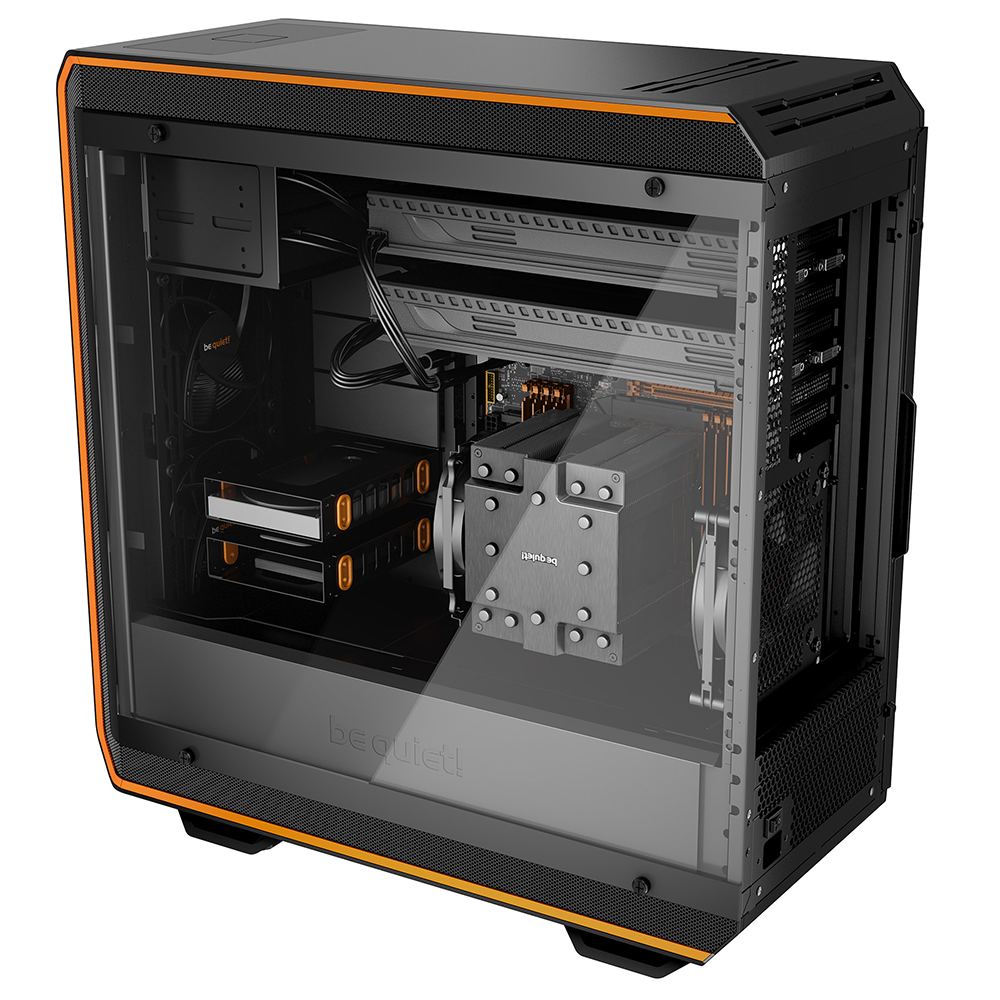
that's a render
 violet plank
looks nice,but tbh i have my doubts about the thermal design
steep gust
Better than the reference pcb 
violet plank
i would very much love a silent radial design
or just something silent that blows the hot air outside the case
sour ivy
I’m overclocking to 5ghz on my stock cooler
 mild bough
How do you overclock?
mild bough
I am watching youtube now, and downloading something called MSI afterburner and kombustor
steep gust
google can probably explain it in way better detail
kombustor is not a good GPU stress test
mild bough
but does it work?
steep gust
Use SuperPostion, 3D Mark Firestrike + Timespy (extreme), and games
Generally no, your GPU's VRM will throttle and limit clocks
Its similar to FurMark in that it goes for max power consumption
mild bough
But the man here on youtube explains how to use itm i dont want to learn the other things myself
steep gust
SuperPostion is literally
download
click run
same with 3D Mark
If you don't buy it, you can't bypass the CPU tests but they are short
steep gust
yes
GPUs are not as easy as CPUs to stress test, as there is a massive variety of workloads that all put different stress on it
mild bough
And delete kombustor and msi afterburner?
steep gust
nah MSI Afterburner is good
mild bough
oh ok
steep gust
Kombustor just isn't a great stress test
mild bough
from this link? https://benchmark.unigine.com/superposition
steep gust
yes
mild bough
ok thx
steep gust

Benchmark your PC, tablet and smartphone with 3DMark, The Gamer's Benchmark. Free download, start benchmarking today.
click windows
Click the "Download Demo" button on the Steam store page to download 3DMark Basic Edition
steep gust
exactly that
core clock is the GPU core clock speed, on cards (Maxwell and above) with GPU Boost its an offset to the V/F curve
on other cards it'll be a number you can set
memory clock is the real clock of the VRAM
mild bough
Ok, but what do I have to change to overclock my GPU?
 nocturne hawk
Hit it
steep gust
core / memory clocks, power limits, voltage, fan speed, etc
reddit
r/overclocking: All things overclocking go here. Learn to overclock, ask experienced users your questions, boast your rock-stable, sky-high OC and …
mild bough
Will my fan melt if I turn it to 100?
mild bough
oh
nocturne hawk
My PC has exceeded the temperature of the sun
mild bough
ahahahhaha
 prime jasper
you should probably stop living in chernobyl then
mild bough
So I should change the core clock?
steep gust
reddit
r/overclocking: All things overclocking go here. Learn to overclock, ask experienced users your questions, boast your rock-stable, sky-high OC and …
Read that
then read the guide for the GPU manufacturer you have
mild bough
I am not good reading instructions, I am better listening kinda. But I`ll try
steep gust
well every guide I know of is text
but youtube should have guides for most GPU generations
Pascal / Turing is identical
steep gust
yeah see I don't watch videos on overclocking since I understand it so I would miss anything from big youtubers
but yeah Jays video is probably detailed enough
steep gust
What GPU do you have?
steep gust
gt210?
prime jasper
oof
steep gust
So maxwell
mild bough
ikr, i bought this pc when i was a little kid
steep gust
yeah maxing it should be fine
mild bough
i just cared about gaming, not performance
mild bough
yeah hahah, im planning on buying rtx 2070 super now
sour ivy
Hmm
storm osprey
i dont see why it would be idiotic
storm osprey
uhh
storm osprey
anything i think hot enough to melt leggos would probably have some sort of dissipating cooling system on it
case is top mount psu?
steep gust
uh lego don't melt at any temperature achievable by a GPU exhaust air
sour ivy
Ok dope
sour ivy
The psu is on the bottom
steep gust
My GPU's shroud is plastic
mild bough
I turned my core clock to 617 and now it froze
steep gust
and almost certainly not to the grade of lego
sour ivy
Bruh
steep gust
like +617?
mild bough
yes
sour ivy
Vro
mild bough
is my pc long gone now?
sour ivy
No
mild bough
oh so it is natural to crash?
sour ivy
If you increase by that much yes
mild bough
but, my whole pc froze
steep gust
yes
sour ivy
Because you increased it by such an enormous amount dude
mild bough
imagine if i pressed save
steep gust
you ran clocks only possible on LN2
steep gust
it would fail
sour ivy
It’s not just gonna die brother
steep gust
Afterburner is a software and you can just reboot it
steep gust
not really
steep gust
it moves air over the heatsink
steep gust
You might have heatpipes
but probably not on a 950
https://hwbot.org/submission/4209237_ that run took ages to get that score

HWBOT
The GeForce GTX 1080 @ 2050/1314MHzscores getScoreFormatted in the Unigine Superposition - 1080P Xtreme benchmark. BetrayedPredatorranks #287 worldwide and #14 in the hardware class. Find out more at HWBOT.
sour ivy
950 
steep gust
after all the software tweaks
sour ivy
Yikes
mild bough
haha
storm osprey
that 2gb of ram is the cringe part
steep gust
asus doesn't make CPUs
mild bough
idk
mild bough
what happens if i turn memory clock to full?
steep gust
it crashes
steep gust
get ready for it to crash in games
just because it passes stress tests doesn't mean it won't be perfectly stable in games
mild bough
ohhh
steep gust
you just drop core clocks by like 10-20mhz and it'll generally work
mild bough
i will not add by 500 every time i guess haha
when i started a stress test on 3dmark the new thing that loaded in just crashed
prime jasper
you need to be increasing like 50...at most
mild bough
my friends have 3 monitors, and a 960 gtx card. is the reason hes crashing because it is so bad gpu?
steep gust
no
my iGPU can do triple monitors
but yeah add like +50 core then run the test
if it passes
mild bough
kk
steep gust
add another like +25
prime jasper
yes
mild bough
i got like 10 fps, and then boom it crashed
steep gust
set the core offset to +0
run a benchmark with afterburner open
there is a graph if you scroll down
steep gust
It applies a -90 offset
supple bane
it will clock down
steep gust
and you lose performance
mild bough
lool imagine doing that on someones pc
mild bough
like put it to -200
supple bane
Because lower clocks=lower temps
So in a normal desktop where the cooling isn’t sufficient, people clock down to save some precious degrees
steep gust
This is the V/F curve the GPU uses for the frequency at the voltage(s) allowed by GPU Boost
mild bough
and the air is so cold it gives you a cold
prime jasper
3600 would be worth the xtra
storm osprey
ehhhh
60-70 more
for what? maybe 10 fps

Today I am upgrading my broth·er-in-law's Ryzen 5 2600 to a Ryzen 5 3600 and of course we'll be running benchmarks to compare! Now I tried to keep this as a ...
 latent light
3600 is about 20% faster than 2600 in about 90% of games, up to 40% faster in CPU intensive games
storm osprey
at least from this it shows same fps or 10 fps advatange for 3600
latent light
GPU bottleneck in that test
storm osprey
are you not getting a 1660ti?
latent light
not my build but it's just a budget build
storm osprey
well for that budget build are you not using a 1660ti?
which the benchmark shows the same for
latent light
yes but that really depends on a lot of factors, if you're going for higher fps, 3600 can achieve 144hz much easier than the 2600
if you're playing BFV, drop the settings to low/medium to play competitively
storm osprey
personally i would keep the 2600 and get a 5700xt with the cost of the price difference
latent light
CPU bottleneck at 1080p
2600 single core performance is on par with a stock i7-3770K

storm osprey
latent light
1440p
storm osprey
latent light
is that with the 2600?
latent light
oof
storm osprey
but we care about what is paired with gpu but not cpu now?
supple bane
It’s a 1440p, changing the cpu won’t make too much difference on that
AND AGAIN it’s on dx11, amd gpu’s seem to perform better on dx 12
latent light
if you're using a 2600 at 1080p, any GPU more powerful than RX 5700 or RTX 2060 will get bottlenecked, especially if not playing at ultra settings
storm osprey
so youd rather get a 3600 and a 1660ti so you dont bottleneck?
latent light
no rather a 2600 and 1660ti to keep the budget
storm osprey
vs a 2600 and a 5700 that will bottleneck but get better performance
latent light
2600 and 1660ti are a great pair if you don't play at ultra settings
supple bane
Even tho I probs won’t be getting a gpu for a while, my next gpu will be a second hand 1080
storm osprey
yea i havent argued vs changing anything, i commented on spending extra for 3600 not being worth it for a 1660ti
supple bane
and I think it will go well with the 2600
latent light
if you wanna play at ultra then get a RX 5700 (non-XT) or a 2060
supple bane
the thing is, the 1080 is dirt cheap second hand
latent light
although 5700 is way better value than 2060
supple bane
that’s why I’m attracted to it
storm osprey
all this because i said the price from 2600 to 3600 isnt worth it for a 1660ti
latent light
but you also said keep the 2600 and get a 5700 XT which would bottleneck at 1080p
storm osprey
i had a typo, just 5700
but yes, i would rather put the price difference towards a 5700 vs a 3600
latent light
I bet by new years, the 3600 will drop in price
to around $160-170
maybe even less lol
latent light
same
3600 should be paired with a 1080/2070/5700 or better
3600 is almost on par with a 8700K
latent light
the hilarious thing about 3rd gen Ryzen is that it's even cheaper to manufacture than 1st and 2nd gen
due to the new chiplet design
so next year we could see the 3600 at $100 lmao
which would be the greatest value CPU ever in the market
once revenue exceeds the costs of R&D, 3rd gen prices are going to come down quite a bit
supple bane
it will be interesting to see what intel does to respond to all this zen 2 noise
latent light
another 14nm refresh
mild bough
why not buy rtx 2080ti and be done with it
supple bane
eh it's not that simple
Because you need the CPU power to go with the gpu power
if you dont, you get a bottleneck
mild bough
whats a bottleneck
supple bane
Which means the CPU is holding back the gpu or vice versa
mild bough
ohhh
supple bane
the gpu simply cant perform at its peak due to the CPU holding it back
Again, it can work both ways

Instagram
3,664 Likes, 46 Comments - #DeskTops #PCsetup #Gaming (@desktopsgaming) on Instagram: “Are you hardcore enough to hardline your power connections too!? ◾Follow🚀 @desktopsgaming For More…”

steep gust
A bottleneck always exist
latent light
you're a bottleneck 
 storm osprey

storm osprey
wack

 supple bane
don't worry about it 
mild bough
Help, i downloaded a voice changer called voicemod. And when I didnt want it more, I uninstalled voicemod. And then my microphone volume turns super low, and when I try to boost it, it is still low..
it sounds like someone is screaming down from a well
should i remove my mic from the sounds tab? Like delete it?
violet plank
wtf,2080ti getting so hot that it even heats up hdd/ssd behind the mb ? 
anyone with a 2080ti can confirm that they get hot as hell ?
mild bough
I tried deleting the microphone, but now when i try to plug it back in. Nothing happens, windows does not give me a message that anything has been plugged in
It wont even recognize my fucking headphones
 molten bramble
@supple bane Wait, are those mandrel-bent power cables? 😮
@mild bough Restart, see if it fixes itself. If not, deinstall drivers and reinstall.
mild bough
I have restarted, but it still does not detect anything
But what do you mean by deinstall drivers?
dude
youre a legend, it worked
thanksss, i thought i had to buy new headphones. @molten bramble
mild bough
thaaaanksss so much, i already started planning to delete everything in my pc just to get it working
molten bramble
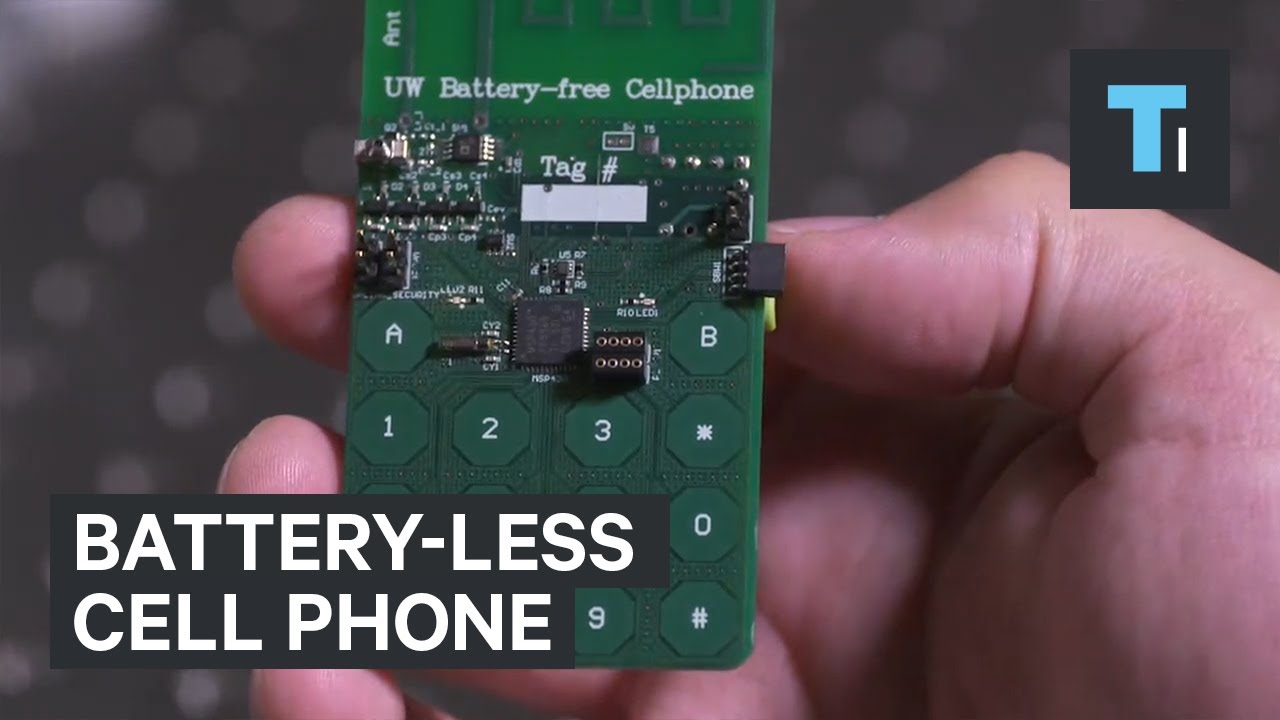
Researchers at the University of Washington have created a cell phone that uses so little power, it never needs to charge and doesn't have a battery. Instead...
molten bramble
😄
mild bough
Imagine boosting that thing by like a million and making the most op PC which just requires a mouse and a keyboard
sour ivy
Million trillion
 storm osprey
BAHAHHAAH
violet plank
standard aussie mouse 
latent light

remember when Samsung mocked Apple for removing headphone jack
now Samsung removed headphone jack and removed their old commercials that mocked Apple
 🔥
supple bane
🔥
supple bane
@molten bramble yes they are! Would that not be sick in Matt white!?! With a white themed build
Or altrrnsting, Matt white metallic black !
Again in a white themed build
it would be expensive as hell but totally worth it
 coarse nimbus
do you have a gpu monitoring program running?
can you tell the fan speed/ what temp you are hitting
steep gust
@violet plank open air cards exhaust out both sides of the heatsink
So they heat the motherboard PCB around the GPU
Most likely you SSDs have no airflow and just keep getting hotter
latent light
ASUS Strix 5700XT has a boost clock of 2035 MHz
should get equal performance to the 2080
steep gust
Good 5700xt on the blower did 2100-2150
latent light
yeah I wonder how well the triple fan cards will overclock
5700 XT reference has 1905 boost
anniversary has 1975
 quartz whale
Do you guys think a jump from a 9600K too a 9700K is worth it
latent light
rumors say that the 5700 XT Strix gets about 8% higher performance than reference
which sounds normal
what you'd expect from comparing a blower to a triple fan
all in all, 2070 Super is becoming more and more pointless
 lofty light
@latent light GN did the hybrid mod and there wasn't much of a boost from memory
 visual reef
Wat
 fossil sorrel
what tower?
supple bane
Pretty sure almost all desks will fit your case 
violet plank
@steep gust not my rig,someone told me that,i don't own a 2080ti,but since the ssd is behind mb and the metal mounting for the mb it must get very hot,never heard of anything like this before
guess the temp limit of the 2080ti is pretty high anyways ?
my 1080ti oc 2ghz+ never exceeds 70-73 celsisus
wish there was a custom gpu with reversed fan airflow (pull instead of push)
violet plank
if you just could flip the original fans 180 degree,but doubt that works on any card at all
since 99% is glued anyways
supple bane
like I said, it would be possible just not pretty
also, I'm pretty sure the temps would be worse doing it that way
violet plank
nope,not on an inverted build,that's why i want it like that,card fans show upwards that way
much better heat transfer
out of the case
like that
steep gust
Eh it shouldn't make much difference if you have good case airflow
Like front intake top exhaust
Natural convection loses to a low rpm fan quickly
violet plank
depends on the case i guess
oh i see i mixed something up
gpu isn't that much of a change,but cpu is
weird that it does not affect the gpu that much
just trying to find the perfect balance between silence and cooling
gonna try putting in some high airflow fans with the standard layout
cause cpu idle temps always bothered me
steep gust
I mean
violet plank
found a problem already
violet plank
stupid assus software
steep gust
Ez
violet plank
yeah,behaves weird
just for fast testing
afterwards it's on a pwm hub with manual control
cpu temps already 5 celsius down in idle
and still dead silent
you can say about asus what you want,they got crap shit and really good stuff,but their bios is imo the best
but for a x570 mb atm i would like gigabytes vrm,msi fan layout and asus bios
and msi heatpipe
violet plank
5700 xt custom review,looks really good
at least in terms of temp and noise,performance gain isn't that high
latent light

Single-Core CPU on 5.0GHz World of Tanks - https://wgaffiliate.com/?a=2736&c=4705&s1= Games : The Witcher 3 Assassin's Creed Odyssey - 01:15 CS:GO - 02:31 Th...
1 core 2 threads

steep gust
Only 5ghz
violet plank
that stuttering,like in bfv
latent light

Grand Theft Auto V 00:00 PlayerUnknown's Battlegrounds 02:07 Metro Exodus 03:25 Tom Clancy's Rainbow Six Siege 05:03 Far Cry New Dawn 06:04 F1 2018 07:19 Rec...
quartz whale
Looking for a 1440p monitor would you guys say the 2070 can do well at 1440p?
 silver zinc
Anyone else have an issue where BF5 is constantly at 100% CPU usage?
quartz whale
What CPU do u have @silver zinc
silver zinc
6700K
steep gust
Its never gonna hit more than 20-30% even if it fully loads a bunch of threads
silver zinc
Does this game use alot of cores?
steep gust
yes
 steep gust
6700k is fine for most games
latent light
BFV can utilize 8 cores
silver zinc
Yeah that's what i thought too but i'm not too sure
latent light
if you're on a budget, Ryzen 5 3600 would be a nice jump
if you want the best performance possible, i9-9900K
silver zinc
Yeah was thinking of going to an I-7 but same MoBo but i was also looking at getting into AMD for my CPU
latent light
you can't upgrade on your current motherboard
highest you can go is 7700K which is barely better than the 6700K
silver zinc
I can get the I-7 Kaby lake
steep gust
7700k is not worth the cost
quartz whale
Would it be worth upgrading to a 9700K from a 9600k?
latent light
not worth the cost nor worth the time putting it into the socket lmao
steep gust
and while you can mod Z170 / Z270 to run Coffeelake
Its not really worth it on a lot of boards
latent light
damn already upgrading a CPU that's not even a year old
sounds like intel
9600K should be fine on BFV if you overclock it
due to recent updates, BFV is stuttery to everyone
game ran great during alpha, beta and launch then it fell on its face in 2019
quartz whale
Yeah I was debating on if I should do but seen there is hardly any differençes
In most games now
steep gust
HT isn't much anyways
y'all greatly overestimate how much it actually does in a lot of workloads
latent light
compare 4 core/4 thread CPU to a 4 core/8 thread CPU though
i5 before 8th gen are struggling in modern games
older i7s are saved by HT
 peak hemlock
hello, im currently having issues with battlefield 3, 4, and v . im getting these really bad frametime spikes (game freezes for about a second or less). its more noticeable on large conquest servers, but still present on smaller gamemodes like chainlink in bf4. i have an intel core i7 6700, rtx 2060, 16 gb ram ddr4, 550w evga supernova g3, and 1 tb hdd seagate 7200rpm https://prnt.sc/or4cb6
anyone have any suggestions in mind?
peak hemlock
ive used ddu many times, this started happening after i installed the new rtx 2060
steep gust
Could easily be driver issues
Do you have your old GPU still to test to make sure it is your GPU?
peak hemlock
unfortunately i was having an issue where one of my cpu cores would be fully utilized (fixed that though by uninstalling drivers from device manager)
steep gust
BF3 / BF4 are mostly low core count stuff
It'll load up a few cores (especially the one feeding the GPU) really high
Especially on a modern gpu
peak hemlock
this was process explorer showing what was happening even at desktop https://prnt.sc/or4dca
although that isssue isnt happening anymore after i uninstalled gpu drivers from device manager
but im still having these stuttering issues
steep gust
This happens in the test range?
I get almost micro stuttering when my network is being a pain in the ass
peak hemlock
havent tested test range, will do though
i was getting this network performance error in bf4 and bf5 https://www.fad-multigaming.de/img/bf4__server_performance_icons/low_fps_servere.jpg
steep gust
That's uh
steep gust
!tags
 silent oasisBOT
Available tags (use with !!tag): Regular, commands, feedback, jumbo, jumbogif, lfg, r0, r1, r2, r3, r4, r5, r6, r7, r8, r9, roadmap, specs, support, warningicons, Ω
steep gust
!!warningicons
silent oasisBOT
 peak hemlock
still happens on vsync, not as noticeable though and i would honestly prefer without vsync on bf4 since input lag is a lot more noticeable on that versus bfv
and capping fps doesnt work either
steep gust
Rip
 fading thicket
Hey, can anyone help me figure out why my BFV is crashing to desktop as soon as I start it?
lofty light
You updated your graphics drivers?
fading thicket
@lofty light You know, I don't think I have...
How do I check for NVidia cards?
I'll try after this MWO match ends
@lofty light You thought right, my drivers aren't up to date. I'll update em now and see what happens.
No dice - it loads up a little bit, then freezes and abruptly crashes to desktop.
@lofty light Any other tricks to try?
supple bane
@fading thicket repair game files
or reinstall the game
What are your specs too, most likely not but if your below minimum specs your game won’t launch
fading thicket
@supple bane I wasn't able to repair game files earlier as Origin was stuck on resuming the update for Apex Legends.
I fixed that by deleting Apex (and uninstalling BFV along the way) so i'm going to try playing again after it becomes available.
supple bane
like I said it’s a long shot but what are your specs ?
 supple bane

 molten coral
Here are some more mouses @supple bane


 jade star
last one is pretty nice
fading thicket
@supple bane Update, after a fresh reinstall I am able to play the game now !
supple bane
Good stuff
mild bough
I found a card that is called «HP RTX 2080 OEM» , is it a good card?
It was a used card, perfect condition. 550 dollars
supple bane
a component that a company brought to put into a prebuilt system to sell on
mild bough
And what is wrong with that?
supple bane
it won't come with warrenty, and It can have other negatives too
silver zinc
There's nothing wrong with OEM cards, just know that they run a bit hotter
mild bough
What is warrenty?
supple bane
Are you taking the piss lol ?
supple bane
Warranty is if your part breaks you can call the manufacturer to get a replacement part
for free
mild bough
Oh thats good
supple bane
well it has to be within certain requirements
mild bough
oh ok
supple bane
Most say it has to be within the first three months of purchase and if there is any user damage warranty cannot be claimed
mild bough
ohh i know what warranty is, it is called guarantee where i live
So do you think it is worth to buy?
supple bane
Hmm
depends on your bank account then really
I would say the amd 5700xt would be better
mild bough
How much is that?
supple bane
About 400 dollars
 long sphinx
then wait for top of the line navis
mild bough
So it is overkill so I can play with ultra on my 1920x1028
lofty light
At 60hz? Yeah that's kinda overkill
lofty light
Both are yeah
supple bane
if you only have a 60hz monitor that don't get the e 5700xt
literally the detention of a waste of money
molten coral
If you are playing on 1080p 60hz just get a budget card tbh
mild bough
no i want overkill
supple bane
remember when I taught you what a bottleneck was, that is he ultimate bottleneck
lofty light
Just get a budget card like the Titan RTX
supple bane
ignore him ^
mild bough
then i can decide to buy a better monitor later
yeah titan rtx is only like 3000 dollars
hahah
lofty light
It's like $8k here
molten coral
Just get a 2070
supple bane
You can get a decent 1440p 144hz on eBay for like 300 dollars
mild bough
yeah, but is it possible to play with bottleneck?
lofty light
Probs not tbh
lofty light
Of course, you'll ALWAYS have a bottleneck
mild bough
what?
lofty light
In my PC it's my CPU
mild bough
i cant get rid of it?
oh
But I didnt quite understood what bottleneck was
Oh i get it, it is like limiting the performance
lofty light
The limiting part of your PC, so in your case the monitor as your cpu and GPU are good enough but they could go further with higher frames or resolution
Yeah
mild bough
ohhh
But if I will get 120 frames on ultra or high with a 1920x1028 monitor, heck yea
supple bane
you can but you see the frames
The Hz on a monitor means the max frame rate the monitor can display
so in your case you may be able to get 120 fps but in reality you can only see 60
My monitor is 75 Hz and I average about 80-100 fps on ultra but still I can only see 75 fps
mild bough
So I will just buy a gpu first, then buy a monitor later
but how do i know if the gpu is compatible with my pc, i thought i only needed to know the watt
i have 550 watt
supple bane
it will always be compatible
Graphics cards are a component that will be compatible with anything
mild bough
Oh
I did not know
Because when i bought my cpu
It wasnt compatible, so i had to buy a new motherboard
supple bane
yes CPU's have to be compatible
 jagged citrus
Does any of you have any idea about a low end pc that could run 1080p 60fps while streaming via ps4 while using an elgato?
jagged citrus
Yeah 500 sounds great
mild bough
Well, i have no idea. But I can investegate a littlep
silver zinc
If you want a good cheap 1080p 144hz monitor look into this one
Just got it and i'm liking it so far
silver zinc
If you're streaming using al elgato you can really use any computer
jagged citrus
I tried to find something on yt but nothing about the actual build
silver zinc
Because you're just encoding not rendering and encoding
Any I-5 will do the job fine
mild bough
i have no idea what elgato actually is
jagged citrus
Is a capture card
jagged citrus
Yea well I am living in eu
mild bough
me too
jagged citrus
Lol
mild bough
are you in norway?
jagged citrus
@silver zinc do you have 5 mins? I wanna buy a pc, so which i5, what ram should I use do I need a gpu? I dont rly know how the capture card works
I live in Austria
silver zinc
The capture card basically is doing all of the hard work, you're just encoding and streaming from the PC
Something like this should do the trick for you
jagged citrus
Thank you very much, sir
molten bramble
Hmmm... buy two 27" monitors for a triple header or go over to a 32" for the center and flank 27" monitors on both sides... decisions, decisions.
steep gust
Same size for all 3
@silver zinc encoding is the hard work 
A capture card is only needed if you are going to use a second streaming rig
molten bramble
@steep gust I am inclined to agree, simply because I don't want to deal with that little annoyance when moving an app window between two monitors of different size/resolution.
supple bane
what I hate is when the monitors have different colours
molten coral
Just buy a wide one
steep gust
molten bramble
@molten coral I'd considered it, but they're still higher than I want to pay atm for a 49" 120Hz Samsung @ ~ $1,300 - 1,500.
Whereas two additional 27" screens gives me 81" of space to work with and/or reconfigure based on what I am doing.
That's at literally 1/3 of the cost.
Half the cost if I go OLED instead of LCD.
molten coral
Yeah, they are pretty expensive that is for sure.
But I wouldn't be able to go back now if someone told me to use 2 27'' screens instead of the one I use now.
molten bramble
I don't discount the avantage of a no-bezel separation, but it's not worth the cost to me atm.
mild bough
Can anyone recommend a good 1920x1028 minimum 144hz monitor? For around 200-300 dolars
molten bramble
If they come down to about $800, which they will eventually, I might do that.
@mild bough I have a Samsung 27" 144Hz LCD (C27JG50QQN) on this build, works great, can be found on Amazon within that pricerange, less if you pick one up used probably.
molten bramble
Next step up would be the OLED version, but you're looking at a 1/3-1/2 of the price markup for that.
There is a 32" of this model that is pretty nice as well.
mild bough
I like 27 monitors, the size is perfect. The size makes the eye have good overview
mild bough
What is a oled monitor?
steep gust
A monitor using OLED
 reef pasture
coarse nimbus
reef pasture
coarse nimbus
Lol... what does X mean, it means X...thats helpful 
mild bough
What of my pc components do I need combine to find out how much watt of my Power Supply I am currently using
mild bough
i have 550w. i know it is expensive, but it sounds kinda cool to buy a 1500w
then you wont have to buy a new psu for probably a decade
steep gust
Power draw is going down
mild bough
wdym?
steep gust
1500w PSUs exist for exteme overclocking and other super extreme systems
Like CPUs / GPUs will draw less power in a decade than today
steep gust
It's an extreme waste to buy >750w PSUs for a single GPU / consumer CPU
coarse nimbus
not sure a psu would even last that long, they have a shelf life
mild bough
oh
steep gust
Most high end PSUs have a like 12-15 year warranty
mild bough
in the 80’s you needed to have like 99999w psu
 pallid silo
I have a vega64 is it worth using my 1440p 120hz monitor or should I go for my 1080p 120hz? :) 1080p one has free sync and I play battlefield 1/5 GTA V star wars battlefront 2 black ops 4 sniper elite (most common games I play) would 1440p seem more appropriate for my gpu
It's only coz my cousin said that the vega64 is more suited for 1440p as its overkill for 1080p
latent light
nothing is yet overkill for 1080p
pallid silo
A 2080ti is XD
lofty light
I mean, if you're going 280Hz then sure
pallid silo
XDD I dont really notice much after 100hz
 cursive marten
I would get a 2080Ti just for piece of mind that i can run literally everything
would rather get a 3rd gen ryzen tho
 prime jasper
youve got a 3rd gen ryzen and ordered the 3900x too?
lofty light
Na, I'm counting my backorder as having it as I've already paid
molten bramble
@lofty light throwing that money around like it's just tissue paper
latent light
considering 3rd gen Ryzen is cheaper to manufacture than the previous gens, probably will see bigger price cuts than we did with 2nd gen
molten bramble
Big bawlla!
latent light
can't wait to see the 3600 at only $150
although that may not happen if Intel doesn't release anything to compete at the current price point of the 3600
latent light
yeah not as high as 14nm
steep gust
and CPUs take months to manufacture
latent light
3600 at $150 and 3700X at under $300 would be nice
Ryzen 4000 design is complete and will be most likely be ready Q2 2020
when 4th gen launches, 3700X will probably be around $250 lol
do you think AMD could of stayed on 14/12nm and improved it over time like Intel did with 14nm
latent light
will never know because they want to keep shrinking
prime jasper
they kept improving bulldozer into all its iterations



 steep gust
yeah when you don't need to produce and manufacture its easier
lofty light
@molten bramble just spending literally all my spending money on tech, it's my only hobby really
molten bramble
I mean, as long as you got the priorities nailed down, what you do with the excess shouldn't be anyone's concern. yolo! 😃
latent light
Mini-STX motherboards for Ryzen would be cool

nvm could just buy this lmao
comes with a case
it's for Ryzen APUs, only 6 inches tall
 hoary ember
3400g is pretty good
lofty light
@latent light is that the CMOS battery sitting directly on the chipset? 👀
But yeah mini stx is a mobo format I really want to get behind, it's just a pity that MTX GPUs have no real standard
latent light
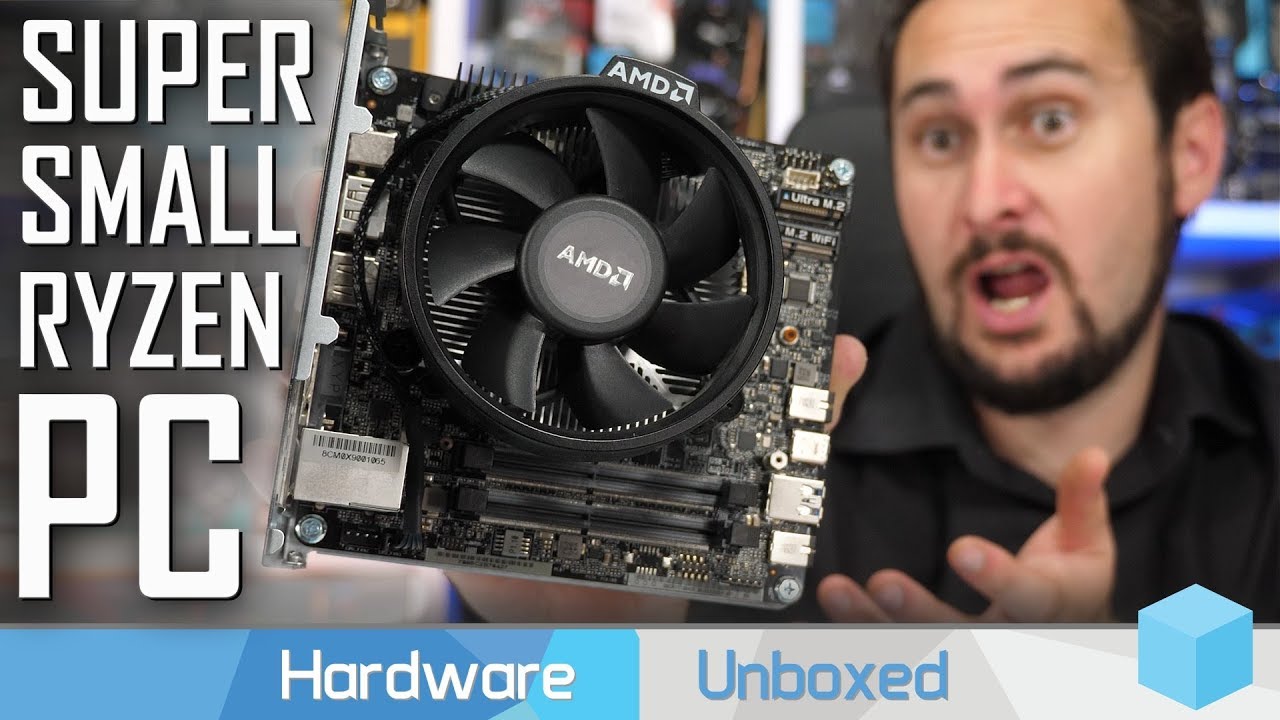
Support us on Patreon: https://www.patreon.com/hardwareunboxed GeForce GTX 1660 - https://amzn.to/2ClTuOe GeForce GTX 1660 Ti - https://amzn.to/2BHQpYr GeFor...
damn you can build this system for less than $300 depending on the CPU you choose
very nice
lofty light
Oooh
lofty light
Pfft, mini PC's are meant to thermal throttle 
latent light
fuck normal power supplies, why don't they just make larger AC adapters
lofty light
Lol
I've got one of these in my mini PC https://www.geeekstore.com/shop/custom-flex-atx-modular-psu/

Estimated 5~8 working days.
NOTE : Please do not replace to other modular cables from other brand, or it may cause the hardware damages and unexpected damages. And we will not be able to provide a…
cursive marten
how well does that work?
also, i've seen a lot of mini PC's with watercooling setups so thermal throttling isn't a thing?
lofty light
Haven't had any problems with mine except the 40mm fan has dodgy bearings so it squeaks
hoary ember
Lul
lofty light
According to reviews it's a common issue
But hey, I just happen to have a spare 40mm noctua fan so 🤷
cursive marten
couldn't you replace the bearings?
lofty light
Not worth it for a crappy 40mm fan
latent light
Ryzen 4000 architecture design is already complete, using 7nm EUV (extreme ultra violet).
20% more transistor density and also 20% more power efficient over Ryzen 3000.
Their later generation 7 nm (N7FF+) production is planned to use EUV multiple patterning and entered risk production in August 2018, and volume production in June 2019.
Ryzen 4000 expected release: Q2 2020.
lofty light
How expensive is that going to be 👀
latent light
My predictions for 4th gen Ryzen:
- 5-8% greater IPC than 3000 series
- 4.8 GHz single core boost
- 3466 MHz memory support out of box
- No X670 chipset
- 6 core/12 thread APU
latent light

supple bane
I wouldn’t say 4.8ghz
maybe the high end ones actually
but I wouldn’t say r5 4600 would have 4.8
https://youtu.be/4WfhJo20beA @steep gust

Intel commercials from past to present. All commercials are from Intel. All rights reserved. (C) Intel.

latent light
TechPowerUp
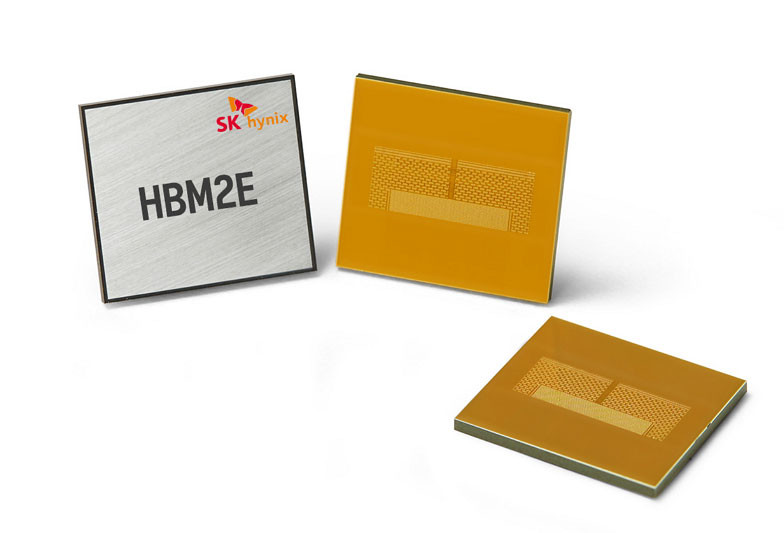
SK Hynix Inc. announced today that it has developed HBM2E DRAM product with the industry's highest bandwidth. The new HBM2E boasts approximately 50% higher bandwidth and 100% additional capacity compared to the previous HBM2. SK Hynix's HBM2E supports over 460 GB (Gigabyte) p...
16GB HBM stacks

violet plank
somewhat disappointing,loud,heavy,big (2.7slots),power hungry and very little performance gain against the reference design :/
guess they just used a nvidia strix cooling design,which is wrong cause of the much smaller amd gpu die
lofty light
GPU vendors are loving the 2.5-3 slot cards
Whereas I wouldn't go back from water-cooling it now
violet plank
1.4 Kg
they just need to make a bigger surface area of the chip,easier to cool,but more expensive i guess
steep gust
The thing is
For AMD
as long as temperatures are within safe metrics and noise / cooling is good enough
They don't have to change anything
pascal had a pretty small die compared to Turing and it is leagues easier to cool than Turing

HWBOT
The 2x Epyc 7742scores getScoreFormatted in the Cinebench - R15 benchmark. STH-Patrickranks #1 worldwide and #1 in the hardware class. Find out more at HWBOT.
HWBOT
The 2x Epyc 7742scores getScoreFormatted in the Cinebench - R20 benchmark. STH-Patrickranks #1 worldwide and #1 in the hardware class. Find out more at HWBOT.
Both scores are invalid on HWBot but show the strength of 128 cores 
prime jasper
why would that be invalid?
violet plank
nitro custom x5700 is way better in terms of noise,seems asus failed hard with their strix design
sapphire
well,nvm,sucks on performance bios aswell
44 decibel,that's loud af
oh that's for the xt,fans hitting the cooling limit there,the normal 5700 with 37 decibel seems ok
guess more cuda cores and the additional rt cores produce more heat on turing? @steep gust
steep gust
yeah that's normal
sour ivy
Ideas on how I can make my blower 1080 a lil cooler?
prime jasper
not much short of reapplying paste/pads and/or getting a new cooler on it
prime jasper
at that point the cost isnt justified vs a new card
sour ivy
Probably works
I saw someone else who like removed part of the bracket
So more hot air could leave
And that helped temps but I probably don’t wanna do that
I don’t think it’s throttling it’s just toasty
It never goes past 78 C
If I bring up the fan speeds to 100% it’s around 72 in Bfv
prime jasper
seems normal
sour ivy
Is it double or triple fans
prime jasper
double
sour ivy
I’m also just sad that I don’t get 144 FPS in Bfv
But I know the game runs shit for most people
prime jasper
only way I could get 144 is dropping to low but screw that
sour ivy
Wait you don’t get 144 on a 2080?
prime jasper
not on ultra 1440p
prime jasper
2700x
prime jasper
just let PBO do its thing
manually overclocking these isnt worth it unless you have a custom loop
sour ivy
😭
sour ivy
Those would be safe? Like name brand?
steep gust
waterblocks are waterblocks
EK is a "name brand" company and their blocks are shit most of the time
sour ivy
I’m not tryna fry my parts
steep gust
You can probably find the EK block for your card on ebay
prime jasper
yes...and the lines, and the radiator fans, and the fittings. its stupid expensive just to cool that card
prime jasper
damaged
prime jasper
at that point you might as well just take the side off the case and point a desk fan right at it lol
sour ivy
Lmfao
That’s not an option. I have cats
I really want to just have a test bench setup but they’d fuck it up
sour ivy
I’ll just see where it’s at after new paste
Also need to dust my pc and fix cable management lol
And get more than 1 case fan
But I’m getting a new case anyways. Need something smaller and better looking
latent light

Sapphire's RX 5700 XT Pulse is significantly improved over the reference card. We'll bench temperatures, noise levels, and gaming. Sponsor: Go to https://Nor...
very nice
storm osprey
same perf, better everything else
sour ivy
Thermaltake Versa H18 Tempered Glass Black SPCC Micro ATX Gaming Computer Case CA-1J4-00S1WN-01 https://www.amazon.com/dp/B079G3TNDM/ref=cm_sw_r_cp_api_i_qvAuDb6K2WGNT
Is this a good case
Wait wtf the 5700xt is so good
prime jasper
only if you have a micro atx board
steep gust
That's a large case for mATX
storm osprey
sour ivy
Thank
storm osprey
granted you can go cheaper, but i like the fractal cases
wait, this one instead
(sorry about massive links)
storm osprey
do you want a side window?
storm osprey
those are what i would get, personally i would get the masterbox
the thermaltake doesnt come with a fan iirc
molten bramble

 molten bramble
I LOL'd
storm osprey
thermaltake isnt my go to brand, but they seem to be decent budget cases
sour ivy
Yeah
 tropic pebble
any help? i just got an error saying my gpu does niot support my direct x 11.....i played the game hours ago everything was fine
i repaired the game still nothing
prime jasper
reboot, try again
storm osprey
classic
tropic pebble
i restarted my pc and the game worked. i cant understand this shit.....what made the game fluster? ugh these technologies nowadays
prime jasper
if a restart fixed it then it wasnt the games fault
steep gust
dx errors are generally driver issues
tropic pebble
how do i know if my drivers have issues though? i have everything updated and i got my pc from march
so its still new
latent light
CPU doesn't matter much at 4K
pallid silo
Yeah but what gpu would I need
latent light
RX 5700 XT or RTX 2080
5700 XT gets better performance than the 2080 in BFV for some reason
pallid silo
Ah okay! What fps does the vega64 uv/oc get? And radeon is more optimised maybe?
latent light
looks like 5700 XT beats vega 64 by around 15% in BFV
pallid silo
Ah okay! That's not worth the extra price for the 5700xt then
As vega64 is 300 pounds
latent light
Vega 64 averages around 45-50 fps at 4K ultra settings
pallid silo
Ahh okay! :) is that with AA off
latent light
yeah
pallid silo
Awesome :D and stock settings or an oc
latent light
stock
pallid silo
The sapphire is a 3 fan so I'm sure that will be okay :)
I could overclock and undervolt a vega64 to get 50fps at 4k ultra and turn a few settings to high :) thanks man
latent light

reddit
159 votes and 49 comments so far on Reddit
Sapphire has an exclusive feature with resolution scaling that works with all games, even if they don't support it
steep gust
Its no different than DSR
latent light
steep gust
That's not how that works
If you play at a lower resolution and upscale it, you end up at the same fps
hoary ember
@latent light where did you downloaded this version of trixx
latent light
it's for the Sapphire RX 5700 series
hoary ember
oh...
lofty light
Ohhhh.......how embarrassing 
 forest token
looks like it is just making it easier to use the amd built in upscaling
I think the amd tweaker requires making a custom resolution after enabling upscaling and the trixx just makes it easier
can anyone confirm?
forest token
👌🏻