#technology
1 messages · Page 194 of 1
 latent light
that's a dev kit
latent light
over 3x more powerful than a consumer console
consumer Xboxes will definitly have Zen 2 CPU and Navi GPU, but somewhere between 12-16GB of GDDR6 that's shared between the system and GPU
currently, Xbox One X has 12GB of GDDR5 but that's shared between system and GPU
and NVMe storage is likely on next gen consoles due to SSD prices dropping substantially
before the end of this 2nd quarter, SSD prices should drop 20%
 storm osprey
 minor turret
not sure if its gonna be nvme unless they get big volume discount
surely benefit over sata isnt that big
 prime jasper
itll have to be at least SSHD at this point. nvme seems too pricey for consoles
storm osprey
nvme for gaming is completely useless
id imagine youd shave off a few seconds from loading
prime jasper
Please do not get a SSHD
They are very infamous of dying very fast
Nvme isnt worth it
It's actually completely pointless
latent light
NVMe is good for small form factor
requires no cables and the drives are only the size of a stick of gum
prime jasper
Theres alot of m.2's that's not nvme
problem is many motherboards now have m.2 slots that are only nvme
Wut

They will accept normal 550
many B-key slots were SATA-only
 storm osprey
mine is too....
i literally cut out the back of my tv stand to put fans in to blow more air at my ps4
latent light
yeah, 6mm thick vapor chamber iirc
storm osprey
my one complaints with my ps4 pro
storm osprey
idc if they make the dimensions bigger, as long as it still fits into normal console slots on tv stands
latent light
original xbox one was huge but they did stay cool and fairly quiet
mainly because of the large heatsink and 100mm fan
storm osprey
sadly japan seems to have a fetish with making things smaller when it doesnt matter
latent light
Apparently, Navi is capable of supporting both GDDR6 and HBM2

wonder if that means there will be an enthusiast level Navi card with HBM2
or a server card
 slate rivet
anyone have a good reliable transcriber? please @ me
i.e uploading a .mp3 and automatically transcribe what it does. (free or as cheap as possible £)
prime jasper
Does Dx12 actually do anything for rtx cards?
its required to use DLSS and/or ray tracing, so yes
I mean like FPS wise
will it help or hurt my FPS
generally depends on the system specs. it may indeed help on more powerful systems, it helps my fps stay more stable anyway
ok, thank you for the help
storm osprey
i always say just toggle between the 2 and see what you like more
it doesnt seem like a set in stone "dx 11 is better for this and dx 12 is better for that"
 teal acorn
Anyone knows why Bf1 wont connect to the EA network???
storm osprey
because its a poor game compared to bfv
 steep gust
BF1 > BFV
storm osprey

 grizzled apex
Should I save for this?: EVGA GeForce GTX 1660 XC GAMING, 06G-P4-1163-KR, 6GB GDDR5, HDB Fan http://www.newegg.com/Product/Product.aspx?Item=14-487-438&ignorebbr=true
prime jasper
why a single fan?
storm osprey
1660/1660ti cards msrp are typically single card, and are apparently pretty good considering how efficient these cards are
storm osprey
^
if you can get a good dual fan gpu for 10-20 bucks more then do it
but once you go past that you get close to "well i can just save another 50 bucks and get the NEXT step up gpu" (like 1660ti to 2060 is 70 bucks)
prime jasper
he's already in rx580 territory
steep gust
RX580 loses to the 1660 IIRC
 storm osprey
580 is on that list at 180 bucks, which is pretty low honestly, but amd does come with bundles commonly that make the GPU cost like 40 bucks when you substract the price of the games it comes with
steep gust
and used rx580s are 👌
storm osprey
used markets are pretty good atm, i saw a 1070 for 200
 pallid silo
i just logged into steam and steam randomly uninstalled 7 of my games is that normal wtf
storm osprey
for gaming no, 3000mhz is the golden standard for amd
now that i think about it, idk about intel
steep gust
faster is always beter
 limpid glade
"I am speed"
grizzled apex
Does anyone own a gtx 1660
latent light
doubt it since it came out only like 10 days ago
it gets similar performance to the RX 580 in BFV
but other games, it compares to the RX 590
 hallow elm
The speed doesn't matter as much as the ram timings. Tigher timings usually give better performance.
 full hatch
eyo gamers i got a problem dlss isn't working with my 2080 ti, i have windows 1809, dxr on, dx12 on, and latest game ready drivers
prime jasper
what resolution? @full hatch
steep gust
16:9 so it should work
prime jasper
yeah dlss doesn’t work me either. I think you need to enable something in the nvidia control panel
DSR i believe
steep gust
DSR is super sampling
you need to use DX12
and enable DXR
aka fuck your fps
then make it look blurry with DLSS
full hatch
i have them enabled
omfg geforce experience keeps deleting
@steep gust @prime jasper dxr is on ultra
k now it's on
you have to turn it on thru geforce experience
the option in game is blocked
 queen field
thinking of buying some trash e die ddr4 for my upcoming ryzen 2 build
or ryzen 3, if thats wht they call it
anyways, whats the safe voltage for ddr4? And memory controller if that matters too
steep gust
1.5v
queen field
never got to experience with ddr4 overclocking, im still on ddr3, with my sticks at 1.76v and vtt 1.27v
steep gust
soc 1.2v
queen field
wow, that freaking low
queen field
ok guess i gotta understand the changes in ddr4 haha
mmh
surpisingly mine has yet to do that?
its been nearly 3 years with them at 1.76
steep gust
DDR3 has a lot of variance with how much voltage the ICs can take
but DDR4 is pretty cut at 1.5v
Only B-Die really scales with more voltage, some ICs even lose stability at higher voltage
queen field
hahaha SHITTT
steep gust
SOC is the same way, just increasing the voltage can cost you stability
queen field
guess im indirectly forced to not skimp on ram for my new build
steep gust
and I'm guessing the max safe voltage for Zen 2 will be lower
queen field
damm that sucks
steep gust
meh SOC never needed much
queen field
guess i'll be the weirdo who does excessive voltage overclocking again then
for ddr4
steep gust
https://pcpartpicker.com/product/cvGj4D/team-dark-pro-16gb-2-x-8gb-ddr4-3200-memory-tdpgd416g3200hc14adc01 this kit hit $160 and is B-Die
steep gust
and really good
queen field
i ignored it and got another 2x4gb shitty bare pcb ddr3 sticks for free
queen field
they went from 1333mhz to 2.4ghz sweet, although with a trash timings of like 11/12/11/3X something
SHET
those are still too exp for me
steep gust
They are like $160-180
queen field
oh wiat they are 16gb
steep gust
I paid more for a shit bin kit a year ago
I paid the same for my CJR kit 5 months ago
CJR isn't bad, but it ain't b-die
queen field
cjr? Mb
steep gust
Hynix CJR
tRCD and tRP are linked so 15-19-19 was the best I can do
ignore most of the sub timings
steep gust
15-17-19 should work, but its Intel so I can't change them separately
Also people who have ran B-Die daily above 1.5v have reported it randomly dying
steep gust
B-Die doesn't degrade, just one day you won't post and have a dead stick
and unless Zen 2 sees some massive IMC upgrades
You won't need above 1.5v
Since you will the the limit of the IMC / motherboard before the RAM
queen field
 wanton juniper
help
steep gust
Hell unless you are rocking a 9900k / 8086k / etc and a Z390 Dark / Apex you will never take full advantage of B-Die
wanton juniper
i need to post an image
steep gust
1usmus (author of DRAM calculator)
wanton juniper
god?!?!
steep gust
Alright throw that in the trash
steep gust
Probably not
wanton juniper
my download is slow!
steep gust
@wanton juniper CJR isn't much cheaper than B-Die and its not a competitor
wanton juniper
queen field
are you on the amazing 2.4ghz
steep gust
B-Die shits all over CJR
steep gust
Its an IC for DDR4
queen field
HAHAHA
steep gust
did I tag the wrong person whatever
queen field
i think @steep gust u pinged the wrong person
wanton juniper
yea
queen field
xdd
steep gust
3200mhz CL14 is the generic B-Die bin
queen field
yes
queen field
u writing that into ur hard drive or smth?
steep gust
yeah nothing much you can do outside of the generic troubleshooting for wifi problems
wanton juniper
yessir
queen field
and are u on a wired connection?
wanton juniper
harddrive
steep gust
We are not tech support
wanton juniper
wired connection yessir
queen field
ah that probably explains why 
steep gust
Nah
steep gust
HDD won't result in KB/s
steep gust
yeah that is why
wanton juniper
and gaming
queen field
in that case, im guessing its the hard drive doing random shit like donig swap
wanton juniper
and doing everything
queen field
while downloding @wanton juniper's game
steep gust
You only have so much bandwidth
wanton juniper
i need 10 gig ethernet
queen field
else its slow internet?
wanton juniper
:)
steep gust
10gig is worthless for ethernet
wanton juniper
its prob the harddrive
queen field
i need better hardware
steep gust
unless you pay for a 10gig line
queen field
if u dont have an m.2 slot, the 860 evo is dank
i saw it going for 130usd, the 1tb variant
in newegg iirc
steep gust
@queen field Ignore the Ryzen Timing calculator, its straight garbage that is a bunch of presets and zero calculating
I would recommend spending the extra for B-Die if you want to overclock DDR4, CJR is nice but it will limit you.
queen field
oh wtf, im defo blind, im pretty sure, i was happily staring at the timings & clock the sticks ran at @steep gust
and alights, imma get settle with trash ram from my classmate when i get my build up
wanton juniper
ill prob get a 500gb
queen field
for the first few months or week, im most likely in the process of copying shit into my new hard drive
steep gust
$70 for a 500GB SSD is pretty bad
wanton juniper
really
queen field
then finally dumping it to my new rig and taadaa ❤
steep gust
Look for like a MX500
steep gust
Hell even a budget SSD like a SanDisk SSD Plus (it lacks cache) will shit on an HDD
Yeah it will lose in random I/Os to SSDs with caches
but its generally not noticeable
steep gust
lol that is a waste
wanton juniper
also what about a kingston
steep gust
Yes
 wanton juniper
ah
steep gust
This is what an M.2 drive is
wanton juniper
ohhhhhh
steep gust
Some are NVMe (uses PCIe lanes)
wanton juniper
yea i need sata3
steep gust
Which are leagues faster than SATA 3
but not useful for people who only game
but you can also buy SATA 3 M.2 drives
steep gust
you probably don't have a slot for them
wanton juniper
yea
steep gust
if your motherboard is super cheap or old
wanton juniper
i have the hard drive slot things
 lofty light
Even some cheap ones have nvme slots now
steep gust
yeah on recent chipsets
lofty light
Got an AM4 one
wanton juniper
i got the 1070
 mortal nacelle
So i got a problem , when dice or nvidia eneable highlighst for bfv it workes for a few days, now it dont work anymore anyone have the same problems ?
latent light

pcgamer
Overclocking made easy (and expensive).
handpicked 9900K that are tested to run at 5.1 GHz all core
$900 motherboard
has its own waterblock though
minor turret
siliconlottery wants 940 usd for 5.1ghz 9900k
so id argue its around 600 dollars for mobo
latent light

Battlefield V, Assassin's Creed Odyssey 2x8GB vs. 4x4GB RAM performance comparison. ● RAM: G.Skill Trident Z RGB DDR4 16GB (2x8) 3000MHz CL16 ● RAM: Corsair ...
Quad channel memory does quite a bit in BFV
roughly 15-20% difference
 upbeat crypt
Anyone have any other solutions they tried besides the common ones for game locking up and crashing?
grizzled apex
For anyone interested about gtx 1660 performance: https://youtu.be/apE7D2umS9Y go to 7:16
latent light
it will get similar performance to a RX 580 in BFV but will be equal to the RX 590 in other games

CPU: intel core i7-8700K Games: 1-Battlefield V 2-Assassins Creed Odyssey 3-Strange Brigade 4-Resident Evil 2 5-Metro Exodus 6-Far Cry New Dawn 7-PUBG 8-Shad...
limpid glade
With regards to the contest DICE are doing (with a 2080 Ti at stake), the requirements of the video is 1080p. I have recorded my gameplay in 1080p but with an ultrawide (so there will be black lines on the top and bottom if seeing with a normal 1920x1080p monitor. Does this not count as the required/specified resolution? Thanks.
 supple bane
ok, i tried to enable dx 12 on a 1060, yeeeeeeee...no
my frames didnt change and i got loads of screen freezing
mortal nacelle
So i got a problem , when dice or nvidia eneable highlighst for bfv it workes for a few days, now it dont work anymore anyone have the same problems
mortal nacelle
I dont know
supple bane
i have been looking for ages and i cant figure it out
mortal nacelle
mine is enable in settings
mortal nacelle
It just stopped working when the have patched somethink
dunno if it was the nvidia patch or bf patch
supple bane
i got sad because i took down a plane with a pak and it didnt record it, thats how i worked it out
worked it out that it wasnt working i mean
mortal nacelle
I killed 9 person with the 4000lb bomb thats where i found out it didnt work
it was the mother of all bombs it was plante like perfect
supple bane
it was from across the map as well
i shot and the plane wasnt even on my screeen
for once im not saying dice fix ya game
nvidia, fix your game
heh
latent light
just use OBS 
supple bane
well on the upside, they arent recording dum shite and taking up storage...
like it recorded that one time i got a kill...in a tank....
latent light
I turned off highlights because it recorded every kill and death lmao
mortal nacelle
i just like it record you when you die to stupid shit 😄
Yeah and it only took up 5gb and then it would delet
latent light
when it records, that fills up storage
latent light
it has a storage cap?
supple bane
^
 supple bane
also, there should be a way to save it to a cloud and log onto your account on your phone so you can show off to people at work etc
kinda like what xbox has
mortal nacelle
just use https://streamable.com/
supple bane
oh ok, if and when it gets fixes i might have to start using that
latent light
yeah I still have all the recordings from my xbox, I just log into my microsoft account and I can view them
pretty cool because I haven't had an xbox in 2 years but I can still watch the clips
supple bane
lol
i mean, microsoft must have a fucking huge server farm to hold all that data
well its microsoft ofc they do
haveing millions of players all adding more and more data everyday..
you would think that they would have a system where if you dont watch the clips in a month or something you will get a warning, and after another few days they get deleted or something along those lines
latent light
I think game DVR on Windows 10 is the exact same thing that xbox has
supple bane
@mortal nacelle, that clip that you sent, just a question, is it your pc that is having frame drops or does that have something to do with streamable?
because if the frames are dropping like that, it might put me off a bit
mortal nacelle
answar you in general @supple bane
latent light

TechPowerUp
NVIDIA TU107, 1665 MHz, 896 Cores, 56 TMUs, 32 ROPs, 4096 MB GDDR5, 2000 MHz, 128 bit
this is what they predict about it
 pale wren
saw the new RTX 2090 yet @latent light
latent light
I heard about 2090 leaks
steep gust
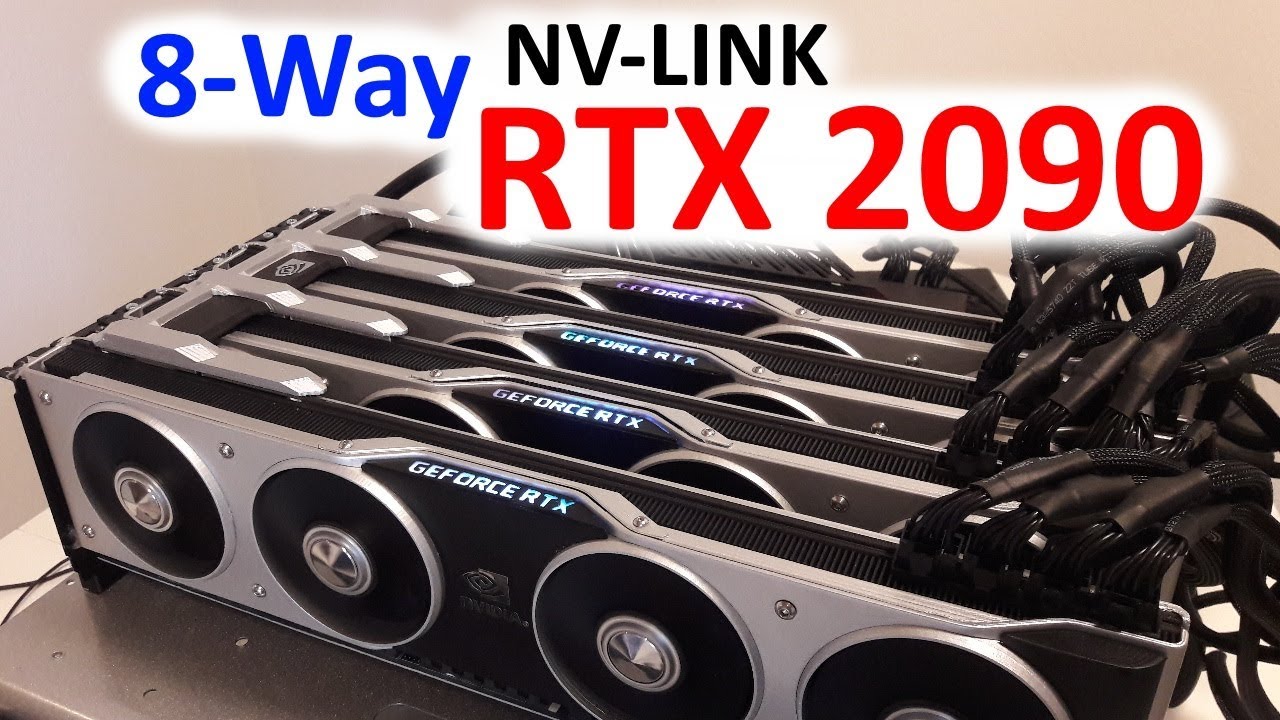
Sorry about bad video quality, everything went wrong and had to do last second records on a camara i wasnt used to. Hope you enjoy anyway :) Here's a link to...
 pale wren

steep gust
Its not photoshopped
latent light
ik, was talking about the radeon VII
pale wren
thats the joke xD
 pale wren
lol
 latent light
would of you of bought the 2090 if it existed?
 pale wren
what the fuck why @latent light , we don't have a clue how good it actually is xD
latent light
all it is two 2080 Tis together 
pale wren
steep gust
Psycho is gonna buy a Titan V CEO for the biggest epeen
prime jasper
Actually dual GPU card have half the lantency and makes frame times double improvement making it alot more smoother
steep gust
$15,000 or so for a one in 20 gpu
getting two GPUs that there is less than 40 of isn't big enough
pale wren
@prime jasper i think 2 GPU shall be able to do that
pale wren
ik
latent light
wasn't there a time where you could pair together low-tier and high-end cards on SLI/xfire?
pale wren
2 cards would take lot more place than dual one
 latent light
same gpu tbf
latent light
bring back dual gpu optimization
prime jasper

pale wren
what about Quad_GPU
 pale wren
you wouldn't need to change your GPU for the next 20 years
latent light
google is going to pay game devs to optimize for crossfire since Stadia is going to use dual Vega 56s
pale wren
😂
prime jasper
I call my 2080ti's gt210's so people dont make fun of me
latent light

Digital Trends
How many graphics cards do you have? Probably one, but Google Stadia might use more than one if a new UL Benchmarks demonstration is to be believed. If so, it's very possible that multiple GPU setups could become popular again, as developers improve their support
pale wren
very intresting
steep gust
also not very useful
latent light
Google could easily pay game developers to optimize for multi GPU
supple bane
if they make it better I will get a pcie extension and get another 1060
latent light
a lot of people like game streaming
steep gust
1060 doesn't support sli
you can force it over pcie IIRC
but it doesn't support it on paper without hacking the drivers
latent light
game streaming does require a good internet connection though
steep gust
and non fps
latent light
20 mbps minimum iirc
 steep gust
dreams
latent light
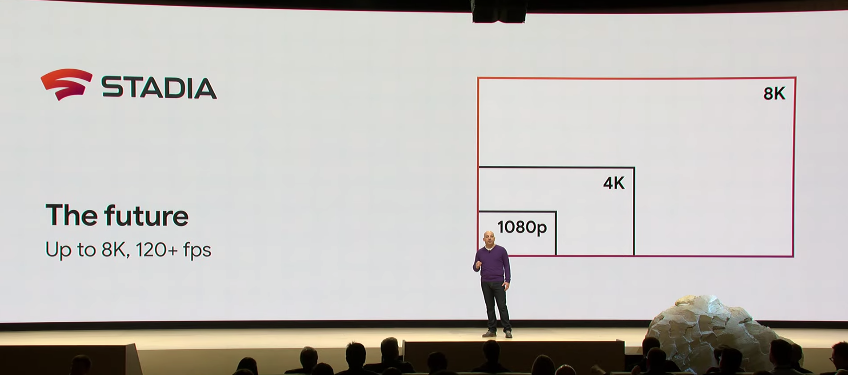
After "Billy Lynn's Long Halftime Walk" failed to bring about widespread adoption of a new framerate standard for film, new data technology could make streaming 120fps a realistic goal.
prime jasper
Im sure thats possible with enough neural network meme sampling
steep gust
not enough bandwidth possible
latent light
going to probably need 1 Gbps internet to pull that off
steep gust
and a contract with your provider
Just because you pay for a 1Gbps link doesn't mean you will ever get that
pale wren
wtf 8k xD
prime jasper
dont let your memes be dreams, pay up
pale wren
most of ppl still use 1920x1080 resolution
latent light
most people with fast internet doesn't have consistancy, sometimes it's at 500 mbps, other time at 200 mbps lmao
everywhere I've been with fiber, that was the case
latent light
yeah, Stadia latency was reported at like 120ms
steep gust
yeah that is bad
pale wren
lol
steep gust
and advertised latency will never happen
pale wren
ban them for that
latent light
it won't be bad in single player games though
pale wren
Single player
steep gust
Single player FPS will still suck
pale wren
come on we are in a Battlefield server and u talking about single player
even know last Tiger was best single player ive player ever
latent light
the only way game streaming will be a good choice in multiplayer FPS is if there's some alien tech we don't know about that lets users play with other players on the other side of the world at 10 ms
pale wren

latent light
but, game streaming will never work in multiplayer gaming, not even in 1000 years
because limitations to science
we'd need to invent something that travels faster than the speed of light
prime jasper
Einstein would like to know your location
pale wren
i know why
 wheat quest
I am going to go for a headset about 50$ or under.I do not want any of that 7.1 crap so any recommandations? I heard the HyperX Cloud Stinger was good.
pale wren
prime jasper
the 7.1 crap is literally built into Windows now lol
minor turret
im sure google is able to do that in their ideal scenario
where stadia servers are within 20km of your house
and fiber
which will only happen in their test case
 broken forge
I got this one @wheat quest
They are ok, 30$ on walmart
Cant remember their name tho, but they are labeled as official for ps4
wheat quest
No can do -muchacho– I am not in the US.
@broken forge I want to be able to properly hear footsteps.
steep gust
Virtual 5.1 / 7.1 is garbage
Just buy a good stereo headset
You will be relying more on the game's sound engine then your headset
wheat quest
@steep gust So after a certain level at least for stereo it does not really matter.
for BFV,HyperX Cloud Stinger,PS4. What do you think? @steep gust
 strange bough
Today I am getting an unusual amount of hitches when playing... Was there an update or something that I missed and tanked the performance? I am also crashing a lot more often. 😦 I wonder if there is a proper way of reporting those crashes?
supple bane
neat. just ordered my 1tb ssd
pale wren
Samsung=?
grizzled apex
Honestly though, the rx580 drivers isn’t as good as nvidia drivers. I’ve been team green for over 4 years
And as much as AMD has come from the 7-series, I’m still not convinced
 carmine glade
I have the high ping warning up like 50% of the time, checking the net graph says 35ms average 41ms max, what do? is it just tripping or what should I look for?
BFV
grizzled apex
It’s just the 60hz servers. They are high system resource demanding
carmine glade
but is anything going on on my end? I see no issues from my side
grizzled apex
I have the same issue but I found the issue is more consistent with WiFi. It cuts out for a few seconds then the game works beautifully.
supple bane
@pale wren, sorry was away, its a wd blue one
pale wren
what? : )
supple bane
you asked if it was a Samsung ssd that i ordered
pale wren
yup it so noice XD
grizzled apex
Wow, gigabyte actually has a solid cooler design that’s effective. 68 degrees on max load
Vs Msi and evgas 70: 1660
supple bane
well some how the evga 1060 gets to 89 degrees
with 100% fans
i think i might have an issue with the thermal paste if im being honest
because thats just ridiculous
grizzled apex
Is it under warrenty? It’s a 3 year product warrenty (mine stays well under 75 while gaming)
supple bane
yeeea bout that....
grizzled apex
Though honestly, the 1660 is just a glorified gtx 1060 6gb with more cuda cores and a higher clock speed at a cheaper price
supple bane
i kinda yeeted the warrenty sticker with my compressed air when cleaning dust
supple bane
i was cleaning and it ping ponged around the inside of my case
grizzled apex
I haven’t cleaned my hard drive fan in a while and found out the dust was covering the once clear plastic fan 😛
Nothing a microfiber cloth can’t fix
Although, I should probably plug in my upper case fan because I have the extra header
Besides, it’s time to retire my old card anyways. It’s been almost 3 years
I got it January 2017
Which means it’s basically older than dirt, well not as old as my old 750 ti 4gb
steep gust
and I know someone who's 1080ti will thermal throttle at stock voltage
He can't RMA it because the cooler isn't beefy enough for a 250w card
prime jasper
Stock 1080ti volts etc is pretty aggressive, down volting it to just 0.8v 1800mhz cuts the heat by 40%
It's a massive difference
latent light
I undervolted my RX 580 down to 1050 mV from 1150 and temp went down about 12C
I might even try dropping down the clock speed a little to get it all the way down to 900 mV lmao
WattMan is a nice utility
 stray vortex
hey i've never really brung up how dark the customization menu is on dx12 but now's the time i guess
its really, really dark
like i cant properly inspect items unless im in-game
weapons are uninspectable unless they have shiny parts
grizzled apex
Is the brightness all the way down?
I mean what’s the difference between a single and double fan GPU? I mean I’m either going to get a gigabyte card or an evga card (gtx 1660) but I’m only spending as much at the cheapest one
Oh crap, the gigabyte model only has HDMI and DP on it.
steep gust
size of heatsink
double fan has more heatsink
Sometimes spending $5-10 more is ideal
grizzled apex
30$ on another fan? Which may decrease the temp by like 2 degrees. I mean I don’t see a point tbh
grizzled apex
I mean the evga xc ultra is 250$ which is the same cost as the 1060 6gb at launch (AM)
grizzled apex
Not if the the case is properly vented like mine
I have 3 fans running from the front, back and top
Besides, the Xc black is fricking huge
Plus I mean I’m strapped for money. Should I get it?
I mean it’s 220$ for basically a better gtx 1060 6gb
Plus I mean I’m sick of running battlefield 5 on a potato gpu that can barely run low
steep gust
You are currently using a 1060 3gb right?
so a 1660 is not much of an upgrade
I would save a little more for a 1660ti
grizzled apex
But it’s 280$
steep gust
but its an actual upgrade
grizzled apex
Plus 3 extra gg of Vram is pretty big
steep gust
not a diagonal sidegrade
supple bane
for what ever reason i am doing a cinebench test on my old laptop.... it has an i3 m350
it has been going at the render test for like 20 minutes and is like 3/4 of the way done
im scared its going to run out of battery before it ends hehe. it was 100% and now 4/5 of the way though it has gone down to about 20%
1080p
ok, it scored a whole 253
prime jasper
If you have an low end gpu you can get a good frame rate but it needs you to optimize your system completely
minor turret
only reason to get a gpu like that seems to be for mission critical software that does not play well with newer hardware
prime jasper
meh, I had a choice of waiting for a deal or 4 weeks for pay, or get a new low spec
runs BF1 perfectly
and most games
but it probably wouldn't do games like div 2
wait a few more months and I'll make a plan on a deal
Please us #stats for rank
minor turret
a 970 can be had for like 70 dollars :D
grizzled apex
Should I get my gtx 1660 ti from Newegg or Amazon
latent light
either work
grizzled apex
Cause I’ve been looking around for a while and I think the evga Xc black 1660 ti is really the only option I have at this point because the 1660 only is the same if not a tad better than the gtx 1060 6gb
And it’s better for futureproofing
Besides, the Xc black is extremely overbuilt on the cooler
Just wish it had a back plate but im not huge on that
latent light
EVGA doesn't build their cards with looking good on their mind
their RTX cards already prove that
minor turret
tbh id rather have my own heatsinks and/or fan on backside if its needed
than a backplate
latent light
I like backplates because I have MOSFET heatsinks on my VRMs that are only attached on by the adhesive of the thermal pad
if one of those small heatsinks ever fall off, the back plate would protect the back of the card from getting shorted
 molten bramble
Aren't MOSFET heatsinks typically bolted on these days at all four corners?
https://www.ledsupply.com/led-heatsinks/half-brick-heatsink-black-powder-coated-finish-with-screws or something similar? Or do you have those bulkish copper ones?

Shop LEDSupply - Free Shipping & the lowest prices on the 102-1488 half-brick heatsink for high power LEDs. In stock. Click or Call (802) 728 6031.
Ah, you're talking about the L-ish blocks. I don't think I've heard of those coming off, but I guess it's possible.
Sort of like this.
grizzled apex
1650? ##* really
I mean I can understand the 1660 and the ti variant but 1650. Why could they just do 1150
And 1160
steep gust
@molten bramble Those heatsinks come off pretty easily
molten bramble
Oh yeah?
molten bramble
Never had one fall off myself
steep gust
and Corsair doesn't make motherboards so they aren't epoxy on
oh he meant the adhesive thermal tape aftermarket mosfet heatsinks
molten bramble
ahhhh
latent light

Let’s get started with AMD. Rumors have surfaced that. No. You need a big warning for this. This is where I draw the line guys. I understand that leaks are c...
forcefully laughs myself into a stroke from reading this title
latent light
tbh, if anything Navi first gen can even beat the Radeon VII, I'll be surprised
all we know is that Navi is supposed to be aimed at mid-low range
We've been hearing that the best Navi card will compete against the 1080/2070 but for only $300
grizzled apex
Is there really much of a difference in performance between the evga black and gaming Xc models? I mean I’m not really gonna pay an extra 10$ for like 2 more FPS
latent light
wouldn't surprise me to see Navi at a low price like that due to the simplicity and low cost of the manufacturing
grizzled apex
Honestly AMD is really making a comeback at the consumer market
latent light
@grizzled apex a GPU with a single fan, even a 120w card, will be noticeably loud tbh
supple bane
nothing will be louder than the intel stock cooler, so idc XD
if you have an intel stock cooler, you wont be able to hear anything else in your pc
grizzled apex
I mean my case has more than adequate cooking so it probably won’t get that hot (really, I I have an it’s card in my system now and it’s really not that loud)
It maybe will max at 70 degrees on load
latent light
bro, just get a $20 aftermarket cooler, will destroy that intel stock cooler lmao
hell probably even a $10-15 cooler
latent light
you looking for 1660 or 1660ti
grizzled apex
Keeps my i7 below 70 degrees at max load
Oh, I though he was talking about cpu coolers xD
latent light
yeah I was but wanted to know what you were going to get
minor turret
gpu market is a duopoly so if vega hits 2070 performance then it will be priced accordingly
grizzled apex
I was considering the 1660 but given GDDR5 ram isn’t that good, the 1660 ti seems pretty budgetable
And it also uses a heck more power than gddr6
On average the 1660 uses 20 more watts than the 1660 ti
Which is pretty good considering evga models also can be overvolted
latent light
the memory does, but the GPU chip itself uses less
grizzled apex
Besides, I mean 30$ extra for another fan when I could just get the itx version (which is pretty overbuilt) for the stock price when I really won’t be doing overclocking or volting in the future
latent light
1660 Ti XC will sit between 65-70C depending on your case cooling
grizzled apex
3 case fans running at the same time, I think it should be fine
supple bane
ye i might get an after market cooler... just its need vs want again. like i cant hear the cooler with my headset on and my cpu doesnt go past 60 degrees
if i was to get a cooler i would go overboard with it tho and just get an aio
something like this
as i have one more 120mm space left
latent light
what cpu do you have
supple bane
i5 7400
latent light
aio not worth it lol
supple bane
ik it isnt
latent light
unless you want to use it for a future cpu
supple bane
i guess
i mean, my next cpu is going to call for a mother board change,
as my mobo can only have 7th gen cpus
grizzled apex
Problem is: doesn’t have a dvi port, I have to have dvi for my monitor to support 144hz
My first option was going to be gigabyte but they ditched dvi for extra monitors
minor turret
AIOs have a shelf life so i wouldnt buy one now for a future cpu
supple bane
im probs not going to get one yet, i feel i have spent too much money on my setup in this month
new kb. 1tb ssd. new rgb mouse mat
yes i got an rgb mouse mat
minor turret
holy shit they sell kick scooters that run up to 85 km/h
the chinese must be absolutely suicidal
supple bane
latent light
@grizzled apex nah they ditched DVI for FreeSync /G-sync
only DisplayPort supports Free/G-sync
grizzled apex
Still, too bad dvi is starting to die
Alsomy monitor is kind of weird where it supports 120 and 144hz but you can’t use hdmi for 144hz, only 120 but dvi will only get you 144hz
latent light
tbh, 120hz makes more sense for the 1660Ti
you won't be hitting 144hz on BFV that's for sure
grizzled apex
It does but 144hz feels a bit more modern
I mean most of my games run wel except for battlefield 5
80fps on battlefield ultra is pretty impressive though for a sub 300$ card
Especially considering the 1060 when it came out could barely run battlefield 1 above 70
latent light
trust me, getting used to 144hz or even 120hz and then playing BFV at 80 fps will be disturbing to you
but you could play at low/medium settings and get close to that performance
grizzled apex
my 3gb 1060 can do over 100fps on low but you can’t see anything
That’s mainly why I’m getting a 1660 ti
Mostly for future proofing my system
latent light
my RX 580 does roughly 120-130ish fps at low
so you could do at least 140 fps on low
grizzled apex
But I’m more of nvidia guy mostly because of shadowplay
latent light
but on ultra, you'd get under 100 fps
grizzled apex
Anything is better than low though
grizzled apex
60hz in 2019? Who dis?
latent light
60hz isn't bad if you're used to it
going above 100hz shows diminishing returns
60hz = 16.67 ms between each frame
75hz = 13.33 ms
100hz = 10 ms
120hz = 8.3 ms
144hz = 6.9 ms
165hz = 5.8 ms
240hz = 4.2 ms
grizzled apex
Still, while AMD does have its benefits, the 16 series by nvidia seems to profile a bit more of value. I mean your basically getting 1070 performance with better gddr memory, 2gb less and overall a very well built card
supple bane
My monitor is 75 htz
but because I have only ever played with 60 and 75, I don’t know what it feel like to play 144hz meaning I don’t feel like spending the money on it
latent light
85hz monitors exist too lol
grizzled apex
They are fairly rare though aren’t they?
latent light
yes
 narrow glen
here is a question, I have a GTX 1080 in my system RN (My PC was built and fully finished in February 2018), should I get an RTX 2080/2070 or should I just wait for the next Nvidia card that comes out.
supple bane
nah, 1080 is good enough
latent light
2070 is the same performance as the 1080 lmfao
2080 would be a 30% increase in performance
supple bane
there’s no need for an upgrade from the 1080
latent light
^
supple bane
until it starts to decrease in performance leave it, because that will run all games now and should run most games in the future
latent light
if you already have a 1080/1080ti, anything in the RTX series is pointless to buy unless you want a 2080Ti just to have the best
grizzled apex
Unless you want rtx cores
narrow glen
I just wished that Nvidia has made an effective form of SLI/ NV Link.
grizzled apex
But if it’s just performance, then it’s really not worth it. I mean yeah, it’s GDDR6 memory but the trade off isn’t really worth
latent light
it's not really Nvidia's fault that games don't scale very well with SLI/NVlink, it's the game developers that don't optimize for it
grizzled apex
I just wish the 16 series had sli. Would have made a bit more sense
narrow glen
I mean, I wished that GTX 1080 SLI was useful, but SLI sucks.
supple bane
Same, I would get an sli of 970’s
grizzled apex
Imagine two 16 ti’s in sli would be 1080 like performance
latent light
two 1070s in SLI will get around 1080Ti performance in games that optimize SLI very well
supple bane
the 970 is like a 1060, so having 2 would be awesome considering it’s like 140 pound for both of them
grizzled apex
^ I regret getting the 3gb
supple bane
same
narrow glen
I say this because I can ask for an extra GTX 1080 on Ebay for a price if I can haggle enough (I shit you not, some people are selling GTX 1080, non ti models BTW, for over normal MSRP)
supple bane
there is a 5gb 1060 as well
narrow glen
the 5GB is apparently a chinese model for some reason
supple bane
yes it is
grizzled apex
It’s a Chinese exclusive card if I’m not mistaken
latent light
just hold onto your 1080 until sometime next year when RTX 2100 series or Navi 2nd gen comes out lol
narrow glen
like, why, why is there a 5gb model needed, couldn't they just give them 6gb versions as well
grizzled apex
But some people outside China have their hands on them
supple bane
^
narrow glen
Yeah, i was going to wait for the 21XX series
supple bane
so they would be hard to find but they do exist
grizzled apex
Imagine the rtx founder edition but with 2 extra fans xD
narrow glen
and I have an i5 8600k and I might just get an i7 8700k\
narrow glen
Wait, never mind, I don't know why I typed that, i was going to actually get an m.2
latent light
tbh, you could sell your 8600K for like $180 and then use that money to help pay for a 8700K/9700K
supple bane
I would get the 8600k if my shity motherboard only wanted 7th gens
latent light
8600k beats 4790k lol
grizzled apex
Putting performance to cost, probably yeah
narrow glen
I think for upgrades, I remember what I was going to get in priority, an M.2, then a larger Hard Drive, then some 2.5 inch SSDs to put into RAID 0 (I currently have a SATA m2. instead of an NVME, and a 2TB SSHD) then a graphics card once the next Nvidia card comes out, then an Ice Lake or Cannon Lake CPU, or an i7 8700k.
latent light
don't use SSHD, they have short lifespans lol
latent light
I've had 2 SSHDs and they shit the bed within 2 years of eachother
SSD prices are going to continue to plummet
by June the prices of SSDs should be down 20%
so we should be able to buy a 500GB 860 EVO for like $50 flat lol
supple bane
It was the fastest on my local store so hey
grizzled apex
^
latent light
lol
supple bane
there was Kingston, crucial and Samsung
Was the fastest out of the lot
Just checked and it has 560mb/s read and 530 mb/s write
narrow glen
I only got my SSHD because I got it for less than a 2TB HDD at the time.
7200RPM Hard Drive BTW
supple bane
Wdym?
So the read and write speeds have nothing to do with how fast it loads things?
steep gust
sustained read / writes will almost always hit SATA 3 limits
Its the random I/Os, etc
supple bane
Well what are the sata 3 limits?
 molten coral
Maybe a weird question but is it possible to get the file from the lock screen? I've setup a background for my lockscreen a super long time ago but I've removed the file... Is it still possible to get that file somewhere.
molten coral
I like the background but can't find it anywhere on the internet 
steep gust
560MB/s read
and like 530MB/s write
@molten coral Probably buried in some windows folder
molten coral
sadcat
supple bane
anyway, let’s be fair, it’s an ssd surely it will be better than my hard drive
 forest token
note: nvme m.2 is using pci express which has has a much higher bandwidth than non nvme m.2 drives which use a sata interface and is limited to sata speeds
prime jasper
lol and they even have pcie cards that are just 4 or 5 bays of m.2 so you can get everything at once
Does ram speed even matter? I’m thinking of overclocking from 2666 to 3200mhz
much more so on ryzen anyway
prime jasper
so intel doesn’t benefit from this then?
steep gust
It sure does
but you won't see as noticeable gains
There is still nice gains if you are a power user
prime jasper
@molten coral try here C:\Users\yourusername\AppData\Local\Packages\Microsoft.Windows.ContentDeliveryManager_cw5n1h2txyewy\LocalState\Assets
the file names are gibberish but rename with a .jpg at the end and it should open


 grizzled apex
^ it does depend on the type as well. DDR3 obviously is slower than ddr4 but for example, a 2133 MHz clock is slower than 3200mhz and the performance isn’t much
Damn it 😛
That and having heat sinks on ram actually helps with performance by a pretty noticeable amount
Not much but noticeable.
steep gust
well considering I went from 3600 15-19-19-38 1T
to 2133 JEDEC
without much performance lost, its sure not 30%
grizzled apex
I just realized the Xc black edition has a 128 bit bus vs the Xc gaming 196 bit bus
 jovial yoke
Recently i wan to buy an external GPU enclosure and GPU for my Dell 9370. I'm considering razer core x and RX580. Any idea?
 quaint topaz
Need a good gaming headset for around $60
shoot suggestions my way pls
Nothing from steelseries pls
pale wren
@quaint topaz Sennheiser
prime jasper
@pale wren yeah u gave a perfect suggestion
 gleaming pier
@quaint topaz turtle beach, more because I get all their headsets for free lol
prime jasper
@gleaming pier how??
quaint topaz

gleaming pier
I review them for Turtle Beach. They just send all the new ones
prime jasper
oh you review on which platform youtube??
gleaming pier
Live reviews , youtube ( my son) my website mostly.
prime jasper
hmm good
gleaming pier
:)
prime jasper
you reside in
gleaming pier
New Jersey
prime jasper
oh
molten coral
Seems like most people are liking it
quaint topaz
yea will most likely get that or the G Pro
i really don't want another software just for my headset
got plenty
 warm junco
Hello, I'm foaming over here and need help. Trying to remove my brandnew but defect Vega 56 from my mobo, and already fucked up it seems. First time builder. The card is stuck and no matter what I do to that goddamn latch, it doesn't move at all. And I'm worried about my mobo. I beg for help.
Been trying to insert the card back into the PCI-e(?) slot again but that doesn't work either cuz the angle is now fucked up.
@limber salmon I request permission to upload pictures
 limber salmon
can't detach your card from the mobo?
warm junco
Yep
Pushed down on that PCI latch like a mofo already and it hasn't moved. And I don't want to apply more pressure >_>
limber salmon
yeah have had that happen many times. The latch can be weird
warm junco
Doesn't feel safe.
limber salmon
you have on that is pressed down, yes?
warm junco
I'm worried that the now messed up angle is blocking the latch in some way
limber salmon
is your gpu still screwed into the case?
limber salmon
ah ok has it partially came out of the pci slot?
warm junco
Yes
limber salmon
from like the backside
limber salmon
opposite side of the latch
warm junco
:/
limber salmon
ah yes
warm junco
Yep
molten bramble
@warm junco You pushed down on the tab, or you pushed the tab to the side?
warm junco
You mean latch?
There's only a small part sticking out from under the GPU (Vega 56s are beefy), and I've pushed down onto that, yes.
molten bramble
Is yours like this?
limber salmon
it should clip when it completely down
molten bramble
Little black tab?
molten bramble
Hmm, powering it out is not good for the card.
It sounds like the rear panel might have pinned your card in a little.
limber salmon
yep
molten bramble
Also, some cards have a very small tolerance.
limber salmon
if the other side is up you need to get that back into the slot. And try again with the latch
warm junco
:x
molten bramble
Can you remove the rear panel assembly itself?
warm junco
I see
molten bramble
True, Foxer makes a good point.
molten bramble
I have had that happen before on a beefier peripheral.
limber salmon
yeah last gpu swap I had the same problem
but fixed just by butting the gpu completely back in and using the latch
depending on the mobo it might need some pressure
molten bramble
Yeah, re-seating isn't a bad move at all.
At the very least, you might avoid breaking the tab/latch/etc
warm junco
Ok I'll try that again...
limber salmon
I think I used a screwdriver to press it down. Just have to be careful not to slip and hit the mobo
warm junco
That already happened once too, smfh
limber salmon
(tho I have done that too lol)
warm junco
Even tho I was careful
molten bramble
Maybe use a hard wooden chopstick or something
limber salmon
cause you have a tomahawk I assume your pci e slot is also reinforced ?
I have 3 slots from which one is reinforced
and that does need a bit of pressure to operate the latch
molten bramble
I have similar myself, does take a little more to work them in/out.
molten bramble
yes
warm junco
Correct
molten bramble
Like my picture above
warm junco
Exactly
Getting the GPU in was already quite a drama
All that hassle to learn that one fan just doesn't work
Sigh
molten bramble
Most important piece of troubleshooting is to not panic and take your time. It's probably simpler a solution than you think.
limber salmon
you sure you don't have one of those which turns the fans off
limber salmon
ah
warm junco
While the other one is practically dying
Which it starts doing at medium load too since it has to work for 2
Really weird.
Anyway, thx for the tips
Will report back 💦
limber salmon
yeah np
latent light
@warm junco what model is the vega 56?
latent light
that's a great one too
warm junco
Yes ;_;
latent light
going to have to send it back to retailer for another one
latent light
vega 56 is an excellent choice if you play BFV, higher performance than gtx 1080 lol
latent light
damn
it is much easier to remove a graphics card with the case laying down
motherboard facing up
removes the chance of breaking the PCI-E slot and the GPU PCB
although lots of PCI-E slots now have "armor"
warm junco
Yup I'm doing that
latent light
which is just a metal case around the slot
warm junco
Case is on its side.
latent light
did you unscrew the the side that attaches the card to the case?
warm junco
Sadly I can't
It's integrated
Phanteks P350x
Oh
Yes
Ofc I did^^
Misunderstood you.
No screws attaching the card to the case anymore.
warm junco
Yes, that
latent light
and you said the you unhinged the latch on the PCI-E slot
so idk why it could be stuck
warm junco
Yeah no, can't seem to slide the card back into the slot
It just won't
Despite twisting and pushing
And I don't wanna overdo it
@latent light no I didn't :o the latch isn't unhinged.
I've troed everything to do it
prime jasper
try gently wiggling it side to side to see if you can unstick it and get it back fully into slot