#technology
1 messages · Page 178 of 1
 flint locust
 storm osprey
i personally love silent switches, and you can get something like the GMMK modular keyboard and swap out switches whenever
 molten bramble
Link me?
molten bramble
Pretty sure it’s not sold here
storm osprey
oh no, its an online thing
thats why i was asking if youre definitely getting in store
 latent light
aliaz switches 🤗
molten bramble
Don’t know
storm osprey
@latent light did you finally try them?!
latent light
nah
latent light
couldn't find a compatible keyboard chassis
molten bramble
I hate noisy keyboard, with a passion
storm osprey
i also orderd gat silent browns
@molten bramble they have good silent options out now
molten bramble
Corsair’s K56 doesn’t really seem bad to be honest
storm osprey
cherry silent reds and blacks, gateron silent red and browns
molten bramble
K55
storm osprey
k55 probably comes with reds
latent light
K55 is membrane
storm osprey
what?!
molten bramble
I’d really like to be able to have the backlighting, but have the wasd keys be colored differently
storm osprey
dont get membrane
 minor turret
fucking hell, GPU OC stable for 2 weeks
molten bramble
Same for any hot keys
minor turret
now it crashes
storm osprey
and you can swap out keycaps
theres a lot of keyboards once you start getting into it
latent light
mcsalty what gpu you got
molten bramble
I also don’t like a lot of throw on the key, because it makes me fumble for other keys as I cross over
That’s the problem with the current board, key wells are too deep
latent light

storm osprey
errr... arent those insane numbers for a 1070?
latent light
if it crashes only on BFV, then it's not your GPU
BFV still has problems with overclocks
storm osprey
@molten bramble whatever you do, dont get membrane keyboard
latent light
my RX 580 does 1450 mhz fairly easy and I can run FurMark for 30 minutes with no crashing or artifacts but it will crash in BFV about 5 minutes into a game
it's also the only game I've tested at that frequency that crashes
storm osprey
if youre getting membrane just get something cheap with backlighting, its literally the cheapest way to make a keyboard
latent light
Razer Cynosa Chroma is a good membrane
it's responsive
has a little bit of resistance when you press so it feels like a click
storm osprey
all they do is add a metal bump to make it feel good
its still a membrane keyboard though
 fast sedge
can you fix that? https://i.imgur.com/CsfWHEj.jpg
latent light
what graphics card do you have
 jaunty sonnet
@fast sedge Bug/glitch possibly
 steep gust
@storm osprey 2130mhz is very good for a 1070 on air
molten bramble
Also decided to pick up a stream deck today. This should be interesting, think that’ll be just right for binding/toggling OBS and some other apps.
steep gust
tfw you try to see if there is a way to reset the Aida64 trial and you find a random forum post with a bunch of keys (from 3 years ago) and the first one I tried worked
minor turret
rip origin died again
 fiery quarry
Would my PC (GTX 670, i5 7400, 8GB RAM) be able to run battlefield V at good fps?
Coz I'm playing on console currently and it's killing me inside
steep gust
not really
latent light
720p lowest settings can achieve 60 fps
going to see stutter with that i5-7400 though @fiery quarry
a 670 will get gtx 1050 (non Ti) performance
latent light
yes
steep gust
GeForce Experience should only be used if you need shadowplay
latent light
^
when I had a gtx 770, I downloaded the drivers from their website and when it asked if I wanted to install GeForce Experience, I clicked no
I only want the driver
I try to minimalize the amount of software on my PC
 lofty light
I never install GeForce experience since they made you log in
molten bramble
@storm osprey @lofty light So far, I am diggin this new mouse. It's just about the right size for my hand and that's most important to me. The dpi button is a bit odd for me though, because i can't find a sweet spot just yet.
i'm gonna have to try it all in a game later and see how it goes.
storm osprey
@molten bramble, make sure you got the right windows, software, and in game settings
glad you like it too
 elfin scroll
Yeah
lofty light
G903 has real crappy DPI buttons too
I turned them off fully as they kept being pressed accidently
molten bramble
I am probably only going to swap between 800 and 1600, I cut down the settings available to just those two, one for normal movement, the other for ADS and see if it helps any.
I don't think it will, but it's worth the test.
In the end, I don't think it will be of use because a game like R6S is fast paced and may not have time to muscle memory that shit.
Not sure what I'd reprogram it to be used for, but I like that I can bind titles for game specific stuff.
 tame dust
so what ingame % mouse sensitivity do you guys use with say 1600 mouse dpi?
 vast rock
I have 2000dpi and something around 2-5%
elfin scroll
I play on 800DPI
 floral parrot
I play on 16000dpi
 green nebula
1500 dpi for me + 500 dpi sniper mode.
 supple bane
can i ask for a bit of help? if and when i upgrade my pc in the future, i would either like to have a better cpu or a better gpu, now the all fi have an i5 7400 and a 1060 3gb gpu, now i dont know what would bottle neck what *or what i should upgrade. can anyone help me with that
 sonic osprey
most likely gpu is bottlenecking
minor turret
Depends on what settings and fps he is aiming for
60 fps -> gpu, 144 fps -> cpu/ram on multiplayer games
 violet plank
everything is better fried!
minor turret
https://imgur.com/a/lubacA6 my battlefield decided to take some acid lol
crashed not long after
when flying it was even worse with all wind effects going full rainbow acid mode
 gleaming egret
hey has anyone here experienced an audio issue with battlefield 5 if so how did you ficx it
fix*
 deep drift
i just restarted the game
supple bane
@gleaming egret what was the audio bug you are experiencing ?
like could you describe it
gleaming egret
once i loadup the game i get absolutly zero audio in the menus and in the actual matches ive made sure all drivers are updated and all audio inputs and outputs match
supple bane
maybe restart pc
deep drift
i had a problem that i couldnt fix and turned out i had hit a switch on my headphones that turned my hearing off
gleaming egret
i have restarted the game several times on my pc and reinstalled it even tried repairing the files and updated windows but still no luck
deep drift
does any other game have any adio issue
gleaming egret
nope siege csgo and all my other games work just fine
deep drift
hmmmmm
gleaming egret
thats whats strange
im gonna try and repair the files again and reboot just to see if it will work
supple bane
i thought you might have had the issue where theres no gun shots or foot steps
thats creepy as its all just soldiers screaming
gleaming egret
yeah no i wish that was the case its better then absolute silence its like my soldier is deaf
supple bane
is there an option in game where it uses a different out put device instead of the one that you want?
like go to the audio settings and see if theres an options to change that
gleaming egret
no in the audio settings all it shows is speaker s headphons and surround sound and 3d headphones you have to change which device i uses in the origin launcher
deep drift
do u have windows 10
gleaming egret
yes i have the latest version of windows 10
deep drift
ok that helps
gleaming egret
now battlefield is updating maybe it will fix my isssue
supple bane
can i just say rize i fucking love your profile picture heh
also yes that will probs fix it
supple bane
pc
gleaming egret
what other games do you have maybe we could play sometimes
supple bane
sure thing man
deep drift
oh u guys play apex to
gleaming egret
been to that site and tried everything in the forums with no luck sadly
gleaming egret
i am going to download it soon
are you guys going to buy anthem?
where do you go to download apex
deep drift
yeah i barely know what it is
gleaming egret
its basically titanfall and destiny had a child
deep drift
@gleaming egret i have noithing else.
gleaming egret
oof
 versed abyss
Processor: AMD FX(tm)-8350 Eight-Core Processor (8 CPUs), ~4.0GHz
Memory: 20480MB RAM
GeForce GTX 1060 6GB
@prime jasper
anything else you need?
oh
yeah I tried a 9590 but my motherboard couldnt take it
I followed some settings guides but I still get frame drops when I get shot at sometimes
minor turret
i guess updating nvidia drivers can affect OC stability?
steep gust
no
 dire pond
hey i tried to hook up my old xbox 360 so i could play some old cod game with my younger cousin but its not letting me go online and i don't know why any tips?
 prime jasper
guys
i am going to take my life if someone does not help me immediately
appreciate it
fucking nerds
 ocean valve
Not sure what kind of help you need roulette, But please stay polite
 sick turtle
@roulette#5506 and your issue is?
ocean valve
He left the server. Let's move on
 ocean valve
Better be an iphone
deep drift
nah batter be an android
green nebula
Nokia 3310 or gtfo.
deep drift
i have never heard of that before
ocean valve
Can drop that phone off a 100 storey building and it will still work fine without a scratch
green nebula
You could probably drive a tank over it and it'll be fine.
 lime pollen
@ocean valve >iphone

nah but I got an s8
would've gotten the Oneplus 6t but the screen is too big
molten bramble
Haha, the 33XX series, I used to make Nokias.
I can tell you, 60% of the phones at the line were DOA before we even got to load them to the distribution trays. We had to pull them and I'd rework the 100-pin MAD chips or diffusers on them (the two most common problems) while my tech ran diagnostics on the others.
They'd come out of these Siemens machines that were a joke.
deep drift
were you the one talking to me through the bot?
ocean valve
👀
molten bramble
Yes.
deep drift
ok
molten bramble
🤦
deep drift
wat?
molten bramble
Working for Nokia had it's benefits, but the shifts were stupid long and the pay didn't match.
!clean user 463322645778137090 9
 ebon ermine
what does that do?
 atomic atlas
steep gust
atomic atlas
steep gust
bet 
latent light

Nvidia's GTX 1660 Ti is actually a gaming beast and Metro Exodus switch to the Epic Game Store was last minute. Stay tuned... Support Gamer Meld Patreon:...
rumor meld
molten bramble
This streamdeck is a pretty nifty little piece of kit.
 forest token
but only works on windows 10
so 
or mac pfft
alternative to the streamdeck would be abuying a usb keypad and remapping the keys on it, such as to the f13-f24 keys
molten bramble
? Streamdeck words on OSX 10.11 or later
What else would you use it on, Linux?
Even then, you could emulate either environment.
forest token
Windows VII
Windows 7
linux gaming does exist
thanks to steam/valve it is getting easier
 crude storm
bfv runs really well on linux ;D
minor turret
my bfv seems to be broken - i get rainbow colour effects on water/wind effects/reflections
and random foliage
and its only bfv, apex and various other games are fine
'
lofty light
Have you got Chromatic Abberation on?
minor turret
nope
and its worst on twisted steel
i get pixelated rainbows everywhere
though it helps me as pilot as it makes AA guns/tank MGs/Plane MGs into huge beacons to aim at 
 turbid portal
hoping someone can help with issue
I have had 2 corsair keyboards, just bought a brand new k70 for this issue thinking it was the old keyboard, the number 9 key on the number row does not work... The left parenthesis works absolutely fine just not the number. This was the problem on both keyboards. For some reason the 9 was binded to my mouse through logitech. Is it possible that it is actually unbiunded from my keyboard through windows?
 fair sage
@turbid portal yes it is possible
steep gust
@turbid portal All that would happen if you binded a key through software to do something different is that once you press the key, the piece of software would treat it as whatever input you selected
Windows would see it as a 9, since you didn't change the keyboard software before it went through windows. Logitech's software can't control Corsair keyboards
Also most keyboards don't allow you to rebind the physical keys, you can just set up macros related to that key stroke
Thanks Discord for making have to ping his ID instead of name :^)
molten bramble
@quaint topaz Once you get ahold of the workflows/panes, you'll dig it I am pretty sure. I've used this, ProTools, Cubase, Acid, and Audition--I think Ableton took some really complex tools and made them much simpler so you can concentrate on the product rather than the workflow.
Best of luck!
 quaint topaz
I'm familiar with Ableton, used AL9 for a while but I really need to get used to this again
Thanks!
molten bramble
@quaint topaz Oh cool! Then I suspect you'll be right at home. 😄
Was reading up on your launchpad last night, seems like a big win for the setup.
quaint topaz
Indeed
I got it a long time ago
It's pretty cool. Can use it as a sound board for shits and giggles
They also sent me this t shirt which I gave to rephii
 desert bear
I have a query: Is it normal for the Bv to close out of nowhere using the Directx12?
 versed cave
From time to time I get a quite irritating bug in BFV on PC.. All of a sudden I loose mouse freelook during gameplay, usually after escaping to menus to check assignments or whatever, instead the menu mouse cursor pops up and moves around.. I can still play, but it feels like I'm playing on a console.. 😫 I haven't had it for a while (weeks) but yesterday it came back one time.. anyone else experienced this?
supple bane
do you have any other mouses by any chance? even if its jsut a cheap old one just to check its not a hardware issue, then if you have the same issue could you maybe try describe whats happening a little bit better :), im a little but confused about that paragraph
supple bane
hi, you dont have to use the mouse permanently, u just want to make sure that it isnt an issue with your main mouse, because if you use the cheap on and it works fine then you know that you need to buy a new mouse
versed cave
yeah I know 😃 ("old" tech support guy) I'm on a MX-500 now, but I guess I'll try it.
bug: just imagine, instead of free looking, you're staring at the same point unless you use the arrows to turn. instead the white arrow marker is moving around as you freelook
supple bane
i would like to get a new mouse but i dont see the point of it heh, i have some cheap one that i found on amazon for like 5 pound and it works fine, its perfectly comfortable and the clicks on the left click and right click and even the side buttons feel amazing, i think i will just wait till this one gives up completely
versed cave
Got a ball in it as well? 😛
supple bane
lol no, its optical XD
supple bane
i would have one of those if it was one with more keys on, maybe it goes over to G or something
versed cave
I dunno if it dominated my game..
supple bane
this is the mouse i use atm
and i have to say, for the price it is a really good mouse, for what i have experienced anyway
the only thing i could say bad about it is that the click is maybe just a little bit too loud
sonic osprey
highend gaming mouse will make difference
supple bane
why tho?
sonic osprey
more precise
I cant use those market mouses because you cant even draw a straight line in ms paint with them
supple bane
ermm, you can
sonic osprey
(without using the tool that is)
supple bane
i would say that the only difference that a high end mouse would have is the ergonomics, dpi and the response time
and all of those things are fine for gaming on the mouse i listed
because for me i use a low dpi and a low sensitivity, so all this 16,000 dpi is useless for me
versed cave
£6 for P&P.. hmm..
sonic osprey
well that is indeed quite nice price for the specs delivered, only question is where they have scraped the savings from
supple bane
maybe the plastic isnt quite as high end as say a razer mouse
idk
maybe the cable isnt a tough as well, but i mean its a braided cable so its not that cheapo
sonic osprey
its realllly heavy
supple bane
oh
it has adjustable weight
its got like a little compartment at the bottom full of metal balls
and you can take them out to change the weight
sonic osprey
so how much does it weight without the extra weight
my work laptop g703 wireless is 106g
sonic osprey
some photo had 4.00ounces on a scale
so around 110g
not that heavy then, but guess there is no dedicated software, no customization of buttons etc
supple bane
it weighs exactly 100 grams without the metal balls
and yes i will admit there isnt any software, that is one of the big downsides
supple bane
@versed cave did you try the old mouse? if so, did it work?
storm osprey
sorry for the out of blue @, but.. @molten bramble what do you think of the 703?
molten bramble
@storm osprey I am pretty happy with it so far.
storm osprey
thats good, have you had to recharge the mouse yet?
molten bramble
I'm using it wired.
storm osprey
its cool you have the option
molten bramble
true
 grizzled heath
Hello Battlefield community! I need your help. I want to play Battlefield 1 at 1080p 60 FPS but I can't. The game runs at only about 40 FPS on medium-high settings. Playing on low grants me 50 FPS but very inconsistently.
My specs are a Ryzen 3 1300x, a GTX 1050 (yes I know it's a big no no) and 8gb of ram clocked at 2400 Mhz.
The issue I have is that I saw people with simillar setups running it at 60 fps constant on conquest.
I cannot run it at 60 fps on rush.
I would love to hear opinions as to why the game doesn't like my setup, and possibly an explanation as to why other people
can run it and I cannot. Thank you in advance.
steep gust
dual or single channel ram
grizzled heath
dual
storm osprey
imo the people running at 60fps are probably running everything off/low
grizzled heath
I do not mind low settings
I only mind the fact my PC craps itself and can't maintain 60 fps
storm osprey
imo you should always use low/off
grizzled heath
I agree but I don't know if it is worth it.
Even on high settings I get 40 fps
Playing on Medium I get 40 fps
Playing on low I get 40-60 fps, and getting to 60 would mean me playing Sinai and wandering in the desert
That's how bad this gets
And I do not understand why, when other people can run it better with similar or worse setups
storm osprey
have you OC'ed your cpu and gpu?
grizzled heath
No, because I have a chinese PSU
450W PSU that is sometimes dying
And I don't think the AMD Wraith cooler would be the best choice for OC'ing the 1300x
storm osprey
err.. if psu is having problem i would replace that regardless, and then i would OC
and wraith cooler is decent at OC
grizzled heath
Still
I still believe 3.5 Ghz is enough for bf
It's not the CPU that is messing the game up
It's my bloody 1050
I am planning to upgrade but I don't have any money
For now at least
grizzled heath
Agreed.
storm osprey
and bfv scales off of every component really
grizzled heath
So, I will set everything on low yes?
storm osprey
going from 16gb of ram to 32gb of ram gets pretty good gains
yes, set everyone low/off
grizzled heath
Done.
versed cave
@supple bane nah not yet, picking up kids, dinner, bedtime, mum visiting..
storm osprey
make sure thermals are good
use fullscreen
test dx 11/12 see which is better for you, turn off future frame rendering
grizzled heath
Thermals are good.
I am using fullscreen.
From what I have read, Dx 11 performs overall better on any graphic card
But, I will try nonetheless
storm osprey
turn off xbox ms gaming shit through windows
turn off origin overlay
and anything else that does an overlay
storm osprey
yee
grizzled heath
Well I am in queue
I will wait for now
Well
It runs at 60 fps but It freezes for 1 second every 10 seconds
storm osprey
change dx
grizzled heath
random
storm osprey
ive had that problem, it lessened over time
not really sure what caused that though
for me i had lower but stable fps on dx 11
on dx 12 my fps was way higher, but i would get a random freeze once every hour
over time it went away
grizzled heath
I have higher fps on dx 12
but freezes
so I guess your thing worked
So, thank you I guess
storm osprey
sadly, i think the freezing is just a problem with bfv
i have a good system and got freezes
oo, youre on bf1, yea idk about that
didnt play much bf1
grizzled heath
it works fine now
storm osprey
well thats good
grizzled heath
Thank you
 latent light
is it weird that dropping my RX 580 clock speed from 1340 to 1300 resulted in 50W power difference

I let the target temperature stay at 75C but at 1300 mhz the fan speed is only 35% at that temp
at 1340 mhz it would sit at 75C but like 60% fan speed
storm osprey
amd gpus seem to do weird shit
latent light
WattMan has voltage settings but I have it set to auto and lowering the clock speed a little bit results in huge efficiency changes
went from 180W max power draw to 130W just by downclocking by 40 MHz, according to HWinfo64

I'm using FurMark and also tried Witcher 3 at max settings to push it
storm osprey
was perf roughly the same?
 fallen harbor
guys i went to a pc store and the guy seemed pretty cool and said that its always best to get the high tier gpus than the low tiers and upgrading faster, if i have the money. I thought it was the opposite? which way is more economic and comfortable?
is he trying to fuck me over
storm osprey
you should build for you monitor/monitor youre gonna have in the next 5 years
if youre on a 1080p 60hz monitor theres really no reason to go above a 1070ti
fallen harbor
even if it means to last longer?
storm osprey
what do you mean by that?
the only "last longer" in that scenario is not having to upgrade sooner if you are wanting certain performance
storm osprey
well, lets say you get a 2080ti for 1k and it lasts for 5 years at your expected performance
fallen harbor
sjould i buy mid tier and upgrade when necessary through the years or go for a super high tier and forget about upgtading for a long time
thats the question
storm osprey
you can get gpus that match your monitor for 2 years at the expected performance for 300 bucks
fallen harbor
im talking about 60fps and 1080 and nothing beyond that
storm osprey
so in that sense you can spend less or same for the same expected perf throughout the years
but.. its all really a gamble considering you dont know how gpu power will progress and how game graphics/optimization will progress either
like.. if amds next gpus are as good as they say they are, you would have most likely went down the worse path getting a 2080ti vs waiting for a 2080 equivalent for 300 bucks
fallen harbor
would you say that its better to buy mid tier for someone that doesnt seek over 60/1080?
fallen harbor
and upgrading when it gets old to another mid tier is more economic than buying a high tier and upgrading when this one becomes obsolete?
storm osprey
a 2060 costs what? 350? and is 85% the perf of a 2080ti, but the 2080ti costs 2.5x more
(guestimated numbers)
id have to do the math to figure that out, which starts to get complicated considering you have to account for the price of a better psu (since higher tier gpus require more wattge) and with that extra wattage you are going to consider the difference in your electricity bill over time
fallen harbor
ive always thought its more economic to buy mid tier and upgrading faster than getting a high tier and upgrading slower
but i want to be sure
and idk
storm osprey
i would go mid tier and upgrade sooner, especially for 1080p
basically, in 2-3 generations the 2080ti will be on par to perf of a gpu that costs 300 bucks, or even less
(if 7nm gpus are as cracked as they are rumored to be)
fallen harbor
ic
storm osprey
we are at the expected next "leap" in gpu tech
ever since i started pc gaming (2012ish) the gpu advances were minimal every generation
standard 10-20% increase kinda stuff
fallen harbor
i thought it has always been like that?
storm osprey
i really dont know, since i havent been at it for long
but i hear people say there were a couple of good jumps
and like i keep mentioning, if amds 7nm gpus are as they are claimed to be, that will be the next big jump
fallen harbor
oic
storm osprey
another point, if you get an expensive gpu and 3 years from now you want a new monitor, that gpu could be on the cusp of not being able to support it how you would like
BUT you bought that gpu with the intentions of it lasting 5 years at 1080p levels
so now youre in a weird spot of wondering what to do
theres just a lot of factors, and those factors vary on importance depending on what your personal preferences are
i personally dont mind dropping graphical settings for more frames, so ill get more time out of my gpu vs someone who wants 100 fps at ultra
steep gust
@storm osprey Yeah that isn't how generations have be going
The 2060 does beat out the 980ti, but not by massive amounts
and AMD's GPUs are budget lineups not meant to compete with Nvidia
storm osprey
outside of the rtx cards, it was standard 10-20% increases for the same or a little more $
steep gust
Pascal was unique
We will never see a Maxwell -> Pascal jump in price to performance from NVidia again
storm osprey
what do you recommend @fallen harbor does for their scenario @steep gust
steep gust
If he's okay with waiting
Wait
At least until AMD has played their cards and got Nvidia to do something
storm osprey
for 1660ti and navi?
storm osprey
once they come out though, do you suggest they get a high tier card to not upgrade for a while, or get mid tier and upgrade sooner?
storm osprey
1080p 60fps
steep gust
and use that for literally the next 8 years
If he could find a used 1070 / 1070ti / 1080 that would be ideal
a 1080 is a little overkill (a lot) for 1080p 60hz and will hold him for years
latent light
people are now speculating Ryzen 3000 to launch on July 7th because July is 7th month and on the 7th day which is reference to the 7nm lithography
storm osprey
would be a good idea honestly
latent light
they did something similar with the Radeon VII on feb 7th because February = 2nd month = 2nd gen Vega and 7th day = 7nm
storm osprey
the tin foil hats are making sense
latent light

storm osprey
didnt they say around summer time?
 turbid verge
no in australia
 weary plover
AMD isn’t australian either
prime jasper
for some reason battlefield v doesn't load properly anymore for me
origin takes like 5 tries to load and when i open bfv all i see is the menu background with no soldiers in it
storm osprey
Did you verify files
 glass sentinel
How do i play battlefield 1 exactly? AMD Ryzen processor, constant crashes, runs for max an hour before it just fails and crashes
The error code points to the CPU overloading, except it doesn't even get close to 80% let alone 100% and then overloaded, i can change all the settings i want and it does fuck all
steep gust
Get a stable overclock
glass sentinel
That doesn't really do anything. Nor would it solve the problem because again, while the error points to the CPU overloading, the CPU does in fact, NOT overload, I have been testing it all day. It does NOT overload, the game just seems to think it does for some reason.
steep gust
what fucking error says CPU is 'overloading'
Your CPU can't 'overload'
I can pin my CPU to 100% across every single core using a stress test then launch BFV, and it won't error out due to "overloading"
glass sentinel
0xc0000005
steep gust

Hi when im on my laptop & what ever im going on it keeps popping up Application Error (0xc0000005) it has stopped my sound so i can't watch videos on here i can't even go into the control panel im
glass sentinel
Completely useless.
steep gust
did you actually try?
did you make sure windows firewall wasn't blocking it?
did you try running the game as admin?
a fresh install of the game?
glass sentinel
Reinstalled game, ran as admin, added to exception list on my firewall to make sure it's not blocked, cleared origin cache just in case, memory test, stabilization test, ran with one stick only, issue persists with either of them, OS is not corrupted, it was scanned, ran DISM repair even though there was no corruption found just in case, limited frames, tried lowering game settings, lowered the amount of cores it uses to see if it makes a difference, tried to speed up RAM cycles and lower them, no difference at all, even reinstalled the entire goddamn operating system, wiped everything off it and the same error message is still there.
I'm probably forgetting a couple of things I tried, that's just what i can think of from the top of my head
glass sentinel
EA support is practically a fucking joke, I asked here in case anyone knew some magic trick I don't 😃
 opaque stag
storm osprey
opaque stag
storm osprey
Do you need that much external?
 final gate
<@&140941611415633920> there is this problem in bf5, when i try to pick a tank, sometimes doesnt let me even though that there are 3 available. Please report because its very annoying and makes me wanna quit this game so bad.
 granite kestrel


 junior ploverBOT
:information_source: Rule 6
Do not @-mention users currently not engaging in a conversation. Do not @-mention the admin/moderator roles without a valid and immediate concern.
flint locust
@final gate
final gate
i did that but it still doesnt let me.
elfin scroll
Admins aren't EA staff here though
molten bramble
Bought a new monitor this evening! 😄
molten bramble
27" Samsung CJG5 @ 144Hz
elfin scroll
Ooh nice!
molten bramble
Going to pick up another when they get more stock in.
elfin scroll
Why two 144hz monitors?
molten bramble
Because I hate non-uniform monitors on a desk.
I really enjoy the amount of landscape/increased resolution as well.
molten bramble
I'm going to see if R6S will run tonight and not disconnect me every five minutes, see how she looks.
elfin scroll
GLHF
molten bramble
Jeez... the clarity compared to the last one is sickening.
elfin scroll
Which one did you have before?
latent light

Bought this GV-RX580GAMING-8GD in November 2018 and it has had issues from the start, most of which went away over time either from testing out new drivers o...
uploaded my RX 580 problem


 latent light

It's been SIX MONTHS since RTX cards launched... and it has taken this long to get just ONE game to implement both DXR and DLSS... so was this even worth the...
putting your resolution scale to 80% is better than using DLSS

 minor turret
the 2080 had price drops from their retail price
supple bane
im kinda tempted to buy a 2060, from what i have found it is more powerful than the 1070ti and it is cheaper if you buy the base model
supple bane
oh ye im not bying shit till this gpu dies
fallen harbor
would you guys suggest buying a stabilizer?
for random tension irregularities or blackouts or whatever
latent light
Rumor, but is very plausible
Computex starts in late May and ends on June 1st which is where AMD will reveal the full product line of Ryzen and Navi
 lime pollen

supple bane
i would love to see if an i9 has better on board graphics than a low end gpu
i might have to look into that
latent light
Ryzen has on board graphics comparable to a GT 1030/GTX 750
it's roughly 3x better than Intel's best HD 630
supple bane
i looked a forum that said that a i9 9900k would get 10 fps on 720p, thats on final fantasy
i would rather have a gpu i think heh
latent light

Product Links : Ryzen 5 2400G US Link :https://amzn.to/2MwD3C9 UK Link :https://amzn.to/2ymjvxg Canada Link :https://amzn.to/2I10RKO Asus ROG B450 Gaming MOB...
I really wanna see Ryzen APUs on DDR5 speeds
Vega iGPU scales very well with memory, more than the actual CPU itself
supple bane
ddr5 is a thing ?
latent light
not now
supple bane
oh its coming?
supple bane
what mghz would that be then?
latent light
tbh, DDR4 is already reaching 4600 MHz
no one really knows where DDR5 will max out
Hynix finished development of DDR5

Wccftech
In a press release, SK Hynix confirmed that they have completed development of their 16 Gb DDR5 5200 MHz DRAM.
5200 MHz
latent light
I wonder if DDR5 will be able to hit 7000 mhz
steep gust
DDR4 can do 4600mhz on consumer board with consumer kits
If you have the time to bin CPUs, bin motherboards, and get some hardcore binned sticks you can easily hit 5000mhz on DDR4
The world record is like 5500mhz for DDR4
latent light
steep gust
Now 5500mhz is on 3T with the shittest possible timings and isn't even bench stable
but hey 5500mhz
steep gust
It will be
latent light
how much will CPUs benefit from it though
steep gust
DDR - > DDR2 was
Same with DDR2 -> DDR3
DDR3 -> DDR4 was a nice jump once it matured
More bandwidth is always useful
latent light
I know APUs benefit a fuckton from faster memory
steep gust
and so more powerful CPUs want more bandwidth, and that is where DDR5 comes into play
With bigger, faster, and better CPUs you might as well pair it with faster memory
latent light
would be nice to see 4600 MHz working on Ryzen
but hardly anyone is able to reach 3600 for daily use
steep gust
Hitting 3600mhz on Zen+ with a good board for daily is easy enough
You won't be able to rock 3600mhz 14-14-14-34 or something stupid like you could on Intel
but you can daily 3600mhz
Daily 3733mhz is pushing what is really possible
I know a few people have managed to boot with 4000mhz+ but its never actually stable
as an example of what Intel can do https://cdn.discordapp.com/attachments/328891236918493184/547046806198943744/Screenshot_27.png

That's 4x8GB at 4562mhz 17-17-17-34 2T
Now its using MaxMem (aka its only actually like 4GB instead of 32GB) but still impressive
latent light
lol
prime jasper
ES? how does he have an engineering sample
desert bear
Wow.
molten bramble
I guess the next major purchase is a new video card to take advantage of this new monitor. 😄
prime jasper
@latent light My 1920x does cl16 3866mhz 32gb quad channel and my 8086k daily's 4600cl18 and boots 4800mhz cl18
ddr5 is slow
like
really slow
atm
ddr5 Speeds are 5200mhz
*cl40
Which would get slammed by 2666mhz cl9
My ddr3
and I did intel graphics with ram at 4700mhz
plays almost any game but still gt 1030 speed
latent light

lime pollen

GEAR BEST sent this to me free of charge for review. Thanks Gear Best! SALE info**** My contact at Gear best just let me know that the GPD pock...
friend sent me this
take a gander lmao
 vapid wind
Finished Armored Fist... several times. No tank reward.... Plz help. Here is my screenshot: https://cdn.discordapp.com/attachments/392249385947365377/547673142416637962/unknown.png
prime jasper
ram doesn't matter much right, especially the freq
sonic osprey
it matters to ryzen infinity fabric, as it is gimped to slower speeds because of slower ram, but as always after a certain limit there are diminished returns in adding more speedy ram
prime jasper
Yeah ram helps tons, especially in bfv
Like 2666mhz vs 4200mhz in bfv will get you 15fps
Closer to the high hz range.
sonic osprey
it will also depend on the title how much ram I/O is required
supple bane
i have 16gb of 2133 mghz, but when i first got my system it only had 8, but tbh i didnt see that much of an increase in game performance with that extra 8gb, i think that getting a higher freq is better than getting more ram if you already have a sufficient amount like 8 or 16gb
sonic osprey
umm if you had 2x4 and got another 2x4 there would be no benefit unless you did not have enough ram to begin with
more ram is only helpful if all the data that the game wants to use cant be fit in to the ram
but having more bandwidth will benefit, ie having 2 or 4 sticks depending on dual or quad channel
supple bane
i had 2x4 now i have 2x8 sticks
sonic osprey
so unless game uses more than 8g ram, there should be no difference if they have same mhz
and even by getting faster ram, there will be minimal performance gains after 3200mhz or so
storm osprey
jesus ssd prices are dropping faster than i thought, ill just keep waiting
prime jasper
Minimal yes but for special cases like very high hz and 4k, ram scales excellently past 3200mhz, yeah not as crazy good from 2133 to 3200mhz but it still scales.
Only if your GPU's are really pushing some frames
supple bane
i should consider an ssd tbh, like i only have a 1tb hdd and i only have 75 gbs left, i mean thats only a game these days
supple bane
so lets say i did... how would i move windows over from my hard drive to my ssd
elfin scroll
Hmm
You have to re-install
Unfortunately
As far as I know, that is the only way, I could be wrong
supple bane
so, i dont have a disk or a code, how would i re-install?
im dont know much about this side of software 😃
supple bane
ooh wait, theres a usb stuck on the inside of my case, maybe that has something to do with it?
it came with my system
elfin scroll
Once you've re-installed Windows, you need to buy a key and activate your windows
What sort of USB is that?
storm osprey
@supple bane samsung and some other ssd manufacturers come with their own software for transferring your OS
supple bane
just like a thumb drive
storm osprey
its always recommended to do a clean install though
storm osprey
most likely a usb that comes with a comp has the OS installed on it
if you have an extra drive around you can unplug your hdd, plug in new hdd and plug in usb to see if that does have windows on it
elfin scroll
If that's the case you could use it to re-install windows, right?
supple bane
Wait I can’t send photos
storm osprey
most likely, the only problem i can think of is im not sure how he would verify it as a legitimate windows copy
granty, use gyazo
its what i do
only trusted and above can post directly
storm osprey
ohh youre using a laptop?
supple bane
oh wait i was talking to uncle cali in dm
i sent him a pic of the drive in my computer and i said i would test it on my laptop because its worth about 1/8th of the price of my pc heh
i guess what could go that wrong if i plug in a usb but eh you can never be too careful
storm osprey
could be a usb stick that bricks electronics
supple bane
anyway on this thumb drive theres a file named recovery
so i guess it does what it says on the tin
so that was a waste of time i guess, i dont think you can download windows with a recovery file
storm osprey
hmm, i havent messed with usb installs
supple bane
i guess i would have to buy a new copy of windows then if i wanted to get an ssd
well i guess not necessarily if i kept windows on my hdd but then whats the point of getting an ssd
storm osprey
you could try your hand at windows customer service and ask them what you could do
supple bane
maybe
storm osprey
iirc theres a scenario that lets you be able to use 1 windows copy at a time, but you can install it on anything
supple bane
i dont even know if i have the power cable available that i would need
supple bane
oh right
when i watched a video the dude was saying that there should be a cable lying around in your case for it somewhere
storm osprey
those cables would come with the MB
if you bought a premade its either in the case or they gave you a "goodies" bag of all the extras i would assume
ive always built my own
supple bane
this is my first pc, also yes they did give me a goodies bag, i did see some cables in there, guess i will go check
i think it is a sata cable tho, at least from what i remember
storm osprey
theres sata power and sata data
supple bane
ye ik
and ik i have some spare sata data slots on my mobo
but its just power im going to have to figure out
storm osprey
what do you mean?
supple bane
i mean you need to have the power for the ssd and the sata cable for it, i need to get the things for the power
storm osprey
that should have came in your goodies bag as well
supple bane
there is what i think is a normal data sata cable as it says 6gb/s on the side and some mounting brackets
also i have taken enough of your time now, ill figure the rest out my self, thx for the help 😃
storm osprey
im at work, youre not using my time xD
supple bane
fair enough xD
steep gust

Instagram
180 Likes, 22 Comments - bit-tech.net (@bit_tech) on Instagram: “Who wants to guess what card this is? 😊 #nvidia #geforce #gpu #graphicscard #pc #pcgaming #gamingpc…”
NVidia needs to really that this shitty "have people 'leak' the product" on social media
storm osprey
3060ti
supple bane
nah i dont think it would be 30 series, not yet at least
steep gust
We know exactly what it is
supple bane
what is it?
steep gust
The budget 2060 variant without the RTX features
1660 or 1660ti or whatever they call it
supple bane
oh right
i would doubt a 30 series would have 6gb of ram anyway
if and when that does release it will probs have a crazy amount of the stuff
steep gust
and I doubt they would release the 3GB 2060, but it might happen
storm osprey
i thought me saying 3060ti was an obvious joke
sonic osprey
pff they gonna skip 3xxx, because ryzen cpus, its 4060ti
supple bane
nyphon i knew it was a joke, just assuming what the 30 series is going to be like
storm osprey
30 series is gonna be AMD
i really hope they do that, it would be so petty and funny at the same time
latent light
Nvidia next gen will be called 2100 most likely
storm osprey
wouldnt they keep that naming if it supports rtx?



 molten bramble
I'm saying...
storm osprey
helloooo
molten bramble
".... is it me you're looking for?" 😄
storm osprey
so if youre using your mouse wired, you ever gonna get the mousepad for it?
 quasi sparrow
> 6 cameras
> 12GB RAM
> 512GB storage
> prolly runs like an iPhone 7
GALAXY FOLD
is RAM management on Android just really bad or something...? don't know enough about mobile OSes to understand why Android phones have double the RAM of their iOS counterparts just to run worse
latent light
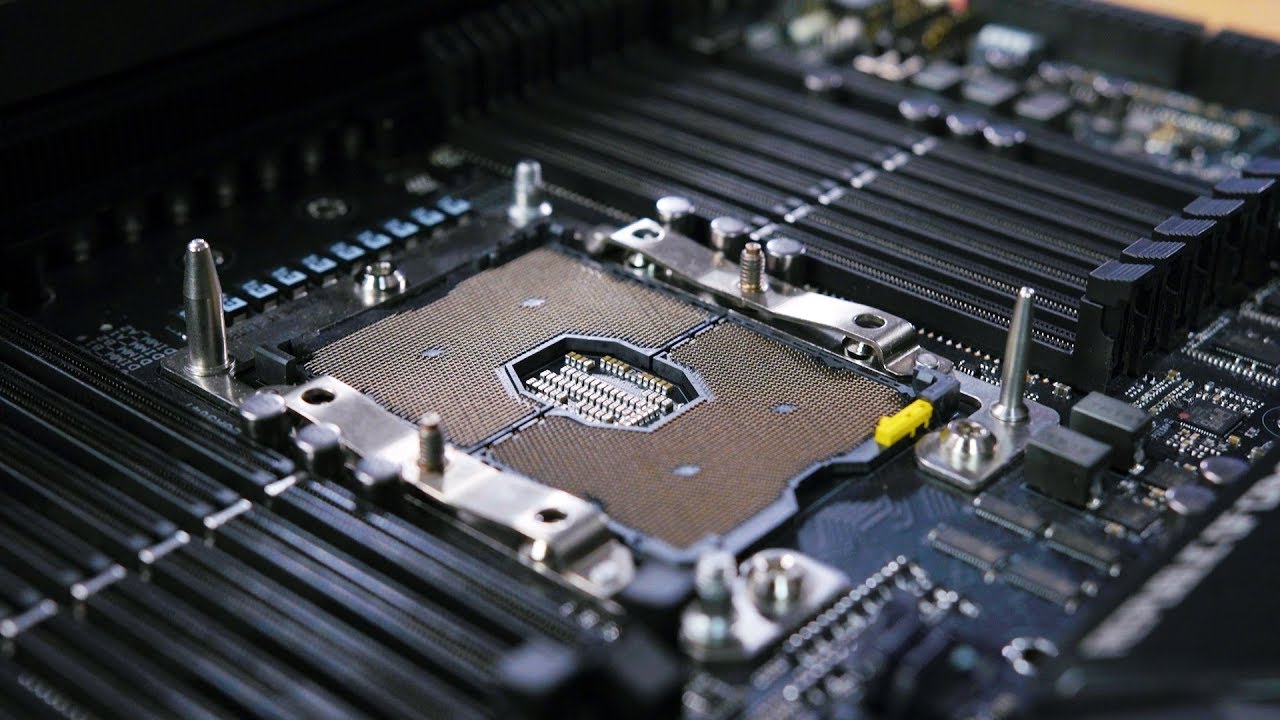
Go to https://NordVPN.com/jayztwocents to get 75% off a 3 year plan plus use code JAYZTWOCENTS to get one additional month FREE. ○○○○○○ Items featured in thi...
$1,800 motherboard
supple bane
holy, thats alot of ram slots
i cant watch the video rn but damn
im guessing that it is going to have 2 cpu sockets right?
supple bane
oh ok, i thought for something with that much ram it would have 2
prime jasper
why 2 cppu tho
at that point it just like strap 2 PC in 1 board
2 PC doesnt mean 2x peeformance, it will be just useful for multitasking (you know, like running 2 OS at same time, then why not split into 2 real PC? duh)
quasi sparrow
dual socket boards are for workstation tasks
you can virtualize into "2 PCs" but you can already do that with a single CPU build
dual sockets just exist for people who really fucking need their extra cores
steep gust
dual socket has some huge issues
@supple bane Its only 12 slots, not that insane
It does support 512GB of RAM, but that also is weak compared to other CPUs
steep gust
EYPC supports 8 channels per CPU
aka you could have 32 dimm slots on a dual socket mobo
Also the lack of socket retention on LGA3647 means bending pins on the motherboard is super easy if you mount it a few times (ie you do XOC)
Der8auer said he bent pins on 3 of them? IDK it was a lot and the 3175X should have been PGA not LGA
latent light
PGA >>> LGA especially on huge CPUs like Xeon and Epyc
can you get a replacement if you accidently bend a pin on a LGA mobo?
I'm talking manufacturer warranty
molten bramble
@storm osprey We'll see. It depends on my new desk setup coming in and how that's going to fit everything. That mousepad was quite large.
 winged tapir
@atomic atlas cheap af 
 pallid silo
How can I play 1440p 144hz with a 1080p 60hz capture card?
supple bane
you can play the game in 1440p but you wont be able to record the footage at that resolution, the same can be said for the hz, it should still record it np even if you are playing at 1440p
pallid silo
@supple bane ahh okay!! :/ I have a streaming PC yesterday I got my capture card :) and like 3 months ago I upgraded to 1440p now in slightly regretting that decision because now I cant do it :(
@supple bane what should I do? As I saw a video to enable DSR and I heard that lowers fps as rendering two monitors and some games it doesn't work on
supple bane
if you are planning on streaming i wouldnt bother with having 1440p anyway as many people dont have the connection speeds to stream at that, i would say just stream at 1080p
pallid silo
@supple bane I am gonna be streaming at 900p 60fps but I want my gaming PC to play at 1440p like you can play at 2 different resolutions
supple bane
like i said, you should still be able to play the game at what ever quality you want, then in your streaming software you set what you would want to stream at, as far as the two different resolutions i wouldnt know how to do that
sonic osprey
shouldnt the card just capture the image as 1080p even if it is inputted as 1440p ? you can then even downscale it in obs if needed
ie the card only records 1080p from the stream it receives
so it will do some automatic downscaling
shrug, guess the capture cards dont actually work that way, kinda useless then I guess, unless you get 4k capture card...
supple bane
i have a really bad audio bug that keeps coming back to haunt me, the best way i can describe it is that there isnt any foot steps and the gun shot audio files are cutting out too early to make a really bad fast "tut" noise, i have a video as well
i have been getting it for a while now and admittedly if i restart my app it goes away most of the time but i dont want to do that when there isnt a join back feature
but the thing that makes it annoying is that it isnt just my gun, its every gun and explosive in the level
i have tried to google things but i havent found a single thing with my same issue
 finite torrent
Ya there's ALOT of audio issues. The one I have the most problems with is not being able to hear my staghound taking damage
storm osprey
ive never had audio problems with the game
finite torrent
Lucky
storm osprey
really, the only problem ive had with the game is not getting CC
i had the game crash like once, glitch a couple of times
finite torrent
There's also just lots of time (mostly at the start of a game) where just some sound is working and some isn't.
 karmic cloak
I have Ryzen 7 2700/16gb-vengeance/970Evo-hdd/RTX2070/Dell-1440p gsync with OS @ 144hz and getting 60-70fps in bfv with latest nvidia drivers and bfv updates…… I was hoping 90-100fps at least. Rtx off or on doesn't really help either. What are you guys getting out of your 1440p in FPS?
storm osprey
rtx off should help A LOT
i have a 4790, 16gb of ram, and a 1080 at 1440p, i play with "try hard" settings, basically everything low/off except textures
in mp i wanna say i get avg 110 fps
just depends on maps and whats going on
karmic cloak
I will give that a shot and change the gforce experience settings lower - the optimal settings look great but fps are crap on my end
prime jasper
@karmic cloak are you using dx11 or dx12?
karmic cloak
im at dx11
prime jasper
use dx12, works much better for me on my 2700x
storm osprey
yea dx 12 also works better for me
prime jasper
you can also try toggling future frame rendering
karmic cloak
if I use dx12 and restart the game honestly the fps are 5fps lower but some action scenes freeze at random times
storm osprey
in a shooter, you want the least input lag
also, dont use geforce experience, im sure its better now, but before that program caused a lot of problems
karmic cloak
its weird its like after the game starts the beginning is a studders and clears up after your in the game for 5-10 min
storm osprey
the benefits to it are lame
prime jasper
what are you using to see fps?
storm osprey
me?
prime jasper
either
storm osprey
i just use in game overlay
either the one you set up through origin or with the console command, i dont remember
prime jasper
I find geforce experience overlay fps to work quite well, and it can be toggled off quickly. @karmic cloak whats your mobo?
storm osprey
im sure the fps counter is fine
but i remember reading a while ago that geforce experience changes stuff through your files and it can mess things up pretty badly
karmic cloak
here is what is crazy - I had a 27" Lenovo 60hz monitor that I overclocked to 85hz and it would play at 85hz the whole time. I went out and bought a nice Gsync Dell 27" monitor u2718q and get lower fps with gsync and v sync off in bfv …..wtf
storm osprey
prime jasper
vsync should be off, but I use gsync with a 2080 and get 100+ on a dg2716 144hz
karmic cloak
the mb is x470 aorus
storm osprey
gsync and hz have nothing to do with your performance
karmic cloak
yea the Lenovo was 1080
im not overclocking either - tried that with video card and cpu and it was more a pain in the ass than it was worth for me with shit locking up during game play...I just want to play
storm osprey
gpu oc is pretty easy
prime jasper
ok so ryzen is very sensitive to RAM timings and clock, make sure that your sticks are in the motherboards QVL. If so, make sure you are using the XMP timings. Back off any overclocks and check temps too while playing.
now pbo/xfr works fine as long as you are not pushing it too far on a stock cooler. I have a tower cooler and hit about 4.3 all cores while playing
karmic cloak
I believe there was only one setting in the bios I changed to optimal and it was something with the ram speed to 3200 -
prime jasper
but is that what your sticks are actually rated at per the QVL?
karmic cloak
default settings had it on something - I bought the ddr4 3200mhz vengeance lpx ram
basically I went to microcenter and told the guy I need a machine that kicks ass and got pretty good parts except the video card ...if I could go back I would have just got the 1080ti
prime jasper
curious, what brand is your card?
karmic cloak
gigabyte rtx 2070 foundation
storm osprey
i mean, with rtx on, and ultra settings at 1440p isnt 60 fps to be expected?
karmic cloak
pretty much spent close to 3k but getting shit fps
oh its at something like 2560x144
storm osprey
3k for what?!
prime jasper
I think thats not american dollars lol
storm osprey
i sure hope so
prime jasper
is this your card? https://www.gigabyte.com/Graphics-Card/GV-N2070AORUS-8GC#kf
karmic cloak
yea close to 3000.00 for everything ….. im happy with everything but the fps performance
storm osprey
USD?
karmic cloak
yep that's the one
storm osprey
is that including monitor, mouse, keeb, headset, etc?
karmic cloak
yea everything
storm osprey
usd?
karmic cloak
yea about 250 in taxes so if you take that out
prime jasper
do you use Aorus Graphics engine and Ryzen master to check temps/clocks?
karmic cloak
I have them installed but don't really fiddle with it much
i tried overclocking and battle field would freeze up after a couple of hours and freeze
annoying so running without overclocking made all of that bs stop
i was entertaining the thought of a water cooled cpu fan
prime jasper
yeah BF is extremely sensitive to OC. using prime95 or cinebench is what I use to test stability
but I would use those utilities like on a second screen while playing and make sure your thermals are ok and the clock speeds look good
karmic cloak
i get ufo benchmarks with userbenchmarks
i bought another benchmark program for 5.00 called 3d benchmark and that a good score …
finite torrent
I bought a bench
storm osprey
when did you build this? i just put a build together with a 9700k, gtx 2080, 16gb of ram with monitor for 2500
prime jasper
@karmic cloak looks like youve got OC mode and game mode, which do you use?
karmic cloak
the wife went out of town to see family on Christmas eve.... i went to microcenter that day !ha
i leave it on normal
storm osprey
ok, prices were higher then, and in store wouldnt save as much as you could
lol @ buying when the wife is out xD
whenever i order anything i hope it comes in when my gf isnt home
karmic cloak
i know … time was against me
prime jasper
what do you mean normal? http://www.hardwareasylum.com/images/gv-rx570aorus-4gd/aorus_gaming_mode.png
 karmic cloak
mine looks a little diff from that one
i think it varies with which mother board you have
prime jasper
try gaming mode and see if that helps
prime jasper
problem #1
karmic cloak
says cpu 1600 and ram 14002
prime jasper
https://techreport.com/r.x/2017_02_13_Aorus_GeForce_GTX_1080_Xtreme_Edition_8G_graphics_card_reviewed/OCtweak.png see here where it says power/temp target?
 storm osprey
you need turbo jets for gaming
prime jasper
right, so do the changes above too and try it again. now it should be getting all the juice it needs
the power target is important as that allows it draw max power under load
karmic cloak
do you run your on gaming or OC?
prime jasper
I have an EVGA card so it looks different, I dont have those modes but I do have power/temp targets
I also overclock my memory by 1000mhz which is piss easy and doesnt need any voltage fiddling on mine
karmic cloak
cool i will give all this a shot when i get home, im using at work using teamviewer to view my settings
thanks for your help
prime jasper
great, should be much better now that the card isnt trying to stay all cool and quiet. needs to be hot and loud!
karmic cloak
i will crank them up to max wheni get home
prime jasper
yeah well cards are funky like that. they will pull clocks to stay cooler lol
if the mode is such
karmic cloak
think a water cooled cpu will help or not really
prime jasper
and we arent dealing with watercooling here. since your cpu is multplier locked not much point. wait for ryzen 3000 series to drop
finite torrent
karmic cloak
yea im want that ryzen 2 when its out in july
more power!
forgot the mention the powersupply is evga 750 g3
karmic cloak
sweets
so if you have a 1080 well over 100fps - i hopefully should get near 100fps (hopes)
prime jasper
2080 but yes
storm osprey
i have the 1080
karmic cloak
i thought turning the dx12 automatically enabled rtx ...you just have your rtx manually off from that point right?
prime jasper
well no its a toggle on/off switch
karmic cloak
gotcha
prime jasper
so just make sure its off
karmic cloak
i will give that a try too … i was hoping to use this rtx 2070 with at least rtx ...but we'll see
ok - i will leave it off
prime jasper
well RTX is so damn new its all half assed. first gen tech is always like this
and it only affects windows/puddles in BF. I heard its much better with Metro Exodus
karmic cloak
i thought of the 2060 being that way too
yea i friends are all into apex right now but enjoy bfv to much
storm osprey
you can use rtx, and it looks cool, but if fps is your priority then rtx isnt for that
 long sphinx
any OC experts here?
storm osprey
not an expert, but have OC'ed
basically all i do is google what i want to OC and see whats safe, and follow those steps
long sphinx
so when you OC the cpu, if you keep the chip under lets say 65 degrees celsius
you are fine?
because i have a high end motherboard with like 12 vrms
storm osprey
generally speaking i think most cpus are fine as long as they are under 90c
long sphinx
but im afraid of putting too much voltage to the chip, even if the temps are great
storm osprey
65c is definitely in safe thermal range, for any cpu
thats why you google your exact products OC forums
long sphinx
the voltage reads are already way past red
but the temps are ok
can you kill your cpu with voltage even if temp readings are great?
storm osprey
theres still problems that can happen with overvolting outside of thermals
prime jasper
the exact 'safe' voltage depends on the CPU in question really
prime jasper
oh wow yeah thats going back a bit lol
long sphinx
the worst part is that i get bsods not while stress testing but when its idle and im afk -__-
storm osprey
1.4 seems to be the safe voltage
long sphinx
or using chrome
storm osprey
what voltage are you using atm?
long sphinx
i just cleared c mos and its amazing testing with bf1 stock its like 35 fps tops even in small maps
and when i crank it to 4.2 ghz @1.375vcore its rock solid 60fps even in scar
but then again when i turn on the pc the next day it crashes while im making cofee
75fps max with vsync off
i saw a thread saying that it may be vdroop
i have llc enabled (it can only be on or off no multiple settings)
lemme check the vcore now
now its set to 3.5ish ghz all auto, mobo chose 1.25vcore
and like 1.1vtt
i need to reach those 4.2ghz thou to fully balanced the entire rig with the gtx 970
its perfect 1:1 ratio 95%cpu use 95% gpu use
prime jasper
Im actually amazed you are still putting up with something that old lol
long sphinx
dude im amazed and proud as fuck of this rig
bf1 with hbao, taa, high post processing, 115% res scale and its smooth as butter, when its maxed out
storm osprey
why 115% max res scale?