#PRAGMATA
1 messages · Page 2 of 1
 fallow wasp
 urban creek
i get dizzy when i set it that wide ^^
 frank jetty
on this, if we don't change anything else, it uses from the game settings right? here we only need the radiance cache? and what does radiance cache helps?
 steep trench
urban creek
i get dizzy when i set it that wide ^^
steep trench
urban creek
i get dizzy when i set it that wide ^^
when u get used to it u feel like 16:9 becomes 4:3 
 arctic glen
yeah its all game settings by default, radiance cache is about 10% fps boost
urban creek
steep trench
when u get used to it u feel like 16:9 becomes 4:3 <:kekpepehands:14096490238701...
i can only imagine, here going from 21:9 down to 16:9 feels already wierd
 elder pecan
Apparently pragmatas pt is better than re9s
urban creek
newer tech afaik
elder pecan
It uses SER
 rain girder
Not seeing anything related to Liliums RCAS in the first tab or the add ons tab. Is there somewhere I need to download and add it for it to work?

 lethal flame
4000 nits peak brightness just looks… insane… But my phone can capture like 1500 nits I believe lol

 glass shard
rain girder
Not seeing anything related to Liliums RCAS in the first tab or the add ons tab....
glass shard
rain girder
Not seeing anything related to Liliums RCAS in the first tab or the add ons tab....
Lilium's HDR Shaders when installing Reshade in a game. Just choose install Reshade & effects again for Pragmata then scroll a bit down and you will find it.
 hard blaze
Tb400 or peak 1000 for this game ? 
 latent escarp
Guys, how much VRAM does Pragmata eat in 4K DLLS Quality, maxed out settings, path tracing on, frame gen x2?
 topaz timber
what are you guys using to force preset E? injector?
glass shard
topaz timber
what are you guys using to force preset E? injector?
Profile inspector
topaz timber
Do you guys recommend to enable RCAS?
 manic jacinth
lethal flame
4000 nits peak brightness just looks… insane… But my phone can capture like 1500...
manic jacinth
lethal flame
4000 nits peak brightness just looks… insane… But my phone can capture like 1500...
HOOOOOLY this looks insane
steep trench
totally preference
latent escarp
lethal flame
4000 nits peak brightness just looks… insane… But my phone can capture like 1500...
What TV do you own?
topaz timber
steep trench
totally preference
gotcha! native sharpness is not bothering me
lethal flame
Correct
manic jacinth
Good stuff
urban creek
Really happy how it looks and runs , reflections are really on another level here. Thanks again to all involved 
 topaz timber
lethal flame
Correct
topaz timber
lethal flame
Correct
the overall picture brightens gets dimmer with 4000 mod thats why i just keep it to 2300 but if you a highlight boy it does look insane
specially if you keep all games at 203
you using akg or jk82 settings?
lethal flame
Got it calibrated to track eotf pq and max color accuracy after the mod 😊
Took three sessions as even the pro rarely tunes in game mode lol
AKG settings coz jk doesn’t have 4000 nits
topaz timber
me too! those settings are wild
 vernal vault
glass shard
latent escarp
Guys, how much VRAM does Pragmata eat in 4K DLLS Quality, maxed out settings, pa...
vernal vault
glass shard
latent escarp
Guys, how much VRAM does Pragmata eat in 4K DLLS Quality, maxed out settings, pa...
Undoable on a 16gb gpu for sure. Closer to 17-18gb vram
lethal flame
I am gonna try DLAA
urban creek
glass shard
Undoable on a 16gb gpu for sure. Closer to 17-18gb vram
I'd think so, dlss q uwqhd max settings and path tracing gets me around 15GB
 lethal flame
Anyone else finds on 5090 no matter how you tweak voltage curve you rarely get as stable and high core clock than just upping the core clock?
latent escarp
glass shard
Undoable on a 16gb gpu for sure. Closer to 17-18gb vram
I see thanks, i played fine resident requiem with these settings on a 4080 Super, just lowered shadows from ultra to high
Pragmata eats more it seems
I thought the new driver will get vram usage lower
latent escarp
urban creek
I'd think so, dlss q uwqhd max settings and path tracing gets me around 15GB
Thats with frame gen on?
 toxic badge

TechPowerUp
Pragmata is Capcom's brand-new sci-fi action-adventure IP, built on the RE Engine it runs much better than recent UE5 releases, and still offers fantastic graphics and support for ray tracing & path tracing. In our performance review, we examine its graphical fidelity, VRAM usage, upscaling options, and how well it runs across a wide range of mo...
steep trench
why mine only 12-13GB🤓

 dusty ledge
It might be allocating more than needed but just pulling out of my ass
 gaunt depot
How dose it pull 800w? My 5090 pulls around 600w
urban creek
latent escarp
Thats with frame gen on?
yes, fg 3x , nets me 100-130 fps in the second more demanding open area
manic jacinth
dusty ledge
It might be allocating more than needed but just pulling out of my ass
Capcom does this a lot yeah
 frail glen
which setting can I lower to get more fps with path tracing? I use a 5070ti at 4k
 slow sparrow
ANTI are you using the radiant cache?
dusty ledge
frail glen
which setting can I lower to get more fps with path tracing? I use a 5070ti at 4...
I doubt anything other than more aggresive upscaling is gonna help
frail glen
urban creek
yes, fg 3x , nets me 100-130 fps in the second more demanding open area
sounds like crimson desert again have to use 3x fg 🙁
frail glen
dusty ledge
I doubt anything other than more aggresive upscaling is gonna help
already on performance so shit
urban creek
slow sparrow
ANTI are you using the radiant cache?
Yes i do Locobert . Picture is second area but nothing really in it as a spoiler.

 deep knot
Playing on my host PC. Yeah like 99% sure you're right
urban creek
frail glen
sounds like crimson desert again have to use 3x fg 🙁
3x runs and feels even better compared to CD with fg 2x imo but i play on controller . frametime graph is pretty smooth without hiccups
frail glen
urban creek
3x runs and feels even better compared to CD with fg 2x imo but i play on contro...
Ill give it a try I also use controller with motion aim. The open area drops a lot with 2x already. Also activated that special limiter thing in relimiter for path tracing
urban creek
this is black magic
my base fps went down ~5fps going into that area and fighting, i do not use relimiter here, have my fps capped in rivatuner to 138 on my 144 hz display.
frail glen
problem is Im on a 120hz TV so I can only go up to 115fps
latent escarp
urban creek
yes, fg 3x , nets me 100-130 fps in the second more demanding open area
thanks
frail glen
urban creek
this is black magic
did you try dynamic FG? might be worth for this game idk
urban creek
frail glen
did you try dynamic FG? might be worth for this game idk
not dfg yet but i can also say from my own feels that even fg 4x operating from 35 to low 40s is exceptionally good playable, delay is around ~55ms which feels ok. that way i'm hitting my 138 fps cap
frail glen
urban creek
not dfg yet but i can also say from my own feels that even fg 4x operating from ...
interesting I will just do 3x then and call it a day
frail glen
no artifacts?
 eternal nacelle
So is this game worth using HDR on with the mod? 
urban creek
not that i would say it matters, CD is worse in that comparison imo
frail glen
true cd is pretty bad
 unreal slate
so the reframework tweak, radiance cache + path trace bounced to 5?
btw did someone check which preset of RR does the game use
i just got on trying to setup stuff
dusty ledge
I think it was D
eternal nacelle
unreal slate
so the reframework tweak, radiance cache + path trace bounced to 5?
Wait sorry, just getting here today. There's tweaks for path tracing? Does it help with performance?
urban creek
there is a bit blur, sure but it doesn't distract me as much as cd does, you have to try it for yourself, i can make out no visual difference regarding blur or artifacts from fg 3x to fg 4x
unreal slate
eternal nacelle
Wait sorry, just getting here today. There's tweaks for path tracing? Does it he...
in reframework theres radiance cache and path tracing bounces I just saw its recommended to turn on the cache and set bounces to 5 xD
 finite walrus
Yeah I've used it for a couple of hours with no issues
unreal slate
did you guys update dlss stuff to 310.6? I see its 310.3 by default
urban creek
unreal slate
in reframework theres radiance cache and path tracing bounces I just saw its rec...
yes, it was posted a few mins ago ... #1475553827255222486 message
urban creek
unreal slate
did you guys update dlss stuff to 310.6? I see its 310.3 by default
i did, yes
unreal slate
urban creek
yes, it was posted a few mins ago ... https://discord.com/channels/1408098019194...
ye I just hopped on 10 15 min ago xd
urban creek
Capcom cooked, i feel 10 years younger playing it
 blissful merlin
lethal flame
4000 nits peak brightness just looks… insane… But my phone can capture like 1500...
blissful merlin
lethal flame
4000 nits peak brightness just looks… insane… But my phone can capture like 1500...
jealous qd-oled monitor noises
arctic glen
unreal slate
Did someone test prest D vs E for RR? xd
To me D was plain unusable
too much boiling
unreal slate
arctic glen
To me D was plain unusable
yep just swapped to E
 gilded acorn
The game just gives off good and cozy vibes
 quaint elbow
urban creek
Yes i do Locobert . Picture is second area but nothing really in it as a spoiler...
quaint elbow
urban creek
Yes i do Locobert . Picture is second area but nothing really in it as a spoiler...
are you pushing saturation up or is the game just kinda cooked 
steep trench
couldnt tell the difference between 3 or 5 bounces
arctic glen
its pretty small
urban creek
quaint elbow
are you pushing saturation up or is the game just kinda cooked <:pepe_hide:11441...
i have it upped to 60, yes.

 small umbra
damn i just started playing and the game looks stunning
unreal slate
for this game do I set manually my peak 1% window brightness or leave it at what I calibrated in windows? Since Im using apl stablize high in my monitor to get more brightness(windows reads the default edid)
glass shard
Reno usually defaults to your windows hdr calibration profile peak nits, so stick with that I'd say
 subtle steeple
i like how this game runs my gpu fans on 2200rpm
steep trench
arctic glen
its pretty small
might just stick with 3 for that extra 1 fps
slow sparrow
hey
I get a 504 error from github trying to access the reframework page, anywhere else I can DL it?
unreal slate
glass shard
Reno usually defaults to your windows hdr calibration profile peak nits, so stic...
ye ik but for my monitor i use trueblack 500 + I set apl stabilize to high to get around 1400-1500 peaks in 1-2% windows, idk if reno reads that or is that just a in display thing
glass shard
slow sparrow
I get a 504 error from github trying to access the reframework page, anywhere el...
Search reframework nightly. Should be the first result
slow sparrow
glass shard
Search reframework nightly. Should be the first result
yeah 504 bad gateway
glass shard
Seems to be down
slow sparrow
https://github.com/praydog/reframework-nightly/releases oh its this link that was dead
GitHub
Mirror for CI dev builds. Contribute to praydog/REFramework-nightly development by creating an account on GitHub.
urban creek
slow sparrow
yeah 504 bad gateway
you only need that file
slow sparrow
urban creek
you only need that file
thank you my personal trojan horse
urban creek
scan it beforehand
slow sparrow
urban creek
scan it beforehand
no, if something happens its your fault bro
glass shard
unreal slate
ye ik but for my monitor i use trueblack 500 + I set apl stabilize to high to ge...
Not knowledgeable enough to say for sure. I would stick with 500 peak but maybe I'm in the wrong
slow sparrow
yippe!
 steep trench
tick both
urban creek
slow sparrow
5070 at 1080p is burning
i run 3440x1440 max with path tracing at 35-40 base fps and have framegen 3x slapped onto it
you should go up to 1440p
slow sparrow
urban creek
i run 3440x1440 max with path tracing at 35-40 base fps and have framegen 3x sla...
saferoom I have like 140-160 fps with X2 framegen
base without like 90-100
DLSSQ
urban creek
with pt ?
slow sparrow
yup
 rustic sail
I'm surprised my 5070 pushes 5120x1440 without actually dying.
urban creek
cool
slow sparrow
urban creek
cool
but 1080p lol
unreal slate
when does the game get demanding?
i mean im sure these starting minutes are asy
easy
to run
rustic sail
The city seemed heaviest overall for where I am.
unreal slate
ill see
urban creek
slow sparrow
but 1080p lol
second area is where it dips
slow sparrow
urban creek
second area is where it dips
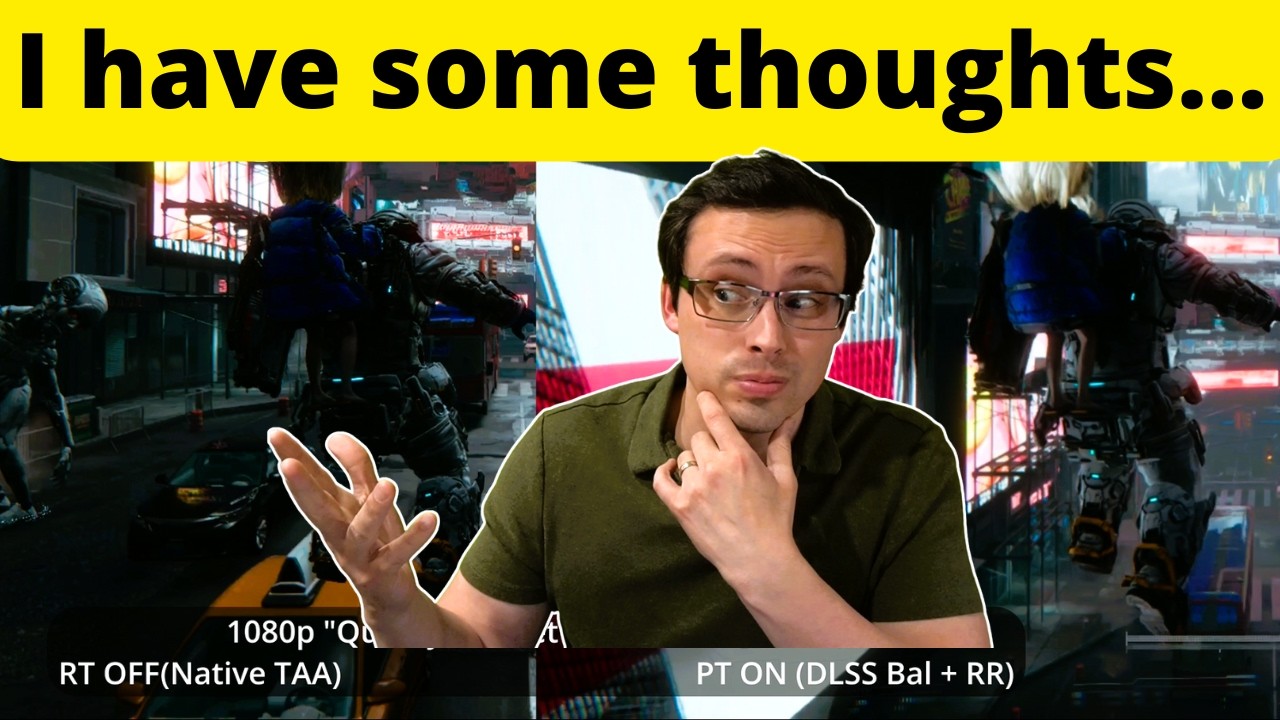
Benchmarking midrange GPUs in Pragmata at 1080p and 1440p at various graphics settings including RT ON vs OFF and Path Tracing On vs Off as well as upscaling (DLSS/FSR) on vs off, allows us to optimize visual quality.
Previous video testing budget/lower end GPUs: https://youtu.be/IR0P2AIz_zY
Test system specs (ResizeBAR/SAM ON):
CPU: Ryzen 980...
urban creek
exactly, yes
slow sparrow
slow sparrow
https://youtu.be/7VIVA7czpDY?si=vwKglnLs8j4psrOd&t=373 this area?
@unreal slate
steep trench
fk me, prepare for 10 base fps for me then
unreal slate
 urban creek
unreal slate
im on a 5080 overclocked
urban creek
unreal slate
im on a 5080 overclocked
i could tell by how high your wattage is ^^
slow sparrow
unreal slate
im on a 5080 overclocked
its the area when the performance dips
urban creek
slow sparrow
its the area when the performance dips
for me it was only ~5fps lower surprisingly
unreal slate
urban creek
i could tell by how high your wattage is ^^
i was trying dlaa with fg xD
urban creek
and ?
unreal slate
still in tutorial so 150 i think is too highj
urban creek
compared to dlss quality i get around 15-20 fps less with dlaa
so in the mid 10's ^^

 urban creek
any stutters ?
slow sparrow
none
unreal slate
i go from 54ish dlaa to 90 with quality xD
urban creek
i only have it traversing to a new area like daniel showed
slow sparrow
if yes I could reduce max texture 3gb to high 2gb
urban creek
like a microstutter
slow sparrow
ngl dlss 4.5 is just so good
rain girder
reflections the game
slow sparrow
that I can even use balance at 1080p lol
urban creek
you have a 1080p display ?
slow sparrow
ye
urban creek
27" ?
slow sparrow
yup
urban creek
that's perfect
 stray oxide
slow sparrow
that I can even use balance at 1080p lol
stray oxide
slow sparrow
that I can even use balance at 1080p lol
youre using DLSS 4.0 Ray recon with path tracing btw
slow sparrow
stray oxide
youre using DLSS 4.0 Ray recon with path tracing btw
oh yeah I forgot
stray oxide
i love that Kal finally added manually swappable DLSS Presets for RR in real time in SK
SR had it forever
rain girder
whjat is sk and sr
eternal nacelle
The fact I can use max settings, 3440x1440 with DLSS Quality, Framegen X2, Path Tracing and still net like 60FPS as a base FPS prior to FG is  including the radiance cache tweak and RenoDX
Can't wait until my 39" 5K2K monitor gets here hopefully this weekend, but probably monday 
frail glen
eternal nacelle
Can't wait until my 39" 5K2K monitor gets here hopefully this weekend, but proba...
you will lose a shit ton of fps though
blissful merlin
Never really messed with the RT tweaks in reframework before, you all have pure path tracing ticked?
slow sparrow
@urban creek over 60 without FG


6 fps more with radiant cache turned on
120 with 2X FG
DLSSQ
 spiral palm
Hm. TPU is showing 18gb of VRAM usage fully maxed out.. but my 5090 is only using around 14gb.. maybe just because its the starting area?
https://www.techpowerup.com/review/pragmata-performance-benchmark/9.html
TechPowerUp
Pragmata is Capcom's brand-new sci-fi action-adventure IP, built on the RE Engine it runs much better than recent UE5 releases, and still offers fantastic graphics and support for ray tracing & path tracing. In our performance review, we examine its graphical fidelity, VRAM usage, upscaling options, and how well it runs across a wide range of mo...
unreal slate
probably idk xD
 tame quail
Any reason why we can't use UI correction/controls with vanilla tonemapper?
unreal slate
how is RR implemented so much better here I can easily use quality and cant notice much difference if at all when playing
eternal nacelle
frail glen
you will lose a shit ton of fps though
Yeah and I'll use DLSS Performance with Preset M or Ultra Performance and Preset L and gain a huge chunk back. That or set a custom res if I need to  plenty of options with the display. I've tested already with a DSR res, and it's pretty stable with DLSS scaling
slow sparrow
Reflection: The Game
 spiral palm
Reno overrides in game HDR settings yeah? So just leave them as is?
 native orbit
just tried D again, do not recommend, this is a preset E game imo
unreal slate
moist floors
native orbit
unreal slate
how is RR implemented so much better here I can easily use quality and cant noti...
maybe its because i have to use performance but i see lots of issues
although dont get me wrong this game looks amazing generally
native orbit
just wish NVIDIA could update RR and combine the strengths of D and E
unreal slate
nor do i feel latency(controller)
native orbit
I see artifacts at 2x but its a pretty good game for FG I would say
 ivory stirrup
unreal slate
in reframework theres radiance cache and path tracing bounces I just saw its rec...
ivory stirrup
unreal slate
in reframework theres radiance cache and path tracing bounces I just saw its rec...
How do I do that?
unreal slate
ill try 3x for a bit till i get out of tutorial
slow sparrow
unreal slate
ill try 3x for a bit till i get out of tutorial
2nd lvl you go to the area I sent you the video of
unreal slate
ivory stirrup
How do I do that?
u install reframework(copy dinput file), put the script in autorun in reframework folder which will auto generate after 1st launch
ivory stirrup
native orbit
just tried D again, do not recommend, this is a preset E game imo
Because of boiling? Anything else?
ivory stirrup
unreal slate
u install reframework(copy dinput file), put the script in autorun in reframewor...
Ok thx I should be able to figure it from here ig
unreal slate
here are some trojans if you want
ivory stirrup
And do we need to update our drivers for this or are older drivers ok?
 shut dome
What’s dinout for
slow sparrow
dinout?
spiral palm
Reno overrides the in game HDR settings, correct?
subtle steeple
btw can you chance the draw distance of light reflection or whatever it called in reframework? some lights don't have reflection when moving slightly behind from original place @arctic glen
arctic glen
unsure, there are probably some culling settings
there is also a setting to increase shadow resolution, but it costs a lot of VRAM
 midnight stag
blissful merlin
Never really messed with the RT tweaks in reframework before, you all have pure ...
midnight stag
blissful merlin
Never really messed with the RT tweaks in reframework before, you all have pure ...
as in, the default settings that come with REF? I'm not sure it makes sense to touch those at all
 meager walrus
spiral palm
Hm. TPU is showing 18gb of VRAM usage fully maxed out.. but my 5090 is only usin...
meager walrus
spiral palm
Hm. TPU is showing 18gb of VRAM usage fully maxed out.. but my 5090 is only usin...
They didn't test it on the game ready drivers
native orbit
ivory stirrup
Because of boiling? Anything else?
noisy reflections mostly
shut dome
 shut dome
unreal slate
here are some trojans if you want
shut dome
unreal slate
here are some trojans if you want
What does the dinput8 file do
arctic glen
reframework
 tight hinge
RR preset D or E?
shut dome
This area is. Breathtaking holy shit
shut dome
arctic glen
reframework
Oh I’m good then lol thanks
native orbit
tight hinge
RR preset D or E?
E
 cyan swift
shut dome
Oh I’m good then lol thanks
cyan swift
shut dome
Oh I’m good then lol thanks
what renodx settings are you using?
native orbit
saturation +120
midnight stag
how's the actual gameplay loop so far?
native orbit
Fun. It sounds and looks boring but is kinda fun
Just a shame they didnt ship a hard mode at least for first playthrough
tight hinge
native orbit
E
Yeah think I agree. The slight smear is better than the boiling.
cyan swift
for me increasing the saturation makes the game peak brightness go beyond the peak I set on the configuration
native orbit
Yeah it does smear but most people here seem to be concluding its the lesser evil
I tried D twice but way too much boiling
 native orbit
I also have FG preset B set but no idea if it does anything, might be placebo, cant tell
cyan swift
shut dome
preset e the way to go
does your peak brightness stays at 1512?
shut dome
my set does 1400 so yeah adjust for your nits
so I always do a tiny bit over my sets max nits


This area looks so gooooood
I think I’m even more impressed with this than RE9
I somehow am loving it even more than the demo and I enjoyed that a ton

im fucking scared to go to nexus mods
i just want a dualsense icon mod
 frosty cargo
hey guys..anyone knows why the game crashes or becomes unresponsive after the initial loading screen? i'm using latest reshade and REF nightly with renodx..the game works fine if i remove reshade+REF+ renodx
 obsidian axle
@arctic glen bro during the opening sequence I can spot some low quality textures, is that normal?
frank jetty
shut dome
i just want a dualsense icon mod
icon?
You can select type b (i think) on controller (pc)
frank jetty
It also allows to turn on adaptive trigger once you select playstation type
shut dome
boom done thank you
frank jetty
and the gyro aim
frank jetty
I got it plugged in
shut dome
ah
gyro is there tho
pragmata hasnt been added to nexus yet
just needed that anyways, its in game
rustic sail
shut dome
hrmmm done see adaptive triggers
Wireless works, but I use DSX and it translates it, for adaptive.
urban creek
shut dome
I somehow am loving it even more than the demo and I enjoyed that a ton
hacking adds a nice little depth to it when you unlock more slots and stuff to combine . i also like it, refreshing and oldschool at the same time
tame quail
Looks like renodx is doing the gamma correction whenever I like it or not lol
SDR sRGB / Vanilla HDR / Vanilla HDR with renodx


 shut dome
urban creek
hacking adds a nice little depth to it when you unlock more slots and stuff to c...
shut dome
urban creek
hacking adds a nice little depth to it when you unlock more slots and stuff to c...
Yeah it’s very innovative. New IP too. Super happy with it
native orbit
obsidian axle
<@162283147277369344> bro during the opening sequence I can spot some low qualit...
try this? it defaults to 1080p. i assumed it was a pre-render
 obsidian axle
I have all maxxed. I think in this game LOD bias could be changed
 fallow summit
Hey guys ! i have a bug every chest and item are double !
tight hinge
Speaking to Diana in the Cradle looks super messed up
Loads of ghosting or blur
Preset E thing?
 carmine zealot
Is the addon working for you guys with the latest REF nightly build? It's crashing for me every time unfortunately.
frosty cargo
carmine zealot
Is the addon working for you guys with the latest REF nightly build? It's crashi...
same here
urban creek
carmine zealot
Is the addon working for you guys with the latest REF nightly build? It's crashi...
for me and others it does run , yes . #1475553827255222486 message
ivory stirrup
unreal slate
u install reframework(copy dinput file), put the script in autorun in reframewor...
instructions say dont put in anything else than dinput dll inside how do i get the generation tool?
tight hinge
Daft question but should you clear shaders when changing RR preset? Feel like I'm seeing more stutter since moving to E
Maybe it was always there
Shouldn't be necessary should it?
 onyx scaffold
Hm...even upping pt bounces to 16 doesn't seem to have any effect, do I need to restart the game?
Which section of the tweaks should I use if I want to add bounces and turn pt to the max?
Radiance cache only seems to get me more performance
ivory stirrup
I don't undersatand how to use this reframework at all, is there a tutorial?
steep trench
ivory stirrup
I don't undersatand how to use this reframework at all, is there a tutorial?
just use this https://github.com/RankFTW/RHI
GitHub
ReShade HDR Installer. Contribute to RankFTW/RHI development by creating an account on GitHub.
urban creek
ivory stirrup
I don't undersatand how to use this reframework at all, is there a tutorial?
press "insert" to open it up ingame after copying it into the reframework autorun folder https://discord.com/channels/1408098019194310818/1410855640112566375/threads/1475553827255222486/1475553827255222486
onyx scaffold
urban creek
press "insert" to open it up ingame after copying it into the reframework autoru...
I did get that, but is there any way of knowing which settings have an effect and which don't? Also the reset doesn't seem to work, the only settings that seem to do anything for me are radiance cache and setting path tracing mode, but if I choose pure pt the picture gets messed up, so I thought turning on RR and maxing out bounces should fix that, but doesn't seem to. Only a reset and fully restarting the game will fix it, but after doing that the hair doesn't seem to be lit correctly anymore, though I'm not sure about the last one
urban creek
onyx scaffold
I did get that, but is there any way of knowing which settings have an effect an...
that i don't know, sorry . i only switched radiance caching on with both boxes and upped the path tracing ray count from 3 to 5 . i can't tell if the other options work or not.
onyx scaffold
urban creek
that i don't know, sorry . i only switched radiance caching on with both boxes a...
In which section? There are so many settings that are called bounces xD
urban creek
in path tracing
onyx scaffold
Also radiance caching only seemed to improve performance, can't say if it had an impact on visuals.
onyx scaffold
urban creek
in path tracing
There are multiple even there xD
But I think you mean the one below radiance caching
urban creek
very subtle change but if you set it to 1 and go up to 5 you can spot the difference it makes and yes that radiance cache should give ~10% performance boost
urban creek
onyx scaffold
There are multiple even there xD
But I think you mean the one below radiance cac...
no, that is the ray tracing bounce, you want the ray count from path tracing upped to 5 from 3
onyx scaffold
And did you have to restart the game?
arctic glen
yeah I made this script for messing around with as many options as possible
but only recommend changing PT bounces and rediance cache on/off
onyx scaffold
arctic glen
but only recommend changing PT bounces and rediance cache on/off
Thank you for your work, but PT bounces in which section exactly? The setting exists so many times in the menu
arctic glen
PT
onyx scaffold
I'll check again, but seemed to me that there was bounces in every sub section of PT
arctic glen
its like the first setting under PT
 lime dirge
what are downsides to using radiance cache?
arctic glen
unknown rn unless someone finds a downside
caused some problems in RE9
so far in this game either improves things or is neutral
lime dirge
what voice language are you guys playing?
urban creek
@shut dome You need to watch the new Metro Exodus 2039 trailer mate. My jaw dropped ...
urban creek
lime dirge
what voice language are you guys playing?
full english without subtitles but i plan to do a run with japanese vo
urban creek
the world is slowly healing
 rigid glen
arctic glen
unknown rn unless someone finds a downside
rigid glen
arctic glen
unknown rn unless someone finds a downside
i am getting crashing in the second level with radiance cache turned on
its right when you walk into the office space checkpoint
ivory stirrup
urban creek
press "insert" to open it up ingame after copying it into the reframework autoru...
ok, but the readme says only put in dinput dll?
urban creek
ivory stirrup
ok, but the readme says only put in dinput dll?
that script from @arctic glen is a reframework addon that you need to put in the autorun folder of reframework #1475553827255222486 message
you can use renodx only by following the instructions in the readme if you don't want the other stuff
onyx scaffold
arctic glen
unknown rn unless someone finds a downside
What seems weird to me is that ray count doesn't have any impact on performance, I maxed it out to 16, could it be that the setting doesn't do anything?
urban creek
onyx scaffold
What seems weird to me is that ray count doesn't have any impact on performance,...
i see about 5-6 fps decrease when going to 16 but haven't tested long enough
unreal slate
ivory stirrup
ok, but the readme says only put in dinput dll?
put in dinput, launch the game
it will generate a folder called reframework with autorun folder inside it
there place the .lua script i sent
not by me
just sent those 2 combined
then load the game again and on the bottom youll see the ui just check it
 wintry panther
anything i have to keep in mind when adding this mod for this game?
onyx scaffold
urban creek
i see about 5-6 fps decrease when going to 16 but haven't tested long enough
Ok I take it back xD
Just got to the first more open area, 30 FPS difference
urban creek
xD
but 15-20 fps loss in that area is normal, it is the highest demanding so far
ymmv
 prisma quest
does that addon help normal RT too? i have an amd gpu so no path tracing for me
ivory stirrup
urban creek
that script from <@162283147277369344> is a reframework addon that you need to ...
can I delete the other files?
urban creek
which other files did you copy ? @ivory stirrup you only need the dinput8.dll from the reframework zip file
prisma quest
urban creek
that script from <@162283147277369344> is a reframework addon that you need to ...
is there somewhere to download the LUA officially tho or only here?
urban creek
prisma quest
is there somewhere to download the LUA officially tho or only here?
you have to ask @arctic glen
it's his
ivory stirrup
urban creek
which other files did you copy ? <@209700053621669889> you only need the dinput8...
so do we need any of this or not?
 ivory stirrup
ok so delete all but leave the pragmata.lua? how do i make the tool autorun and configure then?
urban creek
ivory stirrup
ok so delete all but leave the pragmata.lua? how do i make the tool autorun and ...
start it once and close the game, copy the lua in the reframework autorun folder and restart game
press insert ingame
arctic glen
I could make a simple lua script with only like 4 settings
ivory stirrup
urban creek
press insert ingame
oh its the dll that does this i missed this part ok got it now
prisma quest
arctic glen
I could make a simple lua script with only like 4 settings
not needed, i trust you anyway so i'll DL it from here its fine. but i just dnt know if i need it if i cant to PT
urban creek
arctic glen
I could make a simple lua script with only like 4 settings
you haven't tested any of the other stuff, don't you ?
 swift bramble
Should I use DLSS4.5 with standard ray tracing or does that require RR too?
ivory stirrup
what exactly do the posted tweaks do btw?
prisma quest
was reading earlier convo and are the rt improvements rlly just for PT or will it help normal RT for me too
cuz i cant to PT
arctic glen
not much, most of it doesnt impact PT, a lot of things change RT
ivory stirrup
swift bramble
Should I use DLSS4.5 with standard ray tracing or does that require RR too?
RR is 4.0 only
urban creek
swift bramble
Should I use DLSS4.5 with standard ray tracing or does that require RR too?
when you turn on path tracing / rr it will revert back to dlss 4.0
no rr for amd cards afaik
swift bramble
Ah so RR is PT only? I have a 4080 so I'm gonna settle for RT instead of PT lol
arctic glen
if someone spent time fiddling with RT settings it could be improved a lot, but generally PT runs so well not many people will use RT, at least not many here
urban creek
amd users will i guess
swift bramble
I could only get 40fps with PT earlier 
prisma quest
aka me, no PT for me
urban creek
you can run pathtracing in this game with a 5060Ti in 1080p with fg 2x
shut dome
Bleh just crashed on me after a difficult fight. Fuck
 umbral nebula
wintry panther
keeps crashing on startup
umbral nebula
wintry panther
keeps crashing on startup
did you install reframework
urban creek
wintry panther
keeps crashing on startup
out of curiosity, steam version or hv version ?
 feral kindle
urban creek
you can run pathtracing in this game with a 5060Ti in 1080p with fg 2x
feral kindle
urban creek
you can run pathtracing in this game with a 5060Ti in 1080p with fg 2x
That's pretty good
wintry panther
steam version
urban creek
feral kindle
That's pretty good
that's impressive, you have base fps between 50-60
dlss perf of course
urban creek
wintry panther
steam version
any other stuff installed ?
prisma quest
so is the radiance cache setting in the LUA needed if we arent using PT and just normal RT or not?
urban creek
since it's under path tracing options i suppose not @prisma quest
but there is stuff for ray tracing only but it's not tested , so feel free to experiment if you like
wintry panther
mightve been my bad with the crash i suppose i didnt install it correctly, i dont think i installed reframework. i thought the instruction said only input the dll from the website
prisma quest
sorry i didnt even realize it was my fault
and hmm yeah might have to see what RT tweaks are there
arctic glen
there are a lot of settings that can improve RT
base RE9 RT was pretty weak
IIRC a big one was secondary diffuse bounce
prisma quest
wonder if RT noise can be reduced?
arctic glen
probably
prisma quest
i remember it was bad in the demo
and bc i cant us RR on amd gpu with normal rt and we get no pt, no way to do it otherwise
swift bramble
I just tried RT on preset M, there's a lot of noise yeah
lime dirge
hdr calibration screen settings don't change anything if you use renodx right?
swift bramble
But pure raster looks kinda bland 
prisma quest
lime dirge
hdr calibration screen settings don't change anything if you use renodx right?
right, theyre overrided
arctic glen
well if you want to fiddle with a bunch of RT settings and see if anything helps I exposed pretty much everything I could find in that script
prisma quest
gotcha
lime dirge
could changing bounces to higher count make blacks more elevated in some scenes?
swift bramble
Nvidia just needs to update RR already man
Forget about the slop filter and get to work on what really matters
urban creek
what is default ? d ?
arctic glen
yeah
urban creek
aight, will switch to it,ty , nvm, had it forced globally and forgot .
prisma quest
script doesnt change anything by default right?
arctic glen
no
arctic glen
urban creek
aight, will switch to it,ty , nvm, had it forced globally and forgot .
I don't believe global RR preset works correctly unless it was fixed
must set per game without global override
onyx scaffold
So I changed a few more things in REFramework in the end, I also set environment scale to 100 and tile size to 1, though this in combo with bounces 16 has a huge performance impact, getting 40-50 fps on a 5090 using dlss balanced in 4k
urban creek
slap framegen on top
very playable
40-50 base fps is pretty good in this game , frametime graph is buttery smooth
 nova dagger
is the game not showing up in nvidia app for yall either? What was the point of the game ready driver?
urban creek
arctic glen
I don't believe global RR preset works correctly unless it was fixed
I instantly notice less blur around dianas hair when i talk to her in the safe room. Seems it didn*t applied when set globally only. Now with a saved preset it does seem to change, thx, i would have left it on globally and forgot about it.
arctic glen
a more digestible script, note that radiance cache may not be compatible with all locations

and shadow resolution may cost 2+ GB VRAM
 modest stirrup
wdym by more digestible?
 midnight stream
@shut domeMr Spider Man do you use anything apart from radiance cache for the reframework? impossibly good screenshots, kudos
 frosty gust
tame quail
Looks like renodx is doing the gamma correction whenever I like it or not lol
SD...
frosty gust
tame quail
Looks like renodx is doing the gamma correction whenever I like it or not lol
SD...
oh that applypretonemapcurve part isn't resetting with the off setting, need to change that
midnight stream
Do you good people recommend using any other settings apart from radcache for a 5090 rig?
Is RestirGI usable or broken?
stray oxide
midnight stream
Do you good people recommend using any other settings apart from radcache for a ...
i think lazorr said turning up Ray Bounces to 5
urban creek
modest stirrup
wdym by more digestible?
regarding visibility and orientation within the reframework addon menu
For anyone enjoying the combat i can recommend the shadertoggler and his minimal hud option toggle. Immerses way more and gives more visibility without compromising vital elements still being shown .
https://www.nexusmods.com/pragmata/mods/5

Nexus Mods :: Pragmata
Utilizes ShaderToggler to make the HUD & Effects togglable.
 short furnace
getting a repeatable crash after activating the 4th beacon in the second area of the game. Happens on entering a door right after. Not sure who's the culprit, I'll try to remove some dlls
urban creek
short furnace
getting a repeatable crash after activating the 4th beacon in the second area of...
that's a bummer, i have also 4 but no crash yet
arctic glen
modest stirrup
wdym by more digestible?
not 100 settings exposed
 turbid shore
short furnace
getting a repeatable crash after activating the 4th beacon in the second area of...
turbid shore
short furnace
getting a repeatable crash after activating the 4th beacon in the second area of...
I got that too, disabled reshade and reframework to get past, then got another crash at a different point (dunno if this one was reproducible) and had to disable again
 queen totem
tame quail
Looks like renodx is doing the gamma correction whenever I like it or not lol
SD...
queen totem
tame quail
Looks like renodx is doing the gamma correction whenever I like it or not lol
SD...
Even if you disable EOTF emulation?
Oh, I'm blind.
It is disabled, RIP.
@frosty gust is it hard coded to do 2.2 emulation?
turbid shore
I had radiance cache enabled btw if that narrows it down
shut dome
short furnace
getting a repeatable crash after activating the 4th beacon in the second area of...
Oh same I think this is where I got it too
short furnace
tempted to just get rid of everything tbh, hdr doesn't seem so disastrous bar the gamma mismatch
frosty gust
queen totem
<@251818887526612992> is it hard coded to do 2.2 emulation?
nah some other settings were incorrect with preset off
turbid shore
Well it doesn't happen with reframework and stuff turned off so...
short furnace
it's probably reframework tbh
turbid shore
Yea
turbid shore
Kinda annoyed it's a long stretch with a big boss too and I did it like 4 times hoping it wouldn't crash that time 😭
queen totem
frosty gust
nah some other settings were incorrect with preset off
OIC, fixed now?
frosty gust
queen totem
OIC, fixed now?
- Removed slight saturation decrease with
ACES (Customized) - Fixed Off preset not setting the proper settings to fully disable the mod's features

Nexus Mods :: Pragmata
Rewrite of the game's tonemapping/post processing to fix errors in handling of HDR. This includes 2.2 EOTF emulation, adjustments to tonemapping, fixes for brightness controls. Other enhancements incl
short furnace
turbid shore
Kinda annoyed it's a long stretch with a big boss too and I did it like 4 times ...
ikr lol same, that's why I'm tempted to just go full vanilla, was enjoying the game too much up to that point
queen totem
frosty gust
[updated](https://www.nexusmods.com/pragmata/mods/13?tab=files):
- Removed sligh...

hellllllll yeah
midnight stream
I get way more noise with radcache enabled. Talking to the robot behind hair its a mess with radcache on
 wanton remnant
So to get the best experience playing with path tracing, I would need to override RR preset to preset E and up the ray bounces from 3 to 5 via REF?
Oh and the radiance cache thingy too ?
turbid shore
I moved dinput8.dll and dxgi.dll temporarily to get past the crash
shut dome
Kk
turbid shore
That's reframework and reshade
shut dome
Will do that
short furnace
can confirm it's completely fine without reframework
turbid shore
It can happen again, and this game doesn't really have a good autosave
So I recommend waiting for another reframework build or just going vanilla
shut dome
yeah reframework can wait
short furnace
yeah I'm going vanilla, thanks for confirming mate
queen totem
turbid shore
So I recommend waiting for another reframework build or just going vanilla
Is it a certain section of the game that's crashing, and getting past that and enabling REF works fine again?
short furnace
yes
turbid shore
Yes, there's a specific save point room where you crash when you walk inside
 cunning urchin
What is the best version of RenoDX so far?
shut dome
Hrmm it’s reshade
turbid shore
Thats what happens when either reshade or reframework is still there i think
shut dome
Ohhhhh
turbid shore
Or smth like that
shut dome
That’s right
cunning urchin
shut dome
Hrmm it’s reshade
You are forgetting to use REFramework
queen totem
turbid shore
Yes, there's a specific save point room where you crash when you walk inside
Gotcha, thank you. So, just do vanilla to get around that area, and once new save point is active, go back to REF + Reno.
Sounds like the play?
shut dome
Fuck it looks so much worse lol
Yeah I forgot re engine games need re framework for Reno to work
In the game now
turbid shore
queen totem
Gotcha, thank you. So, just do vanilla to get around that area, and once new sav...
Yeah but like I said, there's future areas that crash too, and the autosave will put you back at the shelter, so it's super inconvenient
Hang on I'll get a screenie of the first save point that crashes for devs or whatever
queen totem
turbid shore
Yeah but like I said, there's future areas that crash too, and the autosave will...
Ahhh, shame.
How long into the game does this crash occur, btw?
How many hours, or % gameplay wise.
If you have any idea.
cunning urchin
shut dome
Yeah I forgot re engine games need re framework for Reno to work
I made the same mistake too—I put RenoDX in the game folder thinking it was REFramework. You probably did the same thing lol
turbid shore
Maybe like 2 - 3 hours in, it's the second area basically
queen totem
Alright, thank you.
shut dome
turbid shore
Maybe like 2 - 3 hours in, it's the second area basically
Did you add anything back? Lol
turbid shore
Nah I played a bit vanilla and stopped playing for now since it's bedtime, the reframework guy is usually very quick on updates so it's likely it'll be fixed anyway
This is the crashing save point

Oh lmao, I just did a bit of testing, so it still continues to consistently crash, I turned off radiance cache, and now it is NOT crashing
Do not use radiance cache
short furnace
after activating the 4th beacon basically, there's a door right after and it crashes as soon as you enter it
lazorr did tell us it may cause problems I guess
it's too bad cause you gain a lot of fps with it on lol
shut dome
@arctic glen you had a new file for it right? Maybe that one is better
turbid shore
It could easily be fixed I think, since it's super specific areas, but idk
I'm already using his new lua
The area worked when I went in with renodx + reframework but with pathtracing off, so I was like "wait a minute..." tried pathtracing with radiance cache off and then it worked
native orbit
has the crash conclusively been associated with the radiance caching or is it REFramework?
turbid shore
Uhh I don't know if it's the cache itself, but it definitely crashes consistently with the current lua script used to toggle it on
native orbit
That was the only thing i had enabled
 maiden needle
purist
cunning urchin
What is the best version of RenoDX so far?
stray oxide
cunning urchin
What is the best version of RenoDX so far?
just use the latest. What do you mean best version
swift bramble
damn the noise for standard RT is really bad. why do they only let you use RR with path tracing? 
finite walrus
stray oxide
just use the latest. What do you mean best version
the secret version
cunning urchin
stray oxide
just use the latest. What do you mean best version
ok
turbid shore
turbid shore
Oh lmao, I just did a bit of testing, so it still continues to consistently cras...
Quick clip showing it happen
frosty gust
So does the game work fine without radiance cache?
Or is that beacon 4 crash issue still present
turbid shore
Yes the whole renodx setup works completely fine up to where I've played without radiance cache
short furnace
turbid shore
Quick clip showing it happen
can also confirm it doesn't crash with radiance off here
native orbit
i can also also confirm its just the radiance cache
 tranquil remnant
turbid shore
Quick clip showing it happen
tranquil remnant
turbid shore
Quick clip showing it happen
bro i did the fight now 3 times lmao gonna try ur fix
nvm already had it off still crashed
native orbit
i fixed it by disabling the whole lua script, but I only had radiance caching enabled so i assume it was just that
turbid shore
I'm pretty sure it's radiance cache since toggling it on immediately lets it crash the game, if you try again with path tracing off it doesn't crash, so it's PT related
 cinder oyster
RE9 crashed consistently in certain areas of the game with radiance cache on, it's probably just that
tranquil remnant
i removed the script and try again
arctic glen
rip
cunning urchin
For those who have an OLED TV for gaming, could you share the best settings for RenoDX and for an OLED TV on PC? I’ve tried several configurations, but none of them satisfied me 100%.
shut dome
gonna try then with no radiance cache for now
does anyone have the link to reframework git?
maybe they just updated it
modest stirrup

GitHub
Ignore the date shown for this release. These are the latest builds.
Extract the zip file into your game folder.
If you're NOT USING VR, do NOT extract any file other than dinput8.dll into your...
 fervent frigate
arctic glen
a more digestible script, note that radiance cache may not be compatible with al...
fervent frigate
arctic glen
a more digestible script, note that radiance cache may not be compatible with al...
how do you install this?
I tried to put it in reframework\autorun but I don't see it in game
stray oxide
fervent frigate
I tried to put it in reframework\autorun but I don't see it in game
check under "script generated ui"
should have a Pragmata tweaks menu there
fervent frigate


 slow sand
turbid shore
I'm pretty sure it's radiance cache since toggling it on immediately lets it cra...
slow sand
turbid shore
I'm pretty sure it's radiance cache since toggling it on immediately lets it cra...
yep can confirm 4th beacon crash right after
fervent frigate
cunning urchin
For those who have an OLED TV for gaming, could you share the best settings for ...
I have an OLED monitor and default reno is almost always the way to go for me
stray oxide
hopefully someone will be able to remove the black bars in UW for some cutscenes
 plucky axle
so if i disable path tracing i cant enable rr why?
 frank scaffold
Both are required together in this game
shut dome
Does the path tracing radiance cache options do nothing?
I’m using that and no crashes so far
cunning urchin
fervent frigate
I have an OLED monitor and default reno is almost always the way to go for me
how many nits do you use?
fervent frigate
it's a QD-OLED panel so, 1000
 iron shuttle
Is this game better made than crimson desert is?
eternal nacelle
So is the radiance cache thing borked then for now?
2nd crash after the 4th beacon
Ah just toggle it off I guess?
turbid shore
I'm just playing with it off because it happens again at later locations and you will lose some progress every time by getting kicked back to the shelter, so it's really not worth the trouble
fervent frigate
iron shuttle
Is this game better made than crimson desert is?
of course, Capcom has be refining the RE engine for +15 years now. which game is better though is entirely up to personal preference
tight hinge
This is why I don't like messing with stuff like radiance cache. On balance, just not worth the hassle.
I've just gotten past that point. Game is super smooth so far
RR Preset E is definitely better than D in this game
I've switched RenoDX to defaults, back from purist, as purist was feeling a bit crushed in later areas
shut dome
I’m just curious tho about the path tracing radiance cache options
So far no crashes using that one
But it might not do anything lol
@arctic glen does it do anything?
cinder oyster
it only crashes in specific areas
 warped bane
My re9 is crashing with the latest nightly dinput8 and everything else. Since this is on the same engine is the cause going to be the same. I dont see an option for radiance with re9.
fervent frigate
tight hinge
RR Preset E is definitely better than D in this game
is D better in any game? I have set to E as global and forgot about it
stray oxide
fervent frigate
is D better in any game? I have set to E as global and forgot about it
im using E and ive been pretty happy with the visuals
although im still at the start of the game kinda
tight hinge
fervent frigate
is D better in any game? I have set to E as global and forgot about it
Global doesn't work properly does it?
But to answer your question - I heard many people say E was a bit busted in RE9 so I didn't bother trying it
But they might have been exaggerating, I'm not sure
Lazorr further up said applying the RR preset globally doesn't work. Somebody else tried it and confirmed that
fervent frigate
it used to not work before but as of v3.0.1.10, it works fine for me
 fervent frigate
tight hinge
But to answer your question - I heard many people say E was a bit busted in RE9 ...
fervent frigate
tight hinge
But to answer your question - I heard many people say E was a bit busted in RE9 ...
huh, RE9 is the game that made me research a lot about the RR presets and then I started using it everywhere, check this: https://www.reddit.com/r/nvidia/comments/1rglfwt/use_preset_e_with_path_tracing_in_resident_evil/
I included two examples where I found improvements in Preset E (right). It's also overall sharper than preset D. It's…
 Reddit
tight hinge
Reddit
tight hinge
Yeah I saw that too. Then on the ultra+ discord people were saying E was super ghosty/blurry in sections of the game
Meh, I dunno. I like your set and forget approach
Though globally forcing dynamic FG is not for me! 😅
fervent frigate
I play with a controller so I'm fine with the latency
steep trench
if one day we got transformer 2 RR, this game is def in replay list for me
slow sparrow
I entered a area and my game just crashed tf?
 heady karma
tight hinge
Yeah I saw that too. Then on the ultra+ discord people were saying E was super g...
heady karma
tight hinge
Yeah I saw that too. Then on the ultra+ discord people were saying E was super g...
E was definitely more ghosty but didn't seem any blurrier to me at 4k Quality at least, though RR in general was blurry in RE9
tight hinge
heady karma
E was definitely more ghosty but didn't seem any blurrier to me at 4k Quality at...
Yeah it was a blurry play through.
Seems better here. Though maybe because I've gone with some punchy RCAS
As everybody says, a better RR model would be most welcome (though fuck AI in general. It's all I've spoken about at work today and it's so boring)
heady karma
seems like it won't release until rtx6000 series at this point, hopefully I'm wrong though
slow sparrow
maaaann I lost so much progress because of that radiance cache -..-
tight hinge
I never mess around with the RE Framework stuff
Not unless I've finished the game or don't really care about it anyway
Crashing is the worst
 storm ermine
lazor
slow sparrow
turbid shore
Quick clip showing it happen
+1, I crashed at the same area with Radiance Cache turned on
fervent frigate
wanton remnant
So to get the best experience playing with path tracing, I would need to overrid...
hey you might want to restore the ray bounces value before progressing any further
 dapper schooner
What is radiance cache? I’m so confused! Wondering if I should skip Reno for this one.
stray oxide
reno works just fine
if u use lazor's .lua mod for REFramework, there is a toggle called Radiance Cache
plucky axle
so at the moment activating this crash the game right?
stray oxide
apparently at some parts later on, havent experienced it myself yet but im not far
fervent frigate
plucky axle
so at the moment activating this crash the game right?
at certain points in the story yes, and you'll lose a lot of progress as a result
plucky axle
ok but is going to be fixed ? and what are the settings other then cache that need to be activated
fervent frigate
lazor has to fix it first I think, and so far that's the only thing to change other than changing the RR preset to E
heady karma
fervent frigate
lazor has to fix it first I think, and so far that's the only thing to change ot...
radiance cache was never fixed in re9, it'd probably have to be toggled on/off dynamically depending on your location which is way outside of the scope for that script
elder pecan
How are we feeling about this game?
It looks good?
Plays good?
Should I get this or CD
fervent frigate
IMO this game, give CD some time and you'll get a much better game with so many patches and QoL mods
but play the demo first to see if you like the combat
fervent frigate
then yea get it, the full game is much better
modest stirrup
Holy shit this game, the difference between 4K DLSS Performance and Balanced is like a 100 Watts. This game sucks as much energy as an African country.
steep trench
same area same crashed LOL
gonna turn off that too lol
dang, free performance is not free 😭
stray oxide
im sitting at like 370 watts on DLSS Quality on 3440x1440
frank jetty
fervent frigate
at certain points in the story yes, and you'll lose a lot of progress as a resul...
yeah, just lost some progress, removed the lua script altogether and will try again later
stray oxide
does this happen at the ||Mass production array|| or further down the line?
urban creek
stray oxide
im sitting at like 370 watts on DLSS Quality on 3440x1440
same resolution , dlss q , max settings + pt , fg 3x

 pallid imp
If radiance cache is implemented the same as in RE9, it's really should not be used alongside PT anyway, it's adding illumination on objects that should not receive any or not as much, thus killing the whole point of paying for PT to get accurate GI
frank jetty
stray oxide
does this happen at the ||Mass production array|| or further down the line?
||I don't remember exactly where, but its on the NY city of them, you open a tower on top and then another tower nearby with a lot of enemies even big head baby one, and then after I pass, try go through the door and crash||
pallid imp
They are not using it in both games for a good reason, it's flawed
urban creek
frank jetty
||I don't remember exactly where, but its on the NY city of them, you open a tow...
#1475553827255222486 message
stray oxide
urban creek
same resolution , dlss q , max settings + pt , fg 3x
damn, i got a 4090 tho, 2xFG im pretty much at 130-150 frames at all times with that
frank jetty
urban creek
https://discord.com/channels/1408098019194310818/1475553827255222486/14947801760...
yes
urban creek
stray oxide
damn, i got a 4090 tho, 2xFG im pretty much at 130-150 frames at all times with ...
i have a base framerate of 40-50 , feels good, plays buttery smooth
stray oxide
frank jetty
||I don't remember exactly where, but its on the NY city of them, you open a tow...
dang aight, i just entered that part all the way at the beginning so i might just turn it off for now
urban creek
120 - 138 capped
stray oxide
urban creek
i have a base framerate of 40-50 , feels good, plays buttery smooth
yea i got about 70-80 rn depending on area ofc
urban creek
4090 is still a beefy card
stray oxide
yea i think its still a great card if found for a good price
urban creek
stray oxide
yea i got about 70-80 rn depending on area ofc
60-80 is the sweetspot for turning fg 2x on , you're set
stray oxide
ye the game feels good runs good looks good, and plays good too, pretty good game so far
i did find the visuals not as good in the demo since it didnt have PT, which made me not so sure if i wanted to buy it
steep trench
radiance cache on off performance difference is insane for me
 dry scaffold
i used RHI but this pops out and i couldnt figure out what to do. any help?
 shut dome
I’m using the path tracing radiance cache and not one crash and been playing awhile. Just left the terra dome
deep knot
Anyone find a way to get rid camera shake/head bob?
plucky axle
there's no sharpening in this game ? its just so blurry
stray oxide
i currently use lilium's rcas
finite walrus
dry scaffold
i used RHI but this pops out and i couldnt figure out what to do. any help?
press insert
finite walrus
shut dome
I’m using the path tracing radiance cache and not one crash and been playing awh...
i've about 4 hours with radiance cache on and no crash
stray oxide
finite walrus
i've about 4 hours with radiance cache on and no crash
u went into the same spot as the guy linked above?
stray oxide
urban creek
https://discord.com/channels/1408098019194310818/1475553827255222486/14947801760...
this one i mean
finite walrus
stray oxide
this one i mean
oh nah, not yet
not far off there though i feel
arctic glen
yeah that specific spot crashes
rain girder
fervent frigate
hey you might want to restore the ray bounces value before progressing any furth...
Sorry im late, I had turned on the extra path tracing bounces last night before going to bed. Is the bounces increased to 5 also causing crashes or just the radiance cache?
arctic glen
just radiance cache in that one spot so far
its just particularly annoying cause its after a big fight and right when you see save point lol
slow sparrow
Yeah I got yeeted after the fight lol
But games the game
Any other crashes with RC?
Im too scared to turn it on again 😂
 loud hatch
plucky axle
there's no sharpening in this game ? its just so blurry
loud hatch
plucky axle
there's no sharpening in this game ? its just so blurry
Lilium's RCAS
meager walrus
So the meta is RR E Preset, DLSS Preset M?
urban creek
what a view ...
 stray oxide
meager walrus
So the meta is RR E Preset, DLSS Preset M?
stray oxide
meager walrus
So the meta is RR E Preset, DLSS Preset M?
if u use PT, which forces RR on, ur dlss preset doesnt matter. but for RR i use E and its pretty good
meager walrus
Does it use some different upscaling?
Thought RR was only a denoiser?
stray oxide
it has its own upscaler
fervent frigate
arctic glen
just radiance cache in that one spot so far
is this the correct way of enabling radiance cache? I'm using PT

 meager walrus
Does Radiance Cache even make a noticeable difference here?
stray oxide
idk visually, but lazor says it can or does improve performance?
i havent compared it tbh but check for yourself, but visually im not sure
urban creek
meager walrus
Does Radiance Cache even make a noticeable difference here?
~10% performance boost ymmv
steep trench
extremely noticeable performance boost for me. in second area dlss quality with radiance cache on is smoother than dlss balanced with radiance cache off for me
steep trench
tried to use dlss enabler for mfg but the ui looks bad have to go back to x2 fg only
ivory stirrup
Am I the only one that can't stand playing with FG on, but it seems to be the meta here?
Even if it's a "slower game" I can still notice the input delay and just irks me too much. Another thing I have concern about is ocasional frametime weirdness. Haven't tried here but it didn't feel good in CD I don't use it there
stray oxide
ivory stirrup
Am I the only one that can't stand playing with FG on, but it seems to be the me...
low base fps?
my baseis like 65-80 and then 2xfg and feels and looks good
also if it's fsr, it just sucks from my experience
slow sparrow
meager walrus
Does Radiance Cache even make a noticeable difference here?
From 62 to 70 fps for example, but I got an awful crash and wont use it anymore
slow sparrow
ivory stirrup
Am I the only one that can't stand playing with FG on, but it seems to be the me...
FG in capcom games feel way better, just use it and you don't care about it anymore
Too much thinking and "feeling" kills your experience one way or another
ivory stirrup
stray oxide
low base fps?
My base fps are similar across most games too - if I use ultra perf (4k) I will get 70 fps median average
But then let's say I want to bump it to performance, I turn fg on but base fps will drop to... 55-65..? And doesn't feel good
 cinder token
Does custom dlss percentages work in this game?
ivory stirrup
slow sparrow
FG in capcom games feel way better, just use it and you don't care about it anym...
Will try. Actually didn't have time to play the game yet
slow sparrow
ivory stirrup
Will try. Actually didn't have time to play the game yet
You could also use dlss swapper to get the latest FG version, it feels really good to me
ivory stirrup
Will do, and preset E
slow sparrow
You on mkb or controller?
ivory stirrup
But I'm on old drivers. Controller
Not sure if there's any special driver that was released for this?
slow sparrow
There was
I installed it without trying the previous one
But no issues on my end with the new driver
5070 / 7800x3D
Better performance than Requiem with path tracing
ivory stirrup
Hair maxed out?
plucky axle
every time i look at diana my fps go low for the fucking hair ahah
 jovial crag
does the game have dualsense haptic/adaptive trigger support?
jovial crag
steep trench
ys
both or just adaptive trigger?
steep trench
both
jovial crag
ayy thats nice, thanks!


 steep trench
the boss fight is kind of hard tbh🤓
unexpectedly hard, when compare to the mobs fight
meager walrus
How do you guys load reshade here?
dxgi.dll or some chain loading with REFramework?
steep trench
im gonna finish this on my 32:9 and do the full achievement on my c2
i just use RHI install both reframework and reshade, didnt even want to bother to find how to dowoad reframework lol
 shut dome
Nice!!! I just got that suit! Haven’t finished a section yet tho
urban creek
shut dome
Nice!!! I just got that suit! Haven’t finished a section yet tho
in the back is the first ||REM set|| completed
shut dome
Yeah need to finish a section still. Need to go back to find it
 urban creek
shut dome
Yeah need to finish a section still. Need to go back to find it
urban creek
shut dome
Yeah need to finish a section still. Need to go back to find it
i do a second run with japanese vo
shut dome
Those guys are so cute
loud hatch
you guys experiencing low volume when headphones?
 weary aurora
Do we need Reframework for Reno? Seems to be crashing at launch for me
loud hatch
weary aurora
Do we need Reframework for Reno? Seems to be crashing at launch for me
yes we need
 white escarp
Does anyone have really high DLSS performance overhead? 4K performance mode results in half the fps of 1080p native even forcing preset K on 3060.
white escarp
loud hatch
you guys experiencing low volume when headphones?
For me it’s low but similar to other RE engine games
 zinc ermine
Is there any way to get UW cutscenes?
In RE games if I set it like this the cutscenes became UW, but here it does not

 meager lodge
idk what’s wrong but nothing happens when i use reno in this game
zinc ermine
your reshade ver is old probably
rain girder
loud hatch
rain girder
can you share your RCAS values?
rain girder
loud hatch
can you share your RCAS values?

its a bit over sharpened lol but it helps when Im playing on DLSS performance mode.
loud hatch
thanks. Yea really depending on the upsacaling settings. I have it on 0.600 at 4k DLSS quality
loud hatch
white escarp
For me it’s low but similar to other RE engine games
i fixed it by using 24 bit, 9600Hz format.
 thorn mulch
no way this game already has reno yall are insane
rigid glen
zinc ermine
Is there any way to get UW cutscenes?
In RE games if I set it like this the cut...
new nightly fixed ultrawide cutscenes
 lusty cosmos
What do you guys think of my settings?
 thorn mulch
can't get reframwork to load using latest nightly version just goes to black screen
 sacred jetty
rain girder
sacred jetty
rain girder
do u take screenshots from reshade?
loud hatch
anyone using TB400 mode with this game? Whats your game brightness settings?
midnight stream
@rain girder dont we get bundled RCAS with reno? is it not HDR liliums? why would we use lilums over builtin one? Thank you!
prisma quest
loud hatch
anyone using TB400 mode with this game? Whats your game brightness settings?
i just leave on default 203
 dusky hound
midnight stream
<@337118664593637377> dont we get bundled RCAS with reno? is it not HDR liliums?...
dusky hound
midnight stream
<@337118664593637377> dont we get bundled RCAS with reno? is it not HDR liliums?...
rcas isn't automatically bundled into every renodx release, usually they have to ask for lilium's permission to include it on a per mod basis. It is not apart of this mod, yet at least.
midnight stream
roger that thank you for letting me know!
tight hinge
For that reason, I always just use standalone lilium shader
In every game. It's the only thing I always include
dusky hound
5 minutes into meeting Diana and I already love her as a character, so adorable. Playing with JP voice over tho, I didn't really like her English voice performance lol
it annoyed me for some reason
dusky hound
tight hinge
For that reason, I always just use standalone lilium shader
yeah it's not that hard to install anyways, especially with goated tools like RHI being available
weary aurora
dusky hound
it annoyed me for some reason
English VA seems to have been directed to emulate a little girl anime voice, instead of a more natural speaking voice for a kid. Japanese movie kids for example do not speak like that, its a very specific performance.
unreal slate
lusty cosmos
What do you guys think of my settings?
you should leave peak as whats calibrated in windows
youll get blowouts in highlights with this
dusky hound
weary aurora
English VA seems to have been directed to emulate a little girl anime voice, ins...
yeah it does remind me of a bad English anime dub 😂
midnight stream
i found that reno addons always disable all other resahde effects/addons for me - must be the paths config - but it happens in every game i add reno to. is that standard behaviour or did i clown sometihng up
dusky hound
midnight stream
i found that reno addons always disable all other resahde effects/addons for me ...
probably the path folder config getting screwed up somehow
Idk I just use RHI now and it makes it so much easier to install all of these tools with the click of one button and I don't have to mess with the game folder at all
midnight stream
roger that ill go learn the tool thank you
meager lodge
zinc ermine
your reshade ver is old probably
i checked but the ver i used is 6.7.3 which i think is the latest
unreal slate
btw for in game hdr, calibrate that too or this completly bypasses it?
tight hinge
RenoDX bypasses it
That's generally the case with every game
sometimes game's UI brightness setting still applies
But not here, there isn't one
unreal slate
tight hinge
That's generally the case with every game
Ah ok I just reset them to default after installing reno
Second game where Im using this, first one was crimson desert there I changed ui brightness in the game menu xD
cunning urchin
Guys, how do I take HDR screenshots without the image looking washed out?
frosty gust
cunning urchin
Guys, how do I take HDR screenshots without the image looking washed out?
are you viewing reshade screenshots through the photos app
because the photos app doesn't work with hdr pngs
you have to open with chrome or SKIV (included with the SpecialK installer)
 cunning urchin
frosty gust
because the photos app doesn't work with hdr pngs
cunning urchin
frosty gust
because the photos app doesn't work with hdr pngs
“I managed to take a screenshot using the Windows Game Bar (Windows + G)
 unreal slate
cunning urchin
unreal slate
cunning urchin
reshade doesnt work for you?
cunning urchin
I just changed the screenshot keybind
cunning urchin
unreal slate
reshade doesnt work for you?
 unreal slate
 cunning urchin
unreal slate
reshade doesnt work for you?
cunning urchin
unreal slate
reshade doesnt work for you?
It looks like this if I take it with ReShade
cunning urchin
Version of what?
unreal slate
reshade
cunning urchin
6,7.3 addon
cunning urchin
no
I was taking screenshots with ShadowPlay using Alt+F1 and it was saving in JXR
Now it saves in PNG using Windows Game Bar; I'm going to leave it like that
 stoic mountain
Cursor should be like this?
 unreal slate
in the main menu i tihnk not sure
in game its like this but i play on controller so not sure
 cinder oyster
cunning urchin
cinder oyster
cunning urchin
this isn't an HDR screenshot
reshade should save an hdr png in the game folder, i don't know why it doesn't work for you
frosty gust
is HDR not enabled in windows
unreal slate
cinder oyster
this isn't an HDR screenshot
SDR screenshots show up as 32 bit in windows photo viewer right?
HDR are 48bit +
for sdr im guessing 8 bits per rgb + 1 alpha
elder pecan
Welp
Looks like no pc gaming for me for a while
Gotta send my GPU to msi
The black screen issue has become more prévenant
cunning urchin
cinder oyster
reshade should save an hdr png in the game folder, i don't know why it doesn't w...
"I don't know either; the image gets all washed out
It looks like this
 cunning urchin
But with Windows Game Bar, it's taking screenshots in PNG and it looks like it is in HDR
 cunning urchin
steep trench
u can set to png in reshade
cunning urchin
steep trench
u can set to png in reshade
Can you send me a screenshot of the right configuration
steep trench
unreal slate
literally the last option in this screenshot
sry for quoting should just use copy link
 stone locust
Just got RDX, Reshade, and RElimiter all installed for the Pragmata demo through RHI lol. Great little program
Gonna try the demo before I decide to buy
cunning urchin
steep trench
literally the last option in this screenshot
portable e network graphics png?
It was already set to PNG.
steep trench
then u should be able to find it in that path
cunning urchin
But now the screenshot isn't washed out anymore
 stone locust
No path tracing in Pragmata?
steep trench
cunning urchin
But now the screenshot isn't washed out anymore
this is now hdr
steep trench
stone locust
No path tracing in Pragmata?
not in demo
stone locust
steep trench
not in demo
Ah but is in full game?
steep trench
ys
stone locust
Dang I wanted to see those frame tanking sparkly light beams
Probably don’t want people to try it and be like “this game performs like trash, 0/10 don’t buy”
steep trench
i think it is just unfinished at that point
stone locust
True. I would just go ahead and buy it, if I hadn’t just been promoted to customer at the company I was working at
Not sure I can justify $60 for a 10-12 hr game
frosty gust
- Replace separate
ACESandACES (Customized)with singleACES+ACES Mid Grayslider with 4.8, 10.0, and 15.0 options - Rename Purist to Match SDR
- Add Match HDR
Nexus Mods :: Pragmata
Rewrite of the game's tonemapping/post processing to fix errors in handling of HDR. This includes 2.2 EOTF emulation, adjustments to tonemapping, fixes for brightness controls. Other enhancements incl
cunning urchin
stone locust
No path tracing in Pragmata?
Yes, I am; I'm playing with it enabled on a 3060 12GB with DLSS on Ultra Performance at 60-70 fps. This last screenshot of mine was with path tracing
stone locust
cunning urchin
Yes, I am; I'm playing with it enabled on a 3060 12GB with DLSS on Ultra Perform...
Crazy it works on a 3060 lol
stone locust
frosty gust
[Updated:](https://www.nexusmods.com/pragmata/mods/13)
- Replace separate `ACES`...
You guys are beasts
steep trench
stone locust
Not sure I can justify $60 for a 10-12 hr game
new ip, new gameplay, in house engine new tech, highly polished, no woke, no controller cursor nonsense, insane amount of language support are the reasons i should support this kind of game
loud hatch
frosty gust
[Updated:](https://www.nexusmods.com/pragmata/mods/13)
- Replace separate `ACES`...
noticed match hdr paperwhite is 150 and match sdr is 203
cunning urchin
The screenshot is set to PNG in ReShade, but when I take the shot and check the folder, it's in BMP
3060 12GB WITH PATH TRACING ON
 stone locust
steep trench
new ip, new gameplay, in house engine new tech, highly polished, no woke, no con...
stone locust
steep trench
new ip, new gameplay, in house engine new tech, highly polished, no woke, no con...
Not the same engine as RE9?
meager lodge
why is renodx not working on mine? like nothing changes even when i try to put the exposure up or the contrast etc
stone locust
meager lodge
why is renodx not working on mine? like nothing changes even when i try to put t...
Remove and install newest pinned. Clear shaders and try again
loud hatch
I like Match SDR preset but im losing some shadow details with it so im gonna stick with Match HDR even though i feel its a bit washedout
unreal slate
Im getting a bug maybe fore the last 2 hours, 2nd zone when you activate the 4th gate thing, the next area if I get close to it game crashes(tried stock, oc etc, doesnt matter just hard crash)
frosty gust
loud hatch
noticed match hdr paperwhite is 150 and match sdr is 203
yes
intentional
match sdr is just whatever
sdr doesn't have a set brightness
tight hinge
loud hatch
I like Match SDR preset but im losing some shadow details with it so im gonna st...
Yeh probably want something halfway in between..must be possible to tweak that
meager lodge
stone locust
Remove and install newest pinned. Clear shaders and try again
tried it and still doesnt work
loud hatch
i cant decide lol. Match SDR really looks nice but at the back of my mind, I know that Im losing shadow details compared to match HDR haha
frosty gust
tight hinge
Yeh probably want something halfway in between..must be possible to tweak that
default settings is halfway
tight hinge
Ah cool. Haven't had chance to try latest yet
unreal slate
should sdr eotf emulation be off if playing in hdr?
stone locust
unreal slate
should sdr eotf emulation be off if playing in hdr?
Doesn’t have to be
cinder oyster
unreal slate
Im getting a bug maybe fore the last 2 hours, 2nd zone when you activate the 4th...
Are you using the pragmata tweaks lua script?
unreal slate
cinder oyster
Are you using the pragmata tweaks lua script?
for light bounces and radiance cache ye
stone locust
It’s just trying to emulate the SDR curve for EOTF in HDR from my understanding
unreal slate
so that is personal preference?
stone locust
unreal slate
so that is personal preference?
Yeah depends on how it looks on your display. In RE9 it looks better off IMO
unreal slate
for me it looks better off idk
stone locust
unreal slate
for me it looks better off idk
Then leave off
unreal slate
kk
ill also wait for someone to post good settings xD
this is fine for now
i just want to break my controller since I was running through the same area for 2 hours
thought it was my overclock i started reducing it by 10 until i just reached stock and it crashed
ill disasble radiance cache
cinder oyster
Default settings are good
stone locust
Default looks pretty good to me but I’m just playing the demo lol
 cinder oyster
Game brightness and peak brightness you can change
tight hinge
unreal slate
thought it was my overclock i started reducing it by 10 until i just reached sto...
I feel sorry for you, that sucks. If you want a stable game I would recommend never really tweaking stuff in RE Framework
Marginal gains, way less stability
unreal slate
i tweaked stuff in mh wilds but didnt know that radiance cache causes crashes ppl just said it gives more fps xD
unreal slate
cinder oyster
Game brightness and peak brightness you can change
I can set peak to "tested" values?
i just set trueblack 500 and apl stabilize to high and then hope the monitor will boost in low apl scenes xD
frail glen
I love that they actually gave us full dualsense support. even motion controls, I wish Re9 did that too
cinder oyster
unreal slate
I can set peak to "tested" values?
yeah your display peak
stone locust
frail glen
I love that they actually gave us full dualsense support. even motion controls, ...
I’ve found most newer games do, but I’m also wired
cinder oyster
I found some areas look pretty bad without eotf emulation, I'm using match SDR
stone locust
Tend to have fewer issues than playing with wireless
frail glen
stone locust
Tend to have fewer issues than playing with wireless
have to play wired for haptic feedback
game feels so good to play with all features and gyro, thats the way it was meant. not even thinking about going kbm
stone locust
frail glen
game feels so good to play with all features and gyro, thats the way it was mean...
FPS games it’s always KBM
3rd person games like this is mixed for me. When I’m trying to snipe I like the ol mouse
frail glen
stone locust
3rd person games like this is mixed for me. When I’m trying to snipe I like the ...
use motion aiming in this game its really good
but yeah I played re9 on mouse because no motion aim, fps is always mouse tbh
stone locust
My cat seems to really like the game
frail glen
stone locust
My cat seems to really like the game
my cats love hunting my mouse cursor, gotta be careful 
stone locust
Thankfully my younger one has learned to look and not touch
frail glen
stone locust
Thankfully my younger one has learned to look and not touch
I found out LCD can be pretty scratch resistant. hasnt touched my OLED yet I think that would end badly
frail glen
unreal slate
Yep radiance caching was crashing my game
yeah we found that out yesterday. not touching anything for this game as you can lose so much progress on a crash
unreal slate
frail glen
yeah we found that out yesterday. not touching anything for this game as you can...
Yeah sorry I didnt see that it was causing issues, I played just a bit yesterday but was soo tired and went to sleep
What about the ray bounces count?
I was losing so much progress rn for hours
xD
right behind that door was the checkpoint thing
and thats where it crashed
 steep trench
stone locust
Not the same engine as RE9?
steep trench
stone locust
Not the same engine as RE9?
same
 blazing dagger
Hmm, turning on FG gives me periodic stutter in this game.
stone locust
blazing dagger
Hmm, turning on FG gives me periodic stutter in this game.
Try using DC or RElimiter
 unreal slate
blazing dagger
and now I even got
unreal slate
blazing dagger
and now I even got
are you overclocking?
blazing dagger
unreal slate
are you overclocking?
Nope, and no crash after removing DC
 sullen harness
cunning urchin
3060 12GB WITH PATH TRACING ON
carmine zealot
sullen harness
cunning urchin
3060 12GB WITH PATH TRACING ON
carmine zealot
what exactly are the default settings? Reset all or Match HDR?
unreal slate
carmine zealot
what exactly are the default settings? Reset all or Match HDR?
my question too xD
tight hinge
carmine zealot
what exactly are the default settings? Reset all or Match HDR?
Reset all
turbid shore
well theyre both kind of defaults in a way, the renodx defaults are reset and match sdr tries to... match sdr game as much as possible
blazing dagger
stone locust
Clear shaders?
Its clearly because of DC. Adding it = crash
tight hinge
Reset all (defaults) is usually how the mod author plays. 9/10 I go with that
tight hinge
blazing dagger
Its clearly because of DC. Adding it = crash
Author is very helpful
Myself and many others are playing with DC without issue
So might be worth resetting your DC config
stone locust
blazing dagger
Its clearly because of DC. Adding it = crash
Try completely deleting the app and settings ini then download the newest release ver from GitHub, if it still doesn't work just use RElimiter
blissful merlin
Looks fine to me


 midnight stag
tight hinge
Myself and many others are playing with DC without issue
midnight stag
tight hinge
Myself and many others are playing with DC without issue
what limiter preset are you using out of curiosity here
tight hinge
midnight stag
what limiter preset are you using out of curiosity here
I almost always use Reflex limiter, set to the lowest latency reflex option
And that's the case here too
I'm using 2xFG and pace native frames does show a smoother graph, but reflex limiter is just as smooth to my eye and I appreciate the 5-10ms better latency
Ill show you a s/s of config shortly once I'm back at pc
I cap to just below reflex cap
It's silky
modest stirrup
So still crashing with Radiance Cache? Latest update of REF doesn't fix it somehow?
tight hinge
midnight stag
what limiter preset are you using out of curiosity here

Lol sorry, no overlay
Uploading
midnight stag
tight hinge
I almost always use Reflex limiter, set to the lowest latency reflex option
when you say lowest latency reflex option that's just the very first "default" preset on DC right? So basically no reflex markers, reflex obviously low latency and first preset that's called something like "low latency something (bad frame pacing)"
tight hinge
 midnight stag
aaah
you're actually using reflex markers gotcha
at that point why not just use the game's own reflex? genuine question, isn't it the same?
tight hinge
Just allows me to set a lower fps limit
Tbh using the Default option you mention gives very similar results in this game.
I struggled to choose between the two
Pace native frames is a good contender, just slightly higher latency
 midnight stag
yeah it's all game dependent, pretty low latency here, that difference there wouldn't make much of a diff gameplay wise
tight hinge
True, but similarly I cant notice a difference in pacing when panning camera
Reflex markers just seems good ol' reliable.
plucky axle
mmmmm im crashing even without the chace guys
tight hinge
Only hard thing in the game is ||hacking the bots that run away and disappear!||
 tacit wasp
Hi all,
I haven’t used Reno in a while, but now I’ve got everything set up again. I changed everything with DLSS Swapper and NIS to 310.6, RR Preset E / RCAS Illumination 0.6, running DLSS Quality / FG x2, playing with PT / Reframework, bounces up to 5, and no Radiance Cache for now since I want to avoid crashes.
I just have one question about the in-game HDR settings: if I remember correctly, Reno overrides all of the game’s HDR settings, so I should leave them at default and basically ignore them, right?
Did I miss anything else? Thanks kindly in advance.😁
gaunt depot
Dose 'Match SDR' mean the best setting that matches original artistic direction? or should I leave it at default like this?
 plucky axle
bounces up to 5 boost fps or decrease fps?
loud hatch
gaunt depot
Dose 'Match SDR' mean the best setting that matches original artistic direction?...
its the best looking imo. However, you will lose some shadow details as it dark parts becomes too dark, crushing shadow detail. Match HDR on the otherhand is kind of washedout. Default settings (Reset All) is the middleground, so thats the one I use. I just disabled film grain and adjust my UI and Game Brightness accordingly
rain girder
rain girder
My bad, somebody let me know that those old screenshots were SDR tonemapped and that I should take my screenshots with reshade . These new screenshots should be hdr now I think lol


 gaunt depot
loud hatch
its the best looking imo. However, you will lose some shadow details as it dark ...
gaunt depot
loud hatch
its the best looking imo. However, you will lose some shadow details as it dark ...
Yeah I agree with your points, I was just doing A/B with the 3 options. I'm going to stick with the default as well. Thanks for the insight!
 latent briar
Hi. Is this normal ? I downloaded from the nexus page.
 latent briar
modest stirrup
Don’t worry Musa just wants to steal all your bitcoins.
latent briar
modest stirrup
Don’t worry Musa just wants to steal all your bitcoins.
I don’t have any so its fine
tight hinge
gaunt depot
Yeah I agree with your points, I was just doing A/B with the 3 options. I'm goin...
That's where I've landed too
||decoy gun|| is op!
 strange sage
What settings are people using for Radiance Cache? default or turned up? seems like default looks a bit worse and runs better?
tight hinge
Leave it default, it crashes at various points in the game if you change radiance cache
Repeatable crashes. Not worth it
strange sage
tight hinge
Leave it default, it crashes at various points in the game if you change radianc...
Awe really? That sucks. 🙁 I'm not crazy though that when it doesn't crash, it does look insane when you crank up RC?
tight hinge
I didn't think it was supposed to look different. Just a slight performance bump
Crashes in this game are no joke as well. You can lose a lot of progress
strange sage
tight hinge
I didn't think it was supposed to look different. Just a slight performance bump
Ahh fair enough. I was reading a paper from NVIDIA about it and it seemed to indicate a quality boost rather than performance boost so I was just messing around in the first few rooms after the starting tunnel. Definitely not worth progress loss though, I got annoyed losing 10 minutes in Silent Hill 2 and I'm guessing it's a lot more than 10min of progress at rist from your tone haha
We present a real-time neural radiance caching method for path-traced global illumination. Our system is designed to handle fully dynamic scenes, and makes no assumptions about the lighting, geometry, and materials. The data-driven nature of our approach sidesteps many difficulties of caching algorithms, such as locating, interpolating, and upda...
if it's okay to post a link here, if not I can delete it
tight hinge
It's brutal because the crash that occurs is after a major fight, just as you enter the save room 🙃
Probably 20 mins
strange sage
tight hinge
It's brutal because the crash that occurs is after a major fight, just as you en...
Oh that can drink underwear sweat from a dirty mug lmao
shut dome
im using the path tracing radiance cash with no issue
just finishes the terra dome
but maybe that doesnt do anything
strange sage
we're talking about changing the settings within RC
shut dome
as the original instructions said to turn on the ray tracing radiance cache
tight hinge
Yeah don't think it does
shut dome
put im doing path tracing
native orbit
maybe it's safe on later levels again
shut dome
yes I know