#Resident Evil Requiem
1 messages · Page 5 of 1
 eternal hinge
 coarse kettle
Musa sad the one he is uploading to nexus is upddated. but i think is more about blakcs
eternal hinge
I remember when the Deck LCD came out, the screen barely covered 68% sRGB and had 9000K white point. I made as much noise about it as I could, made tutorials for getting ReShade to work. Then fellas started making plugins. Eventually Valve was like "no biggie"
Gave it proper sRGB calibration via firmware update and white point slider
 heady arch
is the mod out yet?
eternal hinge
And they did that at the launch of the OLED unit, they practically upgraded the screen for existing users
eternal hinge
heady arch
is the mod out yet?
Yes!
heady arch
nice, now we can finally play the game
 green raven
eternal hinge
I remember when the Deck LCD came out, the screen barely covered 68% sRGB and ha...
green raven
eternal hinge
I remember when the Deck LCD came out, the screen barely covered 68% sRGB and ha...
Yeah I bought it day one, jesus the calibration was so bad
 wet kiln
coarse kettle
Musa sad the one he is uploading to nexus is upddated. but i think is more about...
wet kiln
coarse kettle
Musa sad the one he is uploading to nexus is upddated. but i think is more about...
Really? Game looks proper black to me at reno's default settings, if not too dark in some areas
I have shadow slider at like 75 atm
eternal hinge
wet kiln
Really? Game looks proper black to me at reno's default settings, if not too dar...
The blacks are the least of it's issues. Highlights are compressed, bright scenes look a bit washed cuz the color grading/tonemaping is off
So that hurts colors, contrast in non dark scenes, and highlights look weak
eternal hinge
wet kiln
I have shadow slider at like 75 atm
In game slider?
If you're on an OLED, the shadow detail slider in the game calibration should be at the lowest value
wet kiln
No renodx's slider, and I agree on the highlights looking compressed even after the mod
eternal hinge
wet kiln
No renodx's slider, and I agree on the highlights looking compressed even after ...
The mod completely fixes that, you sure?
The default settings are fine, if you want a lil oomf, just increase the contrast slider a bit
 delicate escarp
its all black in renodx, is that normal?
 mighty kelp
I would not touch the contrast slider at all. It already looks too dark without raised shadow slider, in indoor scenes
wet kiln
Yeah it definitely looks dark enough
 fierce wedge
oh forgot to mention
you guys can disable the other addons in the reshade addons tab
wet kiln
eternal hinge
The mod completely fixes that, you sure?
Ugh I'm not actually, some highlights look bright enough, the ceiling light in the Guard room for instance, but then there are some other lights that look dim. I guess it's by design
fierce wedge
effect runtime sync and generic depth
fierce wedge

Nexus Mods :: Resident Evil Requiem
Rewrite of the game's post processing shaders to fix errors in handling of HDR. This includes 2.2 EOTF emulation, adjustments to tonemapping, fixes for brightness controls. Other enhancements include
you can try sdr eotf emulation off and increasing flare instead if shadows are too dark
mighty kelp
Thank you so much for your work @fierce wedge
 surreal cliff
Is there any in-game settings to change for RenoDX to have the right look? Or all by default?
fierce wedge
surreal cliff
Is there any in-game settings to change for RenoDX to have the right look? Or al...
Defaults look good on my OLED
 desert nebula
Can't wait
 serene shore
@fierce wedge does your mod override default min/max brightness settings in the in-game hdr menu. For example should we reset brightness from -5(200nits) to 0 and just use the renodx menu to adjust game brightness ?
 glad marsh
fierce wedge
https://www.nexusmods.com/residentevilrequiem/mods/20
glad marsh
fierce wedge
https://www.nexusmods.com/residentevilrequiem/mods/20
Holy shit thank you❤️
 wary valve
insane pull, just was looking here if there was a mod already. You're fast musa, thanks so much! Praise the lord!
 trim wing
@fierce wedge is there way to control the brightness and color of the flashlight with RenoDX
wet kiln
fierce wedge
you can try sdr eotf emulation off and increasing flare instead if shadows are t...
Gamma correction off helped on my monitor, with it on there are some black crushes
 kind fossil
 desert nebula
Is that it for now or are there more plans for this implementation
kind fossil
loving it
 rotund hare
Well unfortunaly increasing fov breaks some cutscenes
and placement on object interaction indicator
kind fossil
yeah the ui messes up there but it's not too bad
rotund hare
cutscenes are bad
kind fossil
not had any yet 😅
rotund hare
some lights are misplaced and it results in flare on whole image
fierce wedge
fierce wedge
serene shore
<@251818887526612992> does your mod override default min/max brightness settings...
ya those are overridden
fierce wedge
trim wing
<@251818887526612992> is there way to control the brightness and color of the f...
posssibly, would require digging through some shaders. Not really interested in doing it tbh
 foggy tide
i just wanted to say thank you
fierce wedge
desert nebula
Is that it for now or are there more plans for this implementation
shortfuse is always researching stuff so I'll end up trying that stuff on this game
 austere hare
Do you guys leave vignette disabled in REF, or is it just down to preference?
heady arch
In the first cutscene there are some body flashlights(like a bug) ?

It doesn't look that bad in action but there is a light there
 raven silo
"disable vignette" (32:9) 🙌❤️
desert nebula
fierce wedge
shortfuse is always researching stuff so I'll end up trying that stuff on this g...
Lovely 
 sweet estuary
Any way to change mip bias with REFramework?
raven silo
little offtopic.. when i play. i have 120fps and power consumption of around 280w. when i pause the game to write here, it goes up to 540w. so maybe better dont pause if possible
will set a power limit when i play this game
coarse kettle
Should we use the custom film grain? What is film grain even for?
 winged apex
adding film grain
raven silo
film grain was the first thing i set to zero
 chilly gyro
Do we still need reframework or is it apart of the mod ?
coarse kettle
winged apex
adding film grain
I’m talking the “artistic intent”
winged apex
if you want film grain the custom one is better than the game's
raven silo
when im adding film grain. for me it looks like i lower my dlss from quality to performance. (noisy face from grace for example)
so im very thankful for the opportunity to turn it of now
desert nebula
Might have to do a run in black and white
 winged apex
the game's native film grain likely interferes with upscaling because it's not applied at the end
the DoF is being rendered pre-upscale so it's low res and aliased
it's supposed to be done at the end too
 bleak cliff
Thank you very much @fierce wedge for your work
fierce wedge
winged apex
the game's native film grain likely interferes with upscaling because it's not a...
I didn't check in requiem but in re4 they did fsr2 before tonemap/grain/etc
raven silo
yes. Thank you very much. it saves my weekend 🙂
 somber field
Thanks Musa for all the hard work! Bought you a coffee!
 pliant maple
@fierce wedge forgive my late entrance, but are the stutters fixed on the latest nightly REFramework? Like is the mod ready to be enjoyed? Or do I need the FoV REFramework one? As I was asleep and don’t know what happened
fierce wedge
pliant maple
<@251818887526612992> forgive my late entrance, but are the stutters fixed on th...
latest nightly is fixed
pliant maple
fierce wedge
latest nightly is fixed
Let’s GOOOOOOOOOOOOOOOOOOOOOOOOOO 🔥🔥🔥🔥🔥🔥🔥🔥🔥🔥
kind fossil
desert nebula
Might have to do a run in black and white
I'm in this are too, the music is great
eternal hinge
One of my best friends back home was a Musa
I miss him
I think he got engaged recently
pliant maple
@fierce wedge thanks for all the efforts. You and praydog are the GOATs

 mental glen
 kind fossil
or third run
 carmine iron
silly question but should i be enabling ray tracing tweaks in reframework when using this and path tracing? Idk what it does.
desert nebula
We're all clowns

 lusty jetty
kind fossil
why am i clown for using a trainer AFTER i've completed it
lusty jetty
kind fossil
why am i clown for using a trainer AFTER i've completed it
Dont see the point in even playing it with a trainer
kind fossil
lusty jetty
Dont see the point in even playing it with a trainer
yeah i probs wont use it tbf, takes the enjoyment away
lusty jetty
kind fossil
yeah i probs wont use it tbf, takes the enjoyment away
And I could be wrong, but didn’t Capcom add a “cheater” weapon in every Resident Evil game that you could unlock with in-game points?
at least in re8
kind fossil
yeah
wet kiln
I'm finding myself running and hiding constantly as Grace 😭 don't think I've ever run this much in an re game beside 7, goated mod
kind fossil
 chilly gyro
wet kiln
I'm finding myself running and hiding constantly as Grace 😭 don't think I've ev...
chilly gyro
wet kiln
I'm finding myself running and hiding constantly as Grace 😭 don't think I've ev...
Really ? I pretty much killed everything
fierce wedge
carmine iron
silly question but should i be enabling ray tracing tweaks in reframework when u...
ignore all that stuff
 oblique acorn
fierce wedge
you can try sdr eotf emulation off and increasing flare instead if shadows are t...
oblique acorn
fierce wedge
you can try sdr eotf emulation off and increasing flare instead if shadows are t...
sorry for the dumb question, but what exactly is the gamma correction setting to turn off? Is it the SDR EOTF Emulation?
fierce wedge
oblique acorn
sorry for the dumb question, but what exactly is the gamma correction setting to...
ya
oblique acorn
fierce wedge
ya
I asked as I am playing the game and I'm not seeing any difference with it off, have no idea why (I see a huge diffence if I pause the game, but not ingame).
serene shore
Bois,preset d or e for ray reconstruction w/path tracing ?
wet kiln
oblique acorn
I asked as I am playing the game and I'm not seeing any difference with it off, ...
You have to turn the hdr in game off and back on to see the changes, same goes with vanilla/renodx tonemapper
Huge difference between off and 2.2
kind fossil
serene shore
Bois,preset d or e for ray reconstruction w/path tracing ?
Yeah so as we know, if u enable Path tracing, u will get ray recontruction which will then disable dlss 4.5 and revert back…
 Reddit
fierce wedge
kind fossil
https://www.reddit.com/r/nvidia/comments/1rfztnk/re9_whats_the_concensus_on_visu...
Reddit
fierce wedge
kind fossil
https://www.reddit.com/r/nvidia/comments/1rfztnk/re9_whats_the_concensus_on_visu...
I saw that comparison where grace looked like shit and decided PT was the only way
oblique acorn
wet kiln
You have to turn the hdr in game off and back on to see the changes, same goes w...
Totally forgot to do that, thanks.
wet kiln
chilly gyro
Really ? I pretty much killed everything
Only more than an hour in, barely found any ammo yet lol and zombies are quite bullet spongy in this game so far
carmine iron
fierce wedge
ignore all that stuff
Thank you.
heady arch
The graphics are absolutely outstanding with RenoDX HDR + Disabled Film Grain/Vignette. Thanks Musa !
If we ever get adjustable FoV for gameplay only, it will be perfect
chilly gyro
wet kiln
Only more than an hour in, barely found any ammo yet lol and zombies are quite b...
Oh right fair enough
 junior shore
did the latest reframework fix stutter?
serene shore
@junior shore yes
 smoky kraken
wet kiln
Only more than an hour in, barely found any ammo yet lol and zombies are quite b...
smoky kraken
wet kiln
Only more than an hour in, barely found any ammo yet lol and zombies are quite b...
You’re meant to evade them on grace
On Leon go nuts
wet kiln
fierce wedge
I saw that comparison where grace looked like shit and decided PT was the only w...
Someone sent this in HDR gaming group yesterday and I've never switched back to RT since 🤣 she looks like my WoW undead character without PT 🫠


 blazing fiber
kind fossil
blazing fiber
kind fossil
Please say it aint so?!
blazing fiber
heady arch
FoV breaks the cutscenes
Oh, so its not renodx that breaks it?
heady arch
Nope
blazing fiber
heady arch
Nope
Thank fuk
heady arch
yeah but it breaks the immersion
heady arch
Hahaha I just tested it myself and I can confirm that it's true:
- Latest NVIDIA Game Ready Driver (595.59): 79 FPS
- GRD 576.88 from July 2025: 133 FPS
Exact same scene, 1440p path tracing with DLSS SR Quality + FG 2X + RR.
What. A. Mess!

 X
·
X
·
they f*cked up big time
kind fossil
yep
 signal sky
Just woke up. Is Reframework working without perf degradation?
kind fossil
signal sky
Just woke up. Is Reframework working without perf degradation?
yeah
latest nightly
desert nebula
wet kiln
Someone sent this in HDR gaming group yesterday and I've never switched back to ...
Humpty Dumpty
pliant maple
Does the renodx HDR mod take care of the ugly film grain? Or do I need to change something in the config files?
heady arch
yes you can disable it
kind fossil
yes you can adjust grain/noise
desert nebula
It does
heady arch
Worse film grain implementation I've ever seen
kind fossil
 signal sky
kind fossil
yeah
signal sky
kind fossil
yeah
LETS FUCKING GOOOOOO
heady arch
same goes for the other garbage effects(Lens flares dirt etc). I'm controlling the character not a f*cking camera..
pliant maple
kind fossil
Do I keep them at default values?
pliant maple
kind fossil
well depends if you want grain/noise?
No, I don’t want them
kind fossil
well turn them off then 🤣
winged apex
heady arch
same goes for the other garbage effects(Lens flares dirt etc). I'm controlling t...
you are controlling a character with a camera behind them
heady arch
Not in FPS 😄
pliant maple
kind fossil
well turn them off then 🤣
Sorry my question seemed dumb, but what I was asking is how just taking the slider to 0 on all the three values?
kind fossil
the first two are the games implementation of noise/grain
the custom one is well, custom
play around with the sliders and see what you like
winged apex
heady arch
Not in FPS 😄
still a camera, first person VR is the point where you can actually pretend it's through the character's eyes
desert nebula
Is the in-game grain running at a low frame rate or something? I noticed that the custom grain is a lot smoother
Looks great
winged apex
heady arch
https://x.com/Sebasti66855537/status/2027494555562463608?ref_src=twsrc%5Etfw%7Ct...
he says it doesnt affect 50 series
heady arch
If you like mosquito noise
desert nebula
I usually turn it off, but I like how the custom grain looks in this game
kind fossil
im not liking it at all
surreal cliff
winged apex
he says it doesnt affect 50 series
I'd really like to know if it is indeed the case, I don't want the hassle of downgrading the drivers
winged apex
Does RR preset E cause artifacting in this game too
heady arch
The Apocalypse outfit for Grace is nice and all but you have to enable it later in the game, because there is no way she would go to FBI like that 😄
surreal cliff
winged apex
Does RR preset E cause artifacting in this game too
Works perfectly fine for me.
winged apex
I saw someone write it artifacts in the sky like cyberpunk
and other volumetrics i assume
 raw ridge
Ya bud ofc getting home in a while will try it out and if all good instantly will do it
heady arch
Anyone tried the latest Alan Wake update with HDR ?
glad marsh
heady arch
https://x.com/Sebasti66855537/status/2027494555562463608?ref_src=twsrc%5Etfw%7Ct...
That driver is ass btw u can use 581.xx instead
576.xx is trash for every other game
 raw knoll
glad marsh
That driver is ass btw u can use 581.xx instead
raw knoll
glad marsh
That driver is ass btw u can use 581.xx instead
should i roll back with 5080 too or not really?
heady arch
The bug doesn't affect 50 series
raw knoll
alright ty
heady arch
How do we change RR preset to E ? Ah via Inspector
kind fossil
heady arch
How do we change RR preset to E ? Ah via Inspector
nvidia profile inspector
 marble iron
kind fossil
nvidia profile inspector
marble iron
kind fossil
nvidia profile inspector
or dlsstweaks
which is easier in my opinion. profile inspector doesn't even have requiem on the latest driver
 lunar knoll
DLSS Tweaks can't change RR preset I think
kind fossil
marble iron
which is easier in my opinion. profile inspector doesn't even have requiem on th...
i prefer to do it globally anyway
heady arch
I included two examples where I found improvements in Preset E (right). It's also overall sharper than preset D. It's…
 Reddit
looks better imo
marble iron
tbh it's probably because of the fog in the starting areas. i didn't notice much boiling in the hospital area with preset D
and you spend a good chuck of the game there
kind fossil
lunar knoll
DLSS Tweaks can't change RR preset I think
yeah i didn't think you could either
fov fucks up the zooming of rifles too
winged apex
several people saying E has more ghosting
 manic oriole
haven't really been keeping up. Is reframework usable without any big performance issues now?
green raven
Yes
signal sky
manic oriole
haven't really been keeping up. Is reframework usable without any big performanc...
Most report that yes
Some report that no
manic oriole
that was quicker than expected
signal sky
So try it out
marble iron
manic oriole
haven't really been keeping up. Is reframework usable without any big performanc...
yes, the latest build has no stutters
manic oriole
also thanks Musa for the addon!
marble iron
praydog and musa are the goats
 lime nimbus
Is nexus mods page up for renodx?
desert nebula
Yep
kind fossil
pinned message
 wraith rivet
the achievements still work with this mod?
lime nimbus
is it affectinng roller?
lime nimbus
wraith rivet
the achievements still work with this mod?
why would it not
wraith rivet
lime nimbus
why would it not
idk since this game have very hig tamper
can we also change the dlss preset with this new dll input
or still crash?
surreal cliff
I wish we could turn off RR just to see how preset M or L would work with PT
 unique snow
Has anyone created a ref script to toggle fov yet? kind like the fork does
don't want to use the fork, but it should be easy to write a script that can toggle it
 small igloo
surreal cliff
I wish we could turn off RR just to see how preset M or L would work with PT
small igloo
surreal cliff
I wish we could turn off RR just to see how preset M or L would work with PT
honestly RR looks pretty good to me in this gamer
but yea would be interesting to see of course
but even without PT preset L and M have major aliasing on my end
surreal cliff
I wonder how the denoizer included with M and L would perform, it's pretty good in some other games
small igloo
so I assume it would be even worse with path tracing
 winged kite
Anyone know why reno dx is not working properly for me? Usually it works without any problems, but the black is still raised.
LG C1 (OLED) is my Display is properly calibrated, also the Windows HDR calibration and the reno dx settings. Other games like Cyberpunk or Hades 2 work completely fine, but in Requiem, the blacks are raised. SDR looks much better, the blacks are inky black.
surreal cliff
and it would bring a performance uplift to deactivate RR
winged kite
I also followed the installation on nexus, ReShade 6.7.2 and also disabled the add-ons + restarted the game and retoggled the HDR ingame
eternal hinge
winged kite
I also followed the installation on nexus, ReShade 6.7.2 and also disabled the a...
Try using 6.6.2
 sonic musk
@fierce wedge EOTF emulation causes posterization around the UI elements
 eternal hinge
Also make sure that for reframework your not using any files other than the dinput.dll
 dense vortex
What’s causing that boiling effect in this game? DLSS, PT, RR, or maybe the wrong preset?
the intro section with Grace looked really bad with PT enabled
winged kite
eternal hinge
Try using 6.6.2
will do
kind fossil
dense vortex
What’s causing that boiling effect in this game? DLSS, PT, RR, or maybe the wron...
it's rr
the engine implementation
heady arch
Most games have color banding, why is that ? Our OLED are not enough or it's the game engines ?
dense vortex
kind fossil
it's rr
but you can’t disable it when PT is turned on?
kind fossil
try preset E with RR
eternal hinge
I wonder if we can just use DLSS preset L for the denoising
dense vortex
kind fossil
try preset E with RR
thanks I will try it. Is it CNN?
winged kite
eternal hinge
Also make sure that for reframework your not using any files other than the dinp...
ah shit well that is the issue probably, I pasted everything lol
eternal hinge
heady arch
Most games have color banding, why is that ? Our OLED are not enough or it's the...
It's a content issue
winged apex
surreal cliff
I wish we could turn off RR just to see how preset M or L would work with PT
You can do that in cyberpunk and see how bad it is
eternal hinge
eternal hinge
It's a content issue
If it's something you can show in screenshots that is
winged kite
Do I have to reinstall or can I just delete those files?
eternal hinge
winged kite
Do I have to reinstall or can I just delete those files?
You can just delete those
Those other stuff are for VR etc
wet kiln
heady arch
https://www.reddit.com/r/nvidia/comments/1rglfwt/use_preset_e_with_path_tracing_...
E looks hazy and artifact-y for me, I use preset K and it actually looks ok-est
dense vortex
does RR preset E also helps for disocclusion? In TPP it's really bad here
eternal hinge
My brain is cooked RN, does RR have transformer model yet?

 copper raven
eternal hinge
My brain is cooked RN, does RR have transformer model yet?
copper raven
eternal hinge
My brain is cooked RN, does RR have transformer model yet?
D and E is transformer
lime nimbus
I see custom film grain at 50
 gritty pond
eternal hinge
My brain is cooked RN, does RR have transformer model yet?
gritty pond
eternal hinge
My brain is cooked RN, does RR have transformer model yet?
yes, but it's transformer 1.0, not DLSS 4.5's 2.0
lime nimbus
Also, I’m on the lg c1
eternal hinge
lime nimbus
Imo you should keep shadow at default, and crank up contrast a bit instead
lime nimbus
eternal hinge
Imo you should keep shadow at default, and crank up contrast a bit instead
What about peak and game brightness? Default?
signal sky
Does it matter what ingame HDR settings I use or does Reno overwrite them all?
lime nimbus
kind fossil
Could you show the full settings?
small igloo
signal sky
Does it matter what ingame HDR settings I use or does Reno overwrite them all?
reno seems to be overriding them
lime nimbus
signal sky
Gotcha, thanks!
Are you using any specific setting? Or the default? Vanilla + neutwo
signal sky
I havent even opened the game yet lol
lime nimbus
lol
signal sky
I always use match SDR
signal sky
lime nimbus
Also what´s the difference between noise and vanilla film grain?
They have 2 shaders for that?
Nexus comments are insane 
I dont know why I even read them
smoky kraken
signal sky
Nexus comments are insane <:kekpepehands:1409649023870173377>
always is for popular games
even niche mods like reno attract normies when the game is popular
signal sky
Theres a "match SDR" preset and people is asking "what to choose to follow creators intent"
smoky kraken
literally in the description in bold letters at the top: "this is a reshade addon not a reshade preset"; first nexus comments: "FAKE HDR RESHADE IS NOT HDR" like they know what real hdr is in the first place
 signal sky
Yeah biggest RE launch ever
heady arch
eternal hinge
It's a content issue
Requiem has banding in the flashlight, Reshade's deband improves it a bit
mental glen
heady arch
Requiem has banding in the flashlight, Reshade's deband improves it a bit
Does filmgrain not hide it?
I wouldn’t use the Deband reshade thing
It’s pretty ass
 pearl willow
Does the game still stutter because of REFrame?
mental glen
Don’t think that was fixed yet
heady arch
mental glen
I wouldn’t use the Deband reshade thing
Why not ?
winged kite
eternal hinge
You can just delete those
Still not working, deleted those files and used 6.6.2. The blacks are definitely raised, when i switch back to SDR, the blacks are proper blacks
mental glen
heady arch
Why not ?
Removes details
eternal hinge
winged kite
Still not working, deleted those files and used 6.6.2. The blacks are definitely...
Can you open up RenoDX?
winged apex
surreal cliff
I wish we could turn off RR just to see how preset M or L would work with PT
https://youtu.be/y9kUQAIKNLQ?t=16
You can see here
 winged kite
eternal hinge
Can you open up RenoDX?
winged kite
eternal hinge
Can you open up RenoDX?
Sure
 winged apex
even through YT compression it's a noisy mess, would look even worse running locally
 eternal hinge
winged kite
Sure
eternal hinge
winged kite
Sure
Turn up contrast to 54
Then go into game settings
Switch to SDR
Then switch back to HDR
eternal hinge
winged kite
Sure
Cuz lol this feels like an SDR screenshot 🤔
winged kite
still the same issue
 unique snow
ok someone did what I wanted: https://www.nexusmods.com/residentevilrequiem/mods/22

Nexus Mods :: Resident Evil Requiem
Lightweight REFramework script for RE9 that gives you full control over gameplay FOV and ADS FOV, with smooth transitions and a toggle hotkey.
 winged kite
eternal hinge
Cuz lol this feels like an SDR screenshot 🤔
winged kite
eternal hinge
Cuz lol this feels like an SDR screenshot 🤔
HDR is on in windows and my display says HDR too
eternal hinge
HDR needs to be on in game
winged kite
Also on
 eternal hinge
winged kite
Also on
eternal hinge
winged kite
Also on
Switch it to SDR, then back into auto
eternal hinge
Also send me a actual screenshot of the game too, like, JXR
winged apex
unique snow
ok someone did what I wanted: https://www.nexusmods.com/residentevilrequiem/mods...
this still breaks interaction hud
eternal hinge
Settings don't change in real time, switching that toggle after making adjustments triggers it to work
I've seen this in other games as well
winged kite
Chose this save bc of the location almost being completely dark
 unique snow
winged apex
this still breaks interaction hud
unique snow
winged apex
this still breaks interaction hud
yeah, but it is better than playing at 46 fov and better than opening the menu and toggle
winged kite
Why is the screenshot ink black but not my game lol
unique snow
can't play at 46 fov, a bit of misalignment is fine for now
winged apex
waiting for fake character light disable mod
signal sky
pearl willow
Does the game still stutter because of REFrame?
It doesnt in theory
Try github
Not nexus
wet kiln
winged kite
still the same issue
Do you have dldsr turned on? It messed with renodx in one of the games I used it for (can't remember which sadly), the renodx mod for re9 makes the blacks super inky on my monitor even at default settings
winged kite
Sadly not 🙁
winged kite
wet kiln
Do you have dldsr turned on? It messed with renodx in one of the games I used it...
so jealous lol
 arctic solstice
winged kite
so jealous lol
arctic solstice
winged kite
so jealous lol
What’s the problem you’re facing?
winged kite
The blacks are raised for me, even with renodx
arctic solstice
Dynamic Brightness Boost is off?
wraith rivet
 wraith rivet
winged kite
The blacks are raised for me, even with renodx
wraith rivet
winged kite
The blacks are raised for me, even with renodx
for me it's too dark
 tawdry lynx
any all settings tested benchmarks
arctic solstice
And uniform brightness(took me 3 months to realize)
wet kiln
wraith rivet
for me it's too dark
Same, I actually had to turn off gamma correction
tawdry lynx
benchmark king is the only good one i know'
wraith rivet
wet kiln
Same, I actually had to turn off gamma correction
try the setting i show
arctic solstice
tawdry lynx
benchmark king is the only good one i know'
Zwormz
winged kite
arctic solstice
And uniform brightness(took me 3 months to realize)
For my display setting you mean?
arctic solstice
winged kite
For my display setting you mean?
Yes from the OSD
winged kite
I use HGIG and reno dx works for every game, except this one
My display is a oled lg c1
winged kite
It's alright, I appreciate all the help tho
tawdry lynx
arctic solstice
Zwormz
nahh he dosnt comapre performance and visual differances between each setting offering a balance of optimal performance and visual quality
my 5070ti stuggles with pt
winged kite
wraith rivet
for me it's too dark
wish i had this problem lol
arctic solstice
Did they fix the stuttering with reframework?
eternal hinge
arctic solstice
Did they fix the stuttering with reframework?
Yes
arctic solstice
tawdry lynx
nahh he dosnt comapre performance and visual differances between each setting of...
Oh my bad
lime nimbus
winged kite
Anyone know why reno dx is not working properly for me? Usually it works without...
Can confirm, c1. Blacks still raised. Did you fix it?
winged kite
Sadly not
arctic solstice
eternal hinge
Yes
Daaaaamn now I gotta play tonight

 unique snow
@winged apex HUD interactions seems fine for me at 60 fov

 wet kiln
winged kite
wish i had this problem lol
wet kiln
winged kite
wish i had this problem lol
Try troubleshooting in one of the TV subgroups in hdrgaming, maybe it's different on TVs
winged kite
But cool to find a fellow c1 user
 tawdry lynx
arctic solstice
Oh my bad
tawdry lynx
arctic solstice
Oh my bad
found a good one
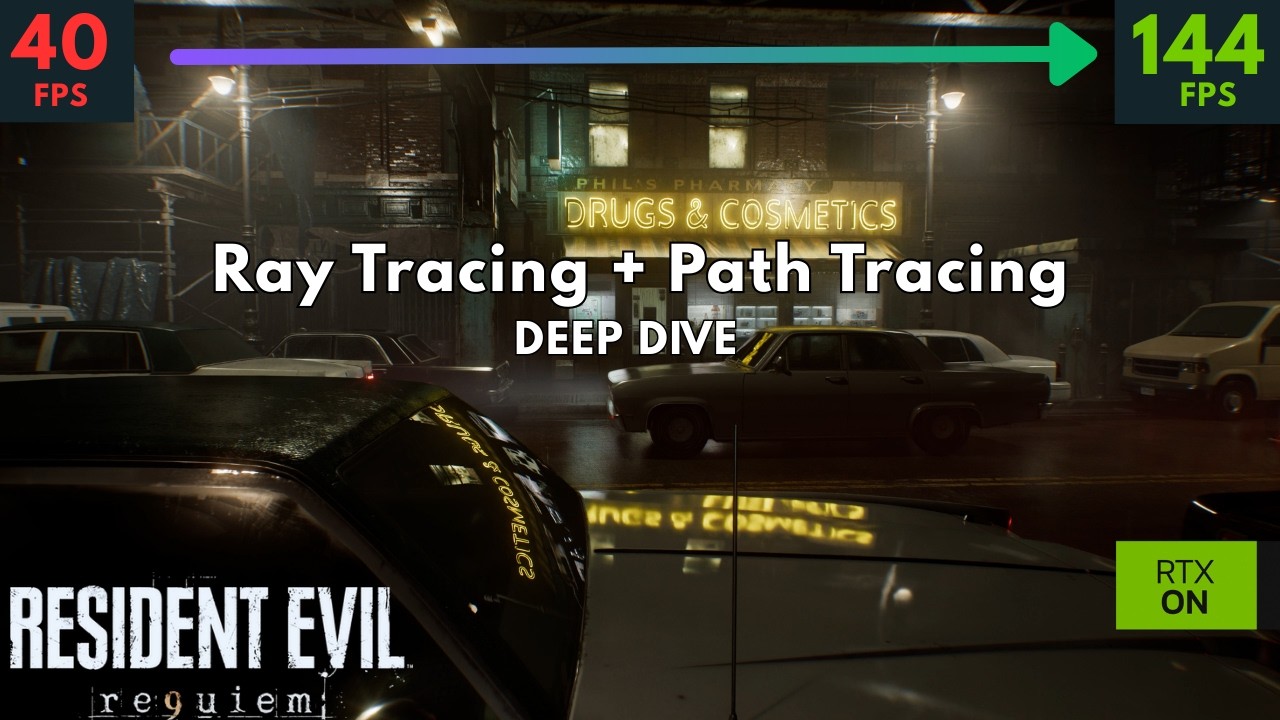
0:00 Intro
1:18 Ray Tracing: Intro
3:43 Path Tracing: Intro
5:15 Ray vs Path Tracing (1)
7:56 RT vs PT: Ray Reconstruction
8:36 RT vs PT vs Screen Space Reflections
10:02 Ray vs Path Trace: Rainy Scene
11:12 Ray vs Path Trace: Shadows
15:45 Raster Shadows
16:27 Ambient Occlusion
17:11 Raster vs Ray vs Path Tracing
20:11 Ray vs Path Tracing: Ind...
wet kiln
wraith rivet
but in the area with zero light black are crushing
Will give this a go when I play tomorrow, didn't mess with contrast or gamma but game brightness at 300 is interesting
unique snow
did capcom forget to upscale the items when you look at them? 🐸
 wraith rivet
wet kiln
Will give this a go when I play tomorrow, didn't mess with contrast or gamma but...
wraith rivet
wet kiln
Will give this a go when I play tomorrow, didn't mess with contrast or gamma but...
try for me this is the sweet stop for dark area and light area
I don't lose details in dark ares
 smoky kraken
new reframework nightly build dropped dunno if important
since the last one worked fine for reno
 runic cipher
Can someone help me? Using the HDR mod + No grain mod is making the image in some areas very blurry and even more grainy , should i set all the sliders of film grain to 0 right?
tawdry lynx

Wccftech
Here are optimized graphics settings for Resident Evil Requiem, achieving up to 23% performance on mid-range PCs with minimal visual loss.
 hexed quest
unique snow
hexed quest
unique snow
fire. does this still affect the cutscene FOV or is the hotkey the bandaid fix for now?
heady arch
unique snow
ok someone did what I wanted: https://www.nexusmods.com/residentevilrequiem/mods...
does it affect cutscenes?
 signal sky
Man praydog working overtime
surreal cliff
winged apex
https://youtu.be/y9kUQAIKNLQ?t=16
You can see here
Yeah but I would like to see specifically for this game, in SH2 and Avatar it doesn't look that bad. Cyberpunk looks ass indeed
heady arch
putting shadows to 85 fixes the black crushes?
hexed quest
signal sky
Man praydog working overtime
does bro have a dono box somewhere? we should honestly all chip in even if it's a tiny bit, same for the RenoDX rockstars. just incredible work
signal sky
hexed quest
does bro have a dono box somewhere? we should honestly all chip in even if it's ...
You could ask in their discord server
I thought the same yeah
wet kiln
heady arch
putting shadows to 85 fixes the black crushes?
Didn't for me. I'm thinking it works differently for different monitors/tvs
Try setting paper white to 300 nits. Someone said above it helped with their black crush at that setting - mine defaults at 203 in every renodx mod and never had any issue so I didn't think of tinkering it
desert nebula
unique snow
ok someone did what I wanted: https://www.nexusmods.com/residentevilrequiem/mods...
Nicee
lime nimbus
Anyone still having raised blacks?
coarse kettle
@musa I saw praydog realized some new builds. Should we update or stay?
signal sky
coarse kettle
@musa I saw praydog realized some new builds. Should we update or stay?
Update
 signal sky
Inspector
But again, you will get worse image quality
Capcom made D the default for a reason
small igloo
preset D looks amazing on my end
tawdry lynx
signal sky
Capcom made D the default for a reason
I included two examples where I found improvements in Preset E (right). It's also overall sharper than preset D. It's…
Reddit
small igloo
game looks incredible
signal sky
tawdry lynx
https://www.reddit.com/r/nvidia/comments/1rglfwt/use_preset_e_with_path_tracing_...
I saw this. If you don’t believe me try it for yourself
winged apex
surreal cliff
Yeah but I would like to see specifically for this game, in SH2 and Avatar it do...
You were talking about path tracing
signal sky
small igloo
preset D looks amazing on my end
Yep same
eternal hinge
I have a lab report, an easy, and an exam on Monday
All I did was play the first 2 hr and setup RenoDX
small igloo
I strongly recommend turning off DoF, Distortion/CA and lens flare/dirt though
lime nimbus
Bro the raised blacks are genuinely turning me off still, how are you guys having ink blacks, what am I missing
small igloo
they aren't implemented very well imo in this game
eternal hinge
small igloo
I strongly recommend turning off DoF, Distortion/CA and lens flare/dirt though
Isn't lens flare like, kinda cool tho?
lime nimbus
I’ve tried most settings
small igloo
destroys image quality
eternal hinge
Chromatic Aberration mess up the image sure
surreal cliff
winged apex
You were talking about path tracing
I want to use PT but without RR to see how preset M or L perform with it since they have their own denoizer. I doubt it will look better but I'm curious
small igloo
eternal hinge
Isn't lens flare like, kinda cool tho?
normally yea but it looks kinda cheap in this game and causes aliasing
eternal hinge
small igloo
normally yea but it looks kinda cheap in this game and causes aliasing
Ahh
winged apex
surreal cliff
I want to use PT but without RR to see how preset M or L perform with it since t...
I just showed you how it would look with the CP example.
You then mentioned two games that don't use path tracing but normal RT - which is the only case where M/L can help
surreal cliff
winged apex
I just showed you how it would look with the CP example.
You then mentioned two ...
I don't care about CP, I just want to see it in RE9 
lime nimbus
Anyone facing artifacting like this? This is with rt, no pt or frame gen. The dark spaces have these white dot artifacts
winged apex
You will see the same thing in RE9 what's confusing you
surreal cliff
I just kinda want to see the world burn and how ugly it would look
signal sky
small igloo
they aren't implemented very well imo in this game
I liked it tbh
winged apex
lime nimbus
Anyone facing artifacting like this? This is with rt, no pt or frame gen. The da...
That's capcom denoiser
tawdry lynx
signal sky
I saw this. If you don’t believe me try it for yourself
preset e looks much better
 small igloo
signal sky
I liked it tbh
small igloo
signal sky
I liked it tbh
I found it distorts the whole image
there are many reshade shaders that do a better job
lime nimbus
winged apex
That's capcom denoiser
What, no way to turn it off? It’s so distracting
winged kite
lime nimbus
Your default peak brightness is at 100?
What do you mean with peak brightness at 100? I set the peak brightness to 800
lime nimbus
winged kite
What do you mean with peak brightness at 100? I set the peak brightness to 800
There were my settings on default
 small igloo
I hope that at some point shortfuse or some other mod devs implement their own renodx Chromatic Aberration and Motion Blur Shaders
 carmine lantern
Capcom’s denoiser for the standard rt is horrible if there was a way to disable it and just use M/L for denoising it would look a lot better
winged kite
lime nimbus
There were my settings on default
You can change it, the LG C1 has a peak brightness of 800
But that doesnt change anything, still raised blacks
winged apex
It wouldn't look better on everything, M/L isn't going to denoise low sample diffuse GI properly either
they should have allowed using RR for normal RT as well
lime nimbus
winged kite
But that doesnt change anything, still raised blacks
Sdr looks darker for me
This is disappointing
winged kite
Agreed 🙁
 tropic shell
So with High ray tracing. Not path tracing. What preset is best to choose then. Or leave it at default.
lime nimbus
lime nimbus
Anyone facing artifacting like this? This is with rt, no pt or frame gen. The da...
Are you have this as well? Or is it specific to me?
With rt or pt on
winged kite
SDR still looks fantastic tho, so I gave up and I'm just playing without HDR
Yes PT is quite grainy, normal RT I don't notice it as much. But I'm playing with PT right now
lime nimbus
winged kite
Yes PT is quite grainy, normal RT I don't notice it as much. But I'm playing wit...
It has those blinking white dots for you in pt too?
It’s only for me in dark spaces
 scenic flower
is there a recommended version of reframework? I've tried like 3 and the game crashes immediately on launch
with reshade i mean
tawdry lynx
reshade 6.7.2?
scenic flower
I'll uninstall and reinstall reshade too ig
 polar summit
lime nimbus
Anyone facing artifacting like this? This is with rt, no pt or frame gen. The da...
polar summit
lime nimbus
Anyone facing artifacting like this? This is with rt, no pt or frame gen. The da...
this could be framegen
it has really bad artifacts with PT
nvm i didnt read everything
i had something similar with 595 driver with RT
i think shaders didn't compile properly
sweet estuary
raven silo
little offtopic.. when i play. i have 120fps and power consumption of around 280...
Roll back drivers
hexed quest
winged apex
It wouldn't look better on everything, M/L isn't going to denoise low sample dif...
is Preset E the viable option for 4K target, if you use Quality/Balanced + Path Tracing (latest 310.5.3 DLSS versions of everything)?
winged apex
Preset E has problems in every game
scenic flower
tawdry lynx
idk try with that one
still crashing, I guess savin a few dollars and going through epic to buy the game was a bad idea
it should still be the same game, though.
winged apex
I think it was an unfinished preset that Nvidia never bothered to fix, that's why D is the default
It's less blurry but you get problems with volumetrics, sky, ghosting, depending on game
in RE9 at the very least it causes more ghosting with lights
my guess is they didn't bother updating it further because they knew transformer v2 was on the way
would be good to have some sort of timeframe for that
carmine lantern
winged apex
my guess is they didn't bother updating it further because they knew transformer...
Since transformer v1 rr is already using fp8, might be a while right?
winged apex
they haven't addressed it at all so who knows
but v2 is x5 the amount of data/compute to train
and RR takes more to train than SR
which is why RR updates always lagged behind
 gusty flax
scenic flower
still crashing, I guess savin a few dollars and going through epic to buy the ga...
gusty flax
scenic flower
still crashing, I guess savin a few dollars and going through epic to buy the ga...
I was having this sort of an issue earlier where none of the effects and addon wouldn't load. I'd recommend completely uninstalling REframewoek and reshade, restart and then reinstall. It worked for me. I have it on steam. I don't think storefront should matter in this case
scenic flower
gusty flax
I was having this sort of an issue earlier where none of the effects and addon w...
i don't think it should either tbh
I tried all that, only thing left is to reinstall the game but ugh, I highly doubt it will fix it
Should the reframework usual menu show up?
kind fossil
FINALLY out of that section, took forever
 heady arch
I'm not seeing raised blacks with RenoDX default settings(PG32UCDM with Console HDR)
gusty flax
winged apex
which is why RR updates always lagged behind
I just switched to RR E. I think it looks good. Haven't played with it a lot yet so can't say how volumetrics behave but E did have problems in SH2
heady arch
The only downside in the image is the slight banding in specific areas(like the flashlight in total dark)
gusty flax
scenic flower
Should the reframework usual menu show up?
Yes, It shows up. Press insert to hide it. Try installing only REframework first and if that works install reshade and its addon later. Delete all the files that reshade and REf made just to be safe
scenic flower
Ok it doesn't even show up haha
 fleet rover
@fierce wedge Great work as per usual
scenic flower
I'm going to do a thorough cleanup
gusty flax
scenic flower
I'm going to do a thorough cleanup
Remember to do a restart before fresh install or just mod reinstall. That was my issue. I reinstalled it like 4 times and it won't work until I did that
Can try verifying files as well. I did that too
 dense sapphire
damn I think I lost a bit of progress. closed game at the beginning of a grace section, so i only had an autosave. started a new a game to check the beginning area and it overwrote the autosave
scenic flower
gusty flax
Remember to do a restart before fresh install or just mod reinstall. That was my...
I'm restarting it. Quite the annoyance
If that doesn't work I'll just give up atp lol
Game works perfectly fine if I remove the mods so IG files aren't broken but I'll verify too
gusty flax
scenic flower
I'm restarting it. Quite the annoyance
If that doesn't work I'll just give up ...
Does the gui for REf show up when you press insert? If not then that might be your issue. Try installing the latest nightly build. Just put dinput8.dll there and you're good
scenic flower
gusty flax
Does the gui for REf show up when you press insert? If not then that might be yo...
it doesn't even get there. The RE9 windows open on a black screen and I get an instant crash of the game and it closes up
I tried REf alone and same thing
(latest nightly and dinput8.dll only)
just removed it and the game starts perfectly
I guess there may be something different with the epic version.
gusty flax
scenic flower
it doesn't even get there. The RE9 windows open on a black screen and I get an i...
That sounds like Ref is not hooking properly because its supposed to mitigate that. Try this version. It was just updated a little bit earlier
https://github.com/praydog/REFramework-nightly/releases/download/nightly-01259-1bb66e964a8a237a5189f3b43e2d5925d8a3dd10/RE9.zip
Just put dinput8 next to exe and try loading the game. If it still crashes, doing a fresh install would be the only option left
 modest wharf
dense sapphire
damn I think I lost a bit of progress. closed game at the beginning of a grace s...
modest wharf
dense sapphire
damn I think I lost a bit of progress. closed game at the beginning of a grace s...
I think on Standard and Classic difficulty grace's sections are only saved via the typewriter.
fleet rover
What are yall using for FOV in reframe?
scenic flower
gusty flax
Just put dinput8 next to exe and try loading the game. If it still crashes, doin...
same thing, I'll try restarting my pc again. thx for the help btw
if that doesn't work I'm just going to enjoy the game how it is haha
gusty flax
scenic flower
same thing, I'll try restarting my pc again. thx for the help btw
if that doesn...
Of course. If doesn't work after a fresh install, you can try loading it with SK but I'm not sure if it would work. I've never tried it
SK can bypass their nonsense anti mod stuff
signal sky
scenic flower
I guess there may be something different with the epic version.
Oh you’re playing on epic? That might be it lol
scenic flower
signal sky
Oh you’re playing on epic? That might be it lol
yeah ig
 unkempt sparrow
When adjusting the tone mapping it says to restart HDR. is this referring to the in game hdr or windows HDR?
scenic flower
dunno why the epic version would make a difference, though
fleet rover
unkempt sparrow
When adjusting the tone mapping it says to restart HDR. is this referring to the...
in game
 flat blaze
I dont seee the option for settings for renodx
unkempt sparrow
flat blaze
I dont seee the option for settings for renodx
it should be along the top tabs in Reshade
flat blaze
 unkempt sparrow
its not detached at first
unkempt sparrow
did you restart the game after disabling runtime and depth?
flat blaze
I see the tab for it lol
chilly gyro
How come the other re games didn’t need the reframework to be installed ?
chilly gyro
kind fossil
FINALLY out of that section, took forever
Can you not bro ffs
lime nimbus
How is the driver for this game still not out lol
chilly gyro
Or put a spoiler on it
 flat blaze
lime nimbus
How is the driver for this game still not out lol
flat blaze
lime nimbus
How is the driver for this game still not out lol
it is lol
lime nimbus
flat blaze
it is lol
What?
chilly gyro
Not on mine 😒
lime nimbus
kind fossil
It did have the spoiler tag
kind fossil
you must have clicked it
chilly gyro
Not worked on my phone then mb
kind fossil
ah
chilly gyro
Apologies
flat blaze
Looks much better :3

 quasi lodge
the first person fov is so narrow lol. Like i get it for horro but it's extreme
 sharp stump
Doesn't RR in PT override DLSS SR preset?
quasi lodge
does latest reframework include a vignette disabler? I assume this game shipped with strong vignette
kind fossil
quasi lodge
does latest reframework include a vignette disabler? I assume this game shipped ...
yup
first person mode fov adjustments work same way too
signal sky
How can I force a shader recompilation? I need to delete the shaders but I never remember where they are lol
quasi lodge
it seems to be basically solid now i dont get the framedrops i guess oraydog fixed it
sharp stump
Latest one?
quasi lodge
there is a tiny hiccup when opening doors or before cutscene that probably is just the game
signal sky
quasi lodge
there is a tiny hiccup when opening doors or before cutscene that probably is ju...
Noup that didn’t happen in vanilla for me
At least I didn’t see it
quasi lodge
yeah its not what i would call stitter tho
stutter
is recompiling shaders recommended with reno and reframework install?
quasi lodge
sharp stump
Latest one?
one from like an hour ago dude is pumping out versions so might not be the latest anymore
signal sky
quasi lodge
is recompiling shaders recommended with reno and reframework install?
With Reno specifically yeah
It’s a good practice
quasi lodge
where are they for this game?
I am not confident the compile got all shader tbh too short
signal sky
Not too sure but here?

Afaik there’s also a Nvidia folder in app data
Not sure if you gotta go in there too or no
sharp stump
That's interesting. Might have to find the cache files from nvidia and delete the ones only for re9.
signal sky
Yeah I read from Lazorr that Reno invalidates previously cached shaders since it messes directly with them or something like that
It’s usually a good idea to re cache when installing Reno
 scenic narwhal
kind fossil
scenic narwhal
kind fossil
for me it was worst section
but still not that bad
just worse than others:)
kind fossil
scenic narwhal
for me it was worst section
yeah it was tedious in the end
scenic narwhal
it should be little shorter and would be fine
Ive beat the game in 10h 44 mins IGT
sharp stump
Should we use RT Tweaks for PT ? In reframework?
signal sky
sharp stump
Should we use RT Tweaks for PT ? In reframework?
Probably not
Better to ask in their discord tho
 velvet ferry
so like does the game run like doo doo or something on 591.86?
velvet ferry
TY just bought it
sharp stump
Which nividia pulled off app I think yesterday or so.
fleet rover
any chance nvidia releases the driver today or not on weekends?
 gritty sparrow
Can someone please indicate what should in-game HDR sliders be at when you use Reno? Any adjustment needed there or doesn't matter?
signal sky
Why is reshade ui not showing up? Reframework does but not reshade
sharp stump
I am not having issues with ReShade not showing up. Even got SK in the mix lol
signal sky
I don’t get the ui
sharp stump
press home key?
signal sky
Do I need to install it as a Reframework plugin or something?
sharp stump
no
do you have reframework folder inside game folder?
as well as the dinput8.dll?
I am on latest Reframework.
signal sky
sharp stump
do you have reframework folder inside game folder?
Yep
 tender dew
wait is reno dx out for re9
signal sky
Imma try another method of installing reshade
sharp stump
I installed 6.7.2 reshade and then renamed it to reshade64.dll
works fine for me with SK.
huh sliders working for me in realtime for renodx.
signal sky
NOOOOO Reframework causes VRR flicker for me 😭
sharp stump
heh. might be SK shutting off flip metering.
but uh in menus fg is off
Though for me I disabled vrr in nvidia for my monitor bc using gsync compatibility caused massive flickering.
signal sky
sharp stump
heh. might be SK shutting off flip metering.
I don’t have SK
sharp stump
okay nvm 🙂
dense vortex
what's the best driver version for performance in this game with PT on 4090? the .88 one?
sharp stump
Grace is cute when awkard.
velvet ferry
Is it just a bug that it switches to dlss perf on restart or do other modes not work
velvet ferry
ew, does forcing it in profile inspector work?
sharp stump
You can change it back to quality after reboot and res will go up
velvet ferry
ah ok
signal sky
Also yeah @fierce wedge I can confirm SDR Eotf emulation causes a lot of posterization in UI elements
sharp stump
I know this b/c SK shows it quality res for my upscale.
signal sky
Like the prompts to open something for example
sharp stump
velvet ferry
ew, does forcing it in profile inspector work?
actually I might try that. lol.
bleak cliff
fov fix still breaks cinematics with the latest nighty ref?
sharp stump
can't do it with nvidia app atm b/c driver doesn't allow overrides.
I just leave fov where it is
Though even with grace I am getting a little motion sickness. Might turn off or down the setting for head bob.
 sand pivot
guys! just play the game as the japs intended too, this is no way of living ahahahaha
signal sky
Im also getting some bright flash artifacts in PT
Since yesterday
Might be a driver issue
sharp stump
Anyone see some sort of boiling effect here?

Like steam or such caused flickering and such.
signal sky
sharp stump
Anyone see some sort of boiling effect here?
Yeah that’s normal
All fences like that are gonna shit themselves
kind fossil

 hushed meteor
sharp stump
Like steam or such caused flickering and such.
hushed meteor
sharp stump
Like steam or such caused flickering and such.
Upscaling will do that with telephone wires and fences just like that. It gets better once you get to Quality/DLAA but it's still present unfortunately
signal sky
Damn this game is dark even with Reno. I had to put game brightness to 300
Highlights also pop less than I would expect
fleet rover
signal sky
Damn this game is dark even with Reno. I had to put game brightness to 300
its supposed to be ddark
signal sky
fleet rover
its supposed to be ddark
I mean the highlights
Like the neons and police lights in the beggining for example
They could pop more imo
 kindred bough
Should I reset my HDR brightness in game settings to default and then adjust it with renoDx?
signal sky
kindred bough
Should I reset my HDR brightness in game settings to default and then adjust it ...
Yeah
signal sky
Also. Not sure if this is VRR or the mod. But I get weird black floor raise depending on where I look
Happens only in first person
@fierce wedge
 golden robin
Thats means.... renoxDX will be out soon
signal sky
I would say it’s the mod but unsure
 heavy spire
looks great. Thanks as usual
sharp stump
@signal sky @hushed meteor Thanks for clarification 🙂
heavy spire
liking the SDR setting
dense sapphire
signal sky
NOOOOO Reframework causes VRR flicker for me 😭
how frequently? I'm using this build still https://www.nexusmods.com/residentevilrequiem/mods/9?tab=description and i'm not getting vrr flicker except for the occasional traversal stutter

Nexus Mods :: Resident Evil Requiem
Quick fix by BlueCookieWookie using a modified/forked REFramework
sharp stump
Anyone found RE9 in Nvidia Profile inspector?
signal sky
dense sapphire
how frequently? I'm using this build still https://www.nexusmods.com/residentevi...
This is not proper Reframework
It’s bad. Delete that AI shit lol
Go to Reframework GitHub
There is the latest
signal sky
sharp stump
Anyone found RE9 in Nvidia Profile inspector?
You need the latest driver which was pulled lol
sharp stump
Shit so basically Create new profile?
dense sapphire
it works though, i'll compare with official and see if i get flicker
kind fossil
sharp stump
Shit so basically Create new profile?
I'm doing it globally
sharp stump
kind fossil
I'm doing it globally
Okay and just disable it after playing game?
kind fossil
Up to you
signal sky
dense sapphire
it works though, i'll compare with official and see if i get flicker
I do get a tiny bit
Yeah uh Reno doesn’t seem to be uncapping nits for me I’m fairly sure
 formal grotto
VRR flicker with REframework is insane, absolutely terrible sadly
signal sky
formal grotto
VRR flicker with REframework is insane, absolutely terrible sadly
For me it’s not terrible but yeah it’s there
Vanilla was perfectly smooth
Dunno what to do
Latest build that just dropped doesn’t fix it either
formal grotto
sadly no, I immediately absolutely adore renodx and the filmgrain lua mod though which both need the reframework :(((
signal sky
In the intro I just get flicker when looking at a specific wall lol
Everything else is pretty much perfect
This wall
And even here it’s not insane flicker
Well I also get ocasional stutters
Yeah damn this is sad
sharp stump
RE9/TDB82+: Fix some fields being resolved incorrectly #1260
 deep solstice
Are the in game settijng for RE9 overridden when using Renodx?
signal sky
I just tried that build and changed nothing
serene shore
@deep solstice how is your vram looking
signal sky
Ok I also get flicker in that wall in vanilla just tested. So it’s not the mods
The random black raise also is there so it’s not the mods also
deep solstice
serene shore
<@381705830430408715> how is your vram looking
4090
signal sky
Insane how bad and lifted it looks without Reno
dense sapphire
not getting any flicker with official
signal sky
dense sapphire
not getting any flicker with official
Yeah seems good. I do get some occasional stutter but the minor flicker I get it’s there vanilla too
dense sapphire
the build was literally a minute old when i downloaded it, do you have the latest?
signal sky
dense sapphire
the build was literally a minute old when i downloaded it, do you have the lates...
Yep
I also downloaded it right away
formal grotto
With activated framegen 2x and 115fps limit the flicker is insane.
fleet rover
formal grotto
With activated framegen 2x and 115fps limit the flicker is insane.
im locked at 120fps with frame gen and no flicker here.
 timid sky
formal grotto
With activated framegen 2x and 115fps limit the flicker is insane.
timid sky
formal grotto
With activated framegen 2x and 115fps limit the flicker is insane.
what monitor/tv you're running?
deep solstice
serene shore
yes
Thank you!
signal sky
formal grotto
With activated framegen 2x and 115fps limit the flicker is insane.
Uncap it
formal grotto
Uncap with gsync on lg g5? 😅
formal grotto
No gsync then
signal sky
If you have vsync on and reflex ingame you wont go above 116
If I cap any game in the G5 I also get massive flicker
Uncapped runs almost perfectly 95% of the time
 versed magnet
I also had this issue. LG CX. Framegen. FPS not going above 115 and flickering.
I discovered that using the Display Commander addon for ReShade could fix it.
In the options for it, change the FPS Limiter Mode to disabled. FPS can then hit 120 and it won't flicker. I guess it does traditional VSYNC then.
timid sky
i'm running s90c + 5080, got pretty good picture with reno, no vrr/flicker noticed on my side (I have frame cap at 137, using rtss with reflex)
https://postimg.cc/CRqzZSzk
 signal sky
For me DC makes me flicker A LOT more
formal grotto
Ah yes I have vsync enabled but low latency mode disabled, game flickers st 70fps too with reframework though, its not the fps limit
signal sky
timid sky
i'm running s90c + 5080, got pretty good picture with reno, no vrr/flicker notic...
I believe you should enable windows lol
signal sky
formal grotto
Ah yes I have vsync enabled but low latency mode disabled, game flickers st 70fp...
You dont flicker at all vanilla?
I just tested and I have the same small amount of flicker vanilla than modded
formal grotto
No, no flicker with specialk and reshade. Same settings
kind fossil
timid sky
i'm running s90c + 5080, got pretty good picture with reno, no vrr/flicker notic...
damn them highlights and exposure like a flashbang
formal grotto
No, trying dlaa 4k with framegen for a bit and after a few minutes there is no flicker visible anymore at 70fps
kind fossil
supposed to overcast and dark there it's raining hard
formal grotto
Also all RR boiling is gone
signal sky
formal grotto
No, trying dlaa 4k with framegen for a bit and after a few minutes there is no f...
I mean theres some scenes where you might flicker
timid sky
kind fossil
damn them highlights and exposure like a flashbang
xD, its just captured that way, I made it with print screen
signal sky
Its the nature of VRR in OLED
As long as its mostly fine tho I wouldnt worry about it
kind fossil
timid sky
xD, its just captured that way, I made it with print screen
yeah that's annoying aint it 😄 use prnt screen in reshade it will capture hdr properly
signal sky
You can also disable gsync and just deal with judder
versed magnet
For a while I just disabled GSYNC, set refresh rate to 100 HZ and did 2X framegen VSYNC. Mostly stable. But sections couldn't quite get there.
lime nimbus
formal grotto
sadly no, I immediately absolutely adore renodx and the filmgrain lua mod though...
what's the filgrain lua mod? it fixes the noise in PT?
versed magnet
So now I do 120 HZ GSYNC with FPS Limiter Mode set to disabled in DC. As long as I hit 120, no flicker.
lime nimbus
I have no vrr flicekr in my C1 tho
@signal sky how are your blacks? they're still a bit raised for me
sharp stump
signal sky
I also disabled everything within Reframework
what settings disabled?
signal sky
lime nimbus
<@306848037290901506> how are your blacks? they're still a bit raised for me
Set the HDR ingame to defaults
And should be good
For me its pretty much on point
signal sky
sharp stump
what settings disabled?
Everything xD
lime nimbus
signal sky
Set the HDR ingame to defaults
oh that's why? i did that "set until not visible" bullshit
should I revert that?
@winged kite try it out
signal sky
versed magnet
So now I do 120 HZ GSYNC with FPS Limiter Mode set to disabled in DC. As long as...
That´s cause there you´re using vsync lol
fierce wedge
signal sky
Also yeah <@251818887526612992> I can confirm SDR Eotf emulation causes a lot of...
I’ll check it out
 brittle badge
oh wel finished 2nd playthrough to unlock inf ammo, the only thing I liked about the game was leon's axe, he can just sekiro thru the whole game without touching his gun
since the dmg is massive and perfect parry means insta kill
2 pistol shots = 1 slash
kind fossil
@timid skyprint screen with reshade captures it correctly and saves as png
or you can use .jxr with windows game bar
brittle badge
did reframeworks come out with a new nightly, gonna see if my keyboard is fixed
sharp stump
hmm turned on RT tweaks and fixed some of the boiling effect from PT in certain area.
signal sky
Not sure that´s tuned to RE9 out of the box
sharp stump
yeah its now causing random flickers lol
signal sky
Yeah I wouldnt touch anything tbh
Just disable everything load your reno and enjoy
Fov too I guess but dunno if its 100% done that part
versed magnet
signal sky
That´s cause there you´re using vsync lol
I know. That increases latency a bit I guess, but prefer that over flicker. And GSYNC kicks in if FPS goes below 120 so it doesn't judder or tear. Decent compromise if you ask me.
signal sky
Gsync should always be used with vsync generally
Reflex already auto caps to 116 also so you wont really hit 120
And VRR will always be working
tawdry lynx
scenic flower
still crashing, I guess savin a few dollars and going through epic to buy the ga...
oh yeah that would be it
just buy steam keys
i brought this game for $50
timid sky
signal sky
Gsync should always be used with vsync generally
what about vsync, do we need to enable ingame vsync if it is enabled in nvidia app?
versed magnet
signal sky
Reflex already auto caps to 116 also so you wont really hit 120
Yeah, but when it does that, I get VRR flicker in a lot of places, which I find really distracting. So I prefer to VSYNC at full 120 when possible. Get's rid of flicker. Display Commander lets me do that.
serene shore
no
just do vsync global and always in-game vsync off
or at least in 99% of the games out there
signal sky
timid sky
what about vsync, do we need to enable ingame vsync if it is enabled in nvidia a...
Noup
I do global vsync on and always off ingame
signal sky
versed magnet
Yeah, but when it does that, I get VRR flicker in a lot of places, which I find ...
I mean that´s the same as using only vsync
When you drop frames itll flicker again
tawdry lynx
signal sky
When you drop frames itll flicker again
what reno dx settings did you end up using
formal grotto
The flicker suddenly was is vanilla too when I removed reframework.
I fixed it by turning off the LG gsync, which bugged out and gave me a Black screen with HDR icon popping constantly in right corner.
I switched to my Samsung Monitor, turning gsync back on for the LG, turning LG back on = absolutely no flicker at all again
signal sky
And game brightness 300
signal sky
formal grotto
The flicker suddenly was is vanilla too when I removed reframework.
I fixed it...
Hah yeah this happened to me too
signal sky
formal grotto
The flicker suddenly was is vanilla too when I removed reframework.
I fixed it...
Oh wait
The fix part is interesting
Are you sure?
formal grotto
Ah no in Nvidia console, the old one
signal sky
If this fixes it it would be so interesting
It’s probably pointing at a Nvidia/Windows issue
sharp stump
So RT tweaks it does have profile called Tryant made specific for RE9.
I just forgot to enable it.
 abstract quarry
Hey guys, do you know what is the best driver for nvidia gpu for this game ?
signal sky
I always recommend 581.96
brittle badge
can you guys confirm u guys keyboards input work in game?
formal grotto
Okay no flicker with reframework now with vsync in nv console and at 116 fps. Was a gsync/vrr + LG bug
signal sky
formal grotto
Okay no flicker with reframework now with vsync in nv console and at 116 fps. Wa...
OMG dude, you mightve fixed VRR for me in PC if this works
brittle badge
cause I install reframework and my keyboard input is out
signal sky
Yesterday I didnt have flicker either and today I did
I thought it was just random but never thought of this
 low badge
brittle badge
can you guys confirm u guys keyboards input work in game?
low badge
brittle badge
can you guys confirm u guys keyboards input work in game?
Mine is working.
brittle badge
... man I have no idea what's going on thanks
formal grotto
hahaha same issue like me then. The flicker is completely gone. Testing it on the curtains here. 4K quality, no filmgrain, made sure to turn down the custom filmgrain in reno too.
 signal sky
I was testing in the intro when u enter the building
Its pitch black so its a good spot
We need to figure out what triggers this issue
I dont think its the G5 itself
Might be some windows shit
On PS5 VRR works great for me
low badge
brittle badge
... man I have no idea what's going on thanks
Maybe hit the insert key that will toggle Reframework? I have Reshade configuerd to disable inputs in game when I have it open to make changes.
brittle badge
I checked input passthrough to make sure it's that ... still no keyboard inputs
controllers are fine, mouse is fine, keyboard nada, the keyboard itself works inside reframework menu
abstract quarry
formal grotto
hahaha same issue like me then. The flicker is completely gone. Testing it on th...
No gsync then ? Juste vsync on in NVP ?
signal sky
He re enabled
formal grotto
ah no I turned gsync back on, window and fullscreen
 autumn spruce
Just seeing REFramework was updated and the Renodx mod is on Nexus now. Thanks so much for your hard work @fierce wedge (and praydog obviously). I was playing in SDR until everything was released.
I’m sure it says it on the mod page but do we need to change the file name for reshade or anything? And default settings/sliders other than grain and noise preference are fine? Not sure whether I should use the TB 400 or EOTF Boost hdr mode on my monitor here
signal sky
formal grotto
ah no I turned gsync back on, window and fullscreen
Oh I only use fullscreen
formal grotto
and the compatability tickbox below
 tired hound
I have a question about the current version of the mod:
It seems like there are issues in cutscenes. There are like these extremely bright lights. Have you seen the issue?
signal sky
I read windowed can cause issues and its not needed anyway
signal sky
tired hound
I have a question about the current version of the mod:
It seems like there are ...
Like artifacts?
tired hound
signal sky
Like artifacts?
Yeah kinda artifacts
 finite portal
eternal hinge
I wonder if we can just use DLSS preset L for the denoising
finite portal
eternal hinge
I wonder if we can just use DLSS preset L for the denoising
I always use model L because I don’t like the look of model M. r/FuckTAA will lynch me for that, but I prefer stability over squeezing out the last detail even if it comes at the cost of sharpness.
formal grotto
signal sky
I read windowed can cause issues and its not needed anyway
yes thats what I heard too, always kept it on and no issues with it though.
signal sky
formal grotto
yes thats what I heard too, always kept it on and no issues with it though.
I used both and didnt notice any change tbh xD
So maybe its whatever
sweet estuary
abstract quarry
Hey guys, do you know what is the best driver for nvidia gpu for this game ?
581.42
scenic narwhal
You guys also noticed weird artifacting on Grace's hair when using Nvidia framegen and moving camera ?
low badge
brittle badge
I checked input passthrough to make sure it's that ... still no keyboard inputs
I double checked on mine since I mainly use a controller, and I do not have the box checked off input passthrough. Sorry I couldn't help.
signal sky
scenic narwhal
You guys also noticed weird artifacting on Grace's hair when using Nvidia frameg...
Noup
I notice it in the hands when using the flashlight in the dark
brittle badge
low badge
I double checked on mine since I mainly use a controller, and I do not have the ...
thanks bro
formal grotto
signal sky
I used both and didnt notice any change tbh xD
I think it makes no difference if fullscreen or windows + fullscreen
signal sky
Yeah probably not
I really want to know what causes this issue now. You still get 0 flicker?
formal grotto
I changed the controller settings now and holyshit thats so much better, acceleration and deacceleration to 20 is super fast response and much better
signal sky
formal grotto
I changed the controller settings now and holyshit thats so much better, acceler...
This is the way, yes
formal grotto
No flicker
signal sky
WTF man
If its LG firmware causing this I swear
But Im almost positive its a Windows thing
dense sapphire
tired hound
I have a question about the current version of the mod:
It seems like there are ...
Have not seen this with or without the mod
formal grotto
signal sky
WTF man
did it not work for you?
signal sky
Didnt try yet Im a bit busy rn
But I mean this will pop up again in the future
I would like to fix it completely
formal grotto
signal sky
But Im almost positive its a Windows thing
Dude.
Windows HDR and HDR calibration tool color profile management is so terrible for me since around beginning of the year.
My ICC HDR profiles dont get loaded correctly, so after a actual fresh boot (quick boot diabled) my LG peak brightness is not detected under display properties. So I ALWAYS have to do an additional reboot afterwards for windows to read the peak brightness correctly (CRU driver restart does not work, needs to be a windows reboot)
Also Samsung and LG profiles are mixed and stored under the same entity or something like that, means switching the screens while windows is running keeps the previous peak nits profile enabled for the wrong screen. I have to switch profiles and reboot afterwards to apply the other profile and for peak brightness and HDR calibration to apply correctly. Its driving me insane!
scenic narwhal
does this driver bug decreasing performance using Path Traycing also affects RTX 50xx series?
formal grotto
you need it for RTX HDR for arc raiders and online games which block addon reshade
tired hound
dense sapphire
Have not seen this with or without the mod
I don't want to spoil but I've noticed it in the cell of the little girl for the first time
signal sky
formal grotto
Dude.
Windows HDR and HDR calibration tool color profile management is so terr...
My other screen doesnt have HDR so I guess I dont have that issue
formal grotto
or alan wake and forza, games which use it
signal sky
formal grotto
you need it for RTX HDR for arc raiders and online games which block addon resha...
Ooof that makes the UI unbearable for me
formal grotto
signal sky
My other screen doesnt have HDR so I guess I dont have that issue
okay yes that could be the same and my setup just being pretty unusal
dense sapphire
tired hound
I don't want to spoil but I've noticed it in the cell of the little girl for the...
Only in the cutscene? I probably have a save there, but past the cutscene
Is it very obviously broken? If so, then yeah I haven't seen that issue
 eager veldt
@fierce wedge sorry for the ping, you must be getting a LOT of those rn, but i noticed that setting SDR EOTF emulation to anything other than off breaks the ui transparency effect. you can notice it on the dark highlights behind text

 signal sky
eager veldt
<@251818887526612992> sorry for the ping, you must be getting a LOT of those rn,...
signal sky
eager veldt
<@251818887526612992> sorry for the ping, you must be getting a LOT of those rn,...
He knows yeah
eager veldt
alright, awesome
dense sapphire
tired hound
I don't want to spoil but I've noticed it in the cell of the little girl for the...
Here? I think this is the second cutscene
 tired hound
dense sapphire
Only in the cutscene? I probably have a save there, but past the cutscene
tired hound
dense sapphire
Only in the cutscene? I probably have a save there, but past the cutscene
Yes I have only noticed it in cutscenes. Also in the cutscene with Leon cuffed to the chair it was very strong
abstract quarry
Can i replace dlss dll with the latest version or is ok ?
tired hound
dense sapphire
Is it very obviously broken? If so, then yeah I haven't seen that issue
In my opinion it's very strong broken. But maybe it is just the PT
signal sky
abstract quarry
Can i replace dlss dll with the latest version or is ok ?
You can yeah
formal grotto
tired hound
I don't want to spoil but I've noticed it in the cell of the little girl for the...
Just had the second cut scene in that room and there were no sparkling particles for me
tired hound
dense sapphire
Here? I think this is the second cutscene
Yes the cutscene where she's going into the cell
tired hound
formal grotto
Just had the second cut scene in that room and there were no sparkling particles...
Mmh strange. Are you playing withPath Tracing?
eternal hinge
finite portal
I always use model L because I don’t like the look of model M. r/FuckTAA will ly...
I'm pretty sure preset L is just flat out better than M
versed magnet
Are you increasing the FOV? If you override the FOV in cutscenes, you can see the lights that are handplaced during cutscenes for dramatic effect.
dense sapphire
Oh it's sparkling particles?
signal sky
dense sapphire
Oh it's sparkling particles?
Yep this
I get it randomly
Very randomly
eternal hinge
eternal hinge
I'm pretty sure preset L is just flat out better than M
Like, it carries forward all the stuff M has but good-er
dense sapphire
Yeah haven't seen that, I'm playing with PT
versed magnet
Is it shimmering, or are you seeing a bright light source?
tired hound
versed magnet
Are you increasing the FOV? If you override the FOV in cutscenes, you can see th...
Yeah you are right. I changed the FOV
tired hound
versed magnet
Is it shimmering, or are you seeing a bright light source?
A bright light source. But the positioning of the light source feels out of place
versed magnet
Yeah, that's it then. It breaks the framing in cutscenes and you can see special lights that are placed off camera for dramatic effect.
eternal hinge
r/FuckTAA is so hard to take seriously, like, I get the initiative, but it didn't take seconds to implode
sharp stump
signal sky
Does it work well?
uh trying different combos and there is always some weird issue.
tired hound
versed magnet
Yeah, that's it then. It breaks the framing in cutscenes and you can see special...
Damn okay thank you for the hint
I will change the FOV back to default
 willow willow
i just finished requiem and in my opinion it's the best resident evil game
winged kite
lime nimbus
<@1376937584814723136> try it out
I’ll try it out
 woeful shadow
scenic narwhal
You guys also noticed weird artifacting on Grace's hair when using Nvidia frameg...
woeful shadow
scenic narwhal
You guys also noticed weird artifacting on Grace's hair when using Nvidia frameg...
hopefully fixed in the spring
eternal hinge
eternal hinge
r/FuckTAA is so hard to take seriously, like, I get the initiative, but it didn'...
We are living in the image reconstruction world order, it just is what it is. "Oh no things are worse now!" Meh not really I'd say, when a thing becomes a main thing, it ends up being the main thing like the last thing was. Games are developed around this tech now, they're made with it in mind so is anything lost thaat much?
Besides ML based upscalers are pretty friggin cool, when DLSS preset L holds up to native 4k no AA, then clearly, why TF would I ever want anything else?!!
If anything, I want every other GPU vendor to adopt ML. Intel tbh has done a great job with XeSS, a bit soft yes, but very temporally stable, looks a lot like DLSS if you slap cas on top. Yes even with the non-intel arc GPUs imo
FSR4, bad perf overhead on non RDNA4, but great results.
FSR2/FSR3/TSR deserve to be thrown into the trash, actual garbage
AMD just hates money, FSR4 still isn't available to noon RDNA4 officially, their Ray Regeneration thing has barely shipped into 1 game with half baked functionality. They should've adopted ML approach years ago, cuz these guys move at the pace of turtles.
I wouldn't be surprised if Intel released a fully functioning denoiser before those guys
winged kite
lime nimbus
<@1376937584814723136> try it out
Still have raised blacks, did it work for you? Reno dx should overwrite the default stuff
eternal hinge
Btw, does Re9 even have XeSS? I'd love to use that on my Steam Deck
signal sky
winged kite
Still have raised blacks, did it work for you? Reno dx should overwrite the defa...
Remove film grain completely
I think that might be confusing you
The grain will make it so its not 100% black
eternal hinge
winged kite
Still have raised blacks, did it work for you? Reno dx should overwrite the defa...
Restart PC❗
winged kite
All grain was already disabled
winged kite
eternal hinge
Restart PC❗
I’ll try that
kind fossil
@tired houndthe cut scene exposure blowout is a bug yeah, quite a few people reported it
you have to toggle off fov to watch cut scenes correctly
tired hound
versed magnet
Yeah, that's it then. It breaks the framing in cutscenes and you can see special...
Alright default FOV definitely fixed my problem in the cutscenes. I just replayed the cutscene with leon and everything is fine again
autumn spruce
What do ya'll recommend as far as HDR mode with this mod? I have the MSI 271qpx e2 monitor, and IMO the peak 1000 mode has like dimming issues or a lower full scene brightness compared to the TB 400 mode (of course highlights are much brighter on the 1000)
I also have an EOTF Boost mode they added later as a 3rd option, but with the EOTF setting in this mod, idk if I should use that or not
woeful shadow
do i use the base peak brightness for the mod on an oled c2 42in? or should i set it to around 800?
heady arch
autumn spruce
What do ya'll recommend as far as HDR mode with this mod? I have the MSI 271qpx ...
HGiG(Asus calls it console HDR) dunno about MSI
kindred bough
autumn spruce
What do ya'll recommend as far as HDR mode with this mod? I have the MSI 271qpx ...
From my understanding what the description said:
2.2 By Luminosity compensates for the game being authored in sRGB while the developers likely viewed it on 2.2 gamma displays. That option corrects the EOTF mismatch without altering the RGB channels individually, so colors remain stable while contrast and midtones look closer to the developers’ original intent.
“Per Channel” can slightly shift colors, and “Match SDR” just limits HDR to resemble SDR it doesn’t actually fix the gamma mismatch.
So I think 2.2 By Luminosity is the most accurate and least intrusive correction.
winged kite
eternal hinge
Restart PC❗
Still raised sadly
tropic shell
For me everything works great with this mod. But as always, in game that i dont get native 240fps like here i always cap it at 120 and disable Vrr cause no matter what if my frames are under native i will always have raised blacks on my WOLED. With Vrr off my problem is solved.
eternal hinge
winged kite
Still raised sadly
Can you send JXRs
autumn spruce
heady arch
HGiG(Asus calls it console HDR) dunno about MSI
The only thing I have close to this I can change is which HDMI 2.1 mode I set to (there's Console or PC), but I use a DP cable with DSC disabled on my PC.
autumn spruce
kindred bough
From my understanding what the description said:
2.2 By Luminosity compensates f...
ok I guess i'll stick to that setting. idk if i should just stick to TB 400 then bc im limited to about 450 nits on my monitor with it
EOTF boost mode reaches around 700, but this mode apparently fixes EOTF tracking or something. idk if id get a weird interaction with the mod
versed magnet
tired hound
Alright default FOV definitely fixed my problem in the cutscenes. I just replaye...
Personally I use a custom resolution of 3840x1800 for a semi-ultrawide presentation, that I quite like. And with REFrameworks Ultrawide fix + Vertical FOV it works in cutscenes as well, without black bars on the sides. It gives a slightly wider FOV, without breaking cutscenes.
winged kite
eternal hinge
Can you send JXRs
Sure
 raw knoll
do i set the peak brightness through rendox or the game ?
 kindred bough
raw knoll
do i set the peak brightness through rendox or the game ?
kindred bough
raw knoll
do i set the peak brightness through rendox or the game ?
Match peak brightness in Renodx with that of your monitor and in game brightness settings to default
woeful shadow
im getting stutters on 5070ti. will rolliing back drivers fix my issues?
scenic flower
tawdry lynx
just buy steam keys
Well i won't buy the game twice since I'm outside the return window.
winged kite
eternal hinge
Weird
scenic flower
I had epic money in my wallet so I used it
Oh well. Not that big of a deal
raw knoll
kindred bough
Match peak brightness in Renodx with that of your monitor and in game brightness...
was a bit confused thanks
eternal hinge
winged kite
Weird
Like you can see the avg luminance is 0.020, very dark scene, and 0.00 reading for min luminance reading
eternal hinge
eternal hinge
Like you can see the avg luminance is 0.020, very dark scene, and 0.00 reading f...
And then there's the fact that it like like this irl:

 lusty jetty
https://youtu.be/AZiEVroL08E?si=n2d8FlZW-OyfsVnv
apparently the 5000 series is affected too lol not sure if it’s just the 5070 or all cards
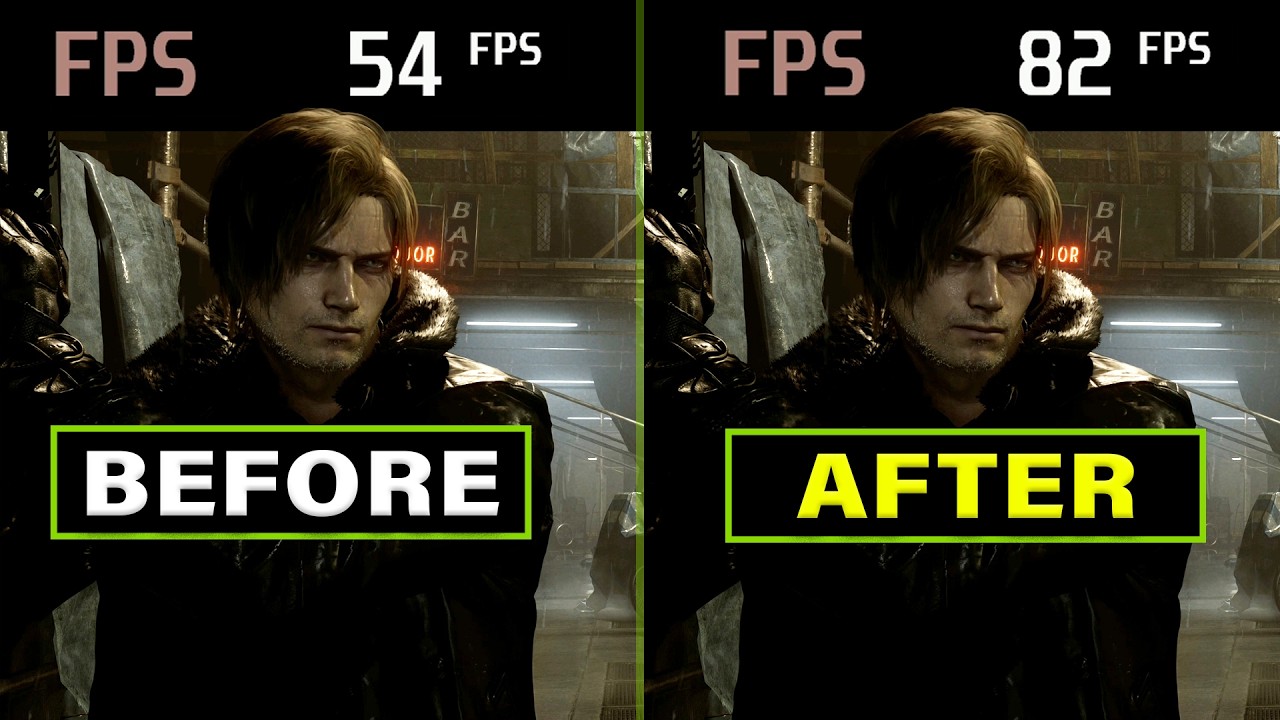
Today we examine the performance of my RTX 4090 in RE9 and something doesn't seem right. There seems to be a driver related issue and setting that can significantly impact overall performance. Up to 50%!
Follow me on X: https://x.com/TerraWarePC
Follow Sebastian on X: https://x.com/Sebasti66855537
RTX 4000 PC:
ASUS TUF RTX 4090
AMD Ryzen 9800X...
raw knoll
lusty jetty
https://youtu.be/AZiEVroL08E?si=n2d8FlZW-OyfsVnv
apparently the 5000 series is ...
i think it makes sense i saw videos of 5090 getting many different results but it depends
lusty jetty
Ye there was someone here with odd 5090 results
raw knoll
someone also told me my 5080 is below what he gets too (that im not sure though)
winged kite
eternal hinge
Like you can see the avg luminance is 0.020, very dark scene, and 0.00 reading f...
Very weird, I see that min luminance is 0.00, but it 100% is raised for me. The black in HDR is nowhere close to the SDR black, that one is proper inky black
eternal hinge
winged kite
Very weird, I see that min luminance is 0.00, but it 100% is raised for me. The ...
You're going to get better shadow detail
heady arch
Anyone managed to fix black crushes ?
eternal hinge
I don't think you should worry about what SDR looks like
If anything, does it not like like what it looks like on my TV for you?
heady arch
I can see them in dark rooms with red light
winged kite
eternal hinge
I don't think you should worry about what SDR looks like
Yeah I think thats the thing
Moved around to other places and it looks good now
versed magnet
For what it's worth, this guy tested different driver versions on a 5080 without any significant performance difference.
 kindred bough
heady arch
Anyone managed to fix black crushes ?
kindred bough
heady arch
Anyone managed to fix black crushes ?
I see some black crush as well. Also the game started to flicker after installing mods
winged kite
eternal hinge
I don't think you should worry about what SDR looks like
Here it is not raised for example. Well thanks for help, I appreciate it 🙂
 chilly gyro
Nvidiot finished the driver yet ?
unique snow
AI is still writing it
 stray finch
versed magnet
For what it's worth, this guy tested different driver versions on a 5080 without...
stray finch
versed magnet
For what it's worth, this guy tested different driver versions on a 5080 without...
so the twitter post was lies?
coarse kettle
versed magnet
For what it's worth, this guy tested different driver versions on a 5080 without...
im on 595.59 and its fine. with a 5080
heady arch
kindred bough
I see some black crush as well. Also the game started to flicker after installin...
Don't see any flickering, but the black crush is severe in some situations.
sharp stump
coarse kettle
im on 595.59 and its fine. with a 5080
how are your fans?
fierce wedge
eternal hinge
Not at my computer right now so I can’t see the image but if there’s UI elements or noise/grain in the image then it’ll throw off the min nits reading
sharp stump
you know that nvidia rolled back those right?
unique snow
Leon's hair in ||Raccoon City|| is very black
coarse kettle
sharp stump
how are your fans?
working, but they are default
kindred bough
formal grotto
Okay no flicker with reframework now with vsync in nv console and at 116 fps. Wa...
So you disabled vrr completely? Because I have flickers now too and I have enabled nv cap, gsync for fullscreen mode and vrr in monitor settings
sharp stump
coarse kettle
working, but they are default
Just letting you know Nvidia app removed that update you are on officially in the app. I tread really carefully.
unique snow
seems to be depending on the sky light maybe
fierce wedge
I just got to the hospital when I last played and noticed the blacks were a little clipped. I can maybe restore some detail there
unique snow
(it is day time)
versed magnet
stray finch
so the twitter post was lies?
Not sure what post you're referring to. I don't know anything for sure. Just saying the testing that reddit poster did would indicate that RTX 5080 performance isn't affected by driver version.
fierce wedge
Also I’m pretty sure I know how I messed up with ui gamma correction
coarse kettle
sharp stump
Just letting you know Nvidia app removed that update you are on officially in th...
i know my friend. but didnt have any problem till now.
fierce wedge
Once I get off my ass I’ll update
coarse kettle
coarse kettle
i know my friend. but didnt have any problem till now.
and i allready have 14hours of RE9 with this driver
autumn spruce
we just leave the HDR brightness sliders in game as default right with this?
signal sky
@formal grotto I can confirm your fix worked for me too. I LOVE YOU MAN
autumn spruce
i just installed everything without issue and disabled the Generic Depth and Effect Runtime Sync to finally try it out. usually just everything ingame gets left alone right?
and what's behind using the custom film grain at 50 again its set by default to? just looks better than the vanilla?
coarse kettle
signal sky
<@420332040018460672> I can confirm your fix worked for me too. I LOVE YOU MAN
what fix if you dont mind me asking
versed magnet
signal sky
<@420332040018460672> I can confirm your fix worked for me too. I LOVE YOU MAN
Am I understanding correctly? You got rid of VRR flicker by disabling GSYNC in Nvidia Control Panel and re-enabling it?
signal sky
coarse kettle
what fix if you dont mind me asking
When you get flicker go to NVCP and disable Gsync completely. Then re enable it
signal sky
versed magnet
Am I understanding correctly? You got rid of VRR flicker by disabling GSYNC in N...
YES!
As weird as it sounds, yes