#Resident Evil Requiem
1 messages · Page 2 of 1
 dense sapphire
 lime nimbus
So does rtx hdr not fix the black levels?
lime nimbus
Think it’ll be a while before renodx for re9 comes out
 manic oriole
Just use native hdr with lilium black floor fix
 quasi lodge
 lusty jetty
rtx hdr is not good...
lusty jetty
rtx hdr is not good...
it's better than SDR to me always
lime nimbus
manic oriole
Just use native hdr with lilium black floor fix
Could you link a guide for the latter
Or link for the fix
lusty jetty
quasi lodge
it's better than SDR to me always
thats not hard, but then rather use the black floor fix
lime nimbus
Also what settings ingame? Brightness settings
quasi lodge
yes this game has good HDR natively just needs black floor
but hopefully Musa can crank out reno
 glad marsh
Game looks awesome graphically just needs dlss update and Reno 💯
manic oriole
lime nimbus
Could you link a guide for the latter
GitHub
A list of HDR game analyses, common issues plaguing HDR gaming, and possible fixes. - KoKlusz/HDR-Gaming-Database
You can follow this. Use SK to load reshade to avoid crashing
quasi lodge
reno is such a better experience i may delay playing the game if it's on the way
 signal sky
quasi lodge
yes this game has good HDR natively just needs black floor
signal sky
quasi lodge
yes this game has good HDR natively just needs black floor
Being capped at 950 nits is hardly good
 small igloo
signal sky
Being capped at 950 nits is hardly good
small igloo
signal sky
Being capped at 950 nits is hardly good
enough for my lg c9 🙂
lime nimbus
manic oriole
You can follow this. Use SK to load reshade to avoid crashing
Alright
 willow willow
this game is really fucking good
lime nimbus
I’m on the c1, should I wait for renodx
signal sky
Noup
willow willow
i have c1 just use black floor fix
quasi lodge
small igloo
enough for my lg c9 🙂
no, that's actually pretty good what you have a G5 or something?
lime nimbus
 signal sky
quasi lodge
no, that's actually pretty good what you have a G5 or something?
signal sky
quasi lodge
no, that's actually pretty good what you have a G5 or something?
I do have a G5 yes
small igloo
signal sky
I do have a G5 yes
damn
lime nimbus
Anyone can comment here if g5 is a worthy upgrade for the c1?
quasi lodge
1000 nits never seemed dim to me
signal sky
lime nimbus
Anyone can comment here if g5 is a worthy upgrade for the c1?
100% is
willow willow
g6 will be better but more expensive
manic oriole
Also please mark screenshots as spoiler
willow willow
so if you get a good deal on g5 buy it
manic oriole
Just to be on the safe side
signal sky
quasi lodge
1000 nits never seemed dim to me
Once you see 2.5K you might think otherwise
lime nimbus
manic oriole
Also please mark screenshots as spoiler
It’s a photo from my phone, and the beginning area
But I’ll mark it as spoiler
willow willow
this game have so much aura farming
lime nimbus
signal sky
100% is
So g5 on sale, or g6
quasi lodge
signal sky
Once you see 2.5K you might think otherwise
it's actually diminishing returns, but yes i'm sure it's brighter. But human eyes don't scale brightness linearily. 1000-2.5k much less than 500 nits to 1000 and even less going further
lime nimbus
If g6 isn’t all that better, I’ll just get the g5
willow willow
cutscenes before you reach ||raccon city||
signal sky
lime nimbus
So g5 on sale, or g6
Both are good options
signal sky
quasi lodge
it's actually diminishing returns, but yes i'm sure it's brighter. But human eye...
Yeah I know. I mean 1000 it’s fine
quasi lodge
this years c series has the same g5 tandem panel
lime nimbus
signal sky
Both are good options
Initially I read the g5 having tons of issues in game mode and only working properly in film maker, are all these fixed? Also, grey banding with tandem oleds?
lime nimbus
quasi lodge
this years c series has the same g5 tandem panel
Only the bigger size
willow willow
g6 when it will be released will have additional novelty tax
lime nimbus
Only want 55 for now
willow willow
so you will end up waiting couple months
and then g7 will be around the corner
so just get a deal on g5
lime nimbus
lime nimbus
Initially I read the g5 having tons of issues in game mode and only working prop...
Yeah I’ll get the g5, any owners can comment on this?
quasi lodge
i need a 77 and g5 77 is too much for me i'll buy c series if reviews are good
willow willow
that's what i'm going for too
signal sky
lime nimbus
Yeah I’ll get the g5, any owners can comment on this?
It’s good, get it.
Might be better going to a tv thread for this tho lol
willow willow
from c1 to c6
lime nimbus
signal sky
Might be better going to a tv thread for this tho lol
I shall. Apologies for clogging up the channel here
quasi lodge
where's our goat @fierce wedge
willow willow
i've had b7 in 2017 then CX then C1 and now i'm looking at c6
signal sky
quasi lodge
where's our goat <@251818887526612992>
He can’t do anything until Reframework works most likely
willow willow
still remember playing re7 on b7
quasi lodge
signal sky
He can’t do anything until Reframework works most likely
no rush
lime nimbus
So two weeks eta? For renodx?
 smoky kraken

 pure chasm
You guys if you wanna see difference between nits here you go, on my G5 2500 is a significant difference vs 1000 https://youtu.be/dsZgIcHAg1A?si=dU8W1aNjOddzC0SZ

100 vs 300 vs 600 vs 1000 vs 2000 vs 10,000 nits HDR Spears And Munsil Montage
Dolby Vision Profile 7 FEL versions: https://mega.nz/file/gKNWhCJR#s5CZ6hsU5O8VupR04eSajtBEIbAA-rnqIcRn4yFKM_Q
BEST DV player: https://youtu.be/HyrA3KmcJBU
DoVi_Scripts support thread: https://forum.doom9.org/showthread.php?t=185317
DoVi_Scripts github: https://githu...
 coarse kettle
i was playing in a tv and didnt notice the film grain, but now in a monitor jesus...
 fierce wedge
quasi lodge
where's our goat <@251818887526612992>
fierce wedge
quasi lodge
where's our goat <@251818887526612992>
dead
lime nimbus
coarse kettle
i was playing in a tv and didnt notice the film grain, but now in a monitor jesu...
I did path tracing and shit looked like an oil painting with all that grain
Turned it off
It was horrible with the artifacting too
coarse kettle
youre using ray tracing now?
lime nimbus
5090, I’m getting around 100fps with frame gen + dlss quality
lime nimbus
coarse kettle
youre using ray tracing now?
Yes
Idk PT implementation here is bad thus far, nothing like cp2077
small igloo
lime nimbus
Idk PT implementation here is bad thus far, nothing like cp2077
huh seemed waay better than RT mode from what I saw
I assume u're on a 4k display
also to be fair Cyberpunk 2077 looks like an oil painting with PT and RR too
dense sapphire
The PT looks good, it's just dlss implementation
small igloo
it doesn't bother so much when you sit at a distance
 polar summit
the starting part actually looks terrible
but it's a lot better later on
a LOT better
 bleak cliff
is this exactly the same as black floor fix? i dont wanna mess with sk tbh
 heady arch
coarse kettle
i was playing in a tv and didnt notice the film grain, but now in a monitor jesu...
heady arch
coarse kettle
i was playing in a tv and didnt notice the film grain, but now in a monitor jesu...
yeah its unbearable..Like watching a movie from 1990
 light cradle
what should i name my specialk dll as tried dxgi and dinput8 both crash
 kind fossil
pure chasm
You guys if you wanna see difference between nits here you go, on my G5 2500 is ...
kind fossil
pure chasm
You guys if you wanna see difference between nits here you go, on my G5 2500 is ...
Same on my TCL C7K, it's HDR 2600
mini-led tho not OLED but still lovely
dense sapphire
bleak cliff
is this exactly the same as black floor fix? i dont wanna mess with sk tbh
Idk tbh, they both emulate 2.2 gamma. I tried both and they look similar. If you really don't want to use SK I would try this
coarse kettle
i tried ray tracing, in my monitor is the same as path tracing in film grain
dense sapphire
I'm probably just going to use it, I don't like using SK either
coarse kettle
but more 40fps xD
lime nimbus
small igloo
huh seemed waay better than RT mode from what I saw
Too much ghosting, artifacting and noise
 severe warren
this game looks horrendous without PT lol, like something is def not right
looks great with PT tho
lime nimbus
severe warren
looks great with PT tho
What res are you on?
lime nimbus
I’m on 4k
severe warren
x2 fg
dense sapphire
unironically considering dlaa pt at 30 fps, upscaling looks so bad in this game
coarse kettle
im in 4k, dlss M performance. tried K quality but the film grain is the same
 arctic solstice
So what was the verdict on the HDR?
I use perf PT other settings maxed
100FPS in most places except the beginning
severe warren
now show me someones face
there is so many artifacts without PT
that's why I said something is def not right
signal sky
Did yall update dlls and streamlines or nah?
severe warren
normally I would prefer to use just RT cause of preset K
PT with E kinda sucks for now
severe warren
yeah it does
arctic solstice
because of RR
severe warren
mhm
dense sapphire
K looks bad in this game, flashlight in first person falls apart
quasi lodge
probably not the best scene do the car and stree one
 rancid chasm
Which RR preset should I use in this game then ?
dense sapphire
Default
rancid chasm
RR is turned on automatically when you use Pt
dense sapphire
I tried E, caused artifacts in the sky and whole image looked grainier
severe warren
yeah im using default
dense sapphire
usually best not to change RR preset I think
small igloo
started playing right now, beginning already looks amazing with PT holy
severe warren
yeah the game looks amazing, gotta wait for renoDX now 🙏
coarse kettle
dense sapphire
I tried E, caused artifacts in the sky and whole image looked grainier
maybe thats what is happening to me. gonna check default PT
signal sky
dense sapphire
I tried E, caused artifacts in the sky and whole image looked grainier
Did you also tried updating dlss?
Seems like this game is extra sensible to tweaks so not sure if I should
quasi lodge
dense sapphire
I tried E, caused artifacts in the sky and whole image looked grainier
isn't M or L typically the best now
rancid chasm
quasi lodge
isn't M or L typically the best now
We are talking about RR
small igloo
I'm getting a bit motion sick with the whole camera bouncing and floating around while walking lol
dense sapphire
signal sky
Did you also tried updating dlss?
Yes, no difference really
But I just kept default in the end
rancid chasm
Nothing to do with SR
signal sky
Gotcha, will leave it at default then
quasi lodge
game ready driver probably helped too but it's borked
dense sapphire
small igloo
I'm getting a bit motion sick with the whole camera bouncing and floating around...
You can adjust camera wobble
signal sky
Nah driver probably doesnt do a thing
rancid chasm
signal sky
Nah driver probably doesnt do a thing
Why ?
No talking about overall quality
coarse kettle
RR in default has the same problem as preset E. it is films grain implementation
rancid chasm
But optimization
 green raven
Is the DLSS implementation really that bad ?
coarse kettle
im in the latest driver
arctic solstice
I don't think the HDR is bad
 rancid chasm
coarse kettle
RR in default has the same problem as preset E. it is films grain implementation
rancid chasm
coarse kettle
RR in default has the same problem as preset E. it is films grain implementation
Musa will fix it with custom grain
quasi lodge
signal sky
Nah driver probably doesnt do a thing
it can do a lot and fix graphical bugs like artifacts 100%
signal sky
I never update to latest on game release and never had issues personally
rancid chasm

coarse kettle
i think Musa is waiting for Reframework
dense sapphire
coarse kettle
RR in default has the same problem as preset E. it is films grain implementation
Yeah it's bad either way, but I felt like E either amplified it or had some other grainy artifacts
 mental glen
lime nimbus
Anyone can comment here if g5 is a worthy upgrade for the c1?
mental glen
lime nimbus
Anyone can comment here if g5 is a worthy upgrade for the c1?
i upgrade from CX to G5 and was blown away
so i'd say so

especially now with it being so cheap
lime nimbus
mental glen
i upgrade from CX to G5 and was blown away
What was the main difference? Brightness?
mental glen
Color and brightness
lime nimbus
lime nimbus
Initially I read the g5 having tons of issues in game mode and only working prop...
@mental glen
signal sky
mental glen
Color and brightness
Everything basically lol
lime nimbus
mental glen
Color and brightness
I see, alright
I guess g5 it is then. My issue is, I live next to the sea rn, and wondering if I should get it or wait to move
mental glen
lime nimbus
Initially I read the g5 having tons of issues in game mode and only working prop...
i personally dont have any noticeable grey banding issues
lime nimbus
The humidity has caused dead pixels on my c1
mental glen
game picture mode isnt needed
mental glen
Filmmaker has identical latency to game mode
lime nimbus
rancid chasm
S95F supremacy nonetheless
Matte coating?
rancid chasm
Pick your poison
quasi lodge
mental glen
i upgrade from CX to G5 and was blown away
it's way better for sure and color volume
lime nimbus
mental glen
game picture mode isnt needed
So game mode is still borked on g5?
lime nimbus
rancid chasm
Pick your poison
Nah, matte is dogshit for me
mental glen
i dont know
 sweet estuary
Do we have any updates from praydog
mental glen
i dont use it
signal sky
Has less brigthness than it should but no one uses it lol
mental glen
no need to if its not better latency
signal sky
FMM is da way
coarse kettle
rtings say to use filmmaker mode with gamemode on in G5
rancid chasm
lime nimbus
Nah, matte is dogshit for me
Reflections are to me. That why im saying pick your poison
lime nimbus
coarse kettle
rtings say to use filmmaker mode with gamemode on in G5
With? How?
lime nimbus
rancid chasm
Reflections are to me. That why im saying pick your poison
My c1 is glossy too and I play with ambient lighting, the reflections haven’t been a hindrance thus far
rancid chasm
Lucky you
lime nimbus
S90F is qdoled right?
coarse kettle
lime nimbus
With? How?
im not a expert. but just turn on gamemode and choose filmmaker mode in settings xD
lusty jetty
lime nimbus
S90F is qdoled right?
yes
 marble iron
lime nimbus
With? How?
marble iron
lime nimbus
With? How?
you can enable gamemode in settings even when using filmmaker mode
mental glen
coarse kettle
rtings say to use filmmaker mode with gamemode on in G5
theres 2 different things yea
lime nimbus
lusty jetty
yes
So I guess it’s a question between abyss blacks vs better colours
mental glen
game optimiser picture mode
lime nimbus
I picked the former
mental glen
and the game mode
lusty jetty
lime nimbus
So I guess it’s a question between abyss blacks vs better colours
S95F is also way brighter
lime nimbus
lusty jetty
S95F is also way brighter
Than g5?
lusty jetty
lime nimbus
Than g5?
na than the S90F
 raw knoll
is there a way to fix the hdr?
lime nimbus
Isn’t g5 already blindingly bright?
rancid chasm
Well if you enable the mod allowing you to use 4k nits it is brighter than G5
lime nimbus
lusty jetty
na than the S90F
Yeah I’m looking at the g5 only now, if anything better, do let me know
mental glen
lusty jetty
unless you mod the S95F to 4k nits
the 1.5% window cope we dont count xd
coarse kettle
lime nimbus
Isn’t g5 already blindingly bright?
when i was playing Tunic and got a item it would blind me, and i was using renodx
rancid chasm
mental glen
the 1.5% window cope we dont count xd
Bruh thats 3%
lusty jetty
the Panasonic Z95B is also pretty good
rancid chasm

lusty jetty
and has an qoled panel
mental glen
damn my bad G
lusty jetty
should be the same as the s95f
rancid chasm
And it does increase overall brightness too
lime nimbus
So should I get the g5 now or wait till I move away from the sea? 🌊 I don’t want dead pixels again like the c1, unless lg has fixed it
lusty jetty
without the matte finish
lusty jetty
But personally i dont find the matte coating annyoing
mental glen
lusty jetty
and has an qoled panel
i thought they use the g5 panel
or am i mixing up model names
rancid chasm
Even after my lg cx i still find it a non issue
lusty jetty
mental glen
i thought they use the g5 panel
ah wait you are right,
coarse kettle
lime nimbus
So should I get the g5 now or wait till I move away from the sea? 🌊 I don’t wan...
well. in my country we have 2 years warranty. and i think lg gives even more
glad marsh
I'm getting bored of my aw3423dw and I want big tv is g5 the best oled tv for pc gaming
lusty jetty
sony uses qd oled
lime nimbus
coarse kettle
well. in my country we have 2 years warranty. and i think lg gives even more
5 years at my place
mental glen

coarse kettle
mental glen
or am i mixing up model names
s95f 85inch uses woled panel
mental glen
lime nimbus
So should I get the g5 now or wait till I move away from the sea? 🌊 I don’t wan...
when you moving lol
lime nimbus
mental glen
when you moving lol
In 6 months :(
So wondering if I should stick with the c1 for another 6 months
mental glen
also im not sure if its that, my cx was cooked with dead pixels all around the edges
lime nimbus
And then get the g5 on sale
lime nimbus
mental glen
also im not sure if its that, my cx was cooked with dead pixels all around the e...
And you don’t live near the sea?
lime nimbus
I thought it’s because I live right next to it, like if I open the windows I taste salt
Fuark
So it’s an lg issue
mental glen
i think it was with the 2020 and 2021 panels
coarse kettle
S95F
 lime nimbus
How come I’ve never seen Sony or Samsung have these issues? Dead pixels or panel delamination
lime nimbus
mental glen
i think it was with the 2020 and 2021 panels
Even c3 is getting dead pixels
lusty jetty
lime nimbus
How come I’ve never seen Sony or Samsung have these issues? Dead pixels or panel...
myS95F has a single dead pixel, its not visible unless you are 10cm away
too lazy too rma it
lime nimbus
And no issues?
mental glen
not a single dead pixel
quasi lodge
lime nimbus
Even c3 is getting dead pixels
every display gets dead pixels it's legit luck of the draw
coarse kettle
my last monitor i used it almost 2 years got a dead pixel and got my money back :3
mental glen
hope it stays that way
lusty jetty
quasi lodge
every display gets dead pixels it's legit luck of the draw
I always keep loosing the lottery lol
lime nimbus
Right, should I wait for g6 to fully drop so that the g5 goes on further sale?
quasi lodge
what does g6 offer
lime nimbus
G6 is only marginally better than the G5, innit?
lusty jetty
marginally
lime nimbus
quasi lodge
what does g6 offer
Tad bitter better brightness
lusty jetty
but isnt the C6 heavily upgraded?
lime nimbus
Same tandem
mental glen
just more brightness like 300 nits
coarse kettle
i think they anounced the specs
lime nimbus
lusty jetty
but isnt the C6 heavily upgraded?
Only bigger size, not the 55”
quasi lodge
tandem oled is better than qd oled IMHO now
green raven
G5 has issues with banding and noise in darker content iirc
lusty jetty
ah
mental glen
but 2500 and 2800 is like probably not even a visual diff
lime nimbus
green raven
G5 has issues with banding and noise in darker content iirc
Exactly my concern. But they did release firmware, not sure if it’s fixed.
This is a problem with tandem in general
green raven
Yeah
lime nimbus
I’m only concerned with gaming too
mental glen
lime nimbus
I think I’ll keep the c1 and not sell it. Legendary display. I’ll use as a wallpaper display or something lol
severe warren
severe warren
I have 120 fps with PT
how much more FPS do you guys have in further locations btw? cause this was just in the 1st location on the street and I assume it should be way more in hospital
green raven
Maybe you should try the S95F in store
quasi lodge
espeically the tandem oled monitors, they are much better than qd oled imo no dimming
lusty jetty
green raven
Maybe you should try the S95F in store
they arent calibrated in stores
lime nimbus
severe warren
how much more FPS do you guys have in further locations btw? cause this was just...
The starting area is the most demanding
green raven
For gaming it’s a beast
lusty jetty
they legit use boomer settings
lime nimbus
All the LGs I saw in store had “vivid” setting on lol
lusty jetty
- color temp cold
green raven
lusty jetty
they arent calibrated in stores
Yeah, but sometimes you can try different settings with the remote (in France at least)
lusty jetty
green raven
Yeah, but sometimes you can try different settings with the remote (in France at...
Asked once in germany and they were too lazy
green raven
😭
lime nimbus
Warm 50 + sharpness 0 + hgig + oled brightness 100 is what I’m running rn
mental glen
thing is you can always wait for a better tv, but if you can get an amazing deal on a g5 i wouldnt worry about very minor imperfections that you arent going to get fixed without going full RGB oled anyways
lime nimbus
mental glen
thing is you can always wait for a better tv, but if you can get an amazing deal...
I can get the g5 55 now for 1600$?
Should I wait more?
mental glen
hmm thats still a tad much i think?
lime nimbus
How much should it be
mental glen
ill have to do some currency conversions
lusty jetty
We had G5 65 for around 1400€ here in germany
mental glen
to see if its good
lusty jetty
1600 seems abit expensive
lime nimbus
lusty jetty
We had G5 65 for around 1400€ here in germany
What the
mental glen
but yeah g5 in germany is sick pricing now
lusty jetty
lime nimbus
What the
I paid for my S95F 65 1200€ xd
lime nimbus
💀
mental glen
i can buy 55inch g5 for 1349 now

 quasi lodge
the s95f had completely broken HGIG they are overbrigtened out of the box
green raven
 mental glen
i can buy 55inch g5 for 1349 now
mental glen
mental glen
i can buy 55inch g5 for 1349 now
thats about 1600 USD actually, but mine includes 19% tax already
green raven
quasi lodge
the s95f had completely broken HGIG they are overbrigtened out of the box
You can fix it in the service menu
mental glen
not sure if the 1600$ you mentioned does
green raven
And have a perfect calibration
lime nimbus
mental glen
i can buy 55inch g5 for 1349 now
Good god, these guys are scamming me then at 1600
lime nimbus
It’s inclusive of tax
lusty jetty
quasi lodge
the s95f had completely broken HGIG they are overbrigtened out of the box
classy tech's settings are pretty good
mental glen
if yours is too then i guess 1600 is good
lusty jetty
and the color thing got fixed in the 1203 update
lime nimbus
Right
green raven

AVS Forum
07/15/25 Owners need to be aware that a new firmware (1121.5) is making the rounds. This software version removes the option to enable HGIG (as confirmed by @curman) . Gamers may want to consider holding off on updating to avoid the loss of functionality until more testing has been done.
S95F...
 timber kindle
mental glen
i can buy 55inch g5 for 1349 now
timber kindle
mental glen
i can buy 55inch g5 for 1349 now
i got mine on black friday for 1200€ 👀 absolutely worth it
 quasi lodge
yeah, do their tvs have the aggressive ABL though like their monitors
tandem oled monitors are 100% better currently because of that
mental glen
timber kindle
i got mine on black friday for 1200€ 👀 absolutely worth it
Banger deal
 blazing fiber
Where should i have the in game slider for proper 800nits?
lusty jetty
blazing fiber
Where should i have the in game slider for proper 800nits?
GitHub
Technical Info: RE Engine HDR available in the windowed mode ✅ Ignores peak brightness EDID/Windows color profile information 🤷♂️ Gamma mismatch ⛔ Due to the anti-tamper solutions, injecting Resha...
bleak cliff
guys i just started the game and i am getting like 70 fps with a 9800x3d + 4090. 4k pt dlss performance + fg... wtf is this performance lmao, does it get better or is something fucked up? i haven't updated to the cursed drivers but i don't think a driver will 2x my performance lol
lusty jetty
bleak cliff
guys i just started the game and i am getting like 70 fps with a 9800x3d + 4090....
70fps with fg? seems wrong
but the inital area is taxing
mental glen
quasi lodge
yeah, do their tvs have the aggressive ABL though like their monitors
I have only noticed ABL in insanely bright content, like the game journey with renodx regularly has 500+ nits average nits lmao
sweet estuary
bleak cliff
guys i just started the game and i am getting like 70 fps with a 9800x3d + 4090....
the initial area is very taxing yeah
but we also do not have the new game ready drivers
bleak cliff
lusty jetty
70fps with fg? seems wrong
38 fps without fg, i tested it bc i thought it wasn't properly enabled
and the 4090 only using 280w seems weird
lusty jetty
bleak cliff
38 fps without fg, i tested it bc i thought it wasn't properly enabled
with DLSS performance?
bleak cliff
yep
raw knoll
bleak cliff
guys i just started the game and i am getting like 70 fps with a 9800x3d + 4090....
that weird im getting 90-100 with 5080 same settings (overclocked but still)
bleak cliff
but 99% gpu usage and the clocks were fine
bleak cliff
raw knoll
that weird im getting 90-100 with 5080 same settings (overclocked but still)
on the very first scene?
raw knoll
bleak cliff
on the very first scene?
yup i think that just bug with 4090 or something
maybe newer rt cores
severe warren
I have 120 on first scene but 2k
bleak cliff
gonna restart the game and check again
severe warren
9800x3d and 5080 oc
lusty jetty
what driver are u using?
severe warren
591.86
quasi lodge
mental glen
I have only noticed ABL in insanely bright content, like the game journey with r...
yeah, I have considered samsung many times (for their tvs, definitely would go tandem oled if I was buying a monitor right now). The HGIG issue spooked me for sure, and I think on their midtier the HGIG problem is STILL A THING
raw knoll
bleak cliff
gonna restart the game and check again
i think it is only on the first area just but indoors it should be better
lusty jetty
severe warren
591.86
lemme check what i get

 mental glen
quasi lodge
yeah, I have considered samsung many times (for their tvs, definitely would go t...
mental glen
quasi lodge
yeah, I have considered samsung many times (for their tvs, definitely would go t...
Im not touching Samsung just because of their firmware xd otherwise would’ve probably went S95F
quasi lodge
bleak cliff
ok now is even worse [lmao](https://cdn.discordapp.com/emojis/131233999453002143...
this scene needs perfect renodx so bad...
bleak cliff
i think i will try the cursed drivers and check again this doesn't make sense
quasi lodge
soon TM
lusty jetty
mental glen
Im not touching Samsung just because of their firmware xd otherwise would’ve pr...
just block the update server
 unique snow
mental glen
i can buy 55inch g5 for 1349 now
unique snow
mental glen
i can buy 55inch g5 for 1349 now
the Samsung QE77S90F is only 1.7k in germany, is that correct? sounds so cheap for a 77" (was just curious after seeing the LG price)
edit: oh it is the S90 not S95
edit: S95 is +1000
lusty jetty
did the same thing
dense sapphire
bleak cliff
ok now is even worse [lmao](https://cdn.discordapp.com/emojis/131233999453002143...
Saw this in HDR den discord
 mental glen
Hopefully LG can deliver a good alternative with their RGB oled panels whenever those come
mental glen
lusty jetty
just block the update server
It’s not just that
severe warren
dense sapphire
Saw this in HDR den discord
well Im getting 120 on 5080
but I have pretty high oc on everything + optimized PC
so makes sense I guess
raw knoll
severe warren
but I have pretty high oc on everything + optimized PC
on 1440p right
severe warren
yea
raw knoll
yeah me too
severe warren
maxxed out with PT
bleak cliff
dense sapphire
Saw this in HDR den discord
how tf a 5070ti is faster than a 4090? and 4080s almost the same? wtf
raw knoll
bleak cliff
how tf a 5070ti is faster than a 4090? and 4080s almost the same? wtf
this only this scene i think
it flips
 small heath
4x frame gen vs 2x frame gen maybe?
sweet estuary
does anyone have a direct download link to the driver? sadly i dont see it in the nvidia thread
i want to see it with SER and OMM from microsoft
severe warren
btw I noticed that 3rd person gives u like 10 fps less on the initial scene because of the fov, also nvidia overlay also lowered my fps by like 10 almost
unique snow
sweet estuary
does anyone have a direct download link to the driver? sadly i dont see it in th...
#1475306538481483920 message
raw knoll
if only we can turn off flim grain it would be perfect even with sdr
unique snow
I mean it is pulled from nvidia servers
sweet estuary
its not that i dont trust people but i think that is something i will pass on
severe warren
so im talking 120 in 1st person and nvidia overlay off, actually depending when Im looking there I can get up to 150
sweet estuary
unique snow
I mean it is pulled from nvidia servers
yes but it is still uploaded by a user
severe warren
if I look on top of the buildings f.e.
bleak cliff
guys which preset do you think is better for RR in this game? D or E?
unique snow
does nvidia release checksums for their windows drivers?
raw knoll
bleak cliff
guys which preset do you think is better for RR in this game? D or E?
I think E
unique snow
they do on linux
blazing fiber
It does seem like the black level is good, its just that the game has a layer of fog almost everywhere so the shadows looks kinda washed.
sweet estuary
i wonder if we can make a direct request to the nvidia servers for it
unique snow
they pulled it
I tried to re-download
since I did install it when it came out
didn't work anymore
lusty jetty
bleak cliff
how tf a 5070ti is faster than a 4090? and 4080s almost the same? wtf
lol i get 40 frames if just look down the street after the cutscene
with dlss performance
4k
wild
sweet estuary
unique snow
I tried to re-download
does it make a difference in the game
with the new SER and OMM from dx12
severe warren
I guess for people having issues u should just wait for new nvidia drivers or some optimalization mod
coarse kettle
lusty jetty
lol i get 40 frames if just look down the street after the cutscene
my friend, the fps people are saying is with frame gen x2
lusty jetty
coarse kettle
my friend, the fps people are saying is with frame gen x2
with 2x its about 70-75ish
and im running the 595 driver
raw knoll
lusty jetty
lol i get 40 frames if just look down the street after the cutscene
I checked with 5080 i get like 49-55 it depends though
blazing fiber
The “hero lighting” is such an immersion killer man.. Hope mods drop soon.
severe warren
lusty jetty
and im running the 595 driver
maybe thats the issue
unique snow
sweet estuary
does it make a difference in the game
no idea
lusty jetty
RR Preset E
severe warren
try 591.86
lusty jetty
sec
bleak cliff
lusty jetty
with 2x its about 70-75ish
with 4090?
lusty jetty
bleak cliff
with 4090?
yep
small heath
4k, pt, dlaa, frame gen gets me 40 -50 fps with 4090
bleak cliff
severe warren
try 591.86
i'm on that driver and it's the same
lusty jetty
small heath
4k, pt, dlaa, frame gen gets me 40 -50 fps with 4090
but not on the inital busy street or?
bleak cliff
it seems to be something wrong with 4090 at least on that scene, mine is only pulling 240-250watts
coarse kettle
raw knoll
I checked with 5080 i get like 49-55 it depends though
i have a 5080 and 9800x3d, with auto settings by the game. it sets to ray tracing High. i just changed to PA and dlss 4.5 performance and get 60fps. 120fps x2
lusty jetty
bleak cliff
it seems to be something wrong with 4090 at least on that scene, mine is only pu...
mine was also only on 90%
with an 9800x3d
havent checked power draw
small heath
lusty jetty
but not on the inital busy street or?
Unfortunately yes
severe warren
coarse kettle
i have a 5080 and 9800x3d, with auto settings by the game. it sets to ray tracin...
u can't run PT with dlss 4.5
it will switch
lusty jetty
small heath
Unfortunately yes
default rr preset?
severe warren
there is no RR for 4.5 yet from nvidia
lusty jetty
ah
 formal grotto
RR is necessary thats why there is no AMD Path Tracing Support by the way
coarse kettle
severe warren
u can't run PT with dlss 4.5
RR preset E*
severe warren
well its 4.0
bleak cliff
mother of god, we can't even change preset with nvidia app or dlss swapper, and it's a nvidia sponsored game. how can it be possible...
sweet estuary
bleak cliff
mother of god, we can't even change preset with nvidia app or dlss swapper, and ...
how are people forcing preset E
raw knoll
sweet estuary
how are people forcing preset E
nvidia inspector
sweet estuary
oic
blazing fiber
formal grotto
RR is necessary thats why there is no AMD Path Tracing Support by the way
AMD does have its on RR. But capcom decided to take nvidias money and say fuck you to amd and its users
formal grotto
thats true but right now there are like 3 games supporting ray regeneration
severe warren
RR looks horrible in most games because of the old DLSS model
but RE9 looks horrendous without PT rn so
its a must have
dense sapphire
Accidentally managed to get preset L working with PT
lusty jetty
Anyone else with a 4090 seeing really low performance in Resident Evil Requiem? Kryzzp’s video for reference…

 Reddit
seems to be a 4090 bug
dense sapphire
But it will randomly fall apart when entering some areas
unique snow
lusty jetty
https://www.reddit.com/r/pcmasterrace/comments/1rg7eiz/apparently_rtx_5080_is_fa...
PCGH also says this, but CB says nope, it seems to depend on the scene
rancid chasm
dense sapphire
But it will randomly fall apart when entering some areas
It's a known bug
unique snow

ComputerBase
Ein Spiel, zwei Ergebnisse? Wir sind der Frage, warum die Pathtracing-Benchmark zu RE: Requiem bei PCGH ganz anders aussehen, nachgegangen.
rancid chasm
the game is periodically using preset L and preset E
I have the same thing happening to me in CO33
(it was with preset M)
the result is garbage because the game doesnt know which technology to use
 merry raven
mental glen
i can buy 55inch g5 for 1349 now
merry raven
mental glen
i can buy 55inch g5 for 1349 now
are you beta testing for the G6 ?
 mental glen
merry raven
are you beta testing for the G6 ?
mental glen
merry raven
are you beta testing for the G6 ?
Wym?
raw knoll
might be why the performance is lower but could be bug too
 dense sapphire
rancid chasm
the game is periodically using preset L and preset E
dense sapphire
rancid chasm
the game is periodically using preset L and preset E
I haven't seen that
It can't periodically use preset L, it only ships with 310.3
But I'm forcing preset L through optiscaler with PT, and sometimes it looks okay
lusty jetty
coarse kettle
it is hapenning this to someone?
they rolled back the driver
rancid chasm
dense sapphire
But I'm forcing preset L through optiscaler with PT, and sometimes it looks okay
I was forcing it with nvinspector
lusty jetty
because of some people having fan problems
 glad marsh
raw knoll
might be why the performance is lower but could be bug too
glad marsh
raw knoll
might be why the performance is lower but could be bug too
Nah 4090 performs better than 5080, just a bug
lusty jetty
glad marsh
Nah 4090 performs better than 5080, just a bug
card is power limited even on DLAA 4k it only draws 210W
im getting 10 fps with dlaa
xd
glad marsh
😭
raw knoll
lusty jetty
im getting 10 fps with dlaa
not even cinematic frames
lusty jetty
maybe i can add framegen to get 15-20
severe warren
Resident Evil PowerPoint
raw knoll
glad marsh
Nah 4090 performs better than 5080, just a bug
yeah this probably bug
raw knoll
lusty jetty
maybe i can add framegen to get 15-20
that would be as smooth as borderlands 4
 mighty kelp
I think I just experienced this bug.
sweet estuary
is my 5090 broken?
bleak cliff
which version of nvinspector are you using to force preset E?
sweet estuary
i am getting 24-25 fps with dlaa
lusty jetty
2.4.0.30
sweet estuary
and with dlss q i am getting 79-85 fps with 2x fg
lusty jetty
sweet estuary
and with dlss q i am getting 79-85 fps with 2x fg
whats ur power draw
glad marsh
sweet estuary
and with dlss q i am getting 79-85 fps with 2x fg
sum ting wong ✅
severe warren
lusty jetty
2.4.0.30
try 2.4.0.31 dude
bleak cliff
sweet estuary
558 watts
5090?
sweet estuary
glad marsh
sum ting wong ✅
what are you getting with your 5090
sweet estuary
bleak cliff
5090?
yeah
lusty jetty
severe warren
try 2.4.0.31 dude
shouldnt change anything Preset E is applied
glad marsh
sweet estuary
what are you getting with your 5090
I'm getting like 70-80fps on 4090 you should be getting more on 5090
severe warren
2.4.0.30 is the old one before dlss 4.5 pretty sure so it might fuck something up
not sure
but yea
true
lusty jetty
it works recently used it on control
signal sky
It’s not recommended to change preset
lusty jetty
and hadnt issues
sweet estuary
glad marsh
I'm getting like 70-80fps on 4090 you should be getting more on 5090
dlssq?
with path tracing?
huh
 pulsar wadi

GitHub
A list of HDR game analyses, common issues plaguing HDR gaming, and possible fixes. - KoKlusz/HDR-Gaming-Database
sweet estuary
glad marsh
I'm getting like 70-80fps on 4090 you should be getting more on 5090
in wrenwood street?
glad marsh
The pt noise was insane and super noticeable when u first walked into the dark hotel lobby after the hallway wit the open window loool
when the flashlight lights up the lobby through the crack of the door it looks like white mud spreading on the screen
glad marsh
sweet estuary
in wrenwood street?
yea
 raw ridge
Terrible grain guys anyone else feel the same?
arctic solstice
The difference in fidelity between q and perf is negligible but the FPS isn't
glad marsh
sweet estuary
in wrenwood street?
You should be getting like 100+ fps on 5090
arctic solstice
raw ridge
Terrible grain guys anyone else feel the same?
That's on Nvidia
they should give us something new for a denoiser since we waiting for cards since RAM
raw ridge
arctic solstice
That's on Nvidia
Oh is it I thought it was the game thing
signal sky
It is the game indeed. Film grain is just bad lol
sweet estuary
glad marsh
You should be getting like 100+ fps on 5090
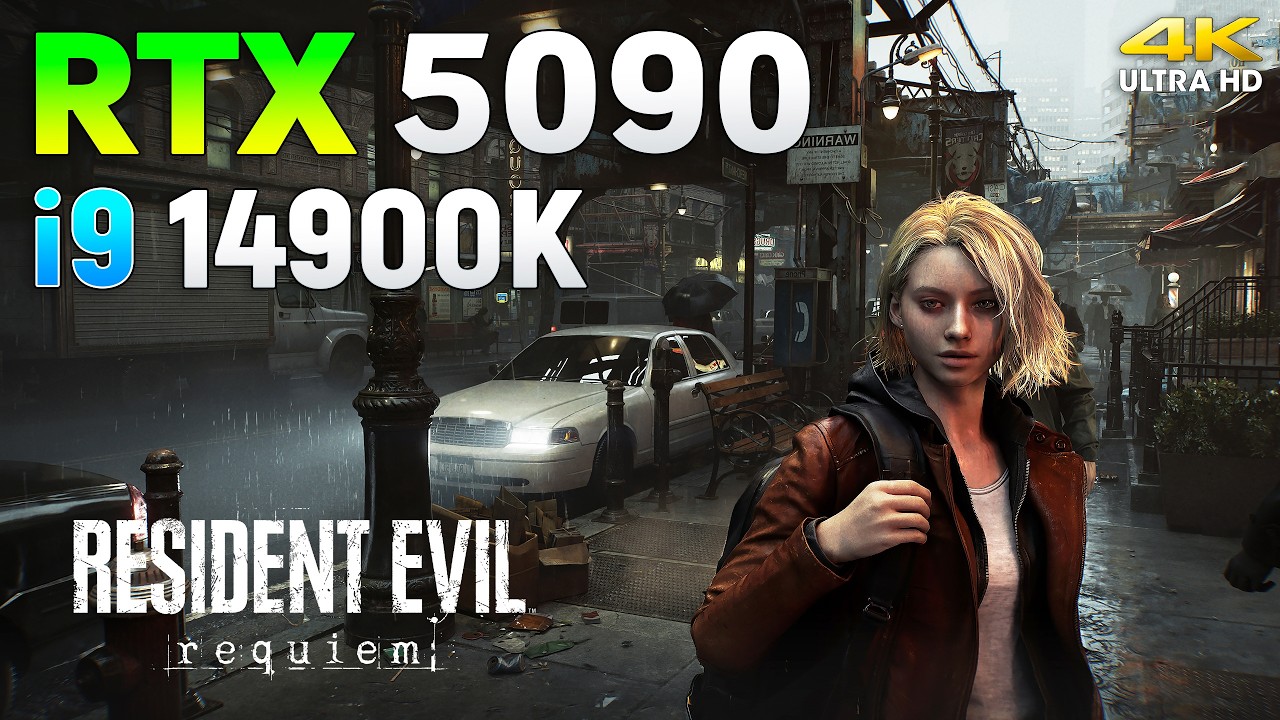
Resident Evil Requiem : RTX 5090 32GB + Core i9 14900K | 4K
Buy games at the best prices on gamivo.com - https://gvo.deals/TestingGames
Use coupon code and get discount - TG3
4K, Max Settings - 0:00
4K, Max Settings, PT - 0:50
4K, Max Settings, PT, DLSS - 3:19
4K, Max Settings, PT, DLSS, FG 2X - 8:23
4K, Max Settings, PT, DLSS, FG 4X - 12:01
...
raw knoll
arctic solstice
That's on Nvidia
some of that is because of flim grain too though i agree
sweet estuary
im gettin the exact same FPS as this guy
 delicate escarp
you can disable film grain in config file
sweet estuary
also nvidia inspector doesn't workf or me for some reason
signal sky
delicate escarp
you can disable film grain in config file
It reenables itself. It’s hardcoded
sweet estuary
im using the latest pre release
arctic solstice
DLSS4.5 seems to have resolved a lot of that light issue but processing everything right after start
delicate escarp
signal sky
It reenables itself. It’s hardcoded
damn
raw ridge
delicate escarp
you can disable film grain in config file
Oh ok I am waiting for musa as he said he can get rid of film grain
sweet estuary
2.4.34
raw ridge
arctic solstice
DLSS4.5 seems to have resolved a lot of that light issue but processing everythi...
How to enable 4.5 for re9 ?
arctic solstice
No
sweet estuary
arctic solstice
Musa willbe a couple weeks?
depends on praydog
raw ridge
arctic solstice
Musa willbe a couple weeks?
Omg!!!
delicate escarp
raw ridge
How to enable 4.5 for re9 ?
disable PT
raw ridge
2 weeks?
arctic solstice
raw ridge
How to enable 4.5 for re9 ?
Can't until the drivers come out
raw ridge
delicate escarp
disable PT
Oh ok I had it enabled thanks
lusty jetty
adding rebar gets me from 35 fps to 38fps almost 60
raw ridge
arctic solstice
Can't until the drivers come out
You mean RE framework?
arctic solstice
lusty jetty
adding rebar gets me from 35 fps to 38fps almost 60
Math not mathing
lusty jetty
arctic solstice
Math not mathing
bugged 4090 driver/game
arctic solstice
What settings?
sweet estuary
lusty jetty
adding rebar gets me from 35 fps to 38fps almost 60
do i have to force rebar through inspector?
lusty jetty
sweet estuary
do i have to force rebar through inspector?
yea globally
blazing fiber
Can anyone remember how fast they got reframeworks working on past re games?
lusty jetty
 coarse kettle
I really don’t understand how people make a game and don’t notice the excessive film grain during development
mental glen
lusty jetty
im getting 10 fps with dlaa
Resident PowerPoint
glad marsh
sweet estuary
im gettin the exact same FPS as this guy
ya sum ting wong
you should be getting more fps
mental glen
severe warren
Resident Evil PowerPoint
fuck, you made that joke
lusty jetty
and hard capped to 200W
glad marsh
70-80 w 2x frame gen 5090 doesn't sound right
lusty jetty
capcom nerfed my 4090 to eco mode
glad marsh
lusty jetty
capcom nerfed my 4090 to eco mode
😔
coarse kettle
lusty jetty
capcom nerfed my 4090 to eco mode
Nvidia Forcing to buy next gen gpu 😅
arctic solstice
Zworz was able to release his embargoed video on 5090 performance and the rest of the 50 series so i assume look at that and figure 30-40% below at 4K
lusty jetty
ye buying a 5090 for 3k real quick
sweet estuary
its all enabled but it doesn't help or work (in requiem)

do I have to change it globally?
lusty jetty
sweet estuary
its all enabled but it doesn't help or work (in requiem)
wdym
signal sky
lusty jetty
yea globally
Don’t do it globally…
lusty jetty
its fine for most games
mental glen
fwiw im doing it globally as well because i cba setting it for all games
rather just disable by hand in the few games it fucks
signal sky
If you update drivers it’s already enabled in the games that need it
lusty jetty
i didnt even encounter a game which had issues with rbar
mental glen
so
lusty jetty
signal sky
If you update drivers it’s already enabled in the games that need it
some dont ship with rbar support
like re9
mental glen
nvidia barely enables it for games
many games that nvidia didnt whitelist still gain from it
so i enable it.
mighty kelp
lusty jetty
Iam 2.4.0.34 and I only see this:
 lusty jetty
im running .31
mighty kelp
Are these the right settings?
 mighty kelp
shouldnt size limit = GPU VRAM?
 teal abyss
DLSS looks blurry, do I have to change any preset?
lusty jetty
4 is apperently 1GB
 hearty schooner
lusty jetty
just heard everyone is running 4
hearty schooner
lusty jetty
just heard everyone is running 4
If you have a 5090 its 0x0000000800000000
lusty jetty
6 should be 1.5
sweet estuary

Benchmarking RE9 Requiem on the Nvidia GeForce RTX 50 series GPUs (that I have) : RTX 5090, RTX 5080, RTX 5070 Ti, RTX 5070, RTX 5060 Ti 16GB and RTX 5060 - Path Tracing, Ray Tracing, DLSS 4, Multi Frame Generation, multiple resolutions - Everything tested in one big video, enjoy!
⏱ Timestamps ⏱
Intro, GPUs, etc - 0:00
RTX 5090 - 1:42
RTX ...
me and him have the same frame rate yeah
coarse kettle
what Reframework does? Enables everything to be changed?
lusty jetty
havent updated in 2 years
sweet estuary
ngl the hdr doesn't look that bad, the only problem is the 950 nits hdr limit
hearty schooner
lusty jetty
so 4090 6 ?
6
signal sky
And 4080 4?
sweet estuary
hearty schooner
If you have a 5090 its 0x0000000800000000
that just crashes my nvpi
do you mean c80000
formal grotto
lusty jetty
ye buying a 5090 for 3k real quick
To be fair I've been buying 2080TI, 3090, 4090, 5090 just on release every time since 2019.
And I earn a few hundred $ every time I sell my old GPU and buy a new and more expensive GPU. Because the highest level cards get more expensive than their original MSRP as soon as a new generation drops because they are not getting produced anymore and the new cards are hardly available at the same time (you obviously need to use some discord bot notifications in order to snatch a new card for MSRP) ^^
I LITERALY didnt pay a dime for my hobby and at the same time always use and switch to the latest and most expensive GPU every 2 years. I don't know how nobody knows about this, it kinda feels like a hack tbh
mental glen
lusty jetty
6 should be 1.5
✅
lusty jetty
formal grotto
To be fair I've been buying 2080TI, 3090, 4090, 5090 just on release every time ...
also true
signal sky
I need to learn about the discord bot thing. Cause I do wanna get 1 6090
formal grotto
And the worst is Jenson is 100% right with "the more you spend the more you save" ^^
sweet estuary
what settings to change for preset E in the game?
formal grotto
As someone mentioned above, its probably better to use D as the Devs have originally decided?
mighty kelp
I wonder if the latest driver is causing the performance difference on a 4090 and the less power draw issue.
Can you actually play the game with previous driver 591.86?
mental glen
im on this one, i can try booting the game i guess
 fierce wedge
arctic solstice
Musa willbe a couple weeks?
fierce wedge
arctic solstice
Musa willbe a couple weeks?
Depends on when re framework is ready
smoky kraken
mighty kelp
I wonder if the latest driver is causing the performance difference on a 4090 an...
how hot does it get? maybe youre affected by the fan issue and not all the fans are spinning
fierce wedge
When re framework is ready I’ll do it asap
smoky kraken
mental glen
im on this one, i can try booting the game i guess
if you want the new one for comparison i shared a drive link somewhere above
polar summit
mighty kelp
I wonder if the latest driver is causing the performance difference on a 4090 an...
it does not
makes no difference
smoky kraken
i grabbed it before they pulled it and i have no issues, but i use pretty much default settings and no third party software like afterburner
sweet estuary
formal grotto
As someone mentioned above, its probably better to use D as the Devs have origin...
E is better with DoF
arctic solstice
fierce wedge
Depends on when re framework is ready
Hope they update soon
mighty kelp
polar summit
makes no difference
Then I don't know what the heck is going on. Other PT titles don't show this behaviour at all
 keen pollen
Is there an HDR mod yet for RE9?
polar summit
mighty kelp
Then I don't know what the heck is going on. Other PT titles don't show this beh...
I think PT in this might just be extremely bandwidth hungry
polar summit
50 series has a big advantage with GDDR7 there
signal sky
You can play the game with any driver
polar summit
only thing i can think of
teal abyss
keen pollen
Is there an HDR mod yet for RE9?
Musa is waiting for REframework to be updated
fierce wedge
keen pollen
Is there an HDR mod yet for RE9?
Have to wait for reframework to be updated so reshade addon version can be used
signal sky
Oh non addon version works?
small igloo
if non addon works I would use black floor fix and start playing immediately
signal sky
That’s why I’m asking yeah hahahahaha
small igloo
hahah
signal sky
Im already using the alternative global windows method tho. That works for the time too, but its more inconvenient
mental glen
smoky kraken
if you want the new one for comparison i shared a drive link somewhere above
need to download real quick first
 lusty jetty
polar summit
I think PT in this might just be extremely bandwidth hungry
lusty jetty
polar summit
I think PT in this might just be extremely bandwidth hungry
nah 4080 isnt "bugged"
 small igloo
btw does anyone else have stutters in this game
lusty jetty
must be a driver/game specific problem
small igloo
I have some random stutters from time to time
signal sky
You did have a 5090 right?
small igloo
ye
mighty kelp
DLSS always reverts back to performance after game restart. Anyone else too?
small igloo
I assume it's shader comp I'm just wondering if it's just me
signal sky
mighty kelp
DLSS always reverts back to performance after game restart. Anyone else too?
Yeah someone else mentioned it
teal abyss
mighty kelp
DLSS always reverts back to performance after game restart. Anyone else too?
same here
 chilly gyro
kind fossil
Man I am fucking loving this game holy shit 10/10 so far
chilly gyro
kind fossil
Man I am fucking loving this game holy shit 10/10 so far
I’m on my third pair of pants
polar summit
lusty jetty
nah 4080 isnt "bugged"
you're right actually 5080 has less bandwidth than 4090 as well
but does better in certain parts
its fking weird
formal grotto
On every game Start DLSS RR quality level returns back to Performance mode for me. Anyone else?
lusty jetty
yes
 austere hare
kind fossil
Leon gameplay is sublime
austere hare
kind fossil
Leon gameplay is sublime
I can also confirm that there is an abundance of Leon one-liners
lusty jetty
Upscaling level is also not inside the config.ini so i guess it doesnt get saved
 alpine wigeon
No Fov Slider is lame, REFramework will solve this though. Soon I hope.
And 16/9 cutscenes in UW too.
kind fossil
austere hare
I can also confirm that there is an abundance of Leon one-liners
When was the last time you brushed your teeth? Lmao
 gritty sparrow
hearty schooner
If you have a 5090 its 0x0000000800000000
gritty sparrow
hearty schooner
If you have a 5090 its 0x0000000800000000
I have a 5090, but don't have this as an option to select. It's okay to enter this into inspector?
kind fossil
The blood spatter effects on his arms and everywhere are great, and the kill animations so good
hearty schooner
gritty sparrow
I have a 5090, but don't have this as an option to select. It's okay to enter th...
Yes
polar summit
@sonic musk You reckon the gamma might be intended? SDR has two modes sRGB and rec. 709, if you match your monitor to those specs, they show a similar lifted image (comparable to default HDR). I'm not sure they intended the game to be played on 2.2 gamma? Which is actually kind of weird
fierce wedge
signal sky
Oh non addon version works?
SK with non addon works
lusty jetty
gritty sparrow
I have a 5090, but don't have this as an option to select. It's okay to enter th...
ye
signal sky
I’ll be using Dylan’s global method
formal grotto
Forcing rbar did not improve the performance for me on 5090 and forcing RR preset E does not look better than default D on the street
lusty jetty
Re9 also ships with an old directstorage version not sure if updating fixes some stutters
signal sky
formal grotto
Forcing rbar did not improve the performance for me on 5090 and forcing RR prese...
I did tell you so yeah
small igloo
seems I'm not the only one with stuttering
mental glen
shits rough, DLSS quality all maxed out settings 3840x1600, no FG
 solid shale
mental glen
shits rough, DLSS quality all maxed out settings 3840x1600, no FG
solid shale
mental glen
shits rough, DLSS quality all maxed out settings 3840x1600, no FG
Bad performance?
Damn
mental glen
in this beginning scene, defo
lusty jetty
at least ur card is pulling more than 200w lol
mental glen
not even full 4k
bleak cliff
at least is pulling 300w...
lusty jetty
mine is capped at 200
rancid chasm
do you guys also have this awful boiling with PT ?
lusty jetty
mine is undervolted at .95
bleak cliff
oh
rancid chasm
damn im on preset E for some reason
lusty jetty
so maybe increasing it gets you a few extra watt
formal grotto
PCGW says FilmGrainEnable=False works?
 tawdry lynx
rancid chasm
damn im on preset E for some reason
tawdry lynx
rancid chasm
damn im on preset E for some reason
i though e was better than d
bleak cliff
i think i won't wait any longer, i will use black floor fix and start the game right now and deal with the bad hdr and the bad performance 😂
rancid chasm
tawdry lynx
i though e was better than d
I thought the same thing but someone here told me it's the opposite
im so lost

tawdry lynx
nah google dosnt lie
lusty jetty
75 with fg is wild
dense sapphire
E is bad in re9
tawdry lynx
ai is god
dense sapphire
look at the sky
rancid chasm
I want to get rid of this awful boiling
tawdry lynx
rancid chasm
I want to get rid of this awful boiling
is it lumen?
unique snow
new anti anti tamper tech
 rancid chasm
tawdry lynx
is it lumen?
rancid chasm
tawdry lynx
is it lumen?
only with PT
dense sapphire
rancid chasm
I want to get rid of this awful boiling
can't really. what's your res and dlss quality?
lusty jetty
formal grotto
PCGW says FilmGrainEnable=False works?
nah not working
rancid chasm
4K dlss Q with RR
tawdry lynx
rancid chasm
4K dlss Q with RR
try 310.5.3
 civic orbit
lusty jetty
nah not working
civic orbit
lusty jetty
nah not working
save me musa
musa please save me
from the horrible film grain and raised black floor
please
rancid chasm
tawdry lynx
try 310.5.3
that's the RR dll ?
lusty jetty
doesnt it get overriden by the nvidia app anyways?
tawdry lynx
use dlls swapper
dense sapphire
I would say try optiscaler output scaling for boiling, but it's not working in re9 right now
mental glen
i get 18-19fps with dlaa xd
rancid chasm
dlaa is unusable with PT on any gpu
signal sky
Seems like decent perf. Looks considerably better than Cyberpunk no?
signal sky
Yeah then its probably performing as intended imo
Its just cutting edge graphics and fps are going to take a hit yes or yes
signal sky
tawdry lynx
i wonder how my 5070ti is going to do
Im hoping for at least stable 60 with FG and DLSS P on my 4080
Should be 70-80 according to what I saw. Imma test shortly
rancid chasm
signal sky
Im hoping for at least stable 60 with FG and DLSS P on my 4080
FG with less than 60 fps base is awful
signal sky
If I hate the film grain I might just look at it, save and wait for Reno lol
rancid chasm
input lag wise and artefact wise
signal sky
rancid chasm
FG with less than 60 fps base is awful
Nah that´s cap
rancid chasm
cannot play with that for sure
signal sky
I´ve used it in Cyberpunk with 40 base and its perfect
rancid chasm
signal sky
Nah that´s cap
nvidia themselves recommend 60 fps base
signal sky
30 base it starts to get floaty
rancid chasm
check hardware unbox channel about that too
so many artefacts and input lag issue below 60
but to each their own Ig
rancid chasm

signal sky
Its obviously better at 60 base tho that´s pretty obvious
rancid chasm
you do you brother
civic orbit
isn't 50ms latency insane?
signal sky
Not really
civic orbit
ah gotcha
 sonic musk
polar summit
<@292977505789280257> You reckon the gamma might be intended? SDR has two modes ...
sonic musk
polar summit
<@292977505789280257> You reckon the gamma might be intended? SDR has two modes ...
SDR calibration screen is broken in sRGB though
Also there's visibly more posterization in places
It's not impossible., but you would think they would have noticed that something is wrong when testing the console versions
formal grotto
40fps in cyberpunk feels good with controller, with a Mouse it can be a bit annoying input lag wise
signal sky
Without FG you maybe get like... 30?
rancid chasm
btw reflex is bugged in this game when FG is off
even tho it says reflex on it's actually off
signal sky
formal grotto
40fps in cyberpunk feels good with controller, with a Mouse it can be a bit anno...
I play with mouse and it´s fine. But I guess there´s people much more sensitive to latency than me
rancid chasm
latency aside, the artefacts are just unberable
civic orbit
reminder game has different horizontal and vertical sensitivies too, with accel and deccel
fixing that made it feel much much better
signal sky
rancid chasm
latency aside, the artefacts are just unberable
I have minimal artifacts too, but then again maybe im less sensitive to them
rancid chasm
you probably are less sensitive to it for sure
mental glen
lusty jetty
at least ur card is pulling more than 200w lol
if you walk a bit further it seems better, over 500W dlaa
rancid chasm
because it's a fact they do exists
signal sky
I mean I see them
formal grotto
totally fine and playable with 50ms input lag, but obviously its not great
signal sky
They are just minimal. Pixel peeping type of stuff
rancid chasm
if they dont disrupt you then you're fine
sweet estuary
The input lag is lower with fg 😭
tawdry lynx
mental glen
if you walk a bit further it seems better, over 500W dlaa
it looks sooo good
signal sky
mental glen
if you walk a bit further it seems better, over 500W dlaa
No FG there?
lusty jetty
mental glen
if you walk a bit further it seems better, over 500W dlaa
interesting havent walked around much waiting for musa to publish the mod
tawdry lynx
signal sky
No FG there?
4x framgeb
mental glen
no just dlaa
signal sky
Damn that´s good then
Yeah perf seems totally fine
The VRAM tho 
Here I go with my 16gb
formal grotto
reflex without framegen is actually broken in many games so far that it even hurts and causes input lag
signal sky
Even with FG is often half broken lol
signal sky
When reflex 2 huh
 mental glen
signal sky
Damn that´s good then
mental glen
signal sky
Damn that´s good then
well eh guess its not everywhere tho, this is with 2x fg now
can drop quite low
signal sky
mental glen
well eh guess its not everywhere tho, this is with 2x fg now
Considering its DLAA that´s awesome tho
You´re pushing PT DLAA, that´s insane xD
Just set it to balanced/perf and it should be pristine for the whole game with FG
formal grotto
chilly gyro
the specialk reshade inject works well and is easily set up
mental glen
this is at quality, is okayish
signal sky
Balanced should be good tho
 marble lotus
lime nimbus
Anyone can comment here if g5 is a worthy upgrade for the c1?
marble lotus
lime nimbus
Anyone can comment here if g5 is a worthy upgrade for the c1?
S95F with service menu calibration wipes the floor with it and even without it did better in the shootouts
signal sky
mental glen
this is at quality, is okayish
Oh damn that´s a big jump with q then
chilly gyro
formal grotto
the specialk reshade inject works well and is easily set up
Ty il have a look into it
signal sky
Probably better to test in the main street tho for worst case scenario
marble lotus
lime nimbus
So g5 on sale, or g6
The hope is that the G6 fixes the near black performance removing a layer of grime
marble lotus
lime nimbus
Initially I read the g5 having tons of issues in game mode and only working prop...
No Game Mode still raises EOTF by 200 nits , reducing peak brightness , also has artificial sharpening
mental glen
signal sky
Oh damn that´s a big jump with q then
yeah but i mean... at quality and UW res thats 75% of 4K i would hope for 50-60fps native at all times tbh..
and its already quite an unstable image at quality, im not too happy ngl
gonna close the game now, i only wanted to do a few perf tests
marble lotus
dense sapphire
The PT looks good, it's just dlss implementation
What’s wrong with the DLSS
signal sky
mental glen
yeah but i mean... at quality and UW res thats 75% of 4K i would hope for 50-60f...
I mean you´re almost getting that there
without the almost
In the main street will be lower but it seems like an outlier
signal sky
Yeah fair I guess
Im scared for my 4080 xD
I have the feeling im gonna hate the grain and im not gonna play till mods are out lol
mental glen
ill wait out a few patches and reno/reframework
signal sky
Might do the same if my willpower is strong enough
marble lotus
mental glen
doubt itll fully fix it
Exactly that’s why you go S95F with service menu calibration, zero posterization it’s life changing
mental glen
i wont use a samsung but yeah
signal sky
IF you´re ok with matte screen S95 might be better yea
mental glen
qd oled ofc is better
kind fossil
@mental glen that's the most demanding part of the game so far and it's you're not in that area for long lol
mental glen
id immeditaley use it if there was one with LG software etc
signal sky
LG software is crap too tbh
We talk shit at Scamsung but cmon, LG aint better xD
I just dont like how Samsung does HGIG and the matte finish
That´s why I went G5
 oak maple
samsung does dogshit things with their game mode is the big issue
signal sky
Yep
marble lotus
signal sky
30 base it starts to get floaty
Feel like 40 with FG can be good , the latency is below the 100ms threshold which is a big milestone for people bc it’s the threshold at which things feel instant according to military studies I believe
oak maple
gotta do goofy things with sliders to get something kinda calibrated in game mode HDR
marble lotus
oak maple
samsung does dogshit things with their game mode is the big issue
The service menu calibration fixes it
mental glen
signal sky
We talk shit at Scamsung but cmon, LG aint better xD
atleast they aint forcing DSC when its not needed

marble lotus
If you haven’t seen a calibrated S95F you haven’t seen a monitor and I had a G5
signal sky
marble lotus
Feel like 40 with FG can be good , the latency is below the 100ms threshold whic...
Yeah its exactly what I said. 30 base is when you get to 100ms and thats not great, but anything above is totally fine unless you´re obssesed with latency
signal sky
mental glen
atleast they aint forcing DSC when its not needed
True too
mental glen
i mean even with a controller 90ms feels quite ass already
signal sky
Panasonic would so be king if they were more available and cheaper
mental glen
wouldnt really wanna have anything above 60-70ms lag max
signal sky
mental glen
wouldnt really wanna have anything above 60-70ms lag max
Yeah this is a reasonable target
As long as you have 40 base you should hit that I think
mental glen
depends on the game i think, didnt check in re9
signal sky
Welp it can change in each game yea but not dramatically afaik
I´ll check mine in Re9 for science now
mental glen
for sure does
oak maple
marble lotus
The service menu calibration fixes it
I don't really keep up with this stuff, is there an accessible way to get that?
marble lotus
oak maple
I don't really keep up with this stuff, is there an accessible way to get that?
AV and AVSForums
You also can get 4000 nits mod
green raven
marble lotus
Exactly that’s why you go S95F with service menu calibration, zero posterization...

marble lotus
Message if you ever need it
AVS Forum
07/15/25 Owners need to be aware that a new firmware (1121.5) is making the rounds. This software version removes the option to enable HGIG (as confirmed by @curman) . Gamers may want to consider holding off on updating to avoid the loss of functionality until more testing has been done.
S95F...
green raven
oak maple
I don't really keep up with this stuff, is there an accessible way to get that?
AVS Forum
07/15/25 Owners need to be aware that a new firmware (1121.5) is making the rounds. This software version removes the option to enable HGIG (as confirmed by @curman) . Gamers may want to consider holding off on updating to avoid the loss of functionality until more testing has been done.
S95F...
marble lotus
One of them is on that page ^
marble lotus
green raven
https://www.avsforum.com/threads/2025-samsung-s95f-s90f-s85f-qd-oled-owners-thre...
Yo bro have you tried 4000 nits mod
green raven
Perfect calibration in game mode, HGIG, 4000 nits mod
marble lotus
Try this one for fun
 marble lotus
Do this one instead of AVSForum
But ignore his 4G Dither setting
As he couldn’t measure it bc his meter isn’t good enough
Just trust me
green raven
marble lotus
But ignore his 4G Dither setting
Yes
This TV is a beast with these settings
oak maple
marble lotus
You also can get 4000 nits mod
I'm on an S90D
green raven
 coarse kettle
is praydog working on it?
signal sky
Should I trust the clipping pattern ingame?
I don’t have to max it out for some reason but this is capped to 950 and my tv does 2500 so dunno
 signal sky
Yeah same lol
signal sky
mental glen
I did use that but didn’t have reshade to check what nits it’s actually pushing

GitHub
Technical Info: RE Engine HDR available in the windowed mode ✅ Ignores peak brightness EDID/Windows color profile information 🤷♂️ Gamma mismatch ⛔ Due to the anti-tamper solutions, injecting Resha...
It tells you the nits of each level
mental glen
Rip
mental glen
signal sky
But check this https://github.com/KoKlusz/HDR-Gaming-Database/discussions/115
Wait it says reshade doesn’t work at all ?

signal sky
signal sky
But check this https://github.com/KoKlusz/HDR-Gaming-Database/discussions/115
Why tha fuk am I clipping at +9 tho
That’s weird
signal sky
Ok imma just max it out then lol
polar summit
it caps at 950 anyway
 limber vault
that sucks that the peak brightness is capped at 950. Did the other RE games have this issue?
sweet estuary
So are people saying I should get s95f and it fixes the issue with the black level?
lusty jetty
they all have shitty hdr but it has improved
sweet estuary
Link to REFramework discord?
lusty jetty
sweet estuary
So are people saying I should get s95f and it fixes the issue with the black lev...
idk i have perfect blacks and the matte coating isnt too bad
but on samsung tv i would always block the update servers
and update manually
they nerfed tvs in the past
coarse kettle
@mental glen if you use specialK could you give the setting for the g5? only if you used it
mental glen
Why would I use SK for this? Haven’t sorry
sweet estuary
Also what’s this about a 4000 nit mod
lusty jetty
works perfectly but it voids ur warranty
or can if they check the menu
usually they dont
raw ridge
Guys is the mod out?
raw ridge
Ok thanks
chilly gyro
4090 looks busted
 mental glen
Bruh we ain’t getting a mod anytime soon if RE framework isn’t updated
Could be weeks
raw ridge
unique snow
no ref, no mod
I heard it will take a bit longer this time
unique snow
praydog is running the game at 1fps to keep ref from crashing later so can debug more 🐸
mental glen

teal abyss
any alternative you guys recommend? I would like to wait for Reno but doesnt seem REf is being updated any time soon
raw ridge
unique snow
praydog is running the game at 1fps to keep ref from crashing later so can debug...
😹
green raven
sweet estuary
So are people saying I should get s95f and it fixes the issue with the black lev...
Yes
signal sky
Holy fuck I’m getting 60fps in the street with FG xD
Latency is only 40 tho so really good
unique snow
teal abyss
any alternative you guys recommend? I would like to wait for Reno but doesnt see...
you can use special k to inject reshade and then can mess with lilium's stuff
teal abyss
unique snow
you can use special k to inject reshade and then can mess with lilium's stuff
mmmmmmm, mayhaps
signal sky
Pretty playable imo
small igloo
mental glen
It felt kinda bad for me on controller
make sure you adjust camera settings
signal sky
I can get 60 to 80fps
small igloo
they have some weird shit going on
controller felt really floaty for me even at 116fps
mental glen
small igloo
make sure you adjust camera settings
Might be that
mental glen
small igloo
controller felt really floaty for me even at 116fps
Yikes
What should be set?


 shadow raft
I have top of the line oled monitor and the hdr seems washed out and bland. I have calibrated hdr using windows hdr calibration. Any suggestions or is it just waiting game for the renodx mod
signal sky
shadow raft
I have top of the line oled monitor and the hdr seems washed out and bland. I ha...
Yeah I agree
small igloo
rest ist up to your taste
signal sky
The hdr feels terrible
So capped
Imma definetly wait to play this
It does look absolutely bonkers tho
With proper hdr this is going to be 💦💦💦💦
tawdry lynx
chilly gyro
4090 looks busted
hahahah 4090 doing worse than 5070ti
chilly gyro
mental glen
You’re like the 80th person to post this bro
Sorry saw some cry babby moaning about it earlier so thought I’d share
mental glen
signal sky
I also LOVE the camera wobble
mental glen
small igloo
I’ll try to remember this for the next time I play